
7 Best AI Tattoo Generators in 2026 to Design Your Dream Ink
Explore the best AI tattoo generators in 2026 and create unique designs with ease. Use Vmake Labs AI image generator to experiment with tattoo styles, placements, symbols, and creative ideas.

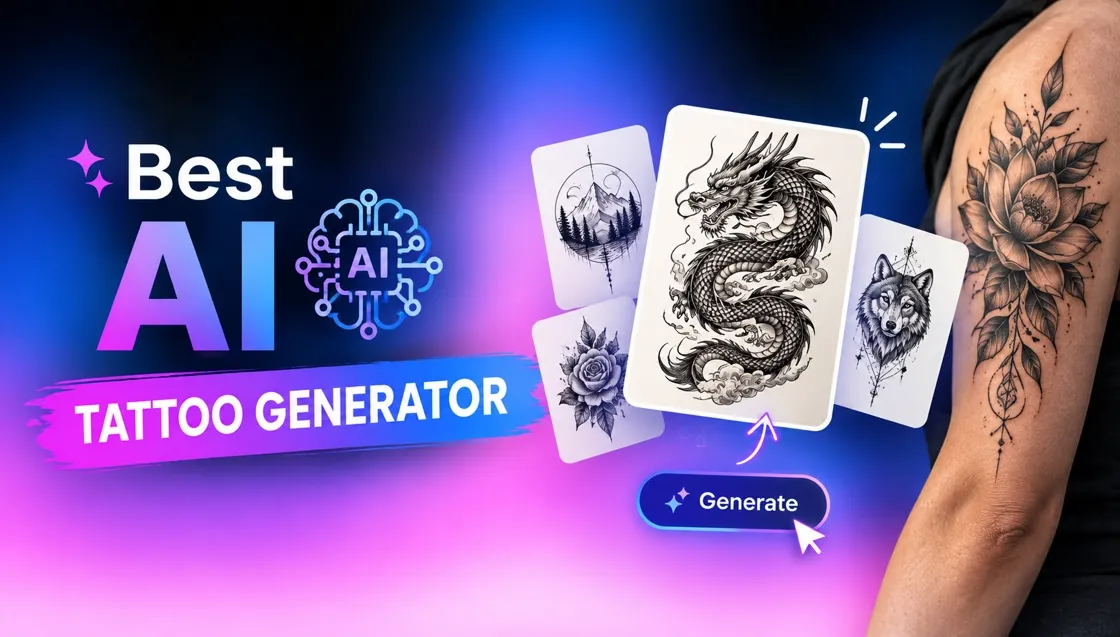
The best AI tattoo generator app gives you the power to transform a rough idea into a visual tattoo idea. Whether you're looking for fine line florals, geometric work, traditional imagery, or custom design, these best AI tattoo generators can help you explore styles, compositions, and variations.
What is an AI tattoo generator
An AI tattoo generator is a generative AI tool that generates tattoo ideas based on text prompts, reference images. Describe the subject, tattoo style, placement, linework, shading, and other details, and let the AI generate visual concepts.
Harness the best free tattoo AI generator to upload an existing image and get the tattoo design. The resulting image is a base image and a professional tattoo artist will have to adapt the design to the shape of the body, the skin, the placement, and the size.
How to choose the best tattoo AI generator
The right tattoo generator depends on how much creative control you want. Think about the styles it can generate, whether it supports reference images, is easy to use, and gives useful final artwork.
-
Start with your tattoo style
Check your preferences, such as fine-line, minimalist, blackwork, traditional, neo-traditional, realism, watercolor, geometric, ornamental, Japanese-inspired, or other styles. If you want to try out a few different styles, consider a tool that gives you a lot of control over image generation.
-
Look for prompt and design controls
Good prompt controls allow you to describe the subject and include details such as composition, line thickness, shading, color, symmetry, and complexity. More control makes it easier to turn a vague tattoo idea into an actual design that fits your vision.
-
Check reference image support
Reference-image support is especially helpful if you already have a sketch, existing tattoo, symbol, photograph, and style sample. Some generators can take references to influence the composition or visual style and others can transform an existing image into a tattoo-like design.
-
Check editing and refinement features
Your first generation is rarely the final version. Look for tools that help you regenerate variations, edit selected areas, change styles, remove unwanted elements, or tweak the image without having to start from scratch.
-
Consider the final tattooing process
An AI image that looks impressive is not necessarily a good tattoo. Look for clean shapes and readable line work, manageable detail, and a composition that will work at the size it will be viewed at. You need a generator that gives a clear, high-resolution design, so a tattoo artist can use it as a reference.
Best AI tools to generate tattoo designs at a glance
With so many AI image generators out there, side-by-side feature comparisons can help you find the right fit. The table below indicates what each tool is best for, what it offers for free, its design controls, tattoo styles it supports, and its reference-image features.
|
Tools |
Best for |
Free access |
Design control |
Tattoo style |
Reference image support |
|---|---|---|---|---|---|
|
Vmake Labs |
Fast custom concepts |
Limited/free access |
Text + image-to-image controls |
Fine Line, Minimalist, Blackwork, Realism, Geometric, Watercolor |
Yes |
|
Adobe Firefly |
Detailed creative control |
Free limited access |
Offers detailed prompting along with Style Reference, Structure Reference, and AI-powered editing tools. |
suitable for fine-line, illustrative, black-and-gray, colorful, and other styles |
Yes |
|
InkStudio.AI |
Tattoo-specific designs and previews |
Limited access |
Tattoo-focused |
Fine Line, Minimalist, Lettering/Script, Realism, Black & Grey, American Traditional, Japanese, Blackwork, Geometric, Neo-Traditional, Micro Realism, Watercolor, Tribal, Dotwork |
Yes |
|
Backink.AI |
Tattoo concept generation |
Limited/free access |
Prompt-based |
Blackwork, Fine Line, Minimalist, Realism, Traditional, Neo-Traditional, Japanese, Geometric |
Yes |
|
Fotor |
Easy editing and style exploration |
Free access with limits |
Supports text-to-image, image-to-image, reference-image workflows |
Fine Line, Minimalist, Realism, Watercolor, Blackwork, Geometric, Illustrative, Traditional |
Yes |
|
ImagineArt |
Exploring multiple AI models |
Free tier |
Offers multiple models, styles, and generation controls for experimenting with different visual directions. |
Japanese, Watercolor, Sketch, Linework, Comic, Illustration, Minimalist, Realism, Blackwork |
Yes |
|
PicLumen |
High-volume AI image experimentation |
Free tier |
Provides multiple models, AI editing, inpainting, outpainting, and canvas-based workflows. |
Fine Line, Blackwork, Realism, Anime, Japanese, Geometric, Watercolor, Illustrative |
Yes |
7 best AI tattoo generators in 2026
Here are seven best AI tattoo generators known for their ability to generate custom concepts, support multiple artistic styles, work with reference images, and provide enough control to refine a design before taking it to a tattoo artist.
-
Vmake Labs
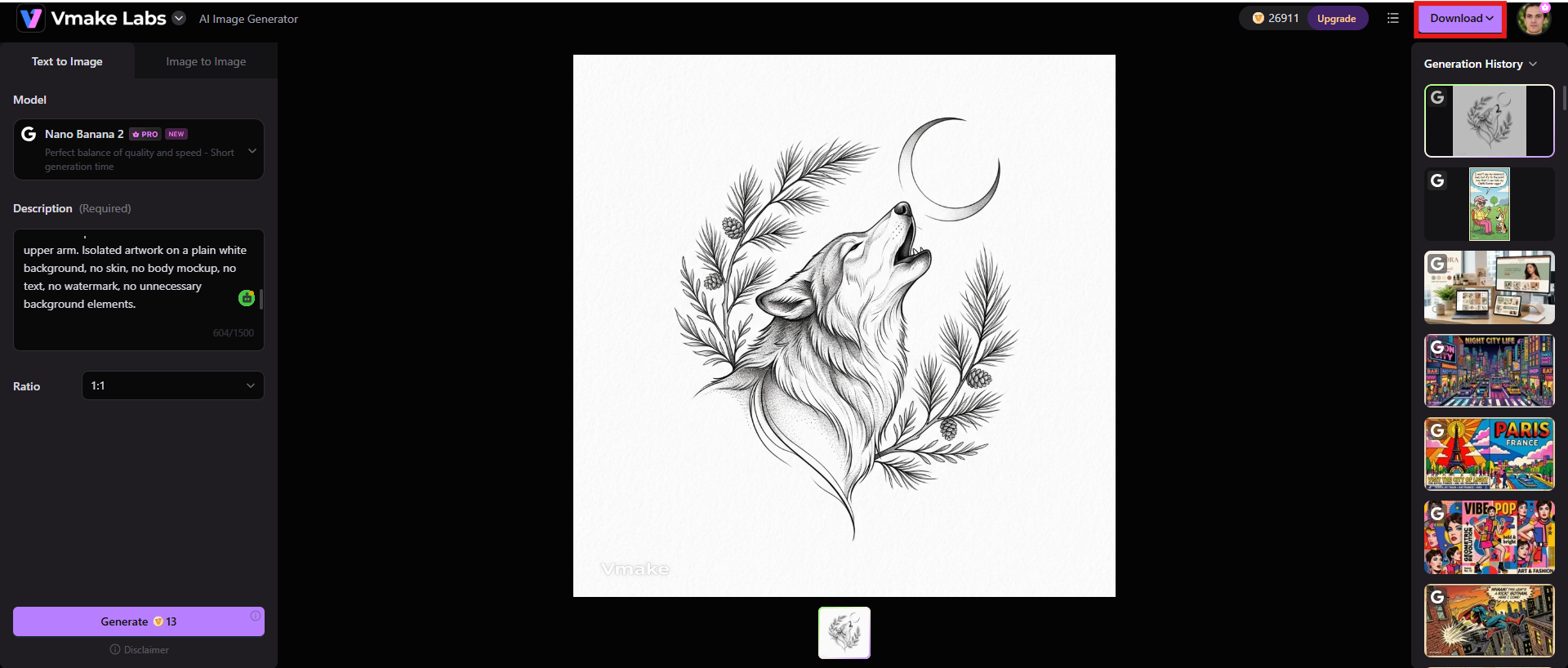
Vmake Labs AI image generator works well for creating tattoo concepts from scratch or transforming an existing visual idea. Its Text to Image and Image to Image workflows are useful when you want to describe a tattoo concept in detail or use one or more references as a starting point. For tattoo ideation, you can use prompts to specify the subject, style, composition, color palette, and general visual direction, choose the appropriate AI model, and let the tool handle the rest. Further, you can use Vmake Labs AI image fixer to fine-tune the output.
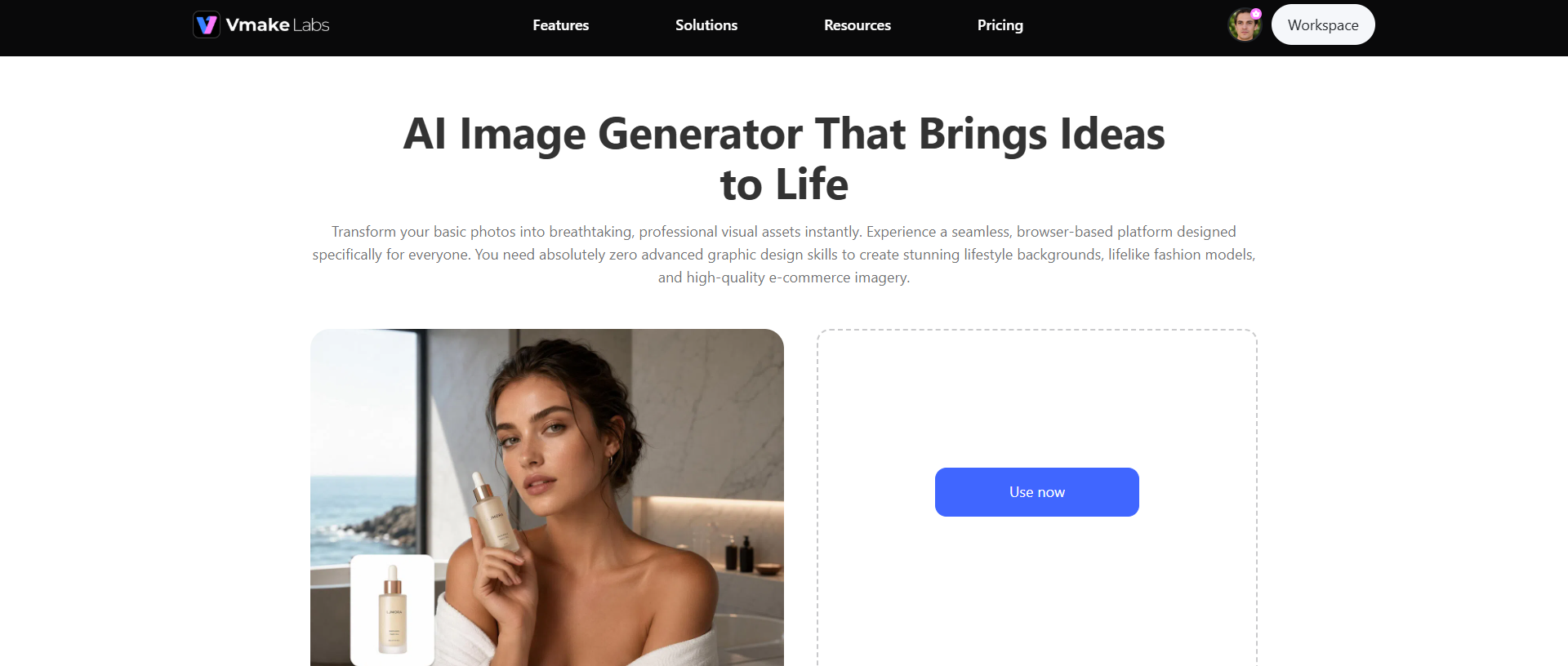
Steps to generate images using Vmake Labs
Step 1: Select Text to Image or Image to Image and choose a model
Select Text to Image if you have an idea you want to start off with or Image to Image if you have a sketch, tattoo reference or any other image you want the AI to use. Choose an AI model to continue.
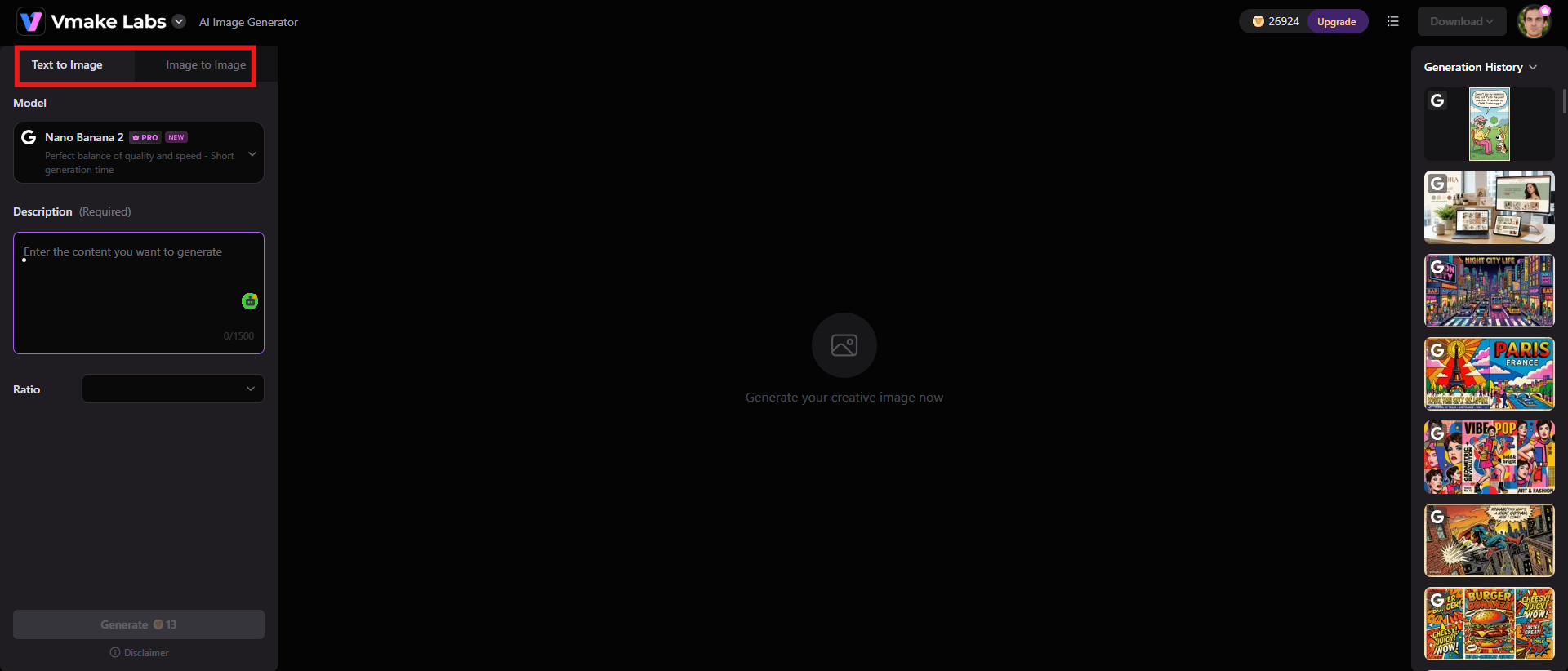
Step 2: Input a prompt or upload 1-3 reference images
Describe the subject of the tattoo. Include details regarding the style, line work, shading, color, composition and background. If you are using Image to Image, upload your reference images to help guide the generation. Select the appropriate aspect ratio and click "Generate" to begin the process.
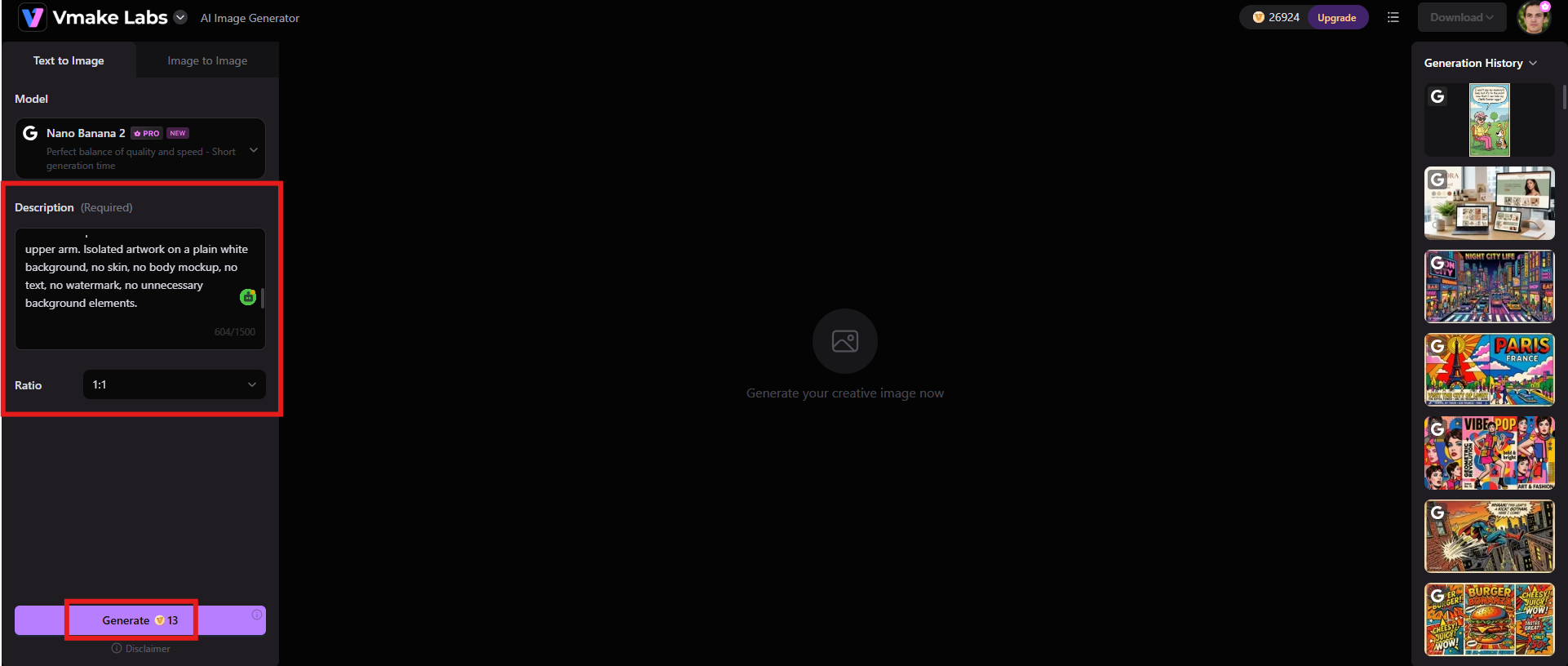
Step 3: Preview and download after generation
Review the generated image to see if it matches your imagination and expectations. Click "Download" to save the result for further editing or show it to your tattoo artist as a reference.
Key features
-
Text-to-image generation for custom visuals
Create original tattoo ideas from written text prompts. With Vmake Labs, you can input the subject, tattoo style, composition, linework, shading, colors, and other visual aspects to guide tattoo design generation.
-
Image-to-image generation with reference images
Upload 1-3 reference images for the AI to use as visual guidance. This is great if you have a sketch, symbol, existing artwork or style reference that you want to use in a new tattoo idea.
-
Flexible aspect ratios and image generation settings
Configure image generation for a variety of compositions and formats. This can be useful when planning tattoos for various parts of the body, such as the forearm, back, shoulder, chest or leg.
Best for: Users who want a general-purpose AI image generator that can quickly turn tattoo ideas and reference images into visual concepts.
Pricing: A free plan is available, and the paid plan begins at $9.99/mo.
-
Adobe Firefly
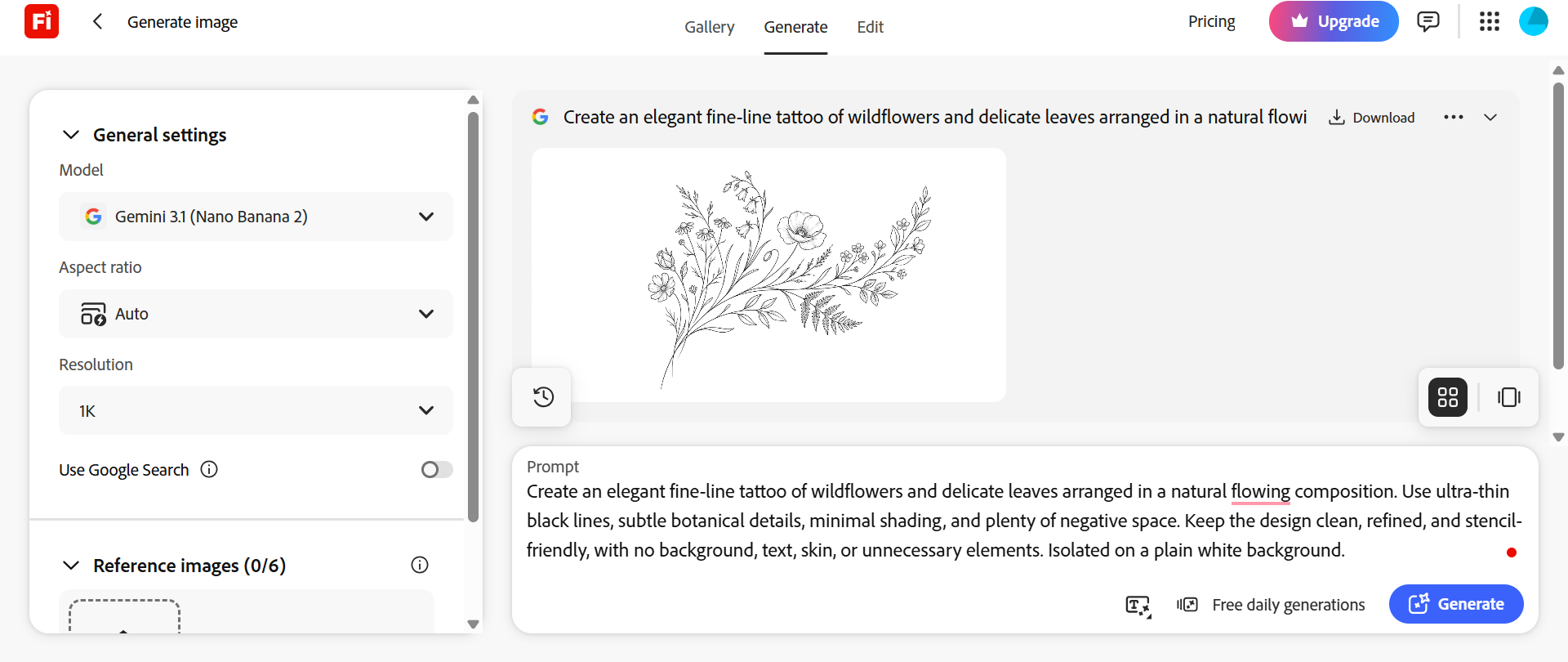
If you want more control over the look and refinement of your tattoo concept then Adobe Firefly is a strong choice. Firefly offers tattoo-specific templates, but that's not all. You can create designs based on detailed prompts and use reference images to help guide the result. Its Style & Structure Reference feature is particularly useful in the design of a tattoo, as it can impact the look and the structure of a generated concept.
Key features
-
Text-to-image generation: Describe a tattoo subject, composition, artistic style, color treatment, and level of detail to generate multiple visual directions.
-
Style reference: Upload an image to set the colors, textures, mood and overall visual style of the generated design. You can also adjust the strength of the reference.
-
Structure reference: Provide a sketch or any other image to specify the placement, style, and depth of the generated result.
-
Generative editing: Edit parts of an image without starting from scratch. This is useful for removing distracting elements or changing individual elements of a design.
Best for: Designers and tattoo enthusiasts who want detailed control over style, structure, references, and post-generation editing.
Pricing: Begins at $9.99/mo.
|
Pros |
Cons |
|---|---|
|
|
-
InkStudio.AI
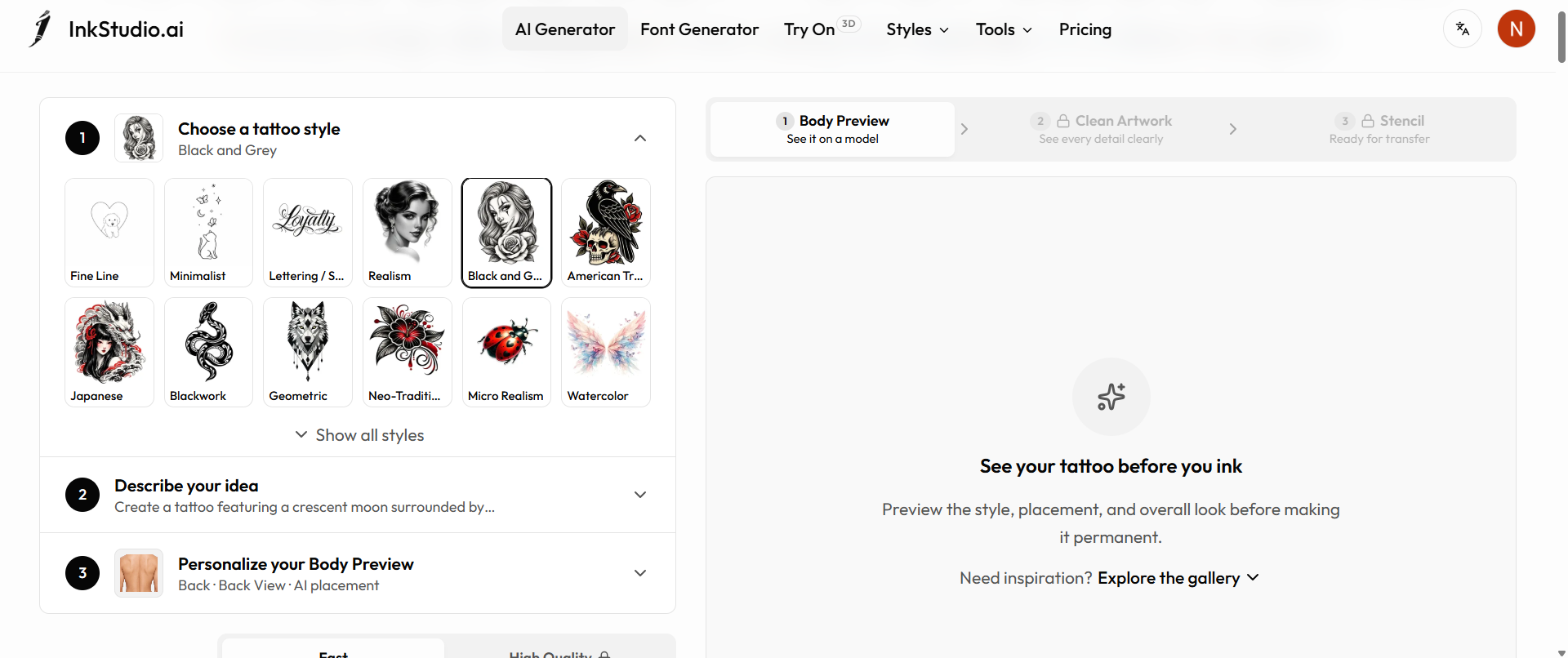
InkStudio.AI is specifically designed for tattoo creation, rather than general-purpose image creation. This is especially helpful if you're not just trying to make art, but you're trying to figure out how an idea could work as an actual tattoo. Its toolkit includes tattoo generation, stencil linework, body previews, personal-photo try-ons, and AI-enhanced previews.
Key features
-
AI tattoo generation: Rather than repurposing a general image generator for this task, InkStudio.AI generates tattoo concepts specifically for tattoo-related use.
-
Stencil linework: Create cleaner line-based versions that can be more useful as a reference for a tattoo artist.
-
2D tattoo try-ons: View tattoo designs on templates or your own photos to get a better sense of how they will look on your body.
-
AI-Enhanced Previews: Modify a design's layout and get a preview of how the final idea might look before getting it tattooed.
Best for: People who want an end-to-end tattoo-focused workflow, especially users who want to preview designs on the body.
Pricing: Starts at $12.99 for seven-day access, which gives only seven-day usage rights
|
Pros |
Cons |
|---|---|
|
|
-
BackInk.AI
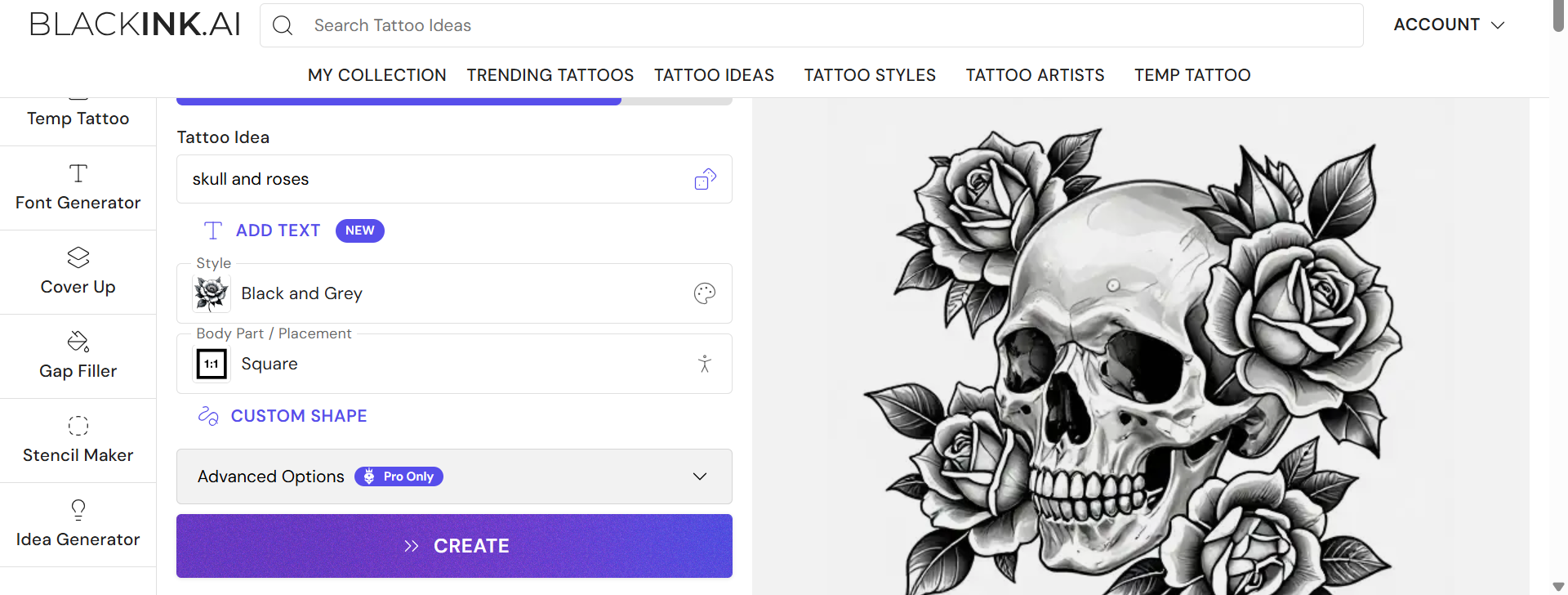
BackInk.AI is a tattoo-centric AI generator that assists users in translating their tattoo ideas into visual concepts. It can be helpful if you know the subject or symbolism but need help with composition and artistic direction. Instead of starting from scratch, you can use AI-generated variations to compare different options before making a final choice.
Key features
-
AI Tattoo concept generation: Turn a written tattoo concept into a visual design, so you can use it for brainstorming.
-
Style-based generation: Try out different tattoo aesthetics and see how the artistic directions differ for the same concept.
-
Reference-based creation: When you want the tattoo you generate to follow a specific visual idea, use existing imagery as inspiration.
-
Design iteration: Generate plenty of concepts so you can compare compositions and choose the best starting point.
Best for: Users who want a straightforward, tattoo-focused way to explore custom tattoo concepts without using a full professional design suite.
Pricing: Paid plans begin at $15/mo
|
Pros |
Cons |
|---|---|
|
|
-
Fotor
Fotor is a general-purpose AI image-generation and editing platform, which is a good fit for those who want an easy way to experiment with tattoo concepts. It accepts text prompts along with reference images, and its editing capabilities allow you to tweak generated visuals, rather than starting from scratch each time.
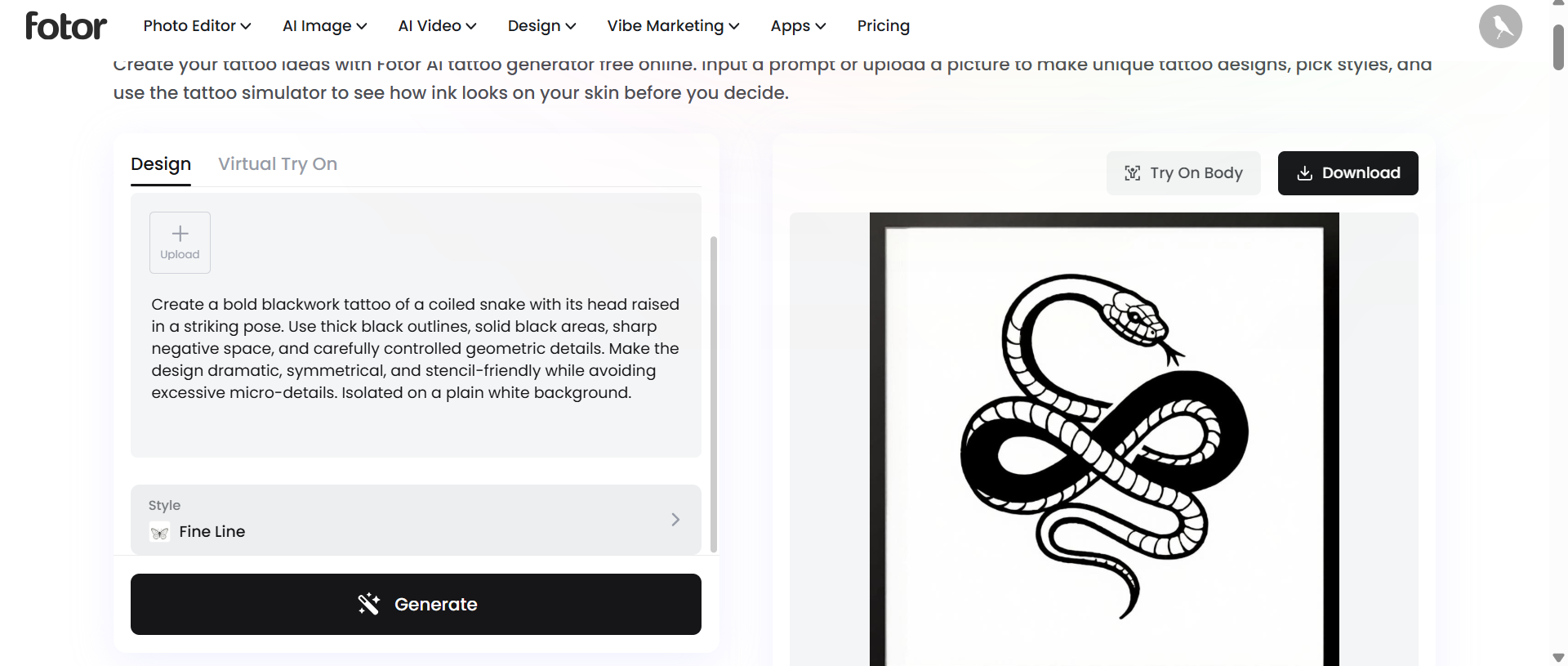
Key features
-
Text-to-image & image-to-image generation: Create a new visual from a written tattoo idea or an existing image.
-
Multi-image reference fusion: Fotor allows you to merge up to eight reference images so you can combine visual elements, compositions, or styles.
-
AI-powered editing: Modify parts of a generated image with prompts instead of recreating the whole design
-
Wide variety of styles: Fotor provides more than 170 art style presets for you to easily experiment with different looks.
Best for: Beginners looking for a friendly AI image generator with strong reference-image and editing capabilities.
Pricing: Paid plans begin at $3.99/mo
|
Pros |
Cons |
|---|---|
|
|
-
ImagineArt
ImagineArt is a multi-model AI creative platform. It is the best free AI tattoo generator that provides users with different models and styles of image generation. This comes in handy for tattoo brainstorming when you want to compare different visual interpretations of the same prompt. The free tier includes credits, while paid tiers offer increased model access and generation capacity.
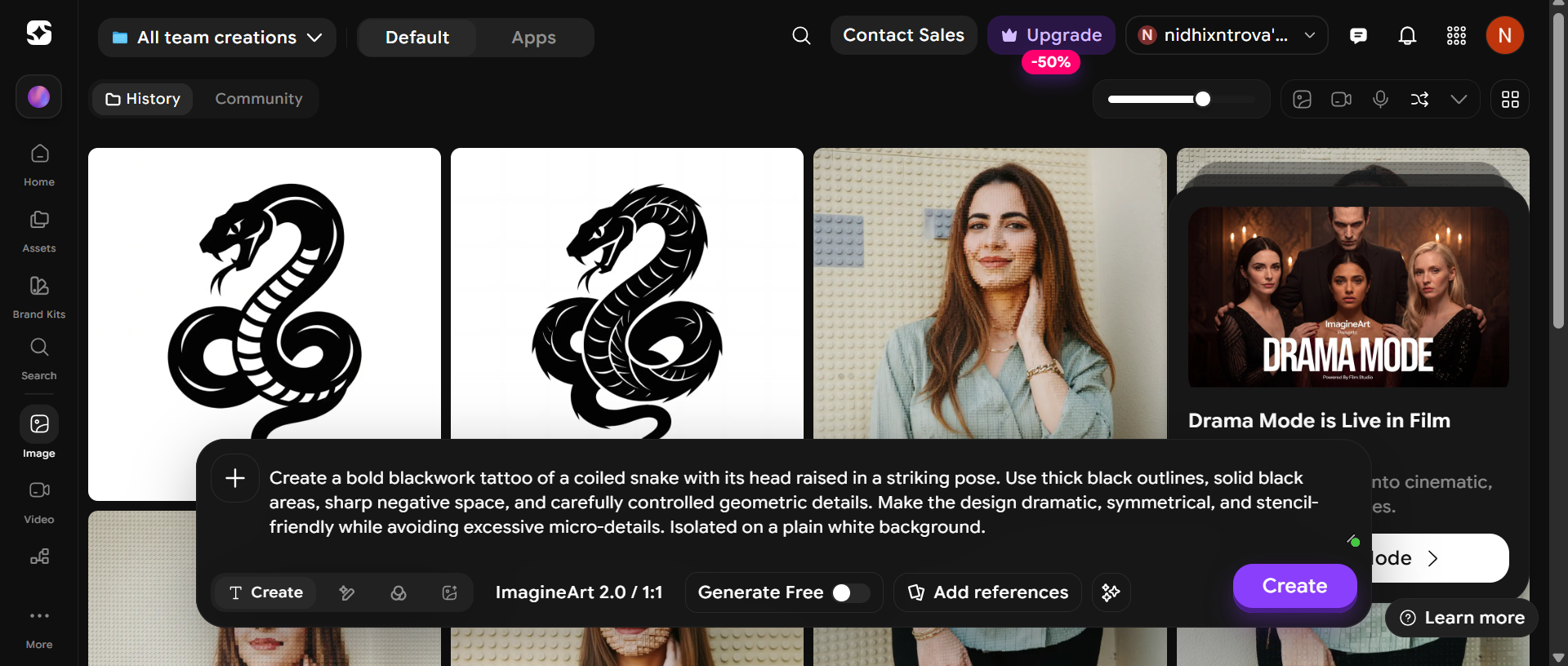
Key features
-
Multiple AI models: Try out various image models to see which one handles your tattoo concept best.
-
Big style selection: Try out different art styles to find the visual language that matches your tattoo idea.
-
High-volume generation: With paid plans, you can generate a large number of images, which is helpful when you want to compare many concepts.
-
Creative experimentation: Change the same prompt a few times to see how you can alter the composition, subject placement, detail, and overall mood.
Best for: Users who want to compare different AI models and generate many variations of a tattoo concept.
Pricing: Paid plans begin at $9/mo.
|
Pros |
Cons |
|---|---|
|
|
-
PicLumen
PicLumen is a big AI creative studio that allows you to explore tattoo ideas with image generation and editing. It gives access to multiple models, reference-based workflows, AI image editing, inpainting, outpainting and canvas projects. This is especially helpful for users who want to keep iterating on an idea instead of just accepting the first image they get.
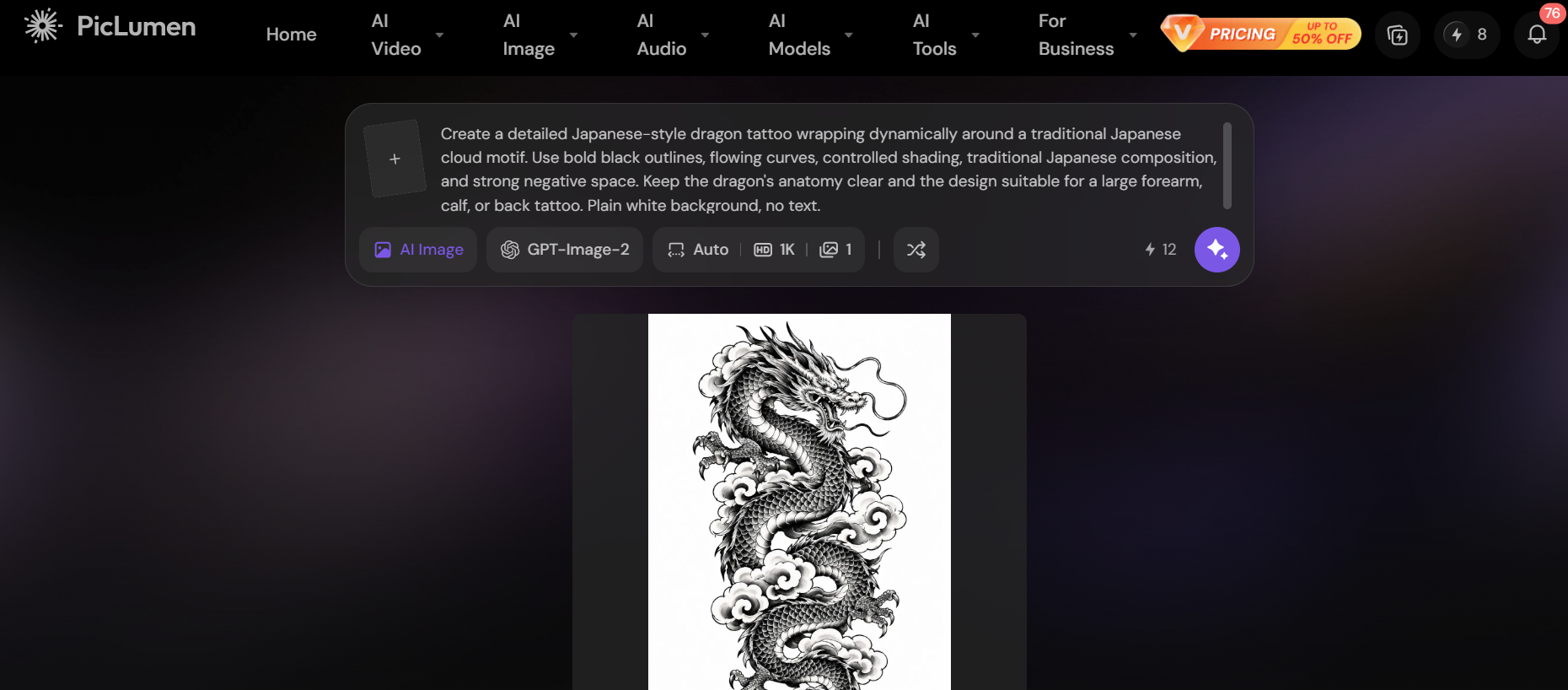
Key features
-
Select various AI image models: Choose different models to see how they each interpret a tattoo prompt.
-
AI image editing: Refine an idea rather than generating a brand new image each time.
-
Inpainting and outpainting: Change specific areas or add to the composition when the original idea needs changing.
-
Canvas-based workflow: Handle and develop multiple visual ideas in projects. Useful for comparing tattoo ideas.
Best for: Experienced AI users who want extensive experimentation, editing, and access to multiple image-generation models.
Pricing: Paid plans begin at $6.09/mo.
|
Pros |
Cons |
|---|---|
|
|
Tips for getting better tattoo designs
A good AI tattoo prompt can significantly improve the quality and usability of the result. Instead of just describing the subject, describe the tattoo style, ink color, linework, shading, composition, and amount of detail, so the generator has a better idea of what you want.
-
Be specific about tattoo style.
If you want a "cool wolf tattoo", rather than just asking for it, tell the AI tattoo generator exactly what you want, be it a minimalist fine-line wolf tattoo, blackwork wolf tattoo or a neo-traditional wolf tattoo. This gives the AI a much clearer visual goal to recognize the style.
-
Mention black ink or color.
Tell the AI tattoo generator if you want black and gray, solid black ink, limited color, or full color tattoo. This will stop AI from adding colors you never wanted to use.
-
Specify linework and shading.
Include details like fine lines, bold outlines, stippling, cross-hatching, smooth shading or minimal shading. These instructions may improve the relevance of the result to actual tattoo artwork.
-
Tell the AI to keep the design clean and tattoo-friendly.
Give instructions about clean linework, enough negative space, readable shapes, minimal micro-details, and stencil-friendly composition. This can help eliminate extraneous details that may look great on a screen but are difficult to tattoo.
-
Avoid unnecessary backgrounds.
Ask for a simple white background, an isolated tattoo design, or a clean stencil view. This makes judging the tattoo itself easier, and it gives your tattoo artist a cleaner reference.
Conclusion
The best AI tattoo generator depends on what you want from the design process. If you want a tattoo-specific workflow with previews and stencil-oriented features, then InkStudio AI is your best bet. Adobe Firefly is more suited for users looking for detailed creative control and reference-based generation, whereas Fotor provides an accessible balance of generation and editing.
Vmake Labs stands out as a convenient option for turning a rough tattoo idea into multiple visual concepts. Its Text to Image tool lets you create designs from detailed prompts, while Image to Image supports 1–3 reference images. Regardless of which tool you choose, AI is great for ideation and visualization. Describe your idea clearly and let AI handle the design process.
FAQs
-
What is the best AI tattoo generator in 2026?
The best AI tattoo generator will depend on what you need it. For example, Vmake Labs is a good option for swiftly generating custom concepts from tattoo ideas and reference images, while InkStudio AI is better suited for tattoo-specific designs, stencil-style art, and body previews. Adobe Firefly is a good choice for advanced creative control. Determine your preferences and choose the tool accordingly.
2. Can AI create a completely custom tattoo design?
Yes. In a prompt, you can specify the subject, tattoo style, composition, linework, shading, color palette, size, and other details. But "custom" doesn't mean the output is automatically tattoo-ready. A tattoo artist will customize the concept to your body and ensure the details will stand the test of time.
3. Can I use AI to visualize a tattoo before getting it?
Yes. Some AI tattoo apps can apply a generated design to a body template or a personal photo. InkStudio AI, for example, offers 3D try-ons from templates and personal photos. This can help you compare placement and overall look before making a permanent decision.
4. What should I include in an AI tattoo prompt?
A good tattoo prompt should include the main subject, tattoo style, composition, placement/orientation, linework, shading, color palette, level of detail, and background. For example, you could say "black-and-gray snake tattoo with fine-line, wrapped around a dagger, symmetrical composition, delicate linework, light stippled shading, clean white background" instead of just "snake tattoo."
5. Can AI tattoo generators create designs from a reference image?
Yes. Many of the tools on this list support reference image workflows. This is a good option if you already have a sketch, symbol, existing artwork, or visual style you want the AI to use as a starting point for a new tattoo idea.

You May Be Interested
AI Tattoo Design: Ideas, Prompts, and Style Concepts for Custom Ink
7 Best Free AI Image Generators 2026 Alternatives to Grok Imagine
How to Create a Video in Midjourney: Complete Beginner's Guide
Midjourney AI Image Generator Review: Is It Worth It?

Best AI Animation Generators for Creating Images and Videos
