Midjourney AI Image Generator Review: Is It Worth It?
Explore our Midjourney AI Image Generator review to learn about its image quality, creative capabilities, pricing, user experience, and how it compares with Vmake Labs AI Image Generator.

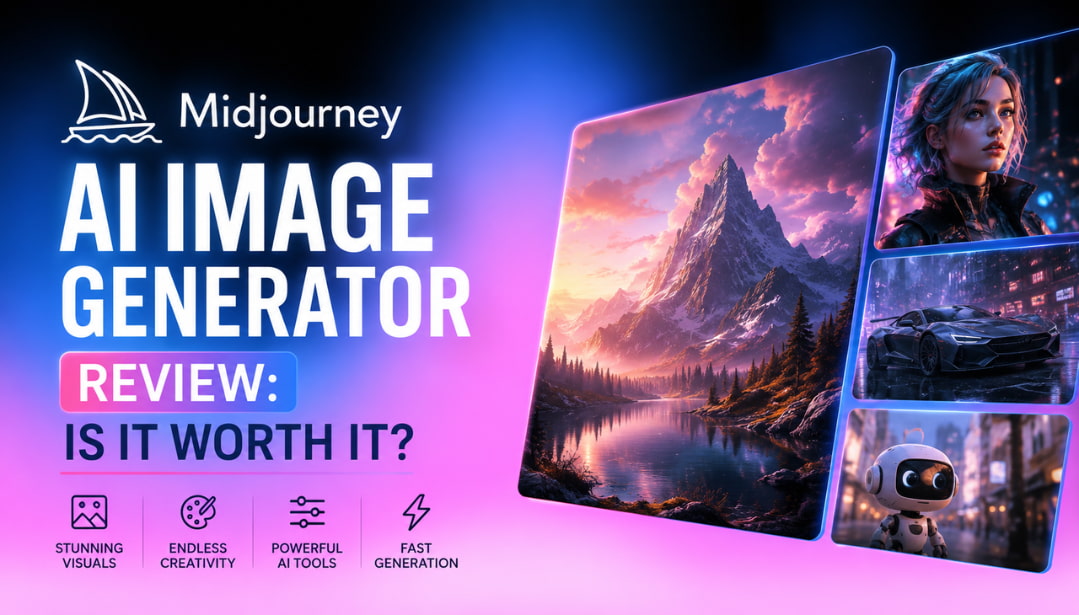
Midjourney is one of the most popular AI art generators for creating stunning visuals from text prompts. This Midjourney AI image generator review explores its features, image quality, pricing, user feedback, and overall performance to help you decide whether it's the right tool or if an alternative better suits your needs.
What is Midjourney AI Image Generator
Midjourney AI Image Generator is an AI-powered tool that converts text into detailed graphics. It is famous for its artistic style and high visual quality. It is popular among artists, designers, and companies to make illustrations, concept art, marketing assets, and creative digital artwork without traditional design abilities.
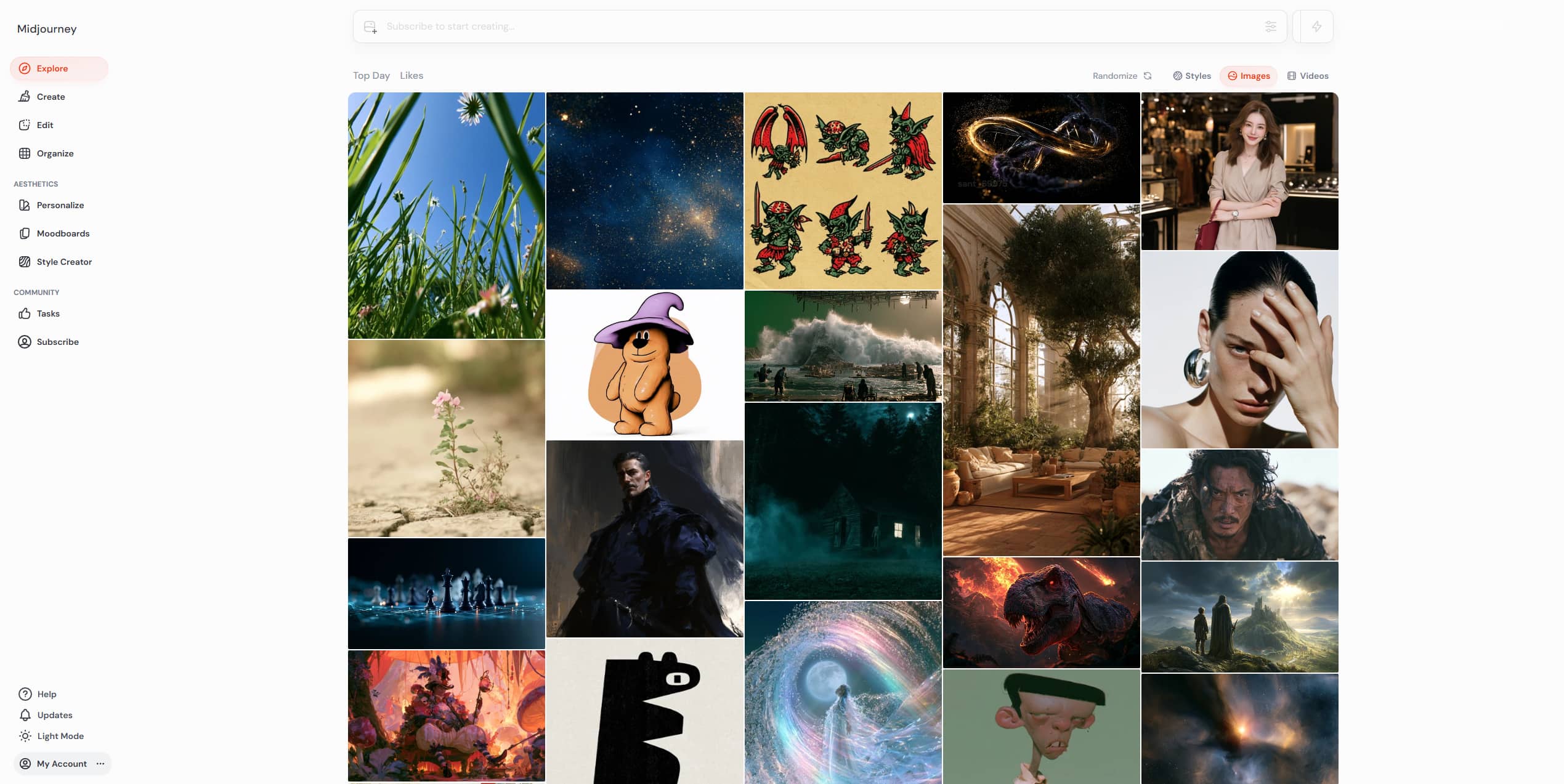
Core AI image generation features
Midjourney is a company that produces rich visual Midjourney AI-generated graphics using complex diffusion models. It has developed throughout the years, but its main strengths are in artistic creation, not in image editing.
Some of its most notable features include:
-
Text-to-image generation: Convert natural language prompts into detailed visuals in seconds.
-
High-quality artistic rendering: Produces cinematic, painterly, realistic, fantasy, and surreal artwork with impressive detail.
-
Multiple image styles: Supports everything from anime and watercolor to photorealistic and futuristic concepts.
-
Prompt customization: Users can control style, aspect ratio, stylization level, quality, and image variations using prompt parameters.
-
Image variations and upscaling: Generate alternative versions of an image or upscale selected outputs for higher quality.
-
Web and Discord workflow: Midjourney originally relied on Discord but now also offers a dedicated web interface, making the experience more accessible.
Frequent model updates continue improving prompt understanding, realism, and consistency, helping Midjourney maintain its reputation as one of the leading AI art generators.
Using Midjourney AI Image Generator from prompt to final image
Once you get the hang of Midjourney's approach, creating AI artwork is a piece of cake. The entire process is simple and accessible to beginners, whether you use the online interface or Discord.
Step 1: Sign in to access Midjourney and enter a prompt
Create a Midjourney account and subscribe to a plan. You can then access the image generator through the official website or supported Discord channels. Describe the image you want in as much detail as possible.
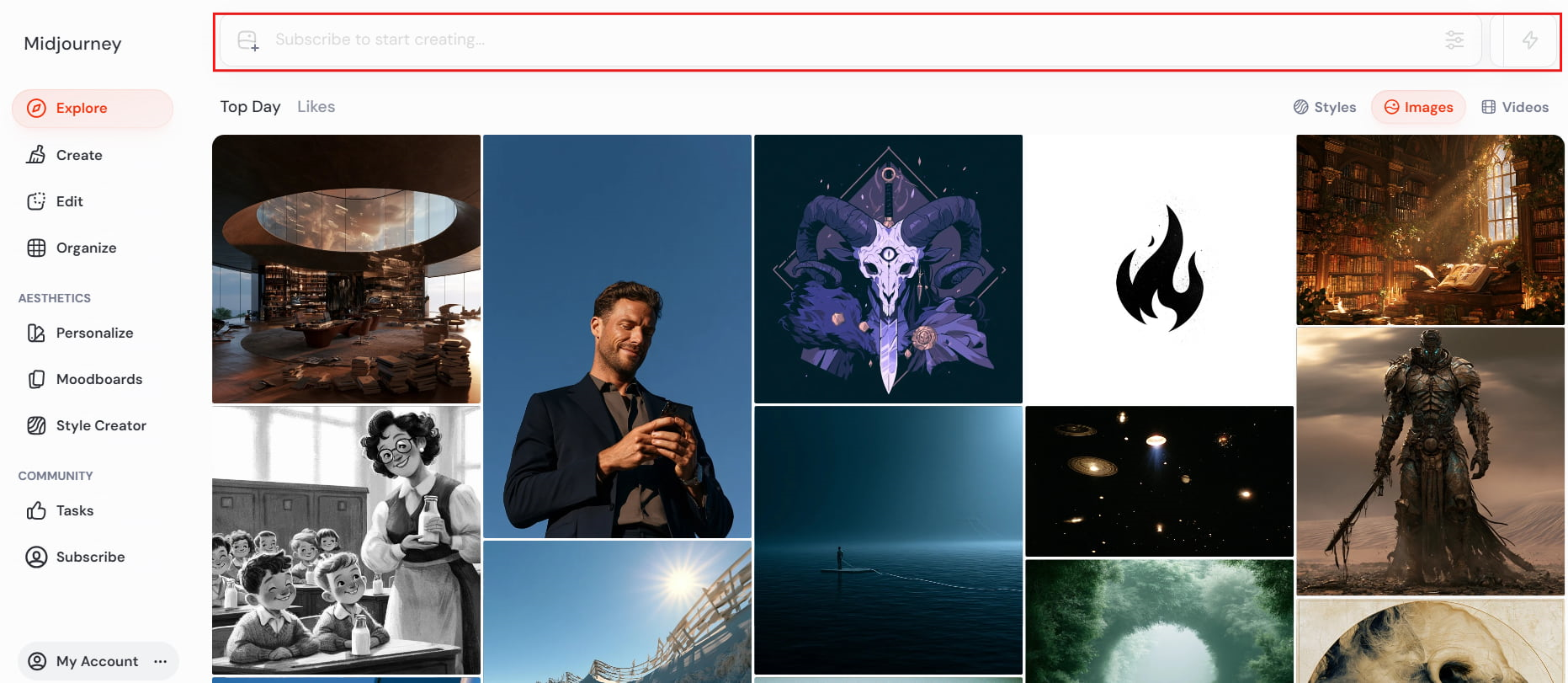
Step 2: Adjust generation settings
Adjust generation settings and specify aspect ratio, stylization, quality settings, and other prompt parameters for greater creative control.
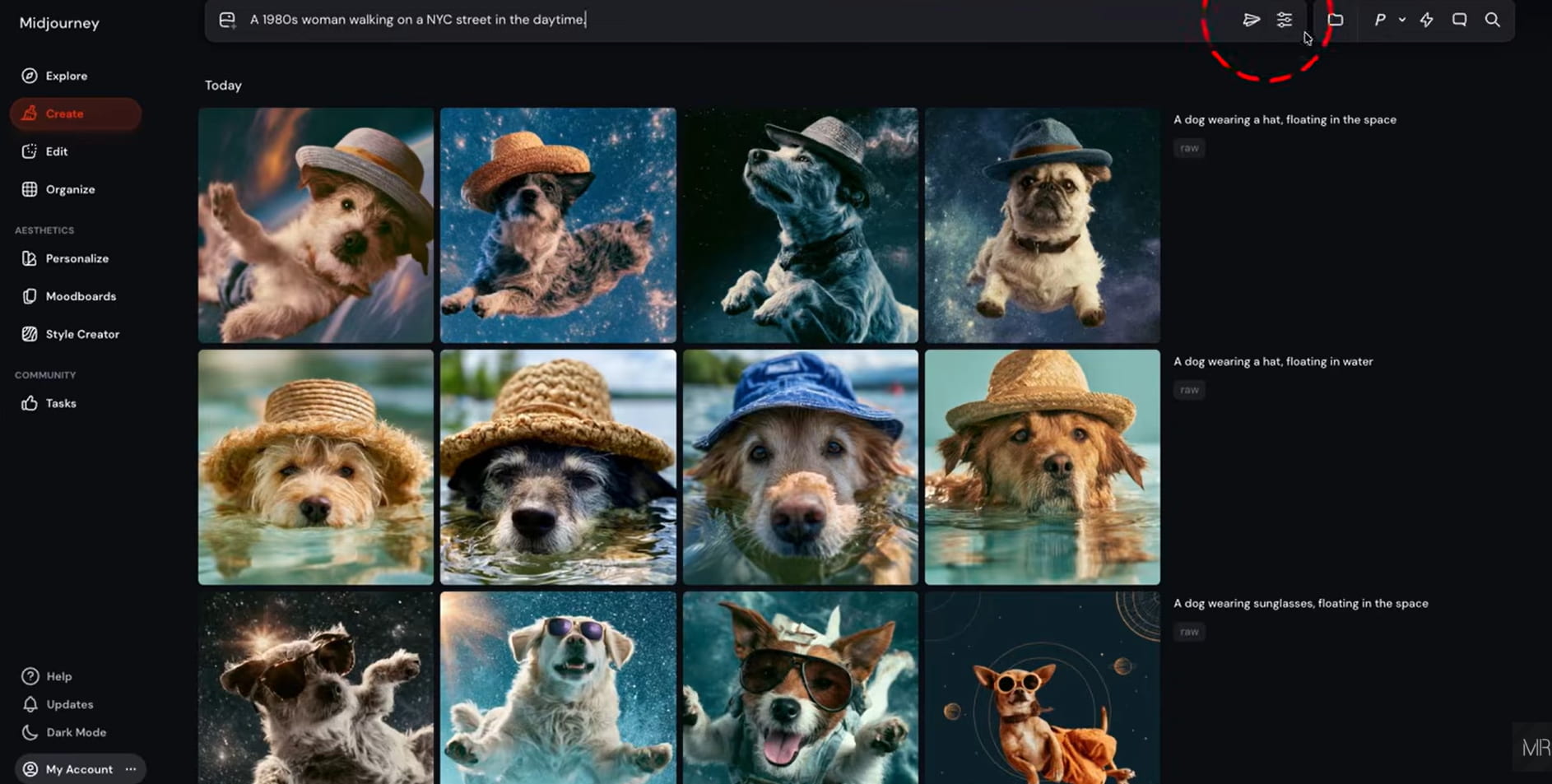
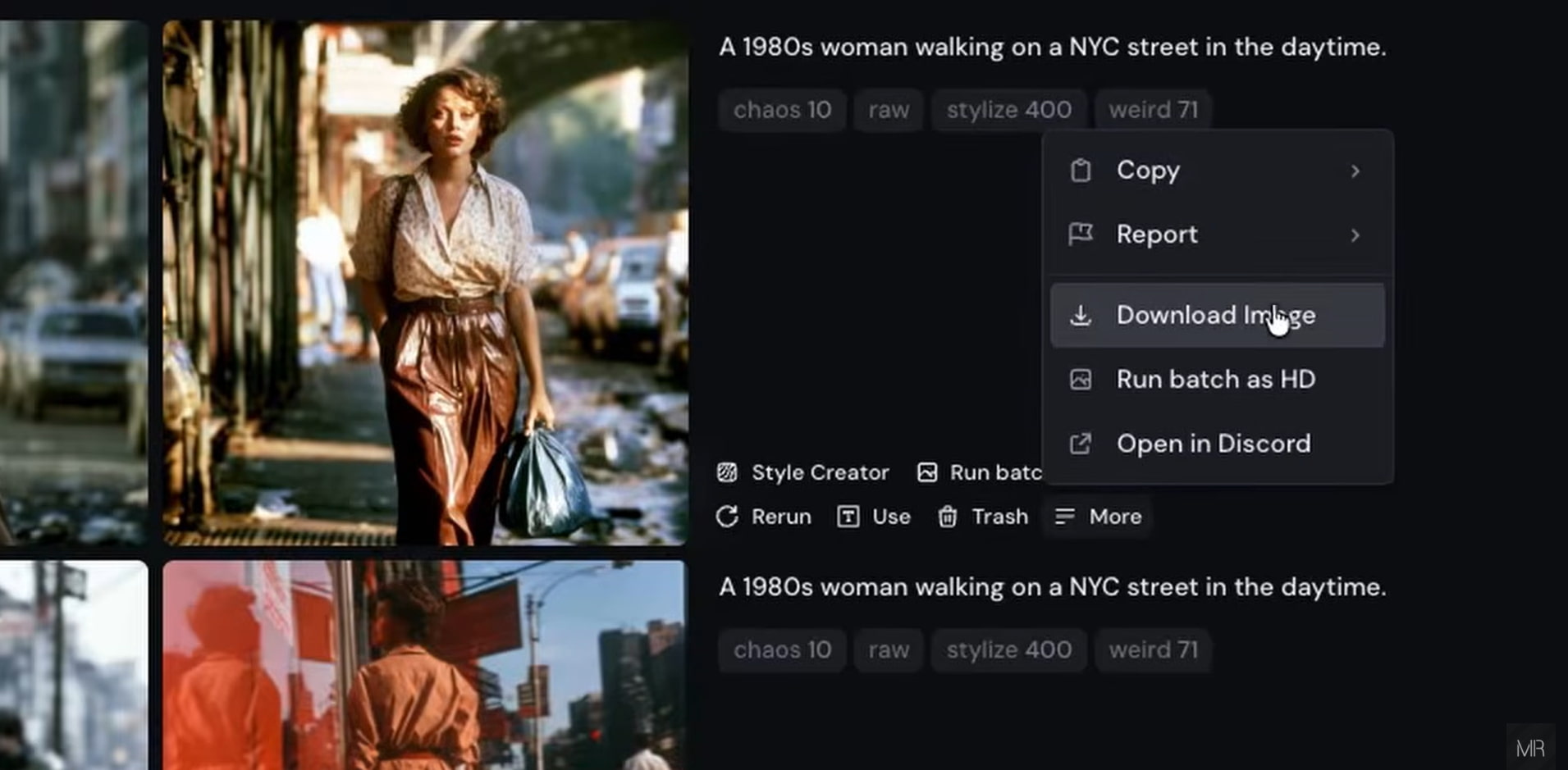
Step 3: Generate, upscale, and download your image
Midjourney generates four image variations. Choose your preferred version, create additional variations if needed, upscale the final result, and download the completed artwork.
What stands out and limitations to consider
|
What stands out |
Limitations to consider |
|---|---|
|
High-quality artistic output: Midjourney consistently generates detailed, visually impressive images across a wide range of art styles. |
No permanent free plan: A paid subscription is required to generate images, which may not suit occasional users. |
|
Strong prompt interpretation: It understands detailed prompts well, making it easier to turn creative ideas into polished artwork. |
Learning curve: Beginners may need time to learn effective prompting techniques and advanced parameters. |
|
Consistent visual aesthetics: Images maintain a distinctive artistic style with reliable quality across different generations. |
Limited text accuracy: It can struggle to generate images containing readable or accurate text. |
|
Regular model updates: Frequent improvements enhance realism, prompt understanding, and overall image quality. |
Minimal post-generation editing: Editing capabilities are limited, so users may need external software for extensive image refinement. |
|
Active creative community: A large community shares prompts, inspiration, and tips, helping both beginners and experienced creators improve their results. |
Pricing and subscription options
|
Plan |
Price |
Features |
Best For |
|---|---|---|---|
|
Basic |
$8 / mo ($96/yr) |
3.3 Fast hrs (~200 images), 3 concurrent fast jobs |
Hobbyists & beginners doing light testing |
|
Standard |
$24 / mo ($288/yr) |
15 Fast hrs, Unlimited Relax Mode, 3 concurrent jobs |
Freelancers & creators needing high volume |
|
Pro |
$48 / mo ($576/yr) |
30 Fast hrs, Unlimited Relax, Stealth Mode, 12 fast jobs |
Agencies & commercial artists needing privacy |
|
Mega |
$96 / mo ($1,152/yr) |
60 Fast hrs, Unlimited Relax, Stealth Mode, 12 fast jobs |
Enterprise production studios & heavy pipelines |
Midjourney AI Image Generator review: Image quality and everyday experience
Midjourney's real worth is found in the caliber of the pictures it creates, not in its feature list. To determine how well it works in daily use, we assessed its performance on a variety of typical creative tasks and took user and reviewer input into account.
Results across different creative projects
-
Character illustrations: It is appropriate for concept art and narrative since it produces expressive characters with intricate facial features, attire, and lighting.
-
Product concept art: Produces visually appealing product mockups and creative design concepts for brainstorming and presentations.
-
Marketing visuals: Creates visually appealing campaign assets, ads, and promotional graphics.
-
Fantasy landscapes: Excels at creating immersive environments featuring dramatic lighting, intricate textures, and cinematic compositions.
-
Social media graphics: Creates eye-catching images that are optimized for digital content, postings, and thumbnails on a variety of platforms.
-
Poster and cover designs: Creates stylish artwork for book covers, album covers, movie posters, and other creative publishing projects.
User experience and generation quality
-
Prompt responsiveness: Accurately interprets detailed prompts and often enhances images with creative visual elements.
-
Image consistency: Delivers reliable quality across multiple generations, especially with the latest model updates.
-
Generation speed: Produces images quickly, with processing time depending on server demand and subscription tier.
-
Ease of navigation: The web interface is intuitive, while Discord remains available for users who prefer its workflow.
-
Overall creative flexibility: Provides a wide range of prompt controls, stylization choices, aspect ratios, and image modifications to allow for more creative freedom.
What users are saying
-
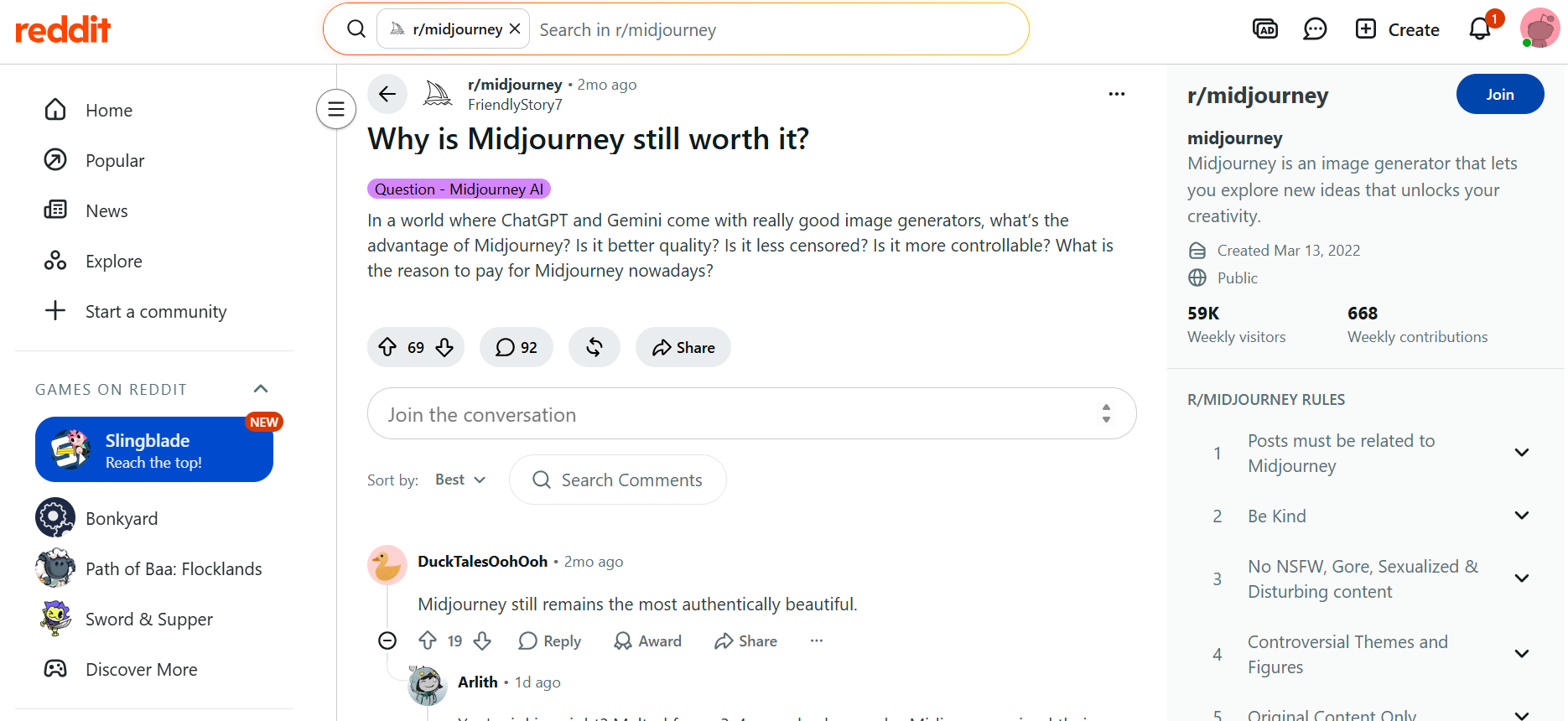
Reddit: Most of the feedback on Reddit is positive. Many users argue that Midjourney is still one of the best AI image generators because of its excellent artistic quality and unique visual style. Some users feel it still beats many newer competitors when it comes to creative artwork, but others wonder if its subscription cost is worth it as alternatives like ChatGPT and Gemini keep getting better.
-
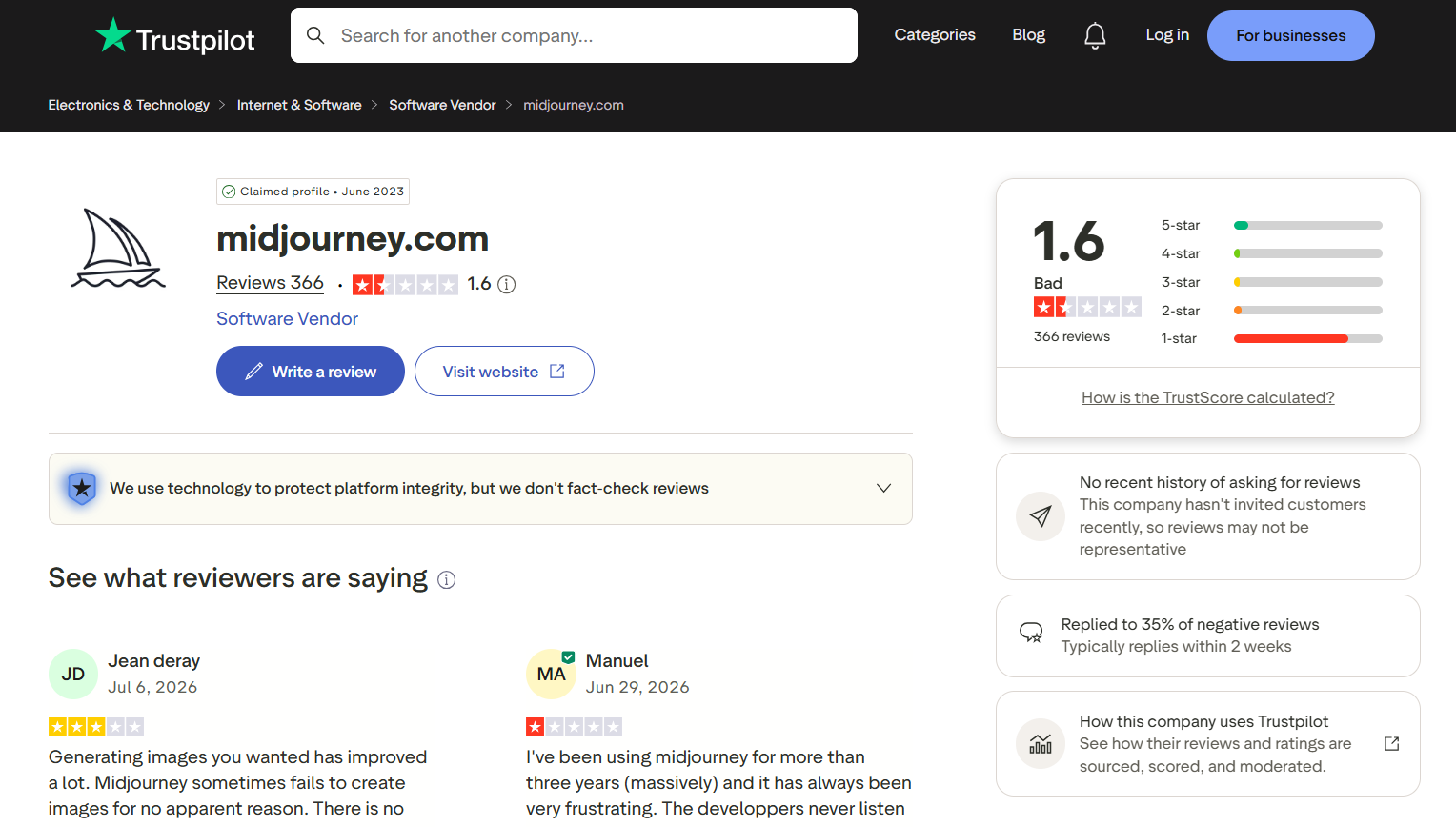
Trustpilot: Trustpilot gives a more mixed picture. Midjourney is able to generate high-quality AI images, and some users say that image generation has improved over time. However, the overall rating is low because people complain about subscription management, billing, customer support, and sometimes image generation doesn't work. This indicates that user dissatisfaction is often tied to the overall service experience, not the quality of the AI-generated images themselves.
Overall, Midjourney remains a strong choice for artistic AI image generation. However, users looking for a simpler workflow, multiple AI models, or greater flexibility may want to explore other AI image generators.
Create AI images with Vmake Labs AI Image Generator
Vmake Labs AI Image Generator is a worthy alternative if you need a browser-based AI image generator that gives you access to multiple AI models and a simple workflow. It can generate text-to-image and image-to-image, and is great for creative projects, marketing content, product visuals, social media graphics, and more.
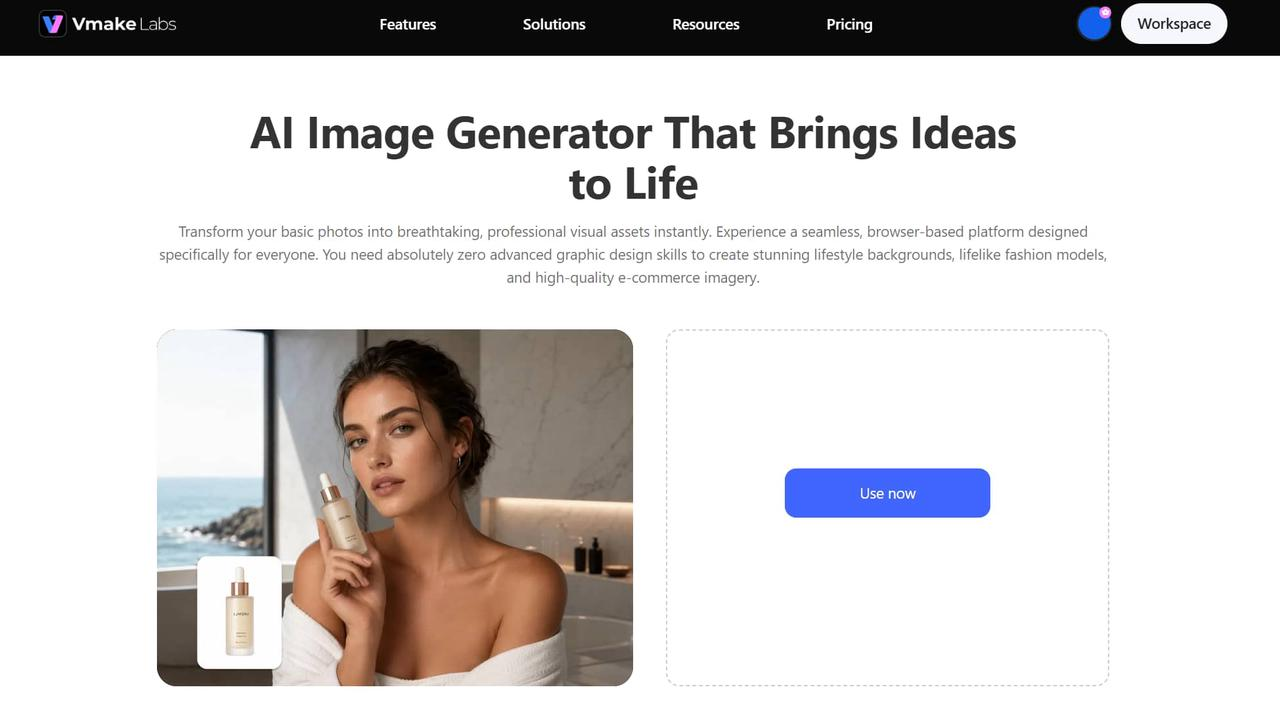
Step 1: Enter your text prompt or upload a reference image
Describe the image you want to create or upload a reference image for additional guidance. The AI uses your input to generate visuals that match your creative vision.
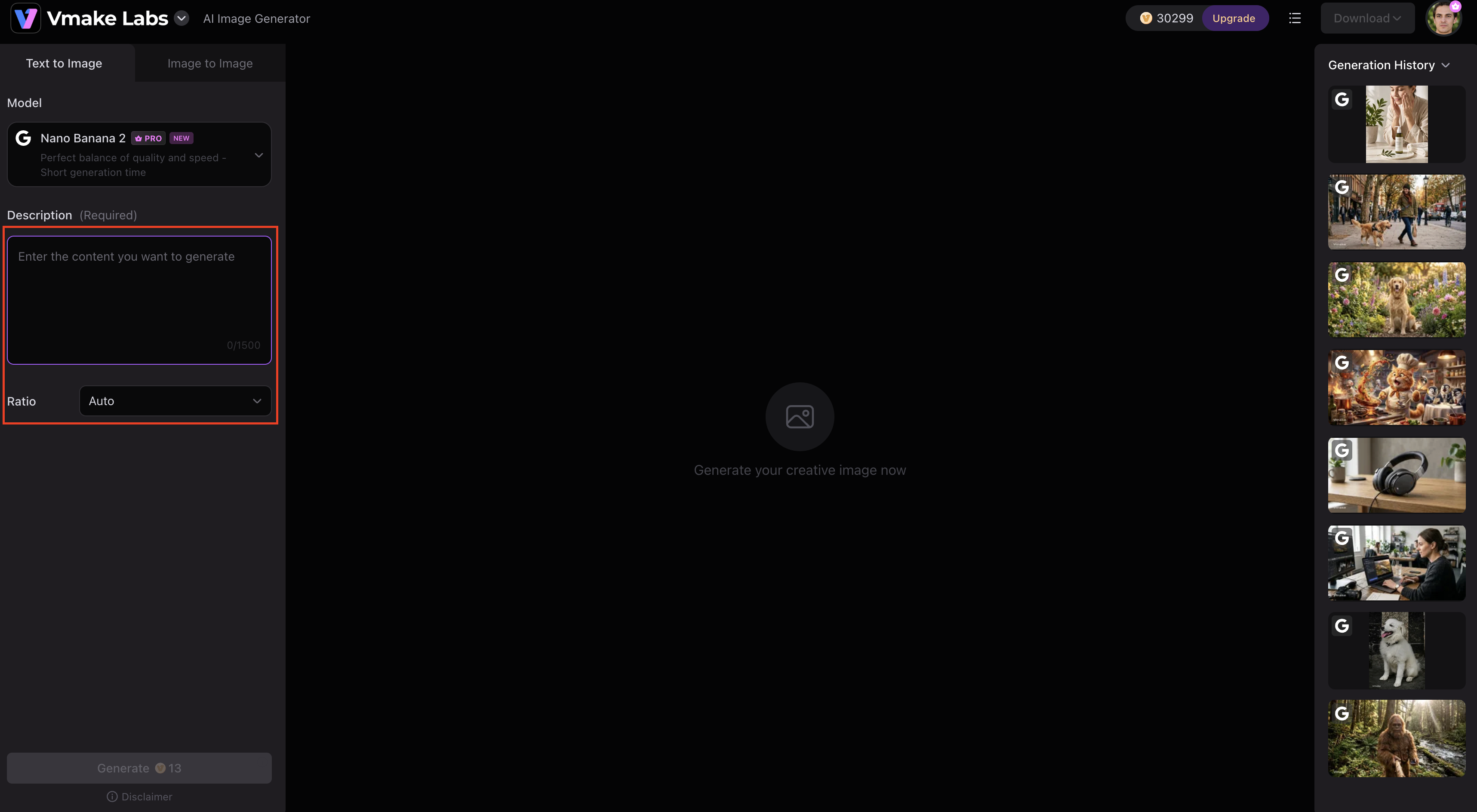
Step 2: Select your preferred AI model, aspect ratio, and generation settings
Choose from multiple AI models and customize settings such as aspect ratio, image style, and other generation options to better suit your project requirements.
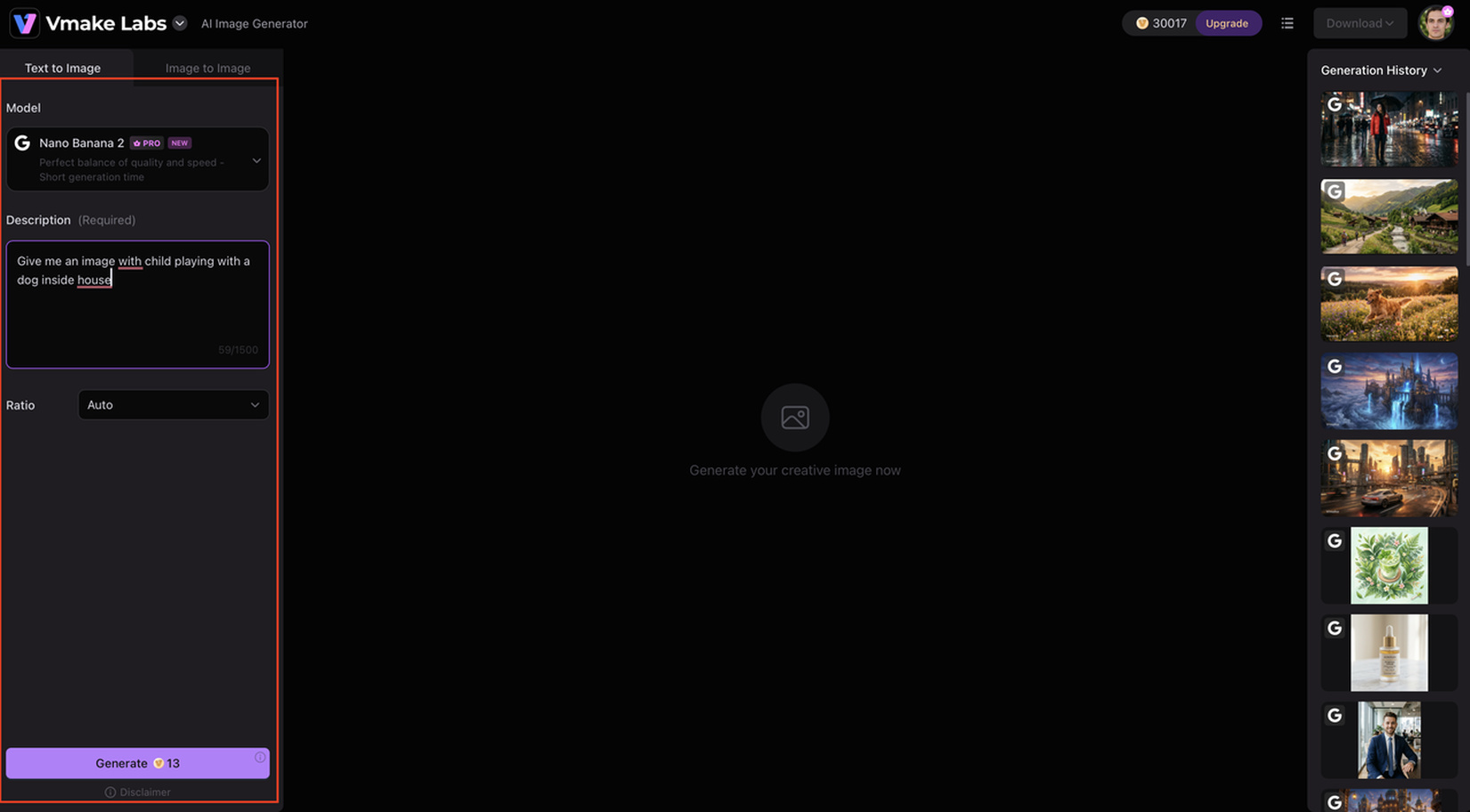
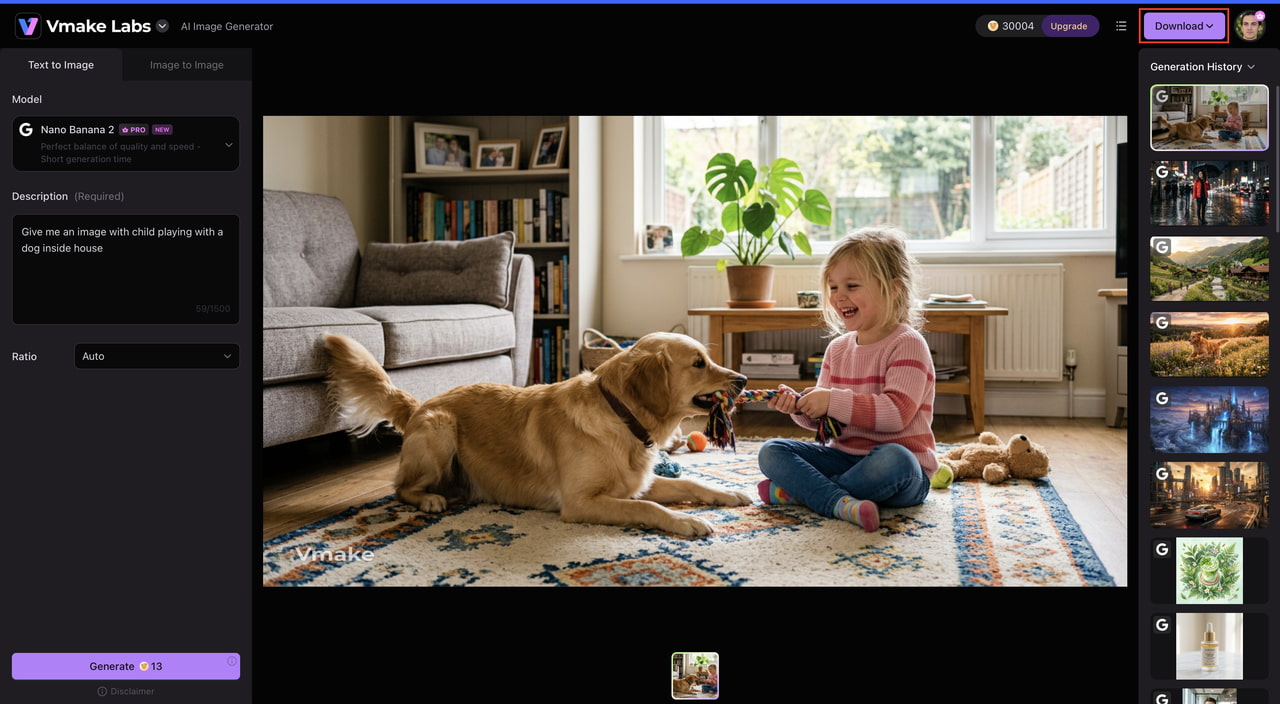
Step 3: Generate, review, and download your image
Click Generate to create your image. Review the results, regenerate if needed, and download your preferred version for personal or commercial use.
Why choose Vmake Labs AI Image Generator
-
Text-to-image and image-to-image generation: Create original AI images from text prompts or upload a reference image to guide the final result. This flexibility makes it easy to generate unique artwork, redesign existing visuals, or maintain a consistent creative style across projects.
-
Multiple AI models available on one platform: Get access to multiple AI image generation models without having to switch between tools. This enables users to experiment with different visual styles and choose the model that best suits their creative or commercial needs.
-
Support for various artistic and commercial styles: From digital illustrations and anime art to realistic product photos, marketing creatives, and social media graphics, create anything. The platform is well-suited for both personal creative projects and business content needs.
-
Beginner-friendly interface: The clean, web-based interface makes the process of image creation easy for users of all experience levels. Even AI image generation newbies can make high-quality visuals without needing to learn complex commands or settings.
-
Fast cloud-based generation: The image generation is done in the cloud, so you don’t need powerful hardware or long software installs. This gives users the ability to quickly create and download AI-generated images from almost any device.
-
Flexible image customization: Choose AI models, aspect ratios, and other generation settings to personalize your creations before creating an image. These customization options help produce results that are more in line with your desired style, format, and creative goals.
Midjourney AI Image Generator vs Vmake Labs AI Image Generator
Midjourney and Vmake Labs are both platforms that generate AI images from prompts, but they cater to different creative needs. Midjourney is famous for its ability to create very artistic and stylized images. At the same time, Vmake Labs puts a strong emphasis on versatility, providing a range of AI models and generation options for both creative and commercial applications.
|
Feature |
Midjourney AI Image Generator |
Vmake Labs AI Image Generator |
|---|---|---|
|
Primary purpose |
Artistic AI image generation |
AI image creation for creative and commercial projects |
|
Input methods |
Text prompts |
Text prompts and image references |
|
AI models |
Midjourney models |
Multiple AI models available |
|
Creative styles |
Strong artistic focus |
Artistic, marketing, ecommerce, and product visuals |
|
Ease of use |
Moderate learning curve |
Beginner-friendly interface |
|
Browser access |
Yes |
Yes |
|
Image customization |
Prompt-based controls |
Multiple generation settings and styles |
|
Best for |
Digital art, concept art, illustrations |
Marketing, social media, product images, creative design, and general AI image generation |
Midjourney is still a go-to choice for creators of digital art, fantasy illustrations, and concept design, thanks to its unique artistic touch and great prompt comprehension. But if you're looking for a more flexible platform with multiple AI models, support for image references, and tools built for marketing, ecommerce, and everyday content creation, Vmake Labs AI Image Generator provides a more versatile workflow for a wider range of users.
Should you use Midjourney AI Image Generator in 2026?
This Midjourney AI image generator review shows why Midjourney remains a leading choice for AI-powered art creation in 2026. It produces high-quality visuals, interprets prompts effectively, and supports a wide range of artistic styles, making it ideal for designers, illustrators, and creative professionals. However, its subscription-only model, learning curve, and limited editing capabilities may not suit every user. If your focus is artistic image generation, Midjourney is a worthwhile investment. For users seeking multiple AI models, image references, and greater creative flexibility in a browser-based platform, Vmake Labs AI Image Generator is an excellent alternative worth exploring.
FAQs
-
Is Midjourney AI Image Generator free to use?
No. Midjourney requires a paid subscription to generate images and does not offer a permanent free plan. If you want to test out AI image generation before subscribing, platforms like Vmake Labs AI Image Generator provide a straightforward way to get started right in your browser.
-
Is Midjourney worth paying for in 2026?
Yes, if you do a lot of concept art, digital illustrations, or other art visuals. Many creators say that the image quality and prompt interpretation are worth the subscription. However, users who need access to multiple AI models and broader creative options might also want to compare it to Vmake Labs AI Image Generator before choosing a platform.
-
What kinds of images does Midjourney generate best?
Midjourney is particularly strong at creating fantasy landscapes, character illustrations, cinematic scenes, concept art, posters, and stylized digital artwork. For users who also need marketing creatives, product images, or a wider variety of visual styles, Vmake Labs AI Image Generator offers additional flexibility.
-
Is Midjourney suitable for beginners?
Yes. The web interface has made Midjourney much easier to use than its earlier Discord-only workflow. While learning how to write detailed prompts takes some practice, most beginners can start generating high-quality images after a short learning period.
-
How does Midjourney AI Image Generator compare with Vmake Labs AI Image Generator?
Midjourney is an excellent choice for users focused on artistic AI-generated images and creative illustration. Vmake Labs AI Image Generator, on the other hand, supports both text-to-image and image-to-image generation, offers multiple AI models on one platform, and is well suited for marketing, ecommerce, social media, and general content creation. The better choice depends on your creative goals and preferred workflow.

You May Be Interested
How to Create a Video in Midjourney: Complete Beginner's Guide

Raphael AI Image Generator Review 2026: Worth Trying?

Best AI Avatar Generators in 2026 (Compared & Reviewed)
5 Affordable AI Avatar Generators for Small Businesses (Free & Budget Tools)

Canva AI Image Generator Review: Is It Worth It in 2026?

Canva AI Video Generator Review: A Complete Hands-On Test