Top Creative AI Tattoo Design Ideas and Prompt Guide
Looking for AI tattoo design inspiration? Explore top style ideas, prompt tips, and concepts for fine line, traditional, and geometric tattoos. Also, try out Vmake Labs image generator for creating tattoo designs!

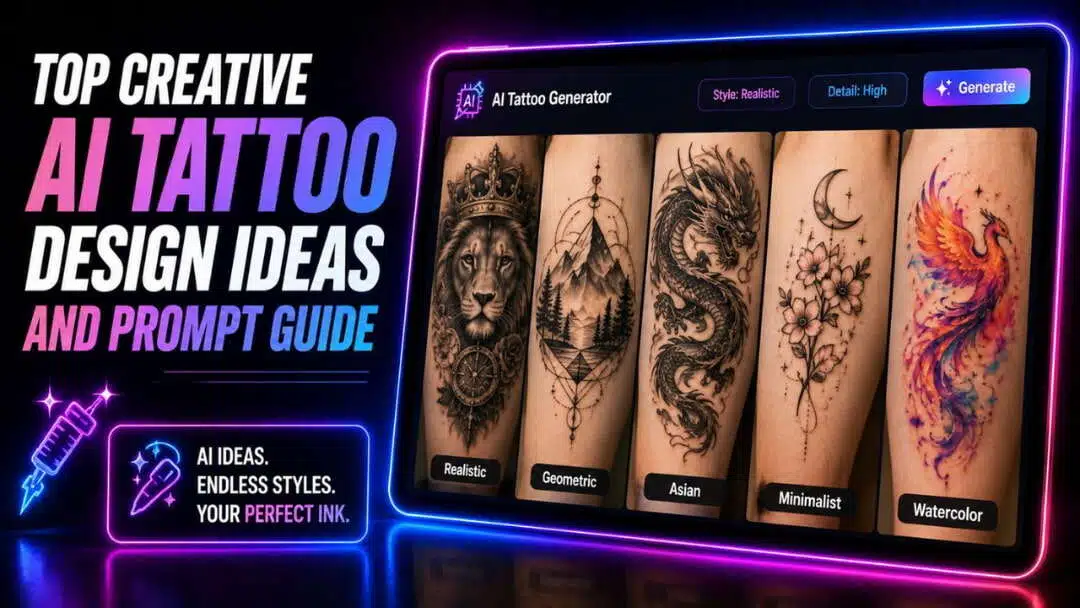
A tattoo often starts as a simple idea but evolves through careful visual exploration before becoming permanent. AI tattoo image generators make this process easier by turning written descriptions into detailed concept art in minutes. Whether you prefer minimalist symbols, bold Japanese sleeves, or geometric patterns, AI helps you experiment with styles, placements, and compositions before consulting a professional tattoo artist.
What is an AI tattoo design?
AI tattoo image design uses artificial intelligence to generate tattoo-inspired artwork from text descriptions or reference images.
Instead of sketching concepts manually, users can describe subjects, artistic styles, placement ideas, and visual details to produce customized tattoo concepts within seconds. These generated images serve as creative references that help visualize different aesthetics, such as fine line, traditional, Japanese, geometric, or blackwork designs.
AI also allows users to compare multiple compositions, refine artistic elements, and explore fresh ideas without starting from scratch each time. While the results are excellent for inspiration and planning, a professional tattoo artist should always adapt the final artwork to suit the body's contours and tattooing techniques.
Creative AI-generated tattoo design ideas and prompts by style
Whether you're planning your first tattoo or expanding an existing collection, experimenting with different artistic styles can help narrow your vision. Use the following prompts as inspiration to generate detailed tattoo concepts that can later be refined with your tattoo artist.
-
Minimalist and fine line tattoo design ideas
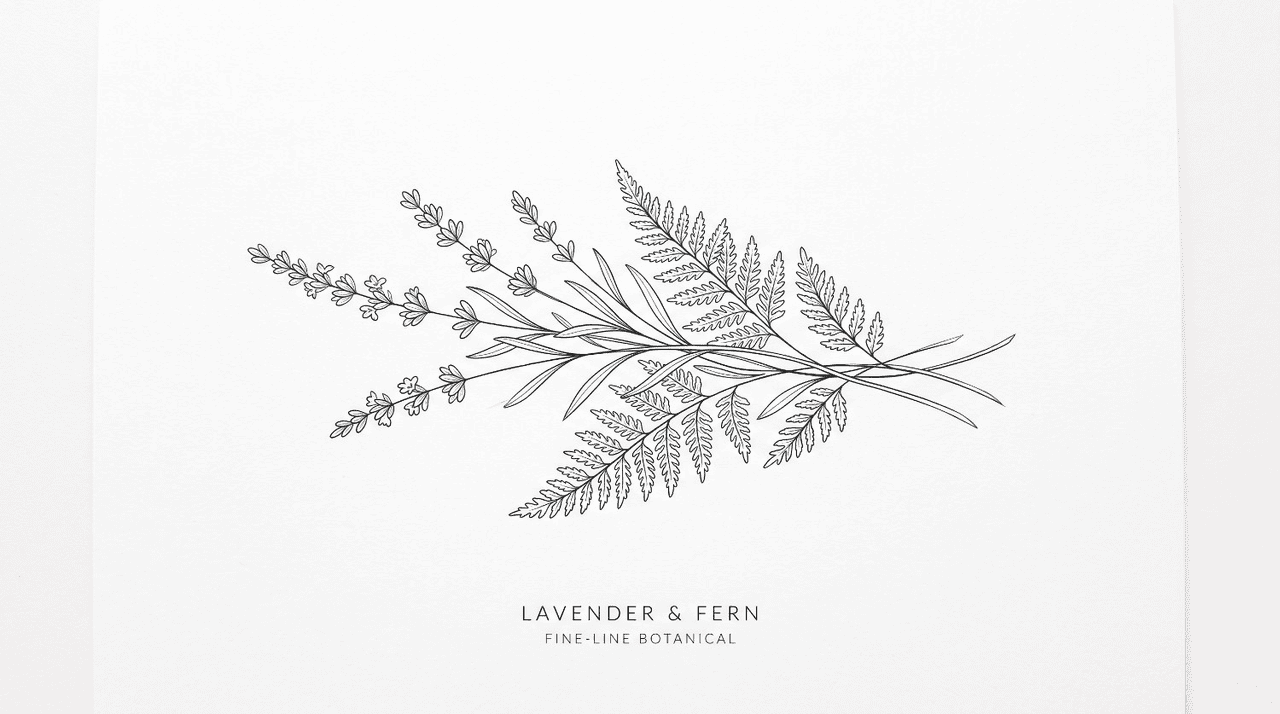
Floral and botanical fine line prompt
Delicate fine-line lavender bouquet intertwined with wild fern leaves, subtle botanical details, thin black ink, elegant wrist placement, clean white background, minimalist tattoo concept.
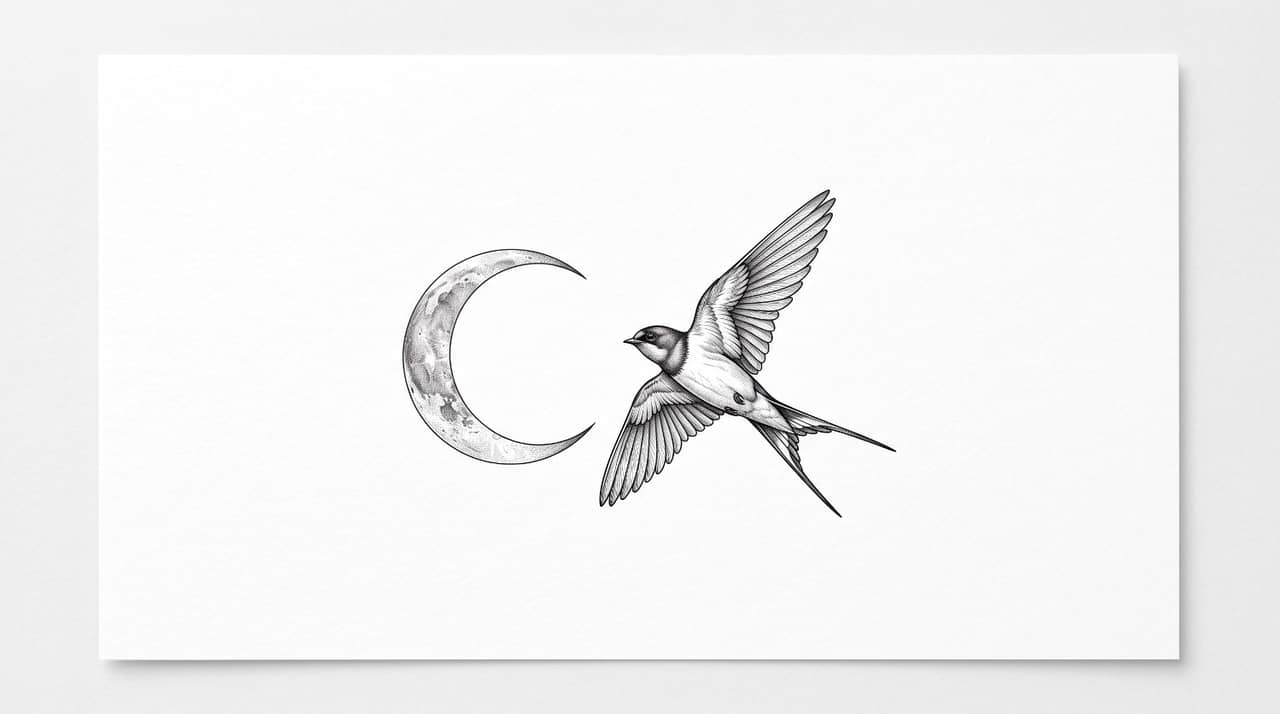
Micro-realism and symbolic line art prompt
Tiny realistic crescent moon beside a flying swallow, precise fine-line shading, minimalist composition, symbolic elegance, black ink, forearm tattoo concept on white background.
-
Traditional and old school tattoo design ideas
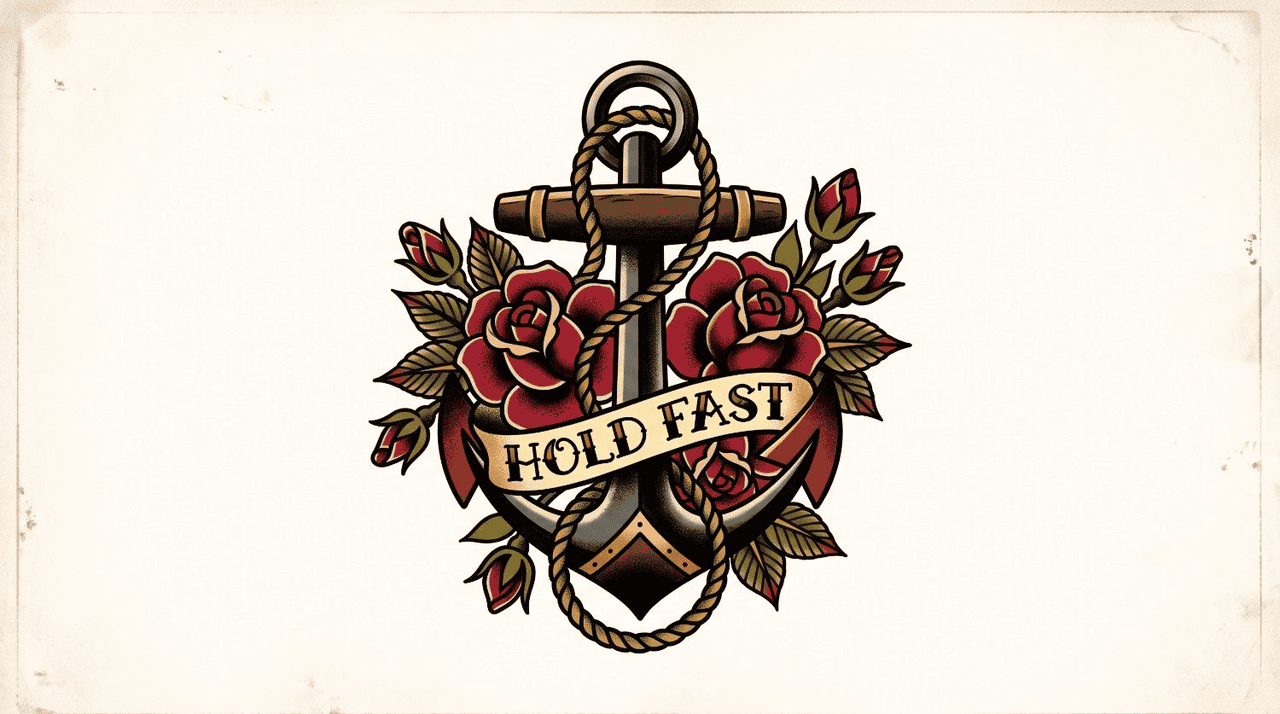
Classic sailor-style flash ink prompt
Bold traditional anchor wrapped with red roses, nautical rope, vintage banner, thick black outlines, vibrant classic tattoo colors, timeless American flash artwork, white background.
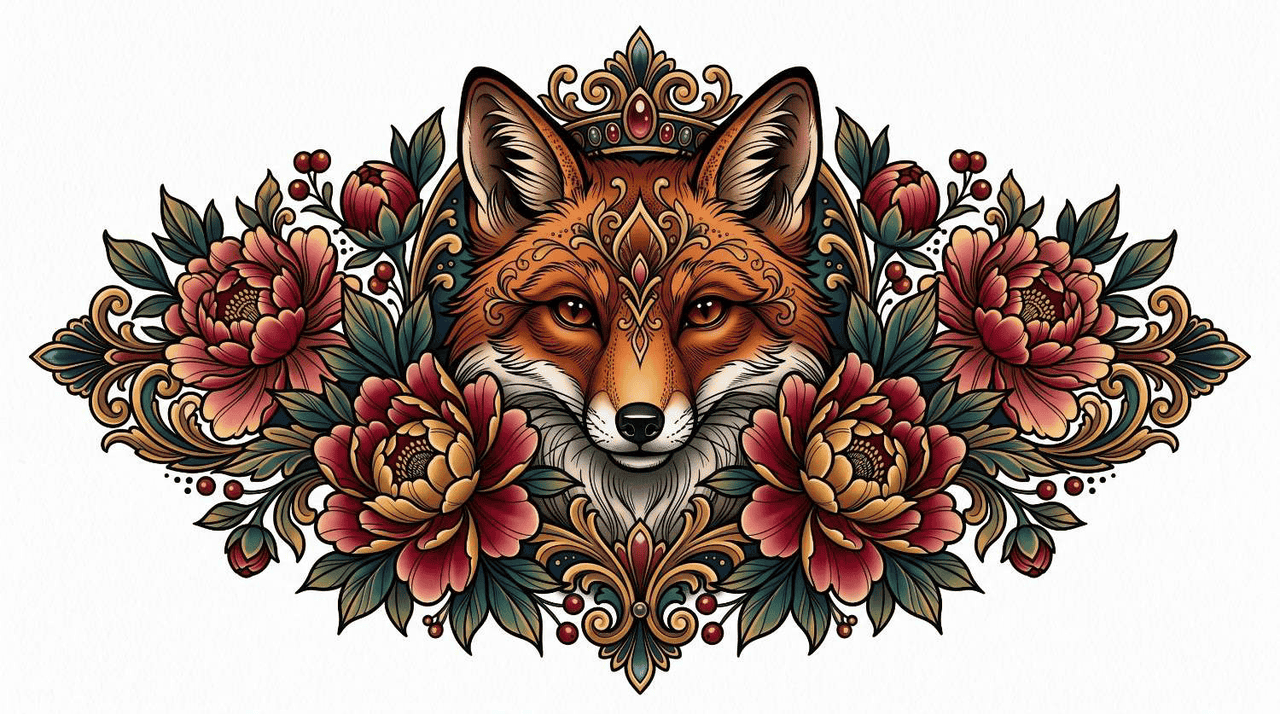
Neo-traditional animal and portrait prompt
Majestic fox surrounded by blooming peonies, rich color palette, expressive eyes, ornamental leaves, bold outlines, neo-traditional tattoo illustration with balanced symmetrical composition.
-
Japanese Irezumi tattoo design ideas
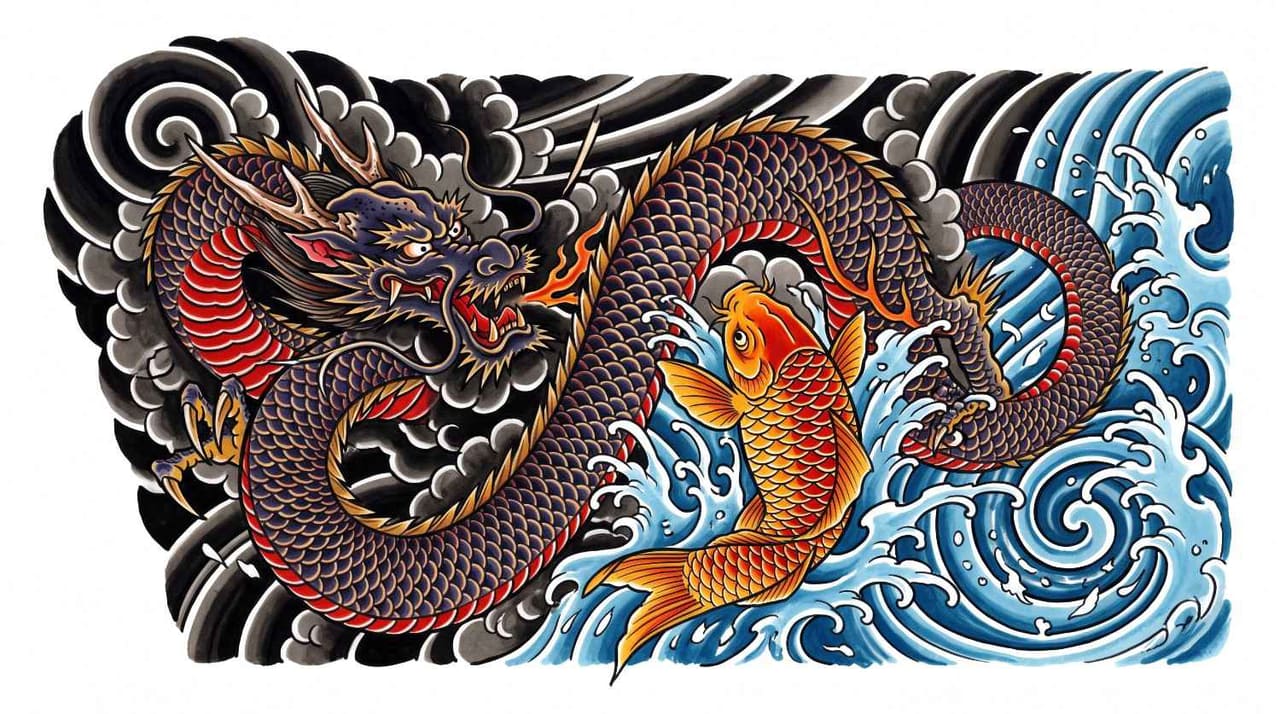
Dragon and Koi fish composition prompt
Powerful Japanese dragon circling an ascending koi fish, flowing water, dramatic clouds, bold black outlines, detailed scales, traditional Irezumi sleeve concept on white background.
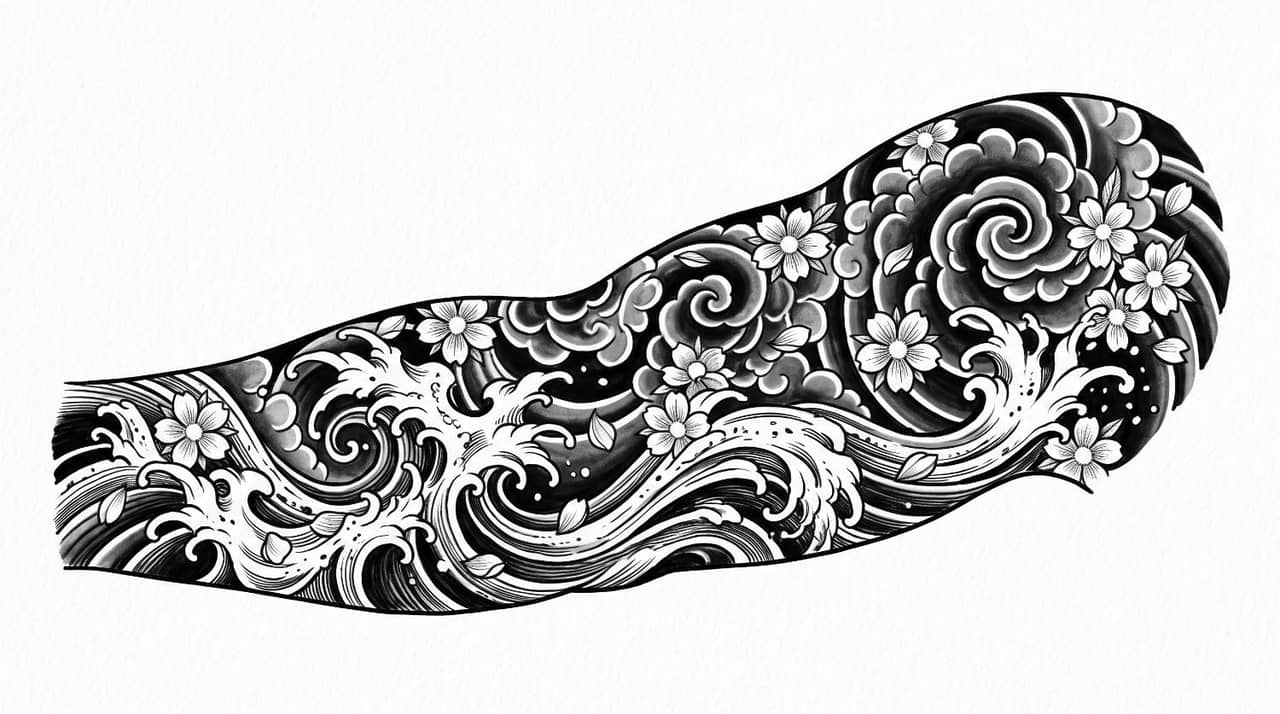
Waves, smoke, and cherry blossom sleeve concept
Dynamic ocean waves blending with smoke clouds and scattered cherry blossoms, balanced sleeve composition, traditional Japanese tattoo aesthetics, intricate linework, monochrome concept illustration.
-
Geometric and mandala tattoo design ideas
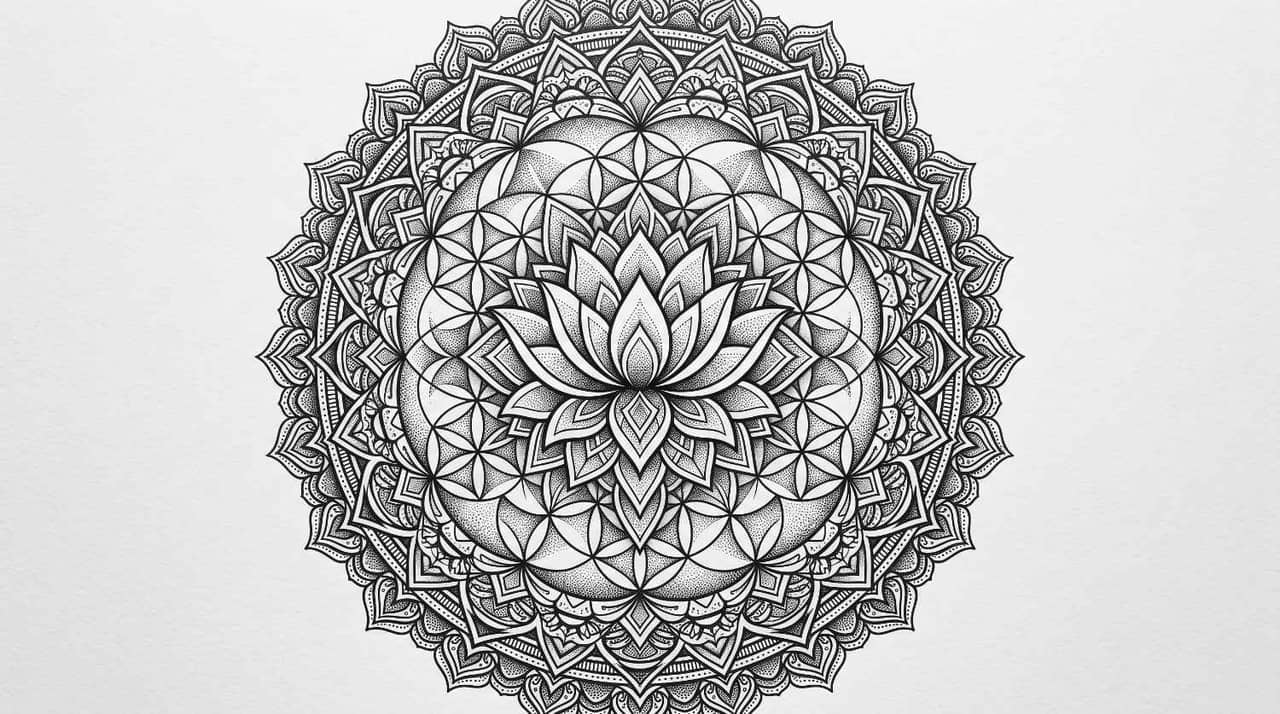
Sacred geometry and symmetrical pattern prompt
Intricate mandala featuring sacred geometry, symmetrical lotus centerpiece, precise dotwork, clean black ink, highly balanced circular tattoo composition on plain white background.
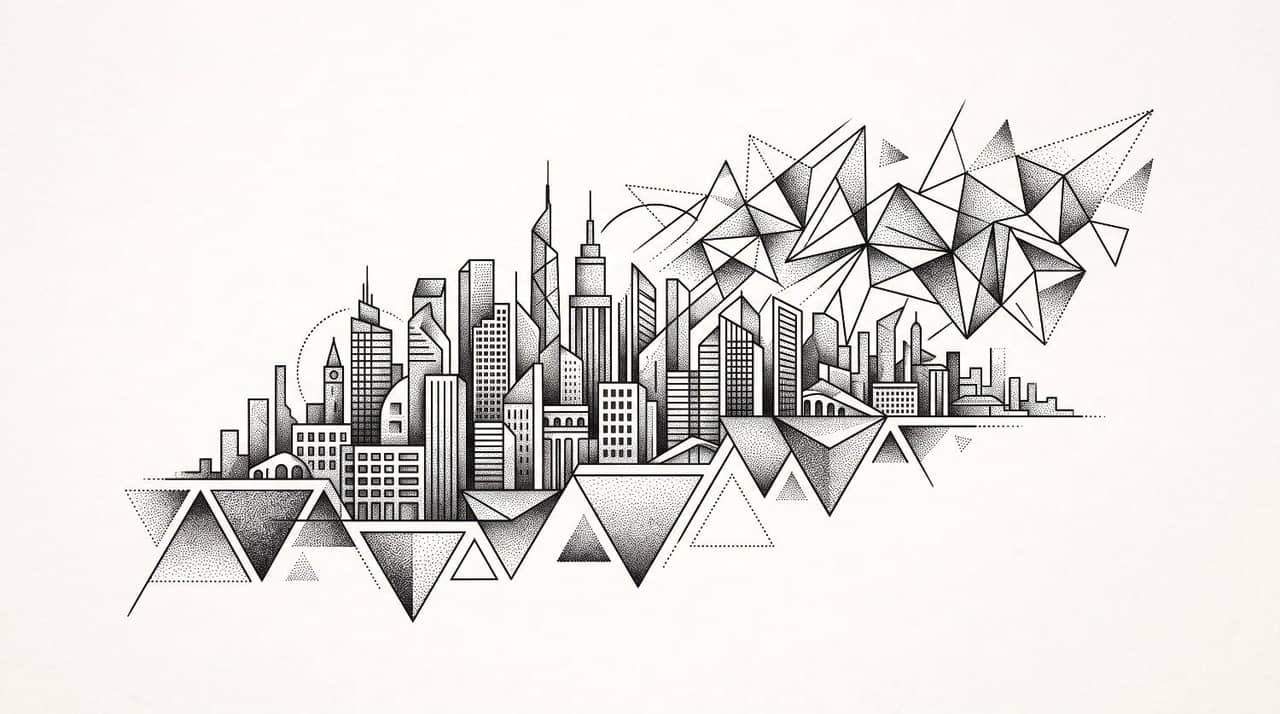
Abstract architectural and dotwork prompt
Abstract city skyline merging into geometric triangles, fine dot shading, architectural precision, minimalist blackwork composition, modern forearm tattoo design with negative space.
-
Surrealism and blackwork tattoo design ideas
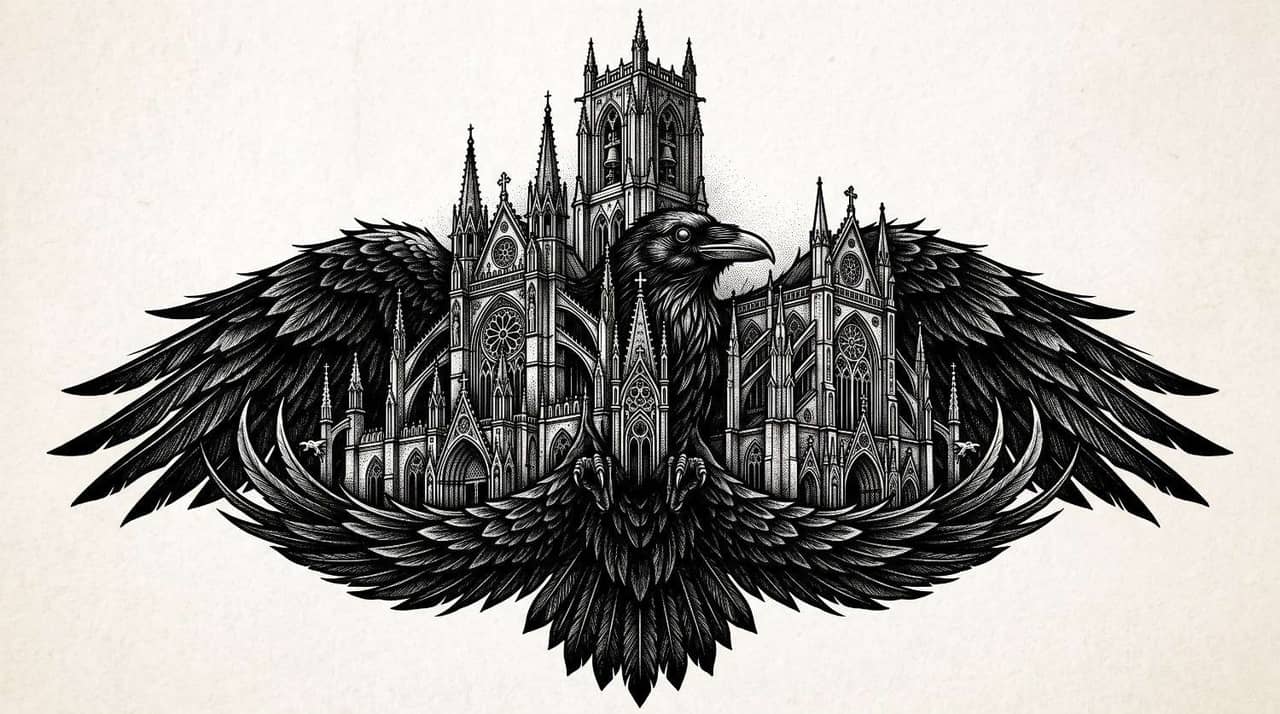
Gothic and high-contrast ink concept
Dark gothic cathedral emerging from raven wings, dramatic blackwork shadows, ornate details, haunting atmosphere, high-contrast tattoo illustration with clean white background.
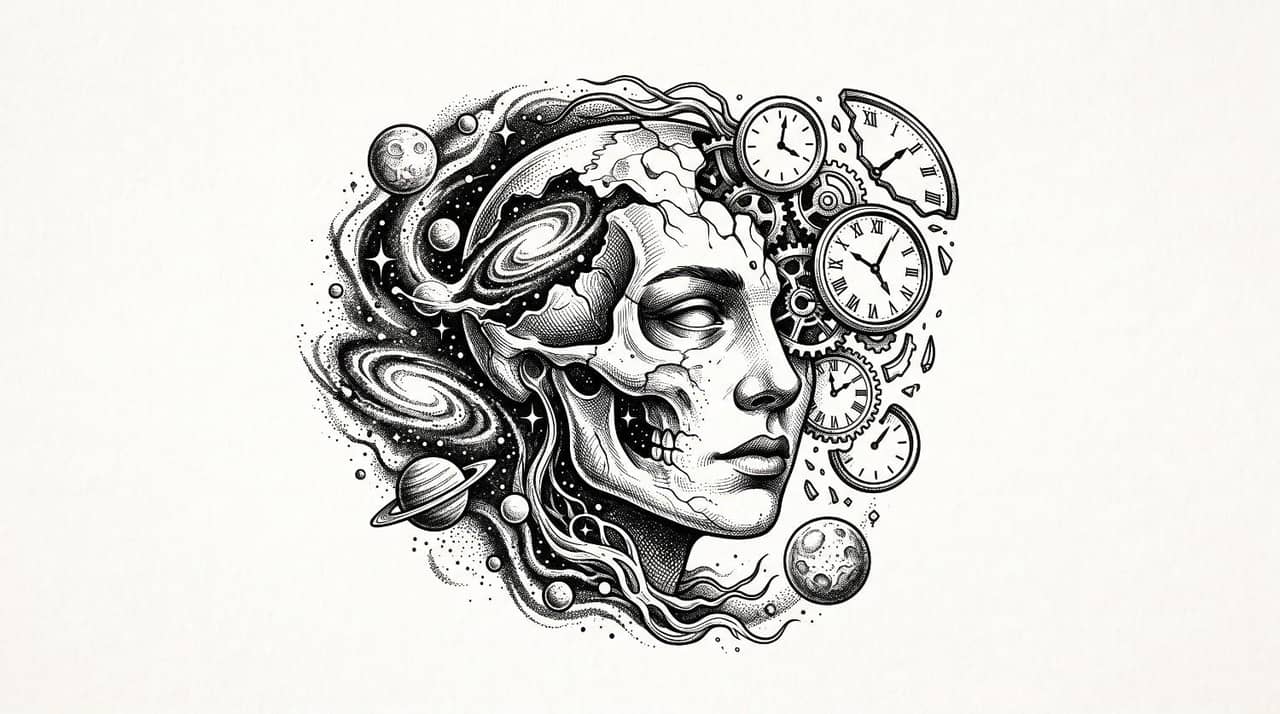
Cosmic and surrealist portrait prompt
Surreal human portrait dissolving into galaxies, planets, floating clocks, cosmic textures, intricate black ink shading, dreamlike tattoo composition with balanced negative space.
Essential design elements for perfect tattoo ideas
Strong tattoo concepts combine artistic creativity with practical tattoo design principles. Paying attention to composition, line quality, and body placement helps create artwork that not only looks impressive in an AI-generated image but also translates well into a real tattoo.
-
Subject matter, focal points, and composition balance
Choose one clear focal subject and arrange supporting elements around it without overcrowding the composition. Balanced spacing naturally guides the viewer's eye while ensuring every important detail remains visible after tattooing.
-
Line weight, contrast, and shading depth
Combine bold outlines, delicate details, and gradual shading to create depth and readability. Well-balanced contrast helps tattoos remain visually distinct over time while making intricate elements easier to interpret at different sizes.
-
Stencil-ready background neutrality and high clarity
Generate concepts on a plain white background with minimal distractions. Clean, high-contrast artwork makes it easier for tattoo artists to evaluate proportions, simplify complex areas, and prepare reference sketches for stencil creation.
-
Body placement, flow, and contour adaptability
Design artwork that complements natural body contours rather than fighting against them. Considering placement on the arm, back, chest, or leg helps create tattoos that appear more natural and visually balanced.
Bringing your AI tattoo design ideas to life with Vmake Labs
Coming up with a tattoo concept is only the beginning. The real challenge is refining your vision until it clearly represents your preferred style, symbolism, and composition.
Vmake Labs AI Image Generator helps streamline this creative process by transforming text descriptions or reference images into high-quality tattoo concept artwork. You can explore multiple artistic directions, experiment with different aesthetics, and iterate on designs before discussing them with a tattoo artist.
Whether you're creating a minimalist emblem, a Japanese sleeve concept, or a surreal blackwork illustration, Vmake Labs provides a practical way to visualize ideas quickly and compare different creative possibilities.
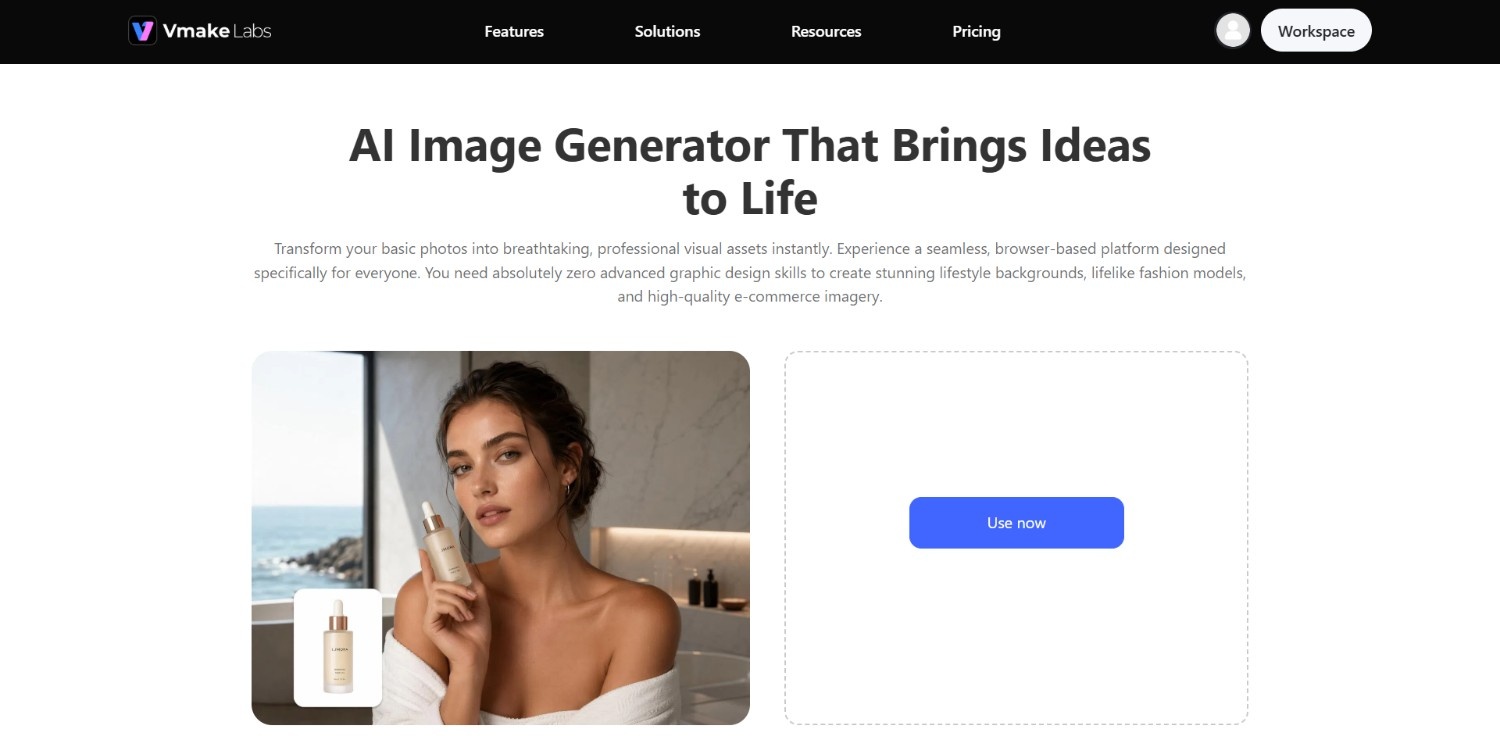
Key features of Vmake Labs AI image generator for tattoos:
-
Precision text-to-image generation for complex tattoo concepts: Describe subjects, symbols, artistic styles, compositions, and visual details using natural language to generate tattoo-inspired artwork that closely matches your creative vision while providing multiple interpretations for further refinement.
-
Versatile style customization across multiple tattoo aesthetics: Generate concepts inspired by fine line, traditional, Japanese, geometric, blackwork, surreal, illustrative, or neo-traditional tattoo styles, making it easier to compare artistic directions before selecting your preferred aesthetic.
-
High-definition tattoo concept map and inspiration draft: Produce detailed, high-resolution concept artwork that clearly showcases composition, shading, linework, and visual hierarchy, making it easier to evaluate design ideas before sharing them with a professional tattoo artist.
-
Image-to-image tattoo generation using multiple AI image models: Upload an existing sketch, reference image, or previous tattoo concept and generate refined variations using different AI image models to explore fresh compositions, artistic styles, and creative interpretations while preserving the original idea.
How to use Vmake Labs AI image generator for creating tattoo concept designs?
Step 1: Access Vmake Labs "AI image generator" tool
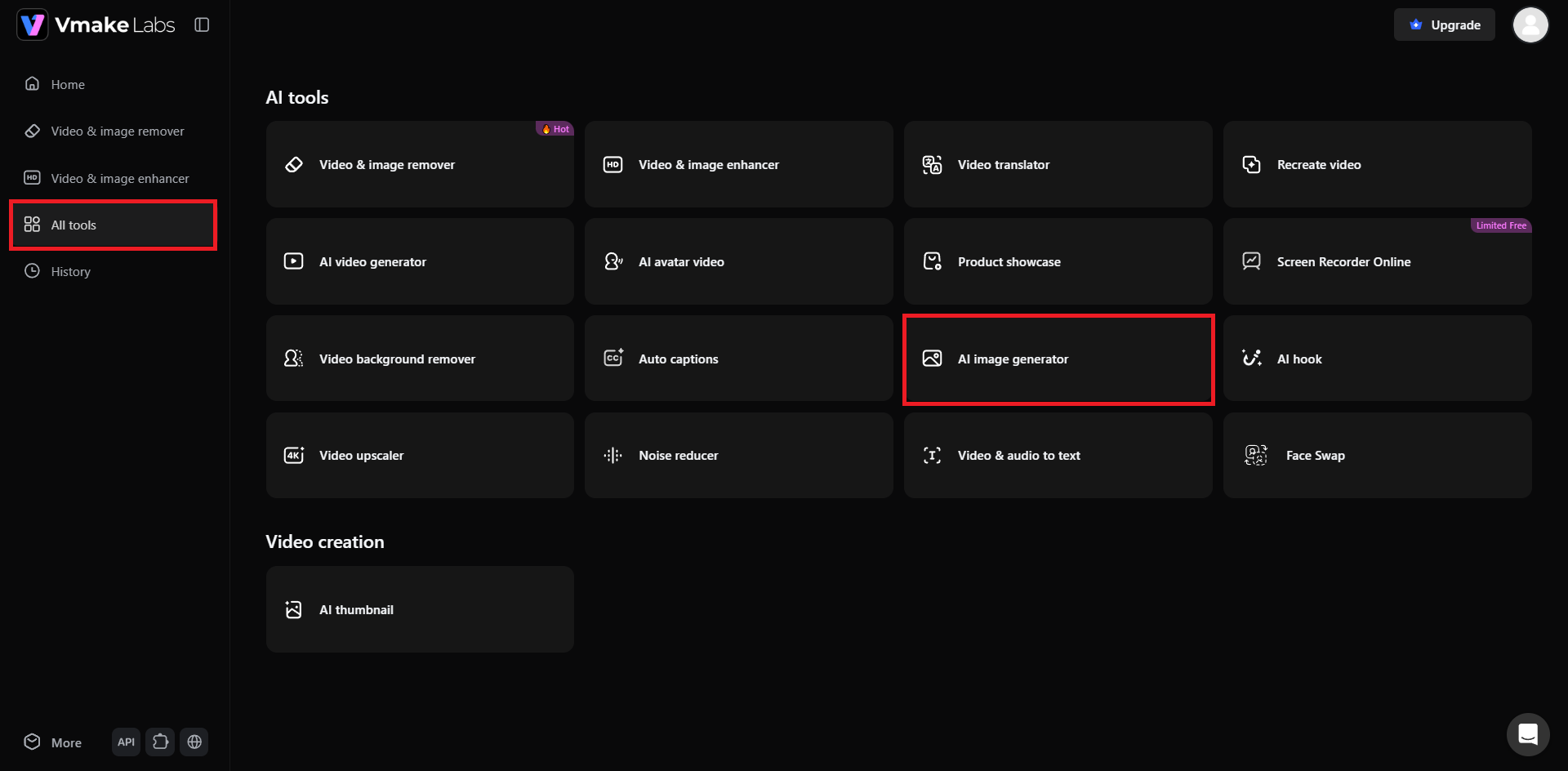
Begin the process by first accessing the official website of Vmake Labs, and signing into your registered account. If you do not have an account, then you can sign up for a new one. After signing in, from the dashboard, select the "All tools" option from the left-hand panel, and then select "AI image generator".
Step 2: Provide your tattoo concept idea or design prompt
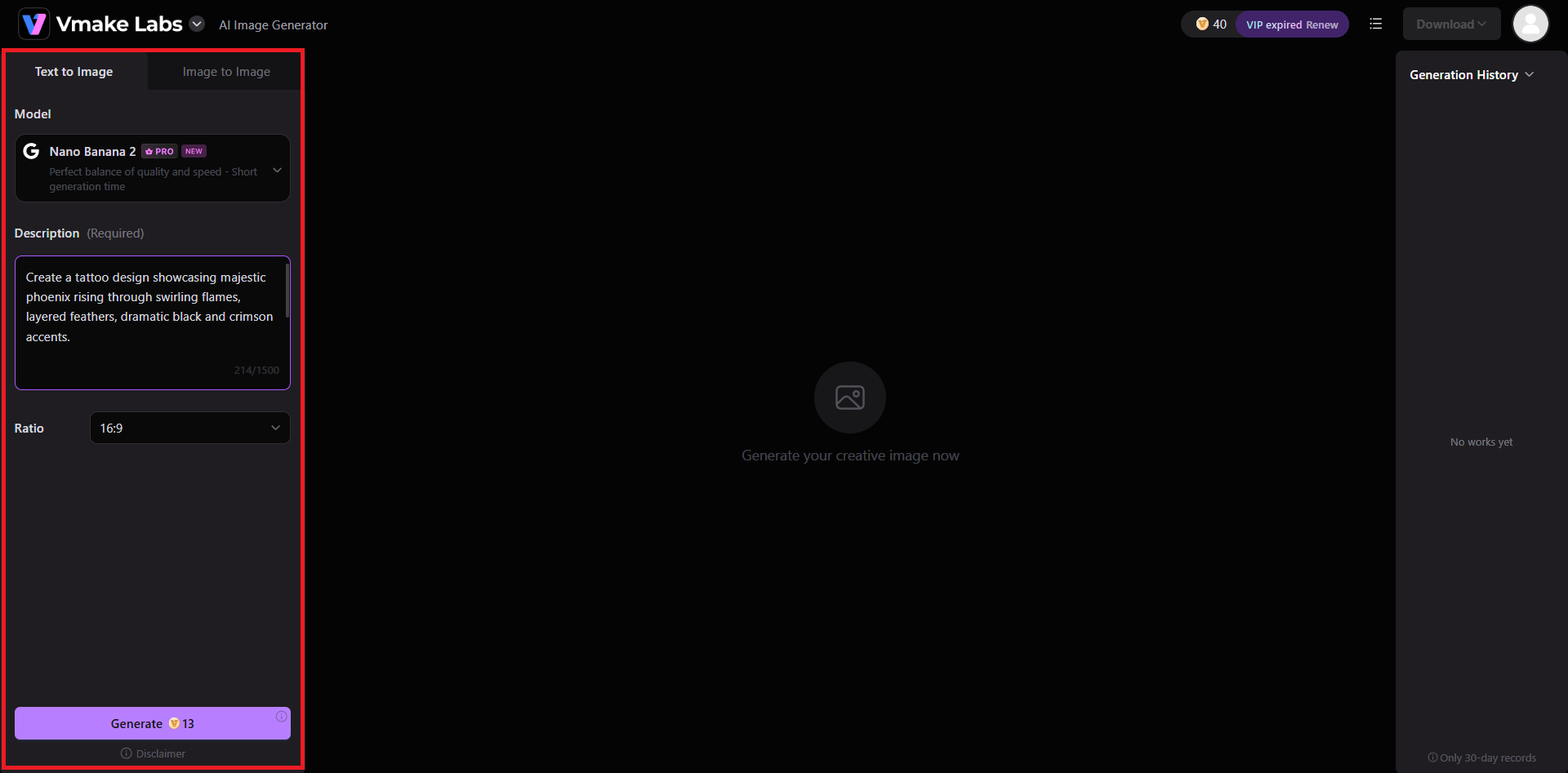
A new web page will open where you will have the option to choose between "Text to Image" or "Image to Image". Select your ideal option, and then proceed to choose your AI image generation model, like we have chosen Nano Banana 2 in this case. After that, provide a detailed prompt regarding the type of tattoo you want to create. After choosing the "Ratio", hit the "Generate" button.
Step 3: Export your created tattoo design
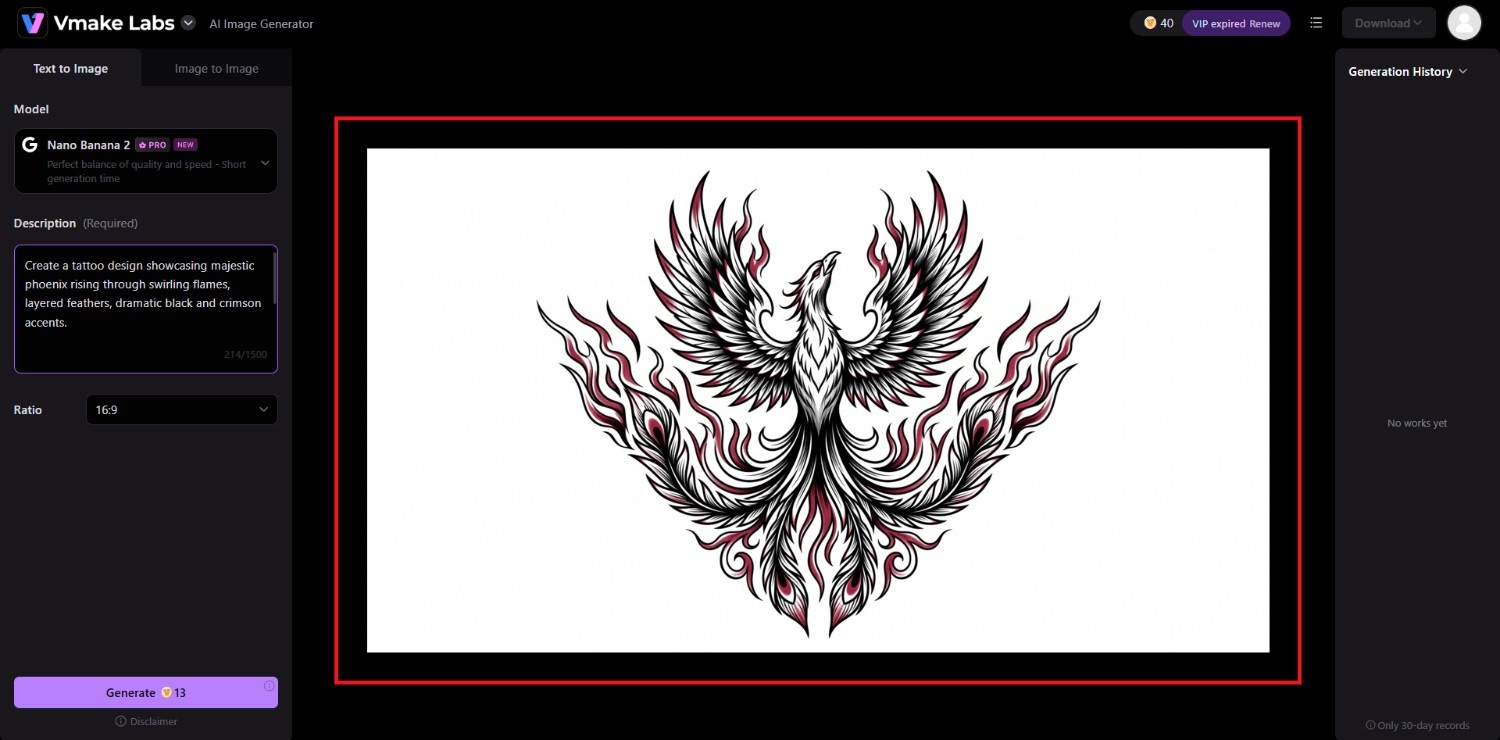
Vmake Labs will start creating your tattoo design, and once that is completed, the same will be showcased on your screen. You can then choose to download the same for printing, or inking the same on your body.
Best practices to follow when using an AI tattoo design image generator
AI can generate impressive tattoo concepts, but the quality of the results depends on how you guide the generation process. These best practices help produce cleaner, more practical, and visually consistent tattoo ideas for inspiration.
-
Structure prompts with subject, style, and composition details
Include the main subject, preferred tattoo style, composition, linework, shading, body placement, and background in your prompt. The more specific your description is, the easier it becomes for AI to generate artwork that closely matches your vision.
-
Request plain white backgrounds for clean stencil conversion
Generate tattoo concepts on a simple white background without decorative scenery or visual distractions. This improves design clarity, highlights important details, and gives tattoo artists a cleaner reference when refining artwork into a tattoo-ready design.
-
Generate multiple variations and refine incrementally
Avoid relying on the first AI-generated image. Create several variations, compare different compositions, and gradually refine prompts by adjusting individual elements, allowing you to discover stronger creative directions and better-balanced tattoo concepts.
-
Consult a professional tattoo artist before finalizing your ink
AI-generated images are excellent sources of inspiration but should not replace professional expertise. An experienced tattoo artist can adjust proportions, improve flow, simplify intricate details, and tailor the artwork to suit your body placement and long-term wear.
Conclusion
AI tattoo image generators make it easier than ever to transform creative ideas into detailed visual concepts before committing to permanent ink. From minimalist symbols and traditional flash art to Japanese sleeves and surreal blackwork, AI enables quick experimentation across countless styles.
By writing detailed prompts, refining multiple variations, and considering placement, composition, and line quality, you can develop stronger tattoo concepts with confidence. Pairing these AI-generated ideas with the expertise of a professional tattoo artist ensures the final design is both visually compelling and technically suitable for your chosen placement and personal style.
Frequently Asked Questions (FAQs)
-
How do I write an effective AI prompt for a custom tattoo image design?
Describe the subject, tattoo style, composition, body placement, linework, shading, color preferences, and background. Including specific artistic details helps AI generate concepts that more accurately reflect your creative vision.
-
Can AI tattoo image designs be converted into physical tattoo stencils?
AI-generated images serve as concept artwork rather than finished stencils. Professional tattoo artists typically refine, simplify, and adapt the design before creating a stencil suitable for tattooing on the body.
-
Which tattoo styles are best suited for AI image generation?
Fine line, traditional, Japanese Irezumi, geometric, mandala, blackwork, realism, surrealism, and neo-traditional styles all work well because their defining visual characteristics can be clearly described through detailed prompts.
-
Why is Vmake Labs ideal for generating custom tattoo image designs?
Vmake Labs supports text-to-image and image-to-image generation across multiple AI image models, making it easy to explore diverse tattoo concepts, compare styles, and refine creative ideas before consulting a tattoo artist.
-
Can a professional tattoo artist modify an AI-generated tattoo design?
Yes. Most tattoo artists customize AI-generated concepts by adjusting composition, proportions, linework, placement, and technical details to ensure the artwork fits your body naturally and performs well as a permanent tattoo.

You May Be Interested
X-Design Video Enhancer 2026 Review: Features & Pricing
X-Design Watermark Remover Review (2026): Features & Pricing

Raphael AI Image Generator Review 2026: Worth Trying?

How to Remove Getty Images Watermark: A Complete Beginner's Guide

Guide to Ad Creatives: Capture Attention and Boost Conversions
How to Generate Videos with AI: Guide to Creative Content Creation