Best Free AI Image Generators 2026 Alternatives to Grok Imagine: 7 Tools Reviewed
Looking for free alternatives to Grok Imagine in 2026? These 7 best free AI image generators deliver stunning photorealism, accurate text, and generous free tiers, no X Premium required. Compare features, limits, and quality side-by-side.

Grok Imagine built a massive following thanks to its rapid generation speeds, crisp photorealism, and relaxed moderation filters. However, with xAI placing heavy daily limits and paywalls behind X Premium tiers, creators need reliable, cost-effective options. Here are seven top free alternative AI image generators in 2026 that deliver exceptional visual quality without forcing a monthly subscription.
Why look for free alternatives to Grok Imagine in 2026?
Grok Imagine stands out for its speed, strong photorealism, and relatively light content filters. Many users turned to it for quick, high-quality visuals without heavy restrictions. In 2026, however, daily or weekly caps, X Premium requirements, and paywalls have limited free access for casual and high-volume creators.
What most people actually need is solid free daily volume, options for commercial use, reliable text rendering, basic editing or image-to-image tools, and output quality that matches or approaches Grok's strengths without locking everything behind a subscription.
How we selected the best free AI image generators
Rather than focusing on popularity alone, we compared each tool using practical criteria that matter during real-world creative work.
-
Image quality: How realistic, sharp, and usable the final output looks, especially for product shots or anything client-facing.
-
Prompt accuracy: Whether the image actually matches what you typed, including details like pose, lighting, and composition.
-
Speed: How long you wait between hitting generate and getting a finished image.
-
Free usage limits: How many images you can create per day or week before hitting a paywall or a hard stop.
-
Editing capabilities: Whether you can tweak, upscale, or restyle an image without leaving the tool.
-
Available AI models: How many underlying models you can choose from, since different models handle realism, art styles, or text differently.
-
Ease of use: How quickly someone with no design background can go from idea to finished image.
-
Commercial licensing: Whether the free tier actually allows you to use the images in ads, products, or client work, or whether that requires an upgrade.
7 best free alternatives to Grok Imagine AI image generator 2026
-
Vmake Labs
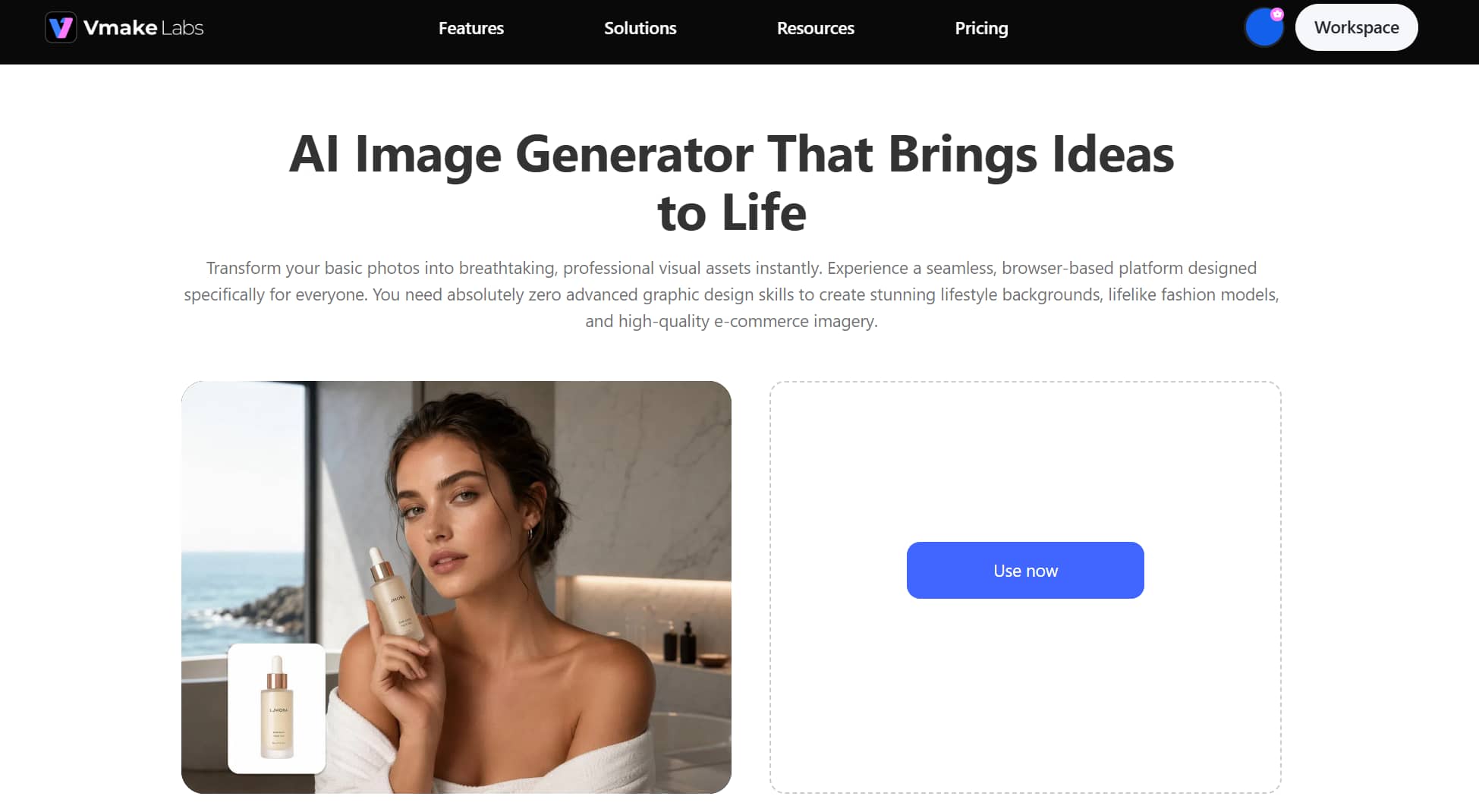
Vmake Labs AI image generator stands out as one of the best alternative AI image generators to Grok Imagine 2026 because it lets you switch between multiple leading AI models in one workspace instead of locking you into a single engine. You get Nano Banana, Seedream, and GPT Image under one roof, so you can run the same prompt through different models and compare results before committing. It's built for browser-based use with no downloads, aimed at product shots, marketing visuals, and social content.
Best for: E-commerce seller assets, social media marketing, and multi-model experimentation.
Free path: Daily free credits upon sign-up and free trial generations across core tools.
Key features
-
Multi-model access: Switch between Nano Banana, Seedream, and GPT Image inside one workspace, so you can test the same prompt across models and pick the strongest result without paying for separate tools.
-
Text-to-image creation: Describe your idea in plain language and generate a finished image in seconds, complete with adjustable style presets and aspect ratio options for different platforms.
-
Image-to-image transformation: Upload a reference photo and reshape it into a new style, angle, or aesthetic, useful for refreshing product shots or testing creative variations fast.
-
Commercial-ready content: Generate product photos, ad visuals, and social thumbnails built for real marketing use, cutting the cost and turnaround time of a traditional photoshoot or design team.
Steps to generate images using Vmake Labs
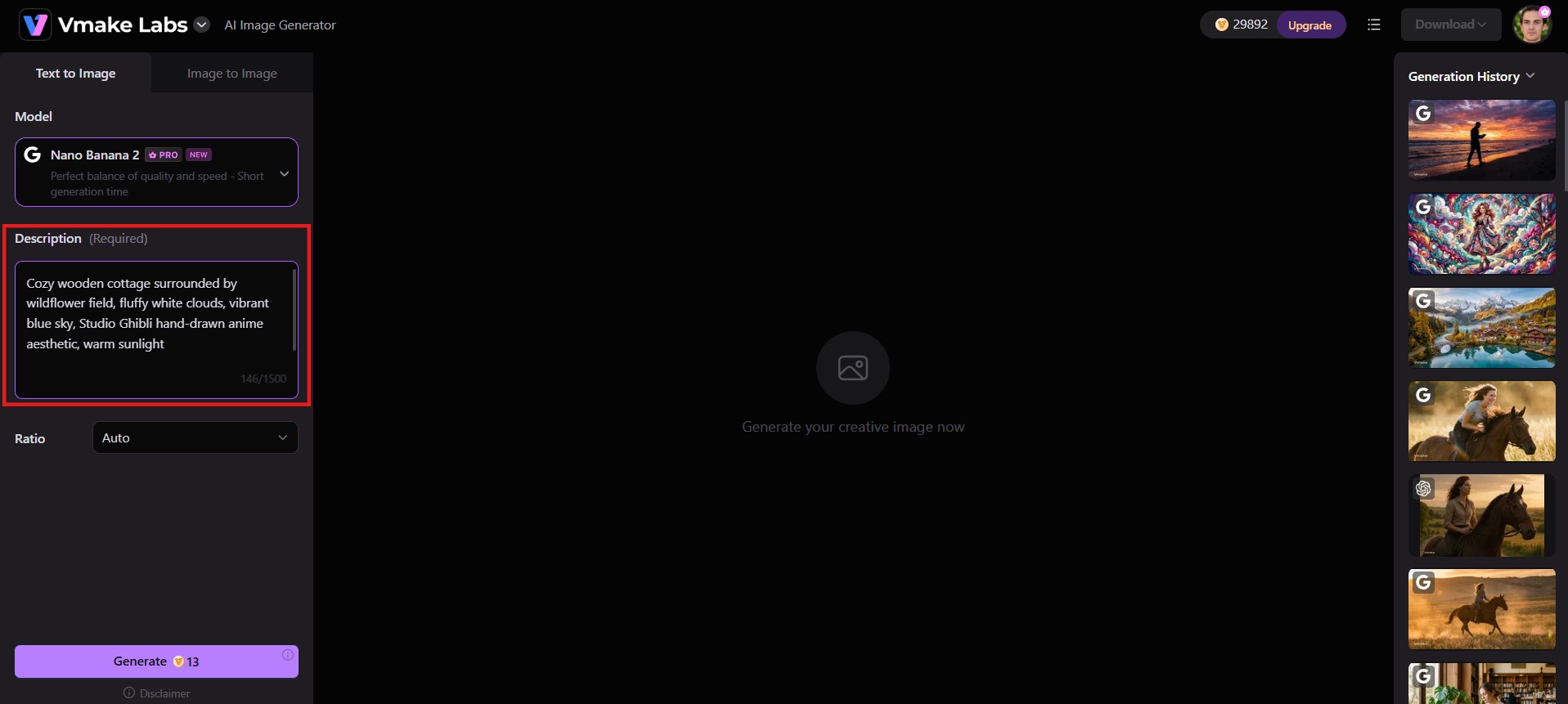
Step 1: Enter a prompt or upload a reference image
Head to the Vmake Labs AI image generator, and type a detailed description of the image you want, or upload a reference photo if you're working from an existing shot you want to restyle or transform.
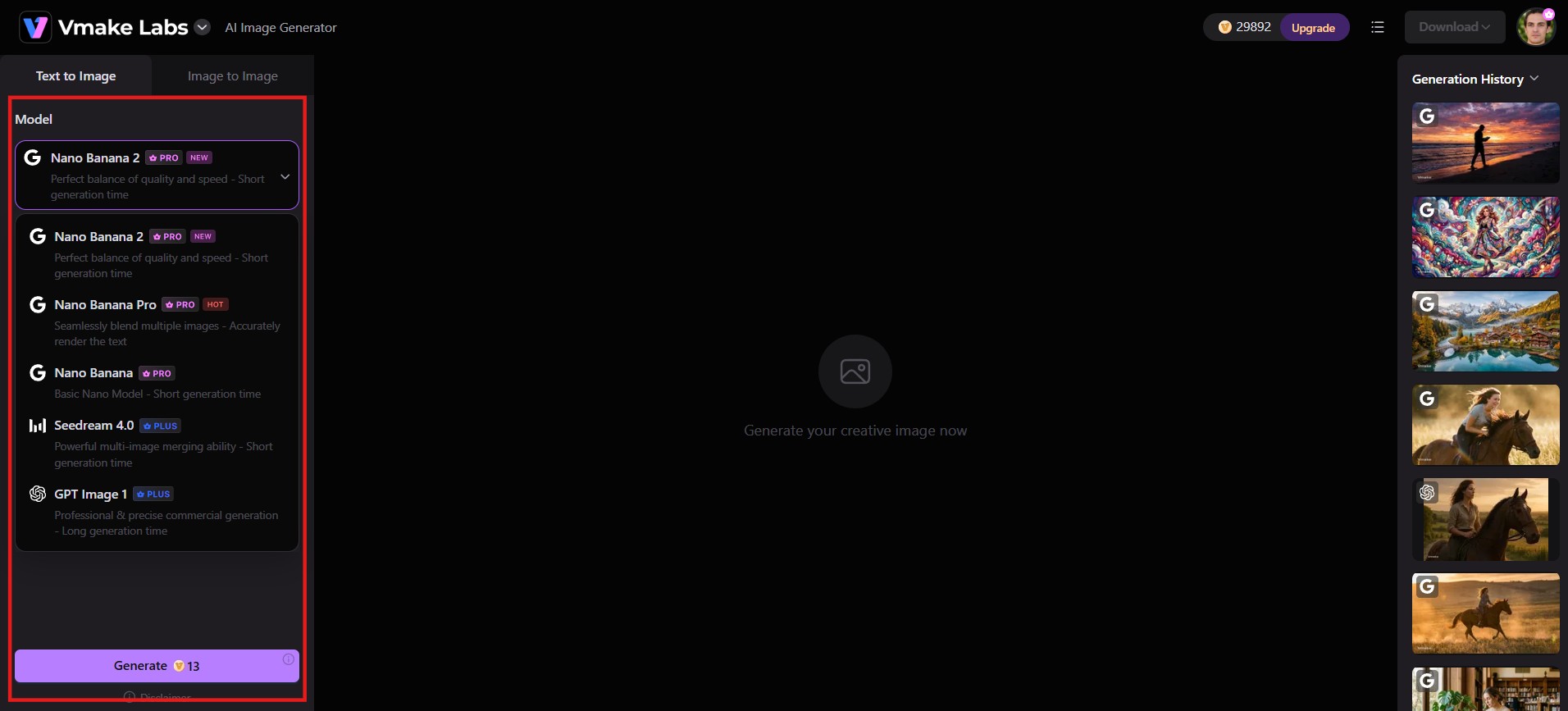
Step 2: Configure settings
Choose your preferred AI model (Nano Banana, Seedream, or GPT Image), aspect ratio, and any other available options. Adjust these settings to match the look and format you need.
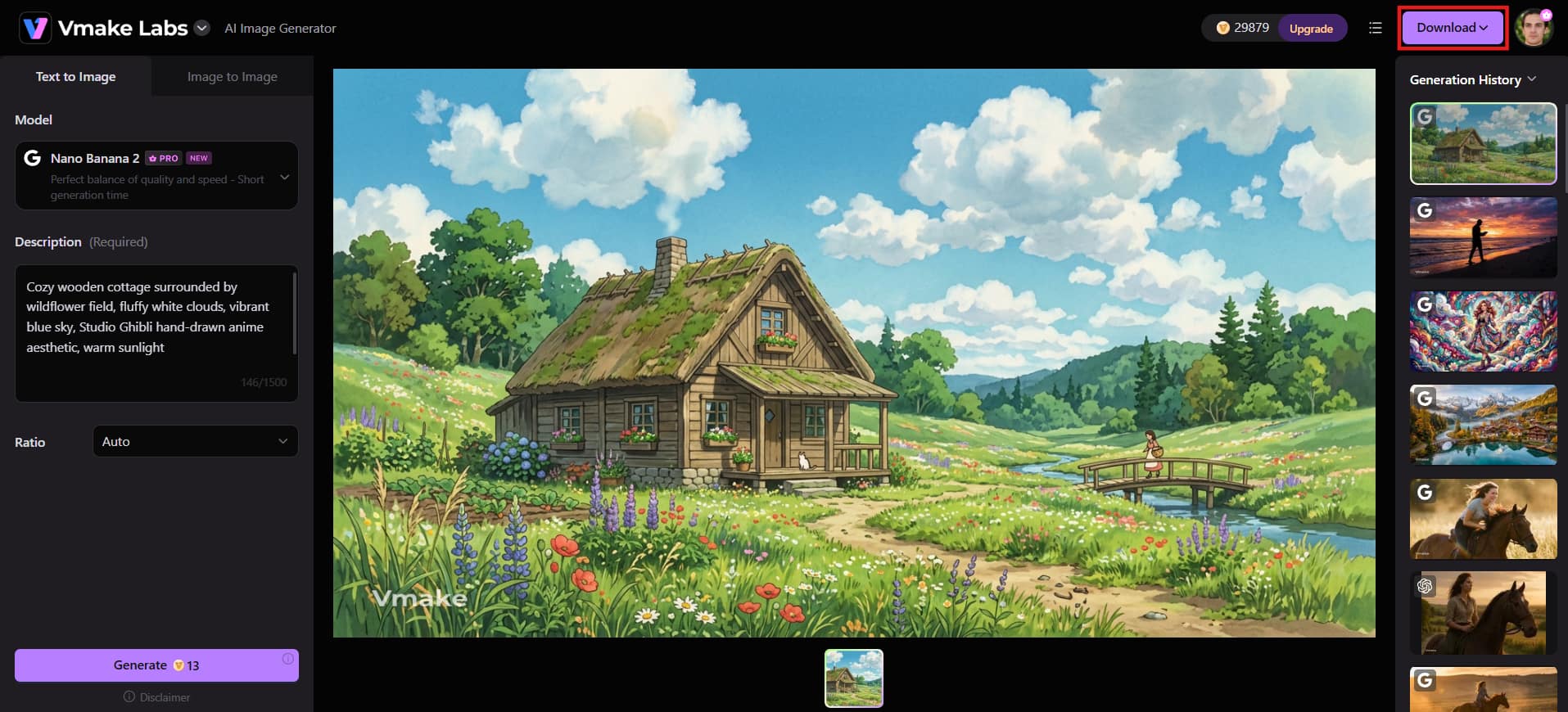
Step 3: Generate, preview, and download
Click "Generate" to create your images in seconds. Preview the results, adjust if needed. Once satisfied, hit "Download" to export your high-resolution asset directly to your device.
Pros |
Cons |
|---|---|
|
Access to multiple AI models, and supports text-to-image and image-to-image |
Free credits are limited, so heavier use requires an upgrade |
|
No downloads, works entirely in the browser |
Output quality depends on picking the right model for the task |
|
Suitable for commercial content |
Fewer artistic style filters than dedicated art-generation tools |
|
Simple three-step workflow, easy for beginners |
Advanced manual controls are lighter than single-model specialist tools |
-
Nano Banana 2 (Google)
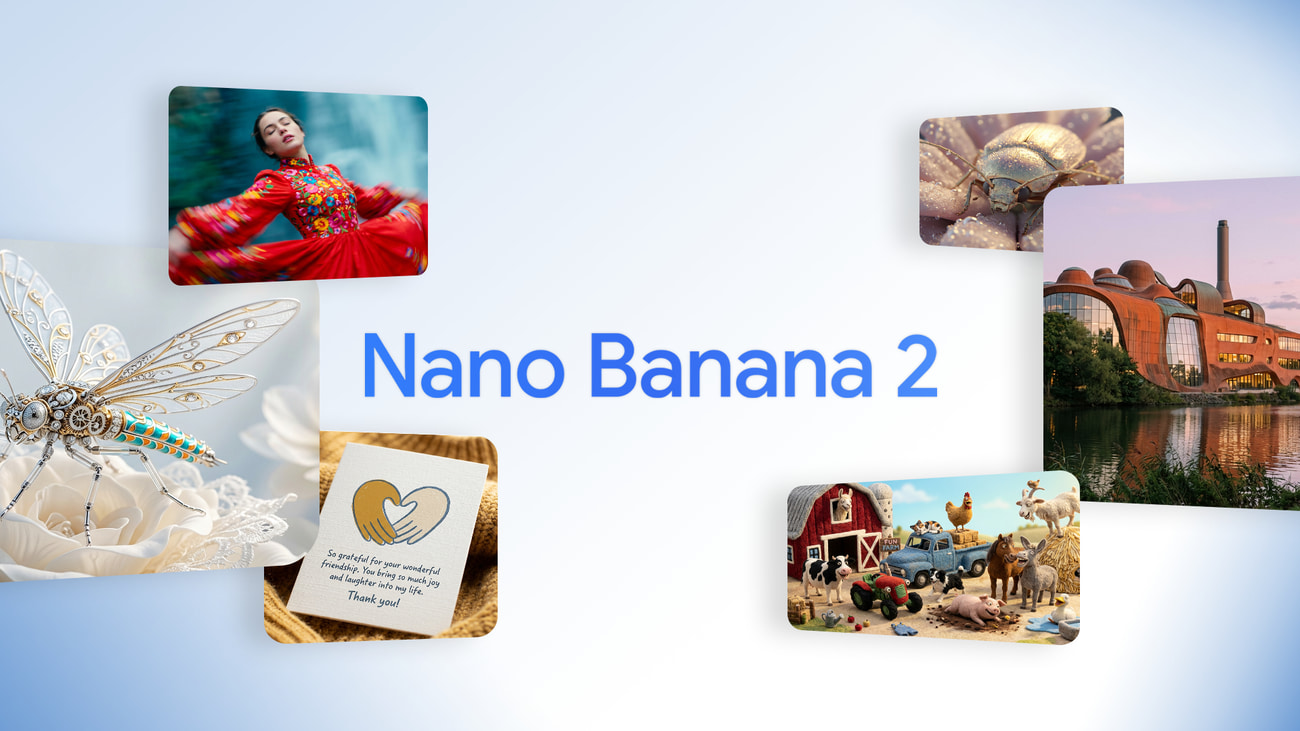
Nano Banana 2 (Gemini 3.1 Flash Image) is Google's fast, high-fidelity image model. It delivers strong photorealism, improved text rendering, subject consistency, and real-world knowledge integration, all at Flash-level speed. It is widely available inside the Gemini app and related Google surfaces.
Best for: Photorealism combined with speed and solid everyday volume.
Free path: Roughly 15–20 images per day on the free Gemini tier (limits can vary with demand).
Key features
-
Accurate text rendering: Generates readable, correctly spelled text inside images, making it a strong choice for posters, memes, social graphics, and marketing visuals that include words or labels.
-
Native 4K output: Produces high-resolution images at Flash-level speed, delivering professional-grade detail and sharpness in just a few seconds instead of the usual longer wait times.
-
Generous free daily limit: Offers roughly 20 free image generations per day through the Gemini app, more than most competing free tiers, without requiring a credit card or subscription.
-
Real-world grounding: Uses Google's search integration to generate more accurate, contextually correct visuals, helping images reflect real objects, places, and details rather than guesswork.
Pros |
Cons |
|---|---|
|
Very fast generation, typically a few seconds per image |
Daily generation caps reset on a strict 24-hour cycle |
|
Photorealistic handling of natural lighting and textures |
Less control over artistic style fine-tuning |
|
Clean text rendering inside generated images |
Embedded digital watermarks on free outputs |
|
Genuinely generous free daily limit compared to most competitors |
Commercial use realistically requires a paid tier |
-
Gemini
Gemini is Google's core AI assistant, and image generation lives right inside the same chat window as its text and research tools. It runs on the Nano Banana 2 model under the hood, so you get the same accurate text rendering and fast output, but wrapped in a full assistant that can also explain, edit, or refine an image through follow-up conversation instead of a fresh prompt each time.
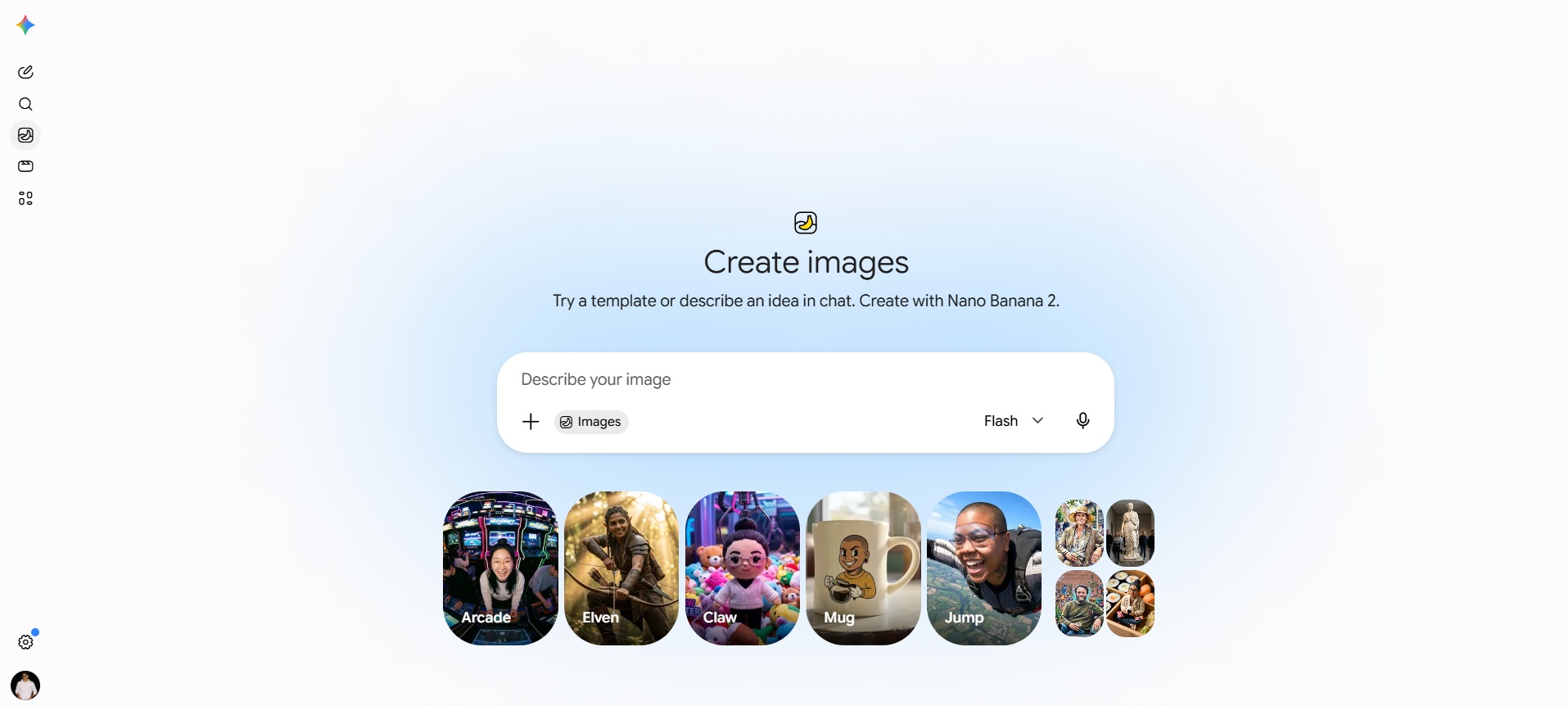
Best for: People who want image generation folded into a broader AI assistant rather than a standalone tool.
Free path: Available, but limits can vary
Key features
-
Conversational editing: Refine an image through natural follow-up chat instead of rewriting your whole prompt, asking Gemini to adjust lighting, composition, or details in plain language.
-
Accurate text rendering: Generates clean, readable text inside images, useful for social posts, presentation graphics, and any visual that needs correct spelling baked in.
-
Daily free allowance: Offers a capped number of free image generations per day that resets daily, enough for regular casual use without a subscription.
-
Integrated workflow: Combines image generation with Gemini's research, writing, and document tools in one thread, so you can plan content and generate visuals in the same conversation.
Pros |
Cons |
|---|---|
|
Image generation built into a full assistant, not a standalone app |
Google adjusts the free daily limit fairly often |
|
Strong spatial awareness and anatomical accuracy |
Regional availability for certain image features varies |
|
Strong text rendering and fast generation speed |
Strict safety filters compared to Grok Imagine |
|
Seamless integration into Google tools |
Higher resolution upscaling requires manual downloading |
-
ChatGPT
ChatGPT integrates OpenAI's advanced GPT Image engine directly into conversational threads, making it exceptionally strong at complex instruction-following. It excels at multi-subject compositions, photorealistic portraits, and precise localized edits allowing creators to highlight, modify, or swap specific visual elements simply by describing the changes in plain text.
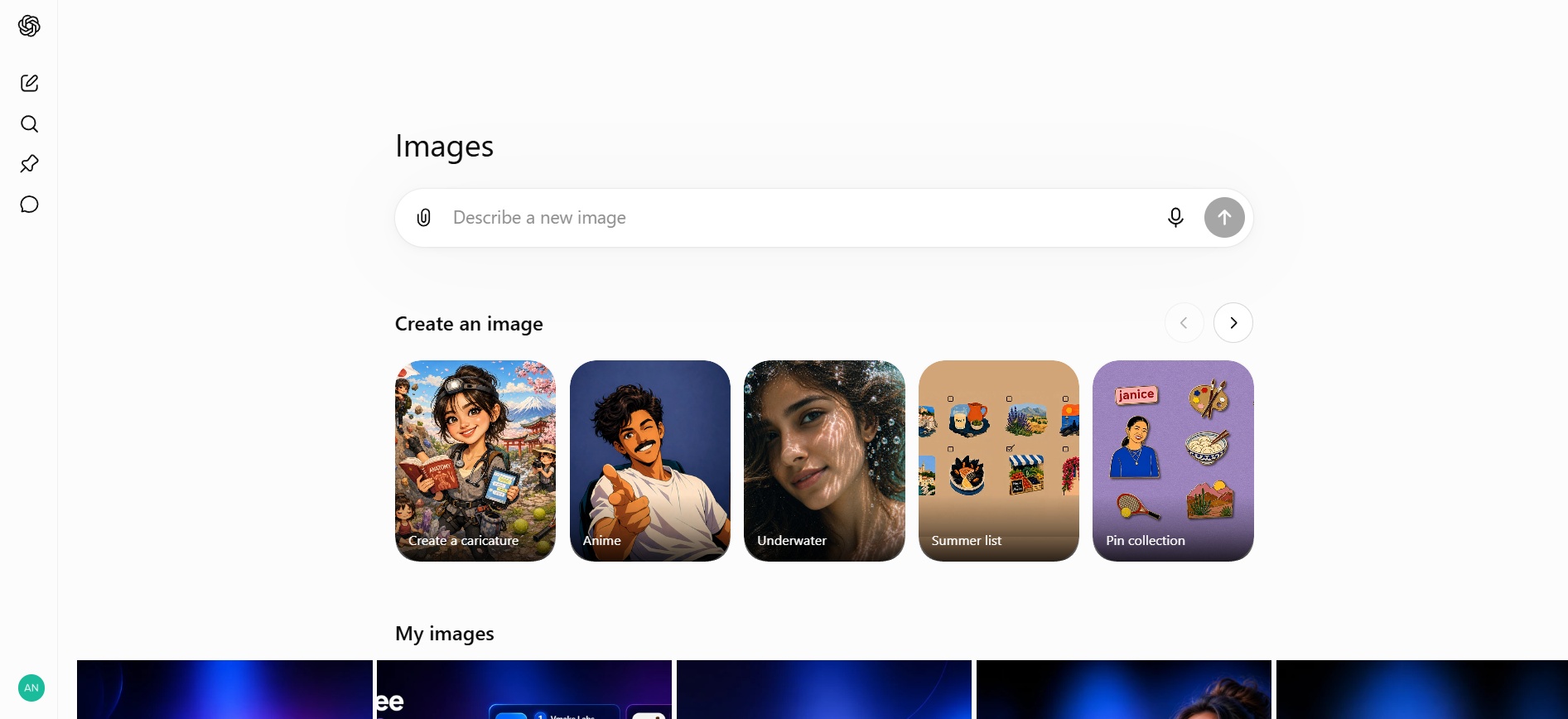
Best for: Precise prompt adherence, portraits, and nuanced artistic detail.
Free path: ~2–3 images per day for free-tier accounts.
Key features
-
Conversational inpainting & selective editing: Highlight specific image regions to alter objects, colors, or textures.
-
Complex prompt interpretation: Understands intricate multi-subject arrangements better than most diffusion models.
-
Multiple aspect ratio support: Switch between square, portrait, and widescreen outputs directly in chat.
-
Style versatility: Renders everything from hyper-realistic photography to watercolor, vector, and 3D renders.
Pros |
Cons |
|---|---|
|
Excellent at following detailed, layered prompts |
Free tier caps out at just a couple of images per day |
|
Refine images conversationally instead of re-prompting |
Generation is noticeably slower than dedicated image tools |
|
Useful inside a workflow that already involves ChatGPT for text |
Less artistic range than tools built specifically for image styling |
|
No separate account needed if you already use ChatGPT |
Free-tier limits can change without much notice |
-
Meta AI
Meta AI's Imagine feature runs inside Instagram, WhatsApp, Messenger, and Facebook, plus a standalone site, and doesn't enforce a hard published daily cap. That makes it one of the highest-volume free options on this list, though output leans toward quick social content rather than precise, professional-grade detail, and every image carries a visible watermark.
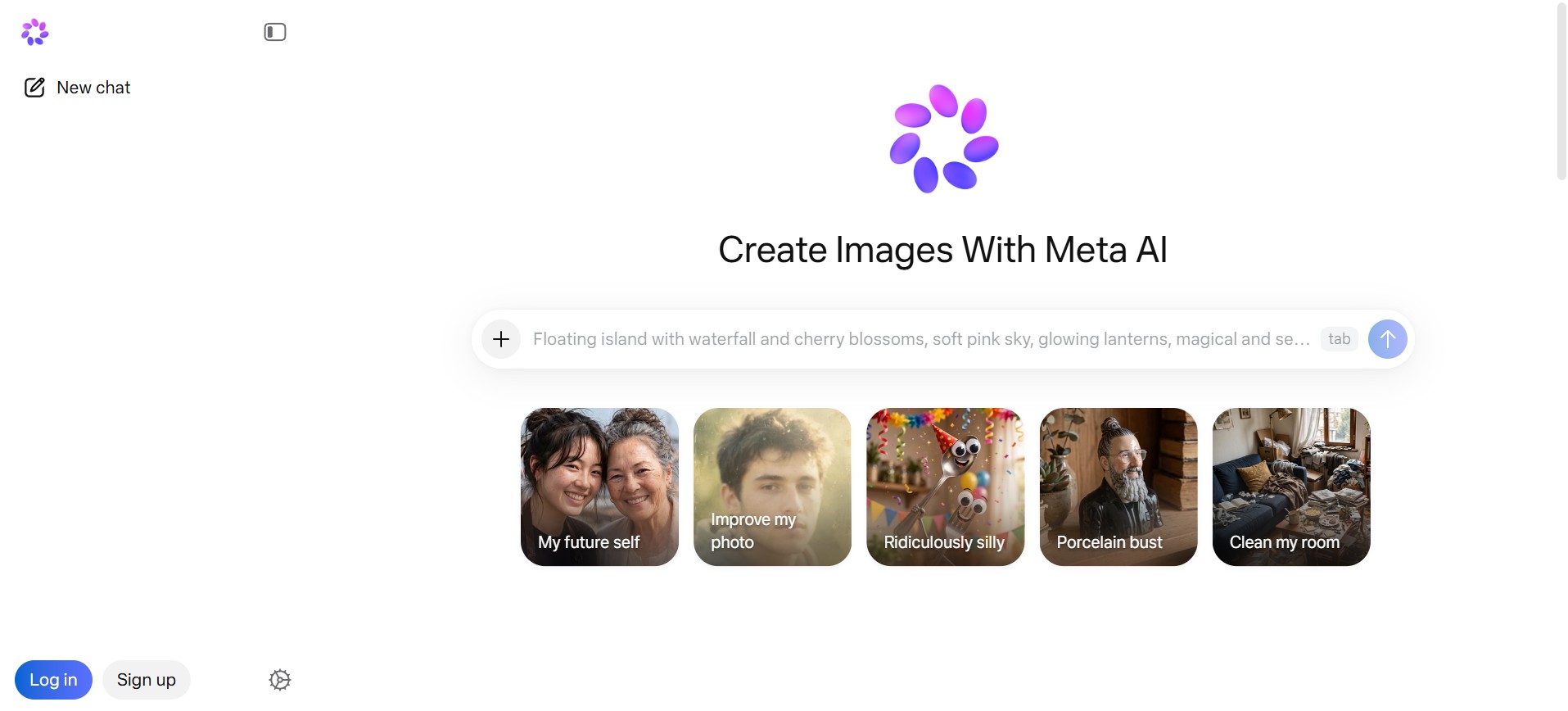
Best for: High-volume output, rapid social graphics, and mobile generation.
Free path: ~25+ images per day (generous free access without subscription tiers).
Key features
-
Real-time generation preview: Images update dynamically as you type out your prompt text.
-
Cross-platform access: Accessible instantly within social chat apps without logging into dedicated creative portals.
-
Animation capabilities: Turn generated static images into short looping GIFs with a single tap.
-
Simple aspect ratio toggles: Optimized formats for social stories, feeds, and square banners.
Pros |
Cons |
|---|---|
|
No strict published daily limit, strong for high-volume use |
Every free image carries a visible watermark |
|
Built directly into apps most people already use |
Less fine-grained prompt control than dedicated tools |
|
Fast generation with multiple variations per prompt |
Output favors social content over precise, professional detail |
|
No extra account or download required |
Commercial usage terms are less clearly defined than paid tools |
-
Leonardo AI
Leonardo AI pairs a generous daily free allowance with real editing tools, including inpainting, outpainting, and a canvas workspace, so you're not limited to one-shot generation. The free tier resets daily and covers a solid volume of standard images, though heavier features like advanced upscaling burn through that allowance much faster.
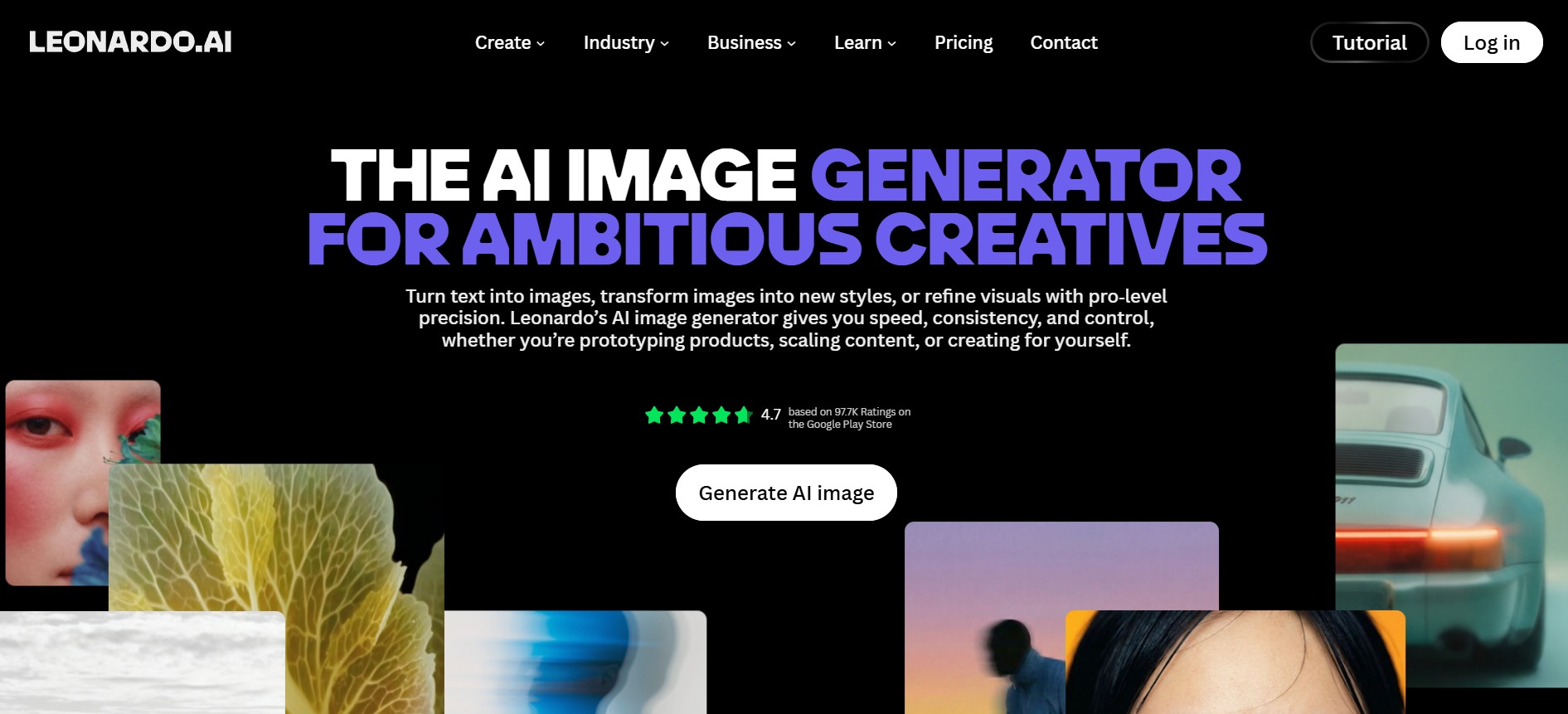
Best for: Style variety, concept art, game assets, and fine-tuned control.
Free path: 150 daily tokens (approximately 25–40 images per day, resetting every 24 hours).
Key features
-
Canvas editing tools: Includes inpainting, outpainting, and masking directly in the platform, letting you refine specific parts of an image without external design software.
-
Generous daily allowance: Provides a daily token pool that resets every 24 hours, covering a solid number of standard images before you need to upgrade.
-
Multi-model ecosystem: Choose between Leonardo Diffusion, Phoenix, Flux, and custom fine-tuned engines.
-
Prompt magic & style presets: Apply instant visual styles like Cinematic, Anime, Product, or Graphic Design.
Pros |
Cons |
|---|---|
|
Generous 150 daily tokens that reset every day |
Interface can feel overwhelming for complete beginners |
|
Full commercial rights on free generations |
Advanced features (upscaling, motion) consume tokens quickly |
|
Deep editing suite with canvas and control nets |
Generations are public on free accounts |
|
Clear token tracking so you know exactly what you have left |
No priority queue, so generation can be slower at peak times |
-
Ideogram
Ideogram built its reputation on one thing most AI image tools still struggle with: rendering text inside images correctly. Its free tier gives you a daily allowance of prompts, each producing multiple image variations, making it the clear pick for posters, logos, banners, or anything with words baked into the design.
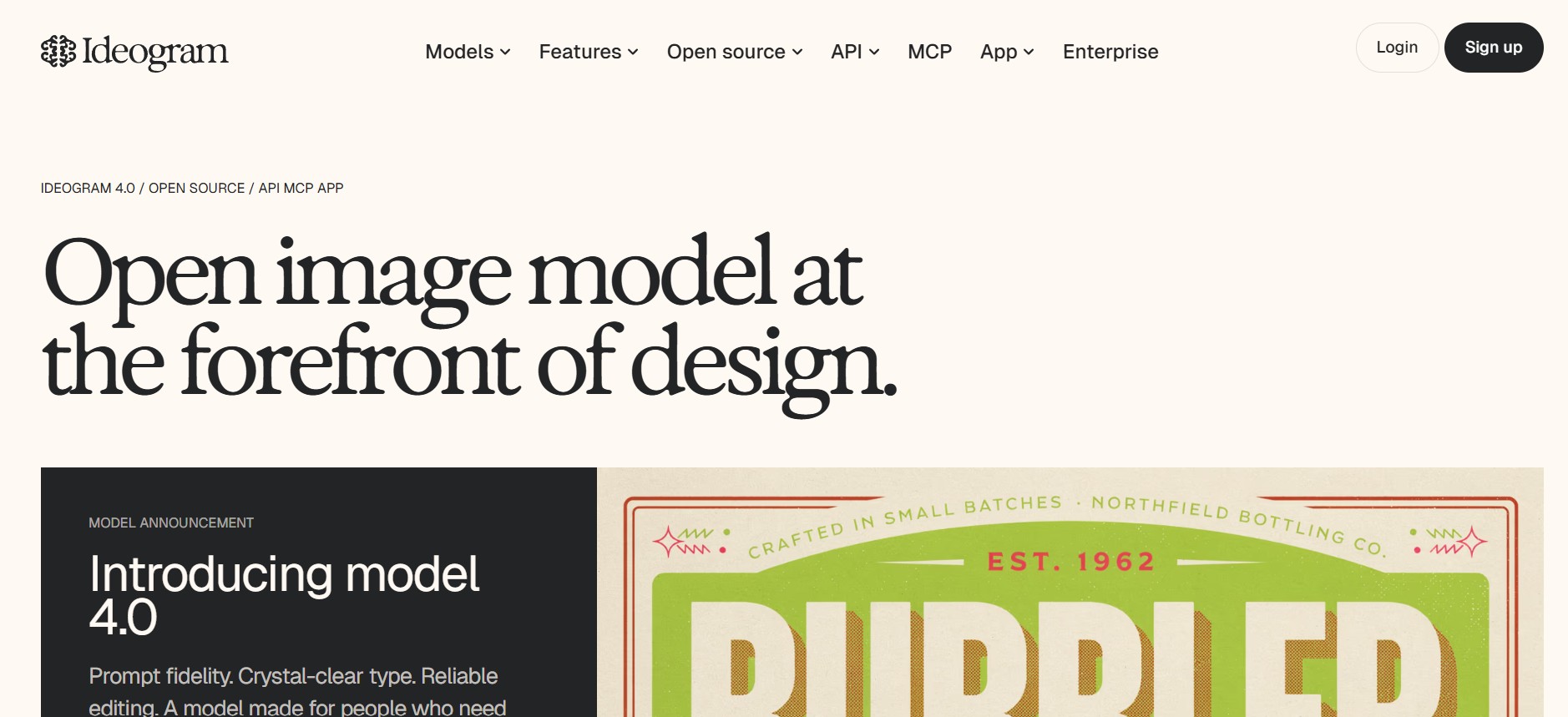
Best for: Typography, logo design, posters, stickers, and marketing banners.
Free path: ~10 slow credits per day (or ~40 images per week).
Key features
-
Best-in-class text rendering: Renders readable, correctly spelled text inside images far more reliably than most competitors, ideal for posters, logos, and signage.
-
Multiple images per prompt: Each prompt generates several variations at once, giving you options to choose from without submitting the same idea repeatedly.
-
Style mode presets: Switches between Realistic, Design, Anime, and 3D Render modes with one click, letting you reshape an entire image's aesthetic instantly.
-
Magic Prompt enhancement: Automatically expands a short, basic prompt into a more detailed one, improving results without requiring prompt-writing expertise.
Pros |
Cons |
|---|---|
|
The strongest text rendering of any tool on this list |
Free-tier generations are posted to a public gallery |
|
Multiple image variations per single prompt |
Free tier runs at lower queue priority during peak hours |
|
Style presets make aesthetic switching effortless |
Less suited to purely artistic, non-text visual work |
|
No credit card required to start |
Commercial and private-generation options require a paid plan |
Grok Imagine vs. alternatives: Quick comparison
Choosing the right AI image generator depends on your priorities. This comparison highlights how Grok Imagine and its top alternatives differ in features, free access, editing tools, AI models, and ideal use cases.
|
Tool |
Best For |
Free Tier Limits (approx.) |
Key Strengths |
Limitations |
Commercial Use |
|---|---|---|---|---|---|
|
Vmake Labs |
E-commerce, marketing, product shots |
Daily credits + free trial generations |
Multi-model (Nano Banana, Seedream, GPT Image, Flux), image-to-image, variations, browser-based, beginner-friendly |
Watermark on free exports; credit system |
Yes (paid plans) |
|
Nano Banana 2 (Google) |
Photorealism + speed |
~15–20 images/day (Gemini free) |
Fast generation, good text rendering, up to 4K, real-world knowledge |
SynthID watermark, daily cap, quality can vary |
Yes |
|
Gemini |
Overall quality & editing |
~20 images/day (Nano Banana 2 default) |
Strong prompt following, character consistency, Google ecosystem integration |
Watermark, region-dependent limits |
Yes |
|
ChatGPT |
Prompt accuracy & portraits |
~2–3 images/day (free tier) |
Excellent photorealism, conversational editing, high prompt fidelity |
Very tight free limit, slower on free |
Yes |
|
Meta AI |
High volume / unlimited feel |
~25 images/day (or more generous in US) |
Easy access via apps, Muse Image model, social integration |
Watermark, account required, quality not frontier |
Limited/Ambiguous |
|
Leonardo AI |
Style variety & daily volume |
150 tokens/day (~25–40 images) |
Generous free tokens, multiple models, canvas tools, commercial rights on free |
Public generations by default, tokens deplete fast on advanced features |
Yes (even free) |
|
Ideogram |
Text-in-image (logos, posters) |
~10 slow credits/day or ~40 images/week |
Best-in-class readable text rendering |
Slow free queue, public outputs, limited volume |
Yes |
How to choose the right alternative for your workflow
Picking a replacement is easier once you know what you actually used Grok Imagine for. Match your main use case to the list below.
-
If speed is your top priority
Go with Nano Banana 2 or Gemini. Both generate quickly enough to keep a fast content workflow moving without waiting around.
-
If realism and product-quality images matter most
Gemini and Nano Banana 2 both handle lighting and texture well. If you also want the option to switch models depending on the shot, Vmake AI lets you run the same prompt through Nano Banana, Seedream, or GPT Image and compare results before you commit to one.
-
If you need the most free volume
Meta AI has one of the more open free tiers, so it works well if you generate often and don't want to feel rationed.
-
If your images need readable text
Ideogram is still the strongest choice here. Logos, posters, and social graphics with real slogans or headlines come out clearer than with any other tool on this list.
-
If you don't want to commit to just one model
This is where most people get stuck. Every tool above is strong at one thing and weaker at another, which means switching between two or three apps just to finish one project. Vmake Labs solves that by putting several of the top models in one place, so you generate a product shot, a marketing visual, or a social thumbnail without leaving the same workspace or paying for separate subscriptions.
Conclusion
If you're searching for the best free AI image generators 2026 alternatives to Grok Imagine, there are plenty of excellent options to match different creative needs. Nano Banana 2 delivers impressive realism, Ideogram excels at text rendering, Leonardo AI offers advanced creative control, and Meta AI provides generous free access. However, if you want the flexibility to switch between multiple top AI models in one place, Vmake Labs is the standout choice. Try Vmake Labs for free to generate high-quality, commercial-ready images without juggling multiple platforms.
FAQs
What is the best free alternative to Grok Imagine for AI images in 2026?
Vmake Labs is one of the best free alternatives to Grok Imagine in 2026. It provides access to multiple leading AI image models, supports text-to-image and image-to-image generation, and is suitable for creating commercial-ready visuals from one platform.
Which free AI image generator has the best text rendering?
Ideogram is widely regarded as the best free AI image generator for text rendering. It produces clear, readable typography for posters, logos, advertisements, social media graphics, and other designs where accurate text is essential.
Is Grok Imagine still free to use?
No, Grok Imagine is no longer free on the main platform. xAI removed free access to the dedicated tool on March 19, 2026, meaning you now need an X Premium, X Premium+, or SuperGrok subscription to use it.
Which alternative is best for realistic, photo-quality images?
Gemini and Nano Banana 2 lead in photographic realism, accurately handling complex lighting and natural skin textures, while ChatGPT excels at detailed single-subject portraits. You can access these leading models through Vmake Labs, making it easy to compare results without switching between multiple platforms.
Can I use more than one AI model without paying for separate subscriptions?
Yes. Platforms like Vmake Labs give access to several leading models such as Nano Banana, Seedream, and GPT Image under one account, so you can compare results without managing multiple paid plans.

You May Be Interested

FLUX AI Image Generator Review 2026: Is It Worth Using?

Raphael AI Image Generator Review 2026: Worth Trying?
How to Create Professional YouTube Thumbnails with AI: A Creator’s 2026 Strategy
PicsArt AI Image Generator Review 2026: Is It Worth Using?
Playground AI Image Generator Review 2026: Is It Worth Using?
Perchance AI Image Generator Review: Is It Worth Using?