Whisk AI Image Generator Review: Features, Pricing, Pros, Cons & Best Alternative
Read our Whisk AI Image Generator review covering features, pricing, hands-on testing, pros, cons, user feedback, and compare it with Vmake Labs AI Image Generator to find the right tool.

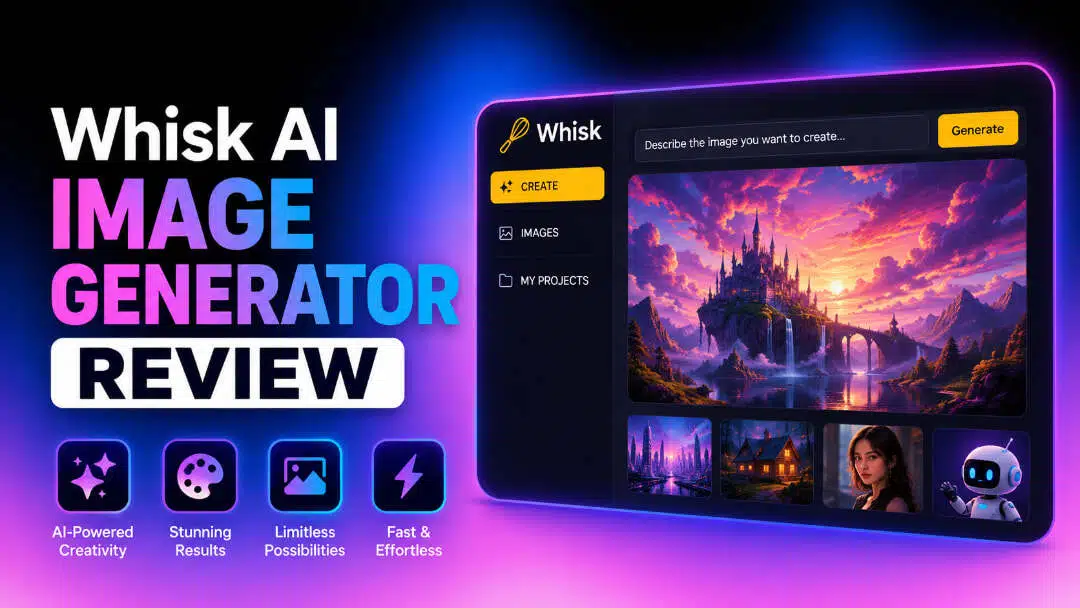
Google Whisk AI is an experimental image generation tool from Google Labs that creates original visuals by remixing subject, scene, and style images. In this Whisk AI Image Generator review, we'll cover its features, pricing, hands-on testing, pros, cons, user feedback, and compare it with Vmake Labs AI Image Generator.
What Is Whisk AI Image Generator?
Whisk AI Image Generator is Google's experimental browser-based AI image generator that transforms visual ideas into unique AI-generated images. Powered by Gemini AI and Imagen 3, it combines subject, scene, and style images with optional text prompts to create original artwork. Its visual-first workflow makes it a great choice for artists, designers, marketers, and creators looking to explore ideas and generate creative visuals quickly.
Overview
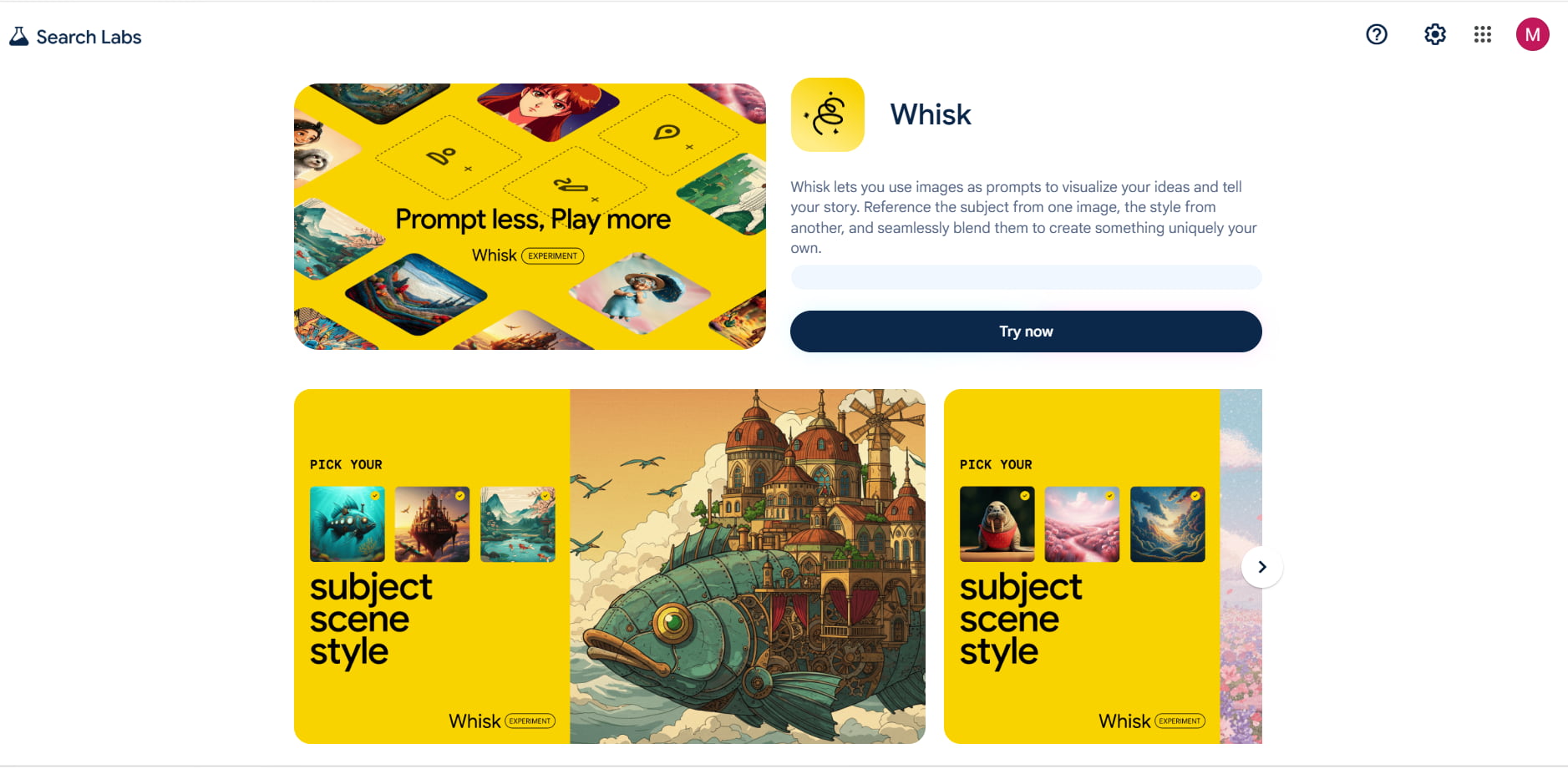
Whisk AI Image Generator features a three-image remixing workflow that lets you upload separate subject, scene, and style images to create original visuals inspired by each reference. Powered by Gemini AI & Imagen 3, Gemini AI interprets your image inputs while Imagen 3 generates multiple creative variations.
It also offers creative customization, allowing you to change the aspect ratio, image quality, and use Whisk Animate to turn still images into short videos. As a browser-based experience, you can create and experiment with AI images directly from your browser without installing extra software.
Whisk AI Image Generator Features & How to Create AI Images
Whisk AI Image Generator is not like most AI image tools. Gemini AI will take your subject, scene, and style images and turn them into an Imagen 3 prompt rather than detailed text prompts. From there, you can compare a few image variations and download your favorite result, but editing options are limited.
AI Image Generation Features
-
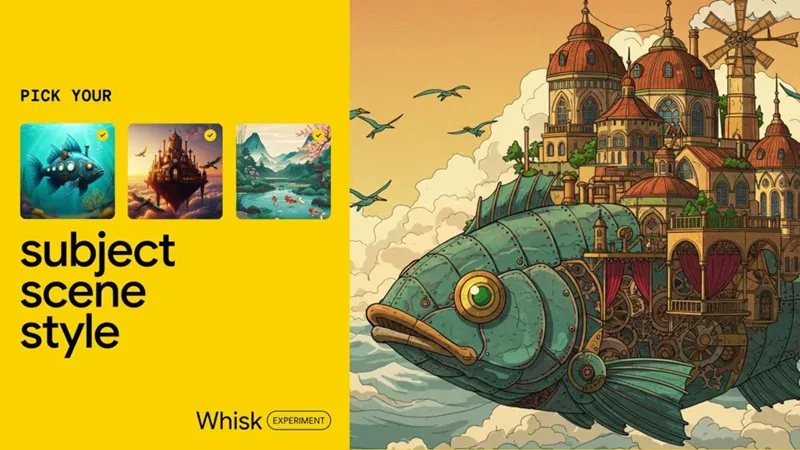
Three-Image Remixing (Subject, Scene, and Style Inputs): This is the feature that really sets Whisk AI apart. You upload separate images for the subject, scene, and style, then Whisk AI blends them into something new while keeping the overall feel of each reference. The results are usually creative and interesting, though they won't always match every detail of the original images.
-
AI-Powered Prompt Generation: Powered by Gemini AI, Whisk automatically analyzes your uploaded images and generates a descriptive prompt. You can review, edit, or expand the prompt before generating images to match your creative vision better.
-
Multiple Image Variations: Whisk AI will generate multiple versions of images based on the same inputs so that you can see and compare different creative takes. Refine your results by editing your prompt or replacing reference images.
-
Flexible Visual Inputs: Whisk AI allows you to upload reference images and combine visual inputs with optional text descriptions. The flexible workflow lets you easily try out new ideas and mold concepts without writing long prompts.
-
Whisk Animate: Whisk Animate turns AI-generated images into short animated videos, helping creators bring static images to life for storytelling, presentations, and social media.
Steps to Create AI Images
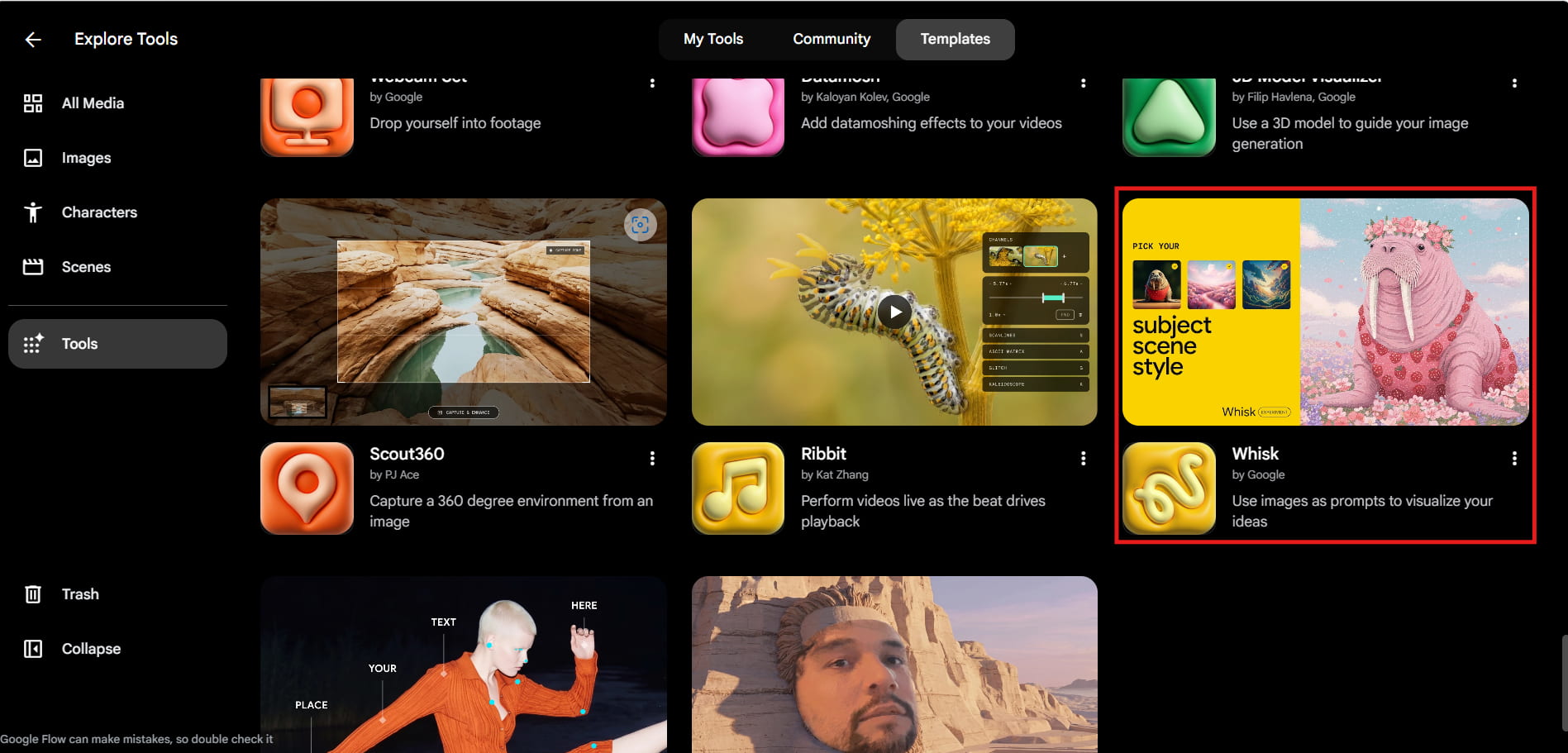
Step 1: Open Whisk AI and Select the Tool
Open Google Flow, start a new project, and select Whisk from the Tools menu. This takes you to the workspace where you can begin creating AI images.
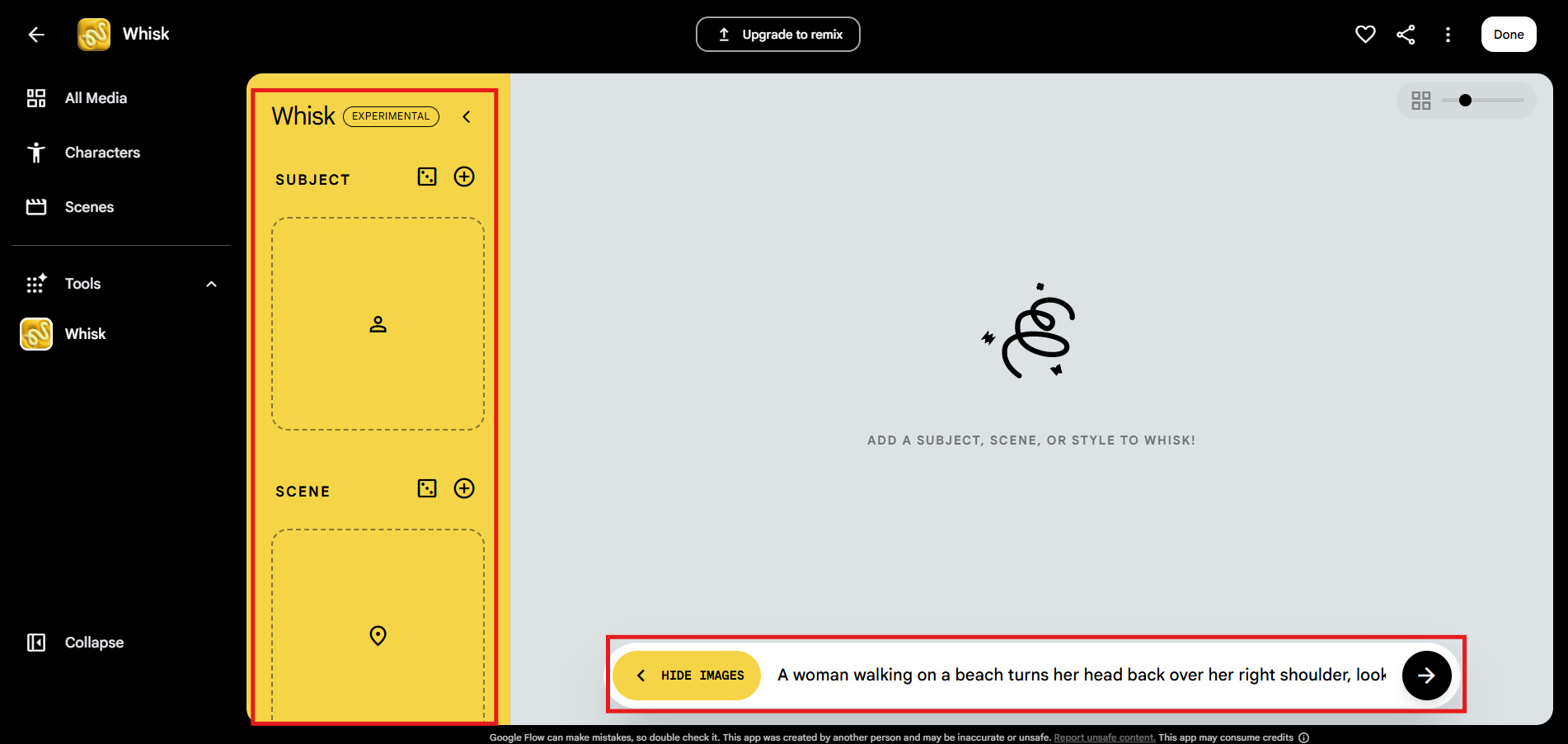
Step 2: Upload Reference Images and Enter Your Prompt
Add your subject, scene, and style images, or include text descriptions if needed. Gemini AI generates a prompt based on your inputs, which you can review, edit, and use before generating your images.
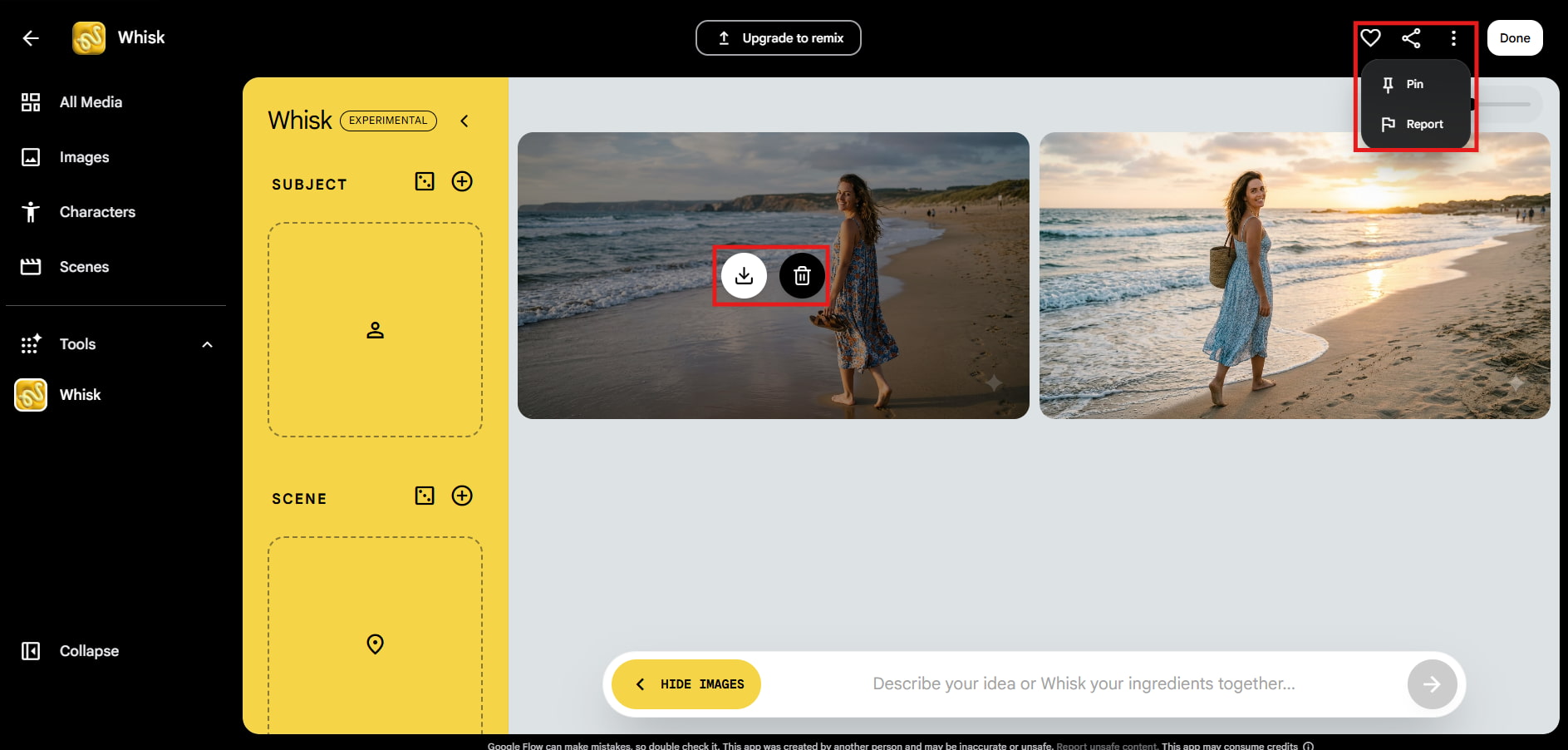
Step 3: Review and Download Your AI Image
Whisk AI creates several image variations for you to compare. Download the one you like, or tweak the prompt and reference images to generate new versions until you're happy with the result.
Hands-on Whisk AI Image Generator Review
We tested Google Whisk AI across different creative tasks to evaluate its image quality, ease of use, generation speed, and image remixing capabilities. Our testing focused on how effectively it blended subject, scene, and style images to create original AI-generated visuals.
Testing Results
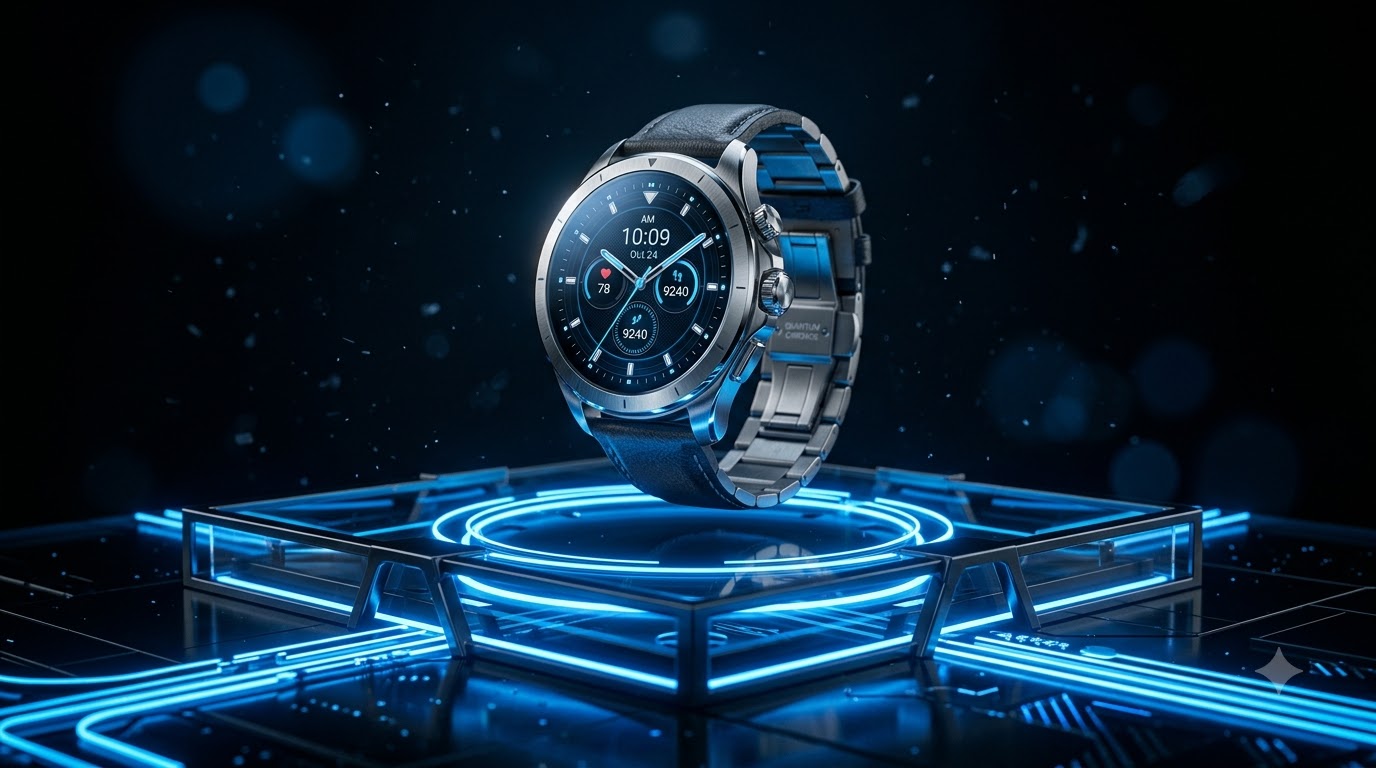
Product Advertisement Design
Sci-Fi Environment Concept Art
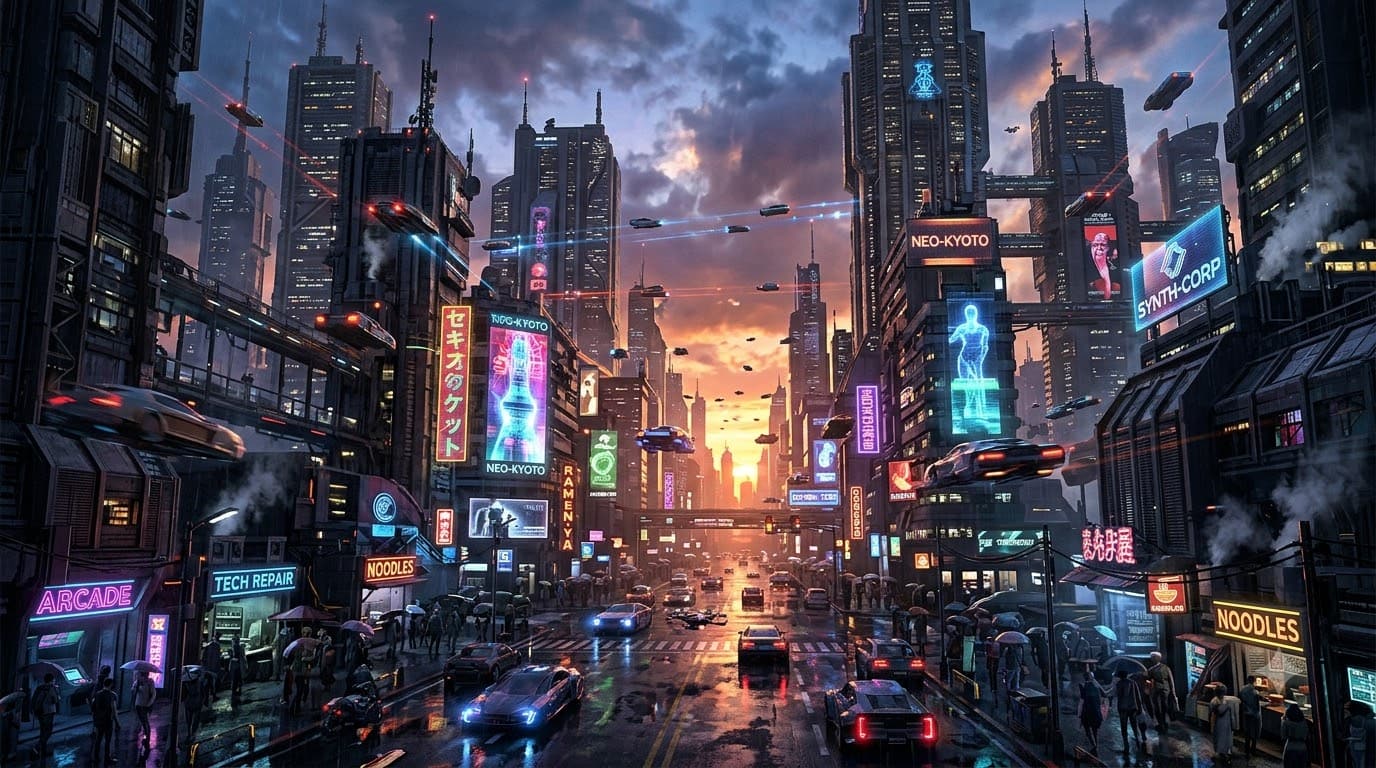
Interior Design Visualization

Hands on Testing
-
Portrait Generation: Whisk AI combines facial features with different artistic styles to create creative portrait variations, making it useful for creating AI avatars. The results looked impressive, but they favored creativity over realistic likeness.
-
Product Concepts: Developed creative product concepts for packaging, ads, and marketing visuals. But it was less accurate at rendering detailed commercial products.
-
Creative Artwork: Whisk AI performed well with illustrations, fantasy scenes, and stylized artwork. Its visual-first workflow encouraged creative experimentation.
-
Subject, Scene & Style Remixing: Whisk AI's unique feature merged subject, scene, and style images to produce unique visuals inspired by each reference.
Pros and Cons
|
Pros |
Cons |
|---|---|
|
Unique subject, scene, and style remixing workflow |
Less photorealistic than some AI image generators |
|
Beginner-friendly interface |
Limited fine-grained editing controls |
|
Fast AI image generation |
Results can vary depending on reference image quality |
|
AI-powered prompt generation with Gemini |
Some features have moved to Google Flow |
|
Great for creative brainstorming and concept exploration |
Not ideal for pixel-perfect editing or commercial precision |
What Users Are Saying
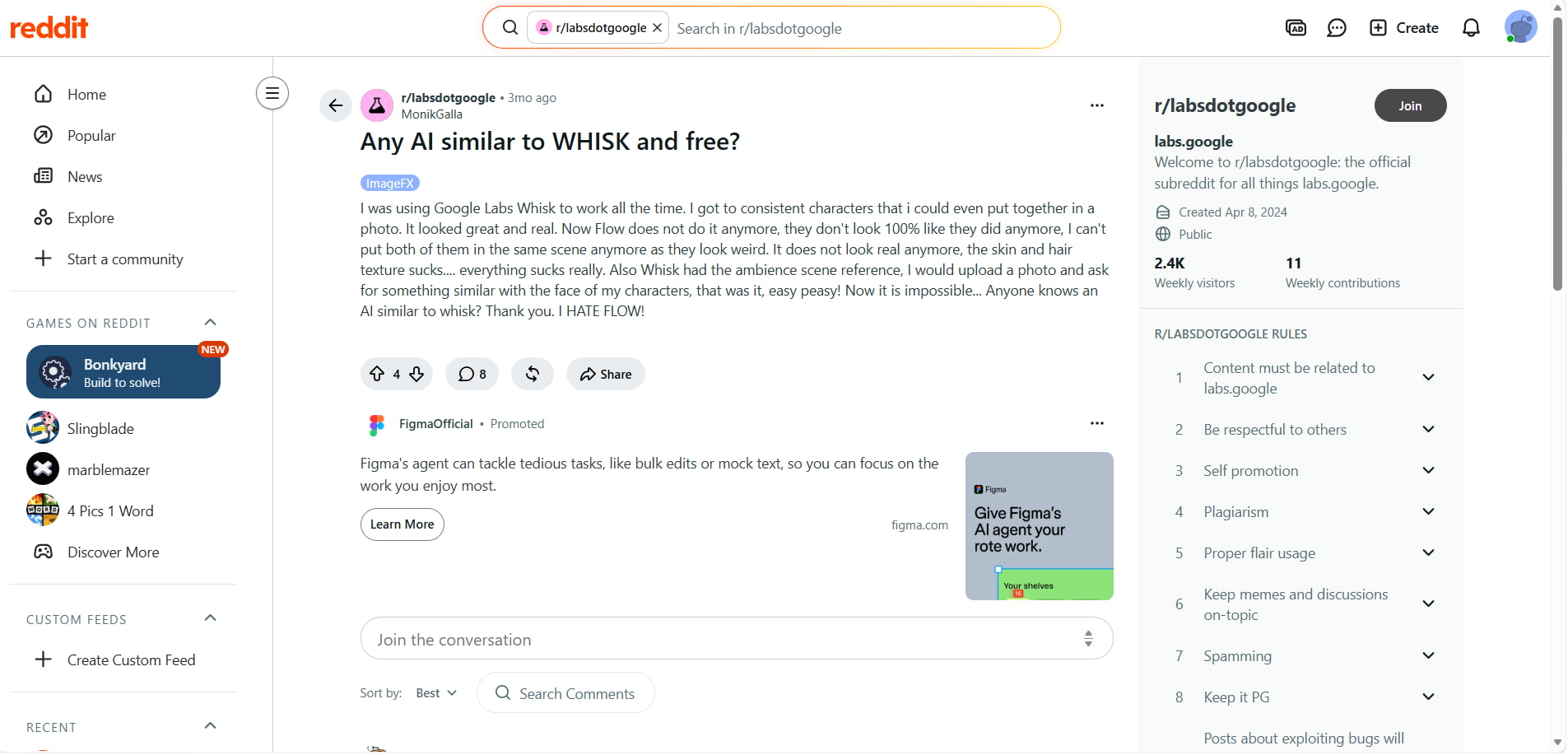
Reddit: Reddit users praised Whisk AI for making it easy to create consistent characters and realistic visuals using its subject, scene, and style reference workflow. However, many expressed disappointment after Whisk transitioned to Google Flow, saying the new experience no longer delivers the same level of consistency or realism and lacks features they relied on for character-based image generation.
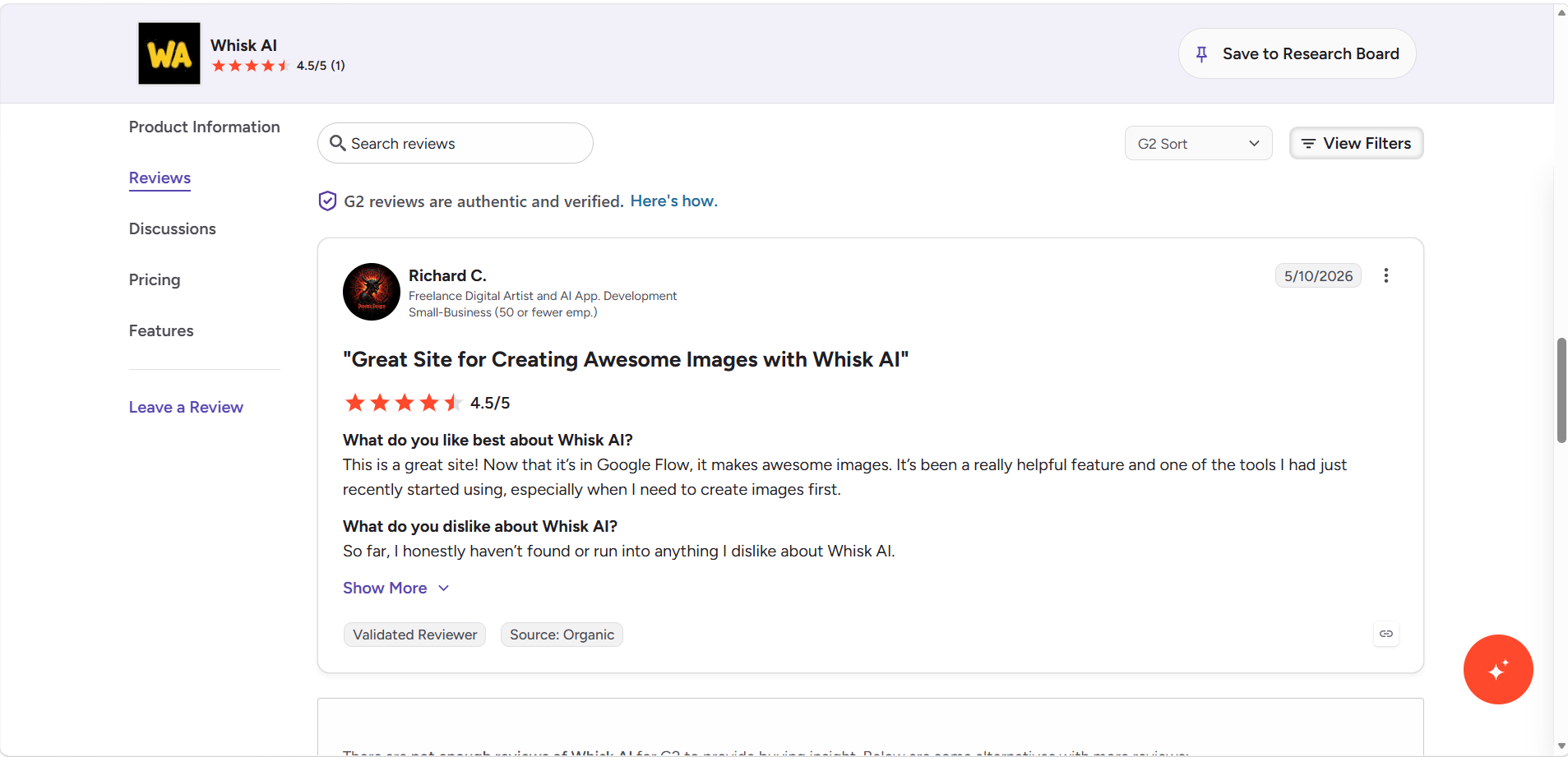
G2: Whisk AI is said to be simple to use, fast at creating graphics, and able to provide imaginative results. According to some users, it offers fewer editing options than more sophisticated AI image generators. Overall, critics believe it works well for producing high-quality images with little effort, brainstorming ideas, and creating illustrations.
Whisk AI Image Generator Pricing
Whisk AI is available with three Google AI subscription plans, catering to different creative needs, from casual image generation to professional content creation. The best plan depends on your AI image generation needs and how many Google Flow credits, storage, and premium AI features you require.
Whisk AI Pricing
|
Plan |
Monthly Price |
Key Highlights |
|---|---|---|
|
Google AI Plus |
$1.29/month for the first 3 months, then $4.99/month |
400 GB storage, 200 monthly Google Flow credits, access to Google Flow and additional Google AI features. |
|
Google AI Pro |
$4.99/month for the first 3 months, then $19.99/month |
5 TB storage, 1,000 monthly Google Flow credits, expanded access to Google's AI models and Google Flow. |
|
Google AI Ultra |
Starting at $99.99/month |
20 TB storage, 10,000 monthly Google Flow credits, highest access to Google's most capable AI models and premium features. |
Which Plan Offers the Best Value?
|
Plan |
Best For |
Recommendation |
|---|---|---|
|
Google AI Plus |
Casual users and beginners |
Best for exploring Whisk AI and Google Flow at a low introductory price. |
|
Google AI Pro |
Content creators and professionals |
Best overall value with more storage, significantly higher Google Flow credits, and expanded access to Google's AI models. |
|
Google AI Ultra |
Businesses and power users |
Best for high-volume AI generation and advanced creative workflows requiring maximum AI access. |
Whisk AI's pricing caters to a variety of users, but cost isn't the only factor to consider. If you need more AI models, flexible image generation workflows, and commercial-ready outputs, Vmake Labs AI Image Generator is a compelling alternative. Let's see how you can create AI images with Vmake Labs in just three simple steps.
Best Alternative: Vmake Labs AI Image Generator and Comparison
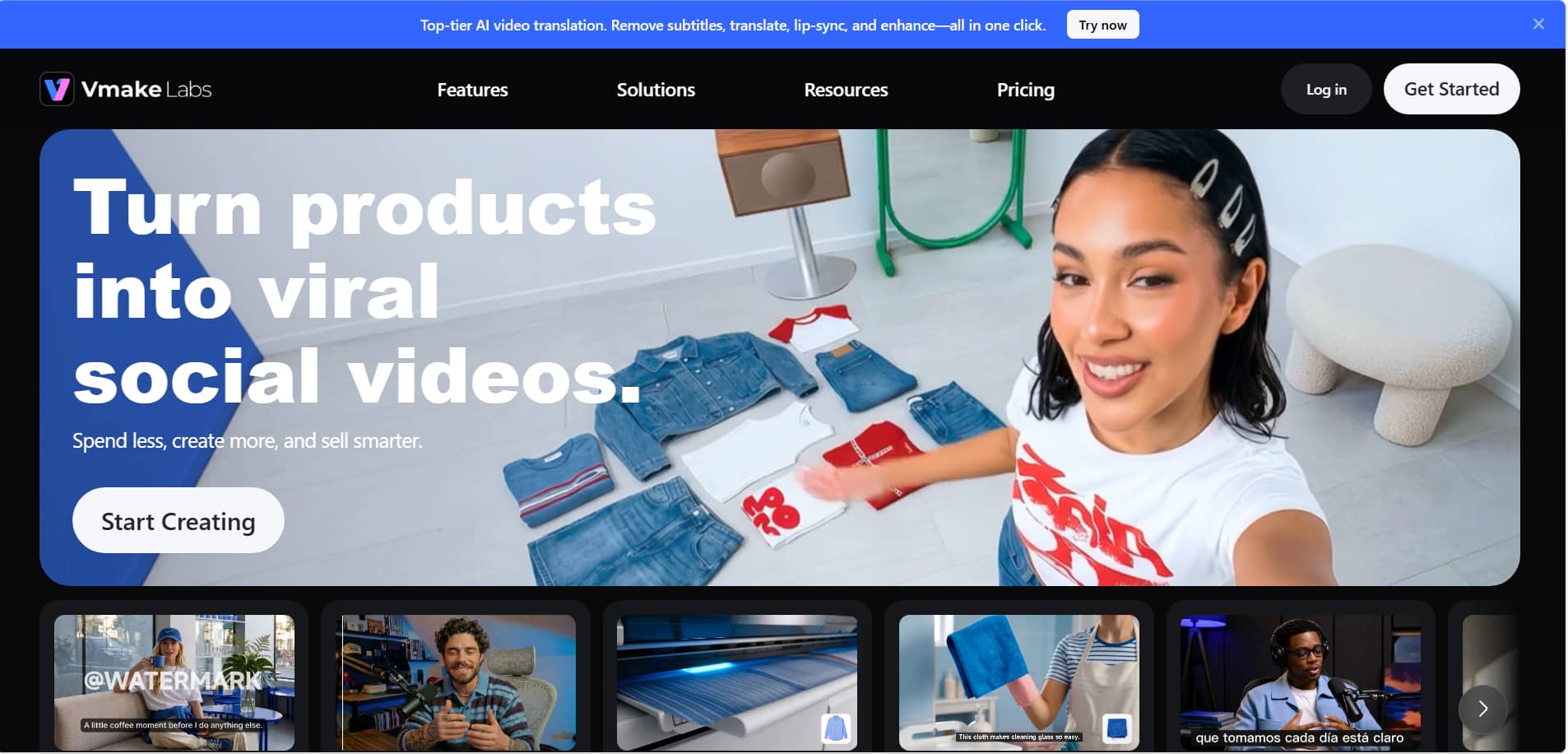
Whisk AI is great for creative image remixing but can be limited if you want more control or professional quality images. Vmake Labs AI Image Generator offers various AI models, flexible Text-to-Image and Image-to-Image generation, making it a good choice for marketing, e-commerce, and other professional projects.
Why Choose Vmake Labs AI Image Generator?
-
Text-to-Image & Image-to-Image: Generate original AI images from text prompts or transform existing images with AI using flexible Text-to-Image and Image-to-Image modes.
-
Multiple AI Models: Choose from Nano Banana 2, Nano Banana Pro, Nano Banana, Seedream 4.0, and GPT Image 1 to create images in different artistic and realistic styles.
-
Upload 1–3 Reference Images: In Image-to-Image mode, upload up to three reference images to guide the AI for more accurate compositions and consistent visual results.
-
Flexible Aspect Ratios: Select from multiple aspect ratios to create images optimized for social media, websites, e-commerce listings, and marketing campaigns.
-
Ideal for E-commerce & Creative Projects: Generate high-quality AI images for product listings, branding, advertisements, social media content, and other creative projects, and further improve them with an image enhancer when needed.
How to Create AI Images with Vmake Labs
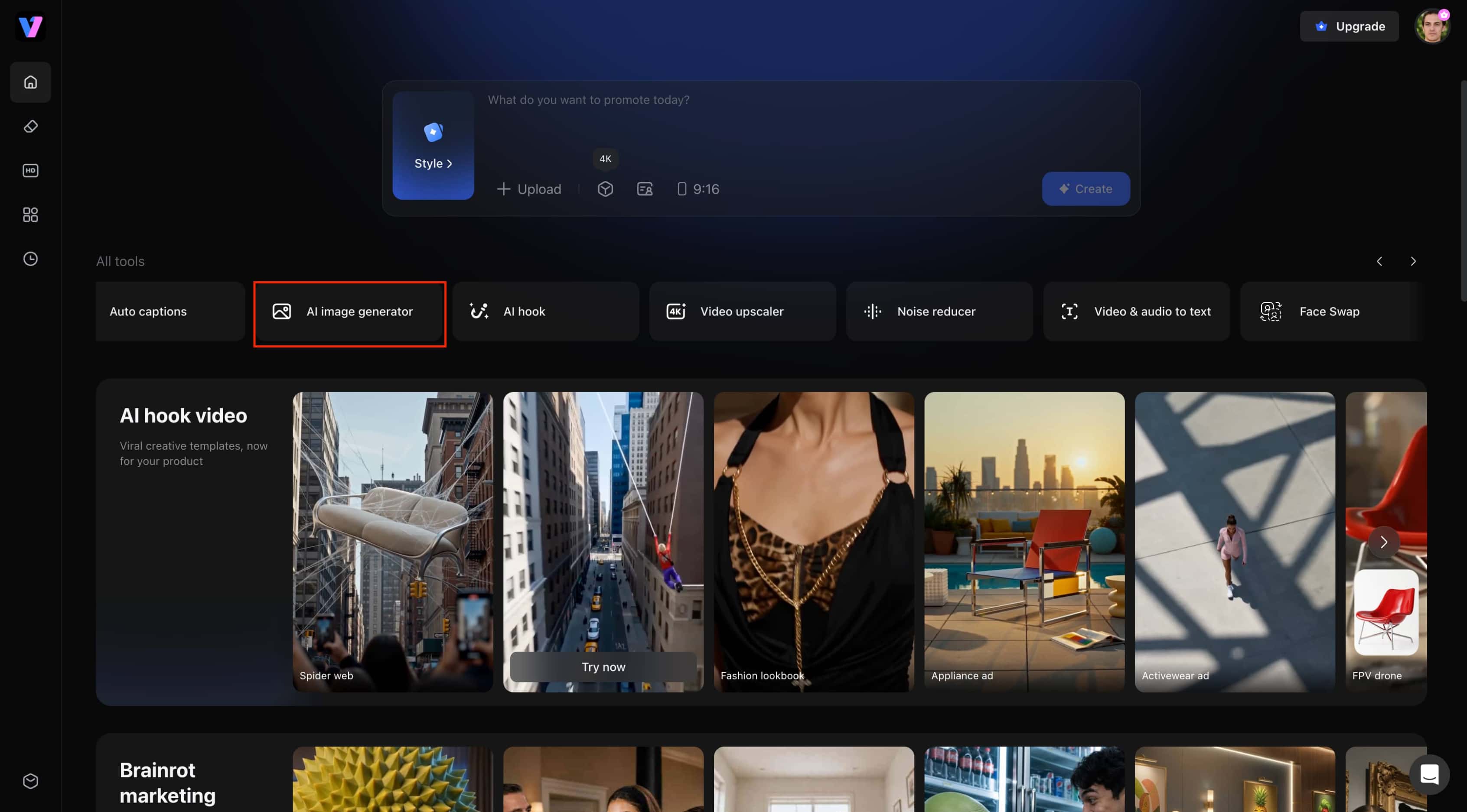
Step 1: Open the AI Image Generator.
From the Vmake Labs homepage, locate AI Image Generator under the All tools section and click it to open the image generation tool.
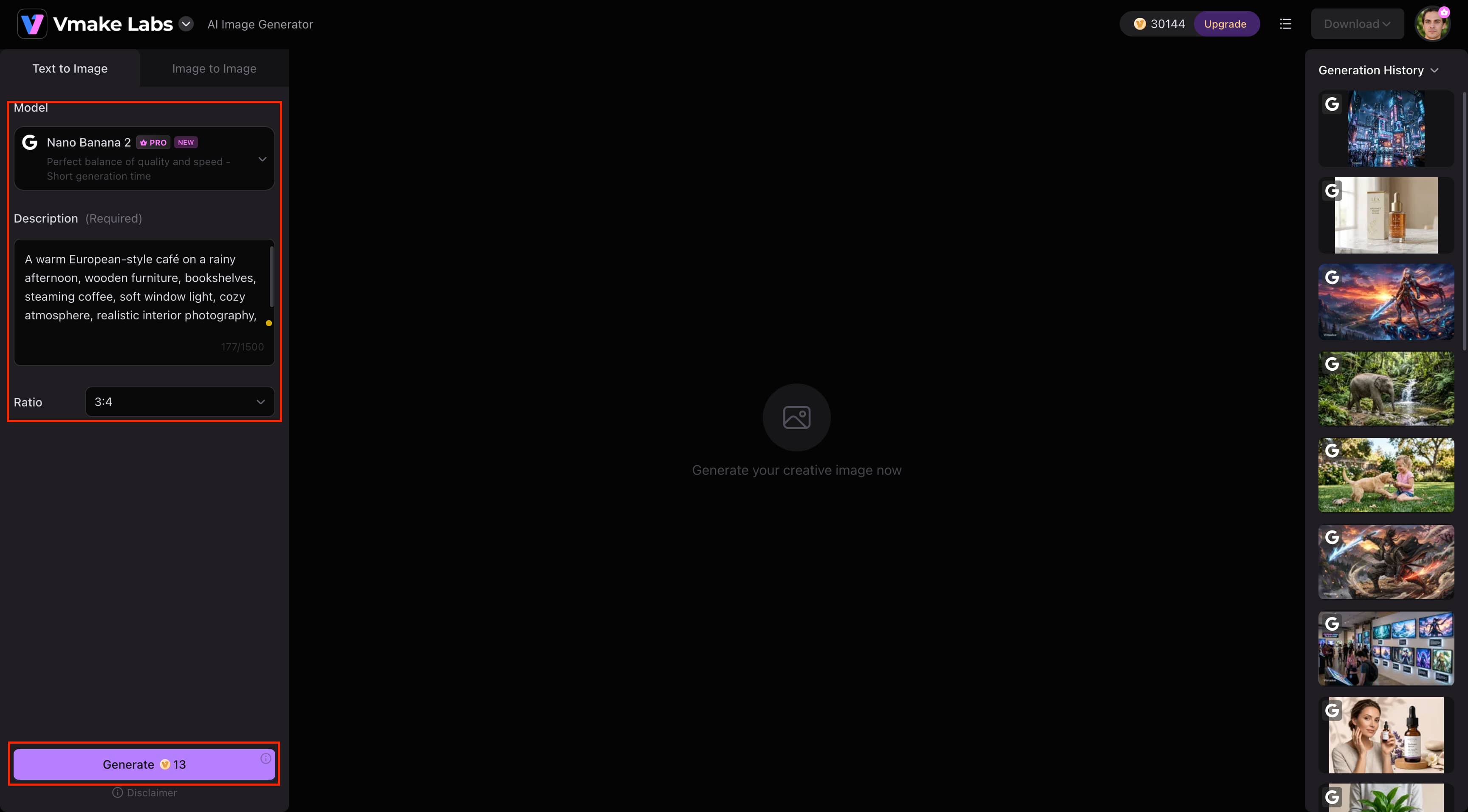
Step 2: Select a Model and Generate Your Image.
Choose your favorite AI model, enter a text prompt, and select an aspect ratio. For Image-to-Image, upload 1-3 reference images, then click Generate to create your image.
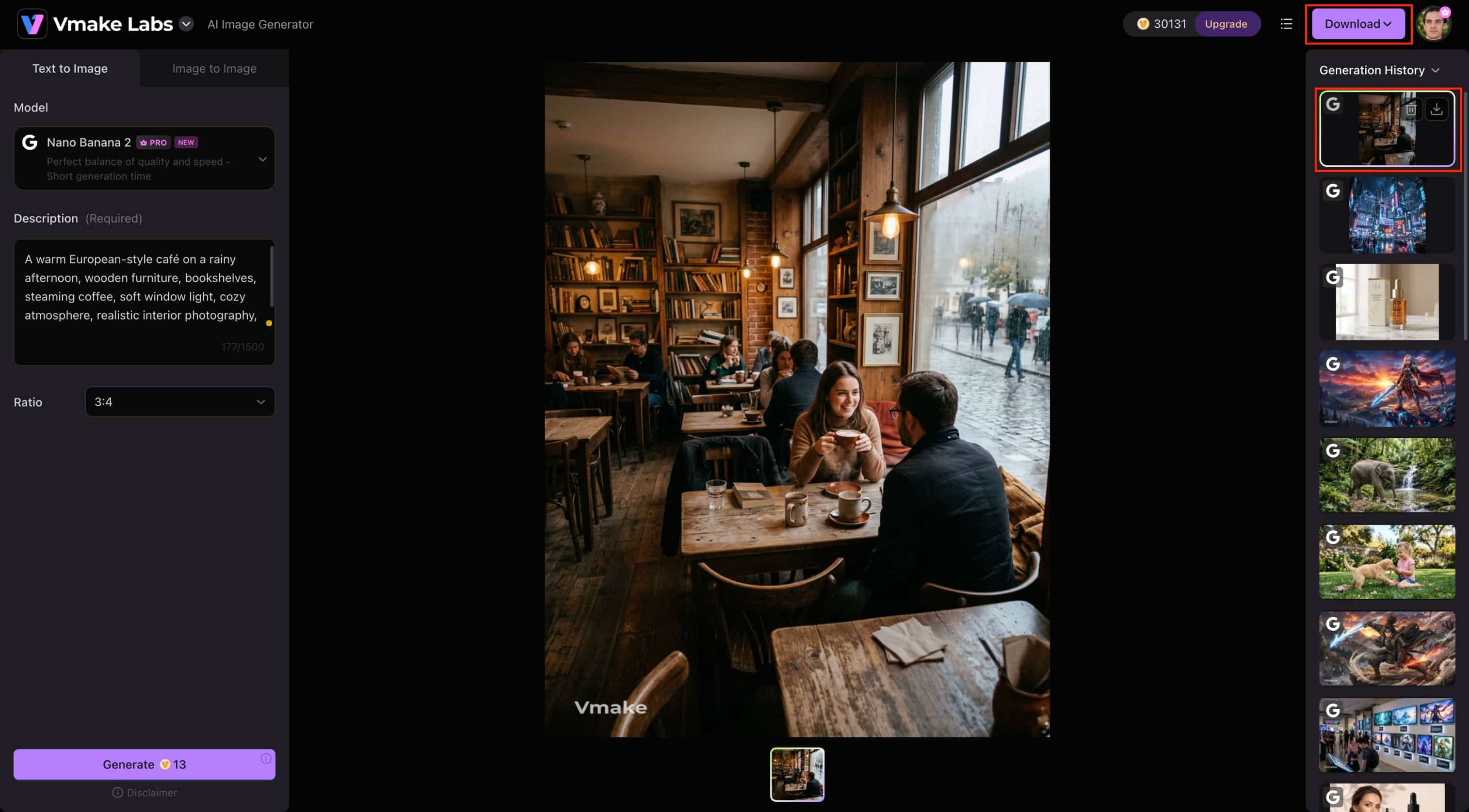
Step 3: Preview and Download Your Image.
Preview the output image to make sure it's what you expect. If you like what you see, download it to save high resolution for your personal or commercial use.
Whisk AI Image Generator vs Vmake Labs AI Image Generator
Both Whisk AI Image Generator and Vmake Labs AI Image Generator make AI image creation easy, but they are designed for different use cases. Whisk AI focuses on creative image remixing with subject, scene, and style inputs. At the same time, Vmake Labs provides multiple AI models and flexible generation modes for creating high-quality, commercial-ready visuals.
|
Category |
Whisk AI Image Generator |
Vmake Labs AI Image Generator |
|---|---|---|
|
Best For |
Creative experimentation & concept art |
Marketing, e-commerce & commercial content |
|
Generation Modes |
Image remixing with subject, scene & style references |
Text-to-Image & Image-to-Image |
|
AI Models |
Gemini AI + Imagen 3 |
Nano Banana 2, Nano Banana Pro, Nano Banana, Seedream 4.0, GPT Image 1 |
|
Reference Images |
Subject, scene & style image inputs |
Upload 1–3 reference images |
|
Prompt Input |
AI-generated prompts with optional text edits |
Text prompts + reference images |
|
Image Customization |
Creative remixing, aspect ratio & image quality |
Multiple AI models, aspect ratios & reference-based generation |
|
Animation Support |
Whisk Animate (via Google Flow) |
Not available |
|
Workflow |
Browser-based |
Browser-based |
|
Commercial Use |
Supported with eligible Google AI plans |
Supported |
|
Pricing |
Google AI Plus, Pro & Ultra plans |
Free trial & paid plans |
Choose Whisk AI Image Generator: If Whisk AI is a great choice for beginners, artists, and creative users who enjoy remixing subject, scene, and style images. It's ideal for generating unique concepts, illustrations, and experimental artwork.
Choose Vmake Labs AI Image Generator: If you are a marketer, business, or content creator and you need AI images ready for commercial use. Vmake Labs is your best choice. It provides several AI models, configurable Text to Image and Image to Image workflows, and reference image support for marketing, e-commerce, and creative projects.
Conclusion
Whisk AI Image Generator is a fun way to turn your visual ideas into original AI-generated images. If you like to play with subject, scene, and style references, you'll probably love how quickly it comes up with new ideas. The disadvantage is that it is not meant for granular image editing, and you may outgrow it if you want more control. That's the power of Vmake Labs AI Image Generator: a wide selection of AI models, flexible Text-to-Image and Image-to-Image workflows, and visuals that are better suited for commercial projects.
FAQs
-
Do I need three images to use Whisk AI Image Generator?
Choose from one, two, or three reference images depending on your creative needs. When you mix different subject, scene, and style images separately, you have more control over the generated results, and you create more unique visual variations.
-
Can I use text prompts along with reference images in Whisk AI?
Whisk AI generates images based on text prompts and reference images. Merging the two helps to fine-tune the subject, style, and composition, and produce creative variations that suit your vision better.
-
Can I edit AI-generated images after creation?
Whisk AI is aimed more at image generation and remixing, not advanced image editing. Rather than editing the generated image directly, you can create new variations by changing your prompts or reference images. Vmake Labs AI Image Generator is a strong alternative for more flexible Text-to-Image and Image-to-Image workflows.
-
Does Whisk AI work on mobile devices?
Whisk AI is accessible through supported mobile web browsers so that you can generate images from your phone or tablet. The desktop version provides a larger workspace, which makes it easier to manage prompts, reference images, and generated results.
-
Can I save multiple versions of the same AI-generated image?
Whisk AI lets you experiment with different versions by tweaking your prompts or reference images. Compare outputs, and save the ones you like most to choose the one that fits your creative project or design goals.

You May Be Interested
7 Best Free AI Image Generators 2026 Alternatives to Grok Imagine
Artguru Image Upscaler Review: Features & Best Alternative
Grok Image Generator Review: Is It Worth Using in 2026?
Best AI Image Generator: 10 Top Picks for 2026 Review