
Best AI Image Generators for Anime Style 2026
Creating high-quality anime AI artwork takes more than choosing the first tool you find. Compare the best AI image generators for anime style in 2026 and discover why creators choose Vmake Labs.

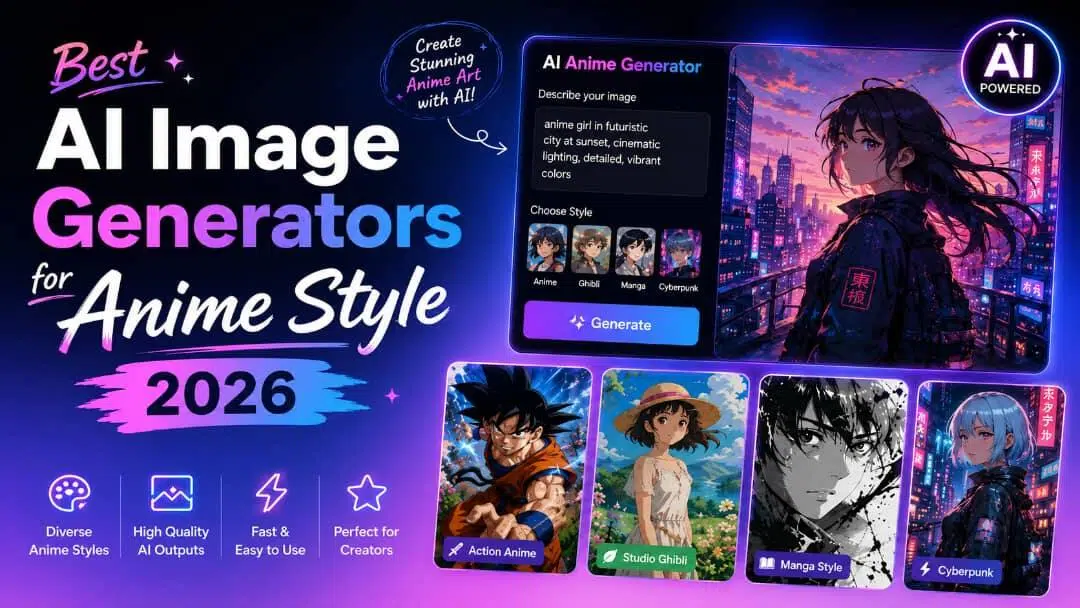
Creating anime artwork with AI has never been easier, but finding the right generator can be challenging. We tested popular tools based on image quality, anime styles, ease of use, pricing, and commercial licensing to help you find the best AI image generators for anime style 2026 for your creative projects.
Quick comparison
|
Tool |
Best for |
Generation modes |
Creative strength |
Platform |
|---|---|---|---|---|
|
Vmake Labs |
Marketing, ecommerce, and commercial artwork |
Text-to-image, Image-to-image |
Multiple AI models and commercial-ready visuals |
Web |
|
Leonardo AI |
Character design and concept art |
Text-to-image, Image-to-image |
Consistent anime characters |
Web |
|
Midjourney |
Artistic anime illustrations |
Text-to-image |
Stylised, high-quality artwork |
Discord/Web |
|
Raphael AI |
Free anime image generation |
Text-to-image |
Simple and accessible image creation |
Web |
|
Canva AI Image Generator |
Marketing graphics and social media |
Text-to-image |
Design workflows and templates |
Web |
|
DeepAI |
Beginners |
Text-to-image |
Simple AI image generation |
Web |
|
Ideogram AI |
Creative artwork with typography |
Text-to-image |
Text rendering and poster design |
Web |
How we selected the best AI image generators for anime style in 2026
To ensure a fair and unbiased comparison, we tested each AI image generator using the same anime-focused prompts, including character portraits, fantasy scenes, action illustrations, and social media graphics. We also compared image quality, workflow, pricing, and commercial licensing to evaluate how each tool performs for beginners, artists, content creators, and business users:
-
Anime image quality: We examined the overall quality of the generated artwork, focusing on details, colours, facial expressions, and how well each tool captured an authentic anime aesthetic.
-
Prompt accuracy: We compared the generated images against the original prompts to see how accurately each AI interpreted characters, scenes, poses, and artistic styles.
-
Character consistency: For tools with image-to-image or reference image support, we tested how well they maintained the same character's appearance across multiple generations.
-
Style variety: We explored different anime styles, such as shonen, shojo, fantasy, cyberpunk, and cinematic anime, to evaluate each platform's creative flexibility.
-
Text-to-image and image-to-image generation: We assessed the quality of prompt-based image generation and, where available, how effectively each tool transformed reference images while preserving key visual elements.
-
Generation speed: We measured how quickly each platform produced images and whether generation times remained consistent across multiple requests.
-
Ease of use: We evaluated the user interface, workflow, and learning curve to determine how accessible each tool is for both beginners and experienced creators.
-
Free plan availability: We reviewed each tool's free plan or trial to understand what features users can access before upgrading to a paid subscription.
-
Commercial licensing: We checked whether AI-generated images could be used for commercial projects and highlighted any licensing limitations where applicable.
We ranked each AI image generator based on its overall performance across these testing criteria rather than brand popularity alone. Since different tools excel in different areas, we also included a "Best for" recommendation with each review to help readers choose the right option for their specific creative needs
7 best AI image generators for anime style in 2026
Every AI image generator has its own strengths. Some excel at cinematic anime artwork, while others focus on character consistency, commercial content, or beginner-friendly workflows. Below are our top picks based on hands-on testing and creator feedback.
-
Vmake Labs
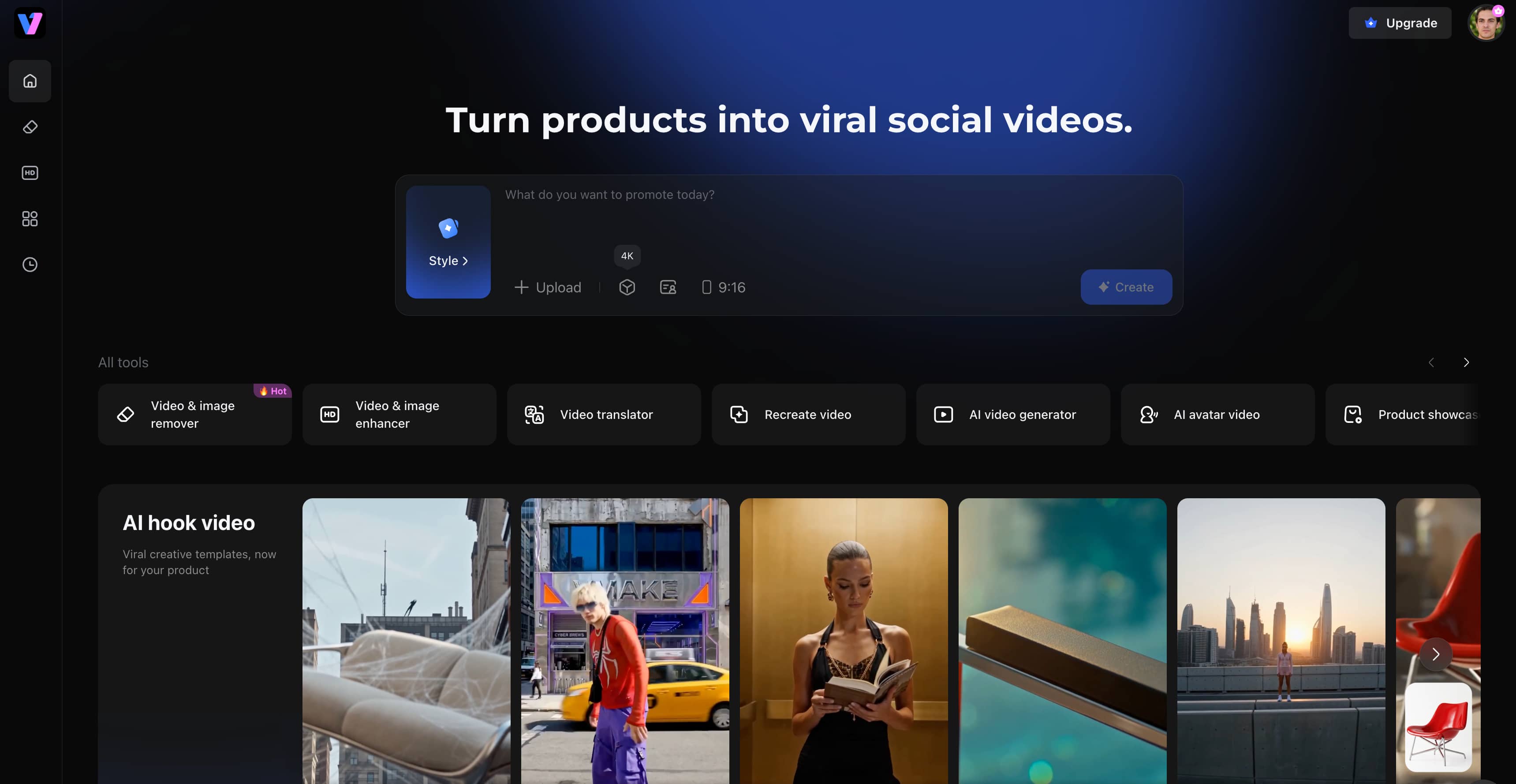
Vmake Labs is a browser-based AI image generator that supports both text-to-image and image-to-image generation using multiple built-in AI models. During our testing, it generated high-quality anime characters, illustrations, and marketing visuals quickly, while the ability to upload reference images made it easier to create consistent character designs. Combined with flexible aspect ratios and commercial-ready image generation, Vmake Labs is a strong choice for creators, marketers, and businesses looking to produce anime-style artwork efficiently.
Key features
-
Multiple built-in AI models: Choose from Nano Banana 2, Nano Banana Pro, Seedream 4.0, and GPT Image 1 to explore different anime styles and visual effects without switching between multiple AI platforms.
-
Text-to-image and image-to-image generation: Create original anime artwork from prompts or transform existing images, making it easier to develop new ideas and remix existing designs.
-
Reference image support: Upload up to three reference images to maintain more consistent character designs across multiple generations and creative projects.
-
Multiple aspect ratios: Generate images in the right format for social media, websites, presentations, and ads, reducing the need for manual resizing. You can also adapt them with Vmake Labs AI Thumbnail Maker for YouTube content.
-
Browser-based workflow: Create anime artwork from any device without installing software, making the creative process faster and more convenient.
-
Commercial-ready image creation: Produce anime visuals for marketing, ecommerce, branding, and social media, making it easier to create content for both personal and commercial projects.
Pros and Cons
|
Pros |
Cons |
|---|---|
|
Create different anime styles without switching between AI tools |
Some premium AI models require paid credits |
|
Generate images from both text prompts and existing reference images |
Advanced features require a subscription |
|
Maintain more consistent character designs with reference images |
|
|
Create AI artwork directly in your browser without installing software |
|
|
Produce images suitable for personal projects, marketing, and commercial use |
Pricing
|
Plan |
Price |
Best for |
|---|---|---|
|
Free |
$0 |
Exploring the platform with limited feature access and AI models. |
|
Plus |
$9.99/month |
Individual creators who need more monthly credits, access to popular AI models, and faster creative workflows. |
|
Pro |
$29.99/month |
Professionals and businesses that require higher credit limits, more AI models, batch processing, and commercial use. |
Best for
Creators, marketers, and businesses looking for commercial-ready anime artwork with multiple AI models and flexible generation workflows.
Bonus: How to create anime-style images with Vmake Labs Image Generator
Step 1: Enter a prompt or upload a reference image
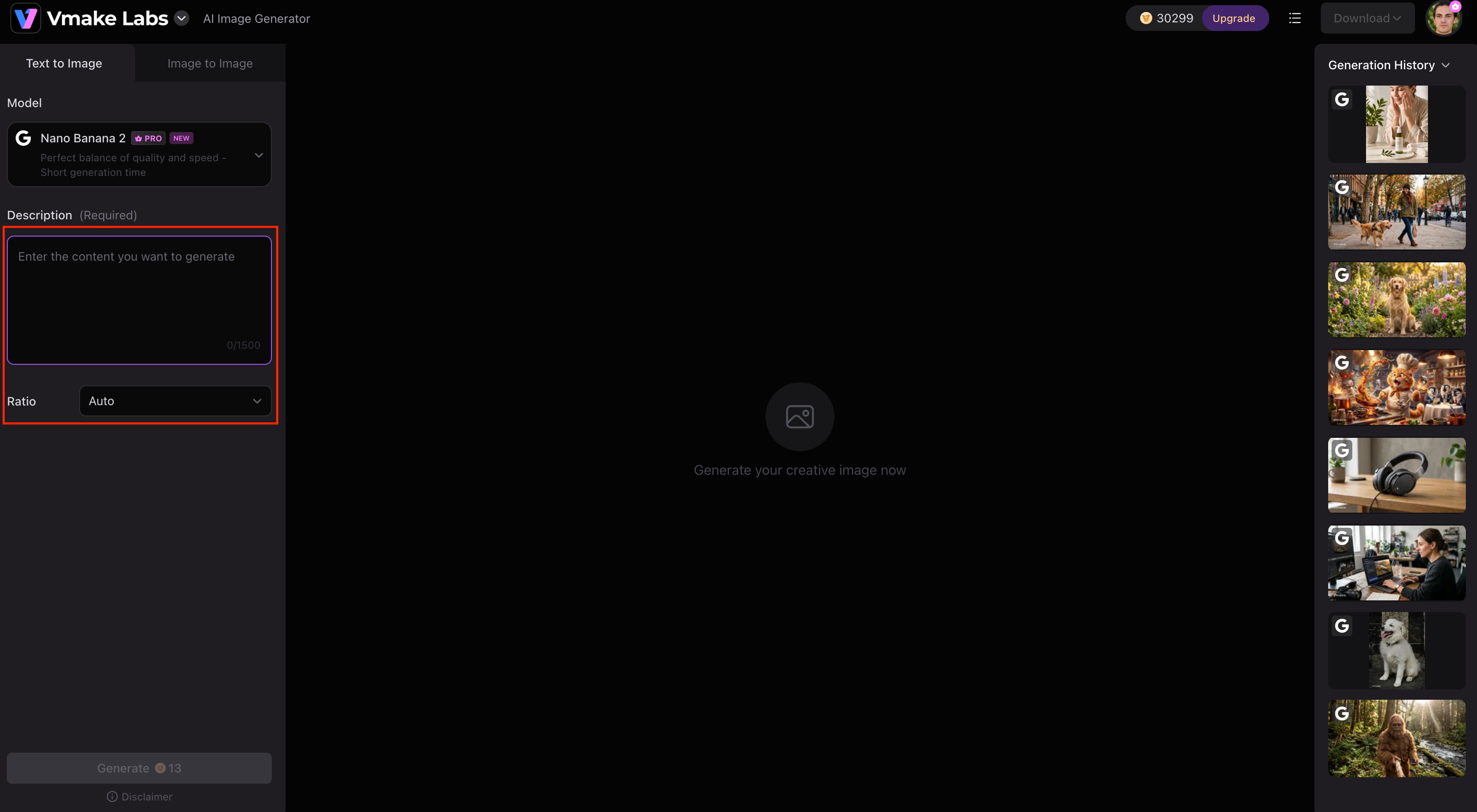
Open the Vmake Labs Image Generator and choose either Text-to-Image or Image-to-Image mode. Describe the anime artwork you want to create, or upload up to three reference images to guide the AI towards your preferred character design or visual style.
Step 2: Choose an AI model and customise the settings
Select the AI model that best matches your creative vision, such as Nano Banana 2, Nano Banana Pro, Nano Banana, Seedream 4.0, or GPT Image 1. Then choose your preferred aspect ratio before generating the image.
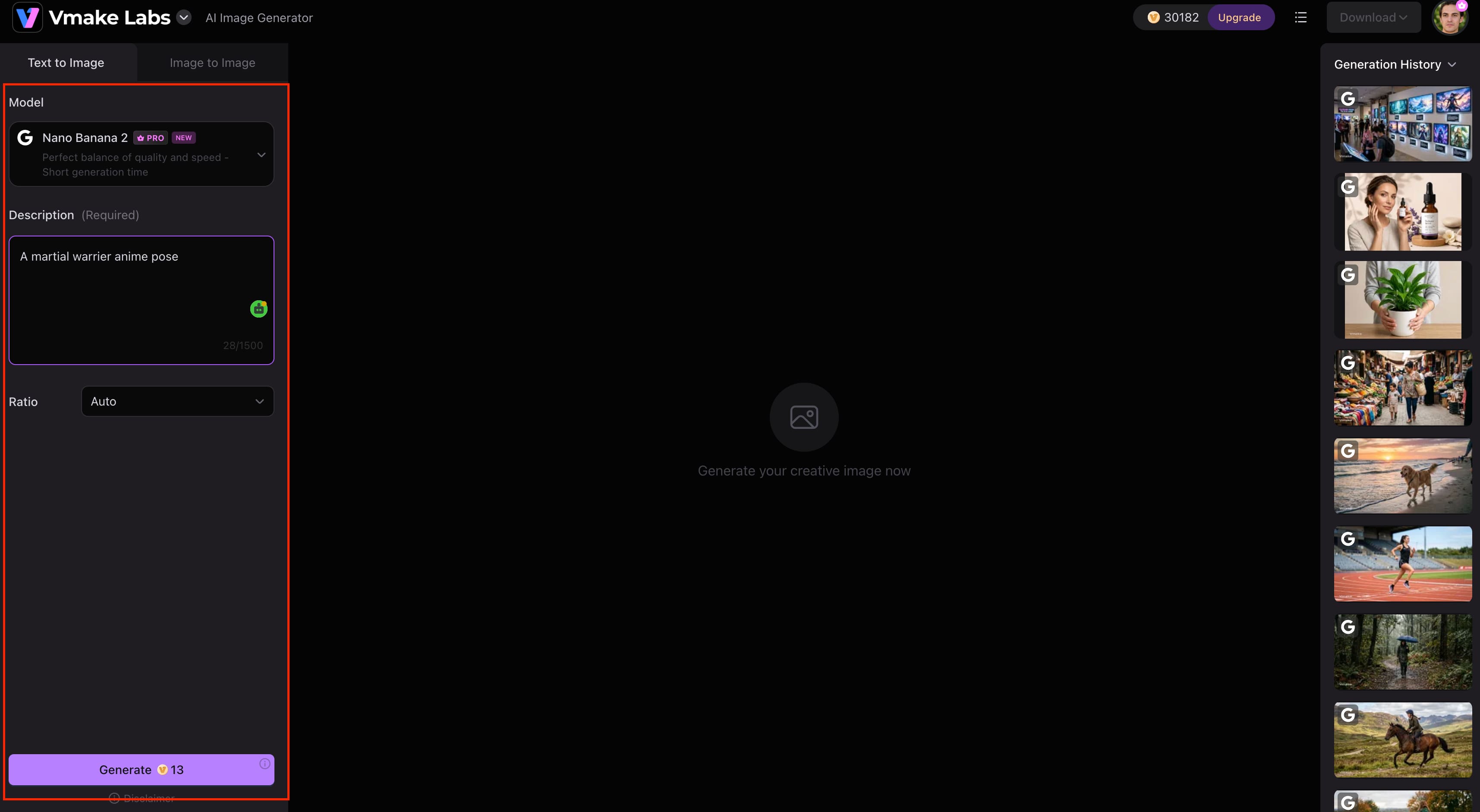
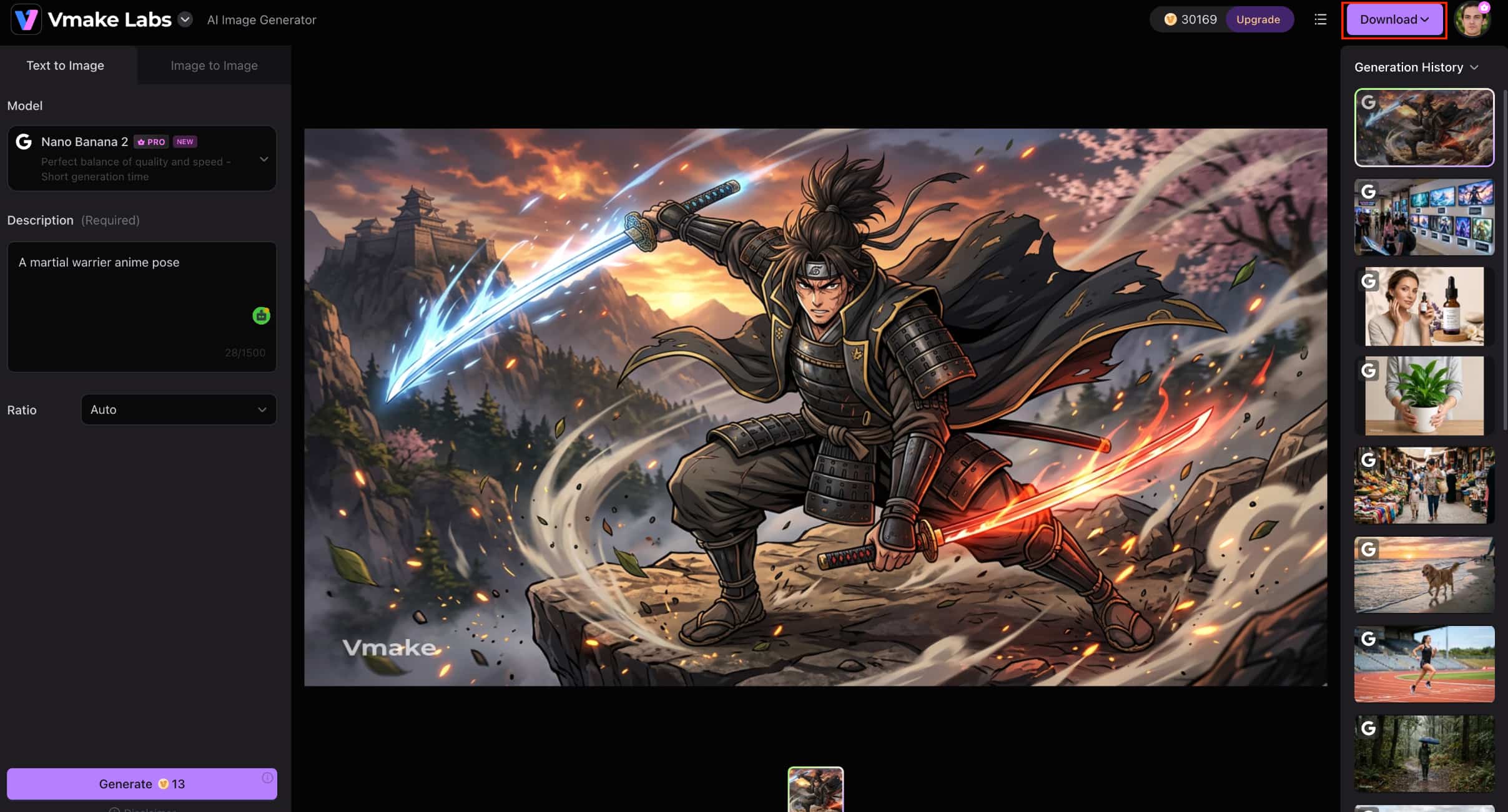
Step 3: Generate and download your anime artwork
Click Generate to create your anime images. Once the results are ready, preview the generated artwork and download your favourite images for personal projects, social media, or commercial use.
-
Leonardo AI
Leonardo AI is designed for creators who need greater control over anime character design and concept art. Its text-to-image and image-to-image capabilities make it easy to develop consistent characters and experiment with different visual styles, making it a favourite among artists and game designers.
Pros and Cons
|
Pros |
Cons |
|---|---|
|
Excellent character design |
Advanced features require a paid plan |
|
Supports image-to-image generation |
It can be overwhelming for beginners |
|
Strong prompt controls |
Free plan has generation limits |
|
Produces consistent characters |
Pricing
|
Plan |
Price |
Best for |
|---|---|---|
|
Free |
$0/month |
Casual creators exploring AI art |
|
Essential |
$12/month |
Daily hobbyists and enthusiasts |
|
Premium |
$30/month |
Active creators needing higher generation limits |
|
Ultimate |
$60/month |
Professional creators, businesses, and content teams |
Best for
Character design, concept art, and game asset creation.
-
Midjourney
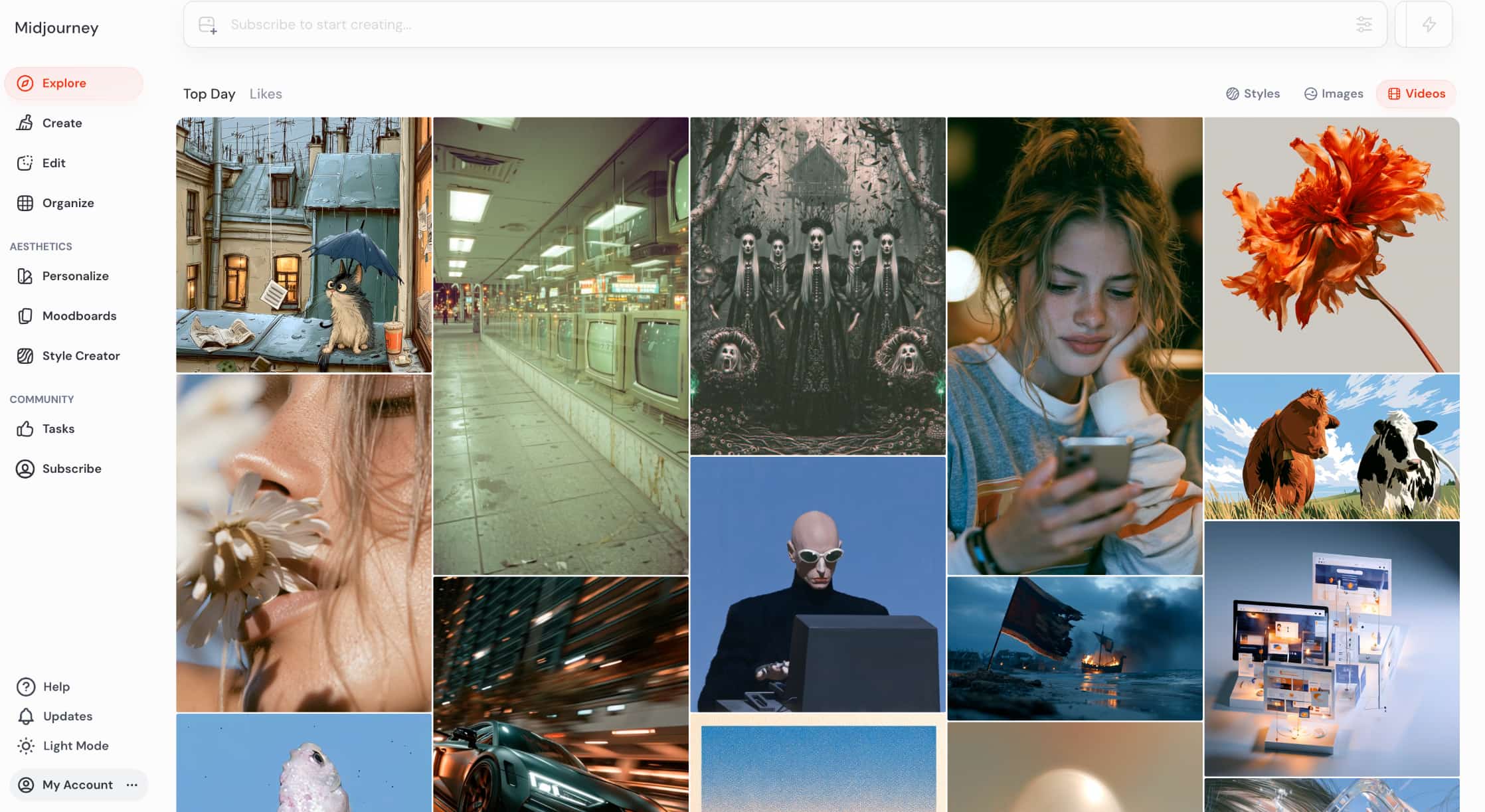
Midjourney is known for creating highly stylised anime artwork with impressive detail and cinematic quality. It delivers some of the best artistic results among AI image generators, although achieving consistent character designs often requires more prompt refinement.
Pros and Cons
|
Pros |
Cons |
|---|---|
|
Exceptional artistic quality |
Learning curve for prompts |
|
Beautiful lighting and details |
Subscription required |
|
Wide range of artistic styles |
Limited character consistency |
|
Active creative community |
Pricing
|
Plan |
Price |
Best for |
|---|---|---|
|
Basic |
$10/month |
Individual creators generating around 200 images per month |
|
Standard |
$30/month |
Regular creators who need more Fast generations and unlimited Relax mode |
|
Pro |
$60/month |
Professional creators requiring Stealth Mode and higher generation limits |
|
Mega |
$120/month |
Studios and power users producing high volumes of AI artwork |
Best for
Professional anime illustrations and artistic concept art.
-
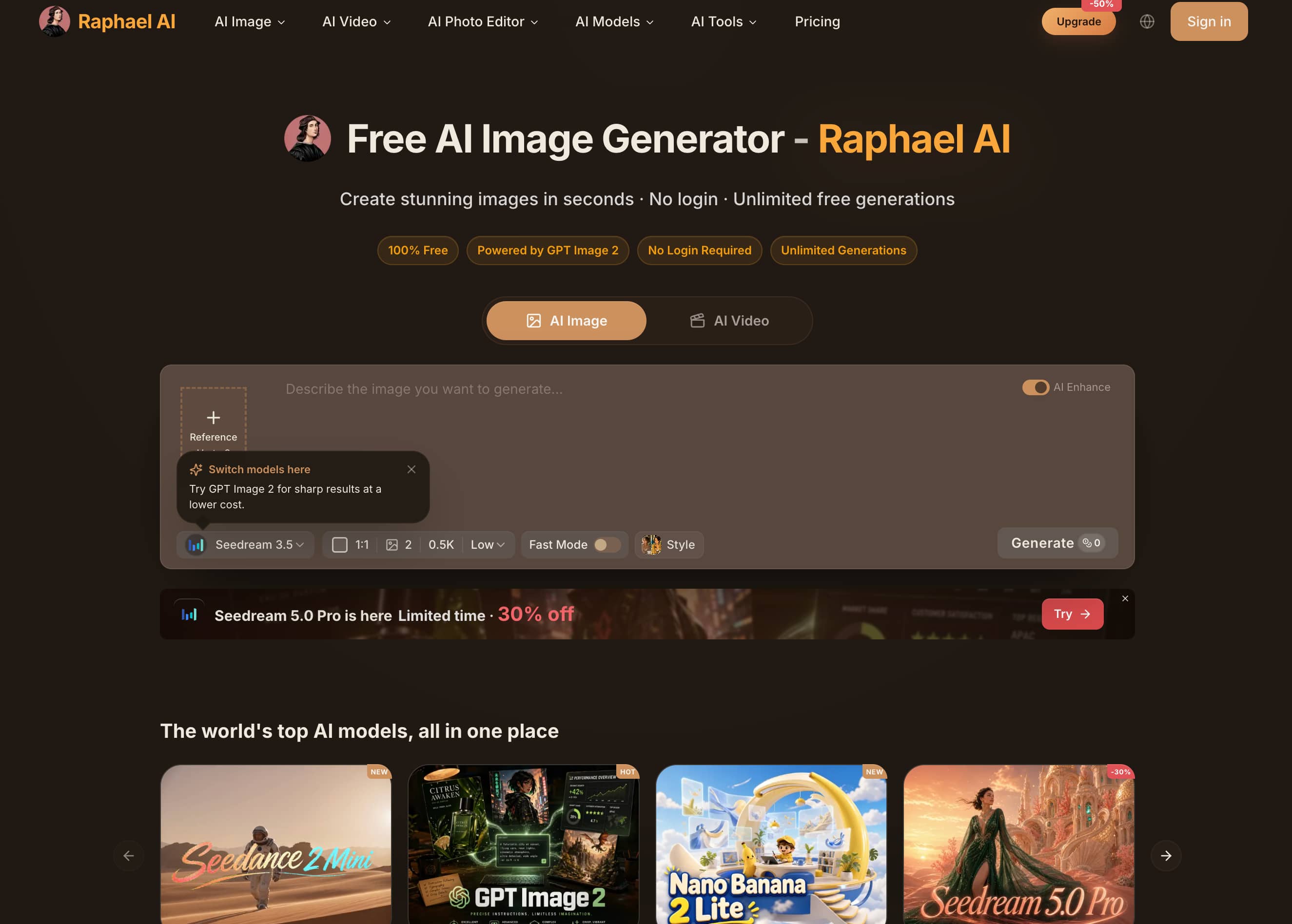
Raphael AI
Raphael AI is a free, browser-based image generator that makes anime creation simple and accessible. While it lacks advanced creative controls, it generates anime portraits and illustrations quickly, making it a good choice for casual users and beginners.
Pros and Cons
|
Pros |
Cons |
|---|---|
|
Free to use |
Limited creative controls |
|
Beginner-friendly |
No image-to-image generation |
|
Fast browser-based workflow |
Output quality varies |
|
No installation required |
Pricing
|
Plan |
Price |
Best for |
|---|---|---|
|
Free |
$0 |
Trying the platform with watermark on generated images |
|
Pro |
$10/month (billed annually) |
Individual creators needing faster generation and commercial use |
|
Ultimate |
$20/month (billed annually) |
Power users requiring higher credits, priority queue, and privacy features |
|
Max |
$40/month |
Professional creators, businesses, and content teams |
Best for
Free anime image generation and casual creative projects.
-
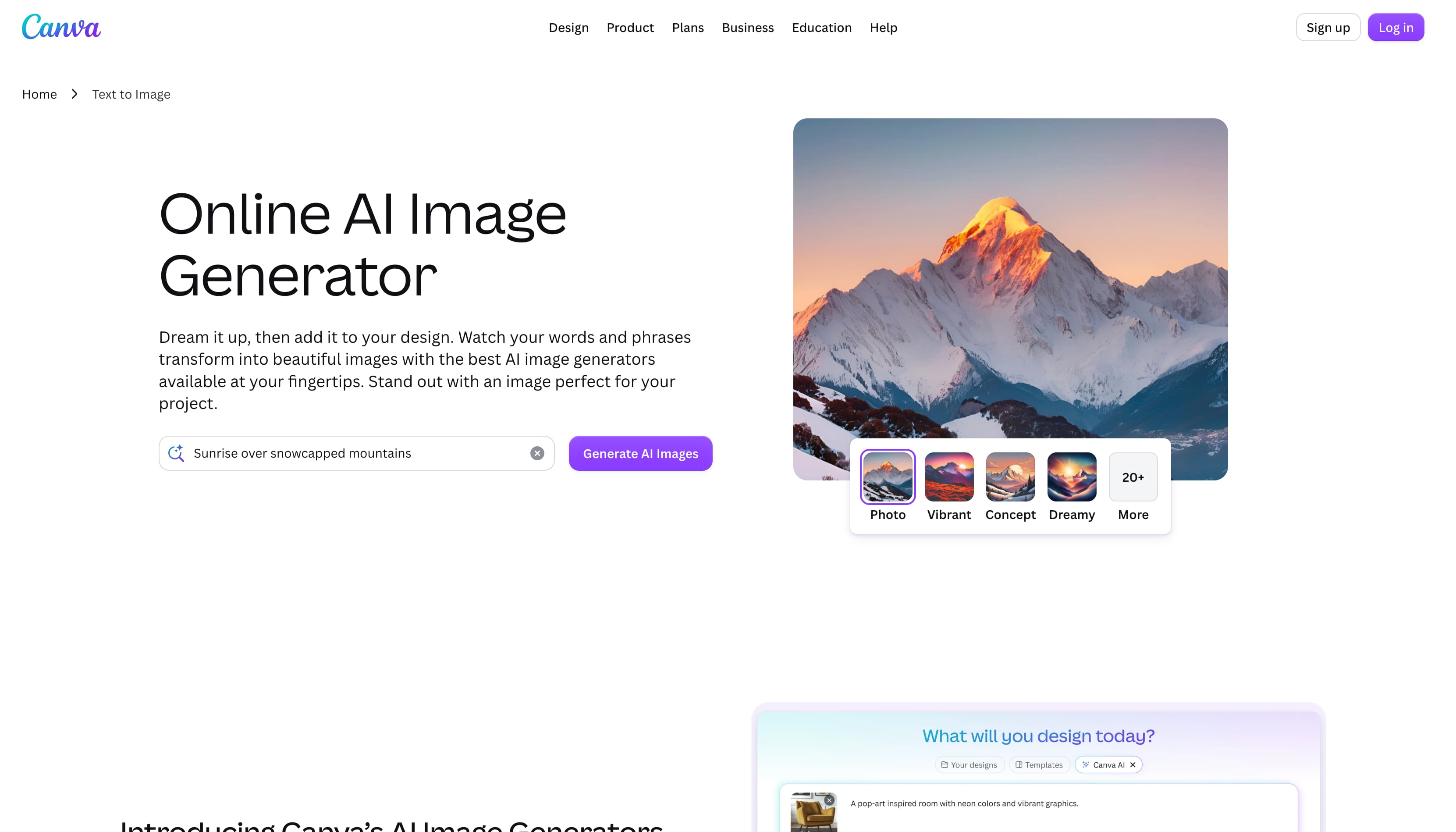
Canva AI Image Generator
Canva AI Image Generator combines AI image creation with Canva's design tools, making it easy to generate anime-inspired visuals and edit them within the same platform. It's particularly useful for creating social media graphics, presentations, and marketing content.
Pros and Cons
|
Pros |
Cons |
|---|---|
|
Beginner-friendly interface |
Less artistic control |
|
Integrated editing tools |
Premium features require Canva Pro |
|
Ideal for marketing content |
Limited style customisation |
|
Browser-based workflow |
Pricing
|
Plan |
Price |
Best for |
|---|---|---|
|
Free |
$0 |
Basic AI image generation and design projects |
|
Pro |
US$180/year |
Individual creators needing premium AI and design tools |
|
Business |
US$250/year per person |
Teams collaborating on marketing and branded content |
|
Enterprise |
Contact Sales |
Large organizations requiring enterprise-grade features |
Best for
Social media graphics, presentations, and marketing materials.
-
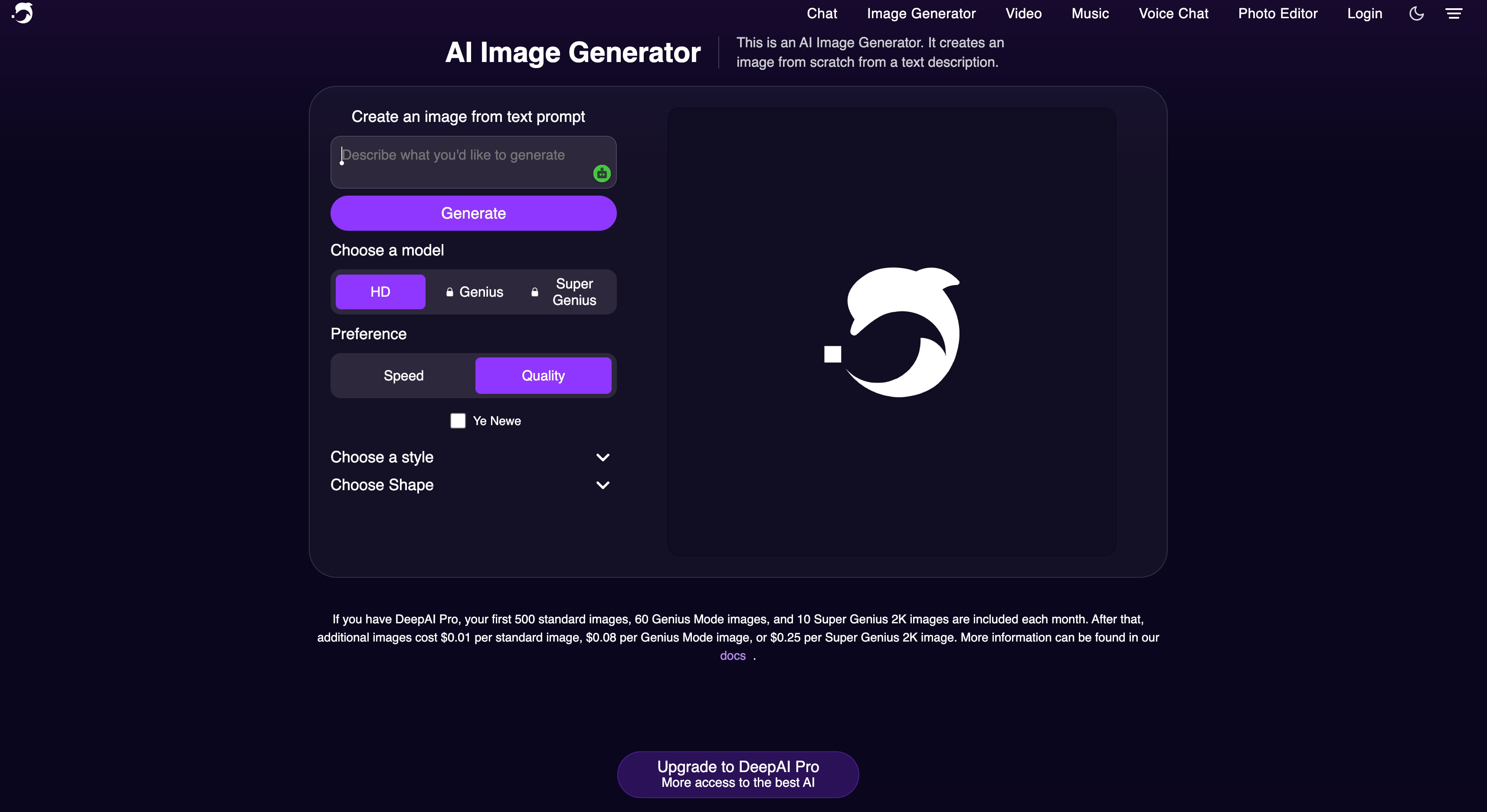
DeepAI
DeepAI offers a straightforward way to generate anime images from text prompts. Its simple interface and free access make it suitable for users who want to experiment with AI art without learning advanced editing tools.
Pros and Cons
|
Pros |
Cons |
|---|---|
|
Easy to use |
Basic image quality |
|
Free plan available |
Limited style options |
|
Fast image generation |
No image-to-image support |
|
Good for experimentation |
Pricing
|
Plan |
Price |
Best for |
|---|---|---|
|
Monthly |
$9.99/month |
Flexible monthly access to DeepAI Pro |
|
Yearly |
$89.99/year |
Frequent users looking for the best overall value |
Best for
Beginners and experimenting with AI-generated artwork.
-
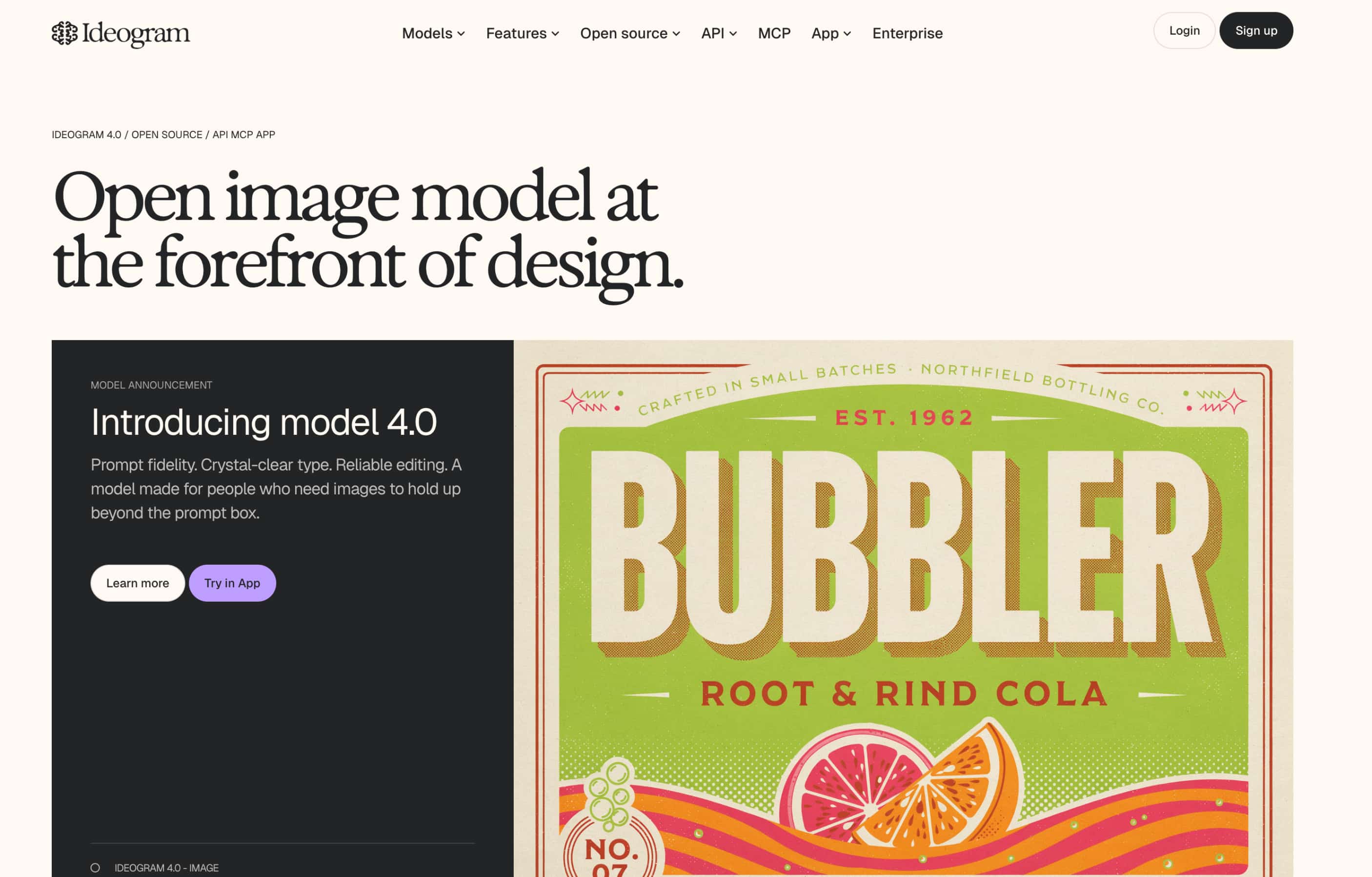
Ideogram AI
Ideogram AI stands out for combining AI image generation with excellent text rendering. Besides creating anime artwork, it is well suited for posters, thumbnails, and promotional graphics that require readable typography.
Pros and Cons
|
Pros |
Cons |
|---|---|
|
Excellent text rendering |
Limited image-to-image features |
|
High-quality image generation |
Advanced features require a paid plan |
|
Beginner-friendly |
Fewer artistic controls than some competitors |
|
Great for promotional graphics |
Pricings
|
Plan |
Price |
Best for |
|---|---|---|
|
Free |
$0 |
Exploring AI image generation with limited public generations |
|
Plus |
$20/month |
Individual creators needing private generation and higher monthly credits |
|
Pro |
$60/month |
Professionals requiring batch generation, larger queues, and maximum priority credits |
Best for
Anime posters, thumbnails, branding, and promotional artwork.
Which AI image generator should you choose?
Each AI image generator offers different strengths, so the best choice depends on your creative goals, budget, and workflow. Use the comparison below to find the tool that best matches your needs.
|
If you need... |
Recommended tool |
Why |
|---|---|---|
|
Professional anime artwork |
Midjourney |
Produces highly detailed, cinematic anime illustrations with exceptional artistic quality. |
|
Character design and concept art |
Leonardo AI |
Offers strong prompt controls, image-to-image generation, and consistent character creation. |
|
Marketing and commercial visuals |
Vmake Labs |
Supports multiple AI models, text-to-image and image-to-image generation, reference image support, and commercial-ready workflows. |
|
Free anime image generation |
Raphael AI |
Provides an easy way to generate anime artwork without an upfront subscription. |
|
Social media and marketing graphics |
Canva AI Image Generator |
Combines AI image generation with powerful design and editing tools. |
|
Experimenting with AI art |
DeepAI |
Beginner-friendly interface for testing prompts and creative ideas. |
|
Anime artwork with typography |
Ideogram AI |
Delivers high-quality images with clear, readable text for posters and promotional graphics. |
Tips for creating better anime AI images
Even the best AI image generator performs better with clear prompts and the right settings. These tips can help you produce more detailed, consistent, and visually appealing anime artwork.
-
Describe your character in detail. Include clothing, hairstyle, facial expression, pose, accessories, and background to give the AI a clear creative direction.
-
Specify the anime style. Mention styles such as shonen, shojo, cyberpunk, fantasy, or mecha, or describe visual characteristics like hand-drawn line art, soft watercolour backgrounds, warm lighting, or whimsical fantasy scenes to guide the AI.
-
Use reference images when available. Image-to-image generation helps maintain character consistency across multiple illustrations and design iterations.
-
Experiment with different AI models. Different models produce unique artistic styles, so testing multiple options can help you find the best result for your project.
-
Refine your prompts. Add details like lighting, camera angle, colour palette, or mood to create more dynamic and polished images.
-
Choose the right aspect ratio. Select portrait, landscape, square, or vertical formats depending on whether you're creating wallpapers, social media posts, or marketing materials.
-
Review commercial licensing. If you plan to use AI-generated artwork for business, advertising, or merchandise, check the platform's licensing terms before publishing.
Conclusion
The best AI image generators for anime style 2026 each excel in different areas, whether you're creating professional illustrations, consistent character designs, marketing graphics, or experimenting with AI art for free. Choosing the right tool depends on your creative goals, preferred workflow, and budget. If you need a versatile solution that combines multiple AI models, text-to-image and image-to-image generation, reference image support, and commercial-ready capabilities, Vmake Labs AI Image Generator is a strong all-round choice for creating high-quality anime artwork for personal and professional projects
FAQs
-
What is the best AI image generator for anime style in 2026?
There is not one size that fits all tools, each platform has its strengths and weaknesses. Midjourney is great for artistic illustrations, Leonardo AI for character design, and Raphael AI is a decent free option. If you are looking for an all-in-one platform that supports multiple AI models, text-to-image and image-to-image generation, and commercial-ready workflows, Vmake Labs AI Image Generator is an excell
-
Which AI image generator creates the best anime characters?
Leonardo AI is known for creating consistent anime characters thanks to its prompt controls and image-to-image capabilities. If you also want to refine characters using reference images while exploring different AI models, Vmake Labs provides a flexible workflow for maintaining character consistency across multiple generations.
-
Are there any free AI anime image generators?
Absolutely. Many platforms such as Raphael AI, DeepAI, Canva AI Image Generator, Ideogram AI, Leonardo AI and Vmake Labs have free plans or free trials. Free plans are usually limited in terms of usage, but they are a good way to test the quality of the images before you move to a paid plan.
-
Can AI generate anime images from text prompts?
Yes. Modern AI image generators can generate anime images from a descriptive text prompt of the character, style, background, lighting and composition. Vmake Labs also offers image-to-image generation for more creative control, letting you use reference images with your text prompts for more consistent results.
-
Is Vmake Labs AI Image Generator good for anime artwork?
Yes. Vmake Labs AI Image Generator supports multiple leading AI models, text-to-image and image-to-image generation, reference image uploads, multiple aspect ratios, and commercial-ready image creation. These features make it suitable for creating anime characters, promotional visuals, social media graphics, and other creative projects.
-
What should I look for when choosing an AI image generator for anime?
Think about the quality of anime images, prompt accuracy, character consistency, diversity of styles, speed of generation, ease of use, pricing, and commercial licensing. If you need a single platform that offers these features and supports both personal and commercial projects, then Vmake Labs AI Image Generator is a well-rounded solution with multiple AI models and flexible generation workflows.

You May Be Interested
ImgGen AI Image Upscaler Review: Features & Pricing in 2026
Picsart Image Enhancer Review 2026: Tested, Worth It?

Raphael AI Image Generator Review 2026: Worth Trying?
Topaz Labs Image Enhancer Review: Is the hype worth it?
[Updated!] How to Upscale Anime Video to 4K Online
