What Would I Look Like With a Beard? Try AI beard styles online in 2026
Wondering what would I look like with a beard? Upload your photo, try realistic AI beard styles, compare different looks, and discover your best match instantly with Vmake Labs. Create your looks!

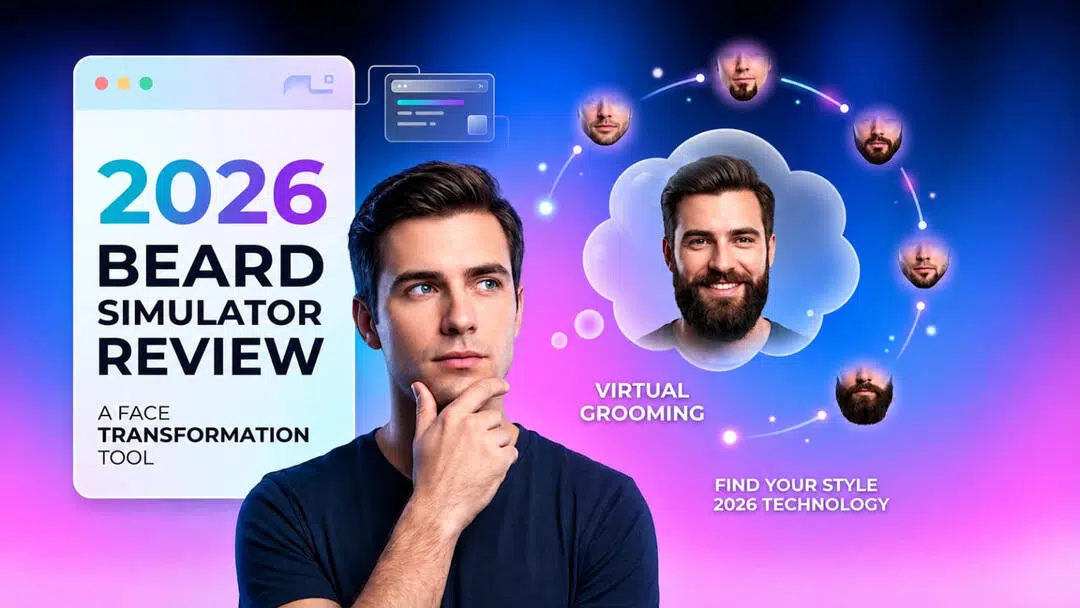
Growing a beard is a big style decision, and AI makes it easier to preview the results before making the commitment. An AI beard generator lets you experiment with realistic beard styles in seconds, helping you discover the look that best complements your face while saving time, effort, and uncertainty.
What would I look like with a beard?
Many people wonder how a beard will change their appearance before spending weeks or months growing one. AI beard generators remove the guesswork of growing a beard by providing realistic previews from a single photo, allowing you to easily compare different beard lengths, shapes and styles without any real-world changes. This allows users to confidently select a look that will enhance their facial features.
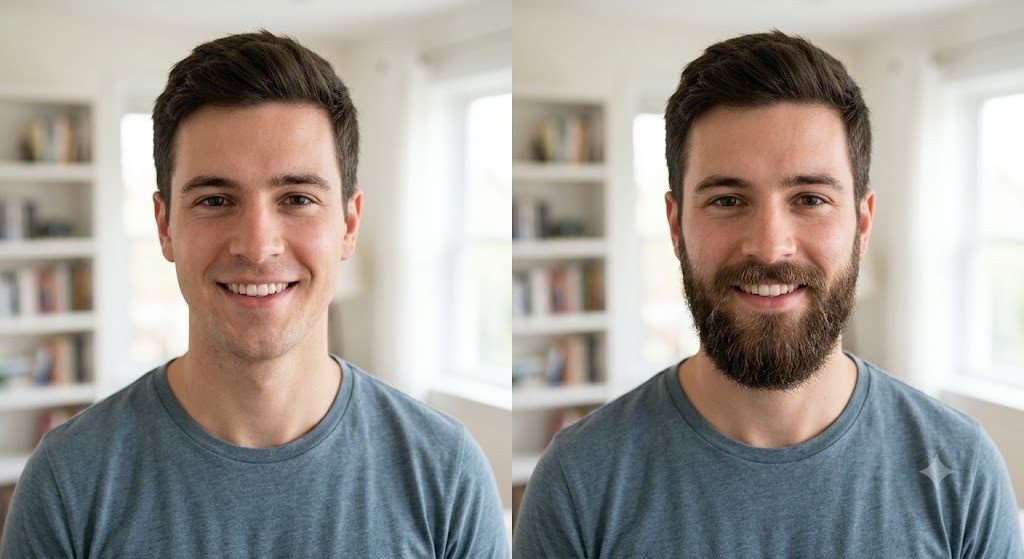
In the background, AI studies your face shape, jawline, skin tone and facial proportions to create facial hair that looks natural and blends perfectly with your portrait. How accurate the preview is will depend on things like a clear front-facing photo, good lighting and image quality. Artificial intelligence can help you try out beard styles with realistic simulations and customizable options before actually growing a beard.
Best beard styles to try for every face shape
Choosing the right beard style is about more than following trends; it should complement your natural facial features. Different face shapes benefit from different beard lengths and shapes that create better balance and definition. Understanding your face shape can help you find a beard style that enhances your overall appearance while reflecting on your personal style.
Oval Face
The oval face is probably the easiest face shape to style for. The balanced proportions of the face mean that almost any beard will suit you. You can accentuate your features naturally with short stubble, a boxed beard, or a full beard. Keep the sides well trimmed and the volume moderate for a clean, well-balanced look that suits the face.
Round Face
Round faces benefit from beard styles that add definition and create the illusion of a longer face. Goatees, extended goatees, and beards with extra length at the chin help achieve this effect. Avoid overly thick sides, as they can make the face appear wider instead of more structured.
Square Face
A square face has a naturally defined jawline that is well suited for clean, structured beard styles. A short boxed beard, a light stubble or a neatly groomed full beard will soften harsh angles without hiding strong features. Regular trimming helps to keep a neat and balanced look.
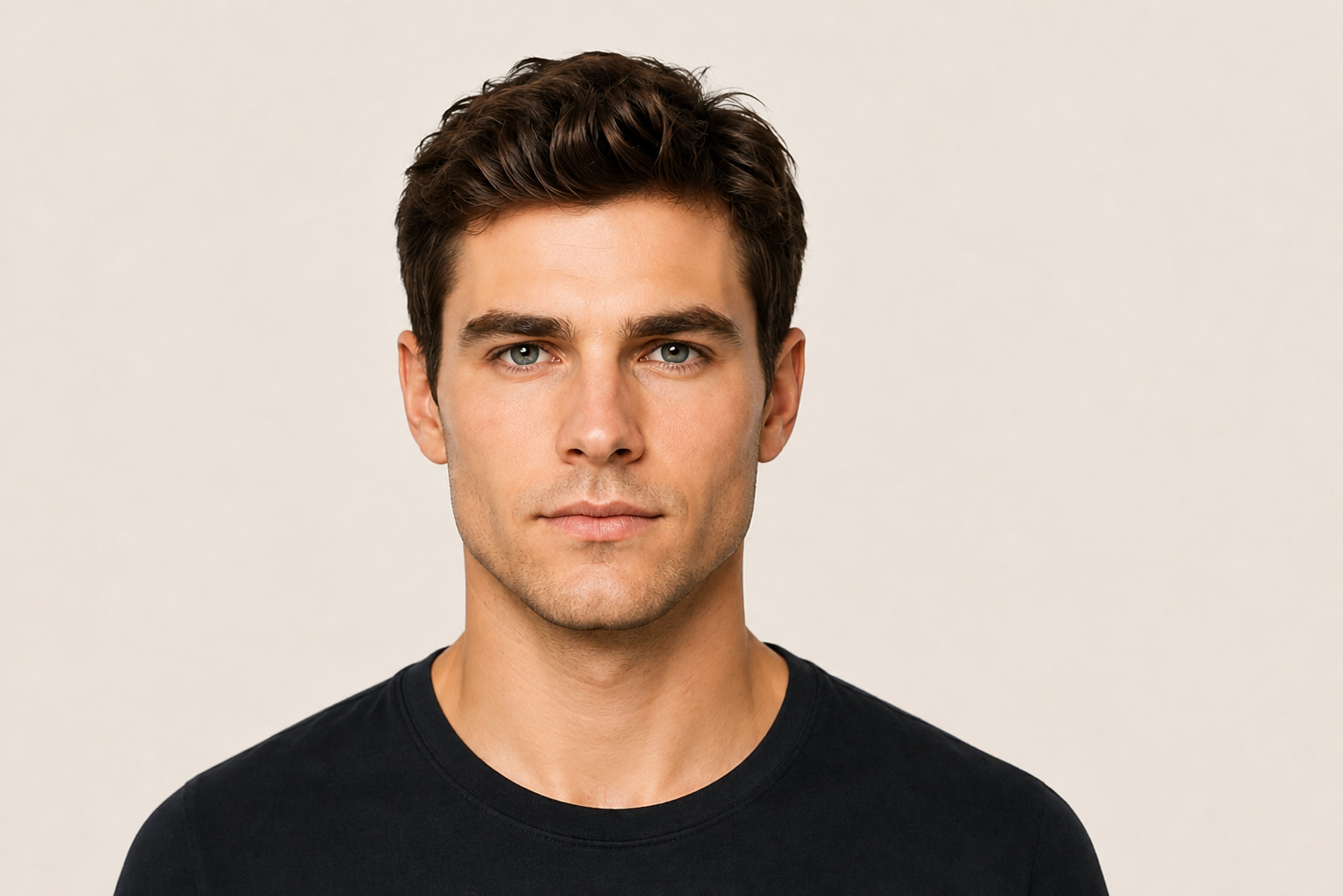
Heart-Shaped Face
Heart-shaped faces have a broader forehead and a narrower chin, making fuller beards around the jaw an ideal choice. Medium-length beard styles add volume to the lower face, creating better symmetry. A neatly groomed mustache and chin area further enhances the overall balance of the face.
Diamond and Long Face
Diamond and long face shapes work best with beard styles that add volume along the cheeks rather than extra length below the chin. A rounded full beard or medium length style will help create a more proportionate look. Avoid very long beards, which will only elongate the face further.
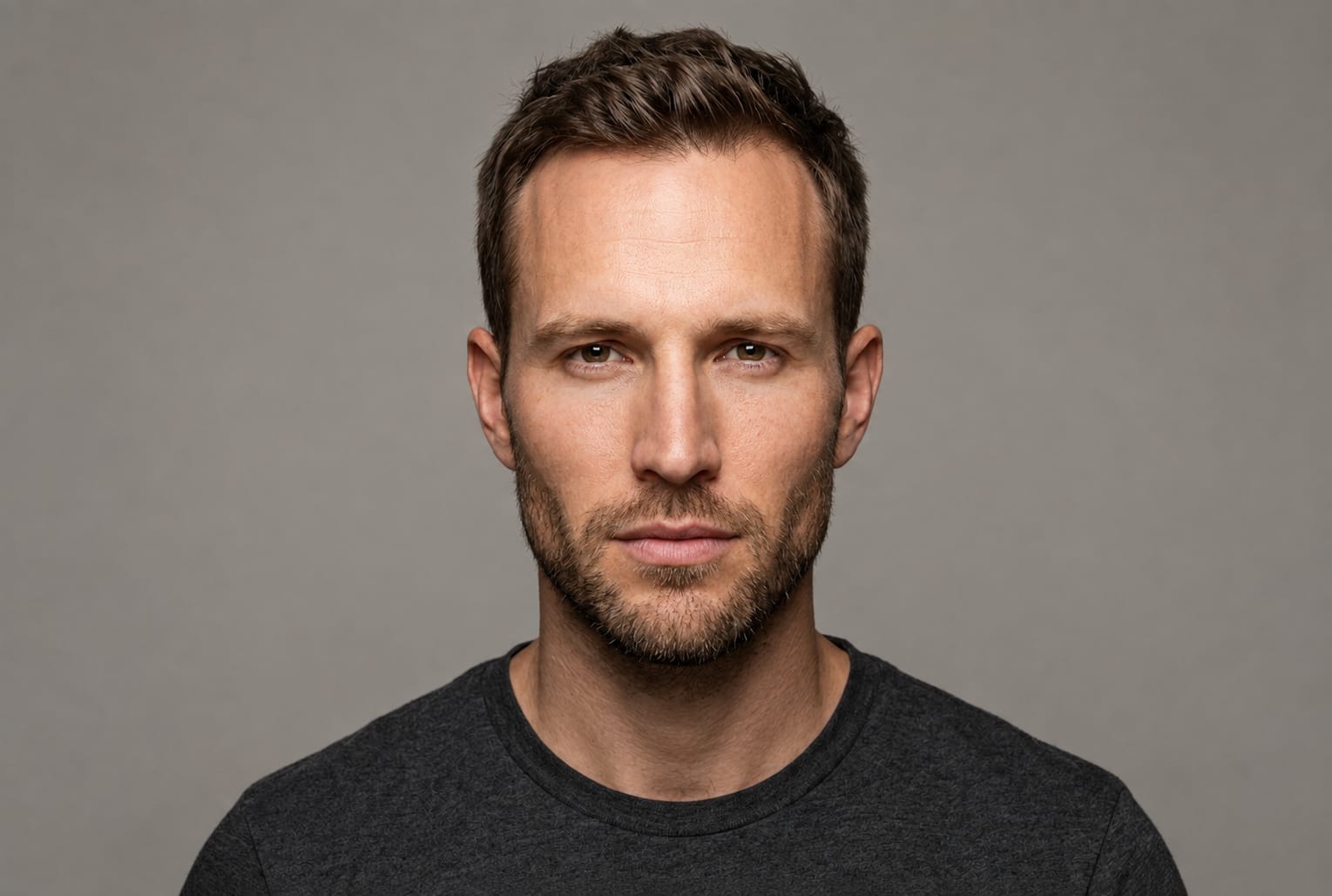
Why use an AI beard generator instead of a beard filter?
Traditional beard filters and AI beard generators both allow you to preview facial hair, but the experiences are very different. Beard filters just add a pre-made overlay on your photo, but AI beard generators produce customized, realistic beard styles tailored to your facial features and text prompts. If you want accurate previews, more customization, and creative flexibility, an AI beard generator is the better choice.
|
Feature |
AI Beard Generator |
Beard Filter |
|---|---|---|
|
Beard creation |
Generates realistic facial hair using AI prompts |
Applies a pre-designed beard overlay |
|
Customization |
Customize beard length, density, shape, and style |
Limited to preset beard styles |
|
Realism |
Produces natural-looking results that blend with facial features |
May appear flat or less realistic |
|
Style options |
Supports stubble, goatee, boxed beard, full beard, Viking beard, and more |
Offers fewer beard variations |
|
Creative looks |
Can generate anime, sketch, comic, fantasy, and other AI art styles |
Primarily designed for realistic beard previews |
|
Image quality |
Creates high-resolution AI-generated images |
Quality depends on the filter and original photo |
|
Editing flexibility |
Easily regenerate and refine results with new prompts |
Limited editing after applying the filter |
|
Best for |
Trying personalized beard styles and creative transformations |
Quickly previewing a basic beard look |
A beard filter can be useful for a quick preview, but it usually doesn't offer the realism or customization needed for confident styling decisions. An AI beard generator allows you to customize the length, density, shape and overall style of the beard, so you have more control for a more fitting end result that better suits your face. Vmake Labs simplifies the entire process in just a few easy steps if you want to get a more realistic and personalized beard transformation.
How to see yourself with a beard using Vmake Labs
If you're looking for an easy way to preview realistic beard styles, Vmake Labs AI image generator lets you take a quick selfie and generate a realistic beard preview in seconds. Upload your portrait, describe your perfect beard and let AI create realistic facial hair to match your facial features. Whether you want subtle stubble or a bold Viking beard, Vmake Labs makes it easy and fun to experiment.
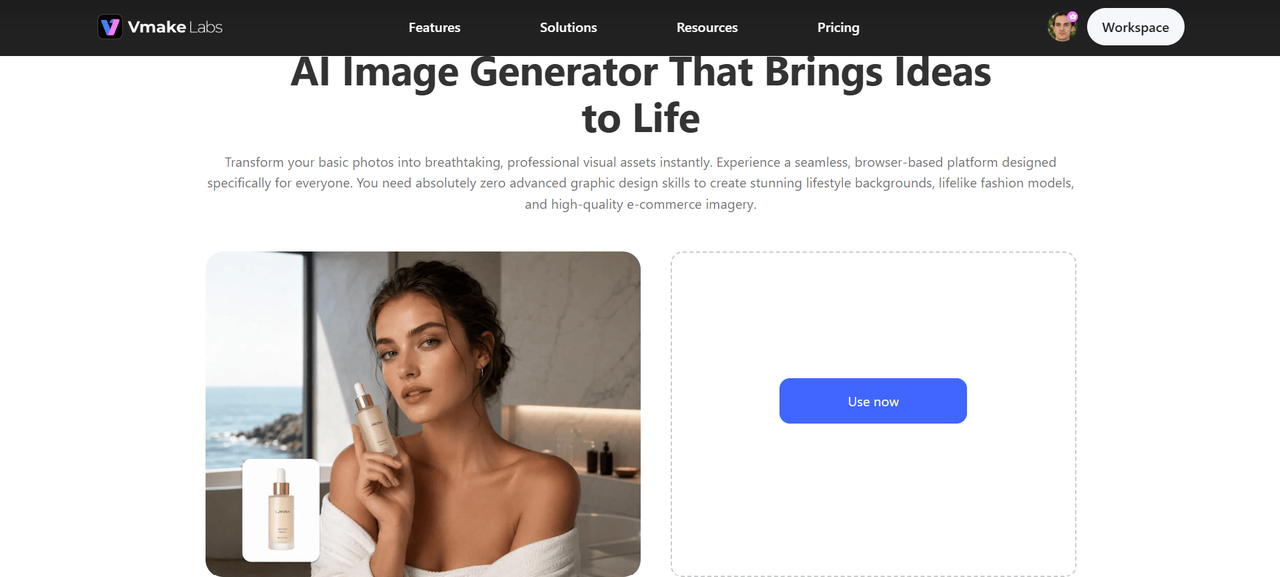
Vmake Labs key features
-
AI-powered beard generation: Create realistic beard styles from simple text prompts using the AI image generator, making it easy to preview different facial hair looks in seconds.
-
Prompt-based customization: Describe your ideal beard length, density, shape, or style to generate personalized results that match your facial features and preferences.
-
High-quality image generation: Produce sharp, detailed beard previews with natural-looking facial hair, and refine the final result using the image enhancer for even greater clarity.
-
Multiple beard style variations: Experiment with stubble, goatee, boxed beard, full beard, Viking beard, and many other beard styles from a single uploaded portrait.
-
Creative AI art styles: Besides realistic beard previews, transform your selfie into an AI avatar with anime, comic, sketch, fantasy, cyberpunk, Pixar-inspired, and other artistic styles.
-
Fast AI processing: Generate realistic beard transformations within seconds, allowing you to compare multiple styles without long waiting times.
-
Easy photo upload: Upload a clear, front-facing selfie or portrait to start generating customized beard styles quickly and effortlessly.
-
Instant download: Save your favorite AI-generated beard images in high resolution for sharing on social media, keeping for future grooming inspiration, or personal use.
How to use Vmake Labs AI beard generator
Step 1. Upload a clear portrait
Upload a clear, bright, frontal portrait. The better artificial intelligence can see your face, the better it can recognize your facial features. To get the best results, upload a photo that is high resolution, shows your entire face, and does not have sunglasses or heavy shadow.
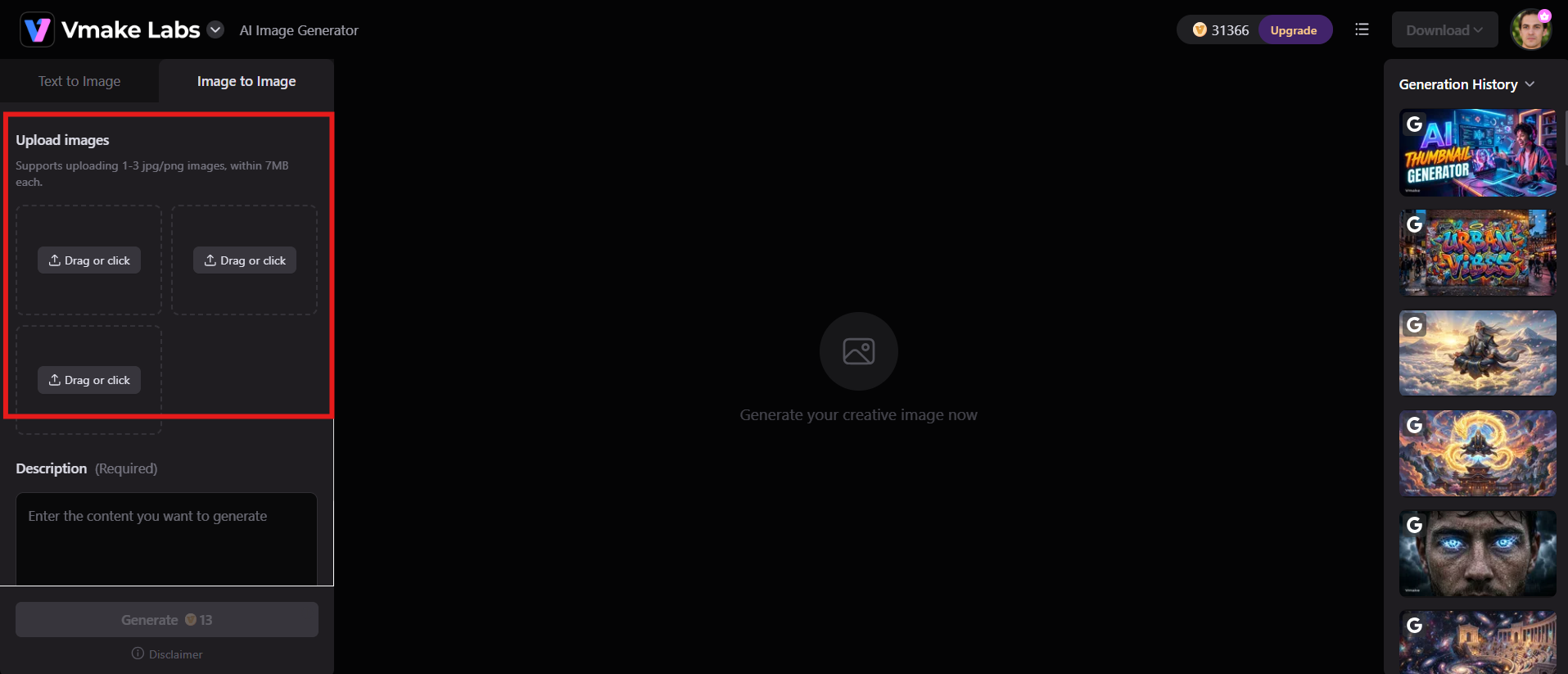
Step 2. Describe your ideal beard
Enter a text prompt describing the beard style you want to generate, such as "short stubble," "full boxed beard," or "thick Viking beard." You can also specify the beard length, density, shape, and overall appearance to create a more personalized result.
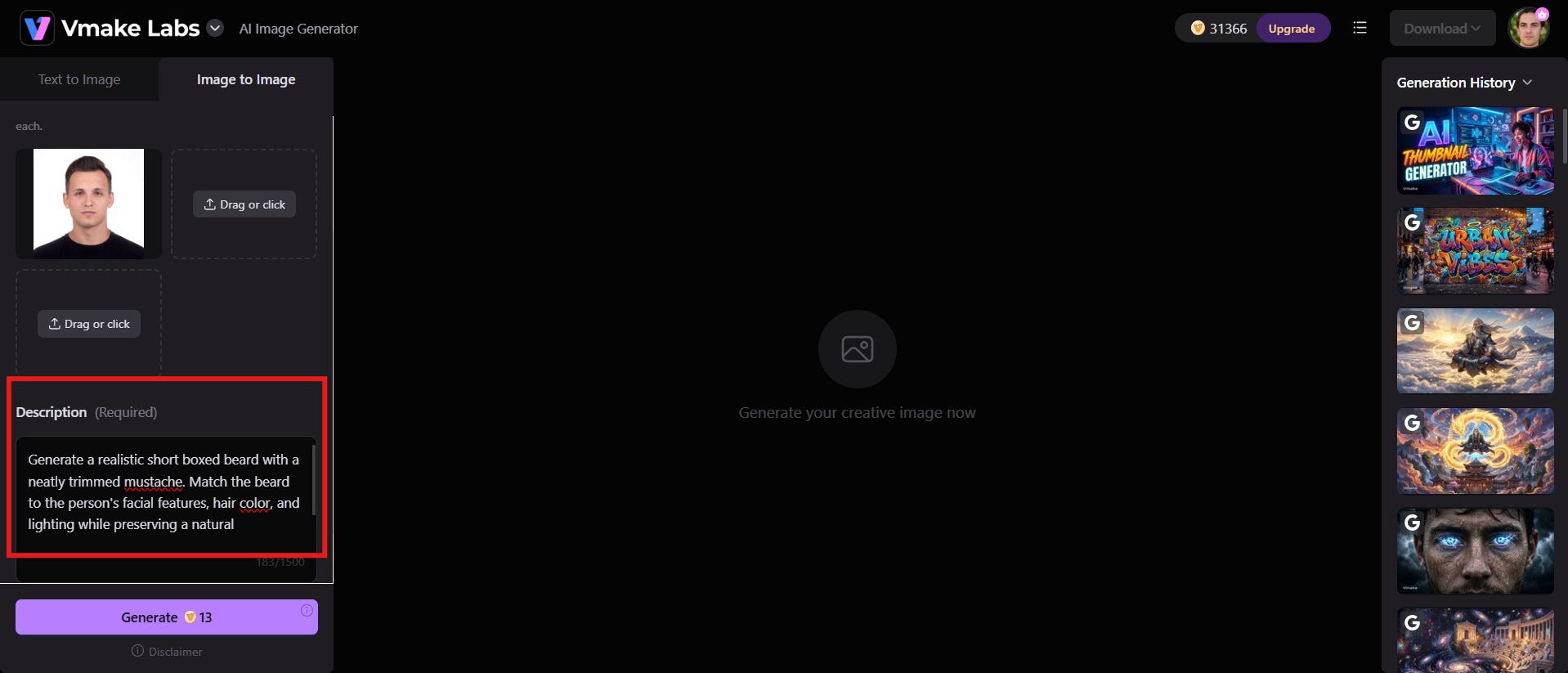
Step 3. Generate, compare, and download your beard photo
Click Generate and see your AI beard preview. Change your prompt and generate new variations, and compare the different styles. Once you've found the beard that works best for you, download the high-quality image to save or share your new look.
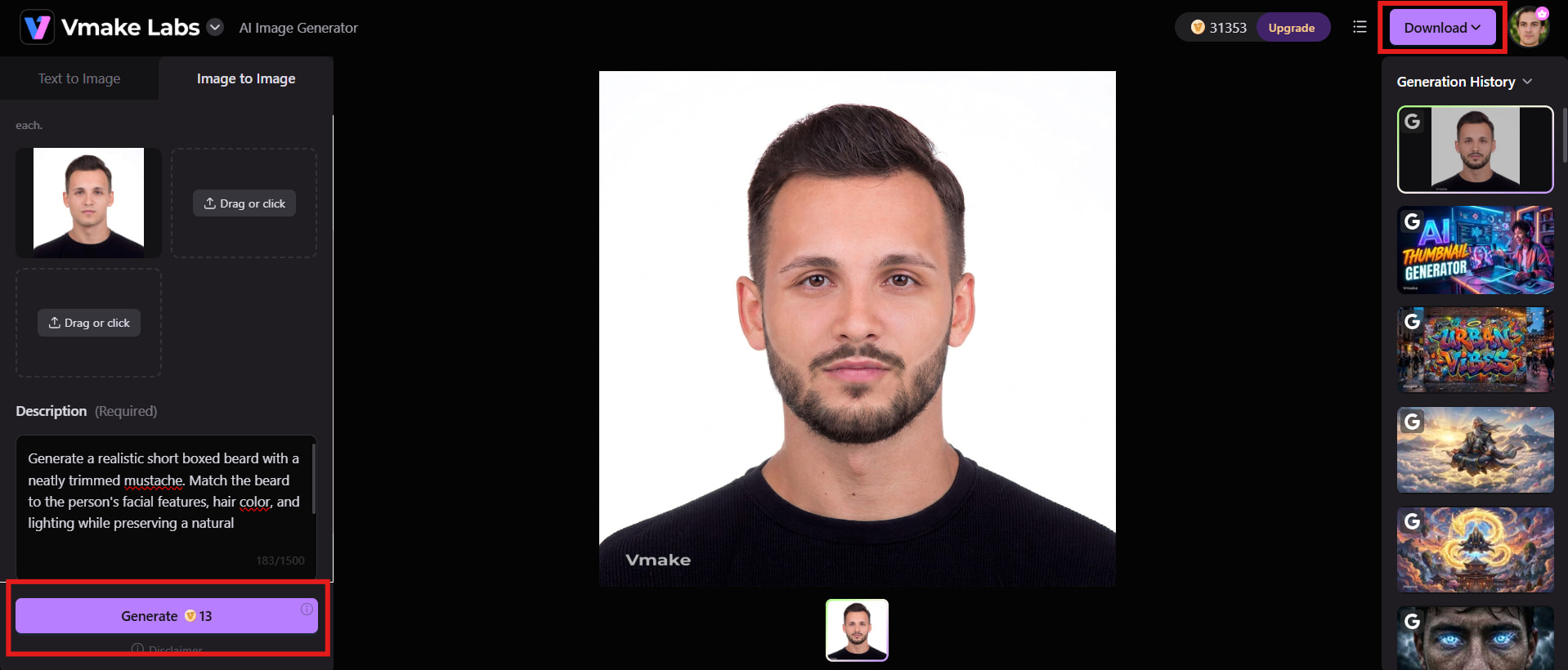
Creative beard transformations with different AI art styles
Trying on a beard doesn't have to stop at realistic previews. With AI, you can reimagine your portrait in a variety of artistic styles, from classic illustration to cinematic fantasy characters. If you are making content for social media or just playing around with a variety of aesthetics, these AI art styles add a creative spin to your beard makeover.
-
Photorealistic: Generate a realistic preview of a beard with lifelike facial hair, natural lighting, and genuine skin textures. This style is good for seeing what a beard would look like before growing a beard and making confident grooming decisions.
-
Anime: Transform your portrait into an anime-inspired character with expressive facial features, vibrant colors, and a stylish beard. This style is ideal for those who love Japanese animation and want creative profile pictures.
-
Comic: Turn your selfie into a cool comic-book hero with bold outlines, vibrant colors, and a unique beard style. This artistic look works well for eye-catching digital art.
-
Pencil sketch: Create a traditional hand-drawn portrait featuring finely detailed textures of the beard and graceful pencil strokes. The timeless style draws attention to the facial features and adds an artistic touch to your portrait.
-
Oil painting: Transform your portrait into a classic oil painting, complete with textured brush strokes and a beautifully rendered beard. The vivid colors give a timeless and elegant look.
-
Viking: Get the bold look of a Norse warrior, with a thick braided beard, rugged hairstyle, and weathered armor. This style is all about strength, adventure, and historical inspiration.
-
Medieval knight: Turn yourself into a noble medieval knight with polished armor, a neatly groomed beard, and a regal atmosphere. This look combines historical elegance and realistic AI-generated details.
Conclusion
AI beard generators take the guesswork out of growing facial hair, allowing you to preview realistic styles before you commit. If you're interested in subtle stubble, a professional boxed beard, or a daring Viking look, AI makes experimenting easy, quick, and fun. Vmake Labs is the combination of powerful AI generation, customizable prompts, and high-quality image creation to help you find the beard style that fits your personality. Try various looks and artistic transformations, then confidently choose the one that suits you before growing your beard in real life. You can do it all with one selfie.
FAQs
-
Can Vmake Labs show what I would look like with a beard?
Yes. Vmake Labs uses AI to generate realistic beard previews from a single uploaded portrait. Simply describe your preferred beard style with a text prompt, and the AI creates a natural-looking transformation that matches your facial features, making it easy to compare different looks before growing a beard.
-
Does the AI beard generator work with any selfies?
The AI works best with a clear, front-facing selfie taken in good lighting. High-resolution images with your face fully visible help produce more accurate and realistic beard previews. Can Vmake Labs generate results from side-profile photos? While it may work, front-facing portraits typically deliver the best results.
-
Can I try different beard styles in one photo?
Absolutely. You can use the same portrait to generate multiple beard variations simply by changing your text prompt. Try stubble, a goatee, a boxed beard, a full beard, or even a Viking beard to compare different styles without uploading another photo.
-
Is the beard filter realistic enough for styling decisions?
Traditional beard filters provide a quick preview, but AI beard generators usually deliver more realistic and personalized results. They analyze your facial features and create natural-looking facial hair instead of placing a fixed beard overlay on your image.
-
Can I create artistic beard portraits with Vmake Labs?
Yes. In addition to realistic beard previews, Vmake Labs supports creative styles such as anime, comic, pencil sketch, oil painting, cyberpunk, Viking, and fantasy artwork. Can Vmake Labs generate both realistic and artistic beard looks from the same photo? Simply update your prompt to explore different styles.
-
Can I create different beard styles with Vmake Labs?
Yes. Vmake Labs can help you explore different beard looks by using descriptive prompts. You can experiment with realistic beard styles as well as creative visual styles to create different portrait variations from your image.

You May Be Interested
Styles of Animation: A Complete Guide to Popular Animation Techniques

How to Make an Instagram Story: A Complete Beginner's Guide

How to Remove an Emoji From a Picture: Step-by-Step Guide
How to Make a Flyer: Easy Step-by-Step Guide for Beginners
[2026] How to Make Background Transparent (Free & Easy)
AI Art Styles Explained: Stunning Styles with Ready-to-Use Prompts