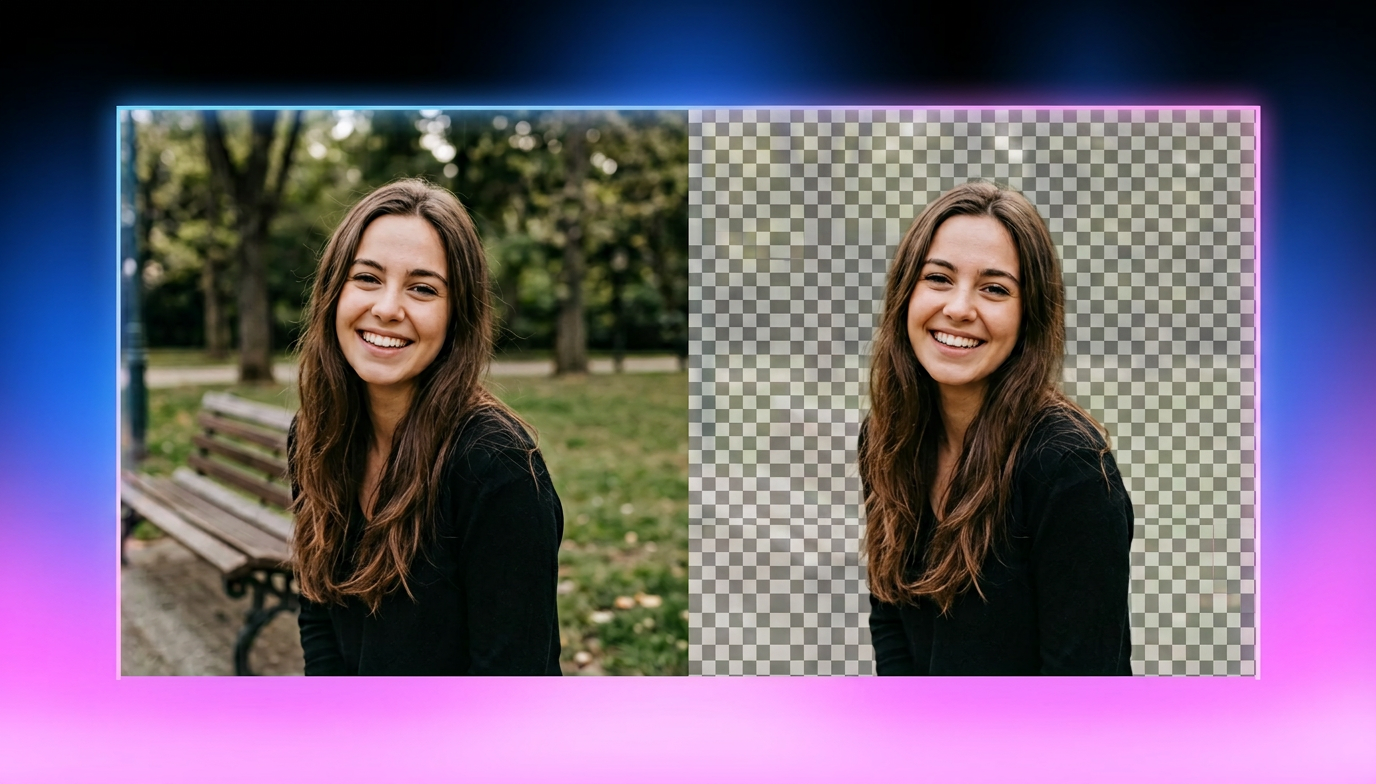
How to Make a Flyer: Complete Step-by-Step Guide
Learn how to make a flyer that stands out for businesses, events, and promotions. Design professional flyers faster with Vmake Labs AI Image Generator using text prompts or reference images.

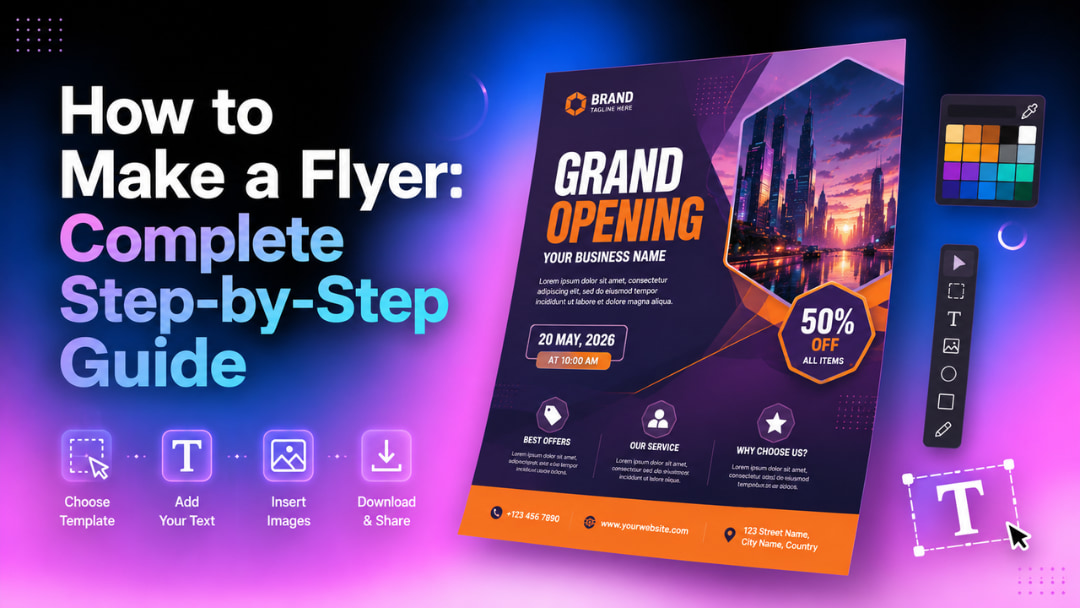
A well-designed flyer helps you promote businesses, events, products, or special offers with impact. This tutorial will walk you through the process of creating a flyer, from planning your content to designing an eye-catching flyer. You'll even discover how standard artificial intelligence can simplify flyer visuals and save you precious design time.
What is a flyer and when should you use one?
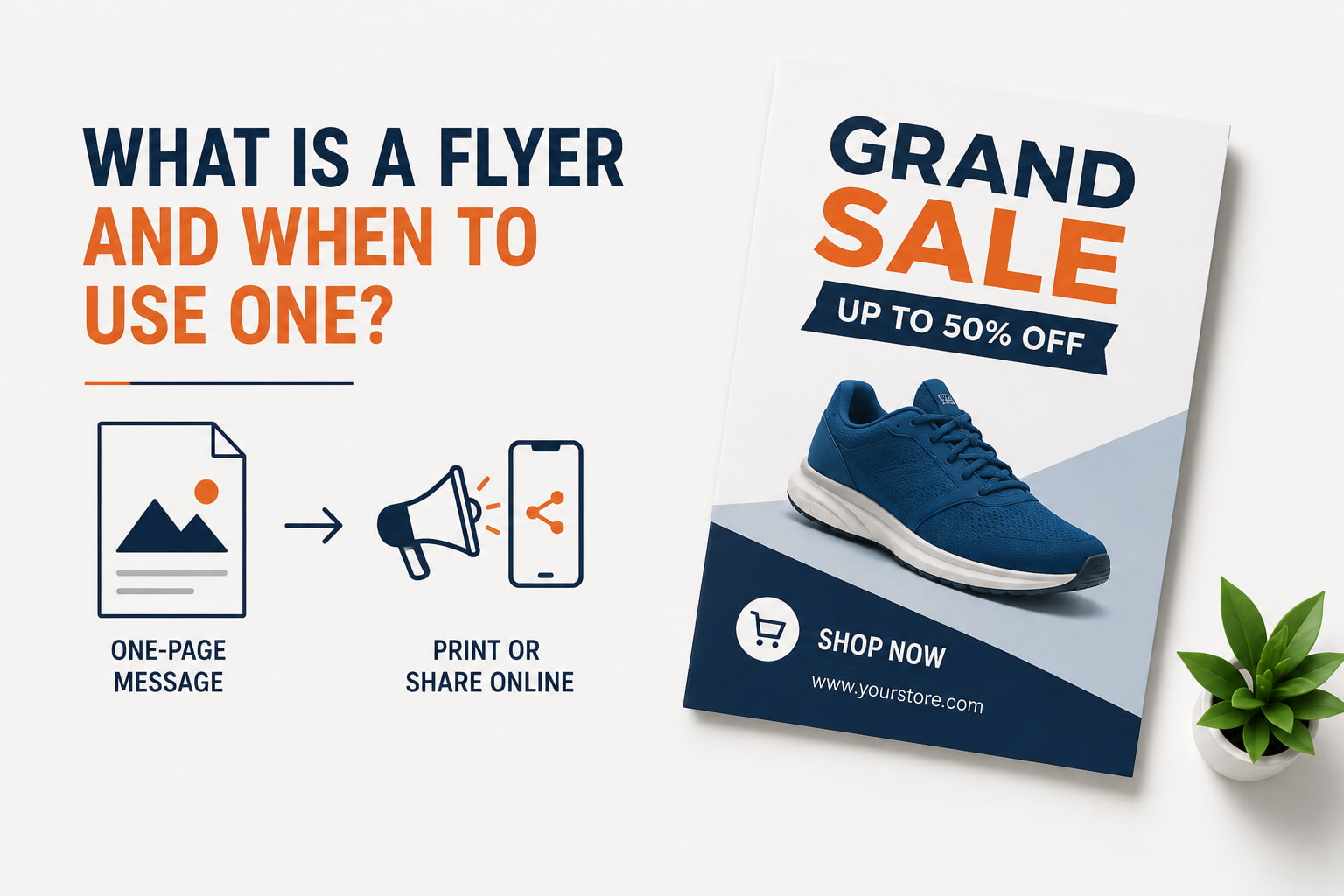
A flyer is a one-page marketing document designed to communicate a simple message to a specific target audience. Unlike brochures or catalogs with detailed information, flyers have a single aim. This makes them easy to read and remember. They can be printed and distributed locally, or shared digitally through websites, social media, email campaigns, and messaging apps.
Common types of flyers
-
Business flyers: Promote products, services, grand openings, special offers, or company announcements while reinforcing your brand identity.
-
Event flyers: Advertise concerts, workshops, conferences, charity events, festivals, and local events with important information including the date, location, and registration information.
-
Promotional flyers: Highlight seasonal sales, limited-time discounts, product launches, and exclusive offers using bold visuals and persuasive messaging.
-
Real estate flyers: Showcase property listings with professional images, pricing, property features, and agent contact details.
-
Educational and community flyers: Share information about school programs, fundraising campaigns, volunteer opportunities, public meetings, and community events.
How to make a flyer that stands out?
A successful flyer begins long before you open a design tool. Take the time to set your goal, understand your audience, and structure your content for a better foundation for your design. Good planning also helps you to keep a clear message, improve readability, and avoid revisions later on.
-
Define your goal and target audience
Every good flyer begins with a clear objective and target audience. Know if you're marketing a business, event, product launch, or sale and tailor your messaging and visuals to the audience you want to reach.
For examples:
Fitness Gym:
-
Goal: Drive 30 new monthly membership sign-ups during a New Year promo.
-
Audience: Young professionals (ages 22–35) living within a 3-mile radius who want quick, high-intensity workouts after work.
Pet Grooming Salon:
-
Goal: Fill open weekday morning appointment slots for a newly opened neighborhood parlor.
-
Audience: Retired dog owners or remote workers who have flexible weekday schedules and treat their pets like family.
B2B SaaS / Software Platform:
-
Goal: Secure registrations for a live, 45-minute product demo webinar.
-
Audience: Small-business owners and operations managers struggling to streamline remote team scheduling.
-
Write a compelling headline
The first thing readers see is a strong headline, and it should tell them what your message is. Keep it short, specific, and benefit-oriented. Use easy-to-read type. If applicable, use limited-time offers or event dates to create a sense of urgency that will get readers to keep exploring your flyer.
For examples:
-
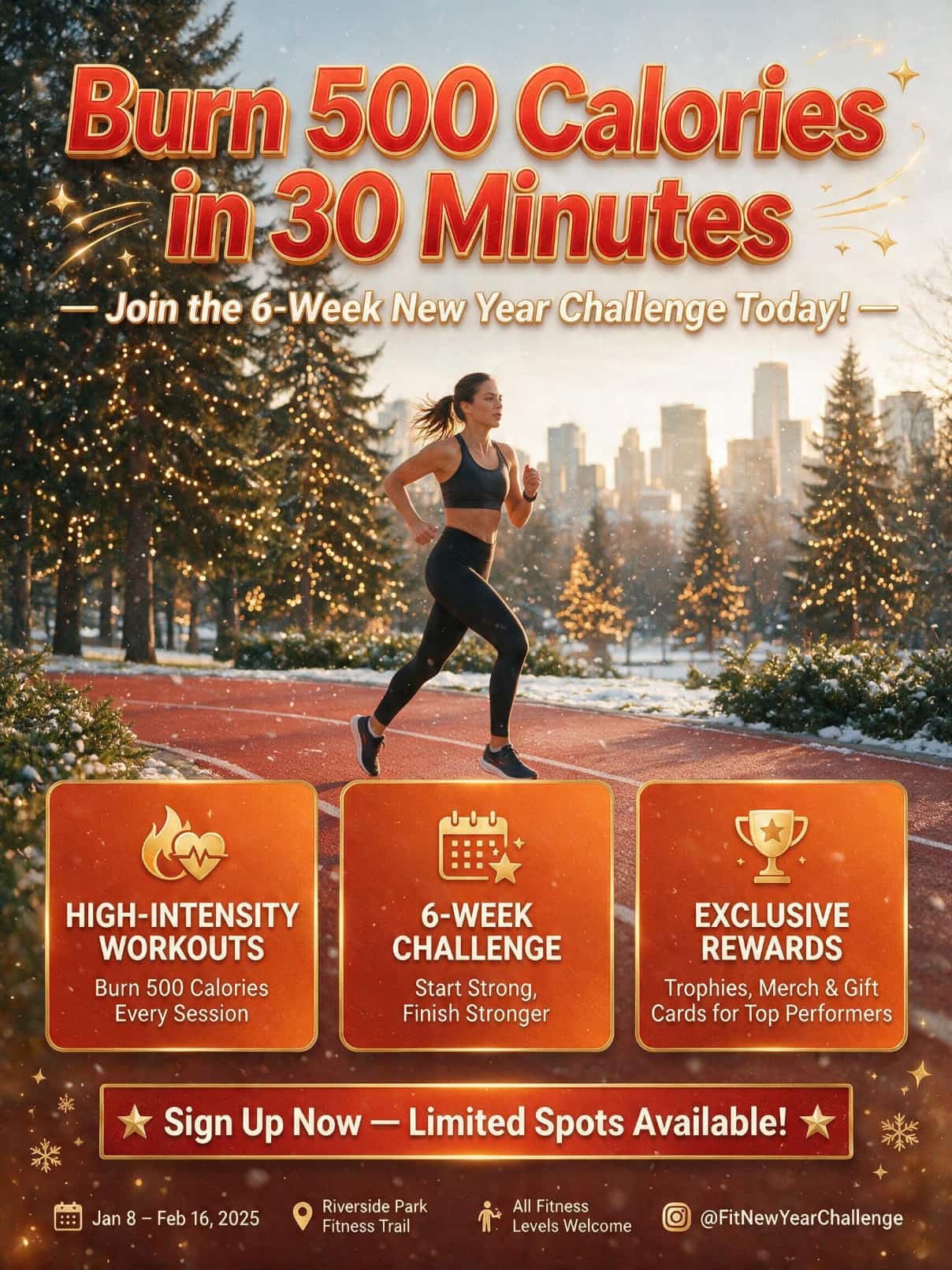
Fitness Gym: "Burn 500 Calories in 30 Minutes — Join the 6-Week New Year Challenge Today!"
-
Pet Grooming Salon: "Give Your Pup the VIP Treatment: $20 Off Your Dog's First Full Grooming Session!"
-
B2B SaaS / Software Platform: "Stop Wasting 5 Hours a Week on Shift Scheduling — See How AutoSched Works Live!"
-
Choose the right size and layout
Selecting the right size and layout improves both readability and visual appeal. Choose a format that suits your distribution method, whether print or digital, and decide between portrait or landscape orientation. Use sufficient white space and a clear visual hierarchy to guide readers naturally through your flyer.
For examples:
-
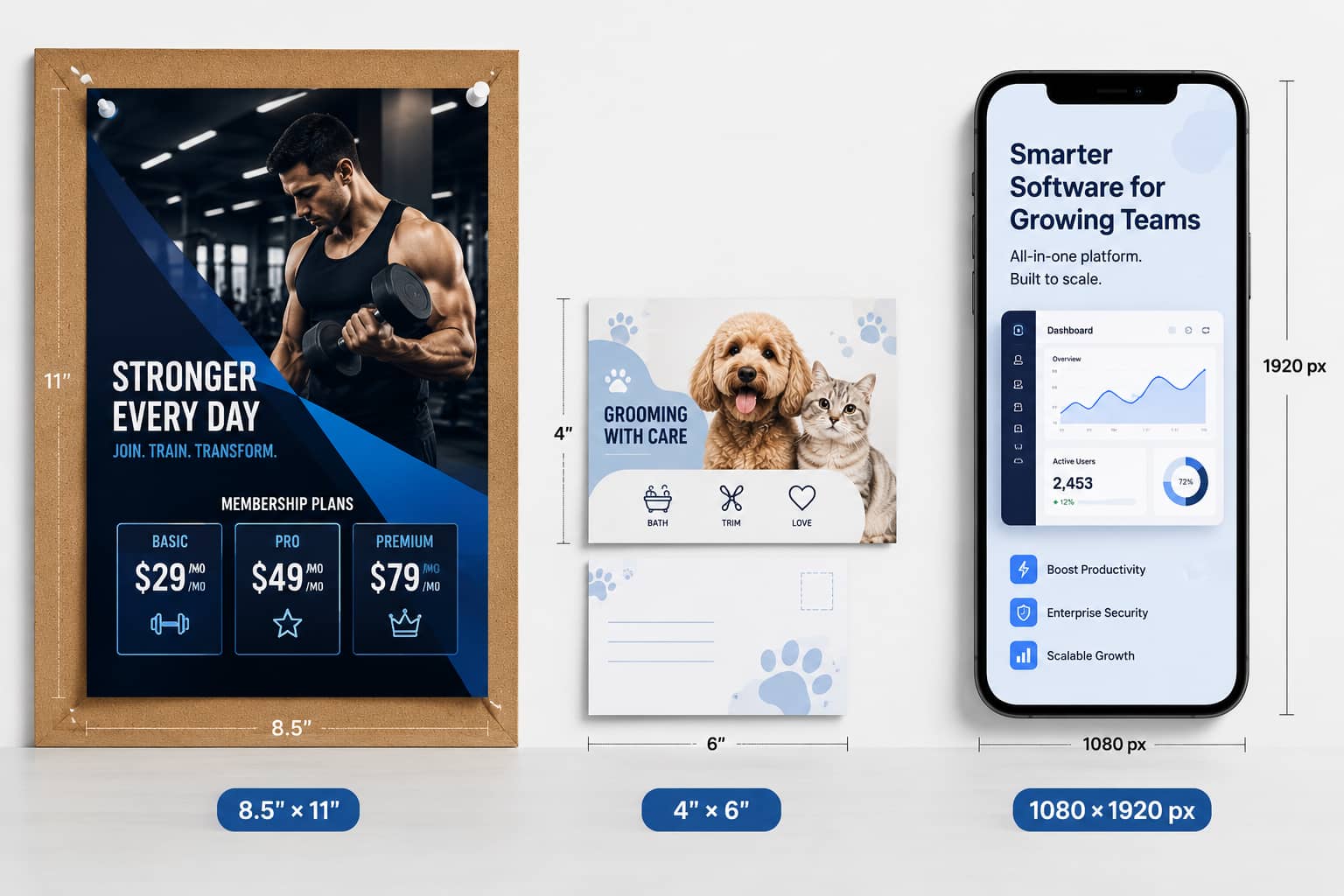
Fitness Gym: 8.5" x 11" Portrait (Standard Print Sheet) — Formatted with a high-impact split layout (hero image top half, pricing table bottom half) to post on gym bulletin boards, local cafe boards, and front windows.
-
Pet Grooming Salon: 4" x 6" Landscape (Postcard) — Designed as a double-sided takeaway card for local vet clinic counters and direct-mail door drops.
-
B2B SaaS / Software Platform: 1080 x 1920 px Vertical (Digital Story / PDF Insert) — Optimized for mobile screen viewing as an email attachment, LinkedIn downloadable asset, or Instagram story flyer.
-
Choose colors, fonts, and visuals
The colors, fonts, and graphics you choose set the overall tone for your flyer and influence how readers respond. Use your brand's colors. Use fewer fonts to maintain consistency. Image usage is an important component of a good presentation. The consistent look and feel of your flyer makes it more appealing, professional, and memorable.
For examples:
Fitness Gym:
-
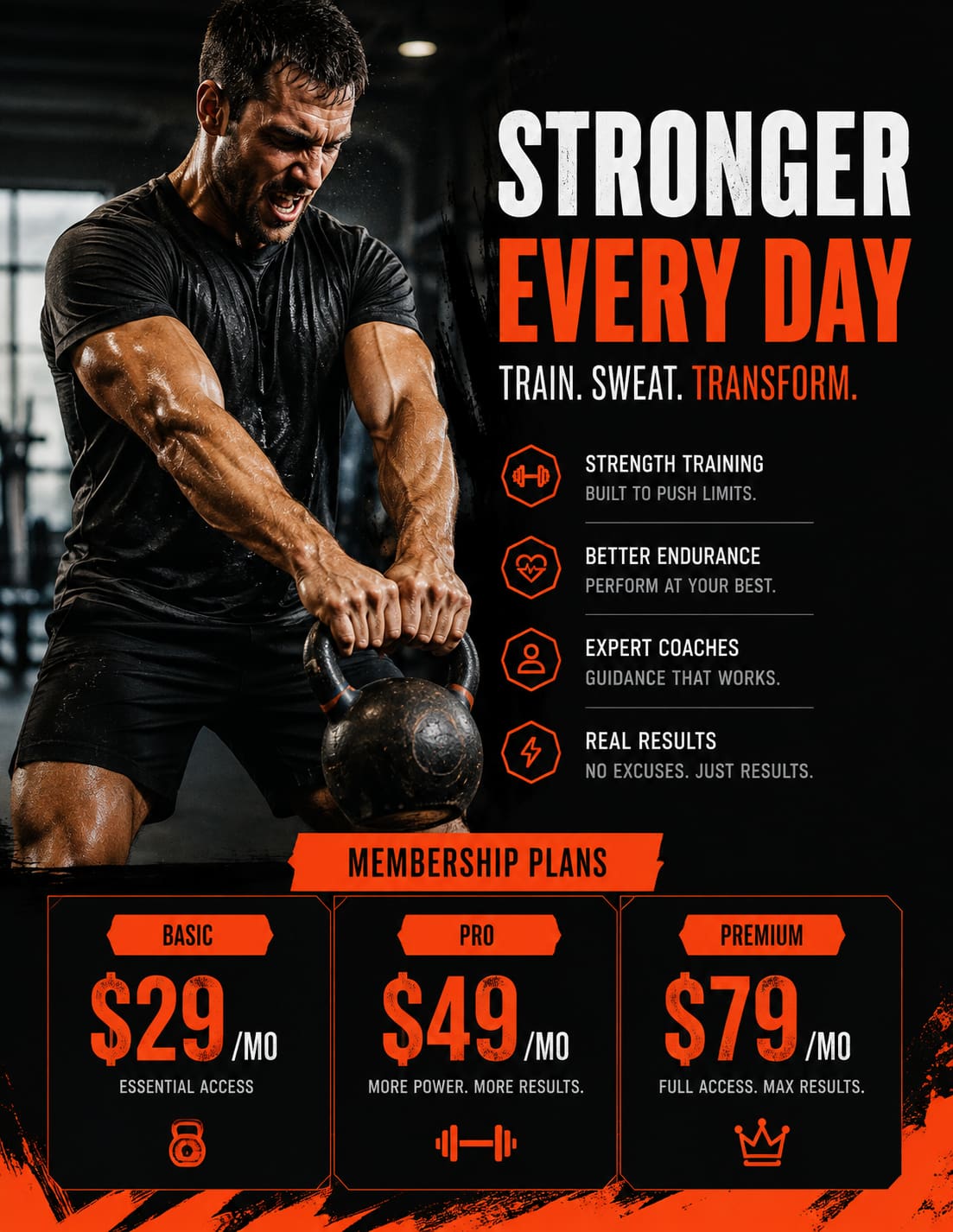
Colors: Energetic Matte Black background (
#111111) paired with Electric Orange (#FF5722) callout boxes for maximum visual punch. -
Fonts: Heavy-weight sans-serif header (Bebas Neue) paired with a clean body font (Roboto Condensed).
-
Visual: An authentic photograph of a real member sweating during a kettlebell workout rather than a staged stock photo.
Pet Grooming Salon:
-
Colors: Soft Mint Green (
#E8F5E9) and Warm Charcoal text (#333333) to convey cleanliness, calmness, and care. -
Fonts: Friendly, rounded headline font (Nunito Bold) paired with Lato Regular for readable offer details.
-
Visual: High-resolution close-up photo of a clean, fluffy dog wearing a bandana after grooming.
B2B SaaS / Software Platform:
-
Colors: Corporate Navy Blue (
#0A192F) background with vibrant Lime Green (#00E676) for key metrics and buttons. -
Fonts: Modern tech sans-serif (Inter Bold for headlines, Inter Regular for body copy).
-
Visual: A crisp screenshot showing the intuitive drag-and-drop schedule calendar UI inside a laptop frame.
-
Organize your layout and call to action
The layout is clear, making it easy for readers to find information quickly. Make sure your headline, supporting copy, and call to action are in logical order. Make sure your spacing is even throughout your design. Add contact information and a QR code, if needed, and finish with a strong call to action that pushes the next step.
Fitness Gym:
-
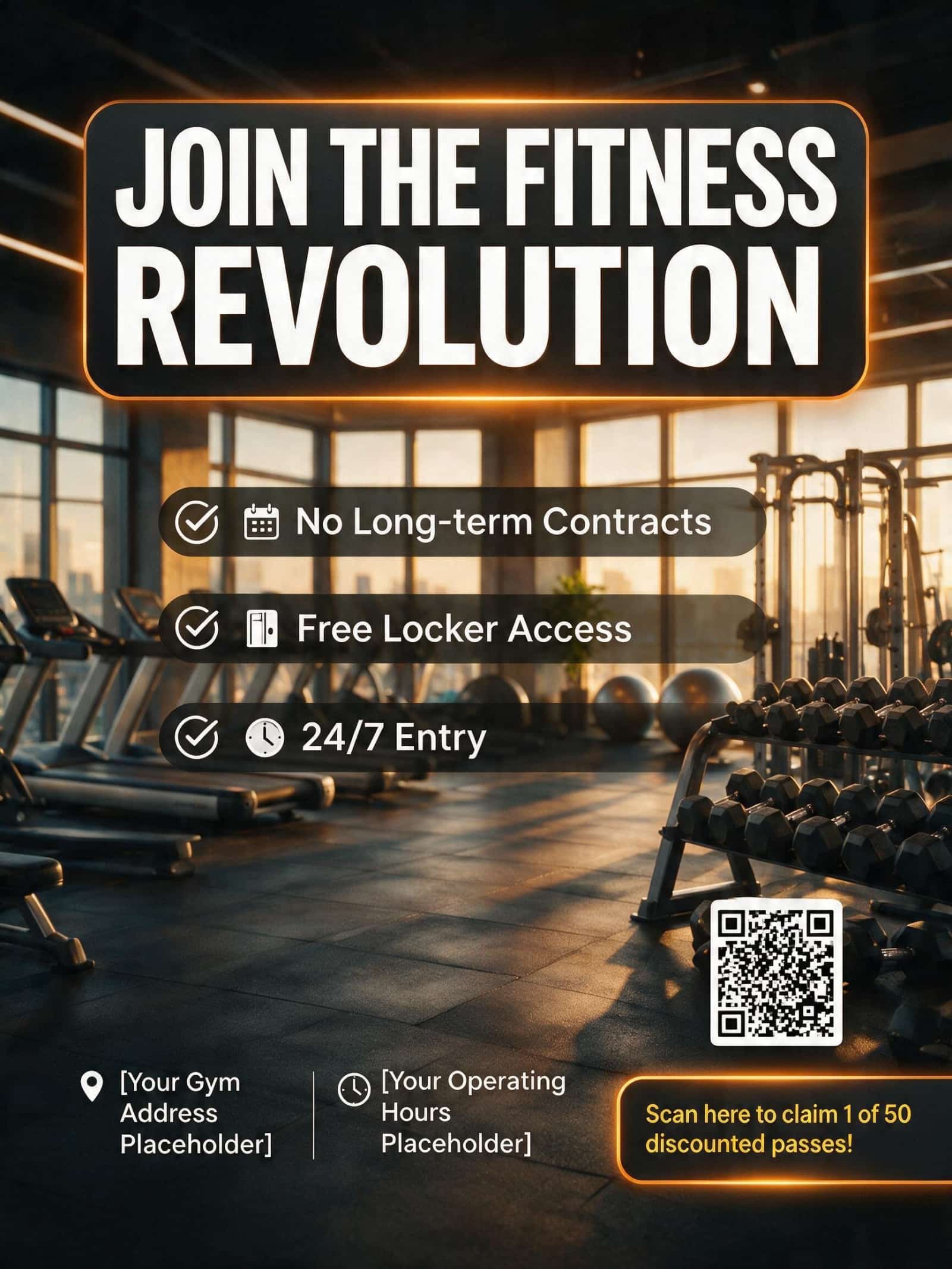
Layout: Headline top $$\rightarro$$ 3 bullet points (No Long-term Contracts, Free Locker Access, 24/7 Entry) center $$\rightarro$$ Address and hours bottom.
-
CTA & QR Code: "Scan here to claim 1 of 50 discounted passes!" next to a large QR code leading straight to the checkout page.
Pet Grooming Salon:
-
Layout: Offer badge top-right $$\rightarro$$ Headline top-left $$\rightarro$$ List of services center $$\rightarro$$ Phone number and location bottom.
-
CTA & QR Code: "Call (555) 019-2831 or scan to book your pup's slot online today!"
B2B SaaS / Software Platform:
-
Layout: Value proposition headline top $$\rightarro$$ Laptop UI graphic middle $$\rightarro$$ Key webinar takeaways bottom.
-
CTA & QR Code: Prominent graphic button reading "Reserve My Free Seat for Thursday" linked directly to the registration page.
Create incredible flyer visuals with Vmake Labs AI Image Generator
Good artwork can make the difference between a flyer that gets noticed and one that gets ignored. Instead of searching through stock image libraries, you can create unique, custom visuals that match your campaign with Vmake Labs AI Image Generator. It's a quick process and great for beginners, perfect for business, events, and promotional flyers.
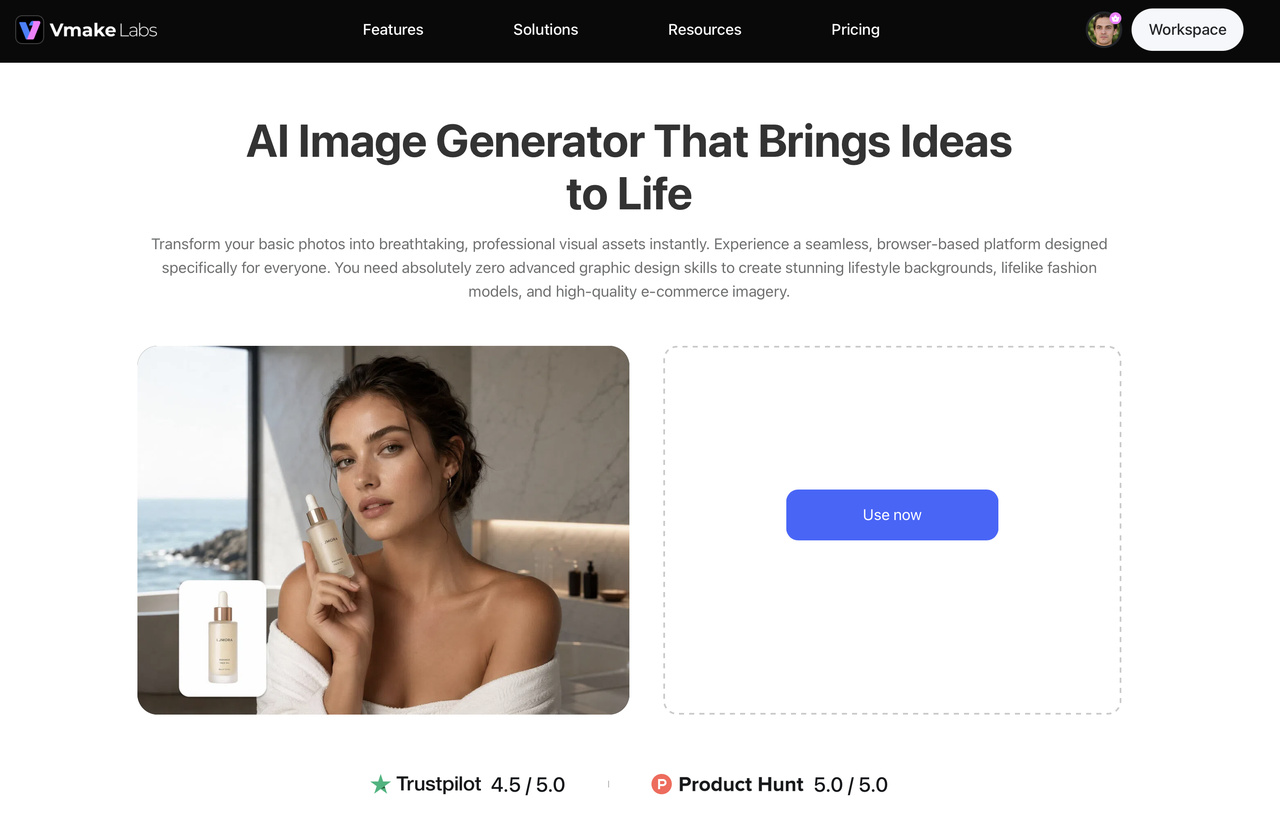
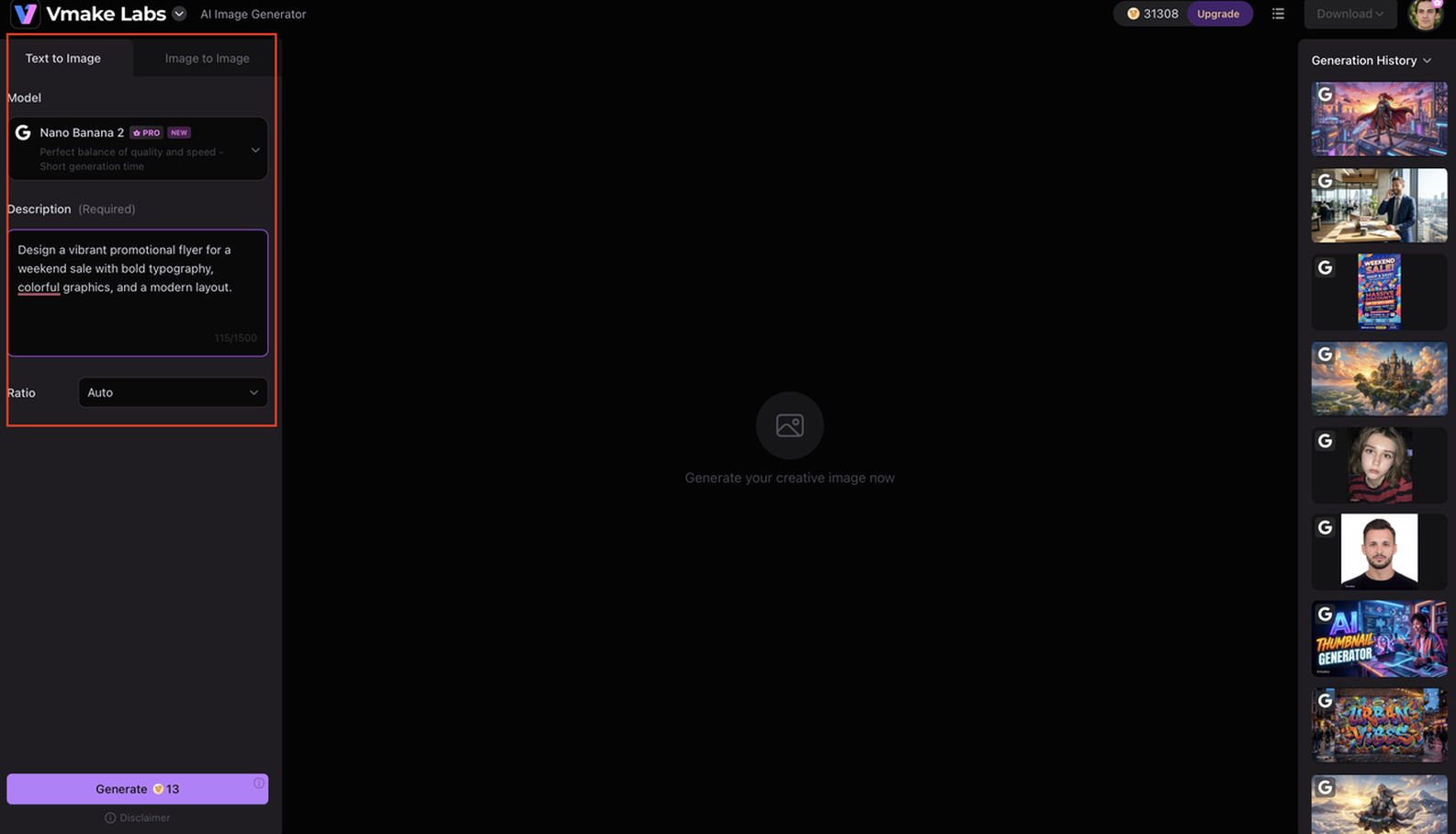
Step 1: Describe your flyer idea with a prompt or reference image Enter a detailed text prompt describing the style, theme, colors, or subject of your flyer. You can also upload a reference image to help guide the AI towards the look you want.
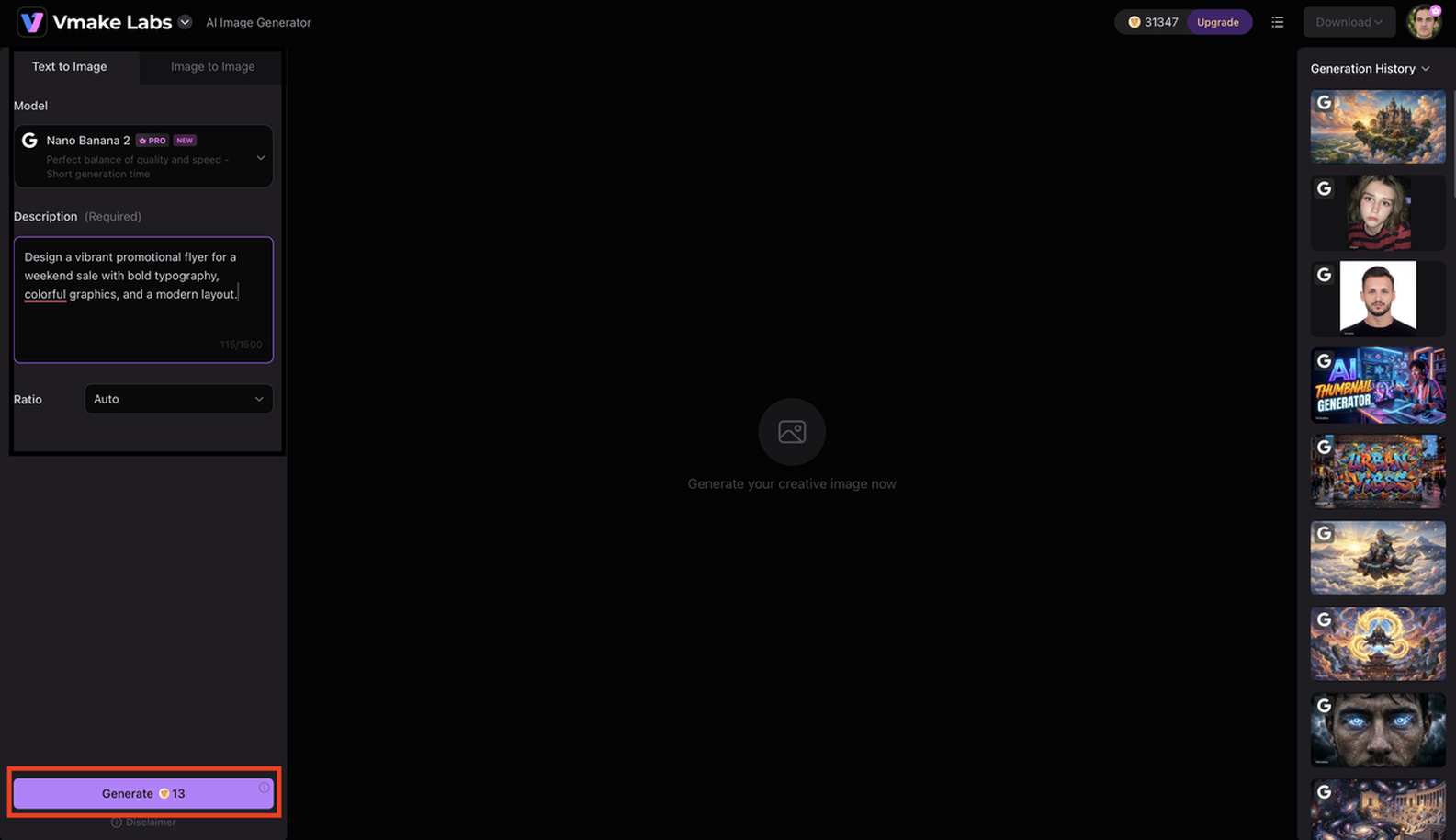
Step 2: Generate visuals that match your flyer design Pick an AI model and create one-of-a-kind visuals for your brand, campaign or event. Change the prompt or regenerate images until you find the style that suits your flyer.
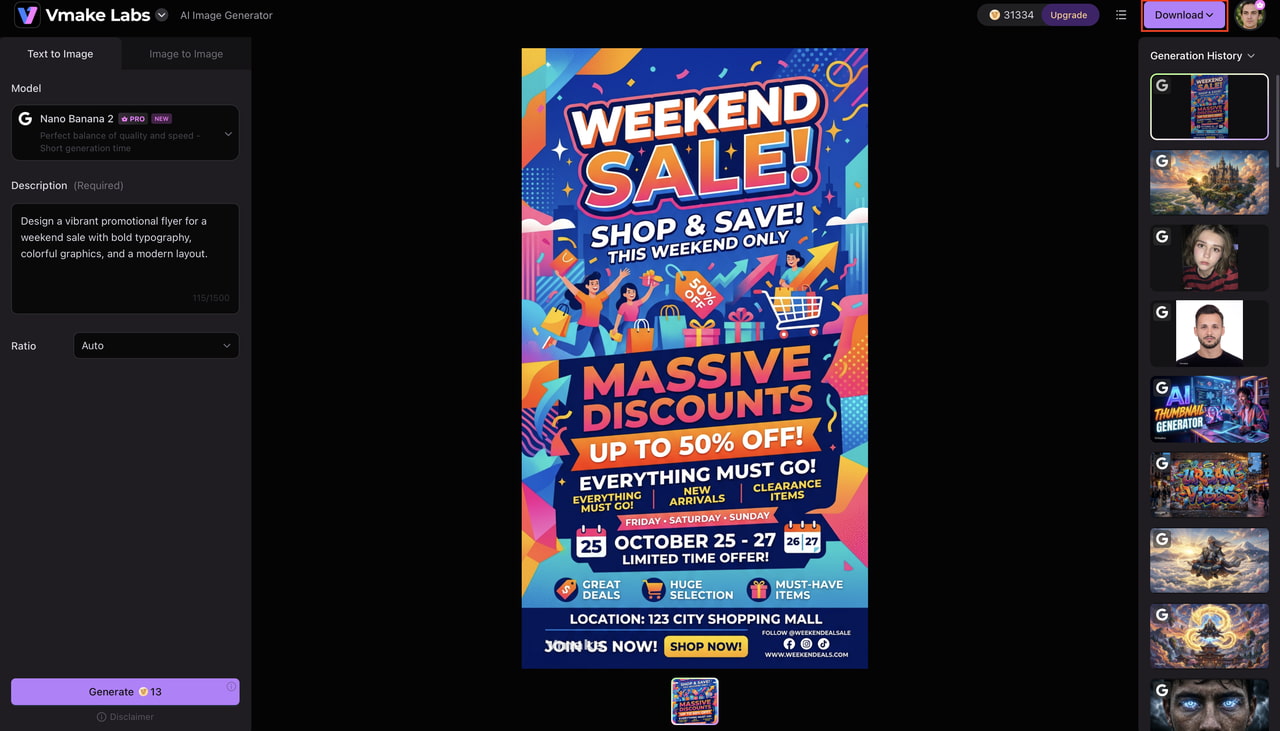
Step 3: Download and use your AI-generated images Download your selected images in high quality and insert them into your flyer with the design software of your choice. Complete your flyer by combining your visuals with your text, branding and call to action.
Key features of Vmake Labs
Vmake Labs AI Image Generator offers a range of features that simplify how to make a flyer with professional-quality visuals. Whether you're creating a business, event, or promotional flyer, these tools help you produce custom graphics in minutes.
-
AI text-to-image generation: Describe your idea in a text prompt and generate original visuals that match your flyer's purpose, making how to make a flyer faster and more creative.
-
Image-to-image generation: Upload a reference image and create new variations that maintain your preferred style, helping you design a unique flyer with less effort.
-
Multiple AI image models: Choose from different AI models to generate illustrations, realistic graphics, or artistic visuals that fit your flyer design and audience.
-
High-resolution image output: Download crisp, detailed images that look professional in both printed and digital flyers, ensuring your final design stands out.
-
Fast browser-based workflow: Create and refine flyer visuals online without installing software, making how to make a flyer more convenient for any device.
-
Commercial-ready creative assets: Generate original visuals suitable for business promotions, marketing campaigns, events, and advertisements, helping you create professional flyers with confidence.
Best practices and common flyer design mistakes
Creating a good flyer is more than simply picking out attractive colours and pictures. By following design best practices and avoiding common pitfalls, you can make your content easier to read, reinforce your message and motivate your readers to act. These tips will help you design flyers that look professional and convey information more effectively.
Best practices for effective flyers
There are some basic design guidelines you can follow to make your flyer more attractive and easier to read. Keeping your message on point and your layout clean will help your readers find what matters most, and fast.
-
Keep messaging concise: Focus on one key message and avoid filling your flyer with unnecessary details that may distract readers.
-
Prioritize important information: Place your headline, offer, and call to action where they're easy to notice at first glance.
-
Maintain consistent branding: Use your brand colors, fonts, and logo consistently to create a recognizable and professional appearance.
-
Use high-quality visuals: Choose clear, relevant images that support your message and make your flyer more visually appealing.
-
Proofread before publishing: Check your content thoroughly for spelling, grammar, and formatting errors before you print or share your flyer.
Common flyer design mistakes
Even well-designed flyers can lose their impact if they contain avoidable mistakes. Recognizing these issues before publishing helps improve readability and creates a better experience for your audience.
-
Adding too much text: Overloading a flyer with information makes it difficult to scan and reduces the impact of your main message.
-
Using cluttered layouts: Poor spacing and crowded elements can overwhelm readers and make important information harder to find.
-
Choosing low-quality images: Blurry or stretched visuals reduce credibility and make your flyer appear unprofessional.
-
Using inconsistent typography: Too many font styles or sizes create visual confusion and affect readability.
-
Including a weak or missing CTA: Without a clear call to action, readers may not know what to do after viewing your flyer.
Conclusion
Learning how to make a flyer starts with understanding your audience, planning your content, and applying effective design principles. By combining clear messaging, a well-structured layout, and high-quality visuals, you can create flyers that attract attention and inspire action. If you want to create custom graphics without advanced design skills, Vmake Labs AI Image Generator offers a fast and simple way to produce professional visuals for business, events, and promotional flyers.
FAQs
-
How to make a flyer?
First, decide what you want your flyer to do, and who you want to read it. Then write a clear headline with supporting copy, relevant images, and contact details. Make sure everything is cleanly organized with a strong call to action, so readers can quickly grasp your message.
-
How to make a flyer for free?
Free templates, word processing software, and online design tools allow you to make a flyer for free. A lot of platforms offer free design customization, text and photo insertion, and saving your completed flyer, while some premium templates or features may need a subscription.
-
How to make a flyer on Word?
Microsoft Word offers built-in flyer templates that you can edit with your own text, colors, images, and branding. Once you've finished your design, save it as a PDF for printing or share it digitally. If you want more unique visuals, you can create them with an AI image generator like Vmake Labs before adding them to your flyer.
-
How to make a flyer on Google Docs?
Google Docs makes it easy to create simple flyers using templates or a blank document. You can customize the content, insert images, and collaborate with others in real time before downloading or sharing your design. For more professional-looking graphics, you can pair Google Docs with AI-generated visuals from Vmake Labs.
-
How to make a business flyer?
A business flyer should focus on one clear objective, whether it's promoting a product, service, or special offer. Use consistent branding, highlight the key benefits, include accurate contact information, and finish with a compelling call to action. Custom visuals created with Vmake Labs AI Image Generator can also help your business flyer stand out and reinforce your brand identity.
-
What should a flyer include?
An effective flyer should include a compelling headline, concise supporting copy, relevant visuals, your logo if applicable, contact information, and a clear call to action. For the visuals, enhance your photos with the Vmake Labs Image Enhancer or create custom images using the Vmake Labs AI Image Generator before adding them to your flyer design.

You May Be Interested
How to Make a Reel: Step-by-Step Guide for Beginners
How to Make a Short Movie Using AI: Step-by-Step Guide
How to Make AI Baby Videos: 3 Best Tools to Make Baby Videos

How to Make AI Cat Videos: A Complete Step-by-Step Guide

How to Make Bigfoot AI Videos: Create Viral Bigfoot Vlogs in Minutes