Wan AI Video Generator Review: Honest Breakdown in 2026
Thinking about Wan AI? This Wan AI Video Generator Review 2026 explores Wan's features, pricing, strengths, drawbacks, and how it compares with Vmake to help you choose the right AI video generator.

AI video generation is moving quickly, and open-source models are becoming serious competitors to commercial platforms. In this Wan AI Video Generator Review, we explore Wan's features, pricing, strengths, limitations, and how it compares with Vmake AI to help creators, marketers, and businesses make an informed decision.
Introduction of the Wan AI video generator
Wan AI has rapidly emerged as one of the most discussed open-source video generation initiatives in the AI sector. Created by Alibaba's Tongyi Lab, the platform was built to bring powerful AI video production to creators, developers, and researchers alike.
The open nature of the Wan AI video creator is particularly intriguing. Most AI video solutions are built within closed ecosystems, where users can only do what the provider allows. Wan goes a different way. With the right hardware, developers can experiment with the models, create bespoke workflows, and even run them locally.
During testing, Wan impressed us with its strong prompt understanding and open-source flexibility. Generated videos often deliver cinematic visuals and consistent motion, especially when using detailed prompts. However, compared to most commercial AI video generators, the platform requires more technical knowledge and has a steeper learning curve for new users.
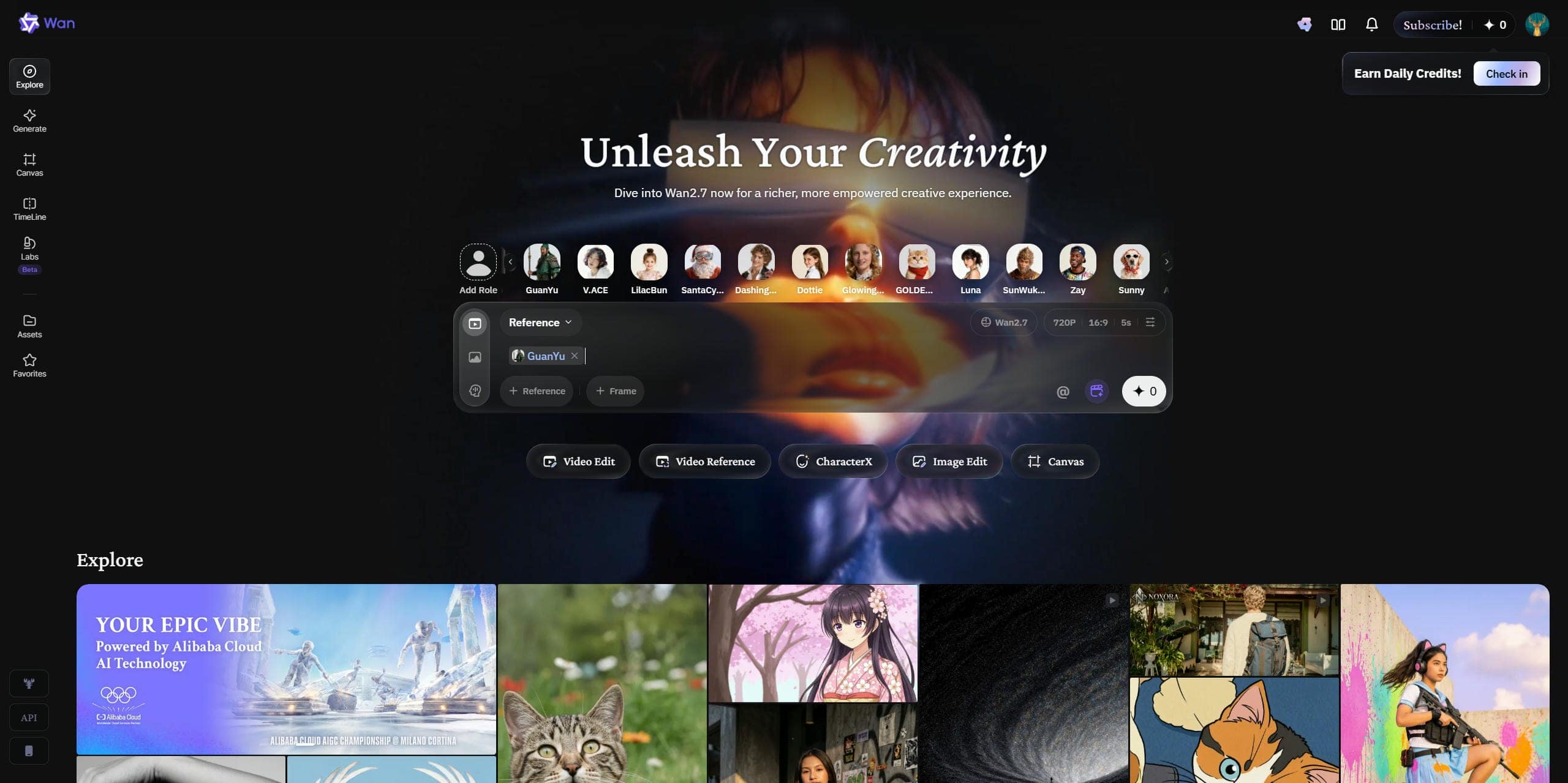
Key features of the Wan AI video generator
Reference-to-Video Generation
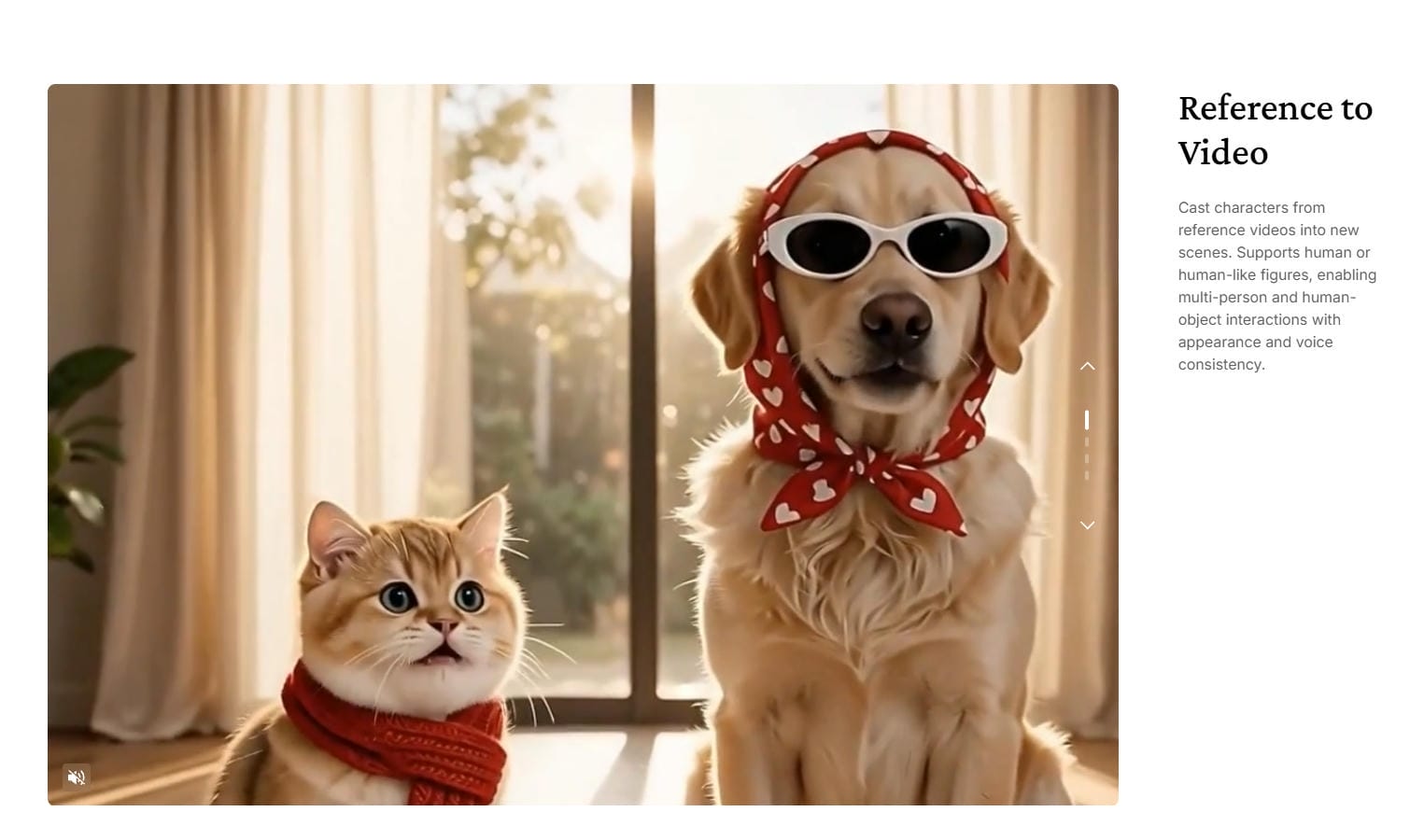
Wan's "Reference to Video" feature acts as a digital casting director, allowing users to carry a character from existing footage into new scenes while helping preserve their visual identity and voice characteristics across generations.
Once they hit the screen, your characters interact naturally with their environment, weapons, or other actors with fluid, realistic physics. Let your pet, an original character, or a chaotic daily-life meme, dance, talk, and act exactly as your script intended.
Text-to-Video Generation
Wan's premise is that a few words may conjure a whole scene. You tell it what you want to see, and the model begins to translate that description into action, camera movement, lighting, and atmosphere.
The difference is more evident when you give it precise prompts. A simple idea can work, but more detailed descriptions usually yield better outcomes. For example, a suggestion like "futuristic city at sunset with flying vehicles and a slow forward camera push" tends to produce very cinematic, well-paced sequences. It doesn't always nail every detail, but it usually gets the tone and direction you're going for.
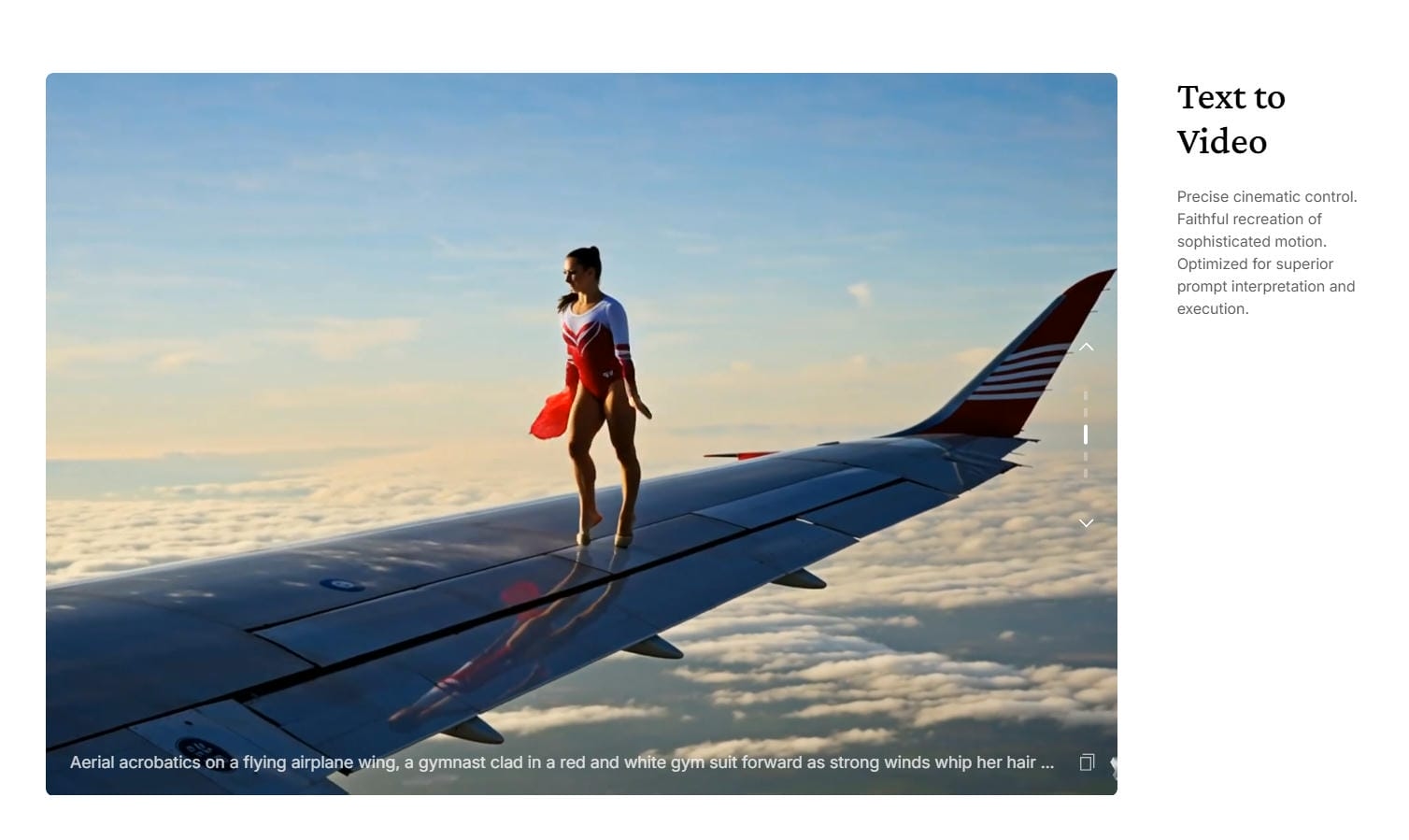
Image-to-Video Animation
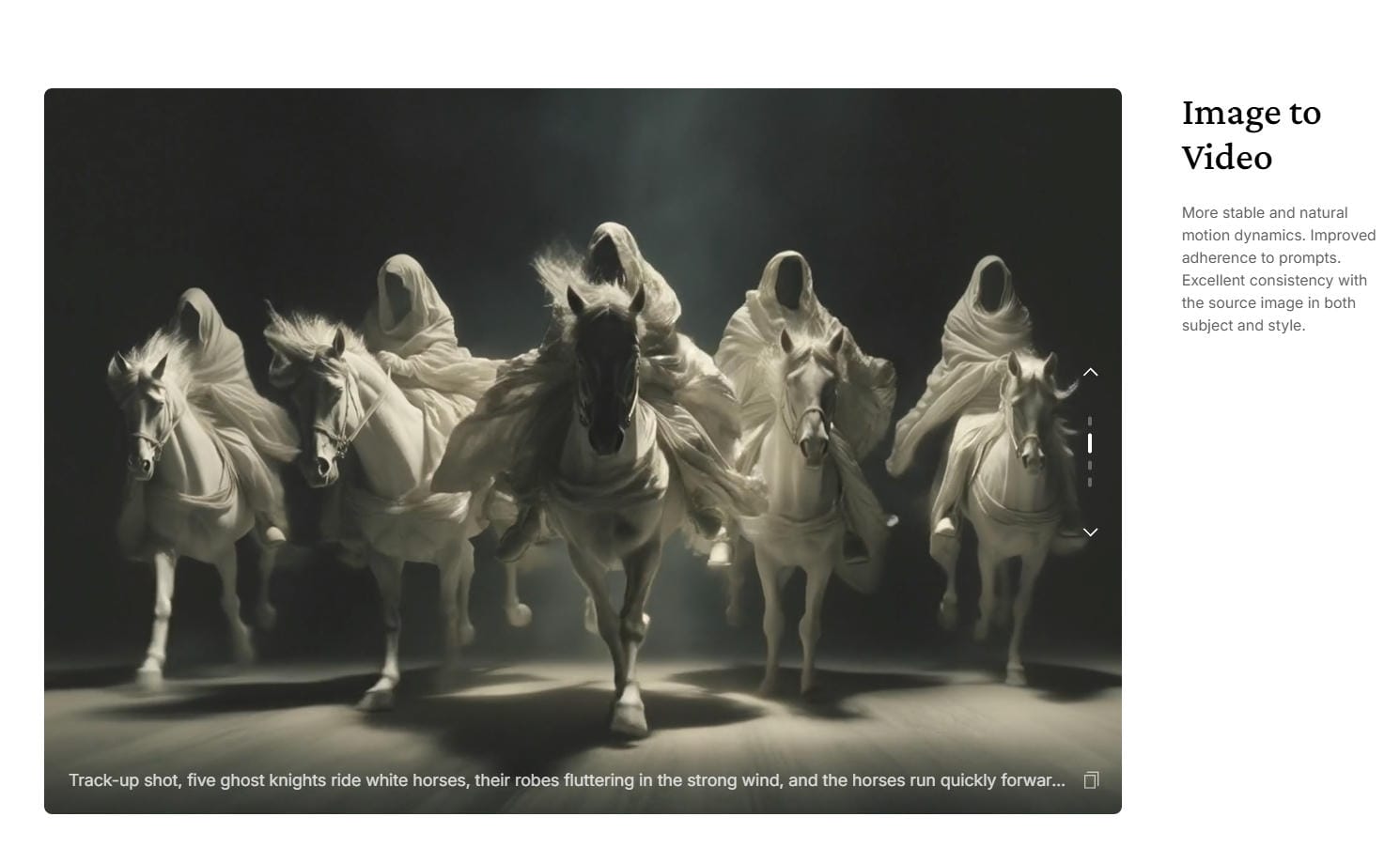
Static images can be turned into videos with very little effort. You upload a photo, illustration, or product image, and Wan adds motion based on the scene's context.
What stands out is how often the results look stable. Characters, objects, and textures tend to remain consistent as the animation progresses, which helps avoid some of the visual glitches that older AI video tools struggled with. For product marketing, digital art, and social media content, that consistency makes a noticeable difference.
Open-Source Flexibility and Model Customization
One of Wan's biggest advantages is its open-source foundation. Unlike many AI video generators that operate behind a subscription model, Wan gives developers and advanced users more control over how they run, customize, and experiment with the model.
The community also plays a major role in its growth. New workflows, prompt techniques, and optimizations appear regularly, helping the platform evolve quickly and giving creators more ways to improve their results.
Multiple Wan model versions
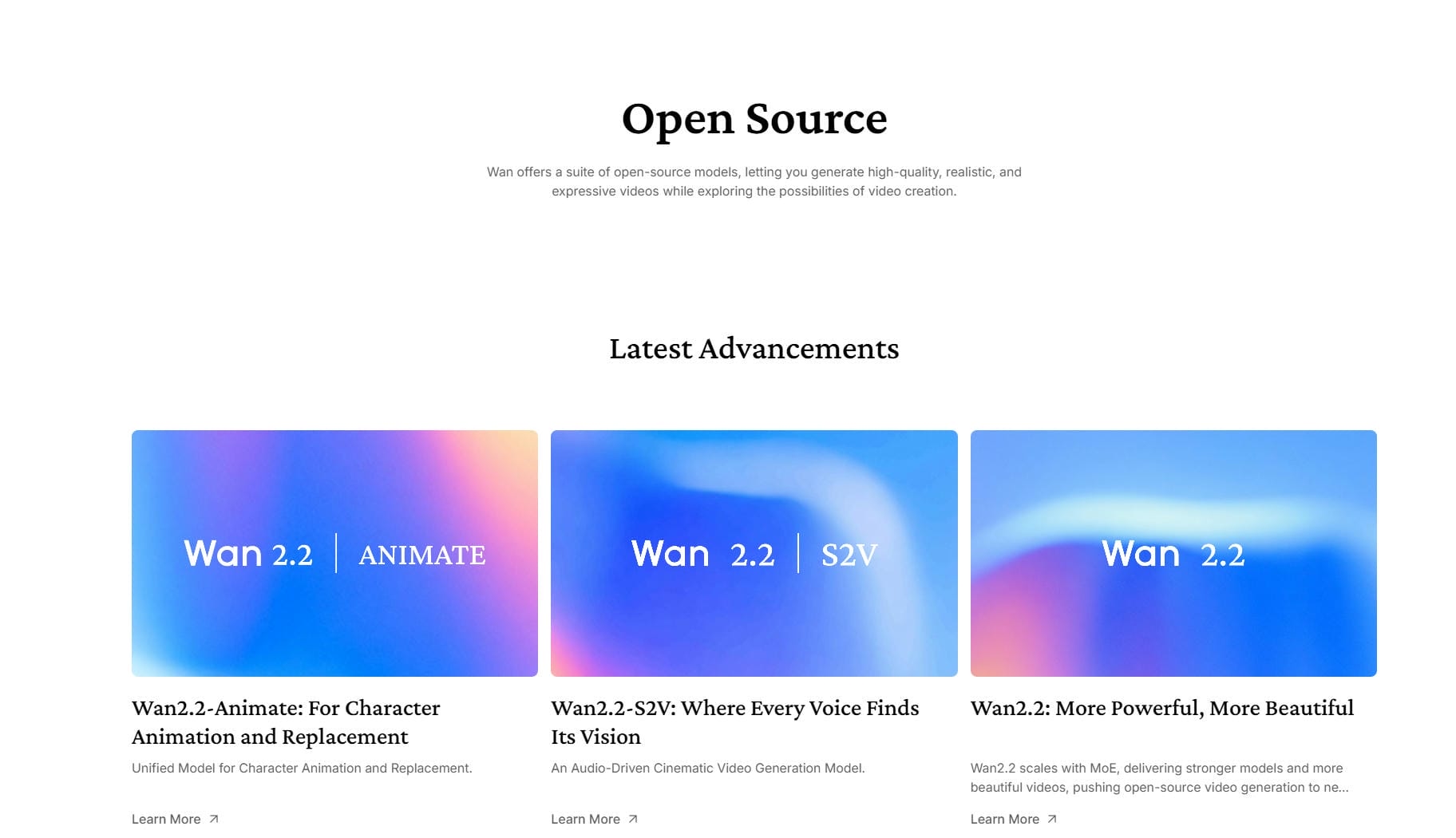
Wan has evolved quickly through multiple model generations. Each release has focused on improving visual quality, motion stability, prompt interpretation, and generation efficiency. While no model progresses perfectly from one version to the next, the overall trajectory has been encouraging.
The ecosystem has evolved through a succession of deliberate model releases:
-
Wan 2.1 (1.3B & 14B): Introduced highly optimized baseline video models. The 1.3B parameter variant was a breakthrough for consumer deployment, requiring just 8.19GB of VRAM and making local generation accessible on standard gaming graphics cards like the RTX4090.
-
Wan 2.2: Transitioned to a highly capable Mixture-of-Experts (MoE) architecture. By using specialized expert neural layers for different timesteps of the video generation process, Wan 2.2 expanded overall model capacity and spatial accuracy at 720p resolution without adding computational lag.
-
Wan 2.5: The latest pinnacle, introducing native audio-visual generation. It generates high-fidelity 1080p imagery and synchronous audio tracks (including spoken dialogue and environmental sound effects) simultaneously.
The progression between versions shows how quickly the project is maturing. What felt experimental a couple of years ago now looks much closer to production-ready technology.
Is Wan AI Video generator free? Pricing and access options
Wan works differently from most AI video generators because the model itself is open source. Users can access it through community demos, third-party AI platforms, cloud services, or local deployment, depending on their technical requirements and preferred workflow. Because Wan is open source, the pricing below refers to popular hosted implementations that provide access to the model rather than an official Wan subscription.
|
Plan |
Pricing (Yearly/Monthly) |
Credits/Month |
Concurrent Limits |
Key Features |
|---|---|---|---|---|
|
Free |
$0/mo |
None |
1 Video/1 Image |
6 image styles, unlimited base generation |
|
Pro |
$5/mo/$10/mo |
300 |
3 Videos/3 Images |
Watermark-free, 1080p, 10s & 15s clips, upscaling, all styles |
|
Premium |
$20/mo/$40/mo |
1,200 |
8 Videos/5 Images |
Watermark-free, 1080p, 10s & 15s clips, upscaling, all styles |
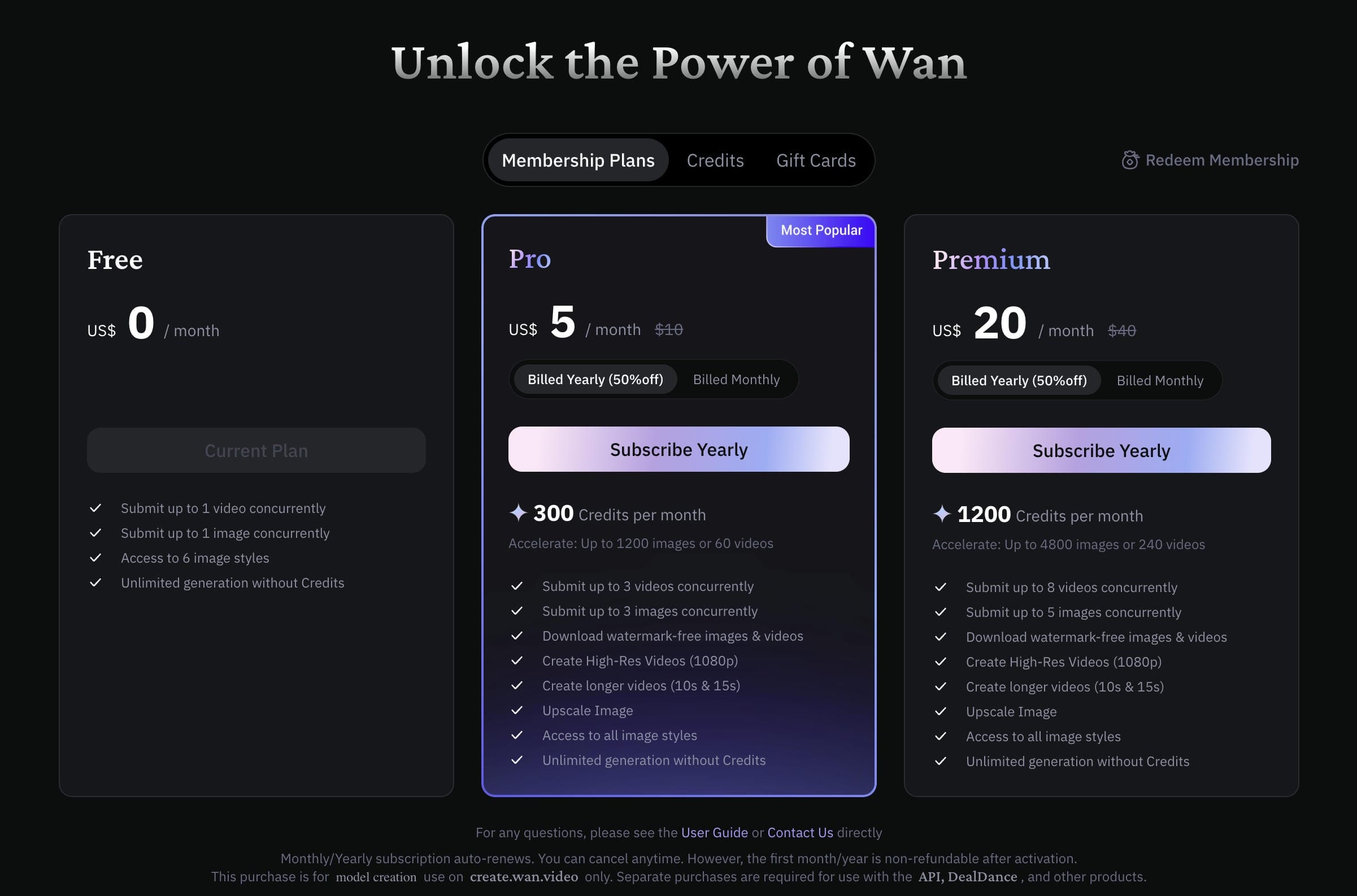
One of Wan's major draws is free access, but it often comes with trade-offs such as slower rendering rates, longer queue times, daily limits, watermarks, or lower output quality. Local deployment removes many of these limitations, but users also need to have the required hardware and technical ability to operate the model efficiently.
Is Wan AI Video Generator Worth It?
Before we dive into the answer to this question, let's have a clear breakdown and listen to the real voice of the community:
Pros and cons
|
Pros |
Cons |
|---|---|
|
|
|
|
|
|
|
|
|
|
|
|
|
|
The biggest advantage is flexibility. The biggest drawback is complexity. Those two points show up repeatedly whenever creators discuss Wan online.
Community reviews
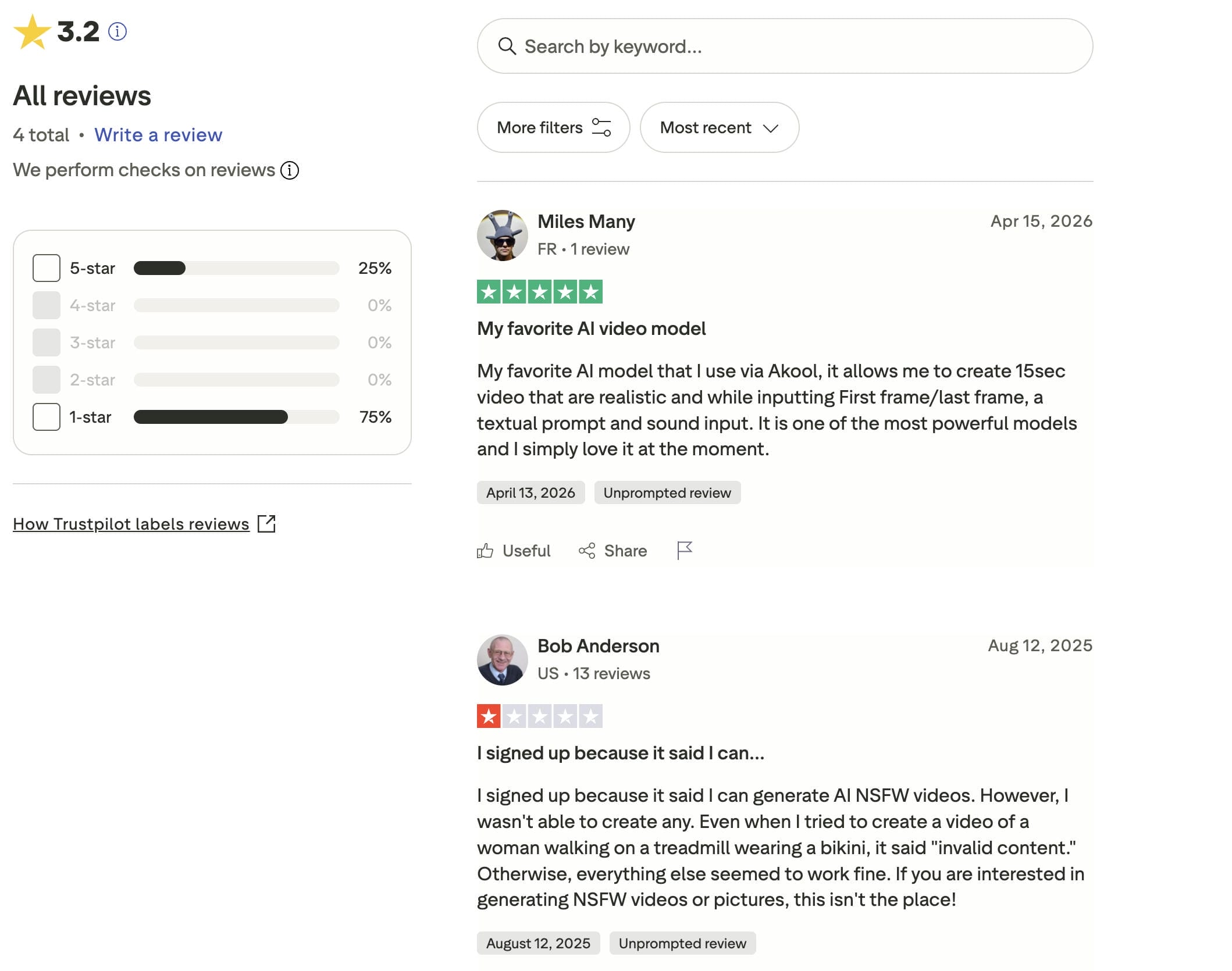
Trustpilot reviews for Wan AI are mixed, resulting in a 3.2-star rating from a small number of reviewers. Positive feedback highlights the model's ability to generate realistic videos and support features such as first-frame/last-frame control, text prompts, and audio inputs. However, some negative reviews express frustration with content restrictions and limitations around certain generation requests. Overall, user opinions suggest that Wan AI delivers strong video quality, but expectations may vary depending on individual use cases.
Editorial verdict
If you are wondering if Wan is worthy, the short answer is yes, but with a few caveats. Based on the platform's capabilities and response from the AI creation community, it's easy to judge that Wan does a good job of balancing quality and flexibility. That's especially true when you consider it based on an open source environment, rather than a standard software subscription.
But here's the deal. Wan is not exactly the easiest AI video generator to use. However, if you want an easy beginner-friendly experience with guided workflows and specialized customer assistance, you might find the learning curve to be a little higher than you'd want.
Robust alternative: Meet Vmake AI Video Generator
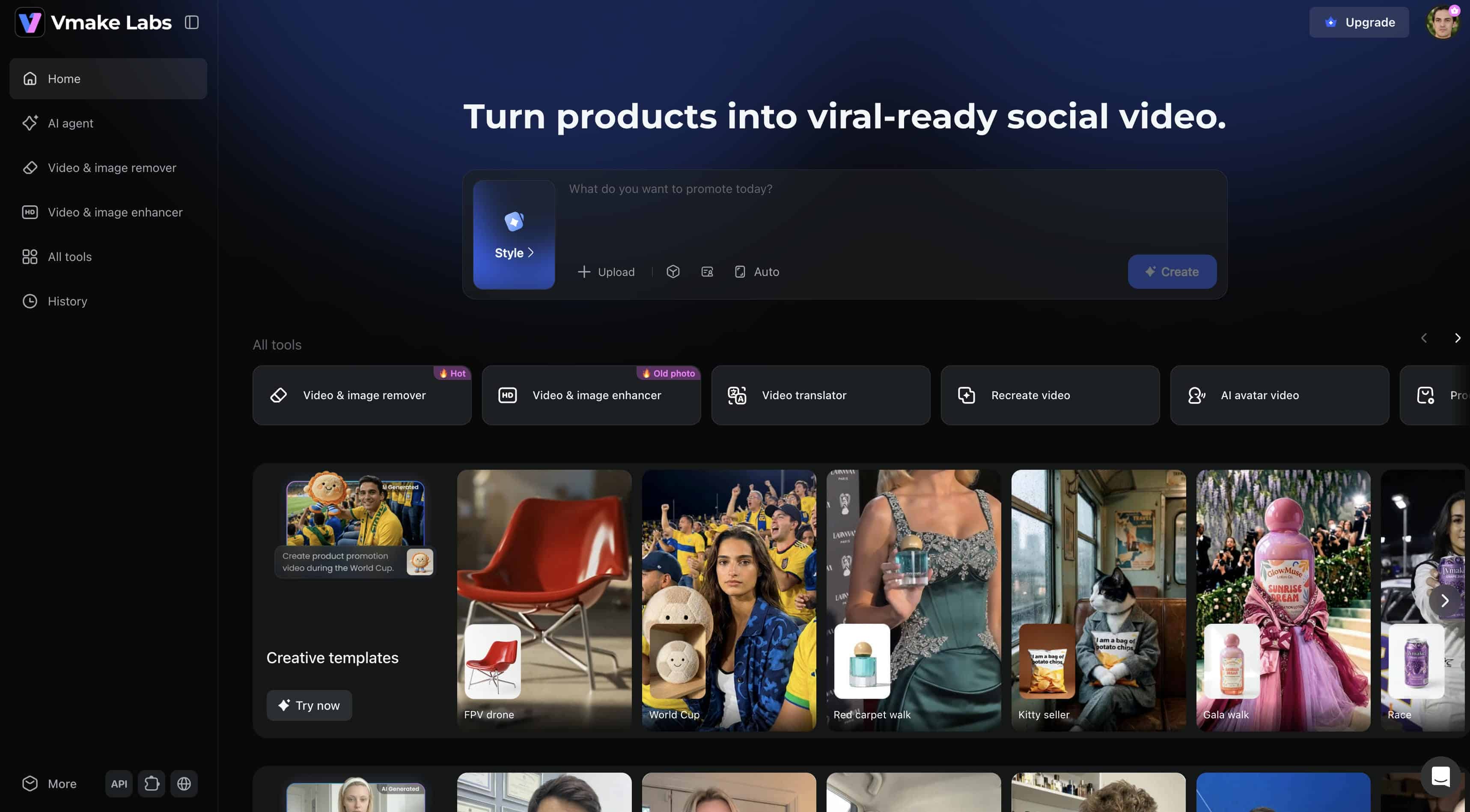
Wan AI appeals to users who enjoy experimentation, but many creators simply want to generate videos without worrying about model deployments, GPU requirements, or complex software configurations. That is where Vmake AI Video Generator offers a different experience.
Vmake focuses on browser-based accessibility rather than open-source modification. It combines many of the most advanced AI video models in a cloud environment, so users can create high-quality videos without managing technical infrastructure. For marketing teams, e-commerce firms, content creators, and agencies, this ease of use means creation is simple from start to finish.
Key features
-
Video-to-video style transformation: Upload an existing video and transform it into a different visual style while preserving the original motion and structure.
-
Frame-to-frame video generation: Generate smoother sequences with improved visual consistency across frames.
-
Advanced AI models support: Access multiple leading AI video-generation models from a single interface, instead of switching between separate tools.
-
2K and 4K output resolutions: Create high-quality videos suitable for professional marketing campaigns, product promotions, and commercial content.
How to use Vmake AI Video Generator
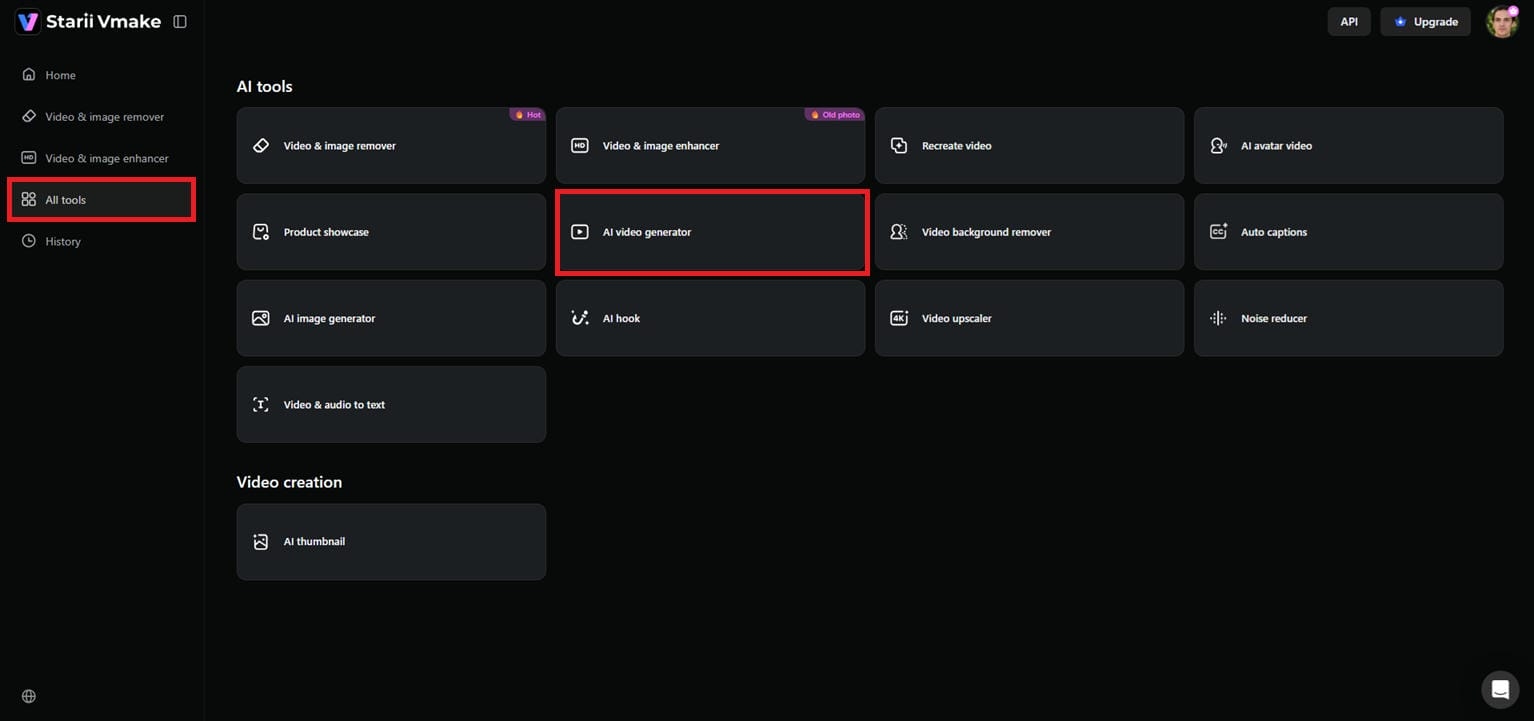
Step 1: Launch Vmake AI video generator
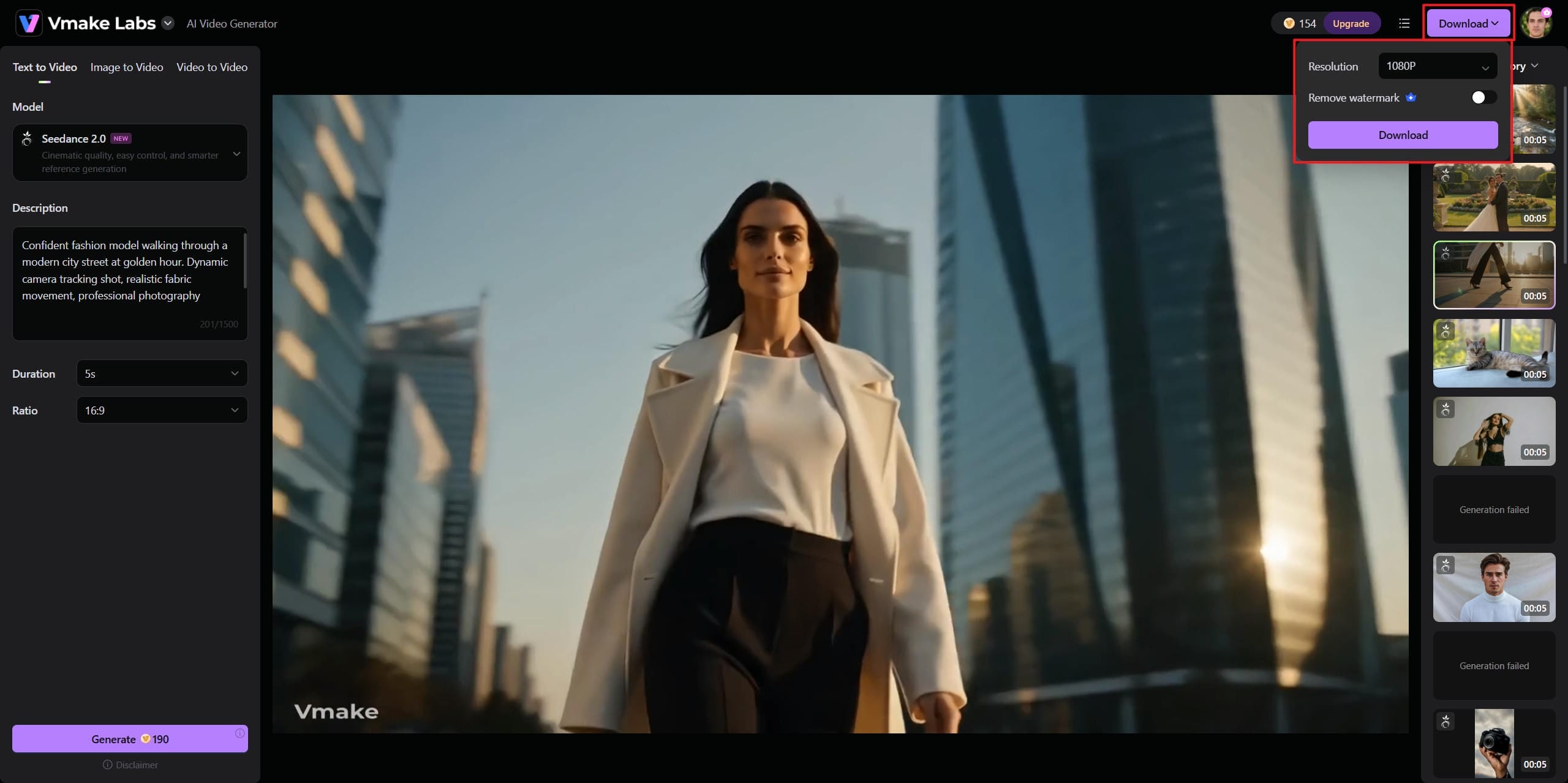
From the left-hand menu, go to the Vmake dashboard and select the "All Tools" segment. Navigate to the list of various AI tools and tap on the "AI video generator" to get to the main workspace to start generating your video project.
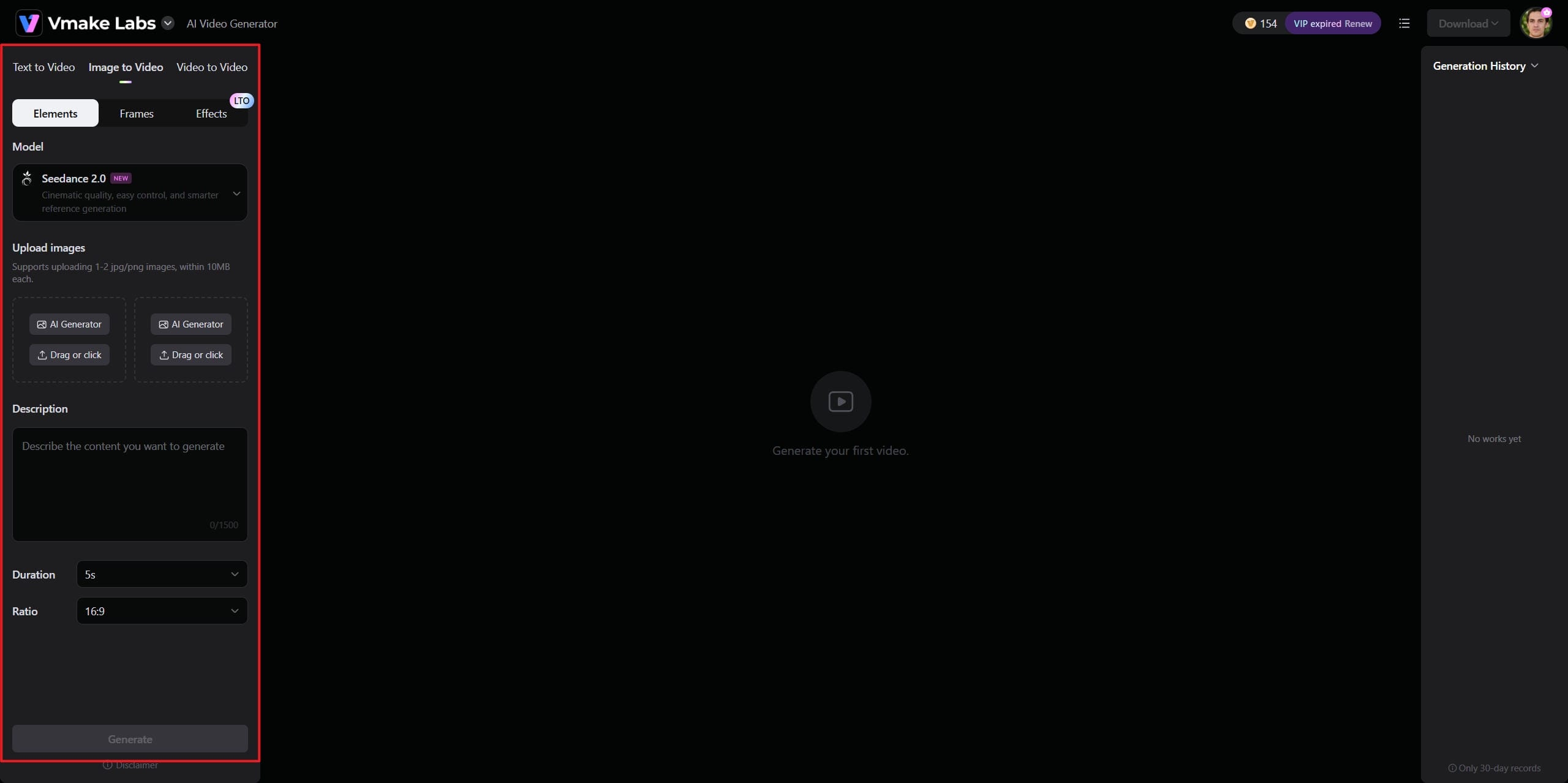
Step 2: Select generation mode and adjust settings
Choose the generation workflow you want to use, such as text-to-video, image-to-video, or video-to-video. Next, select your preferred AI model, optionally upload one or two reference images, and enter a detailed prompt describing your video concept. Then set the video duration, aspect ratio, and any other generation settings, and click Generate.
Step 3: Preview and download your AI video
Once the AI has finished creating your film, you can preview the finished result right in the workspace. Check the motion, images, transitions, and overall quality to make sure everything looks good. When you are satisfied with the output, click the "Download" option at the top to save the final video to your device. Later on, you can use the downloaded video to enhance further, or remove video watermarks or any unwanted objects or people.
Wan AI vs. Vmake: Key differences
Both platforms can generate AI videos, but they serve different audiences: Wan emphasizes openness and customization, while Vmake focuses on convenience and streamlined content creation. Here are the detailed breakdowns:
|
Feature |
Wan AI |
Vmake AI |
|---|---|---|
|
Deployment |
Open-source and self-hosted options |
Fully hosted platform |
|
Ease of use |
Moderate to advanced |
Beginner-friendly |
|
Setup requirements |
Technical knowledge helpful |
Minimal setup |
|
Text-to-video |
Yes |
Yes |
|
Image-to-video |
Yes |
Yes |
|
Video-to-video |
Limited ecosystem support |
Native support |
|
Multiple AI models |
Depends on deployment |
Built-in access |
|
Community customization |
Extensive |
Extensive |
|
Customer support |
Community-driven |
Platform support |
|
Output quality |
Strong and improving |
Strong commercial quality |
If you enjoy experimenting with AI models, customizing workflows, and maintaining control over the generation process, Wan is likely the better fit.
If your goal is to produce content quickly without dealing with technical complexity, Vmake will probably feel more comfortable.
Conclusion
Wan AI has established its presence in the AI video space. Open-source, powerful text-to-video capabilities, tools for graphic animation, and an active community make it appealing to developers seeking flexibility and control. But at the same time, this platform is not necessarily newbie-friendly. There may be hurdles such as hardware requirements, setup complexity, and inconsistent results across installations. If you're keen to tinker and customize workflows, Wan is certainly worth a look. If you want a smoother experience, with professional functionality, and less setup, vmake might be the one for you. The right option depends on how you prefer to create.
FAQs
Can the Wan AI video generator create videos in different aspect ratios?
Yes. Many Wan implementations allow landscape, portrait, and square formats. The options provided depend on the platform in use. These forms are great for social networking, marketing, and short-form content. There's also Vmake AI for those who want a simpler approach, and it has built-in aspect ratios for common publishing platforms.
Does Wan AI video generator support negative prompts?
Yes. Many Wan deployments support negative prompts, allowing users to reduce unwanted elements and improve generation accuracy. This gives creators more control over scene composition, styles, and visual details, especially when working with complex prompts.
How long are videos generated by Wan AI?
Video length depends on the model version, platform, and generation settings. Most outputs are short clips designed for social media, advertisements, and creative projects. Longer videos can typically be created by combining multiple generations during the editing process.
Can the Wan AI video generator be used for commercial projects?
In many cases, yes. However, commercial usage rights depend on the specific Wan model and the platform hosting it. Users should always review the applicable licensing terms before using generated content for business purposes. For teams that need clearly defined commercial usage policies, platforms like Vmake AI may offer a more straightforward option.
How much prompt detail is needed for good Wan AI results?
Generally, more detailed prompts produce better results. Including information about subjects, environments, lighting, actions, camera movement, and visual style helps the model generate videos that more closely match your vision. While Wan responds well to detailed instructions, beginners may find tools like Vmake AI easier to use when creating videos with less prompt experimentation.

You May Be Interested

AI TikTok Video Generator | Create High-Quality AI Videos

Best AI Video Generator: Top Tools Tested (2026)
Viggle AI Video Generator Review & Top 2026 Alternatives
Trump AI Video Generator: 3 Best Tools to Create AI Videos
How to Remove CapCut Watermark
Nero AI Review 2026 Explained: Is the Tool Worth Using?