Vizard AI Video to Text Review: Is It Worth Using in 2026?
Explore our Vizard AI video-to-text review to compare features, pricing, accuracy, and limitations before you decide. Discover a faster transcription workflow with Vmake Labs for creators.

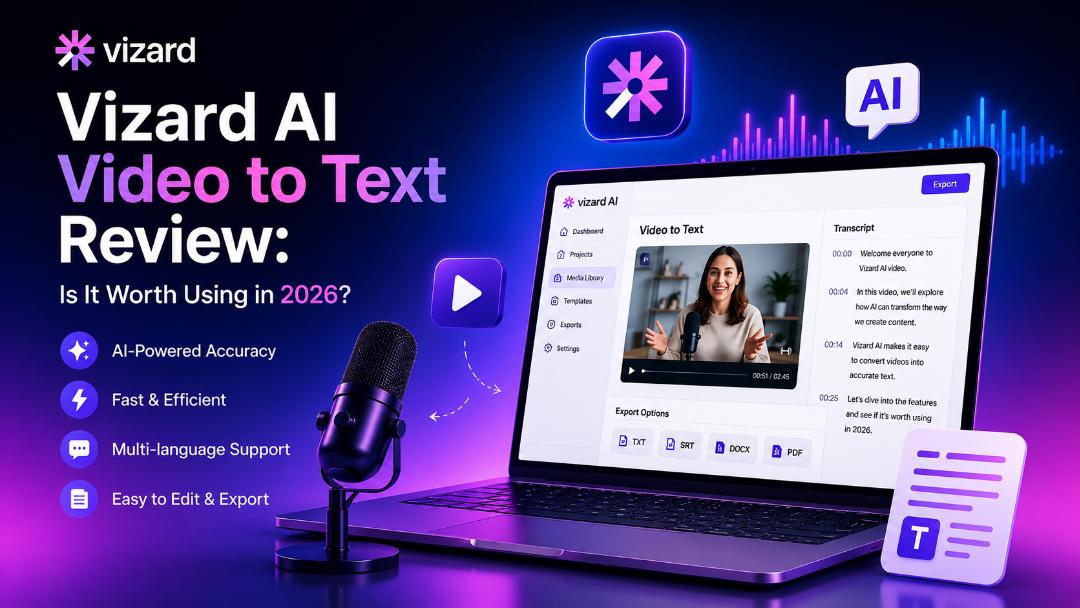
Vizard AI has gained attention as a tool for turning spoken video content into transcripts, subtitles, and captions. In this review, we'll look at its features, ease of use, pricing, strengths, and limitations to help you decide whether it is the right video-to-text solution for your needs in 2026.
What is Vizard AI video to text?
Vizard AI is an AI-powered platform that converts spoken content from videos into accurate and editable transcripts, subtitles, and captions. It helps creators, marketers, educators, podcasters, and businesses save time and makes video content easier to edit, share, and repurpose. With the increasing demand for a dependable video transcript generator, Vizard AI is often compared with other AI transcription solutions.
Key features of Vizard AI video to text
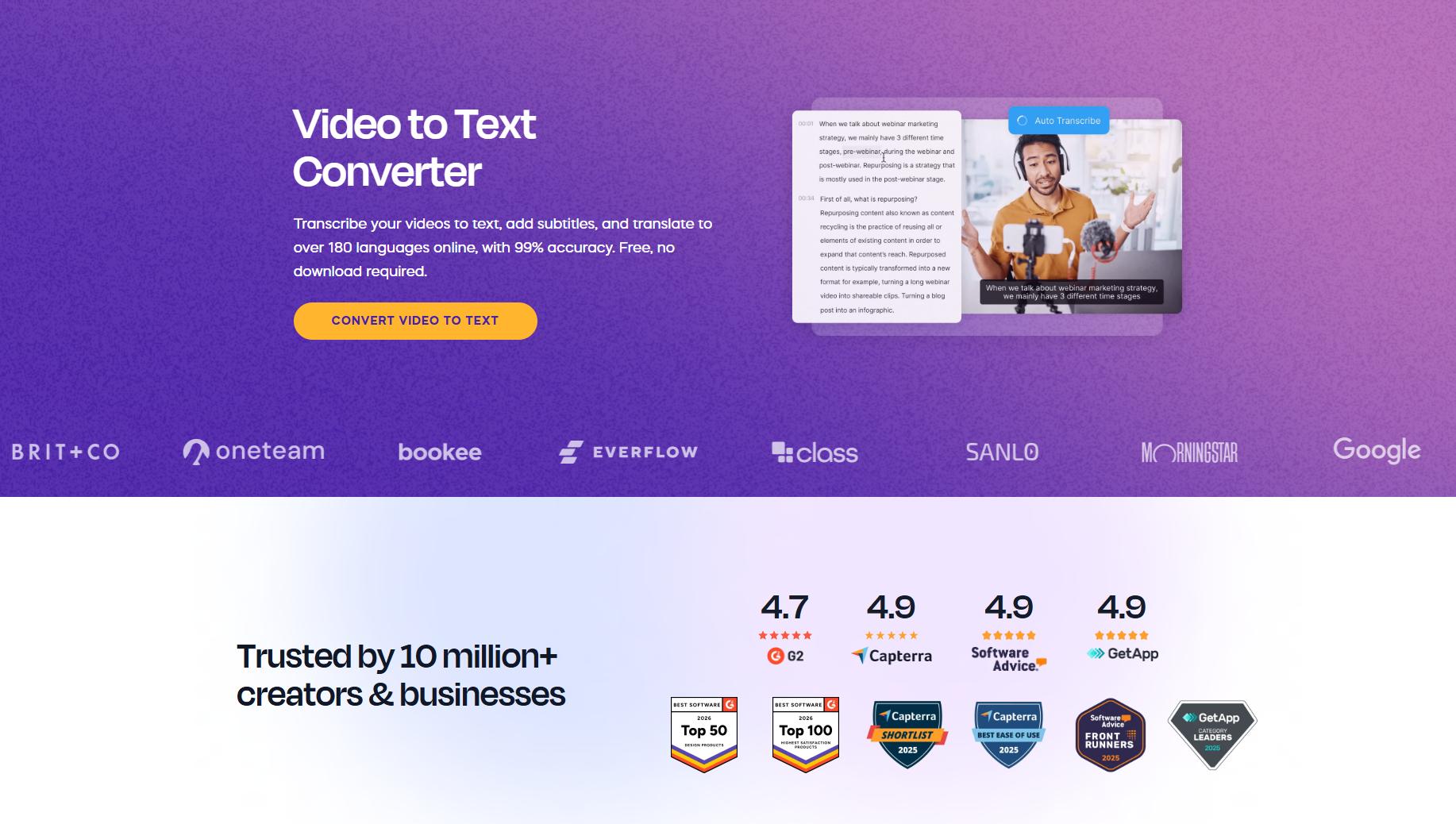
Vizard AI is an easy-to-use tool that blends AI-powered transcription with subtitle generation and video editing to turn spoken content into editable text. Once a video is uploaded, users may create transcripts, add captions, adjust the output, and export files for content creation and distribution in only a few clicks.
-
AI-powered video transcription: Automatically converts spoken dialogue into accurate, editable text, reducing the time and effort needed for manual transcription.
-
Automatic subtitle generation: Creates AI-generated subtitles and captions that can be reviewed, edited, and synchronized with your video before publishing.
-
Speaker recognition and timestamps: Identifies different speakers and adds timestamps throughout the transcript, making conversations easier to follow and edit.
-
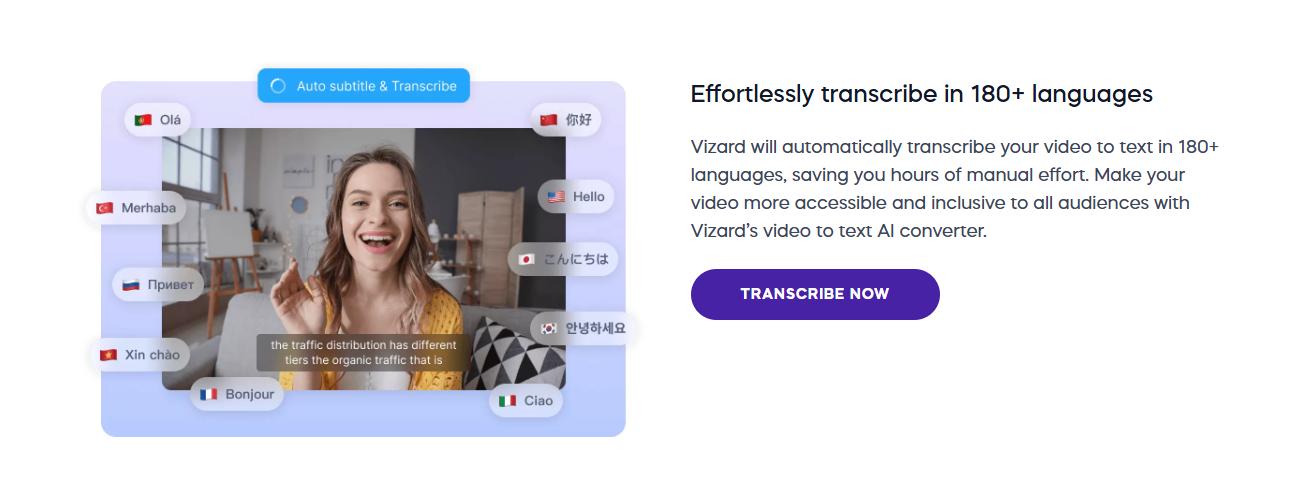
Multiple-language transcription: Supports transcription in multiple languages, helping creators and businesses produce content for a wider global audience.
-
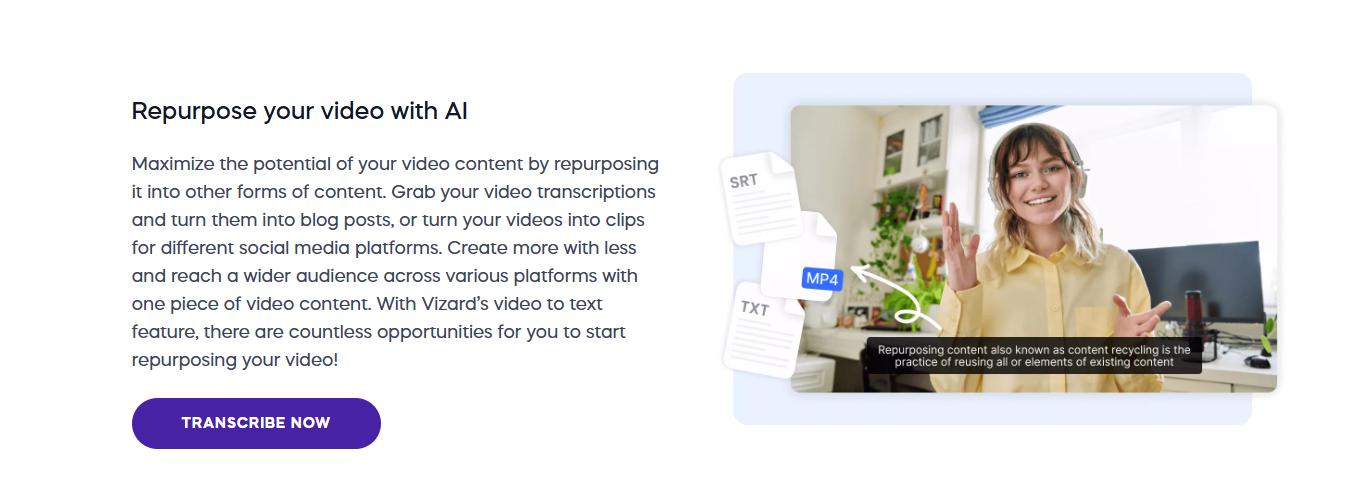
Export options and editing tools: Lets you edit transcripts directly on the platform and export them in various transcript and subtitle formats for different workflows.
-
Social media clip generation: Uses AI to identify key moments from longer videos and turns them into short, shareable clips for social media platforms.
How to use Vizard AI video to text
Provide a simple walkthrough explaining how users can convert videos into text within minutes. One of the biggest benefits of the platform is, of course, that it offers auto-generated captions. The clean interface and automated procedure make it easy for users to begin using it.
Step 1: Upload your video
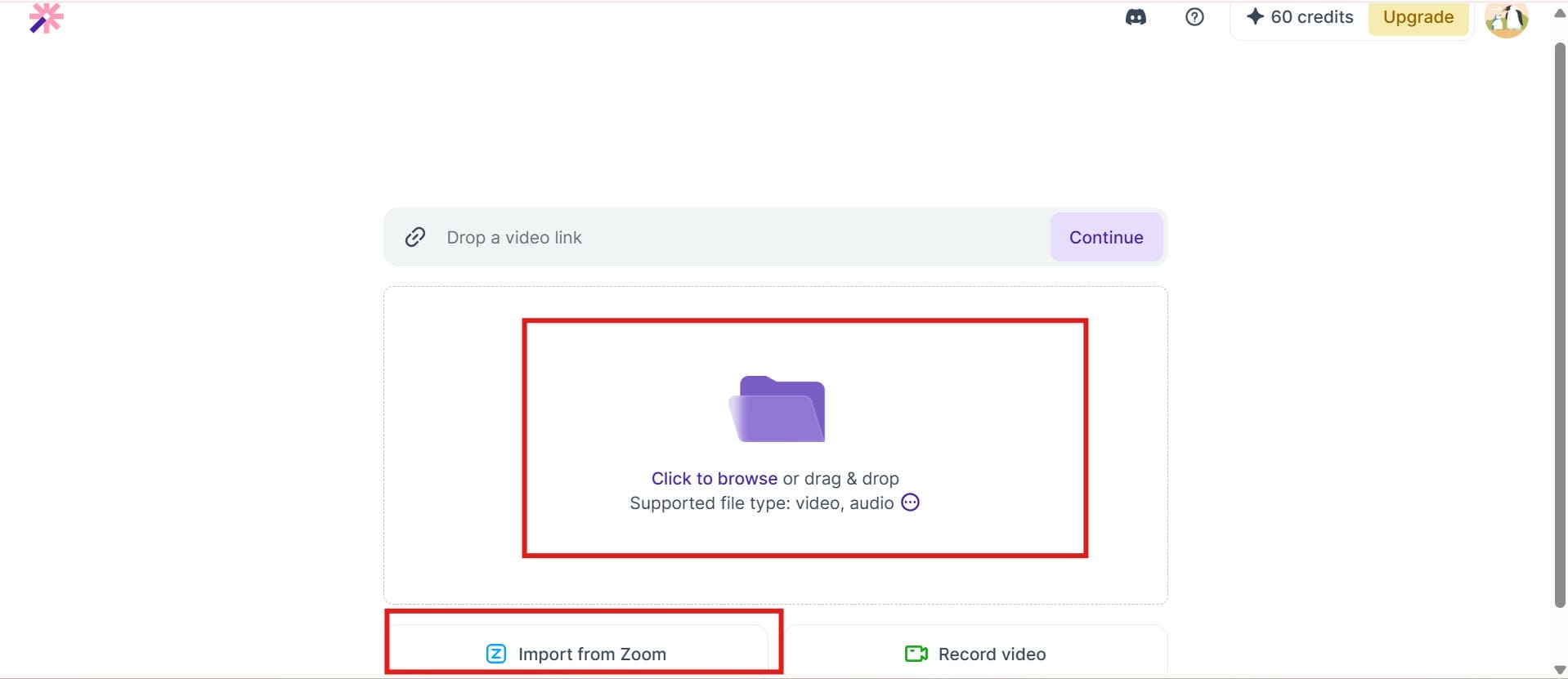
Upload your video file from your computer or drag and drop it into the Vizard AI dashboard. The platform supports common video formats and automatically prepares your file for transcription.
Step 2: Select the transcription language
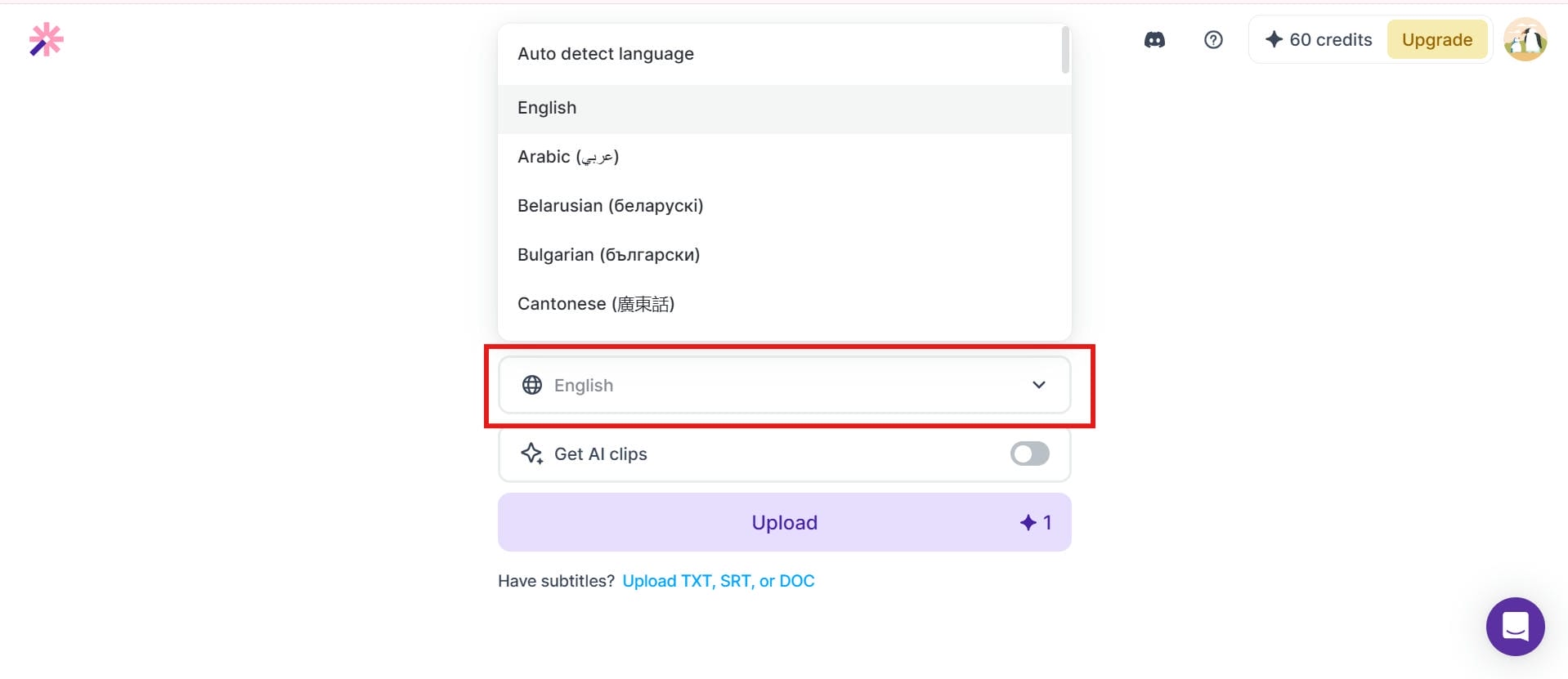
Choose the language spoken in your video before starting the transcription process. Selecting the correct language helps improve AI accuracy and generates more reliable transcripts and subtitles.
Step 3: Download your video to text
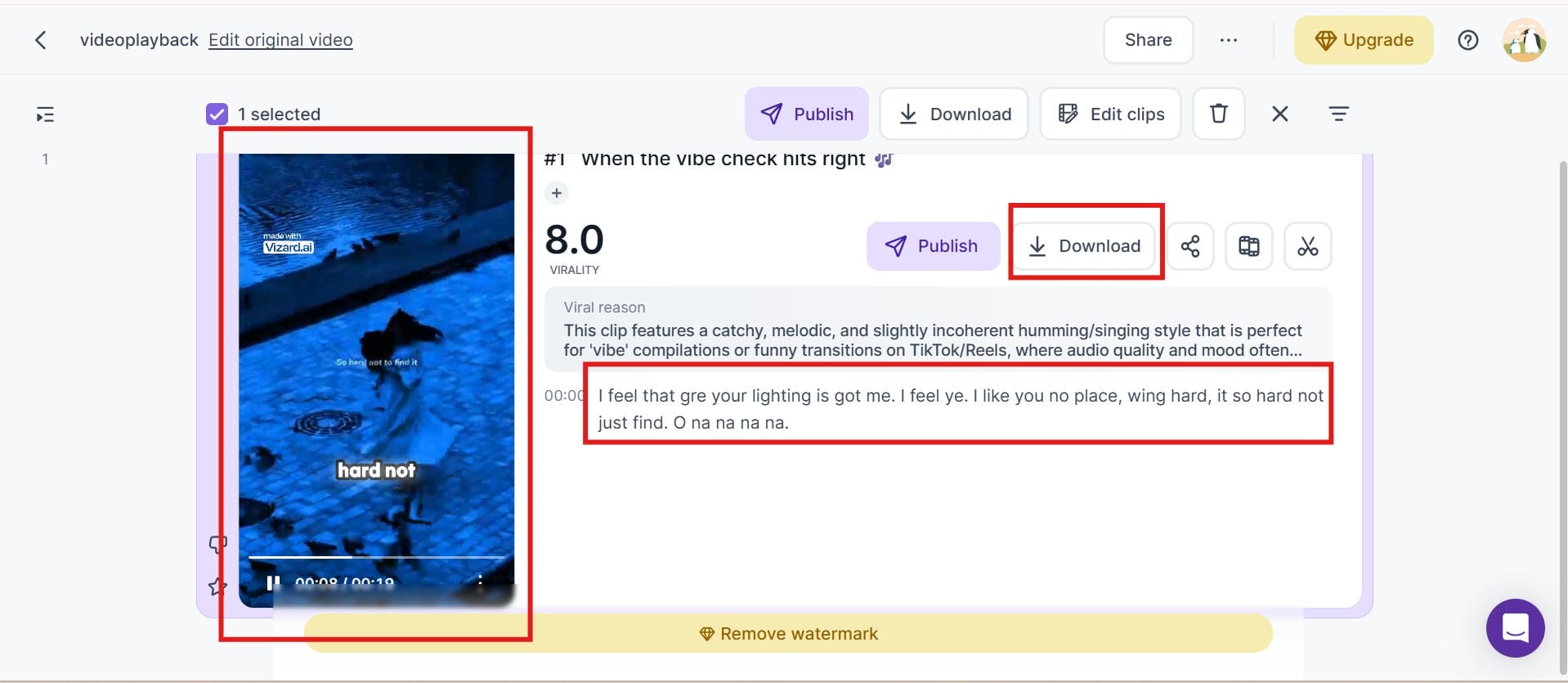
Once the transcription is complete, review and edit the generated text if needed. You can then export the transcript or subtitles in the available formats for publishing, editing, or sharing.
Vizard AI pros, cons, and pricing
Vizard AI is super easy to use for transcribing video and also generates subtitles and comes with AI-powered video editing capabilities. It's perfect for individuals who want to turn long videos into short-form entertainment. However, those with larger transcribing needs and complex audio files may wish to review the limits of use and pricing before choosing a professional transcription solution.
Pros and Cons
Pros
-
AI-powered transcription with automatic subtitle generation.
-
Built-in video editing and subtitle editing tools on one platform.
-
Supports multiple languages, speaker detection, and timestamps.
-
Easy-to-use interface for content creators.
-
Exports transcripts and subtitles in multiple formats.
Cons
-
The free plan has limited transcription minutes and features.
-
Paid plans are relatively expensive for heavy users.
-
Transcription accuracy may require manual editing for complex audio or strong accents.
-
Better suited for video creators than users looking for a dedicated transcription platform.
Pricing and Plans
|
Plan |
Pricing |
Best For |
Key Features |
|---|---|---|---|
|
Free |
$0 |
New users |
Basic features with limited transcription usage |
|
Creator |
$14.5/month |
Individual creators |
Higher transcription limits, advanced editing, and more exports |
|
Business |
$19.5/month |
Teams and businesses |
Collaboration tools, increased usage limits, and premium AI features |
While Vizard AI is a solid choice for combining transcription with video editing, some users may prefer a tool focused specifically on fast and accurate video and audio to text conversion. If your priority is generating editable transcripts, subtitles, and captions with a simple browser-based workflow, Vmake Labs offers a streamlined solution designed for efficient AI-powered transcription.
How to convert video to text with Vmake Labs
Vmake Labs is a browser-based AI transcription platform that makes it easy to convert both video and audio files into accurate, editable transcripts. It also generates subtitles and captions in just a few clicks, helping creators, marketers, educators, podcasters, and businesses save time on manual transcription. Whether you're creating meeting notes, educational content, or social media videos, Vmake Labs also works as a reliable YouTube video subtitle generator, making it simple to produce accessible and engaging content for a wider audience.
Key features of Vmake Labs video & audio to text
-
AI-powered video and audio transcription: Automatically transcribes spoken content of video and audio files into accurate, editable text. It can help to cut manual transcription time and increase productivity overall.
-
Supports MP4, MP3, WAV, MOV, and other popular formats: Upload a wide range of commonly used video and audio formats without converting your files beforehand. This makes the transcription process faster and more convenient.
-
Upload files or simply paste a link: Upload your video or audio file from your device, or simply paste a supported video link to start transcription instantly. This makes it easy to transcribe content from local files as well as videos shared on platforms like YouTube, TikTok, Instagram, and Facebook.
-
Generates editable transcripts, subtitles, and captions: Creates transcripts, subtitles, and captions that can be reviewed and edited before exporting. This ensures more accuracy and flexibility for varied use cases of content.
-
Multiple language support: Supports transcription in multiple languages, making it easier to create content for global audiences. It is suitable for multilingual projects and international teams.
-
Browser-based processing with no software installation: Access the tool directly from your web browser without downloading or installing additional software. Simply upload your file and start transcribing online.
-
Export transcripts and subtitles in TXT and SRT formats: Export finished transcripts and subtitle files in popular formats like TXT and SRT. These files are easy to work with for editing, distributing or adding captions to videos.
How to use Vmake Labs video & audio to text
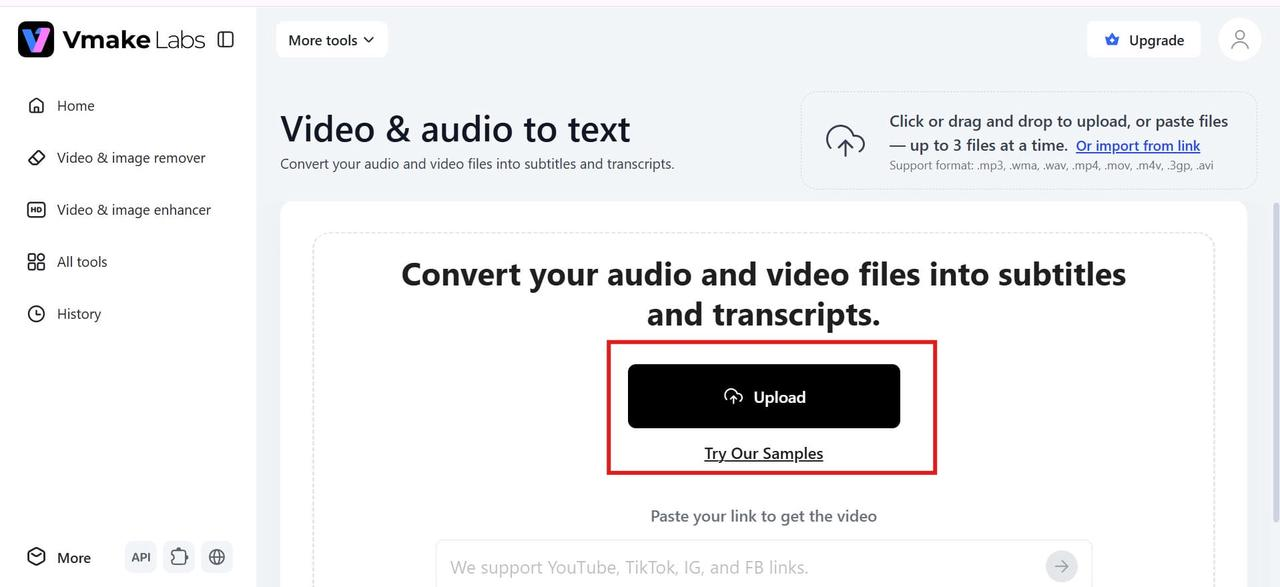
Step 1: Upload your video or audio file
Upload your video or audio file from your device to the Vmake Labs platform. It supports popular formats like MP4, MP3, WAV, and MOV, allowing you to start the transcription process in just a few clicks.
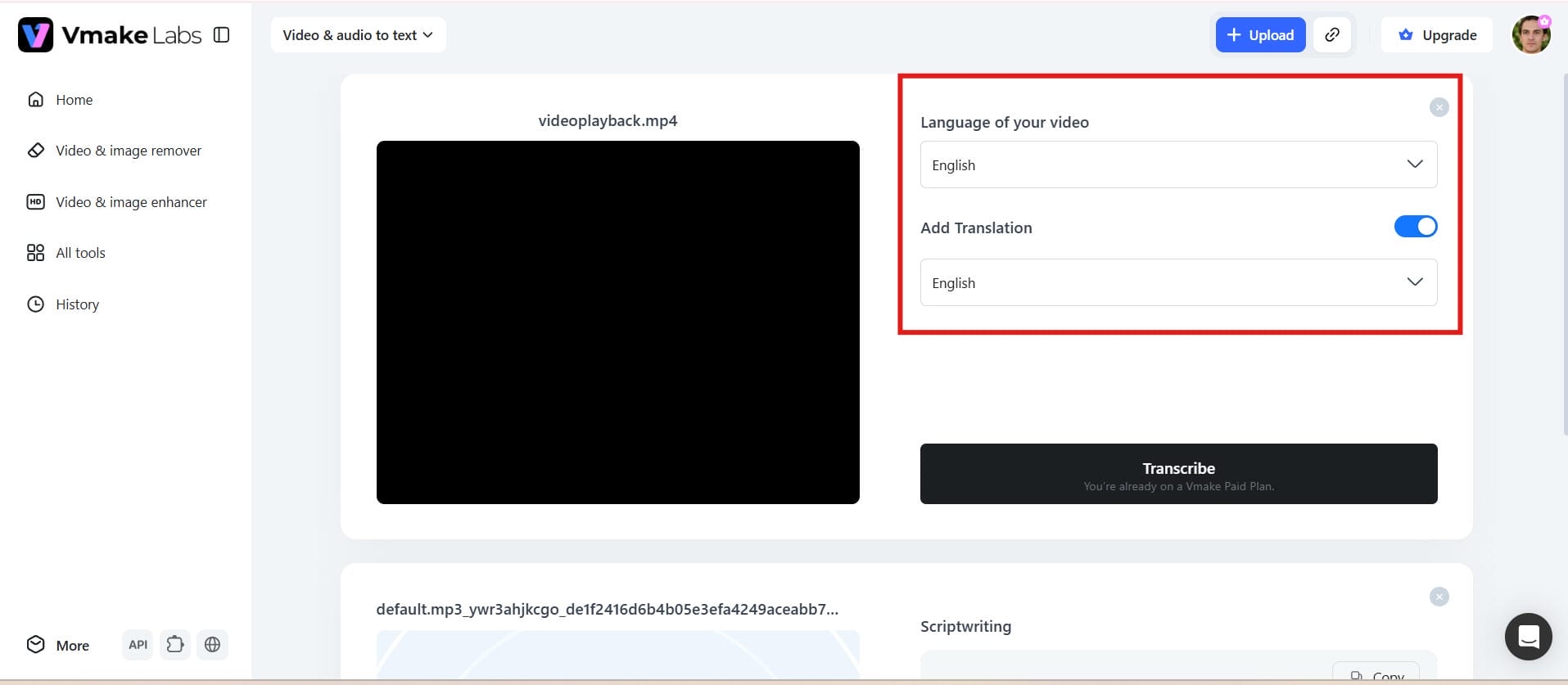
Step 2: Choose the transcription language
Select the language spoken in your file before starting the transcription. Choosing the correct language helps improve transcription accuracy and generates more reliable subtitles and captions.
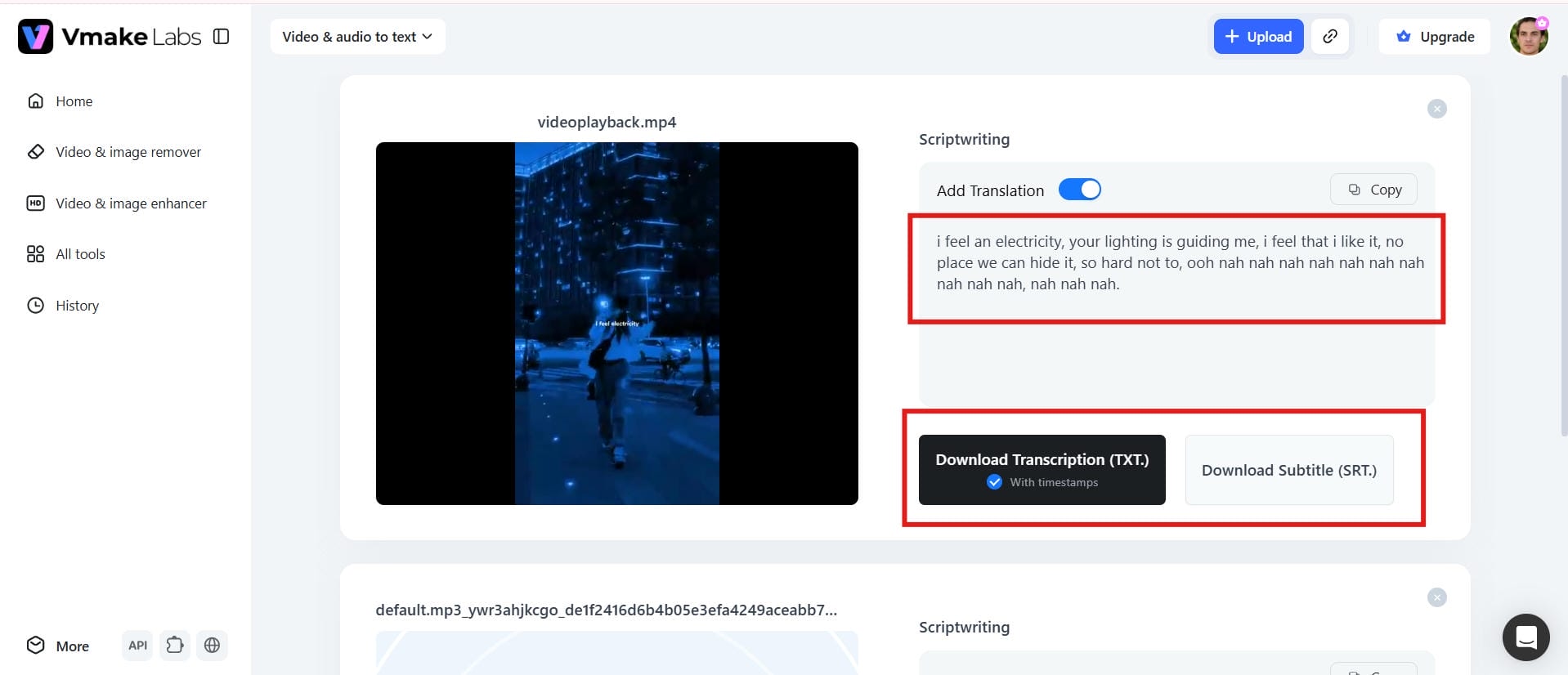
Step 3: Review, edit, and export your transcript
Once the transcription is complete, review the generated text and make any necessary edits. Export your transcript or subtitle file in the preferred format for publishing or further editing.
Vizard AI video to text vs Vmake Labs
Vizard AI and Vmake Labs both employ AI to turn spoken input into editable text, but they are built for different processes. Vizard AI focuses on video editing and short-form content production, transcription, and Vmake Labs focuses on rapid and accurate video and audio transcription. Below is a review of their significant distinctions to assist you choose the platform that best suits your content development needs.
|
Feature |
Vizard AI video to text |
Vmake Labs video & audio to text |
|---|---|---|
|
Primary purpose |
Video transcription with AI video editing and clip creation |
AI-powered video and audio transcription |
|
Input formats |
Supports common video file formats |
Supports video and audio formats such as MP4, MP3, WAV, MOV, and more |
|
AI transcription |
Automatically converts speech to text |
Automatically converts speech to editable text |
|
Subtitle generation |
Generates AI subtitles and captions |
Creates subtitles and captions with editable output |
|
Transcript editing |
Built-in transcript editing |
Edit transcripts before exporting |
|
Language support |
Supports multiple languages |
Supports multiple languages and accents |
|
Export formats |
Transcript and subtitle export options |
Export as TXT and SRT |
|
Ease of use |
Simple interface with integrated video editing |
Browser-based workflow with minimal setup |
|
Best for |
Content creators repurposing videos into social clips |
Creators, marketers, educators, podcasters, and businesses needing fast transcription |
Who Should Use Vizard AI?
Choose Vizard AI if you create content for YouTube, TikTok, Instagram Reels, or other social media platforms. It combines AI transcription with video editing and automatic clip generation, making it a good option for creators who want to repurpose long videos into short-form content.
Who Should Use Vmake Labs?
Choose Vmake Labs if your main goal is fast and accurate transcription. It is ideal for creators, educators, podcasters, marketers, and businesses that need multilingual speech-to-text conversion, editable subtitles, and quick transcript exports in TXT and SRT formats without advanced video editing tools.
Conclusion
Vizard AI is an excellent option for creators who want to transcribe their films while editing content and creating short social media clips in the same platform. If you need to transcribe both audio and video information quickly and accurately, then Vmake Labs delivers a simpler, more simplified approach. It helps the transcription process with web access, multi-language support, editable transcripts, subtitle generation, and many export options. The choice is yours whether you want a comprehensive video editing tool or a dedicated AI transcription solution to save time and provide reliable results.
FAQs
Is Vmake Labs a better alternative to Vizard AI video to text?
Vmake Labs is a good choice for those who need AI transcription to be fast and accurate, and don't need complex video editing. It works with video and audio files, creates editable transcripts and subtitles, and offers a simple, browser-based workflow to help you build content efficiently.
How accurate is Vizard AI video to text for transcription?
Vizard AI is able to accurately transcribe videos with clear voice and good audio quality. However, recordings with background noise, several speakers, or strong accents may need considerable manual editing to improve the final transcript.
Does the Vizard video to text converter support multiple languages?
Yes. Vizard AI supports transcription in multiple languages, making it suitable for creators, educators, and businesses with global audiences. If you also need multilingual transcription for both video and audio files, Vmake Labs offers similar language support with editable transcript output.
Can I export transcripts from Vizard.ai video to text?
Yes. Vizard AI gives you the ability to evaluate and adjust your transcript before exporting it. You can obtain transcripts and subtitles in supported formats for convenient use in content editing, publishing, accessibility, or repurposing across other platforms.
Is there a free version of Vizard video-to-text?
Yes. Vizard AI is free to use, and you can try out its basic transcription and video editing features before subscribing. There are usage limits on the free edition, but it's an excellent opportunity to test out the platform and see if it fits your content creation needs.
Who should use Vizard video-to-text for content creation?
The right choice depends on your workflow. Choose Vizard AI if you need built-in video editing and social clip creation, while Vmake Labs is a better fit if your priority is fast, accurate transcription, multilingual support, and easy transcript and subtitle exports.

You May Be Interested
VEED.io Audio to Text: Everything You Need to Know in 2026
How to Transcribe Video to Text in 2026: Free Online AI Tool
How to Transcribe Audio Recording to Text in Minutes
How to Transcribe a Video to Text: Guide to Accurate Transcriptions