Best Sora Alternatives in 2026: Top 7 AI Video Generators
Explore the best Sora alternatives in 2026 with this guide to 7 AI video generators. Compare video quality, generation features, pricing, free access, and what each is best for.

OpenAI shut down the Sora app on April 26, 2026, and the Sora API goes dark on September 24. Anyone who built content workflows around Sora 2 needs a replacement now, not eventually. This guide compares seven of the best Sora alternatives to video quality, audio support, ease of use, and pricing, so you can pick one before the deadline hits.
What to look for in a Sora alternative
Choosing the right Sora alternative depends on how you actually work. Focus on these factors before you commit credits or a subscription.
-
Video quality and realism
Check how a model handles motion, lighting, and physical realism at the resolution you actually plan to publish, not just in a demo reel.
-
Text-to-video vs. image-to-video support
Pure text prompts allow conceptual exploration, but image-to-video (I2V) and video-to-video (V2V) provide the structural control required for commercial assets.
-
Audio/dialogue generation capabilities
Advanced pipelines generate synchronized multi-speaker dialogue, ambient tracks, and sound effects natively alongside the video render.
-
Ease of use
Look at how much setup a tool needs before you get a usable clip, from prompt writing to model selection to export settings.
-
Pricing and free access
Evaluate whether credits replenish monthly, scale on a per-second API basis, or come attached to watermarks on free tiers.
Quick comparison: top Sora AI alternatives at a glance
Picking the right Sora AI alternatives often comes down to price and resolution before anything else. Here's how the seven tools stack up on cost, maximum length, and free access before you dig into the details.
|
Tool |
Best for |
Free tier |
Max length |
Pricing |
|---|---|---|---|---|
|
Vmake Labs |
Multi-model flexibility (Seedance, Kling, etc.) in one tool |
Free credits |
Up to 15s |
Free + paid plans |
|
Kling AI 3.0 |
Narrative, multi-shot storytelling |
Limited free credits |
15s |
$10–$180/mo (official subscription, monthly billing); API separate, ~$0.07–$0.17/sec |
|
Google Veo 3.1 |
Native audio + Google ecosystem integration |
Yes (Veo Lite, watermarked, limited) |
8s (extendable to 60s) |
$19.99–$200/mo (Google AI Pro/Ultra subscription, monthly); API $0.05–$0.60/sec |
|
Runway Gen-4.5 |
Professional editing workflow |
Small one-time credit grant |
5–10s |
$12–$76/mo (Standard–Max, billed annually; $15–$95/mo billed monthly); API separate, $0.05–$0.12/sec |
|
Pika |
Fast, stylized social clips |
Yes, 80 credits/month |
5–10s |
$8–76/mo |
|
Luma Dream Machine |
Photorealism and HDR color grading |
Image-only free tier, no free video |
10s (extendable to ~30s) |
$30–$300/mo (current Luma Agents plans, monthly); legacy Dream Machine plans still live at $9.99–$94.99/mo |
|
Seedance 2.0 |
Multimodal consistency across multi-shot scenes |
Via Dreamina/CapCut trial credits |
15s |
Via Dreamina/CapCut trial credits |
7 best Sora alternatives in 2026
-
Vmake Labs
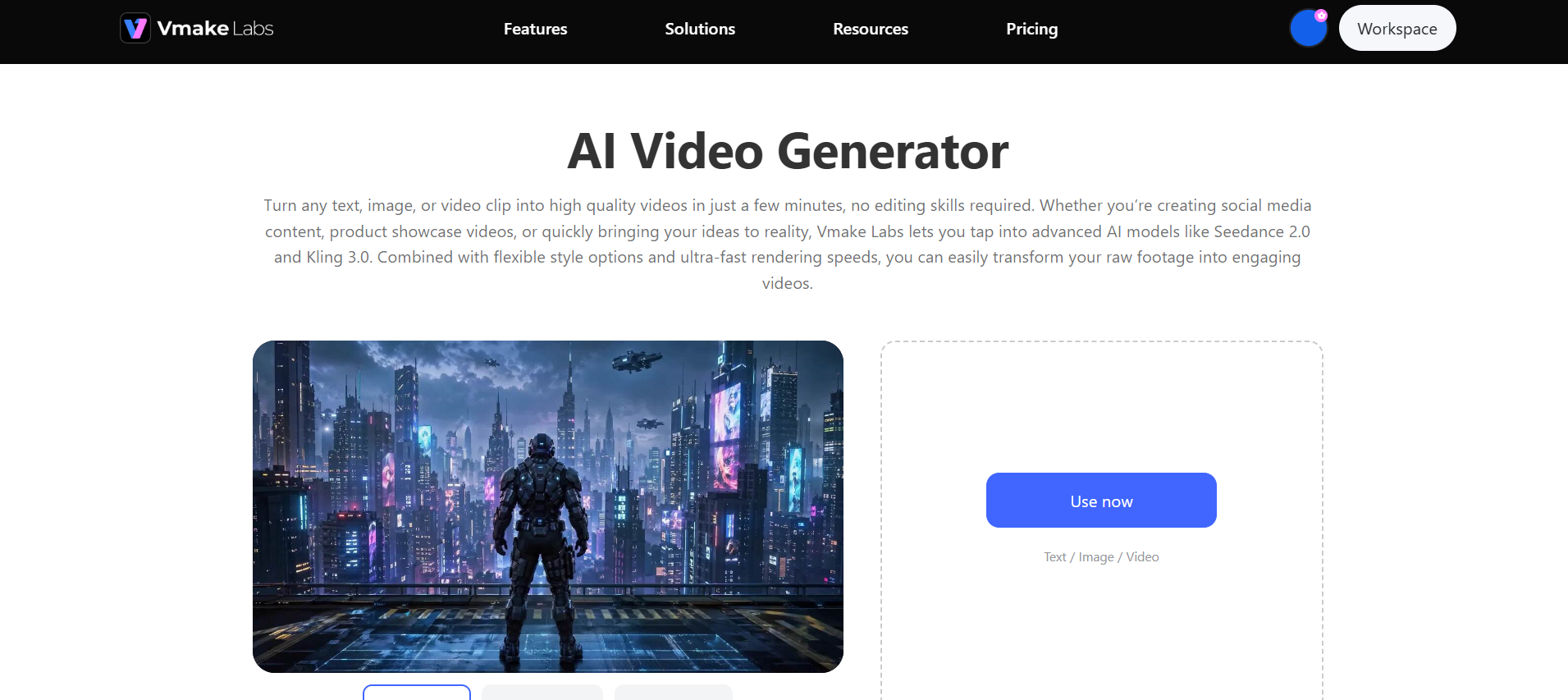
Vmake Labs is an all-in-one AI social video studio that turns product photos, text prompts, or raw footage into viral-ready marketing videos and content. Its AI video generator is built around model choice rather than a single house model. Instead of locking you into one video engine, it gives you Seedance 2.0, Kling 3.0, Google Veo 3.1, Sora 2, Vidu Q2, and Wan 2.2 in the same workspace, so you can switch models based on what a specific clip needs instead of adopting a whole new tool.
Best for: Creators and agencies wanting one-stop access to multiple AI video models without juggling multiple accounts.
Pricing: Free tier with trial credits; tiered subscription plans available for bulk professional rendering.
Key features of Vmake Labs
-
Text-to-video generation: Type a prompt describing your scene, product, or idea, and Vmake Labs turns it into a usable video clip within minutes. You can test concepts and pitch ideas before committing to any filming or production budget.
-
Image-to-video animation: Upload a product photo or still image and animate it into motion with your choice of visual style. E-commerce sellers and marketers can turn existing photo assets into scroll-stopping video without booking a separate shoot.
-
Video-to-video: Feed in an existing clip and reshape its style, motion, or overall look using any of the available AI models. This lets creators repurpose old footage into fresh, platform-ready content instead of filming something new each time.
-
Multiple AI models: Switch freely between Seedance 2.0, Kling 3.0, Veo 3.1, and other leading models within the same workspace. This makes it possible to match the right model for each project's needs instead of settling for whatever one tool happens to offer.
Steps to generate videos using Vmake Labs
Creating dynamic video content with Vmake Labs is straightforward. Follow these three simple steps to produce high-impact assets in minutes.
Step 1: Add your content or ideas
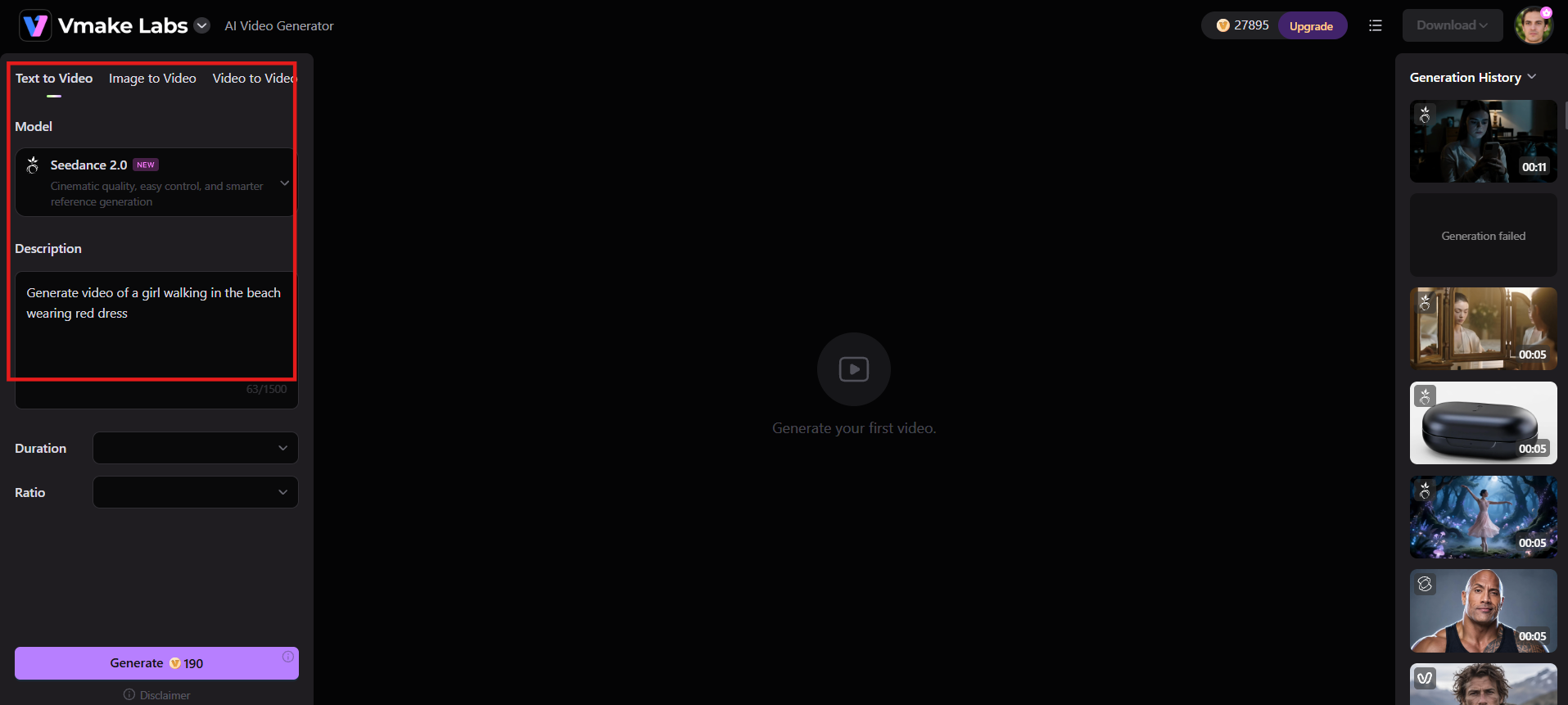
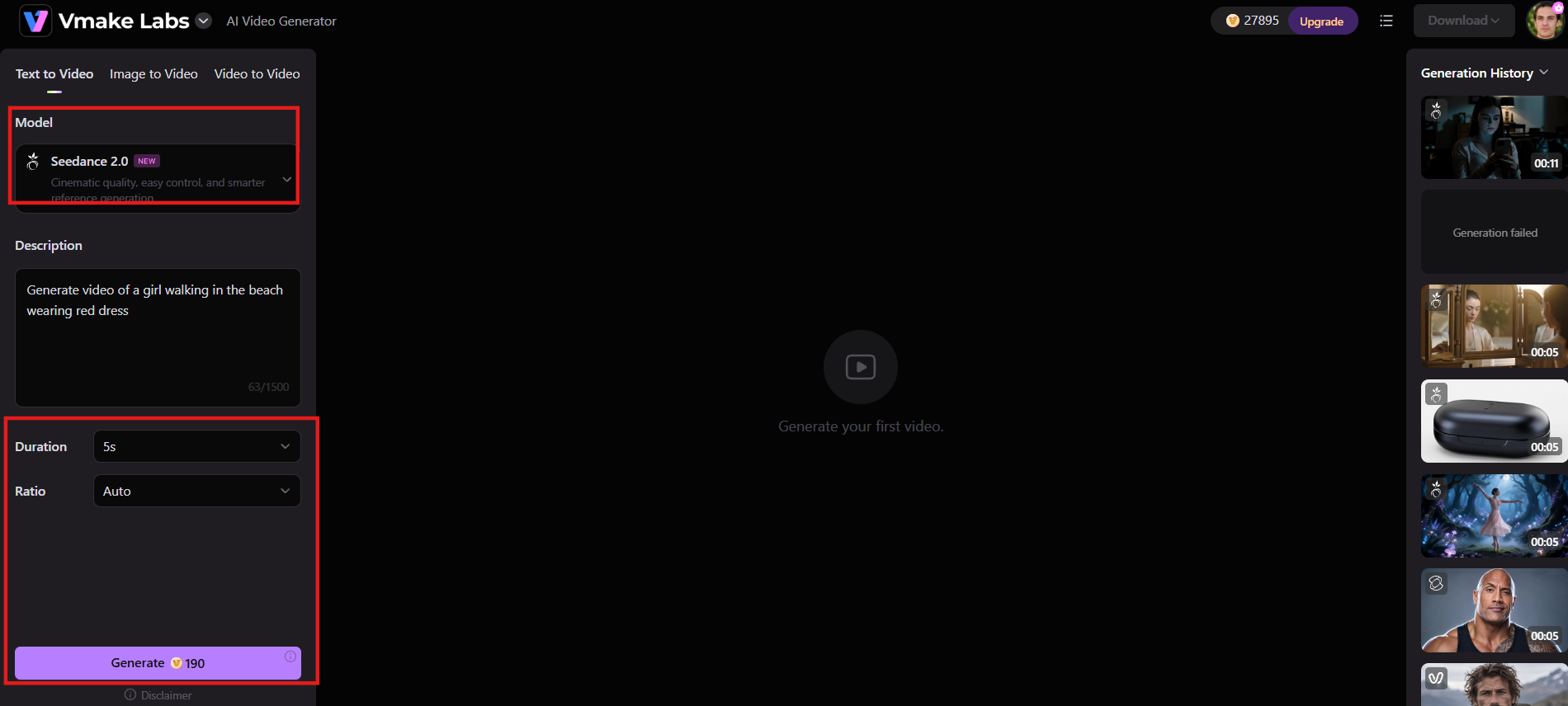
Go to the Vmake Labs AI Video Generator and choose your input mode: Text to Video, Image to Video, or Video to Video. Enter a short text prompt, upload an image, or add an existing video clip. No complicated setup is required.
Step 2: Dial in your preferences
Select the AI model you want (such as Seedance, Kling 3.0, or others available), pick a visual style, set the video length (typically 2–15 seconds), and choose the aspect ratio. Then click Generate and let the AI handle the rest.
Step 3: Preview & download
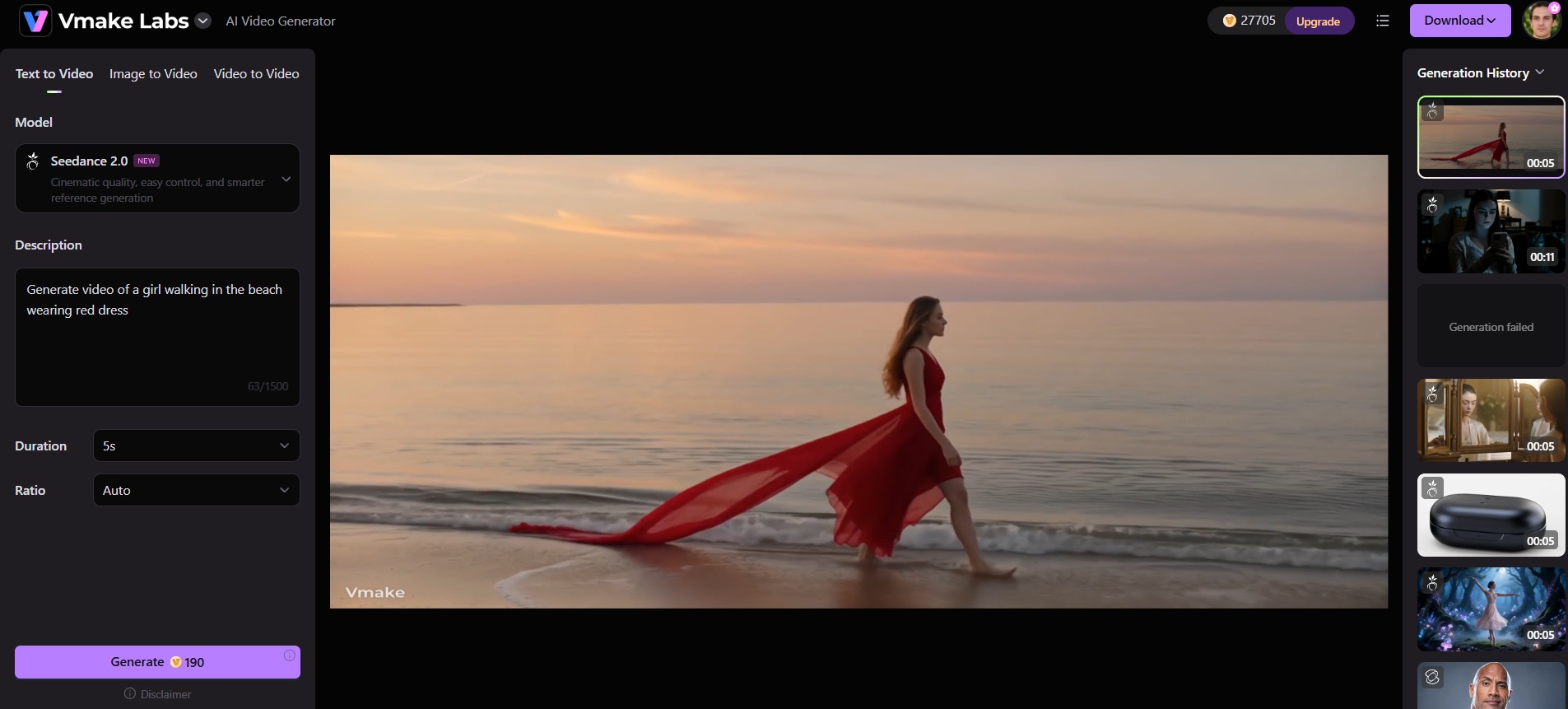
Once generation finishes, preview the video in the workspace. If you're happy with the result, download it immediately in high resolution (up to 4K) and use it for social media, product videos, or any project.
Pros |
Cons |
|---|---|
|
|
-
Kling AI
Kling AI, from Kuaishou, is a leading Sora 2 alternative built for narrative, multi-shot video rather than single isolated clips. Its Kling 3.0 model targets creators who need dialogue, camera direction, and continuity across several shots in one project, all inside a platform that also gives new users a meaningful daily allowance to test output before committing to a paid plan.
Best for: Creators building short story-driven sequences without manual clip-stitching.
Pricing: Limited free credits; paid plans from $10–$180/month, billed monthly (~34% off annually); API ~$0.08–0.17/sec.
Key features of Kling AI
-
Native audio generation: Kling 3.0 generates synced, multilingual dialogue and sound effects directly from a text prompt, without a separate recording or mixing step. This lets creators produce short narrative clips with usable audio in a single generation pass.
-
AI Director multi-shot sequences: Build sequences of up to 15 seconds spanning multiple shots without manually stitching individual clips together in an editor. The tool handles continuity across shots, so a short story comes together as one coherent piece.
-
Native 4K output: Export finished clips at broadcast-ready resolution, well beyond what most competing tools currently support. This makes Kling output suitable for polished final deliverables rather than only rough drafts or social previews.
-
Strong motion physics: Objects, cloth, and body movement follow believable weight and momentum. This helps users avoid the floating-limb and sliding-object problems common in weaker models.
Pros |
Cons |
|---|---|
|
|
-
Google Veo 3.1
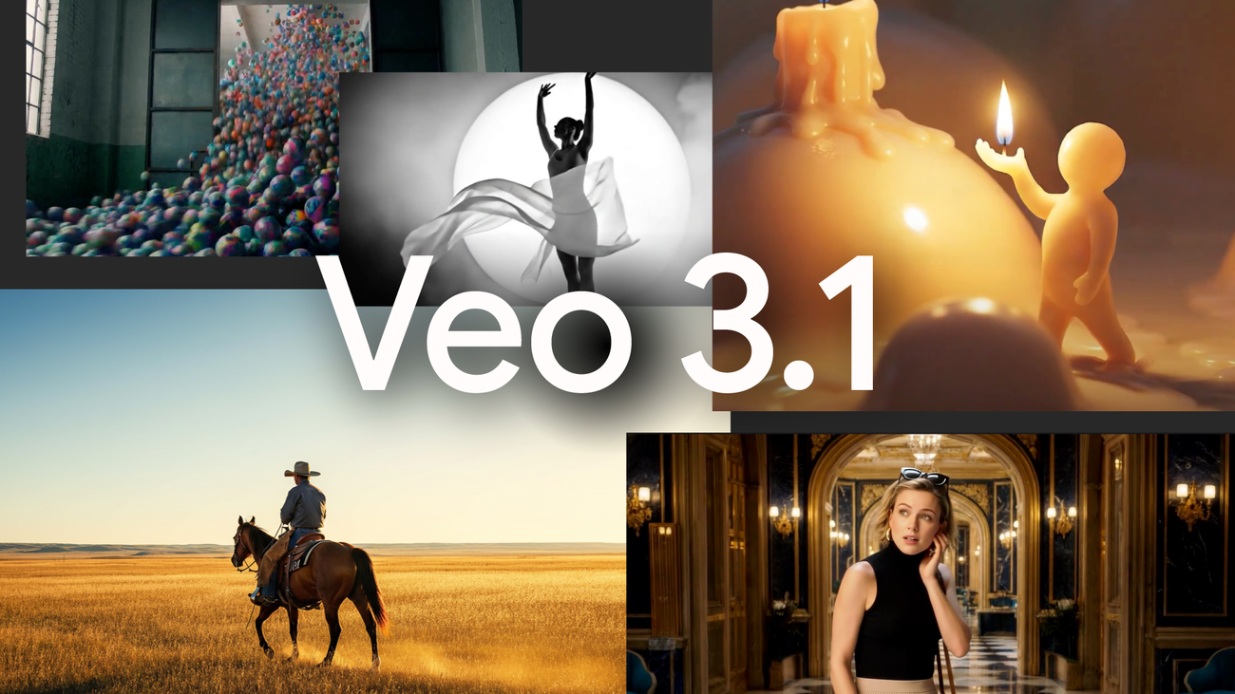
Google Veo 3.1 is the Sora alternative we turned to when cinematic lighting, reliable physics, and native dialogue had to arrive in the same file. It lives inside Flow, Gemini, and Vertex AI, so the experience feels stable and production-oriented rather than experimental.
Best for: Users already in the Google ecosystem who need reliable, production-stable audio-and-video output.
Pricing: Limited free access; subscription: $19.99/month (Google AI Pro) to $100–$200/month (Google AI Ultra). API is billed separately and by resolution: $0.05–$0.60/sec across Veo 3.1 Lite, Fast, and Standard tiers.
Key features of Google Veo 3.1
-
Native synchronized audio: Dialogue, ambient sound, and sound effects all generate in the same pass as the video itself, rather than as a separate step. This removes the need for a dedicated audio tool on most short-form projects and speeds up delivery.
-
Reference-image character consistency: Upload a reference image and a character's appearance stays visually stable across multiple generated shots. This matters most for creators building recurring characters, mascots, or branded content that needs to look the same scene to scene.
-
Up to 4K resolution: The Fast tier supports export at up to 4K, a meaningful jump over the 720p ceiling on Veo's entry access. Footage holds up on larger screens and in professional edits instead of looking soft outside mobile feeds.
-
Extendable clip length: Expands baseline 8-second clips up to 60 seconds through context-aware extension, giving you longer uninterrupted scenes and sustained visual moods for long-form commercial storytelling.
Pros |
Cons |
|---|---|
|
|
-
Runway Gen-4.5
Runway Gen-4.5 is positioned inside a full creative suite rather than sold as a standalone generator, which makes it one of the more production-ready alternatives to Sora on this list. It pairs strong prompt adherence to complex camera instructions with inpainting, motion brush, and a timeline editor, so agencies can generate and finish footage without leaving the platform.
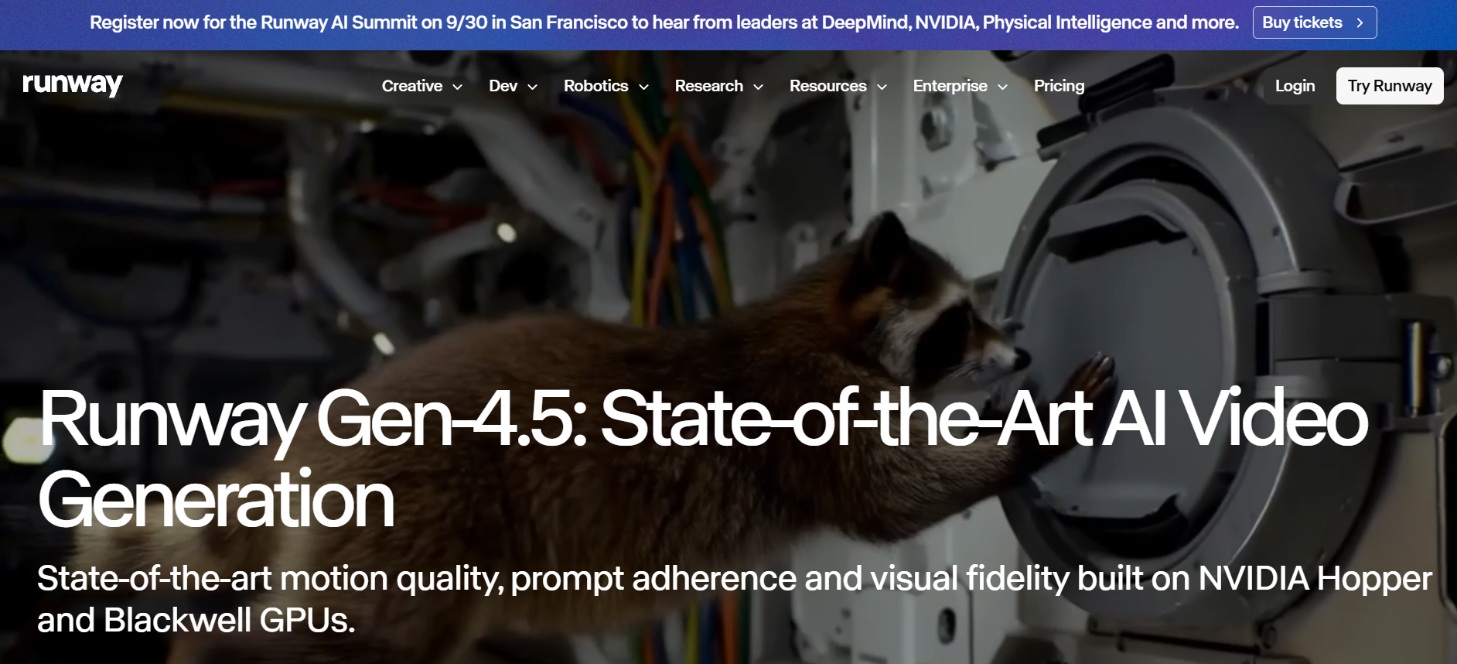
Best for: Filmmakers and agencies who want generation embedded in a professional editing workflow.
Pricing: Free tier with a one-time 125-credit grant. Standard runs $12/month billed annually ($15/month billed monthly), Pro runs $28/month billed annually ($35/month billed monthly), and Max runs $76/month billed annually ($95/month billed monthly), with one-month credit rollover; the only tier that rolls over unused credits.
Key features of Runway Gen-4.5
-
Complex camera-instruction adherence: Gen-4.5 follows multi-step, sequenced camera directions, like a slow dolly-in followed by a whip-pan, more reliably than most competing models. This means the shot described in the prompt is usually the shot that gets delivered.
-
Text-to-video and image-to-video: Generate a new clip from a written prompt, or animate an existing still image into motion. Creators can start from whichever asset they already have on hand instead of being forced into one single input method.
-
Professional export formats: Paid plans support ProRes, PNG sequences, and transparent exports alongside standard video files. This lets footage drop straight into a professional post-production or compositing pipeline without a conversion step in between.
-
Full editing suite: Inpainting, motion brush, video-to-video tools, and a built-in timeline editor all sit alongside the generation tools in the same workspace. A clip can be generated and finished in one place instead of moving between separate apps.
Pros |
Cons |
|---|---|
|
|
-
Pika
Pika is built for volume and speed rather than cinematic polish, making it one of the more accessible Sora alternatives free to start with for social-first creators. Its branded effects tools (Pikaffects, Pikaformance) target TikTok, Reels, and Shorts, where a fast turnaround and a distinct visual hook matter more than 4K fidelity or complex physics.
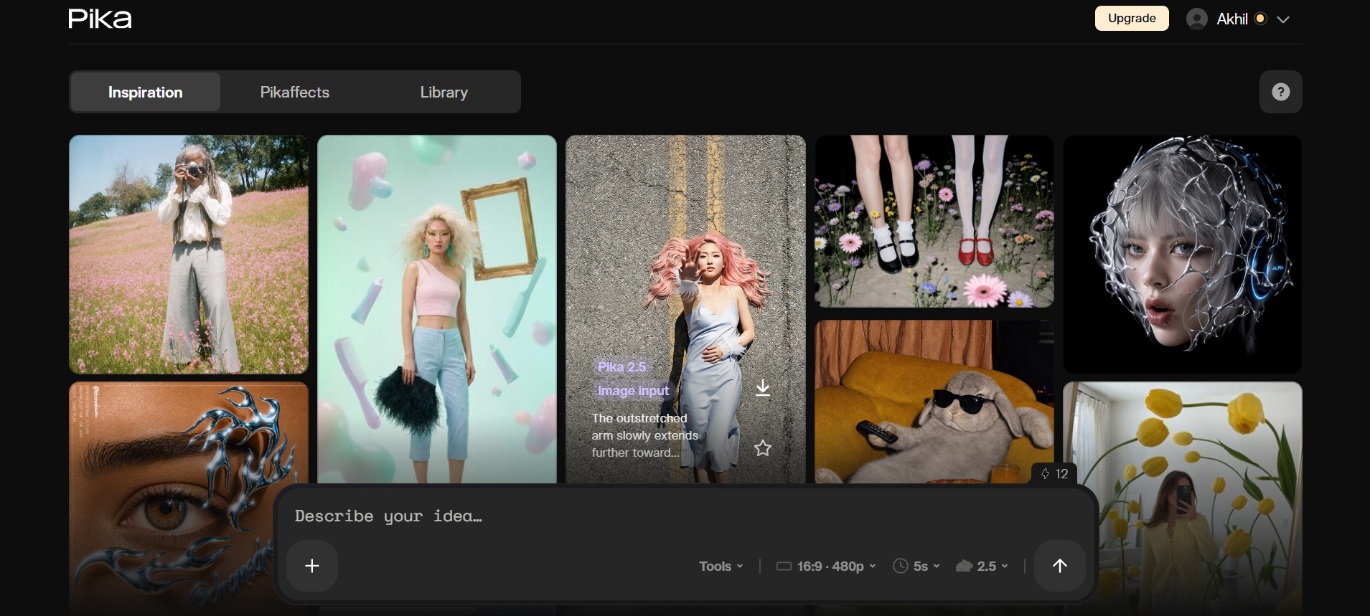
Best for: Fast, novelty-driven, social-first content (TikTok, Reels, Shorts).
Pricing: Free ~80 credits/month; paid plans from $8/month (annual) to $76/month.
-
Pikaffects transformations: One-tap physics effects like melt, inflate, explode, and crush apply directly to an uploaded image or clip with a single click. This produces a distinct, attention-grabbing visual hook without any manual effects work or animation skills required.
-
Pikaformance lip-sync: Drive a lip-synced, full-body performance from an uploaded audio track, matching mouth movement and motion to the sound. This lets creators animate a character or avatar convincingly without motion-capture equipment or a professional studio setup.
-
Native audio (added 2026): Pika now generates audio directly alongside video instead of requiring a separate audio-generation pass or outside tool. This speeds up short-form social content that needs sound, since the whole clip comes out finished in one step.
-
Fast generation speed: Clips typically render in noticeably less time than cinematic-focused competitors, since Pika prioritizes speed over maximum visual fidelity. This makes it practical to iterate through several variants of an idea within a single working session.
Pros |
Cons |
|---|---|
|
|
-
Luma Dream Machine
Luma Dream Machine's Ray3 model is built for photorealistic motion and a color-gradable pipeline rather than an all-in-one audio-video package, which makes it a solid Sora alternative for teams that already have an editing and sound workflow in place. It leans on camera-motion control and HDR export instead of built-in effects or dialogue.
Best for: Creators and marketers who edit and score footage separately in post-production.
Pricing: Limited free access. Two ladders run in parallel: the newer Luma Agents plans at $30–$300/month (no free tier), and the legacy Dream Machine plans still live at $9.99–$94.99/month (with a free, watermarked tier).
Key features of Luma Dream Machine
-
16-bit HDR pipeline: Footage exports with a wider dynamic range than standard 8-bit clips, preserving more detail in highlights and shadows. This lets colorists apply a heavy grade in post-production without the image breaking apart or losing quality.
-
EXR export: Files export in a format built specifically for professional compositing and visual-effects pipelines, rather than only standard delivery formats. This lets footage drop directly into existing post-production workflows without a conversion or format-fixing step beforehand.
-
Strong camera-motion control: Specific camera moves, like a steady push-in or a controlled pan, come through with more precision than many competing models offer. This produces a deliberate, directed shot instead of the random drift common in AI-generated camera motion.
-
Image-to-video extension: A single still photograph can be turned into several seconds of extended, realistic motion using Luma's animation engine. This is especially useful for photographers and product teams who want motion from assets they've already shot.
Pros |
Cons |
|---|---|
|
|
-
Seedance 2.0
Seedance 2.0 is ByteDance's multimodal model, the same one powering Dreamina and CapCut, and it's one of the stronger Sora 2 alternatives free to test if character consistency across multiple shots matters to your project. It accepts text, image, video, and audio as input in a single pass rather than restricting you to one input type.
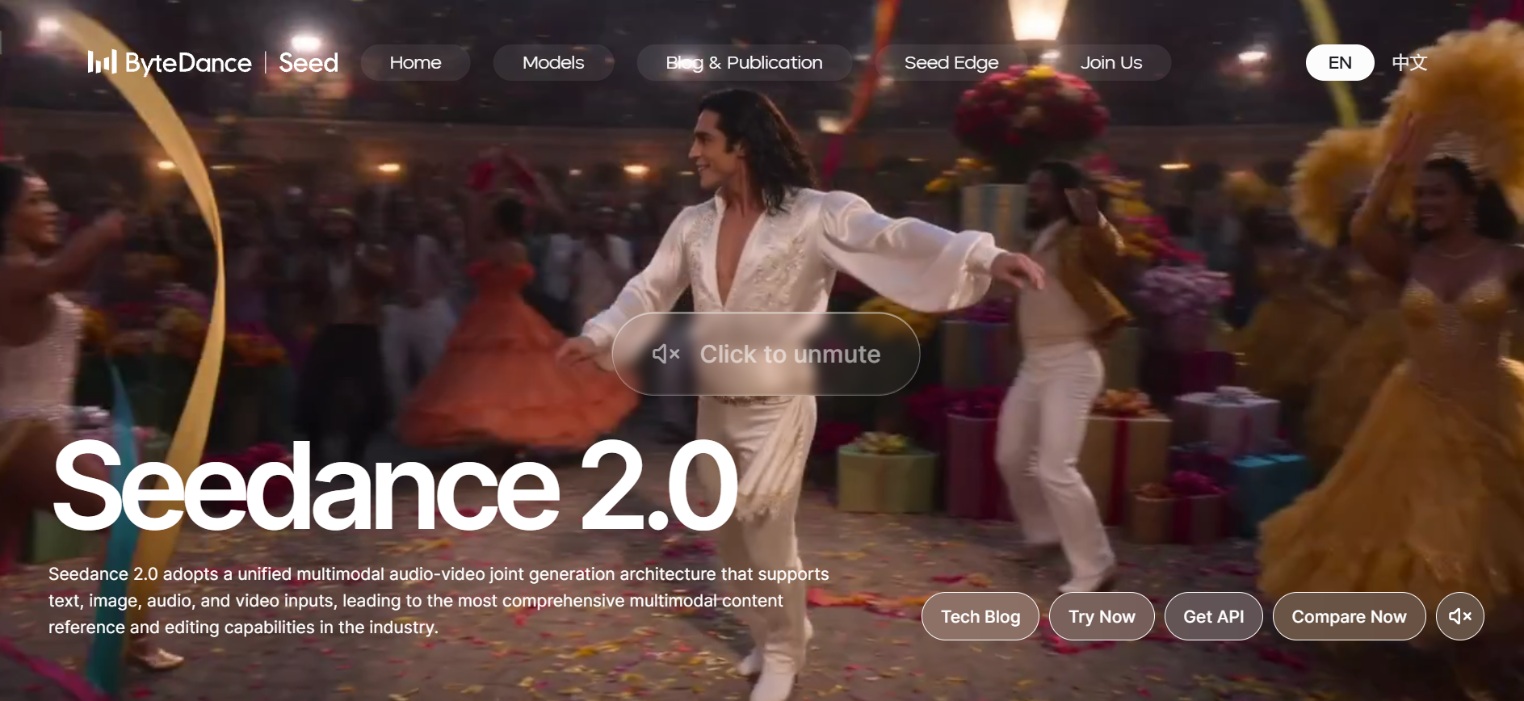
Best for: Creators needing multi-shot character consistency at a lower cost than Kling or Veo.
Pricing: Trial credits via host platforms; effective rates often ~$0.05–0.30/sec.
Key features of Seedance 2.0
-
Multimodal input: Text, image, video, and audio can all combine within a single generation request, rather than being limited to one input type. This lets creators start from whichever asset best represents their idea instead of being forced through a text prompt alone.
-
Native lip-synced dialogue and sound effects: Audio generates alongside the video in the same pass, complete with synced lip movement and sound design. This skips a separate audio production step entirely for short-form content that needs finished sound.
-
Multi-file reference system: Multiple reference files keep a character's appearance and overall style consistent from one shot to the next within a sequence. This matters most for multi-shot projects where continuity would otherwise break down between separate generations.
-
Cinematic camera language: Built-in dolly, crane, parallax, and whip-pan moves are available as defined camera behaviors rather than generic pans or zooms. This makes footage read as deliberately directed rather than automated, closer to what a human camera operator would produce.
Pros |
Cons |
|---|---|
|
|
How to choose the right Sora alternative
Selecting the right model requires balancing creative requirements, technical control, and output speed against your team's production pipeline.
-
Your primary use case: A tool built for cinematic quality and one built for volume social content solve different problems. Define what you're actually making before comparing feature lists or pricing tiers.
-
Match your skill level and time budget: A full creative suite like Runway rewards time invested in learning it, while a simpler generator gets you a usable clip faster with far less manual control.
-
Test before you commit: Every tool on this list offers a free tier or low-cost entry plan. Run the same prompt through two or three of them before paying for any subscription.
-
Look at generation and editing features: Headline video quality matters less if the editing tools you need week to week, like reference images or audio sync, aren't actually included in your plan.
-
Consider speed and workflow: A tool that produces great clips slowly can bottleneck a content calendar just as badly as one with mediocre output, so factor generation time into your decision.
Conclusion
With Sora no longer available as a long-term option, choosing the right Sora alternative depends on your content goals, budget, and workflow. Vmake Labs stands out for multi-model flexibility, while Kling and Seedance excel at storytelling and consistency. Veo 3.1 is a strong choice for native audio, Runway suits professional editing, Pika works well for social content, and Luma is ideal for photorealistic production. Test your top options with the same prompts, compare results, and choose the tool that best fits your needs.
FAQs
What is the best Sora alternative in 2026?
The best choice depends on workflow needs. Vmake Labs offers versatile multi-model switching, Runway Gen-4.5 provides unmatched timeline editing control, Google Veo 3.1 leads in native synchronized audio, and Kling AI 3.0 excels at multi-shot narrative continuity.
Is there a free Sora alternative?
Yes. Kling AI, Google Veo through Gemini, Pika, Seedance 2.0 through Dreamina, and Vmake Labs all offer free tiers, though most cap resolution, add a watermark, or limit how many clips you generate daily.
Why did OpenAI shut down / restrict Sora?
OpenAI discontinued its Sora video-generation app and web experience on April 26, 2026, due to high operational costs, low user retention, and rising regulatory and copyright pressures.
Which Sora alternative has the best video quality?
Luma Dream Machine leads in photorealistic physical dynamics and professional color reproduction via its 16-bit HDR pipeline. For ultra-high-definition narrative sequences with minimal visual motion artifacts, Kling AI 3.0 delivers exceptionally clean native 4K renders.
How do Sora alternatives compare on character consistency?
Seedance 2.0 uses a multi-file reference system to hold characters and style steady across shots. Veo 3.1 supports reference images for the same purpose. Kling 3.0 handles consistency at the sequence level instead.

You May Be Interested
7 Best Free AI Image Generators 2026 Alternatives to Grok Imagine
AI Video Enhancement And Upscaling: Pros, Cons, Alternatives, and Future Trends

How to Get Sora 2 Invite Code: 6 Methods that Actually Work
How to Enhance Sora AI Video Quality for Free in Simple Steps