
How to Create Animated Videos with AI: A Complete Beginner's Guide
Want to turn ideas, images, or scripts into engaging animated content? Learn how to create animated videos quickly with AI and produce professional results using Vmake AI.

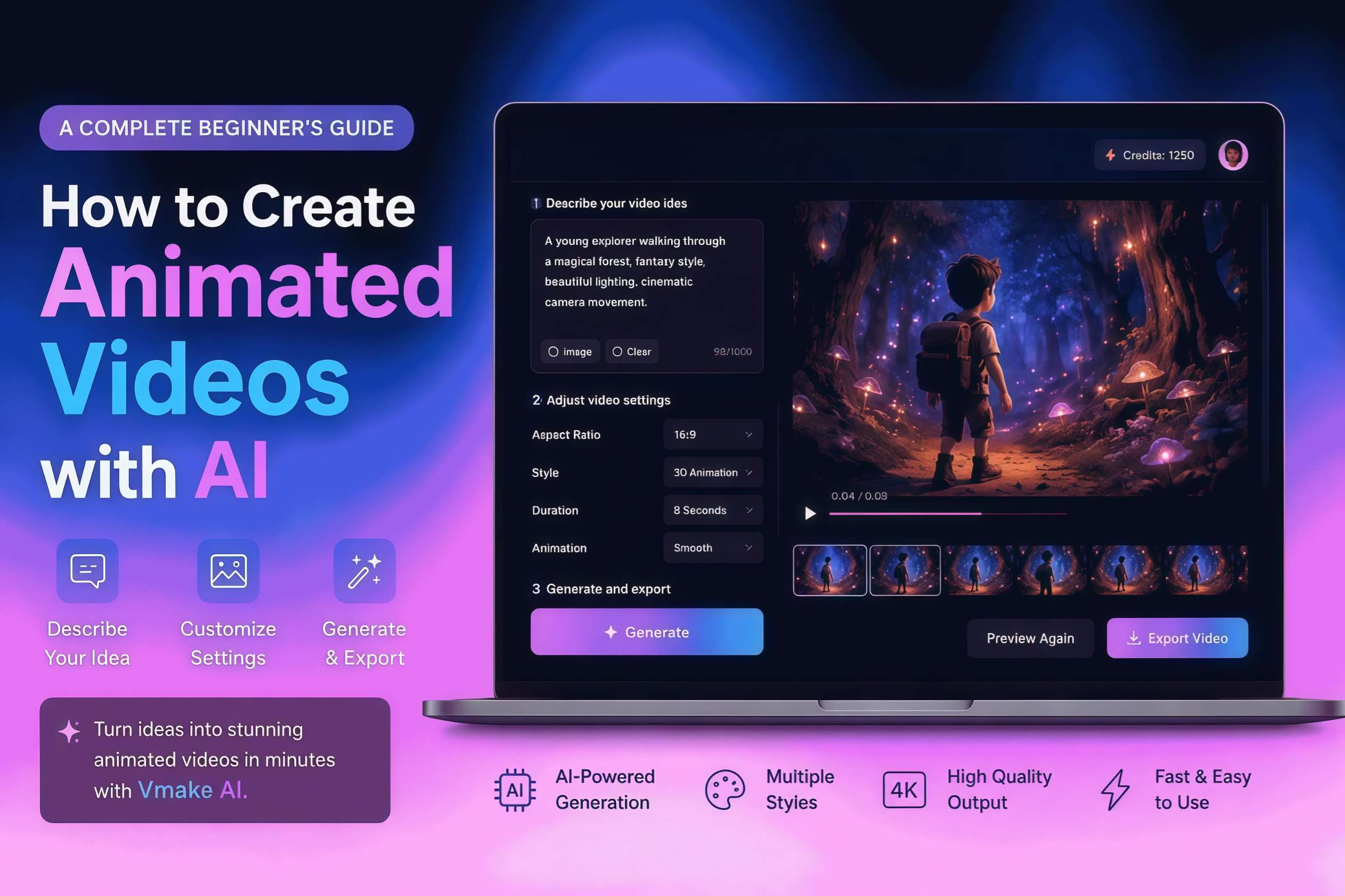
Brands, creators, and businesses can tell ideas in a more engaging way with animated videos. AI will help you create professional animations without advanced design skills and expensive software. In this guide, you will learn to create animated videos with AI, popular formats, and quickly create content with Vmake AI.
What are animated videos?
When we talk about animated videos, we basically look at any digital clip that uses graphics, characters, text, or AI art to tell a story. It's a totally different beast compared to live action filmmaking, mainly because you get to skip the headaches of hiring actors, scouting locations, and messing around with physical cameras just to get a single shot. Everything happens on a screen, which naturally opens up a lot of creative freedom and keeps your production costs way lower than a traditional shoot.
You'll see animated videos used in many formats, including explainer videos, product demos, educational animations, social media content, and motion graphics. Whether the goal is to teach, promote, entertain, or simplify complex ideas, animation gives creators a flexible way to communicate visually without the limitations of traditional video production.
How to create animated videos with Vmake AI
Creating animation used to involve storyboards, keyframes, timelines, rendering software, and extensive editing knowledge. Let's forget these tedious processes and change perspective to AI production. For example, Vmake AI can flip the script. Instead of painstakingly animating every movement, you simply tell the tool what to build. Whether you prefer starting from a raw prompt with text-to-video or breathing life into a still image with image-to-video generation, Vmake AI streamlines your workflow into a few simple steps.
Key features of Vmake AI
-
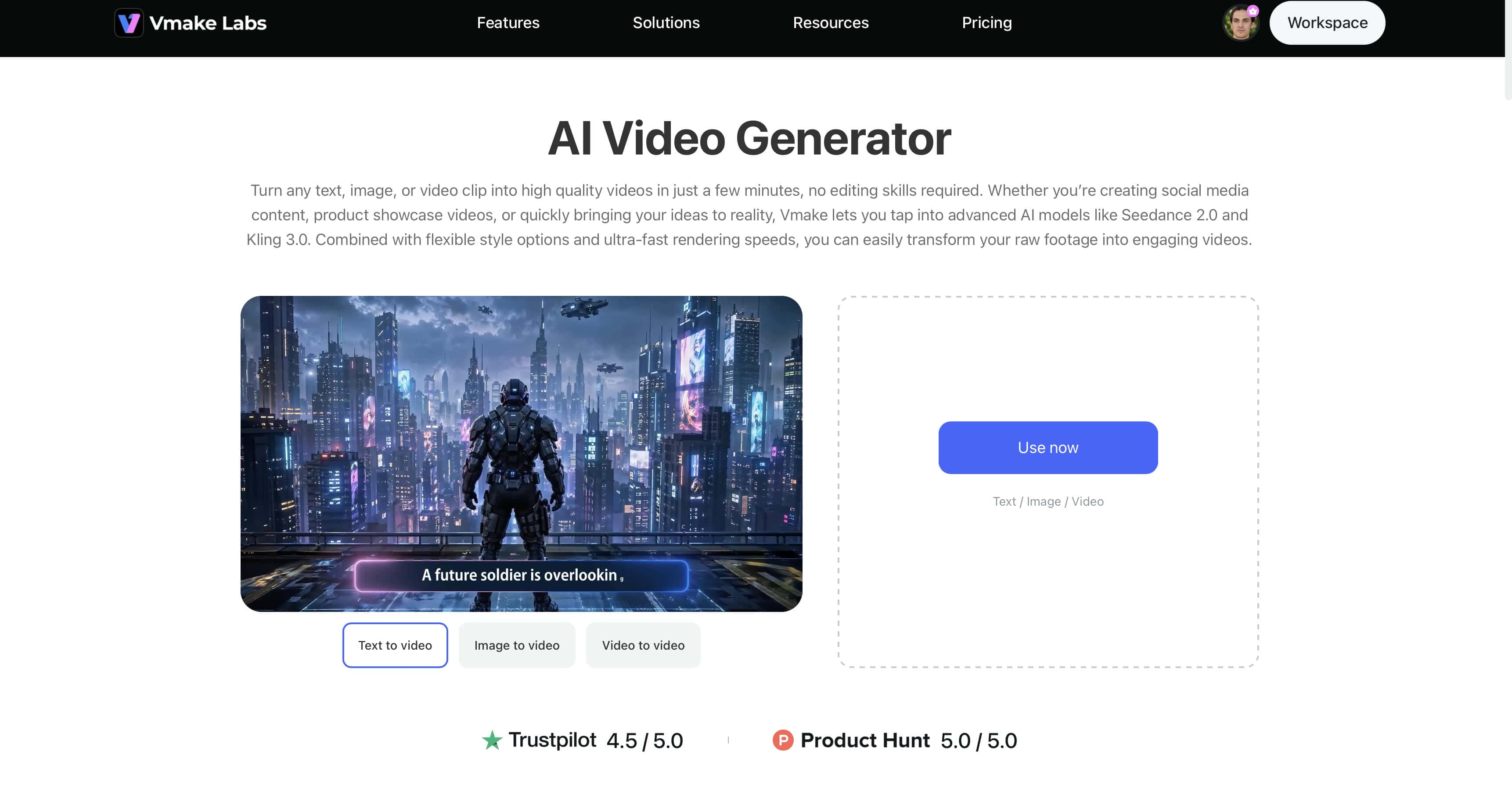
AI Text-to-Video Generation: Turn simple text prompts into engaging videos within minutes. Describe your idea, and the AI automatically generates scenes, motion, and visuals. Whether you're creating marketing content or experimenting with an AI cartoon generator, the process is fast and beginner-friendly.
-
Image-to-Video Animation: If you have a decent static image like a product shot, concept sketch, or marketing asset, you can turn it into a moving video without filming anything new. It's particularly useful for product video creation, social content, and anyone looking for an AI image-to-video generator free workflow.
-
Multiple AI Video Models: Choose from advanced AI models to create videos in different visual styles and quality levels. From realistic animations to content generated with an AI 3D video generator, you can select the model that best matches your creative vision.
-
Prompt-Based Video Creation: This is basically just like talking to software. Instead of messing with timelines, keyframes, and complex editing tools, you describe the actions and the visual style in plain English.
-
High-Quality Exports: Create professional-looking videos with sharp visuals and smooth motion. The output is suitable for marketing campaigns, presentations, and online content.
Steps to create animated videos using Vmake AI
Step 1: Open Vmake AI and go to the AI Video generator
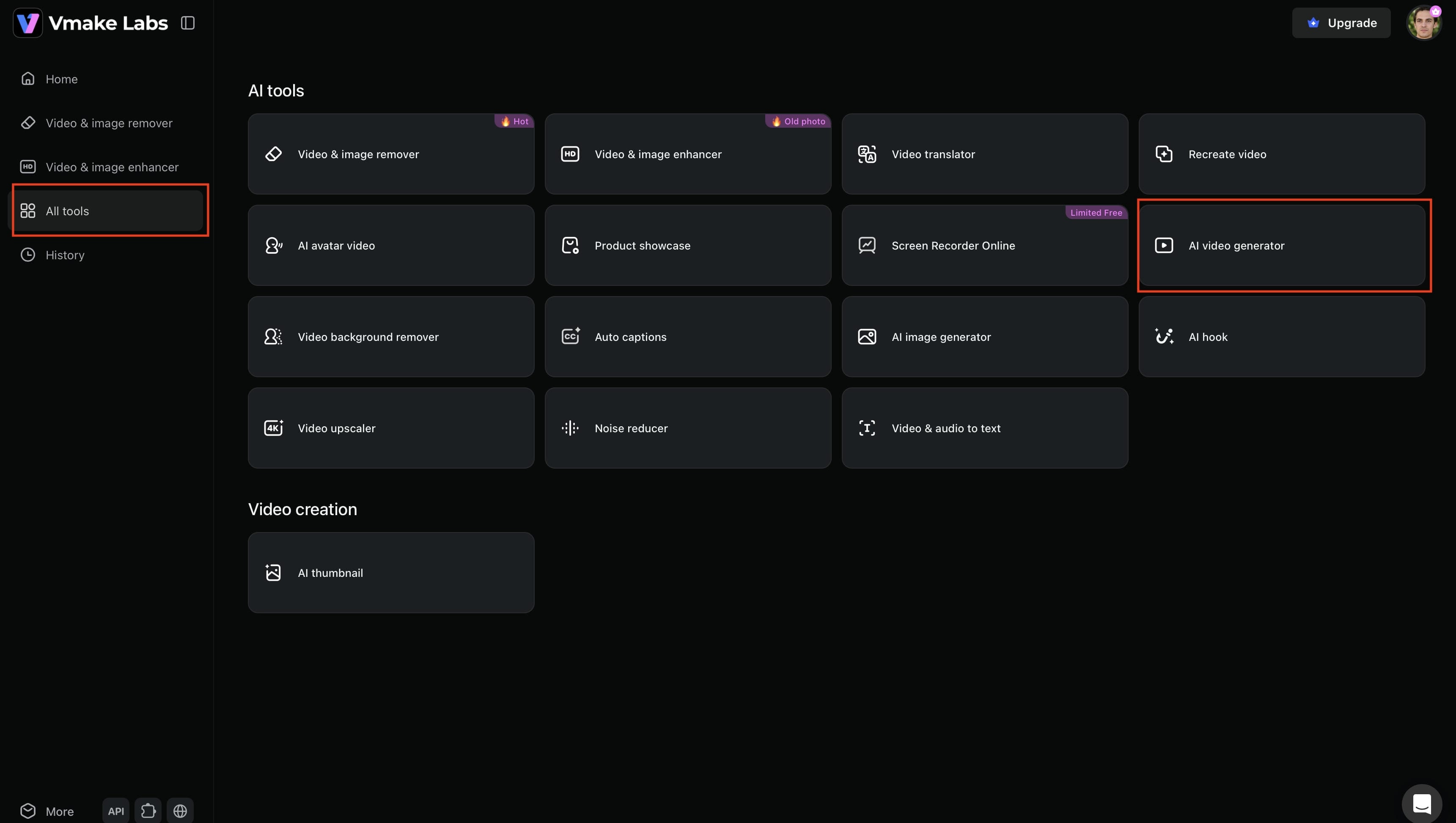
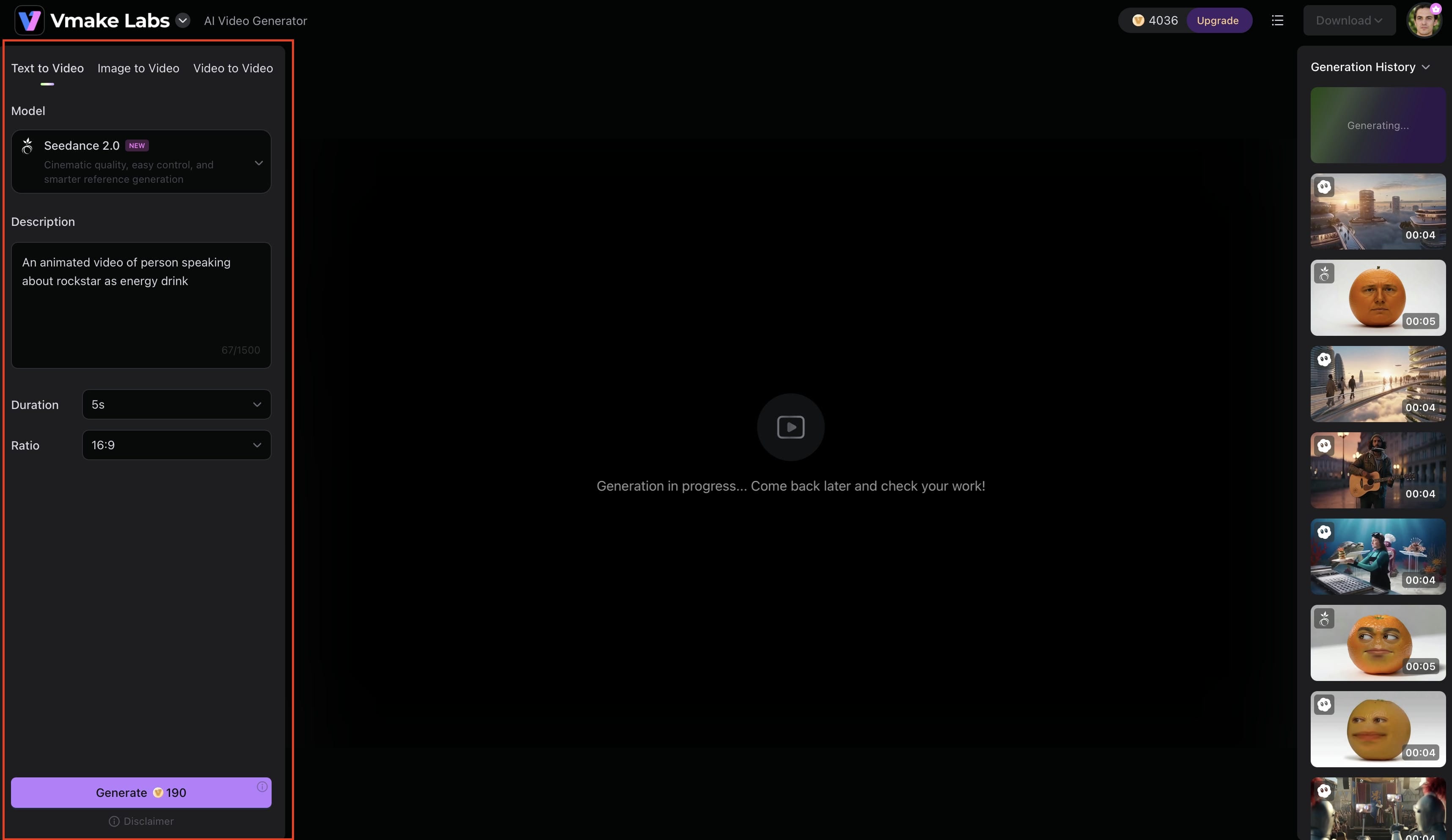
Log in to Vmake AI and access the dashboard. From the left-side navigation menu, click All Tools to view the platform's AI-powered features. Locate and select AI Video Generator to open the video creation workspace, where you can start building your animated video.
Step 2: Enter your video idea and customize generation settings
Choose the video creation mode that best suits your needs, like Text-to-Video, Image-to-Video or Video-to-Video. Then choose an AI model, upload reference images if desired, and enter a detailed prompt describing your video. Set the options you want, like video length, aspect ratio, etc., and then click Generate to output your video.
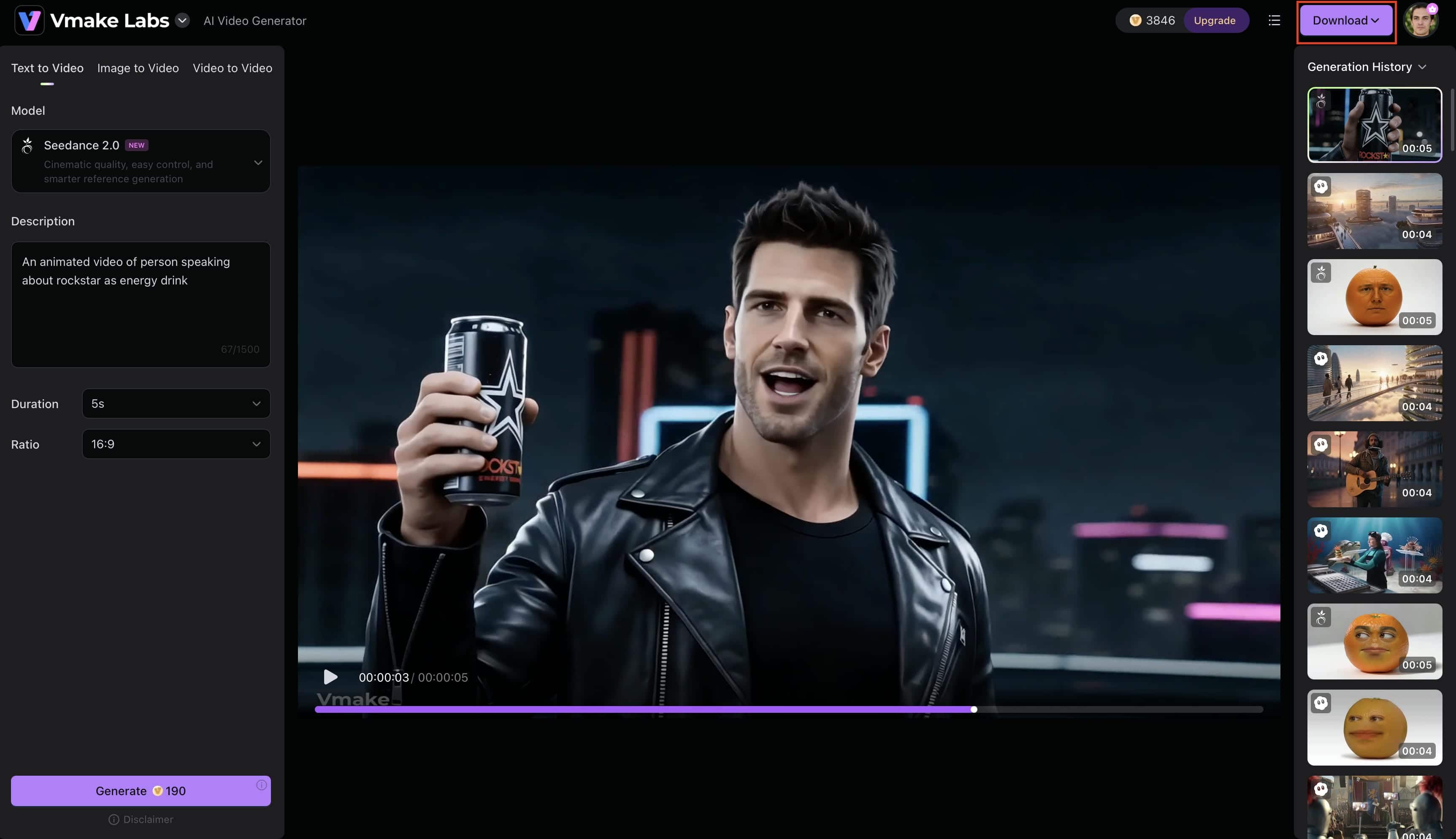
Step 3: Generate and export your animation
Once the generation process is complete, preview the video right in the workspace. Check visuals, motion effects, transitions and overall quality to ensure output matches your expectations. If needed, make adjustments and generate a new version. When you are happy with the result, hit Download to save the completed video to your device to publish or edit further.
Tips for creating better animated videos with AI
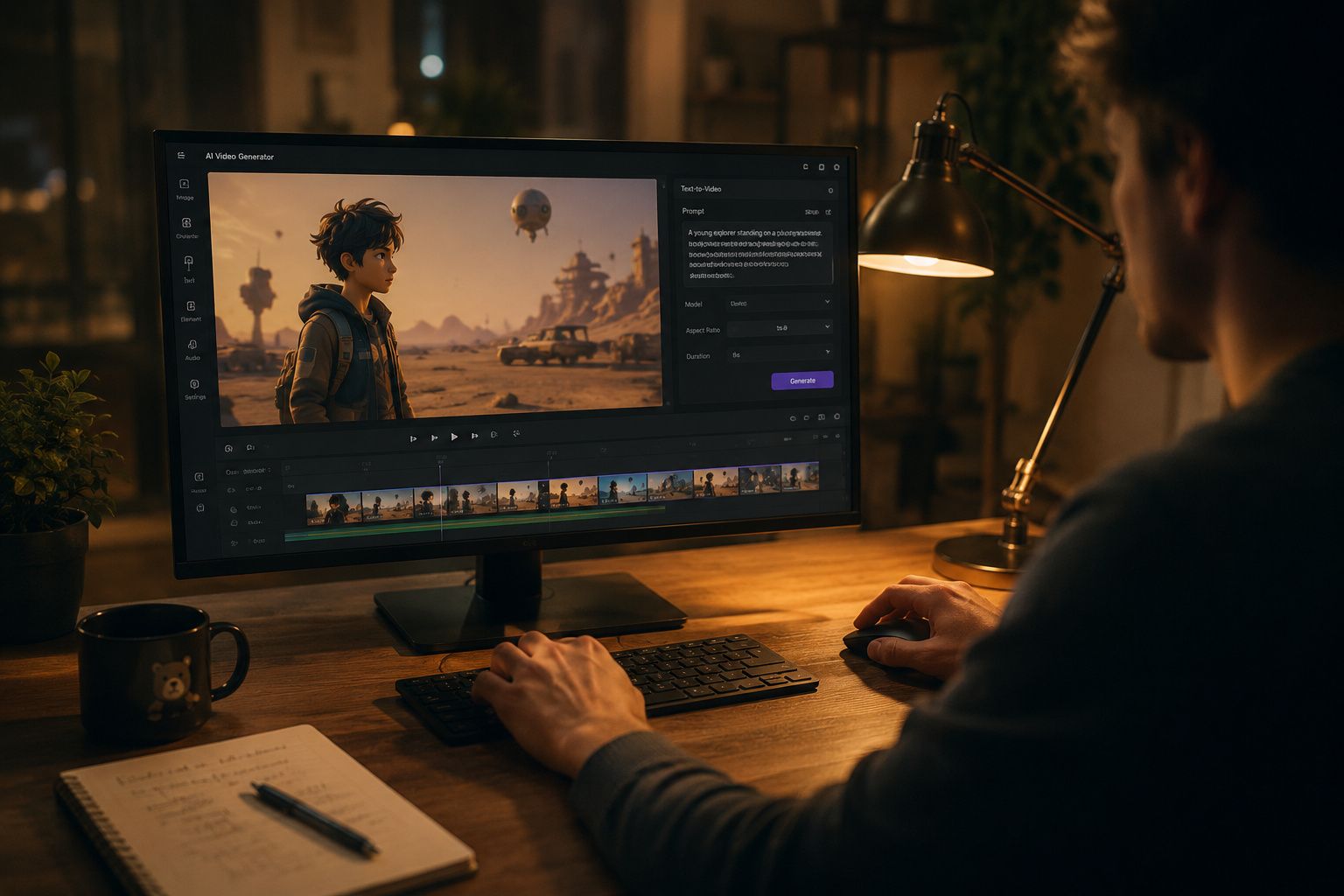
Creating good-quality animated videos isn’t as simple as entering a prompt and hitting generate. There are several best practices that can help improve video quality, maintain consistency, and create a more engaging viewing experience. It's also worth remembering that different animation styles often require different prompting approaches. For example, a cartoon video, anime scene, 3D animation, cinematic sequence, or motion graphics project may each need specific visual instructions to achieve the best results.
-
Start with a Clear Objective: Before creating the video, determine its purpose and target audience. A clear goal guides you in selecting the appropriate visuals, animation style, and messaging, leading to a more effective final video.
-
Write Detailed Prompts: The quality of your AI-generated video depends on the prompt you provide. Add details about the subject, action, environment, camera movement, and visual style to help the AI produce more accurate results
-
Keep Scenes Focused: Avoid trying to communicate too many ideas within a single scene. Focusing each scene on a single key message makes the video easier to follow and more engaging for viewers.
-
Maintain Visual Consistency: Use a consistent visual style, color palette, and tone throughout the video. Consistency creates a professional appearance and helps maintain a smooth viewing experience.
-
Match Animation Style to Your Audience: Choose an animation style that aligns with your audience's expectations and preferences. For example, playful animations may work well for social media, while clean and professional visuals are better suited for business content.
-
Test Multiple Versions Before Publishing: Create different versions of your video & watch the results. You can experiment with prompts, styles and settings to find the most effective version before sharing it with your audience.
Common challenges beginners face and how to solve them
So many new creators hit the same roadblocks when they start making AI-animated videos. Honestly, if you know what these common slip-ups are and how to fix them, you’ll get way better results right out of the gate without wasting hours spinning your wheels.
-
Unclear Prompts Leading to Weak Outputs: If you write a vague prompt, you will get a vague, messy result. To achieve better output quality, you have to be specific with specifics. Describe the arrangement of the scenario, how the characters look, what they do, and the visual style you want.
-
Inconsistent Scene Transitions: When scenes do not flow naturally, the video can feel disconnected. Maintaining a consistent theme and using related prompts across scenes can create smoother transitions.
-
Overcomplicated Animations: Having too many elements or actions in a video can make it look cluttered and confusing. Do the easy stuff first and only get more complex when it helps to make the overall point.
-
Poor Source Image Quality: The quality of AI-generated animation can be adversely affected by the poor quality of source photos, such as low resolution or blurry photographs. The better and more quality the source photos are, the crisper and more professional the outcomes are.
-
Choosing the Wrong Video Format: Each platform has its own aspect ratio and video format. Getting the perfect format from the beginning helps ensure your material looks its best wherever it’s published.
Conclusion
Making animated videos was a nightmare before, but now with contemporary AI technology, it is a whole different story. Instead of spending months learning complex animation tools, you can just input simple text prompts or static images and receive a good movie in a few steps. Getting a great result usually comes down to knowing your animation styles, writing detailed prompts, and tweaking the right settings. Tools like Vmake AI handle heavy lifting with solid text-to-video and image-to-video capabilities, so professionals and beginners can make content way faster. For marketing materials, educational content, or social media videos, AI-powered animation is just a massive shortcut.
FAQs
How to create an animated video without professional skills?
Making animated videos has never been easier with the help of AI tools. You don’t need to be a design savant or have animation skills to make engaging content. Platforms such as Vmake AI enable novices to produce professional videos from basic text instructions or images, drastically cutting down on time and effort.
What is the easiest way to create videos with animation?
One of the easiest things you can do with an AI video generator is to create animated videos. Rather than hours of creating scenes and animations, users can type in a text prompt that defines the idea. AI tools like Vmake AI can automatically generate visuals, motion and effects, making video creation available to everyone.
Can AI turn images into animated videos?
Yes. Today’s AI tech can turn still photographs into vibrant films with realistic movement and visual enhancements. Features such as Vmake AI’s image-to-video lets users animate product photos, graphics, portraits and other images for fun video entertainment.
What types of animated videos work best for social media?
Social platforms prefer short animated videos. Popular types are explainer videos, product demos, advertising films, motion graphics and story telling movies. You may find that making your movies in platform-specific aspect ratios, such vertical movies for Tiktok and Instagram Reels, will help enhance interaction.
How long does it take to create an AI-animated video?
The time required depends on length, intricacy & generating settings. Most AI-generated videos can be completed in minutes, a world away from traditional animation approaches that usually require a lot of manual editing.
What should I include in an animation prompt for better results?
To get the best results, simply describe your vision for AI. Mention the main subject, what's happening, the setting, camera angles, lighting, and the overall style. The more detail you provide in your prompt, the better the AI can read your mind, giving you an accurate, high-quality video on the first try.

You May Be Interested
Runway AI Video Generator: Create Cinematic AI Videos

How to Make a Video Animation: Creative Best Practices

How to Create a Video with Images: A Complete Beginner's Guide
How to Make AI Baby Videos: 3 Best Tools to Make Baby Videos
