ChatGPT Selfie Prompts: 10 Creative Ideas to Transform Your Photos
Explore 10 ChatGPT selfie prompts for transforming simple selfies into creative portraits. Learn how to write better prompts and enhance photos with AI tools. Additionally, discover how you can enhance your selfie images with Vmake Labs as well.

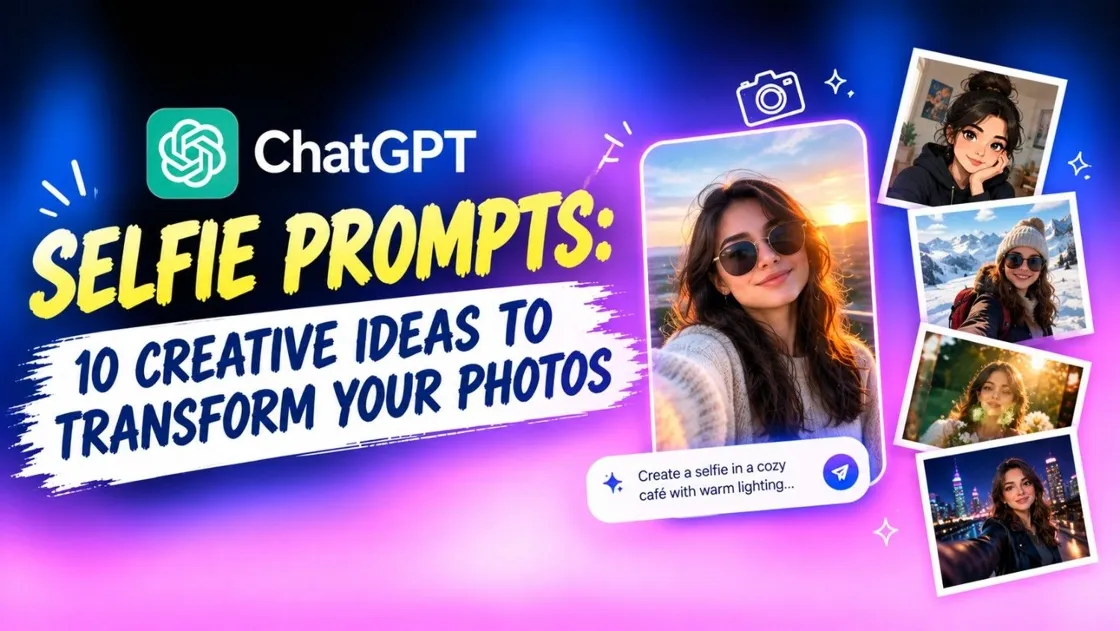
A simple selfie can become much more creative when you describe your desired transformation clearly. ChatGPT can help you develop detailed prompts covering styles, settings, lighting, outfits, and moods. Whether you want a cinematic portrait or an artistic concept, a well-structured selfie prompt provides useful direction for AI image generation and editing.
What is a selfie prompt for ChatGPT?
A selfie prompt for ChatGPT is a written instruction that describes how you want an existing selfie to be transformed.
Instead of simply asking for a “better” selfie, specific instructions help define the intended appearance and atmosphere. You can also tell ChatGPT which facial features, expressions, or other elements should remain unchanged.
The resulting prompt can then be used with an AI image generator that supports image-to-image editing, helping you explore different creative directions from the same original selfie.
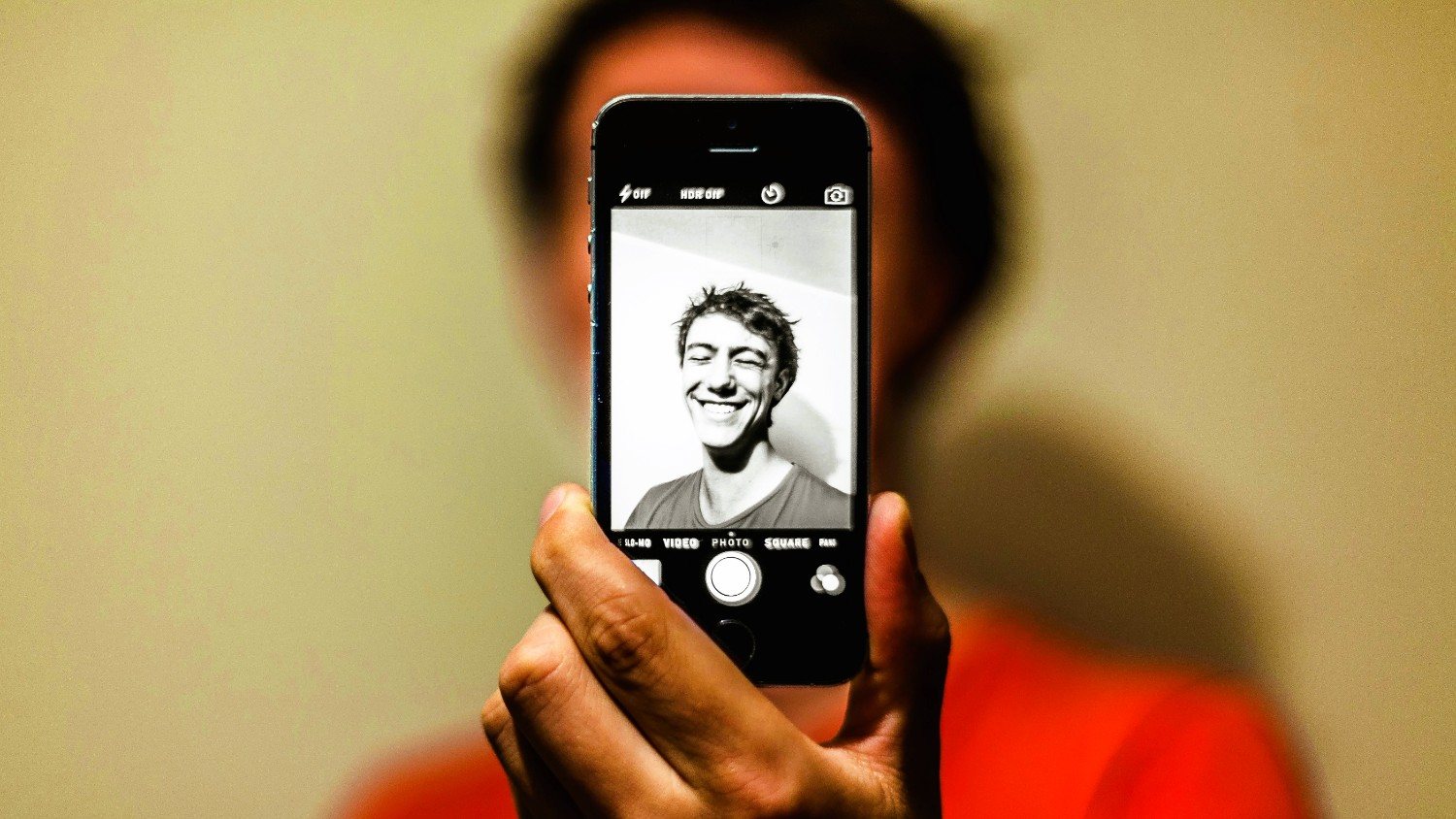
How ChatGPT can transform a simple selfie into a creative concept?
ChatGPT prompts for selfies can turn a basic selfie idea into a more detailed image-generation prompt by adding elements such as photography style, composition, lighting, environment, wardrobe, and mood.
What makes a good selfie prompt?
A good selfie prompt is specific, organized, and clear about the desired transformation. It should describe the visual concept while identifying important elements that should remain consistent.
How to write a selfie prompt in ChatGPT?
To start writing a selfie prompt for ChatGPT in the ideal fashion, simply follow the below mentioned steps and you will be good to go.
-
Start with the selfie transformation you want: Tell ChatGPT whether you want a portrait, editorial shot, travel image, fantasy scene, or another concept.
-
Describe the desired setting and background: Mention the location, surroundings, architecture, scenery, or background elements that should appear behind you.
-
Add lighting, mood, and atmosphere: Specify details such as golden-hour light, soft studio lighting, dramatic shadows, warm tones, or a calm atmosphere.
-
Specify the photography style and composition: Describe whether you want a close-up, medium portrait, full-body composition, editorial photography, or cinematic framing.
-
Include clothing, accessories, and styling details: Mention the desired outfit, hairstyle, accessories, makeup, or overall styling to establish the visual direction.
-
Tell ChatGPT what should stay unchanged: Ask it to preserve important characteristics such as facial structure, identity, expression, or other recognizable details.
-
Use a structured prompt formula: Combine the subject, setting, appearance, lighting, composition, style, and preservation instructions into one organized prompt.
10 ChatGPT selfie prompt ideas to try
These prompts can be copied into ChatGPT and adapted to your own selfie. Each one focuses on a different visual direction while keeping the original person recognizable.
-
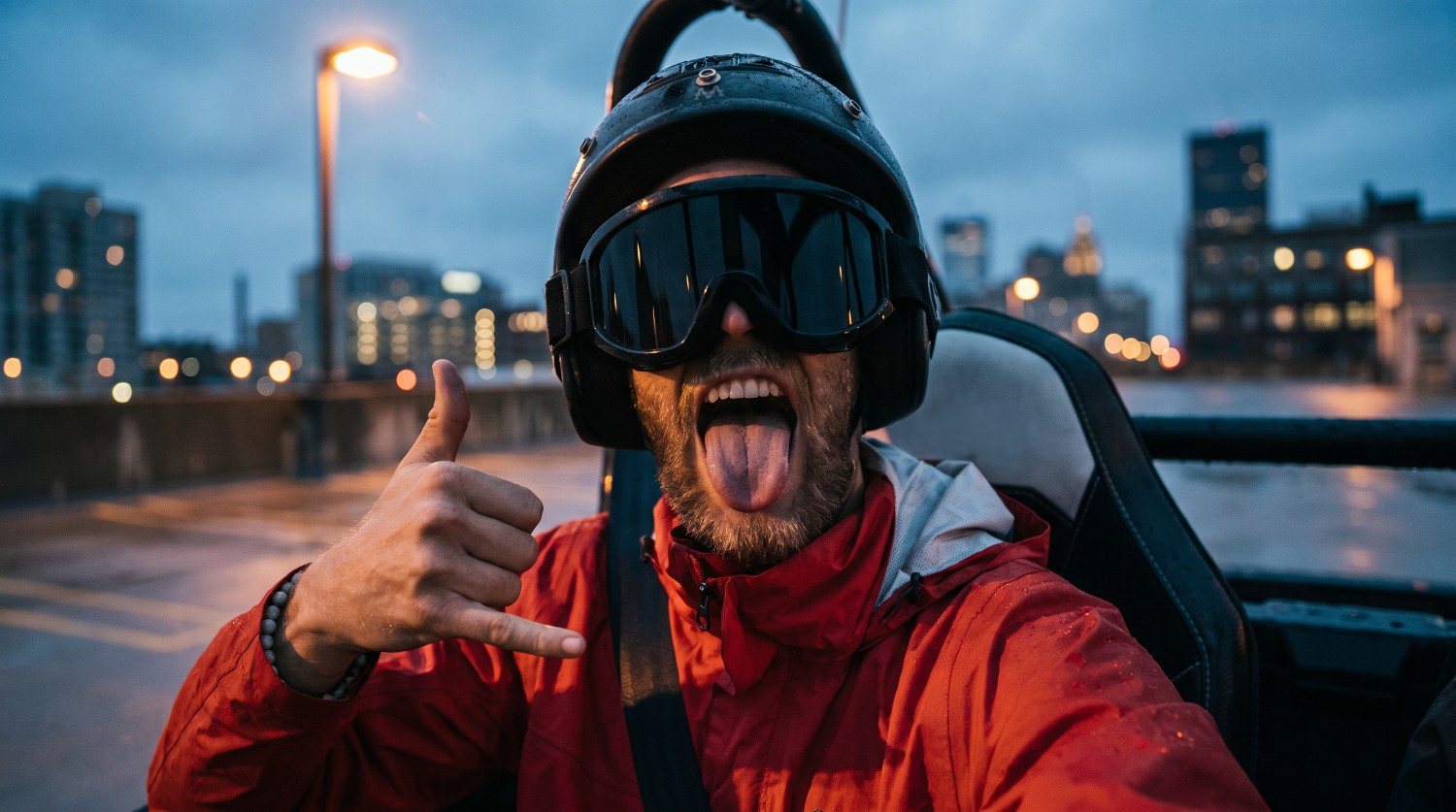
Turn a selfie into a cinematic portrait
Prompt: "Transform my uploaded selfie into a cinematic portrait while preserving my facial identity, natural facial structure, skin tone, hairstyle, and recognizable features. Place me in a moody urban setting during blue hour, with soft directional lighting, subtle background blur, realistic skin texture, natural shadows, and a sophisticated color grade. Use shallow depth of field, 85mm portrait photography, balanced framing, and a polished cinematic composition. Keep the result photorealistic rather than overly stylized."
-
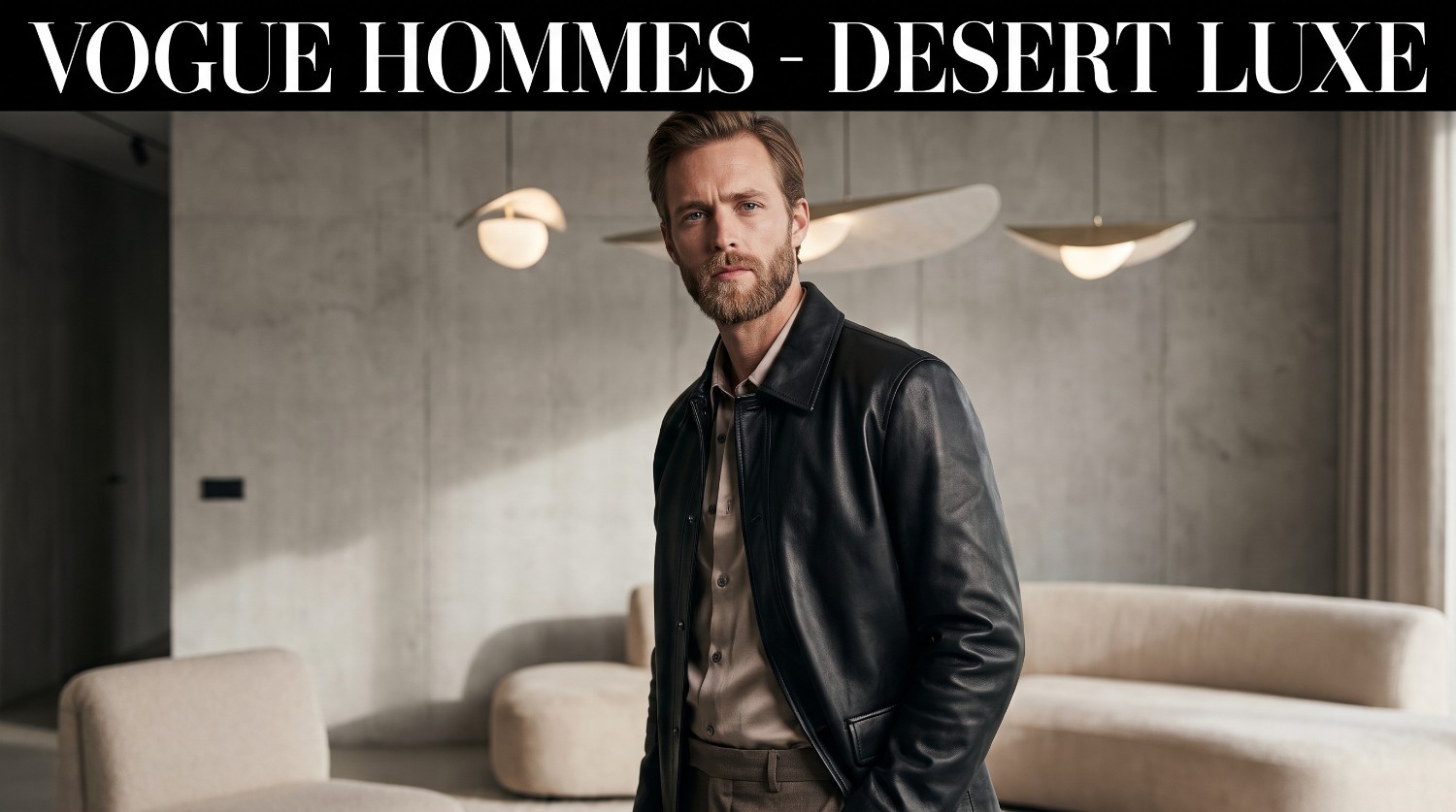
Create a luxury editorial photoshoot
Prompt: "Transform my selfie into a high-fashion editorial portrait while keeping my facial identity, proportions, hairstyle, and natural appearance consistent. Place me in an elegant modern studio with a minimalist luxury background. Give me sophisticated designer-inspired styling, refined makeup, controlled studio lighting, subtle shadows, and a magazine-style composition. Use crisp details, realistic skin texture, professional fashion photography, and a premium editorial aesthetic without making the image look artificial or excessively retouched."
-
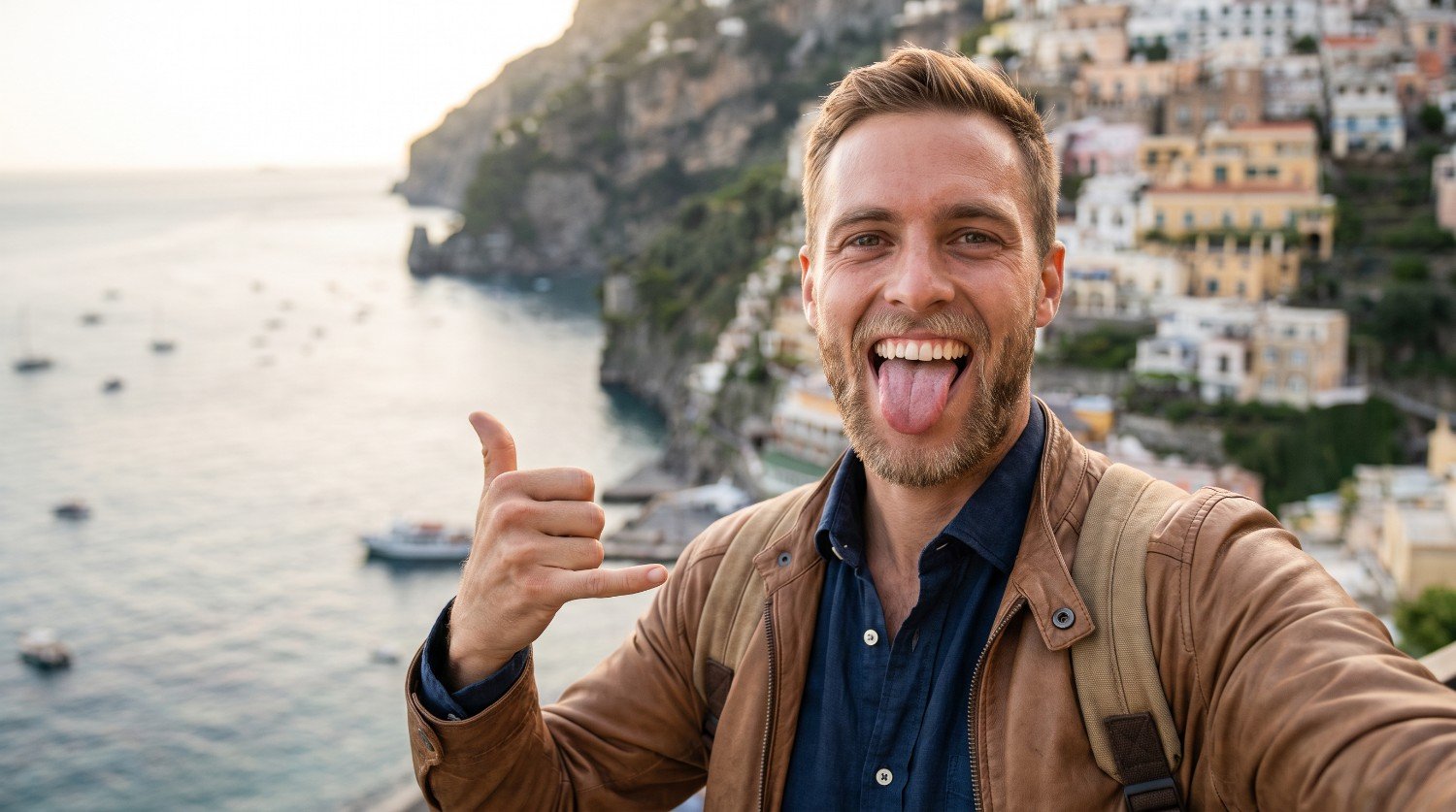
Transform a selfie into a travel photograph
Prompt: "Turn my selfie into a realistic travel photograph while preserving my facial identity, facial proportions, hairstyle, and natural expression. Place me at a scenic European coastal location during golden hour, with realistic architecture, warm sunlight, atmospheric depth, and a softly blurred background. Dress me in stylish casual travel clothing that suits the location. Use natural colors, authentic lighting, realistic skin texture, and professional travel photography composition. Make the scene feel candid and naturally photographed."
-
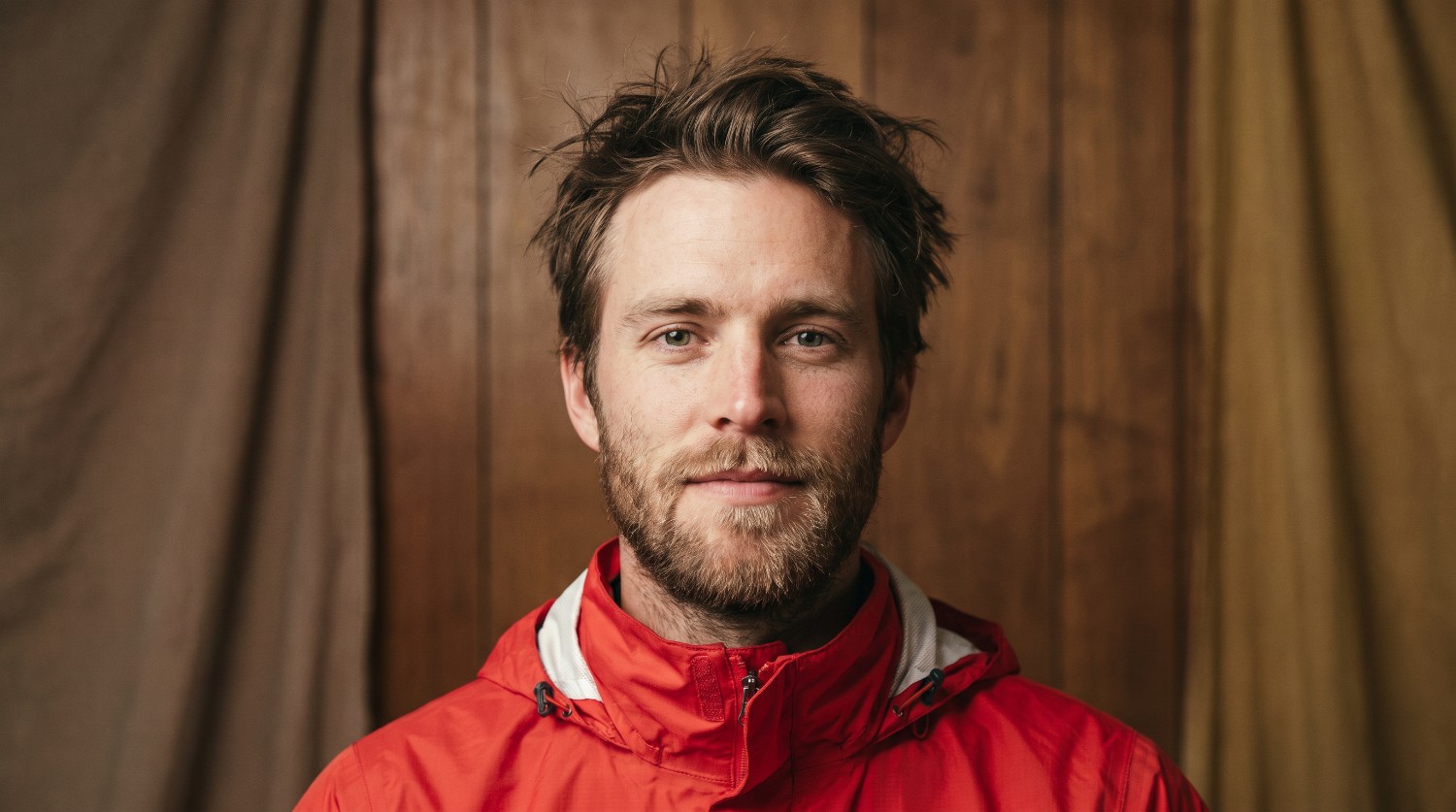
Give a selfie a vintage film aesthetic
Prompt: "Transform my selfie into a realistic vintage film portrait while preserving my identity, facial structure, hairstyle, and recognizable features. Create the appearance of an analog photograph captured on 35mm film, with subtle film grain, gentle contrast, slightly muted colors, natural skin texture, soft highlights, and understated shadows. Place me against a simple retro-inspired background and use nostalgic portrait photography composition. Keep the effect tasteful and photographic rather than making the image look like an exaggerated filter."
-
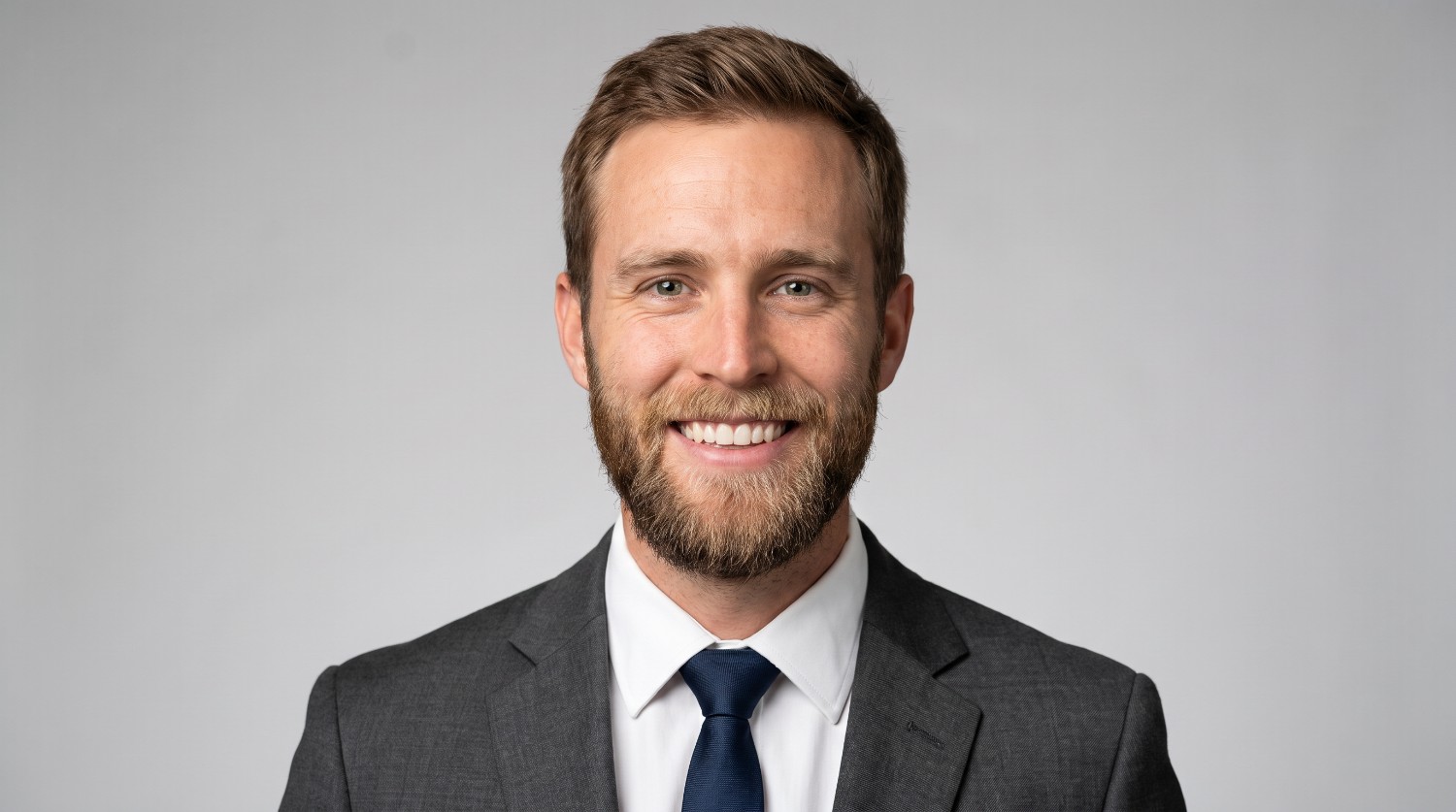
Create a professional LinkedIn-style portrait
Prompt: "Turn my selfie into a professional headshot suitable for a LinkedIn profile while keeping my facial identity, facial proportions, hairstyle, and natural appearance unchanged. Place me against a clean neutral studio background with soft, even lighting and subtle depth. Give me polished business attire with a professional but approachable appearance. Use realistic skin texture, natural facial details, balanced exposure, sharp focus, and conventional corporate portrait composition. Avoid excessive retouching, dramatic effects, or unrealistic facial changes."
-
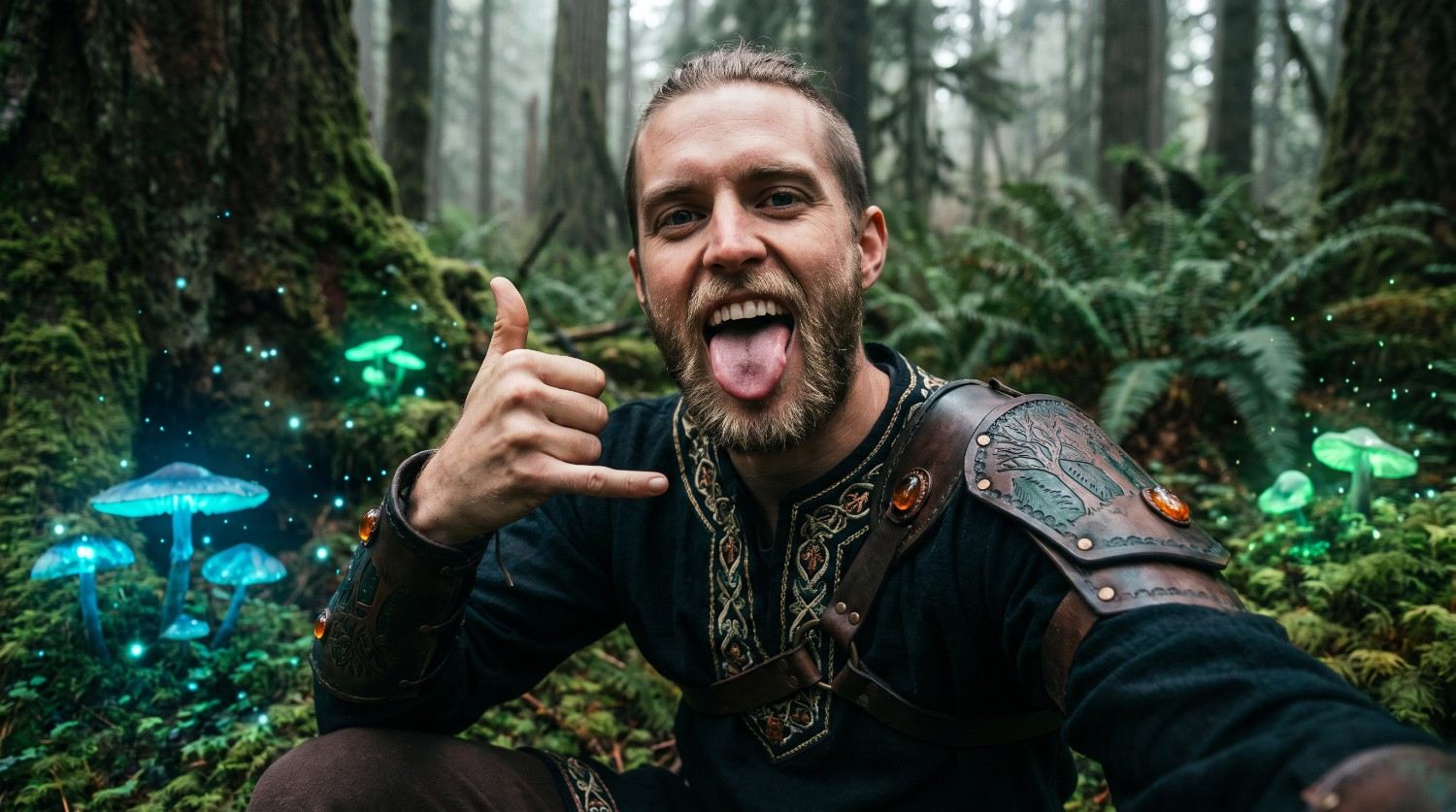
Turn a selfie into a fantasy character
Prompt: "Transform my selfie into a cinematic fantasy character while preserving my facial identity, recognizable facial structure, skin tone, and natural proportions. Place me in an enchanted forest surrounded by subtle glowing elements, mist, ancient trees, and atmospheric depth. Give me elegant fantasy-inspired clothing and understated accessories that complement the environment. Use dramatic yet believable lighting, detailed textures, cinematic composition, and realistic facial rendering. Keep my face recognizable while allowing the surrounding environment and styling to become fantastical."
-
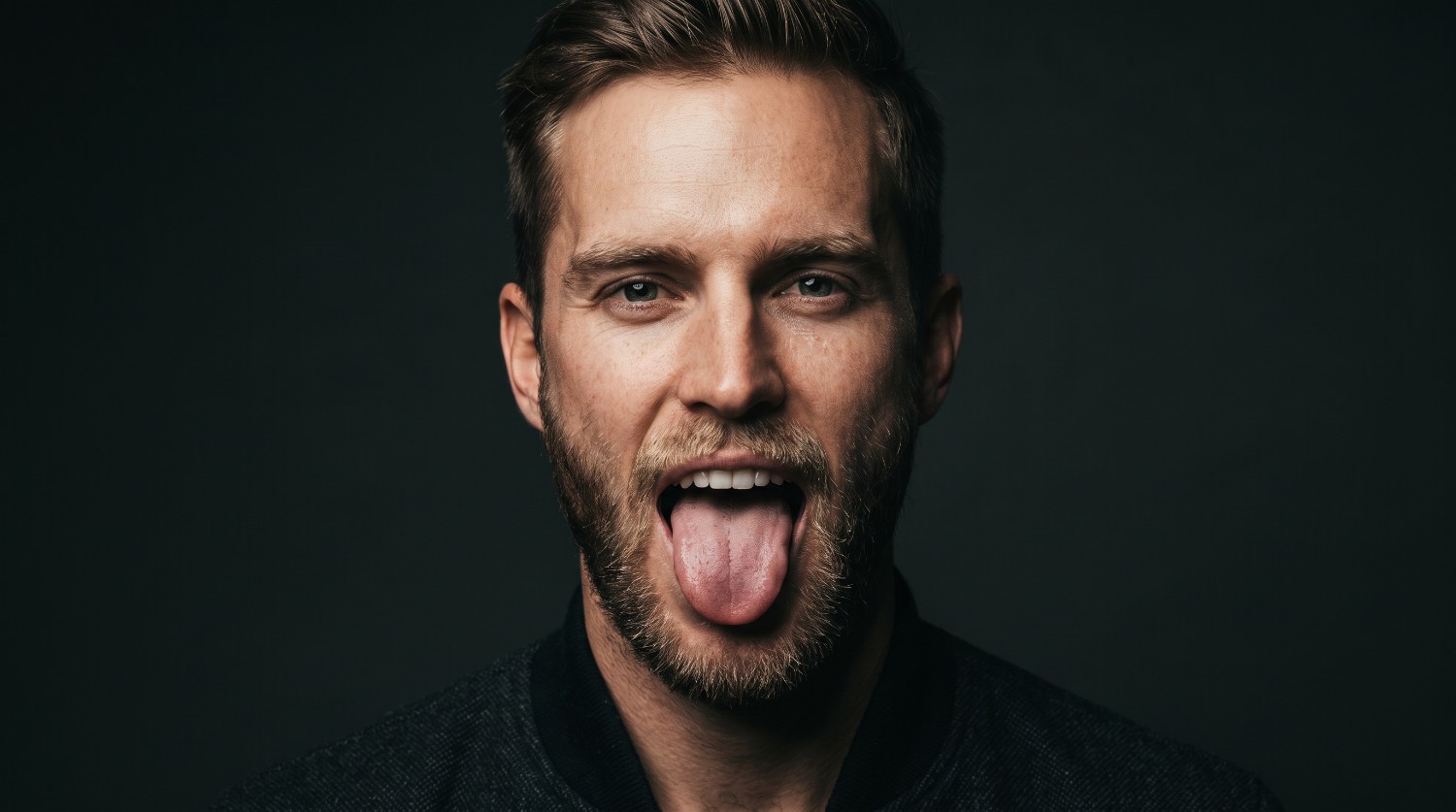
Create a dramatic studio portrait
Prompt: "Transform my selfie into a dramatic professional studio portrait while preserving my exact facial identity, facial structure, hairstyle, and recognizable features. Use a dark minimalist studio background with controlled directional lighting from one side, creating gentle highlights and defined shadows across the face. Use realistic skin texture, sharp eyes, subtle depth of field, and a refined editorial composition. Keep the expression natural and the overall image photorealistic, sophisticated, and free from excessive beauty retouching."
-
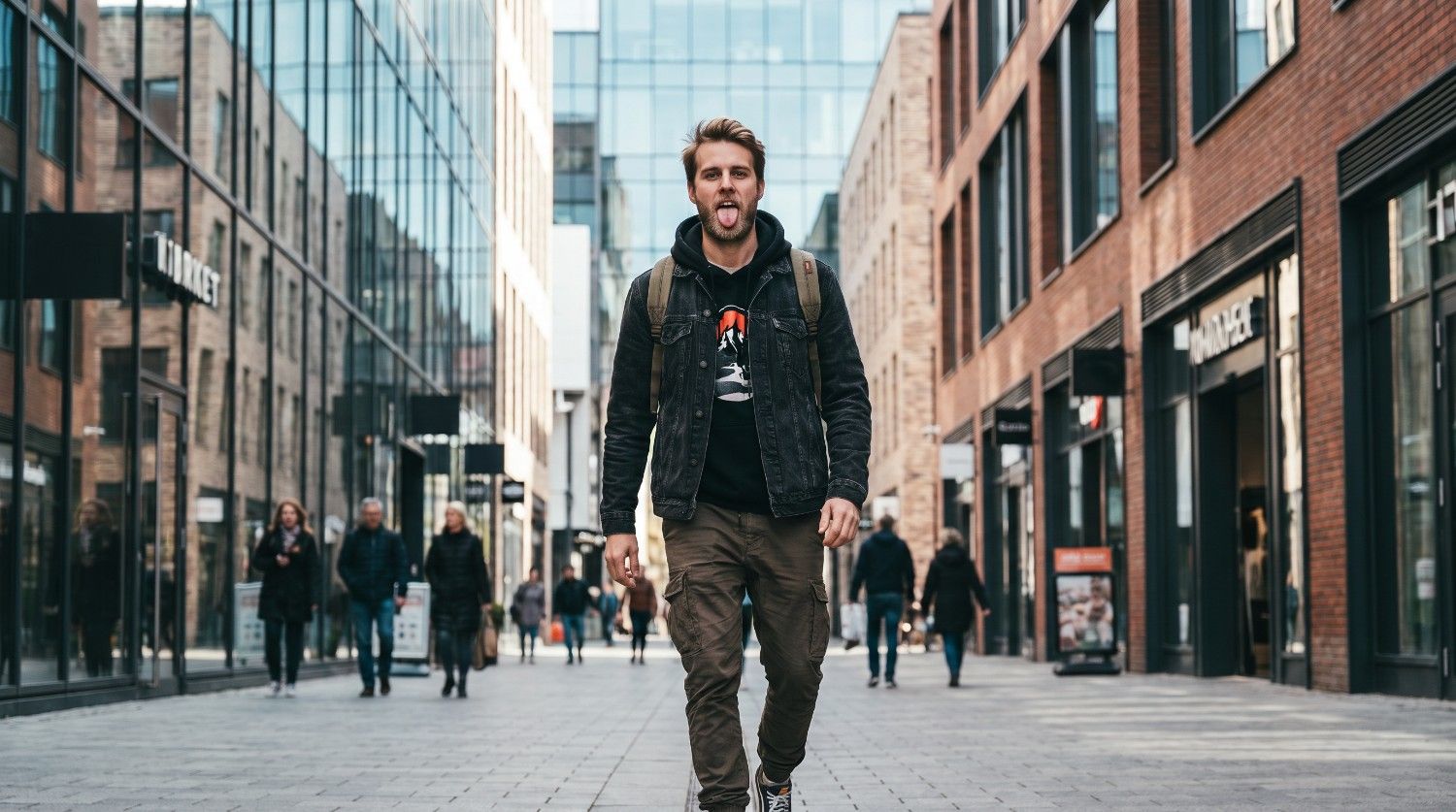
Transform a selfie into a street-style photograph
Prompt: "Turn my selfie into a realistic street-style fashion photograph while keeping my facial identity, facial proportions, hairstyle, and natural appearance consistent. Place me on a stylish city street surrounded by modern architecture, storefronts, and subtle pedestrian activity. Give me contemporary casual streetwear that complements the setting. Use natural daylight, realistic shadows, shallow depth of field, candid framing, and editorial street photography aesthetics. Keep the environment detailed but ensure I remain the primary visual focus."
-
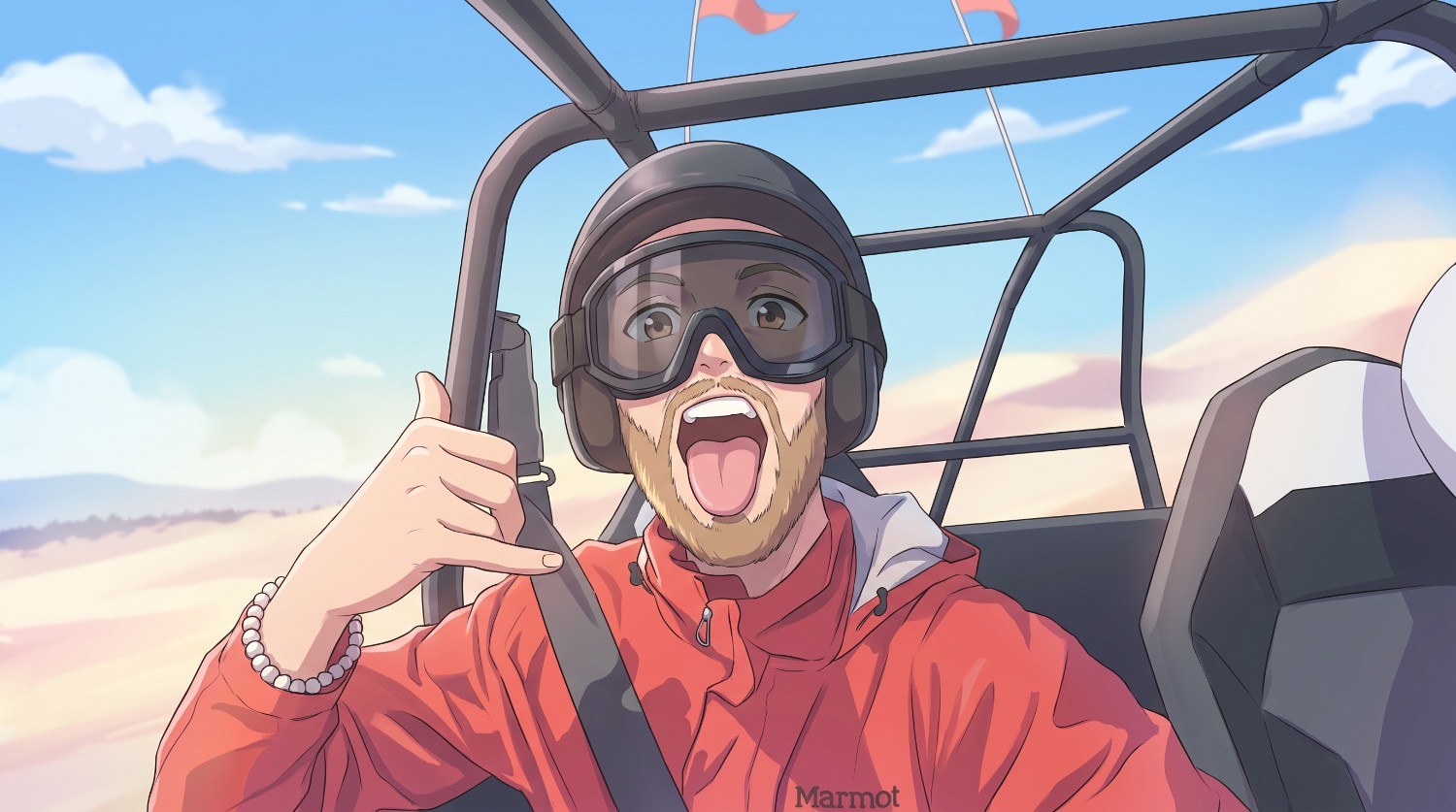
Give a selfie a soft anime-inspired look
Prompt: "Transform my selfie into a soft anime-inspired portrait while retaining my recognizable facial identity, overall facial structure, hairstyle, and expression. Use clean illustrative details, gentle shading, expressive eyes, soft pastel-inspired lighting, and a beautifully composed background with subtle atmospheric elements. Keep the transformation refined rather than overly exaggerated. Maintain enough of my original facial characteristics for the person to remain recognizable, while giving the image a polished anime-inspired visual treatment."
-
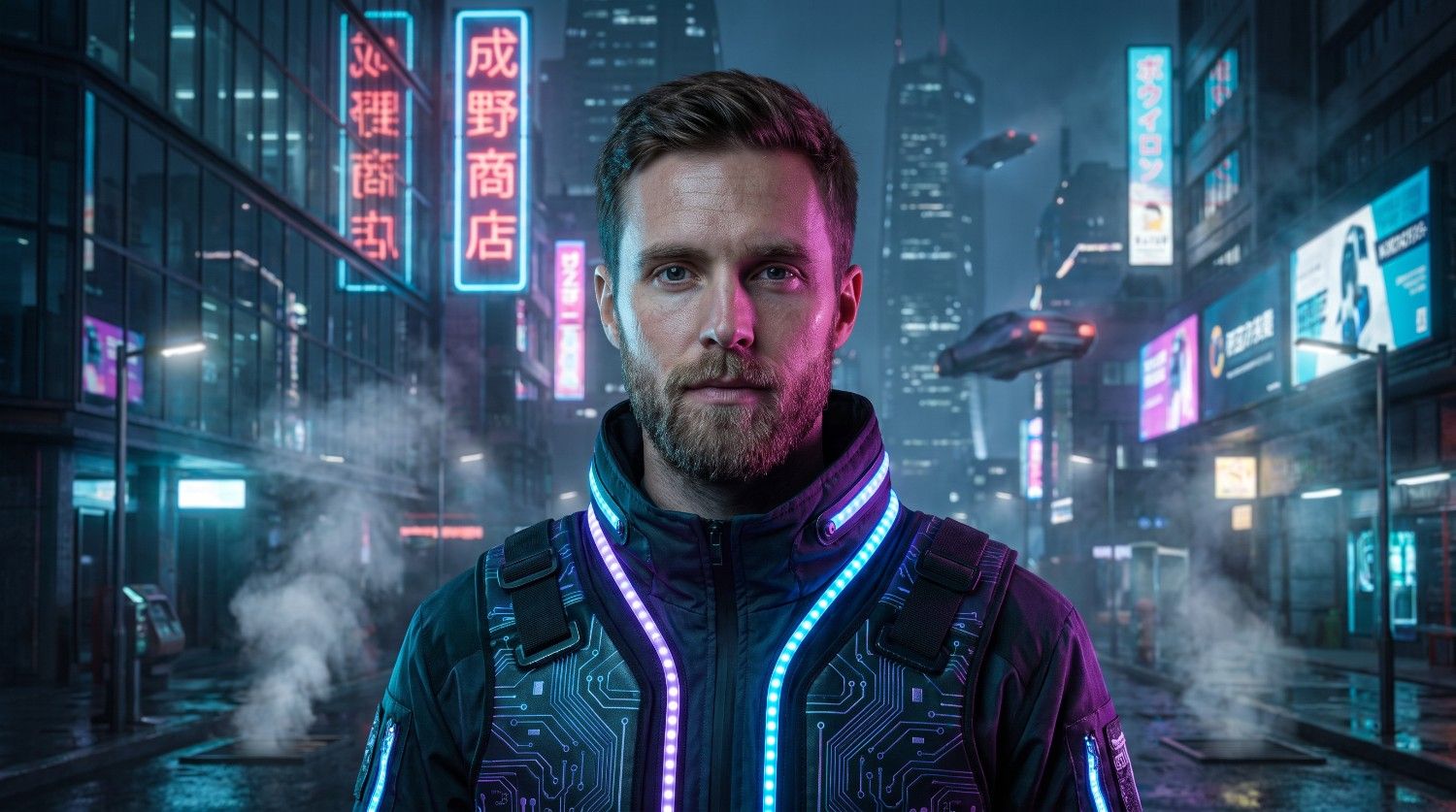
Create a futuristic cyberpunk portrait
Prompt: "Transform my selfie into a cinematic futuristic cyberpunk portrait while preserving my facial identity, facial proportions, hairstyle, and recognizable features. Place me in a neon-lit futuristic city at night with glowing signs, reflective surfaces, atmospheric haze, and subtle technological details. Give me modern futuristic clothing with restrained cyberpunk elements. Use dramatic neon-inspired lighting, realistic skin texture, cinematic depth of field, sharp facial details, and a sophisticated composition. Keep the result photorealistic and visually coherent rather than excessively stylized."
How to improve ChatGPT selfie prompts?
A well-written prompt can provide clearer direction for an AI image generator. These techniques can help you make your selfie prompts more specific and consistent.
-
Be specific instead of using vague descriptions: Replace phrases such as “make my selfie better” with clear instructions about the setting, lighting, clothing, composition, photography style, and desired visual appearance.
-
Balance creative changes with facial identity: Describe the creative elements you want to change while asking the AI to preserve recognizable facial features, proportions, hairstyle, and other important characteristics.
-
Describe visual details in the right order: Organize your prompt logically by covering the subject first, followed by the setting, appearance, lighting, composition, style, and preservation instructions for easier interpretation.
-
Use reference-image instructions effectively: When working from an existing selfie, clearly explain that the uploaded image is the reference and identify which elements should guide the transformation and which should remain unchanged.
-
Refine the prompt through multiple iterations: If the first result does not match your concept, adjust specific details instead of rewriting everything. Change elements such as lighting, background, styling, framing, or visual style individually.
Using Vmake Labs AI image generator for selfie enhancement
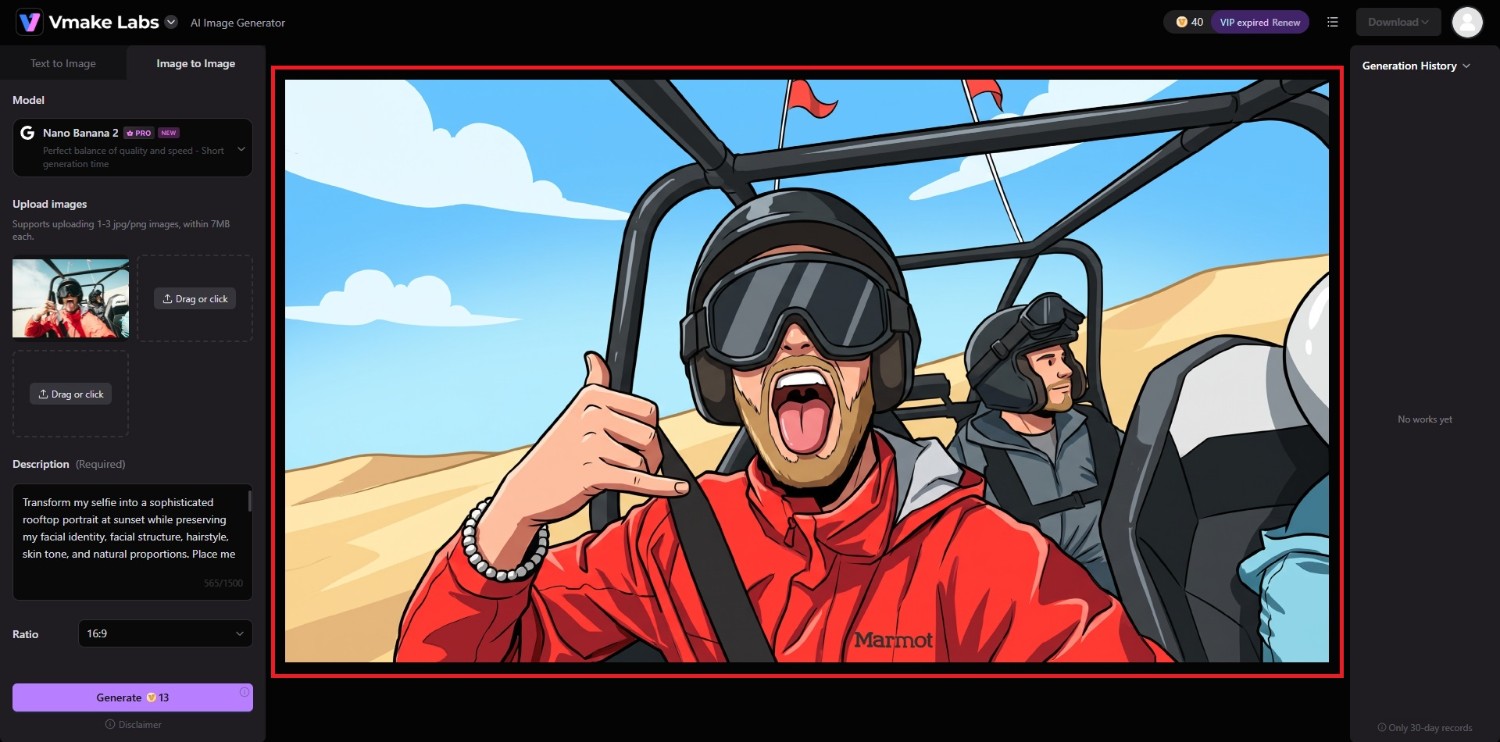
Vmake Labs AI image generator can help turn an ordinary selfie into a more creative, polished, or visually striking image through image-to-image generation. Upload your existing selfie, describe the transformation you want, and use the available customization options to guide the generated result.
A feature like this makes it useful for experimenting with different portrait styles, backgrounds, lighting setups, and visual concepts without starting from scratch. You can also take the detailed selfie prompts created with ChatGPT and adapt them for your image transformation workflow.
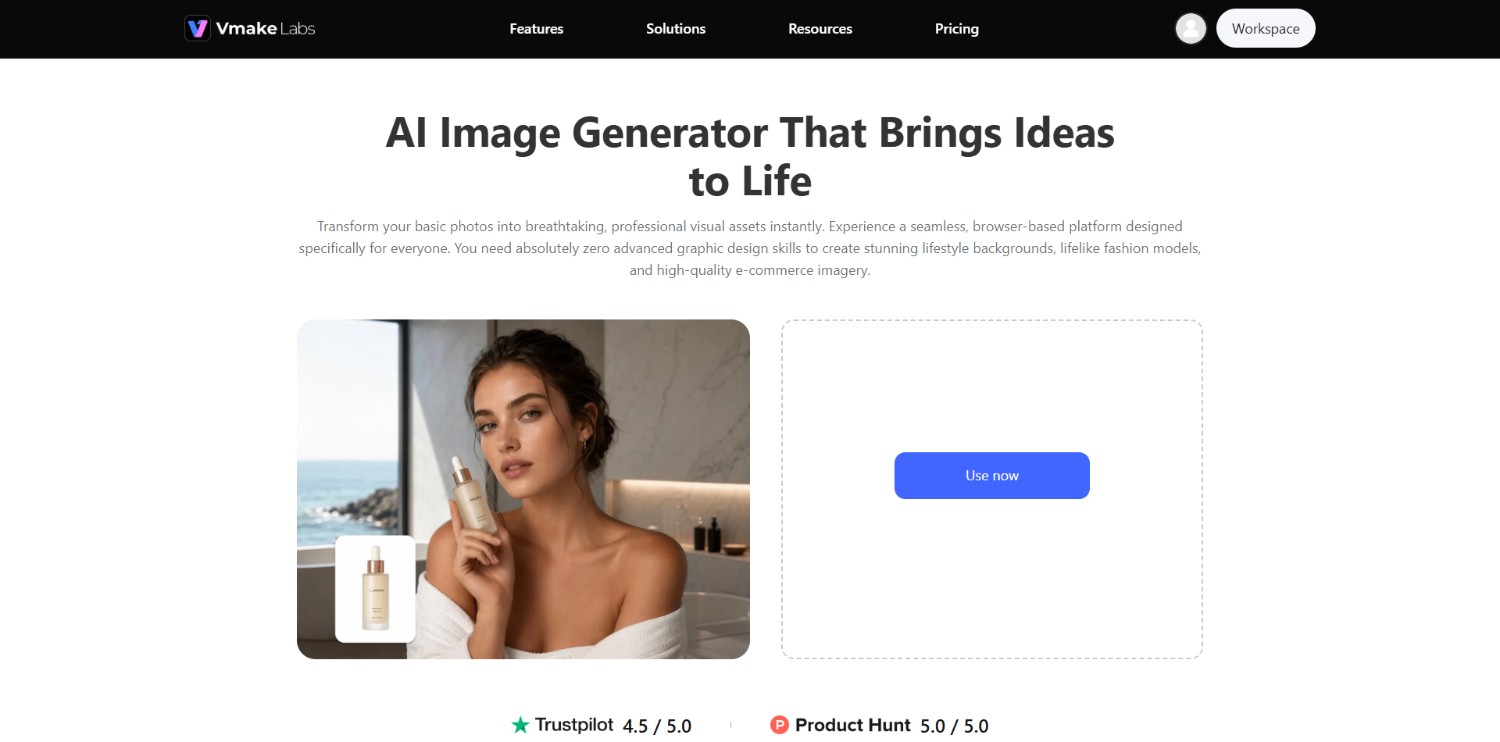
Features of Vmake Labs AI image generator for selfie transformations
-
Image-to-image generation for transforming selfies: Upload an existing selfie and use image-to-image generation to create a new visual interpretation based on your reference image and written prompt.
-
Multiple AI image models to experiment with: Vmake Labs provides different AI image models, giving you options to explore different generation approaches when transforming your existing selfie.
-
Flexible aspect ratios for different platforms: Choose an aspect ratio that suits your intended use, whether you are creating a portrait for social media, a profile image, or another visual format.
-
Prompt-based customization for creative control: Describe the desired setting, appearance, lighting, style, and other visual details through a written prompt to guide how your selfie is transformed.
How to enhance a selfie with Vmake Labs?
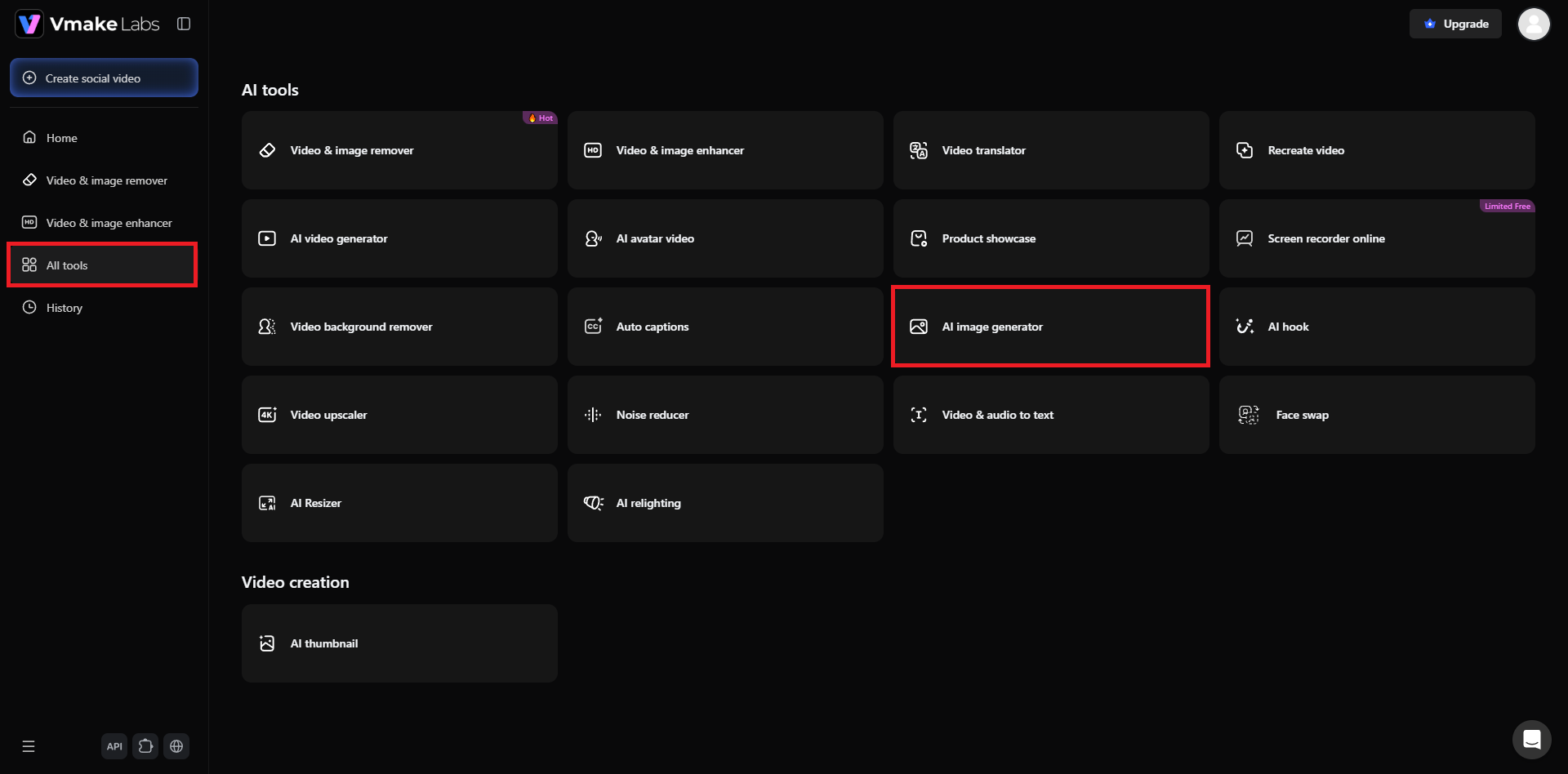
Step 1: Access Vmake Labs AI image generator
Start your journey by first accessing the official website of Vmake Labs. From there, either sign-in to your existing account, or create a new account. After that, head over to the "All tools" section and then proceed to choose the "AI image generator" tool from the list of options.
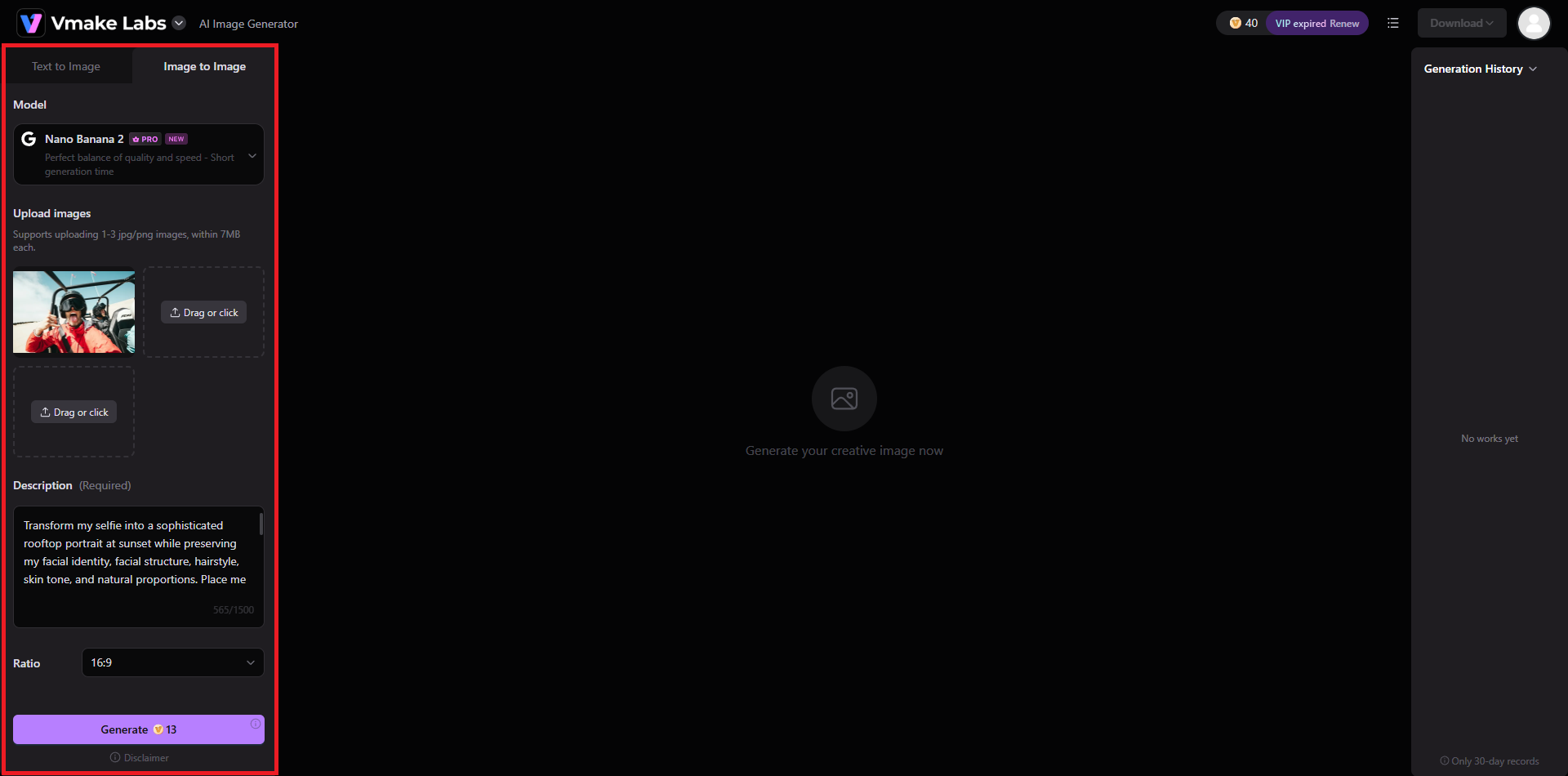
Step 2: Upload image, select model, and provide prompt for generation
In the next step, you need to upload the selfie image that you want to transform, and then proceed to select the AI image generation model you want. After that, ensure that you have your prompt ready via ChatGPT, which you need to paste into the prompt box. Additionally, select the aspect ratio and click on "Generate".
Step 3: Export the newly transformed selfie image
Vmake Labs will start generating the image and once that is completed, the same will be showcased on your screen. You can then download it to your local device and then share it on your social media channels.
Tips for writing better selfie prompts & common prompt mistakes to avoid
A strong selfie prompt needs clear visual direction without unnecessary complexity. The following tips can help you write more precise instructions, while avoiding common issues that can make transformations inconsistent.
Tips |
Mistakes |
|---|---|
|
Preserve important facial features Clearly state which facial characteristics should remain unchanged. Mentioning identity, facial structure, hairstyle, and natural proportions can help communicate which elements are important to preserve. Mention realistic lighting and skin texture Include appropriate lighting and skin details when realism matters. Describing natural shadows, realistic texture, and balanced exposure can provide more specific visual guidance than simply requesting a realistic image. Choose one primary visual concept Build each prompt around one central idea, such as a cinematic portrait or travel photograph. A focused concept makes it easier to describe supporting elements without creating conflicting visual instructions. Match the prompt to your selfie Consider the original selfie when writing your prompt. A close-up portrait, casual outdoor photo, and full-body selfie may require different descriptions for composition, clothing, background, and framing. Avoid adding unnecessary instructions Keep details relevant to the transformation you want. Too many unrelated instructions can make a prompt harder to follow, so prioritize the visual elements that matter most. |
Using vague terms such as “make me look better” Generic requests provide little direction about the desired result. Instead, explain what you want to change, such as the setting, lighting, photography style, clothing, composition, or overall atmosphere. Overloading the prompt with conflicting styles Combining unrelated aesthetics can create an unclear visual direction. For example, requesting a vintage film portrait, futuristic cyberpunk scene, and minimalist corporate headshot simultaneously may produce inconsistent instructions. Changing too many elements at once Trying to modify the face, outfit, background, pose, lighting, environment, and artistic style in one heavily detailed request can make refinement difficult. Focus on the most important changes first. Ignoring composition and lighting A prompt that only describes the subject may leave important photographic details undefined. Adding framing, camera perspective, lighting direction, and background context can make the intended image concept clearer. Expecting every detail to remain identical AI image transformation can alter certain visual details even when preservation is requested. Clearly identify the most important features to retain rather than expecting every element of the original selfie to remain exactly unchanged. |
Conclusion
ChatGPT selfie prompts provide a practical way to turn a basic image concept into a detailed set of visual instructions. By describing the setting, lighting, composition, styling, photography approach, and features you want to preserve, you can create prompts suited to different creative directions.
The 10 examples in this guide can serve as starting points that you can modify according to your selfie and preferred aesthetic. For applying these ideas to an existing image, Vmake Labs AI image generator offers an image-to-image workflow where you can upload a selfie and guide its transformation with a written prompt.
FAQs
-
Can ChatGPT create a better version of my selfie?
ChatGPT can help create detailed prompts for transforming a selfie, but the actual image transformation depends on the image-generation or editing tool you use with the prompt.
-
What should I include in a ChatGPT selfie prompt?
Include the desired setting, background, lighting, clothing, composition, photography style, mood, and details you want preserved, such as facial identity and natural proportions.
-
Can I use the same selfie prompt with other AI image generators?
Yes. Most detailed visual prompts can be adapted for different AI image generators. However, available controls, image-to-image capabilities, models, and how each platform interprets prompts can vary.
-
How can I make an AI-generated selfie look more realistic?
Use specific instructions for natural skin texture, realistic lighting, accurate facial proportions, appropriate shadows, and photographic composition. Avoid excessive retouching or overly stylized descriptions when realism is preferred.
-
Can Vmake Labs transform an existing selfie with a prompt?
Yes. Vmake Labs AI image generator supports an image-to-image workflow where you can upload an existing selfie and provide instructions describing the visual transformation you want to explore.

You May Be Interested
Best ChatGPT Action Figure Prompt Guide for Custom Toys
Can ChatGPT Transcribe Audio? Complete 2026 Guide
Can ChatGPT Generate Images? Limits & Alternatives
20+ Best ChatGPT Image Prompts for Stunning AI Images
20+ AI Art Prompts for Stunning AI-Generated Artwork