Magic Hour AI Image Generator Review: Features, Pricing & 2026 Guide
Thinking about using Magic Hour AI Image Generator? Explore our in-depth, hands-on review covering features, pricing, image quality, and a smarter content creation workflow with Vmake Labs today.

After spending over fifteen hours testing AI art tools this month, our design team evaluated Magic Hour AI Image Generator across dozens of real-world prompts. This review breaks down our hands-on test results, standout features, pricing tiers, and commercial-ready alternatives for professional creators.
What is Magic Hour AI Image Generator and how does it perform?
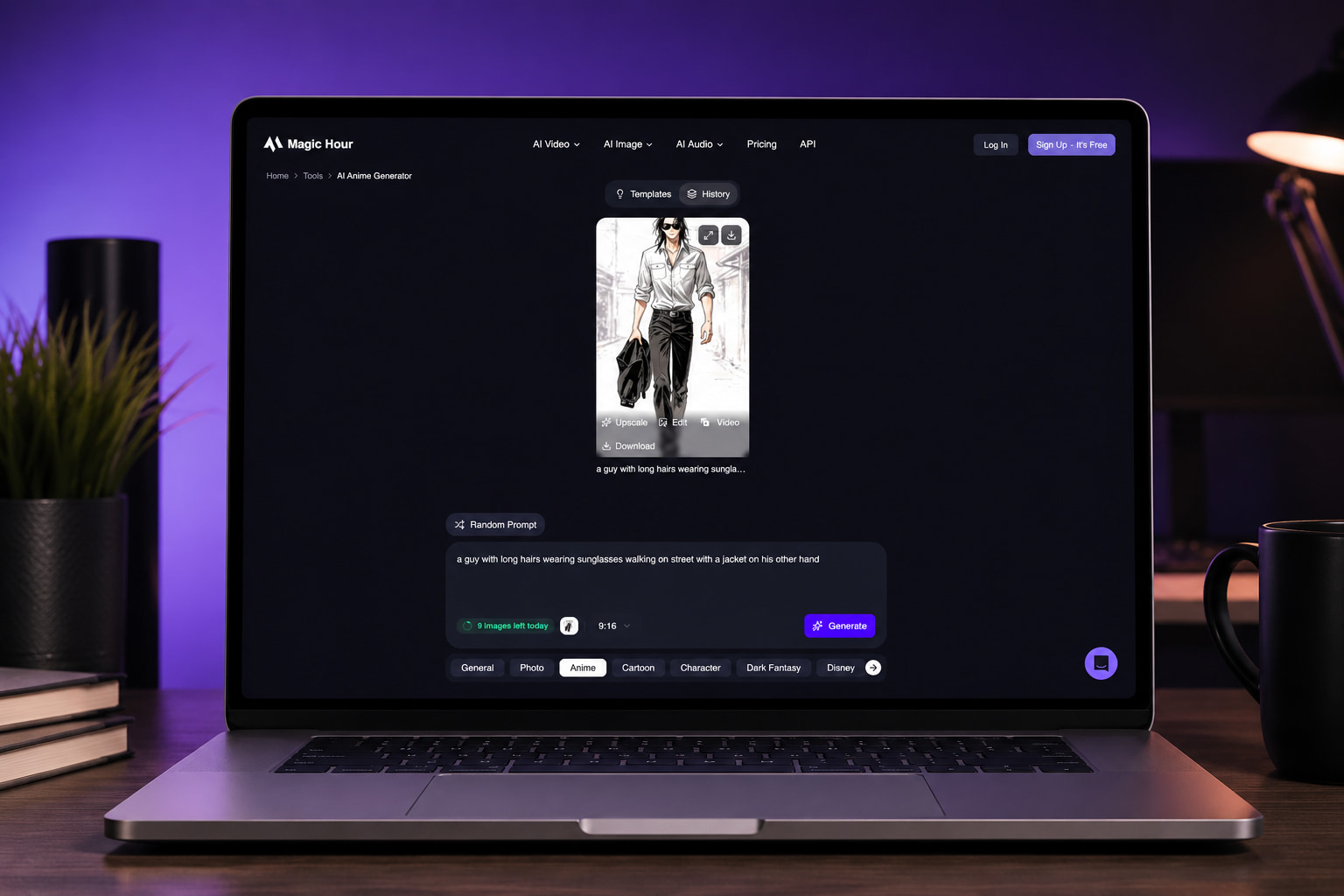
Magic Hour AI Image Generator operates as a browser-based AI content studio, allowing creators to produce visual assets without installing desktop software. Operating entirely in the cloud, the platform consolidates several generative tools into a single streamlined interface. During our 2026 evaluation cycle, the AI image generator of Magic Hour provides was tested rigorously alongside its companion video animation and face-swap capabilities to measure rendering consistency across varied workflows.
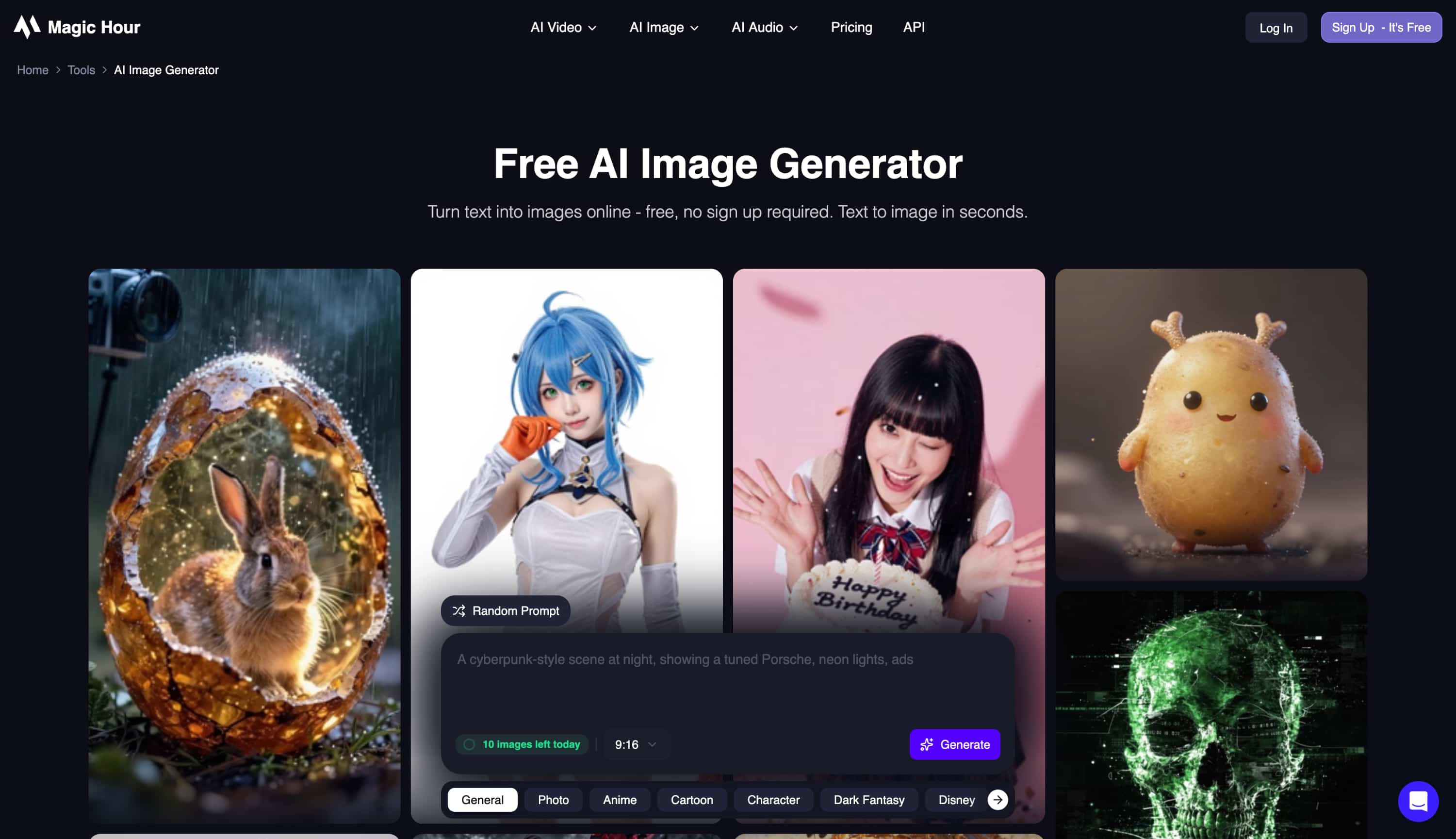
Rather than relying on technical specification sheets, our team conducted primary research using controlled prompt sets to analyze realistic character anatomy, typography rendering, and processing speed. The goal was to determine whether this web studio serves as a dependable production asset for daily commercial work or remains better suited for casual social media experimentation.
Our Hands-On Testing Methodology
This review is a primary-research assessment built on live testing rather than regurgitated specifications. To establish an accurate performance baseline, the evaluation analyzed five core parameters across dozens of controlled test runs:
-
Prompt Consistency: Assessing how accurately the engine translates multi-layered textual instructions into visually coherent scenes.
-
Photorealism vs. Illustration: Comparing rendering accuracy across realistic photographic portraits, digital artwork, and anime-style graphics.
-
Text Rendering Capabilities: Measuring spelling accuracy and legibility when generating embedded typography within images.
-
Generation Speed: Tracking cloud processing latency across peak server hours and varied prompt structures.
-
Aspect Ratio Flexibility: Evaluating subject framing and composition balance across vertical, landscape, and square outputs.
|
Feature |
Our Observation |
|---|---|
|
Ease of use |
Highly intuitive browser-based interface; zero learning curve for beginners. |
|
Image quality |
Strong for social content, though complex body proportions occasionally distort. |
|
Generation speed |
Exceptionally fast; cloud processing yields results in under one minute. |
|
AI styles |
Diverse built-in templates and varied aesthetic options available. |
|
Editing options |
Limited manual fine-tuning; relies heavily on regenerating the prompt entirely. |
|
Free plan |
Available for basic testing, but outputs include permanent watermarks. |
|
Commercial use |
Strictly restricted to paid subscription tiers only. |
Magic Hour AI Image Generator review: Features, pricing, pros and cons
The core value proposition of Magic Hour lies in its accessible, rapid cloud-based generation workflow designed for creators who need quick visual turnaround. The platform emphasizes text-to-image creation across multiple artistic presets, simple prompt adjustments, and low-latency rendering.
Pricing Structure & Free Tier Limitations
Understanding the cost structure is crucial before integrating the tool into a production pipeline, particularly regarding the restrictions on the free AI image generator Magic Hour offers to first-time evaluators.
|
Plan |
Best For |
Key Limitations |
|---|---|---|
|
Free ($0) |
Casual testing |
Watermarked outputs, non-commercial use only, limited free credits. |
|
Creator ($15/mo) |
Social media creators |
Capped at 1024px resolution, limited concurrent generations. |
|
Pro ($39/mo) |
Frequent producers |
Lacks 4K export quality; advanced prompt control is still restricted. |
Pros & Cons
Pros:
-
Clean browser interface suitable for beginners
-
Rapid cloud processing speeds
-
Diverse preset artistic styles
-
No desktop hardware requirements
Cons:
-
Restrictive free credit caps
-
Permanent watermarks on non-paid tiers
-
Limited manual fine-tuning compared to dedicated studios
-
Strict non-commercial licensing on basic accounts
Image quality, real-world testing and community feedback
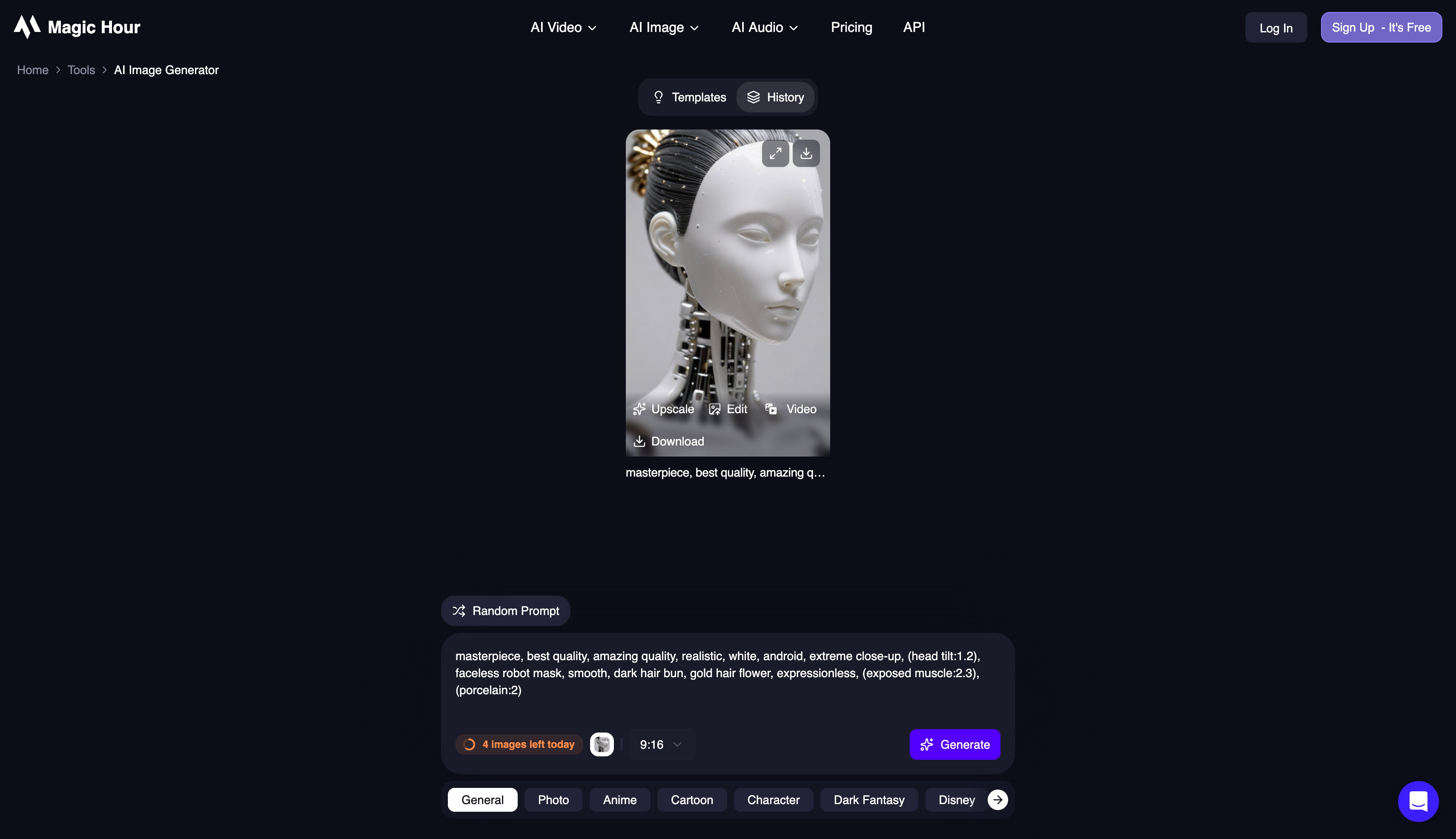
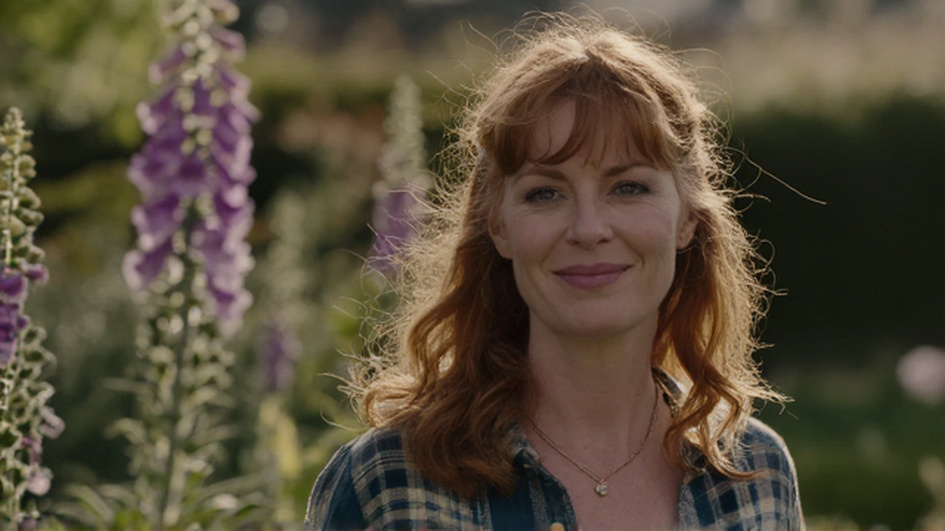
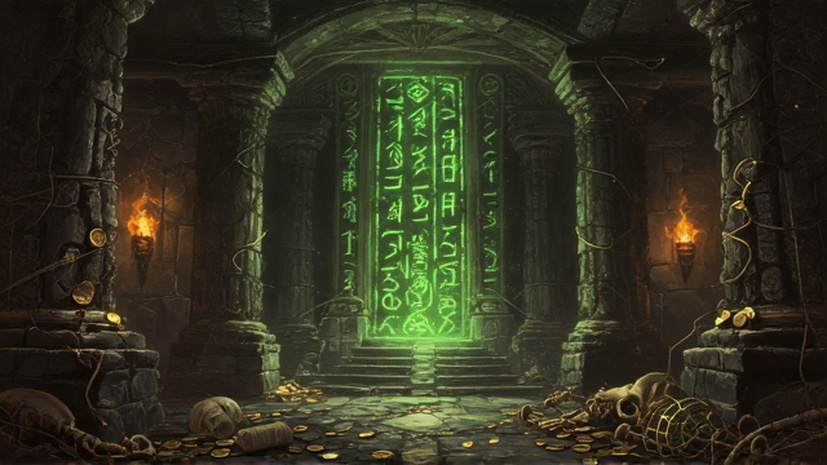
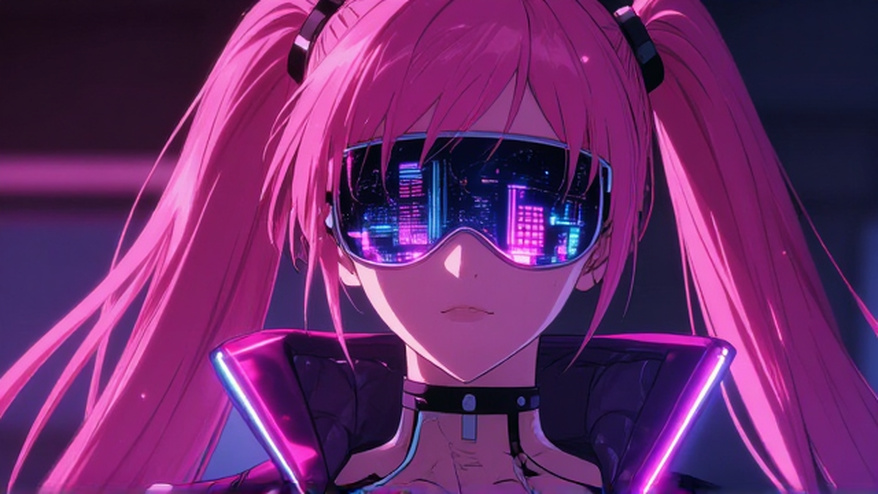
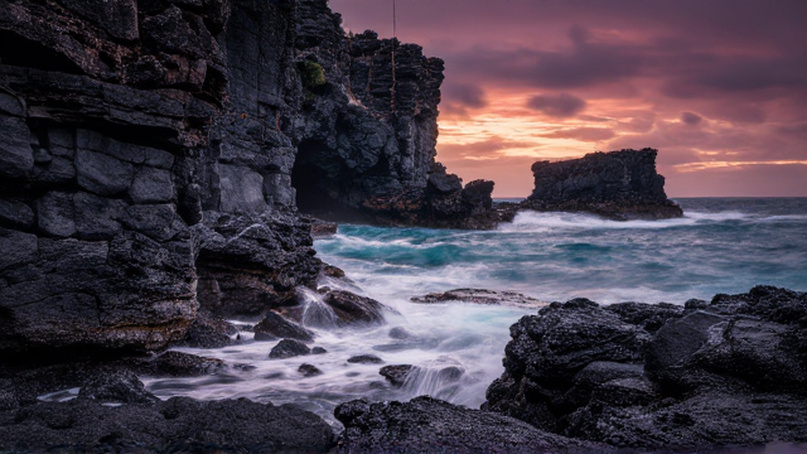
During practical prompt testing, the system demonstrated solid performance when generating standard portraiture and social media graphics. Text rendering within images remained moderately consistent for short words, though complex typographical layouts occasionally suffered from letter duplication. Character facial features appeared crisp under natural lighting prompts, whereas intricate anatomical details, particularly hand structures and crowded background elements, often required repeated generations to achieve structural accuracy. Check out our test results:
Test results
Human portrait
Fantasy dudgeon
Cyberpunk image
Panoramic view
Community Sentiment & Verified User Feedback
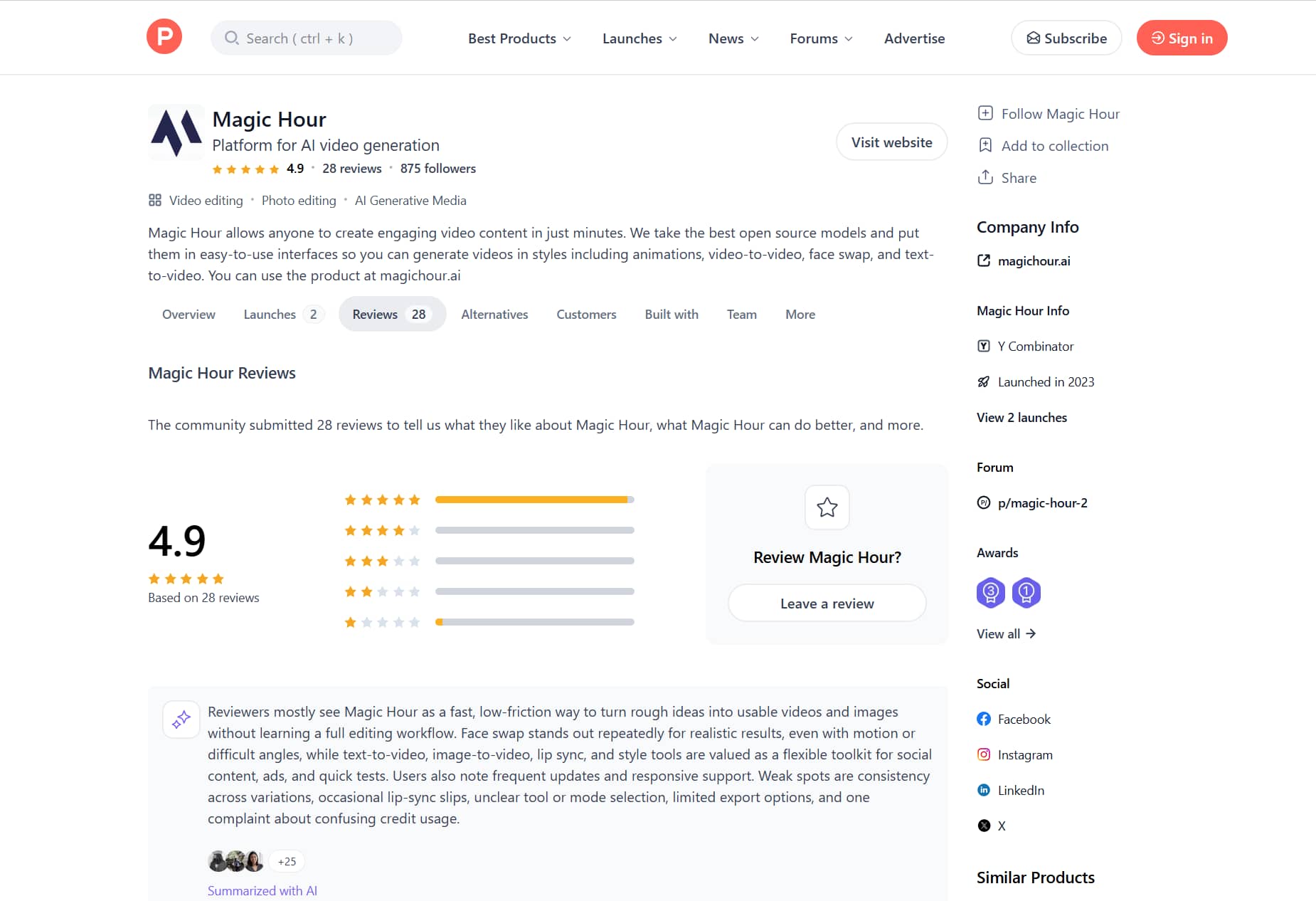
Beyond our own testing, we dug into real user feedback across Reddit, Product Hunt, and various tech blogs to see how the broader community feels. The general consensus? People love how quickly Magic Hour renders visuals and how easy it is to use straight in the browser, especially for quick social graphics. But it's not all praise. Creators frequently complain about inconsistent outputs, loose prompt tracking, and how fast you burn through credits when trying to tweak a complex image.
|
Source |
Common Positive Feedback |
Common Complaints |
|---|---|---|
|
Reddit (r/generativeAI) |
Browser-based workflow is frictionless; highly realistic face-swapping capabilities. |
Credit system drains quickly if users need multiple regenerations to fix errors. |
|
Product Hunt / Review Sites |
Fast time-to-output; great for rapid social media testing and concept iteration. |
Lack of advanced prompt control compared to heavier tools like Midjourney. |
|
Quora / Tech Blogs |
Generous templates make starting easy for non-designers. |
Unnatural blending around hairlines or clothing when doing complex image edits. |
Vmake Labs AI Image Generator as a better alternative for creators
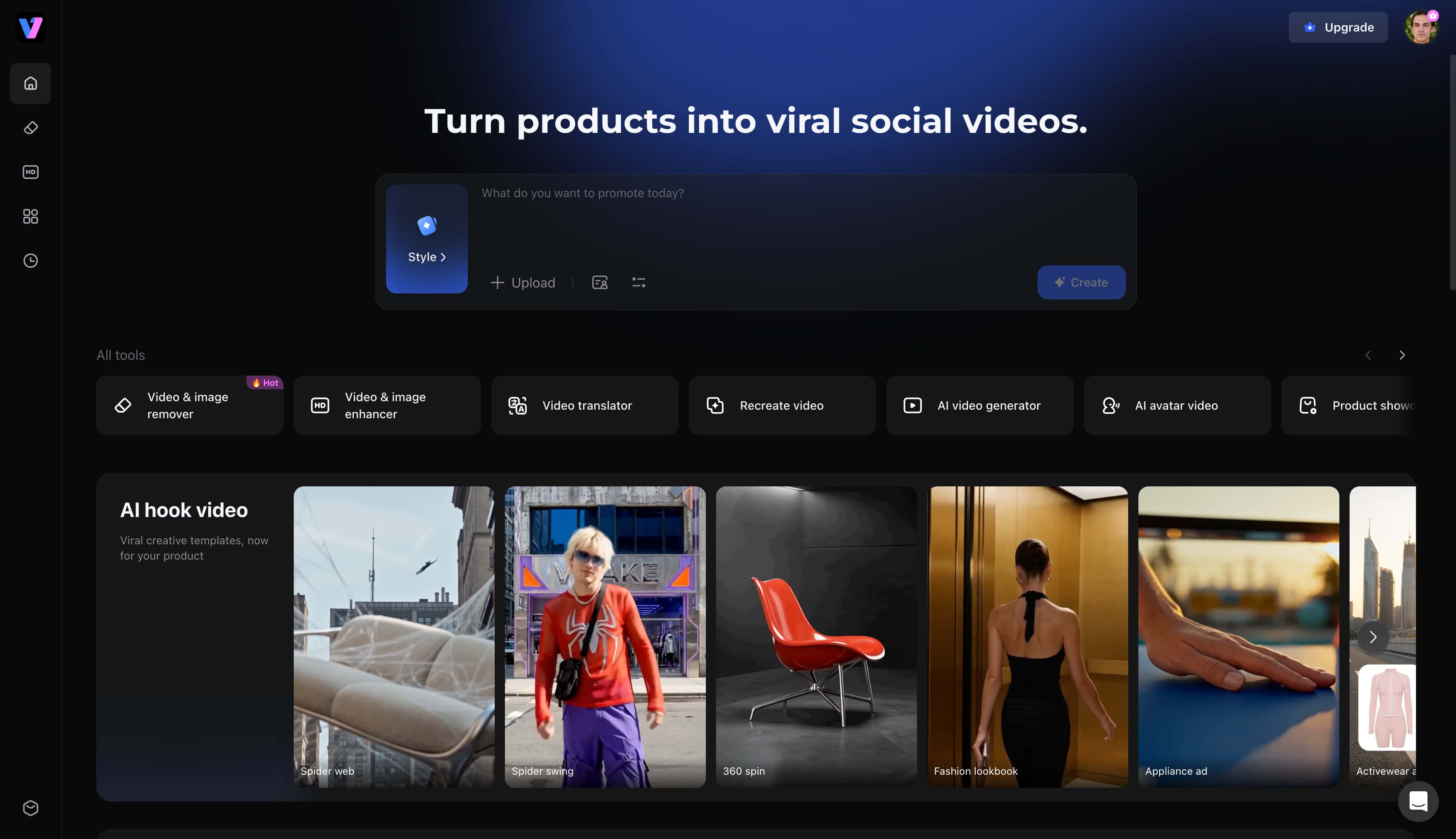
Vmake Labs AI Image Generator is an AI-powered image creation platform that helps creators, marketers, designers, and businesses generate high-quality visuals from text prompts or reference images. It supports both text-to-image and image-to-image generation, offers access to multiple AI models, and makes it easy to create commercial-ready images directly in your browser. Users seeking an adaptable image generator will find its workflow optimized for both speed and high-resolution output.
Why choose Vmake Labs AI Image Generator?
Users outgrowing the Magic Hour free AI image generator limits often require a platform built specifically for scalable, high-resolution production.
-
Multi-Model Architecture: The platform integrates several leading generative engines, allowing creators to switch seamlessly between realistic photography and stylized illustrations. This variety ensures that every project receives the exact aesthetic processing required without hopping between different websites. Having Nano Banana Pro available for free further expands creative possibilities for intricate lighting and textural detail.
-
Dual Generation Workflows: Creators can initiate projects using detailed descriptive prompts or upload reference artwork to guide visual composition. For digital branding and social media campaigns, pairing text prompts with an AI avatar workflow ensures consistent human character representation across assets. Artists can also apply an integrated image enhancer to sharpen subtle details after generation.
-
Unrestricted Commercial Licensing: Every generated visual comes with full commercial usage rights, making the outputs immediately viable for advertising campaigns and client deliverables. Unlike restrictive free-tier tools, the platform eliminates permanent watermarks across standard exports. Teams can confidently publish their creative assets without licensing friction.
-
Flexible Aspect Ratios and Resolutions: The interface provides extensive aspect ratio selections tailored for vertical social feeds, horizontal banners, and square print formats. High-resolution rendering ensures that fine details remain sharp across digital screens and physical marketing materials. Designers avoid post-generation cropping issues by generating the correct dimensions from the start.
How to create AI images with Vmake Labs
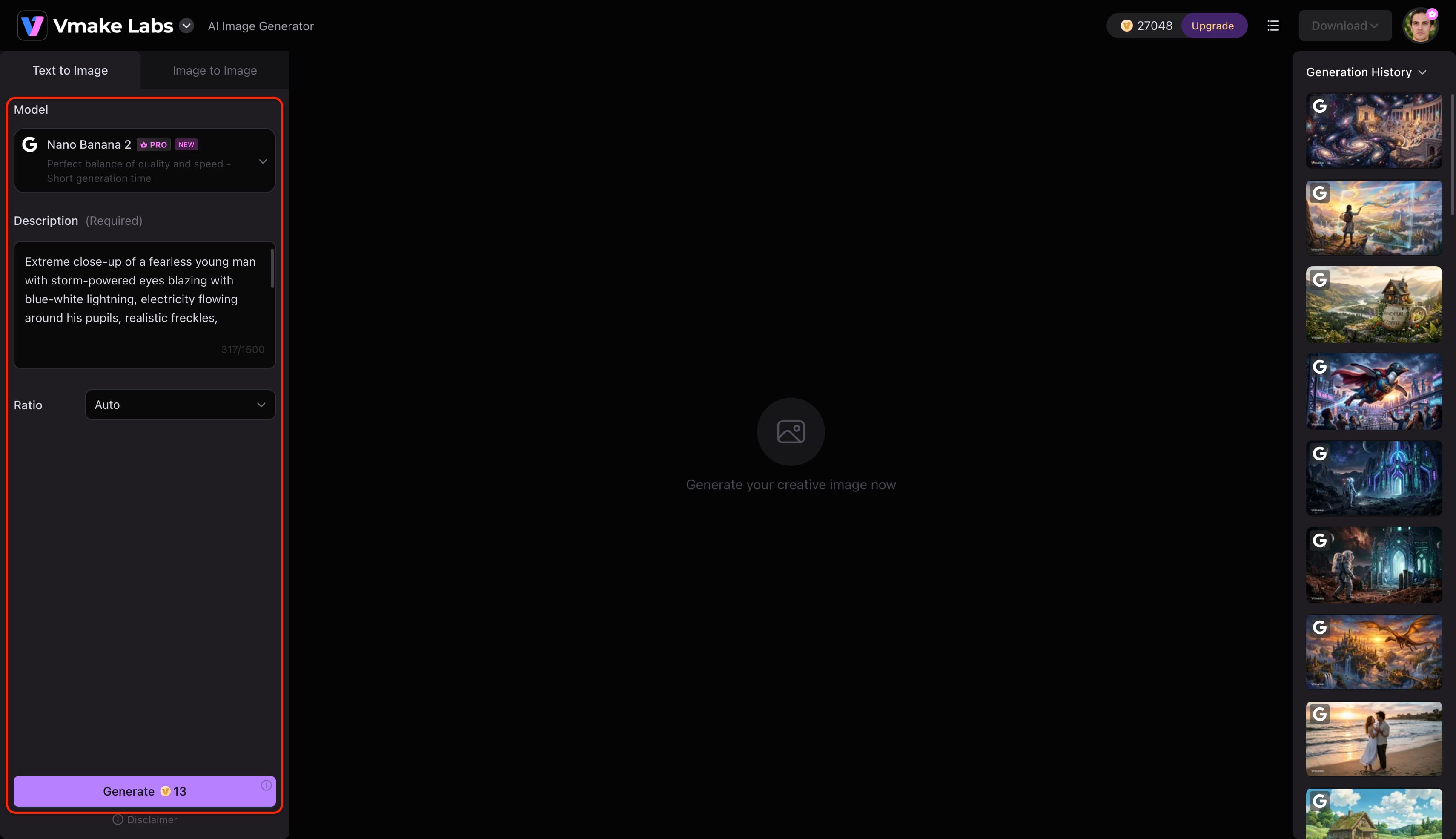
Step 1: Enter a text prompt or upload a reference image
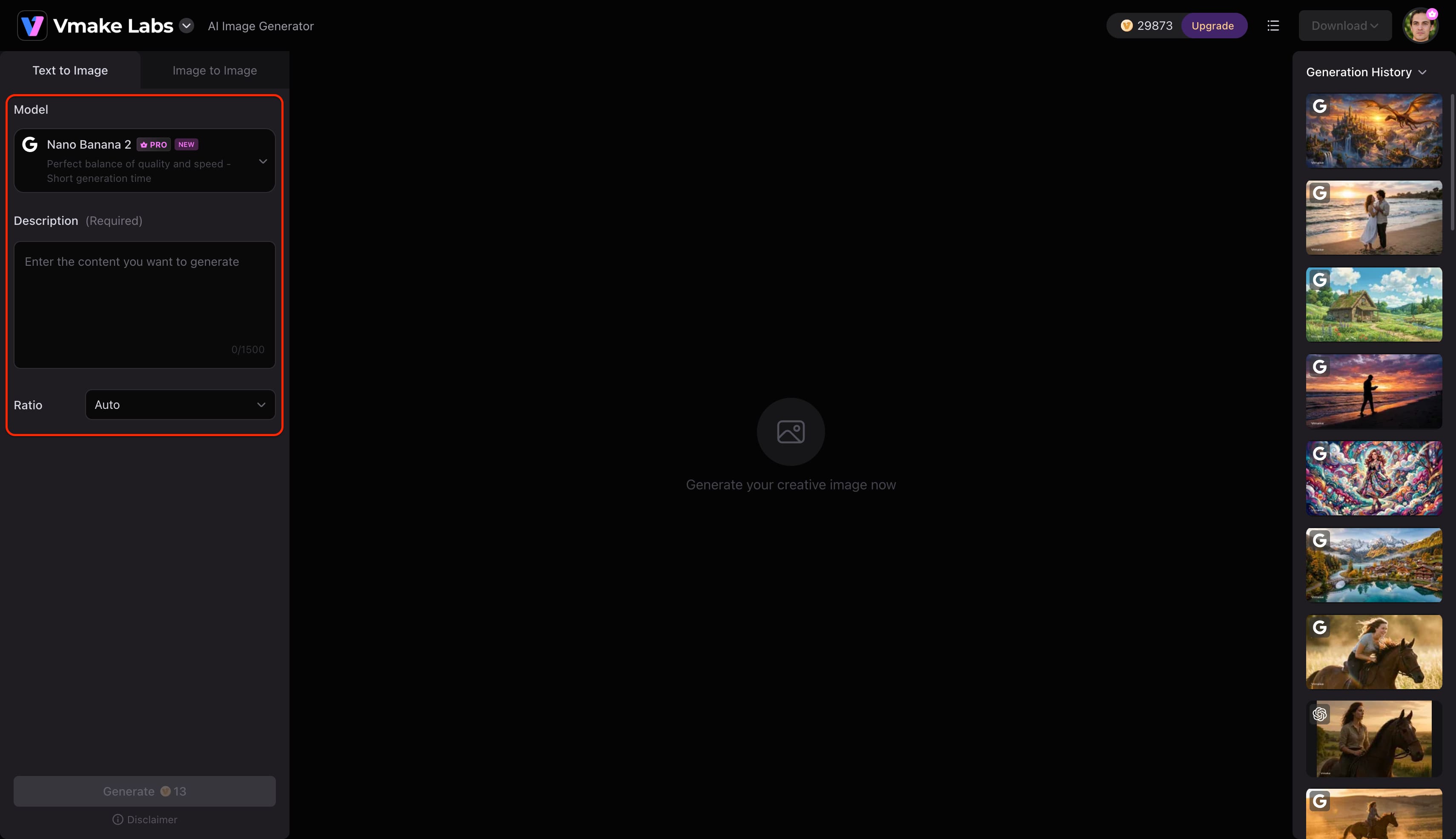
Open Vmake Labs AI Image Generator and choose either Text to Image or Image to Image. Enter a text prompt describing the image you want to create, or upload up to three reference images to guide the AI before generation.
Step 2: Choose an AI model and customise the generation settings
Select the AI model that best suits your project. Vmake Labs AI Image Generator supports Nano Banana 2, Nano Banana Pro, Nano Banana, Seedream 4.0, and GPT Image 1. Then choose your preferred aspect ratio before clicking Generate.
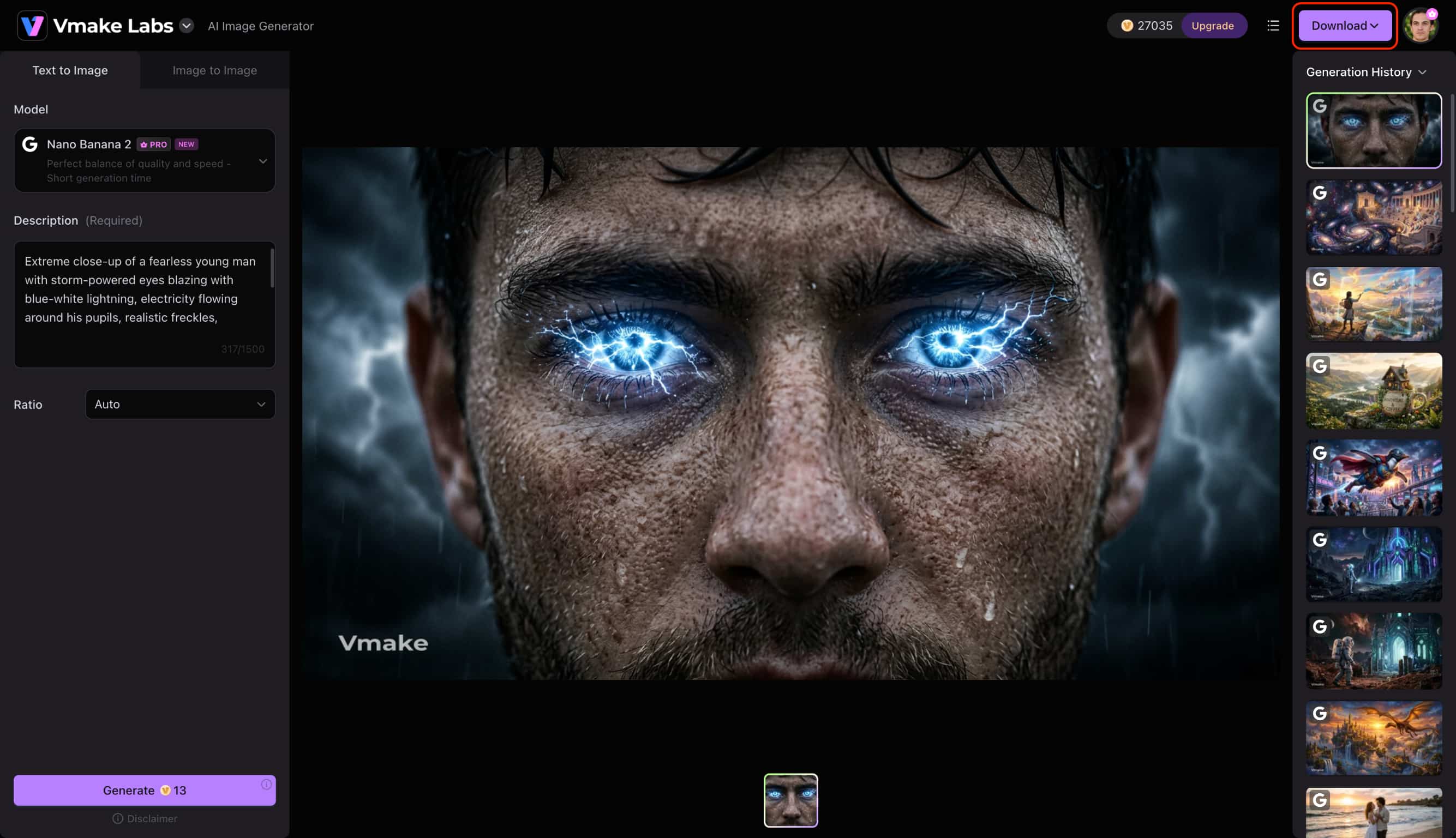
Step 3: Generate and download your image
Click Generate to create your images. Review the generated results, generate additional variations if needed, and download the image that best matches your project.
Magic Hour AI Image Generator review: Who should use it?
Magic Hour AI targets creators who care more about quick, accessible cloud rendering than spending hours on manual adjustments. Running entirely in your web browser, it uses a solid library of templates to help small teams and individuals push out social content fast. However, that speed comes at the expense of precision. Without features like advanced inpainting or strict brand-color enforcement, how much mileage you get out of it really depends on your daily project demands.
|
User Type |
Recommendation |
Why |
|---|---|---|
|
Beginners |
Highly recommended |
Intuitive learning curve with zero installation needed. |
|
Content creators |
Recommended |
Good for quick social assets and fast ideation. |
|
Marketing teams |
Suitable |
Lacks advanced brand-kit controls for strict corporate guidelines. |
|
Designers |
Moderately suitable |
Requires more manual control and fine-tuning than it offers. |
|
Small businesses |
Suitable |
Cost-effective for basic, rapid visual needs. |
|
AI hobbyists |
Highly suitable |
Fun to experiment with built-in styles and templates. |
Conclusion
Our 2026 evaluation shows that Magic Hour stands out for its exceptional processing speed and beginner-friendly web interface. However, limited manual fine-tuning and strict credit caps hinder complex creative projects. When deciding if the Magic Hour AI image generator free version is enough for daily work, keep in mind that permanent watermarks and non-commercial licenses restrict it to personal testing. For professional creators needing greater artistic control and unwatermarked commercial assets, modern alternatives like Vmake Labs deliver a far more dependable workflow.
FAQs
Is Magic Hour AI Image Generator free?
Yes, the platform offers a free tier that provides a limited allocation of credits for casual testing and personal experimentation. However, all free exports contain permanent watermarks and are strictly restricted to non-commercial usage.
Does Magic Hour AI Image Generator allow commercial use?
Commercial usage rights are reserved exclusively for users subscribed to the Creator or Pro paid monthly plans. Any content generated under the free account level cannot be utilized for client projects, advertising, or monetized channels.
How good is Magic Hour AI Image Generator for realistic images?
In our practical tests, the system produced clean lighting and convincing portraits suitable for social media feeds. Nevertheless, complex anatomical details like hands and fine background textures often require multiple prompt regenerations to achieve true realism.
What are the biggest limitations of Magic Hour AI Image Generator?
The platform lacks granular manual editing controls, such as regional inpainting or advanced prompt weighting found in specialized studio tools. Additionally, rapid credit consumption during trial-and-error prompting can make extensive project iterations costly over time.
Which AI image generator is best for content creators?
For creators prioritizing fast browser access and intuitive templates, Magic Hour provides a smooth starting point for daily visual concepts. When professional workflows demand unwatermarked commercial exports and advanced image editing, platforms offering multi-engine access deliver superior long-term versatility.

You May Be Interested

Canva AI Image Generator Review: Is It Worth It in 2026?
Artguru Image Upscaler Review: Features & Best Alternative
Adobe Firefly AI Image Generator Review: Features & Pricing
Artguru AI Image Generator Review 2026: Is It Worth Trying?
ChatGPT Image Generator Review: A Complete Hands-on Review