Adobe Firefly AI Image Generator Review: Features, Pricing, Pros, Cons & Best Alternative
Read our Adobe Firefly AI Image Generator review covering features, pricing, hands-on testing, pros, cons, user feedback, and compare it with Vmake Labs AI Image Generator before making your final choice.

Adobe Firefly is one of the most popular AI image generators, especially for creators already using Adobe Creative Cloud. In this review, we test its features, image quality, pricing, and real-world performance to help you decide whether it's the right AI image generator or if a better alternative is available.
What Is Adobe Firefly AI Image Generator?
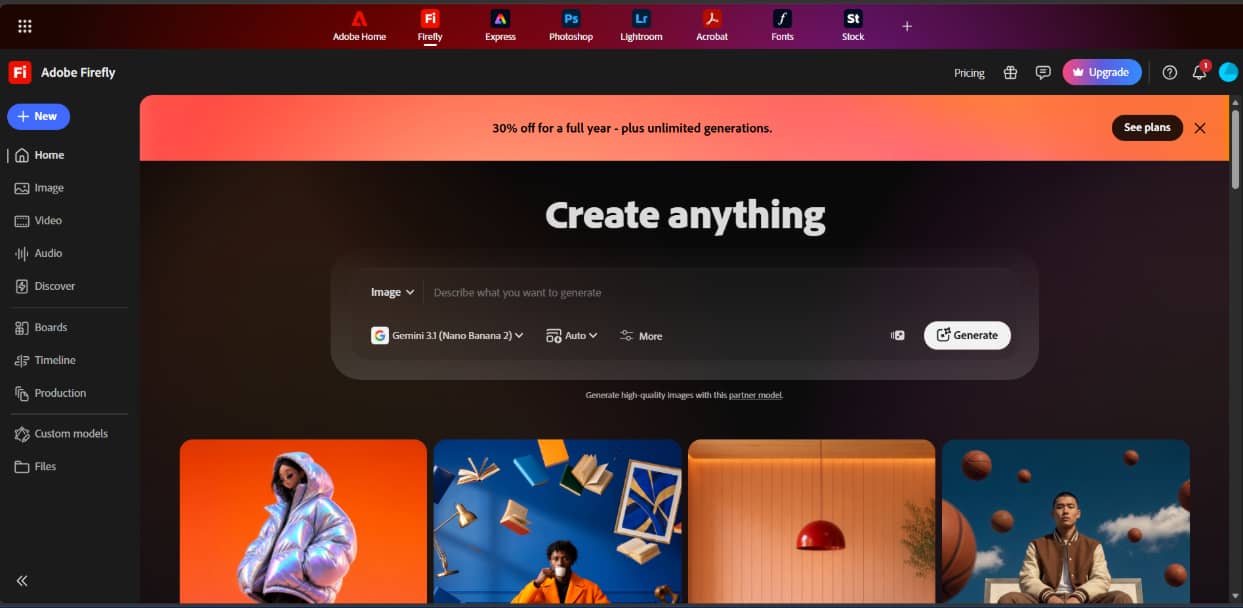
Adobe Firefly is Adobe's generative AI platform, which lets users generate and modify images using text prompts and AI-powered editing tools. Unlike many AI image generators, Adobe states that Firefly is trained on licensed Adobe Stock content and public domain material. Based on Adobe's training approach and licensing terms, it's intended to support commercial creative workflows. Firefly is available as a web app and integrates with Adobe Creative Cloud apps like Photoshop and Express.
Overview
-
Adobe's generative AI image platform: Create images, artwork, and illustrations from text prompts using Adobe Firefly.
-
Built for the Adobe ecosystem: Works across the web and integrates with Adobe Creative Cloud apps for a connected creative workflow.
-
Adobe's training approach: According to Adobe, Firefly is trained on licensed Adobe Stock content and public domain material to support commercial creative workflows under Adobe's licensing terms.
-
Suitable for a range of creative projects: From concept art to marketing visuals, Firefly is designed to fit into both personal and professional creative workflows.
Adobe Firefly AI Image Generator Features & How to Create AI Images
Adobe Firefly is AI image generation with advanced editing features, meaning even novices and professional designers will find it useful. In addition to creating images from text, it has a friendly browser interface with tools to expand images, replace objects, and generate from references.
Key Features
-
Text-to-image generation: First describe your idea of creating images, artwork, drawings, product ideas, and marketing visuals.
-
Generative Fill and Generative Expand: Modify pre-existing photos by expanding, deleting, or adding items while preserving realistic composition, lighting, and visual coherence.
-
Reference image support: Upload reference images to steer the AI towards a style, composition, or visual look you like for more consistent results.
-
Style presets and aspect ratios: Customize generated images with a personal touch through a variety of artistic styles, visual effects, and multiple aspect ratios for social media, websites, presentations, and print.
-
Photoshop integration: Open generated images directly in Adobe Photoshop for advanced editing using familiar Creative Cloud tools and AI-powered workflows.
How to Create AI Images with Adobe Firefly
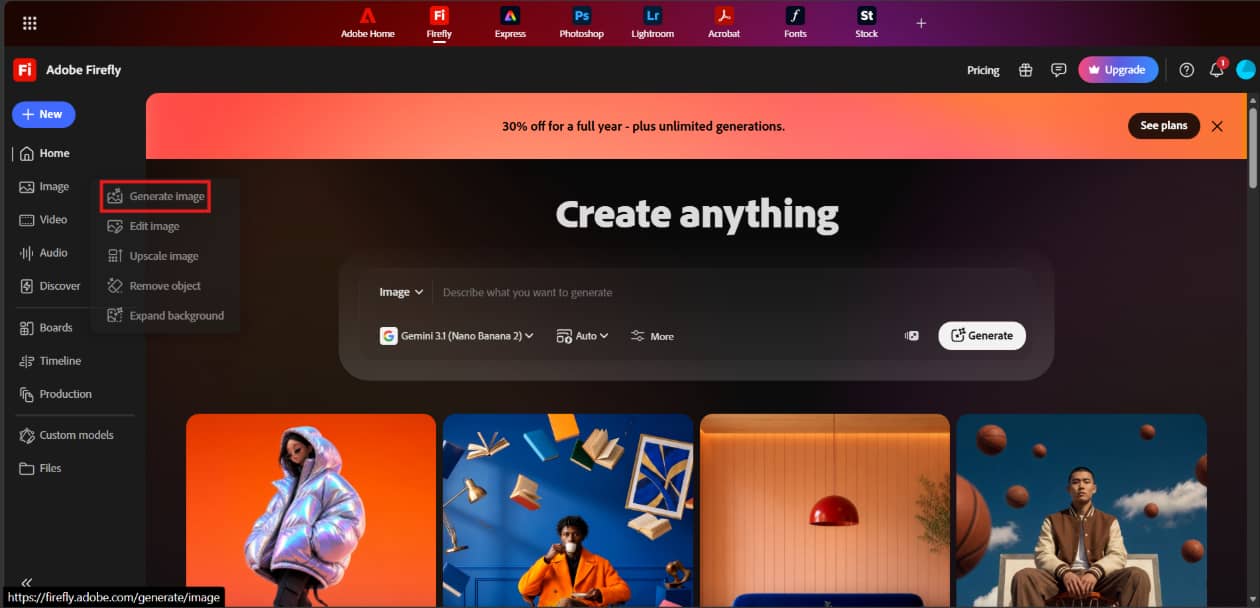
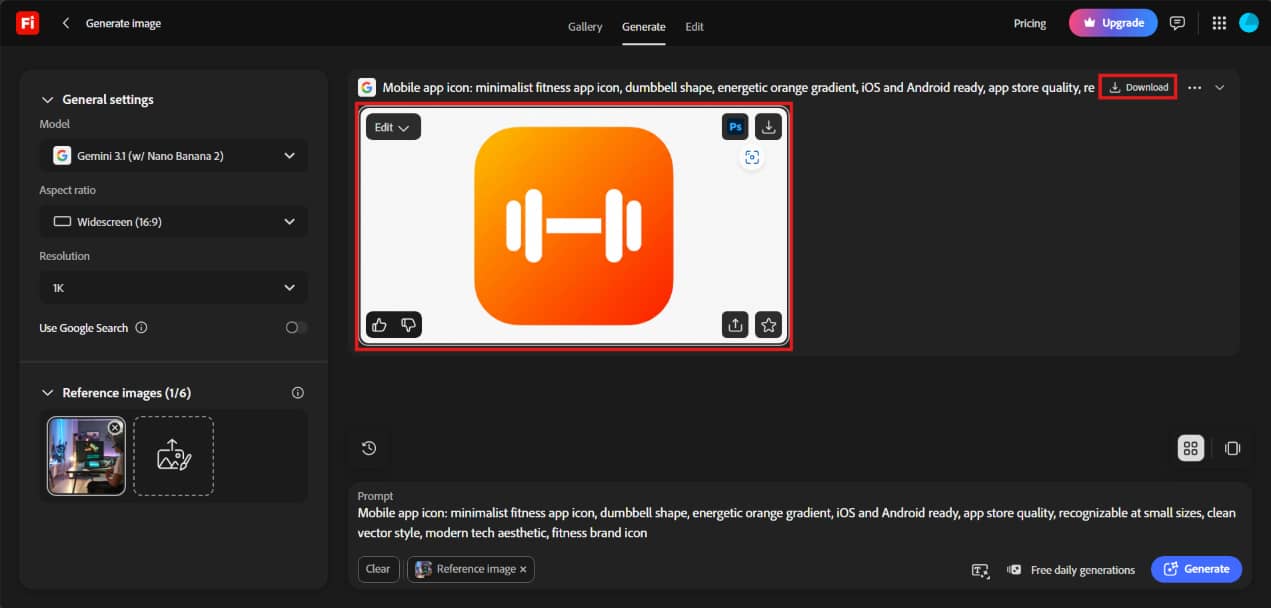
Step 1: Click New and Select Generate Image
Open Adobe Firefly in your browser and click New from the left sidebar. From the dropdown menu, select Generate Image to launch the AI image generation workspace.
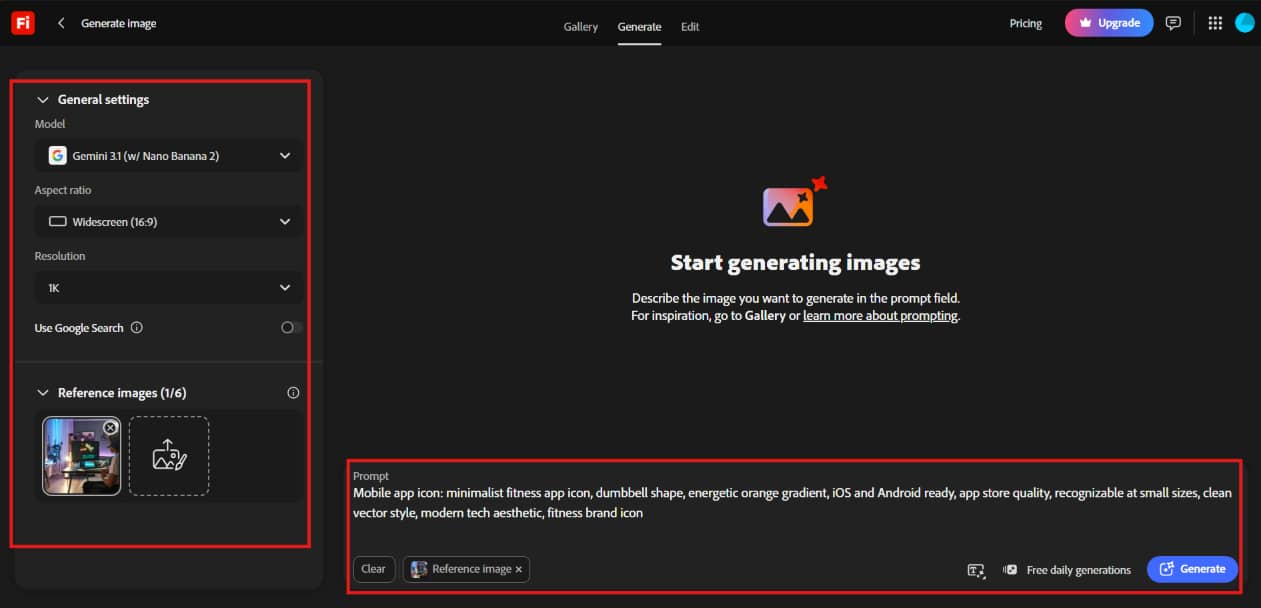
Step 2: Choose Your Model, Enter a Prompt, and Customize Settings
Select an AI model, type your image prompts, and optionally upload a reference image. Adjust settings such as Aspect Ratio, Resolution, and other generation options before clicking Generate.
Step 3: Review, Edit, and Download Your AI Image
Once your image is generated, review the results and make any necessary edits using Firefly's built-in tools. When you're satisfied with the output, click Download to save the final image.
Adobe Firefly pricing: How to choose Adobe Firefly plans
Adobe Firefly offers four subscription plans designed to meet various creative needs, from casual image generation to AI content creation at the enterprise level. The right plan for you depends on how often you use AI tools and if you need advanced image and video generation features.
Adobe Firefly Pricing
|
Plan |
Monthly Price |
Best For |
Key Highlights |
|---|---|---|---|
|
Firefly Standard |
$9.99/month |
Beginners and casual creators |
2,000 generative credits and unlimited standard image and vector generations |
|
Firefly Pro |
$19.99/month |
Content creators and designers |
4,000 generative credits with higher AI usage limits |
|
Firefly Pro Plus |
$34.97/month |
Professionals |
10,000 generative credits with expanded AI image and video capabilities |
|
Firefly Premium |
$139.91/month |
Enterprise teams |
50,000 generative credits and the highest AI generation limits |
Which Plan Offers the Best Value?
|
Plan |
Who It's Best For |
Recommendation |
|---|---|---|
|
Firefly Standard |
Beginners |
Best entry-level plan for learning AI image generation |
|
Firefly Pro |
Freelancers, marketers, and designers |
Best overall value for most creators |
|
Firefly Pro Plus |
Agencies and creative teams |
Best for users creating both AI images and videos |
|
Firefly Premium |
Enterprise organizations |
Best for high-volume AI content production |
Hands-on Adobe Firefly AI Image Generator Review
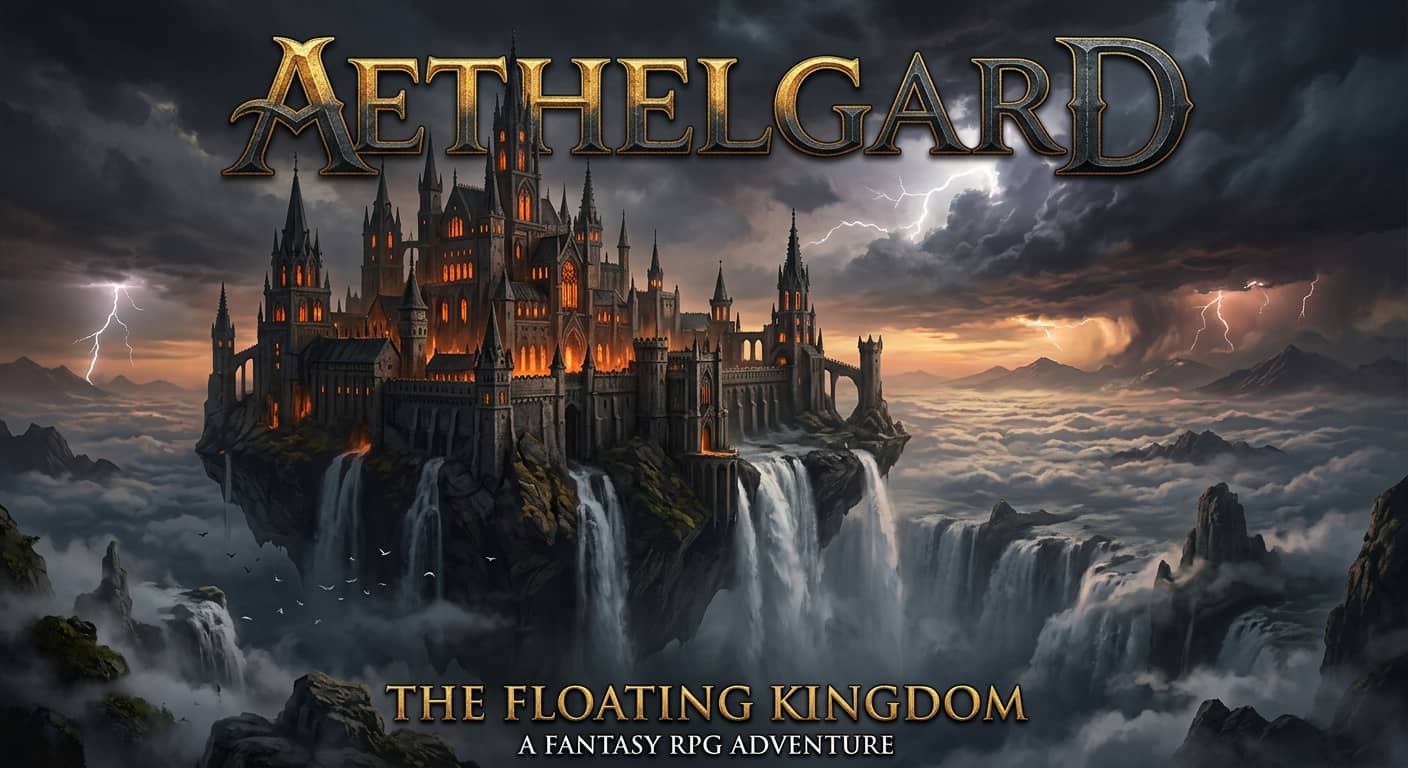
We put Adobe Firefly to the test on common creative tasks, from AI image generation to icon creation and image editing. The review focused on image quality, prompt accuracy, editing performance, and general ease of use.
Our hands-on test results
Fantasy
Realistic

Hands-on Review
-
Image Quality: Firefly gives you sharp, superior photos, with great color and composition. It was okay for graphics, icons, and marketing pictures, but sometimes it needed the regeneration of exact suggestions.
-
Prompt Accuracy: The AI followed prompts closely and generated images that matched the requested style and subject. Reference image support also helped improve output consistency.
-
AI Editing Performance: Generative Fill and Generative Expand made it easy to edit, extend, and refine images. The image enhancer editing tools worked smoothly and integrated well with Adobe's workflow.
-
Ease of Use: The interface is clean and beginner-friendly. Creating an AI image only takes a few steps, making Firefly easy to use for both new and experienced creators.
Pros and Cons
|
Pros |
Cons |
|---|---|
|
Easy-to-use interface with minimal learning curve |
Image quality can vary with complex prompts |
|
Excellent Creative Cloud integration |
AI-generated text remains inconsistent |
|
Commercially safer AI models trained on licensed content |
Credit-based usage may limit frequent generation |
|
Powerful Generative Fill and Generative Expand tools |
Some advanced editing still requires Photoshop |
|
Flexible styles, aspect ratios, and reference image support |
Photorealistic output may lag behind some competitors |
What Users Are Saying
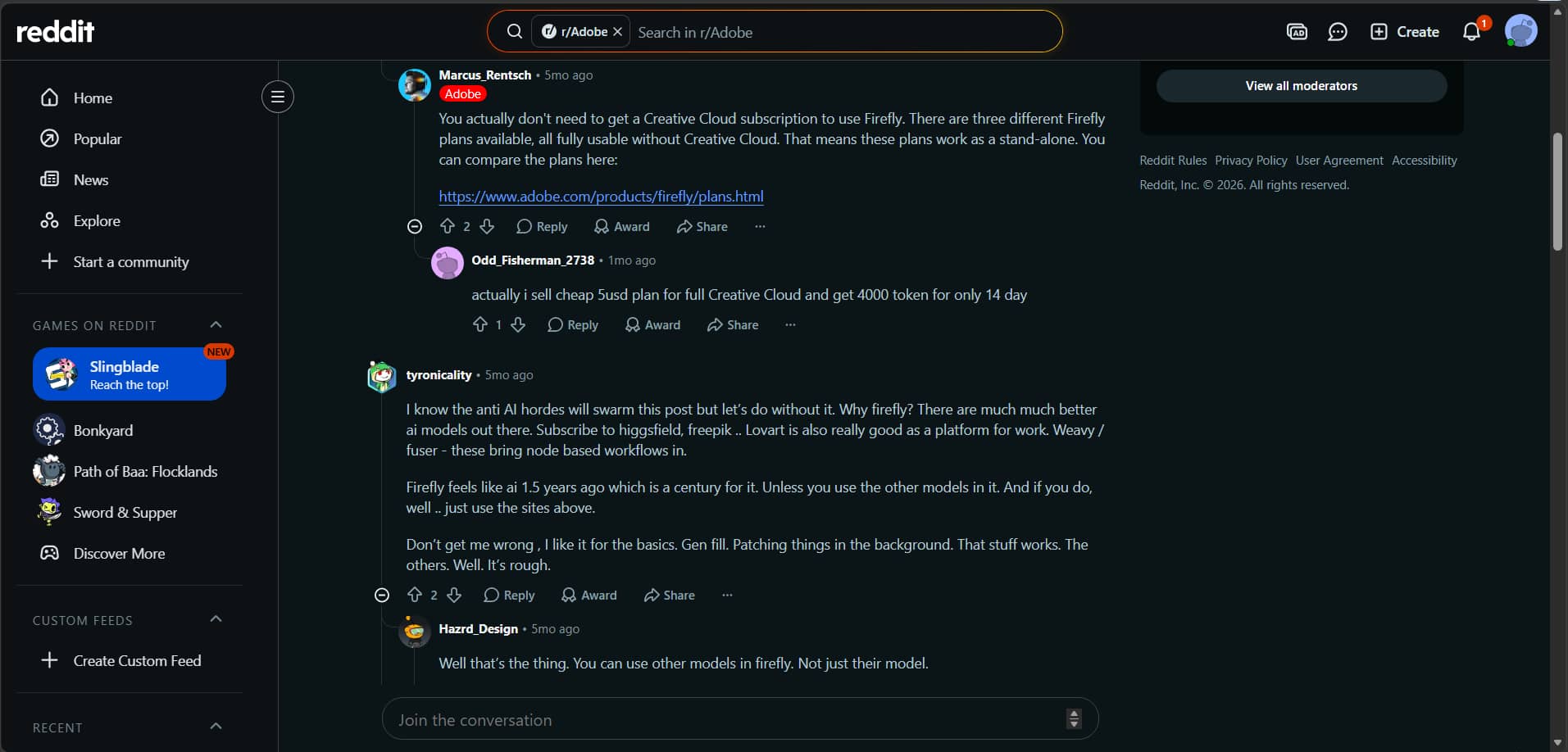
Reddit: A lot of Reddit users like Adobe Firefly for its Creative Cloud integration, Generative Fill, and more commercially safe AI models. Describe your idea in plain language and get illustrations, artwork, icons, product ideas, and marketing visuals. However, some feel that its image generation quality still lags behind the leading AI image generators when it comes to very detailed or photorealistic content.
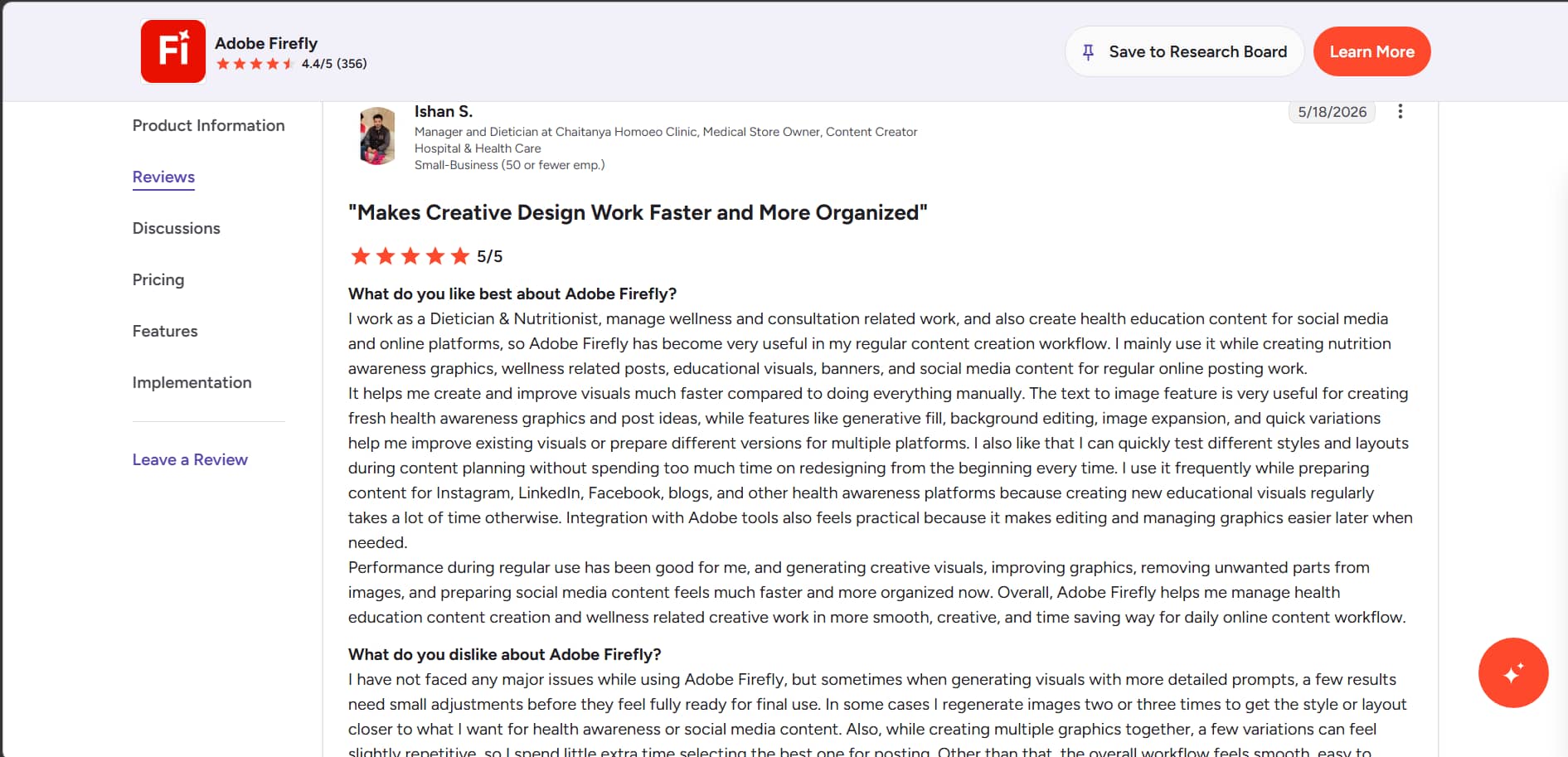
G2: Firefly's user-friendliness, quick workflow, and AI editing features for creating marketing and social media visuals are highly praised by G2 reviews. A few users have reported that the credit system may be restrictive if you use it often, and elaborate instructions may need many attempts.
Afterthought
While Adobe Firefly is a great fit if you're already living in the Creative Cloud ecosystem, it can feel like overkill if you just need to churn out quick commercial assets. If your day-to-day workflow looks less like manual graphic design and more like staging rapid e-commerce product shots, swapping backgrounds, or using virtual AI models for apparel, a specialized media tool is usually much faster. To see how a dedicated e-commerce pipeline stacks up, let’s pivot to Vmake Labs and break down its automated toolkit.
Best Alternative: Vmake Labs AI Image Generator & Comparison
Vmake Labs AI Image Generator is a nice alternative to Adobe Firefly to look at. It supports text-to-image and image-to-image generation, has multiple AI models, and also has a fast browser-based workflow for generating high-quality visuals.

Why Choose Vmake Labs AI Image Generator?
-
AI-powered Text-to-Image & Image-to-Image: Create original AI images from text prompts or transform existing images with AI. Both generation modes are designed for fast and flexible content creation.
-
Multiple Advanced AI Models: Choose from multiple AI models to create images in different artistic and realistic styles. This gives you greater creative control for various projects.
-
Commercial-Ready Image Quality: Generate high-resolution images suitable for marketing, branding, product listings, and other professional use cases. The outputs are designed to meet commercial content needs.
-
Fast Browser-Based Workflow: Create AI images directly from your browser without downloading software. The streamlined workflow makes it easy to generate images in just a few clicks.
-
Ideal for Creative and Business Projects: Whether you're creating social media posts, e-commerce visuals, or marketing materials, Vmake Labs provides a simple and efficient AI image generation solution.
How to Generate AI Images with Vmake Labs
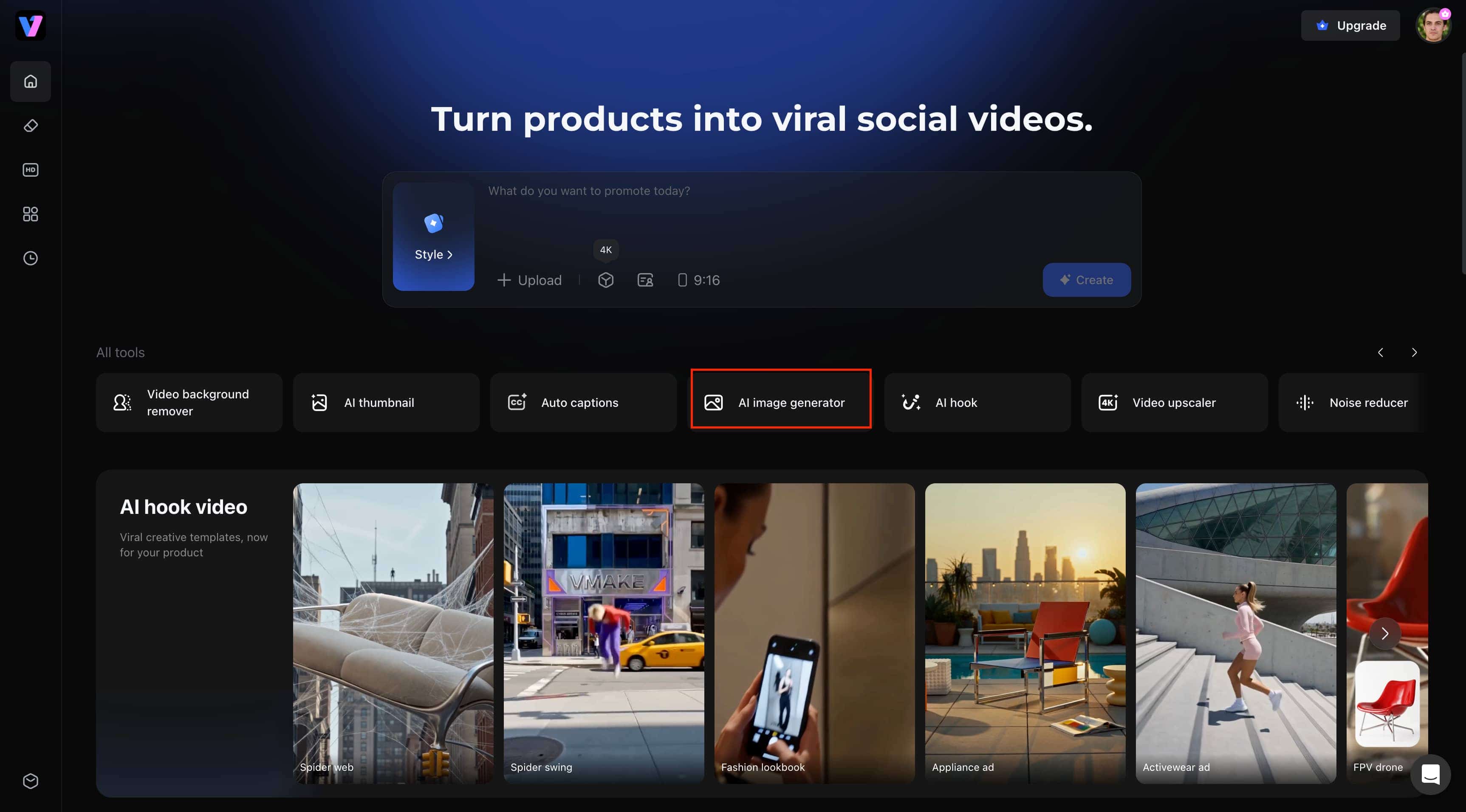
Step 1: Open the AI Image Generator
From the Vmake Labs homepage, click AI Image Generator to access the image creation workspace. This opens the Text-to-Image interface where you can start creating AI-generated visuals.
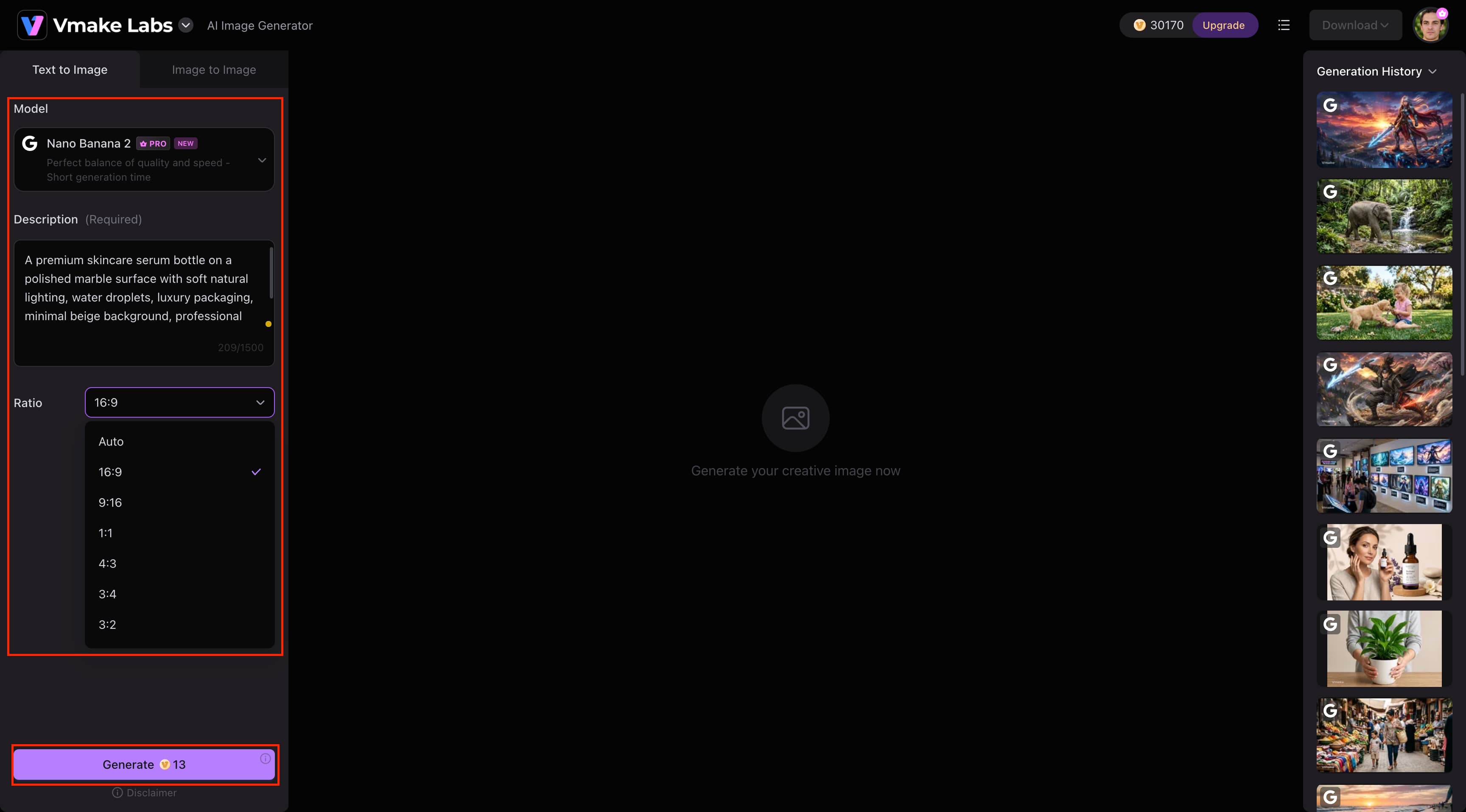
Step 2: Choose Your Model, Enter a Prompt, and Generate
Select your preferred AI model, enter a detailed text prompt, and choose the aspect ratio that best suits your project. Click Generate to create a high-quality AI image within seconds.
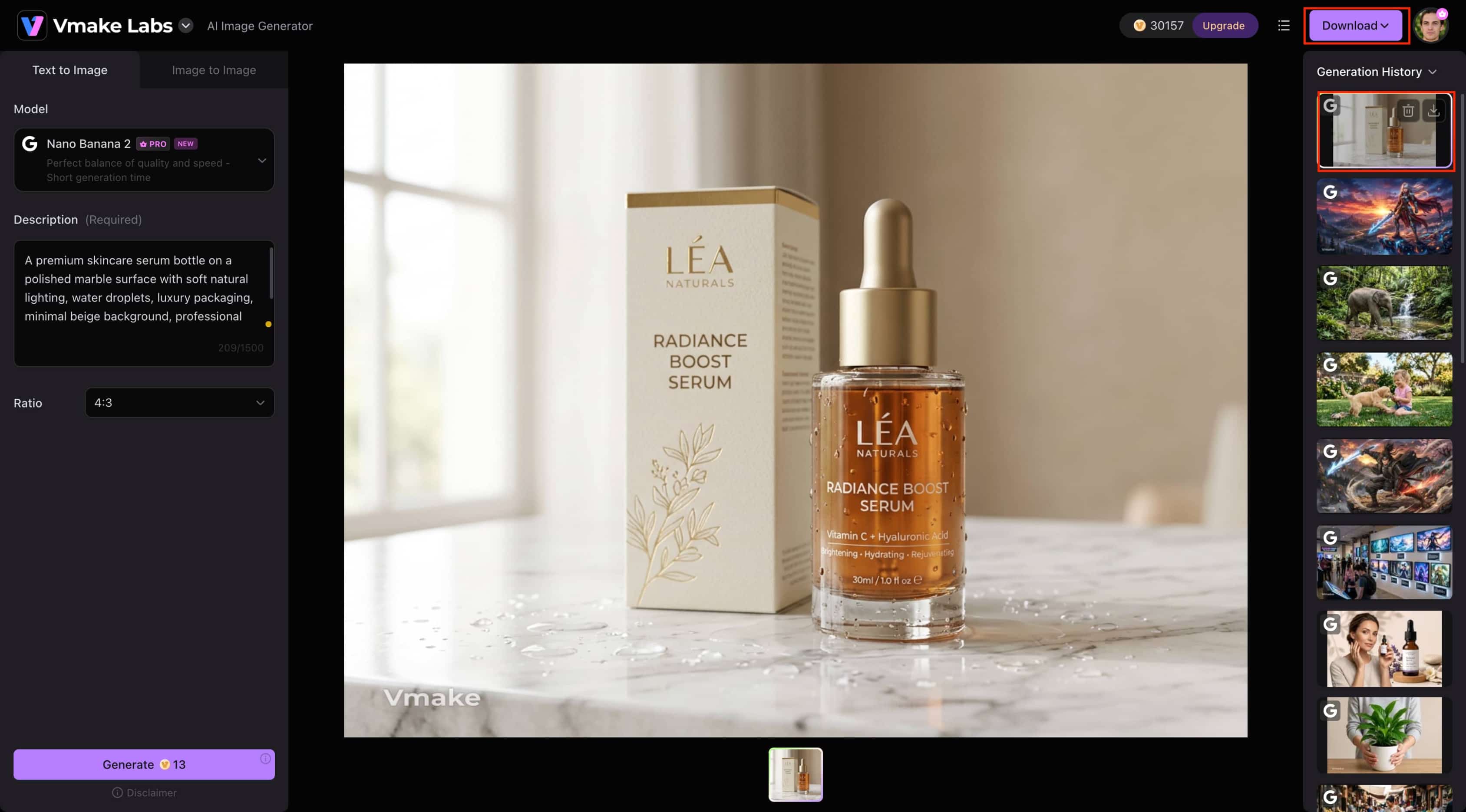
Step 3: Preview and Download Your AI Image
Review the generated image in the preview window to ensure it matches your requirements. Once you're satisfied with the result, click Download to save the high-resolution image for personal or commercial use.
Adobe Firefly vs Vmake Labs AI Image Generator
Adobe Firefly and Vmake Labs AI Image Generator are both powerful AI image generators with their own strengths. Below is a comparison of their key features to help you choose the most suitable option for your creative needs.
|
Category |
Adobe Firefly |
Vmake Labs AI Image Generator |
|---|---|---|
|
Best For |
Adobe Creative Cloud users |
Content creators and marketers |
|
AI Models |
Firefly Image Models |
Multiple AI image models |
|
Generation Modes |
Text-to-image |
Text-to-image & Image-to-image |
|
AI Editing |
Generative Fill & Expand |
AI image generation workflow |
|
Aspect Ratios |
Multiple options |
Multiple options |
|
Reference Images |
Supported |
Supported |
|
Workflow |
Adobe ecosystem & web |
Browser-based |
|
Commercial Use |
Supported |
Supported |
|
Pricing |
Subscription plans |
Free trial with paid plans |
Choose Adobe Firefly if:
Adobe Firefly is a better choice if you are already a subscriber to Adobe Creative Cloud, require commercially trained AI models for professional creative work, and want sophisticated AI editing tools like Generative Fill and Expand.
Choose Vmake Labs AI Image Generator if:
Vmake Labs AI Image Generator is a great option if you want a browser-based AI image generator with both text-to-image and image-to-image capabilities. It's well suited for creating marketing, e-commerce, and social media visuals using multiple AI image models.
Conclusion
If you are already a part of the Adobe Creative Cloud ecosystem, Adobe Firefly is an excellent AI picture generator. It is an excellent option for designers, marketers, and other creative people, since it provides strong AI editing skills and high-quality picture production. With many AI models and text-to-image and image-to-image production, Vmake Labs AI Image Generator is an excellent choice if you're searching for a browser-based solution. Ultimately, it comes down to your budget, process, and inventiveness.
FAQ's
Can beginners use Adobe Firefly AI Image Generator?
Adobe Firefly's clean and intuitive interface makes it easy for beginners to create AI-generated images. Type in a text prompt, adjust some settings, and create images in seconds. As users gain experience, they can unlock more advanced features such as Generative Fill and style controls for greater creative freedom.
Does Adobe Firefly work on mobile devices?
Adobe Firefly is accessible on supported mobile browsers, and some AI features are integrated into Adobe's mobile apps. The desktop experience has a full set of tools, while mobile access is useful for creating and editing images on the go.
Can I edit AI-generated images after creating them?
You can also enhance images after generation using AI-powered editing tools such as Generative Fill, Generative Expand, and object removal in Adobe Firefly. These features allow you to easily enhance the background, replace elements, or do creative adjustments without editing by hand.
What file formats can I download from Adobe Firefly?
Adobe Firefly primarily allows you to download AI-generated images in PNG format, which is suitable for web, presentations, and digital content. If you're working in Adobe Creative Cloud apps, you can continue to edit your generated images before exporting them in other formats supported by those applications.
Is Adobe Firefly suitable for commercial projects?
Adobe Firefly is trained on licensed and public domain content, making it suitable for many commercial projects under Adobe's licensing terms. If you need multiple AI image models with both text-to-image and image-to-image generation, Vmake Labs AI Image Generator is a strong alternative for commercial creative workflows.

You May Be Interested

ChatGPT Video Generator Review: Features, Pricing & Best Alternative
Can ChatGPT Transcribe Audio? Complete 2026 Guide

Canva AI Image Generator Review: Is It Worth It in 2026?

11 Best Image to Video AI Generators Compared in 2026