
Artguru AI Image Generator Review: Features, Pricing and Alternatives
Read our Artguru AI Image Generator review to explore its features, pricing, and user feedback, then see why Vmake Labs AI Image Generator is a strong alternative for AI image creation.

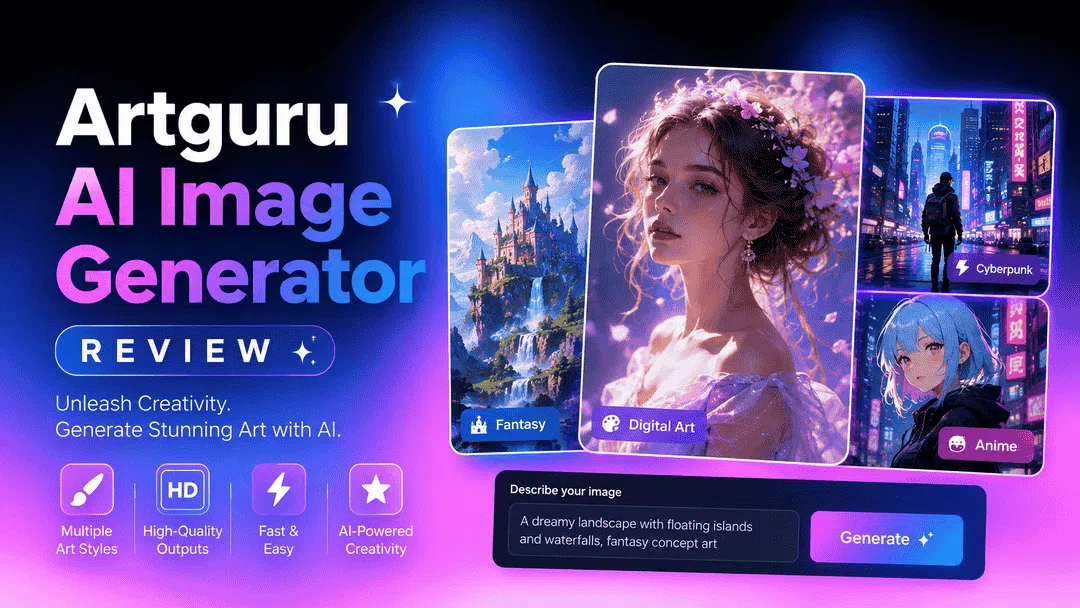
AI image generators make it easy to create artwork from simple text prompts, but not every platform offers the same experience. In this Artguru AI Image Generator review, we tested its features, pricing, image quality, and user experience to help you decide whether it's the right AI image generator.
What is Artguru AI Image Generator?
Artguru AI Image Generator is an AI-powered platform that can convert text prompts into artwork, portraits, avatars, and illustrations. It's for beginners, hobbyists, and content creators who want a simple way to create images for their creative projects without needing to learn complicated editing software. Aside from text-to-image generation, Artguru also offers several AI editing tools for users to improve photos and try out different artistic styles.
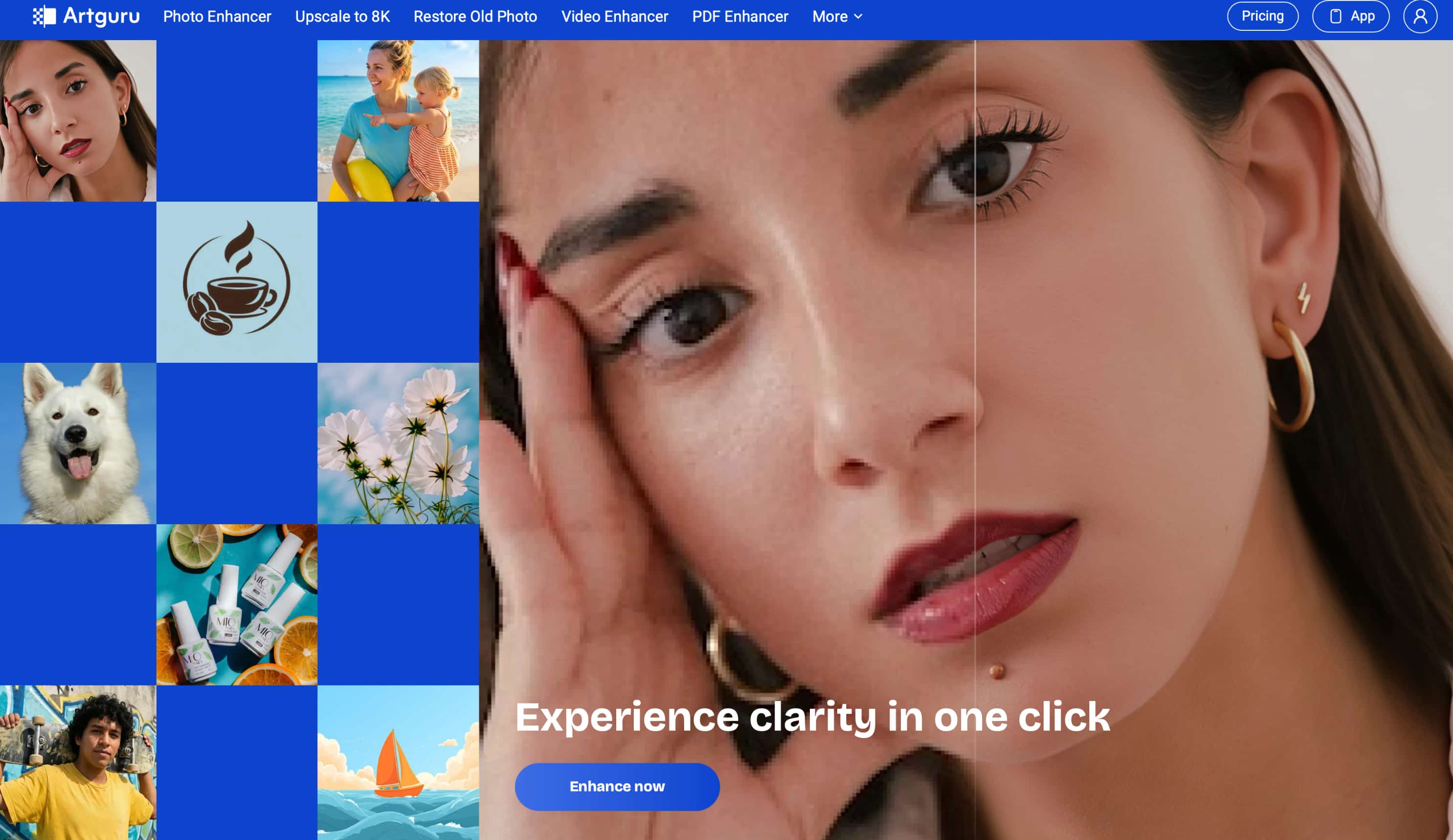
The platform is available on a variety of devices, as you can use it on the web, Android and iOS. During our testing, we found the interface easy to navigate, with most features available within a few clicks. It's great for portraits and stylised artwork, though its workflow is quite limited for users seeking more advanced creative controls, compared to platforms that support multiple AI models.
Key features
-
AI text-to-image generation: Transform text prompts into original artwork in seconds. Artguru can generate portraits, fantasy scenes, anime-inspired images, landscapes, and other creative visuals using simple natural language descriptions.
-
Multiple artistic styles: Choose from a wide range of styles, including realistic, anime, cartoon, oil painting, sketch, and digital art. This makes it easy to experiment with different aesthetics without rewriting your prompt from scratch.
-
AI avatar and portrait generation: Create personalised avatars, profile pictures, and artistic portraits from text prompts or uploaded photos. The tool also provides preset templates that simplify creating stylised headshots for social media and personal use.
-
Image enhancement and editing tools: Besides image generation, Artguru also comes with AI-based editing options to enhance image quality, restore vintage photos, remove backgrounds, and apply creative effects, so users can refine images on the same platform.
-
Browser-based workflow: Create AI images in your web browser with no software to download, while dedicated iOS and Android apps allow you to create and edit images across multiple devices.
How to use Artguru AI Image Generator
Artguru AI Image Generator is very easy to use, and so it is as easy as a piece of cake to generate AI art. It's easy to use and you don't need any design experience, whether you want to create portraits, illustrations or creative artwork.
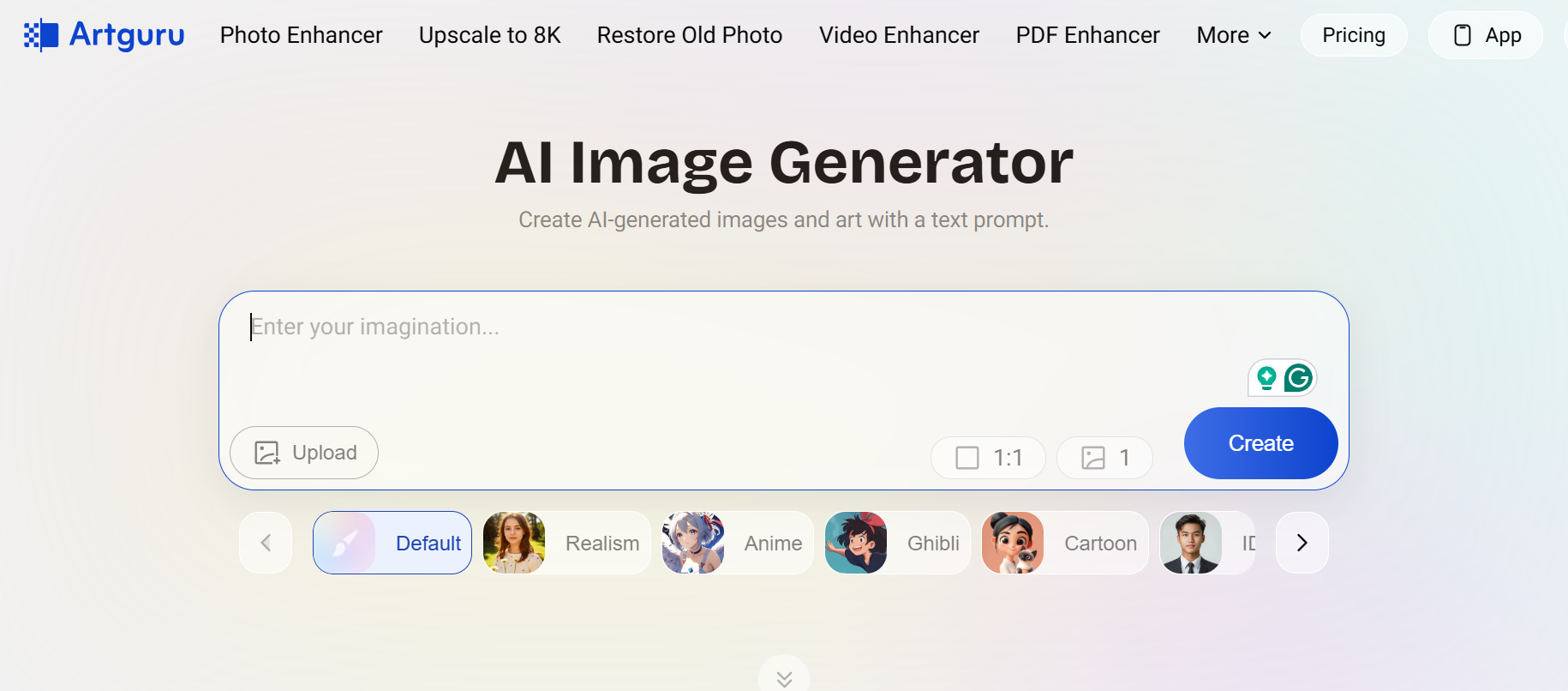
Step 1: Enter your prompt
First, describe the image you want to create in the prompt box. You can be as simple or as detailed as you like, or use one of Artgurus preset templates for some inspiration on your first image.
Step 2: Select a style and customise settings
Next, choose an artistic style that matches your vision, such as anime, realistic, fantasy, or digital art. Depending on the generation mode, you can also adjust options like the aspect ratio or other available settings before generating the image.
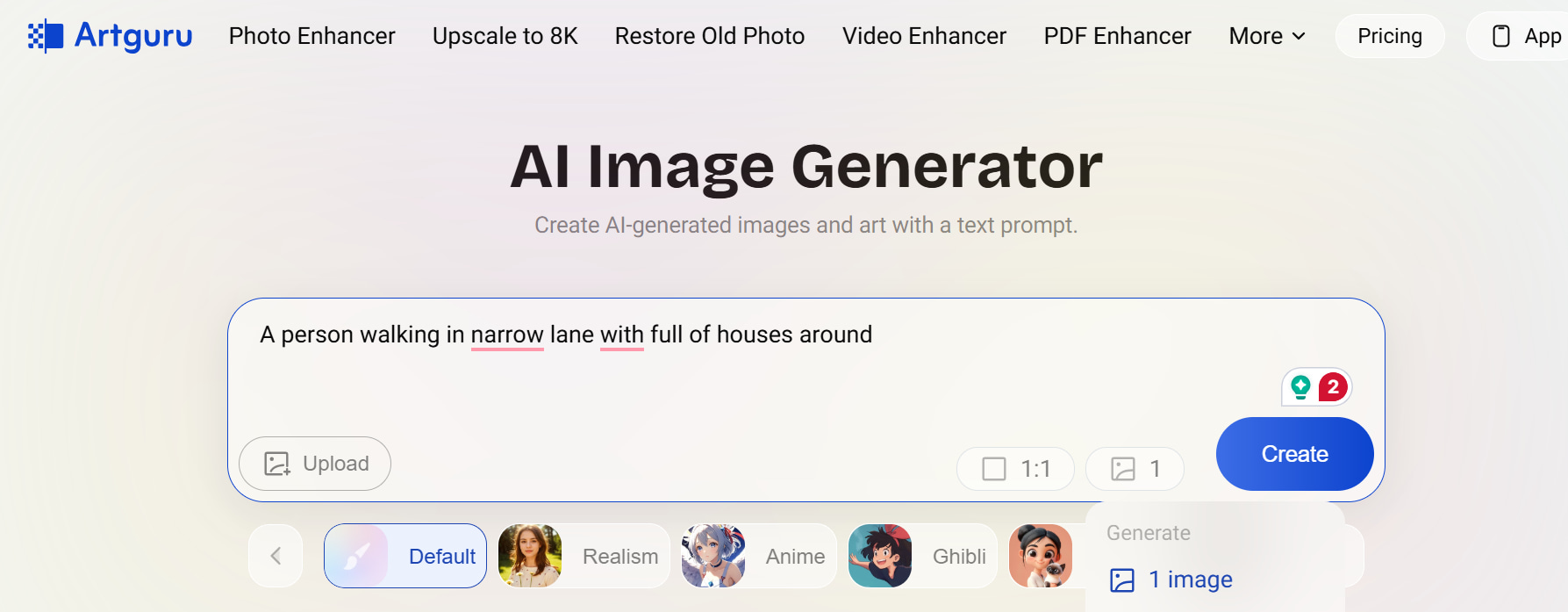
Step 3: Generate and download your image
Press Generate and wait a few seconds while Artguru generates your artwork. Review the output, tweak your prompt or regenerate, and when you're satisfied with the output, download the final image.
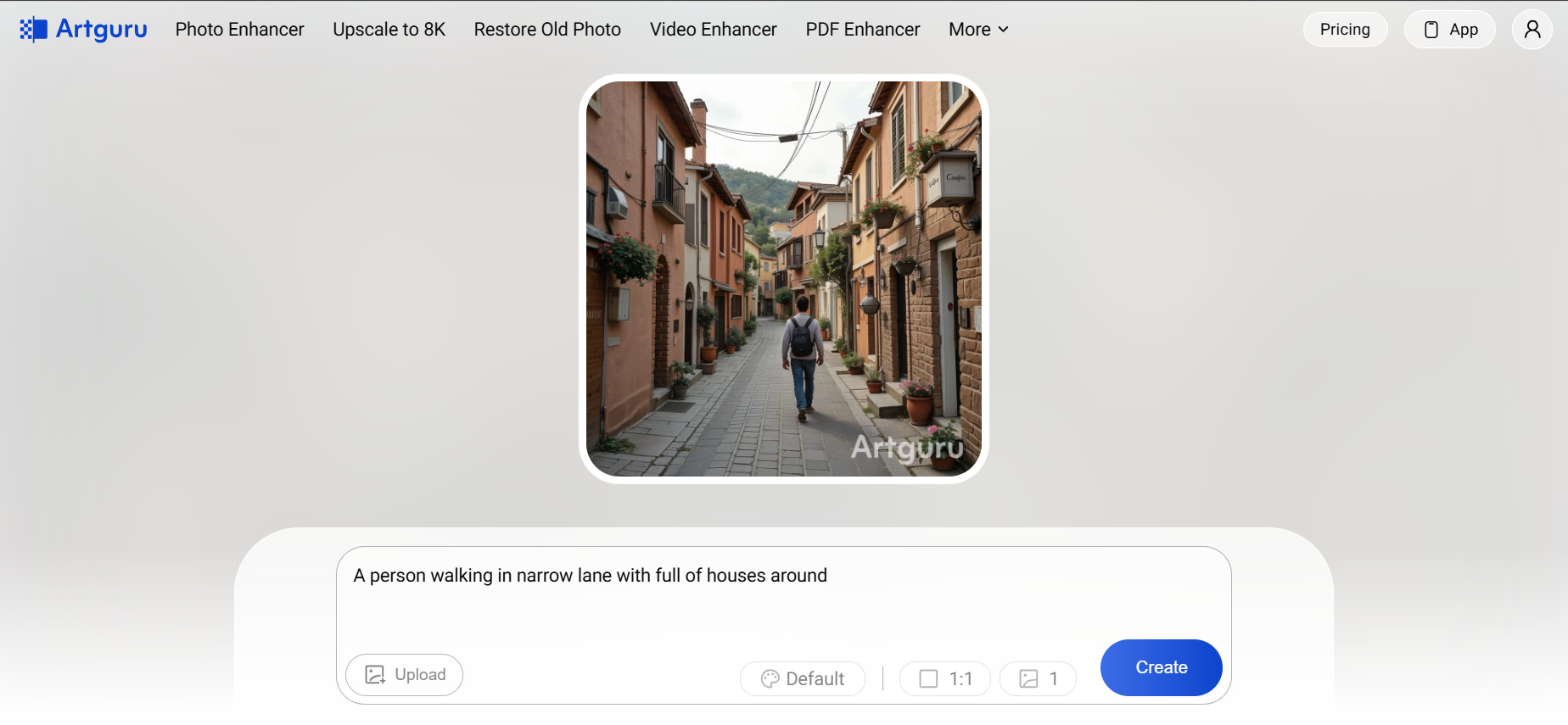
Report on Artguru AI Image Generator: tests, pricing, pros and cons
Artguru AI Image Generator has free and paid plans and is designed to meet the needs of different users with different creative needs. To evaluate the platform's overall value, we tested it with a variety of prompts, such as portraits, fantasy art and stylised illustrations, and also took into account its subscription options and user feedback. So, here's what really stuck out from that experience.
Test results
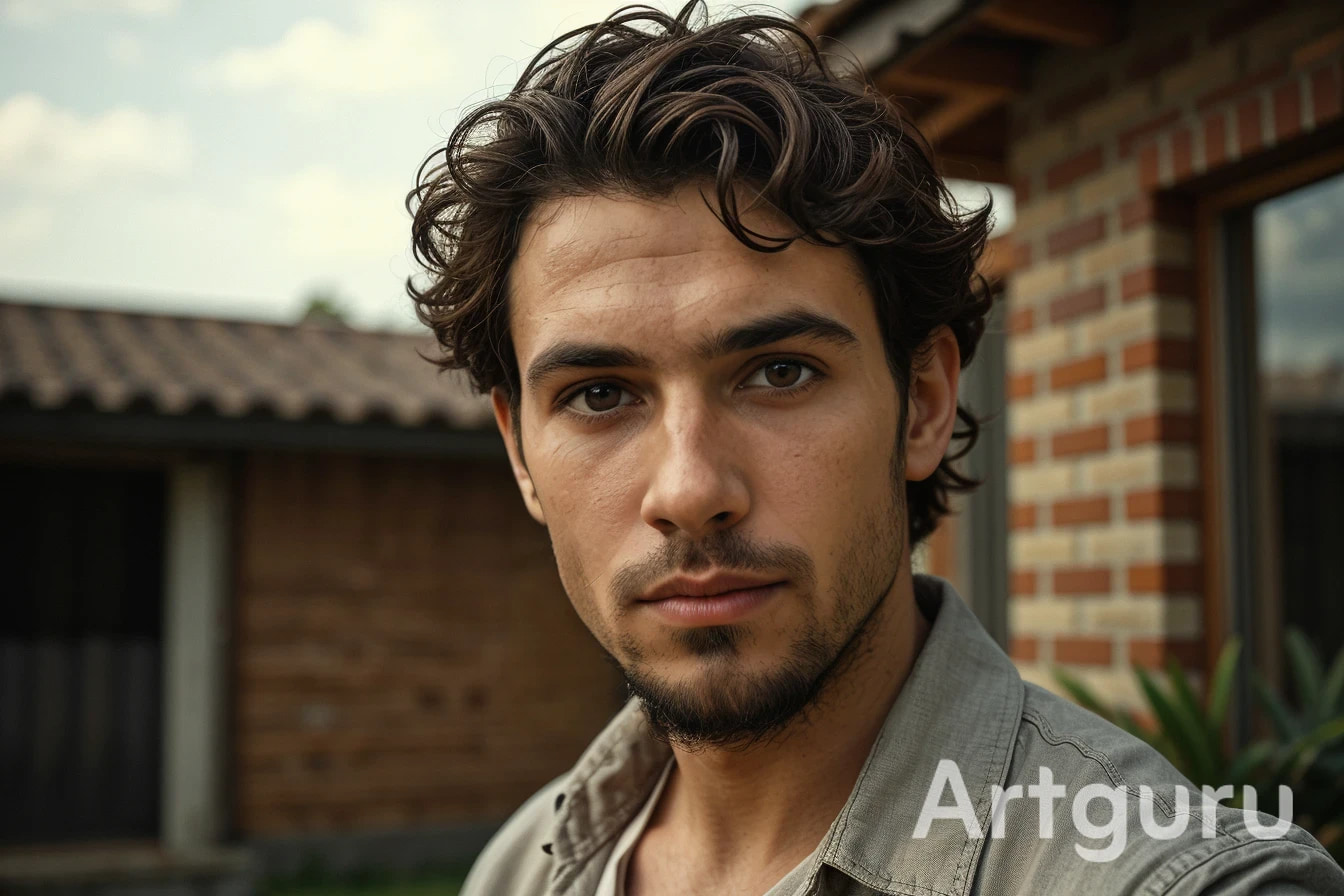
Portrait
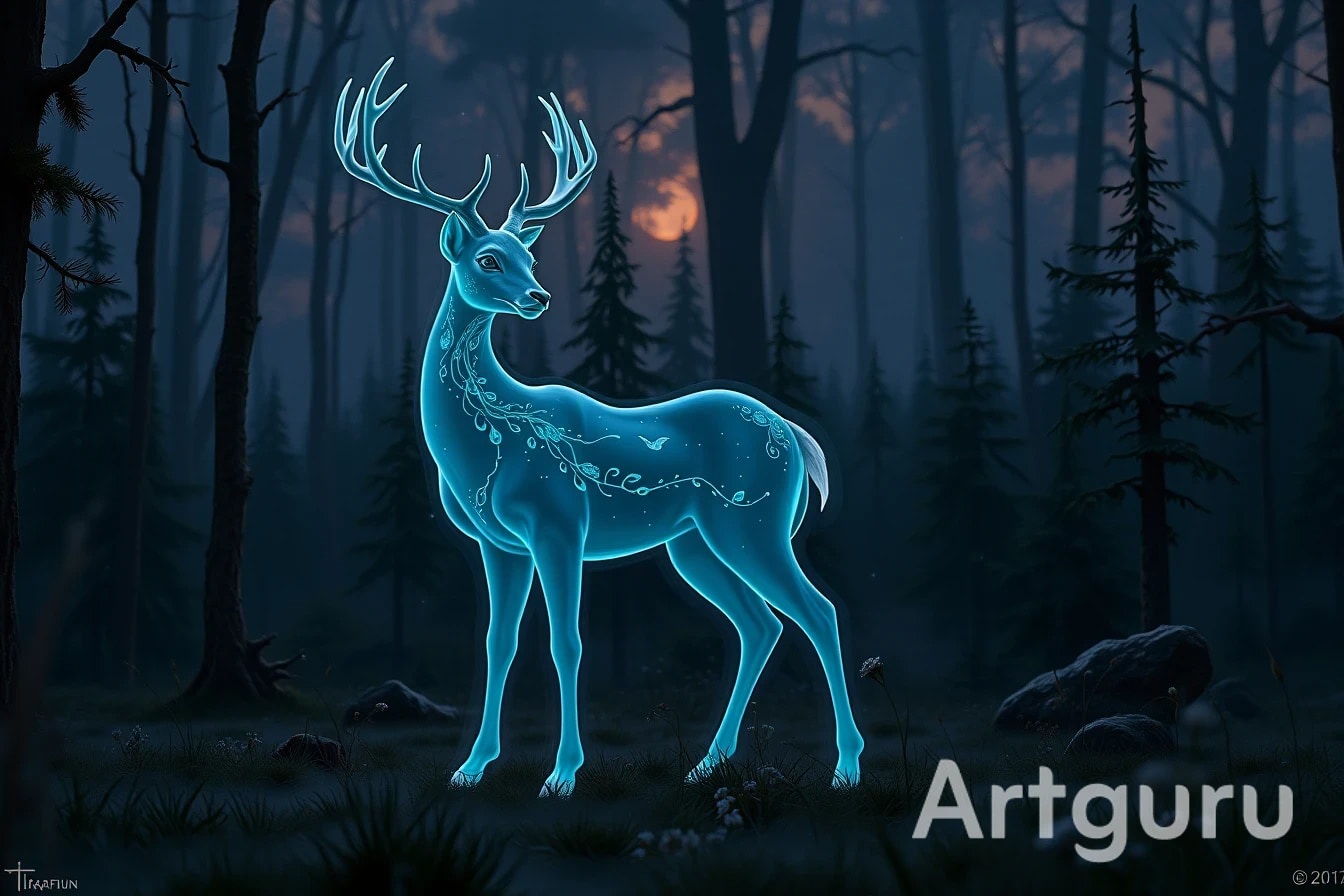
Anime
Pros and cons
|
Pros |
Cons |
|---|---|
|
The clean interface made it easy to generate images, even without prior experience using AI art tools. |
The free plan runs out quickly, limiting how much you can test before upgrading. |
|
Portraits and avatars generally produced attractive results with simple prompts and required little adjustment. |
More detailed prompts occasionally produced inconsistent results and required multiple regenerations. |
|
Changing artistic styles noticeably altered the output, making it easy to experiment with different looks. |
Creative controls are fairly basic compared with platforms offering multiple AI models and reference image support. |
|
Images were generated reasonably quickly during our testing, helping maintain a smooth creative workflow. |
Some advanced features are locked behind paid plans, making the free experience feel limited for regular users. |
Pricing
Artguru AI Image Generator offers a simple pricing model with a free trial and two paid subscription plans. Paid plans offer full feature access, batch processing, watermark-free downloads and extra credits. The annual plan is cheaper in the long run for regular users.
|
Plan |
Price |
Best for |
|---|---|---|
|
Free Trial |
$0 |
First-time users who want to explore the platform with limited image generation. |
|
Monthly |
$9.99/month |
Casual creators who generate AI images regularly and prefer a flexible subscription. |
|
Annual |
$39.99/year |
Frequent users look for the lowest long-term cost and higher yearly credit allowance. |
The free trial is enough to explore the interface and get a feel for Artguru's image quality, but it is quite limited. With only three image generations, watermarked downloads, and restricted feature access, you'll likely reach the limit quickly if you want to experiment with different prompts or styles.
If you are regularly creating AI images, you will have a far better experience with the paid plans. The Monthly Plan is best if you're looking for flexibility and don't want to commit long-term. The Annual Plan is the best overall value; you get 4,000 credits, full features and pay less over the year. It's the better choice for designers, content creators, marketers, and anyone who uses AI image generation as part of their workflow.
Community feedback
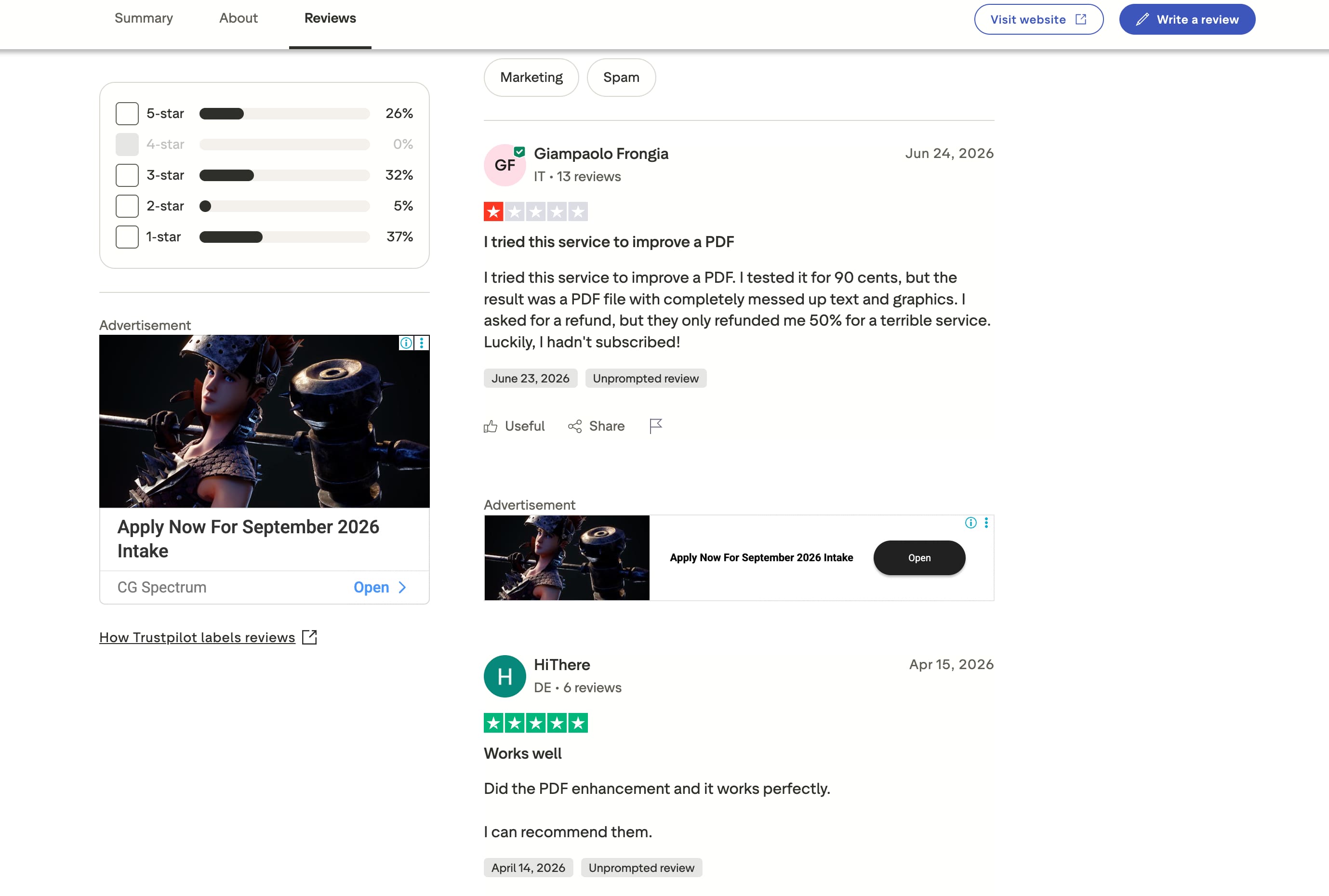
Trustpilot
Trustpilot reviews present a mixed picture of Artguru AI Image Generator. Positive reviewers appreciate the platform's ease of use and satisfactory AI enhancement results, while negative feedback often centres on subscription management, refund experiences, and inconsistent performance across some AI tools. Overall, users seem satisfied with basic tasks but expect greater reliability from premium features.
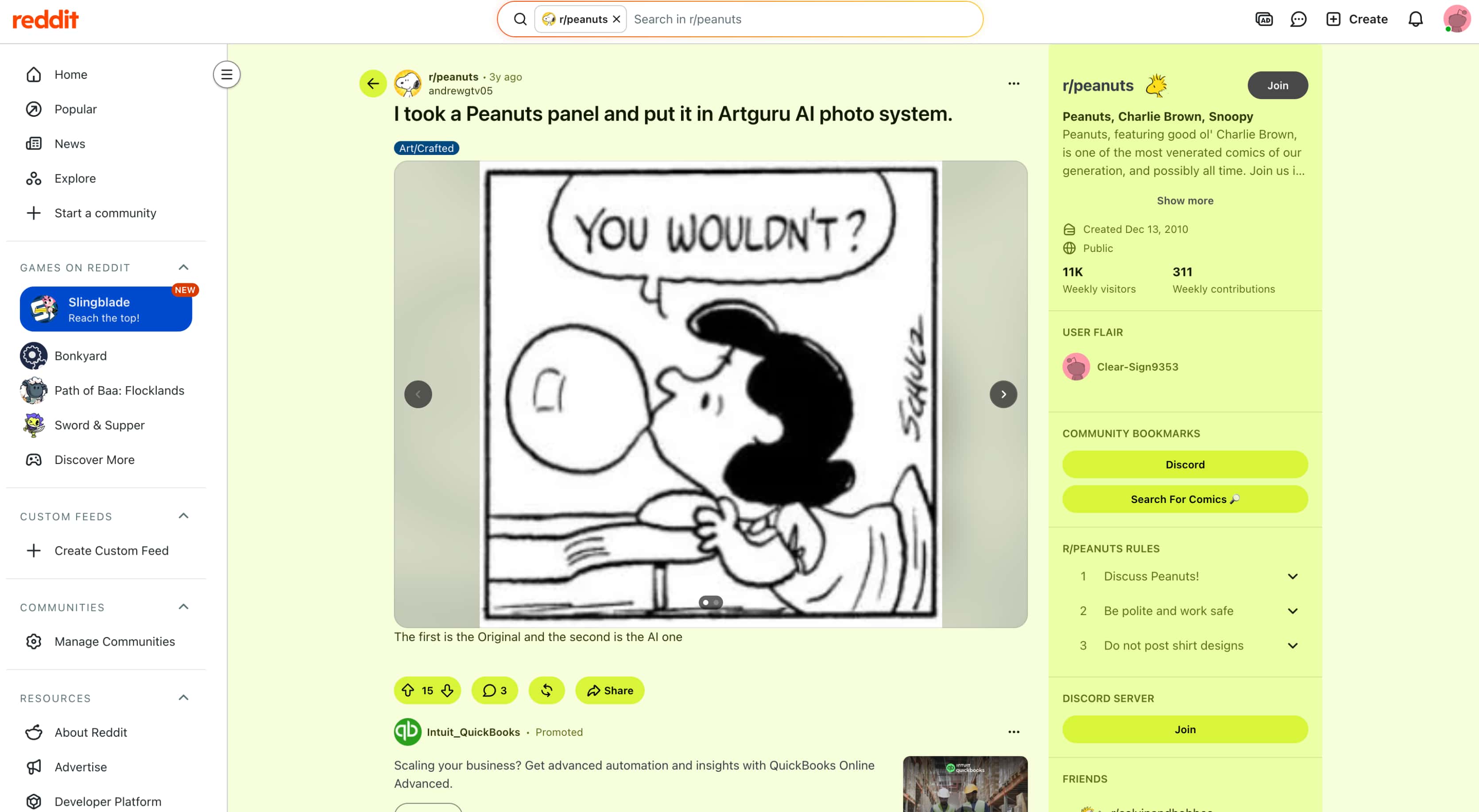
Reddit discussions around Artguru tend to focus on AI-generated artwork and creative experiments rather than detailed reviews of its pricing or long-term usability. Users often share generated portraits and other creations, while broader discussions about the platform are less common.
Editorial review
Artguru is a practical option for beginners who mainly create portraits, avatars, and stylised artwork. However, users working on larger commercial projects may find its feature set limiting, particularly if they need more AI model choices, reference image support, and workflow flexibility. In these cases, Vmake Labs is a relevant alternative, offering multiple AI models, text-to-image and image-to-image generation, and tools designed for commercial content creation.
Meet Vmake Labs: A robust alternative to Artguru AI Image Generator
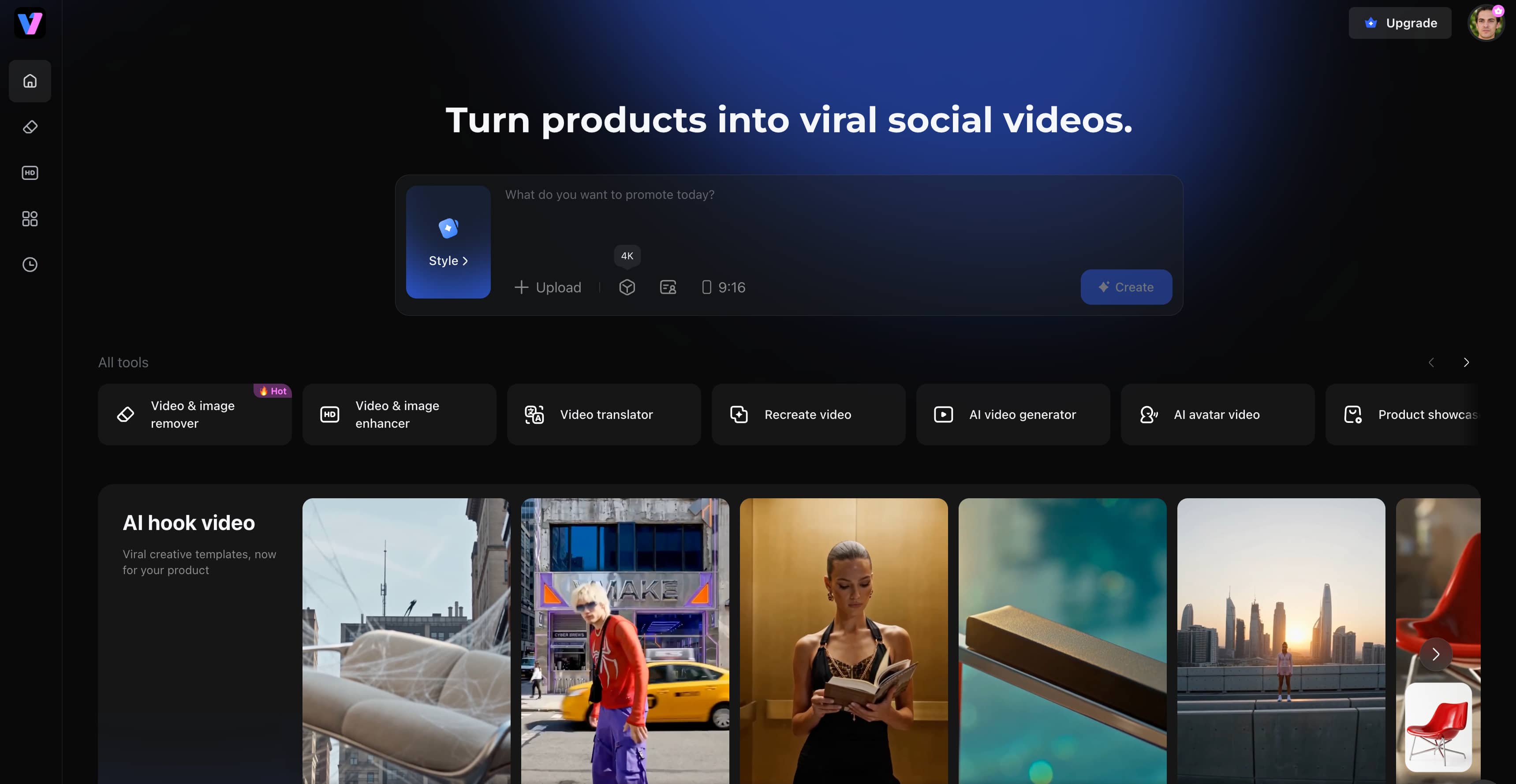
Artguru AI Image Generator works well for creating portraits and artistic illustrations, but some users may need greater flexibility when working on marketing materials, product visuals, social media content, or other commercial projects. Vmake Labs AI Image Generator addresses these needs by combining multiple leading AI models with text-to-image and image-to-image generation in a single browser-based workflow. It helps creators generate original visuals, maintain style consistency, and experiment with different AI models without switching between multiple tools.
Key features
-
Multiple leading AI models: Choose from Nano Banana 2, Nano Banana Pro, Seedream 4.0, and GPT Image 1 to explore different visual styles without switching between multiple AI platforms.
-
Text-to-image and image-to-image generation: Generate images from prompts or reference images to create new artwork while maintaining more consistent styles and characters.
-
Browser-based workflow: Create AI images from any device without installing software, making your workflow faster and more convenient.
-
Multiple aspect ratios: Generate images in the right format for social media, ecommerce, presentations, and other creative projects, reducing the need for manual cropping.
-
Fast AI image generation: Compare outputs from different AI models and refine prompts more efficiently within a single workflow.
-
Commercial-ready image creation: Produce visuals for marketing, branding, e-commerce, and business content, making it easier to create images for both personal and commercial projects.
How to create AI images with Vmake Labs
Generating AI images using Vmake Labs is easy and takes just a few steps.
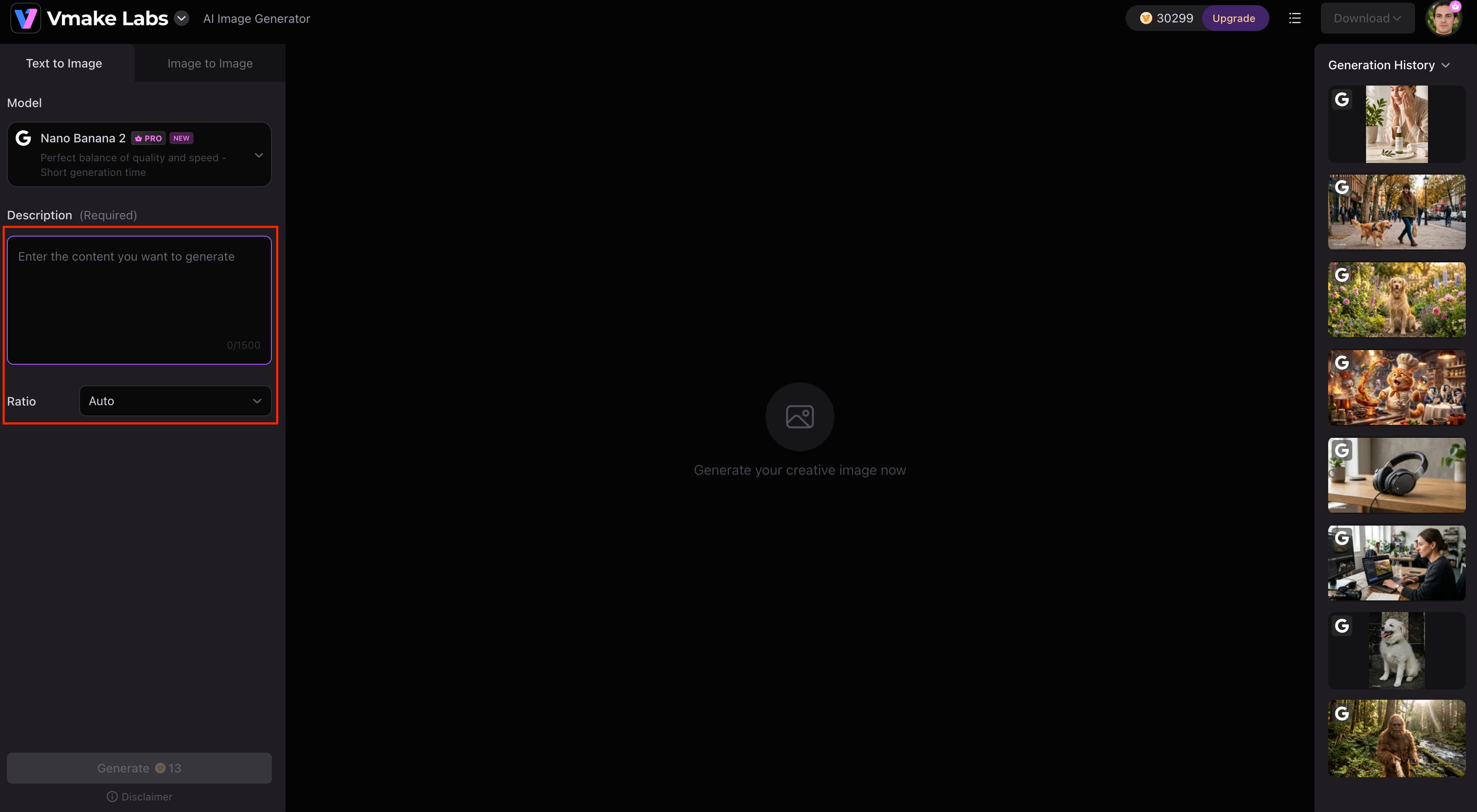
Step 1: Enter a prompt or upload a reference image
Choose Text-to-Image to generate artwork from a prompt, or switch to Image-to-Image and upload up to three reference images to guide the final result.
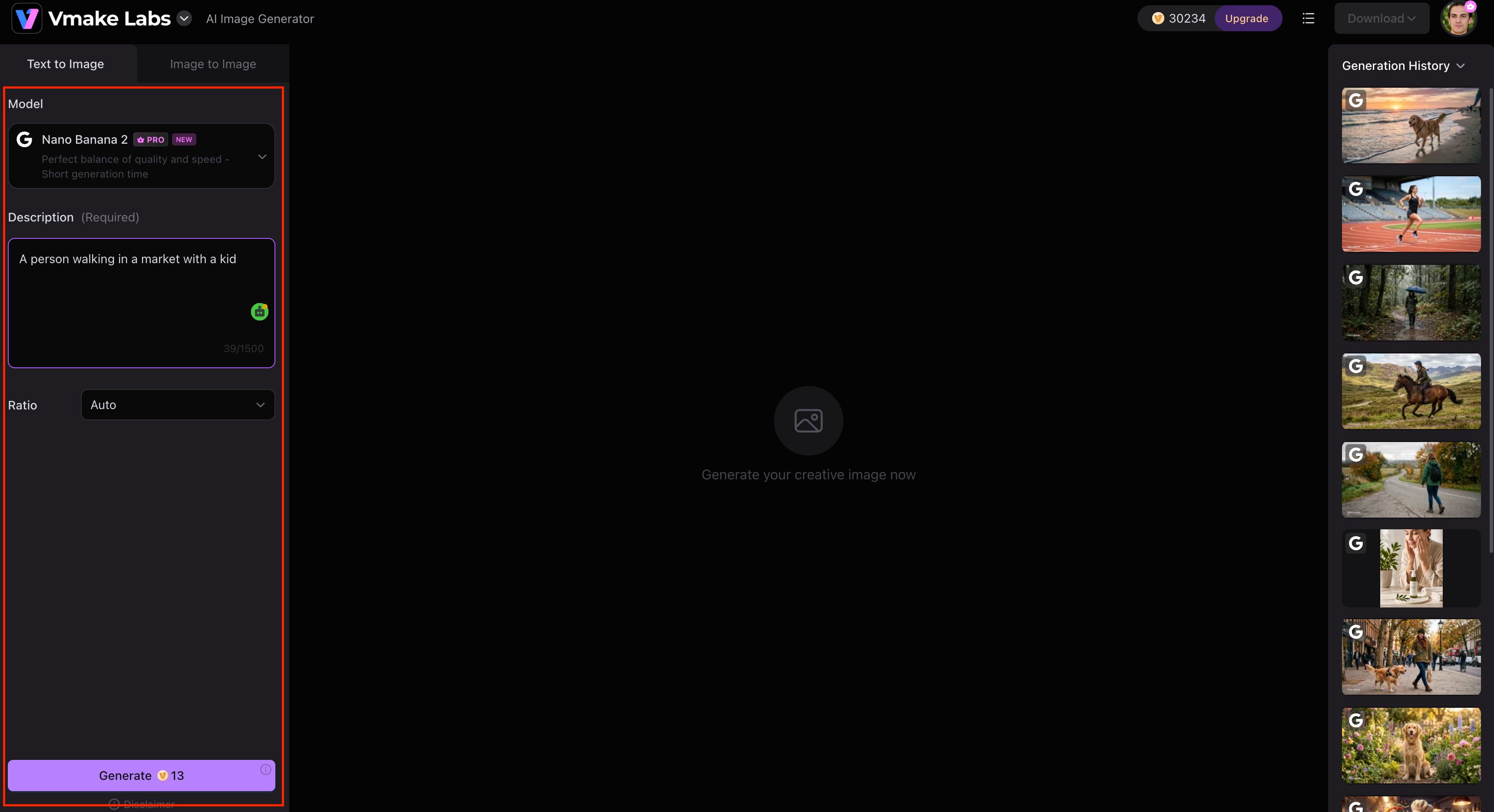
Step 2: Choose an AI model and customise settings
Pick the AI model that fits your project best, like Nano Banana 2, Nano Banana Pro, Seedream 4.0 or GPT Image 1. Change the aspect ratio, change the generation settings and press the process button.
Step 3: Generate and download your image
Click Generate to make your image, see the results and download your favorite version. If you want, you can also switch up the AI models or change the prompt to experiment with other creative styles.
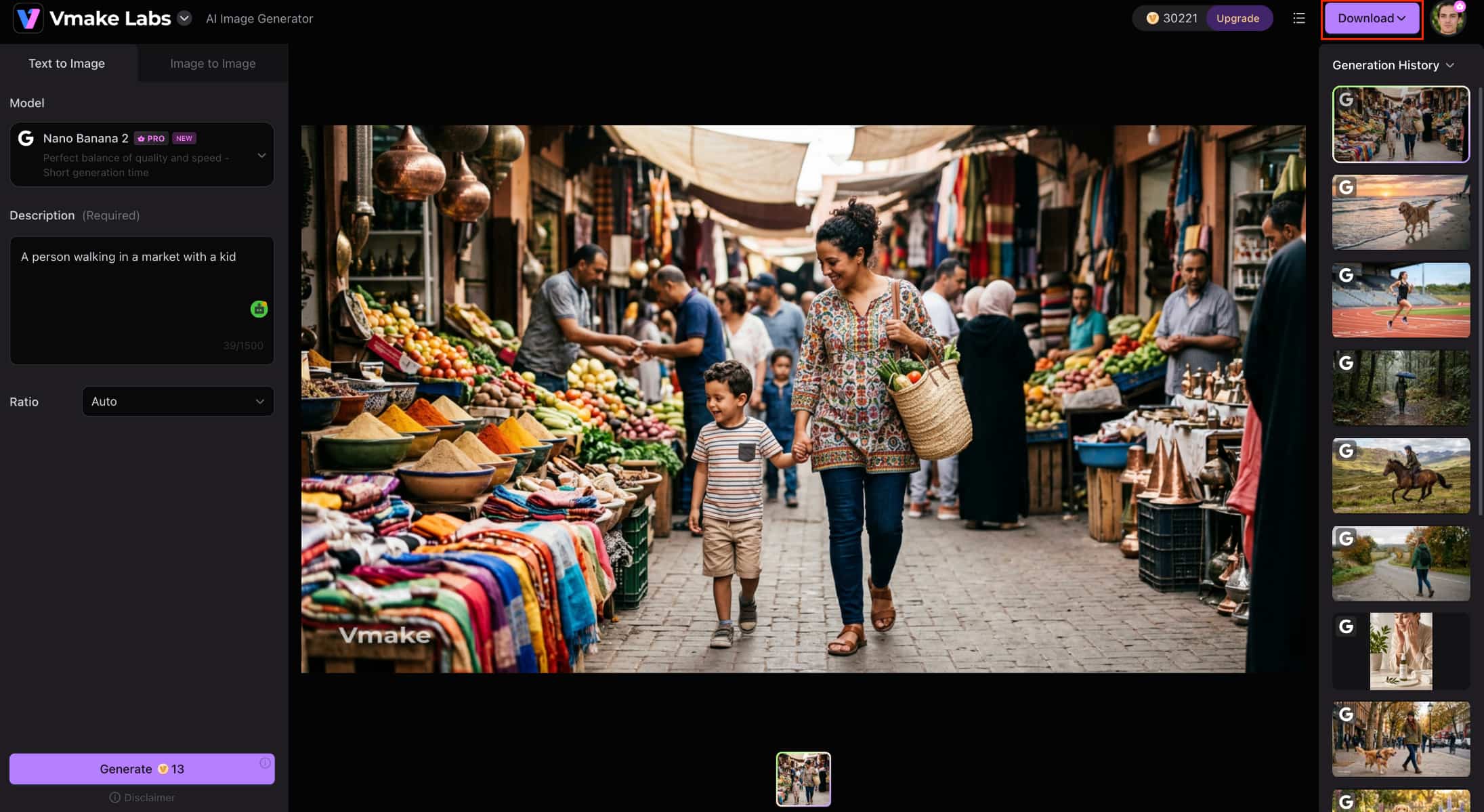
Artguru AI Image Generator vs Vmake Labs AI Image Generator
Artguru AI Image Generator and Vmake Labs AI Image Generator are both AI-generated image generators, but they serve different creative needs. Artguru specializes in portraits and artistic illustrations, while Vmake Labs provides a more comprehensive image generation workflow, with multiple AI models and commercial-ready capabilities.
|
Category |
Artguru AI |
Vmake Labs |
|---|---|---|
|
Best for |
AI artwork and portraits |
Commercial and creative image generation |
|
AI models |
Proprietary Artguru models |
Multiple leading AI models |
|
Image generation |
Text-to-image |
Text-to-image and image-to-image |
|
AI editing |
Basic creative tools |
Broader AI image workflow |
|
Platform |
Web, Android, iOS |
Web |
|
Commercial use |
Check licence terms |
Commercial-ready workflows |
Choose Artguru AI if:
-
Your focus is on personal or casual projects, particularly creating quick AI portraits, avatars, and stylized illustrations.
-
You prefer a highly accessible, beginner-friendly workflow with mobile app support and do not require advanced editing controls.
Choose Vmake Labs if:
-
You need a versatile, commercial-grade platform for professional marketing, branding, or e-commerce visual pipelines.
-
You require advanced creative flexibility, including access to multiple leading AI models, text-to-image and image-to-image workflows, and reference image support.
Conclusion
Artguru AI Image Generator is a good choice for beginners and casual creators who want to create AI portraits, avatars, and artistic illustrations with minimal effort. Its intuitive interface, multiple art styles and cross-platform availability make it easy to start creating images quickly. But power users may want more flexibility, since the free usage is limited and the creative controls are relatively basic. If your projects are in marketing, branding, e-commerce, or professional content creation, Vmake Labs AI Image Generator offers a more extensive workflow with multiple AI models, text-to-image and image-to-image generation, and commercial-ready features to handle a wider range of creative needs.
FAQs
-
What is Artguru AI Image Generator?
Artguru AI Image Generator is an AI platform that generates artwork, portraits, avatars, illustrations and more from text prompts. It's designed for newbies and hobbyists who want an easy way to create AI images. Vmake Labs also supports multiple AI models and image-to-image generation for a wider range of projects, if you need more creative flexibility later.
-
Is Artguru AI Image Generator free?
Yes. Artguru allows you to sign up for a free trial to explore the main functionalities before moving on to a paid plan, but keep in mind that image generation and premium features are limited. Another option to consider is Vmake Labs if you want more advanced image generation capabilities and commercial-ready workflows.
-
How does Artguru AI text to image generator work?
Artguru AI text-to-image generator can turn prompts you type into AI-generated artwork. Just add a description, select your style or settings and generate the image. Vmake Labs also supports image-to-image generation in the same workflow, in case you want to transform existing images too.
-
Is Artguru AI good for AI portraits?
Yes. Artguru AI Image Generator produces high-quality AI portraits, avatars, and stylised artwork, making it a good option for personal projects and social media content. If you want to further improve the sharpness and clarity of your generated images, you can enhance them using Vmake Labs Image Enhancer, which is designed to upscale and refine AI-generated visuals.
-
Can I use Artguru AI images commercially?
It depends on Artguru's licensing terms and your subscription plan, so it's important to review the latest usage policy before using generated images commercially. If commercial content creation is a priority, Vmake Labs is designed to support commercial-ready image generation workflows for business and marketing projects.
-
Is Vmake Labs AI a good alternative to Artguru AI?
Yes. Vmake Labs AI Image Generator is a strong alternative for users who need more than portrait generation. It offers multiple leading AI models, text-to-image and image-to-image generation, reference image support, and commercial-ready capabilities, making it suitable for creators, marketers, and businesses working on a wide range of visual content.

You May Be Interested

FLUX AI Image Generator Review 2026: Is It Worth Using?

Raphael AI Image Generator Review 2026: Worth Trying?
Topaz Labs Image Enhancer Review: Is the hype worth it?
Artguru Image Upscaler Review: Features & Best Alternative
How to Create Professional YouTube Thumbnails with AI: A Creator’s 2026 Strategy
