
Mage Space AI Image Generator Review: Is It Worth It?
Explore our Mage Space AI Image Generator review to see its image quality, features, pricing, user feedback, and how it compares with Vmake Labs AI Image Generator before you choose one.

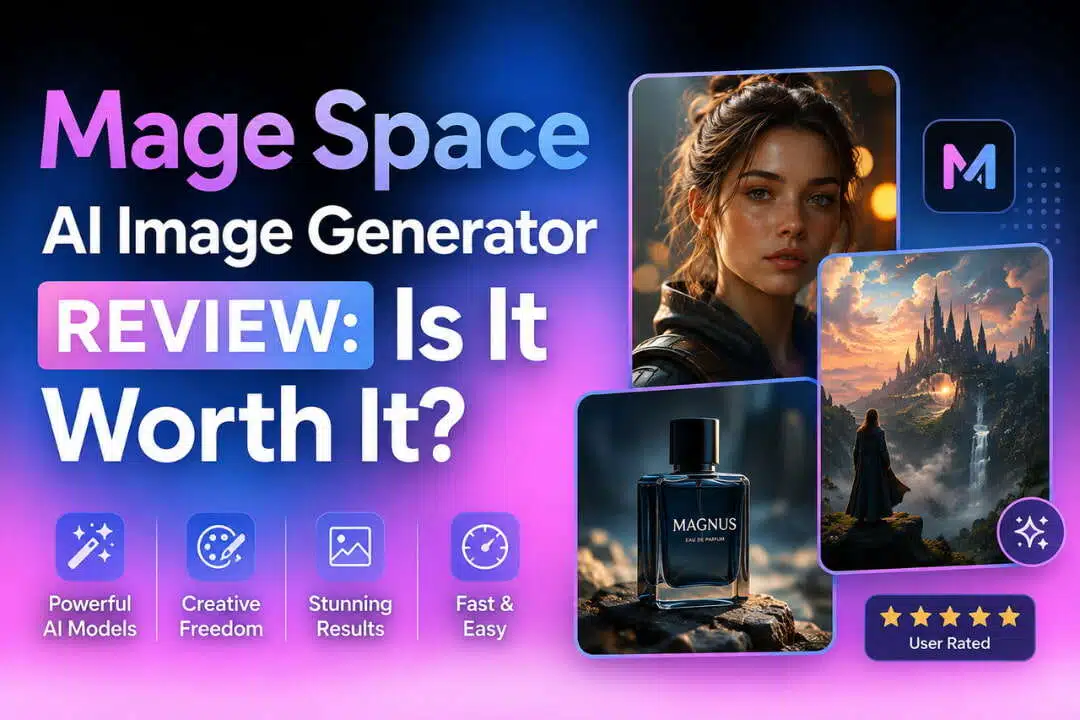
Mage Space is an AI image-generation platform for creating artwork from text prompts and experimenting with different models. In this Mage Space AI Image Generator review, we look at its image quality, controls, usability, pricing, user feedback, and whether it makes sense for different types of creators.
What is Mage Space AI Image Generator and how does it work?
Mage Space AI Image Generator is a browser-based tool for creating images with generative AI. You can describe a scene promptly, choose from available generation options, and refine the result until it fits your idea.
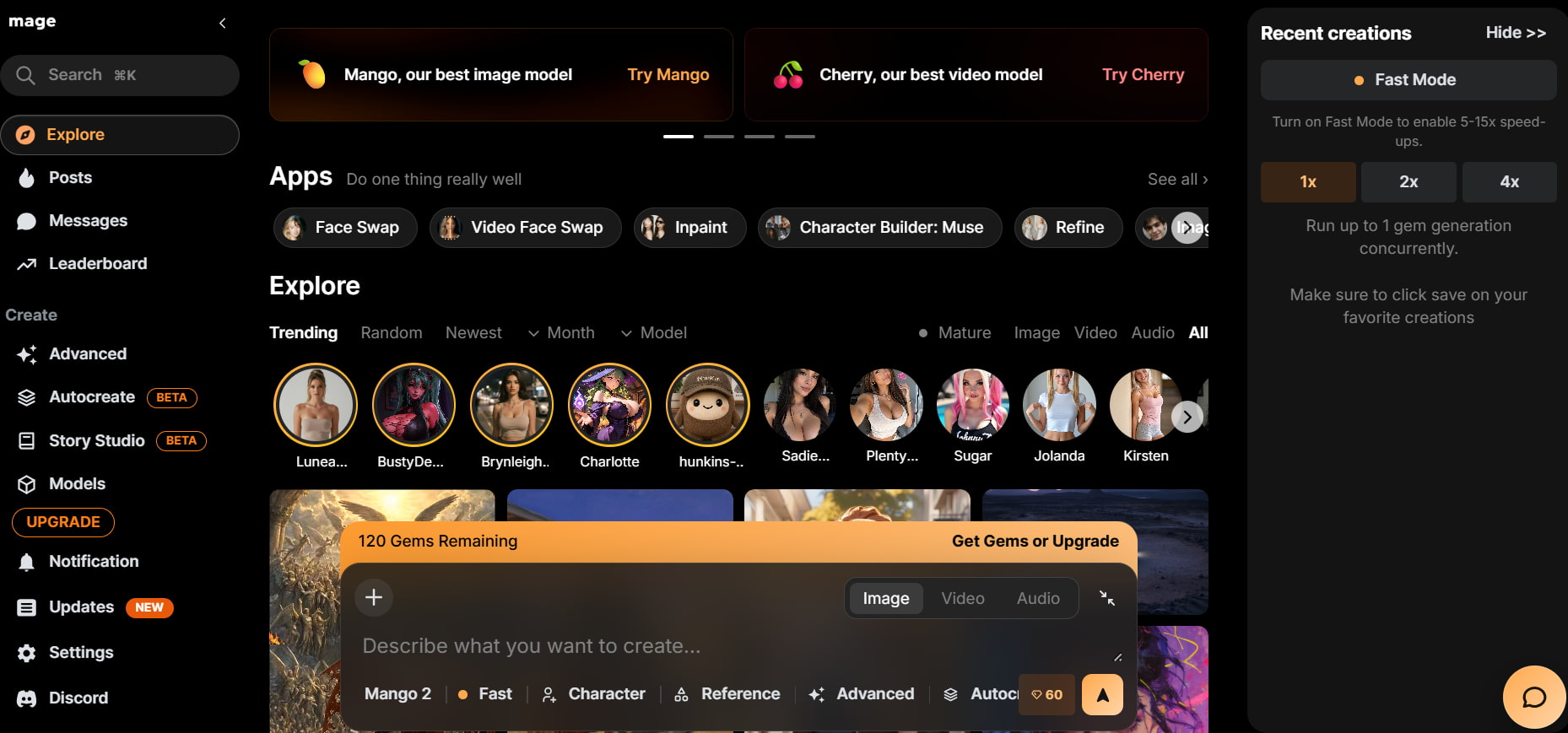
Mage Space AI at a glance
Mage Space AI is aimed at people who want more room to experiment with AI-generated images. Its workflow gives users several ways to approach the same idea rather than limiting them to one fixed generation style.
Key capabilities include:
-
Text-to-image generation: Create images from written descriptions by specifying the subject, setting, style, and other visual details. This gives you a straightforward way to turn ideas into images.
-
Model selection: Try different AI models and compare how they interpret the same prompt. This is useful when you want to explore different visual styles or output characteristics.
-
Creative image generation: Create realistic scenes, characters, illustrations, and fantasy artwork from your prompts. The results can range from realistic visuals to more imaginative concepts.
-
Generation controls: Adjust the available settings to influence how your images are generated. These controls give experienced users more flexibility when refining their desired output.
-
Browser-based creation: Generate and review images directly in your browser without installing desktop software. This makes Mage Space accessible for users who want to experiment with AI image creation online.
The range of options is useful for experienced AI image users. Beginners can start with a basic prompt, but understanding the different models and settings takes some trial and error.
What can you create with Mage Space?
The Mage Space AI art generator covers a wide range of visual ideas. What you get depends on the prompt and model, but the platform can handle both realistic and highly imaginative concepts.
Common uses include:
-
Photorealistic images: Create portraits, environments, and realistic scenes with detailed prompts. You can experiment with different compositions, lighting conditions, and visual styles.
-
Character artwork: Develop original characters by describing their appearance, clothing, poses, and surroundings. This can be useful for concept development and creative projects.
-
Fantasy and concept art: Create fictional environments, creatures, and cinematic scenes with imaginative prompts. Different models can produce varied interpretations of the same concept.
-
Illustrations: Produce artwork for creative projects and digital content using different visual directions. The available generation options allow you to experiment with different looks.
-
Product-style visuals: Experiment with product compositions, lighting, and backgrounds to create commercial-style concepts. Results may vary depending on the product's complexity and the level of detail in the prompt.
The flexibility makes Mage Space useful for visual exploration. For commercial work, though, outputs still need a close check for small details, anatomy, text, and product accuracy.
What controls does Mage Space provide?
The platform gives users several ways to influence an image beyond the initial prompt. Depending on the selected workflow, you can work with different models, image formats, styles, and generation settings.
That flexibility can help when the first result misses the mark. You can change the prompt or generation approach and try again. The trade-off is a slightly steeper learning curve for users who are new to AI image tools.
Who is Mage Space designed for?
Mage Space is a better fit for creators who enjoy experimenting with AI images than for someone who wants a highly guided, one-click workflow. AI art enthusiasts can use it to explore different visual ideas, while experienced AI users may appreciate control over generation. Casual creators can use it for occasional artwork, and professional creators may find it useful for concepts and early visual development. Beginners can use the basic workflow, although they may need time to learn the available options.
We tested Mage Space with real-world image challenges
We tested Mage Space with three image prompts covering commercial realism, complex human scenes, and creative artwork. The goal was to see how well it handled different levels of prompt complexity rather than judge it from one attractive output.
Test 1: Photorealistic product scene
We created a detailed product scene with a defined subject, background, lighting, and composition. We wanted to see whether the result looked polished enough to work as a starting point for commercial content.
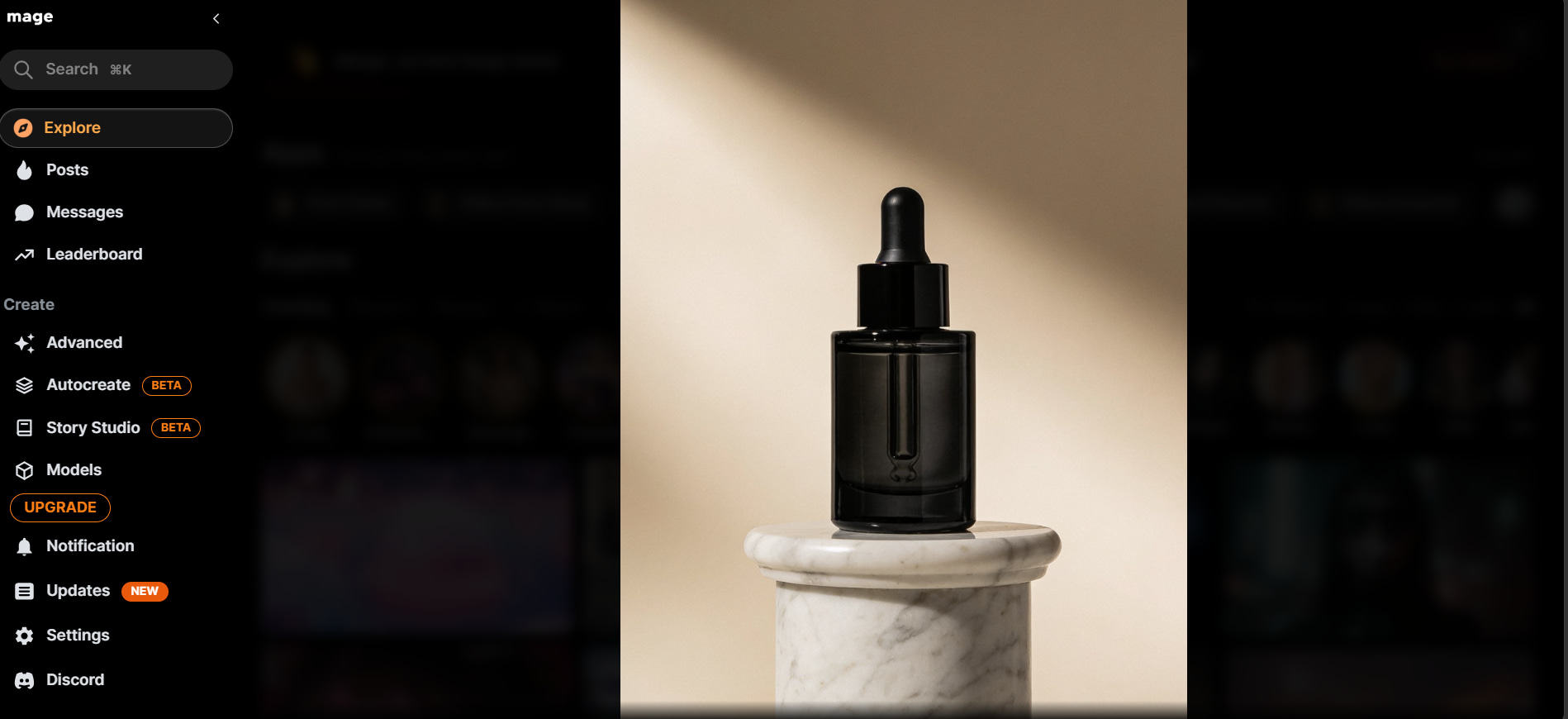
The output looked convincing at first glance, especially when the prompt clearly described the scene. The main weakness was detail accuracy. Distinctive product shapes and small features can change between generations, so the result needs checking before it goes into an actual campaign.
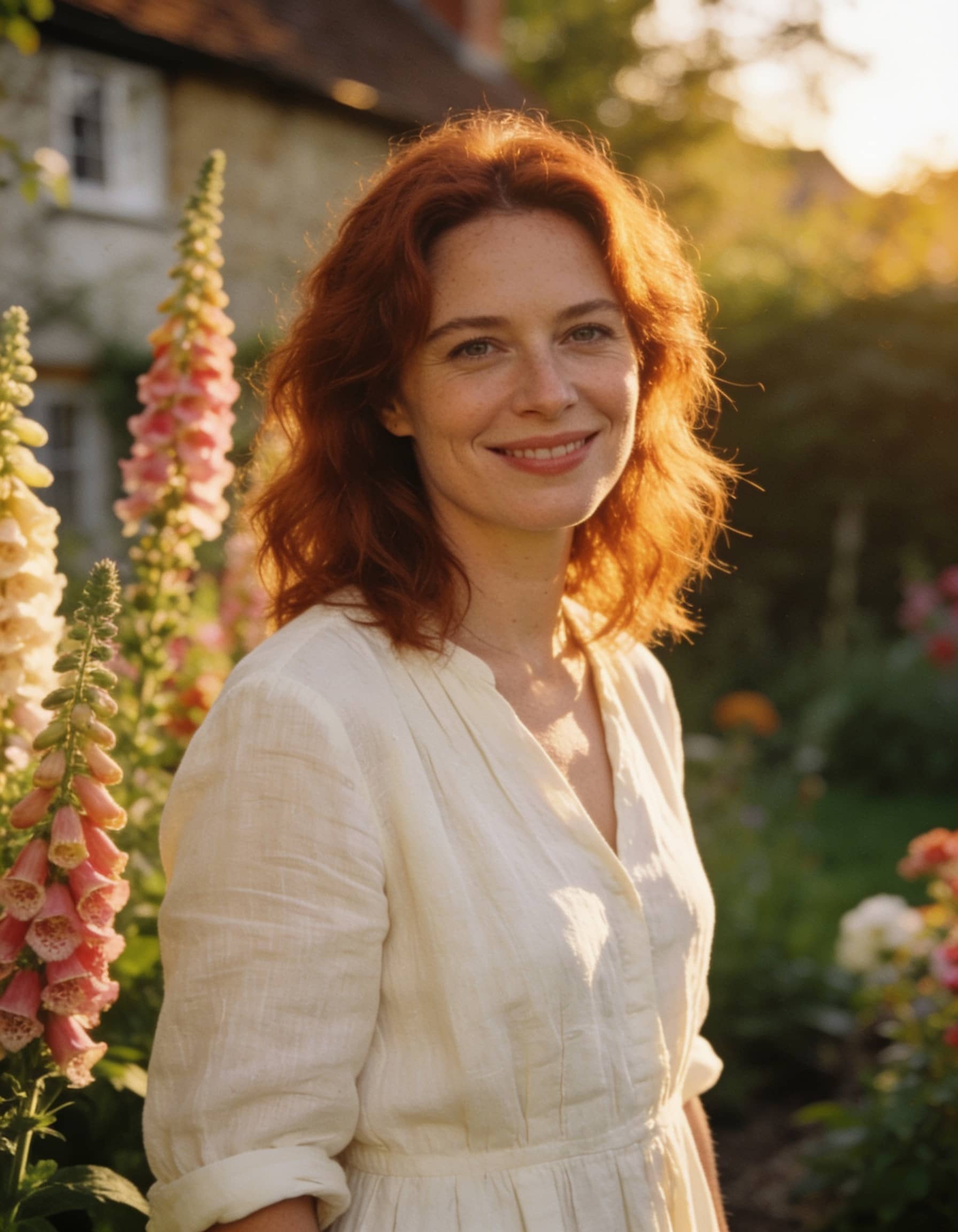
Test 2: Complex human scene
Next, we created a scene with multiple people, specific clothing, poses, facial expressions, and environmental details. This put more pressure on the model because several elements had to be correct at once.
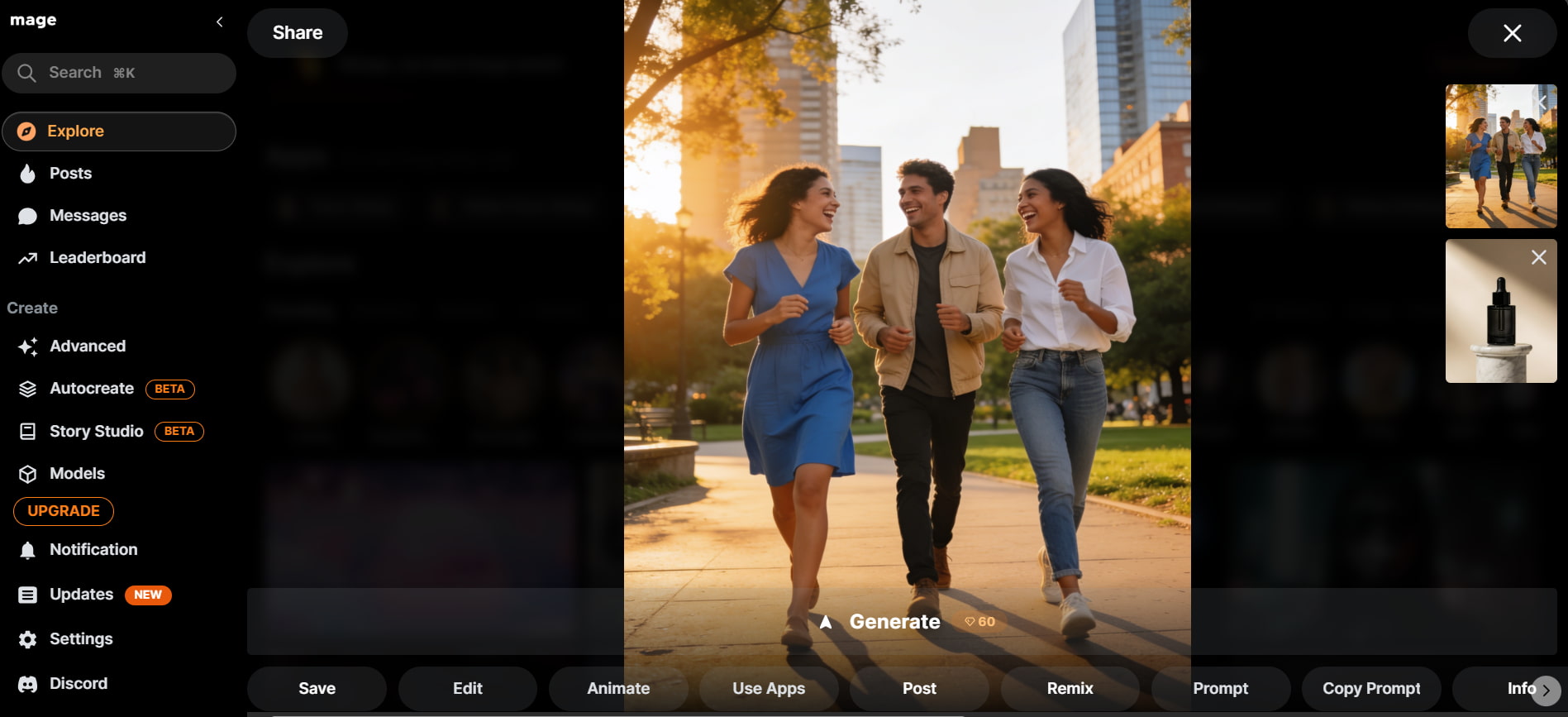
Faces were generally convincing, but complex poses and interactions were less predictable. Hands and body proportions also needed closer inspection. The second generation often produced a better result when the first attempt missed one of the requested details.
Test 3: Fantasy or concept artwork
Our final test used a detailed fantasy scene with atmospheric lighting, multiple objects, and a strong visual direction. Here, we were more interested in creative interpretation than strict realism.
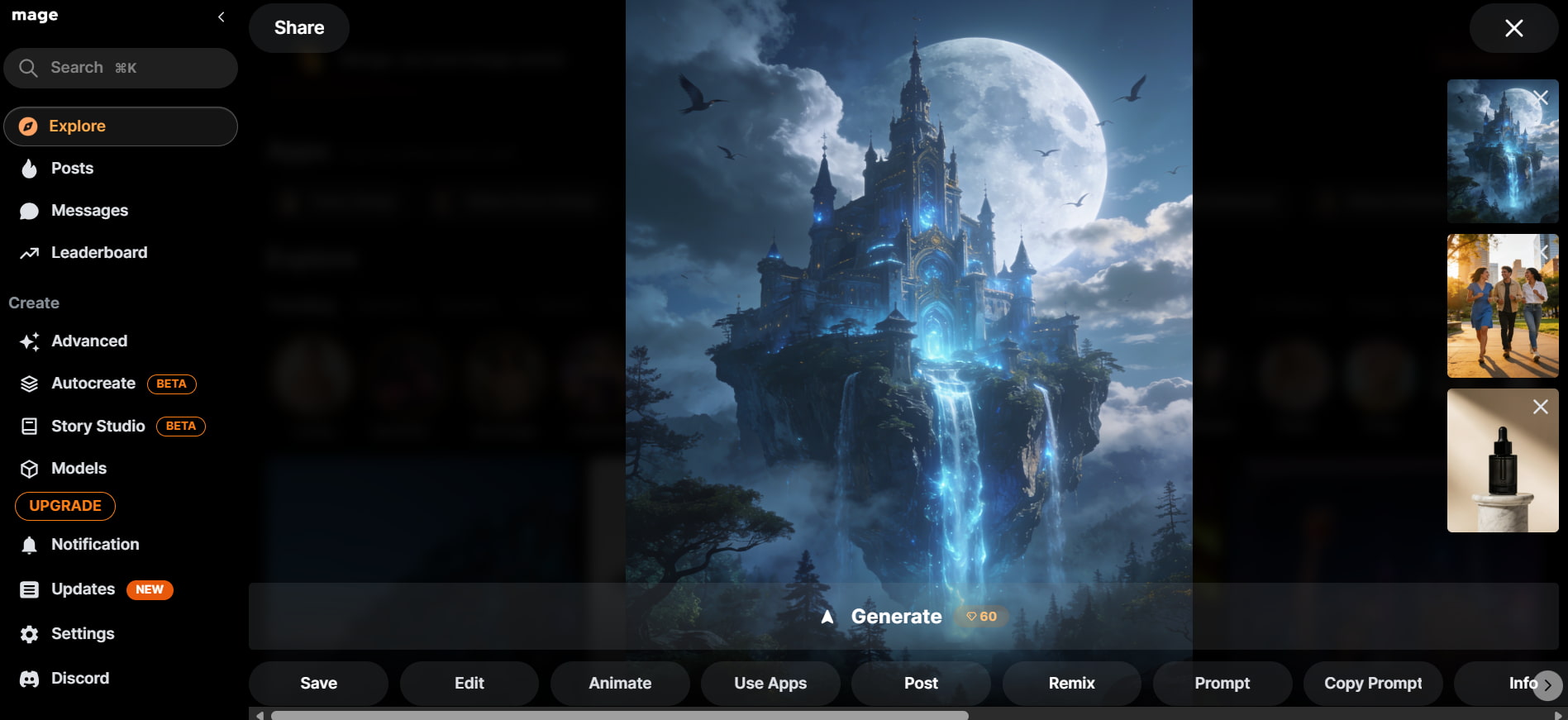
Mage Space handled this type of prompt well. The results offered different interpretations of the same idea, which is useful when developing concepts. The main variation came from the generation approach, with different outputs changing the style and level of detail.
Test results
Portrait
Ghibli-style anime
Landscape
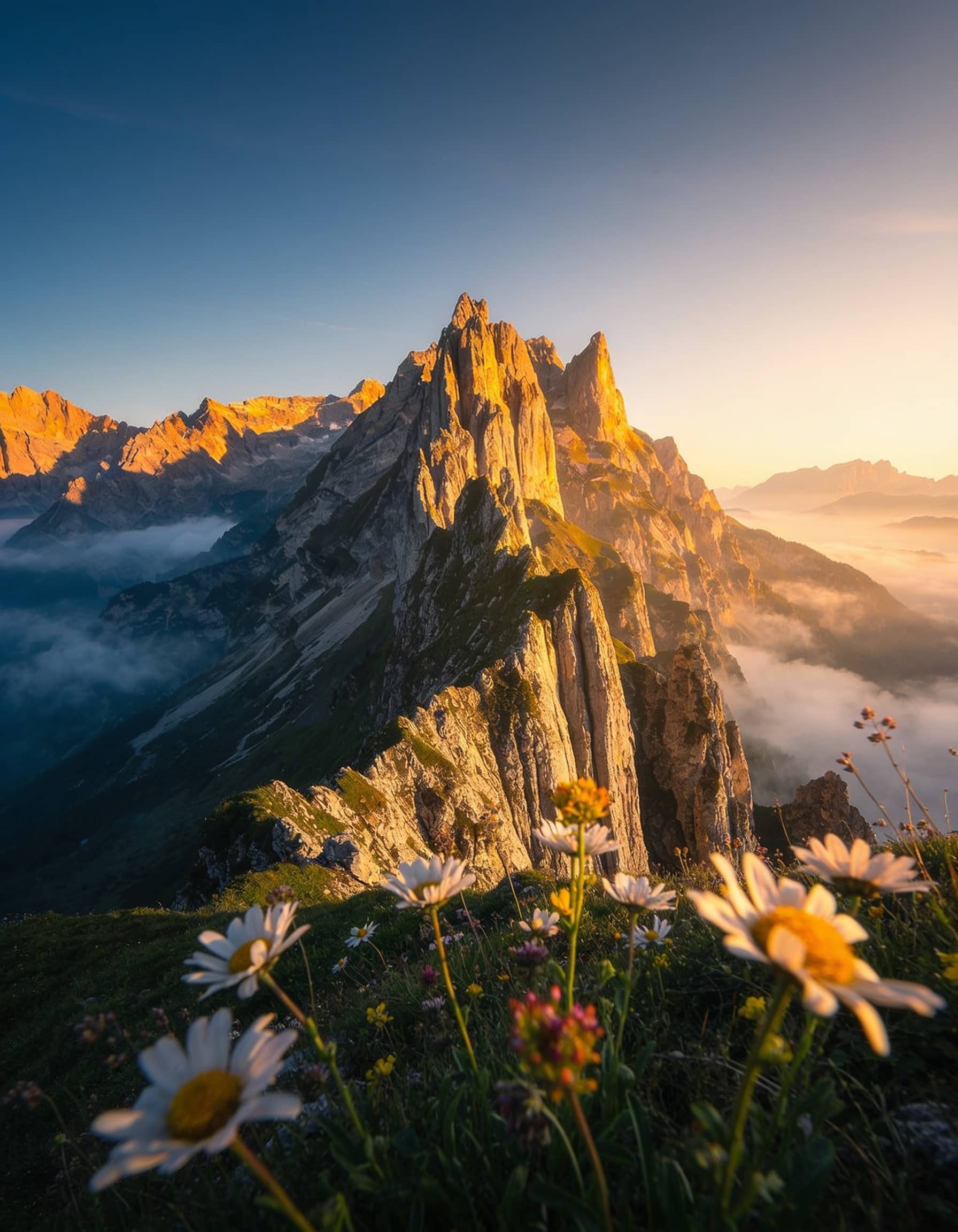
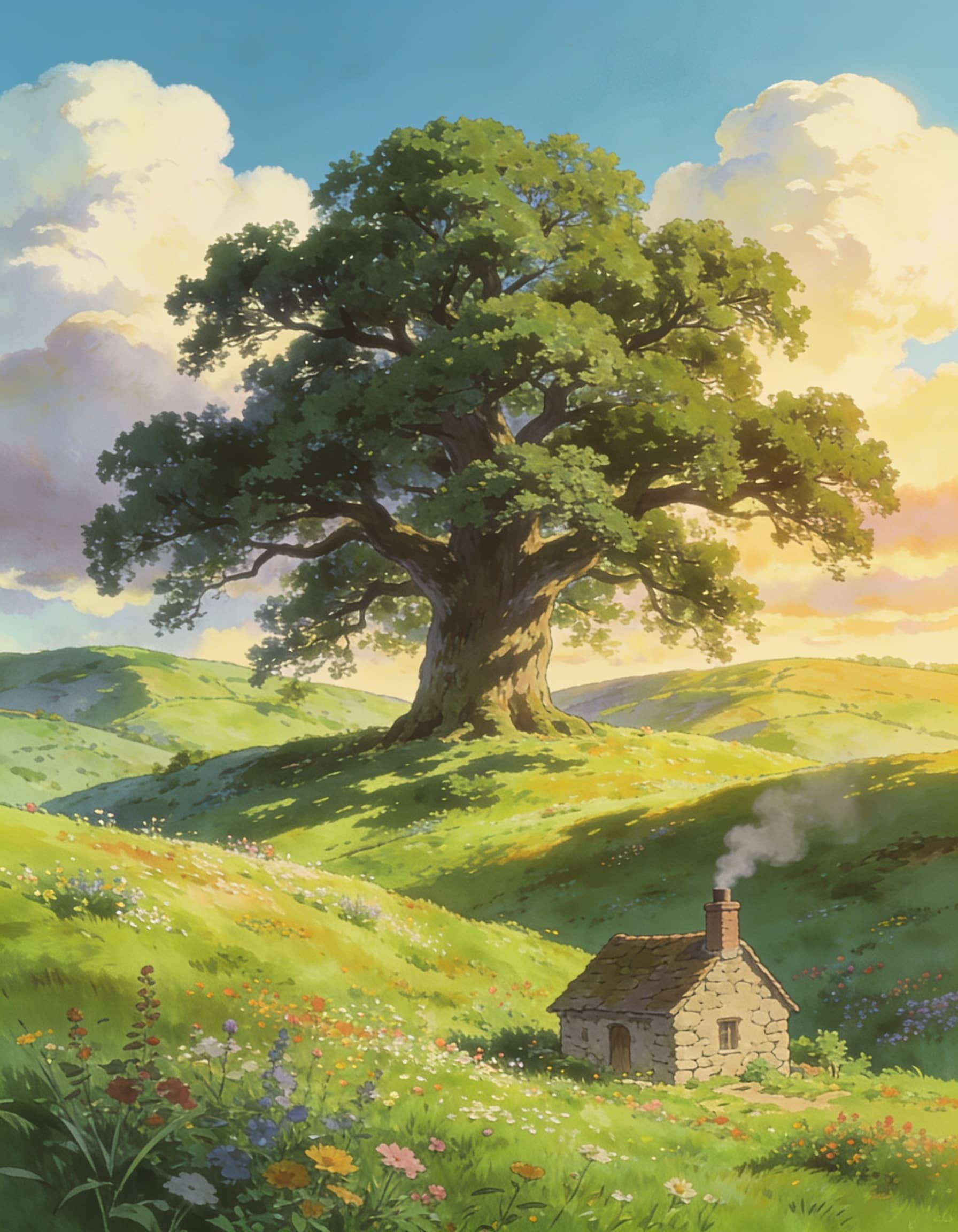
The three tests showed a clear pattern: Mage Space can create strong images, but the level of consistency depends on the prompt and subject.
|
Test scenario |
Evaluation criteria |
What we assessed |
|---|---|---|
|
Overall image quality |
Visual quality, detail, and overall appearance |
How well Mage Space produced polished and visually appealing results across different prompts |
|
Prompt accuracy |
Prompt adherence and scene interpretation |
How accurately Mage Space followed clear and focused prompts |
|
Fine details |
Textures, small elements, and visual details |
Whether smaller image elements appeared clear and required minimal correction |
|
Human scenes |
Facial details, anatomy, and pose accuracy |
How consistently Mage Space handled people, particularly complex poses and anatomy |
|
Creative artwork |
Creativity, style, and visual variety |
How effectively Mage Space handled artistic and experimental prompts |
|
Generation experience |
Speed and workflow efficiency |
Whether the generation process was suitable for creating and comparing multiple variations |
|
Consistency |
Output accuracy and need for regeneration |
Whether complex prompts required multiple attempts to achieve a satisfactory result |
The best results came from treating the generator as an iterative tool. A clear prompt helps, but comparing several outputs is still part of the process.
Mage Space review: image quality, usability, and value
Mage Space has enough flexibility to appeal to regular AI art users, but the experience is less straightforward when a prompt becomes complex. Image quality, ease of use, and pricing all affect whether the platform is a good long-term choice.
How consistent are Mage Space's results?
Mage Space tends to deliver more predictable results when prompts are clear and focused. Simple scenes are generally easier to control, while complex prompts with multiple requirements can produce variations between generations. Different models may also interpret the same prompt differently, affecting style and details. Human anatomy, small objects, text, and precise product elements may need additional checking or retries. For minor clarity issues, an image sharpener can help refine details, while an AI image fixer may be useful for correcting small visual inconsistencies before final use.
How easy is Mage Space to use?
The basic process is easy enough: enter a prompt, choose the relevant options, generate an image, and review it. The learning curve appears when you start testing different models and settings. Experienced AI image users are likely to find this useful because they can experiment with different approaches. Beginners may need a little time to understand which settings suit different types of prompts. Mage Space therefore works best for people who do not mind spending some time refining an image instead of expecting the first generation to be final.
Mage Space pricing and credits
Mage Space offers free access alongside paid plans. Pricing and credit allowances can change, so check the current Mage Space plans before subscribing.
|
Plan |
Price |
Included Features & Services |
|---|---|---|
|
Basic |
$10/month |
Unlimited Generations (Base Models), 2x Faster Speed, Up to 1 LoRA & Textual Inversion, Inpainting, Refine, and 500 Monthly Gems. |
|
Pro |
$30/month |
Everything in Basic plus Unlimited Video Generation, Character Creation, 4x Faster Speed, Premium Base Models, Enhance (2K), ControlNet, Animate, and 1,500 Monthly Gems. |
|
Pro Plus |
$60/month |
Everything in Pro plus Premium Video Models, Enhance (4K), Multiple LoRAs and Textual Inversions (up to 5x), Import Custom Models (Checkpoints, LoRAs, Lycoris), Queue up to 10 generations at once, and 3,500 Monthly Gems. |
|
Max |
$200/month |
Everything in Pro Plus plus Unlimited Motion Control Video Generation, HD Premium Video Models, Longer Video Durations (up to 10s), Multiple Video LoRAs (up to 2x), and 15,000 Monthly Gems. |
What users say about Mage Space
-
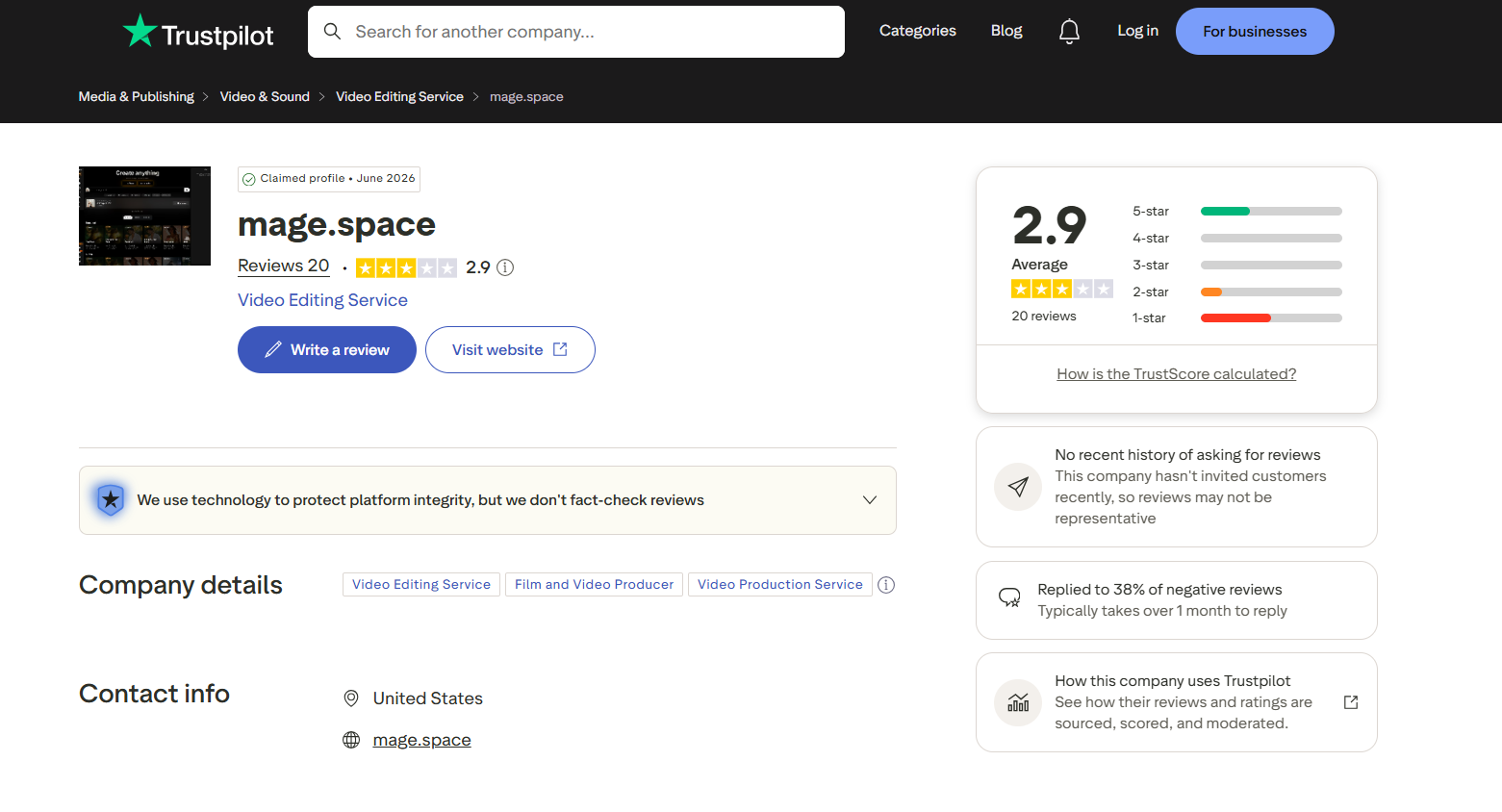
Trustpilot: Mage Space currently has an average rating of 2.9/5 based on 20 reviews. The mixed score suggests varied customer experiences, with reviews raising different opinions about the platform's image-generation service, reliability, and overall value. This feedback provides a useful counterpoint to the platform's feature set when evaluating it.
-
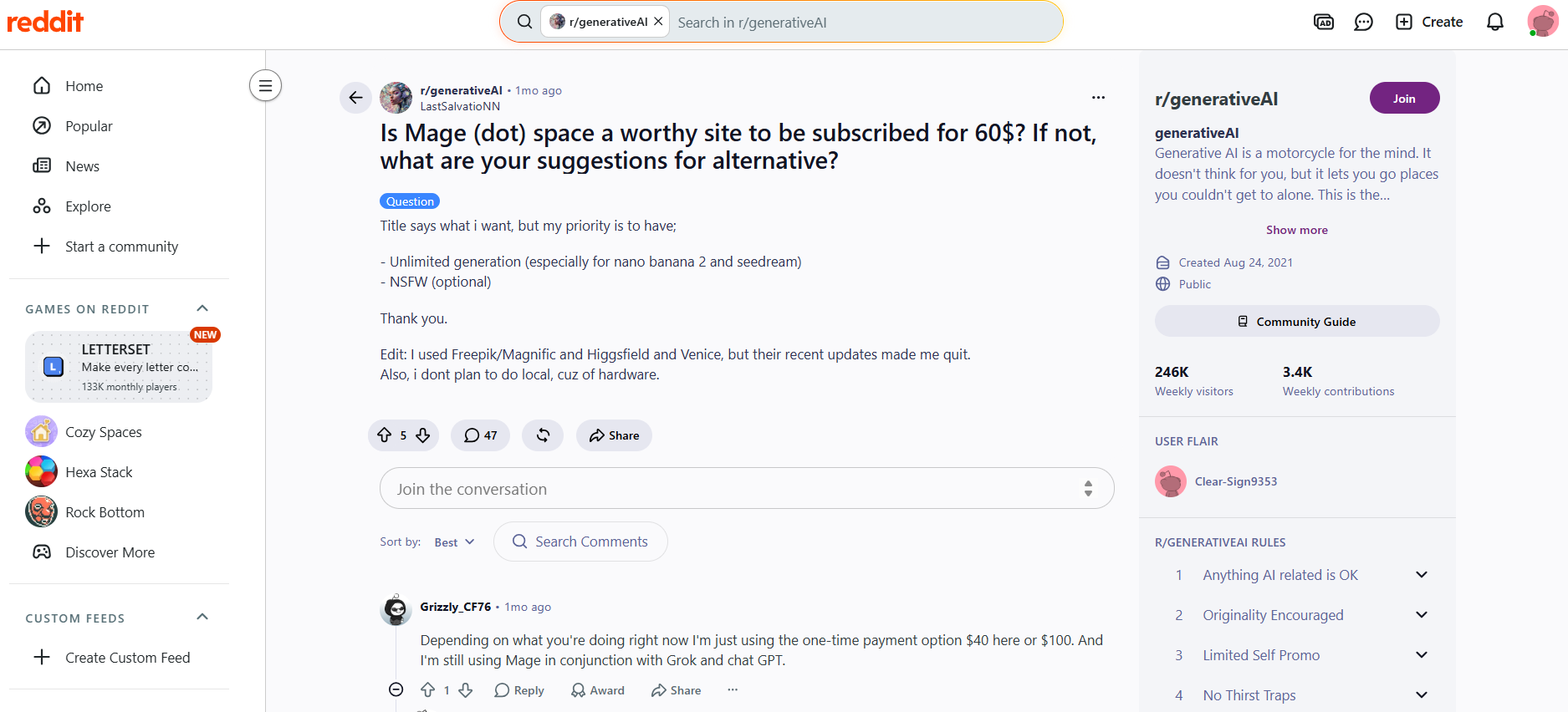
Reddit: Reddit discussions highlight Mage Space's model variety and creative flexibility, but pricing and credit value are recurring concerns. One user questioned whether the $60 subscription was worthwhile, while another mentioned using a one-time payment option. Some users continue using Mage Space alongside other AI tools.
Who should consider Mage Space?
Mage Space makes the most sense for creators who are comfortable with experimentation.
-
AI art enthusiasts: Good for exploring different models, styles, and visual concepts.
-
Experienced AI image users: A better fit if you already understand prompt refinement and image generation.
-
Casual creators: Useful for occasional artwork when you do not need a high-volume workflow.
-
Professional creators: Worth testing concepts and creative development, with careful output review.
-
Beginners: Accessible for basic generation, although the available choices may take some getting used to.
Mage Space can be a useful choice for creators who enjoy exploring AI art models and refining their generations. If you want a more focused way to create visuals from prompts or reference images, another image generator may fit your workflow better.
Create AI images with Vmake Labs AI Image Generator
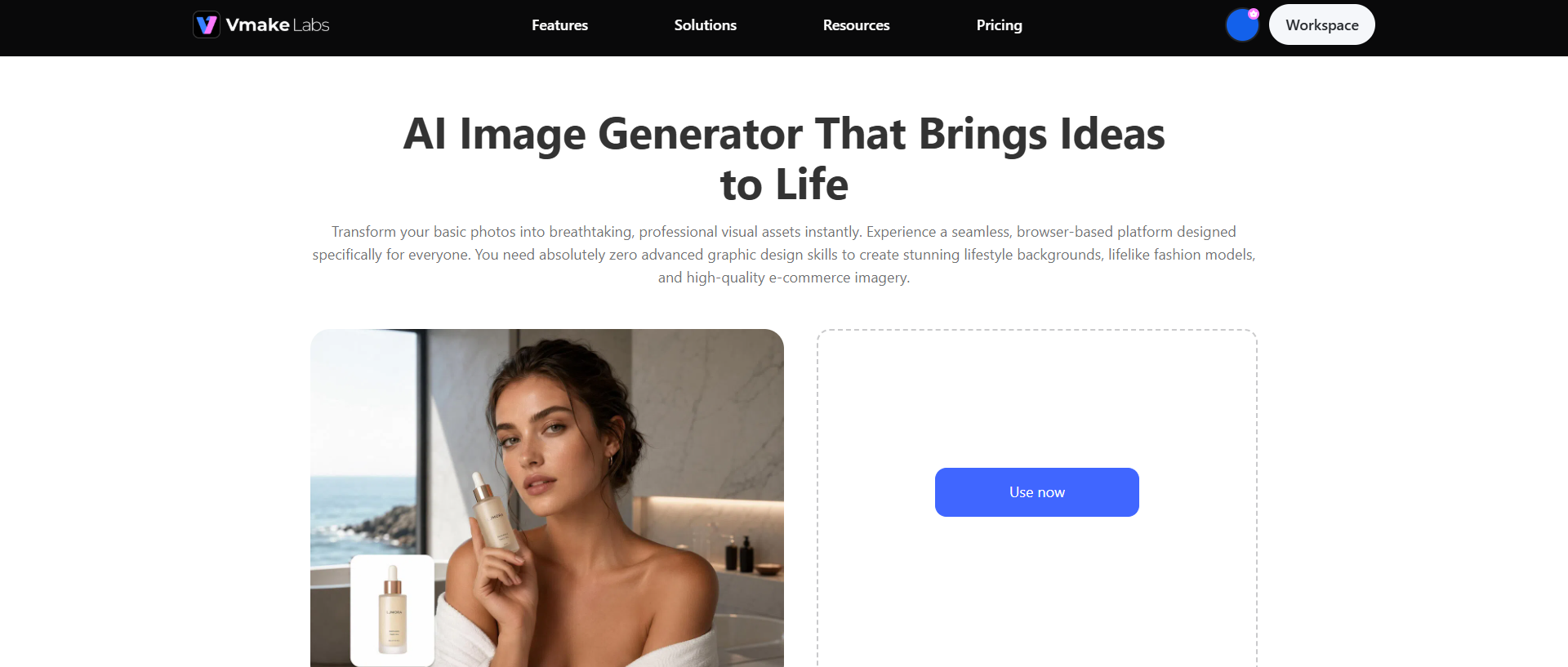
Vmake Labs AI Image Generator supports text-to-image and image-to-image creation, allowing users to generate realistic and creative visuals from prompts or reference images. It also offers multiple AI models, making it useful for creating product visuals, marketing assets, social media content, and other creative imagery.
What you can create with Vmake Labs
-
Text-to-image generation: Turn a written prompt into a new AI-generated image. Describe the subject, setting, style, and other visual details to guide the result.
-
Image-to-image generation: Upload an existing image and use it as a starting point for a new visual. This can help you explore variations while retaining the original creative direction.
-
Reference-image-based creation: Use a reference image to guide the generated output. This is useful when you already have a particular subject, composition, or visual style in mind.
-
Realistic visuals: Create realistic-looking scenes, people, products, and environments from prompts or reference images. These visuals can support different creative and commercial projects.
-
Creative artwork: Explore imaginative concepts, illustrations, and stylized visuals using descriptive prompts. This gives creators room to develop different artistic directions.
-
Product visuals: Create product-focused images for ecommerce listings, campaigns, and promotional content. You can develop different settings and compositions without starting every visual from scratch.
-
Marketing and social media imagery: Generate visuals for social posts, advertisements, campaigns, and other digital content. The workflow can help creators produce fresh imagery for different content needs.
How to generate an image with Vmake Labs
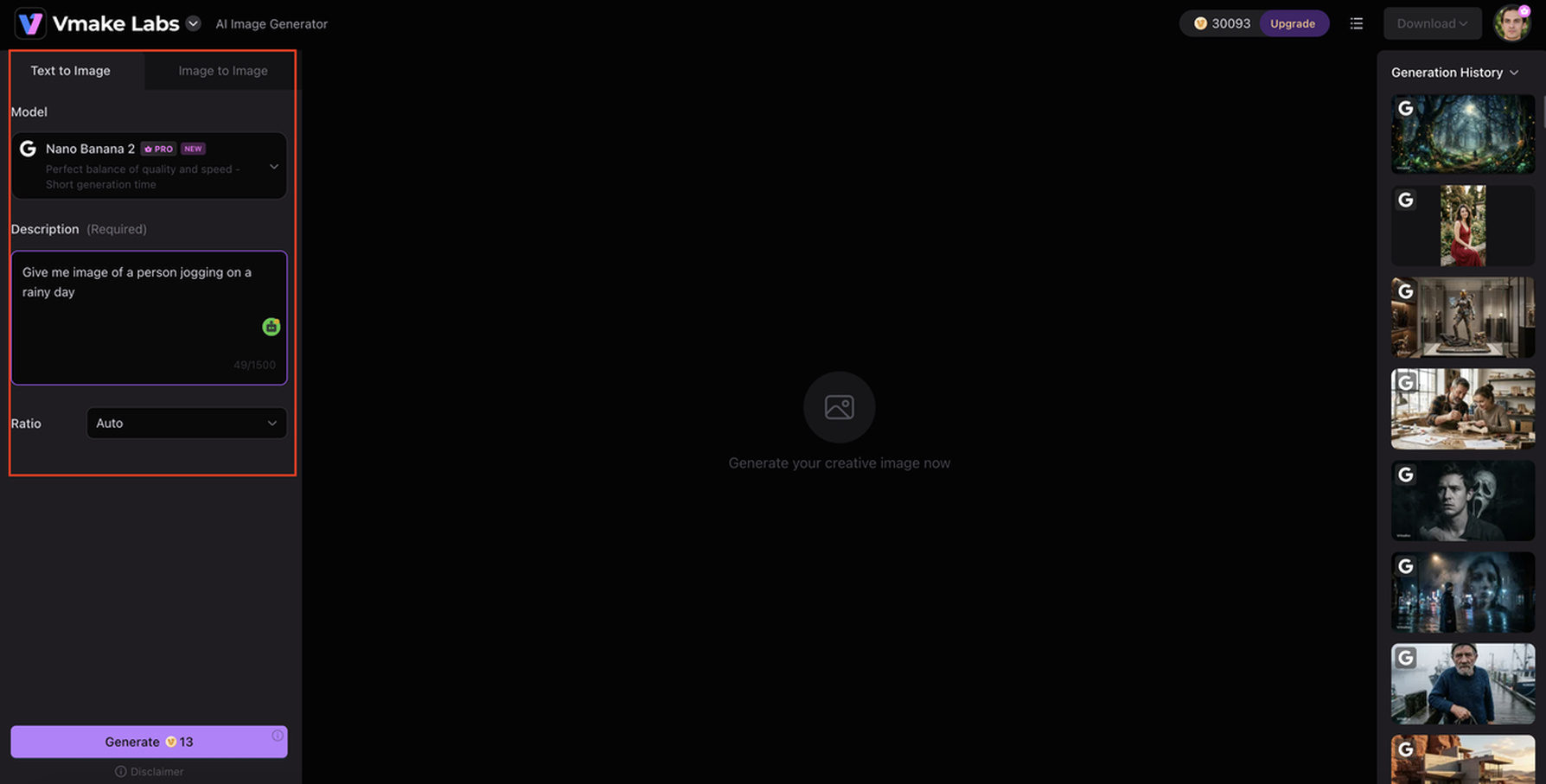
Step 1: Enter a text prompt or upload a reference image
Describe the subject, setting, style, lighting, and other details you want in the image, or upload an existing image to guide the generation.
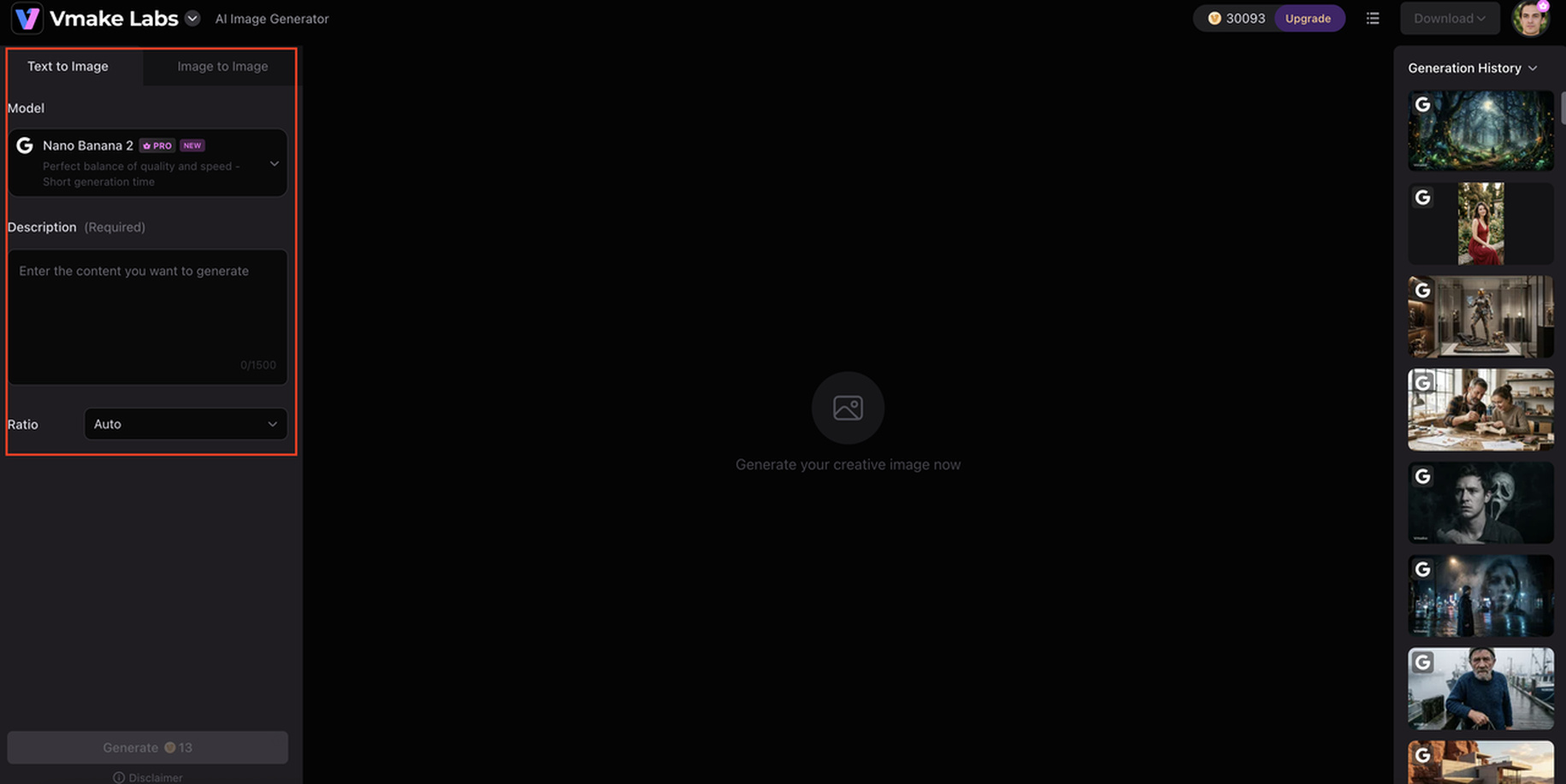
Step 2: Select the available model, aspect ratio, and settings
Choose the model and aspect ratio that best match your intended result. Then enter your prompt or upload a reference image to guide the generation.
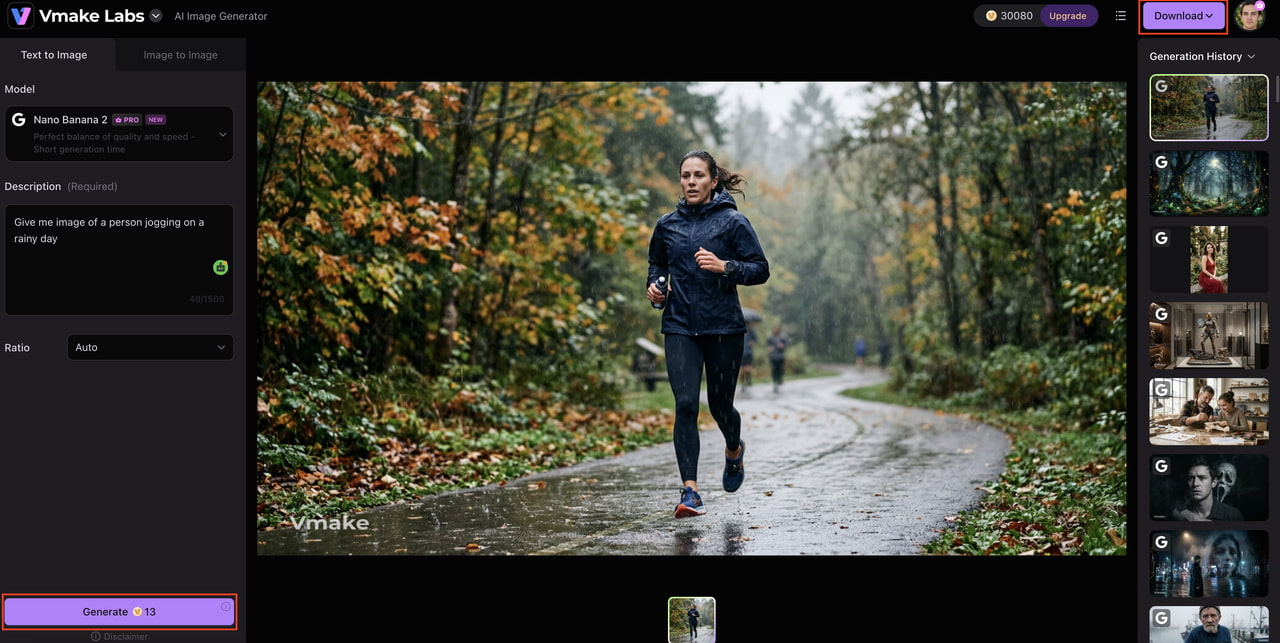
Step 3: Generate, review, and download the image
Generate the image and review the output for quality and prompt accuracy. If needed, refine your input and generate another version before downloading the final result.
Why consider Vmake Labs?
Vmake Labs is useful when you already know what kind of visual you need and want a straightforward way to create it. Along with text-to-image and reference-based creation, tools such as an image sharpener and AI image fixer can help refine generated visuals when they need additional clarity or minor corrections.
Mage Space vs Vmake Labs AI Image Generator
Both tools create AI-generated images, but their workflows appeal to different users. Mage Space puts more emphasis on AI art experimentation, while Vmake Labs focuses on creating practical visuals from prompts and reference images.
|
Feature |
Mage Space |
Vmake Labs AI Image Generator |
|---|---|---|
|
Primary focus |
AI image and art generation |
AI image creation |
|
Text-to-image |
Yes |
Yes |
|
Image-to-image |
Supported workflows |
Yes |
|
Model options |
Multiple options |
Available model selection |
|
Reference images |
Depends on workflow |
Yes |
|
Creative styles |
Broad range |
Creative and realistic styles |
|
Best suited for |
AI art experimentation |
Marketing, product, social, and creative visuals |
|
Workflow |
Experimentation-oriented |
Focused image-generation workflow |
Which tool is right for you?
Mage Space makes more sense if you enjoy exploring AI art, comparing different models and generation approaches, and refining prompts. It is particularly suitable for experienced users who see image generation as an iterative creative process and want flexibility to experiment with different visual directions.
Vmake Labs is worth considering if you want a more focused workflow for creating product, marketing, social media, or creative visuals. Its text-to-image and reference-image workflows help turn an idea or existing visual into a usable image with less emphasis on experimentation.
Conclusion
Mage Space is a flexible AI image generator with plenty of room for creative experimentation. Our tests found strong results for creative concepts, while complex human scenes and detailed product images needed more checking and retries. Pricing and credit usage also matter for frequent users. Mage Space is a good fit for AI art enthusiasts and experienced creators who enjoy refining their results. For users who prefer a focused workflow for product, marketing, social, or creative visuals, Vmake Labs AI Image Generator offers another option worth trying.
Frequently asked questions
-
What is Mage Space AI Image Generator?
Mage Space AI Image Generator is a browser-based AI tool that creates images from text prompts. It also provides different models and generation settings for experimenting with visual styles. Users can create realistic scenes, artwork, characters, and other creative visuals.
-
Is Mage Space AI free to use?
Mage Space offers free access with certain limitations alongside paid plans. Free users can try its image-generation capabilities before committing to a subscription. Since pricing, credits, and plan features can change, check the current plans before subscribing.
-
Is Mage Space good for realistic images?
Mage Space can produce realistic images, although complex scenes, small details, and precise requirements may require several generations. If you need a more focused workflow for creating polished visuals, tools such as Vmake Labs AI Image Generator are also worth exploring.
-
What can you create with Mage Space AI?
You can create portraits, characters, fantasy artwork, illustrations, concept art, product-style images, social media visuals, and other creative content. For creators looking specifically for product or marketing imagery, Vmake Labs also offers AI image-generation workflows designed around these use cases.
-
What are the best alternatives to Mage Space AI Image Generator?
The best alternative depends on your workflow. Vmake Labs AI Image Generator is one option for creators who want text-to-image, image-to-image, and reference-based image creation for creative, product, marketing, and social content.
-
Is Vmake Labs a good alternative to Mage Space AI?
Vmake Labs can be a useful alternative if you prefer a focused workflow for creating visuals from prompts or reference images. Its image-generation capabilities can be particularly relevant for product, marketing, social media, and other creative projects.

You May Be Interested
Best AI Image Generator: 10 Top Picks for 2026 Review

FLUX AI Image Generator Review 2026: Is It Worth Using?
Grok Image Generator Review: Is It Worth Using in 2026?
Pixelcut Image Upscaler Review: Tested & Worth It?
Fotor AI Image Generator: Honest Review Plus Best Alternative
