Pixlr AI Image Generator Review: Features, pricing & best alternative
Explore our Pixlr AI Image Generator review, compare its features, pricing, and image quality, then discover how Vmake AI Image Generator offers more creative flexibility for AI image generation.

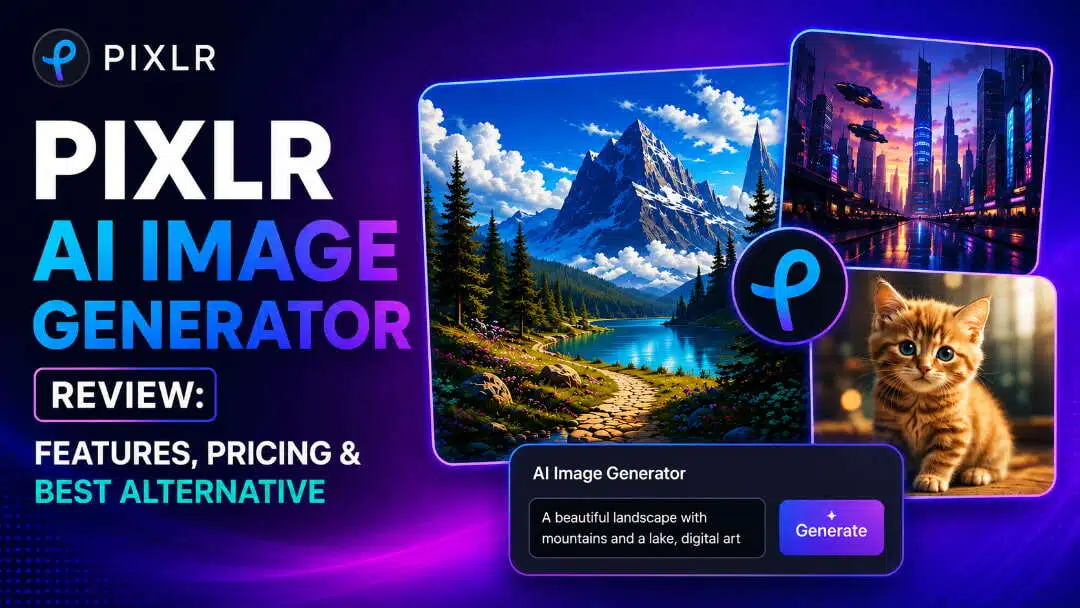
AI image generators have transformed digital creativity, making it easier than ever to produce unique visuals from simple text prompts. Pixlr AI Image Generator is one of the most accessible browser-based tools available today. This review explores its features, pricing, strengths, limitations, and whether it suits your creative workflow.
What is Pixlr AI image generator?
Pixlr AI Image Generator is a web-based tool that transforms textual prompts into original AI-generated graphics in a few clicks. So, whether you're designing social media graphics, blog illustrations, concept art, or marketing images, it provides an approachable way to produce unique material without needing extensive design knowledge.
Key features
-
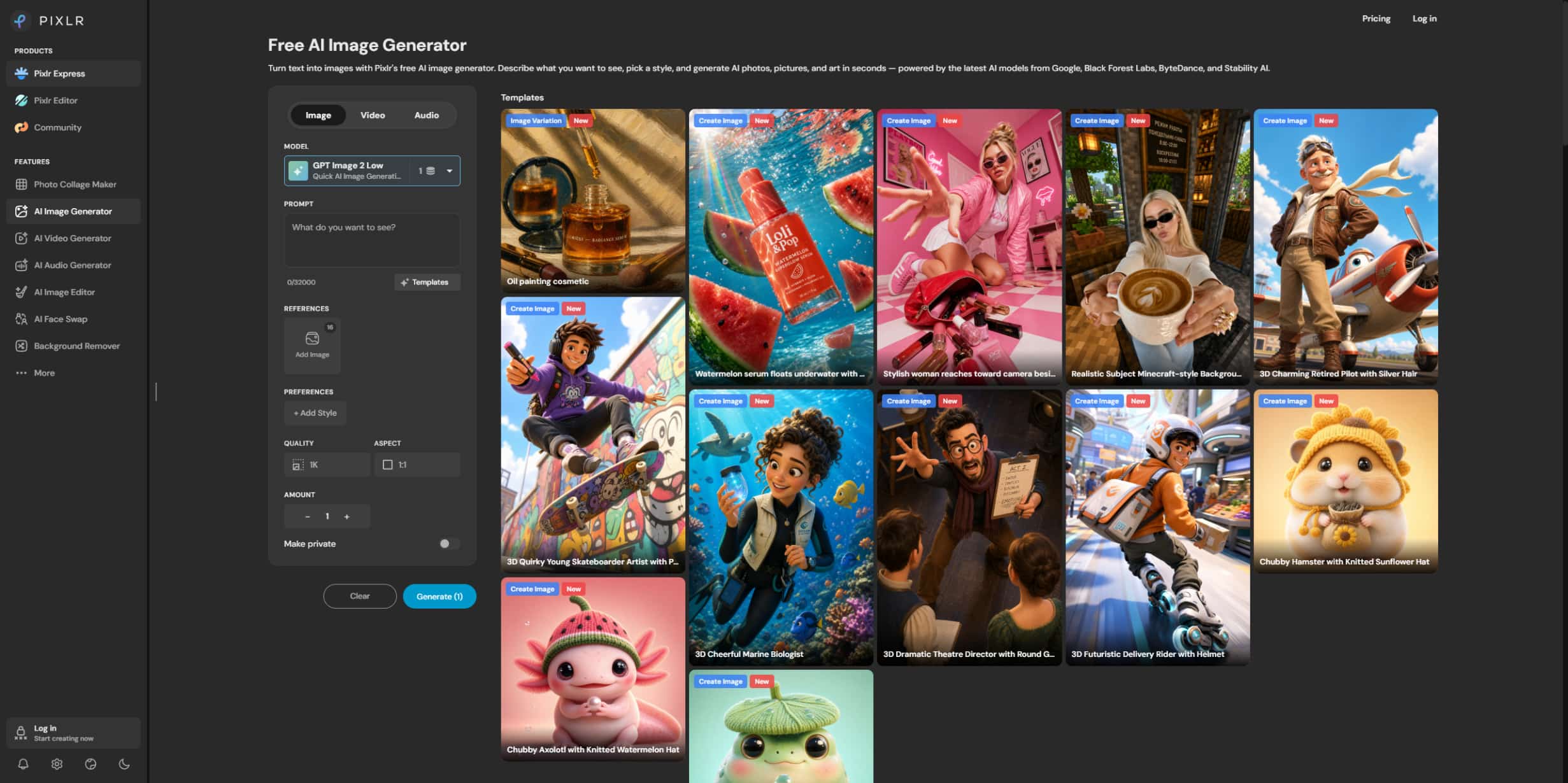
AI text-to-image generation: Users simply type out an idea using text prompts, and Pixlr produces several AI-created graphics in seconds.
-
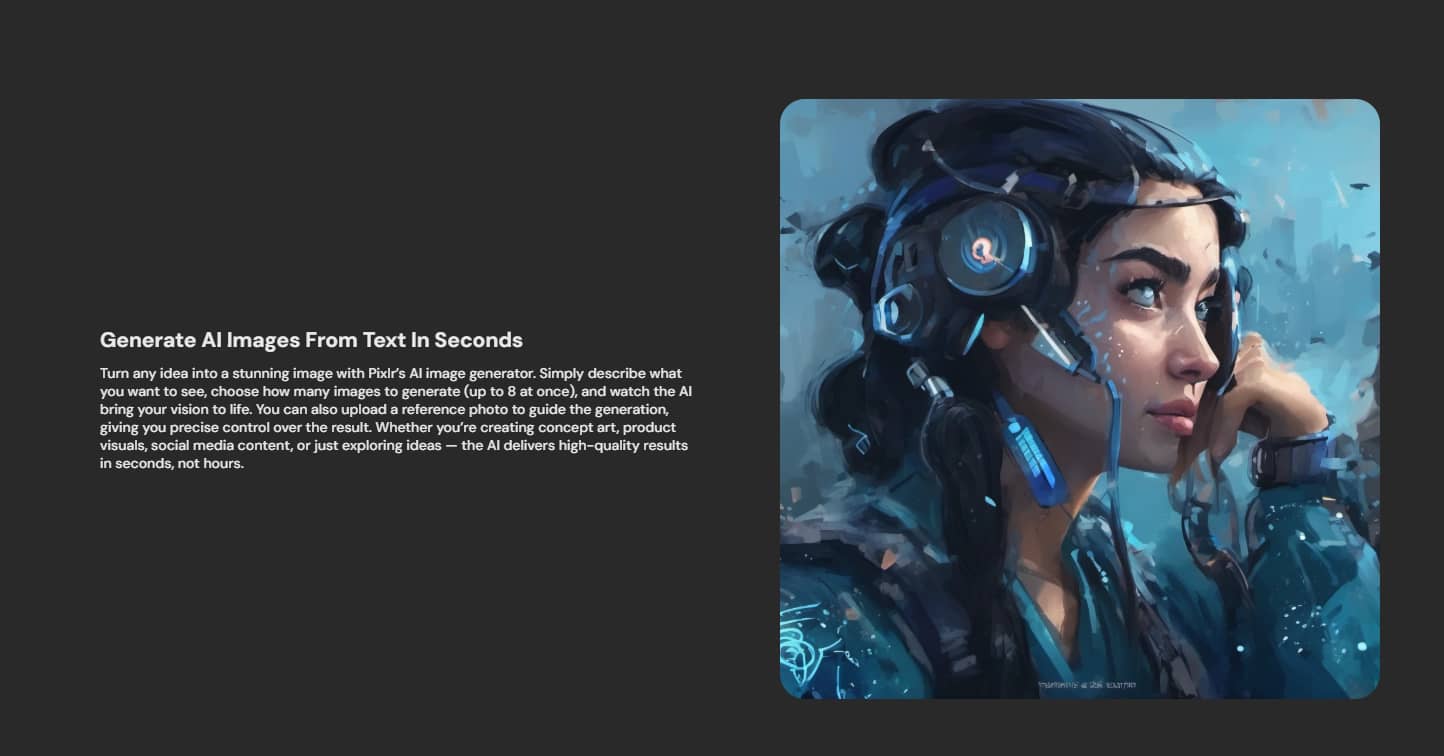
Multiple artistic styles: Pixlr supports different visual styles, including realistic, anime, illustration, fantasy, digital painting, and abstract artwork.
-
Prompt-based image creation: Users can refine prompts by adding colours, lighting, camera angles, artistic styles, and descriptive details to produce more accurate results.
-
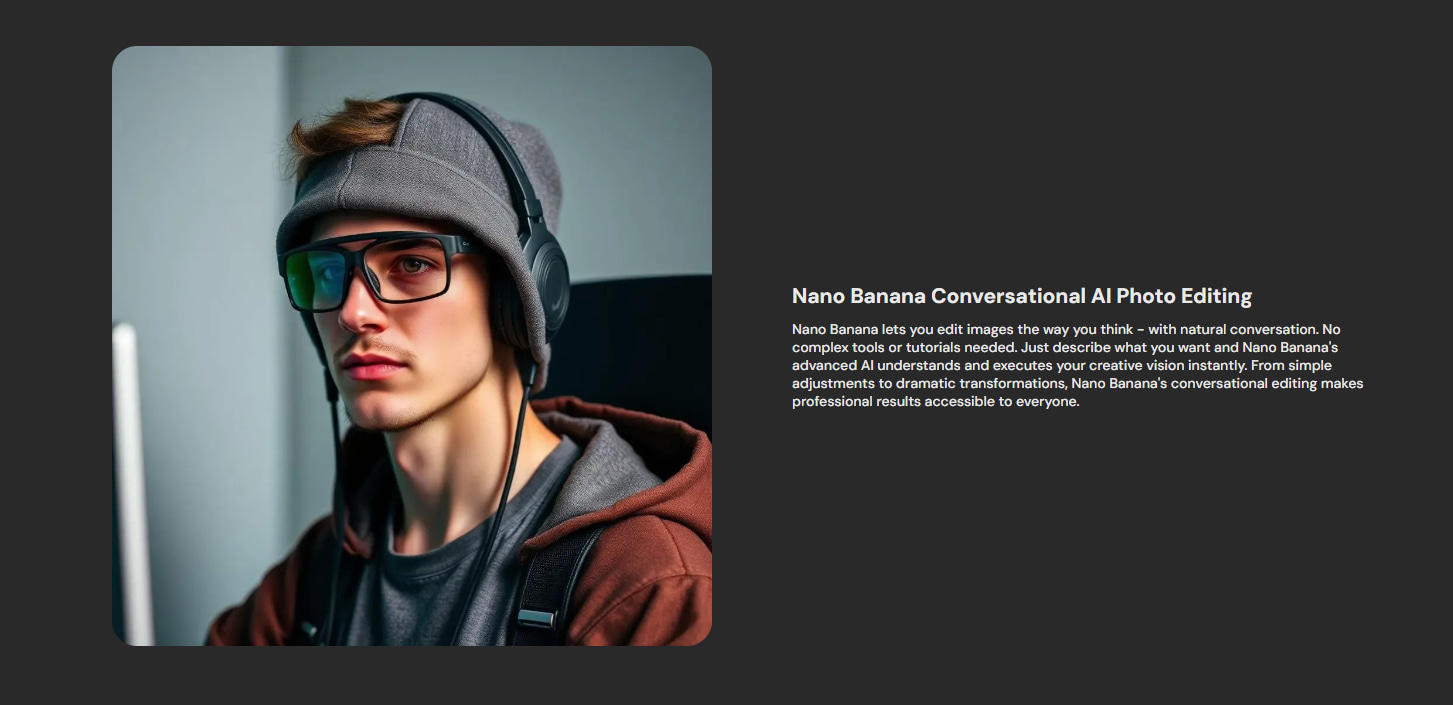
Built-in editing after generation: One of Pixlr's biggest strengths is its integrated editing suite. Users can crop, resize, adjust colours, remove backgrounds, and continue editing generated images without leaving the platform.
-
High-resolution image export: Generated images can be downloaded in high quality, making them suitable for presentations, websites, and social media.
-
Browser-based workflow: Everything works online, eliminating the need for software downloads, making Pixlr convenient for users working across multiple devices.
-
Integration with Pixlr editing tools: Pixlr combines AI-driven generation with its existing photo-editing features, creating a streamlined creative workflow for everyday design tasks.
How to generate images in Pixlr X AI image generator
Pixlr is really simple to create images for first-timers. In a matter of a few clicks, you can turn a word prompt into AI-generated art and tweak the result with Pixlr's editing tools.
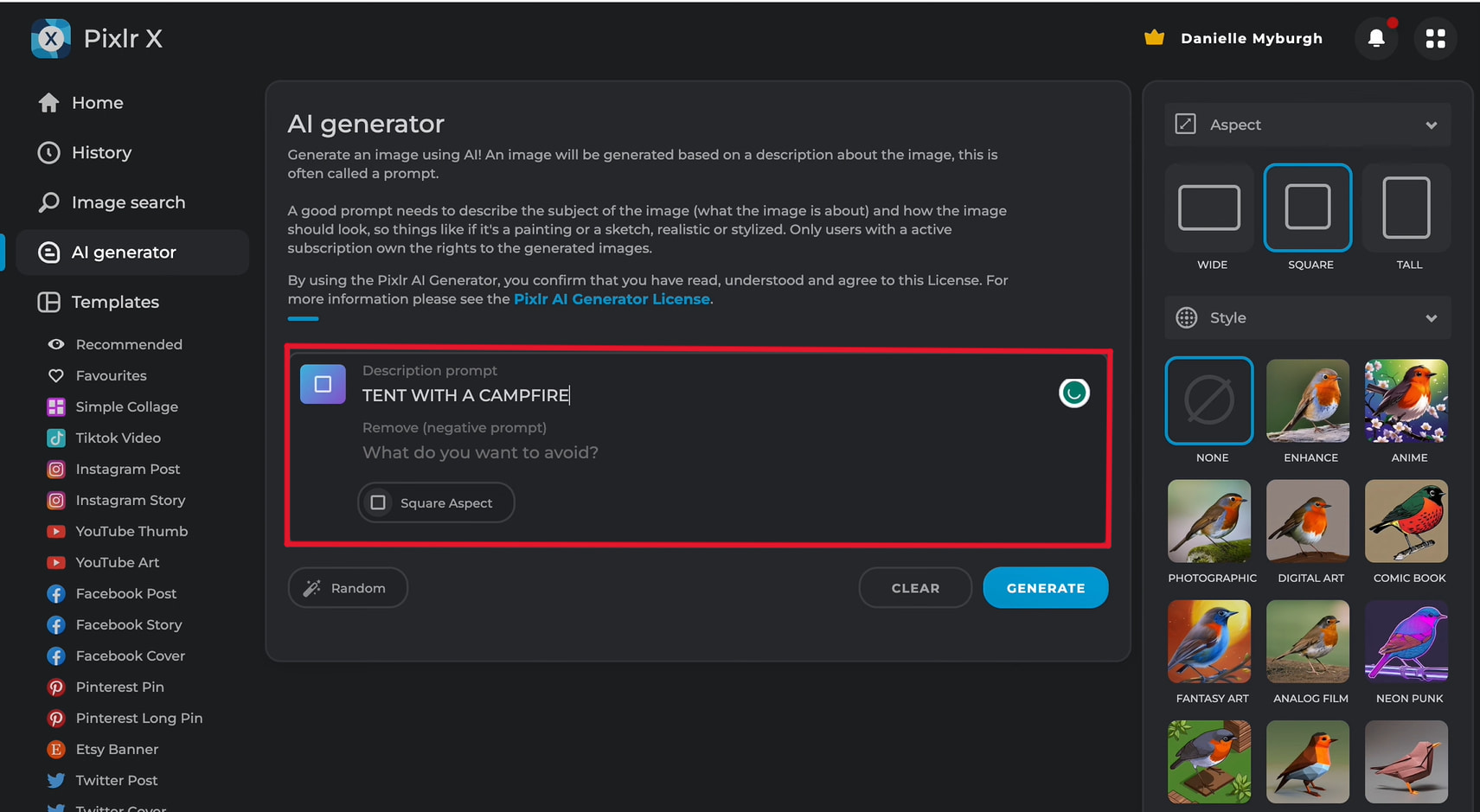
Step 1: Open Pixlr X AI image generator and enter your prompt
Open the Pixlr X AI image generator in your browser and type a detailed prompt for the image you want to create. Including information such as the subject, art style, lighting, colours, and composition helps the AI produce more accurate and visually appealing outcomes.
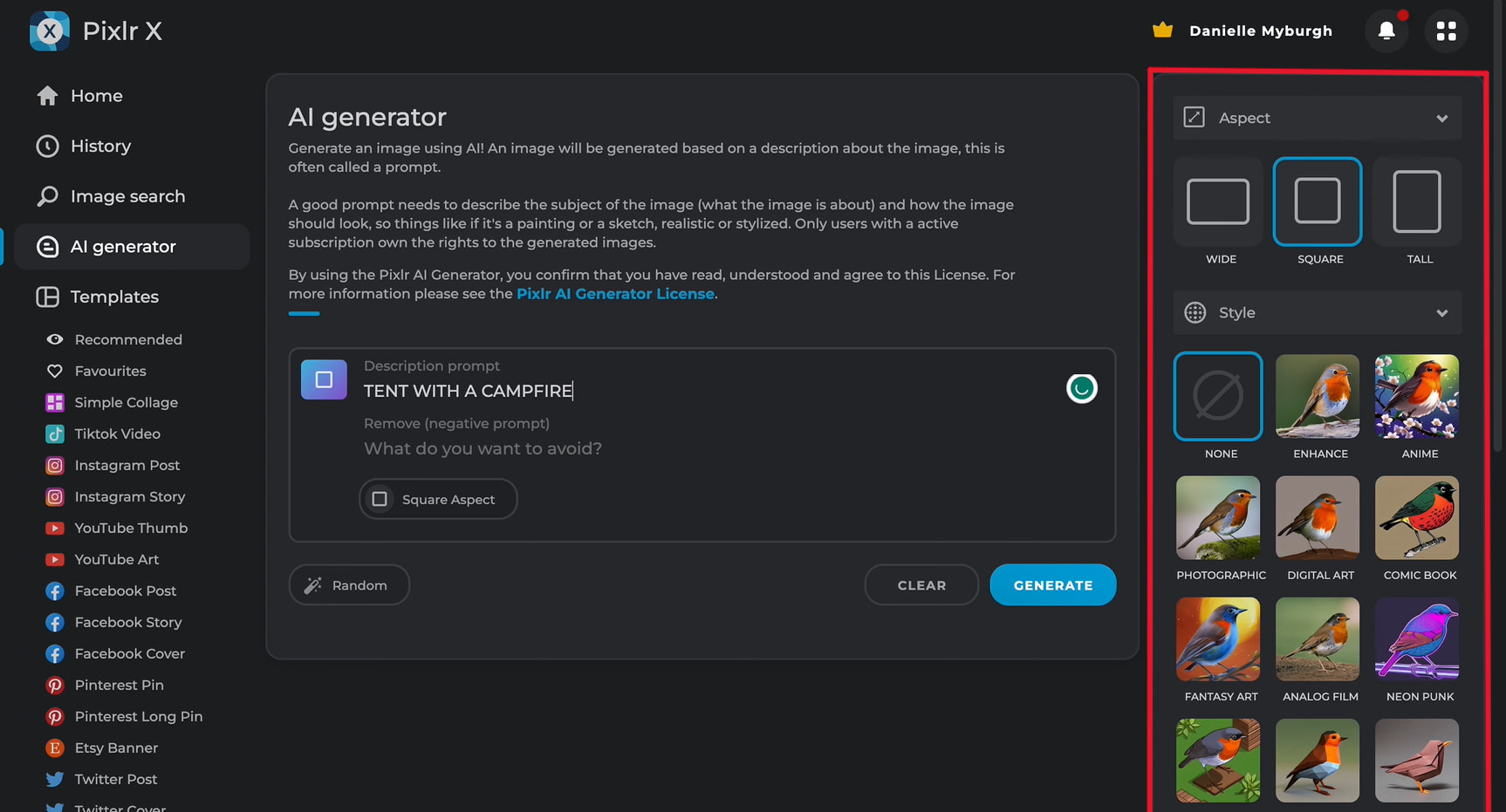
Step 2: Choose your AI model and customise the settings
Select your preferred AI model, artistic style, aspect ratio, image size, and other available settings before generating the image. Adjusting these options allows you to tailor the output to your creative needs and achieve better-quality results.
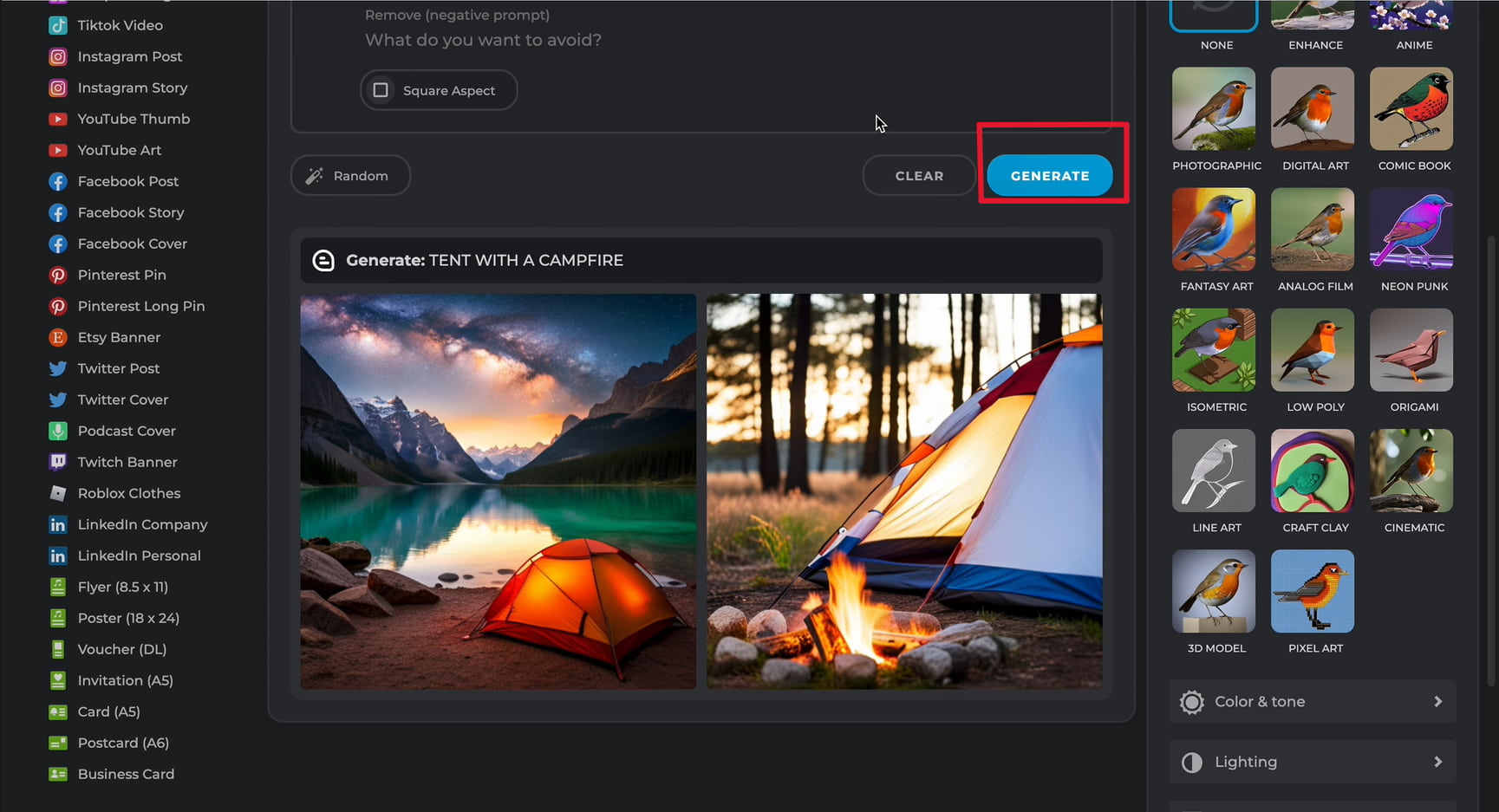
Step 3: Generate your image
Click generate and wait a few moments for Pixlr to create your image. If the result isn't exactly what you envisioned, refine your prompt or generate new variations until you're satisfied, then edit and download your final image.
Is Pixlr AI image generator worth it?
Pixlr AI Image Generator is a solid option for beginners, students, and casual creators who want to generate AI images quickly in a browser. Its combination of text-to-image generation and built-in editing tools makes it convenient for everyday creative tasks. However, users who need advanced AI models, greater prompt control, or commercial-grade image generation may find it less flexible than dedicated AI image generation platforms.
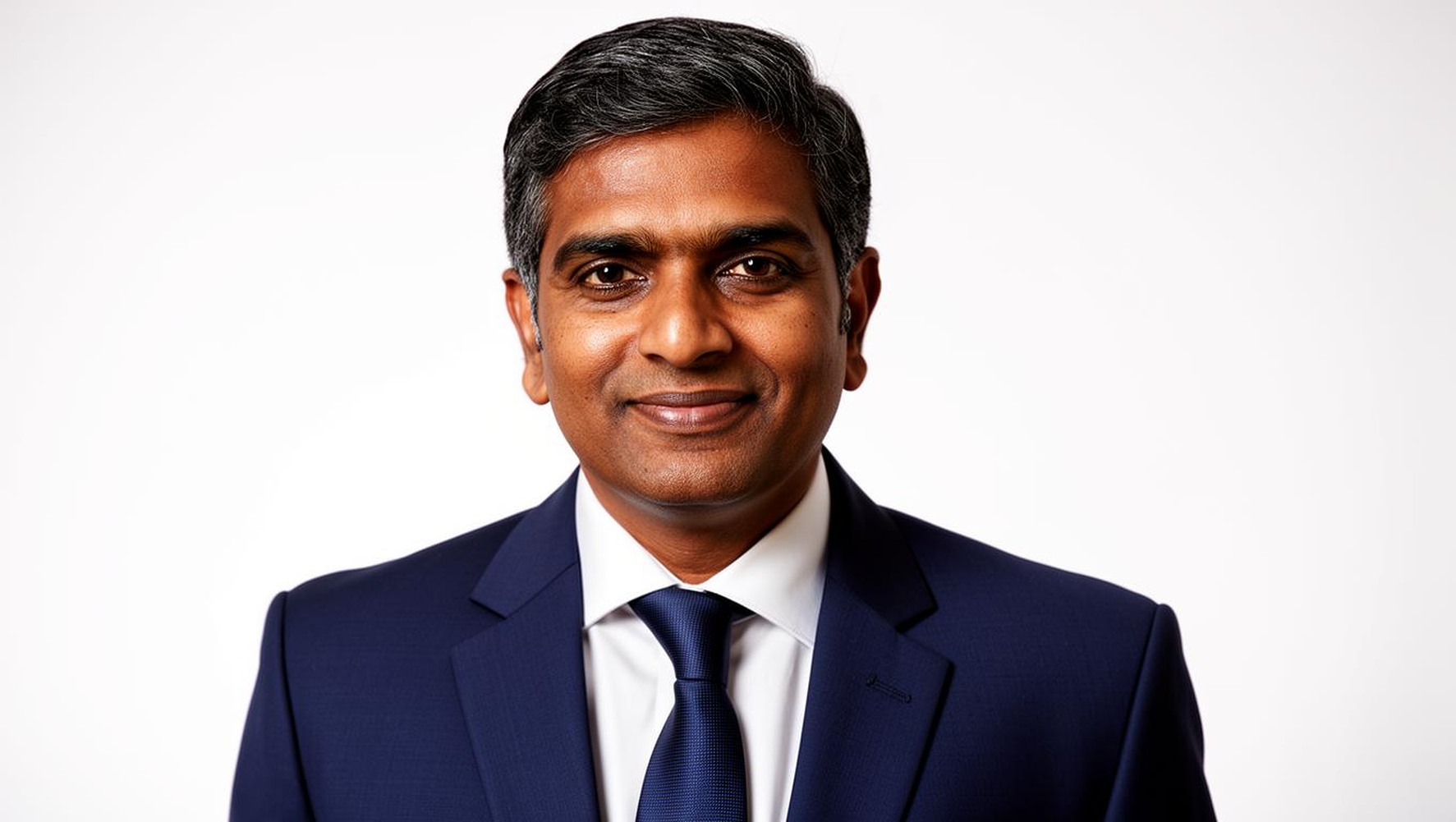
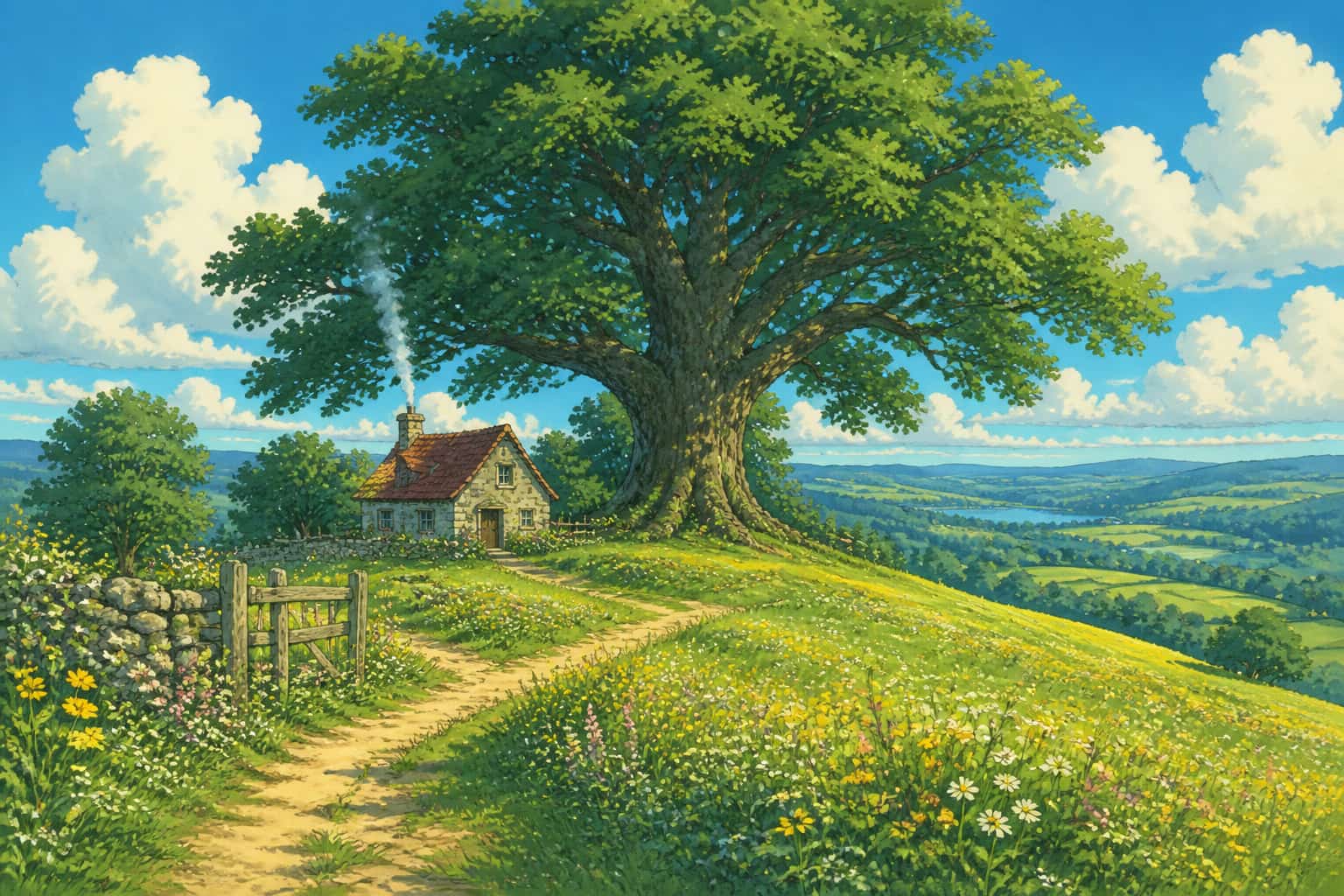
Test results
Professional portrait
Ghibli fantasy
Pros and Cons
|
Pros |
Cons |
|---|---|
|
|
|
|
|
|
|
|
|
|
|
|
Pricing
|
Plan |
Pricing |
Best For |
|---|---|---|
|
Free |
Users who want to try Pixlr's AI image generation features and create basic designs without paying |
|
$2.49/month |
Casual creators who need more AI credits and additional editing features for regular use |
|
$9.99/month |
Designers, marketers, and content creators who need advanced AI tools and more creative resources |
|
$24.99/month |
Professionals and businesses requiring maximum access to AI features, higher usage limits, and premium assets |
Pixlr AI Image Generator offers flexible pricing options to suit different types of users, from beginners exploring AI image creation to professionals requiring advanced design features. The free plan provides basic access, while paid plans unlock additional AI credits, premium resources, and enhanced creative capabilities for users with higher image generation needs.
Community feedback
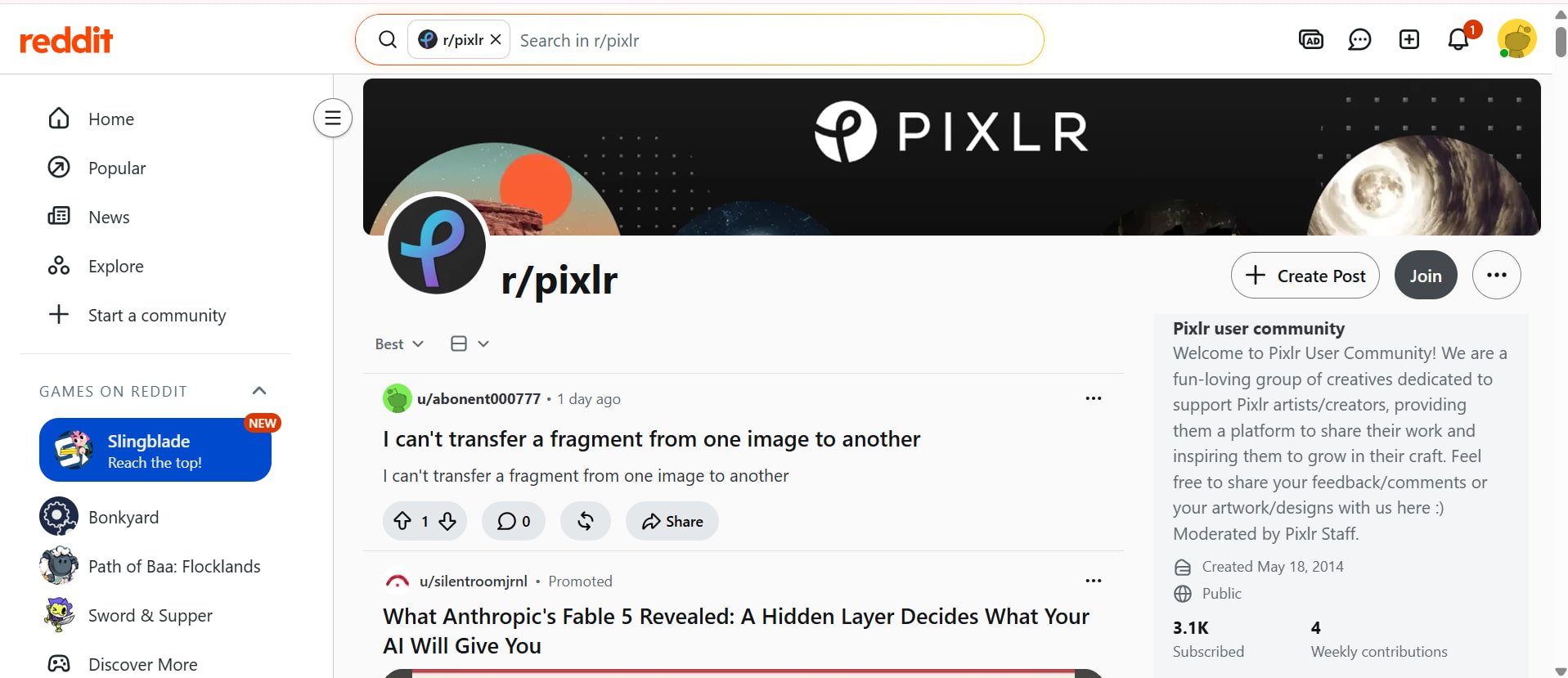
Reddit users generally praise Pixlr AI Image Generator for its ease of use and browser-based workflow, making it a popular choice for beginners and casual creators. Many appreciate built-in editing tools and fast image generation, although some users note that image quality can be inconsistent with complex prompts and that more advanced customisation options are limited.
Trustpilot
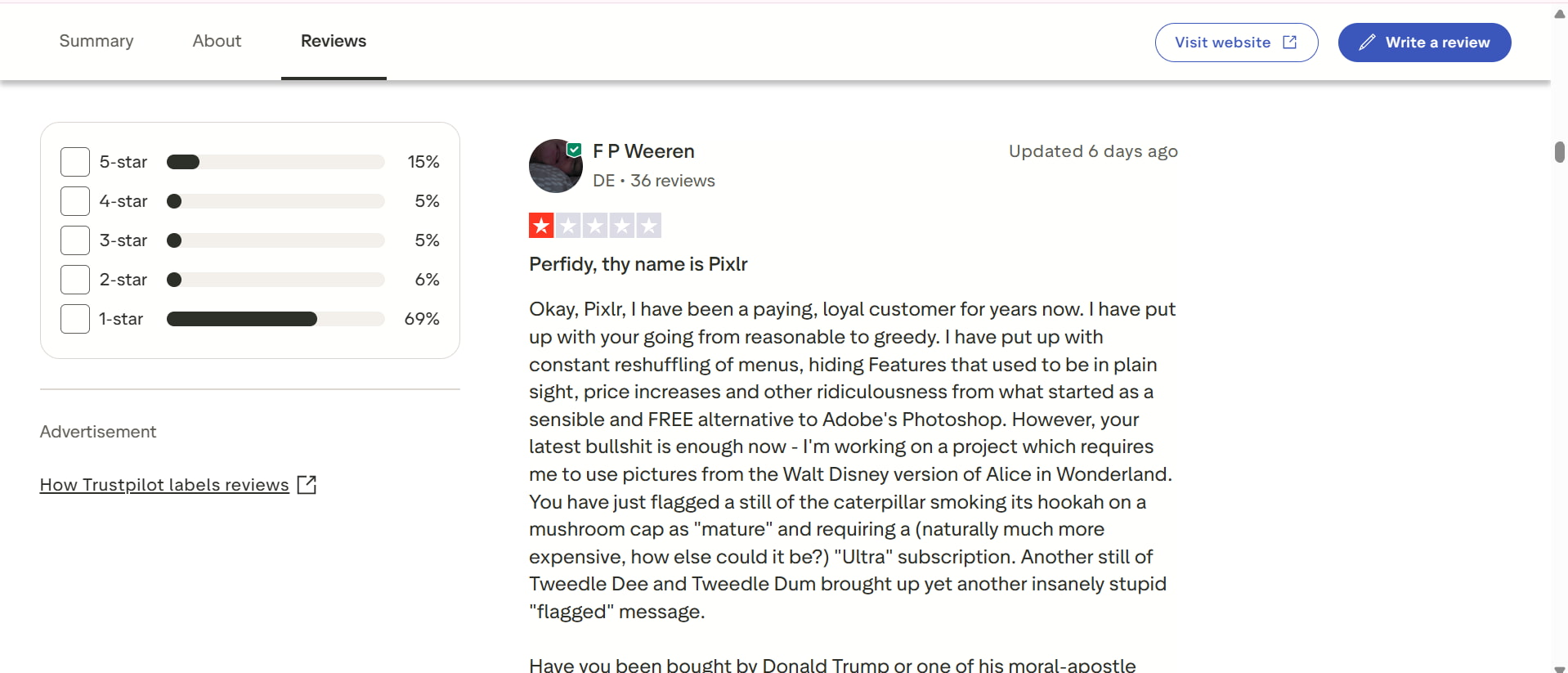
Trustpilot reviews of Pixlr cite its simplicity, affordable price and online editing convenience. People often say that it works well for quick design tasks and regular creative work. Yet, several reviews have cited occasional performance issues and limitations with AI functions on the free plan, which would indicate the more expensive plans offer a better overall experience.
If you want fast visuals and simple AI artwork, Pixlr AI image generator is an excellent place to start. But when producers are producing marketing campaigns, e-commerce assets, or commercial content, they usually need more creative freedom, alternative AI models, and higher-quality output. This is where the Vmake AI image generator is a fuller choice.
Vmake Labs image generator: Built for modern content creators
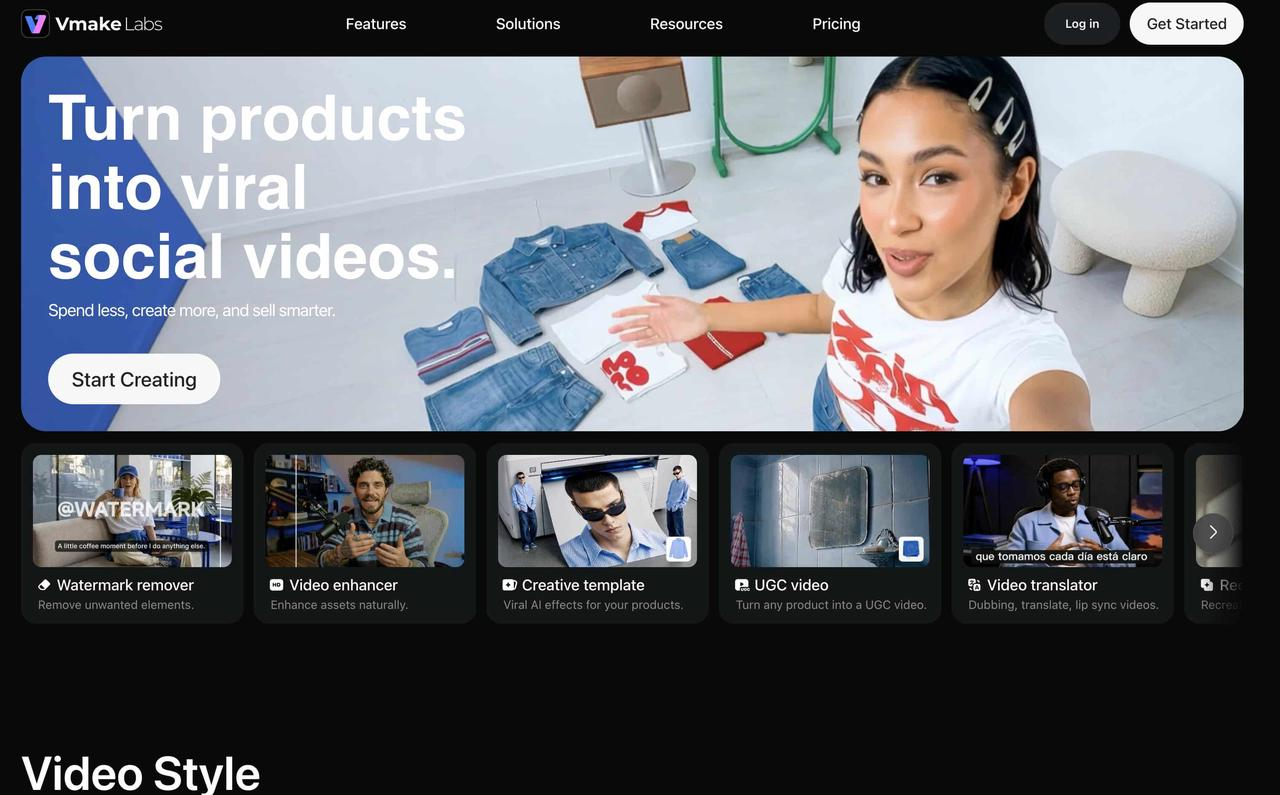
Vmake Labs AI image generator is developed for creators who need more than just simple text-to-image conversion. It provides access to some of the best AI image models, rather than just one. Users may produce professional graphics for advertising, branding, e-commerce, and social media. The browser-based process makes picture production fast and accessible, while customisable features allow users to produce commercial-ready content without requiring substantial design skill.
Key features
-
Multiple leading AI image models: Choose from multiple advanced AI models, such as Nano Banana 2 or Seedream 4, to generate artwork that matches different creative styles, from photorealistic portraits to digital illustrations and marketing visuals.
-
Text-to-image and image-to-image generator: Create images from text prompts or upload a reference image to generate new variations while preserving the desired style or composition.
-
Browser-based workflow: Everything runs directly in your browser, so there's no need to install software. You can generate AI images from any modern desktop or mobile device.
-
Multiple aspect ratios: Select aspect ratios optimised for social media posts, advertisements, ecommerce listings, presentations, blog banners, and more.
-
Commercial-ready image creation: Produce professional-quality images suitable for marketing campaigns, product promotions, websites, branding, and business content with flexible prompt controls.
How to create AI images with Vmake Labs image generator
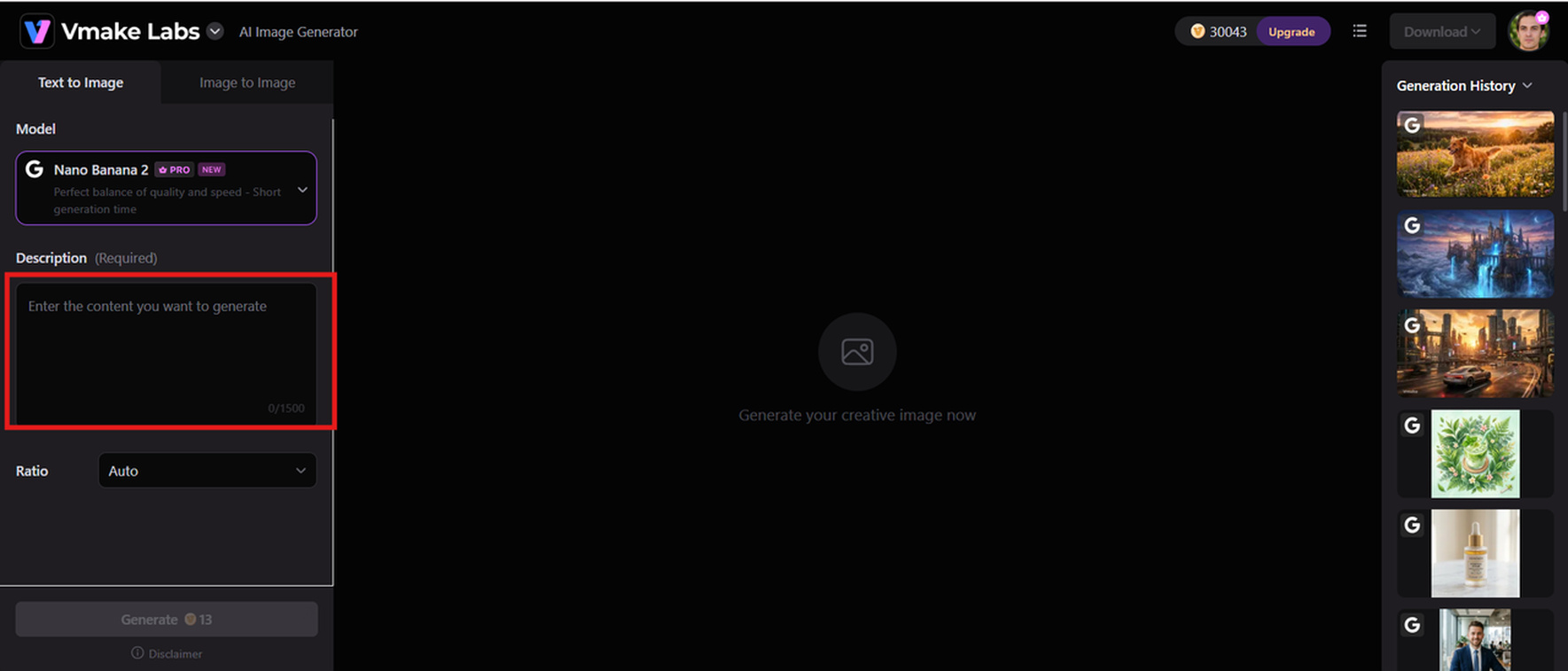
Step 1: Enter a text prompt or upload a reference image.
Type a detailed prompt describing the image you want to create, or upload a reference image to guide the AI. Adding clear details about the subject, style, and composition helps generate more accurate and visually appealing results.
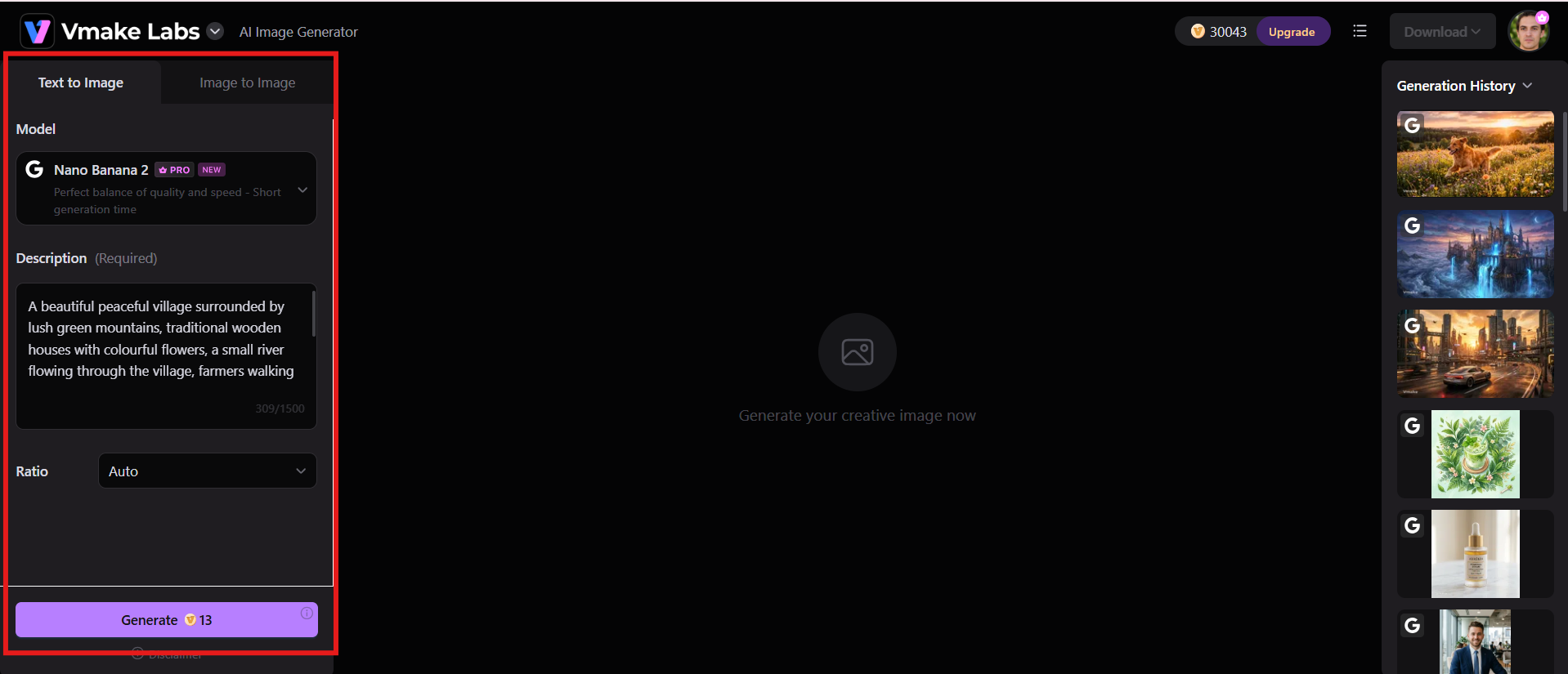
Step 2: Choose an AI model and customise the generation settings.
Select your preferred AI model, aspect ratio, image style, and other available settings to match your creative goals. Fine-tuning these options gives you greater control over the final image quality and appearance.
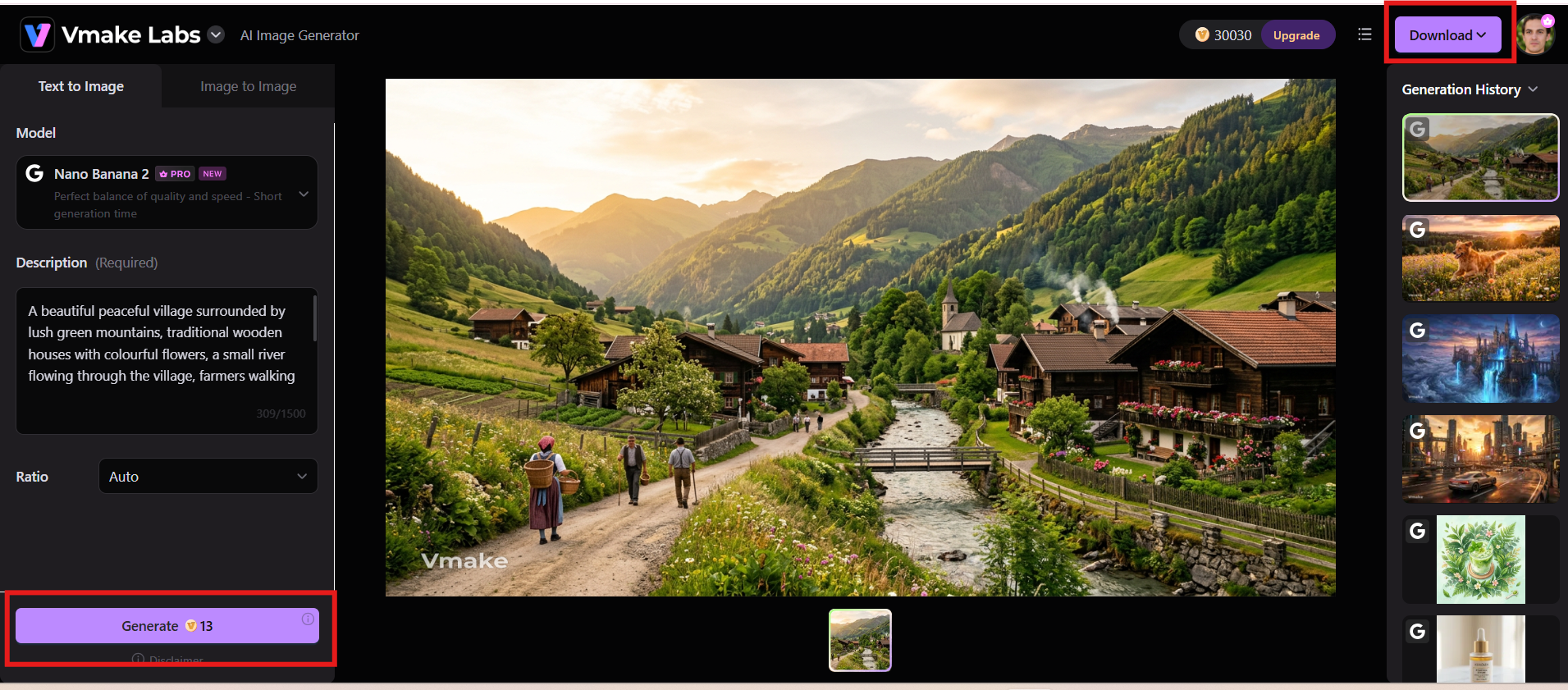
Step 3: Generate and download your image.
Click Generate to create your AI image in just a few seconds. Review the output, make adjustments if needed, and download the final image in high-quality for personal or commercial projects.
Pixlr AI image generator vs Vmake Labs image generator
Pixlr AI Image Generator is a great tool to produce graphics with artificial intelligence. And so is the Vmake Labs image generator. However, the functionalities of both tools differ. Here are the detailed breakdowns:
|
Category |
Pixlr AI Image Generator |
Vmake Labs Image Generator |
|---|---|---|
|
Best For |
Quick AI image creation, editing, and social media designs |
Professional AI image creation, marketing visuals, and commercial content |
|
AI Models |
Pixlr's built-in AI image generation models |
Multiple leading AI image models |
|
Image Generation |
Text-to-image generation |
Text-to-image and image-to-image generation |
|
Creative Flexibility |
Offers preset styles and editing tools |
Provides multiple models, styles, and creative options |
|
Image Editing |
Includes AI-powered photo editing features |
Focuses on AI image generation and creative transformation |
|
Ease of Use |
Beginner-friendly browser-based workflow |
Beginner-friendly browser-based workflow |
|
Customization Options |
Basic prompt and style customization |
Flexible prompts, aspect ratios, and generation settings |
|
Output Quality |
Suitable for creative projects and social media visuals |
Designed for high-quality marketing and commercial-ready images |
|
Use Cases |
Social media posts, personal designs, quick graphics |
Ecommerce visuals, advertisements, branding assets, and content creation |
-
Choose Pixlr AI if you want a beginner-friendly platform suited for quick social media posts, personal designs, and basic photo editing using preset styles.
-
Choose Vmake Labs if you need high-quality, commercial-ready images for e-commerce, advertising, or branding, featuring flexible customization options and multiple advanced AI models.
Conclusion
Pixlr AI Image Generator is an excellent browser-based tool for beginners, bloggers, students, and casual creators who want to generate AI artwork quickly while enjoying integrated editing features. Its intuitive interface, flexible pricing, and creative templates make it accessible to a wide audience. However, users seeking greater control, multiple AI models, and commercial-quality image generation may find Vmake Labs image generators a stronger long-term solution. With advanced AI capabilities, image-to-image generation, and professional outputs, Vmake Labs offers the flexibility modern creators need to produce high-quality visuals efficiently across marketing, e-commerce, branding, and creative projects.
FAQs
-
What is Pixlr AI image generator?
Pixlr AI image generator is a browser-based AI tool that transforms text prompts into creative images within seconds. It allows users to generate visuals in different styles and refine them using built-in editing features. It is suitable for beginners, content creators, and designers who need quick AI-generated graphics without complex software.
-
Is Pixlr AI image generator free to use?
Yes, Pixlr AI image generator offers a free plan that allows users to try its AI image creation features with limited access. Paid plans provide additional AI credits, premium templates, and advanced editing capabilities. Users who require frequent image generation may benefit from upgrading to a premium subscription.
-
How does Pixlr's AI image generator compare with Vmake AI image generator?
Pixlr focuses on combining AI image generation with photo editing tools, making it useful for quick designs and social media content. In comparison, Vmake Labs provides a more advanced AI image creation workflow with multiple AI models, text-to-image and image-to-image generation, flexible settings, and commercial-ready visuals for professional creators.
-
Can Pixlr AI image generators create realistic and artistic images?
Yes, Pixlr AI image generators can create both realistic and artistic images based on user prompts. It supports various styles, including realistic photography, illustrations, fantasy art, and digital designs. The final output quality depends on the prompt details, selected style, and available generation settings.
-
Is Pixlr X AI image generator suitable for commercial projects?
Pixlr X AI Image Generator can be used for commercial projects, but users should review its licensing terms before using generated images for business purposes. For brands and marketers looking for professional AI-generated assets, Vmake Labs offers tools designed to create high-quality visuals for ecommerce, advertising, and marketing campaigns.
-
Is Vmake Labs image generator a good alternative to Pixlr AI image generator?
Yes, Vmake Labs image generator is a strong alternative for users who need more creative flexibility and professional-quality results. Vmake Labs supports multiple AI models, image-to-image generation, customizable aspect ratios, and commercial-ready image creation, making it suitable for businesses, marketers, ecommerce sellers, and content creators.

You May Be Interested

Raphael AI Image Generator Review 2026: Worth Trying?

Best AI Avatar Generators in 2026 (Compared & Reviewed)
5 Affordable AI Avatar Generators for Small Businesses (Free & Budget Tools)

Canva AI Image Generator Review: Is It Worth It in 2026?

Canva AI Video Generator Review: A Complete Hands-On Test