Leonardo AI Image Generator Review: Complete Hands-On Guide
Explore our Leonardo AI image generator review to learn about its image quality, AI tools, pricing, strengths, limitations, and discover Vmake Labs, a faster alternative for creating stunning AI-generated images with ease.

Leonardo AI has built a loyal following among game artists and concept designers, but is it right for everyone? This review breaks down its features, image quality, pricing, and real limitations, then points you toward a faster alternative if speed and simplicity matter more than deep customization for your project.
What is Leonardo AI image generator?
Leonardo AI is an AI-powered platform that can turn text prompts and reference images into high-quality artwork, illustrations, concept art, marketing visuals, and photorealistic images. It combines a number of proprietary AI models with editing tools that give creators more control over the whole image generation process.
Originally built with game developers and concept artists in mind, it has expanded into a broader tool for designers, marketers, and agencies.
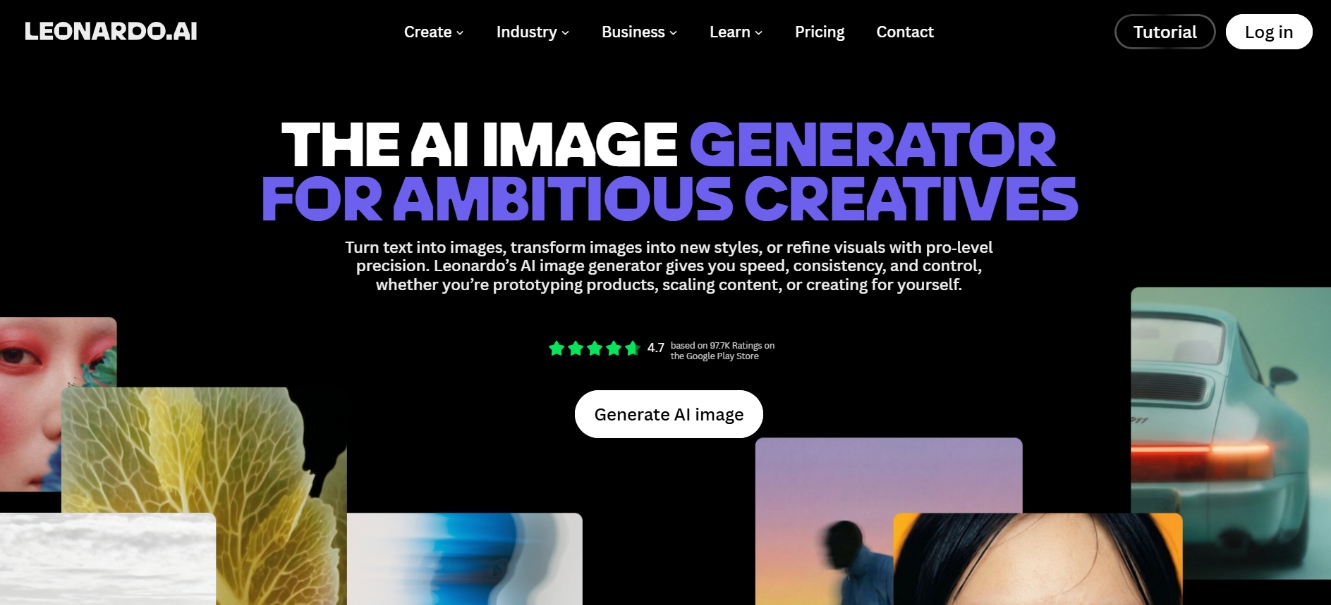
Key features of Leonardo AI for image generation
-
Text-to-image generation: Transform detailed text prompts into high-quality images using multiple specialized models. Supports photorealism, concept art, anime, and more, with strong prompt adherence and adjustable parameters for precise creative control and consistent results.
-
Image-to-image generation: Upload a reference image and generate new versions by adjusting style, composition, or details. Control the influence strength to create variations, restyle photos, or build on existing assets while preserving key elements from the original.
-
Fine-tuned and custom models: Access proprietary models like Phoenix and Lucid Realism plus community fine-tunes. Train your own LoRAs or Elements on personal images for reliable character consistency, brand styles, and specialized aesthetics across multiple generations.
-
Canvas editor: Edit images interactively with real-time inpainting, outpainting, Omni editing, and Image Guidance. Fix specific areas, extend scenes, or refine details without regenerating the entire image, enabling fast and precise iterative workflows.
-
Real-time image generation: See results updated live as you type prompts or sketch on the Realtime Canvas. Ideal for rapid experimentation, allowing creators to explore compositions and styles instantly and refine ideas without waiting for full renders.
How Leonardo AI image generator works
Creating AI images with Leonardo AI is simple. Follow these steps to turn your text prompts or reference images into polished, high-quality visuals in minutes.
Step 1: Write a prompt or upload an image
Enter a detailed text description in the prompt bar, or upload a reference image to steer the layout and visual structure.
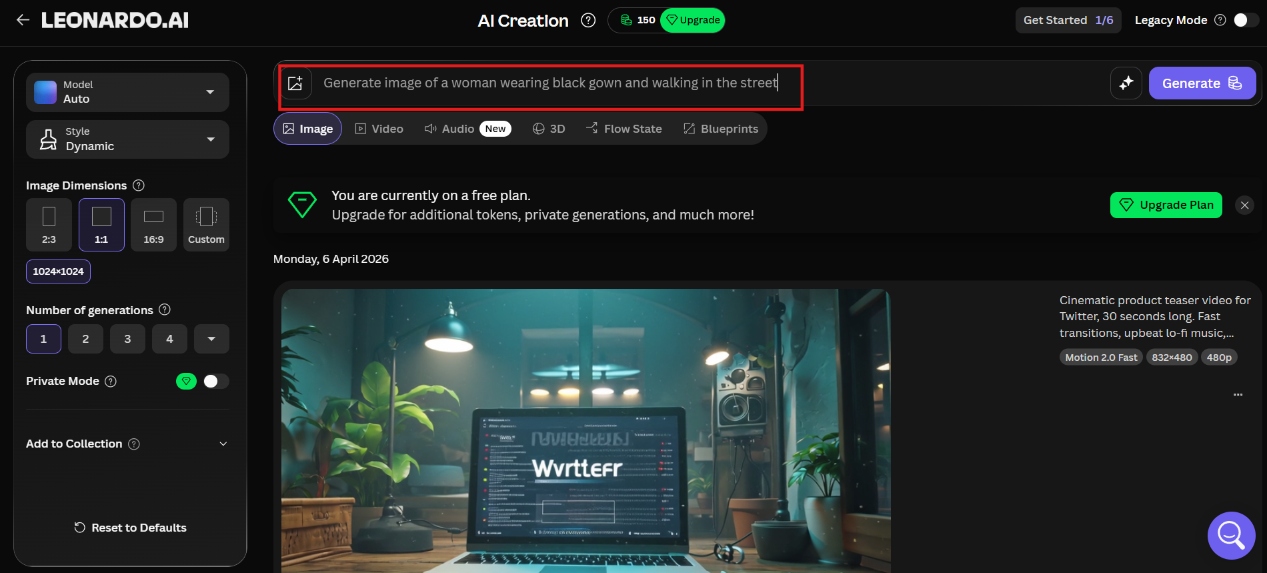
Step 2: Choose a model and adjust settings
Select a specialized fine-tuned model (or leave it on Auto), and configure settings such as aspect ratio, prompt guidance, and style presets.
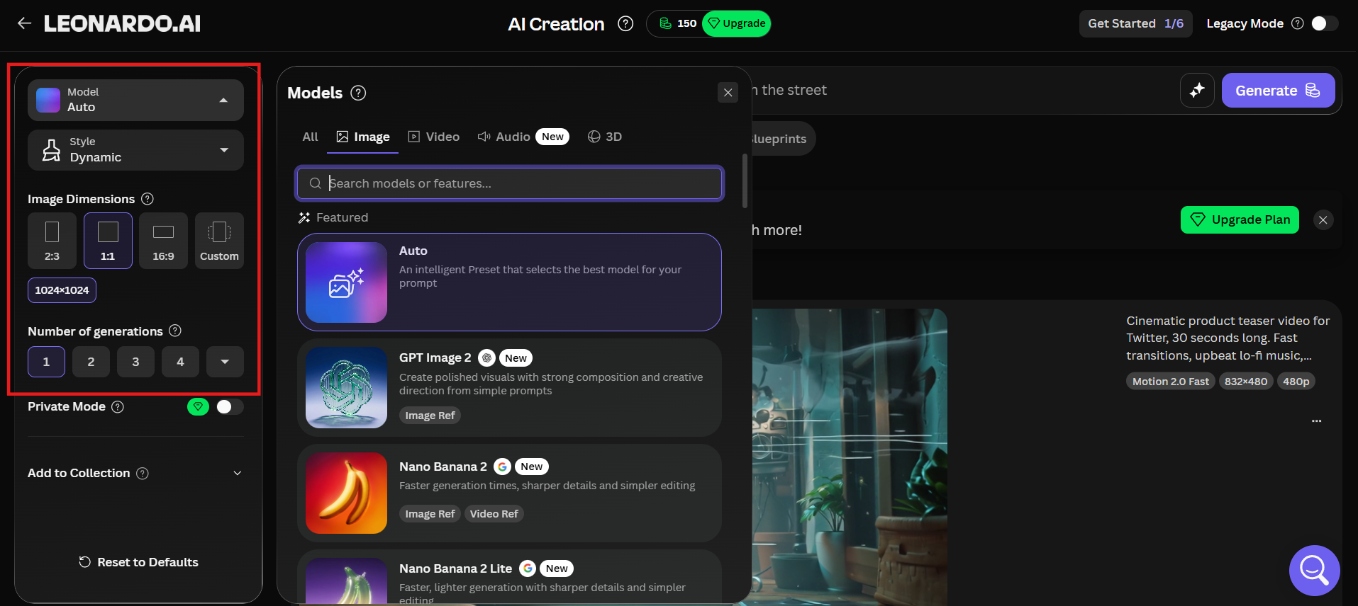
Step 3: Generate and refine
Click Generate to render your image, then use tools like Omni Editing or the AI Canvas to adjust localized details, change elements, or extend borders.
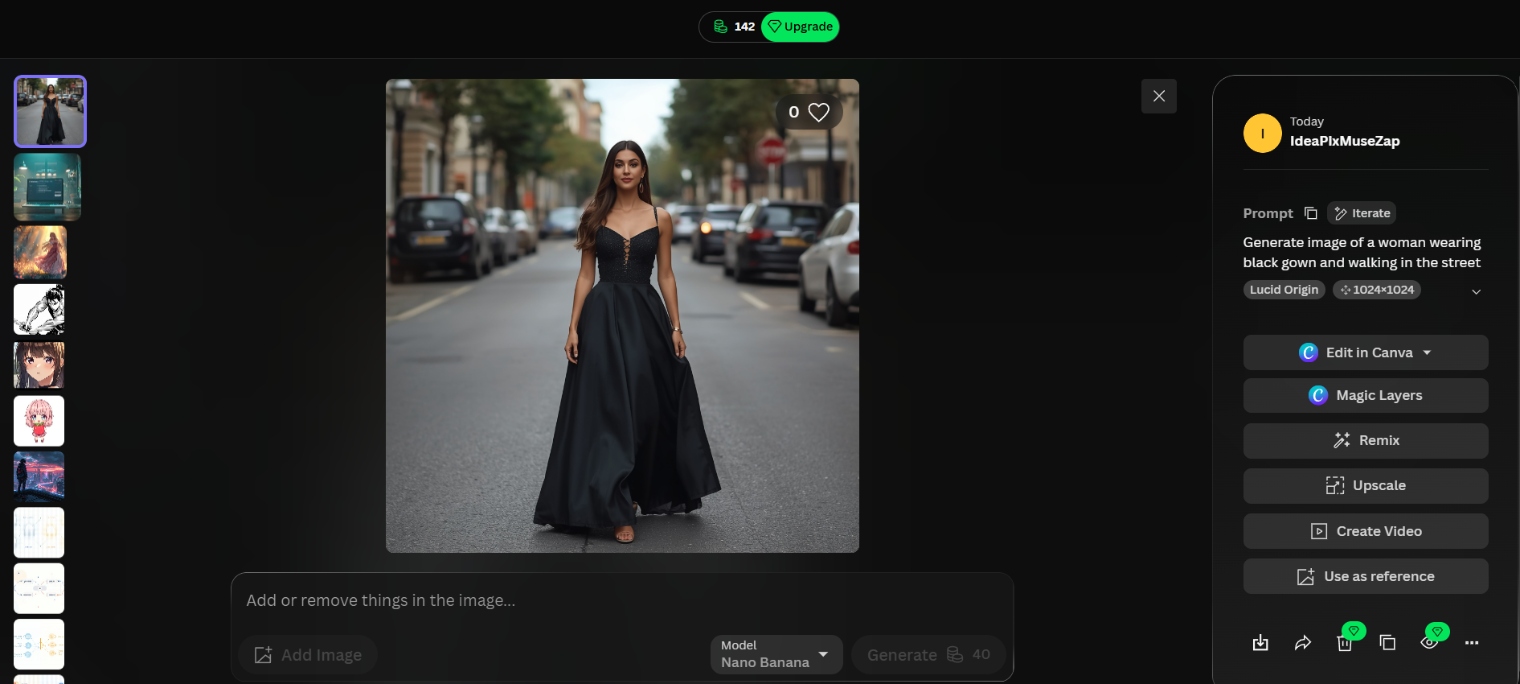
Step 4: Export with ease
Upscale the final image for higher resolution if needed, then download it in your preferred format. Paid plans unlock private generations and full commercial rights for professional use.
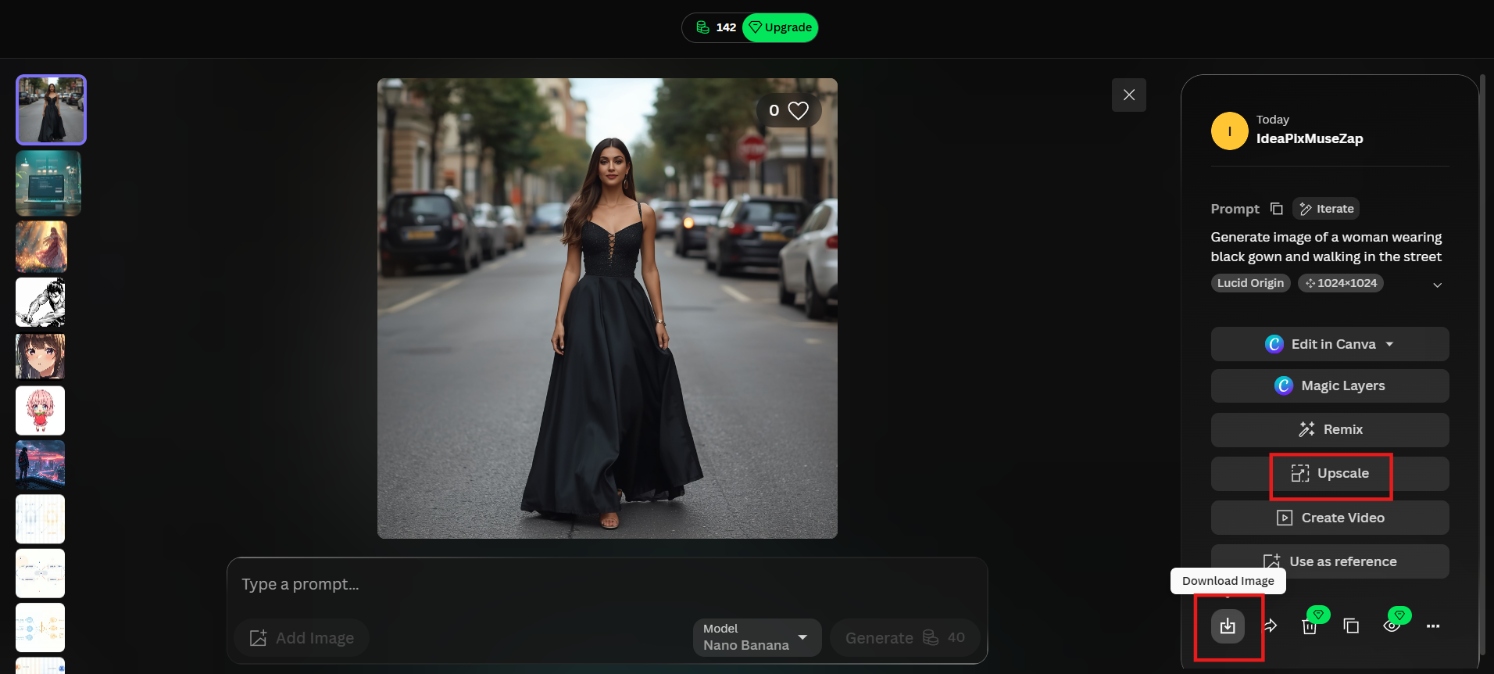
Leonardo AI image generator review
We spent a few days inside Leonardo, running the same set of prompts across different models to see how it actually holds up in daily use. Here's what stood out.
Ease of use
During testing, we ran the same prompts across multiple models to get a consistent read on daily performance. The interface is well-structured once you learn the layout, but the number of settings, token counters, and generation controls creates a noticeable learning curve for beginners. Leonardo rewards users who invest time in understanding its options, though that investment is not always obvious upfront.
Image quality
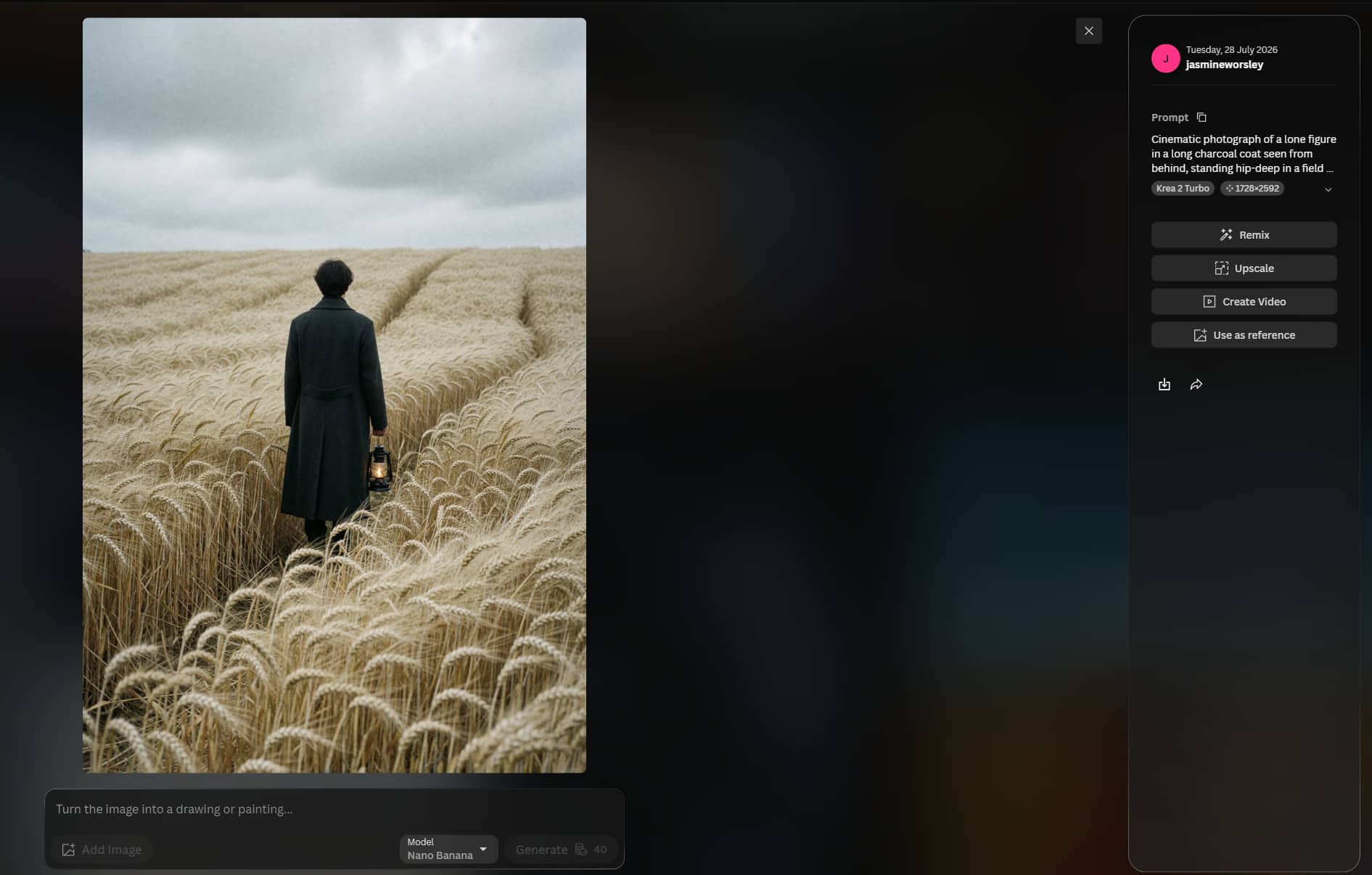
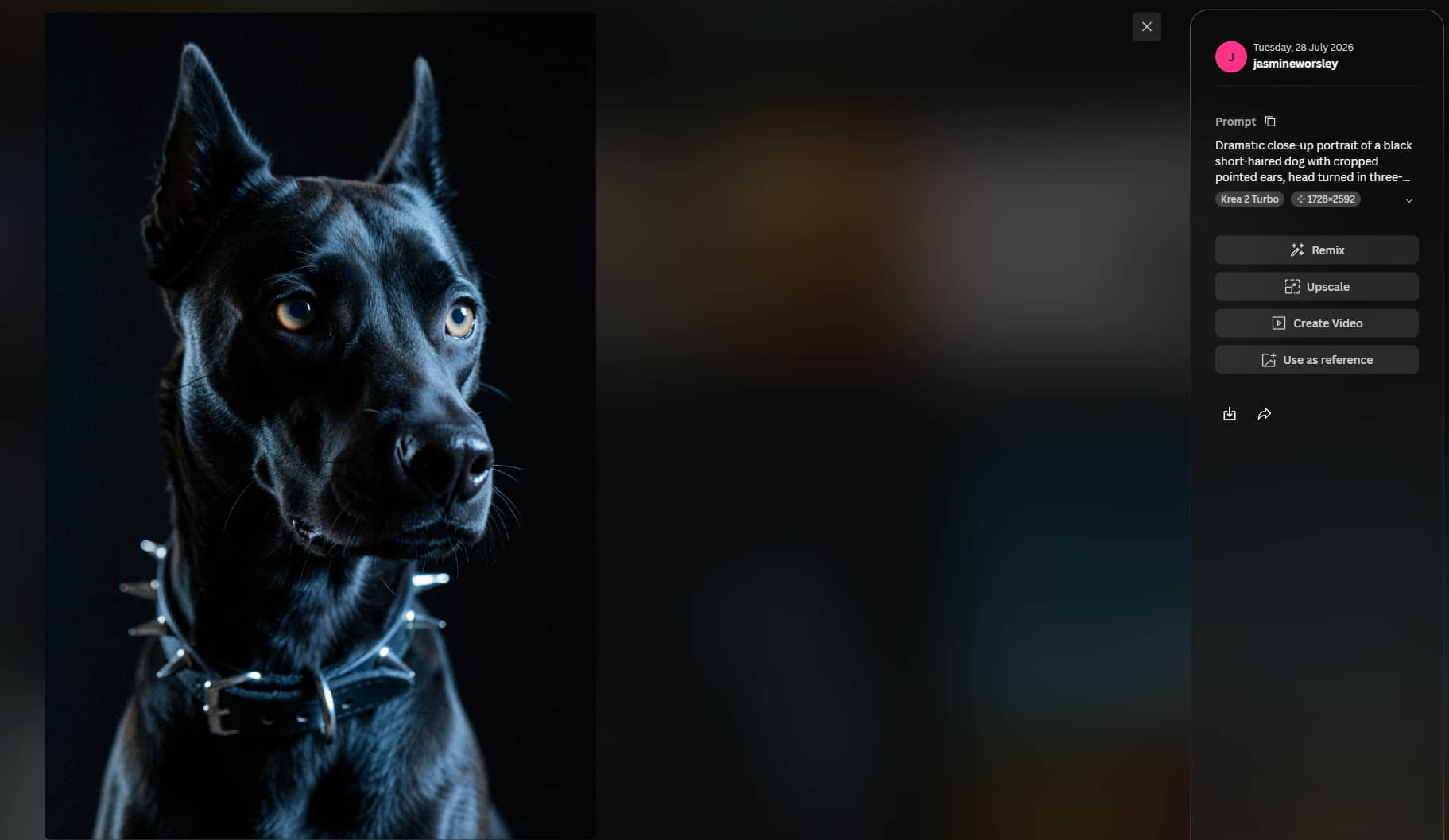
This is where Leonardo earned its reputation. Photorealistic portraits came back sharp with natural lighting and convincing skin texture, and concept art and game-style assets performed just as strongly. We rarely encountered warped fingers or anatomy issues that plague older tools. Complex multi-subject scenes held up well, though results varied slightly depending on the model selected.
Prompt accuracy
Leonardo follows detailed prompts reliably when the right model is paired with the task. Complex scenes and specific styles landed consistently with fine-tuned models or Elements applied. We noticed simpler prompts sometimes produced looser interpretations than expected, requiring more iteration than tools focused purely on prompt fidelity. Typography rendering and precise camera angle interpretation were occasional weak points compared with other models we tested.
Render speed
Standard generations consistently returned within a few seconds across our test runs, which felt genuinely fast for day-to-day use. We noticed wait times stretched considerably when switching to premium models or higher resolution settings, sometimes pushing close to a minute. Compared with other models we tested, speed here is not a reliable constant and depends heavily on what you are generating.
Editing capabilities
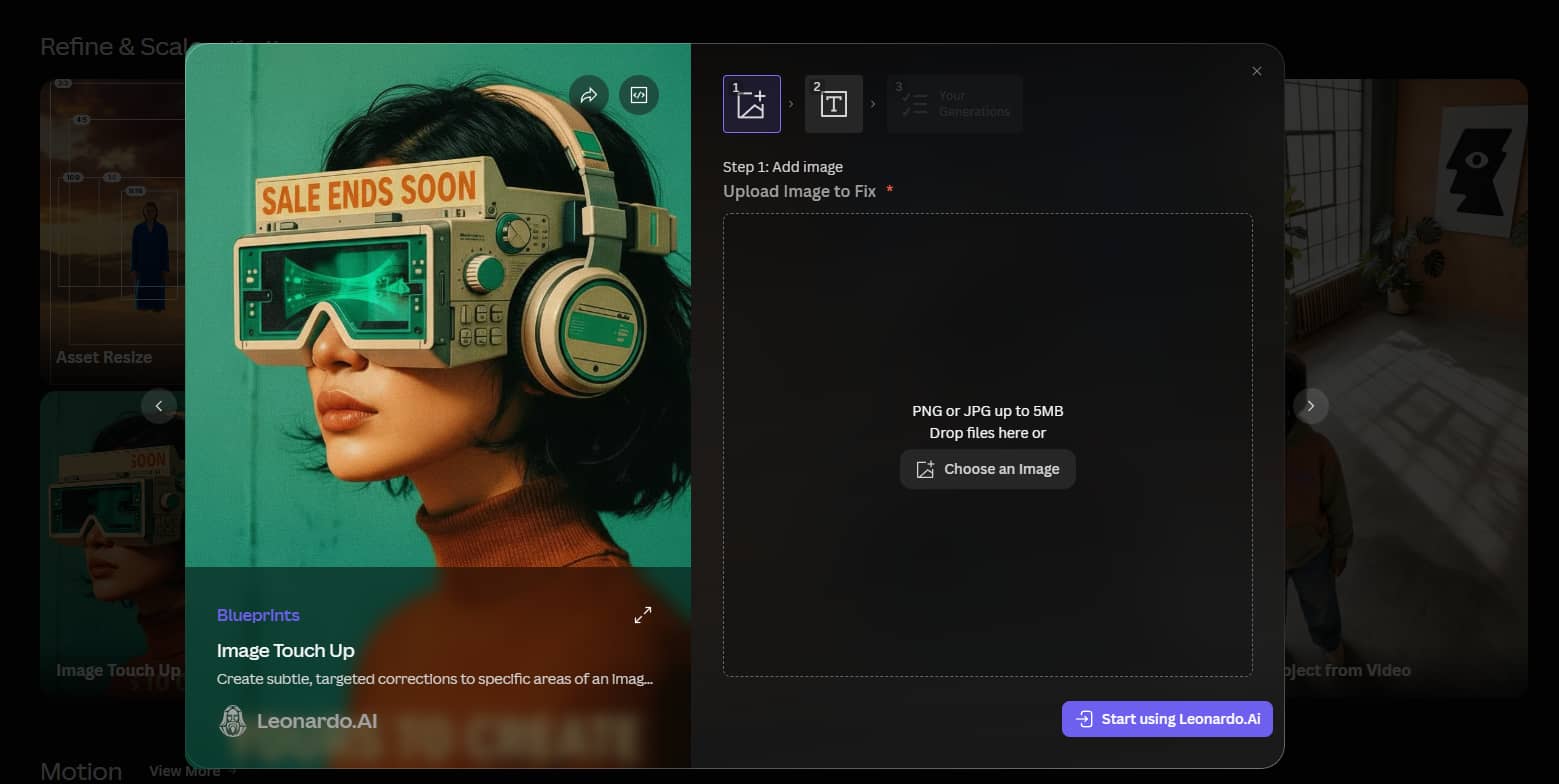
The AI Canvas is where Leonardo genuinely separates itself from most tools we reviewed. Inpainting, outpainting, Omni editing, and Image Guidance all performed reliably across multiple sessions, allowing precise refinements to specific areas without regenerating the entire image. We noticed this iterative control significantly reduced wasted generations compared with tools that only offer basic post-generation editing options.
Overall rating
Leonardo AI remains one of the more capable AI image generators we tested in 2026. Image quality was consistently strong across styles, the model selection gave us meaningful creative range, and the canvas editing tools outperformed most tools we compared it against. We noticed the token-based pricing and feature-heavy interface require a genuine time investment to navigate confidently, which may put off users looking for a faster, simpler workflow. For artists, designers, and content creators who are willing to climb that learning curve, the output quality justifies it.
|
Category |
Score |
Notes |
|---|---|---|
|
Ease of use |
7.5 |
Powerful but steep learning curve |
|
Image quality |
8.5 |
Strong photorealism and concept art |
|
Prompt accuracy |
8.0 |
Reliable with the right model |
|
Render speed |
7.5 |
Solid, varies by model and settings |
|
Editing capabilities |
9.0 |
Best-in-class Canvas and iterative tools |
|
Overall |
8.1 |
Excellent for production workflows |
Leonardo AI pricing and plans
Leonardo AI uses a token-based system with a generous free tier and flexible paid plans. Annual billing offers savings, while higher tiers unlock more tokens, private generations, and advanced features.
|
Plan |
Monthly Price* |
Tokens |
Best For |
|---|---|---|---|
|
Free |
$0 |
150 tokens/day |
Beginners and occasional users |
|
Essential |
$12/month ($10/month billed annually) |
8,500 tokens/month |
Hobbyists and regular creators |
|
Premium |
$30/month ($24/month billed annually) |
25,000 tokens/month |
Content creators and professionals |
|
Ultimate |
$60/month ($48/month billed annually) |
60,000 tokens/month |
Power users, agencies, and businesses |
*Annual billing reduces the effective monthly cost.
Is Leonardo AI worth the price?
Yes, for users who want deep model control, custom training, and iterative Canvas editing, especially game artists and production teams. The free tier (150 daily tokens) is actually useful for testing purposes. For simpler, high-volume marketing or e-commerce work, the token system can feel expensive and opaque once you move beyond basic generations.
Strengths and limitations of Leonardo AI image generator
Every tool has trade-offs, and Leonardo is no exception. Here's an honest breakdown of what worked well during our testing, and where the platform still has room to improve.
|
Pros |
Cons |
|---|---|
|
|
Editorial verdict
Leonardo is a strong choice if deep creative control is your priority. The multi-model setup, canvas editor, and fine-tuning options give experienced users a level of flexibility that few tools match, making it well suited for concept art, game asset production, and detailed iterative workflows.
However, that same depth comes with trade-offs. Users who need fast, repeatable outputs for marketing campaigns or e-commerce visuals may find the token system, model selection, and settings overhead slow them down rather than help. For those workflows, a simpler platform with a cleaner generation loop will often produce results faster.
The right choice depends on what you are optimising for. If creative precision and control matter most, Leonardo delivers. If speed, simplicity, and commercial output are the priority, it is worth evaluating tools built specifically for that use case.
Meet Vmake Labs: A stronger alternative to Leonardo
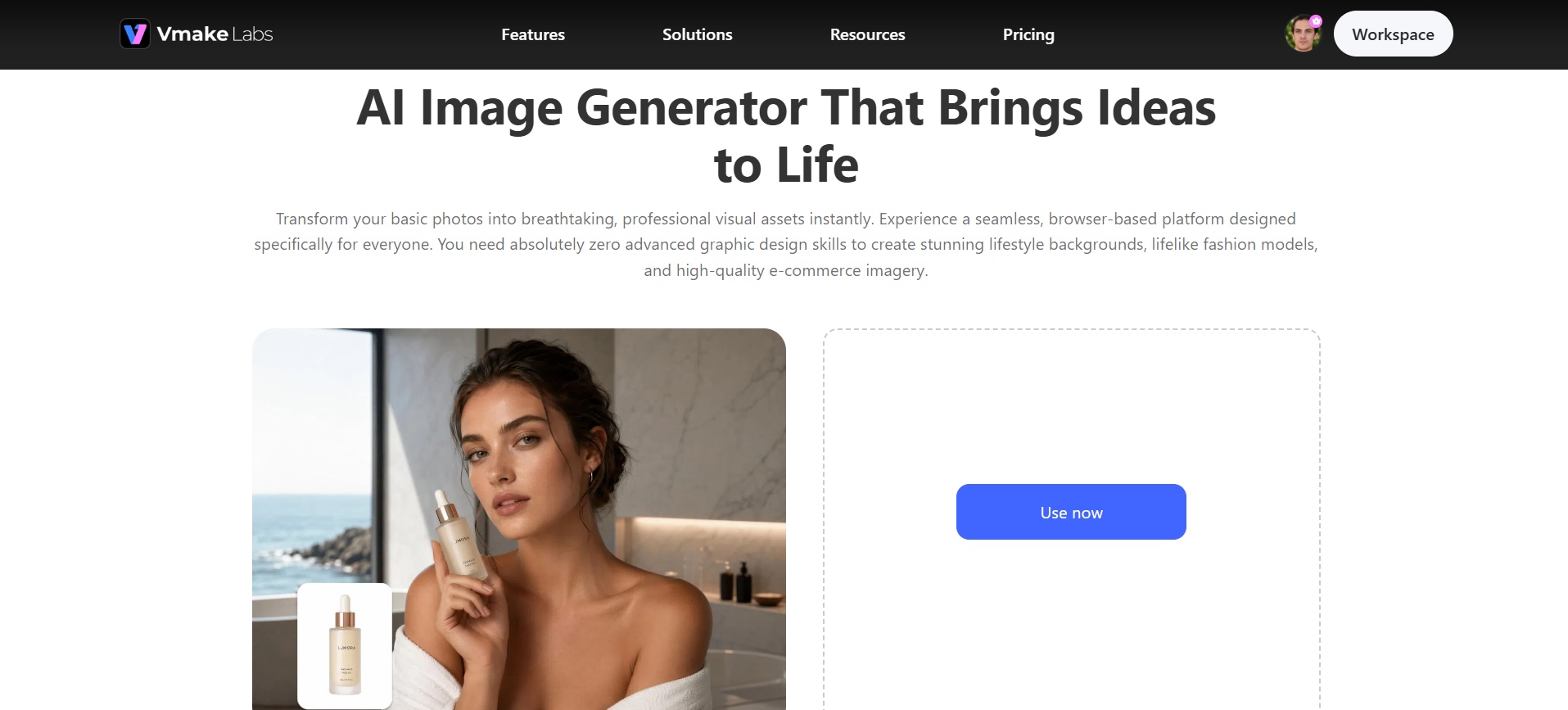
While Leonardo AI excels at deep creative control and iterative editing, many users need faster results without complex token management or a steep learning curve. Vmake Labs delivers exactly that. Its AI image generator combines multiple top models, supports both text-to-image and image-to-image generation, offers lightning-fast generation, and features a clean interface built for real business needs, including marketing visuals, e-commerce product shots, and social media content. Instead of wrestling with settings, you simply create high-quality, conversion-focused images in seconds. If you want to further refine your results, Vmake Labs also includes AI-powered tools like Image Enhancer, Image Fixer, and Image Sharpener to improve quality, restore details, and produce polished, professional-looking images with minimal effort.
Why choose Vmake Labs AI image generator
-
Multiple AI models in one place: Access top models such as Nano Banana Pro, Seedream, and GPT Image without switching platforms. Users can quickly test different styles and strengths in one interface, saving time and finding the best output for every project.
-
Text-to-image generation: Simply describe your vision in natural language and receive high-quality images within seconds. This helps marketers, designers, and business owners turn ideas into ready-to-use visuals without design skills or lengthy prompting experiments.
-
Image-to-image style transformation: Upload any photo or product shot and restyle it instantly while keeping key details intact. Users create consistent brand variations, lifestyle scenes, or artistic versions far faster than traditional editing or full regenerations.
-
Lightning-fast generation: Images appear in seconds rather than long waits, enabling rapid iteration and high-volume content creation. Teams produce more assets in less time, keeping marketing campaigns and social feeds fresh without workflow bottlenecks.
-
Built for real business use cases: Marketing visuals, e-commerce product shots, and social media thumbnails are core priorities, not secondary features. Output is optimized for conversion and engagement, helping businesses generate professional, sales-ready images that drive results.
Steps to generate stunning images with Vmake Labs
Creating professional AI images on Vmake Labs is simple and fast. Follow these three easy steps to turn your ideas into high-quality visuals in seconds.
Step 1: Enter a prompt or upload a reference image
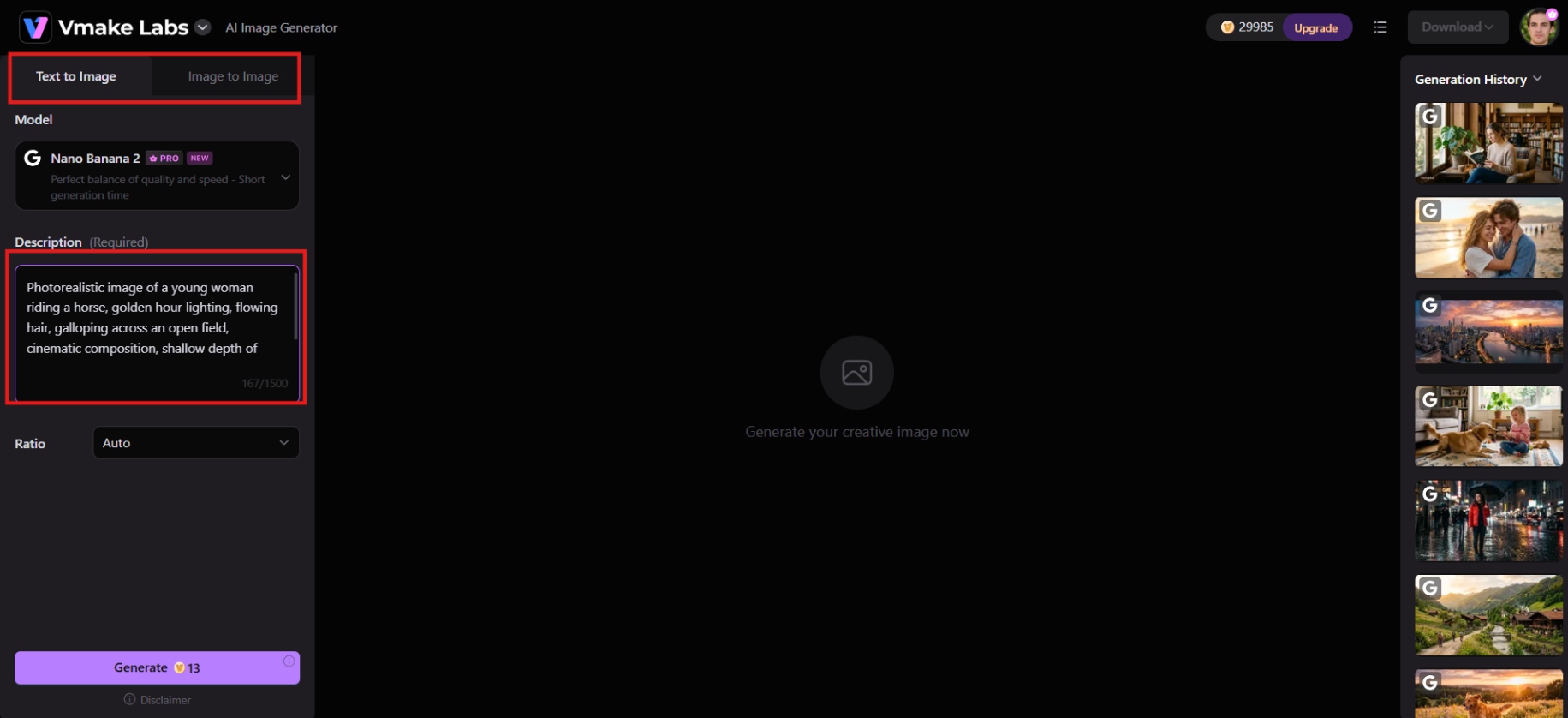
Head to the Vmake Labs AI Image Generator workspace and choose Text to Image or Image to Image. Describe your idea in detail, or upload up to three reference images to guide the generation.
Step 2: Configure settings
Select from top AI models like Nano Banana 2, Nano Banana Pro, Seedream 4.0, or GPT Image 1. Set your aspect ratio and adjust any creative settings before you hit Generate.
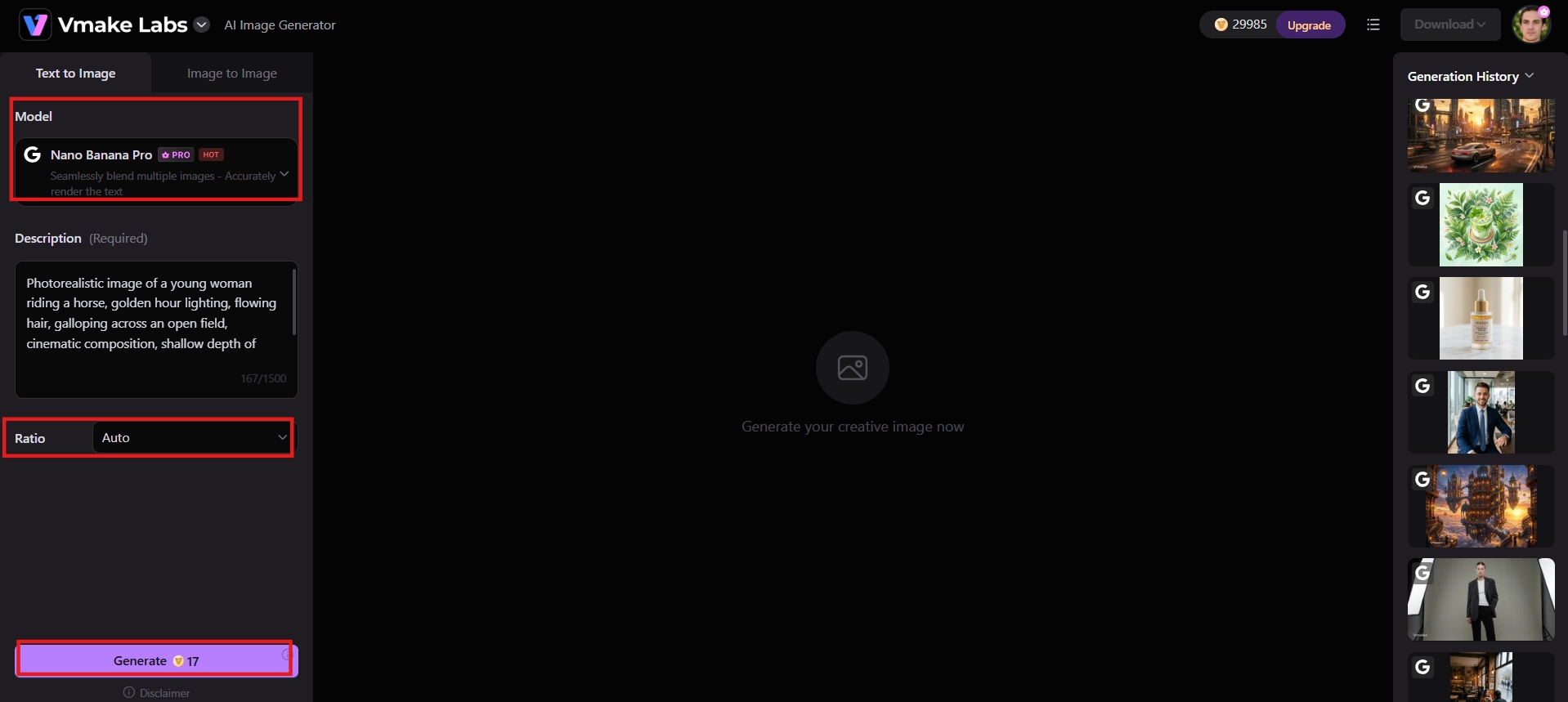
Step 3: Generate, preview, and download
Click Generate to create your image. Preview the result, and if it looks right, download it straight to your device, ready to use in your next campaign or post.
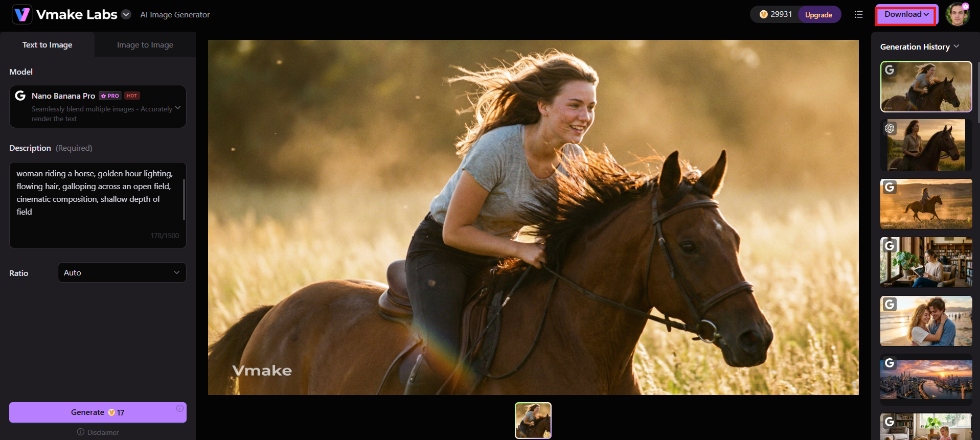
Leonardo vs. Vmake Labs AI image generator
Both tools generate strong images, but they're built for different workflows. Here's how they stack up side by side across the features that matter most.
|
Feature |
Leonardo AI |
Vmake Labs |
|---|---|---|
|
Learning curve |
Steep, many models and settings |
Simple, three-step workflow |
|
Model variety |
Proprietary models plus community fine-tunes |
Nano Banana, Seedream, GPT Image and more |
|
Custom model training |
Yes, train your own Elements/LoRAs |
Not available |
|
Generation speed |
Seconds to about a minute, depending on model |
Consistently fast across models |
|
Editing tools |
Advanced canvas with inpainting/outpainting |
Streamlined, focused on quick output |
|
Free tier |
150 tokens/day, generations public by default |
Free credits to test before upgrading |
|
Best for |
Game artists, concept designers, deep customization |
Marketers, e-commerce sellers, social content creators |
|
Starting paid price |
$12/month (Apprentice, 8,500 tokens) |
$9.99/month |
Choose Leonardo if:
-
You want advanced creative control with detailed prompt settings and model customization.
-
You need custom LoRA training and fine-tuned models for consistent characters or styles.
-
You frequently use inpainting, outpainting, and AI Canvas for iterative image editing.
-
You create concept art, game assets, illustrations, or other professional creative projects.
Choose Vmake Labs if:
-
You want fast, high-quality AI image generation with a simple, beginner-friendly workflow.
-
You need multiple AI models in one platform for text-to-image and image-to-image generation.
-
You create marketing visuals, e-commerce product images, social media posts, or ad creatives regularly.
-
You prefer a streamlined platform that helps you generate business-ready images without managing complex settings or token usage.
Conclusion
Leonardo AI remains one of the most capable AI image generation platforms in 2026, offering outstanding image quality, advanced editing tools, and extensive model customization for creative professionals. However, if you value speed, simplicity, and business-focused workflows, Vmake Labs is a compelling alternative. With multiple AI models, text-to-image and image-to-image generation, and lightning-fast performance, it helps you create professional visuals in minutes. Try Vmake Labs today and start generating stunning AI images for free.
FAQs
Is Leonardo AI image generator free?
Yes. Leonardo offers a free plan with 150 tokens daily and no credit card required. Outputs are public, and some advanced features are limited, making it suitable for testing before upgrading.
Does Leonardo AI allow commercial use?
Yes. All paid plans include full commercial rights and ownership of generated images. Free-tier users receive a more limited non-exclusive license, with public outputs that restrict private or client work.
Who is Leonardo AI image generator best for?
Leonardo AI is best for game developers, concept artists, character designers, and creative professionals who need strong model variety, custom training, character consistency, and advanced Canvas editing tools for production-level iterative workflows.
Can I train my own models in Leonardo AI?
Yes. Leonardo AI supports custom LoRA training and Elements, allowing users to create personalized models for consistent characters, products, or artistic styles. This feature is especially valuable for creators producing recurring visual content.
What is the best alternative to Leonardo AI image generator?
Vmake Labs stands out as a strong alternative, offering multiple AI models, fast generation, and a simple three-step workflow built for marketing visuals, product shots, and social content without a steep learning curve.

You May Be Interested
ImgGen AI Image Upscaler Review: Features & Pricing in 2026
Picsart Image Enhancer Review 2026: Tested, Worth It?
PicWish Unblur Image Review: Worth It in 2026?

Grok AI Video Generator Review: Features, Pricing, and Pros & Cons

Raphael AI Image Generator Review 2026: Worth Trying?