Inspire Art AI Image Generator Review: Is It Worth The Cost In 2026?
Thinking about using the Inspire Art AI Image Generator? Explore our tested review covering image quality, pricing, features, and limitations. Plus, discover why Vmake Labs is a great alternative.

Finding the right AI image generator isn't just about creating beautiful artwork, it is about speed, quality, usability, and value. This Inspire Art AI image generator review shares hands-on testing, community feedback, pricing insights, and whether the platform deserves a place in your creative workflow.
Inspire Art AI Image Generator overview
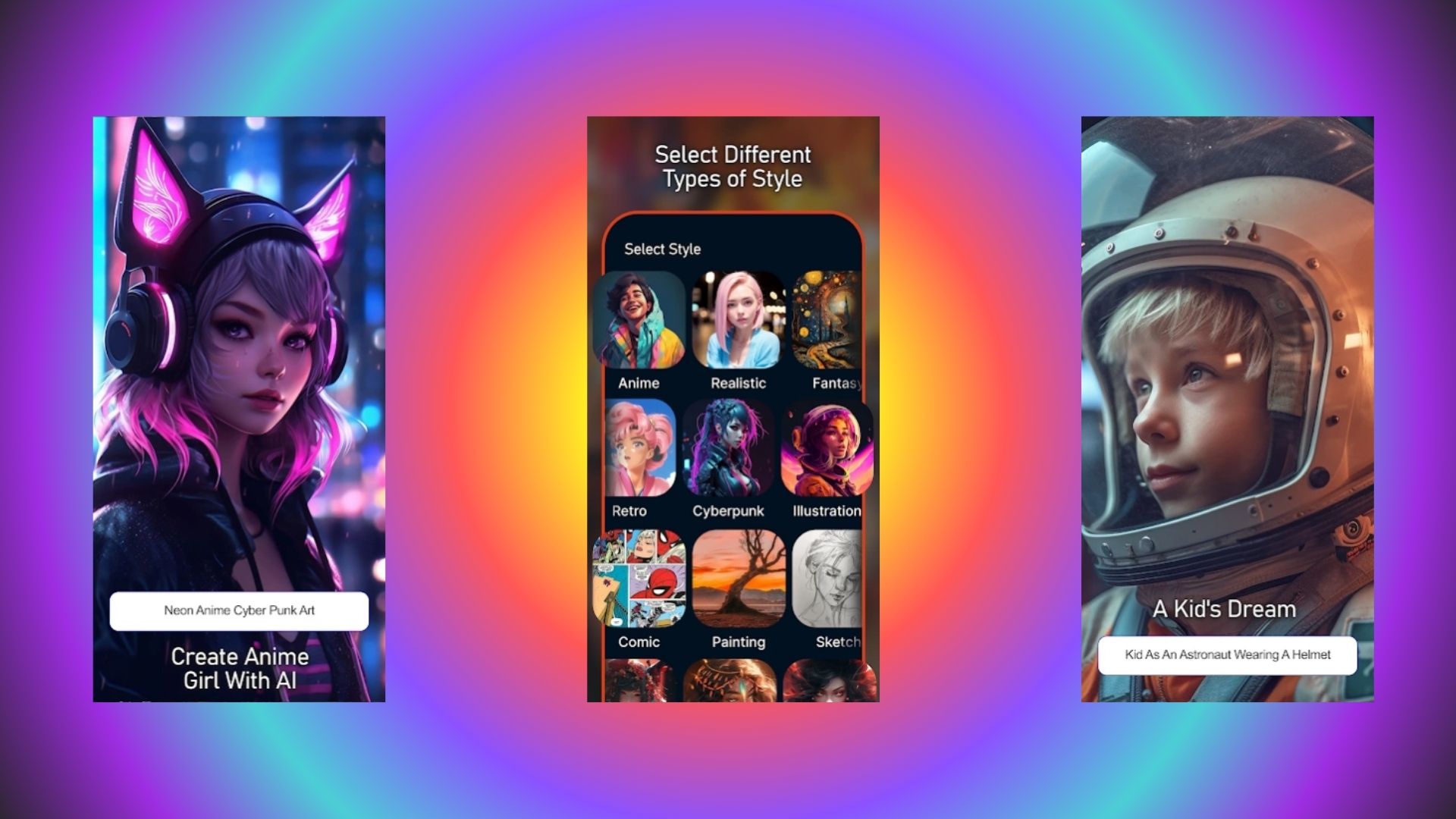
Most visual AI tools in 2026 lean heavily on complex prompt parameters or slow cloud queues. Taking a different path, a quick look at the Inspire Art AI image generator overview shows an application built strictly around immediate access and rapid styling across mobile and PC platforms.
-
What it is: A dedicated software application available on mobile devices and Windows PCs, built for fast visual rendering without requiring complex manual configurations.
-
Core Engine & Platform: Cloud generation available on iOS, Android, and Windows platforms using custom neural checkpoints.
-
First Impressions: Clean UI that gets right to work. No steep learning curve or confusing menus to sort through.
-
Modern Synthesis Standard: Older diffusion systems often struggled with lighting consistency, whereas modern architectures handle structural logic far better today.
Key features of the Inspire Art image generator
-
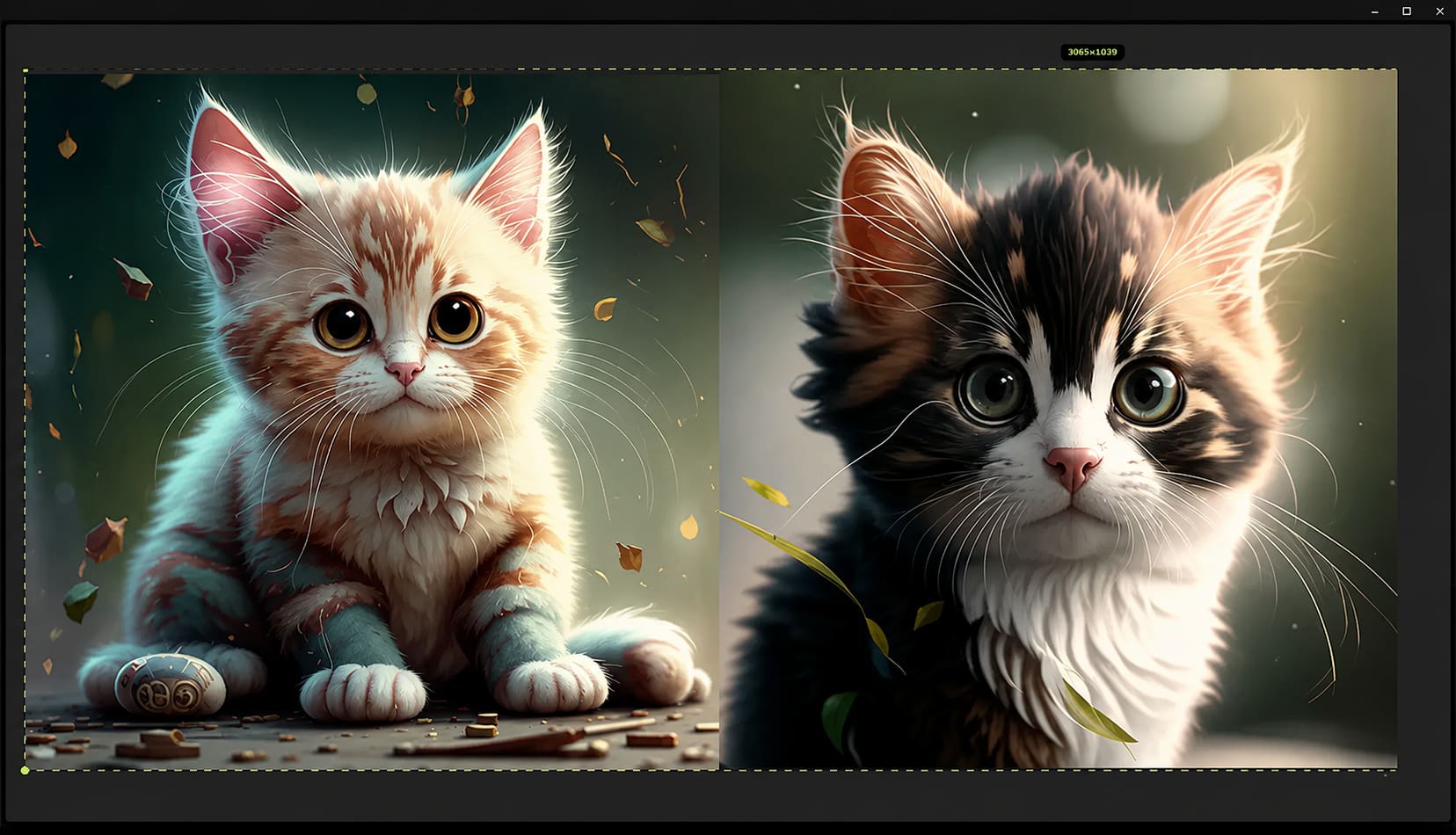
Text-to-Image Generation: Type a prompt, wait about three seconds, and receive rendered artwork straight from cloud servers.
-
Image-to-Image Transformation: Drop in a reference photo or rough sketch to remix artwork across fresh visual styles.
-
Magic Wand Editing Tool: Fix small mistakes or swap out background elements with targeted brush strokes instead of starting over.
-
20+ Preset Art Models: Switch between dedicated visual engines built for anime, cyberpunk, manga, photorealism, and oil paintings.
-
Custom Wallpaper Creation: Generate AI-crafted wallpapers tailored for personal devices simply by typing an idea or description.
Hands-on testing: How well does Inspire Art AI Image Generator perform?
Testing a visual tool means skipping promotional claims and running actual prompts. To make sure this Inspire Art AI image generator review reflects real daily usage, we ran hands-on trials across desktop and mobile, testing render speeds, prompt tracking, and image clarity under normal working conditions.
How We Tested Inspire Art AI (Our Methodology)
-
Evaluation Period: 15+ hours of hands-on testing across Web and Mobile app platforms under various network loads.
-
Test Benchmarks: Evaluated across prompt adherence, anime vs. photorealism rendering, image-to-image remixing, and localized editing tools.
-
Detail Preservation Check: Scrutinized how the engine handles fine textures, complex facial symmetry, and multi-subject compositions during peak server hours.
Test Results
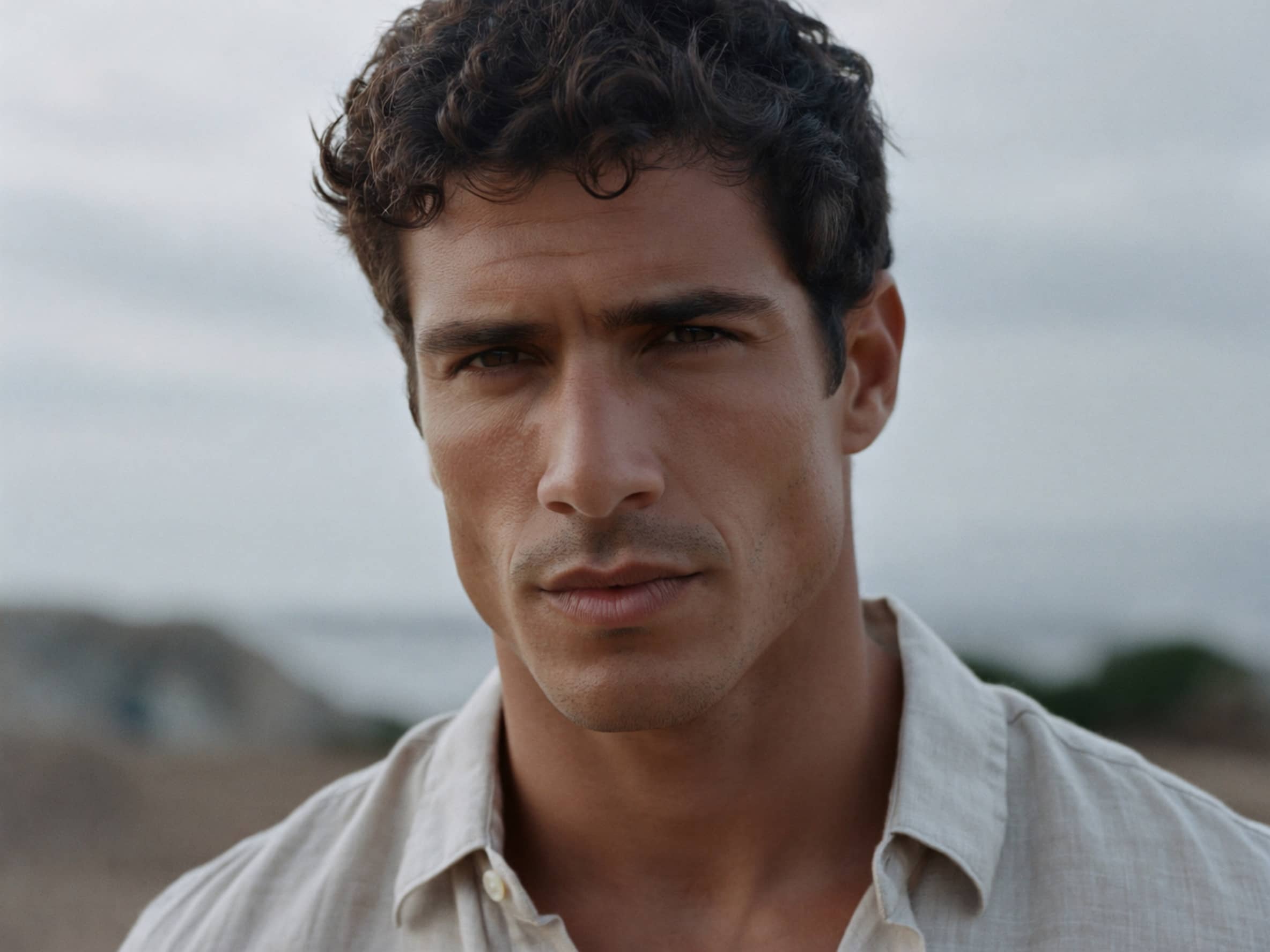
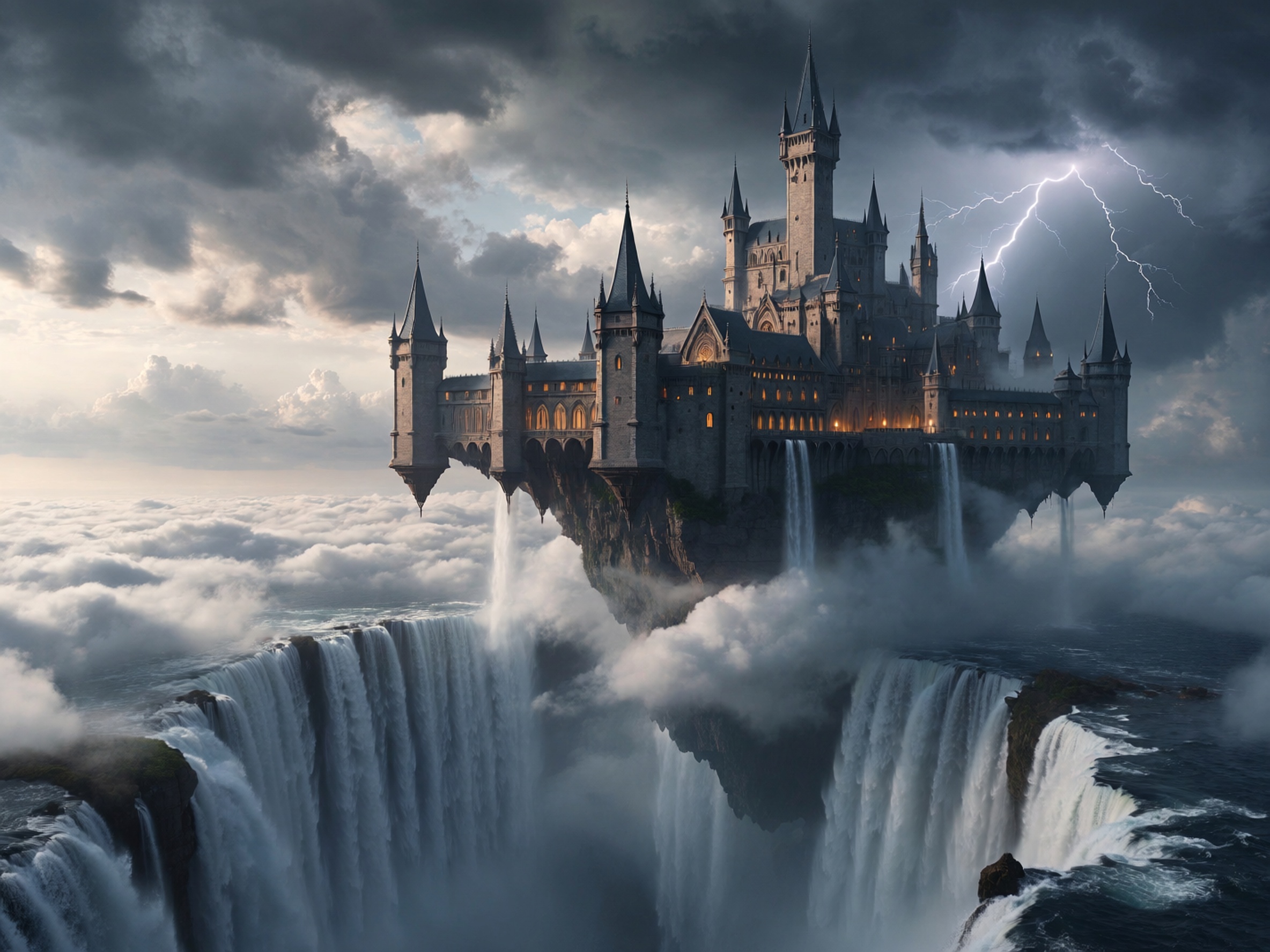
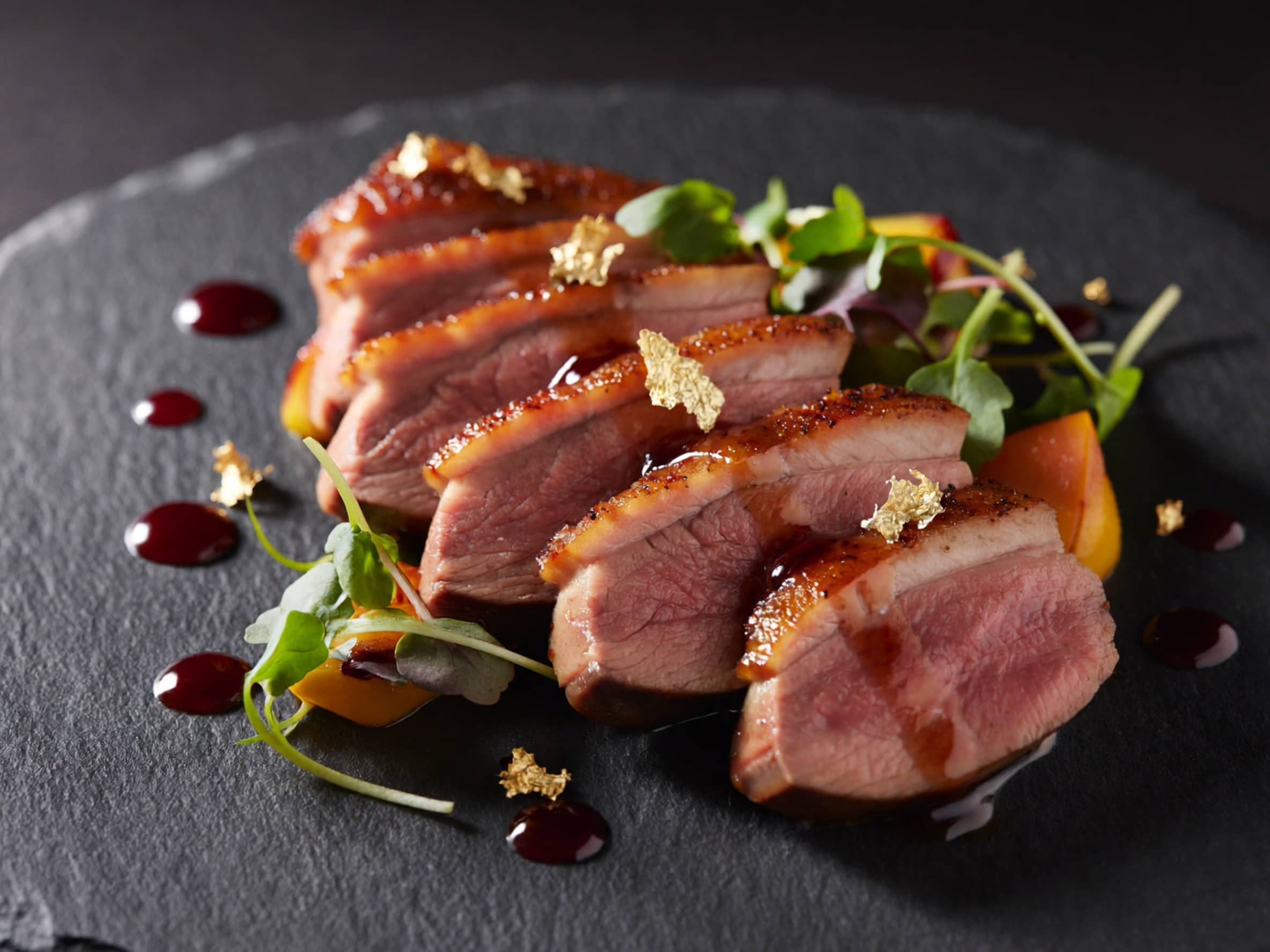
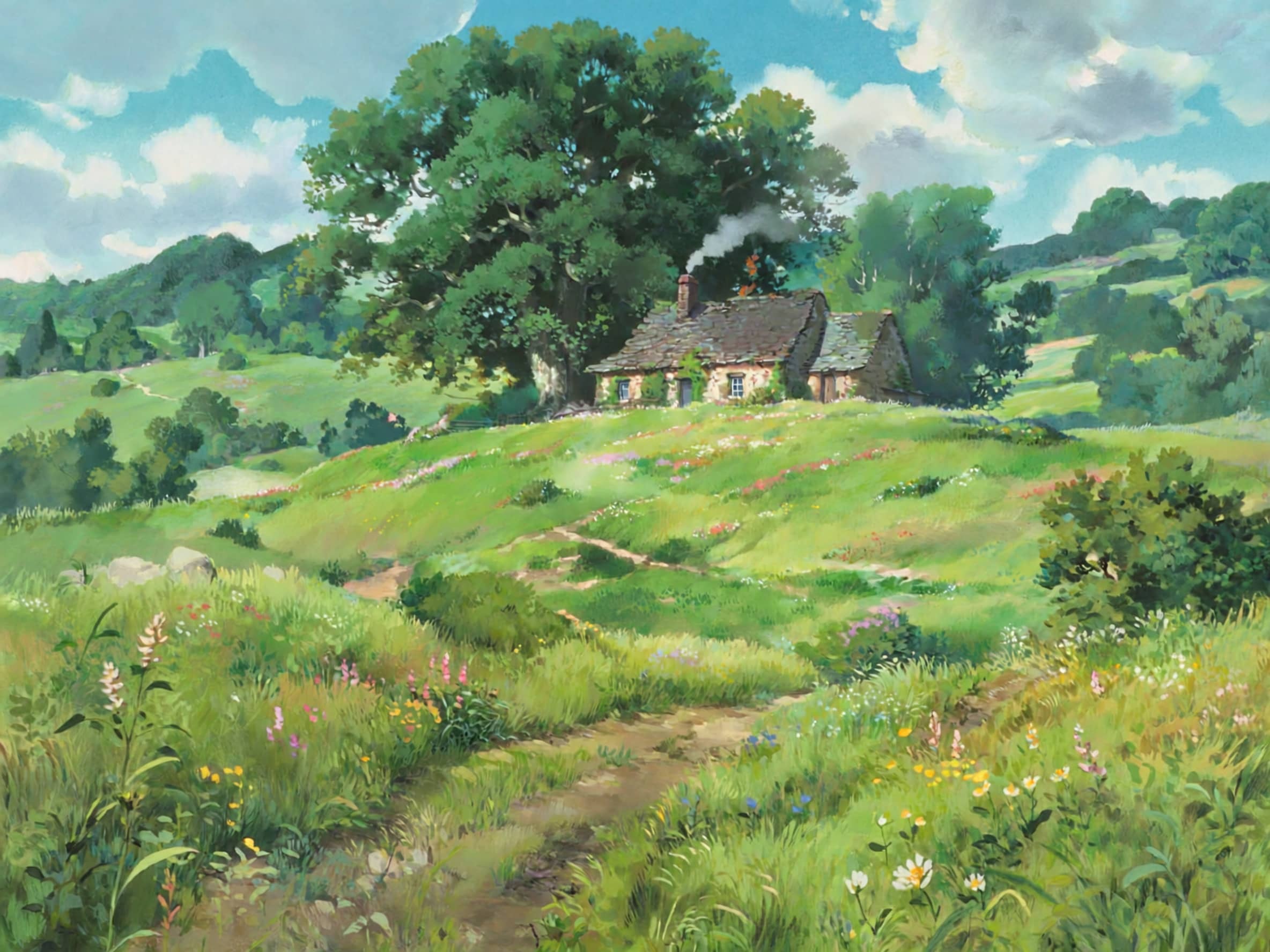
To measure how Inspire Art AI holds up during day-to-day creation, we pushed the cloud engine across varied prompt styles, fine-detail renders, and localized editing tasks. The testing highlighted clear strengths in speed and stylized rendering, alongside a few expected friction points in complex prompt placement and bulk exports.
Human portrait
Fantasy work
Photorealistic food
Ghibli style
Summry
|
Test Area |
Performance Experience |
Verdict |
|---|---|---|
|
Image Quality |
Renders vivid colors and sharp detail in stylized art; exhibits slight detail degradation on complex photorealistic prompts. |
Excellent |
|
Prompt Accuracy |
Accurately captures primary subjects and lighting cues; occasionally misses complex spatial placement instructions. |
Good |
|
Generation Speed |
Delivers low cloud latency with consistent queue processing during peak usage times. |
Excellent |
|
Ease of Use |
Features an uncluttered dashboard that lets first-time users generate assets immediately without configuring complex settings. |
Excellent |
|
Selective Editing |
In-painting brush handles localized retouching smoothly; fine-grained parameter controls (seeds, negative prompts) remain limited. |
Good |
|
Exporting |
Downloads maintain full rendering resolution without compression artifacts; single-file saving restricts high-volume asset output. |
Average |
Testing Takeaway: Inspire Art AI delivers an impressively fast, low-friction environment for generating stylized visuals and making quick retouching adjustments, though power users will eventually hit a ceiling due to limited fine-tuning controls and single-file export constraints. Using an external image enhancer remains necessary when upscaling intricate photorealistic outputs for large-format displays.
Inspire Art AI Image Generator pricing, pros, and cons
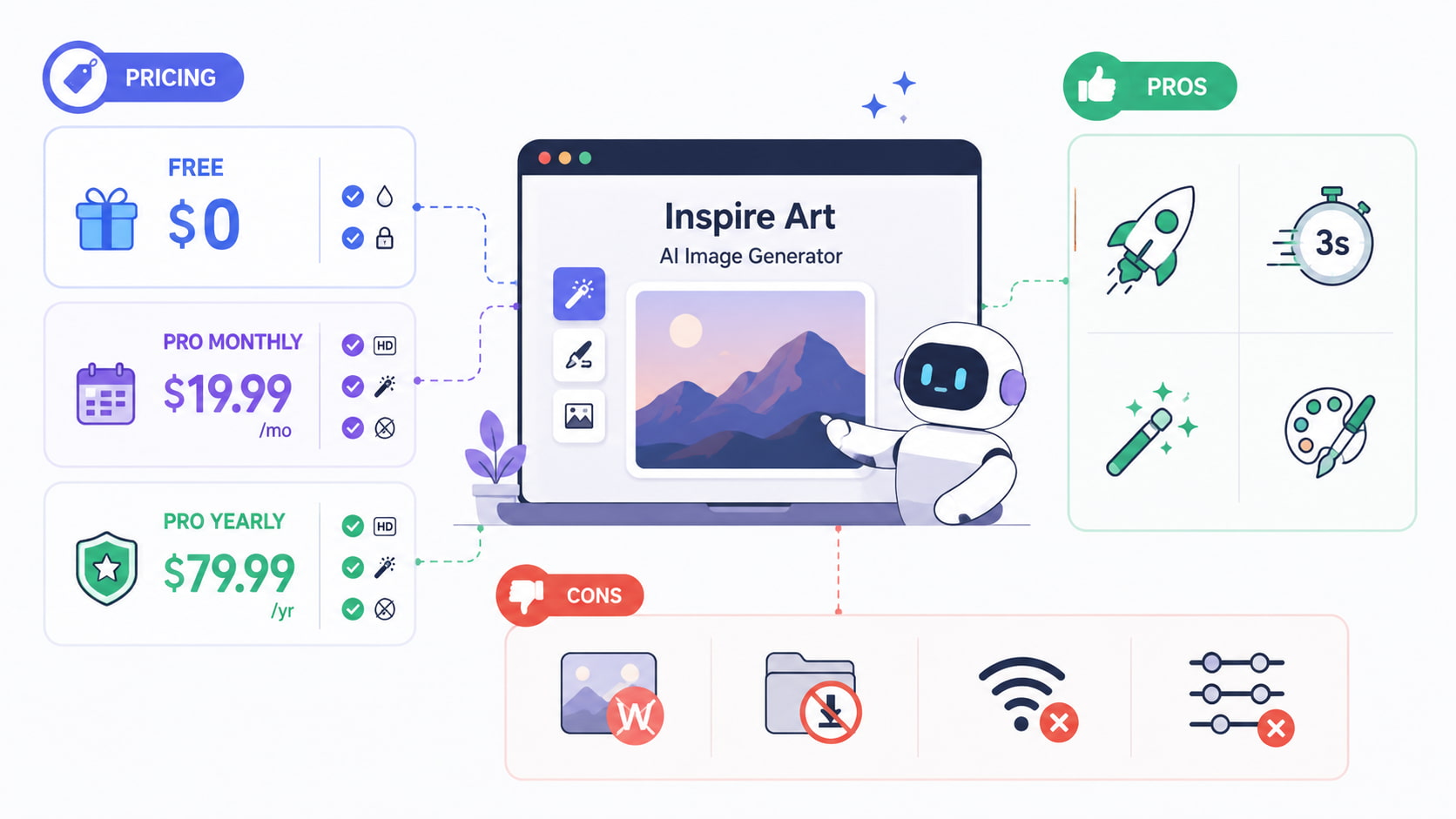
Pricing Breakdown
-
Free Tier ($0): Basic exports with mandatory watermarks and limited model access for casual trial runs.
-
Pro Monthly ($19.99/mo): Full HD exports, unlocked Magic Wand tool, and zero watermarks for active creators.
-
Pro Yearly ($79.99/yr): Unlocks all Pro features at a discounted annual rate for long-term subscribers.
Pros
-
Super fast setup, anyone can start generating images in seconds.
-
Quick 3-second render times speed up brainstorm sessions.
-
Localized Magic Wand fixes save generation credits on minor prompt tweaks.
-
Delivers reliable, clean styling in anime and digital art modes.
Cons
-
Free account downloads carry large watermarks.
-
Lacks batch downloading, which slows down high-volume workflows.
-
Requires a stable internet connection at all times.
-
Missing granular controls like custom seed numbers or negative prompt weights.
Who should use Inspire Art AI Image Generator?
Deciding if the Inspire Art image generator fits your setup comes down to your project demands. Because this tool leans heavily toward speed and stylized aesthetics rather than deep technical tuning, some creators will get far more out of it than others.
|
User Type |
Suitability |
Primary Use Case |
|---|---|---|
|
AI Hobbyists & Students |
Highly Suitable |
Casual exploration, custom wallpapers, and quick project visuals. |
|
Concept Artists |
Highly Suitable |
Rapid mood-boarding and character style exploration. |
|
Marketing Teams |
Moderately Suitable |
Quick social assets; limited by lack of bulk downloading. |
|
E-commerce & Graphic Designers |
Limited |
Lacks precise vector editing and exact product replication capabilities. |
What users say about Inspire Art AI Image Generator
Across creative software roundups and community evaluations on forums like Reddit and G2, several distinct user sentiment themes emerge:
-
Prompting Simplicity: Feedback across Reddit and creator forums frequently mentions how easy it is to get clean results. Unlike open-source setups that require long parameter strings, simple descriptive phrases work right away here. That simplicity makes daily generation straightforward for beginners who prefer skipping complex prompt syntax.
-
Pricing vs. Value Perception: The $19.99 monthly price tag sparks plenty of debate among regular users. While the annual discount feels reasonable, paying twenty dollars a month puts the software close to full-suite competitors like Midjourney. For creators who rarely use the anime presets, that monthly cost can feel a bit steep given the lack of batch exports.
-
Mobile-First Convenience: Smartphone creators regularly highlight how convenient the app is for quick phone wallpapers and daily social posts. The interface fits mobile screens neatly, making it easy to tweak images on the go. Having a mobile-friendly layout means draft ideas can be generated anywhere without sitting down at a desk.
-
NSFW & Safety Filter Strictness: Community threads often point out that the built-in content filters run quite strict. Innocent prompts involving historical statues or dramatic action poses occasionally get flagged by mistake. When filter issues come up, testing alternative prompt phrasing, like working with stylized 3D AI model prompts, helps avoid unexpected generation blocks.
Looking for an Inspire Art AI Image Generator alternative? Try Vmake Labs
When digital artists and marketing teams need commercial licenses, higher resolution limits, and stronger controls, mobile-centric tools often fall short. Vmake Labs offers a browser-based creative environment built specifically for high-res asset generation. By using a flexible AI image generator directly inside your web browser, teams can produce, upscale, and refine marketing graphics without worrying about local hardware limits or app installations.
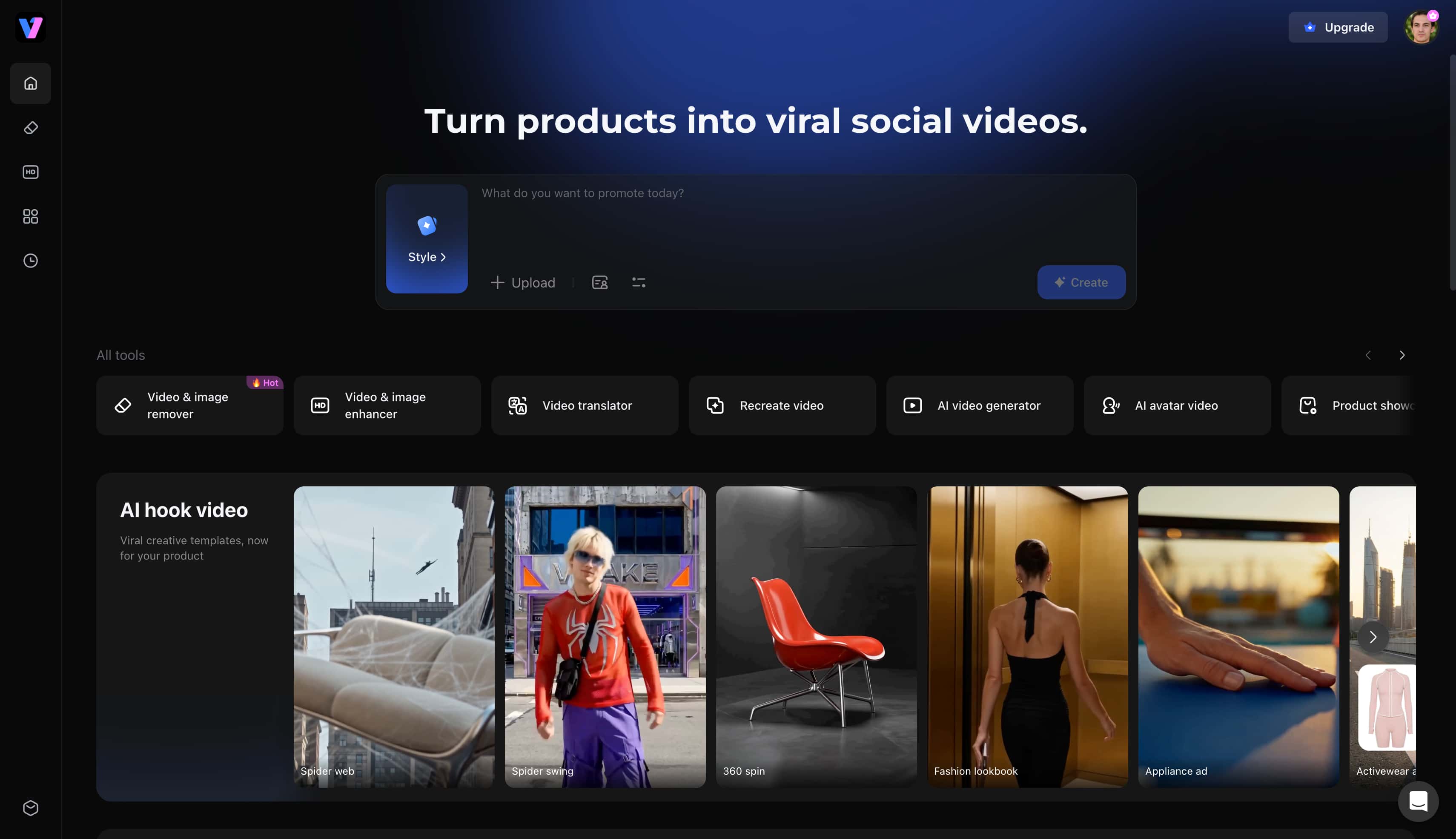
Key features of Vmake Labs AI Image Generator
-
Multiple Leading AI Models: Access top-tier generation architectures including Nano Banana 2, Nano Banana Pro, Seedream 4.0, and GPT Image 1 within one hub. Creators can seamlessly switch between engines depending on whether a project requires photorealism or illustration.
-
Browser-Based Workflow: Operate entirely online with zero installation, saving local storage while maintaining fast cloud rendering speeds. The interface loads smoothly across desktop browsers without requiring high-end GPUs or complex local dependencies.
-
Commercial-Ready Downloads: Export uncompressed, high-resolution visuals up to 2K resolution that are ready for immediate advertising deployment. Users can download finished graphics without distracting watermarks or licensing ambiguities.
-
Advanced Visual Mapping: Utilize both text-to-image and image-to-image workflows with up to three reference photos for precise structural control. Creators can blend character sheets or product shots to maintain visual consistency across marketing series. For character-focused campaigns, pairing generated portraits with an AI avatar tool ensures cohesive brand storytelling.
-
Prompt Refinement Tools: Leverage intelligent prompt assistance to transform basic concepts into richly detailed descriptive inputs automatically. The system enhances simple keywords with lighting, texture, and compositional modifiers for professional output quality.
How to create AI images with Vmake Labs
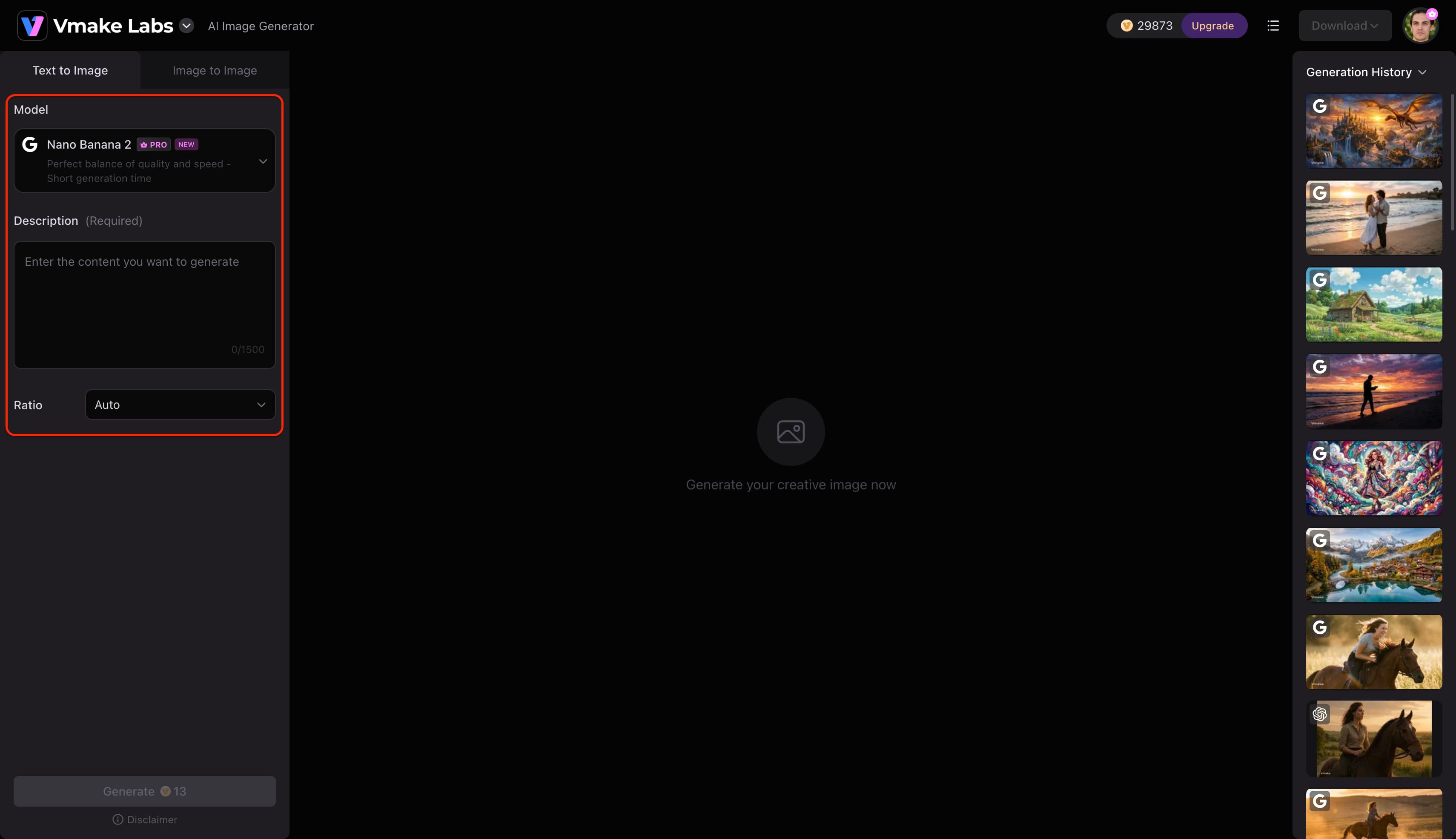
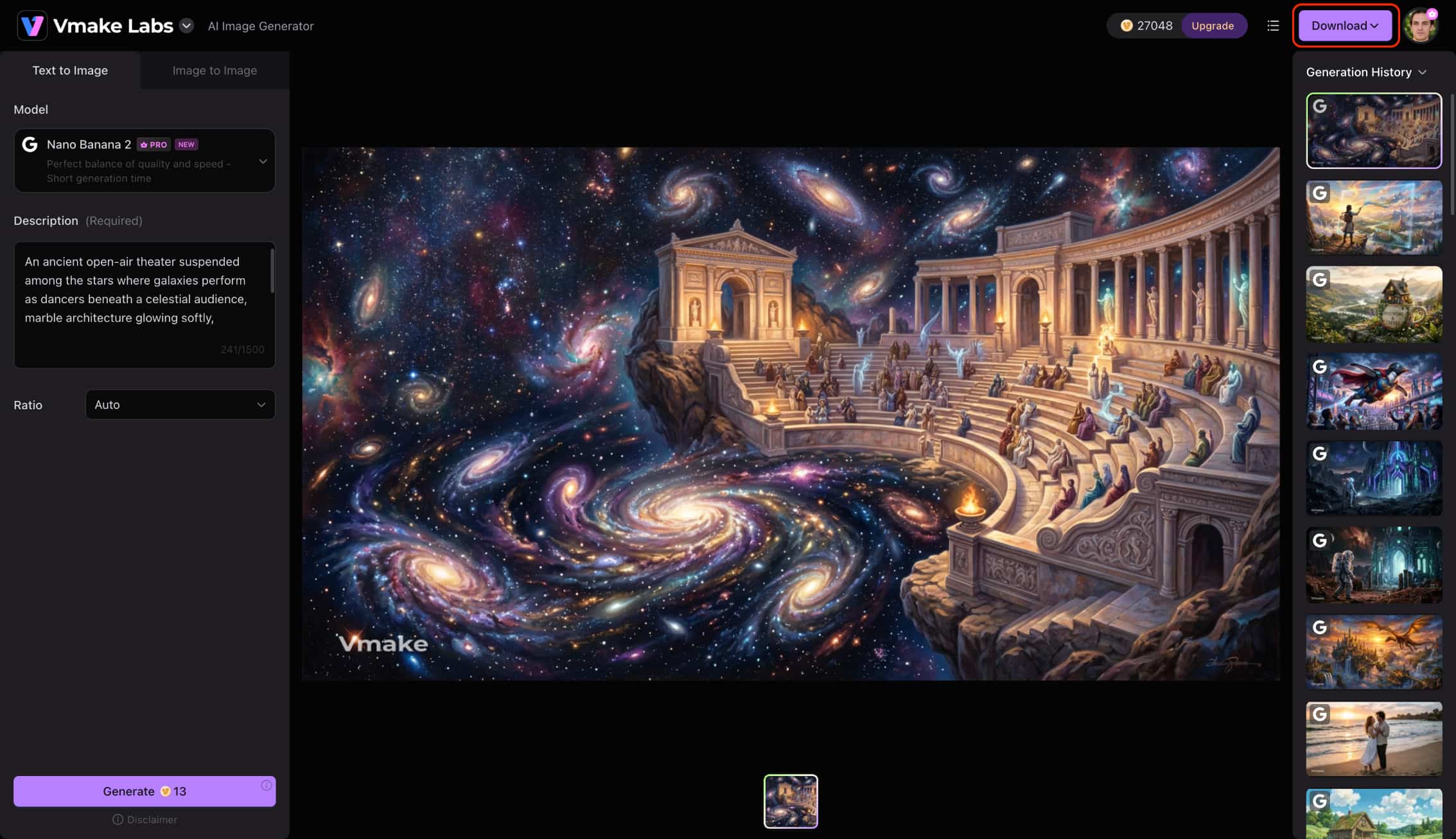
Step 1: Enter a text prompt or upload a reference image
Open Vmake Labs AI Image Generator and choose either Text to Image or Image to Image. Enter a text prompt describing the image you want to create, or upload up to three reference images to guide the AI before generation.
Step 2: Choose an AI model and customise the generation settings
Select the AI model that best suits your project. Vmake Labs AI Image Generator supports Nano Banana 2, Nano Banana Pro, Nano Banana, Seedream 4.0, and GPT Image 1. Then choose your preferred aspect ratio before clicking Generate.
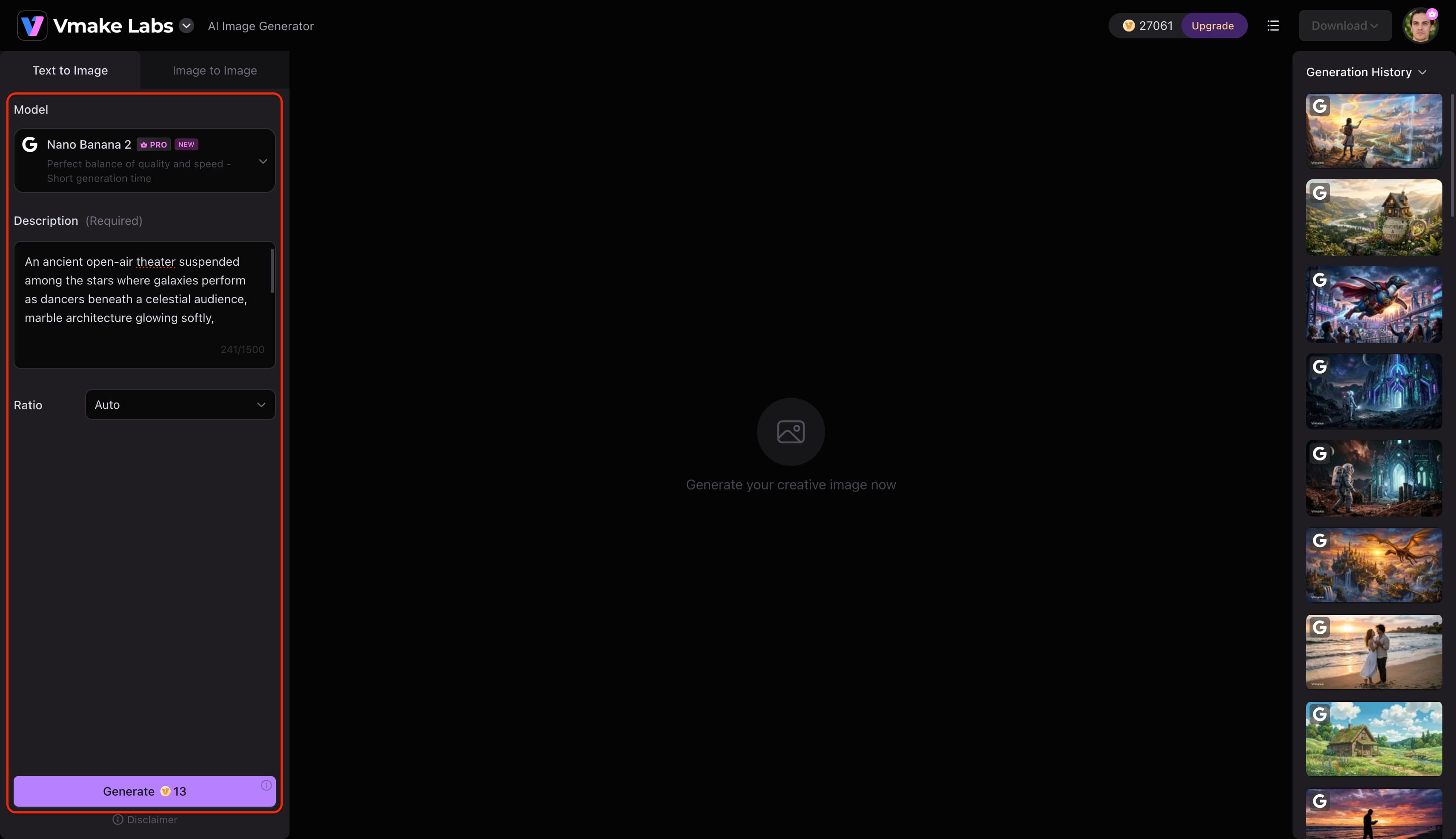
Step 3: Generate and download your image
Click Generate to create your images. Review the generated results, generate additional variations if needed, and download the image that best matches your project.
Conclusion
Hands-on testing shows that the Inspire Art tool works well as a fast, accessible option for casual creators and concept artists building quick mood boards. Its simple dashboard, solid anime styling, and targeted Magic Wand brush make everyday visual drafting easy. However, teams that need batch downloads, granular controls, and high-res photorealism will likely hit walls. This Inspire Art AI image generator review finds that while the annual plan offers good casual value in 2026, commercial creators will prefer more flexible cloud platforms.
FAQs
Is Inspire Art AI Image Generator free to use?
Yes, the platform offers a free introductory tier that includes basic image generation with mandatory watermarks. Unlocking high-resolution downloads and advanced editing tools requires upgrading to a paid monthly or annual subscription.
Is Inspire Art AI Image Generator good for commercial projects?
The software works well for basic social media graphics, concept art, and digital mood boards. However, marketing professionals requiring high-volume batch exporting and advanced vector editing may need a more comprehensive commercial studio.
What types of images can Inspire Art AI generate?
Creators can produce a wide variety of visual styles including anime, cyberpunk, manga, oil painting, and stylized portraits. The engine performs particularly well with vibrant digital illustrations and artistic conceptual designs.
Does Inspire Art AI Image Generator support image-to-image generation?
Yes, the application allows users to upload reference photos or rough sketches to guide new creations. This remixing capability helps creators transform existing pictures into fresh artistic styles quickly.
What is the best alternative to Inspire Art AI Image Generator?
Vmake Labs stands out as a top alternative by offering multiple advanced models like Nano Banana Pro and GPT Image 1 in a browser-based suite. It delivers uncompressed commercial exports and flexible reference-image workflows without requiring software installations.

You May Be Interested

Canva AI Image Generator Review: Is It Worth It in 2026?
Artguru Image Upscaler Review: Features & Best Alternative
Adobe Firefly AI Image Generator Review: Features & Pricing
Artguru AI Image Generator Review 2026: Is It Worth Trying?
ChatGPT Image Generator Review: A Complete Hands-on Review