ImageFX AI Image Generator Review: Features, Pros & Alternative
Explore our ImageFX AI image generator review to learn about Google's AI image tool, its image quality, prompt accuracy, features, limitations, and how it compares with Vmake Labs AI Image Generator.

Google's ImageFX set a benchmark for free, high-quality AI photorealism, but the platform has undergone major shifts in 2026. This comprehensive review examines ImageFX's journey, its integration into Google Flow, key features, and performance limitations, while introducing the premier commercial alternative available to creators and businesses today.
What is ImageFX AI image generator?
ImageFX was a free text-to-image experiment from Google Labs. Powered by Google's Imagen models (starting with Imagen 2 and later advancing), it focused on high-quality, photorealistic outputs from simple natural-language prompts.
Its core purpose was accessibility. Anyone with a Google account could generate images without credits, subscriptions, or complicated setup. The standout interface element was Expressive Chips, interactive suggestions that turned parts of your prompt into dropdowns, allowing you to quickly swap styles, moods, or details without rewriting the entire prompt.
Latest update: What happened to ImageFX in 2026?
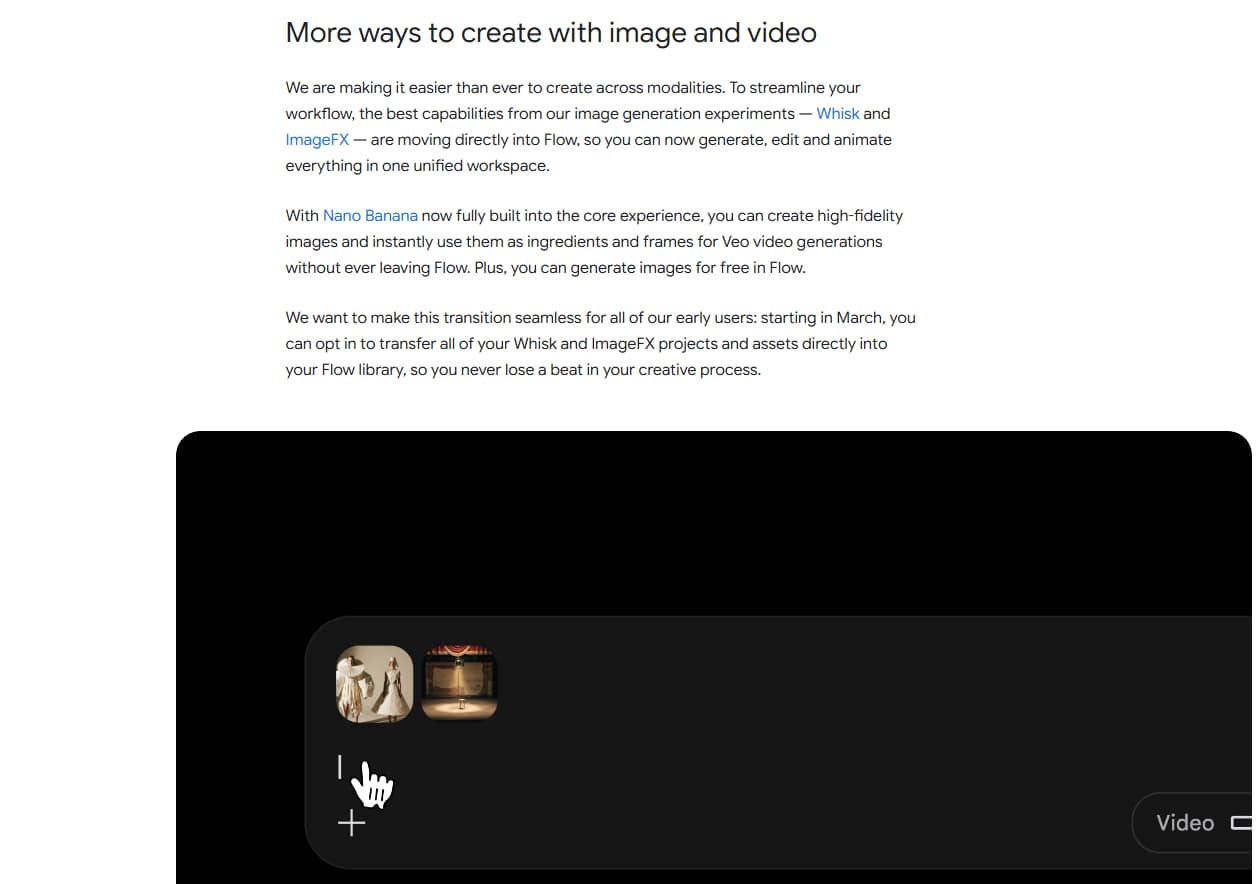
Google shut down the standalone ImageFX product on April 30, 2026. It was merged, along with Whisk, into Google Flow AI (accessible at flow.google or the labs.google/fx redirects).
Image generation now lives inside the Flow workspace and runs on the Nano Banana model family instead of the original Imagen lineup. Free accounts use Nano Banana 2 (or similar free-tier variants). Paid Google AI plans unlock higher-quality options such as Nano Banana Pro for sharper detail and better text rendering.
Google provided a migration window (starting around March 2026) so users could move ImageFX and Whisk projects into the Flow library. Anything not migrated by the April 30 deadline was permanently deleted.
The free unlimited experience of classic ImageFX is gone. Flow has monthly credit limits on the free tier, and higher quality or volume requires paid plans.
Key features of ImageFX AI image generator
-
AI text-to-image generation: ImageFX lets anyone type a plain-language description and receive a photorealistic image in return. No prompt engineering skills or special syntax were needed, which made the tool approachable for beginners while still producing genuinely high-quality visual output.
-
Expressive Chips: This was ImageFX's signature feature. Instead of rewriting an entire prompt to adjust lighting, mood, or style, users clicked small suggestion chips that tweaked specific details instantly, without disturbing the rest of the original prompt.
-
Quad-generation output: Every prompt produced four image variations at once instead of a single result. This gave users room to compare different interpretations of the same idea and pick the strongest option, rather than settling for one output.
-
SynthID digital watermarking: Every image generated through ImageFX carried an invisible SynthID watermark identifying it as AI-generated. Google built this in from the start, giving creators and platforms a built-in way to verify image origin and support transparency.
How to use ImageFX (Now Google Flow) in 3 Steps
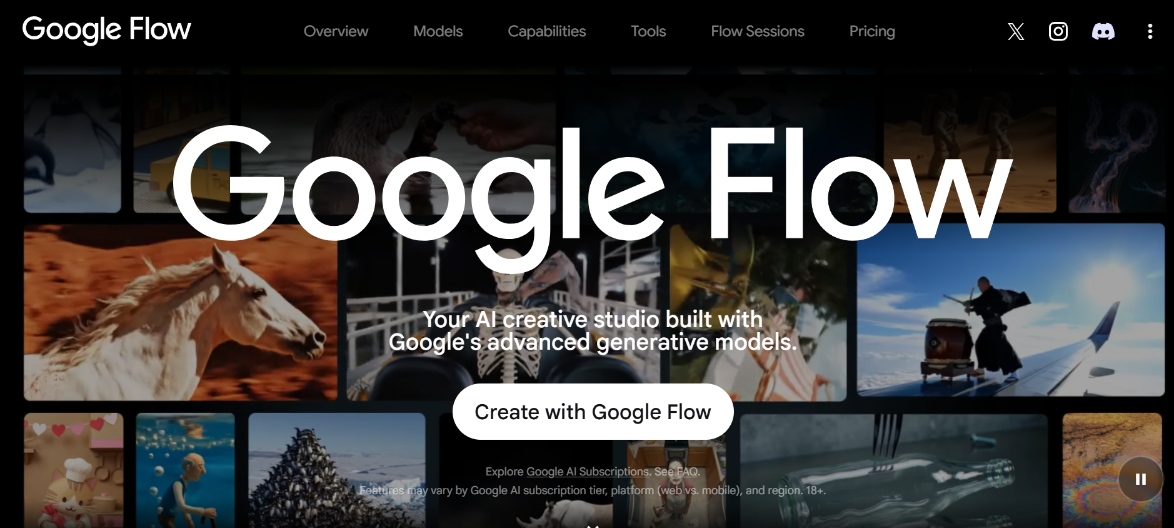
Although the standalone ImageFX tool is gone, you can still generate images through its successor, Google Flow. The process remains simple. Here's how to create images in three quick steps:
Step 1: Sign in and open the image tool
Go to the official Google Flow Workspace or the classic Google ImageFX Tool. Click Sign In using a personal Google/Gmail account.
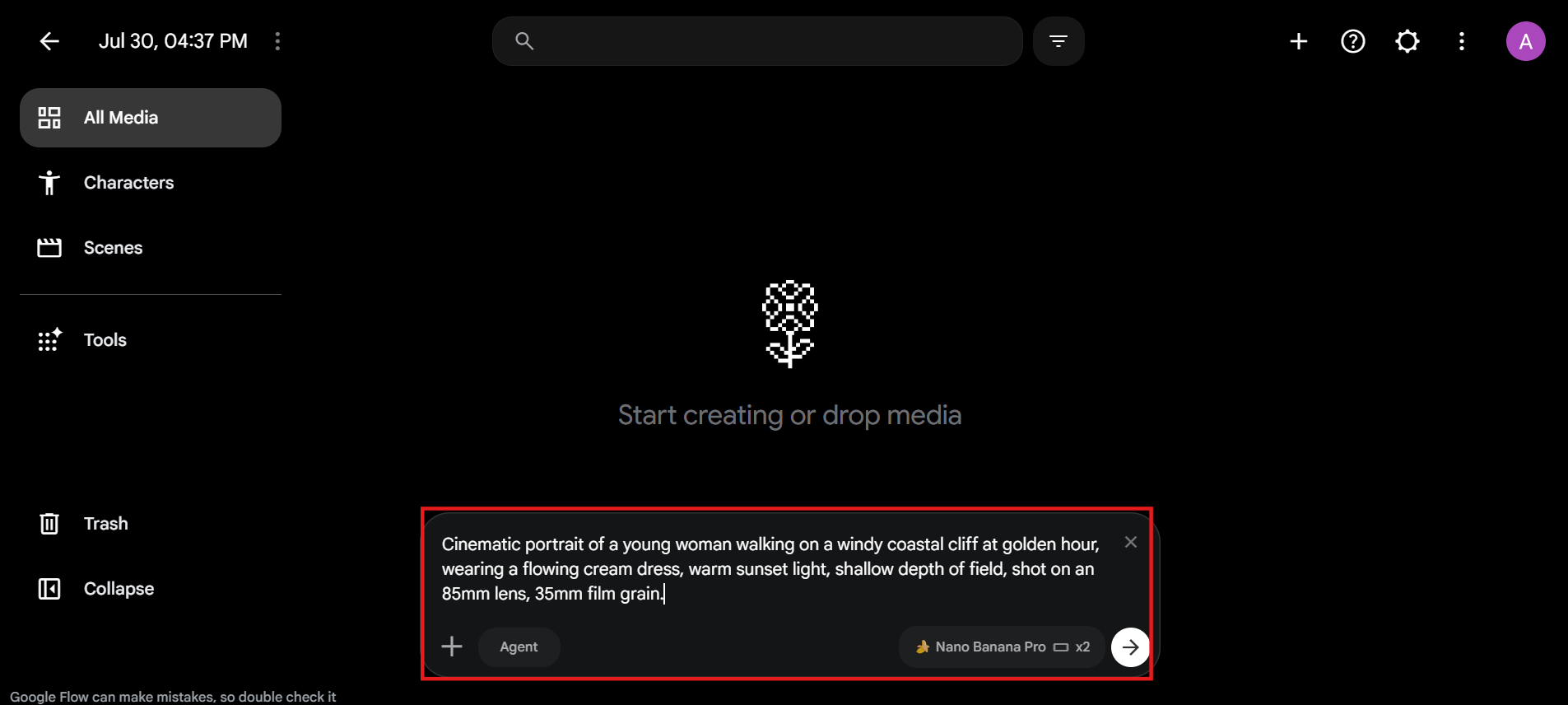
Step 2: Enter your prompt and pick a model
Type a text description of the image you want. Free accounts generate with Nano Banana 2. Paid plans unlock Nano Banana Pro for sharper detail and better text rendering.
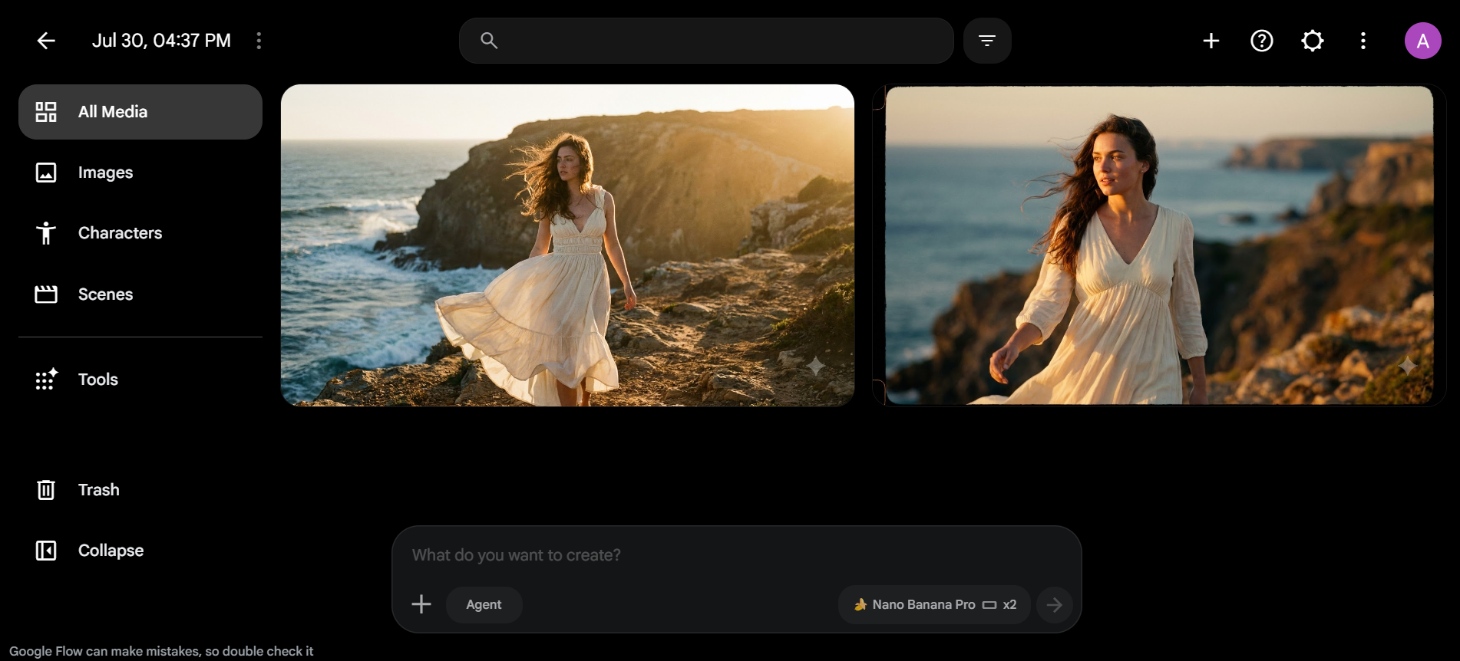
Step 3: Generate, review, and download
Click Generate to create a set of image variations. Pick the one you like, download it, or refine the prompt and try again if it needs work.
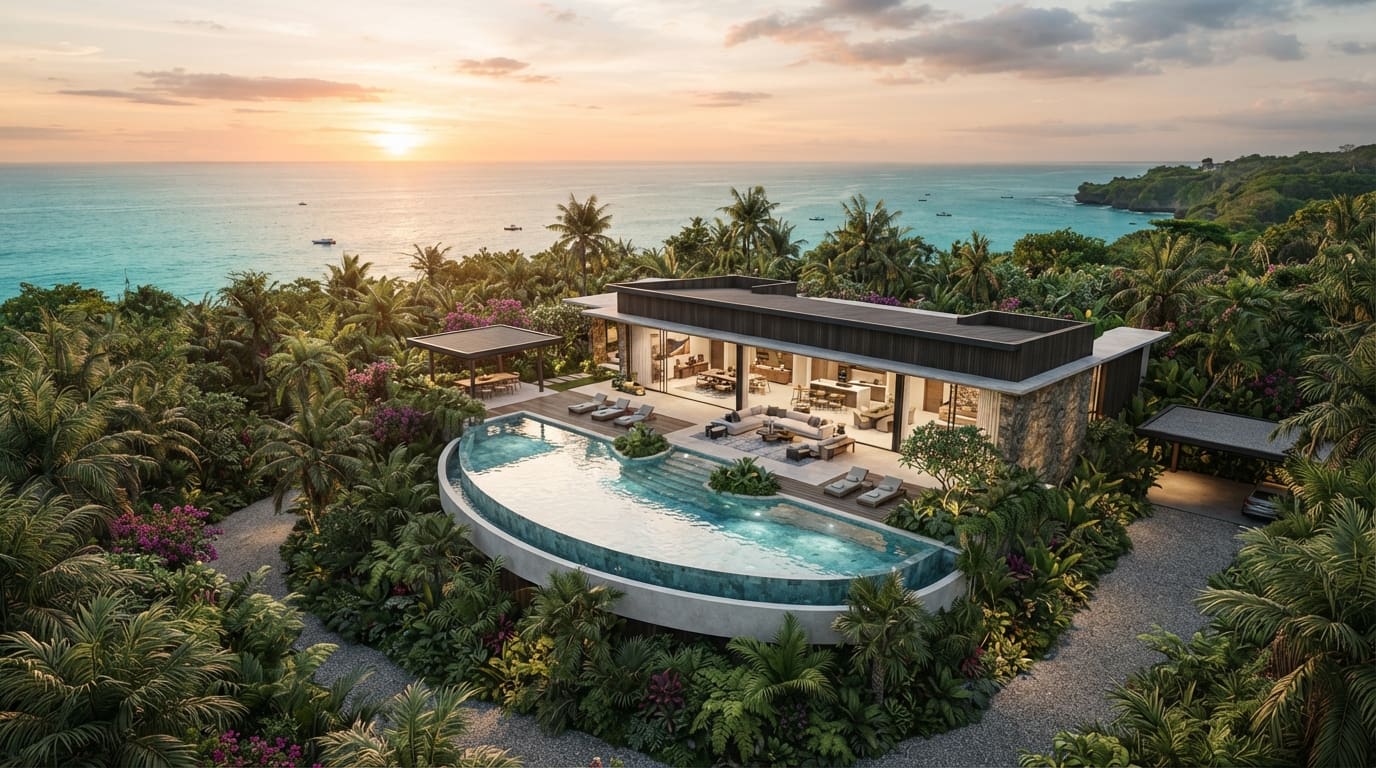
Hands-on test: How well does ImageFX perform in different fields?
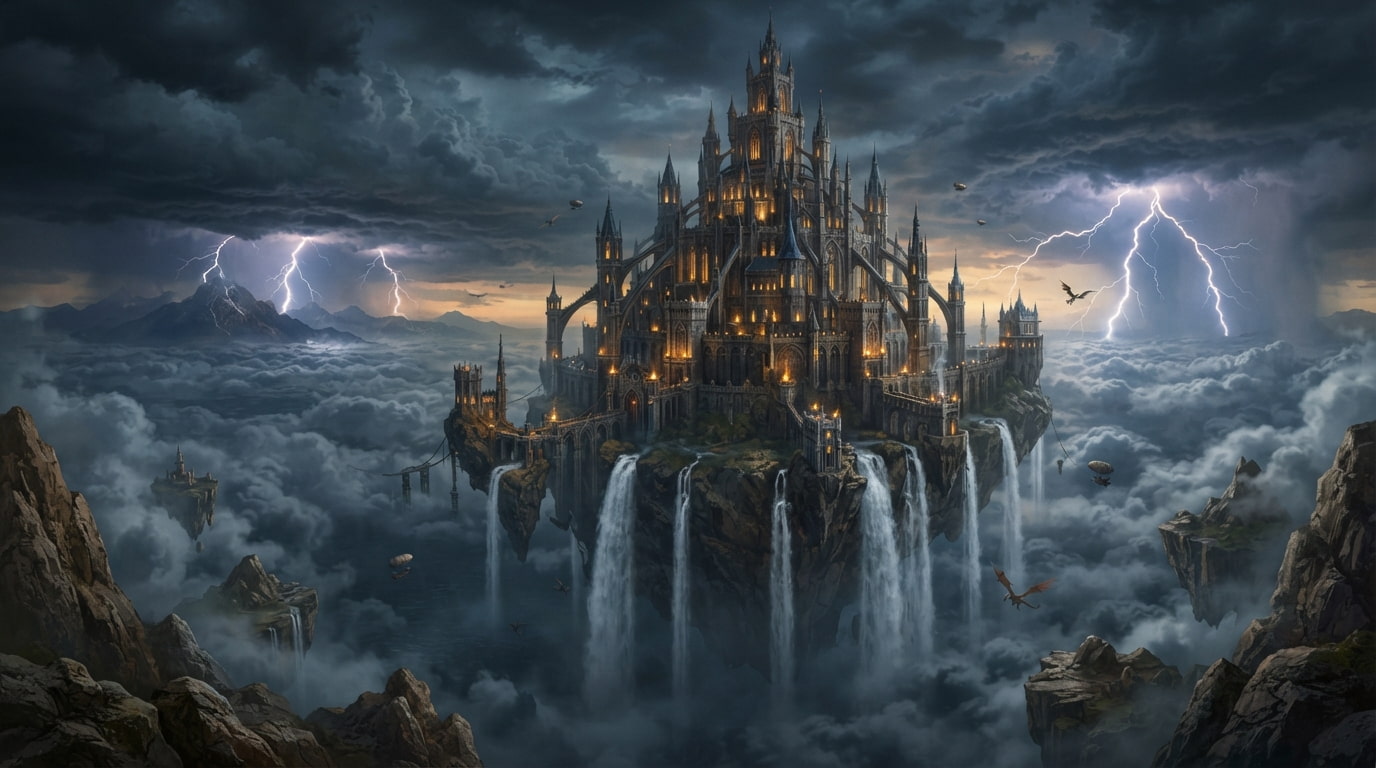
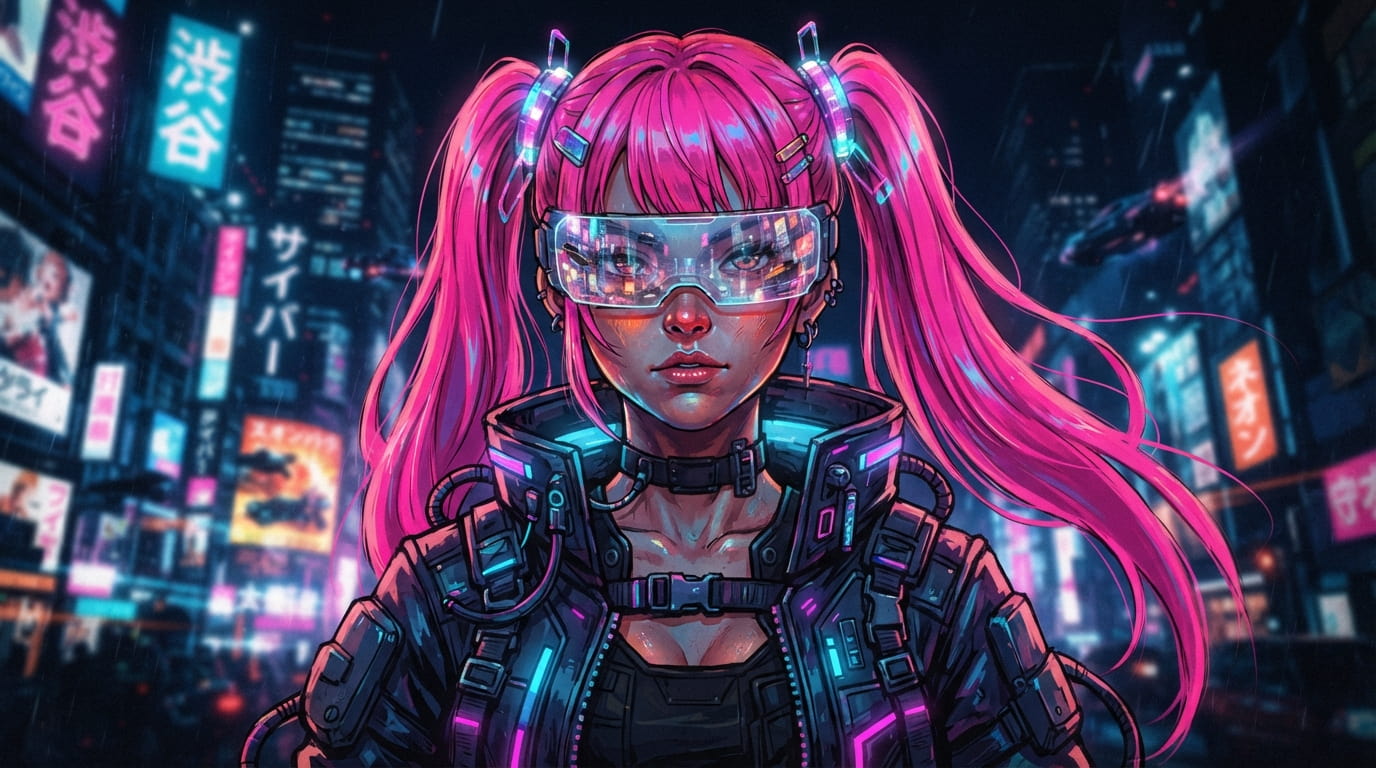
To see how Google's Imagen-powered ImageFX handles varying demands, we put the tool through a series of hands-on tests across different industries and visual styles. Check out which fields suit you better:
-
Human portrait

-
Realistic aerial landscape
-
Fantasy scene
-
Cyberpunk character
Strengths and limitations of ImageFX image generator
ImageFX earned praise for a reason. Here's a balanced look at what it did well and where it fell short.
Strengths |
Limitations |
|---|---|
|
Outstanding photorealistic images: ImageFX consistently generated sharp, lifelike visuals powered by Google's Imagen models, matching the quality of many paid tools while it remained completely free to use. |
Discontinued in 2026: Google shut down the standalone ImageFX product on April 30, 2026, ending its simple free experience forever. |
|
Beginner-friendly interface: Anyone could pick up ImageFX without prior design or AI experience. The clean layout made typing a prompt and generating an image feel effortless instantly. |
Limited editing capabilities: Users could mainly generate and lightly refine images but lacked advanced inpainting, masking, or detailed post-generation controls. |
|
Expressive Chips simplified prompt refinement: These interactive suggestions turned prompt words into quick dropdowns, making style and detail changes fast without rewriting full descriptions. |
Region-based availability" Access was restricted in certain countries, requiring VPNs for some users and limiting global reach during its active period. |
|
Fast generation: Results appeared within seconds, supporting rapid experimentation and iteration without long wait times common on other platforms. |
No longer receives updates or support: As a discontinued product, ImageFX stopped receiving model improvements, bug fixes, or any ongoing Google Labs maintenance. |
|
Free during its lifecycle: Throughout its run, ImageFX offered unlimited free generation with no credit system or subscription barriers for basic users. |
Meet the popular ImageFX alternative: Vmake Labs AI image generator
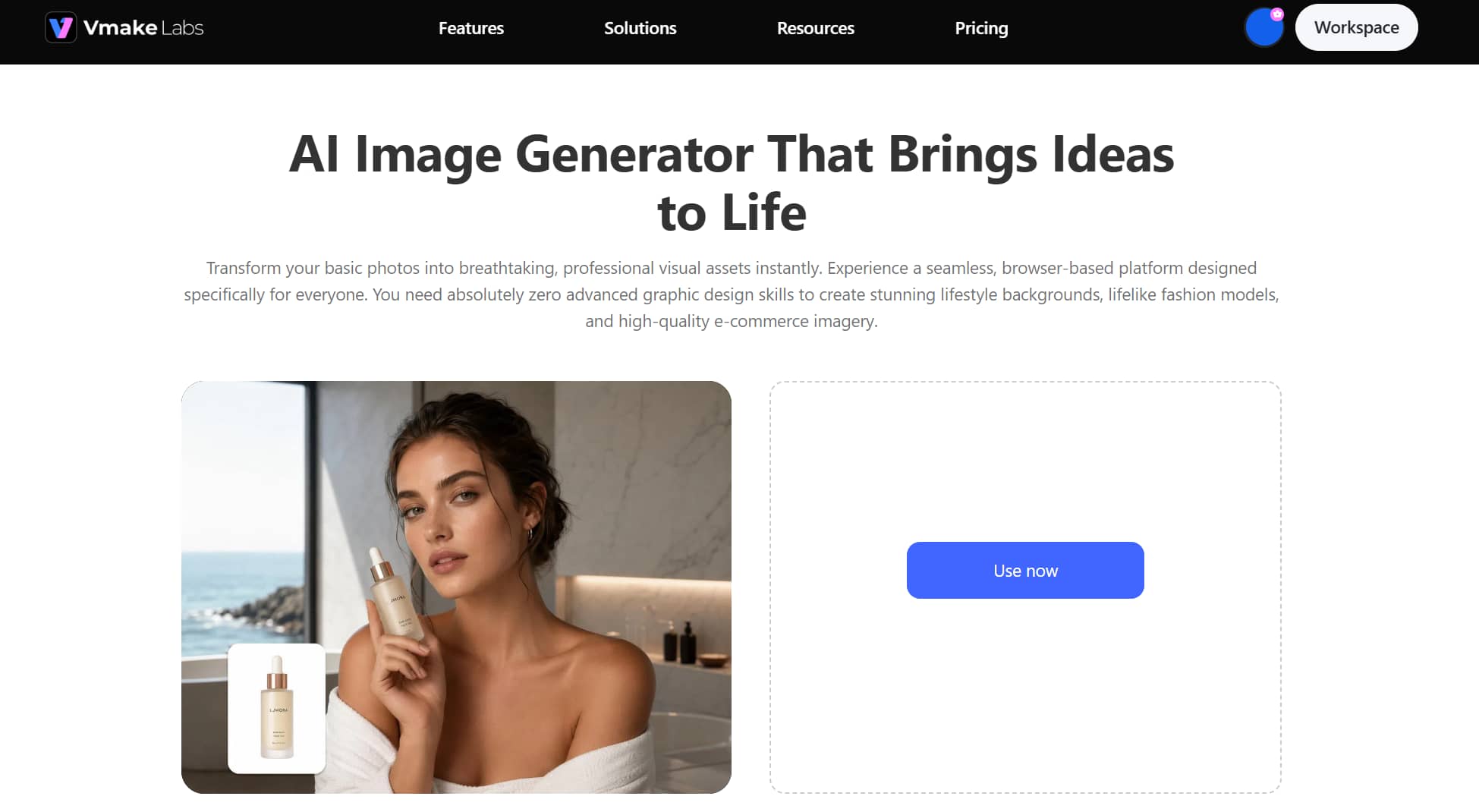
ImageFX excelled at free photorealistic generation, a beginner-friendly interface, and clever Expressive Chips that simplified prompt refinement. Its speed and zero-cost access made it a favorite for quick creative work. Yet limited editing options, regional restrictions, and its complete shutdown in April 2026 left users needing a reliable replacement. Google Flow continues generation but adds credit limits. Vmake Labs AI Image Generator stands out as the strongest alternative.
It delivers high visual quality plus multi-model choice, image-to-image support, reference controls, flexible aspect ratios, and clear commercial rights ImageFX never fully offered. For further refinement, it also includes an AI image enhancer and image sharpener to polish results after generation.
Key features of Vmake Labs
-
Multiple model choices: Vmake Labs lets users choose between leading AI models like Nano Banana, Seedream, and GPT Image, depending on the style and quality they need. This flexibility means one platform handles a wide range of creative and commercial projects.
-
Supports commercial content creation: Vmake Labs is built for real business use cases, from e-commerce product shots to marketing visuals and social media content. Brands, marketers, and creators can generate professional-grade imagery suited for campaigns without expensive photoshoots.
-
Text-to-image and image-to-image: Beyond simple text prompts, Vmake Labs supports image-to-image generation. Users can upload reference photos to guide style, composition, or subject consistency, giving far more creative control than basic text-only generation.
-
Fast cloud-based generation: Everything runs directly in the browser, with no downloads or installations required. Images typically generate within seconds, letting users iterate quickly and produce multiple variations without slowing down their creative workflow.
How to use Vmake Labs AI image generator
Getting started with Vmake Labs is straightforward. Here's how to generate your first image in three easy steps.
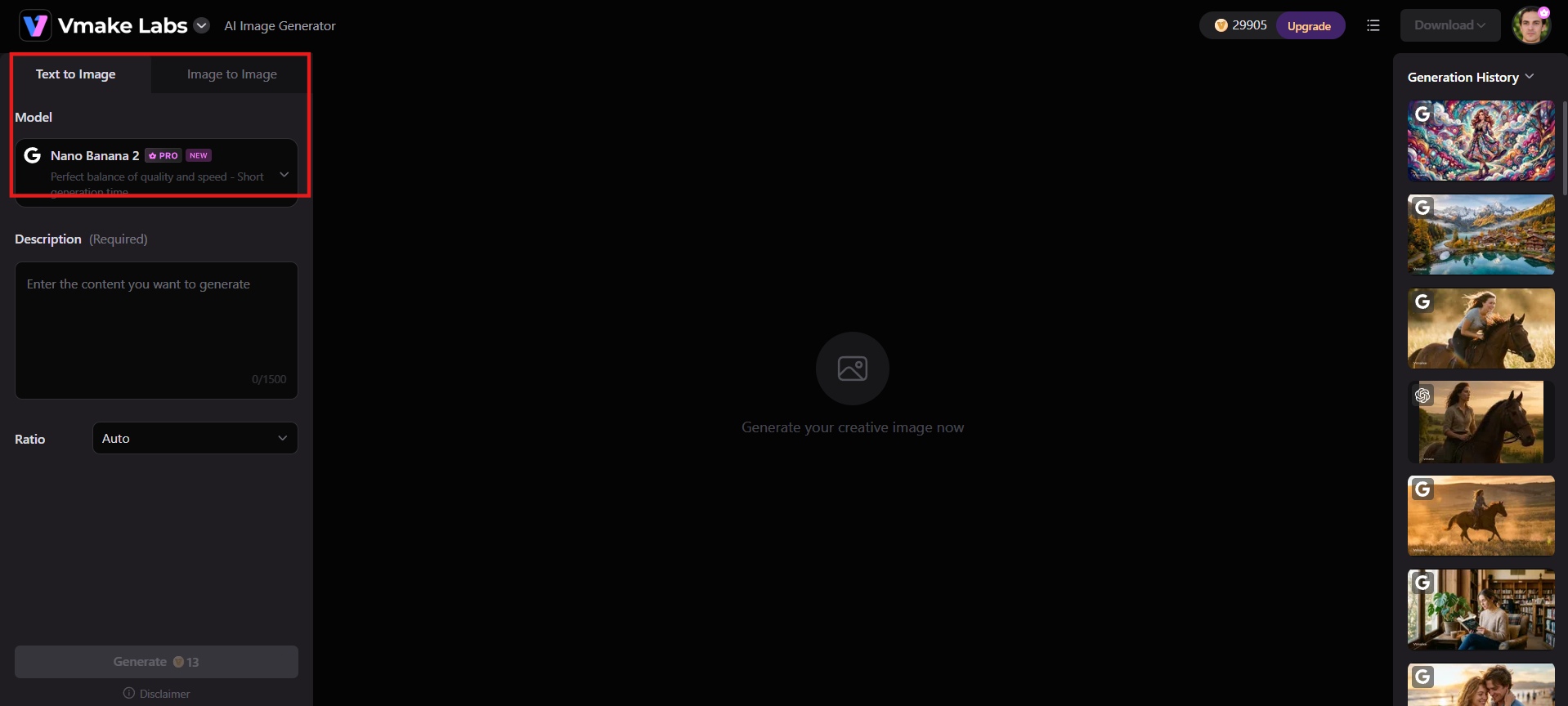
Step 1: Choose image generation mode
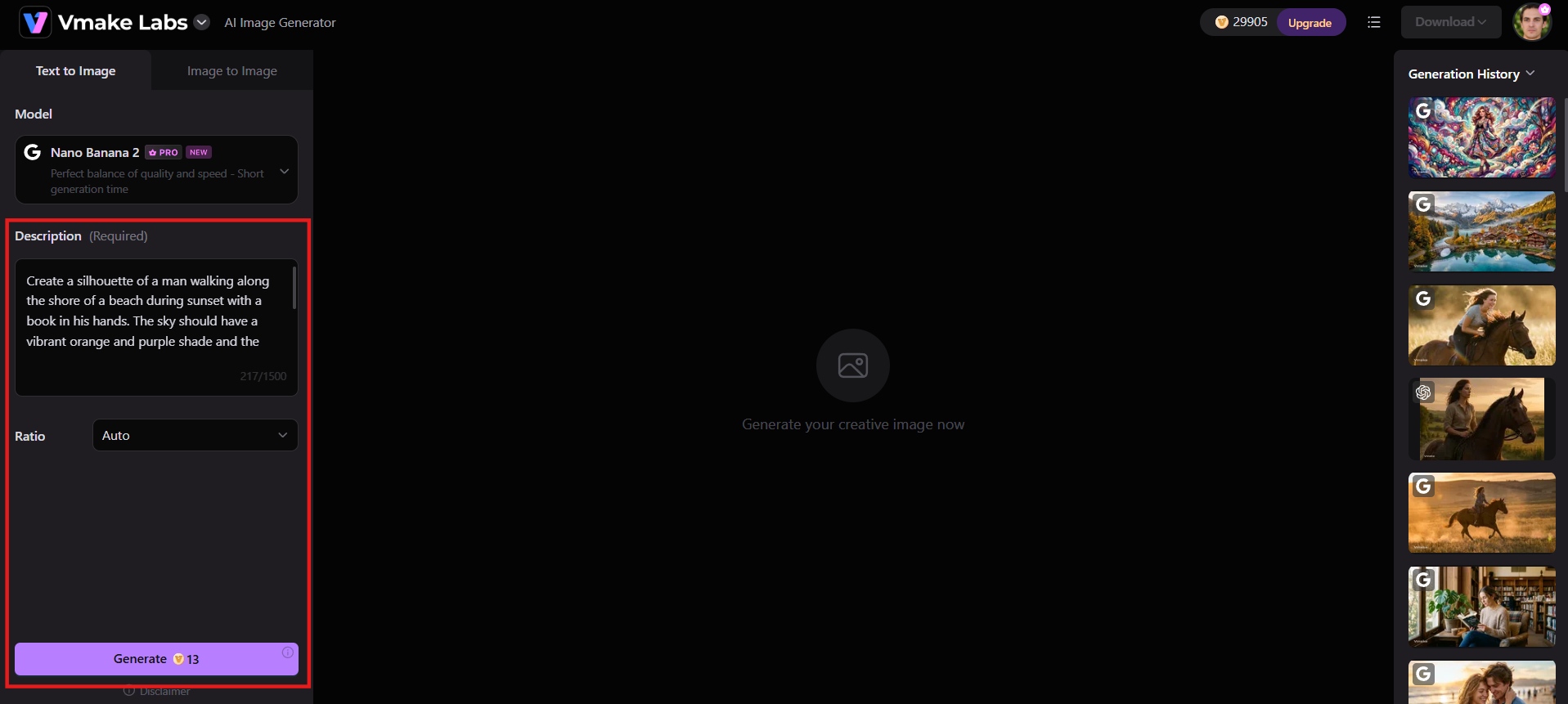
Open the Vmake Labs AI Image Generator and select either text-to-image or image-to-image mode, depending on whether you want to start from a written description or an existing photo.
Step 2: Add prompt or reference images
Enter a detailed text prompt describing the image you want. Optionally upload one or more reference images to guide style, subject, or composition, then choose your preferred AI model and aspect ratio.
Step 3: Generate and download
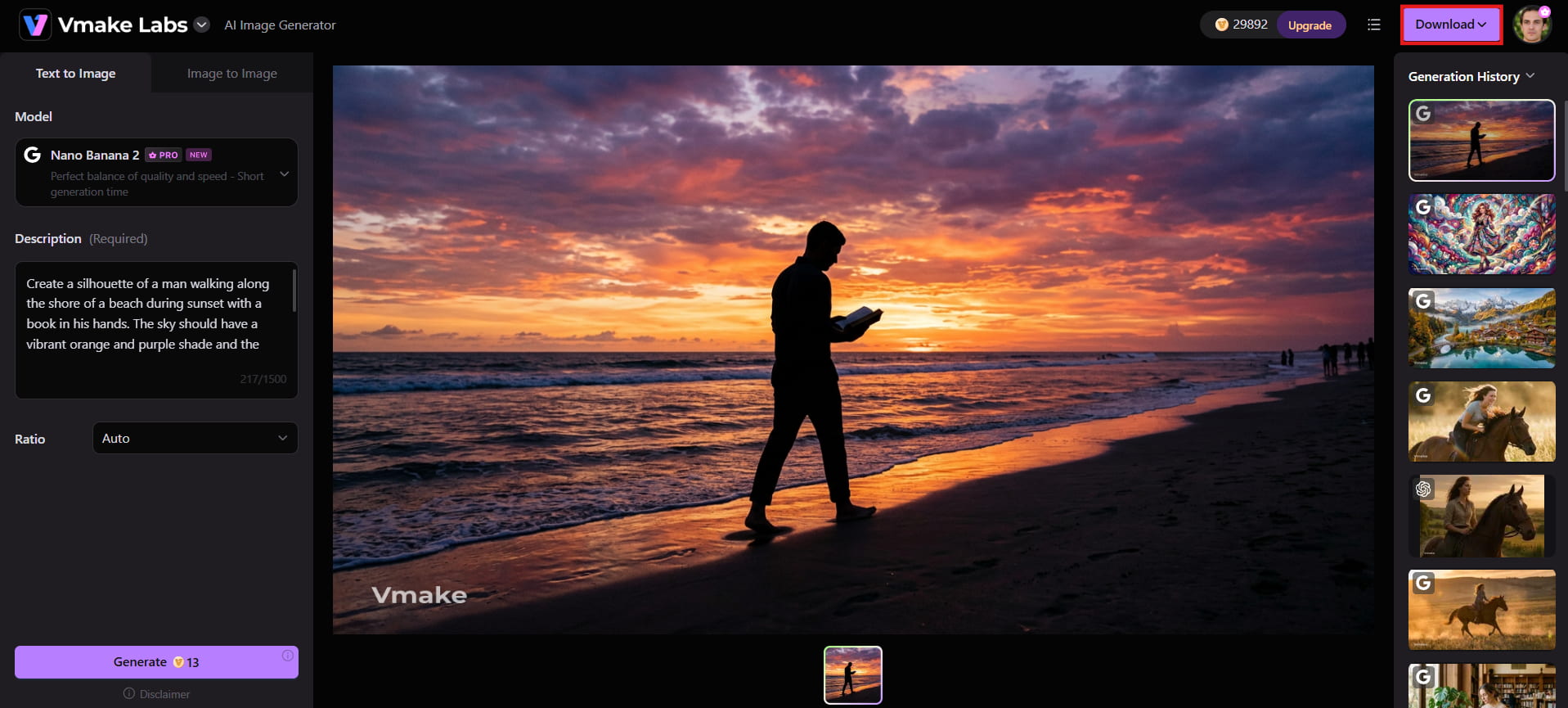
Click Generate to create your images. Review the results, refine the prompt or settings if needed, and download the final versions you like.
ImageFX vs Vmake Labs: Quick comparison
Here is a clear side-by-side look at how classic ImageFX compared with Vmake Labs AI image generator across key features and practical use.
|
Aspect |
Google ImageFX (discontinued) |
Vmake Labs AI Image Generator |
|---|---|---|
|
Status (July 2026) |
Shut down on April 30, 2026; merged into Google Flow |
Fully active and updated |
|
Pricing |
Completely free (daily limits) while available |
Free tier (daily credits, limited models) + paid plans (Plus/Pro with more credits, models & commercial rights) |
|
Core Modes |
Text-to-image only |
Text-to-image, Image-to-image, Image variations |
|
AI Models |
Primarily Google Imagen series |
Multiple models: Nano Banana / Nano Banana Pro, Seedream, GPT Image, and others |
|
Standout Features |
Expressive Chips (quick style swaps), strong photorealism, SynthID watermark |
Multi-model choice, reference image support, multi-image fusion (Nano Banana Pro), easy aspect ratio control |
|
Output Quality |
High photorealism, good anatomy & lighting |
High-quality (especially with Nano Banana Pro); sharper details & better consistency on paid models; up to 2K export |
|
Ease of Use |
Extremely beginner-friendly, clean interface |
Very beginner-friendly, browser-based, simple 3-step process |
|
Controls & Flexibility |
Limited (mostly square outputs, few advanced settings) |
Better aspect ratios, model selection, reference images, style control |
|
Editing Tools |
None built-in |
Basic generation + easy handoff to Vmake Lab's enhancer, upscaler, and video tools |
|
Content Filters |
Very strict (blocked many prompts) |
More flexible for commercial/creative use |
|
Best For |
Casual free photorealistic images, quick experiments |
E-commerce product shots, marketing visuals, social media content, consistent character/product work |
|
Commercial Use |
Allowed under Google terms while active |
Explicitly included in paid plans |
-
ImageFX was excellent as a free, simple photorealism tool with unique Expressive Chips, but it is no longer available as a standalone product.
-
Vmake Labs is the strongest current option for most users: more generation modes, multiple powerful models (including Google's Nano Banana Pro), support for text-to-image and image-to-image generation, reference image controls, flexible aspect ratios, and commercial usage rights.
Conclusion
ImageFX delivered outstanding free photorealism, a simple interface, and unique Expressive Chips that made AI image creation accessible to everyone. Its shutdown in April 2026 and the shift to credit-limited Google Flow marked the end of that effortless experience. Vmake Labs AI image generator now offers a stronger path forward with multiple models, text-to-image and image-to-image modes, reference controls, commercial rights, and built-in enhancement tools. For creators seeking quality, flexibility, and reliability today, it stands as the practical choice. Start generating images with Vmake Labs today.
FAQs
Is Google ImageFX still available in 2026?
No, Google ImageFX is no longer active as a standalone tool. Google officially retired the experiment on April 30, 2026, integrating its underlying image-generation features into the broader Google Flow workspace.
What happened to my old ImageFX projects?
Projects migrated into Flow before April 30, 2026 remain accessible in your Flow library. Anything not downloaded or migrated by the deadline was permanently deleted from Google's servers, with no recovery option available afterward.
Why did Google discontinue ImageFX?
Google consolidated its creative experiments, including ImageFX and Whisk, into a single unified workspace called Google Flow. This streamlined development and combined image and video generation into one platform.
Can I use ImageFX-generated images commercially?
Since ImageFX itself is retired, new generations now happen inside Google Flow. Check Flow's current terms of service for commercial usage rules, since these policies can change and vary depending on your specific plan.
What is the best alternative to ImageFX now?
Vmake Labs AI image generator is the strongest current option. It offers multiple models, text-to-image and image-to-image modes, reference controls, commercial rights, and refinement tools that ImageFX lacked.

You May Be Interested
7 Best Free AI Image Generators 2026 Alternatives to Grok Imagine
Artguru Image Upscaler Review: Features & Best Alternative
Grok Image Generator Review: Is It Worth Using in 2026?
Best AI Image Generator: 10 Top Picks for 2026 Review