How to Make Bigfoot AI Videos: A Step-by-Step Guide
Discover how to make Bigfoot AI videos that stand out on social media. Learn prompts, storytelling techniques, and video creation tips to bring Bigfoot adventures to life with VMake AI.

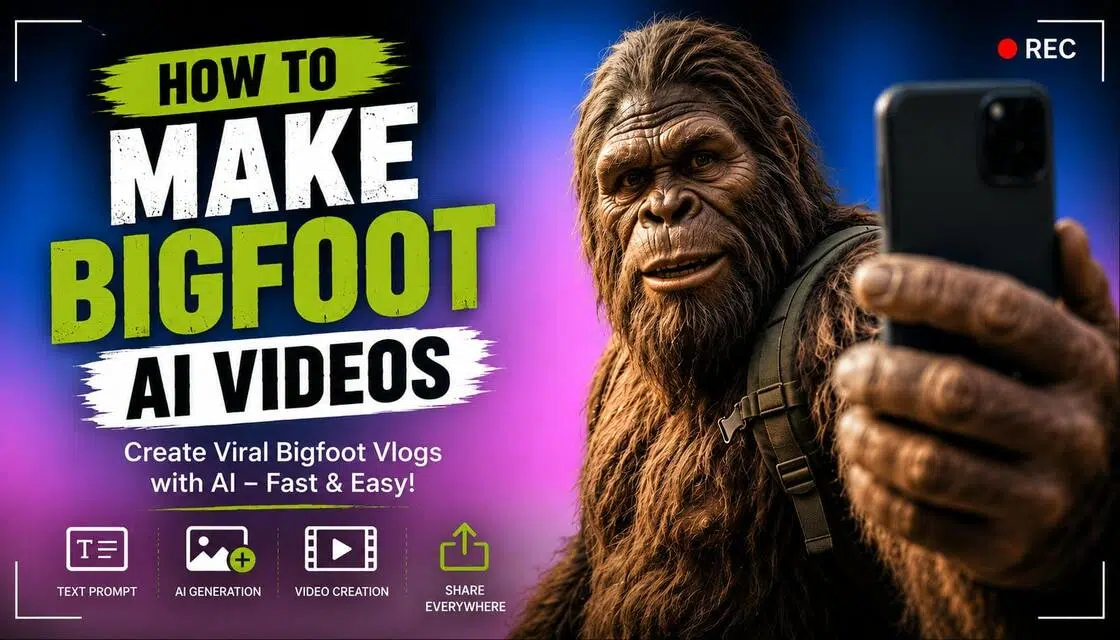
If you've opened TikTok lately, you've probably seen him. Bigfoot holding a selfie stick, wandering the woods, or just complaining about his morning coffee. It's a massive trend right now. Figuring out how to make Bigfoot AI videos isn't actually that hard if you use tools like Vmake AI.
What Are Bigfoot AI Videos and Why Are They Going Viral?
The whole joke just works because it's pure contrast. You take a terrifying cryptid and make him do aggressively normal stuff like setting up a cheap camping tent. It takes a few prompt tweaks to get the generation looking right, but people love it. Short, familiar, and honestly pretty funny.
Common Types of Bigfoot AI Videos
Bigfoot content doesn't follow a single formula. Some creators focus on comedy, while others build ongoing stories that keep viewers coming back for the next adventure.
-
Bigfoot Vlog Videos: Some people build an entire channel around this guy's life. Viewers actually end up coming back just to see what random adventure he gets into next week
-
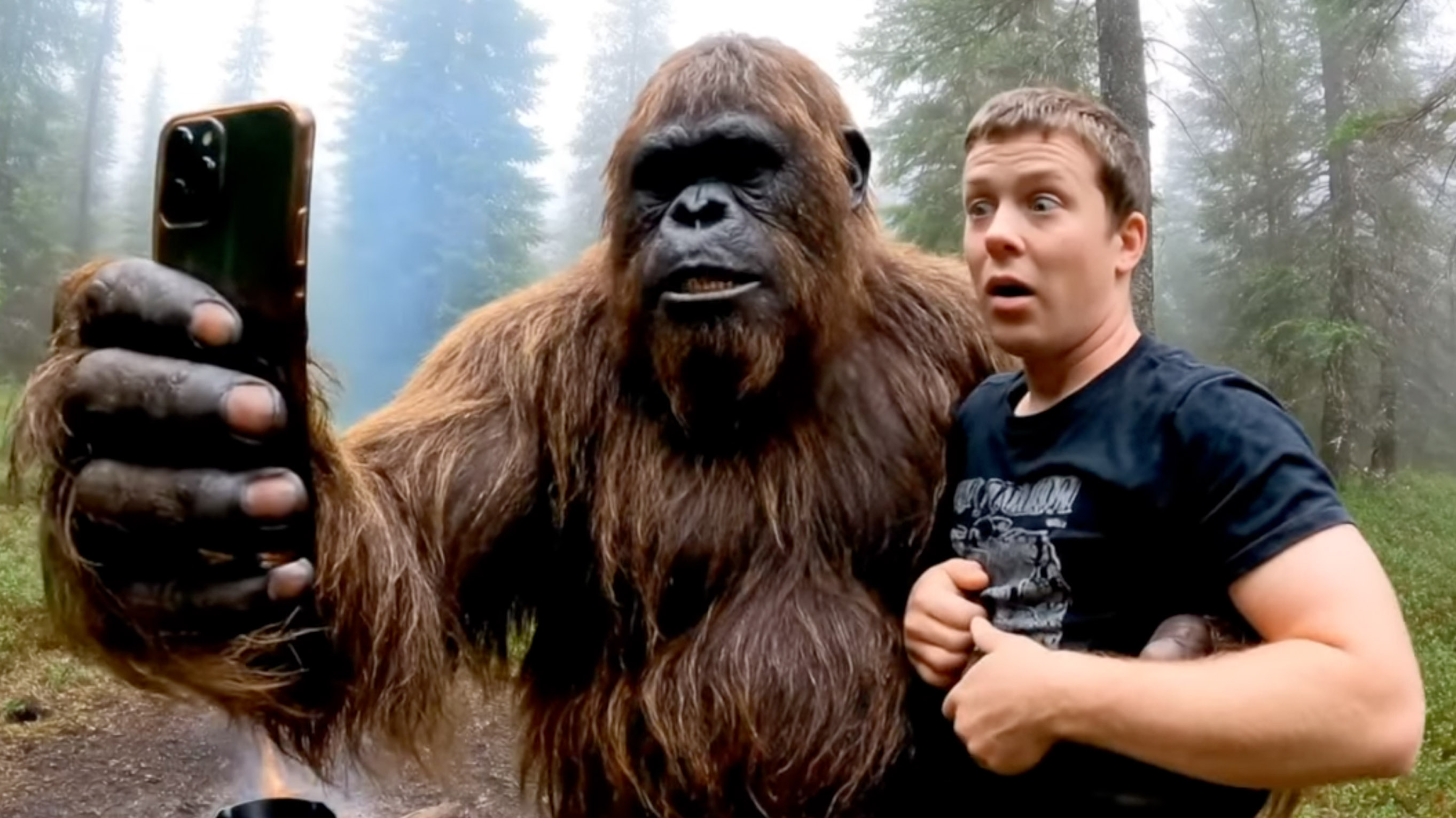
Selfie-Style Wilderness Adventures: This is the classic look, just a first-person POV shot of a hairy arm holding a camera. It immediately makes it feel like you're out there hiking right alongside him.
-
Funny Day-in-the-Life Content: Watching a giant monster try to use a toaster is inherently funny. You don't need a crazy plot when everyday situations do heavy lifting for you.
-
Travel and Camping Stories: A lot of creators make episodic content by sending themselves to different national parks. It gives you a great excuse to generate these massive, beautiful landscape backgrounds.
-
Cinematic Bigfoot Documentaries: Instead of a shaky vlog, some accounts go full National Geographic. Adding a serious, dramatic voiceover over a fake cryptid creates a really great parody vibe.
-
Short-Form Social Media Skits: Sometimes you just need a five-second clip for the algorithm. Just a quick joke or a reaction shot is usually enough to pull in likes and get people to share.
What You Need Before Creating Bigfoot AI Videos
Before creation, you need to figure out exactly who your cryptid is before you generate a single frame. Otherwise, you're just going to end up with a messy, inconsistent timeline that nobody cares about.
-
Character Design
Consistency is everything. If his fur shifts from dark brown to bright orange between clips, you've lost the audience immediately. Pick a single style and lock his look down on a separate note. Getting the machine to remember his exact nose shape across different camera angles remains a total roll of the dice.
-
Story Planning
Keep it stupid. Real humor relies entirely on a massive monster doing a boring daily chore. You'll need a quick setup and a snappy punchline before attention spans evaporate. Syncing long speeches to a hairy, non-human face usually looks incredibly janky anyway.
-
Choosing the Right Video Style
Angles define everything. Shaky, selfie-style vlogs make him feel real, whereas dramatic documentary framing builds a mysterious legend. Match your format perfectly, or the gag falls flat on TikTok. Going cinematic eats up way too many creation credits, leaving me wondering if audiences will eventually tire of the whole gimmick.
How to Make Bigfoot AI Videos Using Vmake AI
Creating Bigfoot AI videos is much easier than most people expect. You don't need advanced editing skills or complicated production tools to get started. With Vmake AI, an AI video generator and AI clip maker, a simple idea can quickly turn into a Bigfoot vlog, wilderness adventure, or comedy clip that's ready for social media.
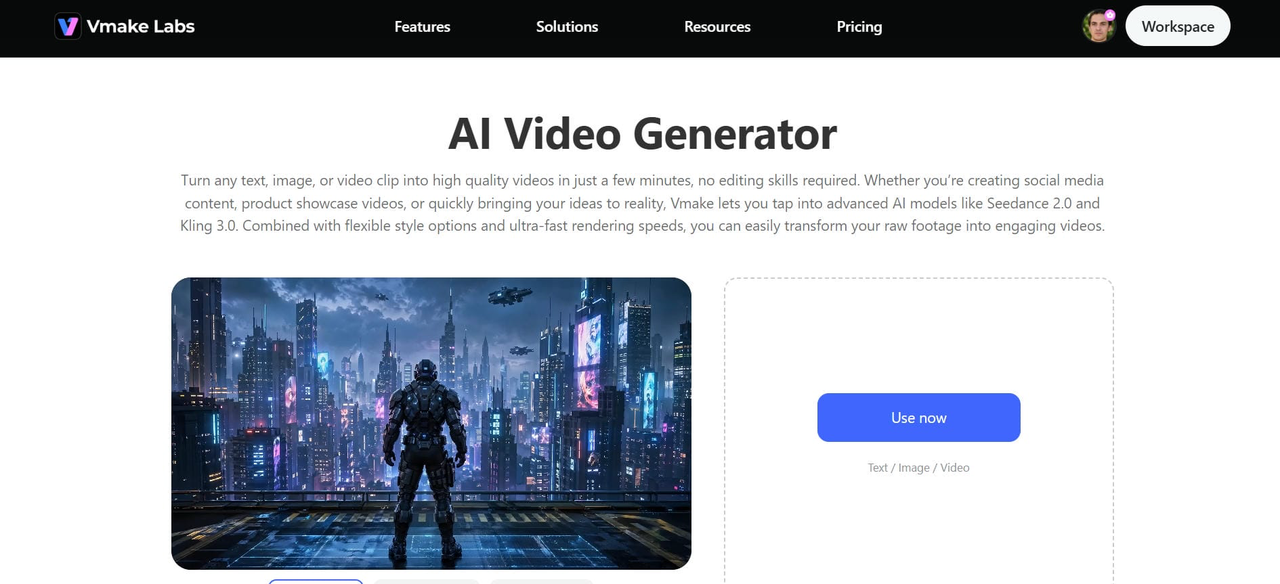
Create Bigfoot AI Videos in 4 Steps
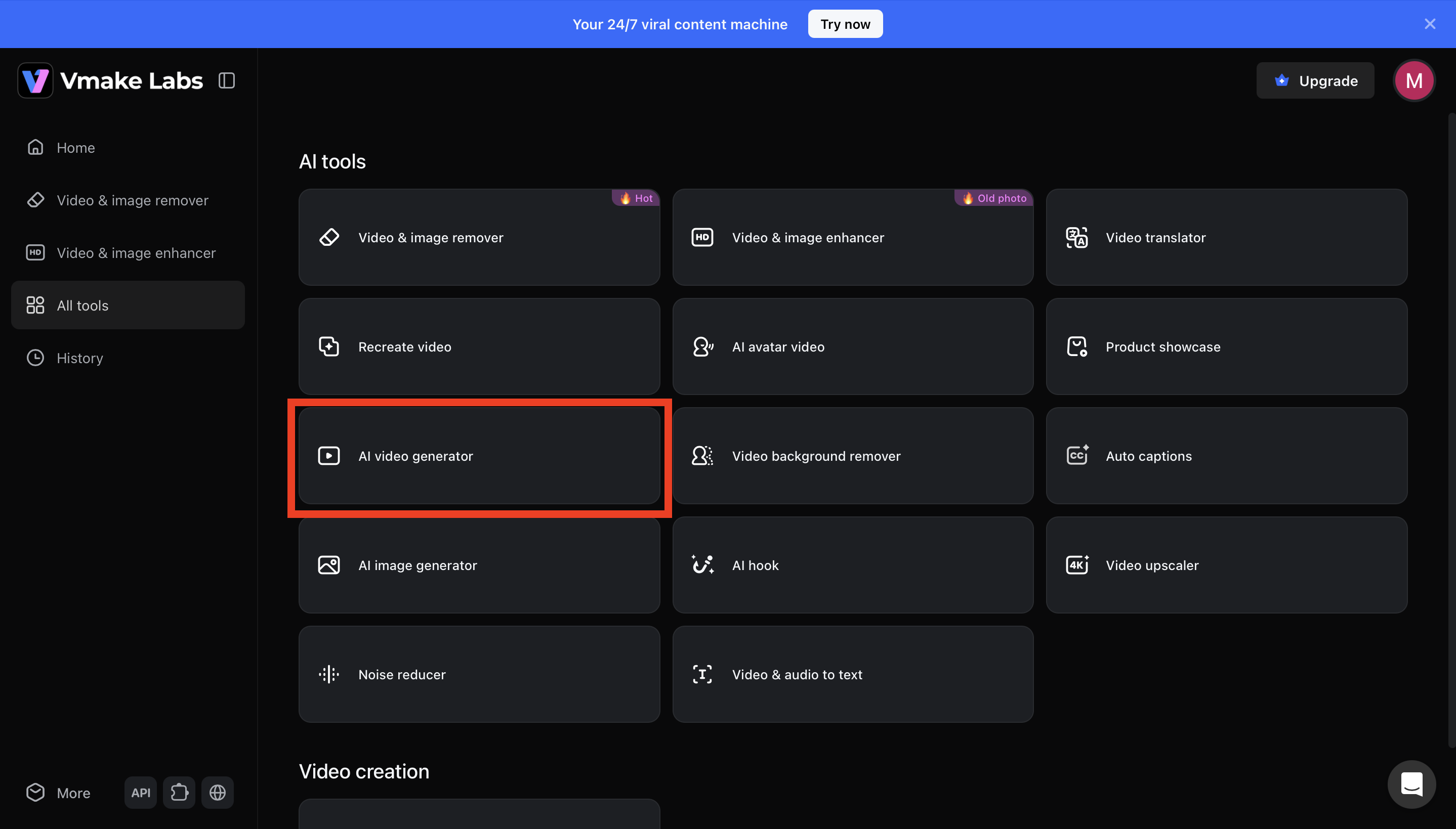
Step 1: Open the AI Video Generator tool
Log in to your Vmake AI account and navigate to the All Tools section. From the available AI creation tools, select AI Video Generator to open the video creation workspace.
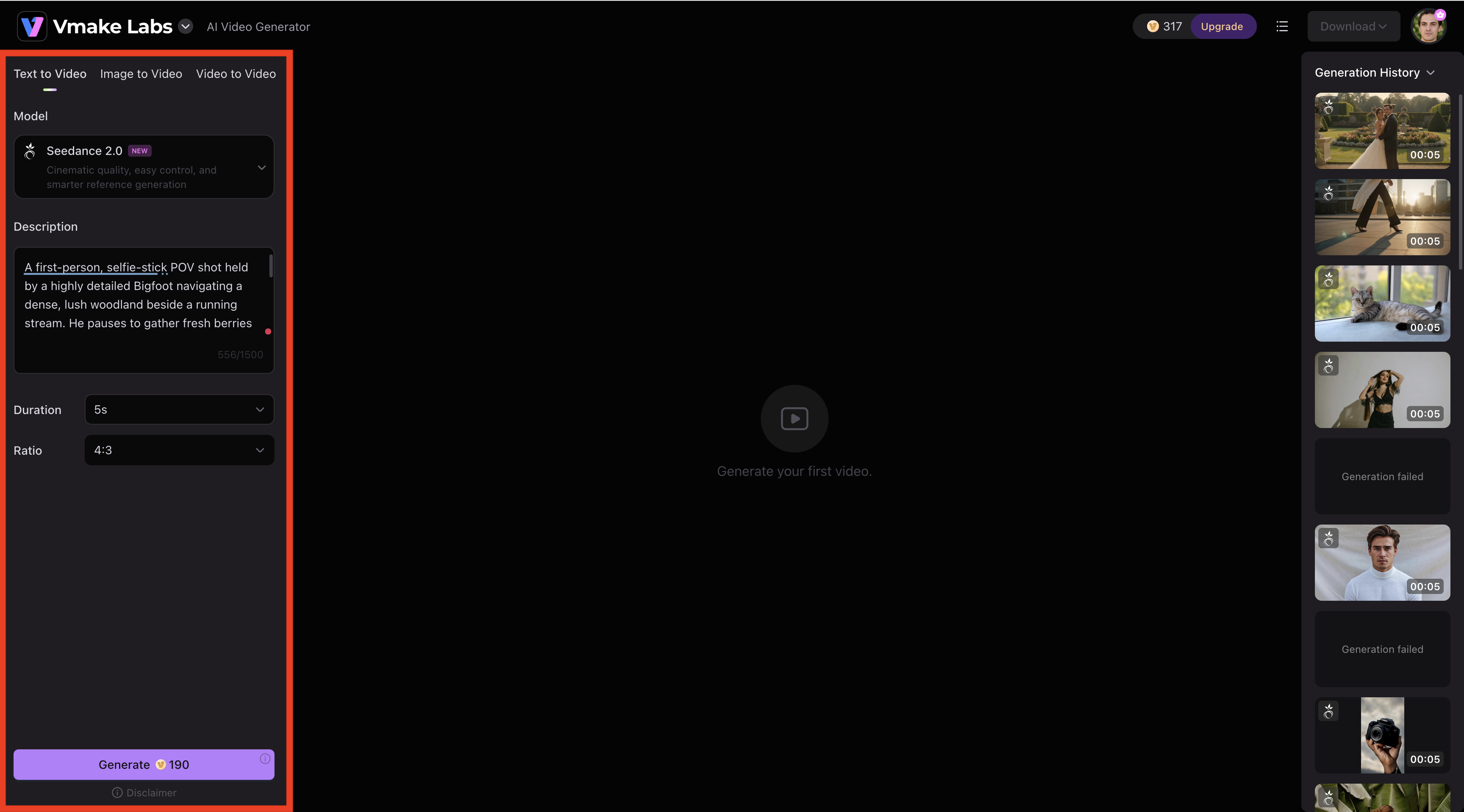
Step 2: Choose a Model and Enter your Bigfoot prompt
Select your preferred AI video model, such as Seedance 2.0, then choose whether you want to create a video from text or use an image-to-video workflow. Enter a detailed Bigfoot prompt describing the character, actions, environment, camera perspective, and mood. Once your prompt is ready, customize settings such as video duration and aspect ratio to match your platform.
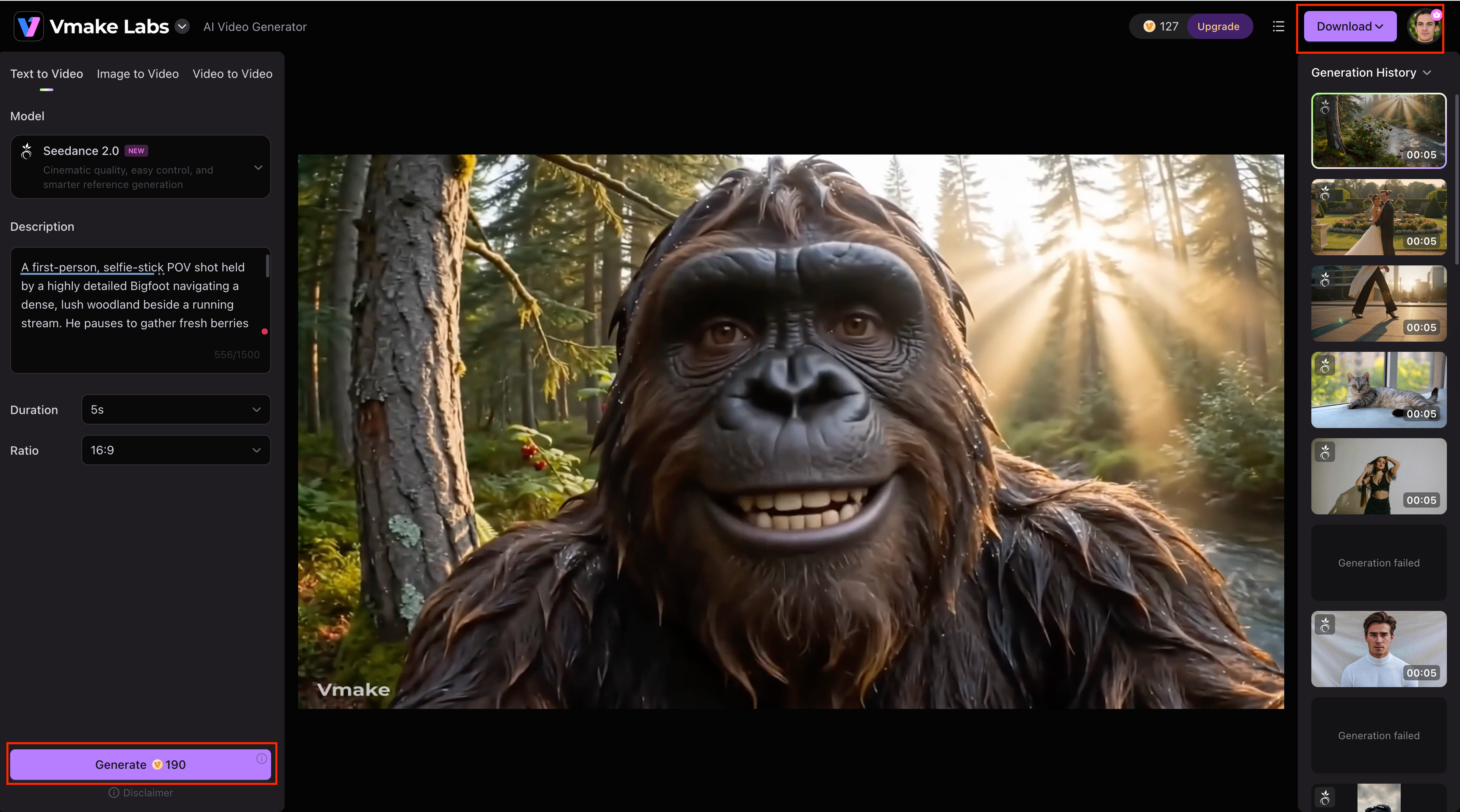
Step 3: Preview, Generate, and Download
Click the Generate button and let Vmake AI create your video. After rendering is complete, preview the output and check that the character, motion, and overall scene look the way you imagined. If needed, make small prompt adjustments and regenerate. Once you're satisfied, download the finished video, enhance it with a video enhancer if needed, and share your Bigfoot adventure on social media.
Why Vmake Works Well for Bigfoot Content
-
Consistent Character Generation and Natural Motion: A recurring Bigfoot character works best when viewers recognize him instantly. Vmake AI helps maintain a similar appearance across different videos while supporting natural movement for forest walks, hiking trails, and selfie-style storytelling. This helps videos feel more connected, realistic, and engaging.
-
Flexible Storytelling and Fast Content Creation: Some creators prefer wilderness adventures, while others lean into comedy. Flexible prompts make it easier to shape the tone, style, and personality of each video. Quick video generation also makes it easier to test new ideas and publish content while a trend is still gaining attention.
-
Supports Multiple Styles and Episodic Series: Not every creator wants the same look. Some aim for realistic outdoor footage, while others prefer exaggerated, humorous, or more AI creative ads for Bigfoot. Managing multiple videos becomes much simpler when everything can be created through a workflow that supports recurring characters and ongoing storylines.
Tips for Making More Realistic Bigfoot AI Videos
A convincing Bigfoot video comes down to the little things. Consistent visuals, natural movement, and simple storytelling often make a bigger difference than overly complicated effects or prompts.
-
Keep your Bigfoot character consistent: Re-use your core character descriptions every single time. If he wears a backpack in shot one, he needs it in shot two.
-
Write Detailed Yet Focused Prompts: Don't write a novel. Focus on action, lighting, and camera perspective. "Selfie-shot, golden hour sunlight, picking berries" works better than a massive wall of text.
-
Use Natural Camera Movement and Realistic Motion: Choose parameters that mimic handheld jitter. Perfect, smooth camera pans ruin the illusion of a raw vlog.
-
Add Environmental Details and Storytelling Elements: Mention things like mist rising off a creek, birds scattering, or rain. It builds the atmosphere.
-
Avoid Common AI Video Mistakes: Watch out for floating objects or limbs blending into trees. If a generation looks too broken, don't post it, just regenerate.
Creative Bigfoot AI Video Ideas to Try
If you're looking for ideas for your next Bigfoot AI video, try the prompts below. They cover different scenarios, from outdoor adventures and everyday activities to funny vlog-style moments that work well on social media.
Outdoor Adventures and Travel Stories
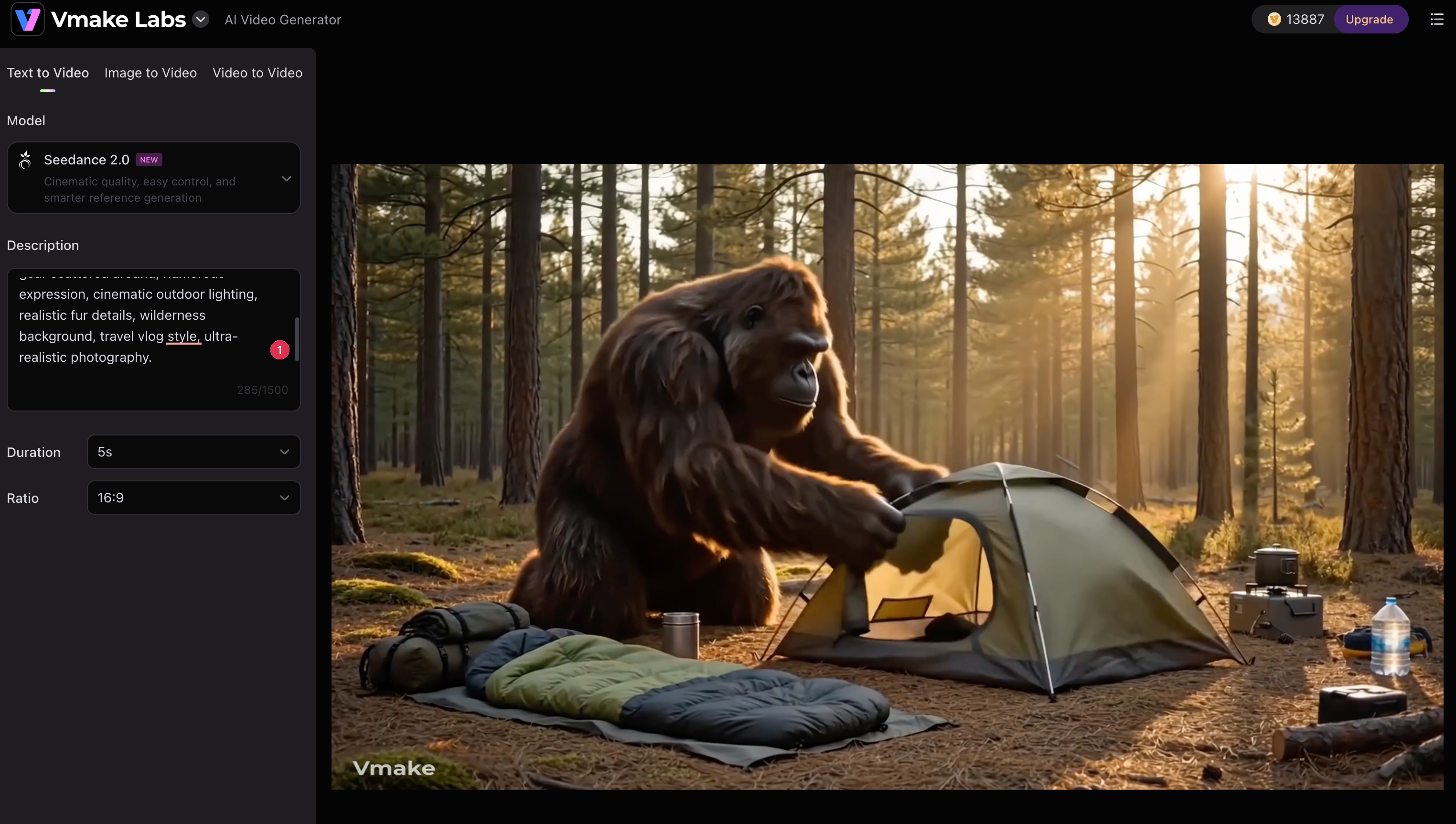
"Highly detailed Bigfoot setting up a camping tent that is far too small for his size in a pine forest campsite, camping gear scattered around, humorous expression, cinematic outdoor lighting, realistic fur details, wilderness background, travel vlog style, ultra-realistic photography."
Grocery Store Adventure
"Ultra-realistic Bigfoot pushing an overloaded shopping cart through a crowded grocery store, comparing cereal boxes, accidentally blocking an entire aisle, confused facial expression, shoppers staring in disbelief, bright supermarket lighting, selfie-vlog perspective, detailed fur texture, humorous everyday situation."
Lifestyle and Comedy Content
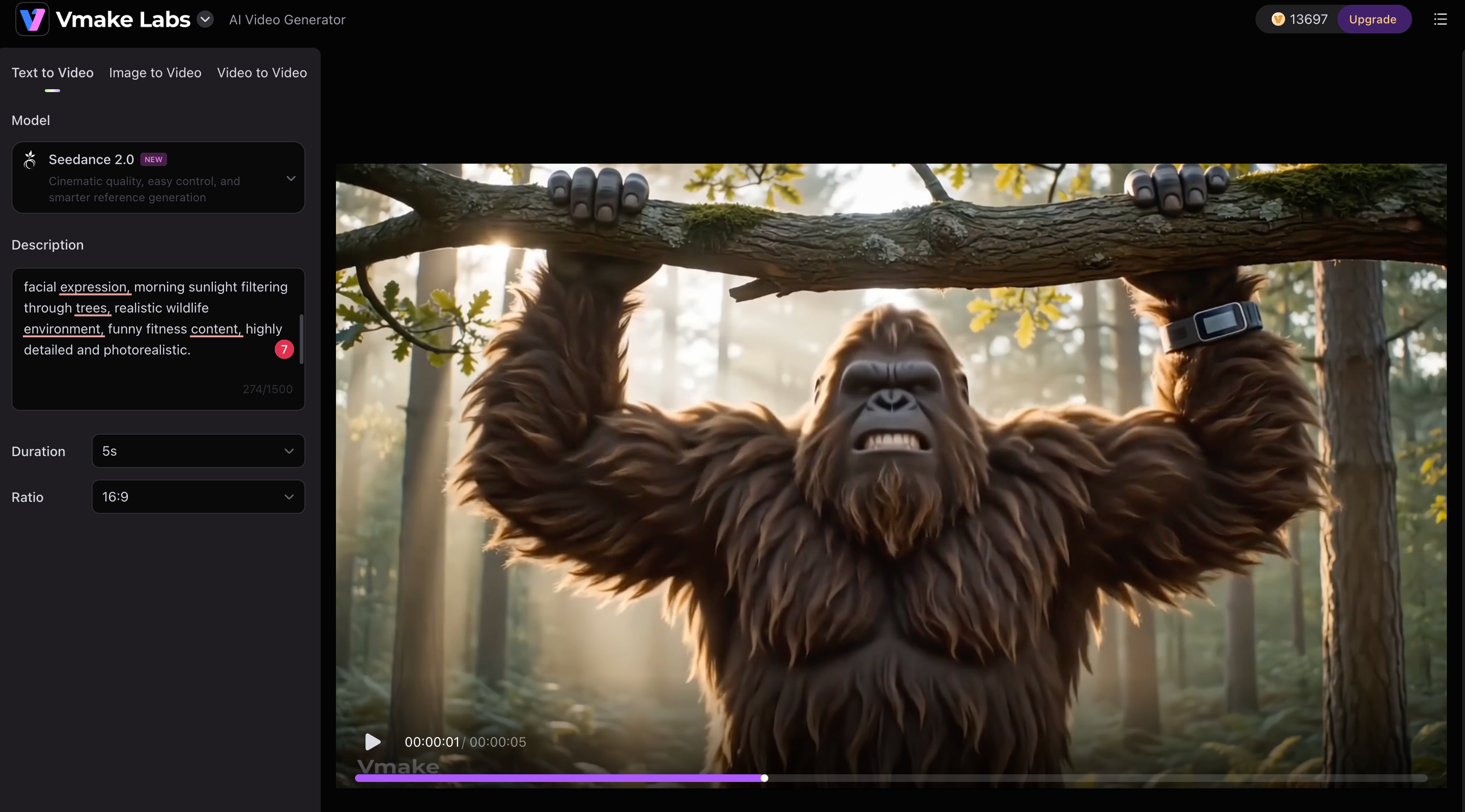
"Bigfoot attempting pull-ups on a thick oak tree branch in the middle of a forest, fitness tracker on his wrist, determined facial expression, morning sunlight filtering through trees, realistic wildlife environment, funny fitness content, highly detailed and photorealistic."
Bigfoot Road Trip Breakdown
"Selfie-style Bigfoot standing beside an old camper van on a remote mountain road, pretending to fix an engine while reading the manual upside down, scenic forest backdrop, golden-hour lighting, funny travel vlog atmosphere, realistic character details, cinematic outdoor photography."
Survival and Everyday Moments
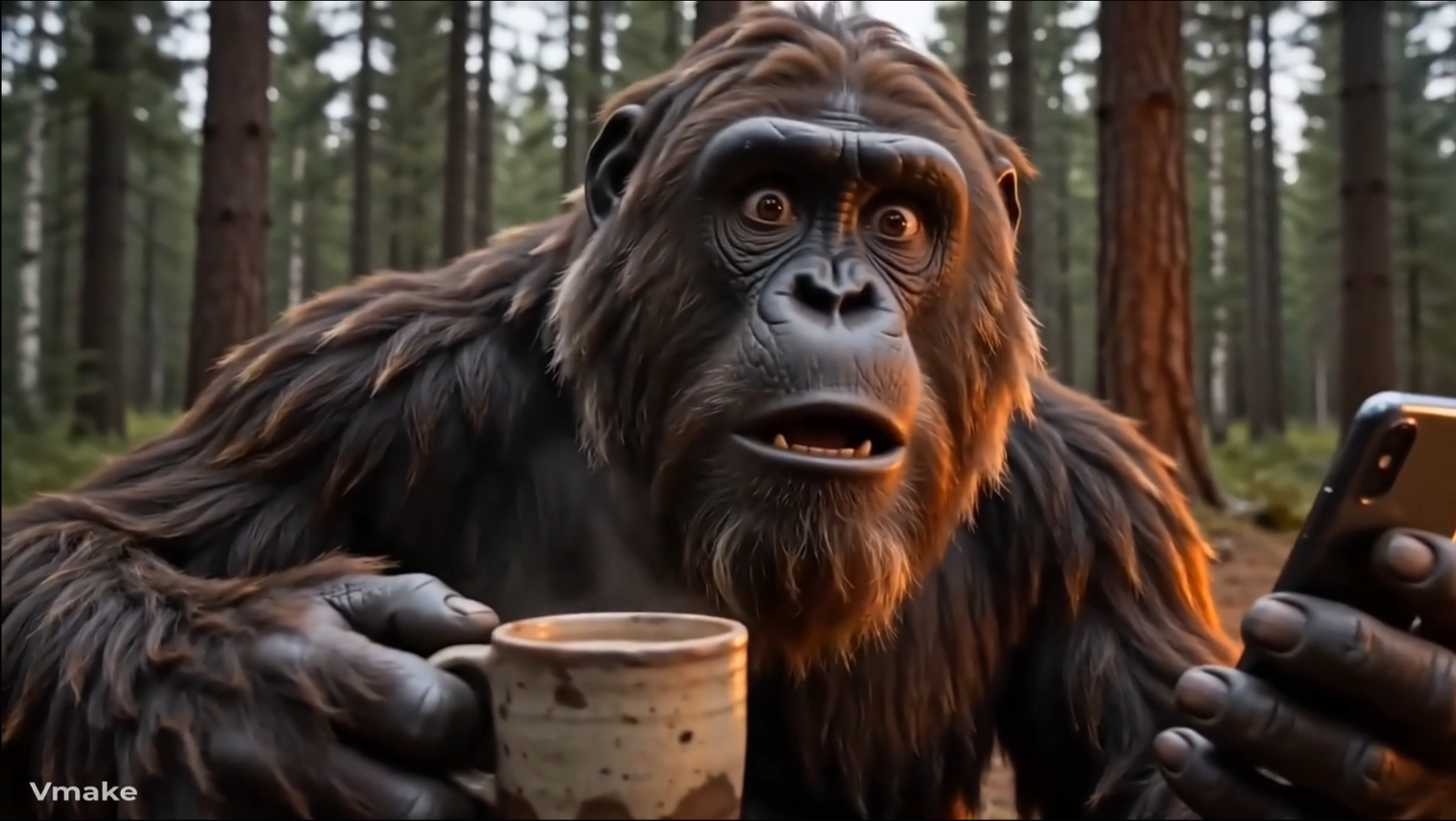
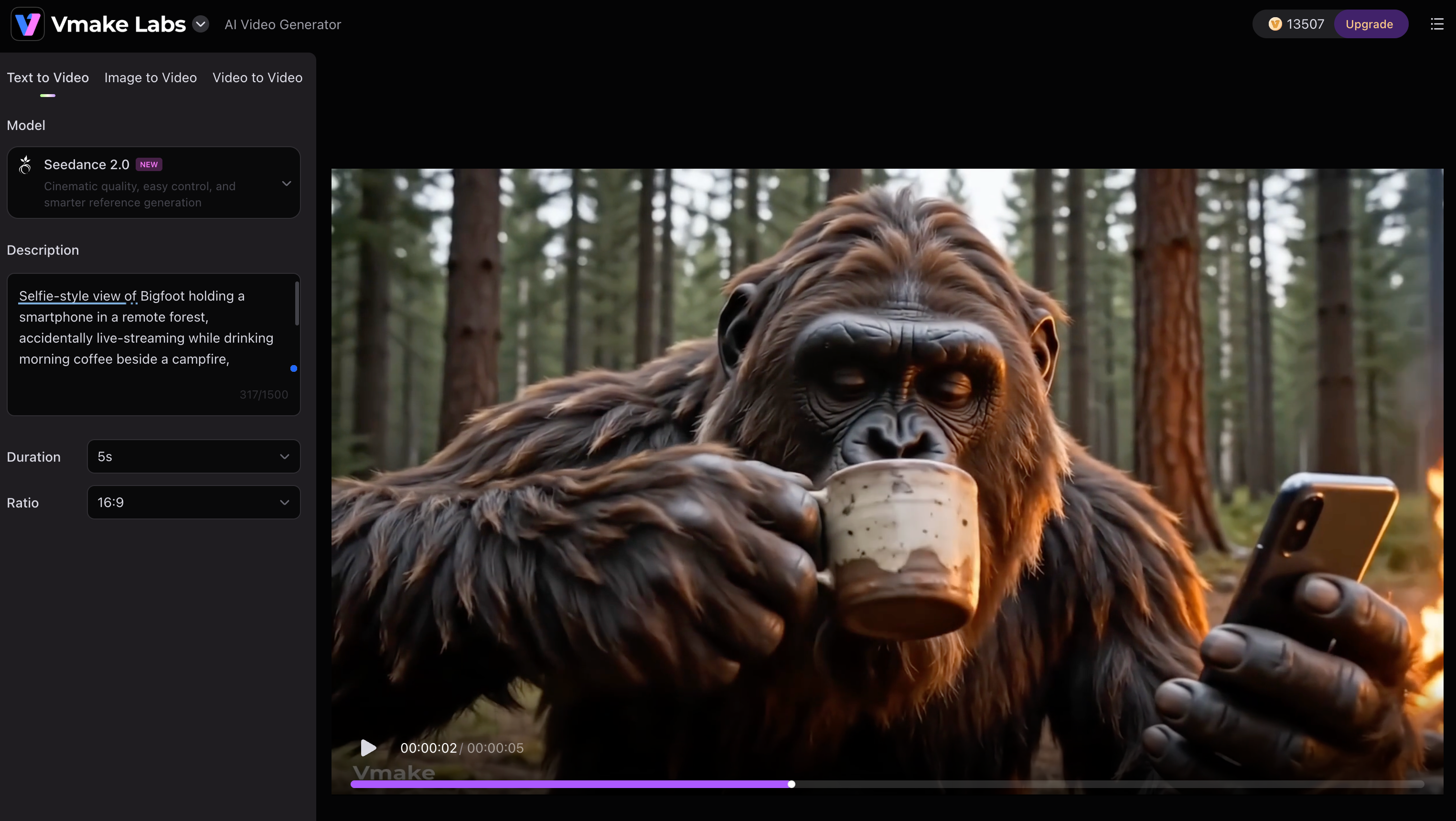
"Selfie-style view of Bigfoot holding a smartphone in a remote forest, accidentally live-streaming while drinking morning coffee beside a campfire, surprised expression, rustic wilderness setting, realistic lighting, social media vlog aesthetic, ultra-realistic Bigfoot character, detailed fur and natural environment."
Conclusion
Bigfoot AI videos started as a niche internet joke but have grown into a highly engaging content format. From camping vlogs and fitness challenges to cooking shows and travel diaries, creators continue finding new ways to use the character. The videos that perform best usually rely on consistent character design, clear storytelling, and detailed prompts. While AI can still produce occasional visual glitches, technology continues to improve. If you're ready to create your own Bigfoot adventures, Vmake AI makes it easy to turn simple ideas into entertaining videos that people actually want to watch and share.
FAQs
What tools are used to create Bigfoot AI videos?
You're basically looking at a stack of AI video generators, a voice cloning tool, and an editor to slap on captions. The fewer apps you bounce between, the less of a headache it is. That's why a lot of creators just handle the entire visual generation side directly inside Vmake AI.
Can I make Bigfoot AI videos for free?
You absolutely can. Almost every platform gives you a handful of free trial credits to mess around with before you hit a paywall. You will eventually run into export limits, but you can easily test out your concepts and generate your first few clips using the free tiers in Vmake AI.
How do I keep my Bigfoot character consistent across videos?
Stop changing your base prompts. If he wears a faded red flannel in video one, paste that exact same phrase into video two. Keep a master prompt saved on your phone. To actually get the engine to hold onto those facial features across multiple shots, manage your generations through Vmake AI.
Which platform is best for posting Bigfoot AI videos?
TikTok and Instagram Reels. Full stop. The algorithm on both feeds practically mainlines this kind of weird, fast-paced character comedy. YouTube Shorts is fine for archiving, but for that initial viral spike, you want to output everything in vertical 9:16 straight from Vmake AI.
Can Vmake AI create Bigfoot AI videos from text prompts?
Yeah, that's the entire workflow. You literally just type out "Selfie view of Bigfoot aggressively eating a hotdog in the woods" and the engine does the rest. It's the absolute fastest way to spin up weird, highly specific character situations using Vmake AI.

You May Be Interested

AI TikTok Video Generator | Create High-Quality AI Videos

Best AI Video Generator: Top Tools Tested (2026)

11 Best Image to Video AI Generators Compared in 2026

Funny Video Memes: Best Clips, Short Reels & Meme Compilations

Best AI Animation Generators for Creating Images and Videos