How to Make a Reel on Instagram: The Complete Beginner's Guide
 Ken DawsonMay 29, 2026
Ignoring short videos isn't an option if you want to grow an audience today. Understanding how to make a reel is the only reliable way to maintain your reach. We are going to break down the actual editing steps, tools you really need, and specific posting strategies that pull in traffic.
What Is an Instagram Reel & What You Need to Get Started
The Mechanics of the Format
Instagram Reels are algorithmic, 90-second vertical videos built for rapid consumption. Production-wise, audio fidelity matters more than a cinematic lens. Viewers tolerate slight visual compression but immediately swipe away from poor acoustics.
For growth, you must respect the strategic content hierarchy: Stories maintain retention, static posts establish brand aesthetics, and Reels drive raw acquisition. Confusing these distinct roles invariably leads to stagnant analytics. Keep their functions clear to maximize reach.
Native Application Limitations
Avoid recording directly within the Instagram app. The native interface applies aggressive compression if your cellular connection fluctuates during upload. For high-converting UGC videos, capture raw files locally to maintain strict timeline control and bypass mobile production ceilings.
How to Make a Reel on Instagram: Step by Step
The native user interface frequently obscures essential editing functions behind counterintuitive menus. You must execute your production steps in a rigid sequence. Deviating from this order often results in the application crashing and deleting your un-saved draft. It is a highly frustrating reality of mobile software.
Step 1: Open the Reels Camera
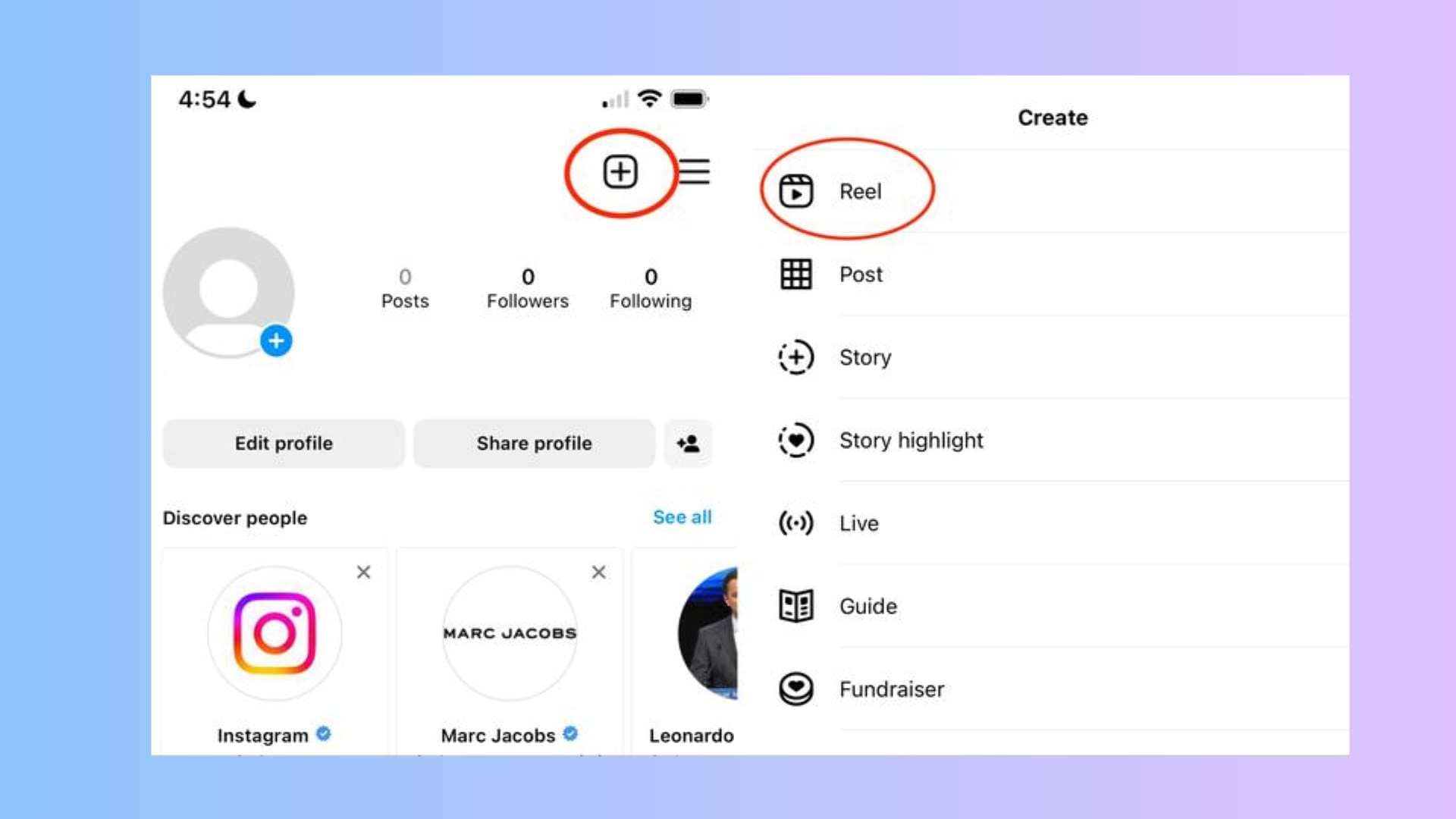
Tap the plus icon located on your primary feed screen. Select the specific vertical video option from the bottom sliding menu. Do not accidentally open the story or live broadcast modules.
Step 2: Record or Upload Your Video Clips
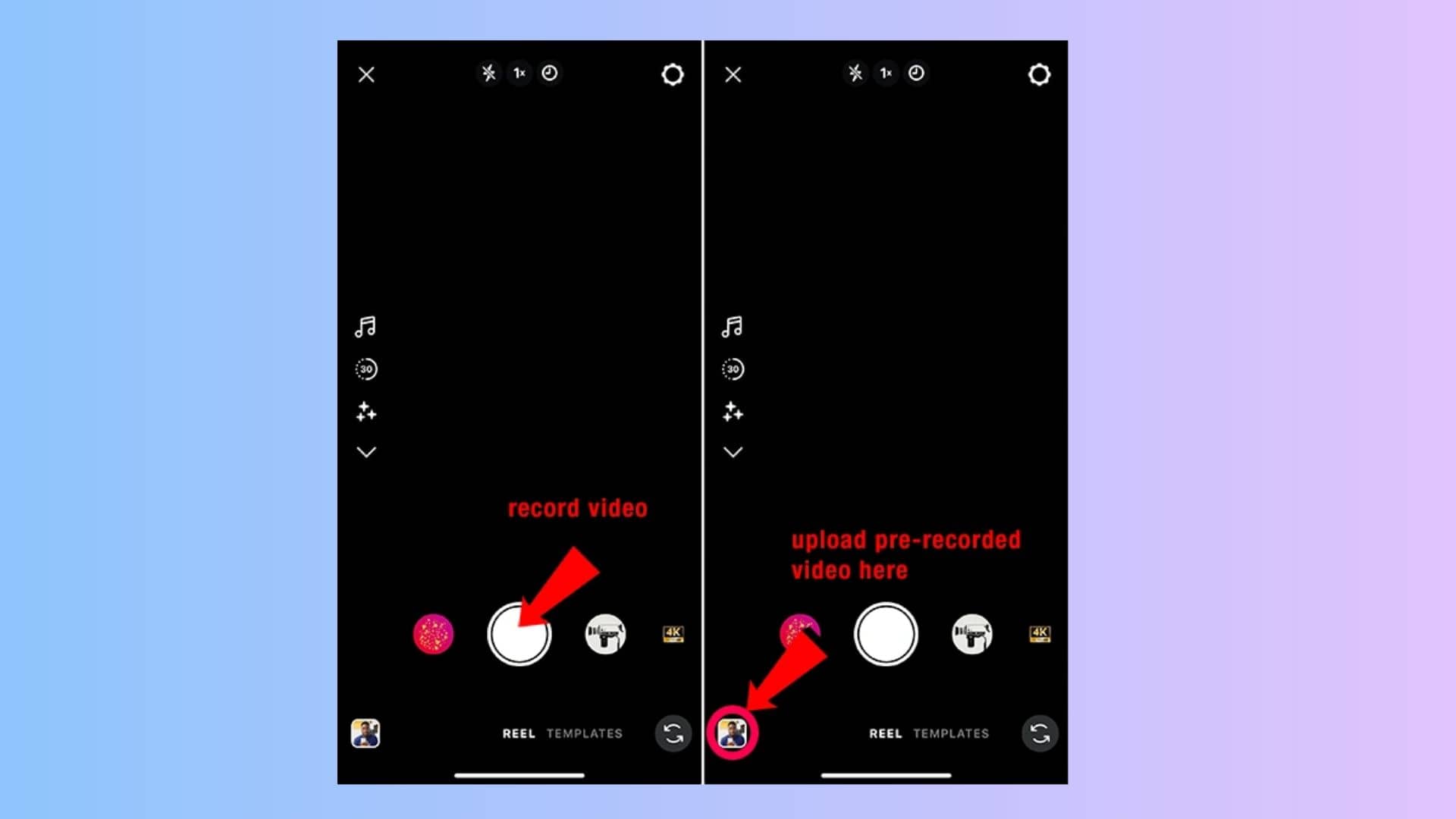
Swipe up to expose your local device storage. Select your targeted media files. Ensure your assets match the mandatory vertical aspect ratio before insertion. Attempting to upload widescreen footage forces the app to crop your video unpredictably.
Pro tip: You can use Vmake, Canva, or other AI tools to generate video clips and upload them directly. Bypassing physical cameras saves hours of tedious production time.
Step 3: Add Music or Audio
Hit the musical note icon at the top of the interface. Search the database for trending tracks. Adjust the dual volume sliders very carefully. Keep the background track incredibly low to prioritize your primary spoken voiceover.
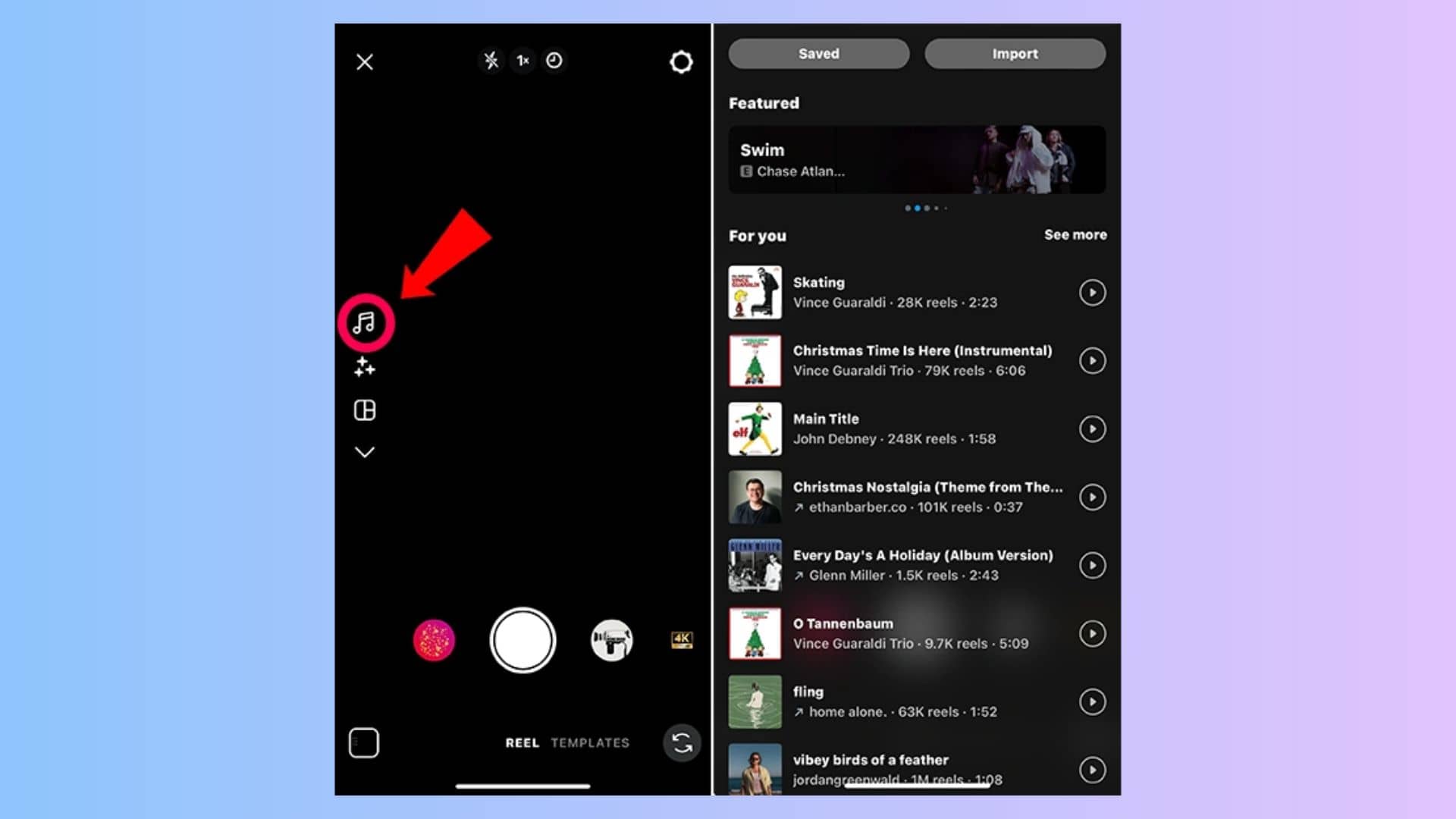
Step 4: Edit, Add Text & Effects
Tap the text icon to place readable fonts directly onto the frame. Apply native visual filters from the bottom carousel. The native application editor frequently lags if you stack multiple graphical overlays. Be patient with the rendering delay.
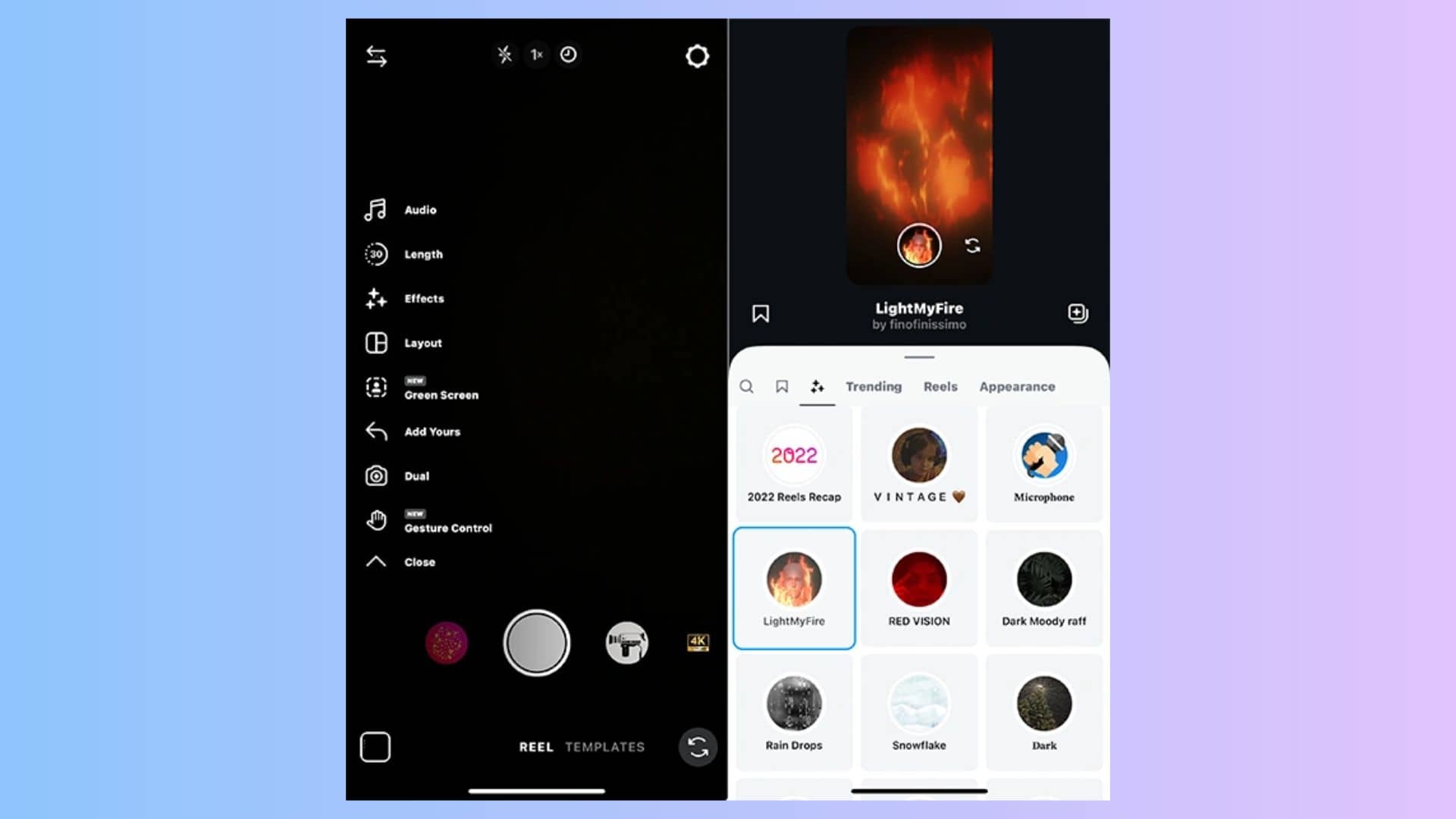
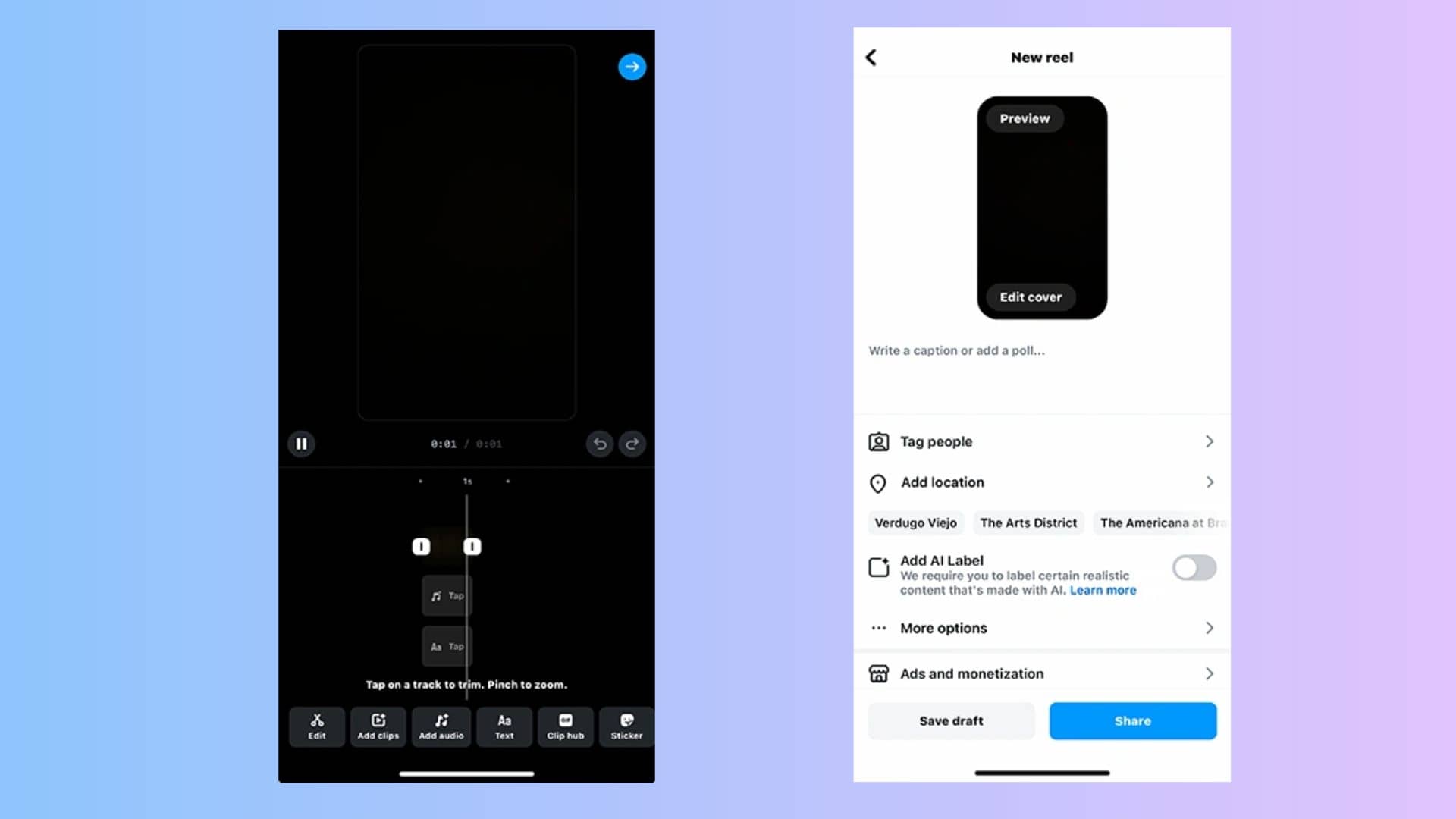
Step 5: Write Caption, Add Hashtags & Publish
Keep your textual description punchy and value-driven. Insert your selected tags. Proper tagging forces the search algorithm to index your media correctly.
Tap the preview thumbnail to select a clear, engaging frame. Confirm the toggles to Share to Feed and the dedicated Reels tab. Cross-post to Facebook to maximize algorithmic distribution. Finally, press publish. Stay on the screen until the progress bar disappears completely to prevent file corruption.
Best Apps & Tools to Make Instagram Reels
Executing complex visual cuts on a small mobile device degrades accuracy over time. Professional media buyers and creators rely on dedicated external software environments to construct their instagram reels video campaigns. These third-party platforms manage heavy computational processing:
|
Tool |
Best For |
Pros |
Cons |
Availability |
Starting Price |
|---|---|---|---|---|---|
|
Instagram (native) |
Quick in-app recording & editing |
Free, native algorithm boost, built-in trending audio |
Glitchy editor, limited video editing tools |
Web, iOS, Android |
Free |
|
Vmake AI |
AI-generated Reels from text/image (0 skills) |
Zero learning cost, high-quality 4K AI generation, very fast |
Requires internet connection for cloud rendering |
Web, iOS, Android |
Free to try |
|
Canva |
Graphic-heavy Reels with templates |
Huge template library, easy drag-and-drop interface |
Timeline editing can feel clunky for complex videos |
Web, iOS, Android, Desktop |
Free (Pro: $18.00/month) |
|
CapCut |
Advanced editing & transitions |
Pro-level editing, auto-captions, trending templates |
Steep learning curve for advanced features |
iOS, Android, Desktop, Web |
Free (Pro: $19.99/month) |
|
Reel Maker |
Beginner-friendly compilation Reels |
Easy UI, fast audio syncing, good starter templates |
iOS only, watermarks on free version, paywalls |
iOS only |
Free (In-app purchases) |
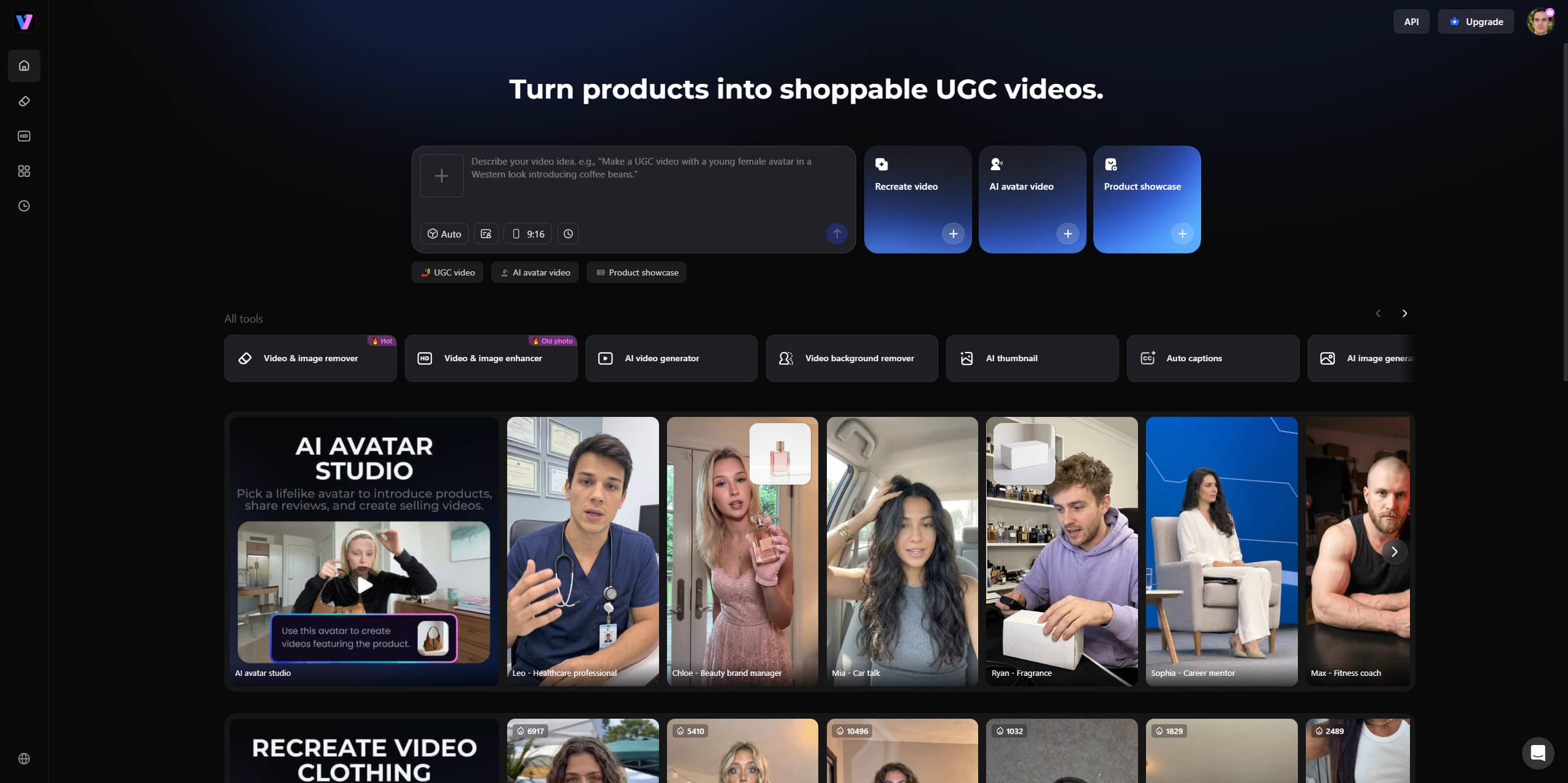
Vmake AI
Building assets manually requires intense technical overhead. Vmake AI eliminates this barrier by utilizing generative models to render high-fidelity media. Creators bypass the physical filming phase completely. You type a prompt. The engine hands you broadcast-ready footage. This platform proves essential for scaling commercial output without inflating your hardware budget.
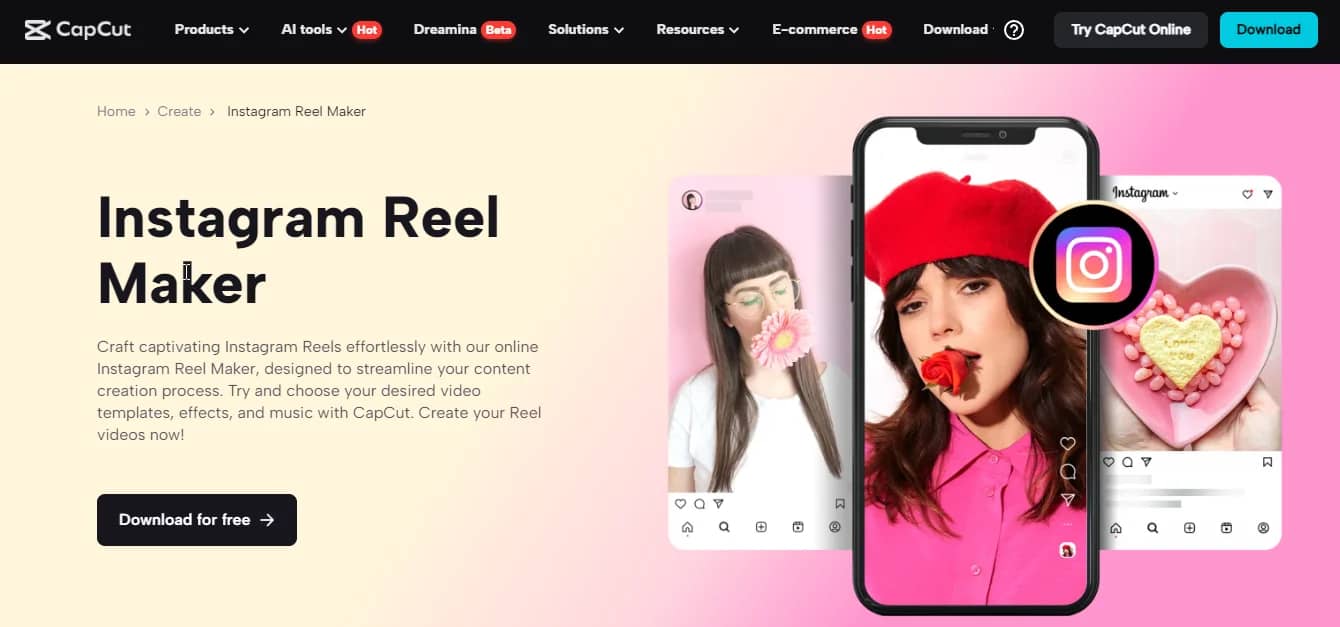
CapCut
This software remains the absolute standard for granular mobile editing. It provides exact keyframe manipulation. The application houses a massive library of trending visual transitions. Staring at a tiny touchscreen to chop audio tracks frequently causes physical fatigue, though. Regardless of screen size limitations, it still delivers the most advanced feature set for traditional timeline work.
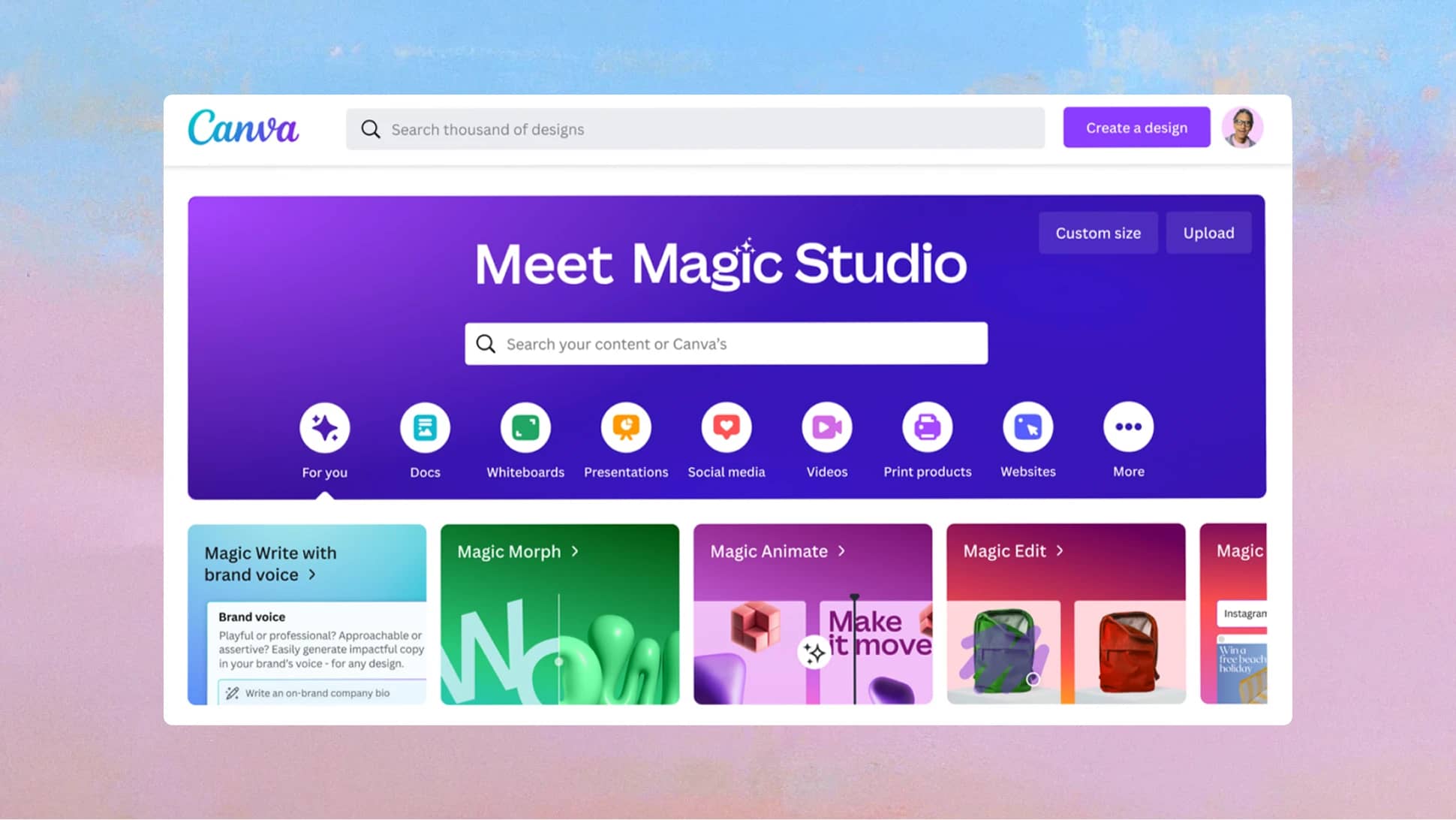
Canva
Visual branding frequently demands graphical templates rather than raw cinematic footage. Canva supplies an incredible ecosystem of typography, stock elements, and corporate design kits. The platform's rendering engine occasionally struggles with slow export times on complex animations. It excels primarily for marketing teams building infographic-style presentations.
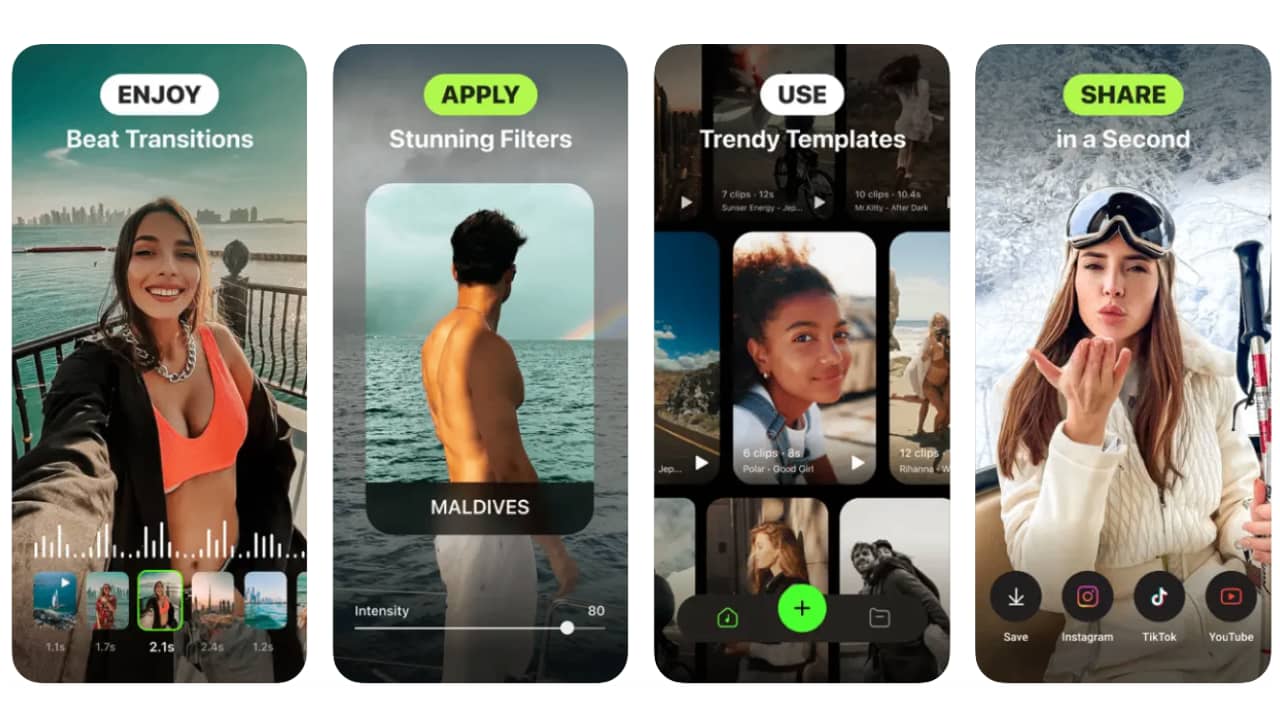
Reel Maker App
Novice operators invariably experience intense frustration when learning manual audio synchronization. This specific application focuses heavily on automating the beat-matching process. The transition libraries remain severely limited compared to professional editing suites. It serves strictly as an entry-level stepping stone. You will eventually graduate to more capable software.
Jump on the Trend: How to Make a Reel with Vmake AI
Lack of physical recording equipment no longer prevents content production. Staring into a camera lens presents a massive psychological barrier for many professionals. Vmake AI constructs high-resolution, broadcast-ready visual assets from standard text inputs. You completely bypass the physical filming phase. The underlying engine calculates all spatial physics and lighting dynamics.
Choose Your Generation Mode
The infrastructure provides distinct operational entry points based on your existing asset library. You must select the correct pipeline to achieve your intended visual output.
|
Processing Mode |
Input Requirement & Workflow |
Expected Output Dynamics |
|---|---|---|
|
Text to Video |
Type a highly specific descriptive prompt detailing the subject, lighting, and camera tracking. |
Get a completely original, rendered video ranging from 2s–15s in duration. |
|
Image to Video |
Upload a static baseline image + input supporting text parameters. |
Access specialized generation modes (Elements / Frames / Effects) to animate the still photo. |
|
Video to Video |
Upload existing, unedited source footage into the engine. |
Transform the raw clip into an entirely new artistic style while maintaining core motion vectors. |
Step-by-Step: Generate a Reel With Vmake
This specific sequence minimizes generation errors and maximizes output efficiency.
Step 1: Select Interface
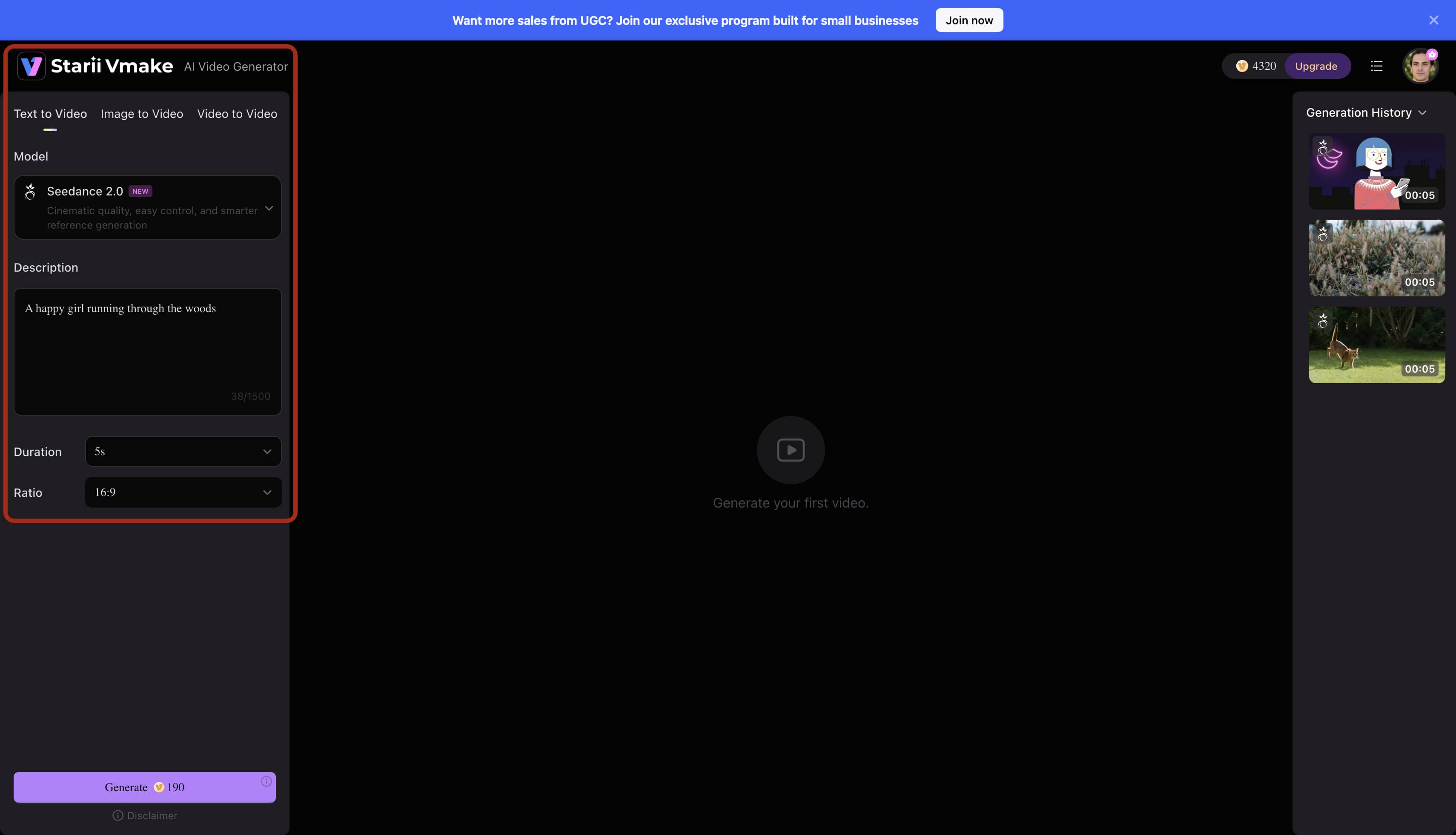
Authenticate into your Vmake AI dashboard. Navigate directly to the central video generation module. Select the Text-to-Video protocol if you are building an asset without any prior source material.
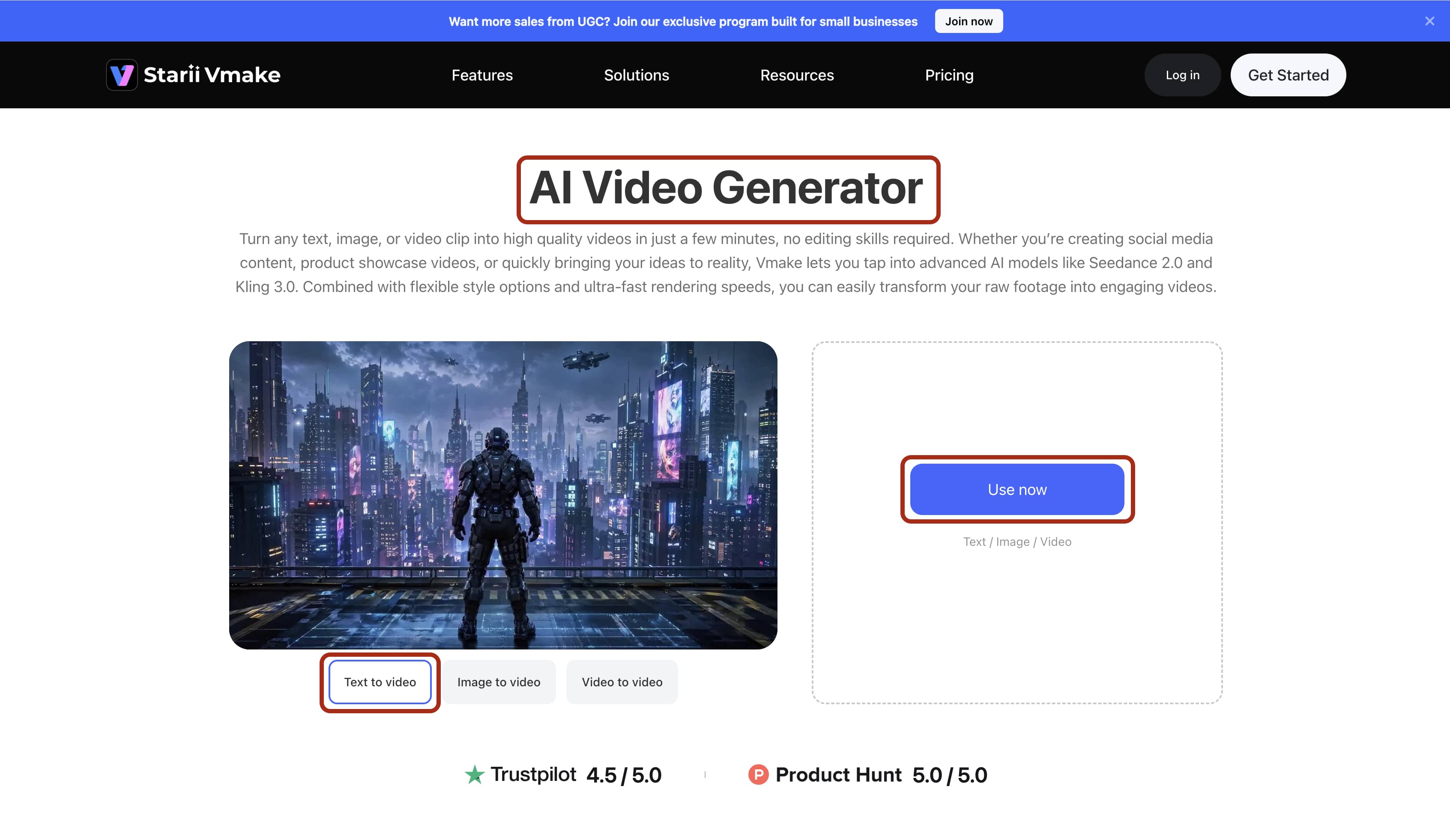
Step 2: Input Parameters
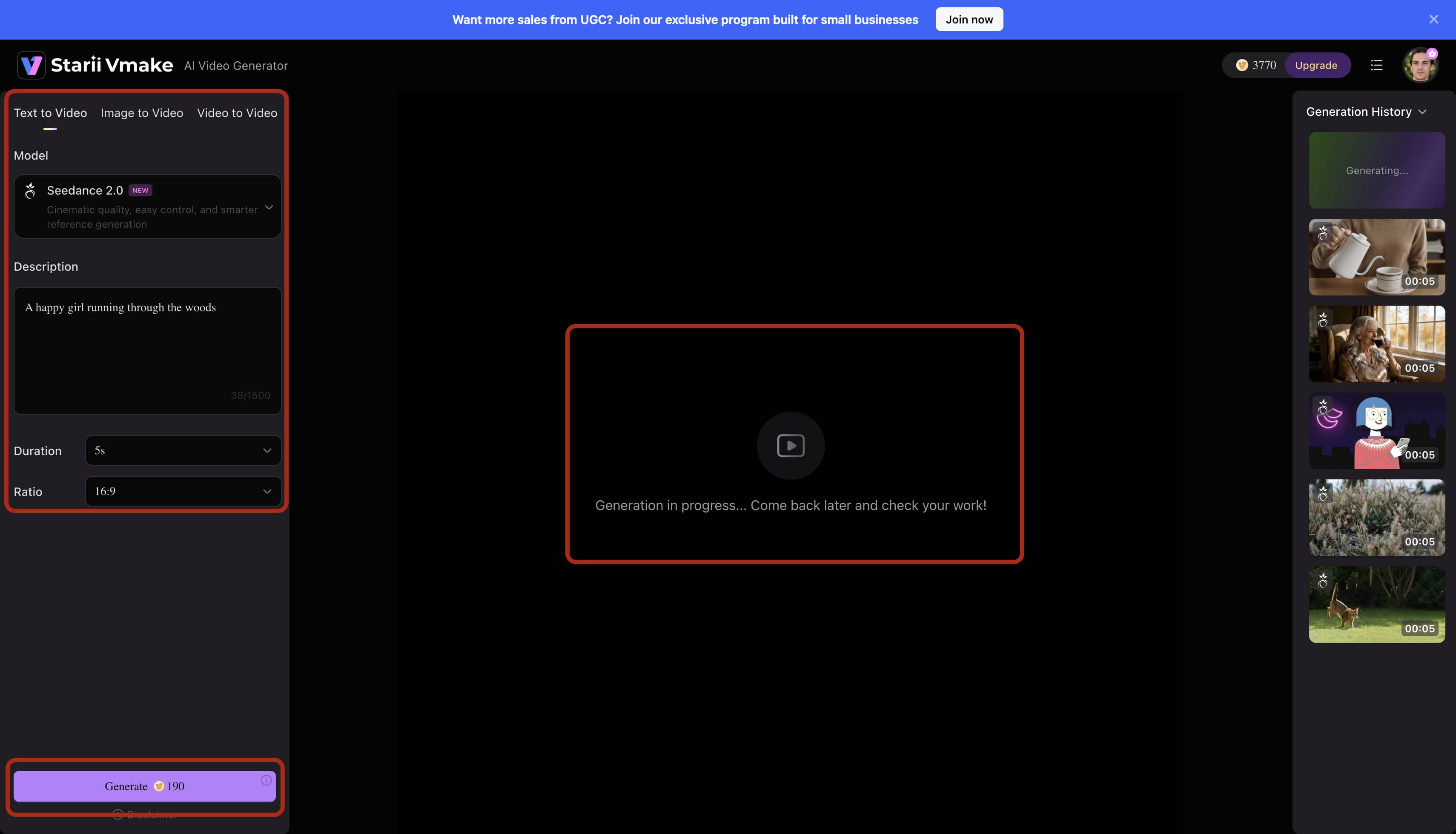
Type your exact scene requirements into the command console. Specify the required focal length, subject positioning, and environmental lighting. Execute the generation command. The server infrastructure requires a brief processing window to render complex spatial data correctly.
Step 3: Refine Output
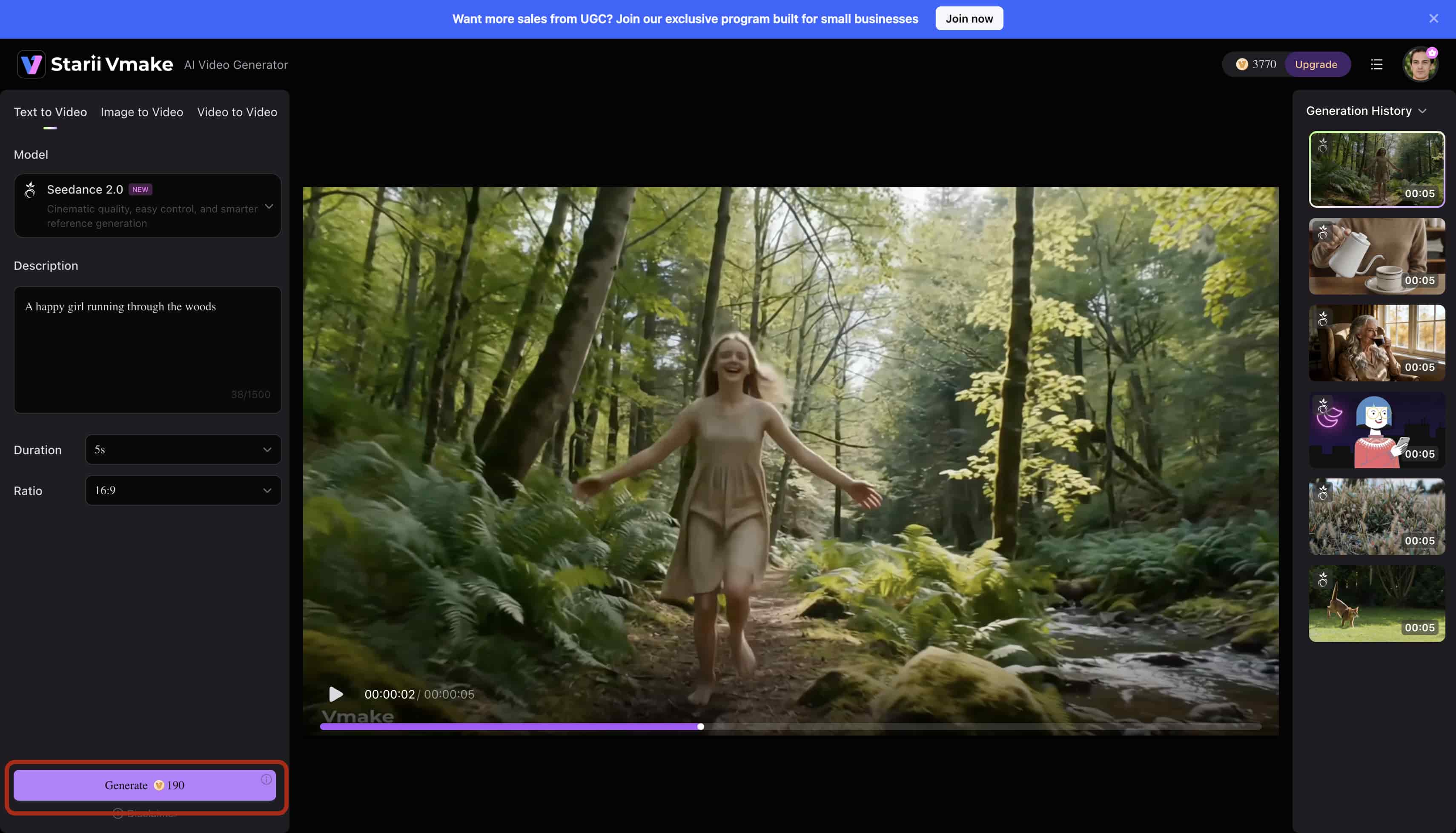
Analyze the generated preview file carefully. If your initial source material contained unwanted corporate branding, utilize the erase reel watermark from instagram utility to digitally reconstruct those pixels. Should the engine hallucinate incorrect typography on a background sign, process the file through the delete text from video function.
Step 4: Export Media
Initiate the download sequence. Ensure the final file maintains the strict 9:16 vertical ratio required for mobile distribution. Distribute to your selected social platforms.
You can realistically scale the production of AI creative ads or standard organic posts utilizing this exact automated methodology.
Bonus tips: How to Make Instagram Reels Viral
Algorithmic virality relies purely on human behavioral metrics. You must understand how to make instagram reels that manipulate viewing habits. The system prioritizes continuous watch time and replay loops above all other engagement markers. Likes and comments are secondary data points.

-
Hook in the First 1–3 Seconds
Consumer attention spans are statistically non-existent. You possess a maximum of three seconds to validate the viewer's time investment. Abandon lengthy, branded introductions entirely.
-
Use Trending Audio & Effects
Audio selection directly influences network distribution. Locate the small upward-pointing arrow adjacent to an audio track title. That specific icon indicates a rapidly accelerating usage trend across the platform.
-
Optimize for Watch Time and Replays
A singular, complete view barely impacts algorithmic scoring. The system actively rewards repeated, seamless loops. Eliminate all static pauses. Implement resources like 2025 top free tools to automatically add captions to your videos to overlay text transcriptions.
-
Best Time to Post Instagram Reels
Initial publication timing affects the momentum of your first algorithmic distribution wave. The data consistently point to three high-traffic windows. Morning hours between 7–9 AM capture transit audiences. The 12–2 PM block targets professional lunch hours. Evening sessions around 7–9 PM hit recreational browsing.
-
Best Hashtags for Instagram Reels
Categorization tags operate as indexing signals. They instruct the machine learning architecture on exact audience routing. Implement a tiered tag structure. Select two broad identifiers, like #reels or #marketing. Integrate medium-density tags such as #reelsofinstagram.
Conclusion
Establishing measurable digital authority requires systematic execution. You now possess the fundamental six-step production architecture. You recognize the psychological necessity of aggressive hooks. You understand how to leverage trending audio indexes to manipulate distribution algorithms.
Manual video editing eventually causes operational fatigue. Managing timeline tracks and sourcing secondary b-roll consumes valuable administrative hours. Vmake AI functions as a strict technical accelerator. It handles tedious pixel rendering and spatial calculations automatically. Initiate your first-generation sequence today.
Frequently Asked Questions
Can I make a Reel without showing my face?
Yes. Faceless content architectures drive significant revenue across multiple niches. You can combine synthetic AI clips, licensed stock media, and screen capture tutorials. Overlay distinct typography and align the visuals with high-traffic audio. Audiences prioritize the transfer of valuable information over the physical appearance of the creator.
What's the best video format for Instagram Reels?
You must format all media in a 9:16 vertical aspect ratio. Uploading standard horizontal video forces the application to generate black framing bars along the top and bottom of the screen. This severely degrades the visual presentation and immediately signals low production value to the viewer. Maintain a strict 1080p resolution standard.
How do I make my Reels go viral fast?
Algorithmic acceleration requires precise audience retention metrics. You must aggressively capture viewer attention within the initial three seconds of playback. Eliminate all dead air and visual hesitations from your timeline. Engineer the video to loop perfectly. Achieving a high completion rate signals the algorithm to distribute the file to a broader network.
Do I need editing skills to use Vmake?
No prior timeline experience is required. Generative AI removes traditional software barriers. You do not need to comprehend manual keyframing, mask tracking, or color grading vectors. The system only requires the operator to input clear, highly descriptive text commands. The computational engine manages all underlying technical processes automatically.
Can I schedule Instagram Reels in advance?
Yes. The native application now includes a built-in scheduling utility located on the final publication screen. This feature stabilizes content distribution pipelines. You can process your media assets in large batches and schedule their release dates accordingly. This eliminates the operational friction of manual daily uploads.

You May Be Interested

Best Instagram Hook Generator Tools in 2025

How Long Can Instagram Stories Be? Engagement Tips