
How to Make AI Baby Videos: Top 3 Tools to Create Funny Baby Videos
 Vmake Labs TeamJune 8, 2026
From hilariously fluid dance clips to "baby podcasts, "AI baby videos are completely dominating FYPs right now. In this article, we'll take you through how to make AI baby videos via top platforms and help you create engaging, shareable content for social media, storytelling, and viral short-form films.
What are baby AI videos?
Baby AI videos are brief animated clips generated by artificial intelligence that turn motionless infant photographs into moving, expressive creatures. These cute baby films can make newborns appear to speak, react, or perform simple actions, with realistic facial movements, emotive expressions, flawless lip-sync, and synchronized voices. Users can submit an image and create animations in seconds, without needing any complex editing skills.
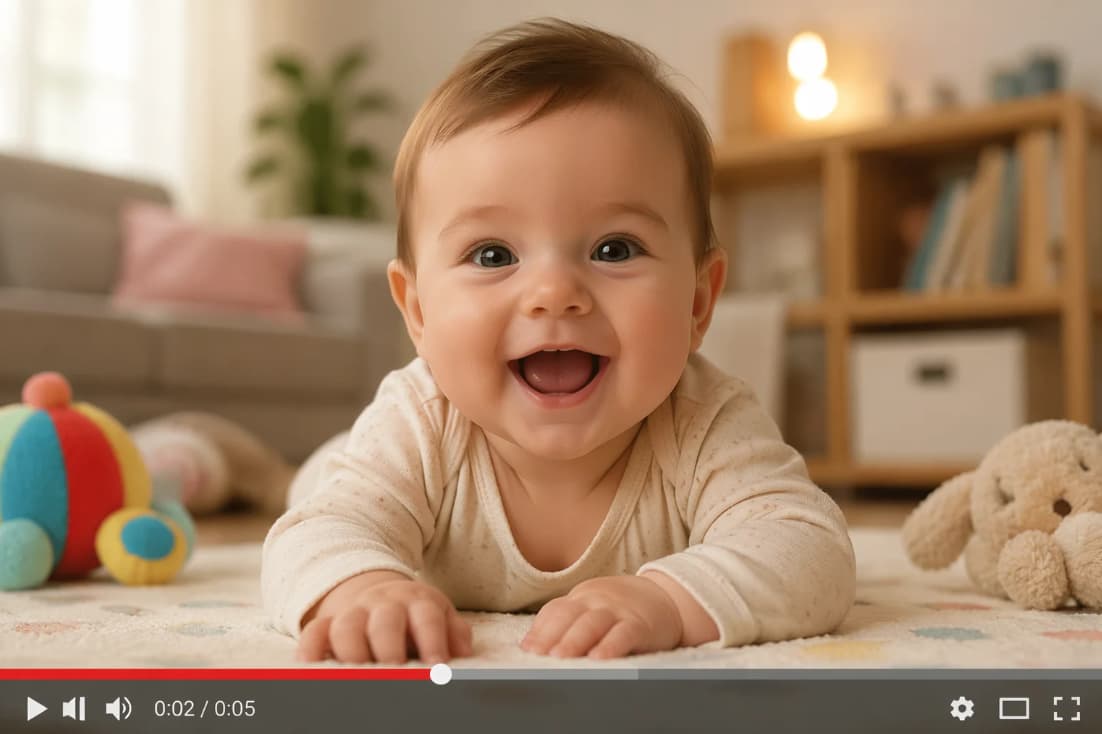
Different types of AI baby videos
-
AI baby talking and lip-sync videos: These movies make newborn pictures look like they’re talking by syncing lip motions to uploaded audio or speech. They are often used for podcasts, dialogue, and storytelling pieces.
-
AI dancing baby animations: They add rhythmic motion effects to still images of babies and convert them into funny dancing characters. They are often used for fun in viral reels and short-form videos.
-
AI baby singing videos and voiceovers: In these videos, AI voice generation is used to overlay singing voices or a narrative on infant visuals. They're known for music cuts, cute performances, and creative storytelling.
-
AI baby meme and funny clips: These films make baby expressions into funny reactions or meme-like stuff. They are shared widely for amusement and participation on social media.
-
AI baby avatar and cartoon-style animations: They allow you to build animated or cartoon-stylized infant characters. These are for branding, narrative, and creative digital avatars.
-
AI baby face swap and transformation videos: These are meant to alter facial features for comedic effect. Popular for experiments, playful edits, and viral clip creation.
How to make a baby video with AI in 3 methods
You can create AI baby videos in a few simple ways, depending on the tool you choose. Most platforms let you upload a photo, add voice or animation, and automatically generate a video. Here are three easy methods using popular AI tools for different types of baby video creation.
Using an AI video generator:
Vmake is a multimodal AI video generator that lets you create high-quality videos from text, photos, or video clips in minutes. It uses a simple process in which users submit their content, set their stylistic choices, and let AI automatically produce a finished film. This online tool is beginner-friendly and quick to use, with no editing skills required. It's the new favorite for generating social media posts, product promotions, memes, narrative, and short-form videos, as it quickly and easily transforms ideas into compelling visual content.
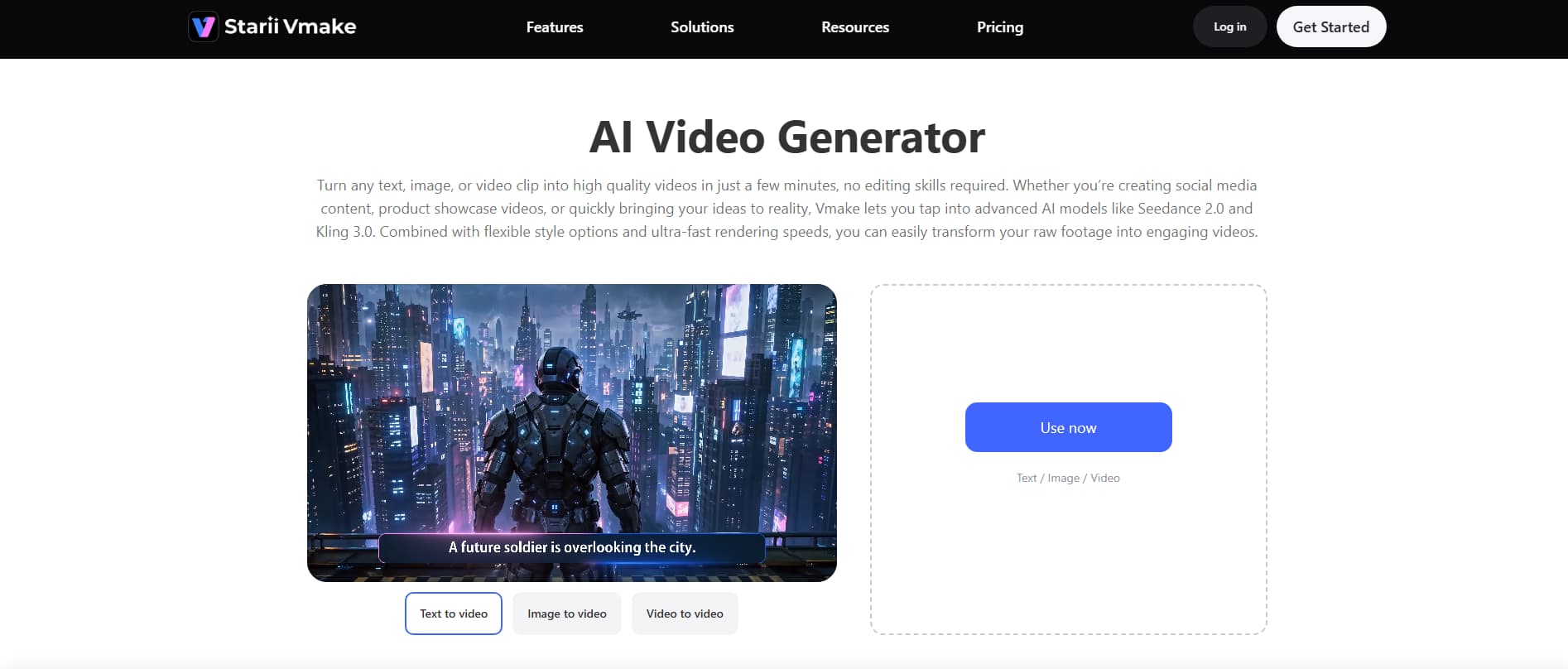
How to use Vmake's AI baby video generator
Step 1: Open the AI video generator
Try AI Video Generator for free now!
Log in to Vmake and go to the dashboard. Click on the ''AI video generator'' from the ''All tools'' menu to enter the primary creation area and begin your project.
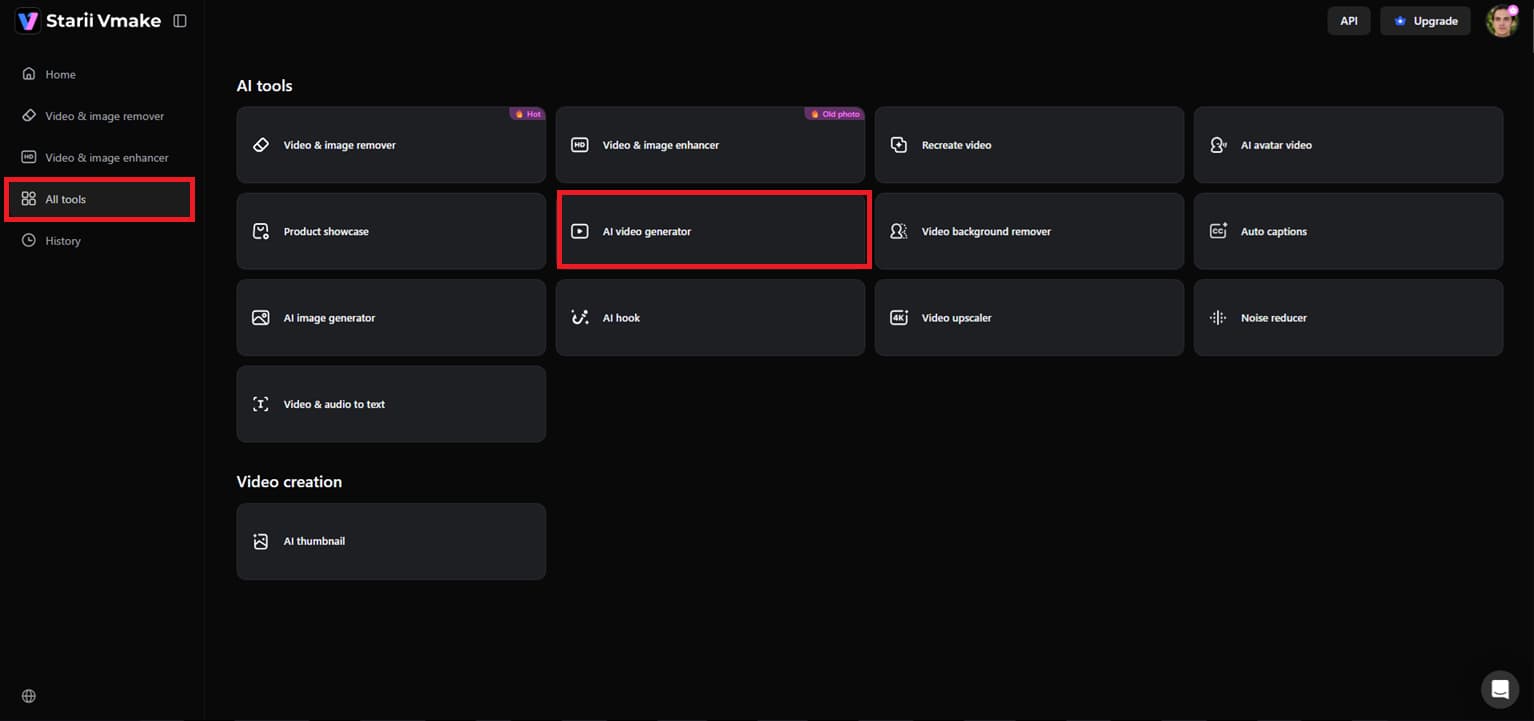
Step 2: Add input and set preferences
Select a generation mode such as text-to-video, image-to-video, or video-to-video. First, select the AI model you wish to utilize for video generation. Next, enter your text prompt, then provide any reference image or video if needed, if you chose the image or video-to-video option. Then set the video duration of 2-15 seconds, aspect ratio, and any other preferences, depending on the model, and click 'Generate'.
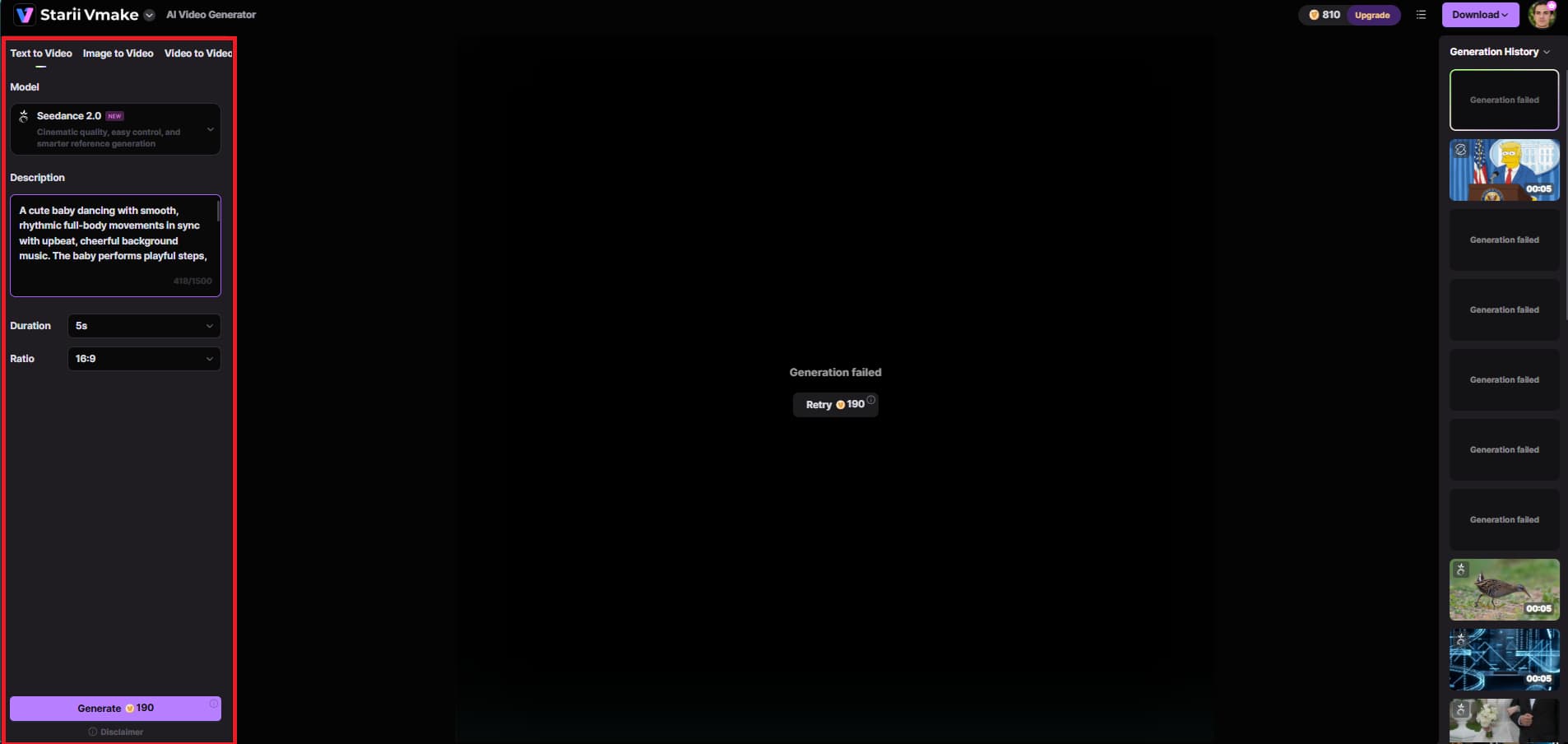
Step 3: Preview and download
Once the video is generated, preview the output and assess the motion, visuals, and overall quality. If you're happy with your video, click ''Download'' to export for social media, marketing, or personal use.
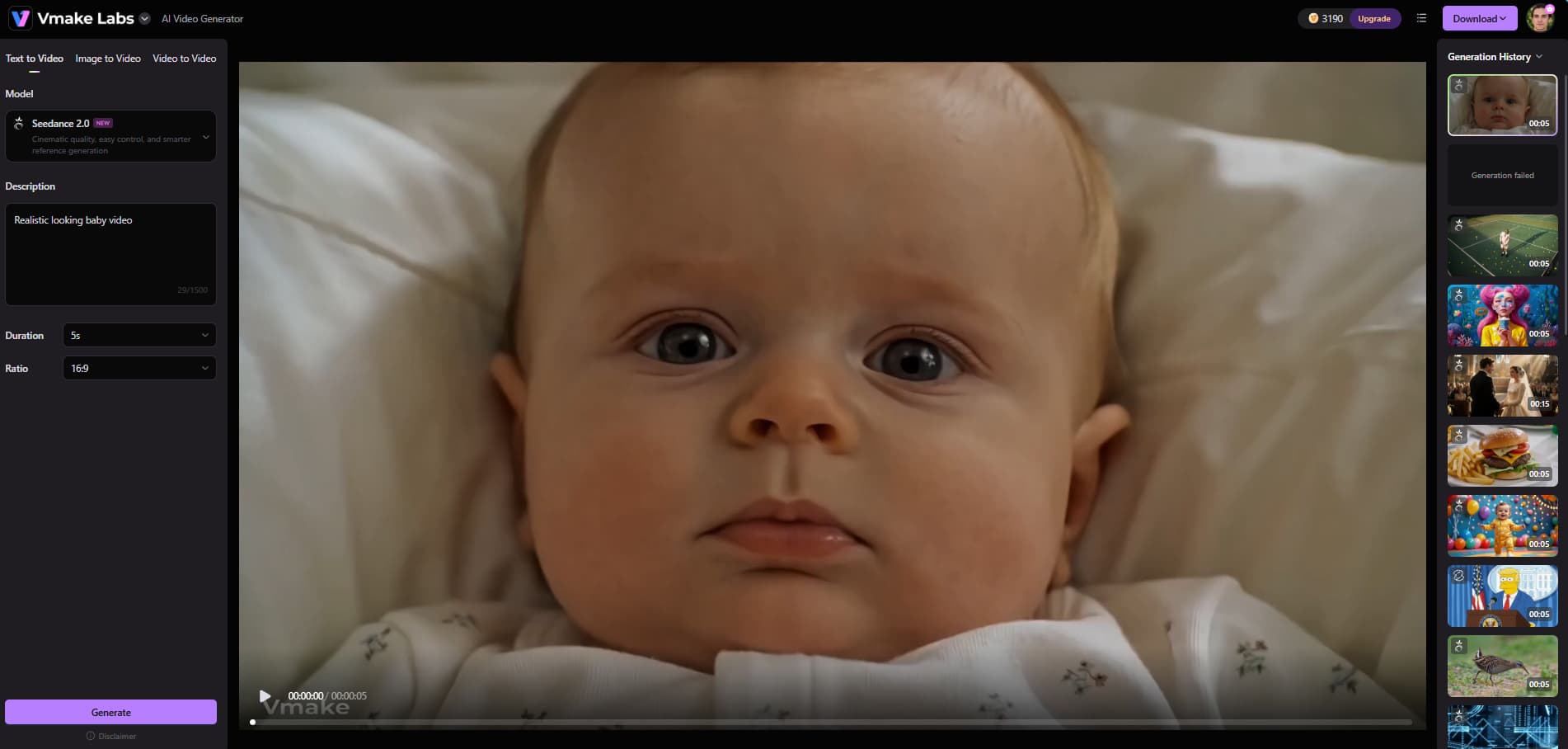
Key features of the Vmake AI video generator tool
-
Multiple video generation modes: Vmake offers users multiple options for generating videos, including text-to-video, image-to-video, multiple image references, start-and end-frame control, and video-to-video generation.
-
Multi-model AI generation system: The platform includes state-of-the-art AI models such as Seedance 2.0, Kling 3.0, Google Veo 3, Sora 2, Vidu Q2, and Wan 2.2.
-
Dynamic motion effects: Vmake creates cinematic motion, realistic animation effects, and seamless transitions in your videos.
-
Unified workflow studio: All creation phases are handled in one integrated workspace from video generation, editing, and final improvement.
-
High customization control: Users can control key parameters such as movie length, aspect ratio, pacing, graphic style, and output quality.
Using an AI animation tool
Create vibrant, expressive talking films from still images of your baby in seconds with Mango AI. Upload a photo and an audio file, and the online tool uses innovative technology to automatically recognize face features, creating smooth, realistic lip-syncing. This is a great tool for beginners, with cute micro-emotions such as winking and head nods.
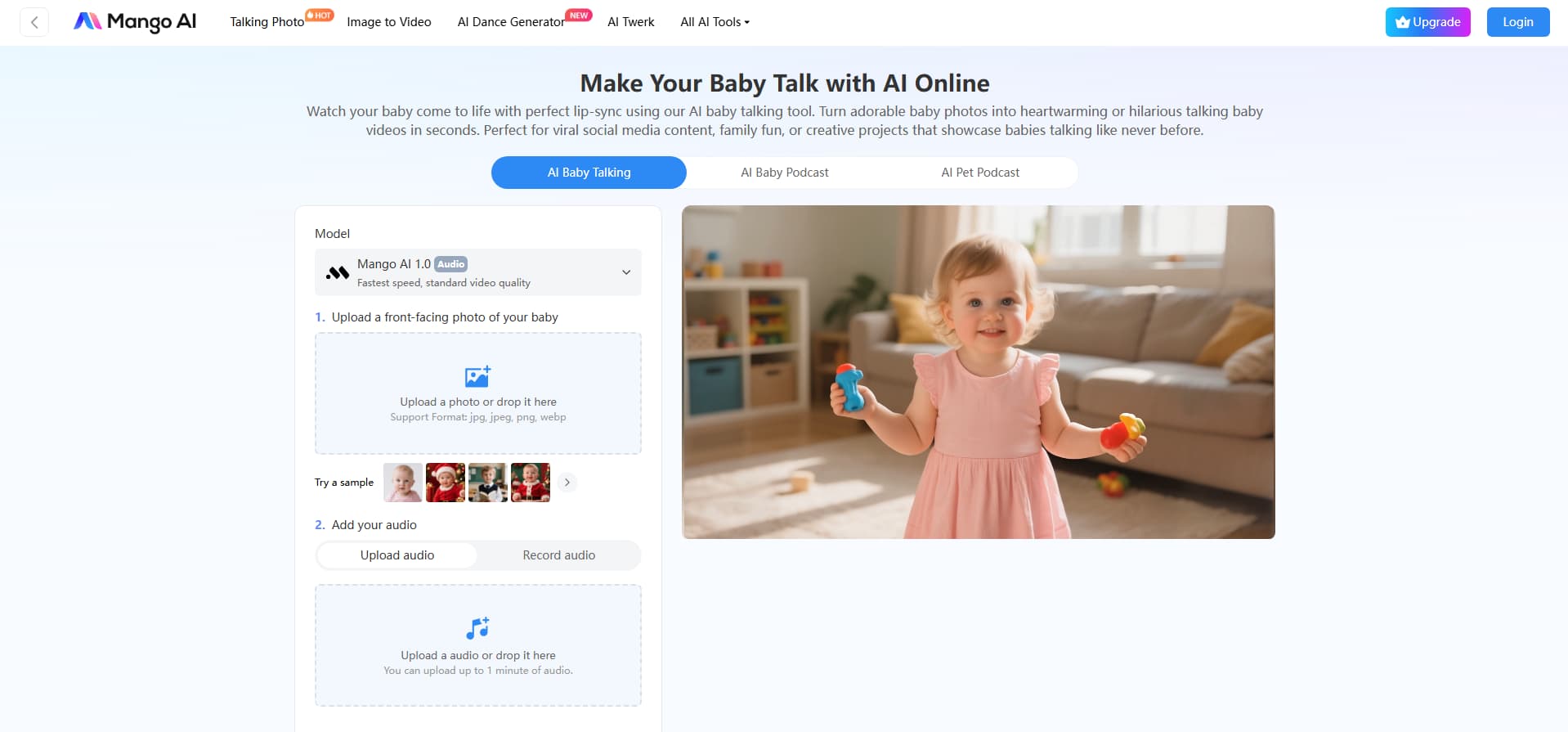
How to use Mango Animate's AI baby talking tool
Step 1: Open the AI Baby Talking tool
Go to the Mango AI homepage and scroll down to find the ''AI Baby Talking'' option. Click on it to enter the baby talking video generator page.
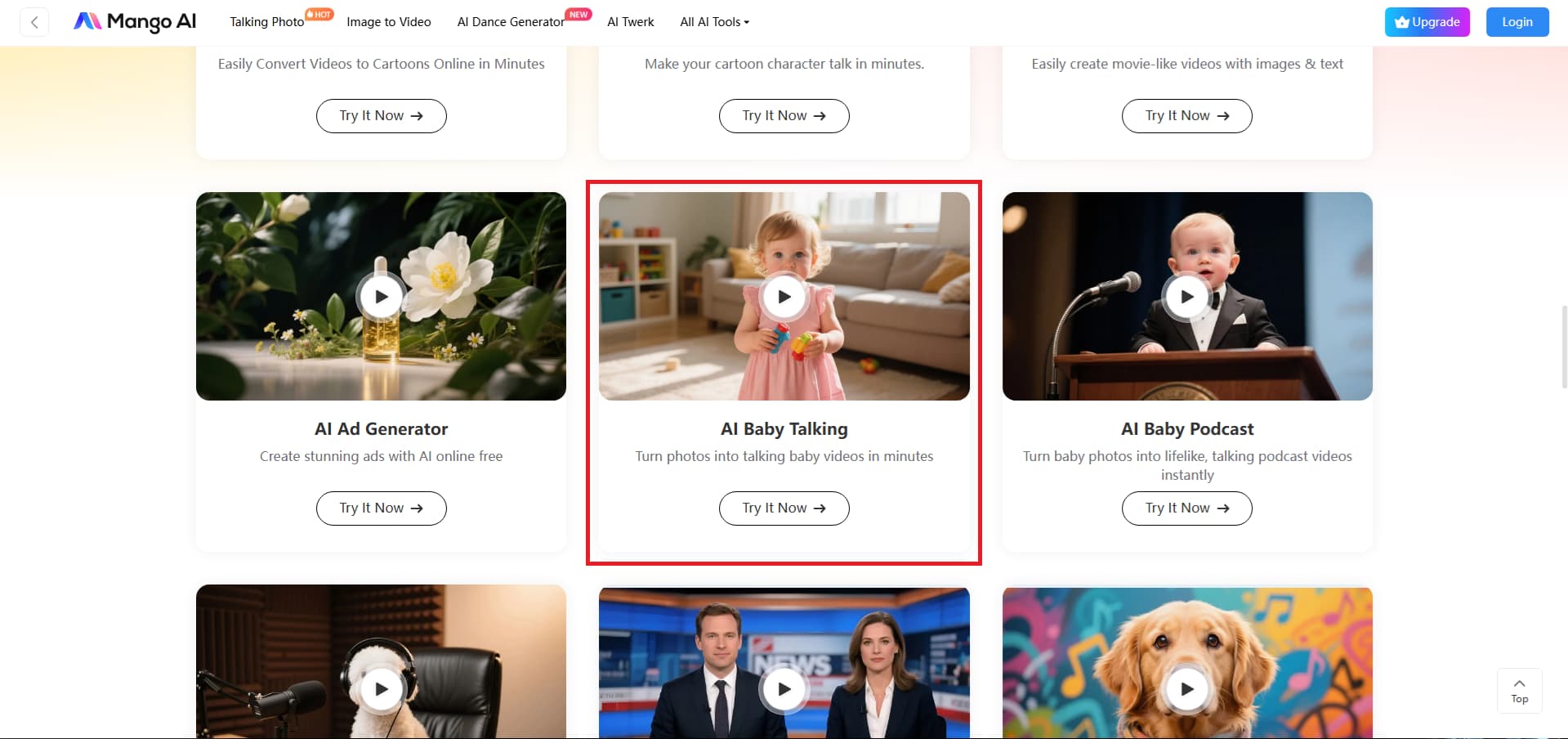
Step 2: Upload media and create a video
Upload your baby image, then add audio by either uploading a pre-recorded audio file or recording your own on the interface. But make sure the uploaded audio is no longer than 1 minute. Once ready, click ''Generate AI Video'' to start processing.
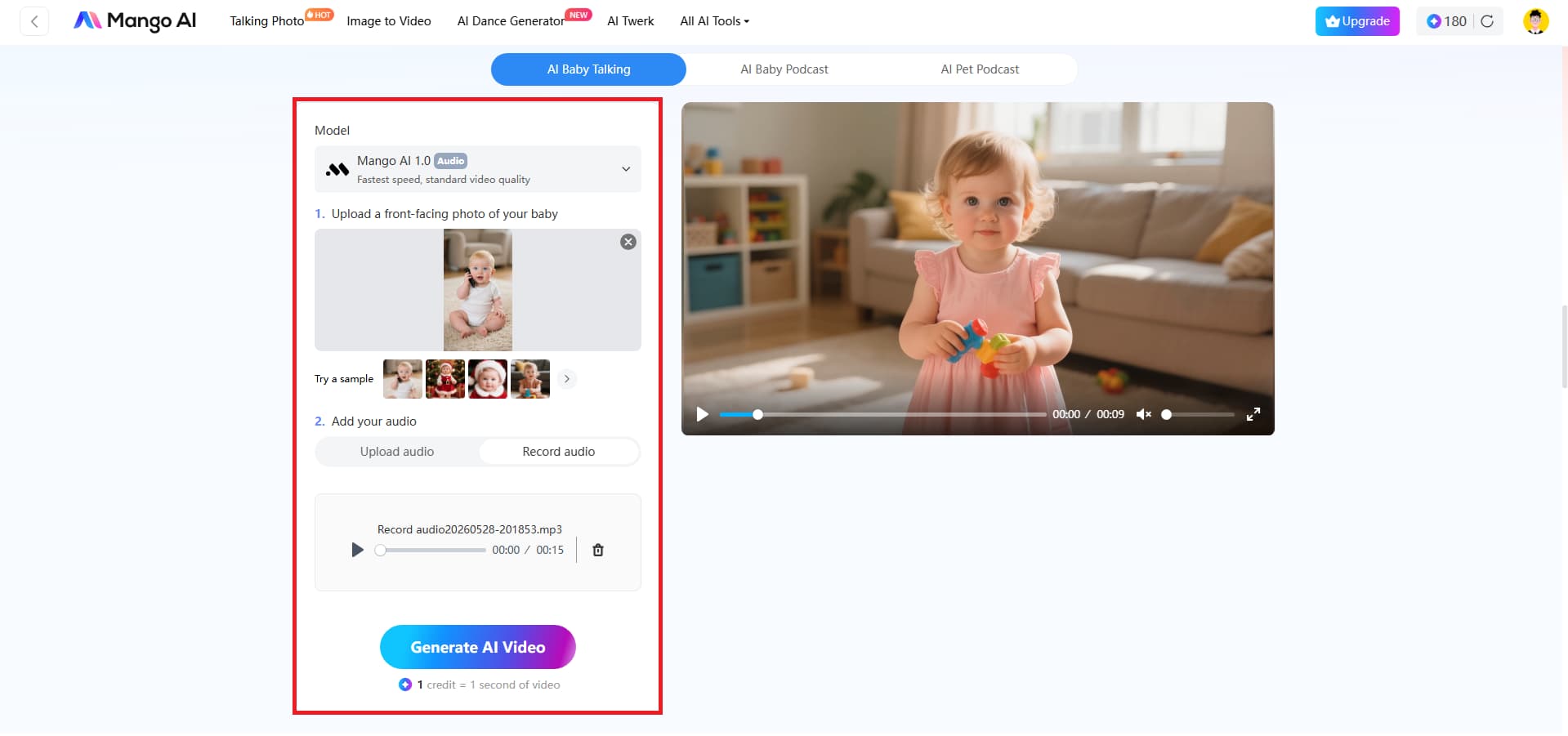
Step 3: Preview and download
Within a few seconds, your talking baby video will be generated automatically. You can preview it, then directly download or share it on social media platforms.
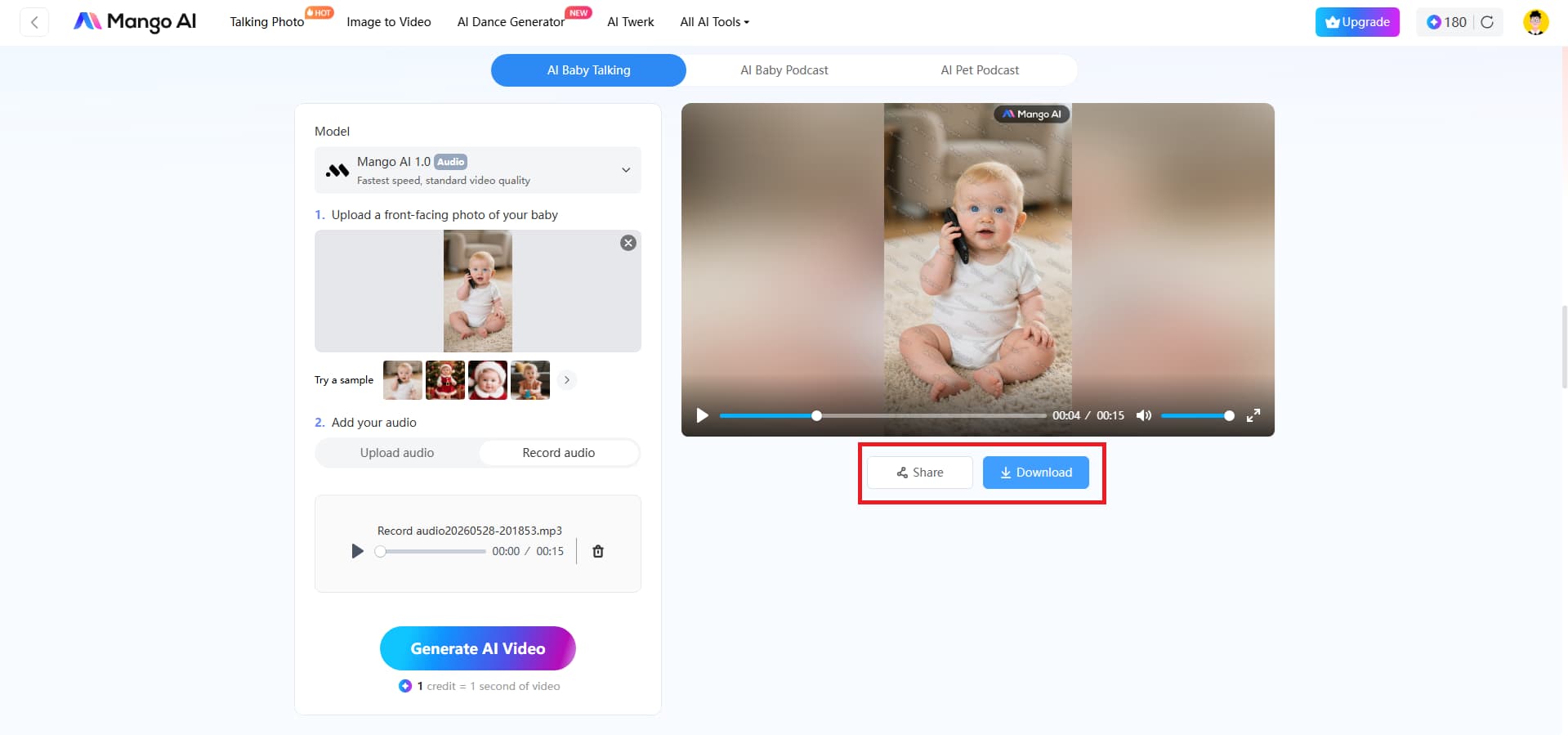
Key features of Mango Animate's AI baby video generator
-
AI-powered talking photo animation: This technology can automatically detect various facial traits in any provided still image of a baby.
-
Realistic facial expressions: Mouth movements are lifelike, micro-expressions are natural and exactly timed to every single word said.
-
Multiple AI voice options: Users can select from a wide range of unique voice tones and pitches to suit their own preferences.
-
Fast cloud-based rendering: An intelligent generator analyses audio files and facial mapping together and produces a finished film in seconds..
-
Beginner-friendly interface: The interface of Mango AI is extremely user-friendly, and you don't need any prior video-editing skills to use it.
Using an AI podcast tool
Pollo AI is a creative AI platform that easily turns still baby images into dynamic, talking podcast-style videos, with realistic lip sync and voice animation. Perfect for stand-up comedy, storytelling, or music performances, it helps producers create entertaining, high-quality clips in seconds. Pollo AI lets anyone create realistic media with fluid movement and customizable speech features that are highly shareable and attract enormous attention and following across social networks.
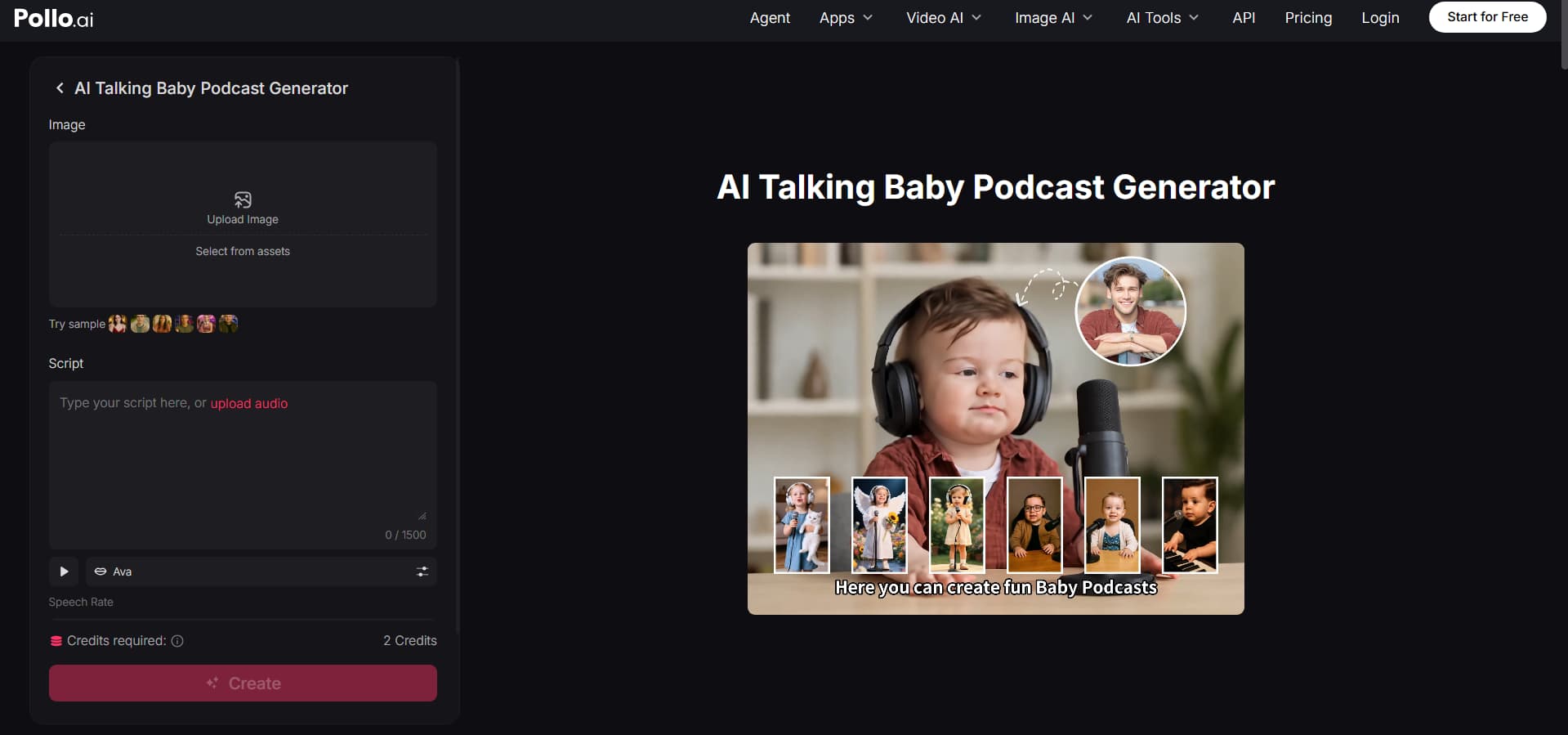
How to make a baby video with Pollo AI
Step 1: Open the tool
Go to the Pollo AI homepage and scroll down under the AI tools section to find the ''AI Talking Baby Podcast Generator''. Click on it to open the creation page.
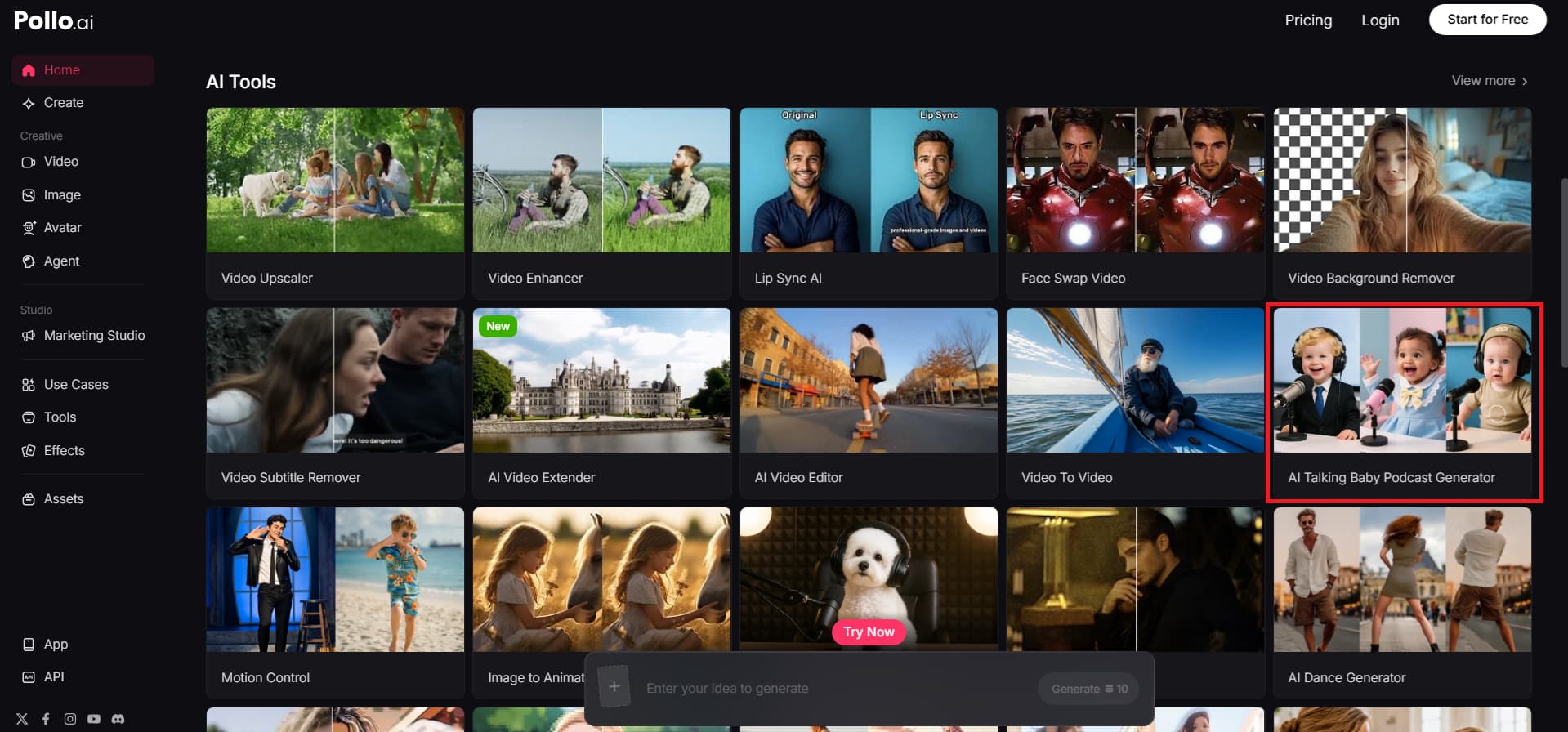
Step 2: Add inputs and customize settings
Upload the baby image you want to use, then write your script. Next, choose the voiceover language, select a voice type (male or female), and adjust settings such as speech rate, actions, aspect ratio, and resolution to suit your preferences.
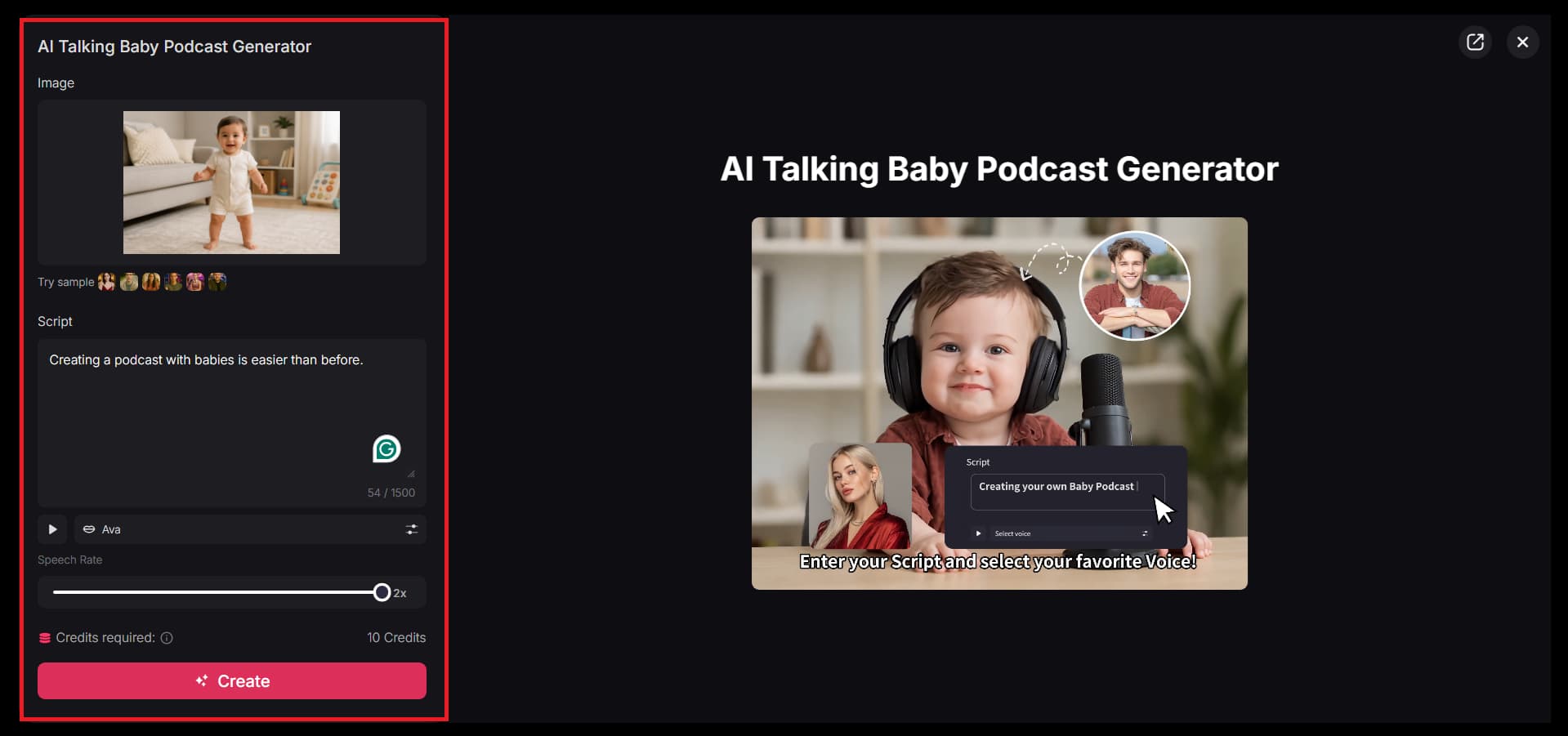
Step 3: Generate and download
Once everything is set, click ''Create''. After a few moments, your baby podcast video will be generated. You can preview it, then download or share it directly on social media.
Key features of the Pollo AI video generator:
-
AI talking baby videos: With this new tool, users can either submit their favorite baby pictures or create a fresh, charming baby picture using a text prompt in Pollo AI's image generator.
-
Custom AI voices: The site makes it easy to customize the voice by uploading external audio snippets from TV shows and podcasts directly or typing a bespoke script.
-
Realistic lip-sync: The nifty animation engine ensures that every line of text or supplied audio matches the baby's mouth movements.
-
Expressive baby animations: The generator adds surprisingly smooth, natural movements to the movie, bringing each phrase to life with real emotion and charm.
-
Viral-ready social content: These super-entertaining clips are designed to drive more views, likes, and shares and are optimized for modern social platforms.
Comparison between different AI baby video tools
Not all AI video tools do the same thing. To save your time, here is a simple breakdown of how these three popular tools match up based on what you actually want to create.
|
Feature |
Vmake AI |
Mango AI |
Pollo AI |
|---|---|---|---|
|
Primary target & focus |
Commercial e-commerce, small businesses, and shoppable User-Generated Content (UGC). |
Family keepsakes, entertainment, and multilingual talking avatar content. |
Viral social media creators (TikTok, YouTube, X), dramatic storytelling, and podcast clips. |
|
Core video technology |
Multi-model business engine supporting Seedance 2.0, Kling 3.0, and Veo 3.1. |
Cloud-based rapid animation engine tailored for facial tracking and lip-syncing. |
Multi-model creative engine utilizing Pollo 2.5, Sora 2, Kling 3. |
|
Facial & motion detail |
Realistic corporate presenter avatars with uniform product displays. |
Micro-expressions like subtle cheek shifts, gentle eye blinks, and small head tilts. |
Startlingly smooth, natural movements tied to dramatic or witty emotional delivery. |
|
Audio & voice capabilities |
AI auto-captions, verbal hook generation, and text-to-speech voiceovers. |
Built-in multi-language AI library (English, French, Japanese, etc.) and voice recording. |
Custom audio uploads (TV shows, existing podcasts), script text-to-speech, and emotional alignment. |
5 creative use cases for AI baby videos
-
Baby podcast-style videos: Turn basic baby pictures into humorous podcast hosts that can read scripts, deliver jokes, or tell stories. Great for entertaining talk-show-style content.
-
Baby versions of viral clips: Recreate trending dialogues, memes, or movie scenes with AI baby characters for extra humor. This makes content more shareable and attention-grabbing.
-
Personalized greeting videos: Make charming baby films for birthdays, anniversaries, or special wishes. It gives personal communication a unique and emotional touch.
-
AI baby characters for skits: Create recurrent infant characters for tiny comedic sketches or storytelling series. Perfect for creators looking for continuous, fun content.
-
Fun product promo videos: Use AI baby avatars to introduce or market things in a fun way. It makes marketing content more inclusive and interesting.
Tips to make better baby AI video results
-
Use clear, sharp photos: Start with a high-resolution, well-lit, front-facing image so the AI can accurately map facial structures and create much smoother, more lifelike animations.
-
Add emotional voice/audio: Use high-quality audio with distinct inflections, wit, or a dramatic tone. This helps the AI better sync the baby's micro-expressions with the script's authentic emotion.
-
Keep visuals simple: Opt for a clean, uncluttered background in your photo to keep the viewer's focus entirely on the adorable facial movements and to avoid distracting the AI tracking system.
-
Use captions for clarity: Put onscreen text so you can see your baby's dialogue immediately, allowing viewers to easily follow the joke or narrative even if they are watching with the sound off.
-
Make videos short and punchy: Keep your clips between 30 and 60 seconds to retain viewers as much as possible and create an ideal fast-paced, high-energy structure that works well on social media feeds like TikTok and X.
Conclusion
Creating AI baby films is now incredibly easy and accessible with powerful tools like Vmake AI, Mango AI, and Pollo AI. These fast, entertaining platforms allow anyone to transform static newborn photos into talking, animated podcast videos in minutes, with no editing experience required.
While this technology simplifies digital storytelling, your choice depends entirely on your creative goals. If you only need a simple talking-photo effect, tools like Mango AI work beautifully. However, if you want complete creative control, including text-to-video, image-to-video, video-to-video generation, advanced AI models, and cinematic motion effects, Vmake offers a far more comprehensive video creation workflow.
FAQs
Can I use an AI baby video generator for free?
Yes, most AI baby video producers offer a free trial or free access for consumers to explore the features before choosing to upgrade. Vmake also gives new users free credits, so you can create an AI baby video without spending anything upfront. Once your free credits are used up, you can easily upgrade your subscription and keep generating movies. Hence, Vmake is a good tool for beginners and regular artists!
How to make AI baby videos from photos?
Making AI baby films from pictures is really easy and typically involves uploading a clear picture of your kid to the application and choosing your preferred video style. You can then add a script, voice, or select animation settings, and the AI automatically turns the snapshot into a talking or animated film.
What is the best AI baby talking video tool?
There are many AI baby-talking video tools out there, and the best one depends on functionality, ease of use, and output quality. Vmake is one of the best options available. It offers sophisticated AI video production with customization, fluid animation, and high-quality rendering. Users can quickly create realistic baby-talking videos without editing skills.
How accurate is AI lip sync in baby video generators?
The lip-sync performed by AI in today's baby video generators is highly sophisticated and closely matches the audio. They go beyond lip-syncing to include natural facial expressions such as blinking, smiling, and slight head movements to enhance authenticity. Vmake takes this experience to the next level with multimodal video generation, enhanced motion control, and high-quality processing, so every emotion feels fluid and natural.
Can I create AI dancing baby videos for social media?
Yes, AI baby videos are really popular for creating fun, shareable content on TikTok, Instagram Reels, and YouTube Shorts. These types of videos usually do well because they are fun, visual, and simple to relate to. Vmake helps you turn simple baby images into dynamic animated videos that keep up with social media trends and styles.
Is it safe to make baby AI videos?
Yes, making AI baby movies is generally safe as long as you use trusted sites and obey simple content limitations. We recommend that you use only photos you own or have permission to use, and that you do not upload anything sensitive or private. Vmake is a secure cloud-based environment for creating videos, with the user always in control of processing and file management.

You May Be Interested
Resize Videos Online Without Losing Quality: A Smarter Way in 2026
How to Create Professional YouTube Thumbnails with AI: A Creator’s 2026 Strategy
YouTube Thumbnail Size 2026: The New Standard for High-CTR Visuals
Best Quality Video YouTube: 2026 Export Settings & 4K Tricks
