
How to Make AI Cat Videos: 5 Minutes to Understand All Secrets
Discover how to make AI cat videos for TikTok and Instagram. Read our guide to find out the best tools, types of videos, and easy 3-step tutorials. Go viral with your cute cat content today.

While cats have always ruled the internet, AI is taking our pet obsession to a viral new level. Creators are gaining millions of views with hyper-realistic, talking, and dancing felines. Want to join the trend? Here is your exact guide to creating your own viral AI cat videos.
What are AI cat videos?
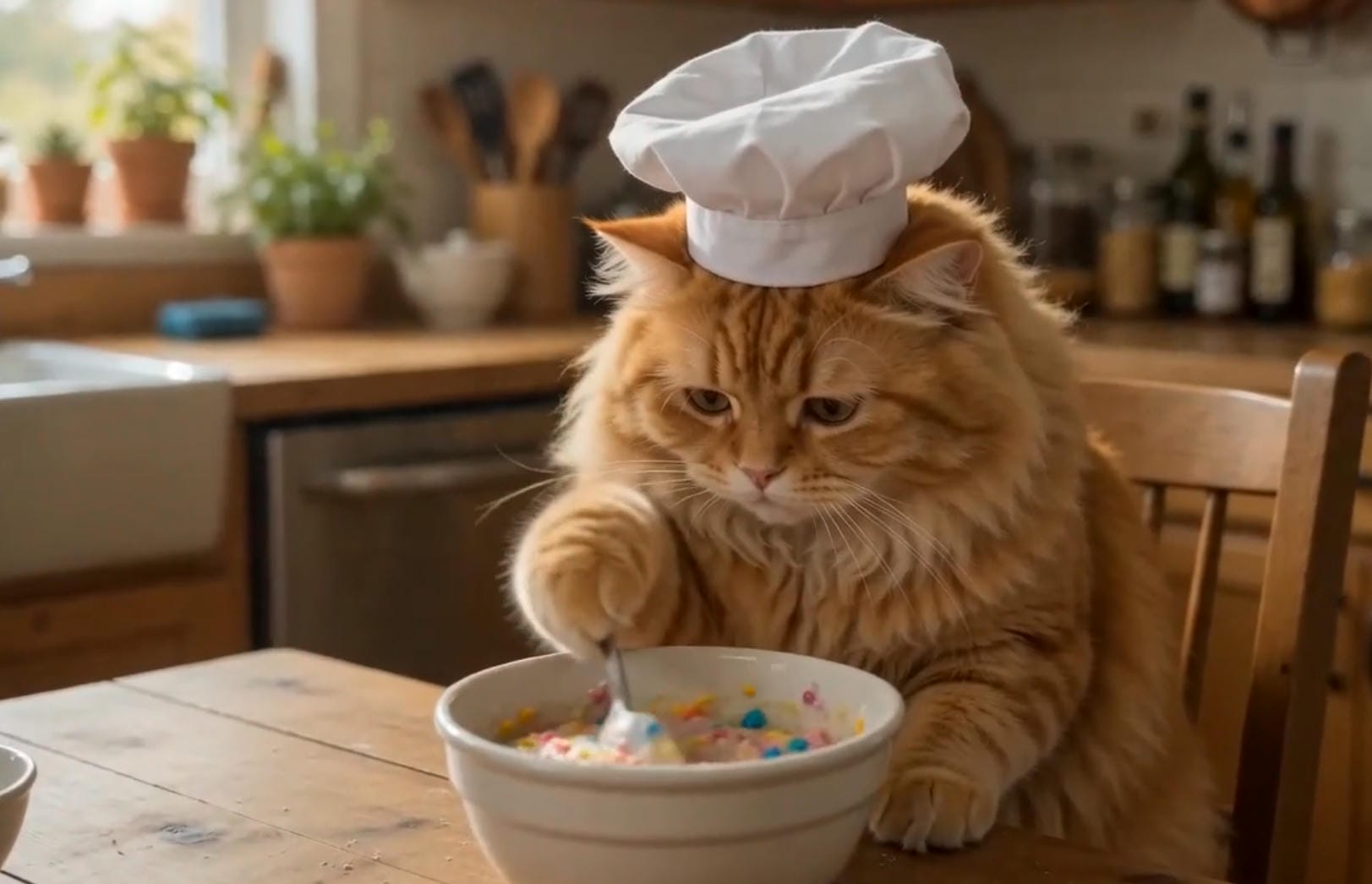
Cat AI videos are short, highly engaging clips featuring artificially generated felines created using text-to-video or image-to-video AI tools. Instead of relying on real-life pets, creators use generative technology to design customized cats, control their movements, and place them in absurd scenarios. This trend marks a fascinating convergence of classic internet cat culture and cutting-edge artificial intelligence.
By combining popular memes, trending audio tracks, and visually striking AI-generated imagery, creators can bypass traditional filming constraints and produce highly viral content that captures attention across platforms like TikTok, Instagram Reels, and YouTube Shorts.
Why make cat AI videos?
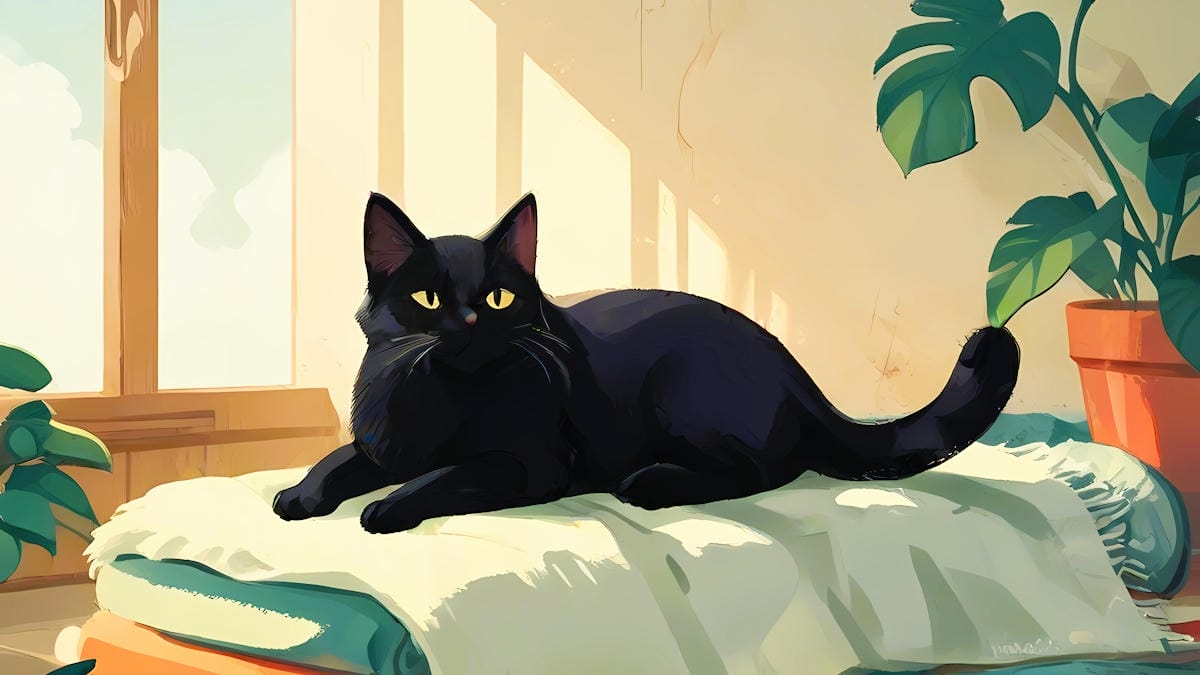
Creating feline content with generative AI offers unique advantages that traditional video production simply cannot match. Here are five compelling reasons to start your own AI cat channel today:
-
High viral potential: Cat content historically dominates social media algorithms. Short-form AI cat videos naturally leverage this built-in audience appeal, making it incredibly easy to capture millions of views on TikTok and YouTube Shorts.
-
No pet required: You do not need a cooperative pet to produce amazing videos. AI eliminates the logistical challenges, safety concerns, and endless patience required when attempting to film real animals in action.
-
Endless creative freedom: Place your felines in impossible situations. From wearing elaborate suits to piloting spacecraft, artificial intelligence removes all physical limitations, allowing your wildest, most imaginative concepts to instantly become vibrant visual realities.
-
Low barrier to entry: Modern tools require absolutely no prior video editing, rendering, or 3D animation experience. Anyone with an internet connection and a creative concept can start generating beautiful, high-quality animal animations instantly.
-
Monetization opportunities: AI cat videos are perfect for building profitable, faceless niche channels. You can easily monetize your growing audience through platforms' creator funds, brand sponsorships, and specialized affiliate marketing programs.
Best AI cat video ideas and prompts
Here are five creative and detailed prompts that you can copy and paste directly into an AI generator to yield spectacular results:
-
The Cyberpunk Hacker Cat
-
Prompt: "A fluffy black cat wearing tiny neon green glowing hacker glasses, intensely typing on a glowing mechanical keyboard in a dark cyber room, multiple monitors reflecting in its eyes, cinematic lighting, cyberpunk aesthetic, 4k resolution."
-
The Astronaut Explorer Cat
-
Prompt: "A cute orange tabby cat wearing a futuristic white space suit, floating in zero gravity inside a spaceship looking out the window at Earth, soft cosmic lighting, highly detailed, photorealistic."
-
The Master Chef Cat
-
Prompt: "A fluffy white Persian cat wearing a tiny chef's hat and apron, expertly chopping vegetables with a miniature knife on a wooden cutting board, warm kitchen lighting, Pixar 3D animation style, cozy atmosphere."
-
The 1920s Noir Detective Cat
-
Prompt: "A sleek Siamese cat wearing a beige trench coat and fedora, investigating a rainy, dimly lit alleyway, holding a magnifying glass, film noir style, dramatic shadows, highly cinematic, black and white aesthetic."
-
The Nightclub DJ Cat
-
Prompt: "A cool Bengal cat wearing oversized colorful headphones, scratching a vinyl record on DJ decks in a crowded, neon-lit nightclub, dynamic camera angle, hyper-realistic, vibrant lighting, particle effects."
How to make AI cat videos with the Vmake AI video generator
Vmake AI video generator has emerged as a premier web-based video generator, specifically engineered to simplify the creation of high-quality, short-form animations. While traditional rendering software takes hours to configure, Vmake uses highly advanced neural networks to convert simple text commands or static images into fluid, realistic video clips within seconds.
For creators focusing on the pet niche, this tool provides the perfect balance of ease and creative power. Its sophisticated AI model is remarkably adept at rendering complex animal fur, lifelike facial expressions, and natural movements, making it an indispensable resource for launching a successful cat channel.
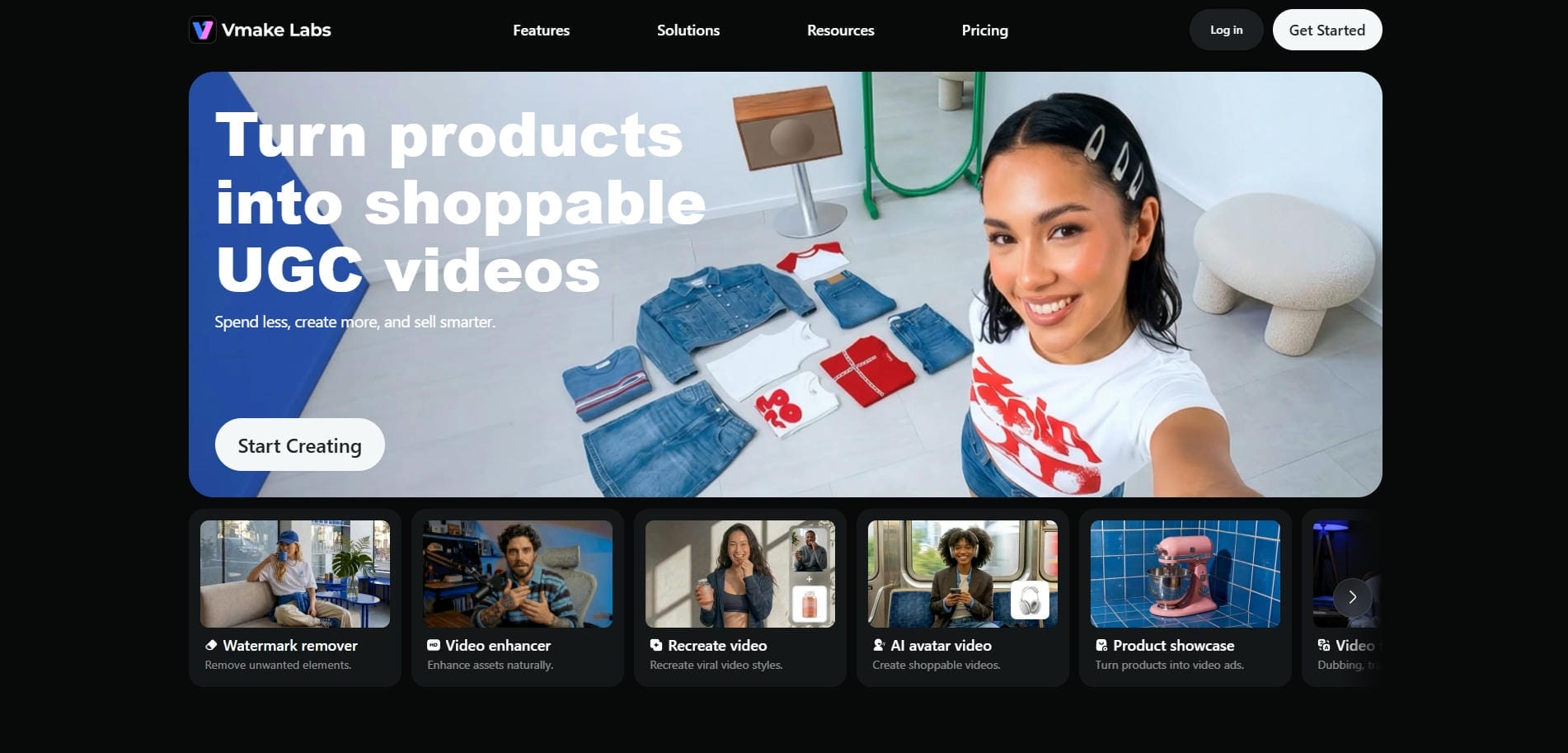
Key features of Vmake AI video generator
-
Text-to-video generation: Type a descriptive prompt outlining your dream feline scene, and watch Vmake's advanced engine construct a complete, high-definition video clip out of your plain text instructions completely and instantly now.
-
Image-to-video animation: Upload any static cat image, and the AI will analyze the subject's anatomy to generate fluid, natural movements, effectively bringing your still portraits to life in seconds flat.
-
Aspect ratio control: Tailor your outputs directly to your target platform. Vmake lets you easily select vertical 9:16 aspect ratios for mobile shorts or horizontal 16:9 layouts for desktop video displays.
-
AI-generated motion: Vmake AI helps create natural-looking movement for animated characters and animals, making AI-generated cat videos more engaging and visually appealing. As a result, you can share such videos on social media platforms for higher engagement.
-
Flexible creative styles: By adjusting prompts and model selections, creators can generate cat videos in a variety of visual styles, from realistic scenes to animated and stylized concepts. You are only bound by your sheer imagination.
How to use Vmake's AI video generator for cat videos in 3 steps?
Step 1: Access the AI video generator feature
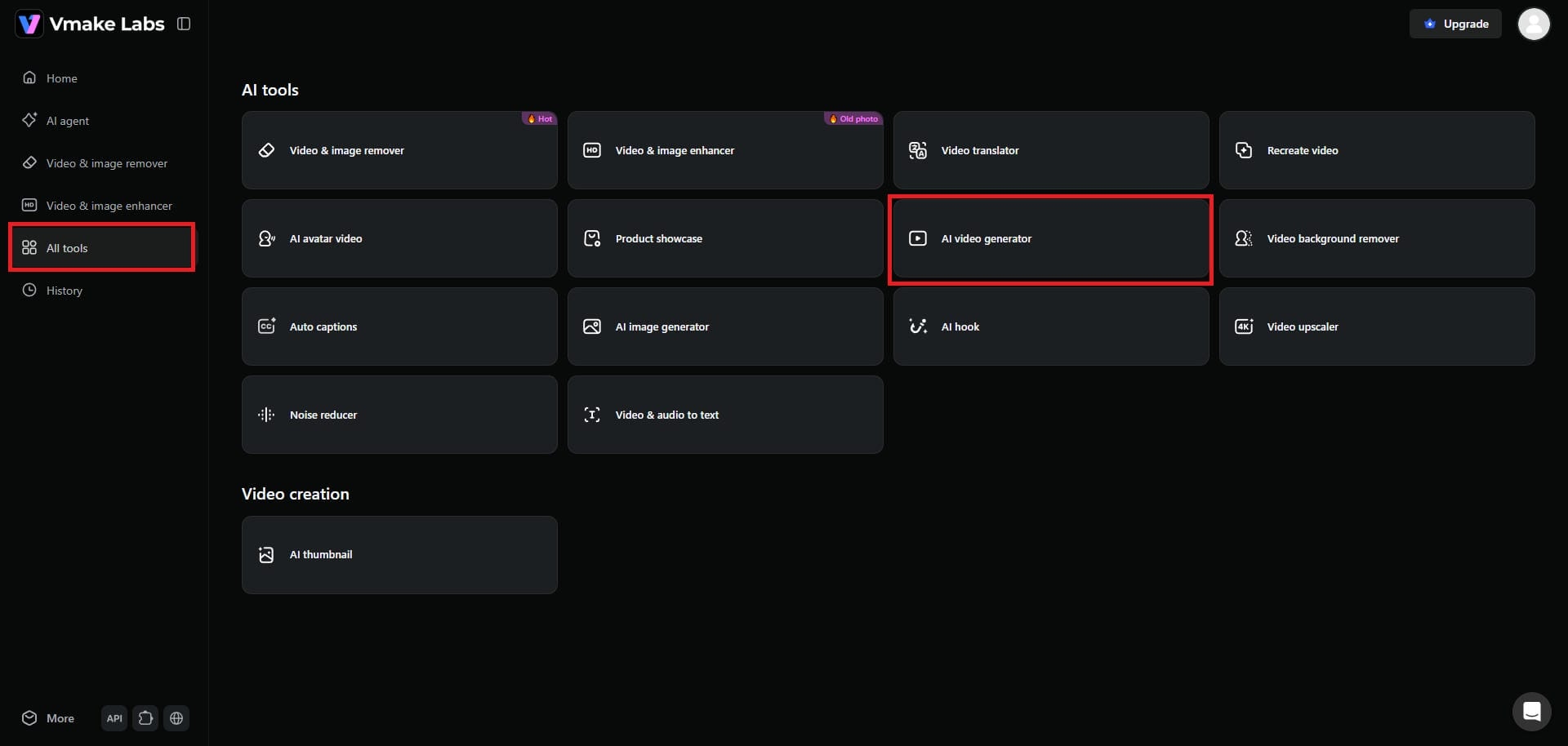
Start by first accessing your Vmake account and logging in. Once logged in, you need to access the dashboard and select the "All tools" option. From there, you have to click on the "AI video generator" option.
Step 2: Input your AI cat video creation details
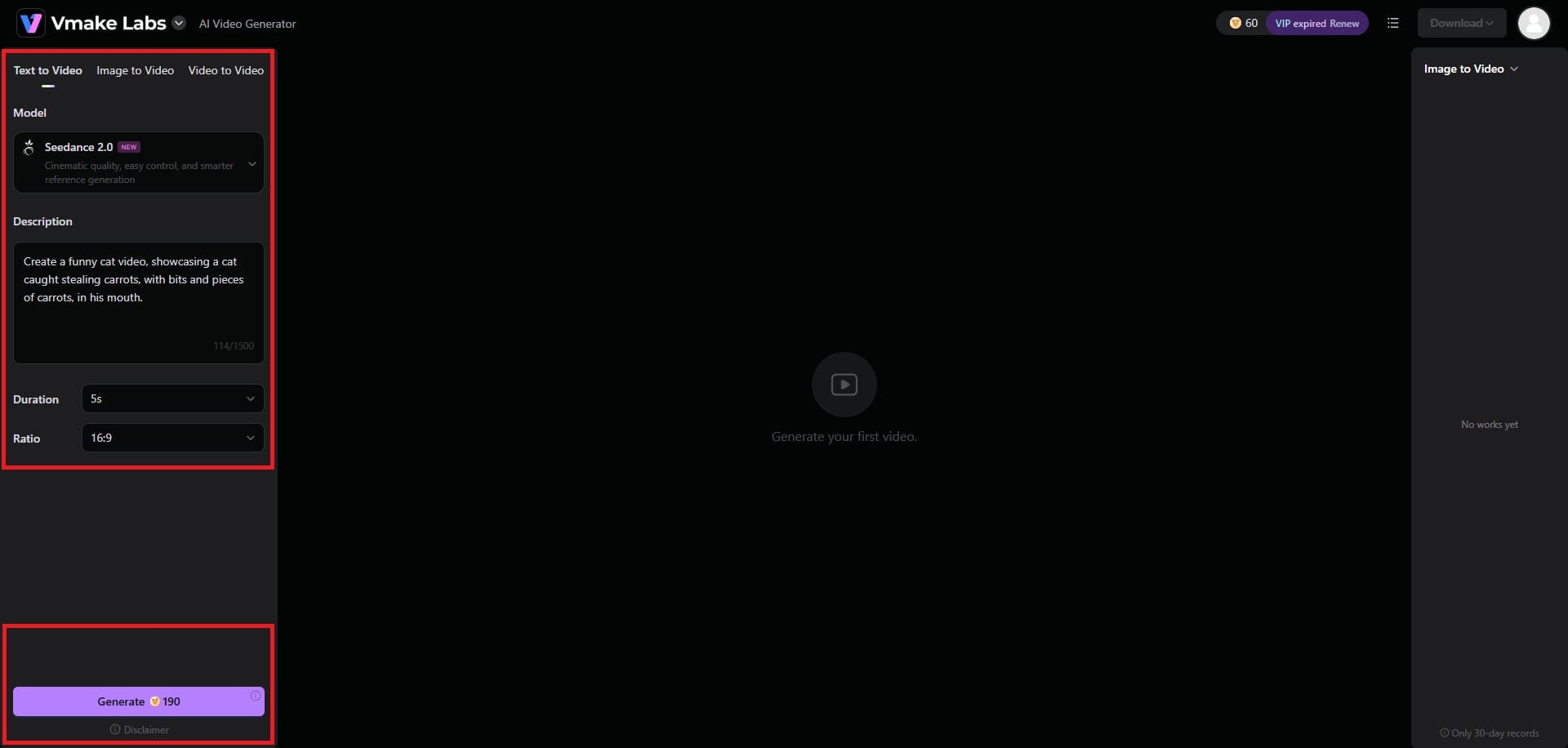
A new web page will open where you will be required to enter your cat video generation details. Vmake supports text-to-video, image-to-video, and video-to-video options. Simply choose your AI video generation model (Seedance, Veo, Kling, or any other), provide your detailed prompt, and then set the duration and aspect ratio. Once done, click on "Generate".
Step 3: Export your AI-generated cat video
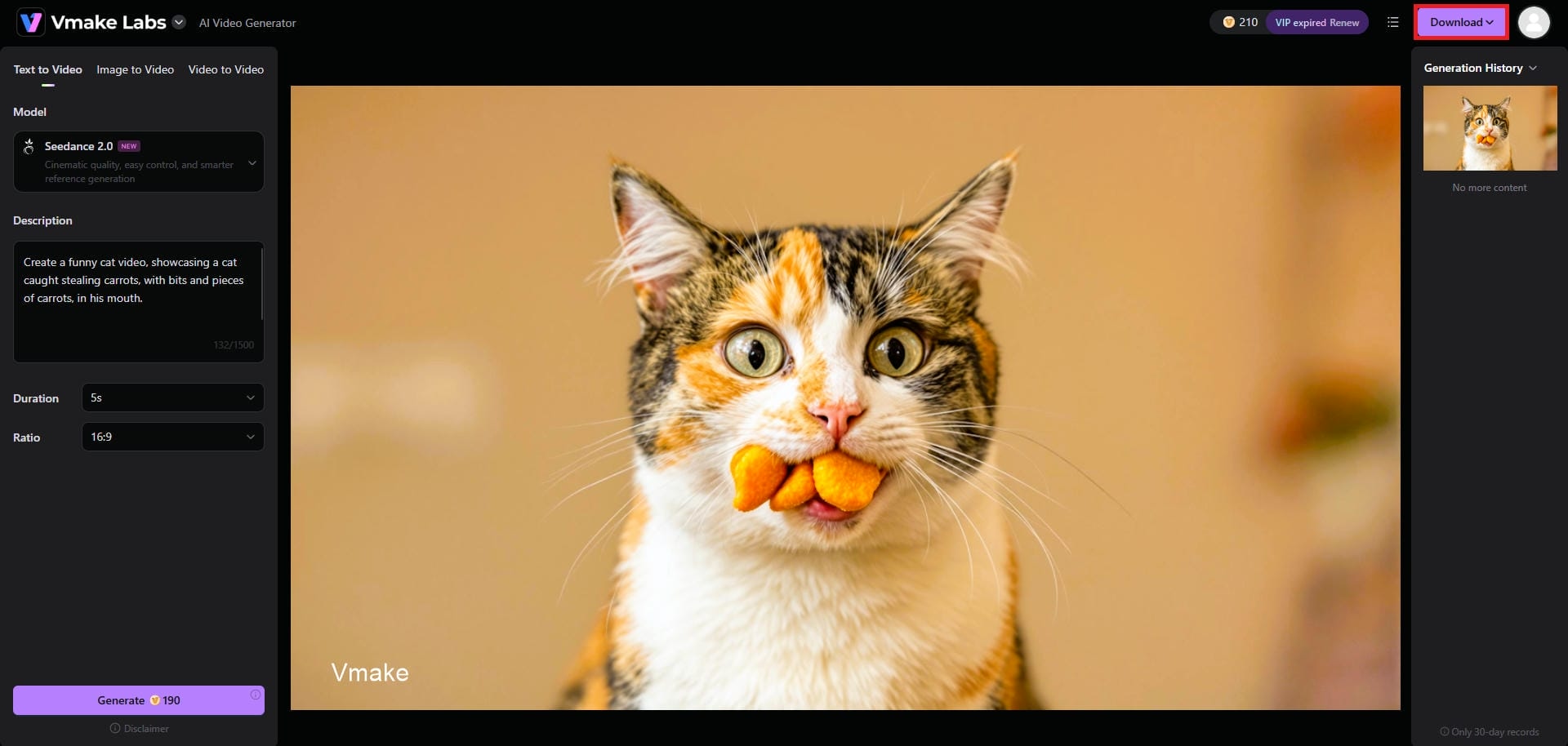
Vmake AI will start creating your cat video, and once that is completed, the same will be showcased on your screen. You can then click on the "Download" option to start exporting your cat video for sharing.
Tips for making better AI cat videos
To elevate your creations from simple animations to highly engaging viral content, implement these pro tips during your production workflow:
-
Be specific with prompts: Never settle for generic prompts. Include detailed information regarding camera angles, cinematic lighting styles, ambient atmospheric conditions, and resolution parameters to guarantee professional-grade, high-fidelity visual outputs every single time.
-
Keep clips short: Limit your generated clips to brief, high-impact sequences lasting under four seconds. This strategic duration prevents the AI model from generating unnatural body morphs, weird movements, or visual hallucinations.
-
Leverage trending audio: Align your visual concepts with popular sounds, trending music, or viral voiceovers. Integrating highly recognizable audio elements dramatically enhances your visibility within search algorithms and user recommendation feeds today.
-
Use reference images: Ensure character consistency across sequential scenes by uploading a single, high-quality reference image. This serves as the visual baseline, guiding the AI to maintain identical facial features and markings.
Wrapping up
The explosive rise of AI-generated feline content presents an unprecedented opportunity for creators to build massive online audiences. By leveraging powerful, accessible tools like Vmake AI, anyone can easily transform imaginative ideas into high-quality videos without expensive equipment or deep technical editing skills. As short-form algorithms continue to reward highly engaging visual storytelling, there has never been a better time to launch your channel.
Start experimenting with different prompts, refining your aesthetic style, and utilizing trending audio. Embrace this innovative, creative frontier today, generate your first AI cat video, and watch your digital community grow.
FAQs
Do I need coding or video editing experience to make AI cat videos?
No, absolutely not. Platforms like Vmake AI feature intuitive, web-based interfaces designed specifically for beginners. You only need to type descriptive text prompts or upload images to produce highly professional video content today.
Can I monetize AI cat videos on YouTube or TikTok?
Yes, you can. Channels featuring creative editing, narrative stories, or unique concepts comply with monetization guidelines. Always focus on adding original value through clever scripting, custom sound design, or distinct themed compilation formats.
Which is better: text-to-video or image-to-video for cat videos?
Image-to-video usually offers superior results. Generating a high-quality static cat image first ensures exceptional visual detail, allowing the motion tool to smoothly animate the character while keeping its core features perfectly consistent throughout.
Are AI video generators for cat videos free to use?
Most generators offer free trial credits to test their features. For high-volume generation, higher resolutions, and removing watermarks, you will eventually want to subscribe to one of their affordable premium subscription tiers.
How do I make the cat's movements look natural?
Keep your motion prompts simple and avoid overcomplicating the action. Combining high-quality base images with precise, subtle movement descriptions in Vmake ensures the AI preserves realistic animal behavior without awkward visual distortions.

You May Be Interested

AI TikTok Video Generator | Create High-Quality AI Videos

Best AI Video Generator: Top Tools Tested (2026)

11 Best Image to Video AI Generators Compared in 2026
Funny Video Memes: Best Clips, Short Reels & Meme Compilations
