
40+ Gemini AI Photo Prompts: Create Realistic Images
Learn how to write effective Gemini AI photo prompts and explore ready-to-use ideas for stunning portraits, artistic edits, and backgrounds. Try Vmake Labs AI Image Generator to get more realistic results.

Realistic AI photos aren't about fancy words; they're about painting a picture with enough detail in your description. Gemini converts well-crafted prompts into portraits, fashion shots, lifestyle snaps, festive scenes, and editorial images. The guide covers 40+ Gemini AI photo prompt options, along with some tips to make your image look realistic. Let's find out.
How to write a realistic AI Gemini photo prompt
A realistic Google Gemini AI photo prompt should be more like a photographer's brief than a list of random keywords. Tell Gemini what should be in the image, where the scene is located, how the subject is posed, and what type of lighting and camera perspective you want. The more specific the important visual details, the easier it is to steer the result.
-
Describe the subject clearly.
Make sure the subject is clearly expressed when writing a Gemini AI photo prompt. Mention age range, looks, hairstyle, facial features, expression, and any other important items for the image to guide AI.
-
Specify camera angle and composition.
Define the angle and composition. Tell Gemini if you prefer a close-up, a medium, a full-body portrait, an eye-level, a low angle, or an overhead. The clearer the details, the better the final result will be.
-
Add realistic lighting and shadows.
Make sure your Gemini AI photo prompts ask for shadows that look real. Describe natural sunlight, window light, soft studio light, evening light, or whatever you want to make your images look realistic.
-
Include facial expressions and body positioning.
Add facial expressions and body language details to your photo prompt. Instead of just saying "beautiful portrait," describe if the person is smiling naturally, looking away, standing casually, sitting, walking, or interacting with something.
-
Mention clothing, environment, and background.
Talk about clothes, surroundings, and background. Describe the fabrics, colors, accessories, surroundings, architecture, weather, furniture, and other elements that help set the scene.
40+ Gemini AI photo prompts to create realistic images
Here are some Gemini AI photo prompts for professional portraits, natural-light photography, fashion, lifestyle content, Christmas, Halloween, and more. You can replace details like age, hairstyle, clothing, location, and color palette to create a unique prompt.
Realistic Headshot Prompts
-
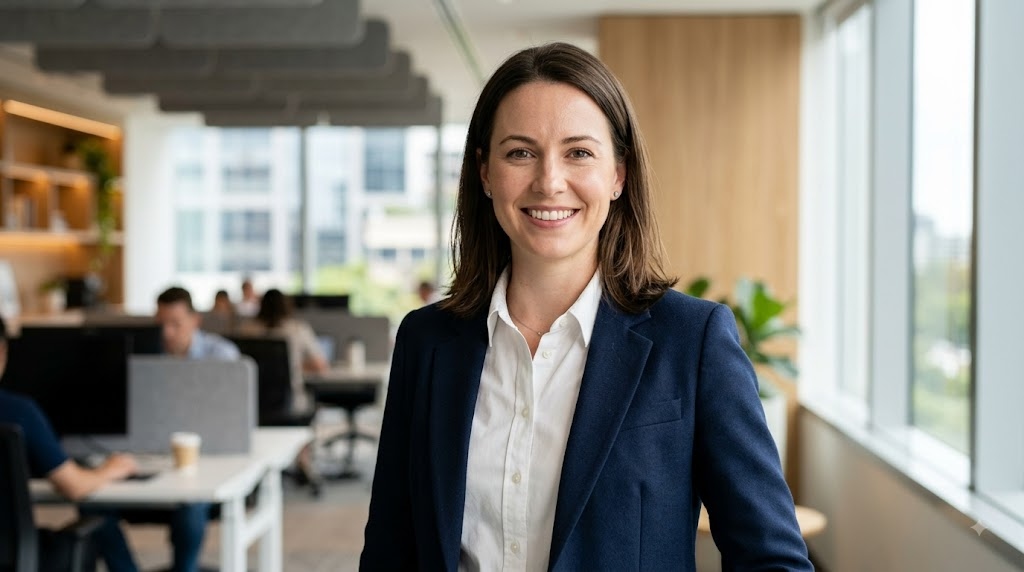
Professional corporate headshot
Prompt:
A photorealistic professional corporate headshot of a confident young professional wearing a tailored navy blazer and white shirt.
-
LinkedIn profile headshot
Prompt:
Create a realistic LinkedIn profile photo of a smiling young professional in their early thirties wearing smart business casual attire.
-
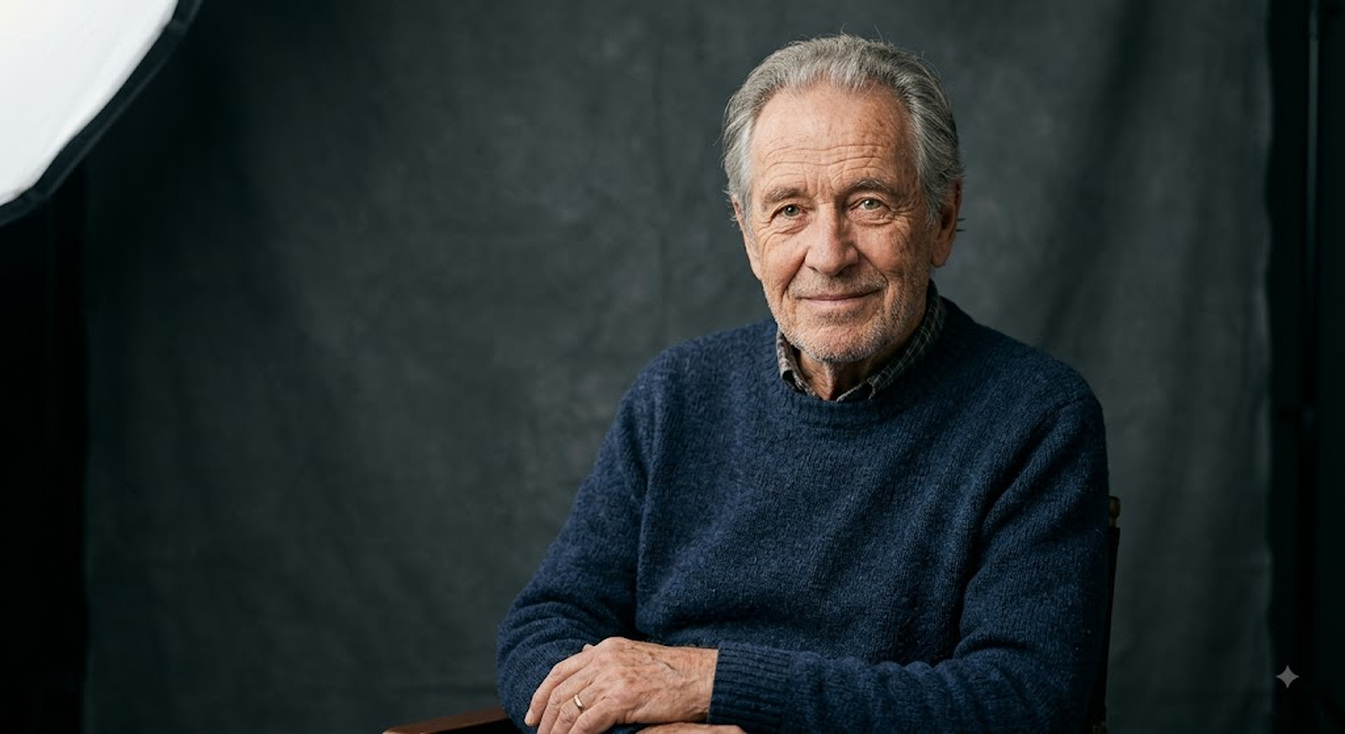
Studio portrait with soft lighting
Prompt:
Generate a realistic studio portrait of an old person. Make sure the skin has a natural appearance, the eyes are detailed, and the hairs are realistic. The person should look relaxed. Use a large soft light source, slightly off to the side, with soft shadows across the face.
-
Executive headshot
Prompt:
A realistic executive headshot of a senior business professional wearing a charcoal suit, crisp white shirt, and understated watch.
-
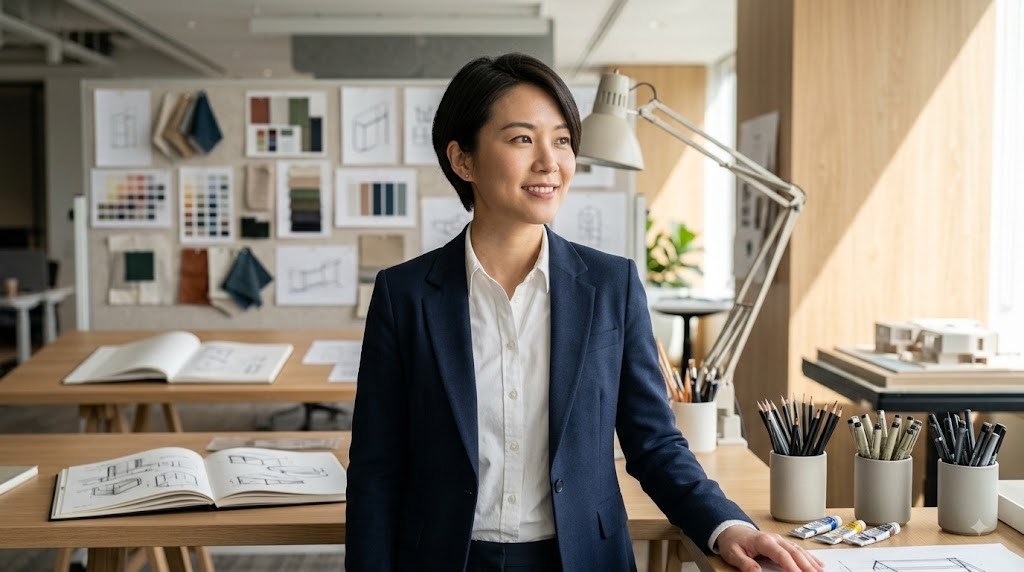
Creative professional portrait
Prompt:
Create a photorealistic portrait of a creative professional in a modern design studio, featuring subtle art materials and sketches.
-
Actor headshot
Prompt:
Create a professional actor headshot facing slightly toward the camera. Use a subtle, expressive look on the subject instead of a wide, exaggerated smile.
-
Author portrait
Prompt:
Photorealistic author portrait of a contemplative writer in a warm home library with bookshelves.
-
Personal branding headshot
Prompt:
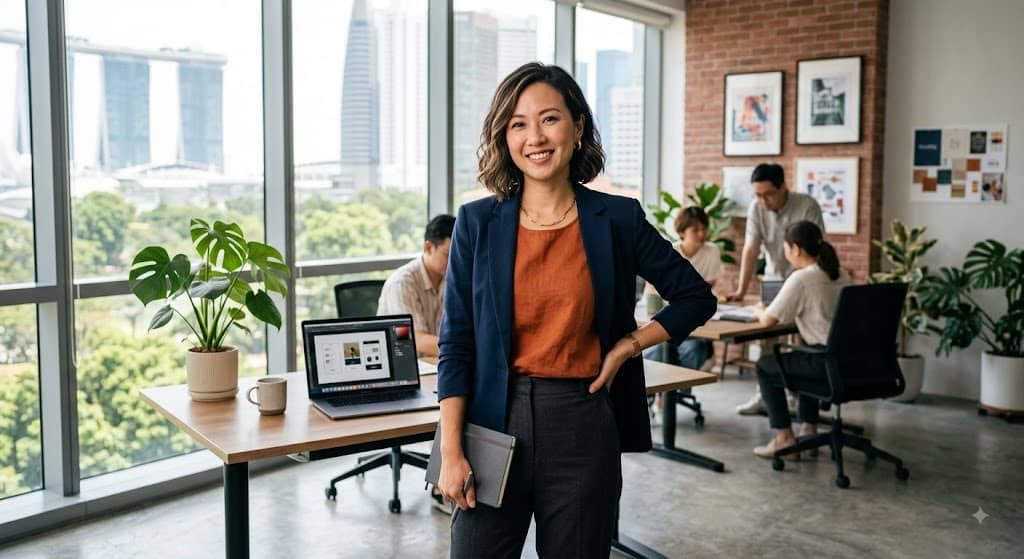
A realistic portrait of a confident creative entrepreneur standing in a bright modern workspace, for personal branding.
Natural-Light Portrait Prompts
-
Golden-hour outdoor portrait
Prompt:
Generate a photorealistic outdoor portrait of a grown-up standing still in a field during the golden hour.
-
Window-light portrait
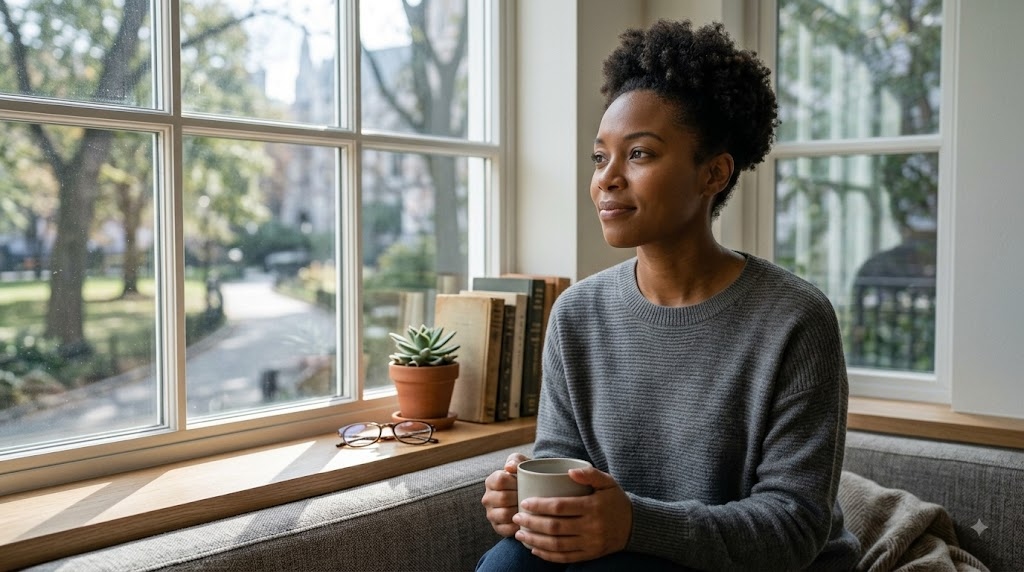
Prompt:
Create a photorealistic picture of a person sitting by a large, flat window. Soft daylight comes from the left, creating gentle natural shadows on the face. Realistic skin pores, detailed eyes, natural hair texture, casual clothes, and a genuinely relaxed expression.
-
Soft morning-light portrait
Prompt:
Create a photorealistic portrait of a young adult, in the morning, on a quiet residential balcony.
-
Portrait in a sunlit café
Prompt:
Realistic lifestyle portrait of a young woman sitting near a large cafe window with a ceramic coffee cup on the table. Use natural afternoon warm sunlight, realistic reflection on the glass, soft shadow, detailed skin texture, and natural pose.
-
Overcast-day outdoor portrait
Prompt:
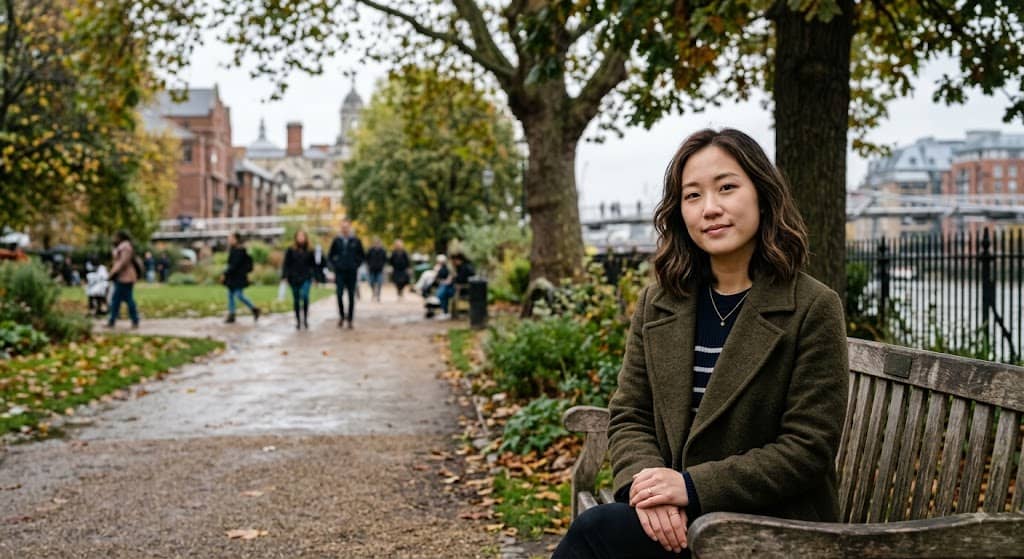
Make a photorealistic outdoor portrait, featuring an overcast day in an urban park. Use soft, diffused daylight, and subtle shadows.
-
Natural-light close-up
Prompt:
Ultra-realistic close-up portrait of an adult looking into the camera. Make realistic skin pores, facial lines, freckles, eyelashes, irises, lips, and hair strands.
-
Backlit portrait with subtle lens flare
Prompt:
Take a photorealistic outdoor portrait of a person standing in the late afternoon sun behind them.
-
Candid portrait in a park
Prompt:
Generate a realistic candid photograph of a young adult walking through a city park, looking to the side. Capture natural movement, relaxed shoulders, realistic clothing folds, authentic facial expression, soft daylight, natural shadows, and slightly imperfect framing as if spontaneously photographed with a professional camera.
Realistic Fashion Photo Prompts
-
Streetwear fashion portrait
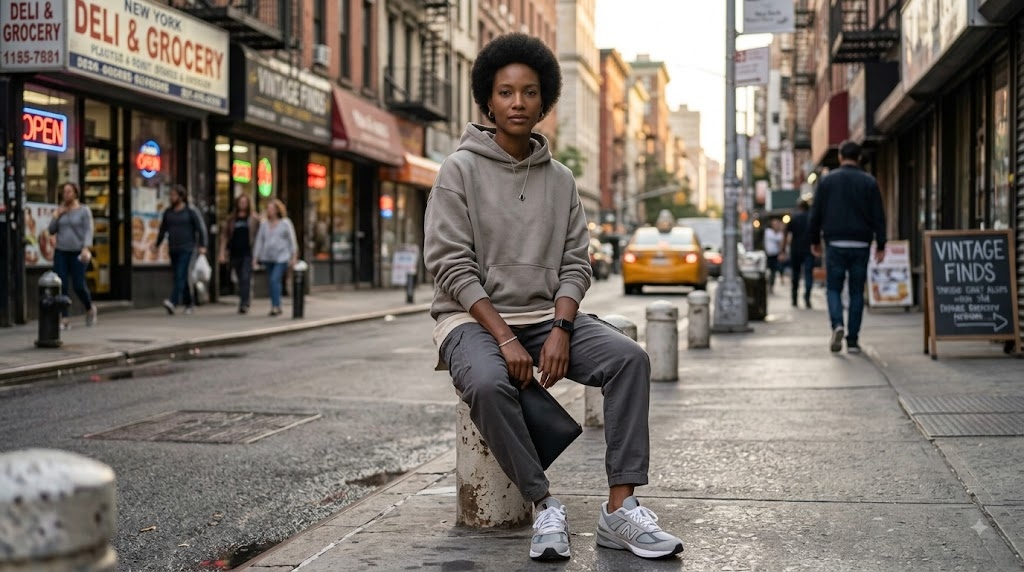
Prompt:
Photorealistic streetwear fashion portrait of a young adult in an oversized neutral hoodie, relaxed-fit trousers, sneakers, and minimal accessories.
-
Minimalist fashion shoot
Prompt:
Realistic fashion photography of a model in a structured cream outfit, simple architectural background, minimalism.
-
Luxury fashion campaign
Prompt:
Create a photorealistic luxury fashion campaign image of a model in an elegant evening dress inspired by the latest high-end designers.
-
Casual lifestyle fashion photo
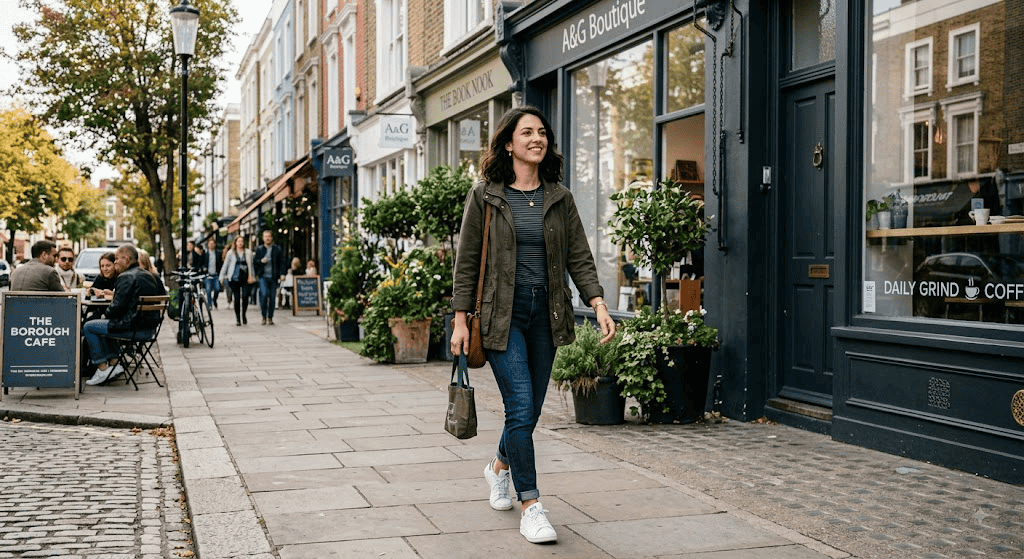
Prompt:
A young adult walking through a stylish neighbourhood in casual jeans, a fitted shirt, sneakers, and a lightweight jacket.
-
Traditional outfit portrait
Prompt:
Create a photorealistic portrait of an adult in a traditional outfit with detailed woven fabric and subtle accessories. Set the subject in a trendy indoor environment with warm natural lighting.
-
Winter fashion photoshoot
Prompt:
Generate a realistic winter fashion portrait of a model wearing a long wool coat, knitted scarf, boots, and winter accessories.
-
Summer fashion campaign
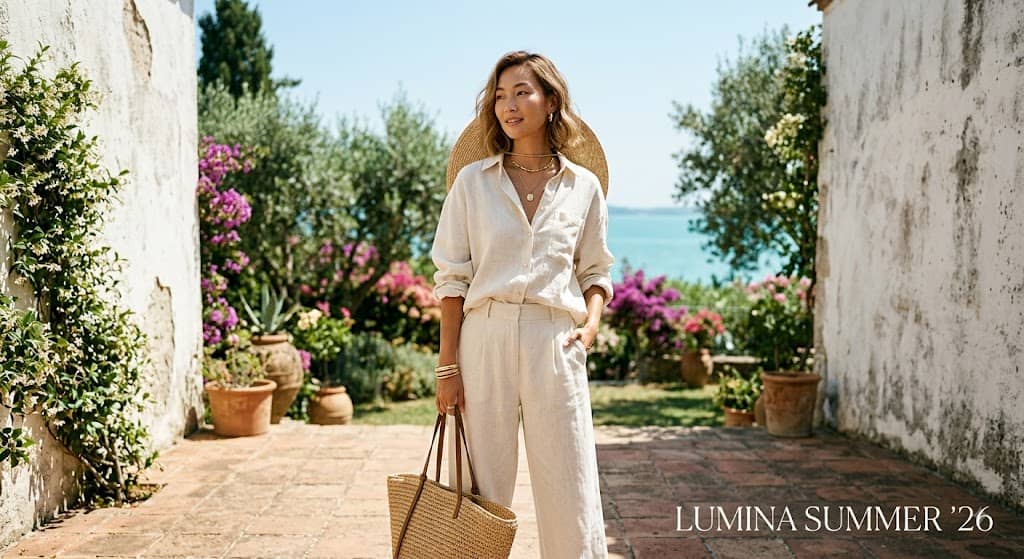
Prompt:
Create a summer fashion campaign photo of a model in a light linen outfit, outdoors in a bright Mediterranean-style setting.
-
Black-and-white fashion portrait
Prompt:
A photorealistic black-and-white fashion portrait of an adult wearing a sophisticated tailored outfit.
Gemini AI Christmas Photo Prompts
-
Cozy Christmas family portrait by a decorated tree
Prompt:
Generate a photorealistic Christmas family portrait of a family sitting together next to a beautifully decorated Christmas tree.
-
Festive Christmas couple photoshoot with warm lights
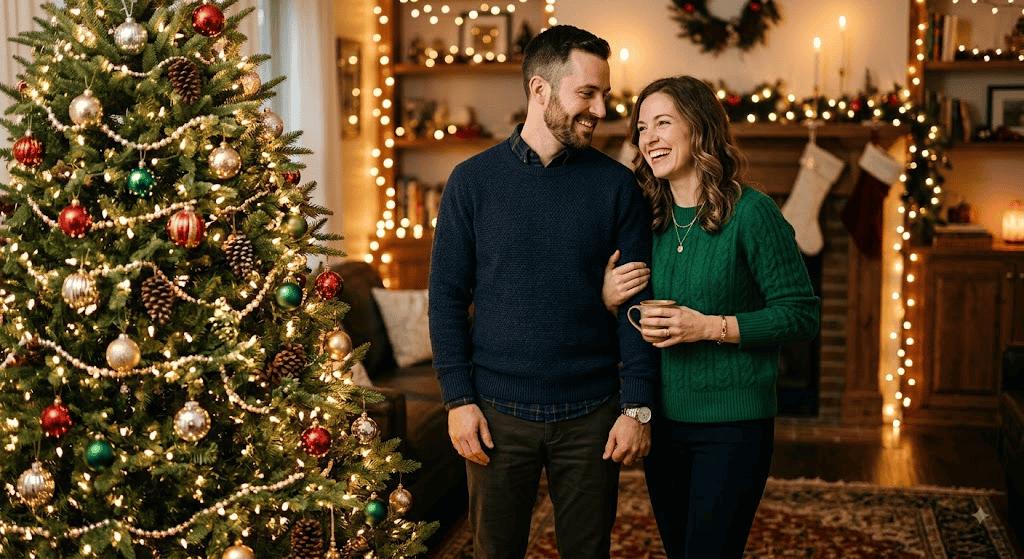
Prompt:
Realistic Christmas couple portrait of two adults standing next to a decorated Christmas tree. Elegant winter outfits, natural affectionate body language, genuine smiles, warm string lights creating soft background bokeh, and realistic skin texture.
-
Christmas fashion portrait with elegant winter styling
Prompt:
A photorealistic Christmas fashion portrait of an adult wearing a chic velvet winter outfit with subtle festive accessories.
-
Snowy Christmas street scene
Prompt:
A photorealistic Christmas night street portrait of an adult walking through a gently snow-covered town.
-
Christmas morning lifestyle photo with gifts and decorations
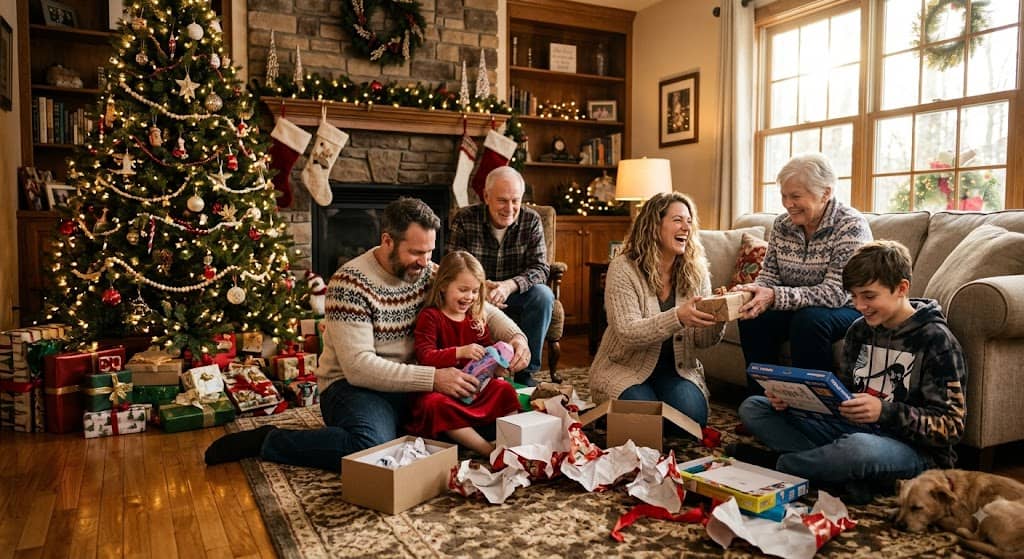
Prompt:
Create a lifelike Christmas morning family photo of a group opening gifts in a warm living room setting. Add a decorated Christmas tree, wrapping paper, realistic presents, warm sun streaming through the window, natural expressions, real body positions, and detailed clothing textures.
-
Luxury Christmas editorial portrait
Prompt:
Photorealistic luxury Christmas editorial portrait of an elegantly dressed adult in a sophisticated hotel lobby decorated for Christmas.
-
Cozy Christmas café portrait
Prompt:
Make a realistic portrait of an adult sitting next to a window with a festive coffee drink in a Christmas cafe.
-
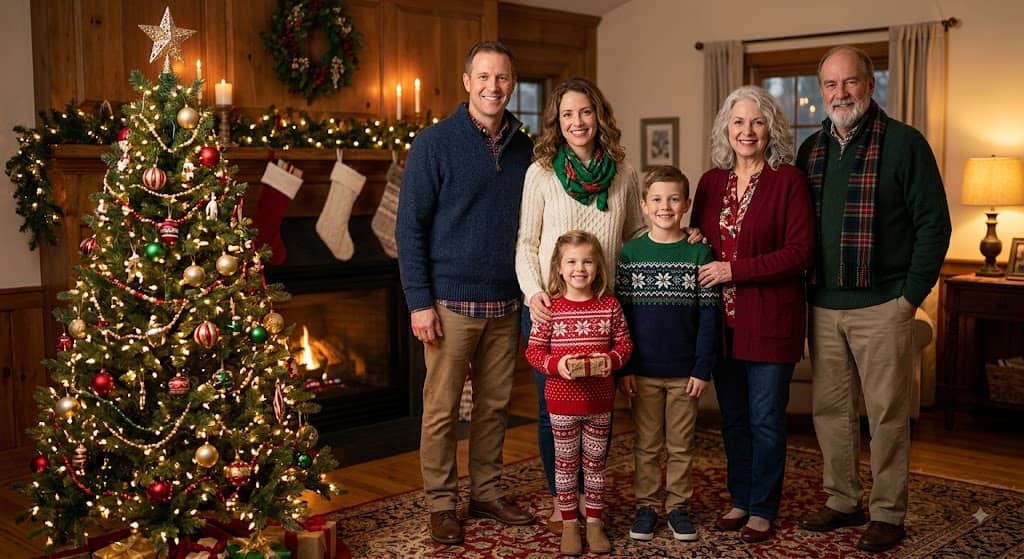
Traditional Christmas card-style family photo
Prompt:
Create a photorealistic traditional Christmas card family portrait with family members standing together next to a decorated Christmas tree in coordinated winter outfits.
Gemini AI Halloween Photo Prompts
-
Cinematic Halloween portrait with dramatic lighting
Prompt:
Create a realistic Halloween portrait of an adult in a stylish dark costume in a low-light interior. Dramatic side lighting, natural shadows, soft warm candlelight, detailed skin texture, and realistic face features.
-
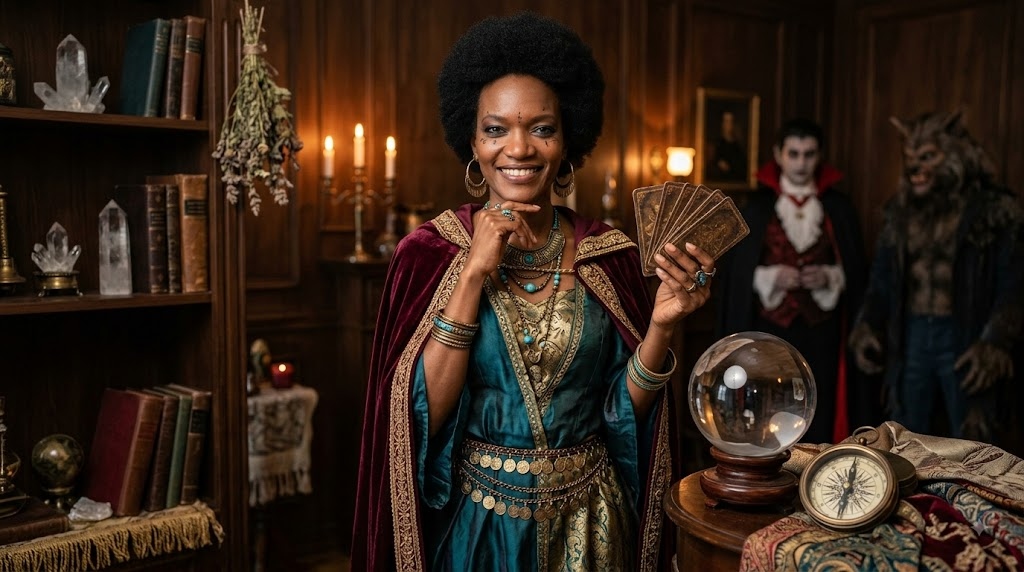
Spooky Halloween costume photoshoot
Prompt:
A realistic Halloween costume portrait of an adult in a detailed classic Halloween costume with realistic fabric, accessories, and makeup.
-
Elegant gothic Halloween portrait
Prompt:
Generate a photorealistic gothic Halloween portrait of an adult in a refined black dress with subtle vintage accessories.
-
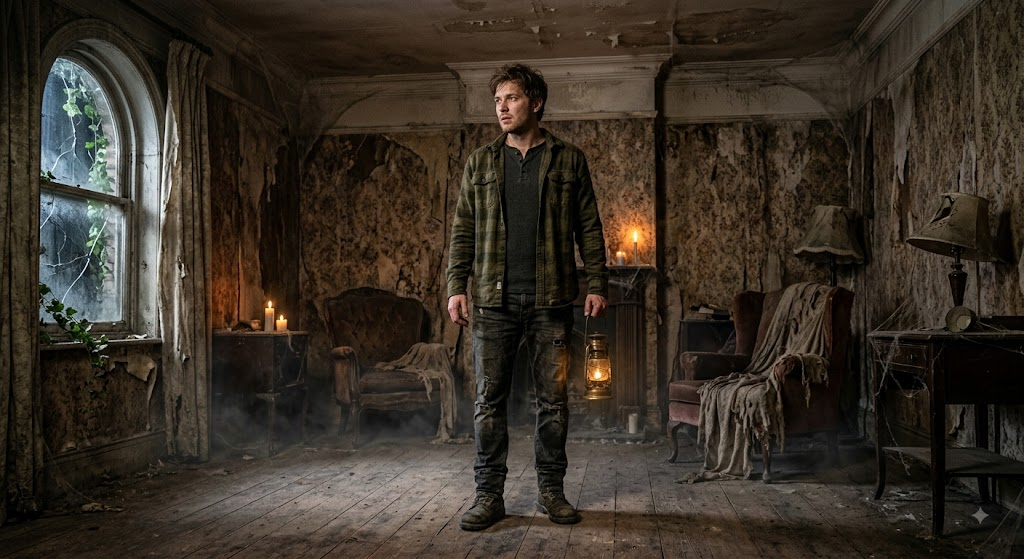
Haunted-house Halloween scene
Prompt:
Photorealistic Halloween scene of an adult standing inside an abandoned-looking Victorian house. Features old wallpaper, dusty furniture, wooden floors, low practical lighting, slight fog near the floor, realistic cloth textures, natural facial expression, believable shadows, and detailed environmental textures.
-
Halloween night portrait with pumpkins and fog
Prompt:
A realistic image of a grown-up standing outside a house on Halloween night, surrounded by carved pumpkins.
-
Dark fantasy Halloween character portrait
Prompt:
Create a photorealistic dark fantasy Halloween portrait of an adult character wearing an elaborate black costume with subtle fantasy-inspired accessories.
-
Creative Halloween family photo
Prompt:
Family Halloween photography should balance playful costumes with genuine expressions and interactions.
-
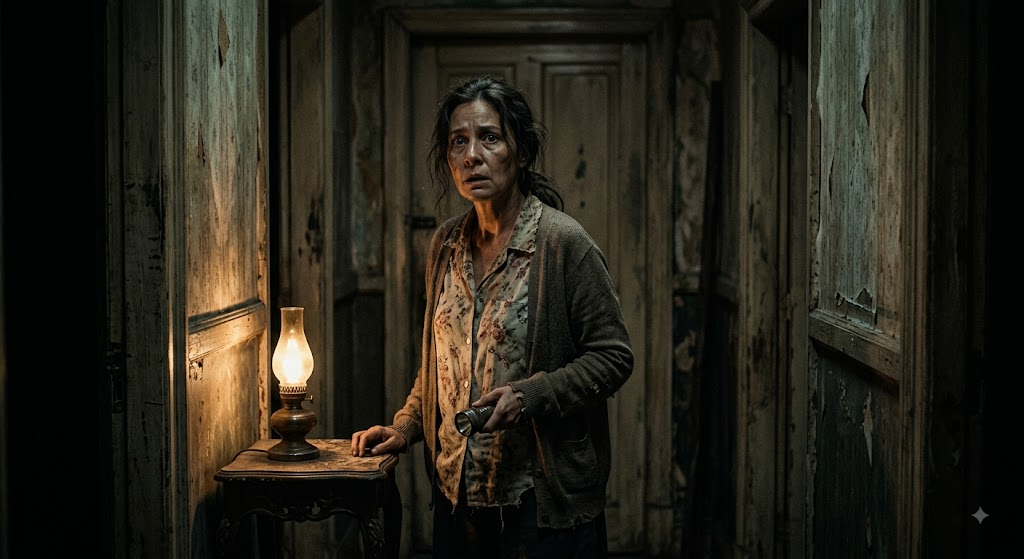
Vintage horror movie-inspired portrait
Prompt:
Portrait of an adult in an old house at night in a photorealistic vintage horror style. And make sure it's got low-key practical lighting and subtle film grain.
Tips to get more realistic images with Gemini AI
A detailed prompt could still yield an image that feels a little artificial if it relies too much on generic descriptions. Or, you can give it photographic details and ask for believable imperfections to make the result feel more natural.
-
Use specific descriptions instead of generic adjectives.
Rather than writing "beautiful person" or "amazing photo", describe the person's expression, their clothes, their hairstyle, the environment, and the type of light. Specific visual information gives Gemini clearer instructions.
-
Describe natural skin texture rather than excessive smoothing.
Don't over-smooth; describe natural skin texture. Ask for visible pores, light freckles, fine lines, and realistic facial variations. When appropriate, add natural facial details. This helps to avoid the overly airbrushed look of AI portraits, thus making them look more lifelike.
-
Request realistic shadows and reflections.
Shadows should show the direction and intensity of the light source. For scenes with mirrors, windows, water, or polished surfaces, include realistic reflections as well.
-
Avoid overusing cinematic effects.
The terms "cinematic," "epic," and "dramatic" can be helpful, but too many effects can make the image seem artificial. Describe the real lighting/photographic conditions you want instead.
-
Specify natural poses and expressions.
Request relaxed shoulders, natural hand positions, believable posture, subtle smiles, and candid movement instead of stiff poses. This is especially important for full-body portraits and lifestyle photography.
Bottom line
Gemini is a good place to start if you want to play around with detailed AI photo prompts. But crafting the right prompt is only half of the story. You may want to have more freedom when working with reference images, experimenting with various visual directions, and changing image formats. Vmake Labs is another option to try if you are looking for another way to visualize your ideas. With text and image-based workflows, you get AI-powered image generation, giving you more choice whether you want to start off with a written idea or an existing picture.
Want more control? Try Vmake Labs for AI image creation
Vmake Labs AI Image Generator creates images from text prompts or image-based modifications using AI. Depending on the result you are trying to achieve, you can describe the image you want with a prompt or give an existing image as a visual reference. Its AI Image Generator is useful for creating product images, lifestyle images, social media images, marketing images, fashion images, and other creative images. The flexible aspect ratios and multiple AI image models also allow you to experiment with different types of content.
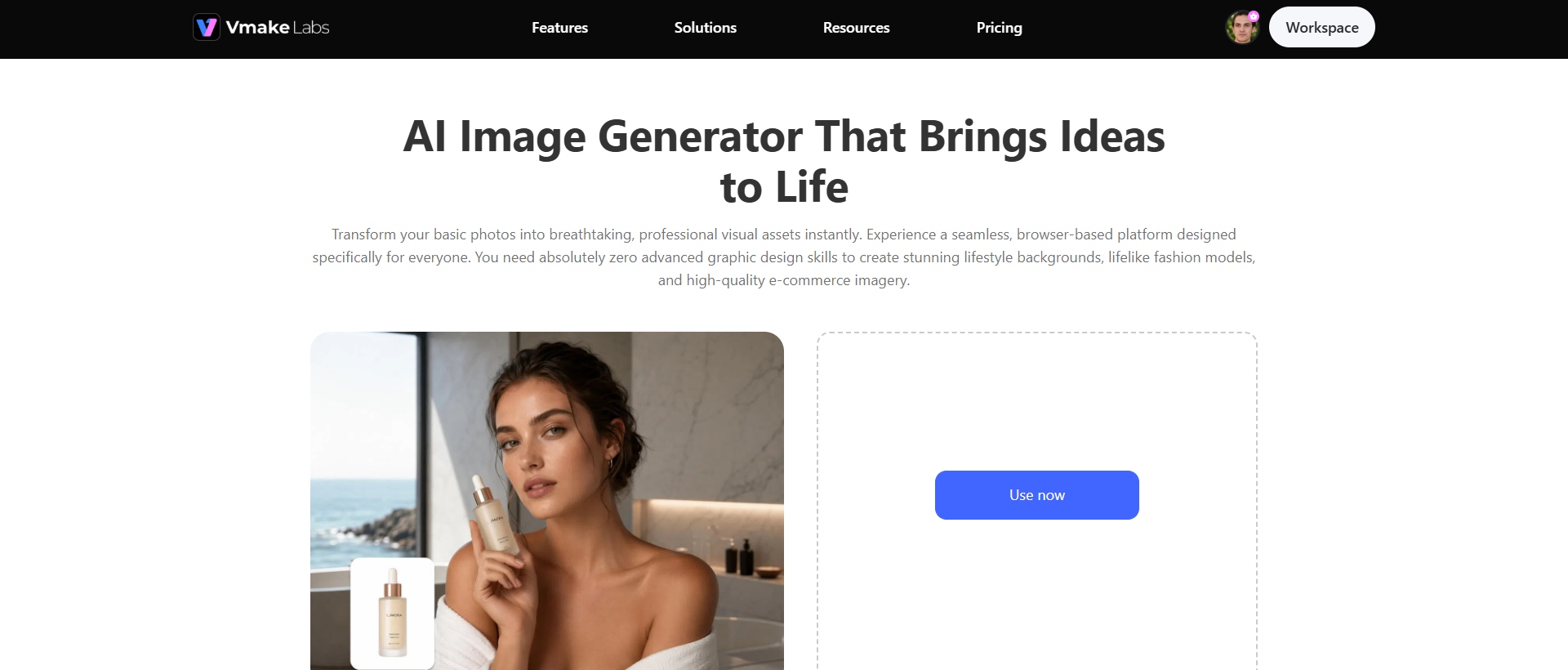
Step-by-step guide
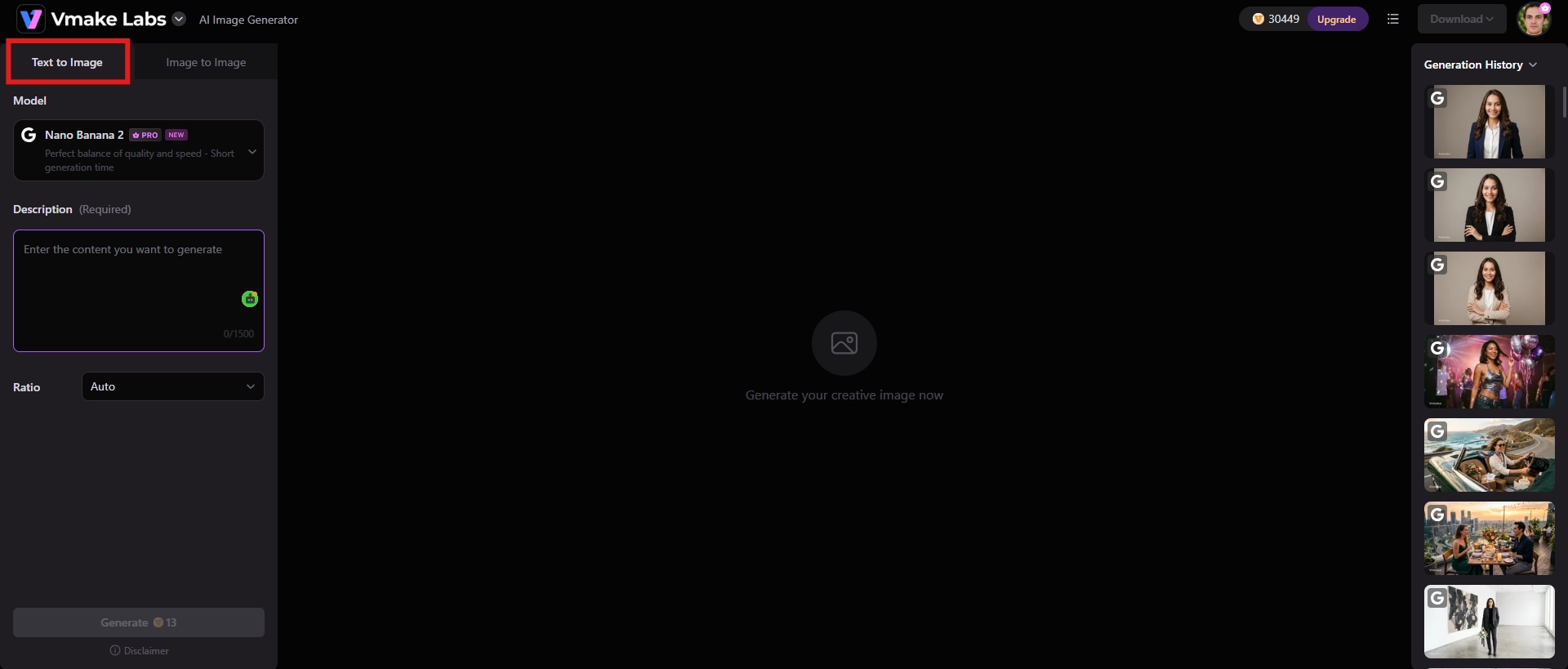
Step 1: Choose Text to Image or Image to Image
First, choose the generation method that best fits your project. You can either choose Text-to-Image or Image-to-Image.
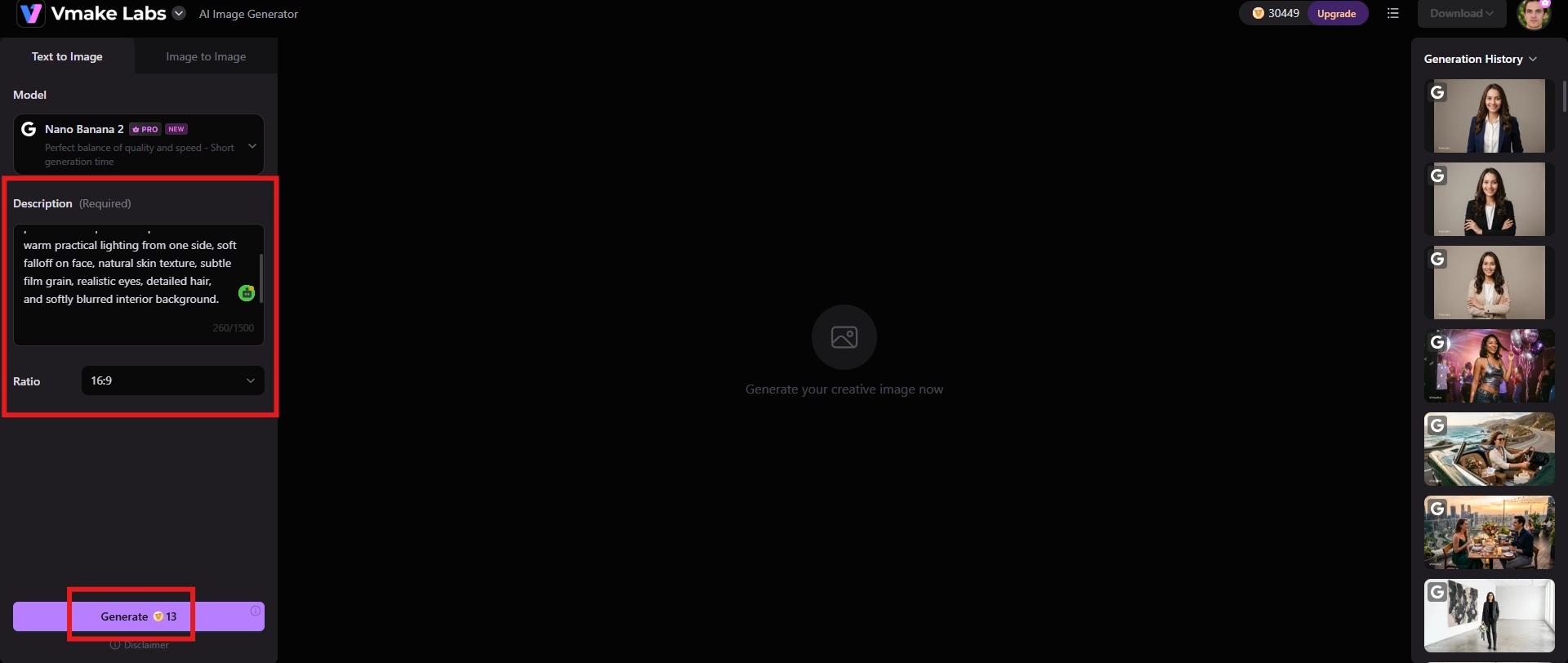
Step 2: Enter your prompt or upload a reference image and generate
For text-based generation, describe the subject, composition, lighting, environment, clothing, mood, and other important details. If you already have a visual, upload your reference image and build on it to get the result you want. Choose the appropriate aspect ratio for your final image, and click "Generate".
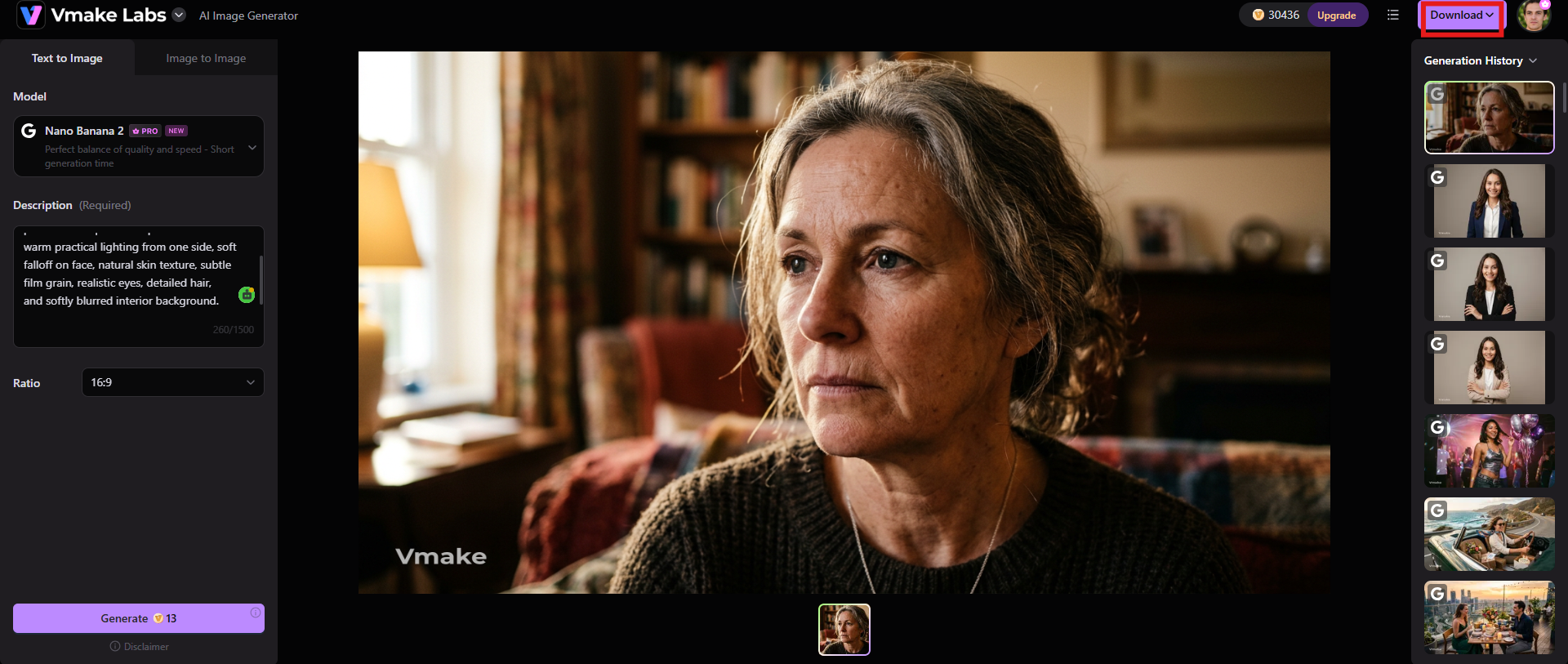
Step 3: Refine and download
If things aren't looking good, change your prompt or reference and generate another version until the visual is closer to what you are looking for. Once everything is in place, click "Download" to save the image.
Key features of Vmake Labs AI Image Generator
-
Text-to-image generation
Create an image from a text idea by specifying the subject, setting, style, composition, and other details you desire. Vmake Labs can produce anything from creative artwork to photorealistic product visuals from your prompt.
-
Image-to-image generation
Upload a photo that you already own, and use it as the basis for a new visual. You can change the style or look of a base image, which is helpful if you already have a product photo, sketch, or other reference to work from and want to try a different creative direction. Once you generate an image, use Vmake Labs AI Image Enhancer to polish the output.
-
Multiple AI image models
Vmake Labs provides a selection of various AI image-generating models, including Nano Banana, Seedream, and GPT Image. Multiple models give you more freedom to experiment with different generation techniques and visual results.
-
Flexible aspect ratios
Multiple aspect ratio options are available when generating an image, making it easier to fit visuals to different content needs and publishing formats, such as websites, presentations, or e-commerce-use images.
Conclusion
The start of realistic AI photography is a strong prompt. Professional headshots, natural-light portraits, fashion campaigns, travel photos, Christmas pictures, or Halloween scenes. The trick to getting the appropriate Gemini AI photo prompt is to be clear on the subject and the conditions of photography. Gemini is a good choice for people who want to experiment with natural-language prompts and create images by describing precisely what they imagine.
However, Vmake Labs may be the better fit for creators looking for a more image-centric workflow with text-to-image and image-to-image generation, various AI image models, and adaptable aspect ratios. It can be especially useful when AI visuals need to be created for social media, marketing, e-commerce, personal branding, or other content projects.
FAQs
-
What is the best prompt for realistic photos in Gemini?
The best prompt is specific, not only descriptive. Describe the subject, age range or appearance, clothing, pose, facial expression, environment, camera angle, lighting, shadows, composition, and photographic perspective. Instead of asking for "a realistic portrait," tell us about the person, location, lighting conditions, perspective of the lens, texture of skin, and natural expression you want.
-
How do I make Gemini AI photos look more realistic?
Focus on real-world photographic details. Skin texture, believable lighting, realistic shadows, authentic folds in clothing, natural poses, subtle facial expressions, environmental details, and more. You can also instruct Gemini not to over-smooth skin, distort anatomy, over-light, or add unrealistic visual effects.
-
Can I use a reference image with Gemini AI photo prompts?
Yes. If your Gemini workflow supports image input, you can provide a reference image for additional visual context. You can also pair the reference with detailed directions of what you want to keep and what you want to change (background, clothing, lighting, composition, overall setting, etc.).
-
How do I preserve a person's face when editing a photo with Gemini?
Specify what facial characteristics should be consistent. You can instruct the model to keep the person's identity, face structure, hairstyle, and key features while only changing the background or clothing. A clear reference image and detailed editing instructions can also help to minimize unwanted changes.
-
Can Gemini change the background without changing the subject?
In an image-editing workflow that supports this kind of instruction, you can tell Gemini to only replace the background, leaving the person's face, body, clothing, pose, and proportions the same. For example, specify the new environment and add a direction such as "keep the subject the same."
-
What details should I include in a Gemini AI photo prompt?
Include the topic, look, emotion, posture, clothing, location, environment, angle of the camera, composition, lighting, shadows, depth of focus, and desired realism. You don't have to put every detail in every prompt, but including the details that matter most to the image you want gives Gemini better creative direction.

You May Be Interested

Guide to Gemini AI Video Generator: Features, Steps, & Alternative
Gemini Image Generator Review: Hands-on Review & Alternative

Best AI Image Enhancer in 2026: Top Tools to Upscale and Fix Blurry Images
Best AI Image Upscaler Tools in 2026: Upscale Images to 4K, 8K & Beyond
Can Gemini Generate Images? Review, Test & Features Today

Google Gemini|Copy Paste This Simple Prompts to Create “Hug my younger self ” Photos
