
Can Gemini Generate Images? Review, Test & Best Alternative
Can Gemini generate images? Explore features, pricing, image quality, pros, cons, and create stunning AI visuals faster with Vmake Labs, your all-in-one AI image creation platform today for all.

AI image generation has transformed the way creators produce visuals, from social media graphics to professional marketing content. Google Gemini combines conversational AI with image creation, making it easier to turn ideas into visuals through natural language prompts. This review explores its features, performance, pricing, and overall user experience.
Can Gemini Generate Images? What are the features of Gemini?
Yes, Gemini can do it. It is a built-in tool, called "Create Images," that generates and edits pictures using text descriptions or uploaded photos. Instead of creating graphics manually, the AI takes prompts in writing and turns them into visuals in seconds. It's a Gemini platform native feature that combines image generation and conversational AI in a single workspace.
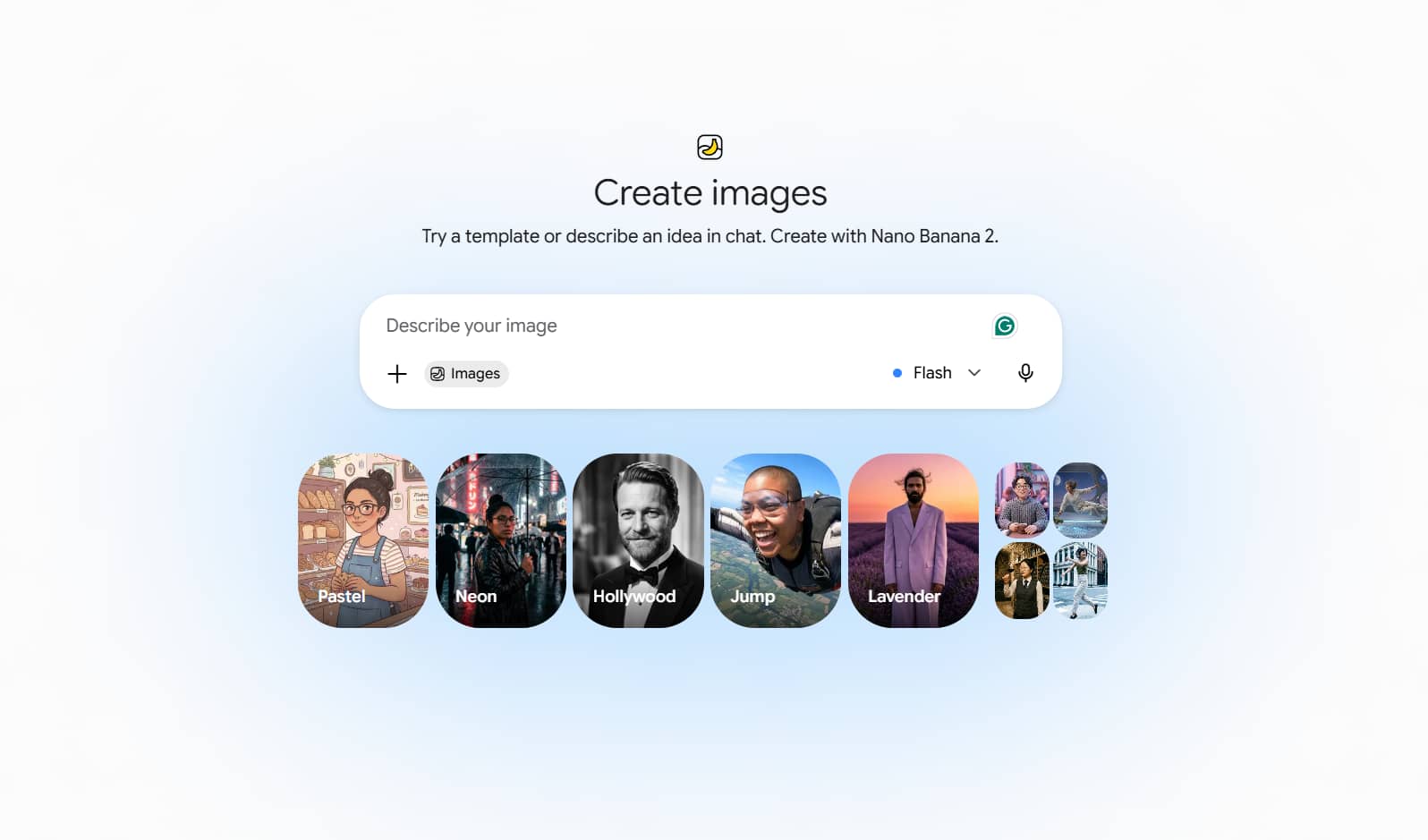
Can Gemini 2.5 generate images?
Yes. Gemini 2.5 supports AI image generation in supported regions and eligible accounts. Available features may differ depending on the subscription plan and Google's latest rollout. Some users may have access to advanced image creation tools, while others may see limited functionality.
How to generate images with Gemini AI
Gemini makes it easy to generate images as the platform uses conversational prompts instead of traditional editing tools. Just follow these simple steps to create and refine AI-generated images.
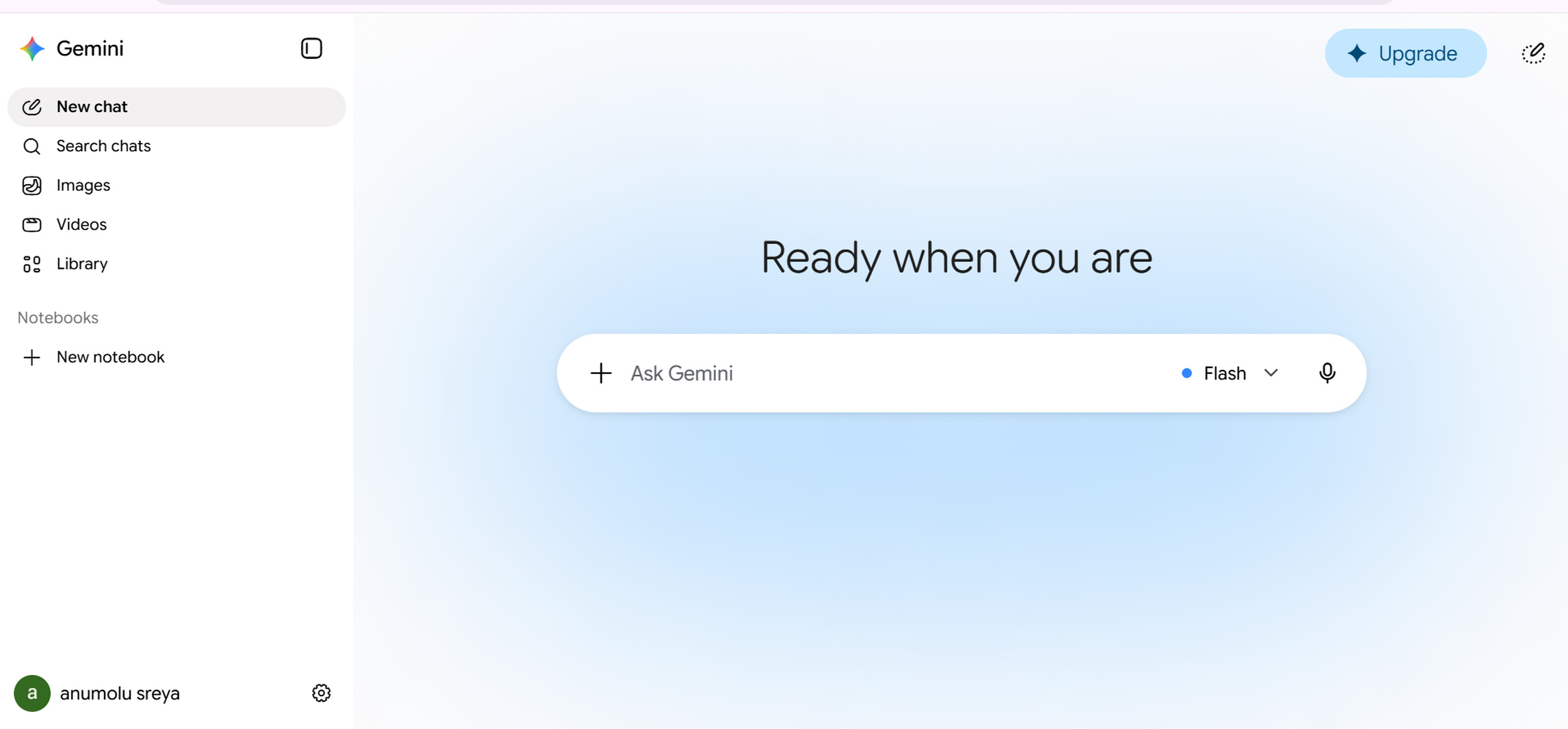
Step 1: Access Gemini AI image generation
Log in to the Gemini official website or app using your Google account to access Gemini. If your account has photo-producing support enabled, you can access the functionality immediately from the chat interface. After you log in, select the image generation option and prepare to communicate your idea.
Step 2: Write a detailed image prompt
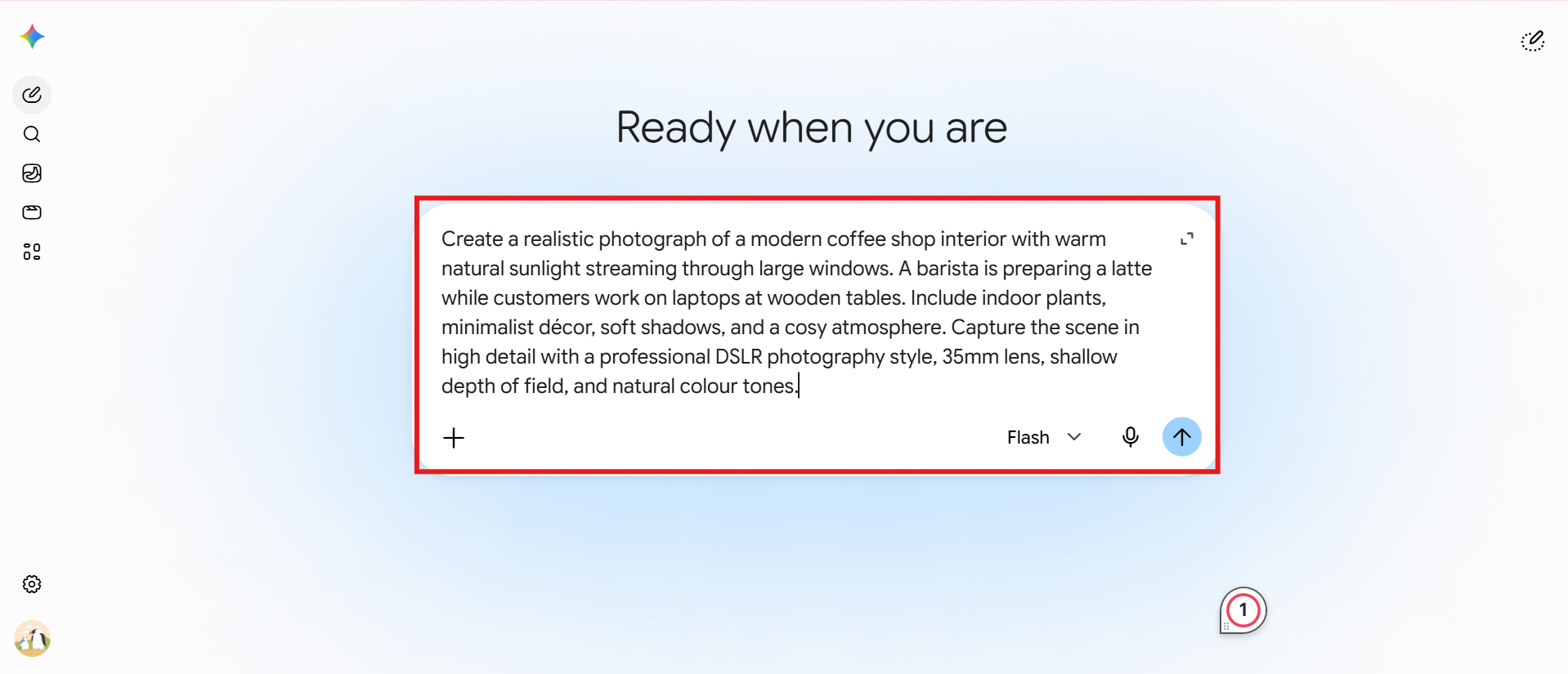
Enter a clear and detailed prompt describing the image you want to create. Include details such as the subject, art style, lighting, colours, background, and camera angle to help Gemini generate more accurate results. The more specific your prompt, the better the final image is likely to be.
Step 3: Generate and review the AI image
Submit your prompt, and Gemini will generate an image based on your description. Review the output carefully and use follow-up prompts to refine details, adjust colours, change backgrounds, or modify the overall style until the image matches your vision.
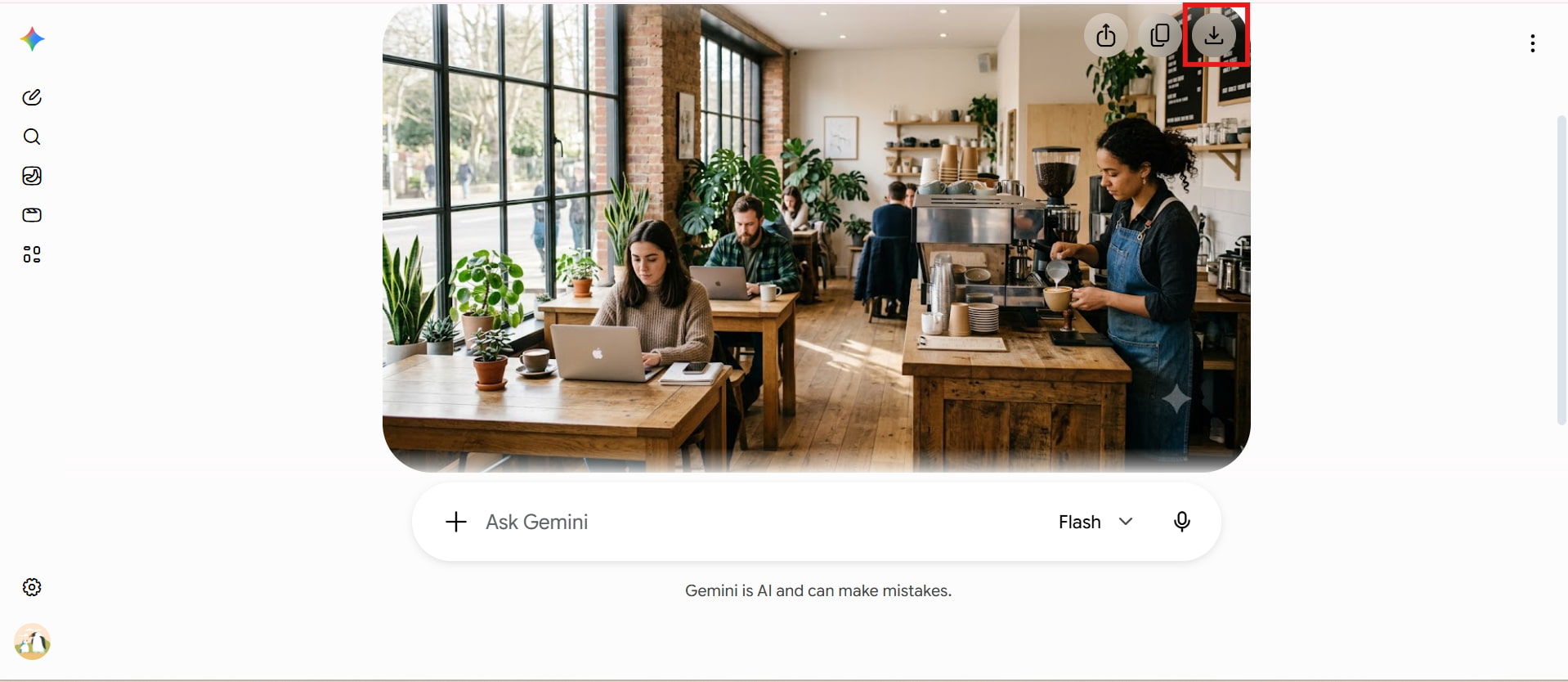
Bonus: How many image styles can you generate with Gemini
Based entirely on your text descriptions, Gemini can help you generate a wide range of genres and styles, for example:
-
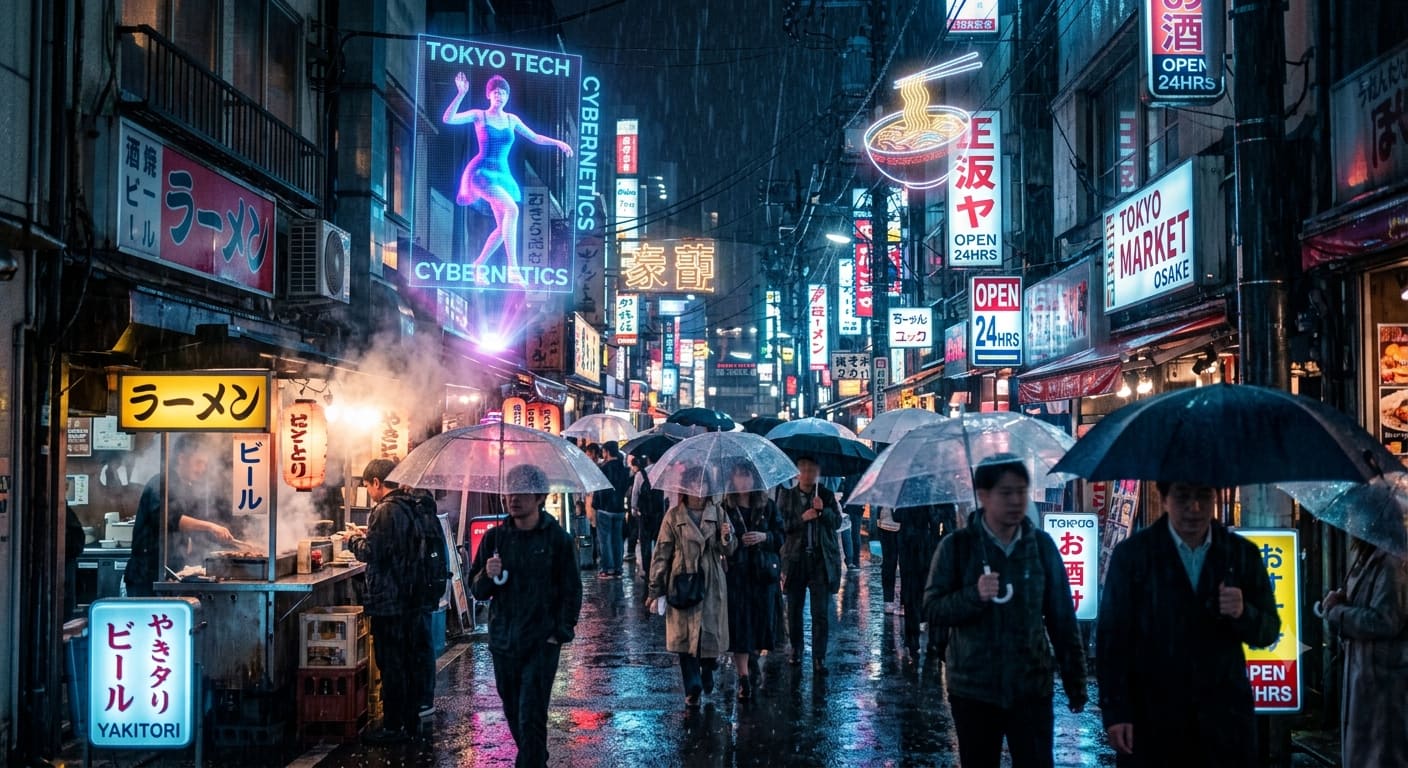
Cyberpunk / Sci-Fi
Prompts: A high-detail, cinematic shot of a neon-lit street market in Tokyo during a heavy night rain. Holographic advertisements floating above wet asphalt, reflections of vibrant blue and magenta lights in puddles, atmospheric fog, photorealistic, shot on 35mm lens, f/1.8 aperture, moody lighting.
-
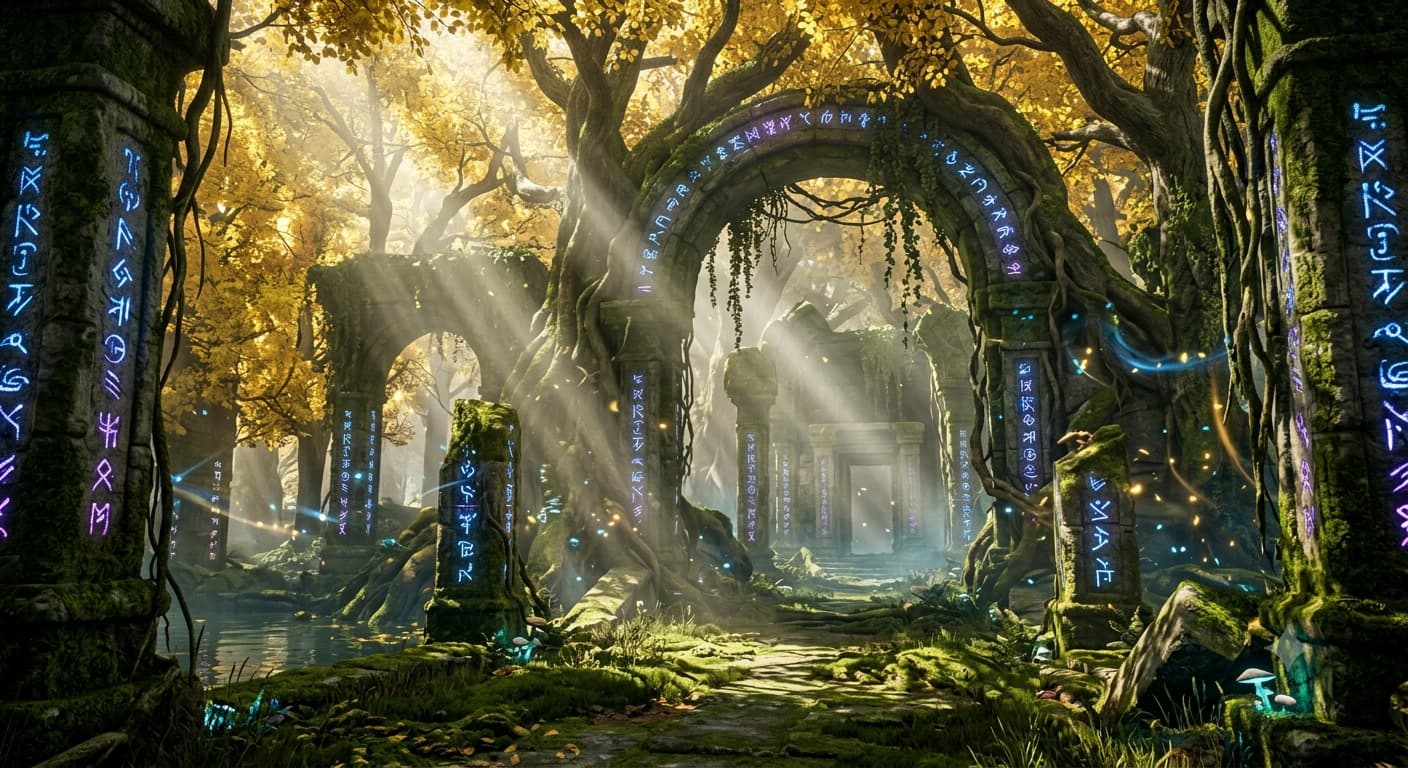
Fantasy
Prompt: An ancient, overgrown temple hidden deep within an enchanted forest. Glowing mystical runes carved into mossy stone pillars, shafts of soft morning light breaking through a dense canopy of golden leaves, swirling dust motes, ultra-detailed, cinematic composition, Unreal Engine 5 render style.
-
Anime Style
Prompt: A cozy, sunlit bedroom with a wide window overlooking rolling green hills and a bright blue sky with fluffy white cumulus clouds. A sleeping cat on a wooden desk with a steamy mug of tea, soft hand-drawn anime aesthetic, warm pastel palette, Ghibli-inspired art style.

-
Clay Art
Prompt: A charming little monster baker taking fresh bread out of a brick oven. Soft tactile clay texture, visible fingerprints, warm ambient lighting, stop-motion animation aesthetic, vibrant colors, shallow depth of field.

Gemini image generator Pricing, Pros and Cons
Gemini provides several subscription options designed for different types of users. Whether you're experimenting with AI for personal projects or creating visuals professionally, each plan offers different levels of access and advanced capabilities. The free plan is suitable for casual image generation, while paid subscriptions unlock additional capabilities, improved performance, and access to Google's latest AI features.
Pricing
|
Plan |
Price |
Best For |
|---|---|---|
|
$0/month |
Beginners and casual users |
|
$4.99/month |
Students and everyday creators |
|
$19.99/month |
Professionals and marketers |
|
$99.99/month |
Businesses and heavy AI users |
Pros and Cons
|
Pros |
Cons |
|---|---|
|
|
|
|
|
|
|
|
User feedback and community opinions
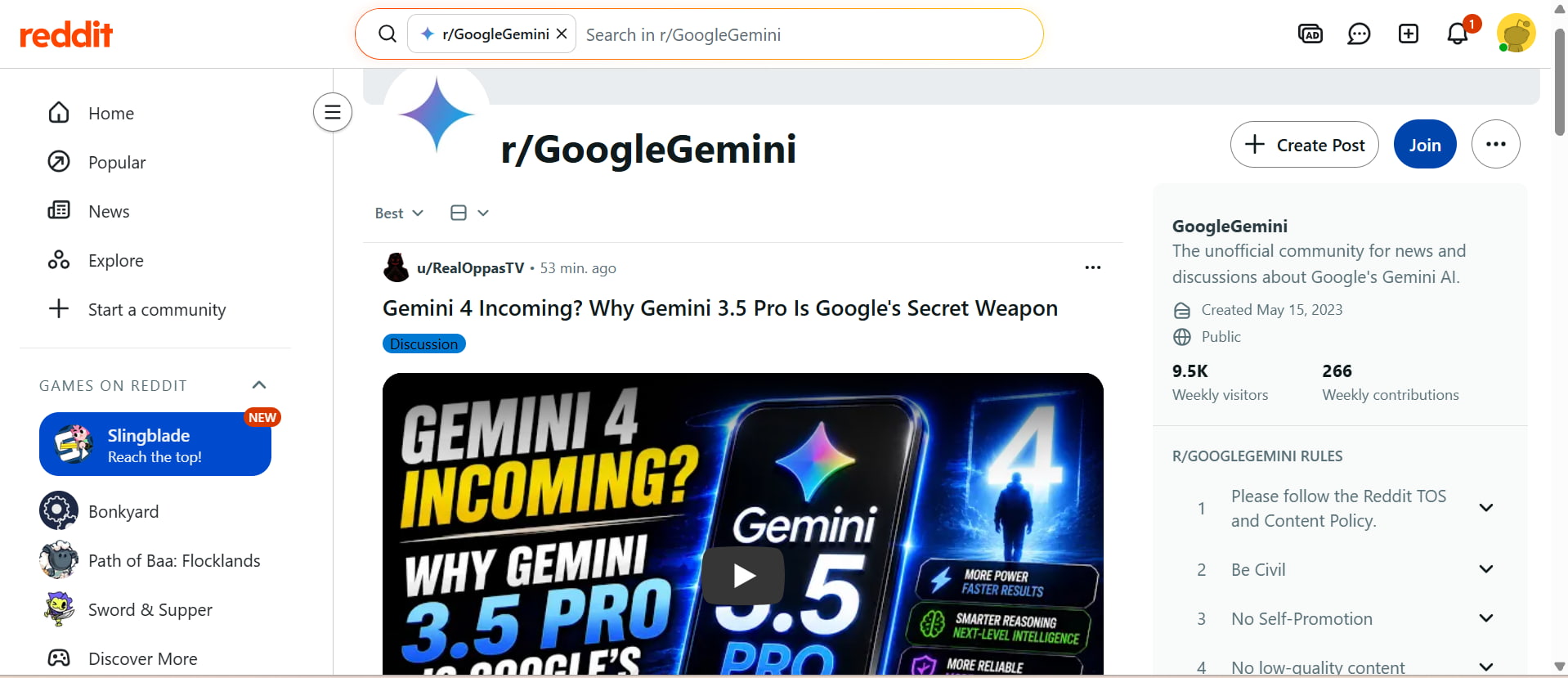
Gemini receives mixed feedback from AI users and creators. Many appreciate its simple conversational workflow, fast responses, and ability to combine image generation with general AI assistance. However, some creators mention that output consistency and detailed customization can vary depending on prompts.
Reddit users often highlight Gemini's convenience for quick creative experiments and brainstorming. Some users appreciate its prompt understanding, while others compare its image quality with dedicated AI image generators.
Quora
Quora users often discuss Gemini's image generation as a convenient tool for creating quick visuals and exploring creative ideas. Many appreciate its natural language understanding and easy conversational workflow, especially for beginners. However, some users mention that dedicated AI image generators may offer more advanced controls, consistency, and customization options for professional projects.
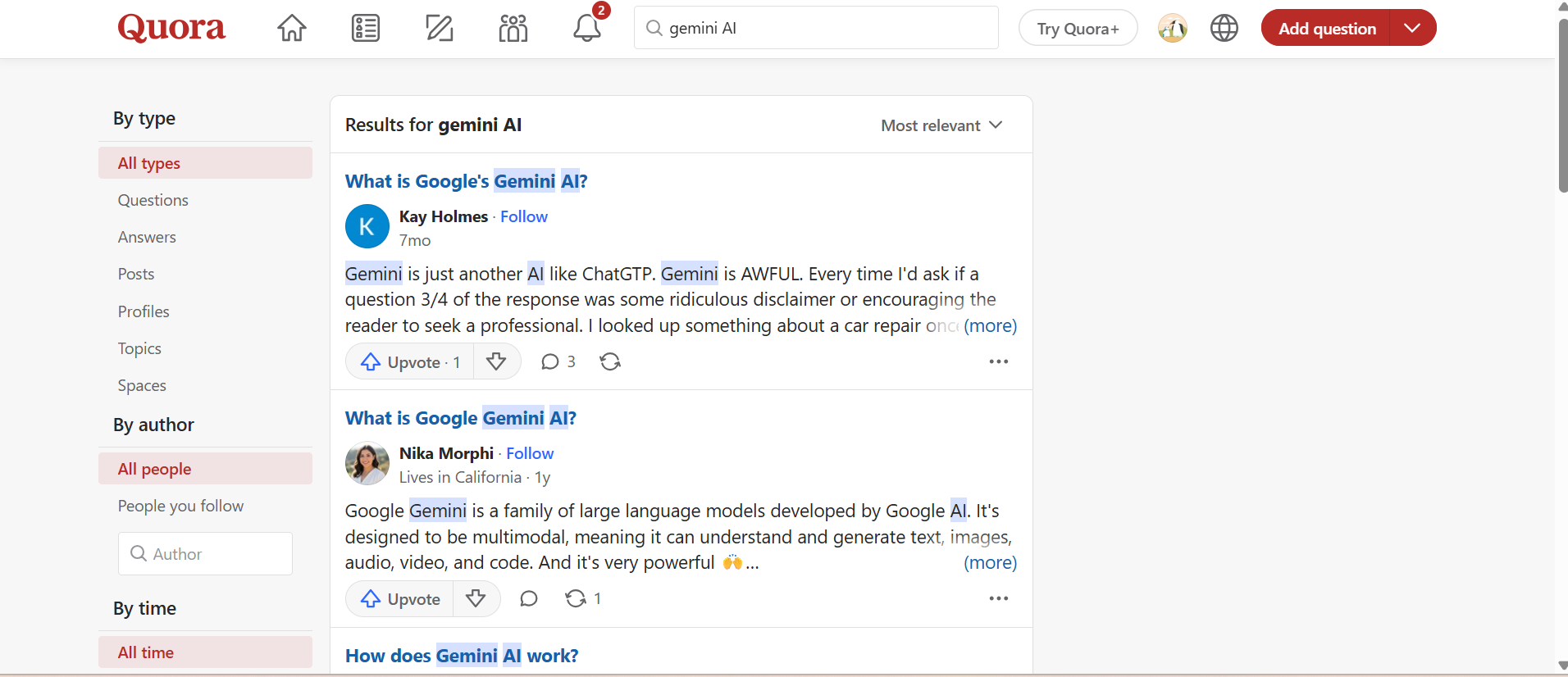
Gemini offers an easy approach to producing graphics with conversational cues, but user feedback suggests that creators are often looking for more specialized tools when they want more control, consistency, and professional-quality outcomes. That's where dedicated AI picture platforms can help simplify creative operations and provide visuals designed for business and marketing purposes.
Create professional AI images with Vmake Labs image generator
Gemini is great for conversational picture production, but designers who need a dedicated visual workflow might prefer a specialist platform like Vmake Labs. Vmake Labs is created for marketers, e-commerce companies, and social media professionals with numerous AI models, text-to-image generation, picture-to-image generation, and reference image support. Tools like the AI image generator assist users in creating excellent visuals, product images, and creative assets faster without significant design expertise.
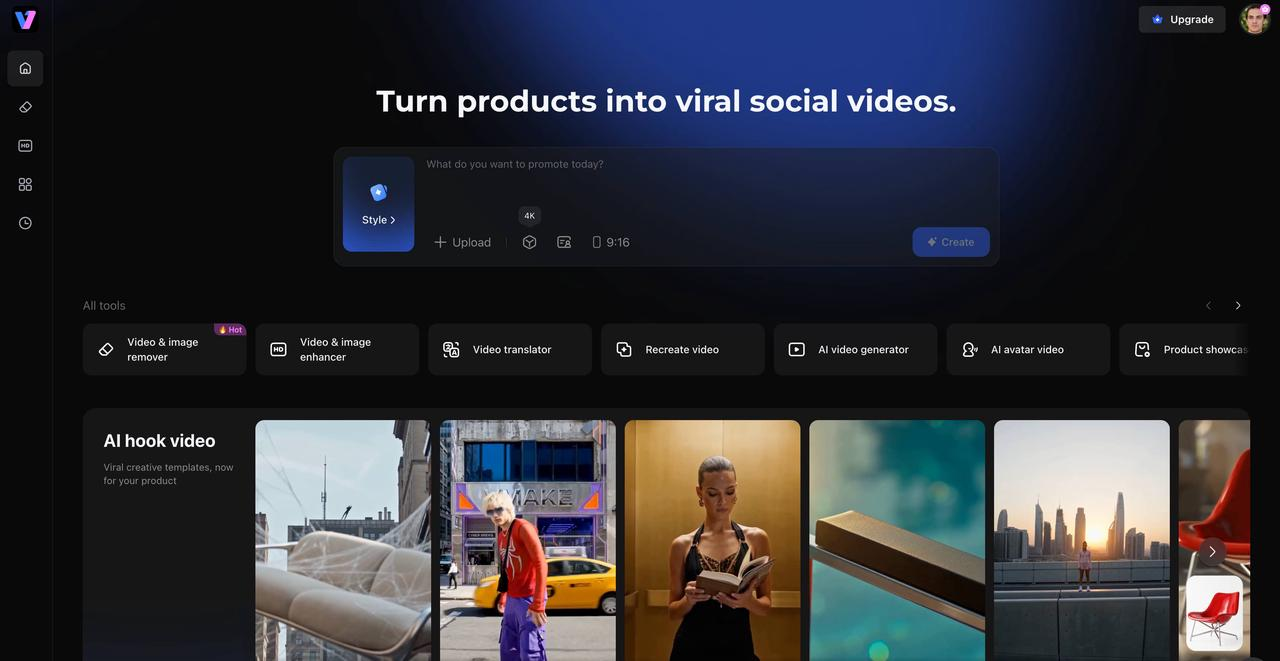
How to Generate AI images with Vmake Labs
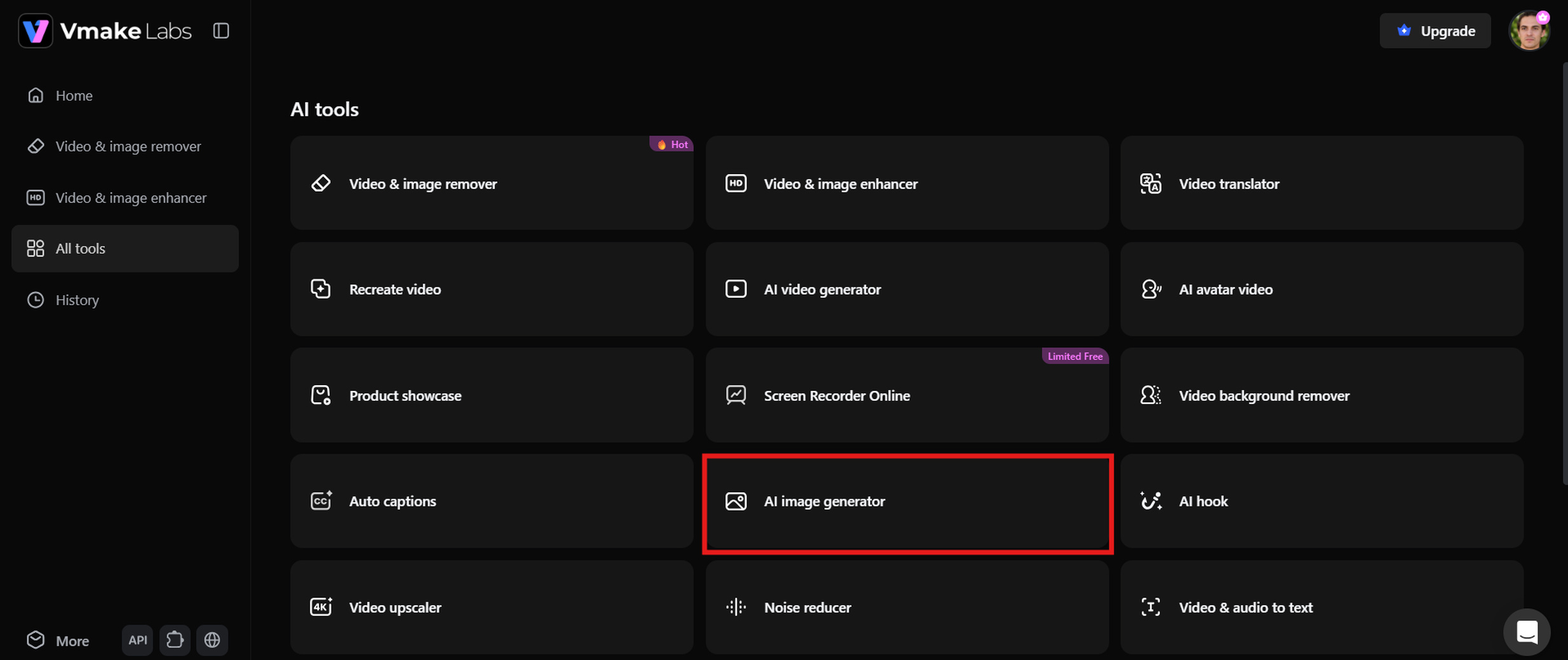
Step 1: Open the Vmake Labs image generator
Visit the Vmake Labs image generator and open the image creation workspace to start designing visuals. Select the AI image generation feature and prepare your creative idea. Its simple interface helps users focus on prompts instead of managing complicated design settings.
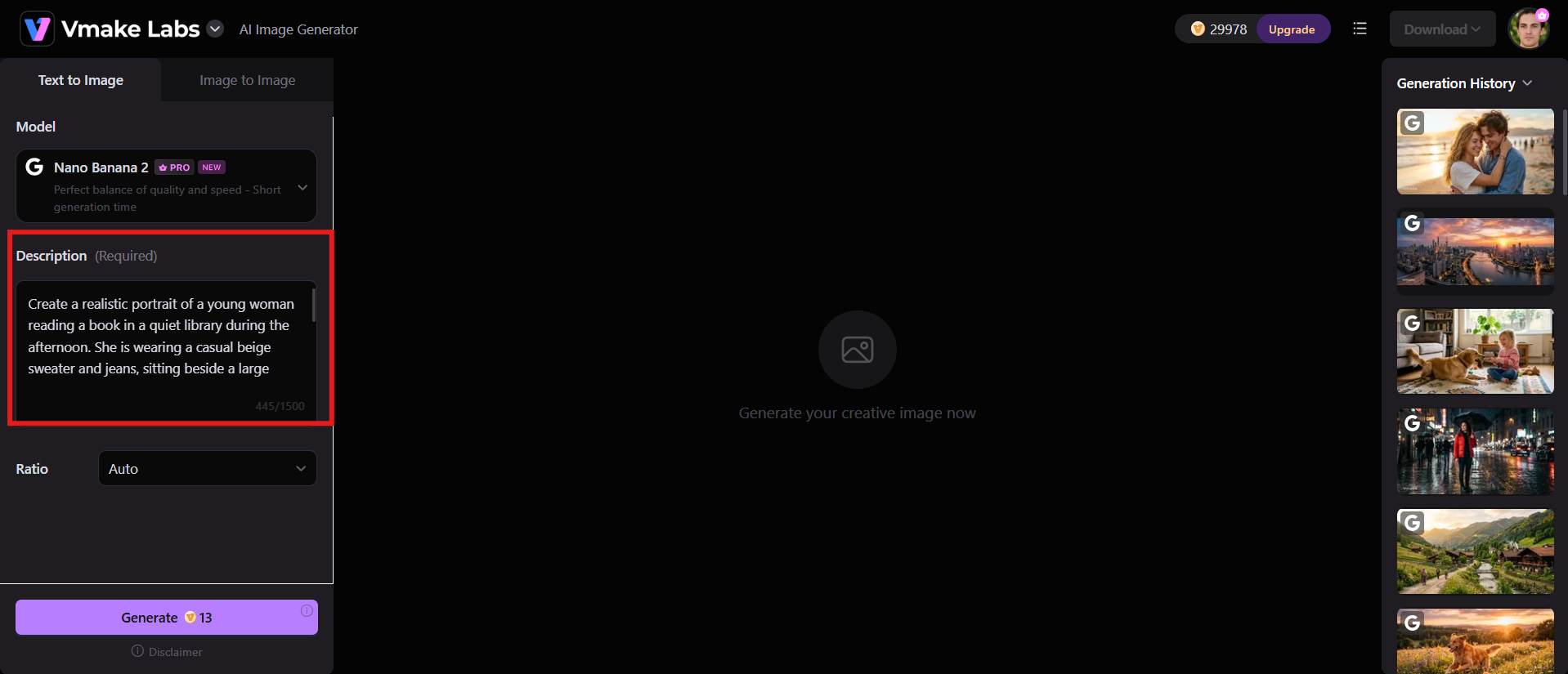
Step 2: Enter a prompt or upload a reference image
Add a detailed text prompt describing your desired image or upload a reference image to guide the generation process. Include details such as style, colours, composition, subject, and background to achieve more accurate and consistent results.
Step 3: Generate, edit, and download your image
Generate your image and review the output based on your creative requirements. You can refine details, adjust elements, and create improved versions before downloading the final visual for marketing campaigns, presentations, social media, or e-commerce product listings.
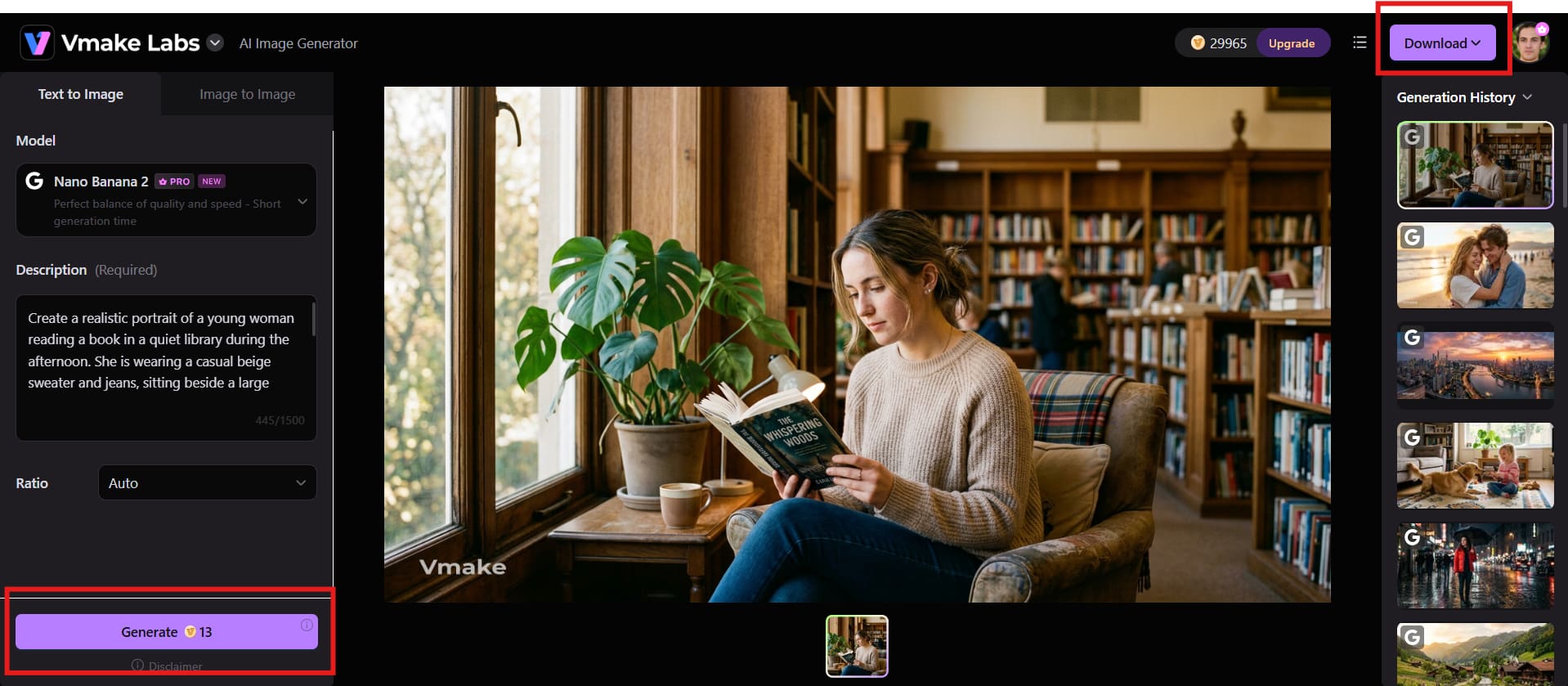
Key features of Vmake Labs image generator
Vmake Labs image generator provides several features designed for creators who need professional-quality visuals with a faster workflow.
-
Multiple built-in AI models: Choose from different AI models to create images with various artistic styles, creative aesthetics, and visual effects.
-
Text-to-image generation: Convert natural language descriptions into unique AI-generated images within seconds. Users can create visuals by simply explaining their ideas.
-
Image-to-image generation: Upload an existing image and generate new variations while maintaining the original concept, style, or visual direction.
-
Reference image support: Use reference images to guide AI generation and achieve more consistent characters, compositions, and creative styles.
-
Multiple aspect ratio options: Create images in different formats suitable for social media posts, websites, advertisements, presentations, and ecommerce platforms.
Gemini vs Vmake Labs image generator: Detailed comparison
Both Gemini and Vmake Labs are tools that allow users to develop AI graphics. However, they are geared toward various creative demands. Gemini is all about conversational AI-powered image generation, and Vmake Labs offers a dedicated professional image generation methodology. This comparison looks at their features, capabilities, and ideal use cases to help you choose the right tool.
|
Category |
Gemini AI Image Generator |
Vmake Labs Image Generator |
|---|---|---|
|
Main purpose |
AI assistant with image generation capabilities |
Dedicated AI image creation platform |
|
Image generation |
Available through Gemini image features |
Built specifically for AI image creation |
|
Prompt workflow |
Conversational prompts within the Gemini interface |
Dedicated prompt-based image creation workflow |
|
Input options |
Primarily text prompts |
Supports both text-to-image and image-to-image generation |
|
Built-in models |
Uses Gemini's image generation capabilities |
Offers multiple built-in AI image generation models |
|
Reference images |
Limited support depending on workflow |
Supports reference images for more consistent results |
|
Aspect ratios |
Limited customization |
Multiple aspect ratio options for different content formats |
|
Image styles |
Multiple creative styles |
Multiple professional styles |
|
Best use cases |
AI assistance, brainstorming, general visuals |
Marketing, ecommerce, social media, business visuals |
|
Commercial output |
Depending on usage requirements |
Designed for professional visual creation |
Gemini is well suited for users who want an AI assistant that can also generate images for everyday creative tasks. In comparison, Vmake Labs focuses on dedicated image creation with features aimed at professional creators, marketers, and ecommerce teams that require consistent, high-quality visual content. Its dedicated image-generation workflow, reference image support, and professional-focused features make it more suitable for marketers, ecommerce brands, agencies, and creators who need consistent visual assets.
Conclusion
AI image generation has become easier with tools like Gemini and Vmake Labs. Gemini provides a convenient conversational experience for creating visuals, exploring ideas, and combining AI assistance with image generation. However, users who need more creative control, consistent styles, and professional workflows may prefer a dedicated platform like Vmake Labs. With features such as multiple AI models, flexible editing options, and tools like image enhancer, Vmake Labs helps businesses and creators produce high-quality visuals efficiently.
FAQs
-
Can Gemini generate images for free?
Yes, Gemini provides free access to AI image generation features for eligible users. However, availability, usage limits, and supported features may vary depending on the account type, region, and Google's latest updates. Users may need a paid plan for access to additional AI capabilities.
-
Does Gemini use Imagen to generate images?
Yes, Gemini uses Google's Imagen technology to generate images in supported versions and experiences. The specific Imagen model available may vary based on your Gemini plan, account access, and regional availability. As Google continues to update its AI services, image generation capabilities and supported models may change over time.
-
Can Gemini edit AI-generated images?
Yes, Gemini can edit AI-generated images through follow-up conversations and natural language instructions. Users can request changes such as adjusting colours, modifying styles, improving details, or changing specific elements. For more advanced image editing and professional workflows, Vmake Labs provides dedicated creative tools.
-
Why can't Gemini generate images on my account?
If image generation isn't available, it could be due to regional restrictions, account permissions, subscription limitations, or phased feature releases. Verifying your account settings and checking for the latest Gemini updates may resolve the issue.
-
Can Gemini generate multiple images at once?
Gemini's ability to create multiple images at once depends on the available version and current feature limitations. Users may need to submit separate prompts for additional variations. For users who need more flexible image creation options, Vmake Labs offers a dedicated AI image generation workflow.
-
Which AI image generator is better: Gemini or Vmake Labs?
The better option depends on your creative needs. Gemini works well for conversational AI assistance, brainstorming, and quick image creation, while Vmake Labs is better suited for creators, marketers, and businesses that need professional visuals, reference image support, and consistent image generation results.

You May Be Interested
Guide to Gemini AI Video Generator: Features, Steps, & Alternative

Google Gemini|Copy Paste This Simple Prompts to Create “Hug my younger self ” Photos

Canva AI Image Generator Review: Is It Worth It in 2026?
Adobe Firefly AI Image Generator Review: Features & Pricing
Bing AI Image Generator Review: Honest Analysis & Complete Guide
Perchance AI Image Generator Review: Is It Worth Using?
