
Gemini Image Generator Review: Features, Cost & Alternative
Our Gemini Image Generator review covers the tool's image quality, editing features, speed, pricing, and limitations. Learn how Vmake Labs helps creators generate realistic images.

The Gemini Image Generator taps into the power of Google's AI to make visual creation possible, letting users generate and edit images from simple text prompts. In this Gemini image generator review, we will cover the key features, image quality, pricing plans, real user reviews, limitations, and compare it with Vmake Labs as a perfect alternative for advanced AI image generation.
What is the Gemini AI image generator?
Gemini AI image generator is a feature of Google's Gemini, a multimodal artificial intelligence platform that was created by Google, that enables the creation of images using AI. It lets users create images from natural language descriptions, edit existing ones, and enhance creative ideas through conversation.
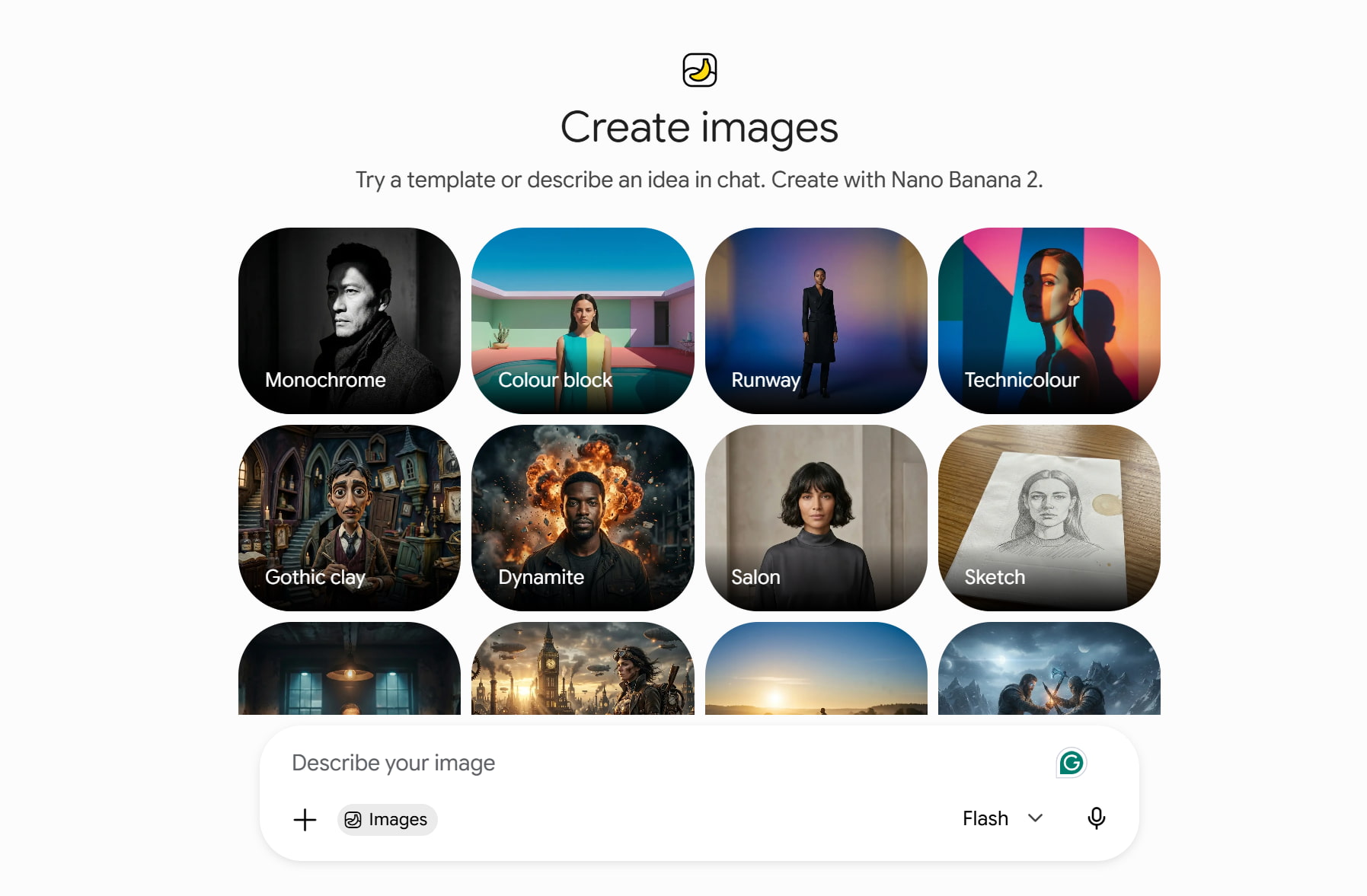
The tool is powered by Google's Imagen family of image generation models, including the latest Imagen models built to improve realism, composition, text understanding and creative accuracy. While traditional AI image generators require users to learn complex prompt structures, with Gemini, users can describe their ideas naturally and refine results through follow-up conversations.
Key features of Gemini image generation
The best thing about Gemini's image generator is that you can have natural conversations while you create images. It allows the user to describe an idea, flesh out details, ask for changes, and improve the output without starting over. Here are some notable features to know.
-
Text-to-image generation
You just type in a description and get an image with Gemini's text-to-image capabilities. The AI reads the text instructions and creates visuals based on elements such as subject, environment, artistic style, lighting conditions, colors, and composition.
Users can describe what they want to see and generate realistic portraits, product concepts, fantasy art, illustrations, landscapes, marketing graphics, and more.
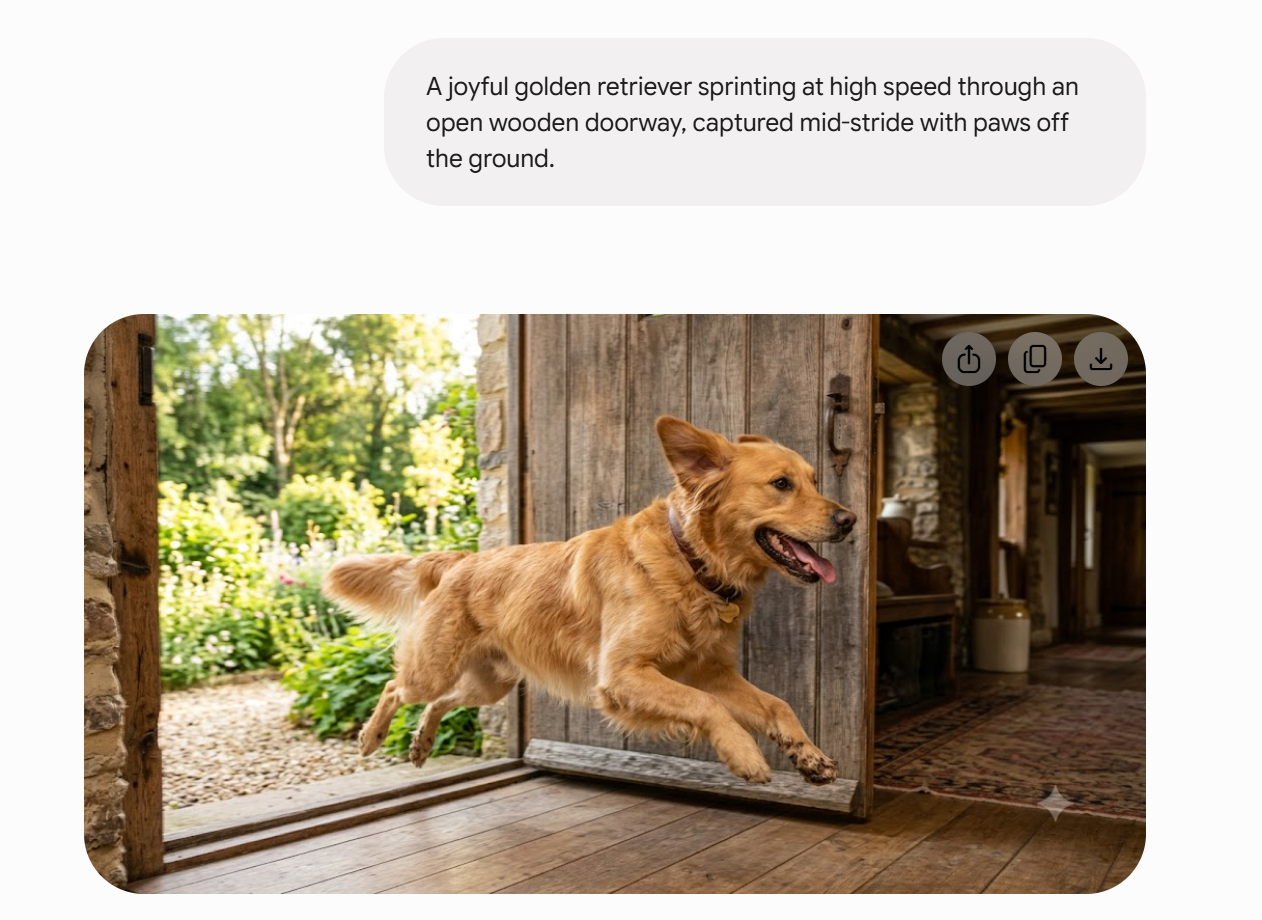
Test result: In testing, Gemini generated images with correct subject placement and good overall composition. More detailed prompts gave better results, particularly with descriptions of lighting, camera angles, and artistic style. A few very specific creative ideas required a few more prompt refinements.
-
Multiple aspect ratios
Gemini works with a range of image formats and aspect ratios, making it possible to produce images for various platforms and applications. Users can generate images optimized for posts on social media, website graphics presentations, and advertisements.
Selecting the correct aspect ratio is important so that you can have a better composition and not crop out parts of the photo unnecessarily when using it for various platforms.
Test result: The formats on offer worked well for general content creation. However, professional designers might find dedicated design platforms to offer more advanced control over dimension and layout customization.
-
AI image editing
Gemini is also not limited to generating images; it can also let users modify existing images through conversational instructions. Users can upload an image and ask Gemini to change some things, such as changing backgrounds or removing objects, changing colors, adding new elements, or changing the style.

Test result: Gemini can do simple edits like changing the background or applying different styles. But for complex edits involving multiple objects or for fine-tuned adjustments, you may find yourself asking repeatedly to get what you want.
-
Integration with Google ecosystem
One of the greatest benefits of Gemini is its integration into the Google ecosystem. If you're already using Google services, it's easy to add AI-generated visuals to your workflow. The integration makes Gemini useful for image generation for presentations in Google Slides, education material, and marketing campaigns.
Test result: If you already use Google Workspace tools, integration with the Google ecosystem makes Gemini a convenient option. There's no need to switch between different apps in your creative flow.
-
Prompt assistance
The conversational AI in Gemini helps users improve their prompts, suggesting additional details and polishing creative ideas. This is particularly useful for beginners who may not know how to write good prompts for AI images. Users don't need to have technical prompt engineering knowledge; they just need to explain what they have in mind, and Gemini will help them expand that in detail.
Test result: Prompt assistance was one of Gemini's most beginner-friendly features. It helped improve basic ideas into more detailed instructions, resulting in more visually refined outputs.
How to use AI image generator Gemini
Gemini simplifies the image creation process by allowing users to generate visuals through a conversational interface. No design experience or technical knowledge is required. Here's the step-by-step guide.
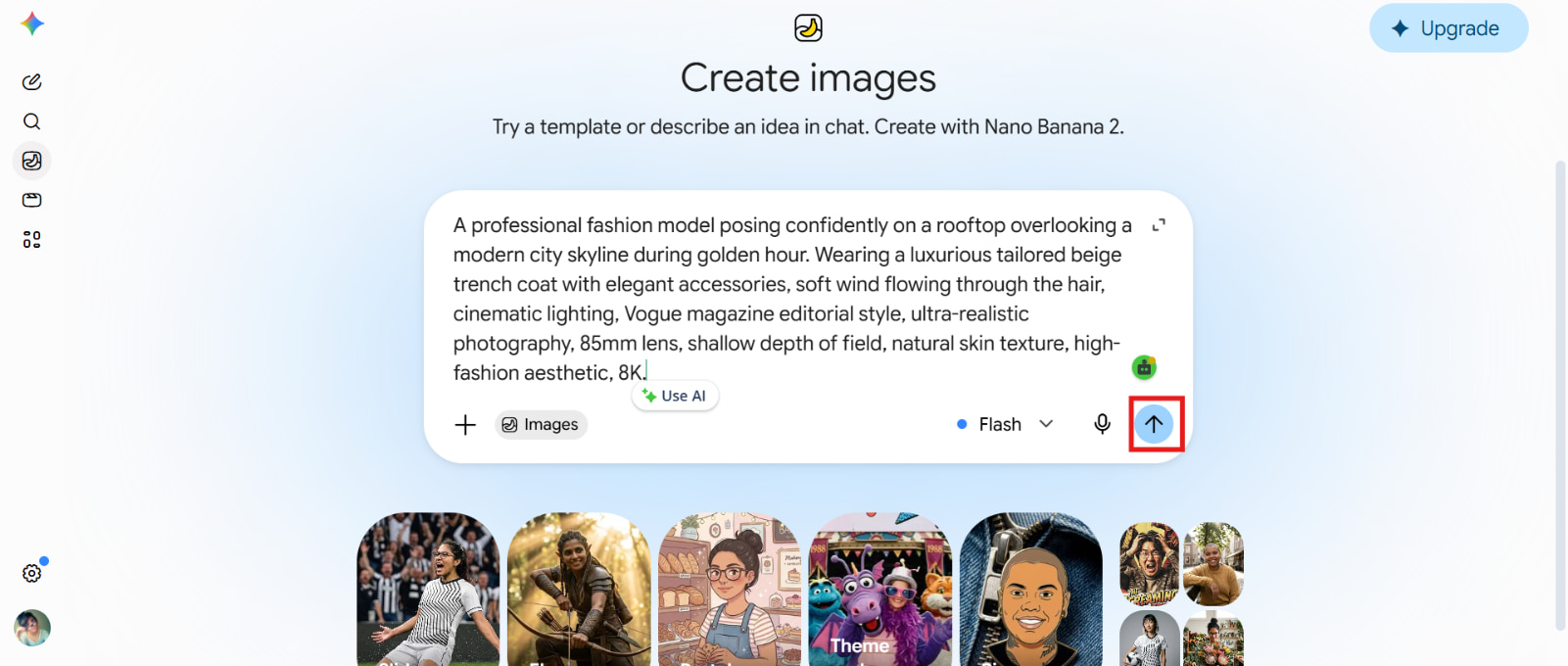
Step 1: Open Gemini and write a detailed prompt
Go to the Gemini website or open the Gemini mobile app and sign in with your Google account. Once you're in, start a new chat and make sure you're on a version of Gemini that supports AI image generation. Create an image that captures the essence of the scene described in the text using natural language. The more specific the prompt, the better the results.
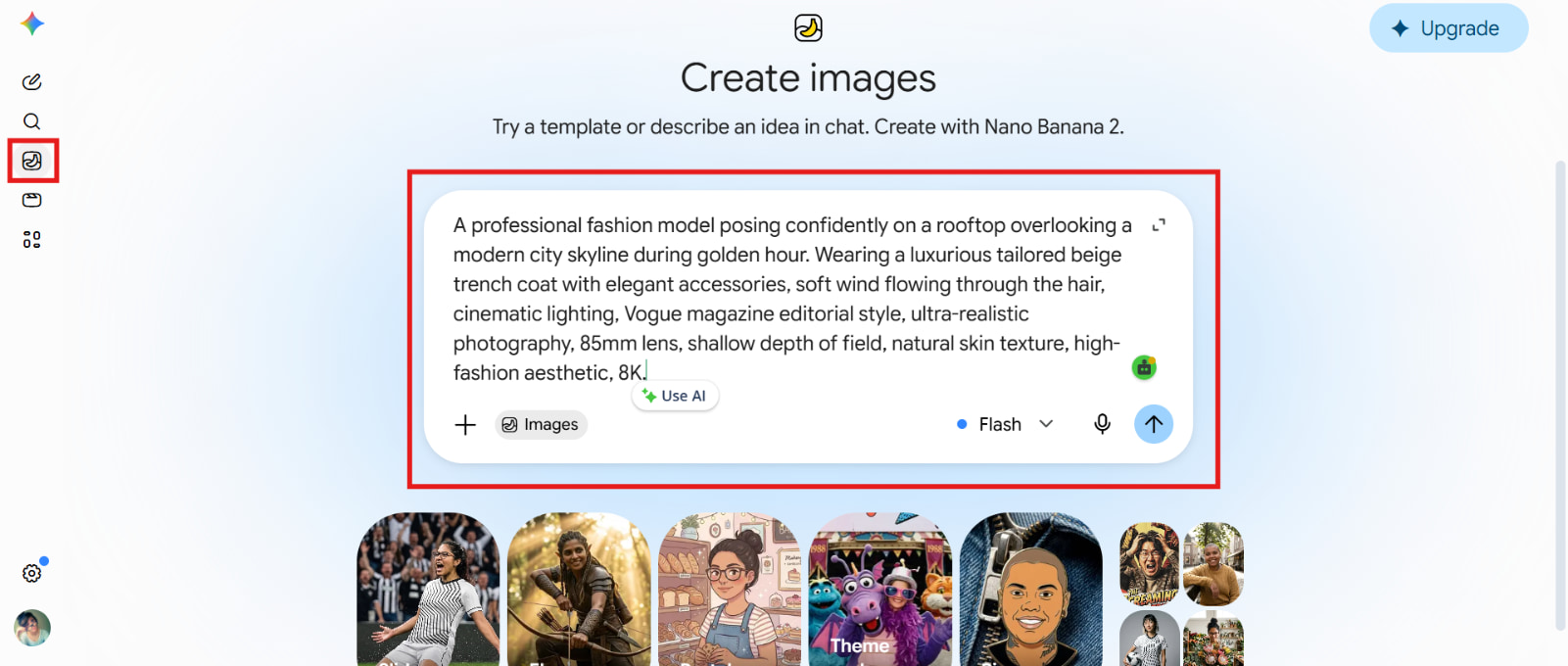
Step 2: Generate the image
Review the prompt carefully, adjust settings, and click the "Generate" button to begin the image generation process.
Step 3: Download the image
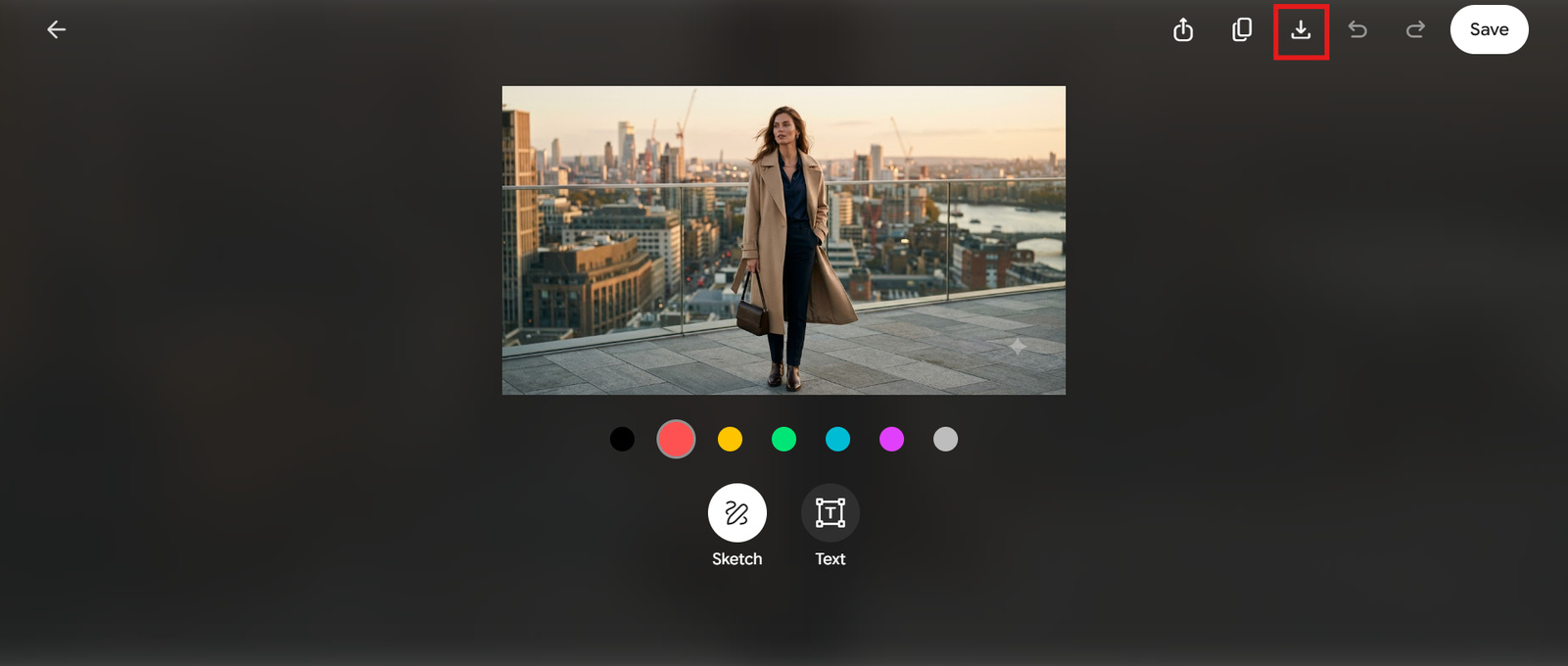
Once the image is generated, review the results and continue the dialogue to make adjustments. This conversational editing process is designed to allow you to iterate until the image is what you had in mind. Finally, when you're happy with the final image, download the generated image to your device.
Gemini image generator: Pricing, pros & cons
Gemini Image Generator is available in a variety of ways, including through Google's free Gemini experience and premium Google AI subscription plans. Gemini's pricing makes it a good choice for casual creators as well as professionals looking for more frequent AI help.
|
Free |
Google AI Plus |
Google AI Pro |
Google AI Ultra |
|---|---|---|---|
|
$0 |
$4.99/mo |
$19.99/mo |
$99.99/mo |
|
|
|
|
Who should choose the Free plan?
The free plan for the Gemini Image Generator is perfect for anyone interested in trying AI-based image creation without shelling out a cent. For beginners, students, and casual creators, it's an easy way to play around with generating visuals, improving ideas, and making images for personal use. The free plan does have some usage limits, so it's best for casual image generation rather than ongoing professional workflows.
Who should choose the paid plan?
Paid Gemini plans are designed for users who regularly use AI tools and need more reliable access, higher usage limits, and advanced features. These plans are more appropriate for professionals, businesses, content makers, marketers, and teams who make use of AI image generation as a part of their daily workflow.
Gemini Image Generator combines Google's powerful AI technology with a simple conversational interface. While it offers strong accessibility and integration advantages, it also has some limitations compared with specialized AI image-generation platforms.
|
Pros |
Cons |
|---|---|
|
|
Gemini generated image review: What real people are saying
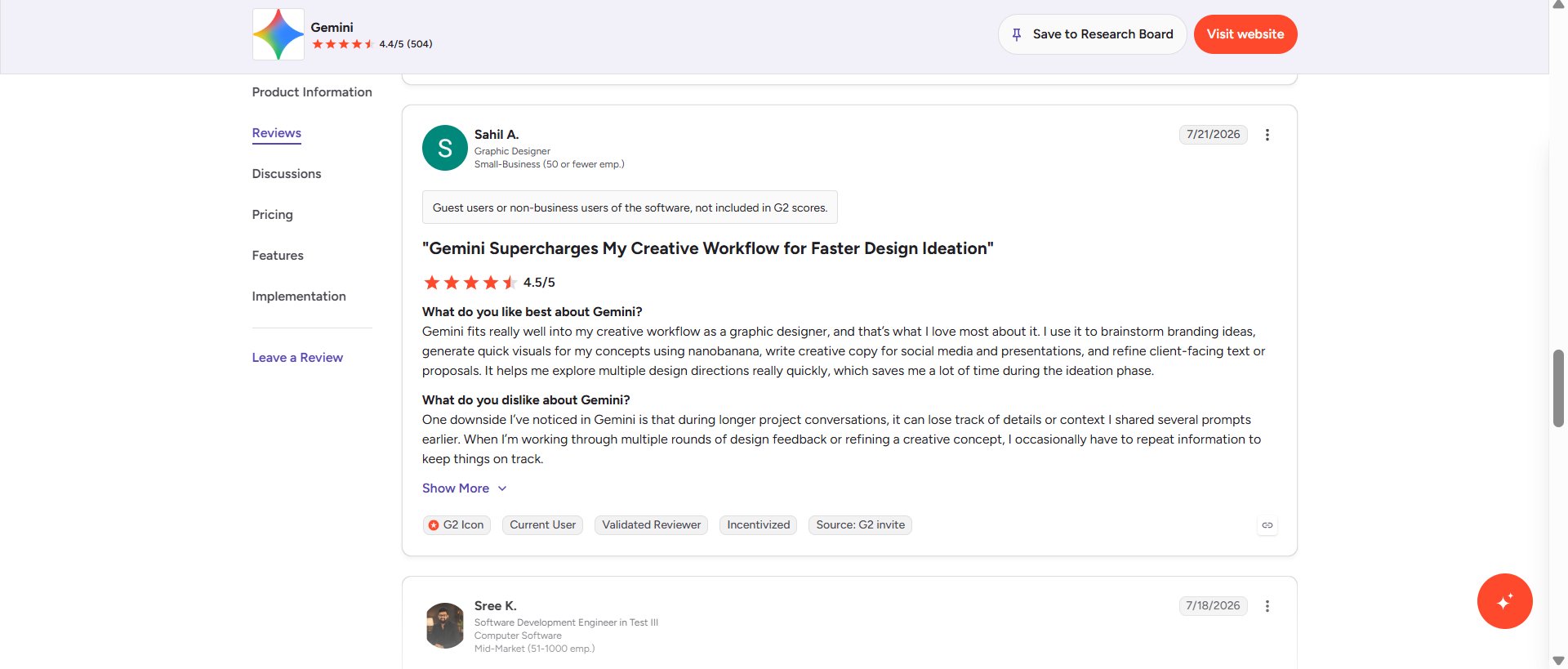
Many users love Gemini Image Generator for making AI image creation accessible to everyone, even those with little or no experience using AI tools. Its conversational style allows users to create images by simply describing their ideas in natural language, making it easier than traditional design software or complicated AI image platforms.
Editorial verdict
The Gemini Image Generator is frequently praised for its user-friendliness and accessibility. However, some users have pointed out that it lacks the advanced controls and customization options you would expect from a dedicated AI image-generation platform. Pro creators say Gemini can generate good images, but it may not be flexible enough for highly specific creative projects.
Gemini is a good multi-purpose AI assistant that can also generate images, but for those who want more dedicated creative workflows, they may need a dedicated AI image platform. Vmake Labs is an AI-powered image generation platform (Text to Image/Image to Image) that puts more creative control in your hands for product images, marketing visuals, and high-quality content creation.
Meet Vmake Labs: A powerhouse for high-quality images
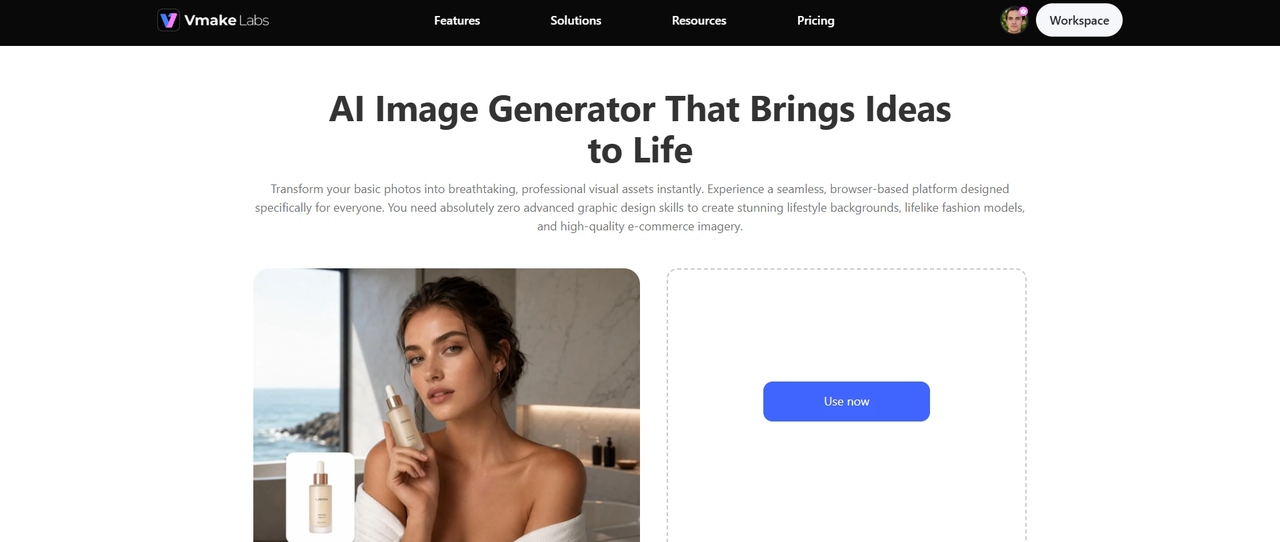
Vmake Labs AI Image Generator is an AI image generation platform which is specialized in fast production of professional images. It allows users to convert ideas into refined images with advanced AI models. This is useful for e-commerce sellers, marketers, designers, and content creators. Unlike general AI assistants, Vmake Labs focuses on creative production workflows by offering multiple artistic styles, image variations, and enhanced visual quality. It is designed for users who need more control over image creation and want ready-to-use visuals for commercial and creative purposes.
Step-by-step guide
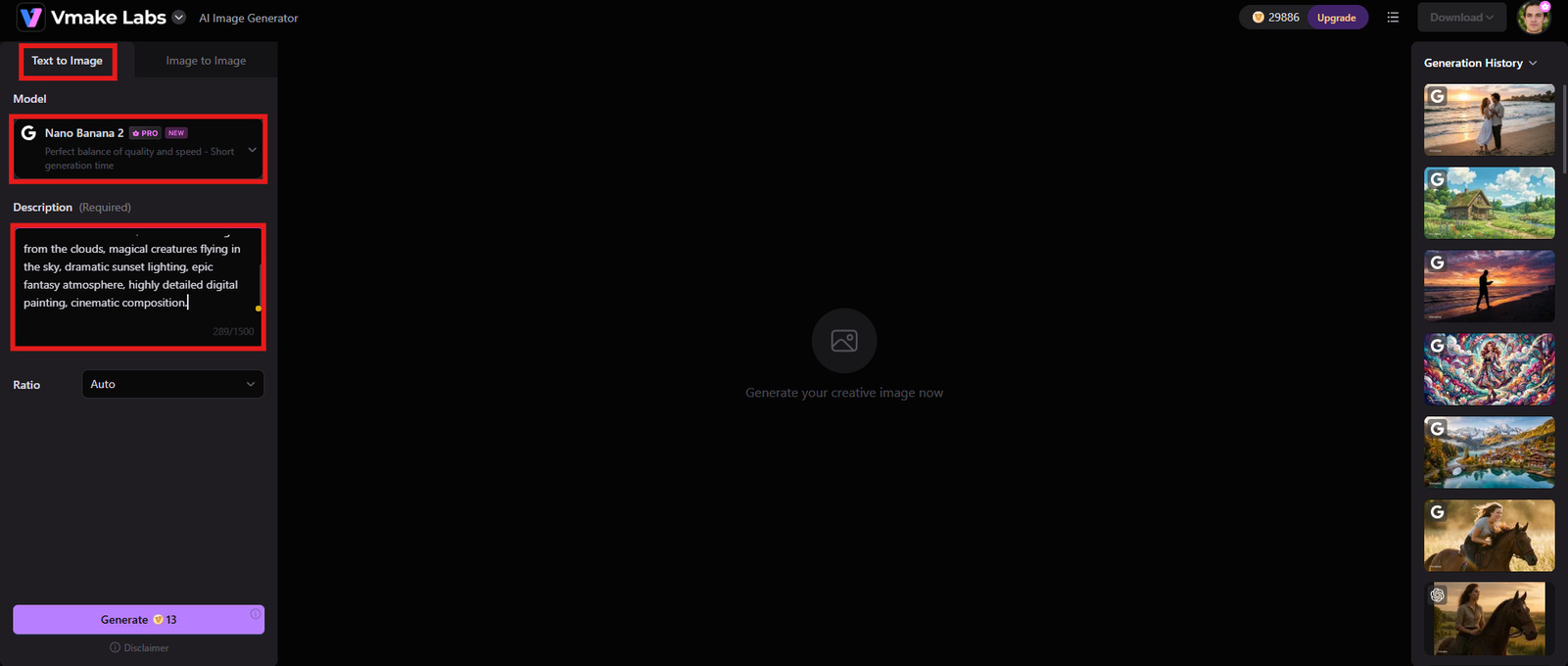
Step 1: Select your AI model & enter a prompt
Pick an AI model that suits your creative needs. The models are fine-tuned for a variety of styles, allowing users to create images suitable for realistic photography, creative artwork, product visuals, and marketing content. Write a prompt and mention important details such as subject, environment, style, colors, lighting, and mood.
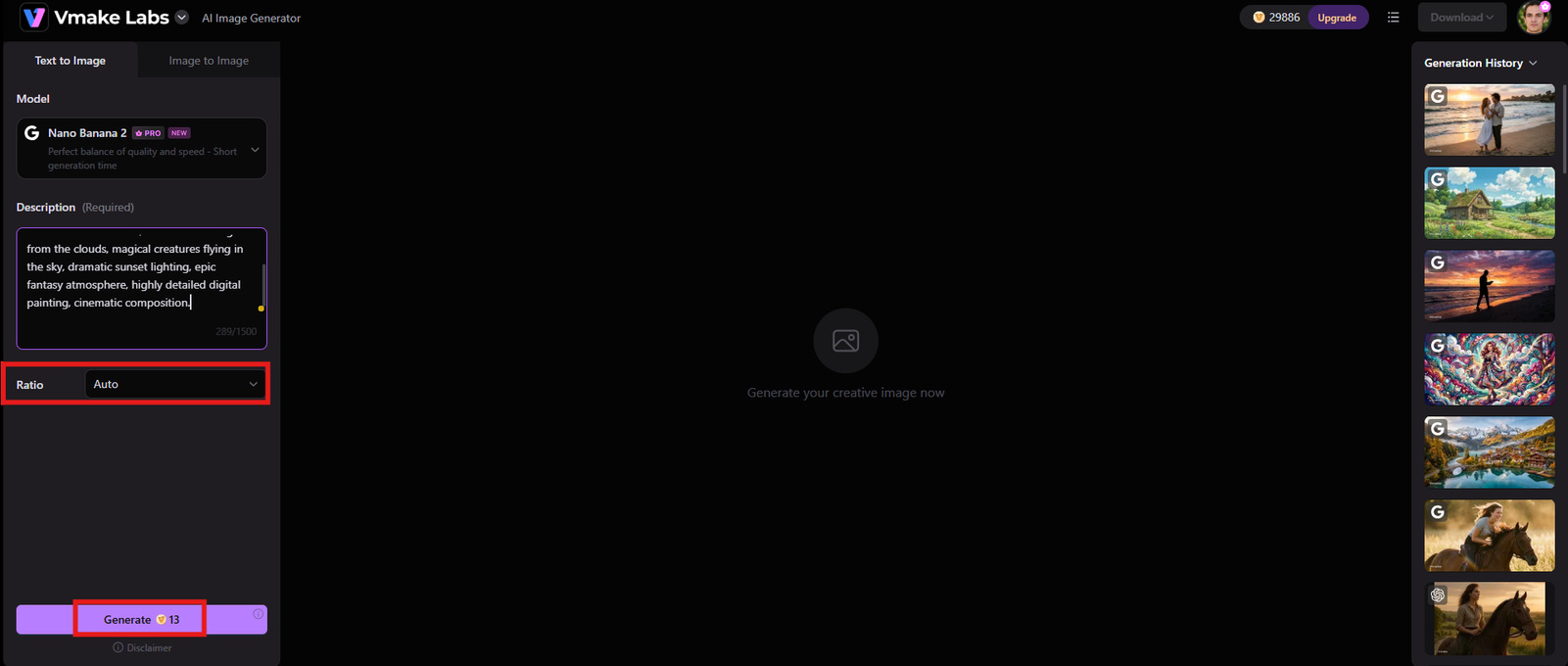
Step 2: Adjust settings and generate
Once the prompt is entered, Vmake Labs prompts you to choose the aspect ratio for the final image. Click "Generate" and let the tool process the request and generate AI-powered visuals.
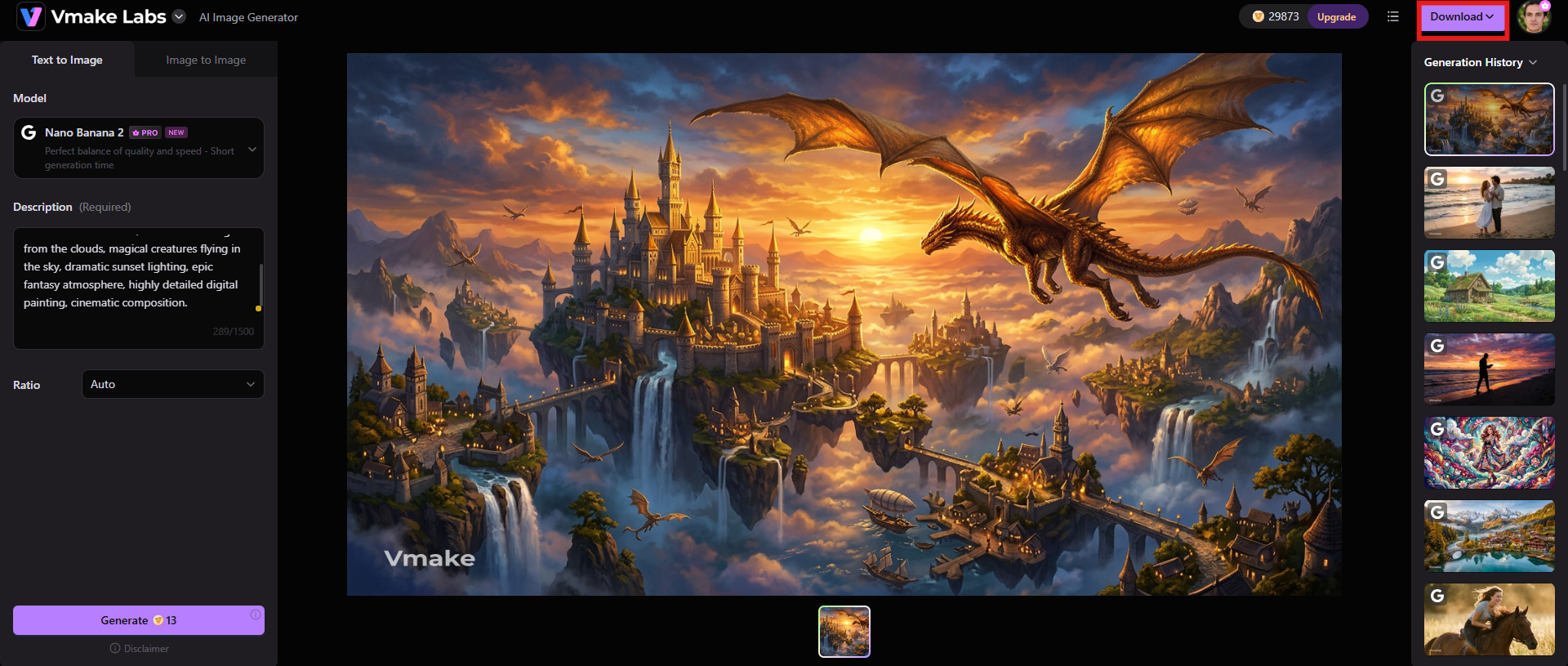
Step 3: Download your image
Users can preview the output and click "Download" to save the final image for marketing campaigns, websites, social media or creative projects.
Key features
-
Array of artistic styles
Vmake Labs has several creative styles so that users can create images from realistic photography to artistic illustrations. This adaptability gives creators the ability to generate visuals that meet a variety of branding and content needs.
-
Generate multiple image variations
The system can create more than one version of an image so that a user can compare the results and choose the most appropriate. This is very helpful for marketing teams and designers who need multiple creative directions.
-
High-quality output
Vmake Labs is committed to creating polished images in high resolution with enhanced details, realistic textures, and professional presentation quality. This makes it a good fit for commercial images, product visuals, and branded content. You can further use an image sharpener or image enhancer to polish the output.
Gemini image generator vs Vmake Labs: A quick comparison
Both Gemini Image Generator and Vmake Labs make AI-powered image creation accessible, but they serve different types of users:
|
Features |
Gemini AI image generator |
Vmake Labs |
|---|---|---|
|
Primary purpose |
Conversational and generative image AI assistant. Create and edit images with natural language prompts within the Google ecosystem. |
A dedicated AI image generation platform that creates high-quality images for creative, commercial, and marketing use. |
|
Ease of use |
Very beginner-friendly. All users need to do to generate and edit images is have a simple conversation; no fancy prompt writing required. |
Simple to use, intuitive interface, but with more creative controls for users who want greater flexibility over their images. |
|
Image quality |
It’s powered by Google’s Imagen models, so it creates realistic and visually pleasing images, making it a good pick for everyday creative work. |
Creates high-resolution images with increased details, sharper textures, and polished output for professional-quality visuals. |
|
Best for |
Best for students, educators, casual users, Google Workspace users, and anyone looking for quick AI-generated images for presentations, blogs, or social media. |
Ideal for designers, marketers, e-commerce sellers, content creators, agencies, and businesses that need professional visuals for branding and commercial projects. |
|
Pricing |
Starts at $4.99/mo |
Starts at $9.99/mo |
|
Editing experience |
Supports conversational image editing, allowing users to change backgrounds, styles, colors, and objects using follow-up prompts. |
It offers AI-powered image creation and enhancement tools that are optimized for image refinement and production-ready generation. |
|
Artistic styles |
Offers multiple creative styles, but customization options are relatively limited compared to specialized AI art platforms. |
Supports a wider variety of artistic styles, enabling users to create everything from realistic photos to digital art, illustrations, anime, and concept designs. |
Choose Gemini AI image generator if:
-
You prefer a simple, conversational interface where you can edit and generate images without complex prompting.
-
You want a more affordable option, with pricing starting at $4.99/month.
-
Your primary needs are everyday tasks like creating visuals for blogs, social media, presentations, or school projects.
-
You value the ability to edit images using follow-up text commands (e.g., changing backgrounds or objects through chat).
Choose Vmake Labs if:
-
You need professional-grade, high-resolution visuals with sharp textures and detailed outputs for commercial branding or e-commerce.
-
You require extensive flexibility and a wider variety of specific artistic styles (such as digital art, anime, or concept designs).
-
You are a marketer, designer, content creator, or business owner willing to pay a higher starting price ($9.99/month) for advanced creative controls.
-
Your focus is on production-ready generation and specialized image refinement tools.
Conclusion
Gemini Image Generator is a powerful and easy-to-use AI image creator. It uses Google's advanced AI models and conversational editing to generate decent images. Overall, Gemini is easier to use, since you can create and edit images by talking. Its Imagen-powered generation yields impressive results, but its customization options and creative controls may be somewhat limited for professional users. The free plan is good for casual users, but if you're creating a lot and need higher limits and advanced AI features, the paid Gemini plans provide better value.
Vmake Labs is a more powerful alternative for users who want to create professional images, product visuals, marketing graphics, and experiment creatively. Its dedicated AI image workflow and multiple styles, image variations, and high-quality outputs make it more suited for advanced creative projects.
FAQs
-
Is Gemini Image Generator free to use?
Yes, you can use the Gemini Image Generator on the free Gemini plan, which has some limits on how much you can generate. If you need more limits and advanced AI features, there are paid Google AI subscription plans.
-
Which AI model powers Gemini Image Generator?
It uses Google's Imagen family of AI image models, including newer Imagen versions that are designed to improve image quality, realism, and prompt understanding.
-
Can Gemini edit existing images?
Yes, users can upload images to the Gemini AI image generator and edit them by providing conversational instructions such as changing the background, adding elements, or adjusting styles, without starting from scratch.
-
Is Gemini Image Generator good for realistic photos?
Yes, Gemini can generate realistic images, especially when users provide detailed prompts describing subjects, environments, lighting, and photography styles. It harnesses the power of advanced AI models to bring your ideas to life.
-
What are the biggest limitations of Gemini Image Generator?
The most notable cons are free plan usage restrictions, limited advanced creative controls, variation in generated images, and fewer features for professional design as opposed to dedicated AI image platforms.
-
What is the best alternative to Gemini Image Generator for professional image creation and enhancement?
Vmake Labs is an attractive choice for professional image creation, with its emphasis on high-quality AI visuals, multiple creative styles, image variations, and workflows geared toward creators, marketers, and businesses.

You May Be Interested

FLUX AI Image Generator Review 2026: Is It Worth Using?

Raphael AI Image Generator Review 2026: Worth Trying?
Topaz Labs Image Enhancer Review: Is the hype worth it?
Artguru Image Upscaler Review: Features & Best Alternative
How to Create Professional YouTube Thumbnails with AI: A Creator’s 2026 Strategy
