Fashion Mood Boards 101: Guide, Examples, and Tips
Build a fashion mood board that captures your color palette, textures, and theme in minutes. Explore real examples, learn the steps, and start designing with Vmake Labs AI image generator.

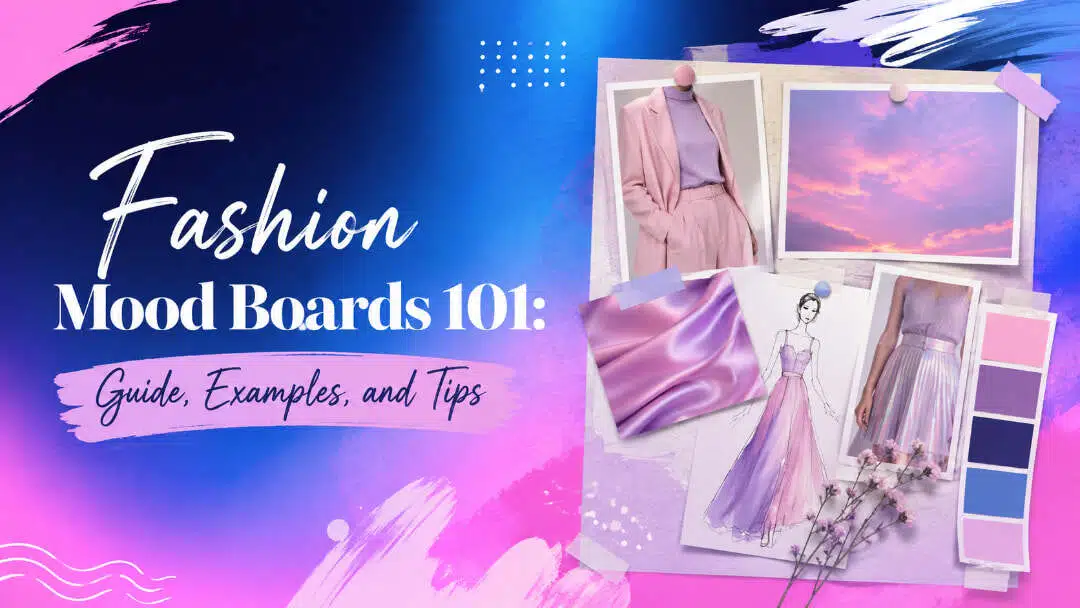
A fashion mood board brings your color palette, fabrics, styling, and silhouettes into one direction for a collection or shoot. It shows what the finished piece should feel like before you start it. This guide covers what to include, how to build one, and how AI can speed up the process.
What is a fashion mood board?
A fashion mood board is a visual collage of images, colors, textures, words, and design references that captures the overall mood and direction of a fashion project.
Designers use mood boards before developing a collection, planning a photoshoot, building a brand identity, or creating individual garments. Instead of explaining an idea only with words, a mood board lets people see the intended aesthetic at a glance.
A strong mood board can help you to:
-
Define the visual direction of a collection
-
Share ideas with clients and creative teams
-
Select colors, fabrics, textures, and styling details
-
Maintain visual consistency across different design elements
-
Try a few different, creative paths before choosing one
Fashion mood boards can either be physical or digital. A physical board could consist of printed photos, fabric samples, magazine cutouts, sketches and other things. A digital board is more flexible as you can easily move, resize, edit, and share visual elements.
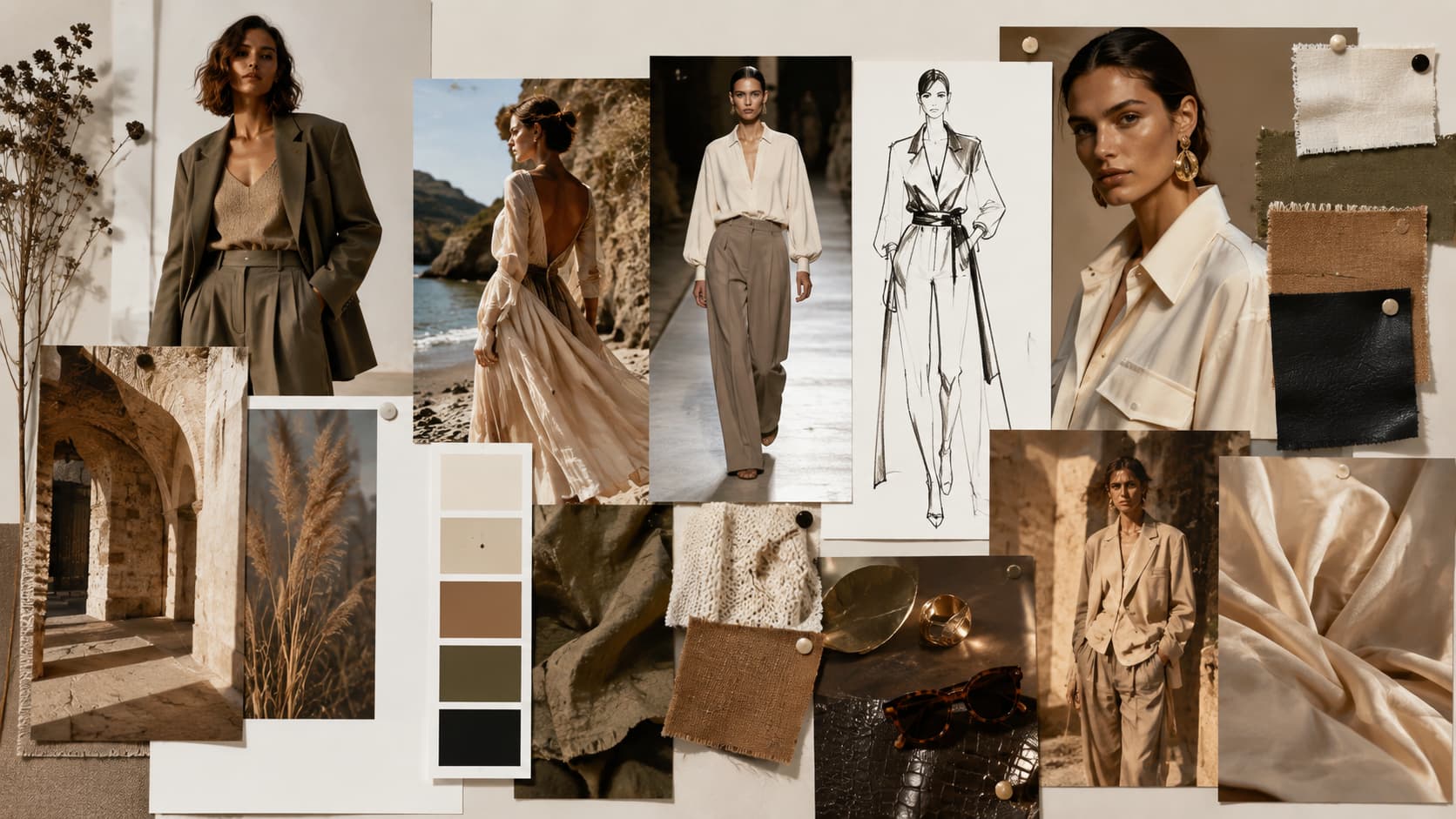
What should a fashion mood board include?
There is no fixed formula for creating fashion mood boards. The right elements depend on your project, but these components can help create a clear and useful board.
|
Mood Board Component |
Key Purpose & Function |
What to Include/Best Practices |
|---|---|---|
|
Color Palette |
Serves as the visual thread that unifies the board, guiding future fabric, styling, and silhouette choices. |
|
|
Fabric & Texture |
Translates creative concepts into tangible physical materials and surface attributes. |
|
|
Theme / Concept |
Provides the central narrative and creative direction for all visual and sensory choices. |
|
|
Target Market / Muse |
Ground design decisions around a specific individual rather than a generic customer base. |
|
|
Keywords & Text |
Reinforces the visual mood using concise verbal anchors. |
|
|
Styling Imagery |
Defines the overall brand persona, presentation context, and campaign vision. |
|
|
Silhouette & Garment References |
Demonstrates how abstract inspiration turns into concrete proportions and fits. |
|
|
Composition & Layout |
Establishes visual hierarchy so viewers can instantly understand the story. |
|
How to create a fashion mood board (Step-by-Step)
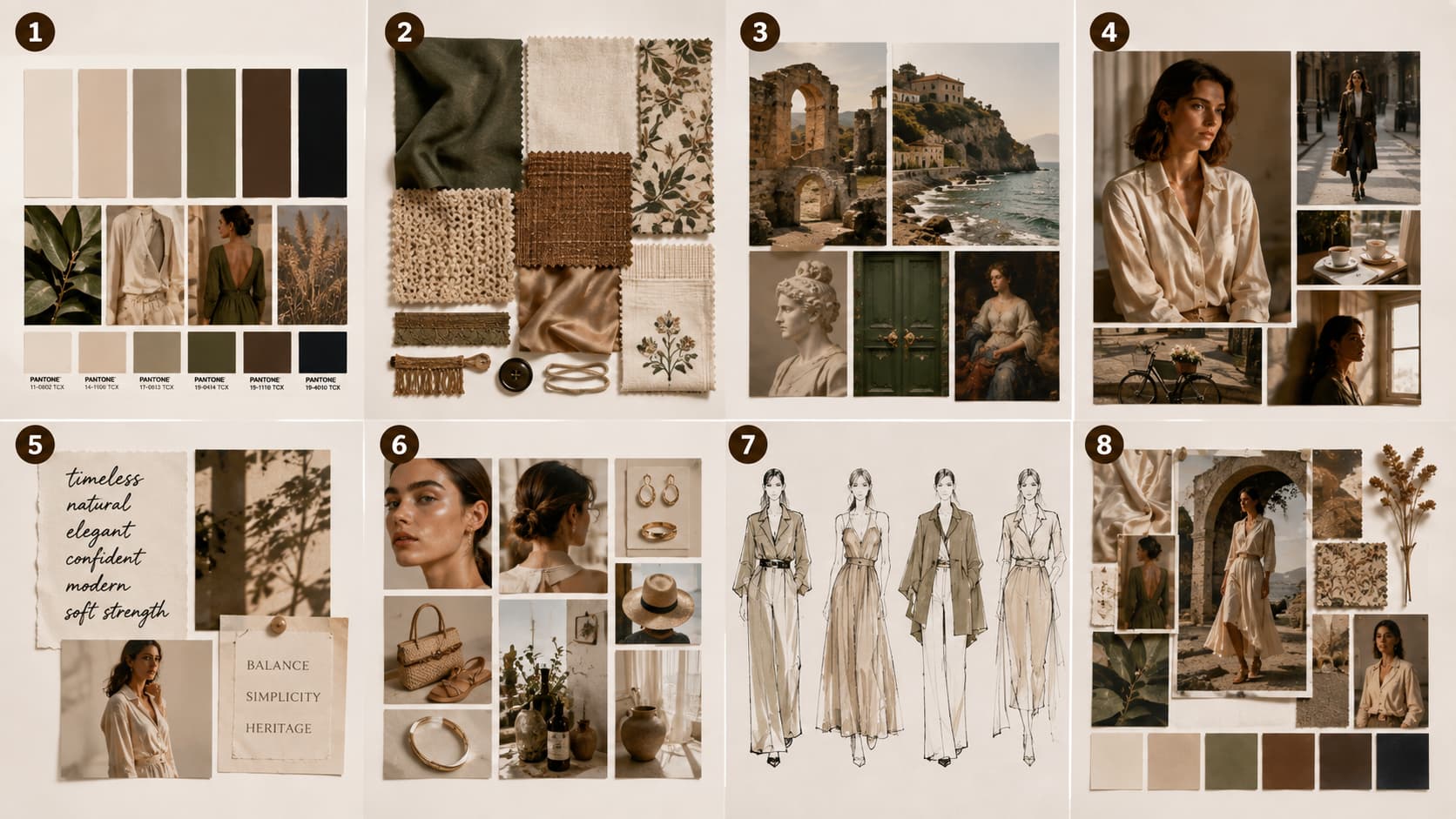
Building a fashion mood board works best as a sequence of clear decisions. Follow these simple steps and the board will guide the collection instead of becoming another pretty collage.
-
Define your objective and theme
Start by figuring out what you want the mood board to say. Determine if it is for a collection, photoshoot, campaign, or personal project. Then choose a single, focused theme, mood, or story to help guide your image choices and give the whole board a visual consistency.
-
Gather research and inspiration
Collect references from fashion photography, architecture, nature, art, movies, magazines, street style, and historical fashion. Save anything that relates to your concept, but don't pick images just because they look attractive. Look for recurring colors, textures, shapes, settings, and emotions that reinforce your overall creative direction.
-
Select a color direction
Look at the imagery you've gathered and make a note of which colors feel most natural to you through your references. Choose a few main and support colors to support your theme. Use color swatches or Pantones as necessary. A concentrated palette will help you to connect different images and make your fashion mood board look cohesive and nice.
-
Choose your layout approach (big picture to detail)
Begin with your strongest visual, then position supporting references around it from big picture to detail. Create room for hero images and go smaller on fabrics, textures, styling, and color references. Leave adequate negative space between groups so the viewer can understand the hierarchy without feeling overwhelmed.
-
Edit fearlessly: keep only what fits the story
Cut anything that doesn't support the story, even images you personally love. Good images that don't fit still feel like a waste to delete, but they'll blur the point if you keep them. A board with thirty competing ideas says nothing. A board with eight aligned ones says exactly what you mean.
-
Get a second opinion before finalizing
Show the finished board to a designer, client, teammate, or someone whose visual judgment you trust. Ask them what mood or story they notice first. If their interpretation differs from your intended direction, reconsider the confusing elements. An outside perspective can reveal inconsistencies you may have overlooked.
Let's make it: Create a fashion mood board online with Vmake Labs
Sourcing images by hand eats hours, and stock photography rarely matches the exact mood you're chasing. Vmake Labs AI image generator closes that gap. Describe a color palette, theme, or aesthetic in plain text, no design skill needed, or upload a photo you already have, and it generates individual reference visuals in seconds. Choose between models like Nano Banana, Seedream, and GPT Image, and export to the size your board needs. Once you've generated your visuals, you'll assemble them into your final board using a layout tool like Canva, Milanote, or Figma.
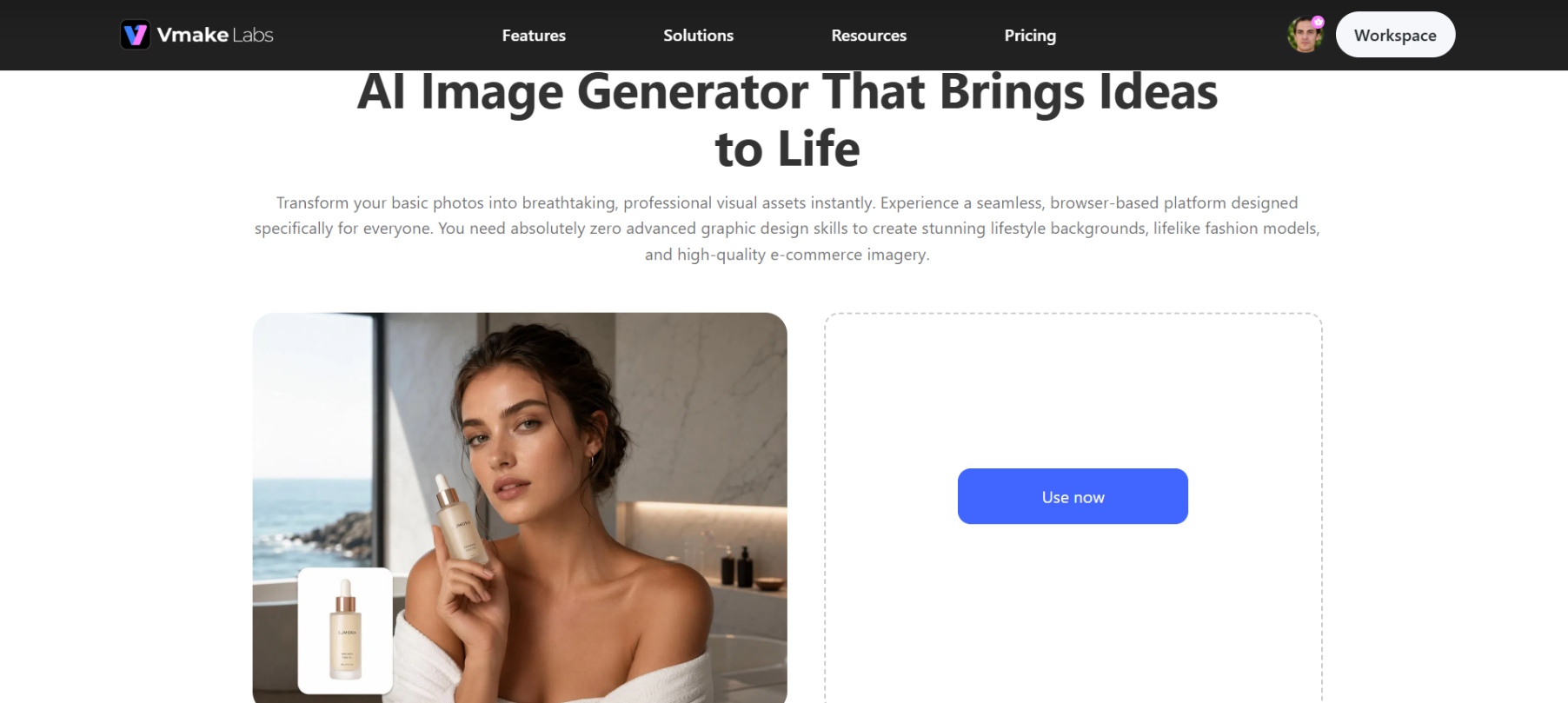
Steps to design fashion mood boards with AI
Ready to bring your concepts to life? Turn your ideas into board-ready reference visuals in three quick steps using AI:
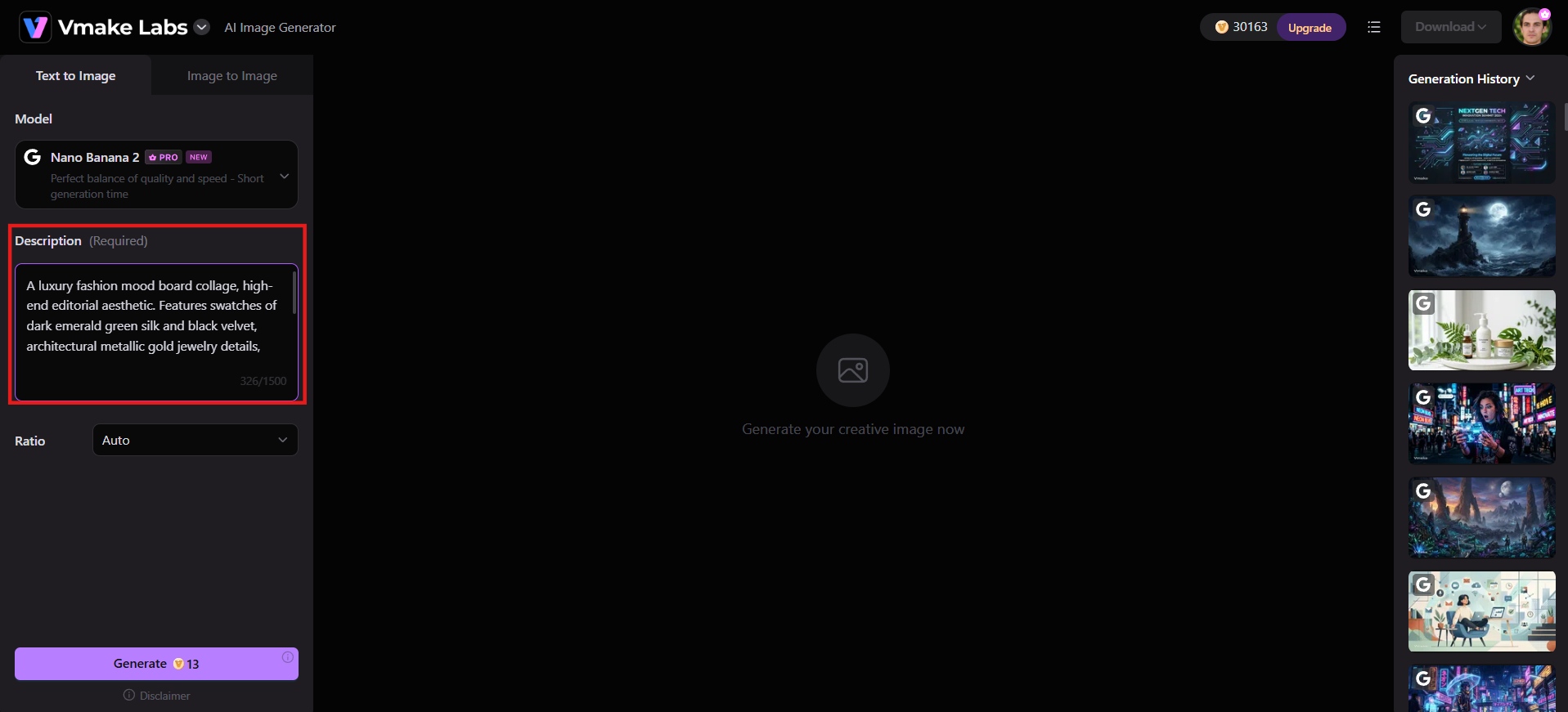
Step 1: Enter a prompt or upload a reference
Go to AI Image Generator, and type out the mood, palette, or aesthetic you're after in a sentence or two, or upload a photo, fabric swatch, or existing shoot you want the AI to build from.
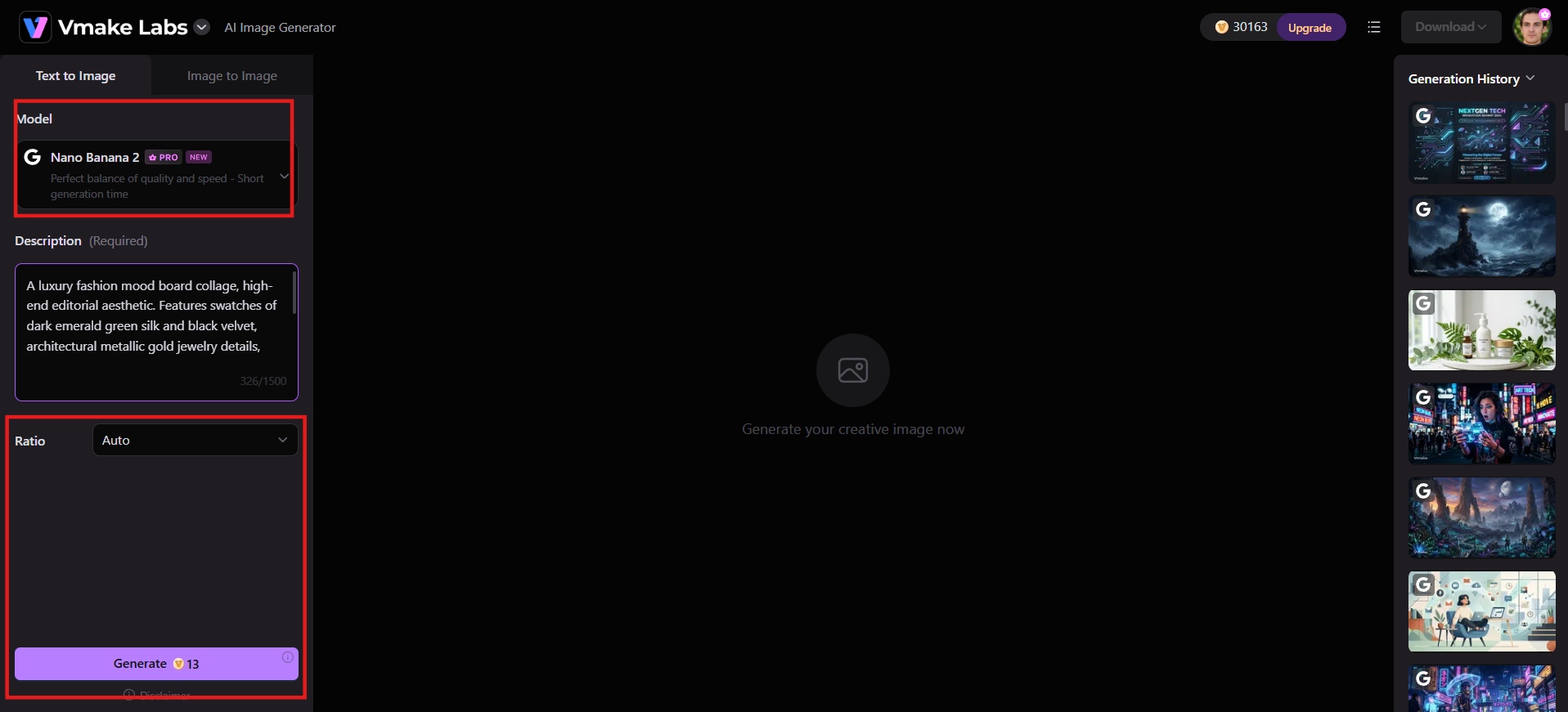
Step 2: Adjust settings and generate
Pick your model (Nano Banana, Seedream, or GPT Image), set the aspect ratio, then hit "Generate" to begin the creation process.
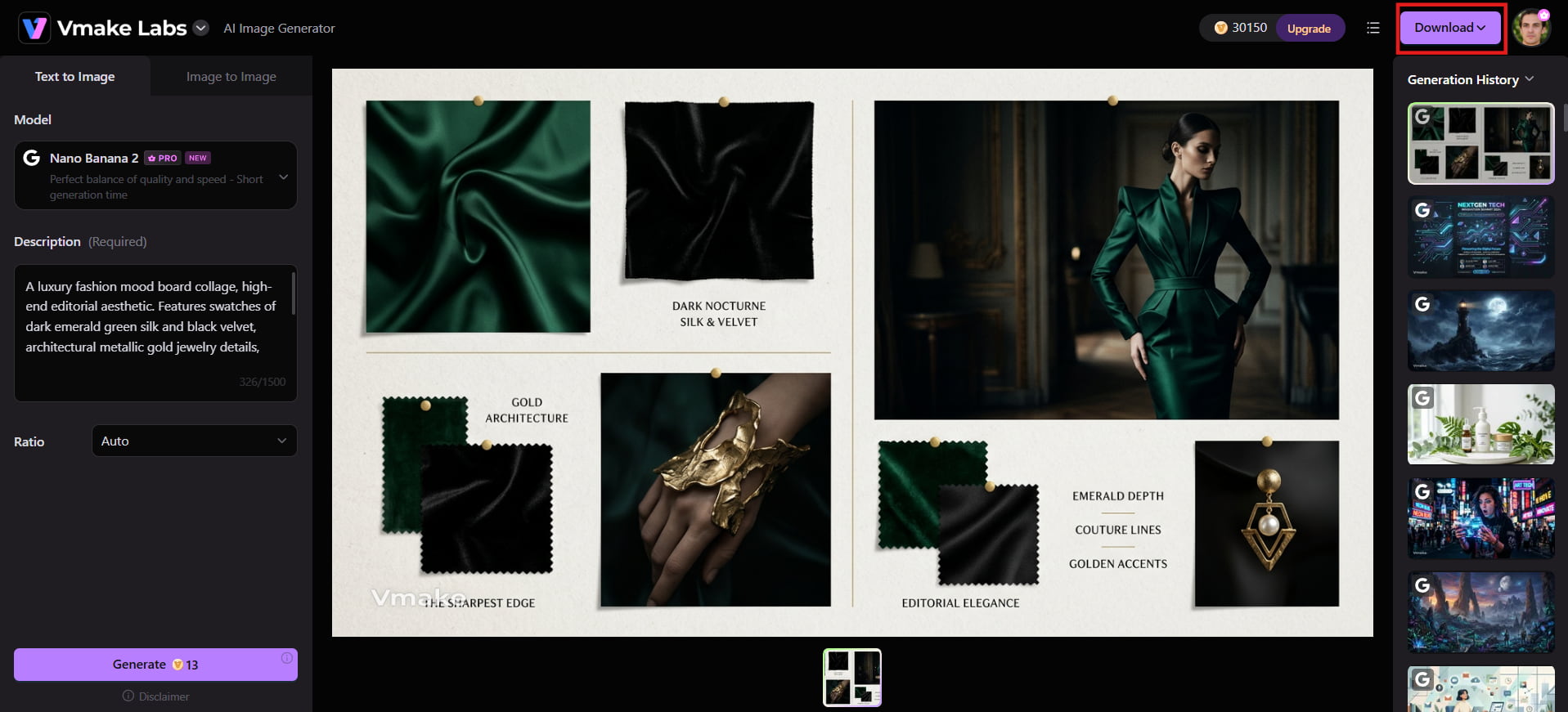
Step 3: Download and share
Preview the results, save your favorite high-resolution AI-generated visuals, then bring them into your layout tool of choice to assemble the final board. Share the finished board directly with your design team or clients.
Key features of Vmake Labs free fashion mood board creator
-
Multiple AI model choices: Pick between Nano Banana Pro, Seedream, and GPT Image according to the style the board needs. Different models handle soft textures, sharp graphics, or realistic fabrics better. Choosing the right one gives cleaner results and reduces the time spent regenerating images that miss the mark.
-
Text-to-image generation: Describe a mood, color palette, or aesthetic in plain words and receive matching visuals at once. This removes the need to hunt for stock photos or wait for a photographer. Users move from idea to usable reference in seconds instead of hours.
-
Image-to-image transformation: Upload a photo of fabric, a silhouette, or an existing shoot and restyle it to fit a new mood or theme. The original structure stays recognizable while the look shifts. Designers retain useful details while still exploring fresh directions without starting from scratch.
-
Multiple style variations from one input: Generate several aesthetic directions from a single prompt or reference. Side-by-side comparison makes it easy to test options before locking the board. Users avoid settling too early and choose the strongest direction with clearer evidence.
-
Aspect ratio control: Set the image size for social posts, presentation slides, or print layouts before generating. Correct proportions mean less cropping and resizing later. The finished board fits its intended use without extra editing steps.
Fashion mood board examples for inspiration
Explore these five distinct fashion mood board examples to discover how curated color palettes, textures, and themes bring unique design visions to life.
-
Deep green fashion mood board: Anchored in deep green paired with other rich, understated tones, this board leans into maturity and quiet elegance rather than trend-chasing. Futuristic materials and eye-catching silhouettes push against that calm base, making a case for fashion that reads as confident and independent rather than delicate.
-
Modern fashion summer mood board: One of the more colorful boards out there, it layers bright hues with geometric shapes that overlap directly across the garments. The result reads modern and clean rather than busy, proof that a bold palette doesn't have to sacrifice a simple, sophisticated feel.
-
Romantic fashion design mood board: Drawing on the Victorian Regency period, this board builds its romance through texture: lace, pleats, pearls, and floral references stacked together to signal softness and femininity. It's a strong reference point if a collection needs to feel graceful without tipping into a costume.
-
Retro fashion mood board: Built on an earthy palette of orange and dusty blue, this board leans on props, not just garments, to set its era, including vintage cars, old telephones, and neon signage. It's a good model for grounding a retro concept in a specific decade instead of a vague "vintage" feel.
-
Luxury fashion theme mood board: A plain background sets off a gilded, high-shine color scheme, with rippling water, ornate palace details, and florals doing the work of signaling luxury. It shows how restraint in composition can make a small number of rich materials feel expensive rather than cluttered.
Conclusion
A fashion mood board translates creative inspiration into a clear visual direction. Create a board that helps you guide your design process and communicate your vision by combining a focused theme, color palette, textures, styling references, silhouettes, and considered composition. The crux is to select visuals that convey a single, cohesive story, whether you construct it yourself or employ AI to generate ideas. Would you like to make your fashion ideas come to life? Try Vmake Labs for free to generate the visuals for your next moodboard today!
FAQs
What is the purpose of a mood board in fashion?
A mood board sets and communicates creative direction before production starts. It aligns designers, manufacturers, and clients around one vision, preventing costly misunderstandings once cutting, sourcing, or shooting is underway.
How many images should be on a fashion mood board?
There's no fixed number, but most boards land between 8 and 15 images, enough to show variety across color, texture, and styling without crowding the layout or blurring the direction.
What's the difference between a mood board and a lookbook?
A mood board sets creative direction before design work begins, built from color, texture, and imagery. A lookbook comes later, showing finished garments styled and photographed to present the collection.
What size should a fashion mood board be?
It depends on how you use it. A landscape, like 16:9 or A3, works for presentations, while a square or portrait suits social sharing. Match the ratio to the platform.
Can I make a fashion mood board online for free?
Yes. Vmake Labs offers a free tier (20 credits per day, valid for 1 day) for generating and editing board-ready imagery from text prompts or reference photos, with export in 16:9, 1:1, or 9:16, though higher-res, watermark-free downloads require upgrading to a paid plan.

You May Be Interested
10 Interior Design Mood Board Ideas With AI Prompts
ChatGPT Christmas Photo Prompts: Create Festive AI Images
ChatGPT Barbie Prompt to Create Your Own Barbie Box AI Doll
Top 10 Mood Board Ideas to Inspire Your Next Project