Top 10 Mood Board Ideas to Inspire Your Next Creative Project
From fashion collections to brand identities, explore 10 inspiring mood board ideas that spark creativity and learn how Vmake Labs Image Generator helps turn concepts into stunning AI-generated visuals.

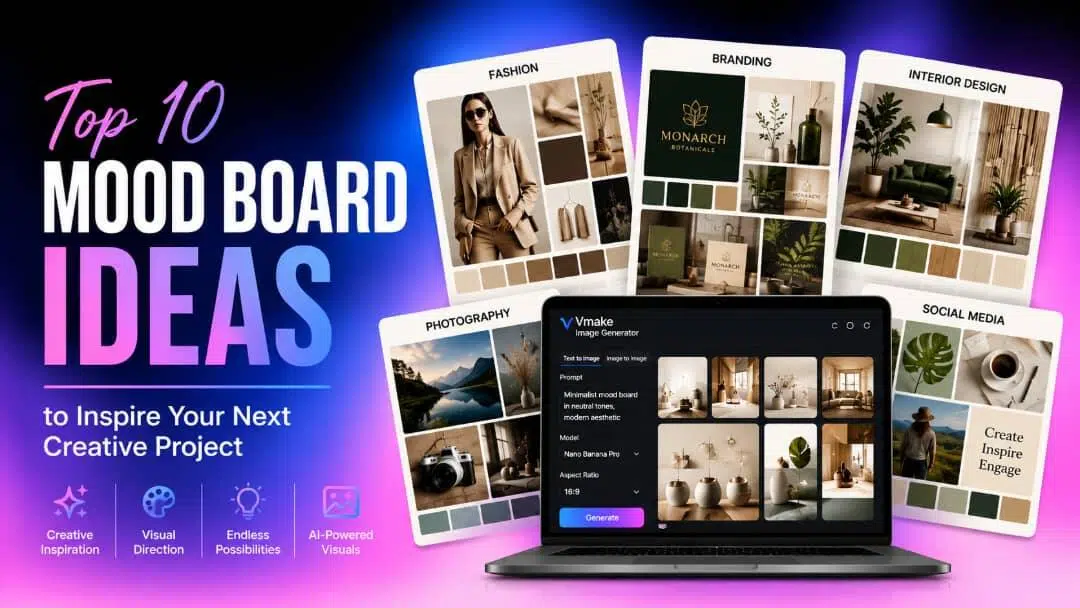
Mood boards are a way of visually translating creative ideas before a project begins. The right mood board ideas, whether you are working on fashion, branding, interior design, or photography, help you organize your vision, inspire creativity, and get the creative process flowing.
What Is a Mood Board?
A mood board is a visual collection of images, colors, typography, textures, and other design elements that represent the style and feel of a project. Designers, marketers, and artists may use it as a creative reference to better convey concepts prior to production.
Why Mood Boards Inspire Better Creative Ideas
Mood boards come in handy when you want to put together disparate ideas into a single, cohesive visual concept. This helps you explore styles and hone your creative vision. They also promote better collaboration, reduce misunderstandings, and help maintain consistency for branding, design, photography, and other creative projects.
Essential Elements of a Mood Board
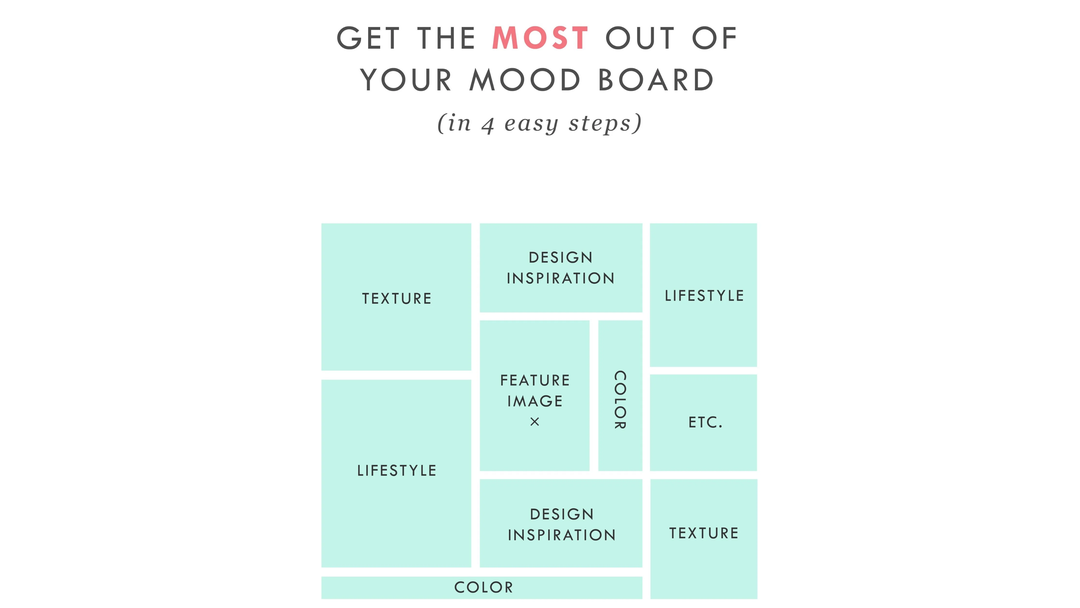
An effective mood board combines different visual elements to communicate in a clear creative direction. While every project is unique, most mood boards include the following components to maintain a consistent style and inspire better design decisions.
-
Visual References and Inspiration: Photos, drawings, and inspirational images that convey the overall concept and visual direction.
-
Color Palettes: A curated collection of colors that sets the tone, mood, and branding.
-
Typography: Font styles that match the personality and tone of the project and complement the overall design.
-
Texture and Materials: Samples of fabrics, patterns, finishes, or surface textures that add depth and help visualize the final look.
Selecting elements that complement one another helps create a mood board that clearly communicates your vision and serves as a reliable reference throughout the creative process.
Mood Board vs. Vision Board: What's the Difference?
Though mood boards and vision boards use visuals to organize ideas, they serve different purposes. A mood board is centered on the style, colors, textures, and overall design direction of a specific creative project, while a vision board is centered on personal goals, dreams, and long-term aspirations. If you are working on a design, branding, fashion, or photography project, a mood board is the better tool to visualize and refine your creative ideas.
Top 10 Mood Board Ideas for Every Creative Project
Explore ten creative mood board ideas for different projects. Each idea includes a short explanation and an example AI prompt to help you create similar visuals using the AI Image Generator in Vmake Labs.
-
Fashion Mood Board Ideas
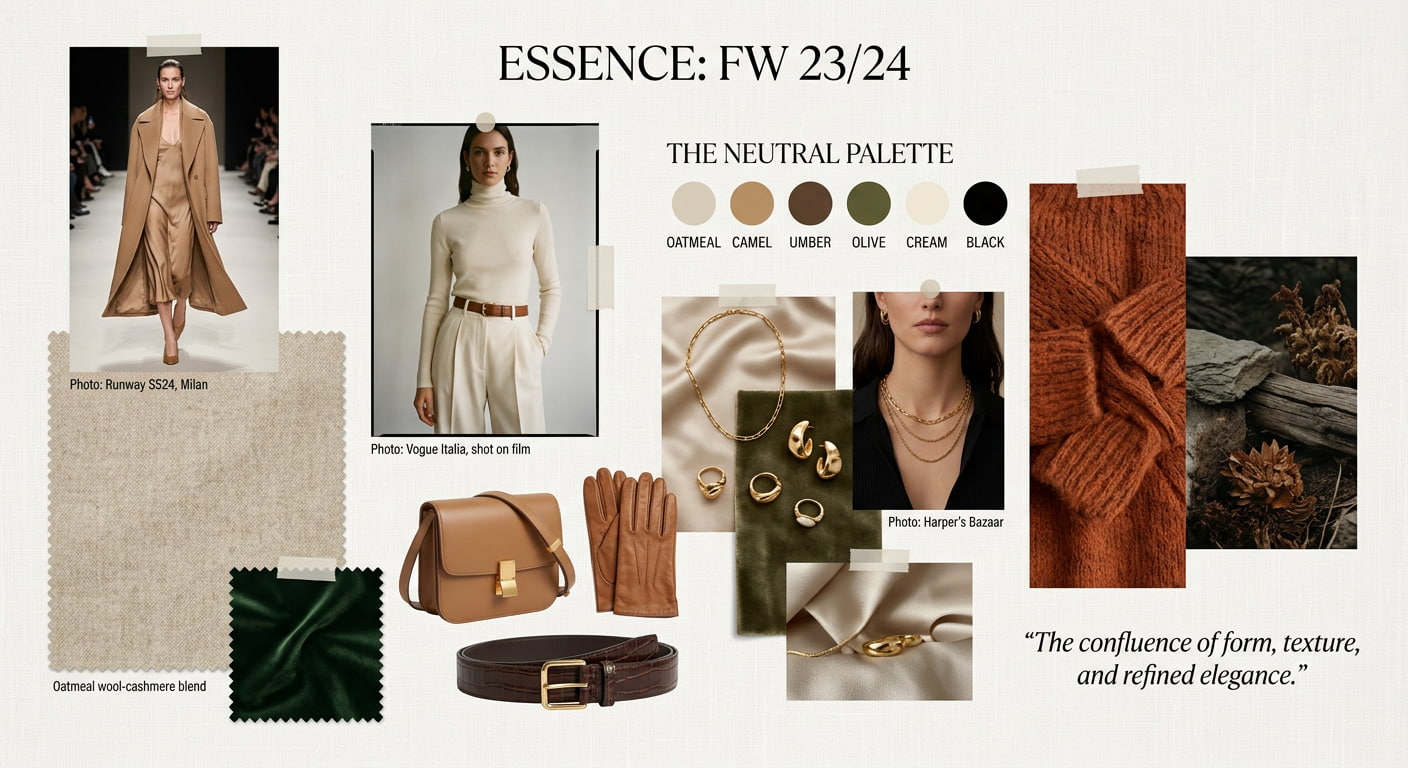
To help determine the creative direction of a clothing collection, a fashion mood board compiles outfits, fabrics, accessories, color schemes, textures, and runway inspiration. It is simpler for designers to turn ideas into cohesive fashion collections when they can experiment with various styles, compare visual components, and maintain a consistent look throughout the creative process.
-
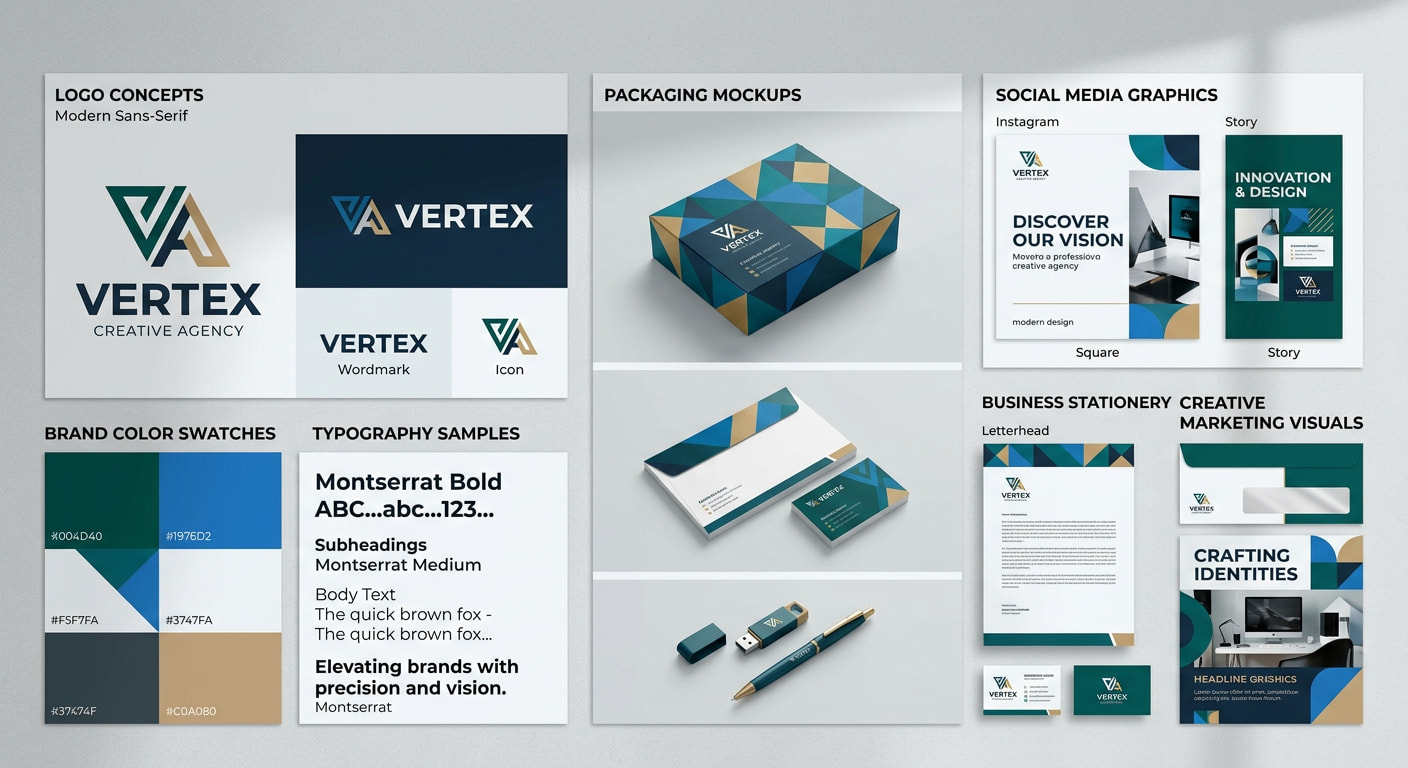
Branding & Marketing Mood Board Ideas
A branding and marketing mood board combines logos, typography, brand colors, packaging concepts, imagery, and marketing assets into one visual reference. It helps businesses establish a consistent brand identity, communicate their brand personality, and ensure every marketing material follows the same creative direction across digital and print platforms.
-
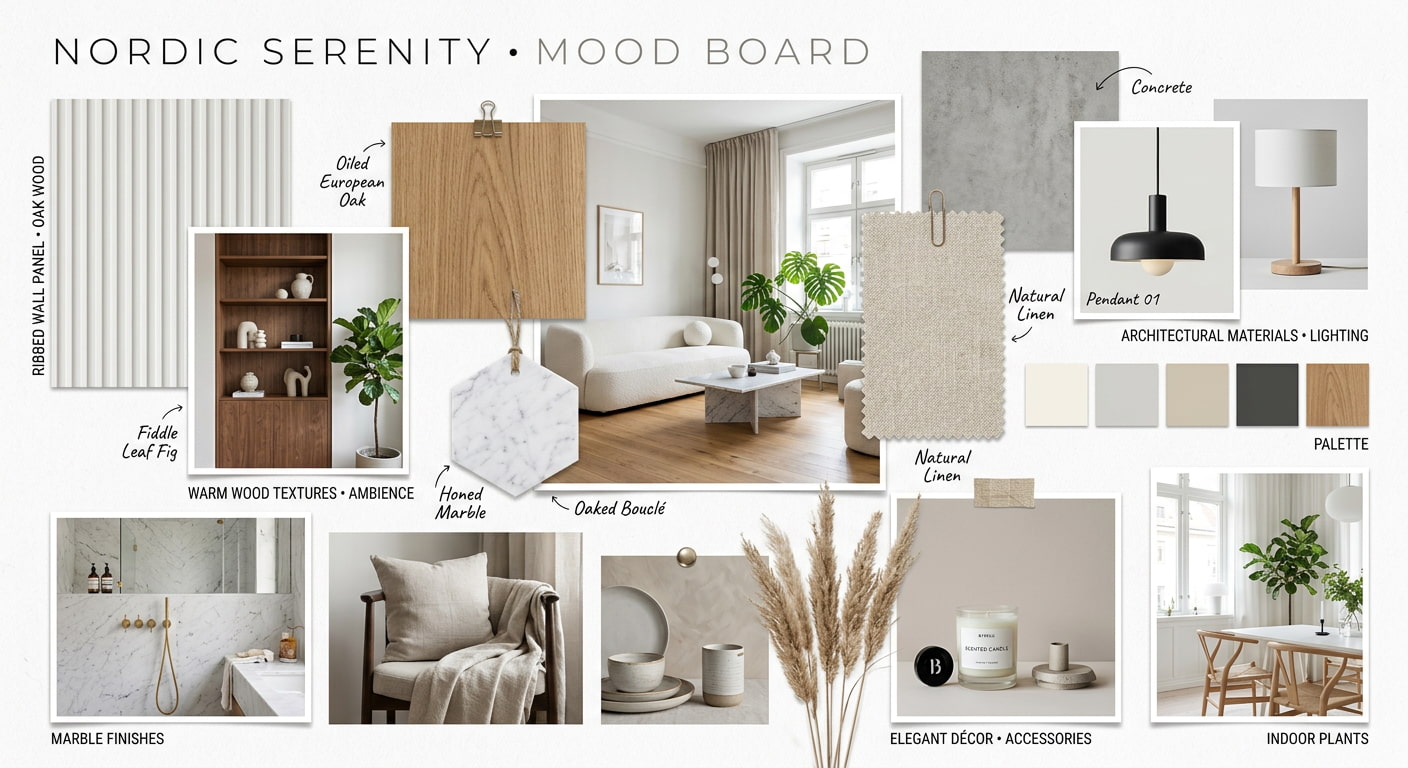
Interior Design Mood Board Ideas
In order to visualize a room before it is implemented, an interior design mood board combines furniture, lighting, materials, color schemes, textures, and decorative accents. It helps homeowners and designers compare design concepts, refine the overall style, and make sure all the components come together to create a functional and aesthetically pleasing space.
-
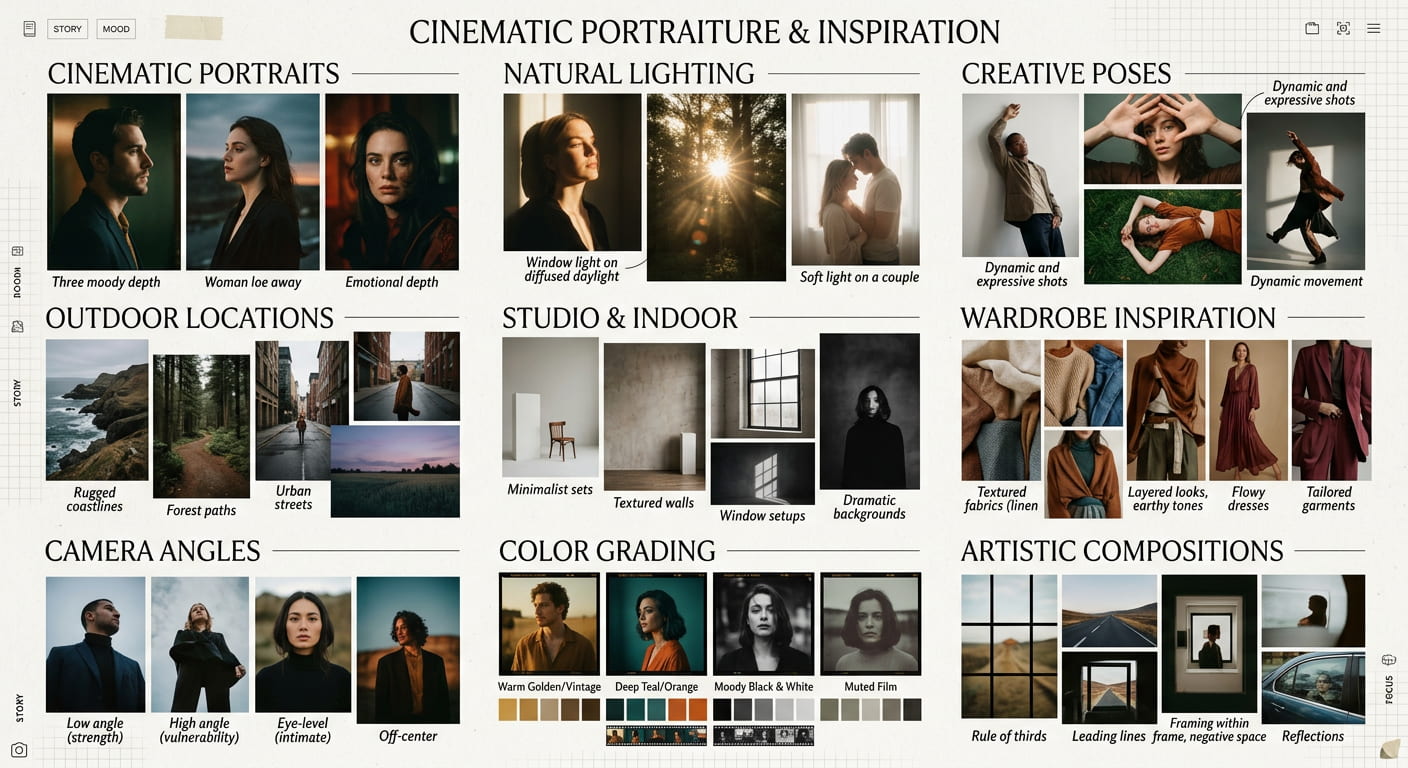
Photography Mood Board Ideas
A photography mood board is a way for photographers to plan the visual style of a photo shoot by gathering references for lighting, poses, locations, outfit suggestions, color grading, and composition styles. This helps photographers, clients, and creative teams agree on a common creative vision and ensures consistency from start to finish.
-
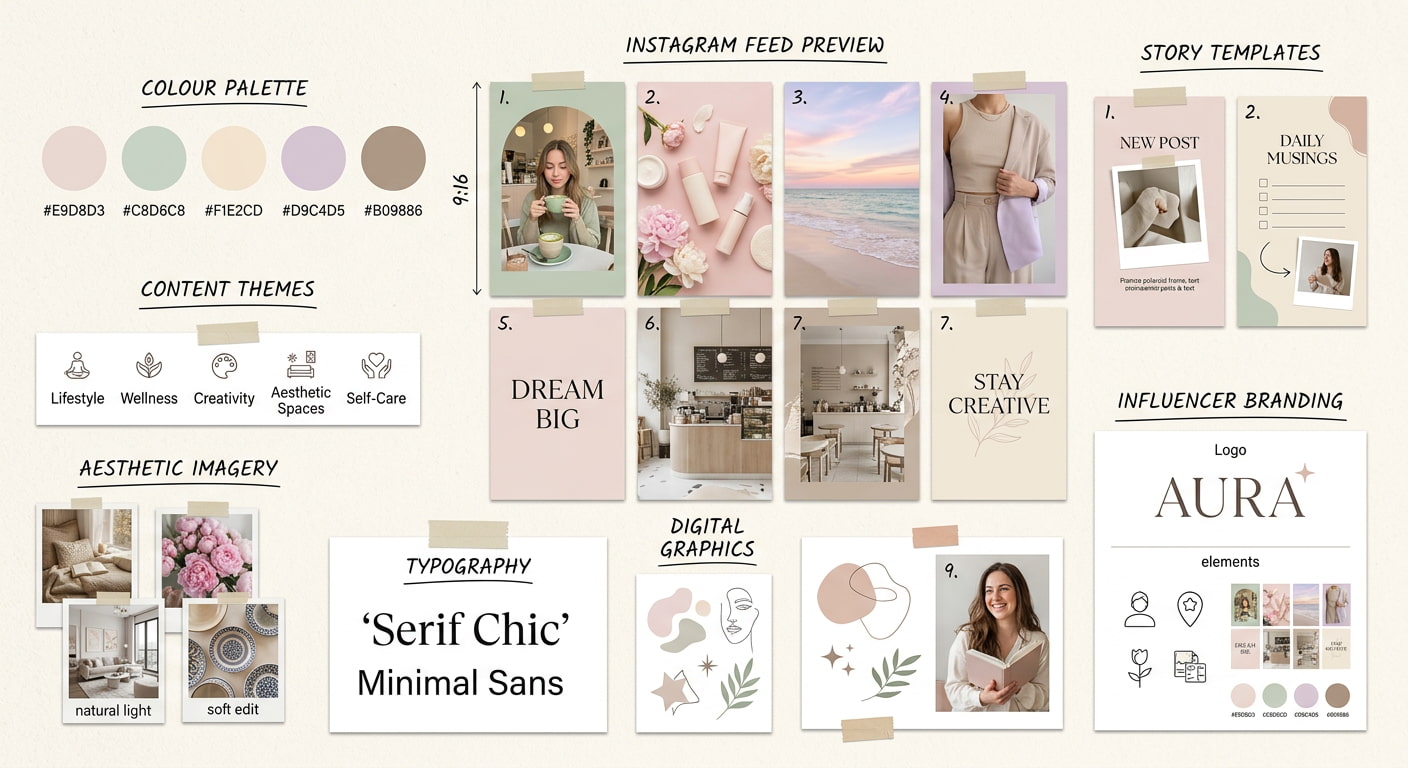
Social Media Mood Board Ideas
A social media mood board organizes content themes, color palettes, typography, layouts, photography styles, and visual branding to create a cohesive online presence. It helps creators and businesses maintain consistency across platforms while planning engaging content that reflects their brand identity and attracts their target audience.
-
Product Design Mood Board Ideas
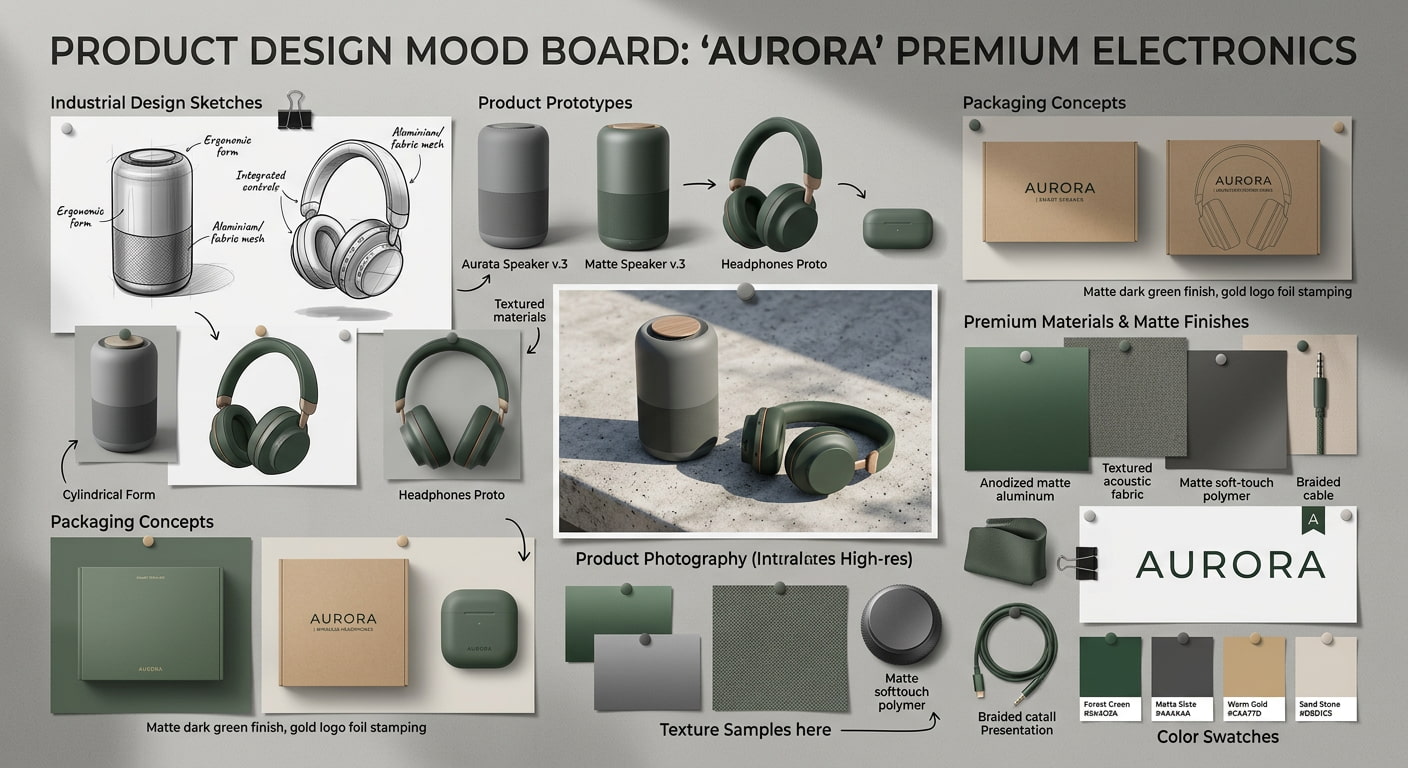
A product design mood board brings together materials, textures, packaging concepts, product shapes, finishes, and visual inspiration before the design process begins. It gives designers a place to explore different ideas, compare design directions, and refine the overall look of a product. Having everything in one place also makes it easier to create products that feel consistent with the brand while meeting user expectations.
-
Website & UI/UX Mood Board Ideas
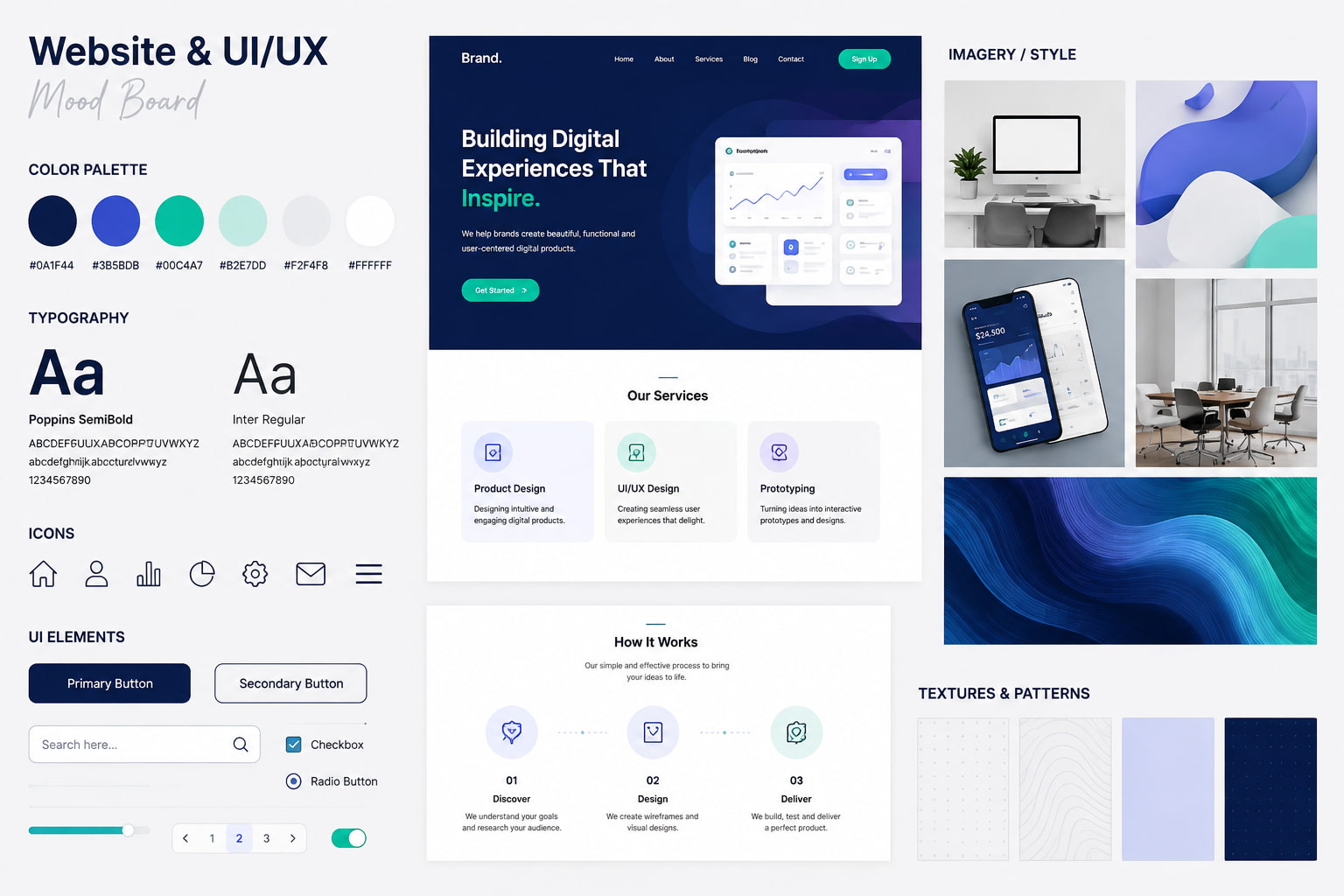
A single visual reference that incorporates layouts, typography, color schemes, icons, interface elements, and user experience references is called a website or UI/UX mood board. It helps designers create a consistent language of design, improve usability, and design visually pleasing, simple-to-use websites or apps.
-
Wedding Mood Board Ideas
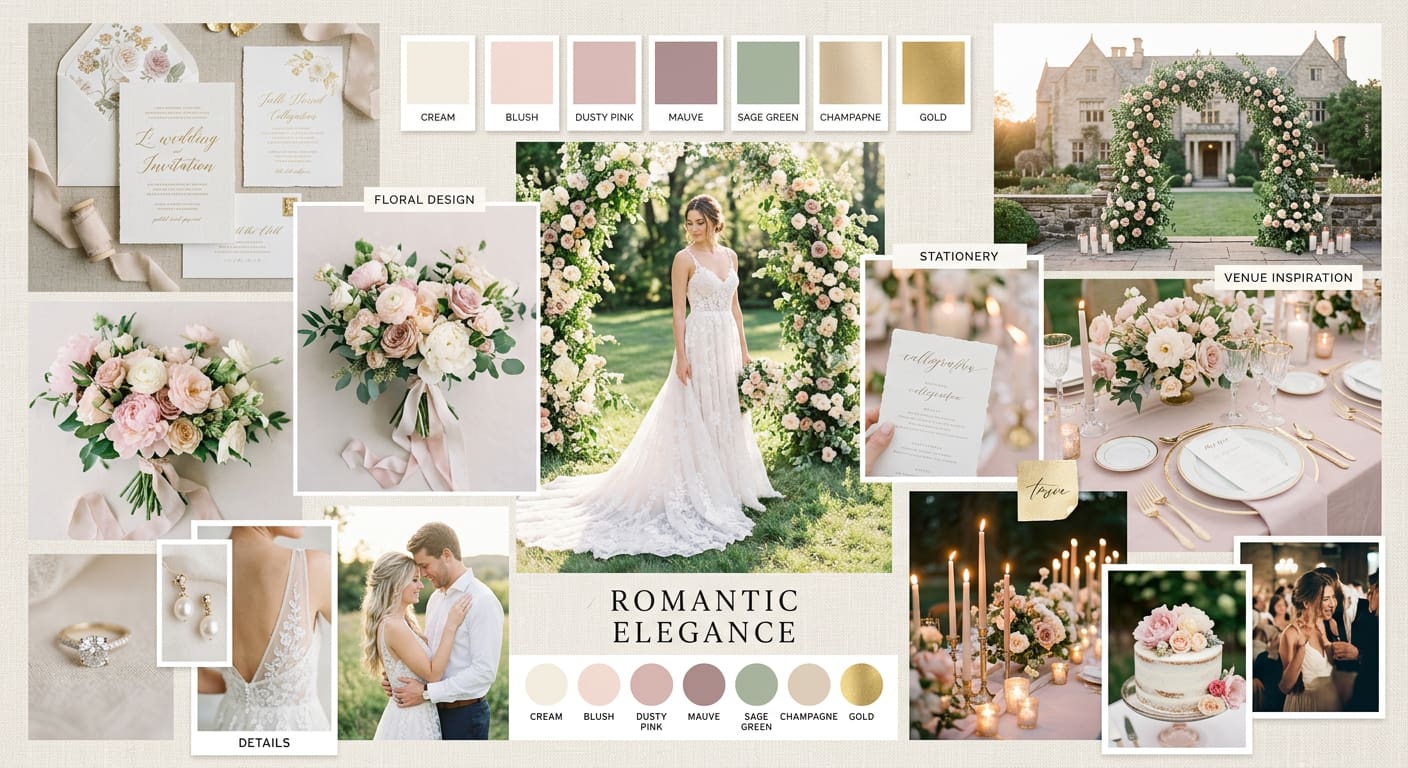
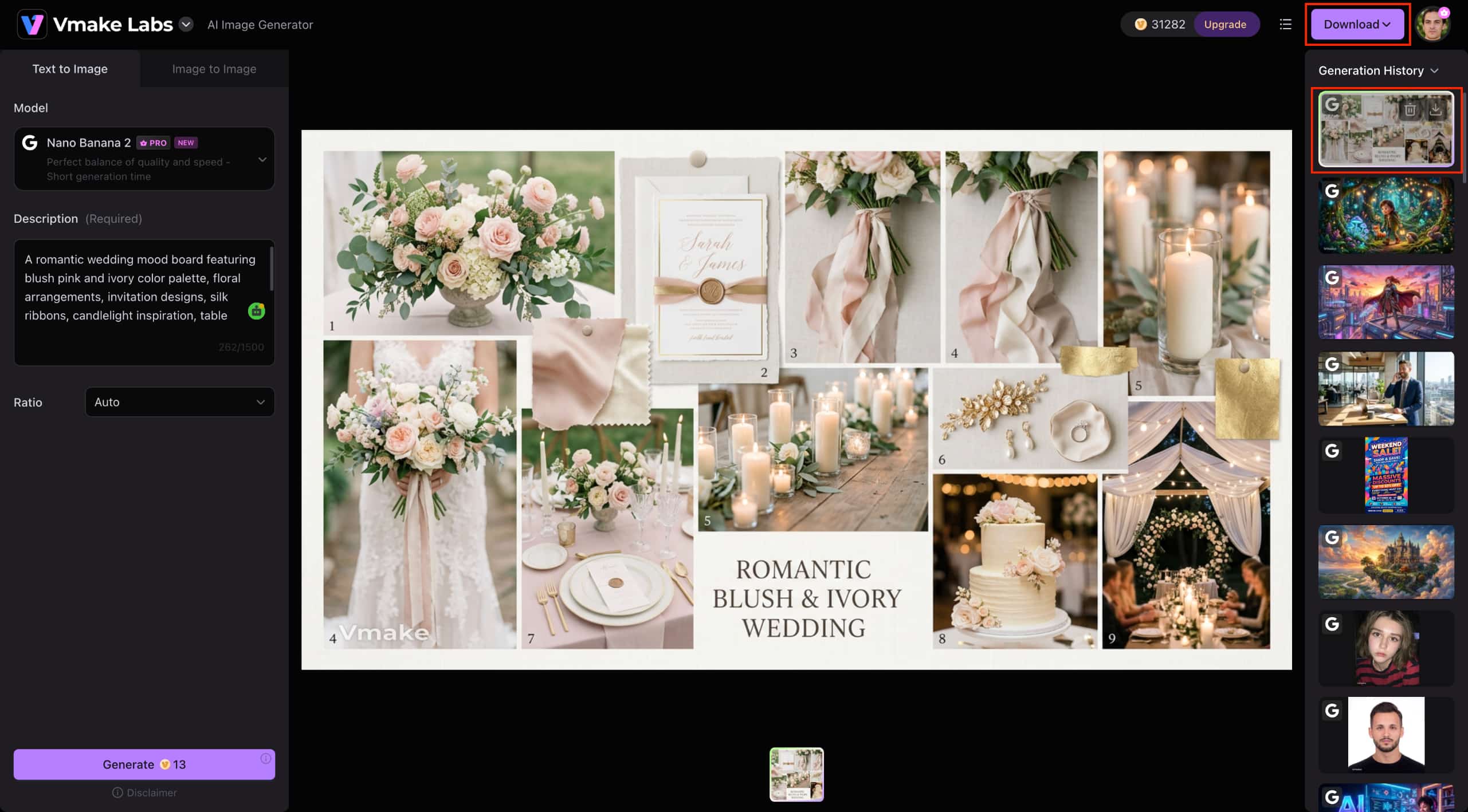
A wedding mood board pulls all your ideas together and helps you visualize your wedding theme. Use venues, florals, bridal wear, decorations, invitations, and color palettes as sources of inspiration to compare styles, refine your ideas, and create a celebration that showcases your personal taste.
-
Personal Vision Mood Board Ideas
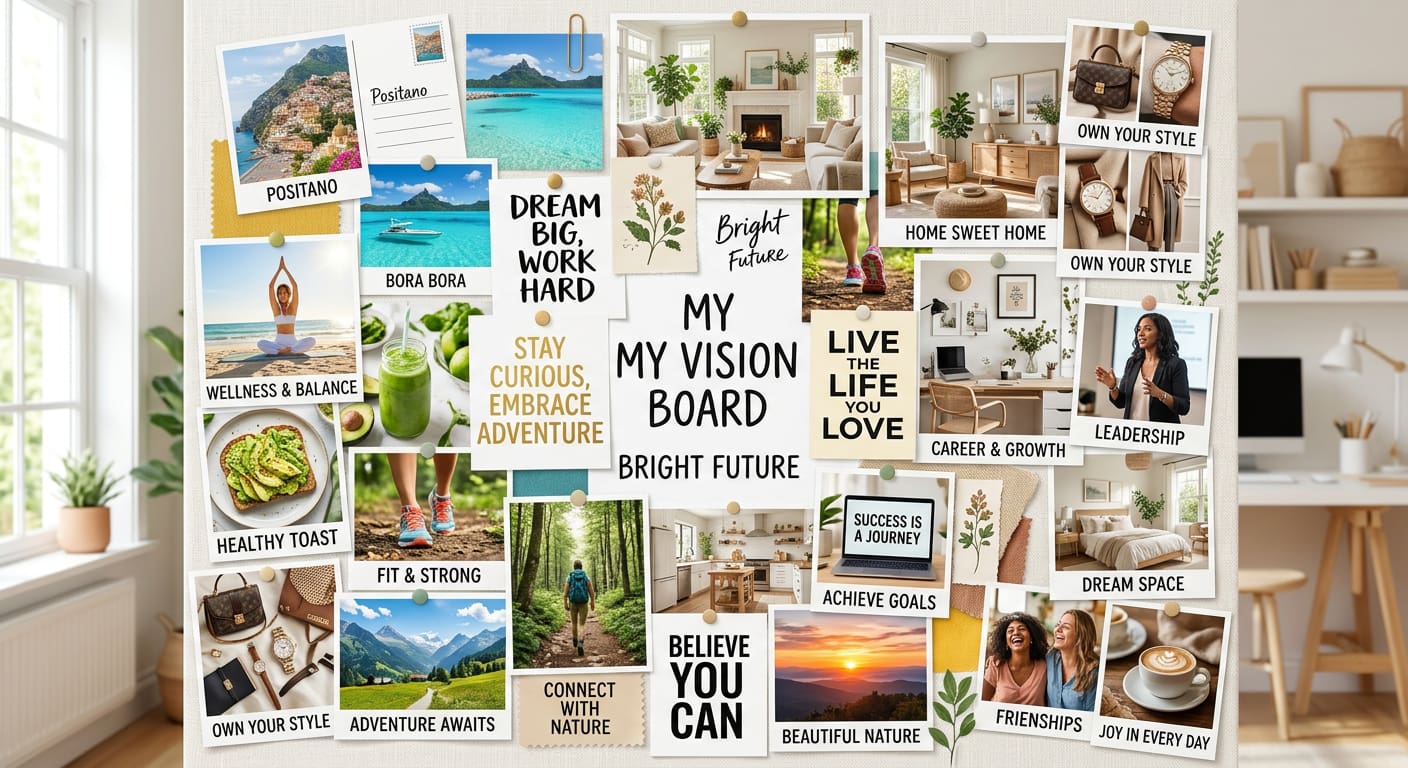
A personal vision mood board is a collage of images that represent your personal aspirations. These can include lifestyle inspiration, travel, wellness, hobbies, home décor, and motivational images. It's a fun way to set goals for the future, stay motivated, and live a lifestyle that aligns with the experiences you want to have.
-
Modern & AI-Inspired Mood Board Ideas
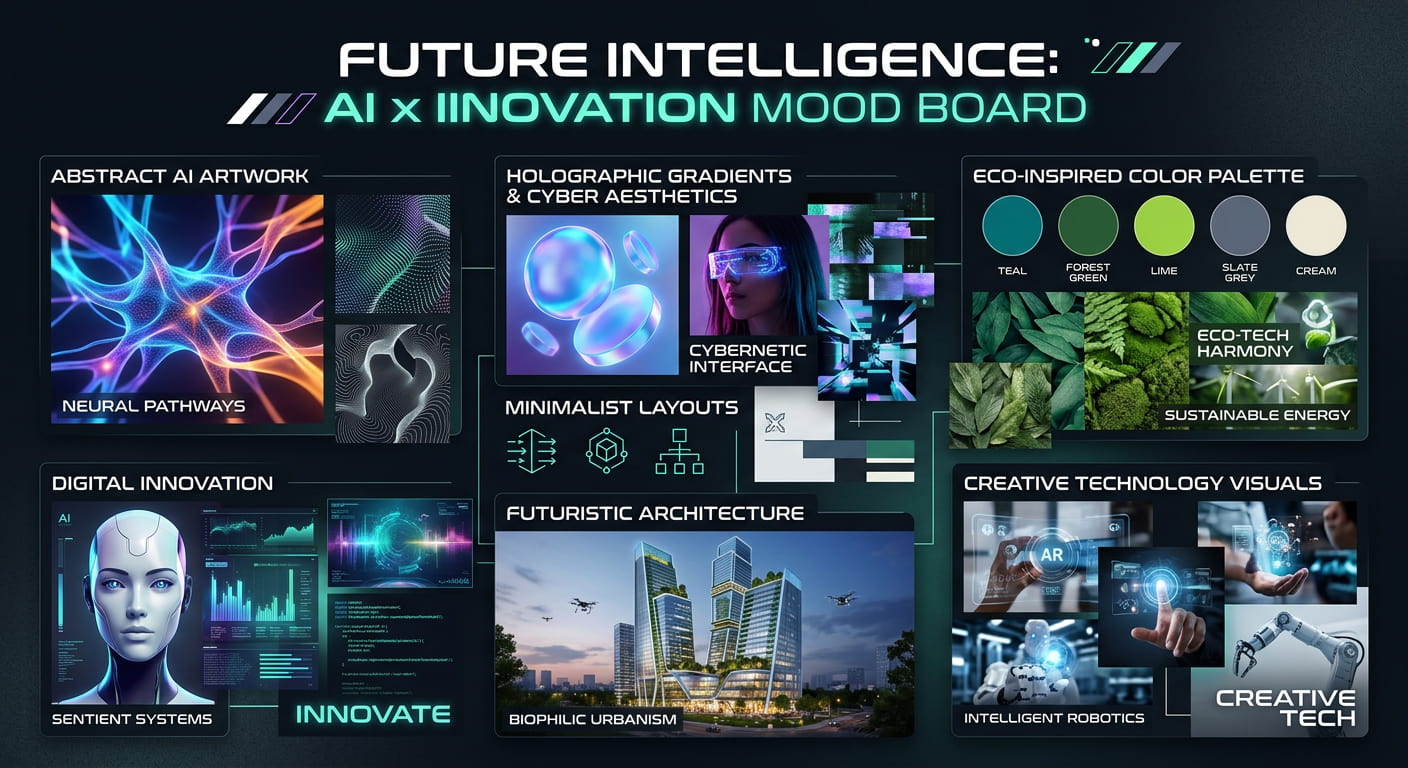
One of the major trends for mood boards in 2026 is the blending of AI cartoon generator artwork, bold typography, eco-friendly color palettes, design concepts for the future, and minimalist design. These mood boards are used for branding, design, marketing, and digital content, helping producers explore new visual trends, generate new ideas, and experiment with new creative directions.
How to Plan an Effective Mood Board
A clear process helps you plan a mood board. These simple steps will help you maintain your visual direction, organize your thoughts, and build a mood board that communicates your creative vision effectively.
-
Define Your Creative Theme: Start with a clear goal for your project, such as fashion, branding, interior design, photography, or any other creative concept. This is your creative theme. A clear theme can help guide your visual decisions.
-
Gather Visual Inspiration: Collect images, color palettes, fonts, textures, and design elements that represent your artistic direction. Select images that work well together and match your aesthetic.
-
Arrange Your Visual Elements: Arrange your selected images and design elements into a cohesive layout. Group similar visuals together to form an integrated, easy-to-understand design.
-
Review and Refine Your Mood Board: Make sure all the images are relevant to your overall idea, remove any unnecessary elements, and adjust the layout. A polished mood board will provide you with a clear point of reference for the next stage of your creative project.
Create AI Mood Boards with Vmake Labs Image Generator
Vmake Labs offers the AI Image Generator to help you create custom mood board visuals from text prompts or reference images in just a few clicks. You can quickly produce high-quality visuals for any creative project using multiple AI models and a simple workflow.
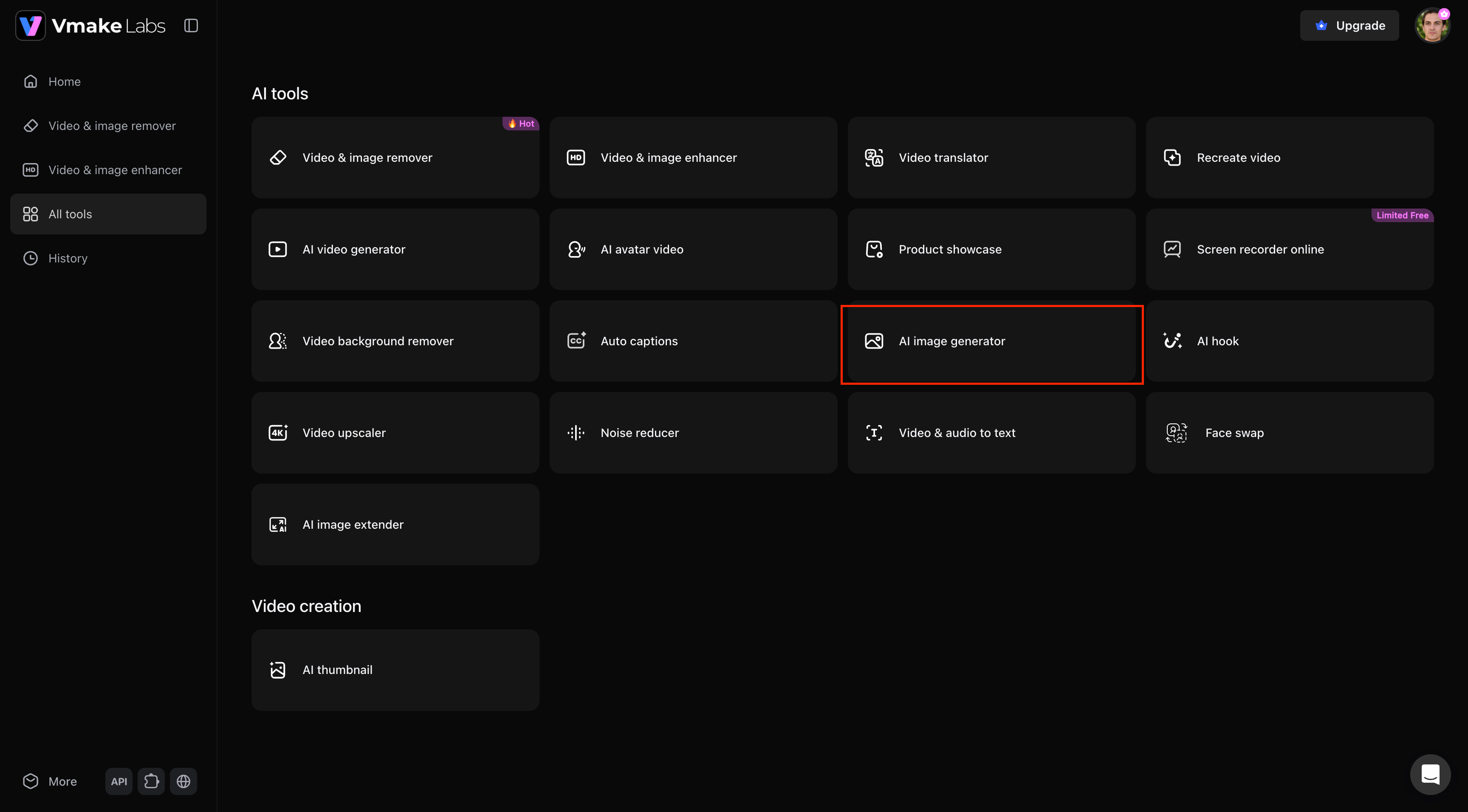
Step 1: Open the AI Image Generator
Open All Tools in Vmake Labs and select AI Image Generator. This opens the workspace where you can start creating AI-generated visuals for your mood board.
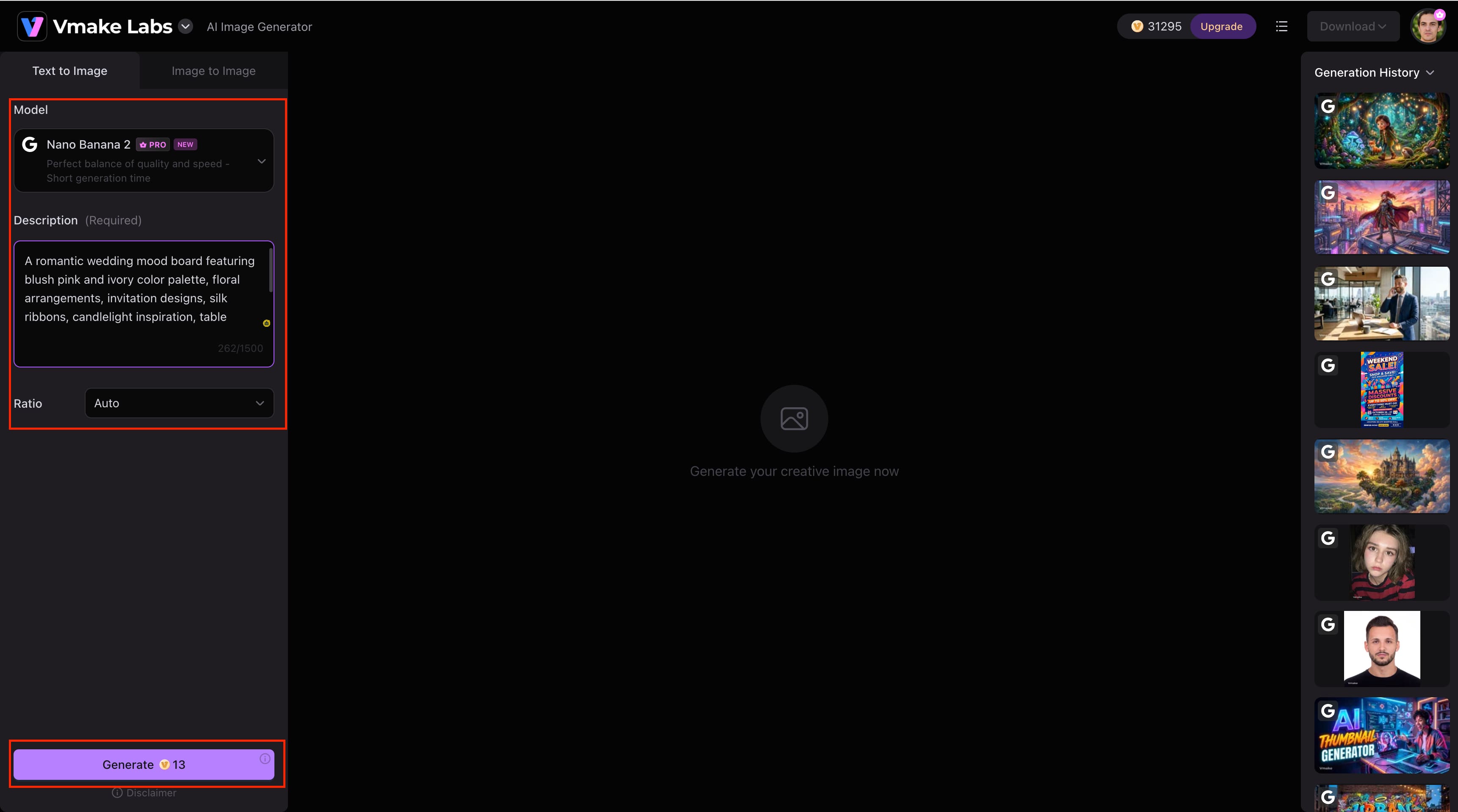
Step 2: Enter Your Prompt and Generate Your Image
Enter your mood board prompt, choose Text-to-Image or Image-to-Image, then choose your favorite AI model. Click Generate to produce your picture after making any necessary adjustments to the aspect ratio.
Step 3: Preview and Download Your Mood Board
Verify if the created mood board reflects your creative concept. When you're happy with the outcome, click Download to save the finished picture on your device.
Benefits of Using Vmake Labs AI Image Generator for Mood Board Creation
-
Generate AI Images from Text or Reference Images: Create original mood board visuals using detailed text prompts or uploaded reference images.
-
Multiple AI Image Models: Explore different creative styles with AI models to match your project's aesthetic and visual direction.
-
Maintain Visual Consistency: Generate cohesive images with an image enhancer that follow the same colors, style, and overall mood across your mood board.
-
Quickly Explore Creative Ideas: Create multiple design concepts in minutes to compare ideas and refine your vision faster.
-
Support Diverse Creative Projects: Generate high-quality visuals for branding, fashion, interior design, marketing, social media, presentations, and more.
Common Mistakes to Avoid When Creating Mood Board Ideas
Creating an effective mood board is about more than collecting beautiful images. Avoid these common mistakes to keep your mood board focused, visually consistent, and aligned with your creative goals.
Starting Without a Clear Theme
A mood board needs to express a unified creative direction. The finished board may seem inconsistent if you begin without a distinct theme and end up with unconnected photos, colors, and design elements. Determine your project's objective, target audience, and general visual style before gathering ideas to keep your mood board focused.
Mixing Too Many Visual Styles
If your mood board uses different styles, conflicting color palettes, or incompatible typefaces, it might become confusing rather than inspiring. Whether you're coming up with ideas for fashion mood boards, branding concepts, or interior design inspiration, use visual elements that complement one another and support the same creative objective.
Overcrowding Your Mood Board
If you use too many pictures, textures, typefaces, or decorative elements, the audience may become overwhelmed and lose sight of your main idea. Choose the photographs that best represent your point rather than using them to fill the space. A neat, well-structured mood board makes your creative idea easier to understand and communicates it more effectively.
Conclusion
Mood boards are an excellent tool for communicating a clear visual vision for any project, organizing ideas, and exploring creative avenues. A mood board is one of the finest tools for transforming ideas into tangible concepts across a variety of fields, including fashion, branding, interior design, and digital content. Using the AI Image Generator in Vmake Labs, you can quickly produce unique content, experiment with various styles, and develop cohesive mood boards that bring your ideas to life.
FAQs
Can I create a mood board without design experience?
Yes. Anyone can create a mood board by collecting images, colors, typography, and other visual references that match a specific theme or goal. Focus on keeping your visuals consistent rather than making the design perfect. If you need original visuals instead of stock images, Vmake Labs offers the AI Image Generator to help you create them quickly.
What's the difference between a digital and physical mood board?
Make a digital mood board using design software or online tools that are easy to edit, share, and collaborate with. A physical mood board is a collection of printed images, fabric samples, and other physical materials, and is great for hands-on creative planning. Digital mood boards also simplify adding AI-generated visuals from tools such as Vmake Labs, which offers the AI Image Generator.
How many images should a mood board have?
There is no magic number, but most good mood boards have enough images to convey a clear idea without becoming too cluttered. Choose the best images that fit your creative vision and remove anything that seems unnecessary. Quality and consistency are more important than quantity.
Can I use AI-generated images on a professional mood board?
Yes, AI-generated images are widely used for brainstorming, concept development, presentations, and creative planning. Always check the licensing and usage rights of the AI tool you use, especially for commercial projects. Vmake Labs offers the AI Image Generator to help you create original visuals for professional workflows.
How do I choose the right style for my mood board?
Start by defining your project's purpose, audience, and desired visual aesthetic. Then select colors, imagery, typography, and textures that consistently support that direction. If you'd like to experiment with different artistic styles before finalizing your mood board, Vmake Labs offers the AI Image Generator to help you generate multiple creative concepts using different AI models.

You May Be Interested

100+ Instagram Bio Ideas to Make Your Profile Stand Out
Father’s Day Gift Ideas 2026: Personalized, DIY & Last-Minute
5 Best Valentine's Day Video Ideas for eCommerce in 2026
YouTube Shorts Ideas: 15 Creative Videos to Grow Your Channel
Top YouTube Video Ideas: Methods to Get More Subscribers