CGDream AI Image Generator Review: Features, Pricing, Pros, Cons & Best Alternative
Discover whether CGDream AI Image Generator review is worth using. Explore its features, pricing, real-world performance, strengths, limitations, and how it compares with Vmake Labs AI Image Generator.

With text prompts and advanced creative tools, CGDream AI Image Generator enables artists to transform ideas into AI artwork. This review explores its features, pricing, performance, pros, cons, user reviews, and compares it with Vmake Labs AI Image Generator to help you choose the right platform.
What Is CGDream AI Image Generator?
CGDream AI Image Generator is a browser-based AI image generation platform that enables users to create original visuals from text prompts and other creative inputs. Powered by Flux AI models, it offers a flexible workspace for generating AI artwork, concept designs, marketing visuals, and digital illustrations. Its user-friendly interface benefits both novice and seasoned designers wishing to realize their ideas.
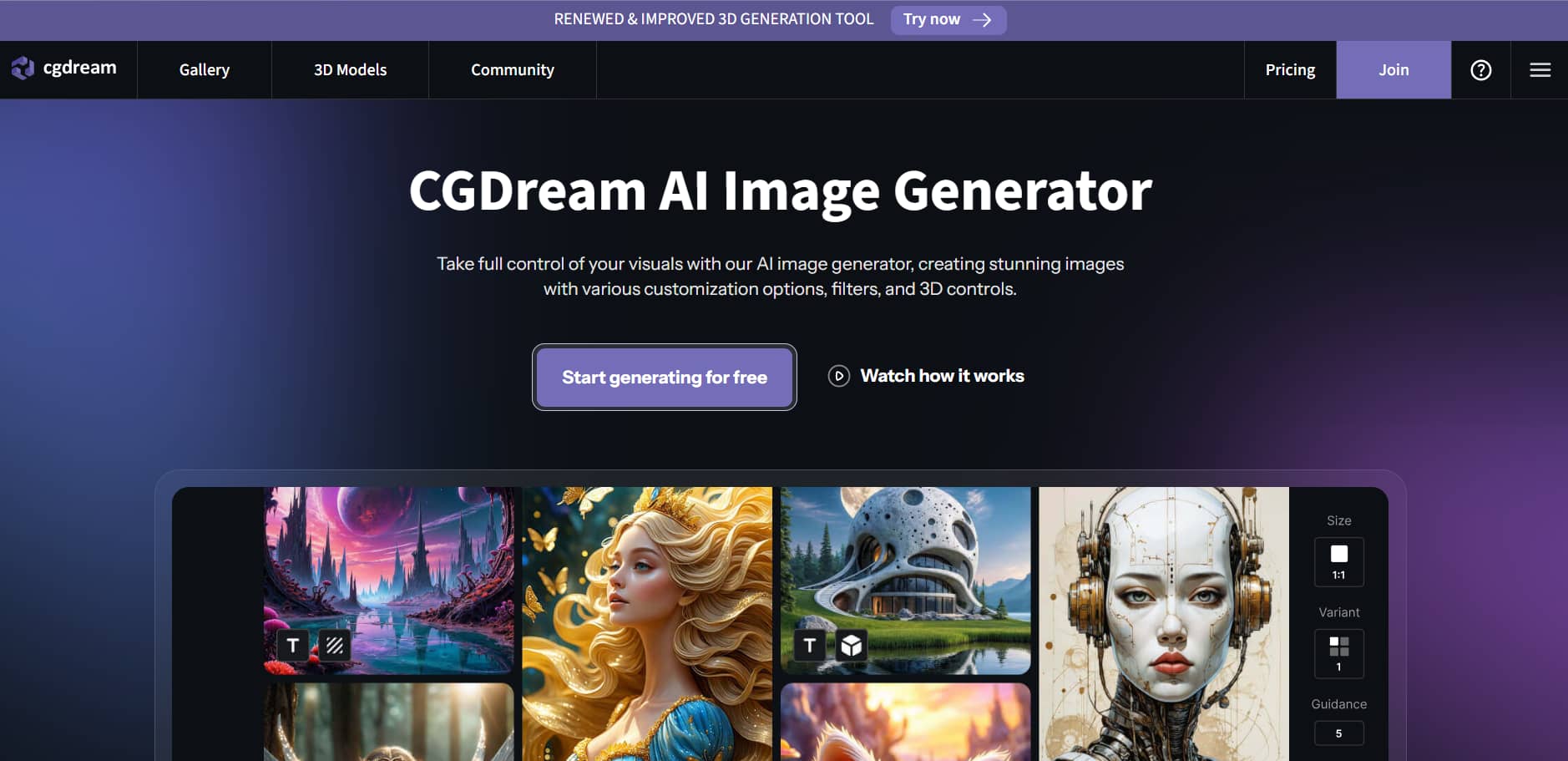
CGDream AI Image Generator brings customers closer to the finished product, combining state-of-the-art creative tools with AI-powered image synthesis. DreamUp is perfect for generating complex artwork, concept ideas, and other creative images thanks to features like DreamUp prompt improvement, AI filters, reference picture support, Text-to-3D, picture-to-3D, inpainting, and image upscaling.
CGDream AI Image Generator Features & How to Create AI Images
CGDream AI Image Generator offers a simple workflow that starts with a text prompt or reference image. You can then customize the output with various creative tools before generating your final AI image.
Key Features
-
DreamUp Prompt Enhancement: DreamUp automatically improves picture quality by making basic prompts more informative. It enables users to produce more precise and in-depth AI artwork without requiring them to be proficient prompt writers.
-
AI Filters: Change the style of the image using various artistic looks with CGDream's AI filters and LoRA styles. These tools provide an easy way to explore creative styles with consistent visual quality.
-
Reference Image Support: Upload a reference image to guide the AI's style, composition, or subject in the generation process. This feature gives you more control and helps you get more consistent results from project to project.
-
3D Image Generation: By creating images from 3D models and transforming photographs into 3D assets, CGDream facilitates 3D-powered processes. It is perfect for creative design work, product visualization, and concept art.
-
Inpainting: Use the inpainting tool to change certain areas of an image without producing a new work of art. It's useful for getting rid of things that aren't needed, fixing mistakes, or polishing little details.
-
Image Upscaling: Scale AI-created images while maintaining sharpness and quality. The built-in image sharpener helps improve image clarity for high-resolution use.
Steps to Create AI Images
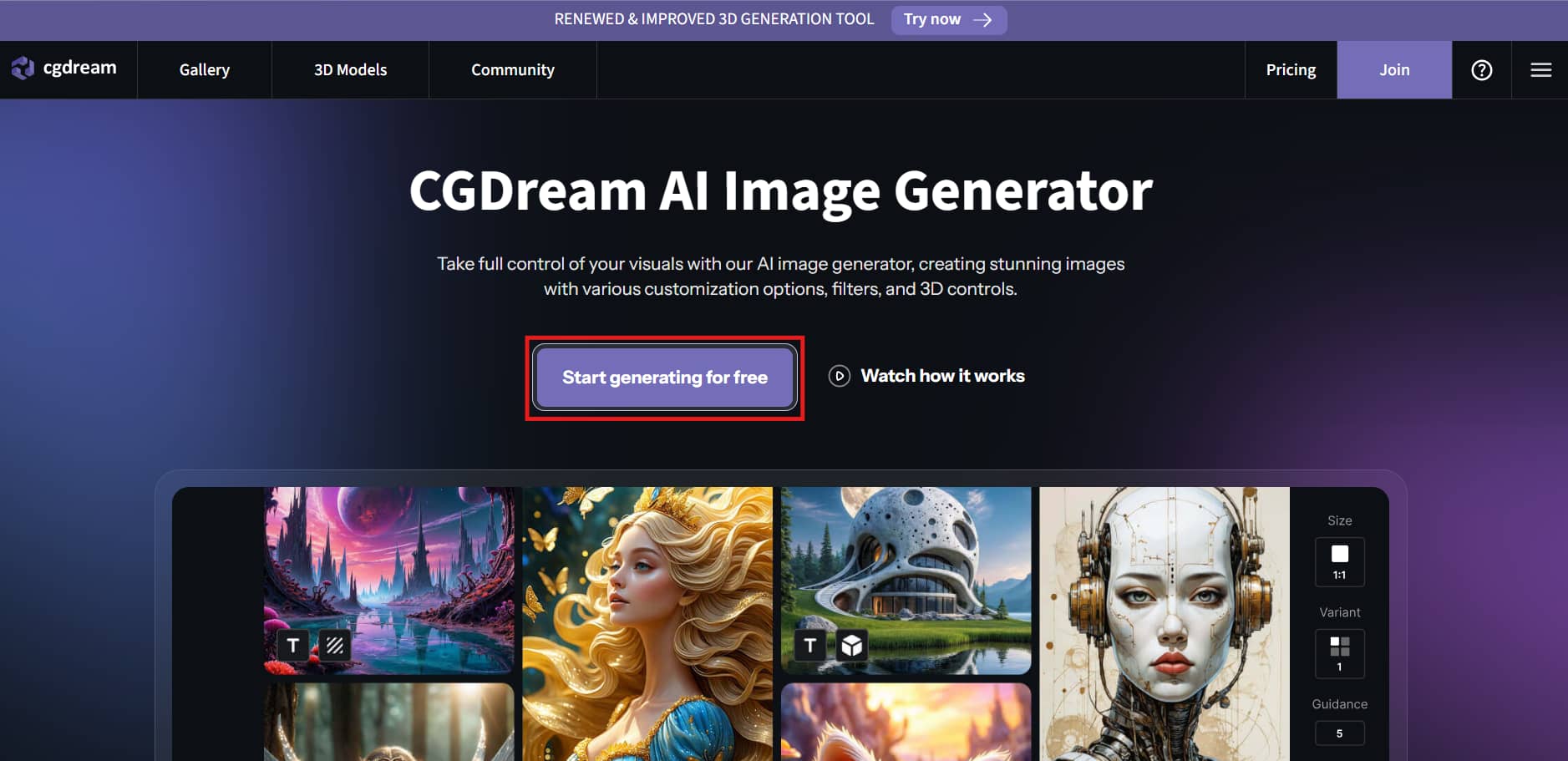
Step 1: Start a New Project
Click Start generating for free on the CGDream homepage to open the AI image generator. Enter your text prompt in the prompt box or upload a reference image to begin creating your artwork.
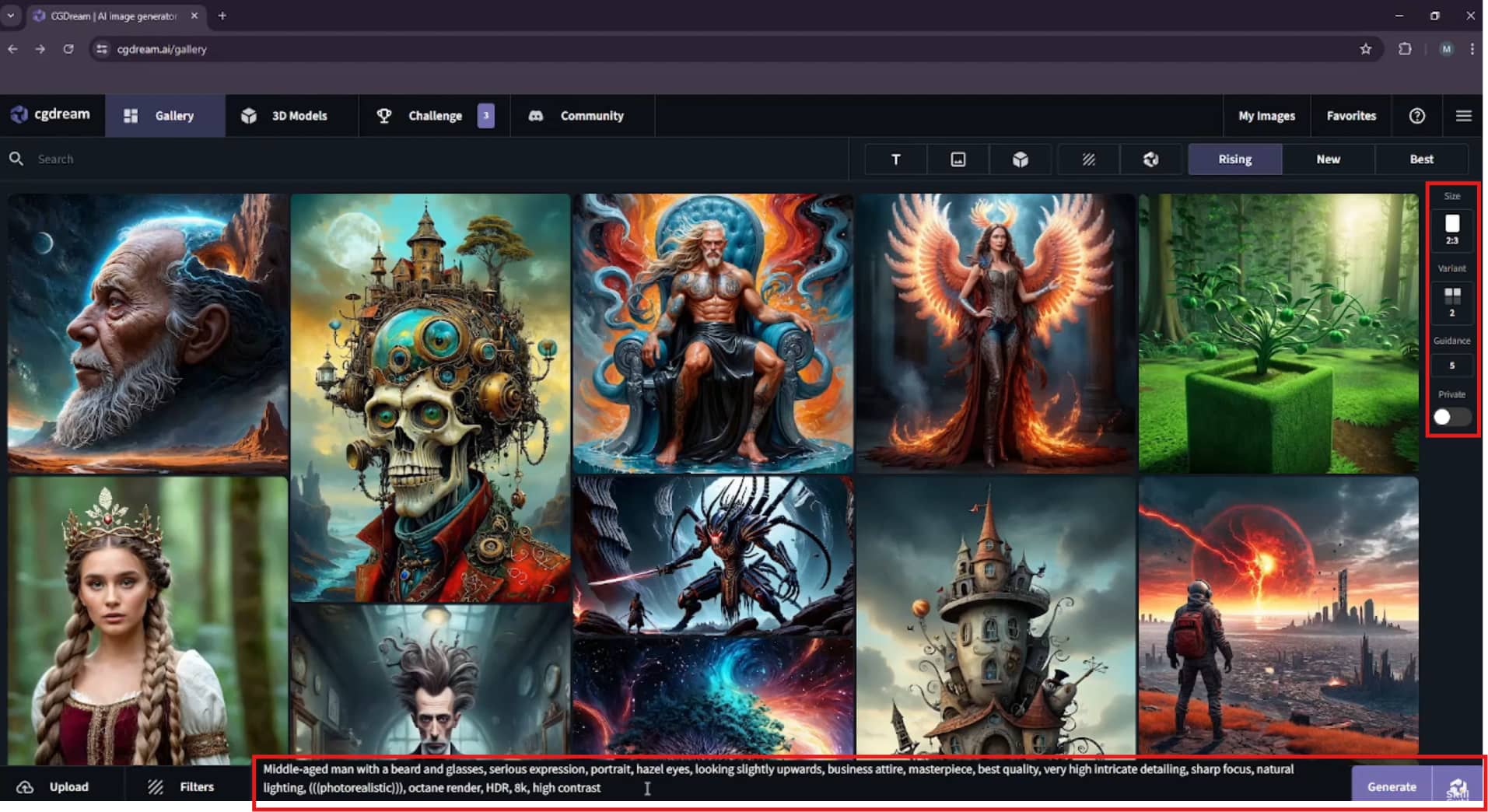
Step 2: Customize Your Generation Settings
Adjust the image settings by choosing the aspect ratio, number of image variants, and guidance level. You can also apply AI filters or select a 3D model before clicking Generate.
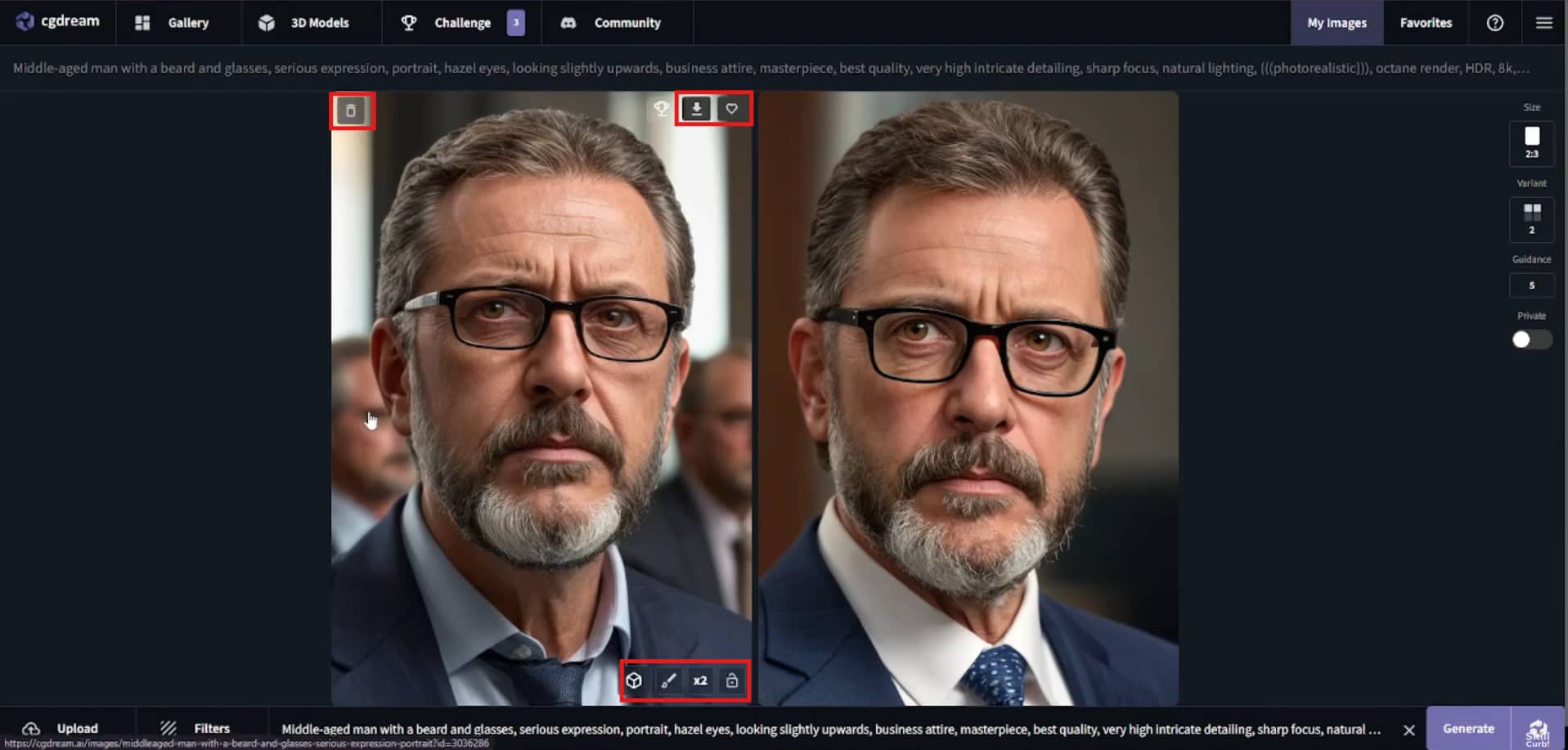
Step 3: Generate and Save Your Image
Examine the produced images and choose your preferred outcome by editing, upscaling, downloading, or saving it. Create further iterations if necessary until you're satisfied with the final product.
Hands-on CGDream AI Image Generator Review
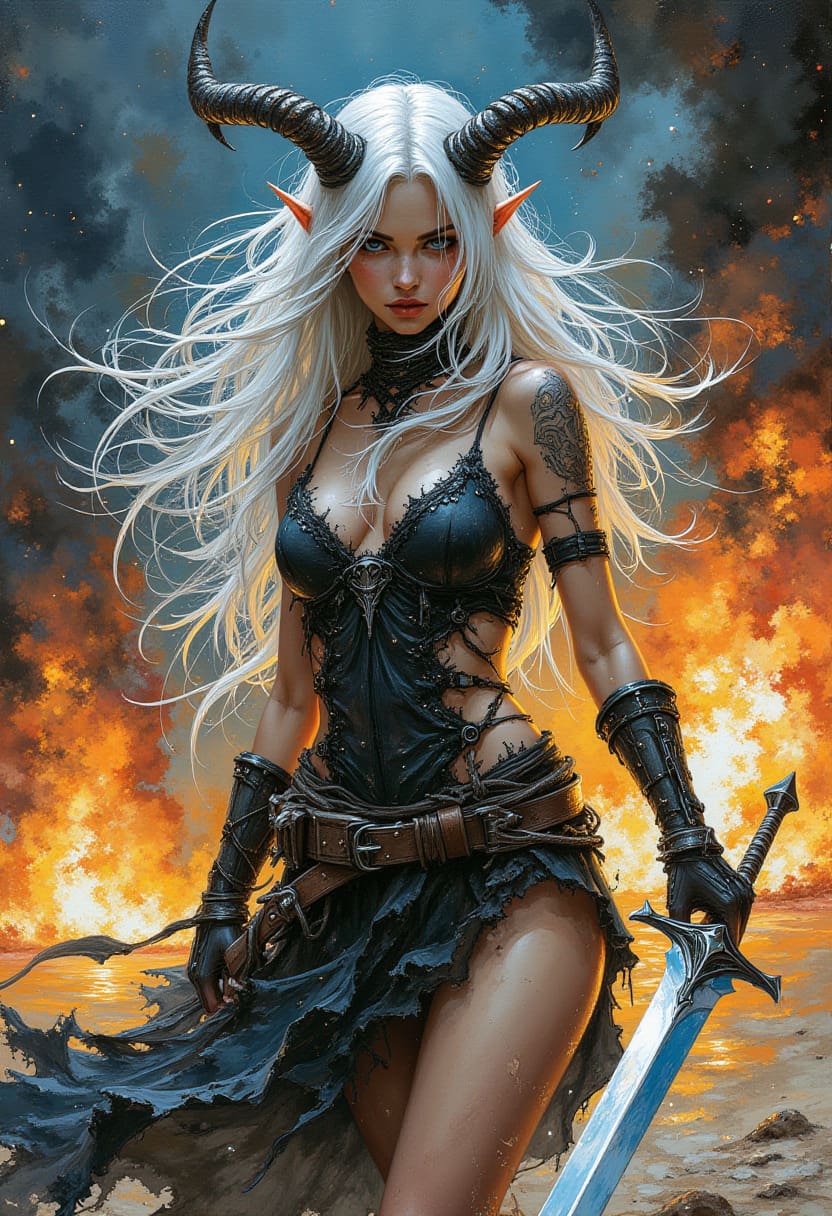
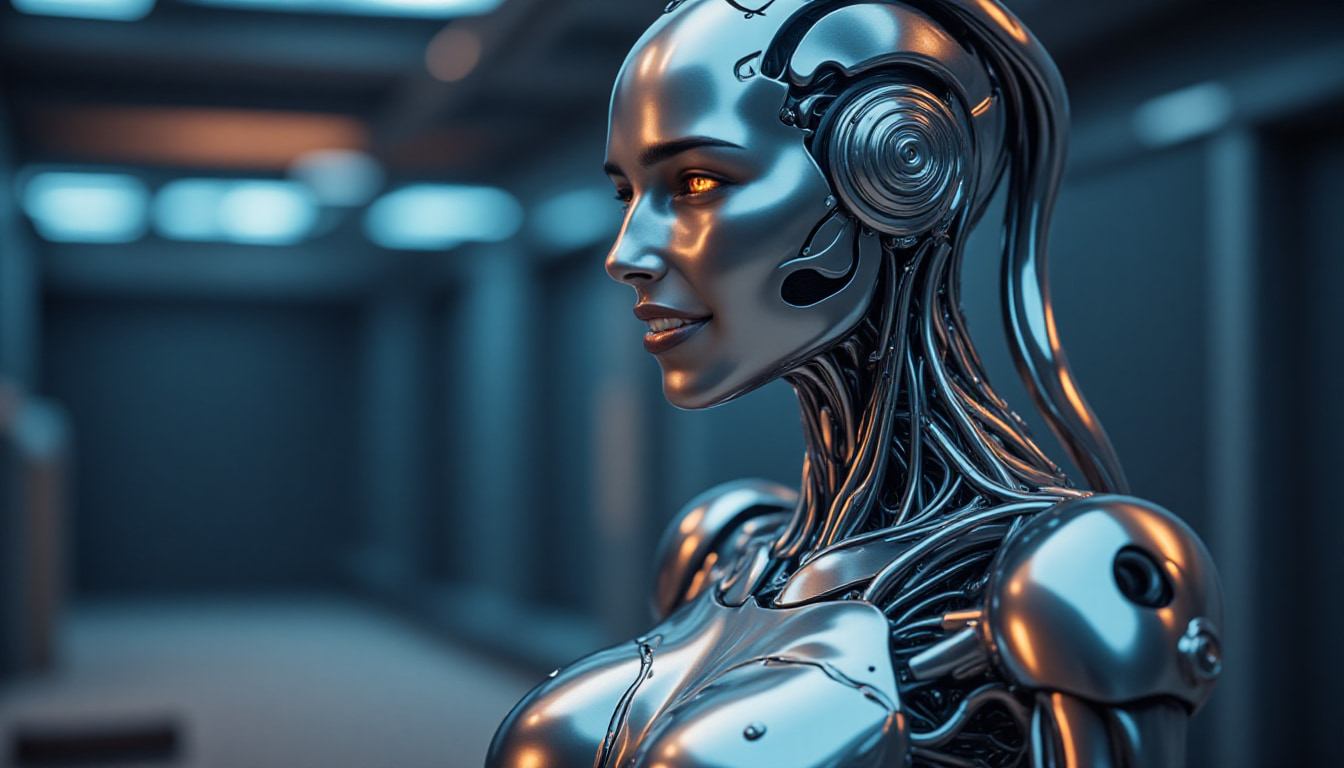
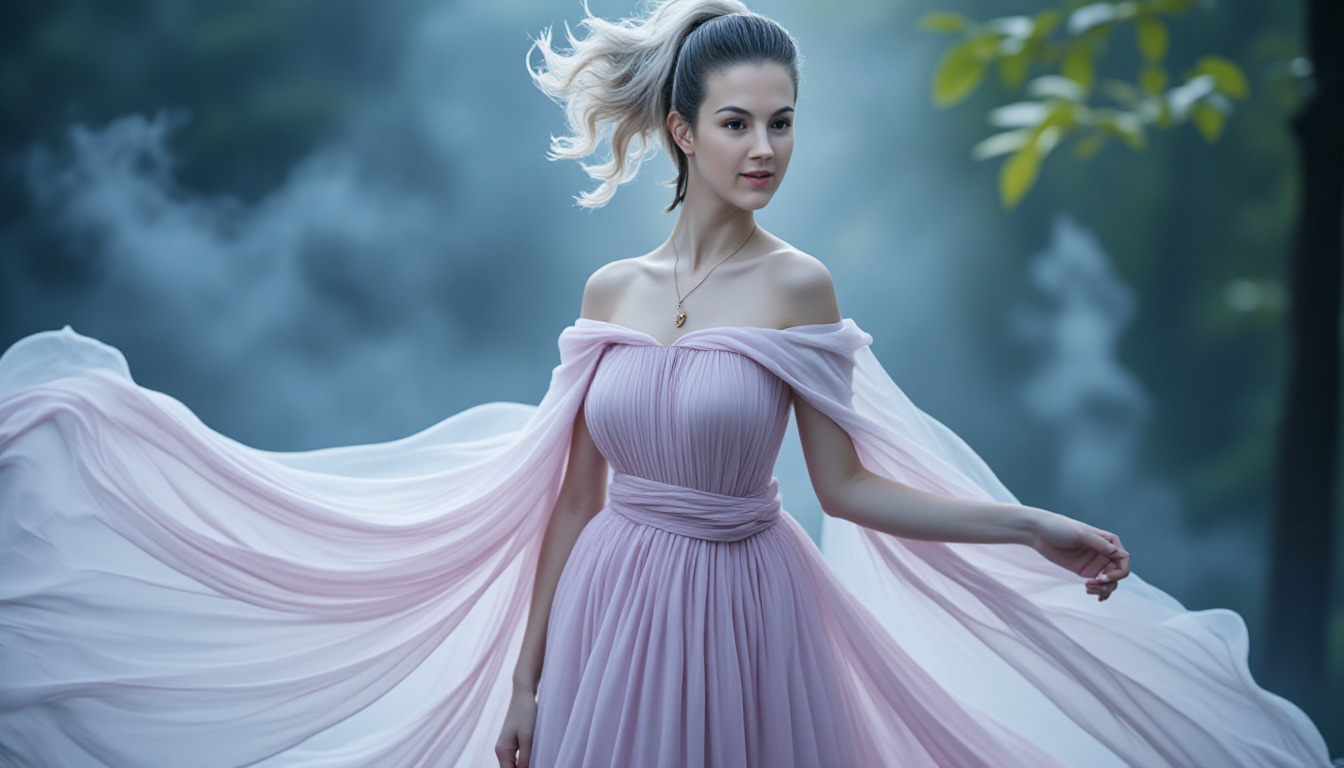
From concept designs and product-style visuals to portraits and fantasy artwork, we tested CGDream AI Image Generator across a range of creative workflows. We assessed its image quality, generation speed, prompt accuracy, ease of use, and degree of creative control.
Test results
Fantasy Character Portrait
Realistic AI Portrait
Photorealistic Portrait
Hands-on Testing
-
Image Quality on Different Prompts: CGDream produced high-quality and detailed images for portrait, fantasy, and concept art prompts. The outputs had realistic lighting, sharp details, and pleasing compositions.
-
Prompt Accuracy and Consistency: The platform was accurate in responding to prompts and consistent in its style across multiple generations. DreamUp and the use of reference images also improved the relevance and consistency of the results.
-
Generation Speed: Most images are generated in seconds under normal usage. Generation times may be longer during peak hours or when using more sophisticated AI models.
-
Ease of Use & Creative Control: The interface includes a broad spectrum of adjustable options, including AI filters, LoRA styles, reference images, and 3D tools. While beginners may need some time to explore these options, experienced users will appreciate creative control.
Pros & Cons
|
Pros |
Cons |
|---|---|
|
DreamUp improves simple prompts by automatically generating richer and more detailed image descriptions. |
The interface includes many tools and settings, which may take time for beginners to learn. |
|
Supports Text-to-3D and Image-to-3D workflows for creating visuals with greater creative control. |
The free plan offers limited credits, restricting the number of images you can generate. |
|
Offers a wide selection of AI filters and LoRA styles for experimenting with different artistic effects. |
Some advanced features and higher usage limits are only available with paid plans. |
|
Reference image support helps produce more accurate and consistent results across different projects. |
Image generation may occasionally slow down during peak usage periods. |
|
Built-in inpainting and image upscaling allow you to edit and enhance images without using additional software. |
The extensive customization options can feel overwhelming if you're looking for a simple, one-click AI image generator. |
Community Feedback
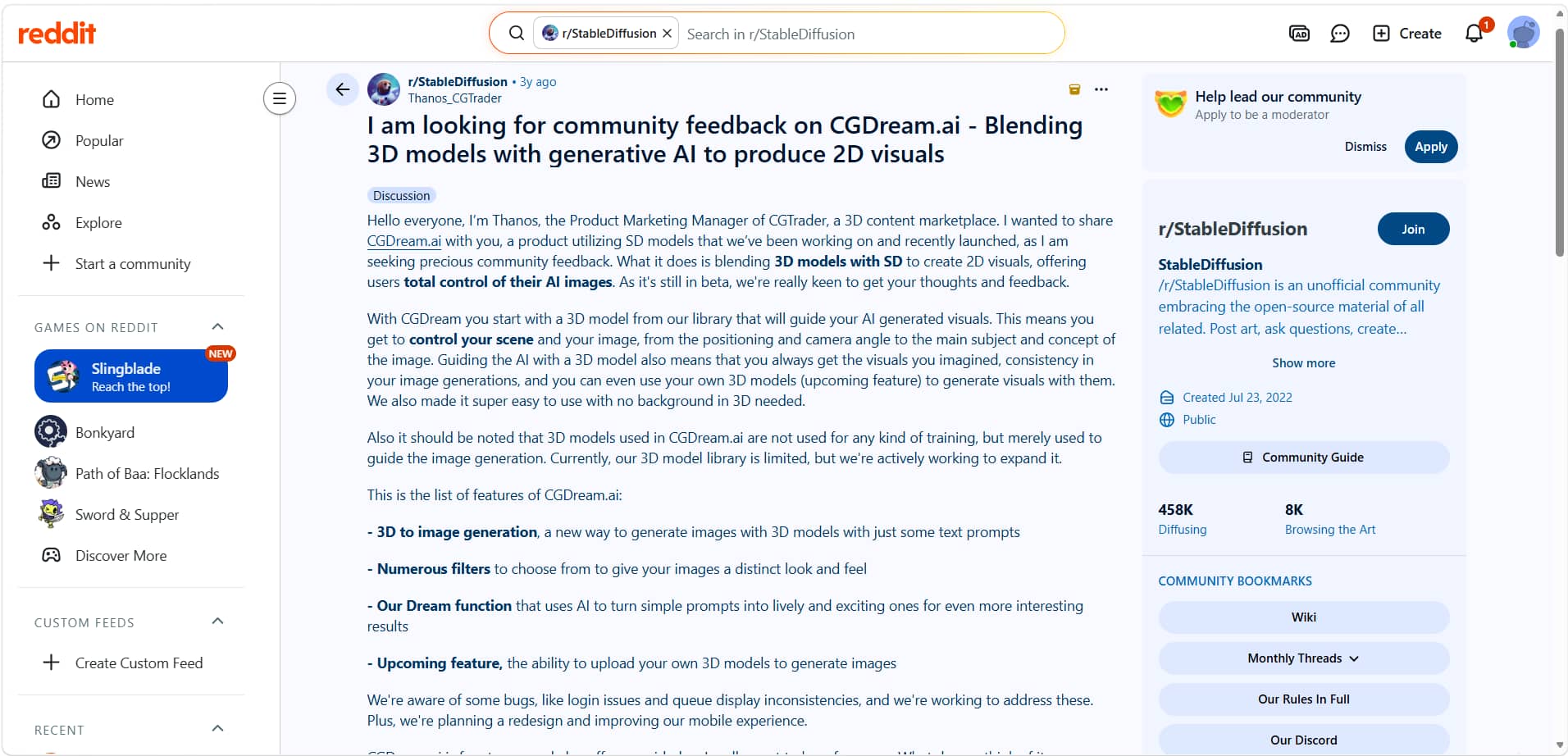
Reddit users were amazed by CGDream's quick refinement, support for reference images, and innovative 3D-guided picture production. Many people suggested it for concept drawings and other artistic endeavors. A few users had sporadic generating waits and login problems. Others said that the site has steadily become better over time.
Trustpilot
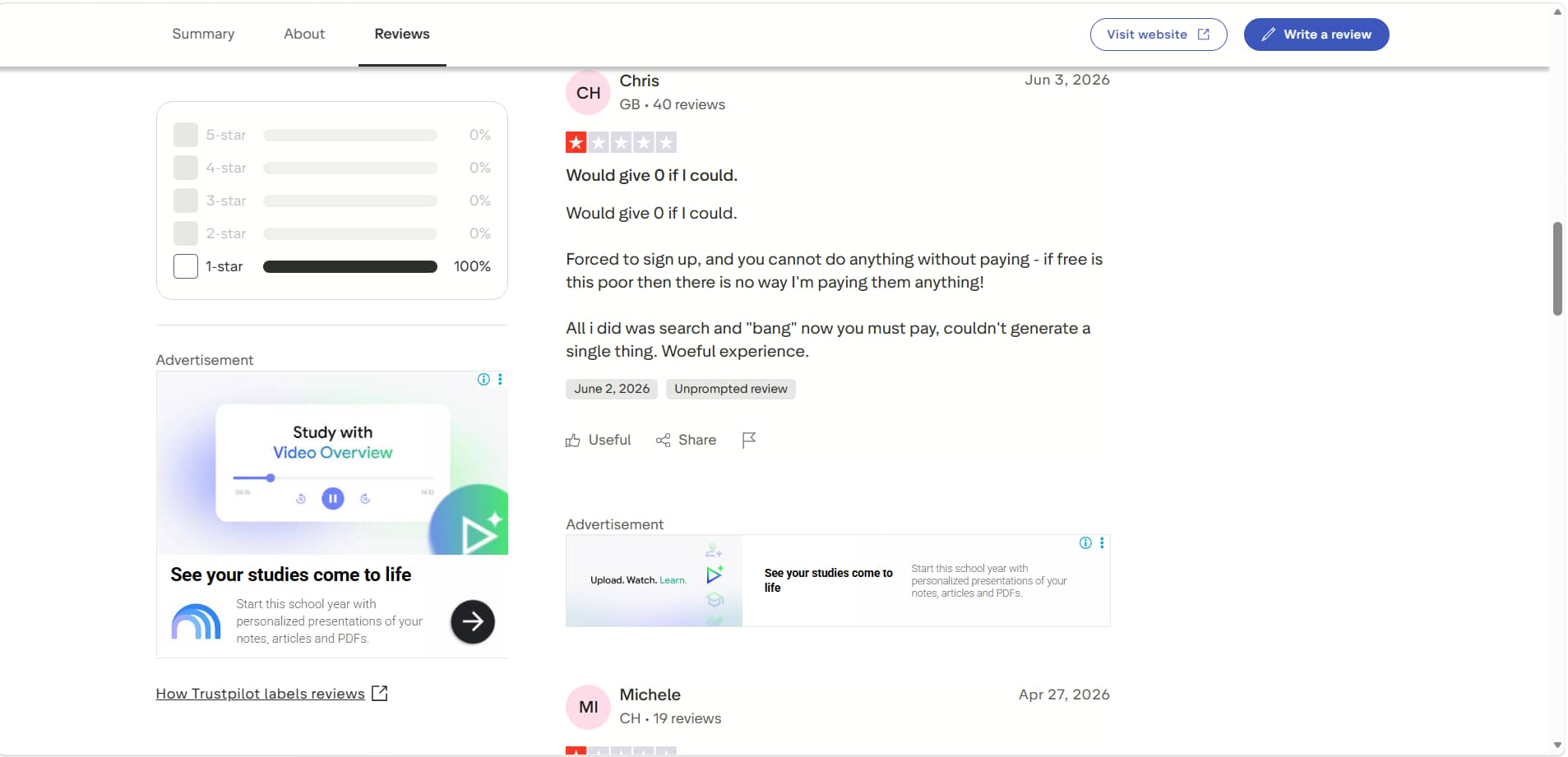
Trustpilot reviews are more horrible, with frequent user complaints focused on the limited free plan, restrictions on paid features, and customer support. That said, some subscribers said they were happy with the image quality and customization options once they upgraded to a paid plan.
Pricing
CGDream offers three subscription plans to meet the AI image generation needs of both casual users and professional teams. All plans include commercial usage rights. As you upgrade to higher-tier plans, you'll receive more monthly credits, faster image generation speeds, and the ability to generate more images at the same time.
CGDream Pricing
|
Plan |
Monthly Price |
Best For |
Key Highlights |
|---|---|---|---|
|
Basic |
$10/month |
Beginners & hobbyists |
10,000 monthly credits, unlimited daily credits, Text-to-3D, Image-to-3D, 4 image variations, private mode, commercial use, inpainting |
|
Pro (Most Popular) |
$30/month |
Content creators & professionals |
40,000 monthly credits, unlimited daily credits, 4 concurrent generations, faster generation priority, commercial use, private mode, inpainting |
|
Premium |
$60/month |
Teams & businesses |
90,000 monthly credits, 5 concurrent generations, highest generation priority, unlimited image history, commercial use, private mode, inpainting |
Which Plan Offers the Best Value?
|
Plan |
Recommendation |
|---|---|
|
Basic |
Great starting point with generous monthly credits and essential AI image generation features. |
|
Pro |
Best overall value with 40,000 monthly credits, faster generation, commercial use, and multiple concurrent generations. |
|
Premium |
Best for high-volume workflows needing maximum credits, priority processing, and more concurrent generations. |
While CGDream is designed for advanced AI art creation with 3D-assisted workflows, Vmake Labs AI Image Generator focuses on speed, simplicity, and commercial-ready image generation. Its intuitive interface, multiple AI models, and browser-based workflow make it an excellent alternative for marketers, businesses, content creators, and beginners.
Best Alternative: Vmake Labs AI Image Generator & Comparison
If you are looking for a simpler alternative to CGDream AI Image Generator, then you must check out Vmake Labs AI Image Generator. It offers a wide array of AI image models, text-to-image and image-to-image generation, and a simple-to-use interface to create great images for commercial projects, e-commerce, and marketing.
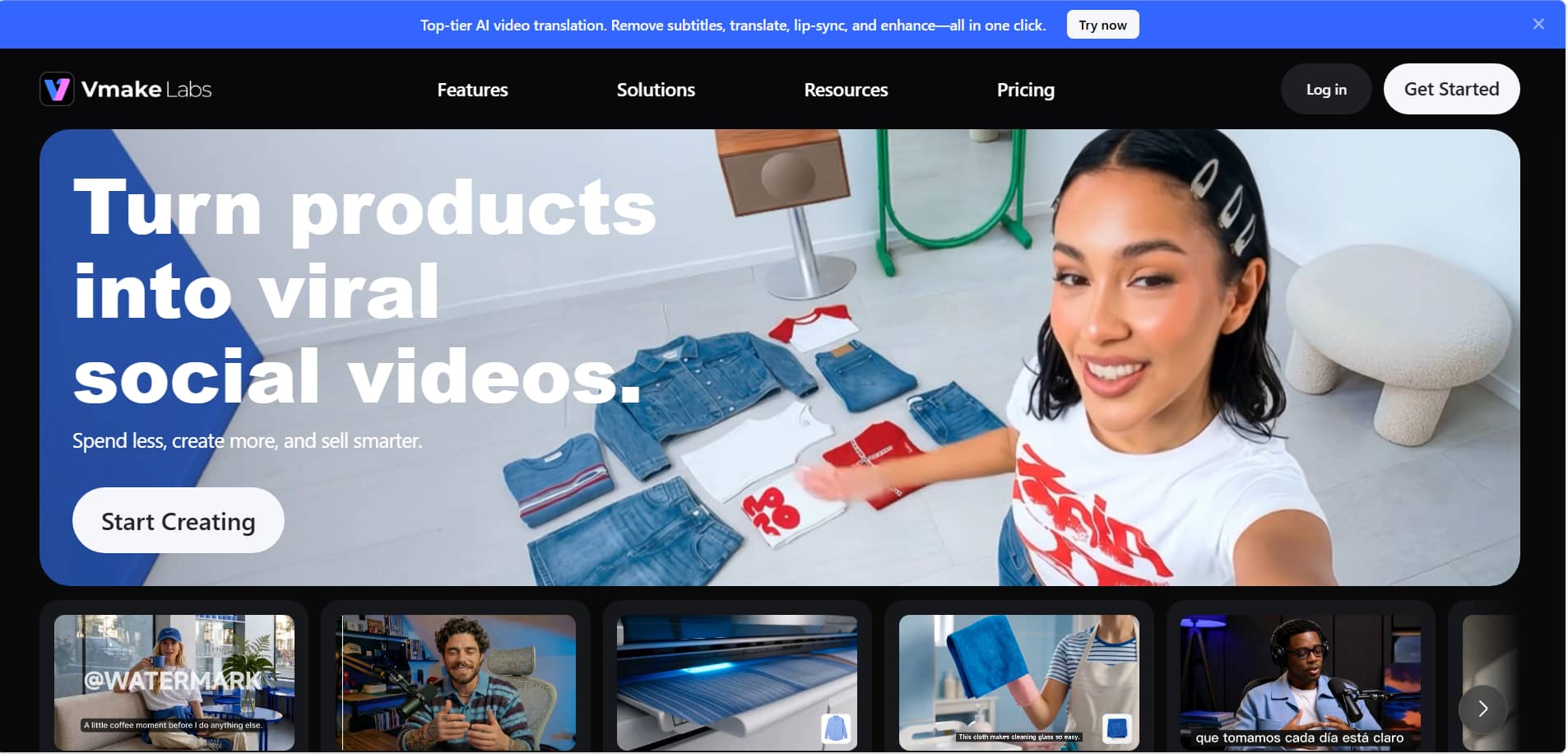
Why Choose Vmake Labs AI Image Generator?
-
Beginner-friendly workflow: Simple interface that lets you create AI images in just a few clicks.
-
Multiple AI generation options: Choose from leading AI models, including Nano Banana 2, Nano Banana Pro, Nano Banana, Seedream 4.0, and GPT Image 1.
-
Consistent, high-quality results: Produces detailed, realistic, and creative images suitable for professional Use.
-
Supports commercial content creation: Generate images for marketing campaigns, social media, e-commerce, and branding.
-
Suitable for diverse creative workflows: Create product photos, marketing visuals, concept art, portraits, and more.
-
Browser-based with no software installation: Access all features directly from your web browser without downloading any software.
How to Create AI Images with Vmake Labs
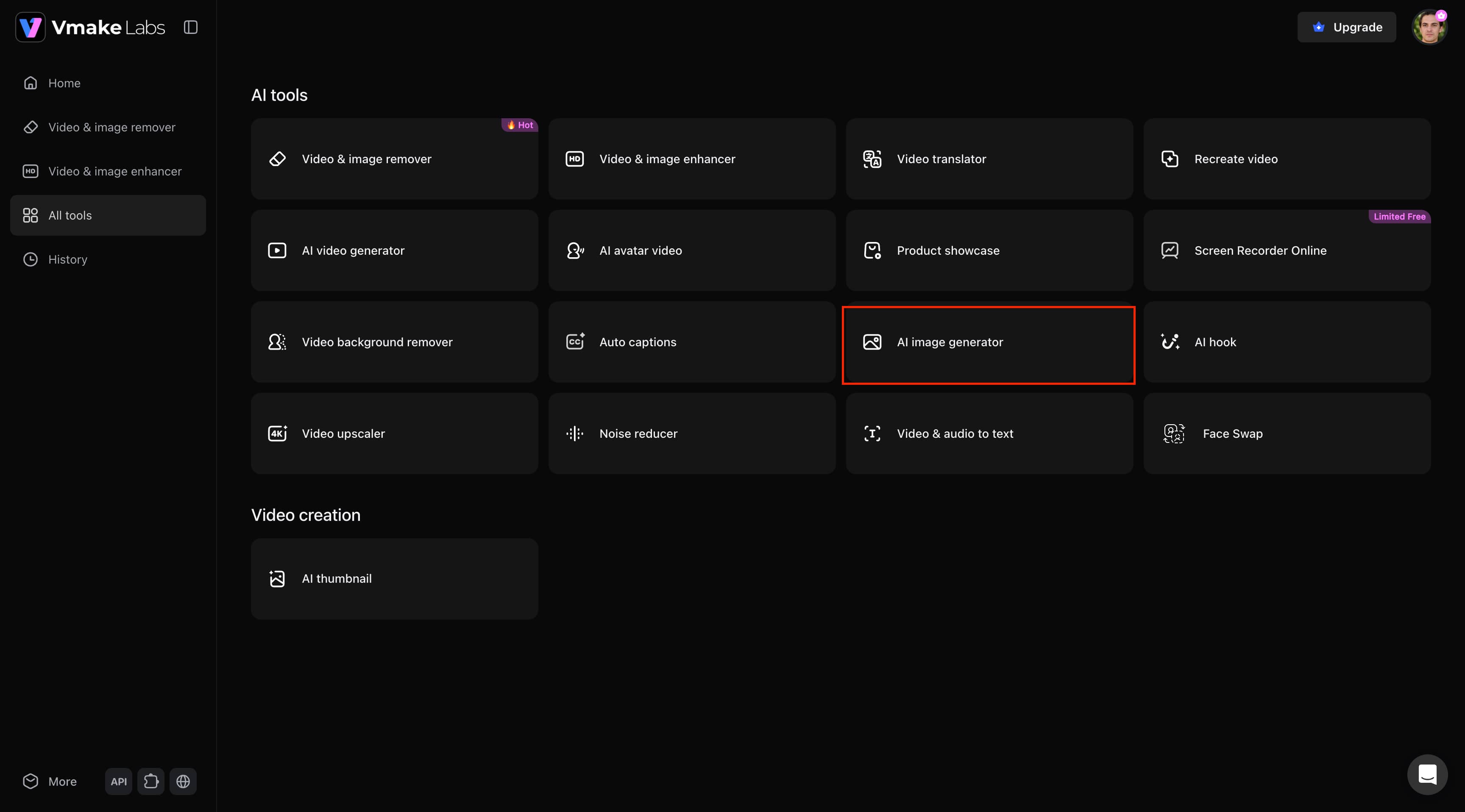
Step 1: Open the AI Image Generator
Sign in to Vmake Labs and navigate to the All tools page. Under AI Tools, click AI Image Generator to open the image creation workspace.
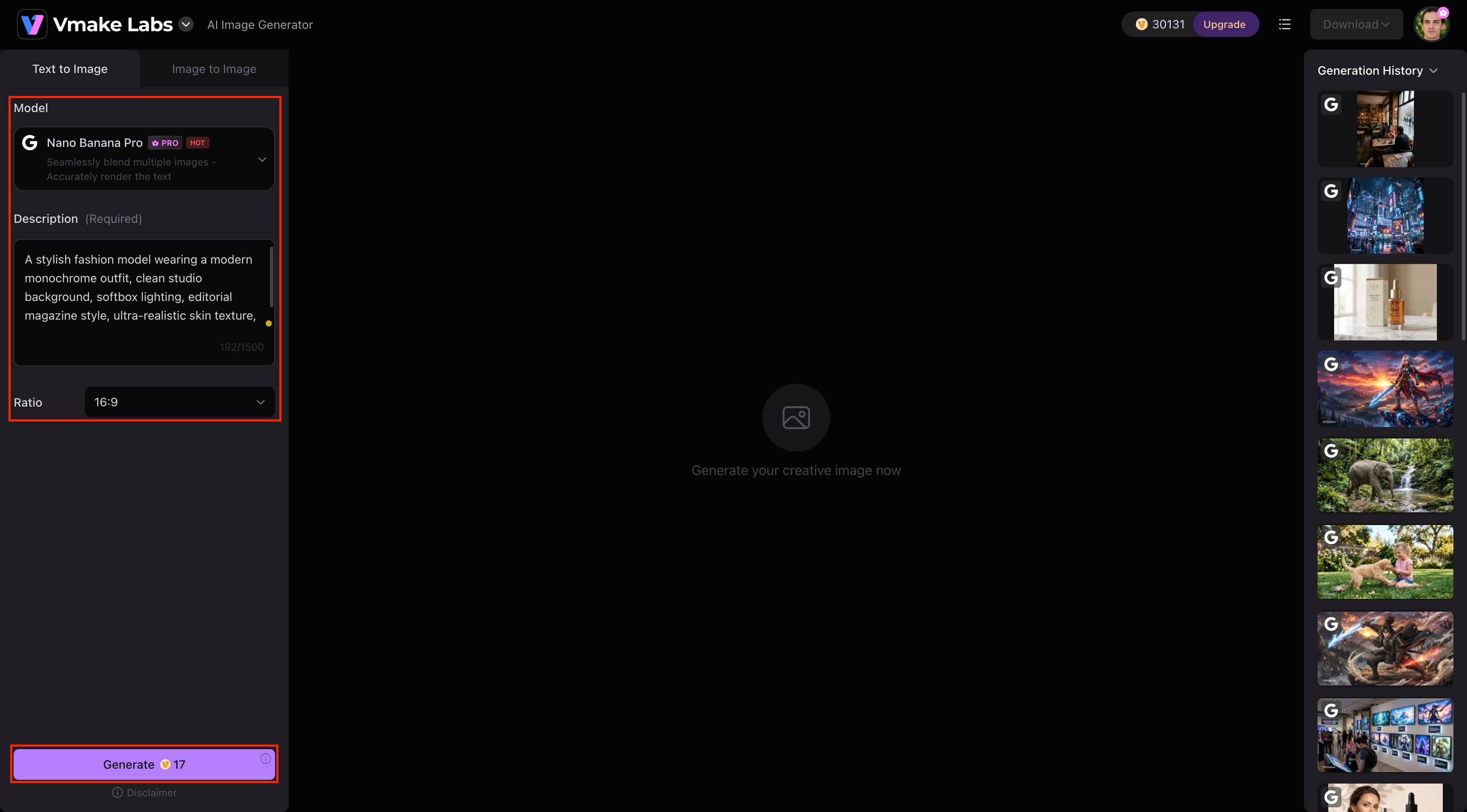
Step 2: Enter Your Prompt and Generate an Image
In the Text to Image tab, select your preferred AI model, enter a detailed text prompt describing the image you want to create, and choose your desired aspect ratio. Once your settings are ready, click Generate to create your AI image.
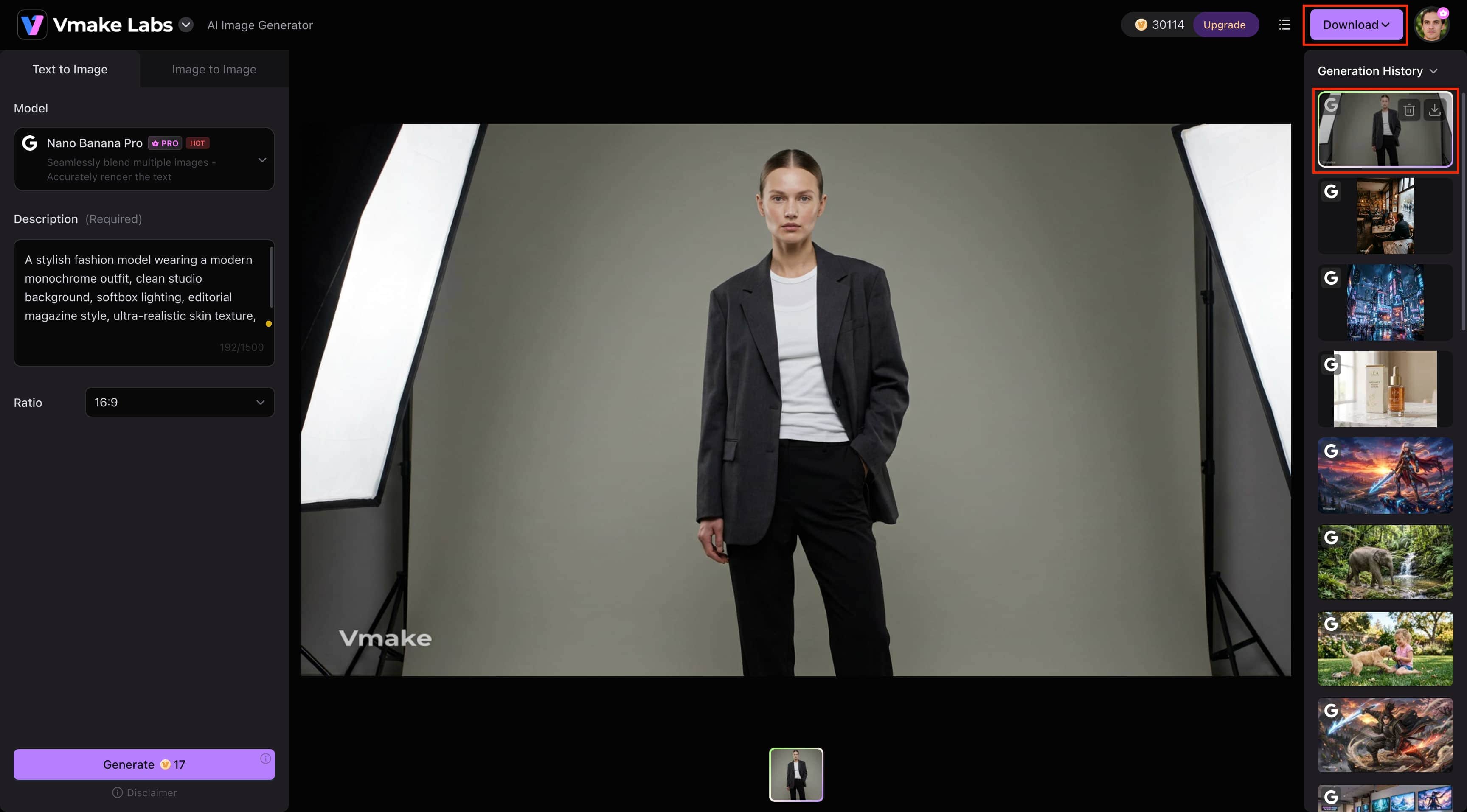
Step 3: Preview and Download Your Image
After the image is generated, it will appear in the preview window and be saved automatically in the Generation History panel on the right. Select the generated image if needed, then click Download in the upper-right corner to save the final image to your device.
CGDream AI Image Generator vs Vmake Labs AI Image Generator
Despite having different creative objectives, both systems produce high-quality AI graphics. While Vmake Labs provides a simpler approach with a range of AI models for producing commercially acceptable graphics, CGDream specializes in complex AI artwork with 3D-guided generation.
|
Category |
CGDream AI |
Vmake Labs AI Image Generator |
|---|---|---|
|
Best For |
Digital art, concept design & 3D-assisted image creation |
E-commerce, marketing, social media & creative image generation |
|
Generation Modes |
Text-to-Image, Image-to-Image, Text-to-3D, Image-to-3D |
Text-to-Image & Image-to-Image |
|
AI Models |
Flux-powered AI models |
Nano Banana 2, Nano Banana Pro, Nano Banana, Seedream 4.0, GPT Image 1 |
|
Reference Images |
Yes |
Upload 1–3 reference images |
|
3D Generation |
Yes |
No |
|
Image Editing |
Inpainting |
Image-to-Image transformation |
|
Image Upscaling |
Yes |
Not highlighted |
|
Commercial Use |
Supported (Paid plans) |
Supported |
|
Platform |
Web |
Web |
|
Key Strength |
Advanced 3D-assisted creative tools with greater creative control |
Multiple AI models with a simple, beginner-friendly workflow |
Choose CGDream AI Image Generator if:
If you're interested in digital art, concept design, cinematic graphics, or advanced tools like Text-to-3D, Image-to-3D, reference image support, inpainting, and greater creative flexibility, CGDream is the best choice. Painters, designers, and other creative workers who want to improve every aspect of image creation will find it ideal.
Choose Vmake Labs AI Image Generator if:
Choose Vmake Labs if you need a fast, beginner-friendly AI image generator for creating commercial-ready visuals. It's ideal for marketers, e-commerce sellers, businesses, and content creators who want high-quality results using simple Text-to-Image and Image-to-Image workflows powered by multiple AI models.
Conclusion
CGDream AI Image Generator is a powerful tool for artists and designers who need advanced features like Text-to-3D, Image-to-3D, DreamUp prompt refinement, and reference image support. While its steep learning curve and limited free plan may not suit everyone, it offers impressive creative control for advanced AI artwork. If you prefer a simpler workflow for creating commercial-ready AI images, Vmake Labs AI Image Generator is an excellent alternative.
FAQs
-
What types of images can I create with CGDream AI Image Generator?
Portraits, concept art, fantasy landscapes, product mockups, digital drawings, marketing pictures, and more may all be produced with CGDream. It is ideal for creative projects where you want a little more control over composition and style, since it supports Text-to-3D and Image-to-3D workflows.
-
Can I upload my own images to guide AI image generation in CGDream?
Reference images supplied to CGDream may undoubtedly influence the style, composition, or subject matter of AI-generated artwork. This capability makes more accurate and personalized results possible, especially when creating images in a specific visual style. Furthermore, users may improve their work by applying different styles and filters, making it easier to achieve the desired results in AI-generated artwork.
-
How does the DreamUp feature improve image prompts?
DreamUp will take short or basic prompts and add descriptive details to them before generating an image. This increases the likelihood of accurate prompts and often results in richer, more detailed results without advanced prompt-writing skills.
-
Can I edit AI-generated images after they are created in CGDream?
Certainly, CGDream has built-in editing tools, like inpainting and image upscaling, so you can change certain areas or enhance the resolution of the image after generation. These features allow you to tweak your artwork without having to reload.
-
Which devices and browsers support CGDream AI Image Generator?
CGDream AI Image Generator is a browser-based platform that works on most modern desktop and laptop browsers such as Google Chrome, Microsoft Edge, Firefox, and Safari. It runs entirely online, so there is no need to install software to create AI images. If you're looking for a simpler workflow for commercial-ready visuals, Vmake Labs AI Image Generator is also a good alternative.

You May Be Interested
7 Best Free AI Image Generators 2026 Alternatives to Grok Imagine
Artguru Image Upscaler Review: Features & Best Alternative
Grok Image Generator Review: Is It Worth Using in 2026?
Best AI Image Generator: 10 Top Picks for 2026 Review