Apple AI Image Generator Review: How Good Is Image Playground?
Wondering if Apple Image Playground is worth trying? Explore its features, pricing, use cases, pros, cons, with our Apple AI image generator review, and also a practical alternative for more creative control.

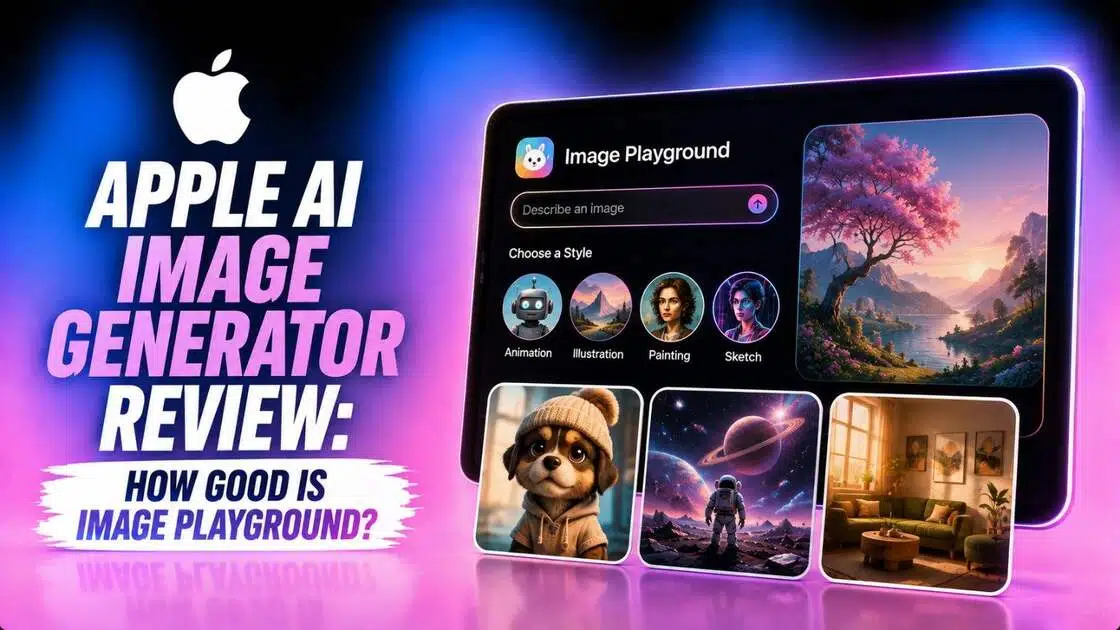
Apple’s Image Playground brings AI image generation directly into the Apple ecosystem, letting users create stylized visuals from concepts, descriptions, and personal photos. In this Apple AI image generator review, we examine its features, ease of use, pricing, use cases, advantages, limitations, and user sentiment before comparing it with Vmake Labs as an alternative.
What is Apple AI image generator?
Apple AI image generator, better known as Image Playground, is an Apple Intelligence-powered image creation tool available as a dedicated app and within supported Apple apps.
It lets users combine suggested concepts, text descriptions, people from their "Photos" library, and other visual references to generate images. Apple initially introduced styles such as animation, illustration, and sketch, while newer versions also provide ChatGPT-powered styles and an "any style" option.
Users can create variations, modify images, and save or share their results directly from the Apple ecosystem.
Key features of Apple AI Image Playground app
-
Create images from concepts and text descriptions
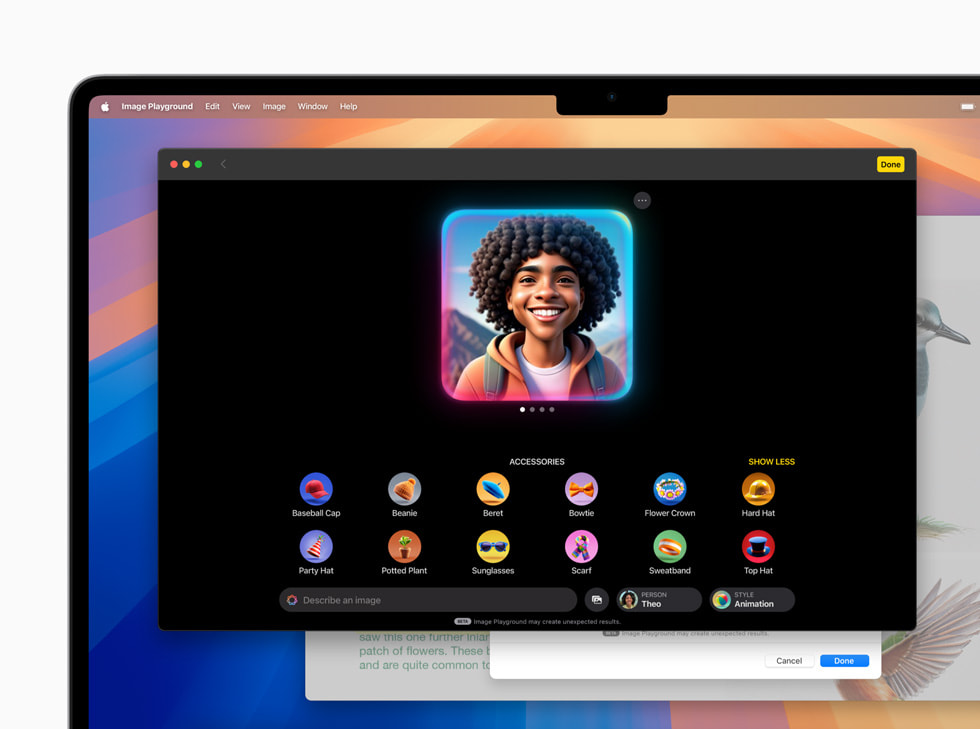
Image Playground lets you begin with suggested themes, expressions, costumes, accessories, and places or enter your own description. You can combine multiple elements to guide the generated image without constructing highly technical prompts.
-
Personalize images with people from your "Photos" library
You can select people from your Photos library and use them as subjects in generated images. Image Playground also provides options to adjust attributes such as hairstyle, facial hair, and eyewear.
-
Generate images in different visual styles
Apple provides built-in Animation, Illustration, and Sketch styles, while newer versions can connect to ChatGPT for additional styles such as Watercolor, Oil Painting, and Any Style.
-
Modify images with descriptions and touch controls
Image Playground supports image refinement through descriptions and touch-based adjustments. You can explore variations, remove concepts, change styles, and edit previously created images before saving the version you prefer.
How to use Apple AI image generator free app?
Step 1: Launch Apple's "Image Playground" app
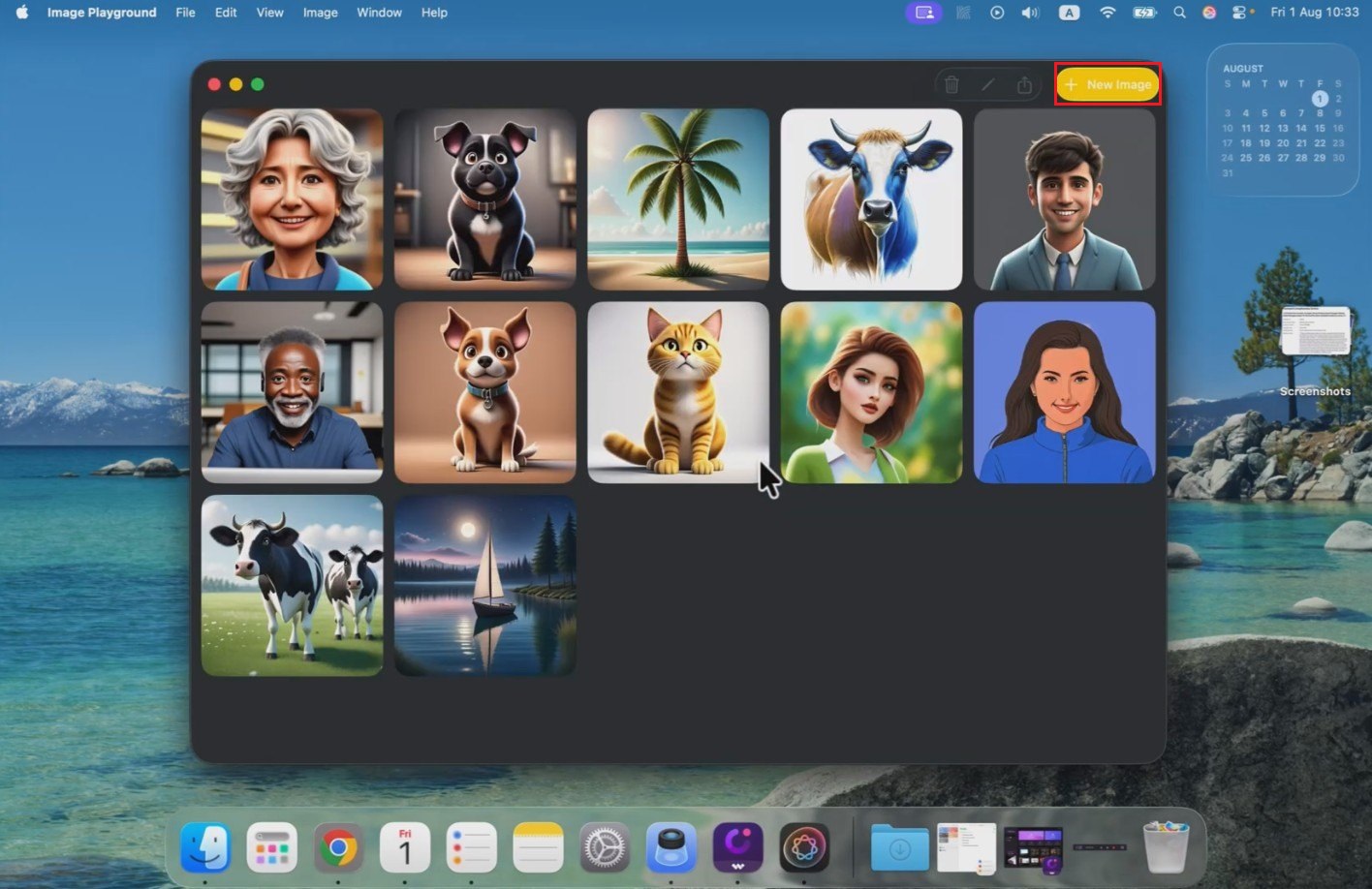
Start off by first accessing the "Image Playground" app from your app library on Apple Mac OS, and then click on it to launch it. After successfully launching it, select the "New Image" option. This will give you access to create a new AI-generated image.
Step 2: Select your style and enter prompt
After launching, you need to first select your "Style". Whether you are looking to create animation, sketch, illustration, or any other, you need to choose your desired option. Once done, proceed to describe the type of image you want to create in the message box given box. After entering, hit enter.
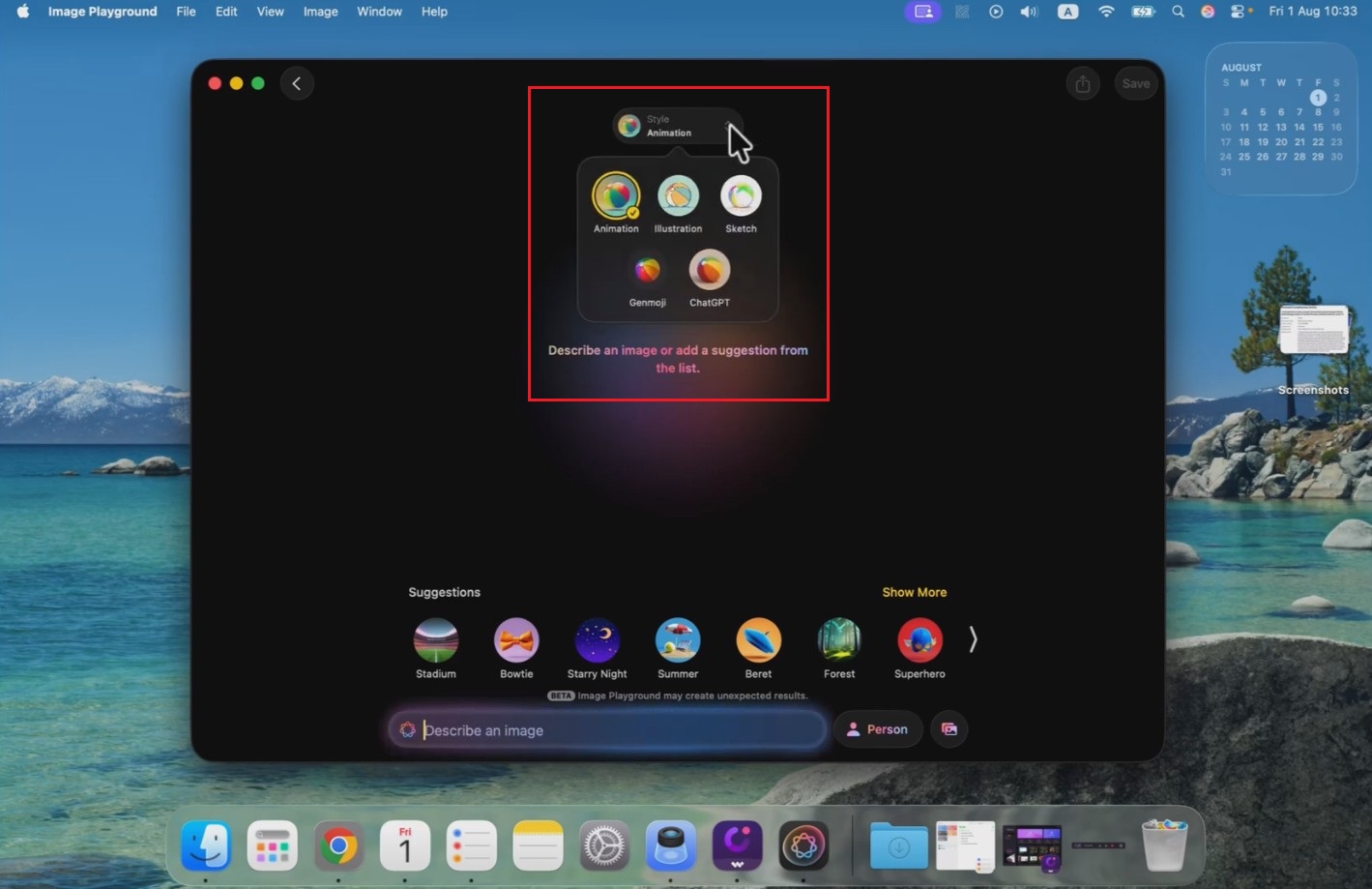
Step 3: Export your created image
The Image Playground app will start creating your image, and once that is completed, the same will be showcased on your screen. You can then proceed to click on the "Save" option to directly export the image to your device for further use later on.
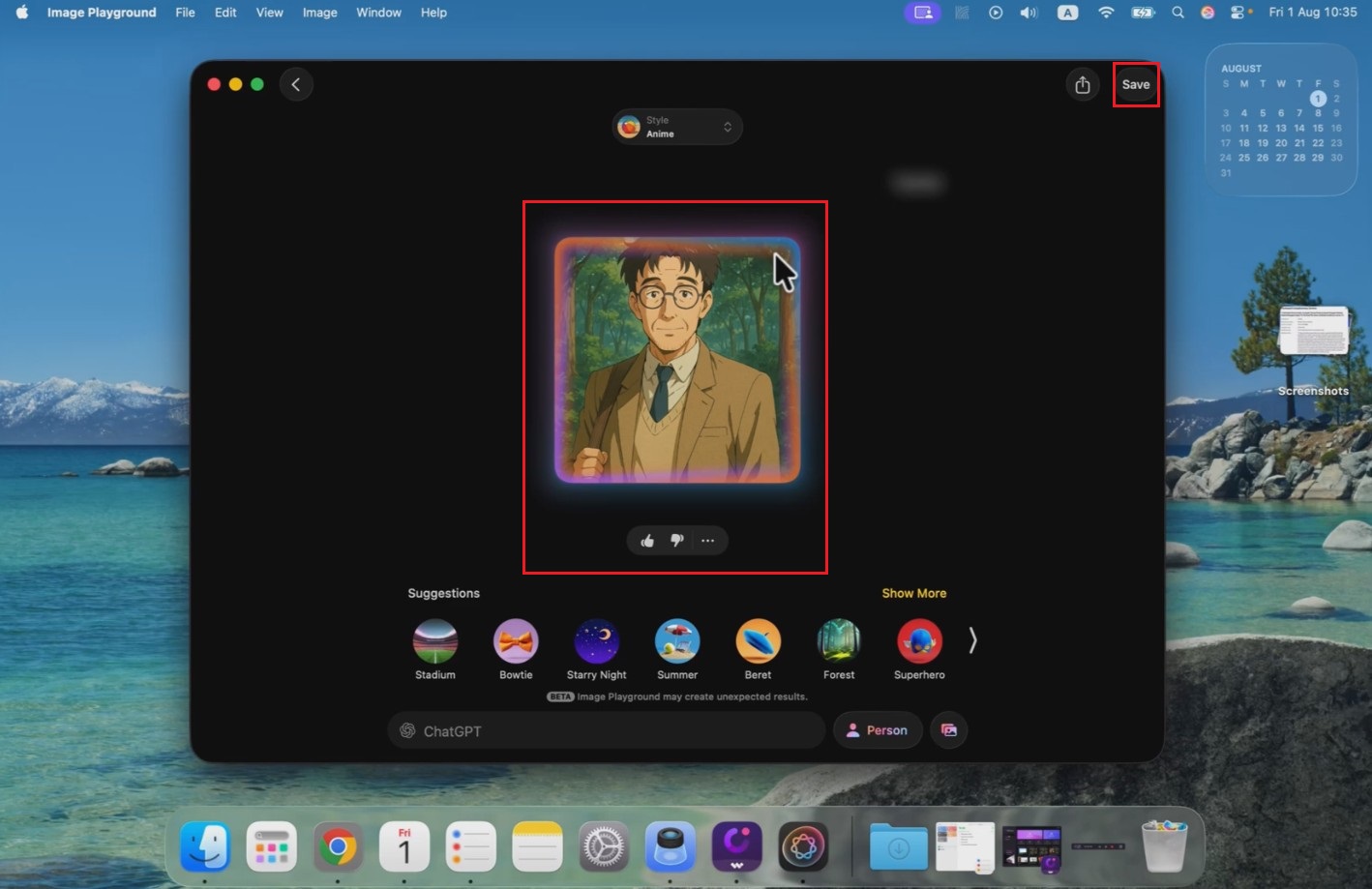
How much does the Apple AI image app cost?
Image Playground itself does not have a separate subscription fee. Apple Intelligence features are available on compatible devices, while some server-based AI features have daily usage limits. Apple says most iCloud+ plans provide higher usage limits for image generation.
|
iCloud+ plan |
Storage |
US price |
|---|---|---|
|
Free iCloud |
5GB |
$0/month |
|
iCloud+ |
50GB |
$0.99/month |
|
iCloud+ |
200GB |
$2.99/month |
|
iCloud+ |
2TB |
$9.99/month |
Apple's US iCloud+ pricing starts at $0.99 per month, with higher tiers offering additional storage and iCloud features.
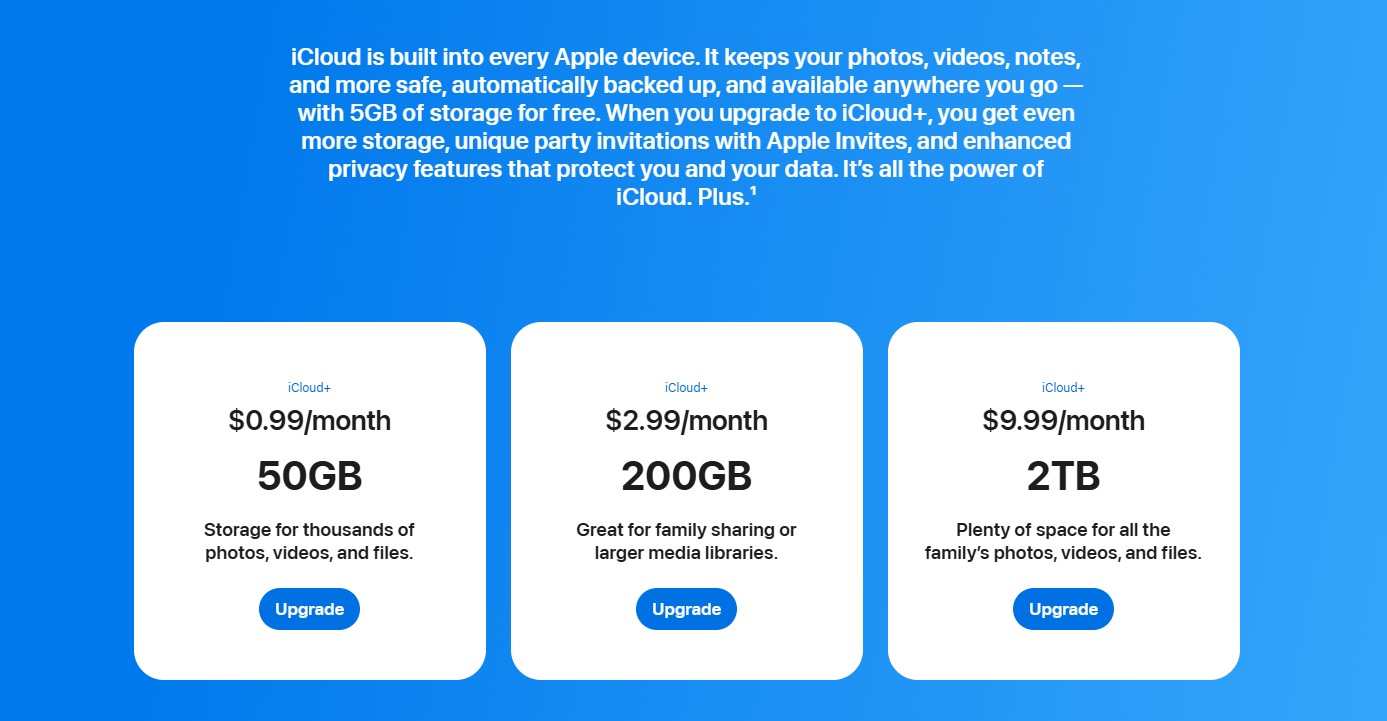
Important: iCloud+ is not required simply to use Image Playground. However, Apple's current policy gives most paid iCloud+ plans higher daily allowances for certain server-dependent Apple Intelligence features, including image generation.
Apple Image Playground use cases
Image Playground is designed primarily for quick, personalized, and playful image creation rather than highly controlled professional workflows. Here are some practical ways to use it:
-
Create personalized images for Messages
Image Playground works directly with Apple Messages, making it convenient for creating playful images based on conversations, occasions, people, or concepts and sharing them without switching to another creative application.
-
Make social media visuals and profile content
You can experiment with stylized portraits, illustrations, and themed concepts for social posts, profile images, or casual content. Its preset-driven approach makes quick visual experimentation accessible without advanced design skills.
-
Design wallpapers, posters, and creative graphics
Image Playground can help generate simple visual concepts for wallpapers, invitations, posters, and other personal graphics. Newer versions also support landscape and portrait dimensions for different placements.
-
Create fun images, Genmoji, and personalized artwork
For casual creativity, you can generate imaginative scenes, personalized characters, and Genmoji based on descriptions or people from your photo library. These creations can also be used across Apple's communication ecosystem.
Apple AI image generator review: pros and cons
Image Playground is convenient and well integrated with Apple's ecosystem, but its simplified approach also creates limitations for users seeking greater creative control.
Strengths |
Weaknesses |
|---|---|
|
Simple interface for casual image creation Image Playground uses concepts, presets, and straightforward controls, making AI image creation approachable for users without experience writing detailed prompts or using complex creative software. Deep integration across Apple apps The app connects with supported Apple experiences such as Messages, Notes, and Freeform, allowing users to create and use generated images without frequently switching between different applications. Personalization with photos and Apple Intelligence Users can incorporate people from their Photos library into generated images, providing a convenient way to create personalized artwork, characters, and other playful visual content. Privacy-focused image generation experience Apple designs Apple Intelligence around privacy, using on-device processing where possible and Private Cloud Compute for more complex requests, with Apple stating that user data is not stored or accessible to Apple. |
Less control for detailed or professional image creation Image Playground prioritizes simplicity over granular control, which can make it difficult to create highly specific compositions, realistic imagery, or professionally directed visuals. Not as flexible for advanced image-to-image workflows Users looking for extensive reference-image control or detailed image transformation workflows may find Image Playground restrictive compared with dedicated AI image generation platforms. |
What users are saying on Reddit?
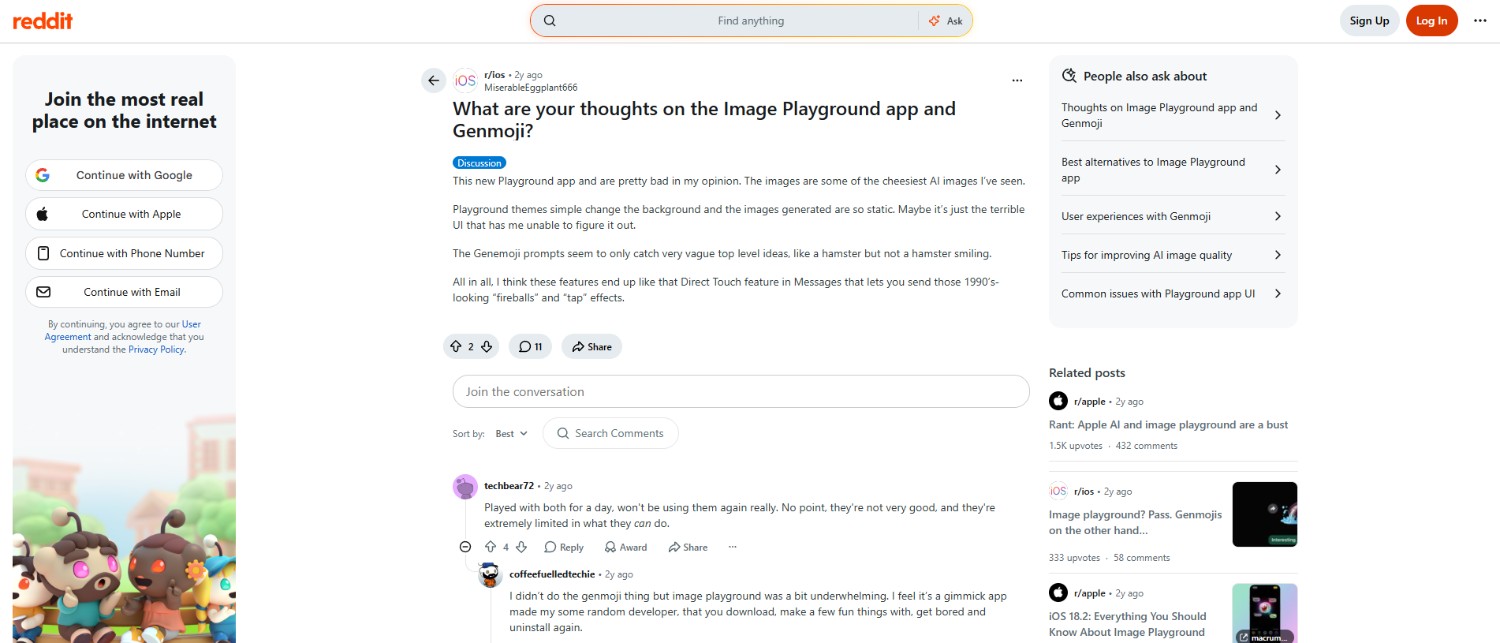
Reddit sentiment toward Image Playground has generally been mixed to negative, with many users criticizing its limited controls and inconsistent results. However, some newer discussions praise its simplicity, personalization, and entertainment value, suggesting that casual users may find it more appealing.
Key takeaway
Apple Image Playground works well for casual, personalized image creation, especially within Apple's ecosystem. However, its limited creative control and image-to-image flexibility may not suit advanced users who need detailed prompts, references, or more customizable AI image-generation workflows.
Try Vmake Labs AI image generator as an alternative to Image Playground
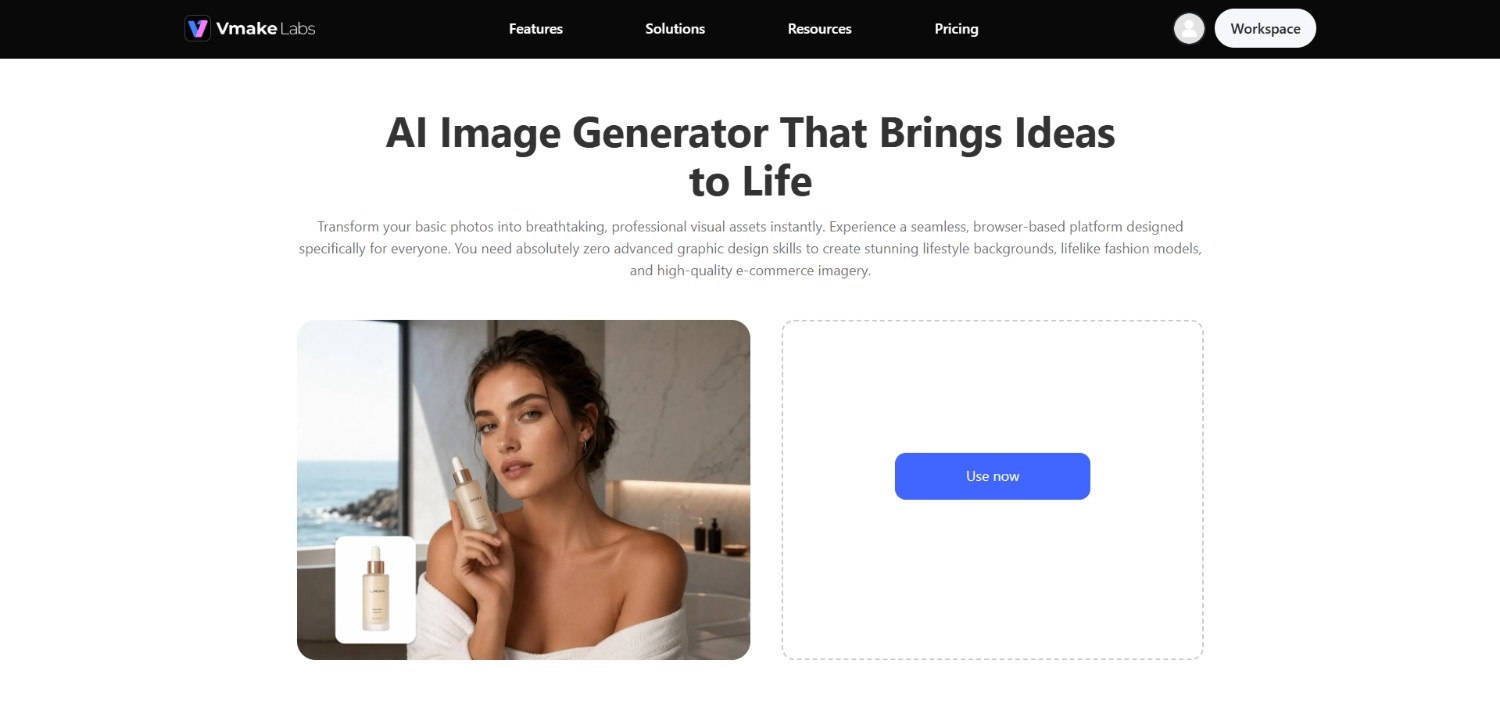
If Apple Image Playground feels too limited for detailed image creation or reference-based workflows, Vmake Labs offers a more flexible alternative.
It supports text-to-image and image-to-image generation, giving you greater control over the visual direction of your projects. You can work with reference images, select from multiple AI models, and adjust generation settings such as aspect ratio to suit different creative requirements.
This makes Vmake Labs AI image generator useful when you need more than preset-driven experimentation. Instead of focusing primarily on casual, personalized images, it provides a broader workflow for creating custom visuals for marketing, social media, product content, and other creative projects.
Key features of Vmake Labs AI image generator
-
Text-to-image generation for custom visuals: Vmake Labs lets you describe the visual you want using a text prompt and generate custom images from your instructions, making it suitable for concepts, marketing campaigns, product visuals, and creative experimentation.
-
Image-to-image generation with reference images: You can upload reference images to guide the generation process, making image-to-image workflows useful when you want new visuals that retain important characteristics from an existing image or concept.
-
Multiple AI models for different creative needs: Vmake Labs provides access to multiple AI image generation models, allowing you to explore different generation capabilities and choose an option that better fits your particular creative workflow.
-
Flexible aspect ratios and image generation settings: The platform provides configurable generation options, including aspect ratios, so you can create visuals suited to different placements such as social media posts, marketing materials, product content, and other formats.
How to use Vmake Labs AI image generator?
Step 1: Access Vmake Labs "AI image generator"
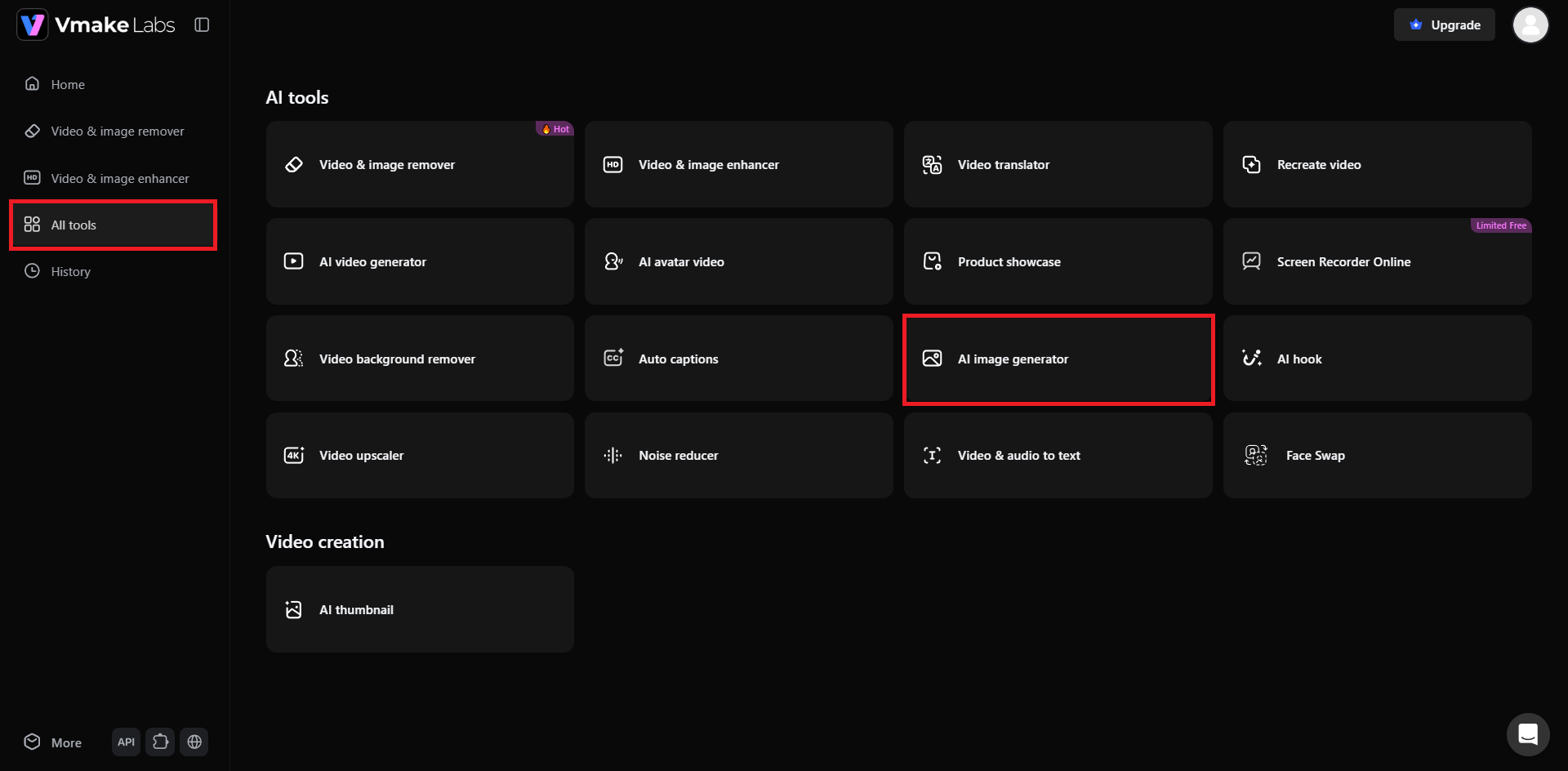
Begin your journey by first accessing Vmake Labs official website and then signing-in to your account. After successfully logging in, click on the "All tools" option from the left-hand menu, and then click on the "AI image generator" tool. You will then be redirected to another web page.
Step 2: Select AI model and enter prompt
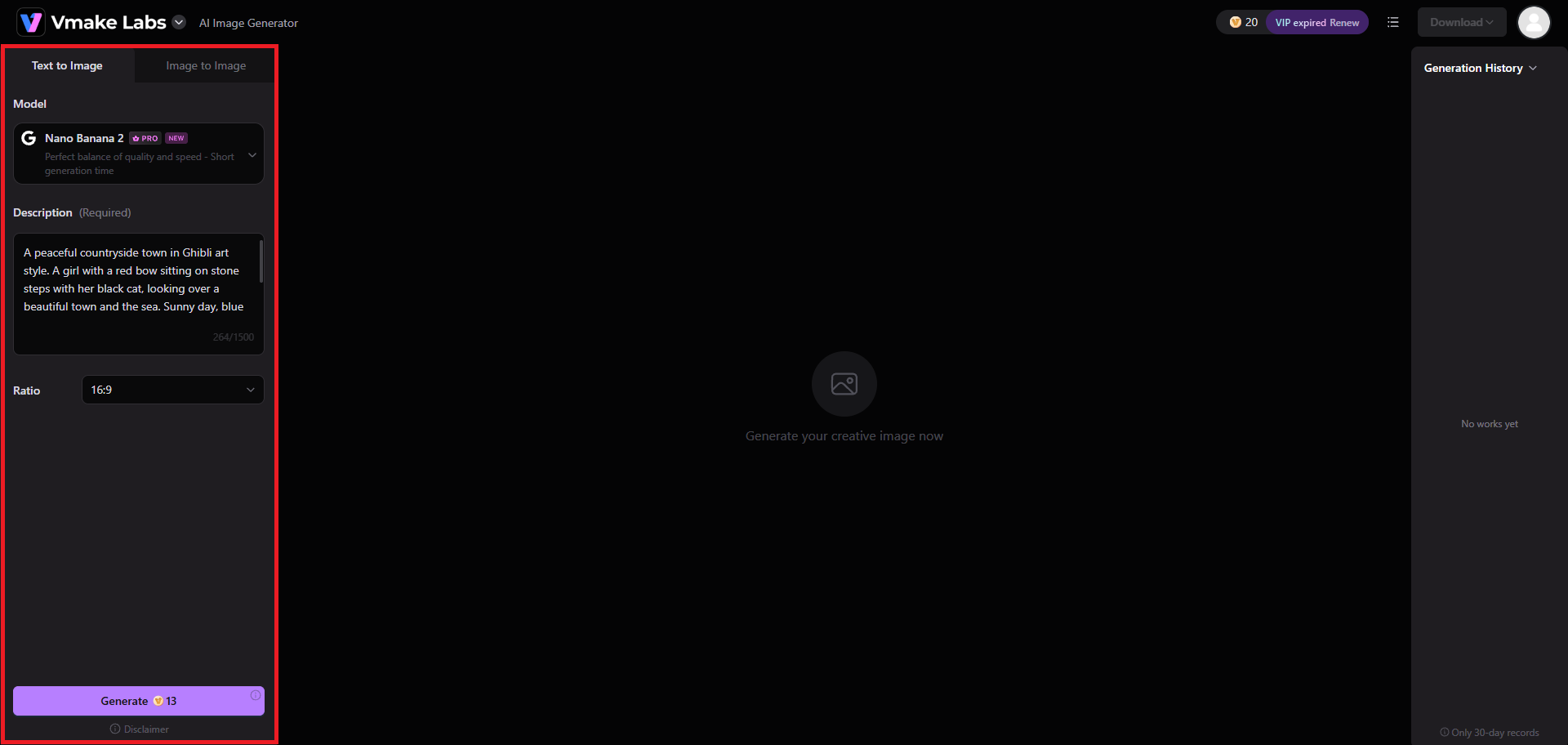
On the new web page, you need to first select the image generation process, whether you want "Text to Image" or "Image to Image". Then, you need to select your AI image generation model, be it GPT Image or Nano Banana 2, and once that is selected, proceed to enter your image generation prompt in a detailed manner. Finally, choose your image aspect ratio and click on "Generate".
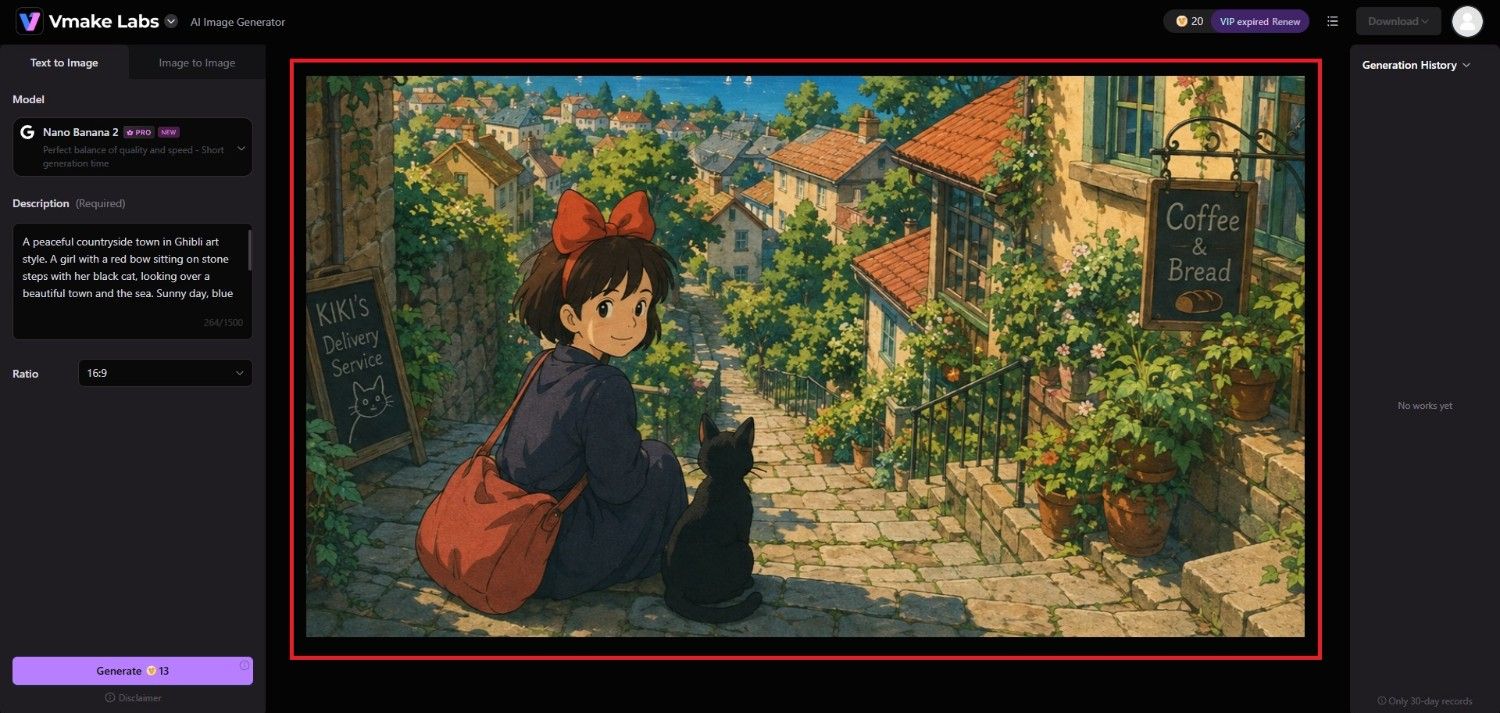
Step 3: Download your AI-generated image
Vmake Labs will start generating your image and once that is completed, the same will be showcased on your screen. You can then click on the "Download" option to save the image to your local device.
Apple Image Playground vs. Vmake Labs AI image generator
The better option depends on how much control you need and what type of images you want to create. Image Playground suits casual Apple users, while Vmake Labs is better suited to broader creative workflows.
Who should use Apple Image Playground?
-
Apple users seeking simplicity: Choose Image Playground if you want an accessible AI image tool integrated into the Apple ecosystem without learning complex prompting workflows.
-
Casual creators: It works well for playful images, personalized artwork, messages, wallpapers, and quick visual experiments rather than professional image production.
-
Users focused on personalization: Image Playground is suitable if you want to incorporate people from your Photos library into stylized AI-generated images.
Who should use Vmake Labs AI image generator?
-
Creators needing more control: Vmake Labs is a better fit when you want detailed prompts, reference images, configurable settings, and more control over the generation process.
-
Marketing and content teams: Its broader image-generation workflow can support product visuals, social media content, advertising concepts, and other commercial creative projects.
-
Users exploring different AI models: Vmake Labs is useful when you want access to multiple image-generation models rather than relying primarily on Apple's preset-driven approach.
|
Feature |
Apple Image Playground |
Vmake Labs AI image generator |
|---|---|---|
|
Primary focus |
Casual and personalized image creation |
Flexible AI image generation |
|
Text-to-image |
Yes |
Yes |
|
Reference images |
Limited |
Yes |
|
Multiple AI models |
Limited |
Yes |
|
Visual styles |
Built-in and supported additional styles |
Model-dependent |
|
Aspect ratio controls |
Available in newer versions |
Yes |
|
Apple ecosystem integration |
Strong |
Web-based workflow |
|
Best for |
Casual Apple users and personalized artwork |
Creators, marketers, and users needing greater control |
Tips and tricks for getting better results with Apple Image Playground
Getting better results from Image Playground is mainly about giving the tool clear creative direction while taking advantage of its concepts, styles, and refinement options.
-
Start with simple concepts before adding more details
Begin with a straightforward subject and setting, then gradually introduce additional concepts. This makes it easier to understand how each element changes the generated image.
-
Combine complementary concepts for more specific scenes
Choose concepts that naturally work together, such as a particular setting, outfit, activity, and visual mood. Combining related elements can help create a more coherent visual direction.
-
Use different styles to explore the same idea
Try generating the same concept with different available styles to compare visual interpretations. This can help you discover whether Illustration, Animation, Sketch, or another style better suits your intended image.
-
Refine and regenerate instead of overloading one prompt
If the first result is not what you want, simplify or adjust individual concepts and generate another variation. Smaller changes can make experimentation easier than rewriting everything at once.
Conclusion
Our Apple AI image generator review shows how Apple Image Playground is a convenient entry point into AI image generation, particularly for people already using Apple's ecosystem. Its simple interface, personalized image options, built-in styles, and integration with Apple Intelligence make it suitable for casual creative projects.
Vmake Labs AI image generator provides an alternative for those requirements, with text-to-image and image-to-image generation, multiple AI models, and configurable generation options. Ultimately, the better choice depends on whether simplicity or creative flexibility matters more to you.
FAQs
-
What devices support Apple Image Playground?
Image Playground requires a compatible device with Apple Intelligence support. Availability depends on the device model, operating system version, language, and region. Supported devices include newer iPhone, iPad, and Mac models.
-
Is Apple Image Playground available offline?
Image Playground can use on-device processing for certain Apple Intelligence tasks, but some image-generation capabilities rely on Apple's servers. Internet connectivity may therefore be required depending on the feature and workflow.
-
Can I use my own photos in Image Playground?
Yes. Image Playground lets you select people from your Photos library when creating personalized images. You can then combine them with concepts, descriptions, and available visual styles to create new artwork.
-
Are the generated images copyright-free?
Copyright treatment depends on the image, applicable laws, and how generated content is created or used. AI-generated images may also contain elements requiring additional consideration, so commercial use should be evaluated carefully.
-
How is Apple Image Playground different from Vmake Labs AI image generator?
Image Playground focuses on simple, personalized creation within Apple's ecosystem, while Vmake Labs offers broader image-generation workflows with reference images, multiple AI models, and configurable generation options.

You May Be Interested
Artguru AI Image Generator Review 2026: Is It Worth Trying?

Best AI Avatar Generators in 2026 (Compared & Reviewed)
Best AI Image Generator: 10 Top Picks for 2026 Review
OpenClaw 2026: Ultimate Guide to World-Changing Local AI

FLUX AI Image Generator Review 2026: Is It Worth Using?
Fotor AI Image Generator: Honest Review Plus Best Alternative