Alamy Watermark Remover Review: Features, Pricing, Steps & Best Alternative
Alamy Watermark Remover Review: Explore features, steps, pricing, test results, pros, cons, user feedback, and Vmake Labs as an alternative for authorized image editing and cleanup with practical tips!

If you're searching for an Alamy watermark remover, this review explains how third-party tools work, their features, steps, pricing, limitations, and Vmake Labs as an alternative. Watermark removal should only be used on images you own or are authorized to edit.

What Is an Alamy Watermark Remover?
"Alamy watermark remover" is not an official Alamy product, but a general term for third-party watermark-removal tools or methods. These tools generally detect watermark-covered areas and attempt to reconstruct them using surrounding pixels, textures, colors, and image details.
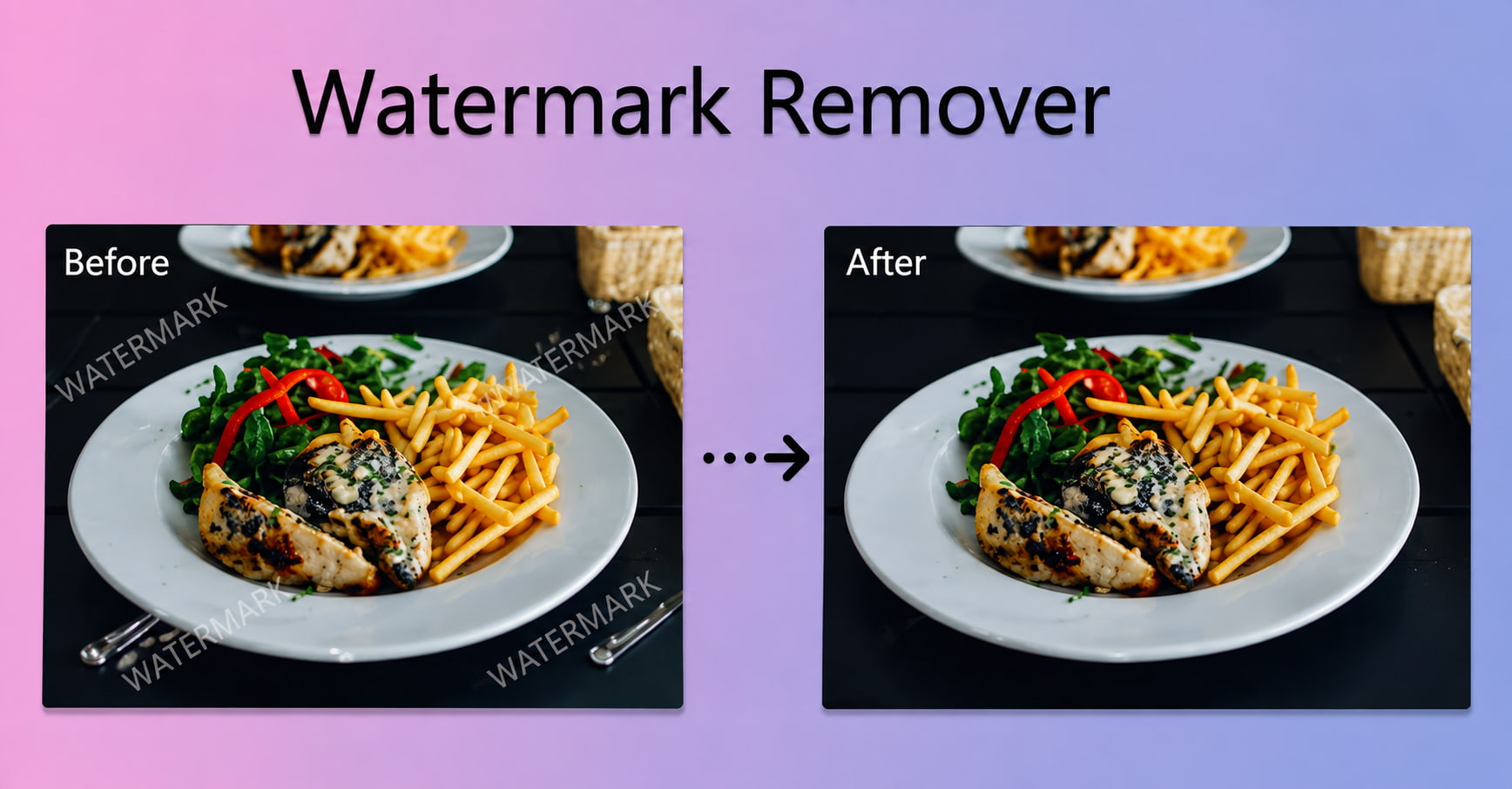
Alamy provides watermarked previews to assist users in evaluating images before purchasing licenses. Its terms say previews are for internal review and evaluation and can't be used as final content unless the proper license is purchased.
Alamy Watermark Remover Features and How to Use It
Third-party tools to remove watermarks may have different features depending on the service. Common features include AI watermark detection, image restoration, detail enhancement, and basic editing functions.
Key Features
-
AI Watermark Detection: Identifies visible watermark areas and prepares them for removal.
-
AI Image Reconstruction: Reconstructs watermark-covered areas using surrounding visual information.
-
Detail Preservation: Attempts to maintain nearby textures, edges, colors, and other image details.
-
Simple Editing Workflow: Provides a straightforward process to upload, select, process, review, and save the edited image.
-
Manual Refinement: Some tools allow users to manually select or erase specific areas when automatic removal needs adjustment.
-
Multiple Watermark Types: Depending on the tool, removal may support text, logos, or other visible marks.
How to Use an Alamy Watermark Remover
Watermark-removal tools can help clean up images when you have the right to edit them. For this example, we use an original photograph owned by the author with a self-added "DEMO" watermark to demonstrate the process. The steps below show how to upload the image, remove the watermark, and review the final result.
Step 1: Prepare an Authorized Image Use an image you own or have explicit permission to edit. For this example, we used an original photograph owned by the author and added the "DEMO" watermark ourselves to demonstrate the watermark-removal process.

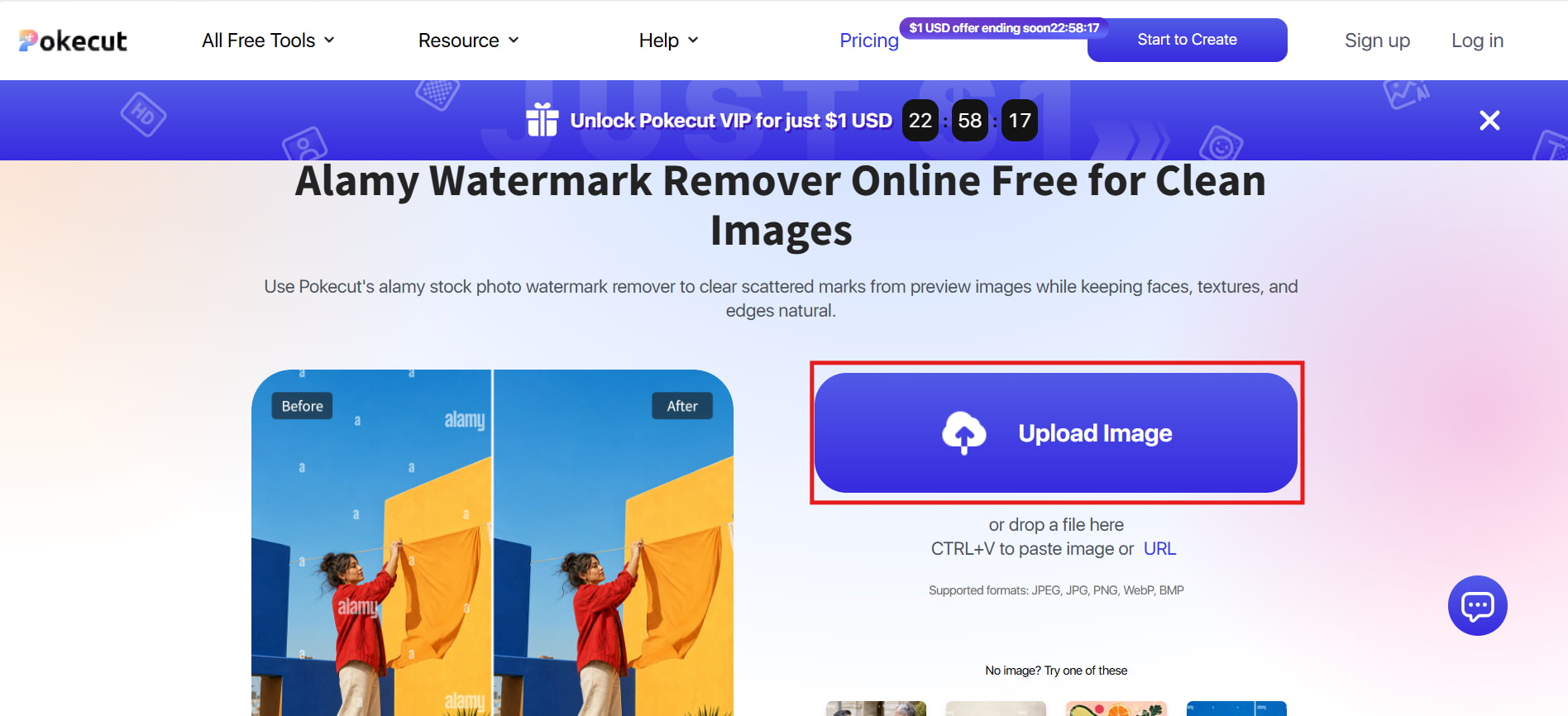
Step 2: Upload the Image Open the watermark-removal tool and upload the authorized, self-watermarked image using the Upload Image option shown in the screenshot.
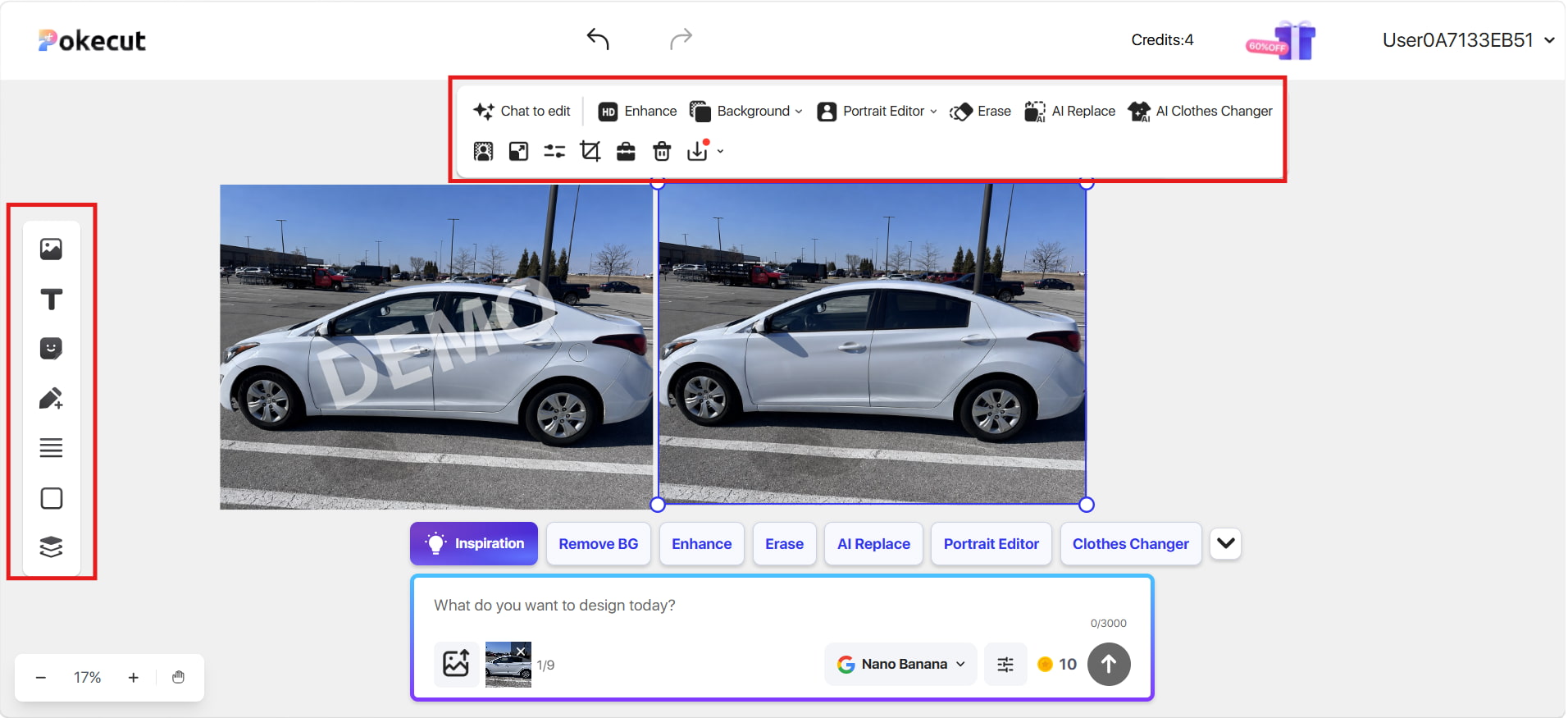
Step 3: Remove the Watermark Open the editor, select Erase, and mark the "DEMO" watermark area. Process the selected area, then review the result for artifacts, missing details, or distorted textures before saving.
Alamy Watermark Remover Review: Test Results, Pros, Cons & User Feedback
We tested a third-party watermark remover on simple text watermarks, logo watermarks, and detailed-background watermarks. The results show the effectiveness of the system in handling various types of watermarks and image complexities. We also looked at user reviews on Quora and Trustpilot for additional context.
Test Results
Test 1: Simple Text Watermark

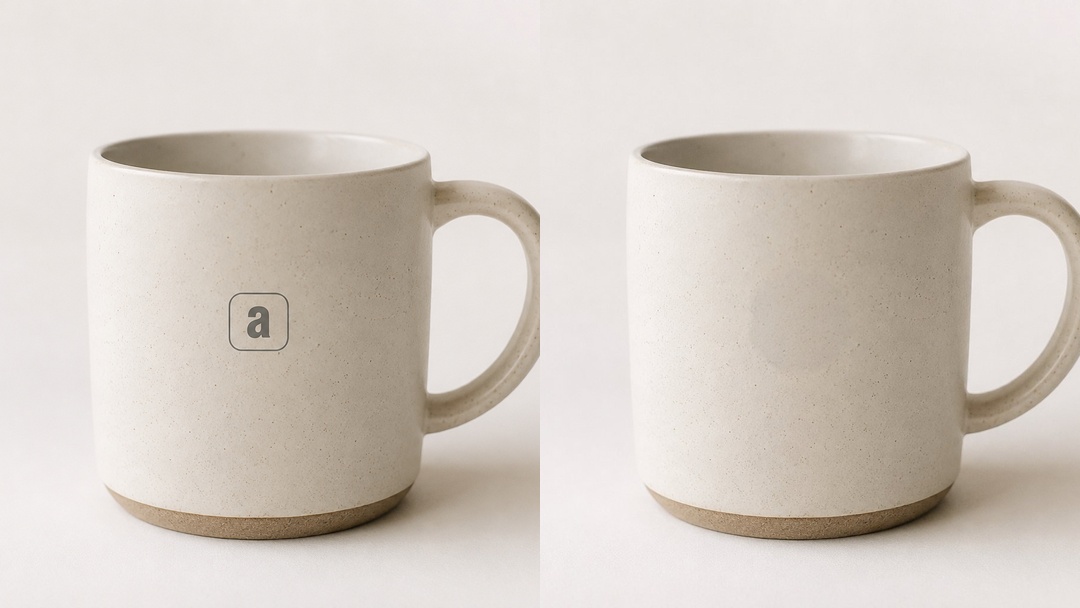
Test 2: Logo Watermark
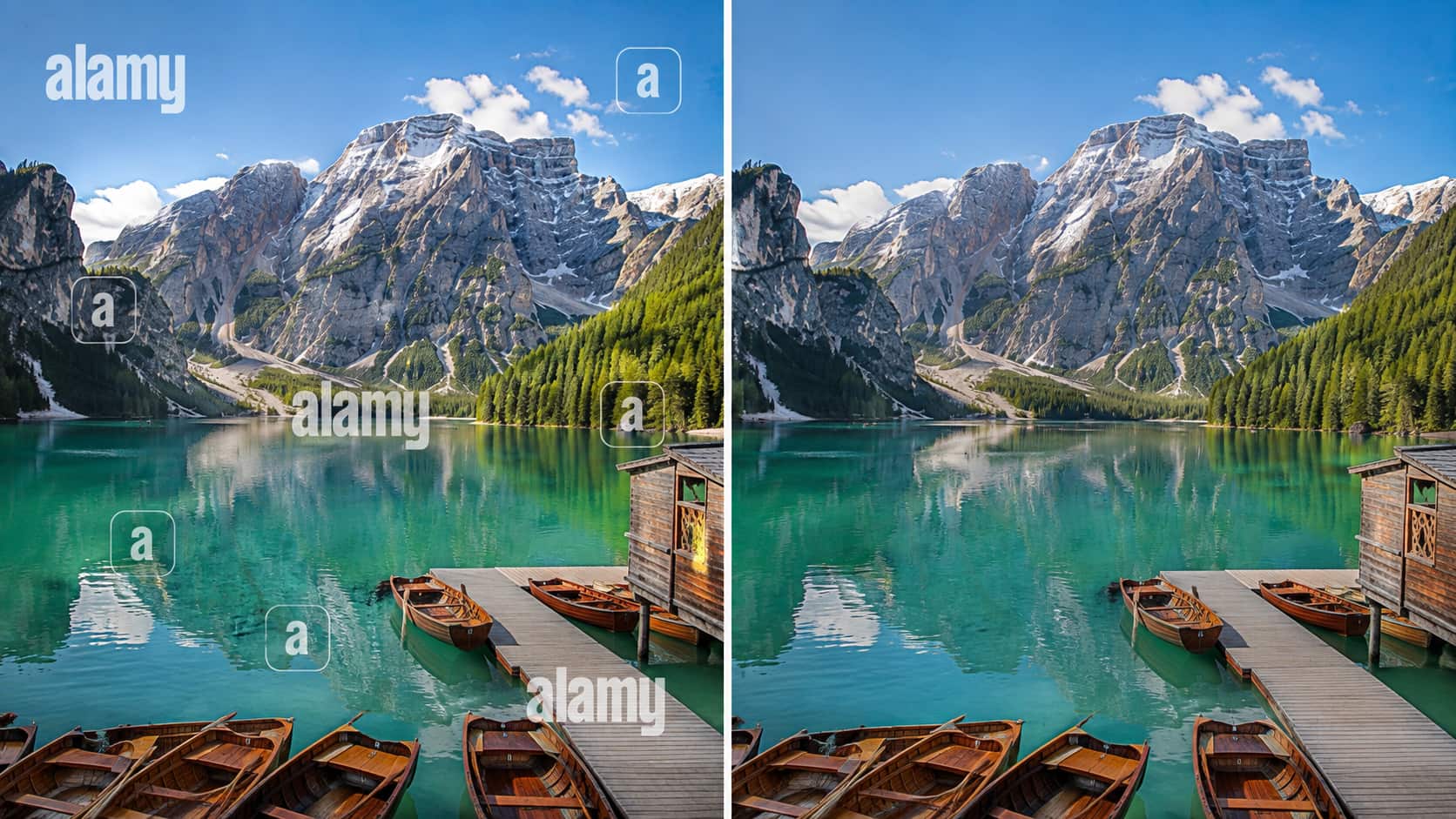
Test 3: Watermark Over a Detailed Background
Hands-on Review
Simple Text Watermark
For this test, the third-party tool scanned the image, removed the visible text watermark, and got a clean result. The reconstructed parts are well integrated into the surrounding background, and the people, clothes, and handshake are mostly preserved. Fine details are also preserved in a way that looks free of blurring or major distortions, so the result is good for visual comparison.
Logo Watermark
The logo watermark is seamlessly erased from the mug, and the surrounding surface is reconstructed to match the original texture. The edges of the edited area are smooth, and there are no noticeable distortions or major artifacts. The two versions have the same shape, texture, lighting, and shadow of the mug. A photo logo remover can help achieve similar results when working with authorized images.
Detailed Background
The tool manages the detailed mountain, forest, water, and dock textures quite well in the reconstructed areas. Most of the edited sections blend naturally with the surroundings, although complex textures can still show subtle differences. On closer inspection, there may be slight blurring, repeated patterns, or small distortions, especially in very detailed areas.
Pros and Cons
|
Pros |
Cons |
|---|---|
|
AI-powered watermark removal, where supported |
Results may vary depending on watermark placement and image complexity |
|
Simple and accessible editing workflow |
Complex backgrounds may produce visible artifacts |
|
Can effectively remove simple text watermarks |
Some removals may require manual refinement |
|
Image reconstruction can preserve surrounding details in suitable images |
Some third-party tools may have file-size or resolution limitations |
|
May support different watermark types, depending on the tool |
Features and editing controls vary between tools |
Community Feedback
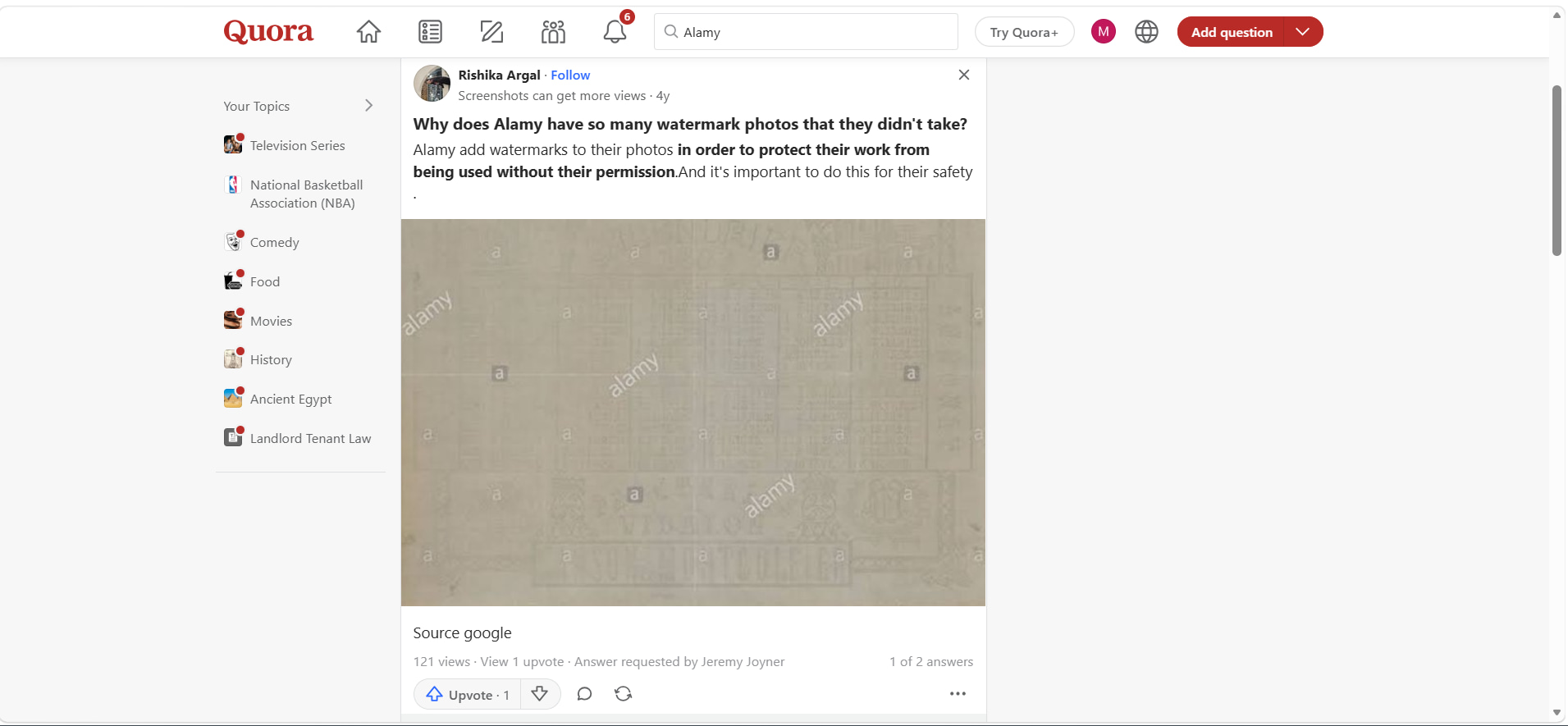
Quora: A Quora discussion suggests that Alamy uses watermarks to protect images from unauthorized use and help prevent misuse before licensing. This supports the purpose of Alamy's preview watermarks rather than evaluating any particular watermark-removal tool.
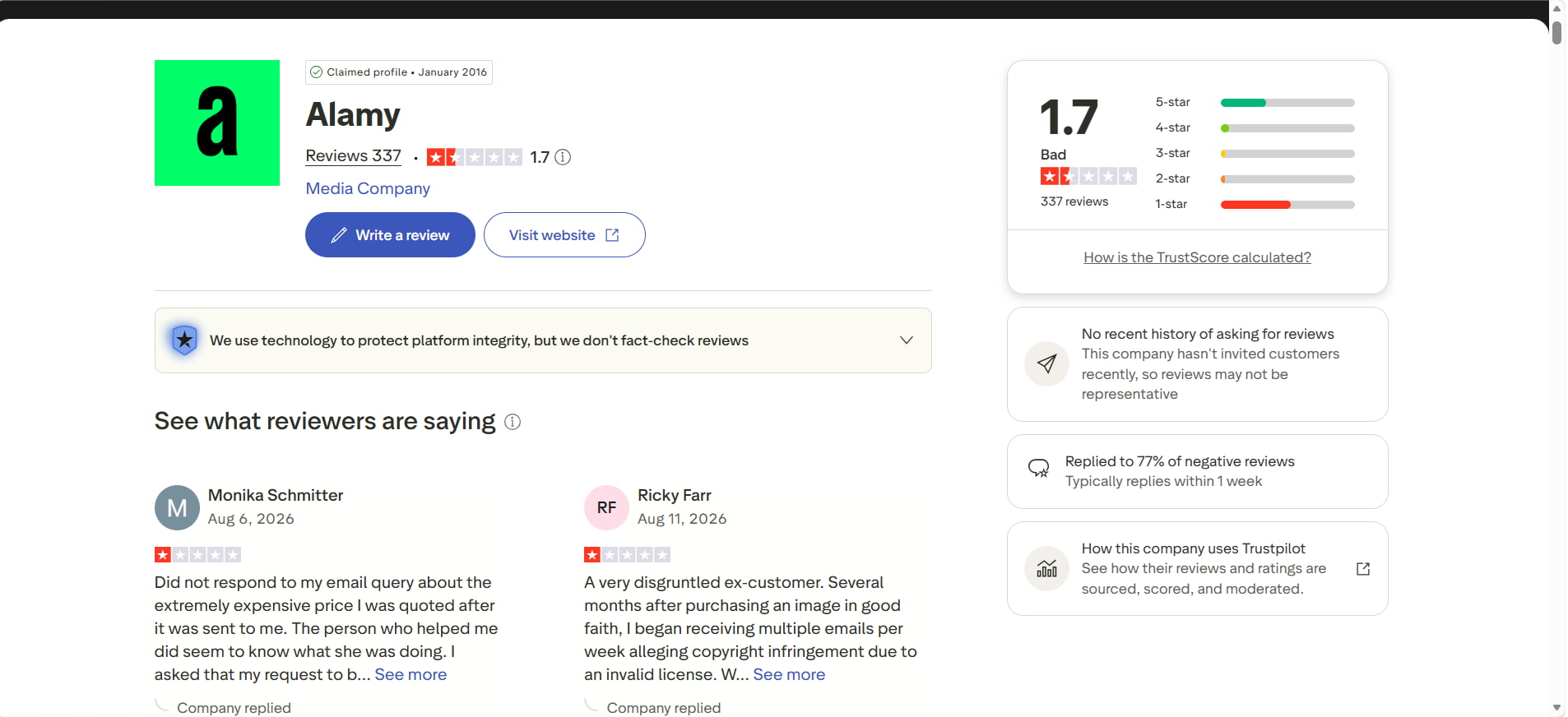
Trustpilot: Trustpilot currently shows Alamy with a 1.7/5 rating based on 337 reviews. The page also indicates that the company has replied to 77% of negative reviews and typically responds within one week. These ratings and reviews reflect individual customer experiences and should not be treated as independently verified findings. Verified on August 20, 2026.
Alamy Pricing and Image Packs
For those who need multiple licensed images, Alamy offers image packs. The packs come at different prices and are valid for 12 months. The more you buy in a pack, the cheaper the images become.
Alamy Image Pack Pricing
|
Image Pack |
Price |
Cost per Image |
Validity |
|---|---|---|---|
|
5 Pack |
$75 |
$15 |
12 months |
|
10 Pack |
$114 |
$11.40 |
12 months |
|
25 Pack |
$170 |
$6.80 |
12 months |
Which Alamy Image Pack Offers the Best Value?
|
Pack |
Value Assessment |
Recommendation |
|---|---|---|
|
5 Pack |
Highest cost per image |
Best for occasional use |
|
10 Pack |
Lower cost per image |
Good for moderate usage |
|
25 Pack |
Lowest cost per image |
Best value for frequent use |
Choosing the right Alamy image pack depends on how often you need licensed images. If you are instead looking for an AI-powered option for authorized image cleanup, Vmake Labs provides a broader set of watermarks and unwanted-element removal tools.
Vmake Labs as an Alternative to Alamy Watermark Remover
Vmake Labs offers AI-powered image watermark remover for authorized image cleanup, providing more control than general third-party watermark-removal methods. It includes a watermark remover along with other editing options for removing unwanted elements.
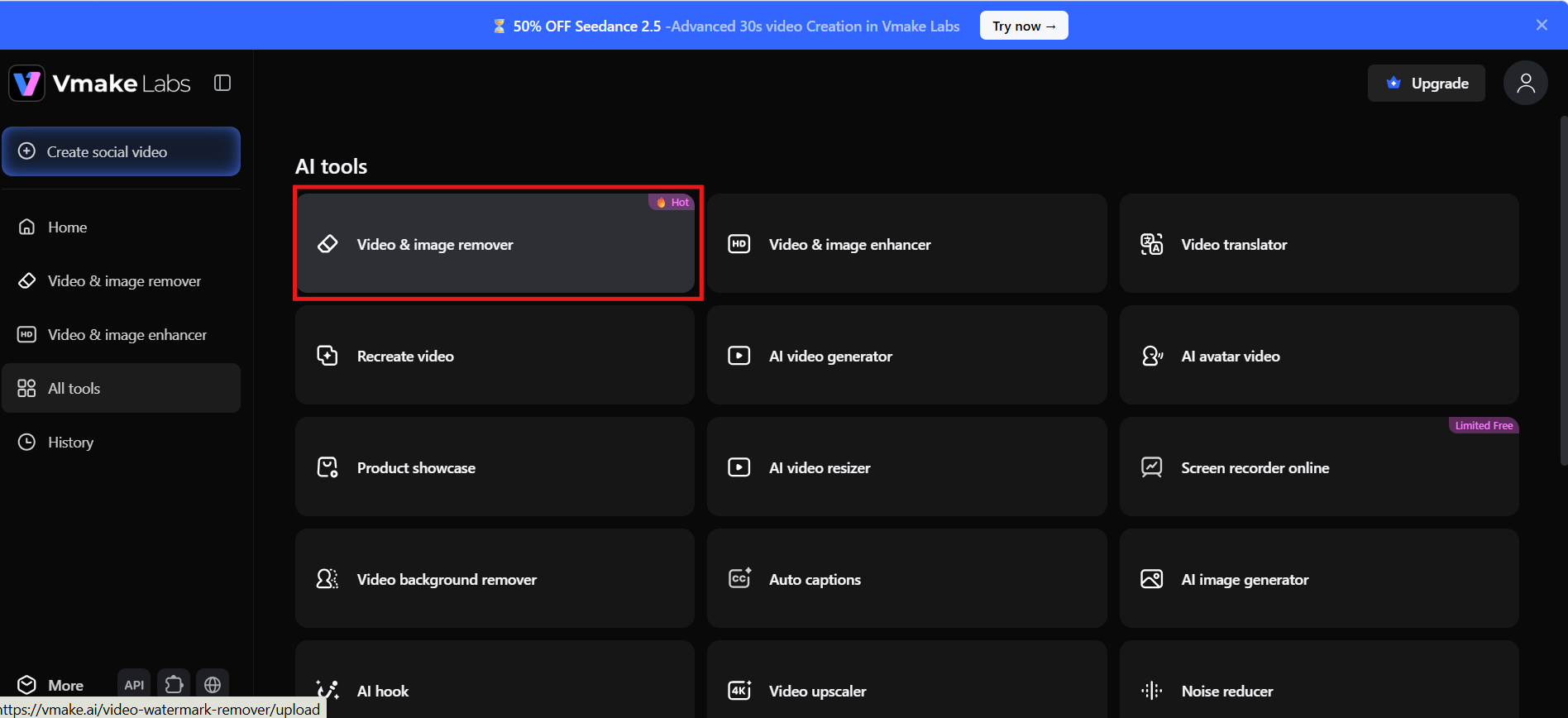
Vmake Labs Watermark Remover Features
-
AI Watermark Removal: Detects and removes watermarks from authorized images using AI-powered processing.
-
Auto and Manual Removal: Choose automatic processing or manually refine the area you want to remove.
-
Flexible Selection Tools: Smart, Brush, Box, and Eraser tools provide more control over the selected area.
-
Multiple Removal Options: Remove watermarks, subtitles, text, people, objects, and logos from supported images.
-
Batch Processing: Process up to 30 creatives at once, subject to current product limitations.
How to Remove a Watermark With Vmake Labs
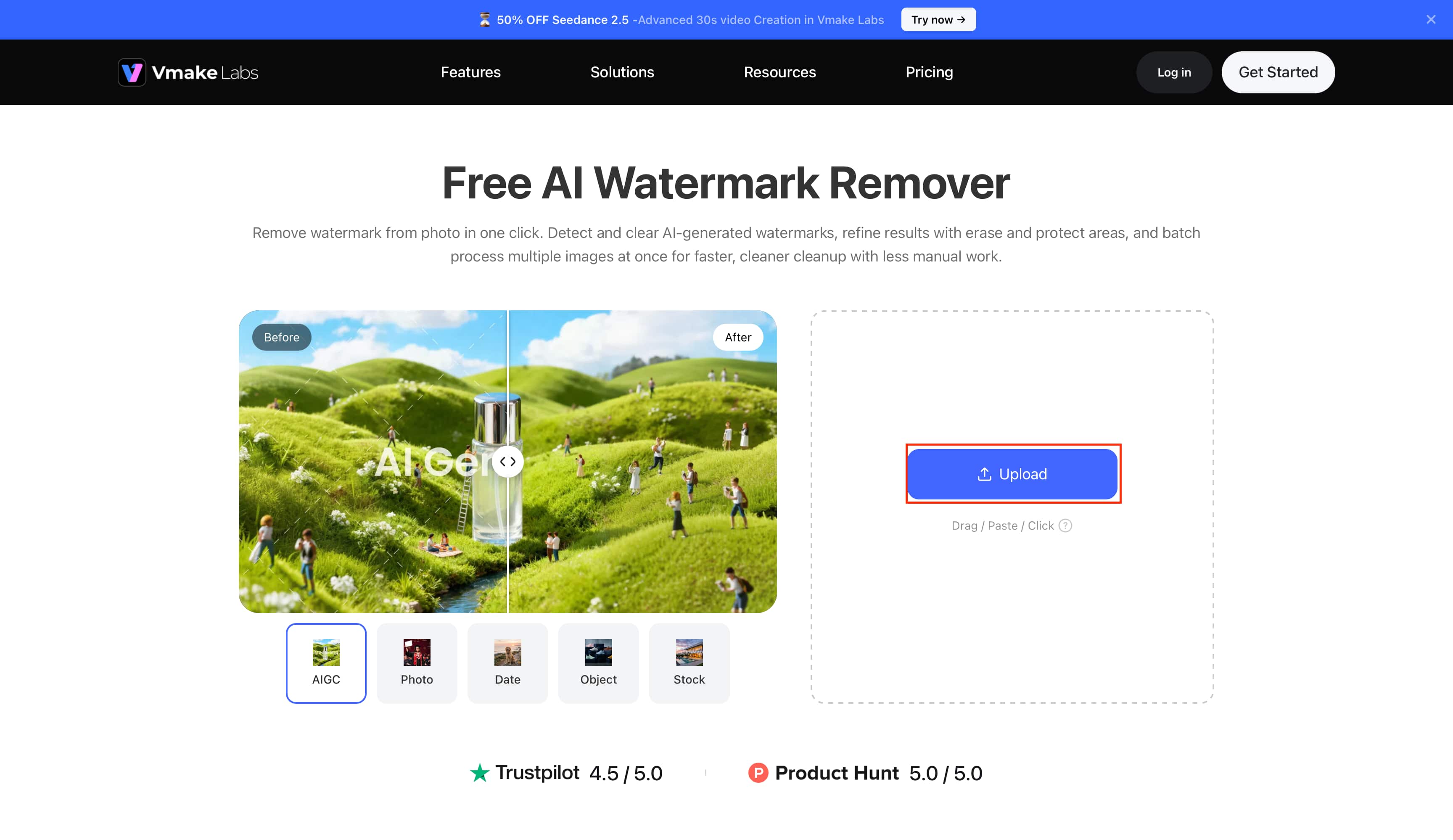
Step 1: Upload Your Image Upload your authorized image to the Vmake Labs watermark-removal tool. You can use the Upload option to add the image you want to edit.
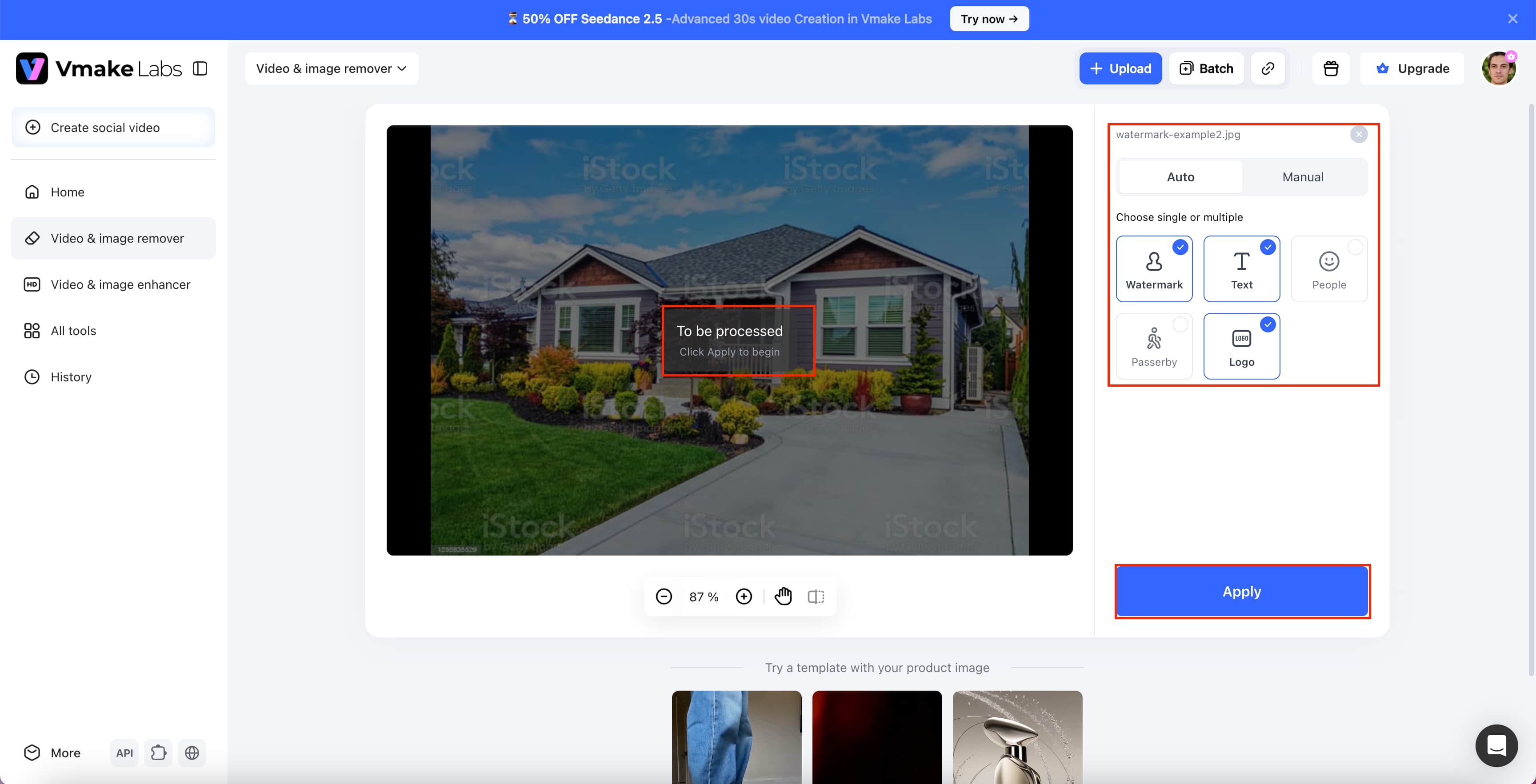
Step 2: Choose Auto or Manual Mode Select Auto for quicker watermark detection and removal, or switch to Manual when you want greater control over the area being edited. You can also select the type of unwanted element, such as a watermark, text, or logo.
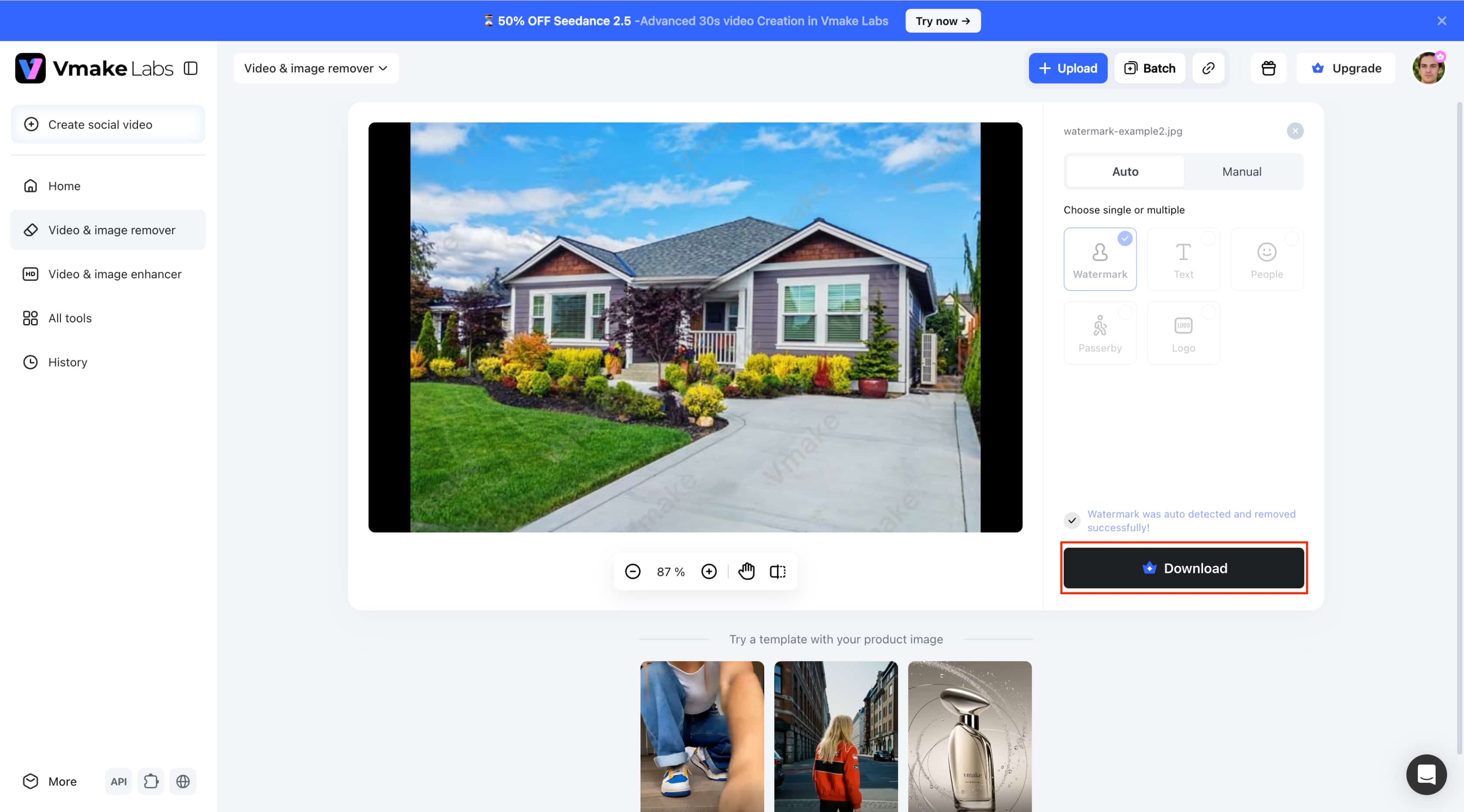
Step 3: Review and Download Review the processed image and check the edited areas for artifacts, missing details, or unwanted changes. If the result looks satisfactory, click Download to save the finished image.
Alamy Watermark Remover vs. Vmake Labs
|
Category |
Third-Party Watermark Removal Tools |
Vmake Labs |
|---|---|---|
|
What it refers to |
General term for third-party watermark-removal tools or methods |
AI-powered image watermark-removal tool |
|
Watermark removal |
Depending on the specific tool |
Dedicated watermark-removal feature |
|
Removal control |
Varies by tool |
Auto and Manual modes |
|
Selection options |
Tool-dependent |
Smart, Brush, Box, and Eraser |
|
Image reconstruction |
Varies by tool |
AI-powered reconstruction |
|
Other unwanted elements |
Depending on the tool |
Supports removal of other unwanted elements |
|
Best suited for |
Comparing different third-party removal options |
Watermark removal and broader authorized image cleanup |
Which Tool Should You Choose?
A third-party tool may make sense if you want to compare different watermark-removal methods or need a particular feature offered by a specific service. In all cases, the image should be one you own or are authorized to edit.
If you want Auto and Manual removal modes, more precise selection controls, and the ability to remove watermarks along with other unwanted elements, then Vmake Labs may be a better fit. Its broader browser-based workflow can also be useful when you need a bit more than just watermark removal to clean up an image, making it useful as an AI image fixer for authorized image-editing tasks.
Conclusion
An Alamy watermark remover is a generic term for third-party tools or methods and is not an official product of Alamy. We found the quality of removal in our experiments was a function of watermark type and image complexity, with simpler marks resulting in cleaner output. If you require an Alamy image for publication, purchasing the appropriate licence is still the way to go. Vmake Labs offers Auto & Manual removal options for authorized image cleanup, including versatile selection tools and more to remove unwanted elements.
FAQs
Why Does Alamy Put Watermarks on Its Images?
Alamy applies watermarks to preview images to identify and protect them before licensing. They help prevent unauthorized use while letting users check out an image before they pay for the correct license.
What Happens If a Watermark Remover Leaves Artifacts?
A watermark remover may leave blurring, distorted textures, repeated patterns, missing details, or unnatural-looking areas. Vmake Lab's manual removal options can help refine selected areas when the initial result needs additional adjustment.
Can Alamy Watermark Removers Handle Complex Backgrounds?
Performance varies depending on the third-party tool, watermark placement, and background complexity. Detailed textures, faces, objects, and patterns can be more difficult to reconstruct naturally. Vmake Labs can provide manual control when more precise editing is needed.
What Should You Check After Removing a Watermark?
Look for artifacts, distorted textures, missing details, repeated patterns, quality of edges, and overall visual consistency. If you want to fine-tune a specific zone after removal, Vmake Lab's selection tools can be useful.
Is It Legal to Remove an Alamy Watermark?
Legality depends on your rights to the image and how you intend to use it. Removing a watermark does not permit you to use copyrighted content. Only remove watermarks from images you own or are authorized to edit, and never use Vmake Labs or another tool to bypass Alamy's licensing restrictions.

You May Be Interested

123APPS Watermark Remover Review (2026): Pros, Cons, and Pricing
Airbrush Watermark Remover Review (2026): Features and Pricing
AniEraser Watermark Remover by Media.io: 2026 Hands-On Review

Batch Watermark Removal with Vmake AI

Best AI Watermark Remover for Clean, Fast Edits