Watermarkremover.io Review: Is It Worth Using?
Explore our Watermarkremover.io review to assess its watermark removal quality, features, pricing, user feedback, limitations, and how it compares with Vmake Labs for watermark removal.

Watermarkremover.io is an online tool built to remove watermarks from images. In this review, we assess its removal quality, ease of use, pricing, batch processing, and user feedback. We also compare it with Vmake Labs to help you decide which watermark-removal workflow fits your images, editing needs, and volume of work.
What is Watermarkremover.io and how does it work?
Watermarkremover.io is a browser-based service focused on removing watermarks from images. Its workflow is built around uploading an image, processing the unwanted mark, reviewing the result, and downloading the edited file.
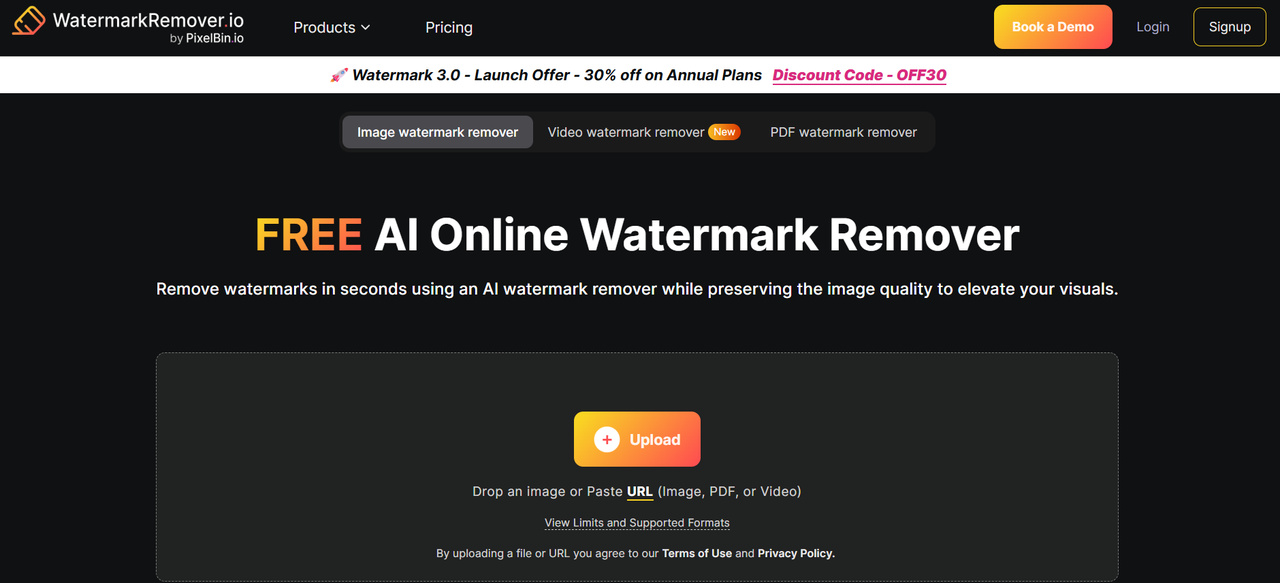
Watermarkremover.io at a glance
Watermarkremover. io is designed for people who want to remove a visible mark without opening a full photo-editing application. Instead of manually rebuilding the covered area, users can send the image through the online removal workflow. The approach is useful for quick edits. It also means the quality of the final image depends on how well the service can reconstruct the area hidden by the watermark. A small mark on a plain background presents a much easier problem than a large logo covering a face, product, or detailed pattern.
What types of images can you edit?
The service will handle images with text or logo watermarks, including photographs, product images, social media images, and other common image types. The background is as important as the watermark itself. If the mark is on a single-colored wall, the surrounding pixels provide an easy area for the removal system to re-create. Whenever it crosses hair or fabric or product edges or a repeating pattern, it needs more reconstruction. This makes image complexity an important factor in evaluating Watermarkremover.io rather than judging it from one simple example.
What does Watermarkremover.io offer?
Watermarkremover.io keeps its workflow focused on watermark removal. Users do not need to work through a large set of unrelated editing controls before reaching the function they need. The service provides an online upload-and-process experience and lets users download the resulting image. That makes it convenient for occasional image-cleanup tasks, particularly when installing or learning a desktop editor would take longer than the edit itself.
Who is Watermarkremover.io best suited for?
If you’re a casual user, content creator, blogger, social media user, or e-commerce seller who occasionally needs to clean up an image, Watermarkremover.io is a fair option. It is less suitable for workflows where there is a need for detailed retouching or specific control over each changed area. In those jobs, the ability to manually select, protect, and refine parts of an image can be just as important as automatic removal.
We tested Watermarkremover.io on different watermark scenarios
We looked at three watermark situations, from a relatively easy background to a more demanding image where the mark overlaps with an important subject. The goal was to assess the finished image, not only whether the visible watermark disappeared.
Test 1: Watermark on a simple background
We started with a watermark placed over a relatively plain background. This provided a baseline for checking how cleanly the service could remove the mark when there were few surrounding details to reconstruct.
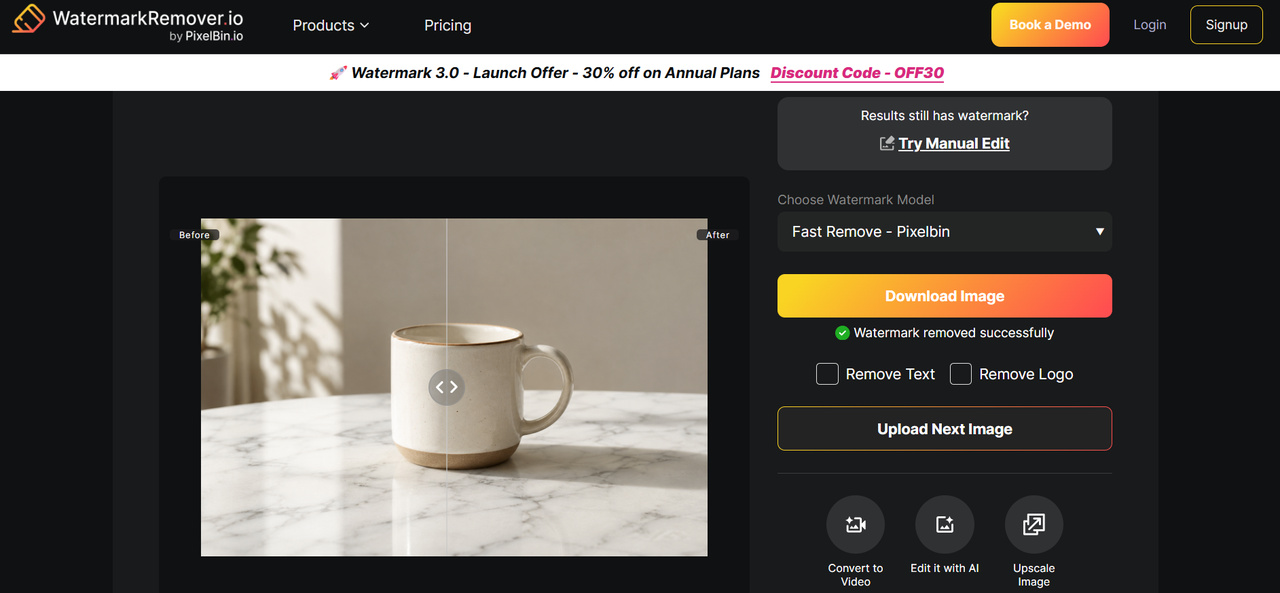
We assessed the transition between the edited area and the original background, looking for obvious patches, color differences, blur, or repeated textures.
Test 2: Watermark across a detailed image
The second scenario placed the watermark over an image containing more textures, objects, and visual detail. This creates a harder reconstruction problem because the system has less room to make an approximation without it being noticeable.
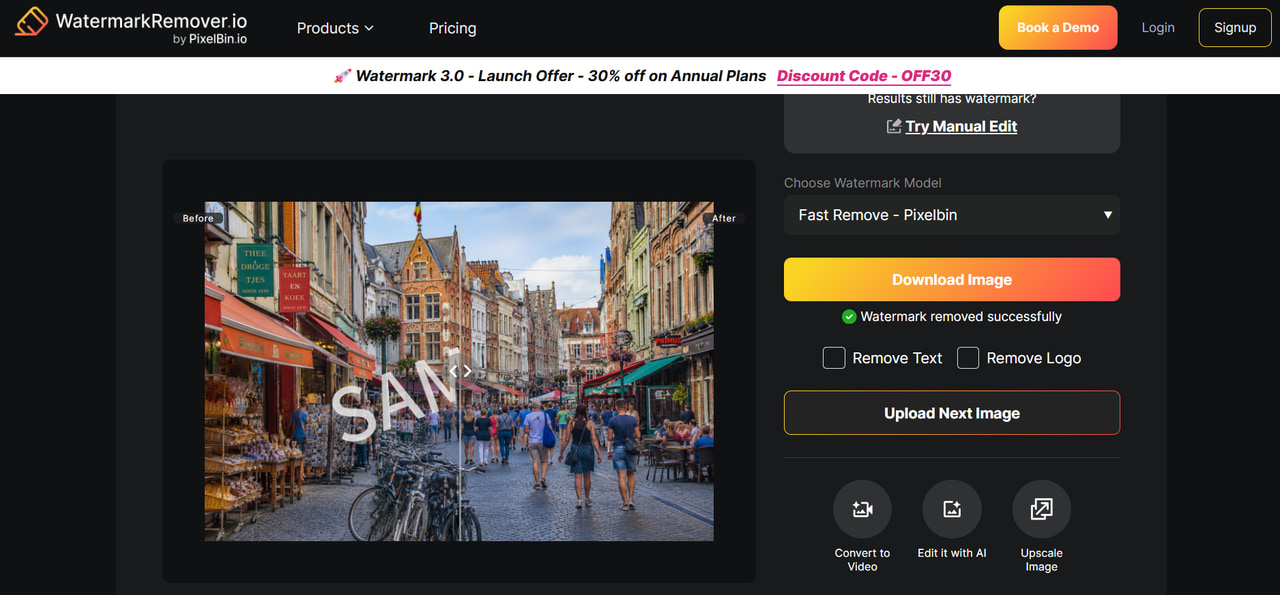
We paid attention to whether surrounding details remained intact and whether the edited section introduced distortion or softness.
Test 3: Logo or text watermark over a subject
For the third scenario, we considered a watermark positioned over a person, product, or other prominent subject. This is more demanding because removing the mark can also affect the visual information underneath it.
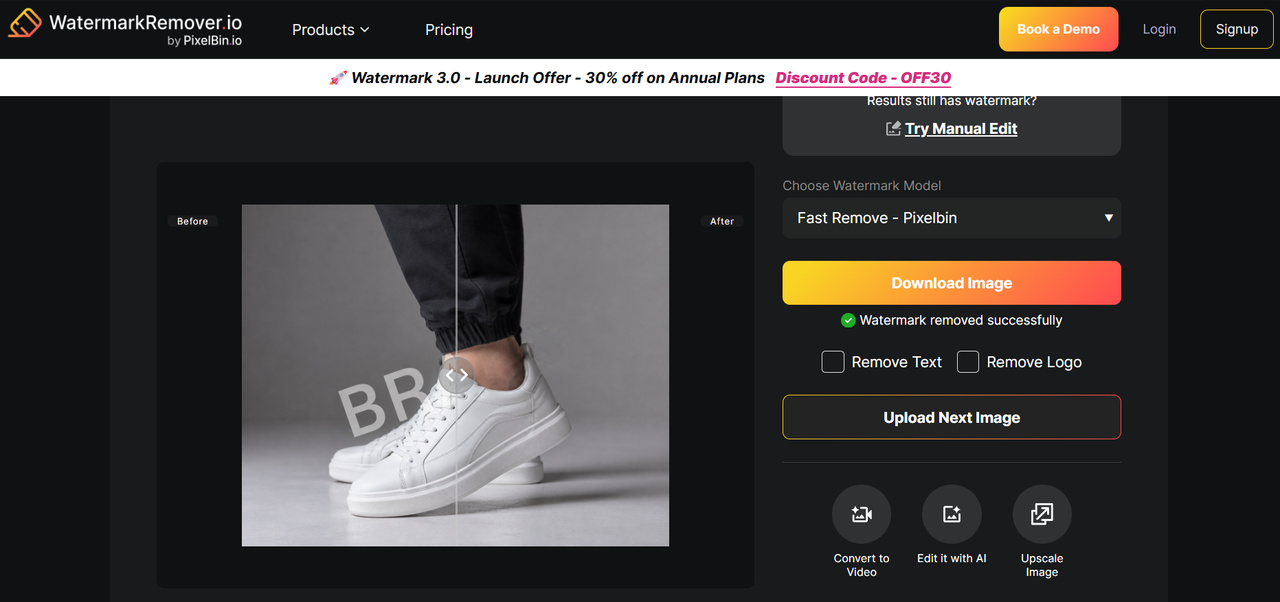
We checked the subject's edges and important details, along with the area surrounding the former watermark.
What did our testing reveal?
The test results varied with the watermark's size, position, and background. We used the following criteria to assess the output consistently across the different scenarios.
|
Test scenario |
Evaluation criteria |
What we assessed |
|---|---|---|
|
Overall removal quality |
Watermark removal, image quality, and overall appearance |
How effectively Watermarkremover.io removed visible watermarks while keeping the edited image natural and usable |
|
Removal accuracy |
Watermark detection and complete removal |
Whether the tool removed the watermark cleanly without leaving visible traces or remnants |
|
Background reconstruction |
Texture, color, and pattern preservation |
How naturally the tool reconstructed the area previously covered by the watermark |
|
Subject preservation |
Faces, objects, edges, and important details |
Whether removing a watermark affected nearby subjects or caused unwanted changes to the original image |
|
Complex images |
Detailed backgrounds and overlapping elements |
How well Watermarkremover.io handled watermarks placed over textures, patterns, products, or other visually complex areas |
|
Processing experience |
Speed and workflow efficiency |
How quickly and easily images could be uploaded, processed, reviewed, and downloaded |
|
Consistency |
Output quality and need for regeneration |
Whether results remained reliable across different watermark placements and image types, or required repeated attempts |
The final image should be checked at full size because a removal that looks clean in a small preview can reveal artifacts around edges or textured areas when enlarged.
Watermarkremover.io review: quality, usability, and value
Watermarkremover.io has a clear purpose, which keeps the workflow easy to understand. Its value depends on how well it handles different image conditions and whether its access and processing options suit the way you work.
How effective is Watermarkremover.io at removing watermarks?
The outcome of Watermarkremover.io depends on the size, opacity, position, and background of the watermark. In general, small marks are easier to reconstruct in simple areas, whereas larger logos on faces, products, or detailed textures are more difficult. If removal is successful, the surrounding details should be preserved, and there should be no evidence of blur, distortion, repeated textures, or sharp edges.
How easy is Watermarkremover.io to use?
Watermarkremover.io offers a straightforward browser-based workflow that does not require knowledge of layers, masks, or cloning tools. This makes it suitable for users who need quick, occasional edits. However, the simple workflow provides less control when automatic processing changes an area that should remain untouched or needs further refinement.
Does Watermarkremover.io support batch processing?
Batch processing can be important for users removing watermarks from multiple images, particularly e-commerce sellers and content teams. A supplied Quora discussion specifically asks about Watermarkremover.io's batch-processing capabilities. Because processing options can change, check the current service before relying on it for large image collections or recurring workflows.
Watermarkremover.io pricing and free access
The supplied Quora reference also addresses whether Watermarkremover.io is completely free. Rather than treating "free" as a single yes-or-no question, it is more useful to look at what the free workflow actually allows.
|
Plan |
Price |
Included Features & Services |
|---|---|---|
|
Free Tier |
Free |
Up to 2 free image transformations per day without an account, 3 bonus credits upon sign-up, and basic watermark removal capabilities. |
|
Subscription Plan (Yearly) |
$44.99 – $159.99/year |
Annual credit packages start at 1,200 credits/year, up to 12,000 credits/year ($0.01 – $0.04/credit), full AI suite access (object remover, background remover, image upscaler), logo removal, easy API integration, and email support. |
|
Pay As You Go |
$6.99 – $34.99 billed once |
Flexible non-recurring credit packs (30 credits for $6.99 up to 500 credits for $34.99), valid for 1 full year from purchase, full tool access, and add-on credit compatibility. |
|
Enterprise Plan |
Custom Pricing |
Dedicated solutions tailored for bulk/high-volume image transformation, custom API integrations, dedicated account support, and personalized billing options. |
If you only need to remove a few watermarks, free access can be enough. Users with a larger workload should check the current terms and calculate the practical cost of processing their expected image volume.
What users say about Watermarkremover.io
-
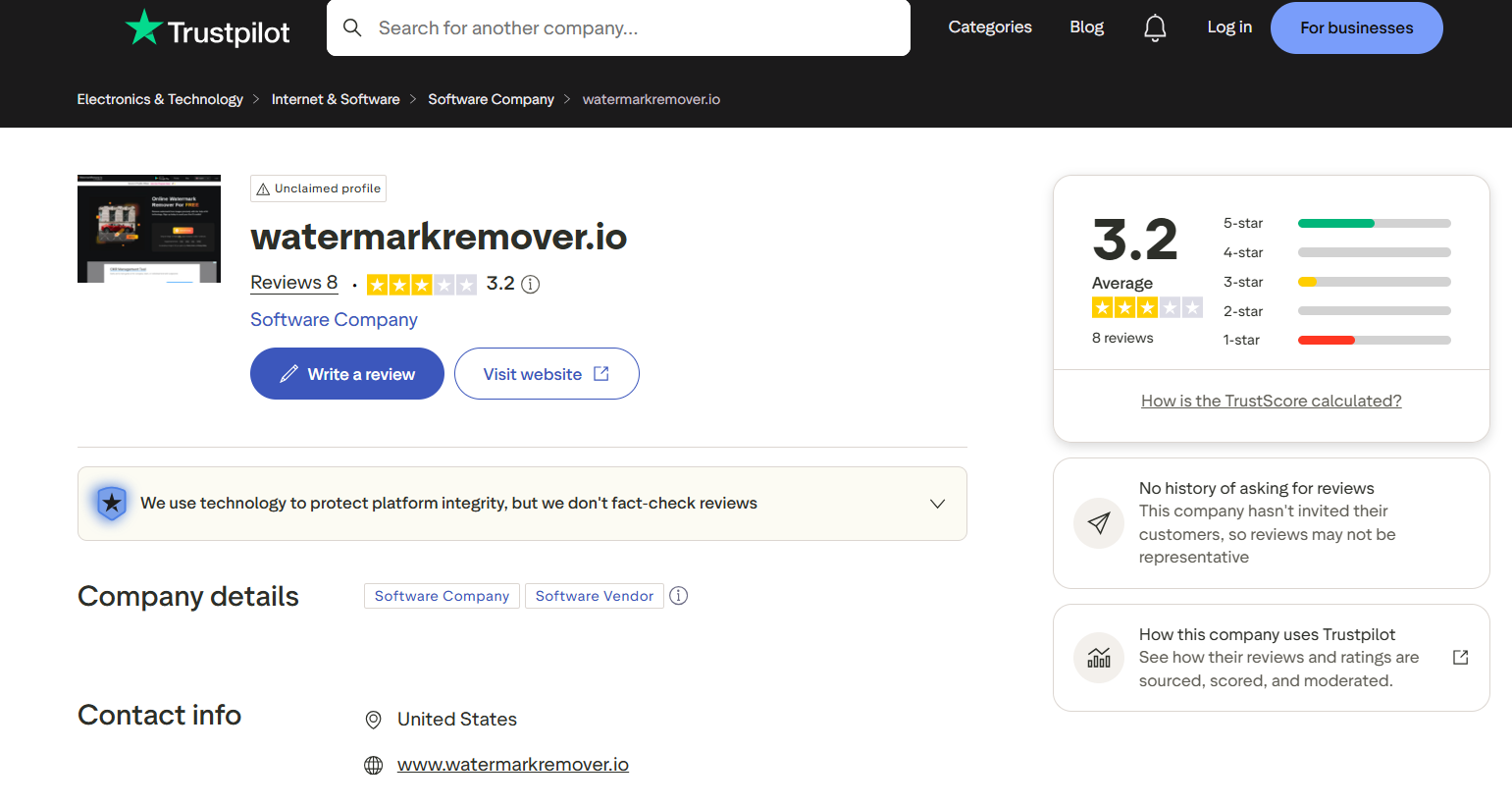
Trustpilot: Watermarkremover.io has a 3.2/5 average rating from 8 reviews on Trustpilot. The profile is currently marked as unclaimed, and Trustpilot notes that the company has not invited customers to leave reviews, so the ratings may not fully represent the overall customer experience.
-
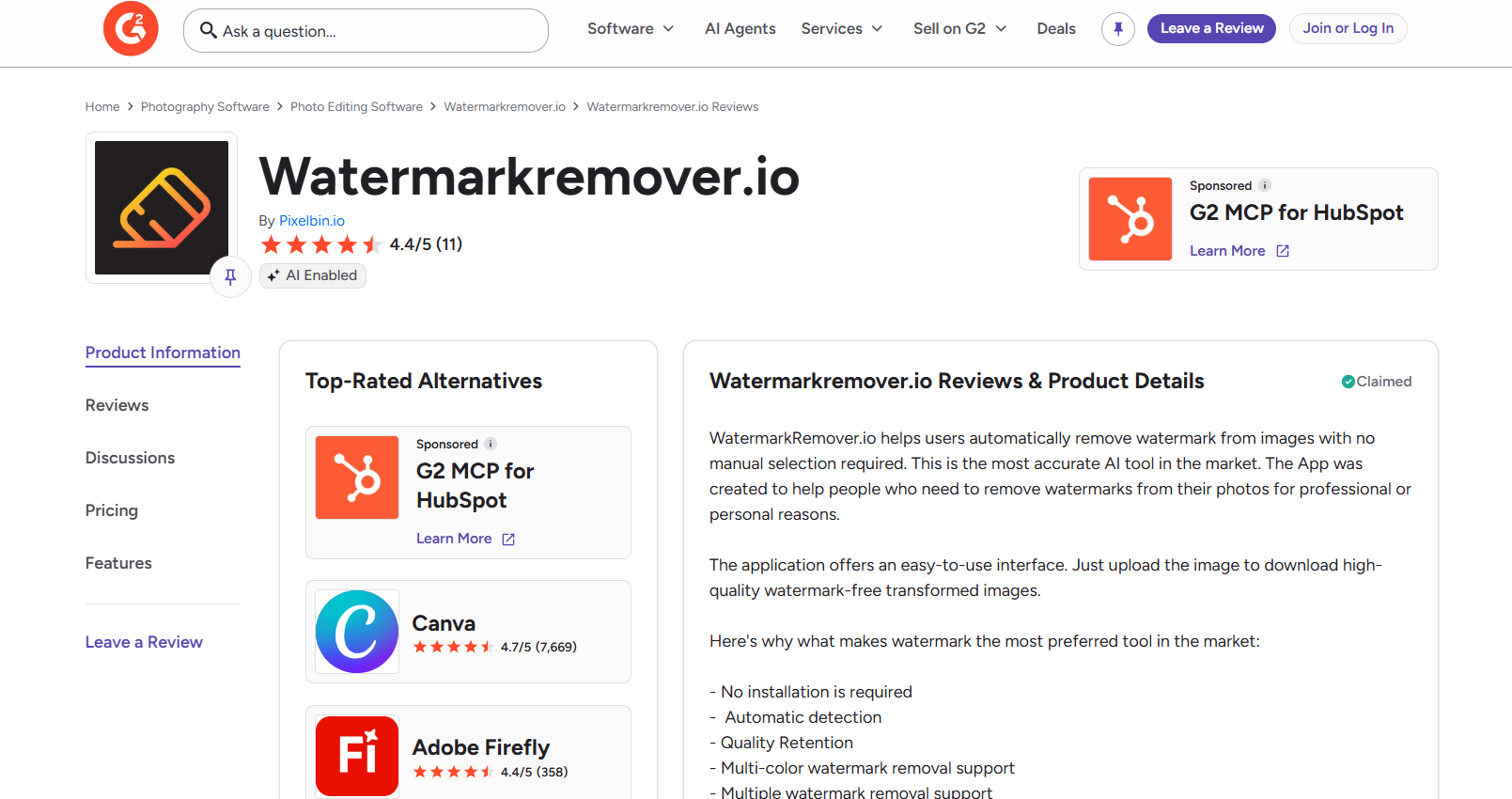
G2: Watermarkremover.io has a 4.4/5 rating from 11 reviews on G2. The listing highlights automatic watermark detection and removal, an easy-to-use interface, quality retention, multi-color watermark removal, and support for removing multiple watermarks.
Watermarkremover.io pros and cons
Watermarkremover.io's main advantage is its focused workflow. Its limitations become more relevant when an image needs more detailed control or when the watermark overlaps complicated visual information.
|
Pros |
Cons |
|---|---|
|
Focused watermark-removal workflow |
Results can vary with image complexity |
|
Browser-based access |
Difficult backgrounds may produce visible artifacts |
|
Easy for occasional users |
Complex removals may need additional editing |
|
No advanced editing skills required |
Batch-processing availability should be verified |
|
Suitable for quick image-cleanup tasks |
Current pricing and usage limits should be checked |
Remove image watermarks with Vmake Labs
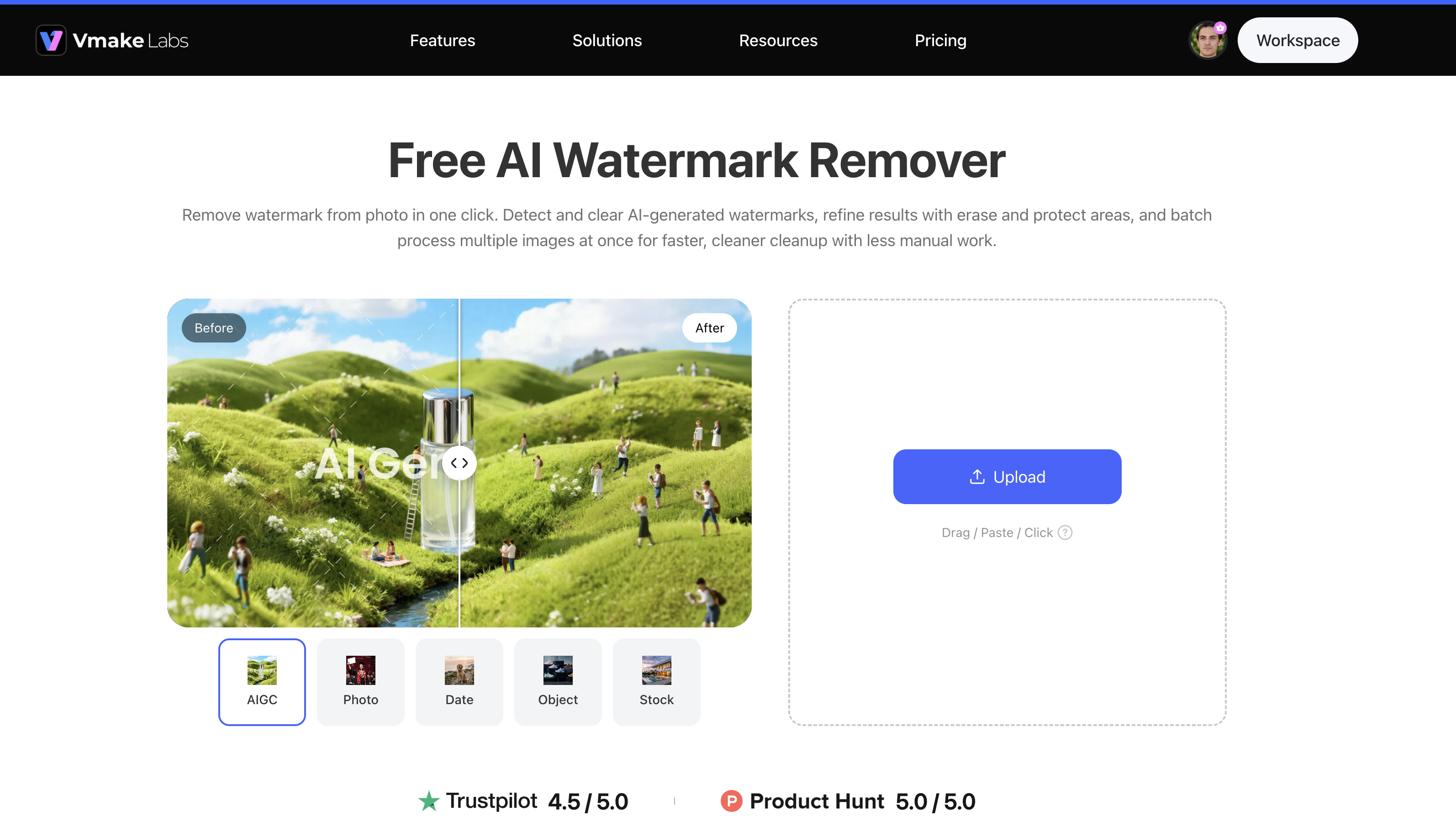
Vmake Labs offers an image watermark removal workflow for removing logos, text, people, and other unwanted elements. The user also gets an advantage in accuracy. He can choose zones and safeguard significant parts. Its wider image editing capabilities also mean it's useful for cleaning up products, social media and marketing visuals, as well as for basic watermark removal.
What can Vmake Labs remove from images?
-
Text watermarks: Remove visible text watermarks from images without manually editing each character. This is useful for cleaning up images where text covers part of the visual.
-
Logo watermarks: Remove logos or branded marks from an image while attempting to preserve the surrounding background. Results can vary depending on the logo's size and placement.
-
Unwanted people or subjects: Remove people or distracting subjects that take attention away from the main content. This can help clean up photos where unwanted elements appear in the background.
-
Other unwanted elements: Remove objects or visual elements that you no longer want in an image. The result depends on the complexity of the area being removed and the details surrounding it.
-
Watermarks in different areas: Remove watermarks positioned over backgrounds, products, people, or other parts of an image. More complex placements may require additional refinement.
-
Multiple unwanted areas: Select multiple areas for removal when supported by the workflow. This can be useful when an image contains more than one watermark or several distracting elements.
Vmake Labs can automatically process unwanted elements, while manual selection provides more precise control when the automatic result needs refinement.
How to remove a watermark with Vmake Labs
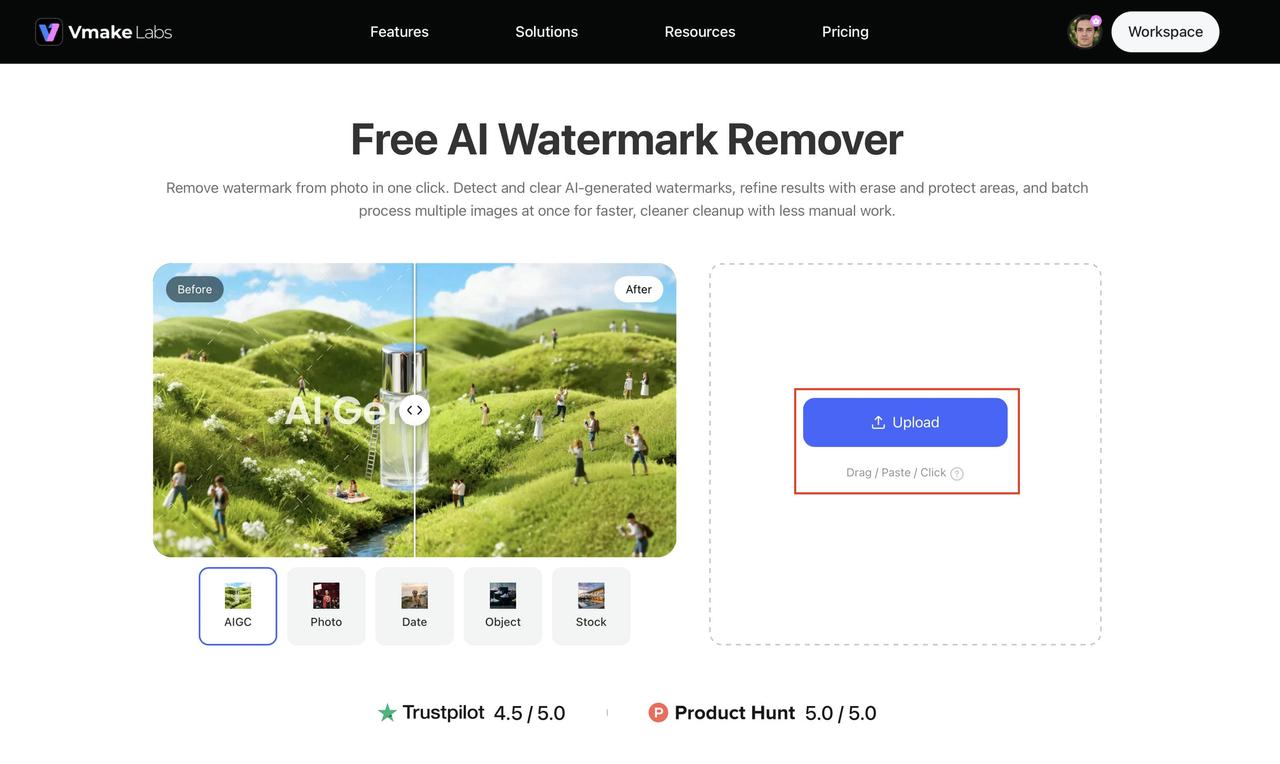
Step 1: Upload the image Upload the image containing the watermark or unwanted element you want to remove. Use a clear, high-quality source image for better results.
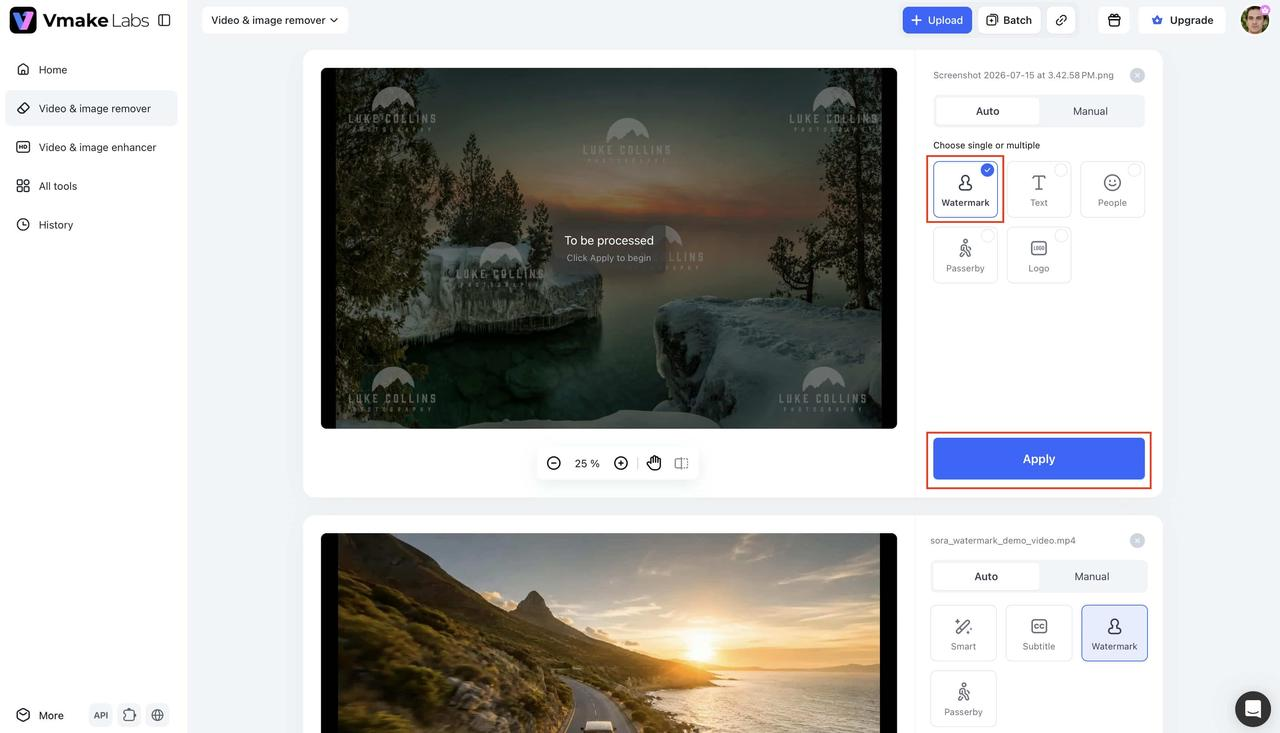
Step 2: Select the watermark and apply removal
Choose Auto and select the relevant removal type, such as Watermark, Text, People, or Logo. Switch to Manual for more precise selection, then click Apply to process the selected area.
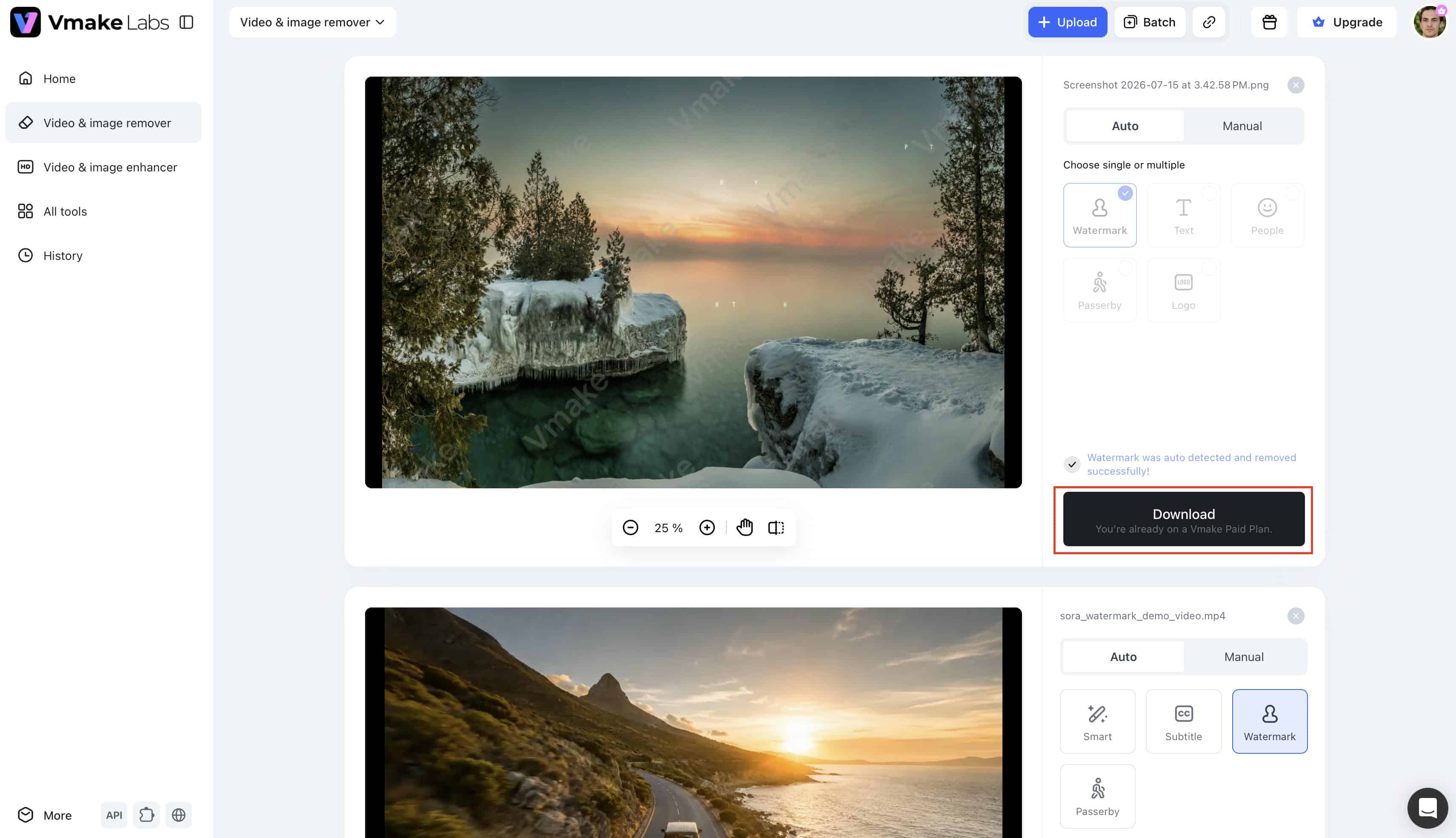
Step 3: Preview and download the result
Review the processed image to make sure the watermark has been removed cleanly. If needed, refine the selected area and apply the removal again before downloading the final image.
Vmake Labs can be considered a watermarkremover.io alternative for users who want watermark removal alongside unwanted-element removal and more control over selected areas.
Watermarkremover.io vs Vmake Labs: which should you choose?
Both Watermarkremover.io and Vmake Labs are into watermark removal, though they differ in the way they edit. Your choice depends on whether you need a dedicated watermark removal service or more removal and selection controls.
Feature comparison
|
Feature |
Watermarkremover.io |
Vmake Labs Image Watermark Remover |
|---|---|---|
|
Primary focus |
Image watermark removal |
Image watermark and unwanted-element removal |
|
Automatic removal |
Yes |
Yes |
|
Text watermark removal |
Yes |
Yes |
|
Logo watermark removal |
Yes |
Yes |
|
People removal |
Not the primary focus |
Yes |
|
Manual area selection |
Limited/depends on workflow |
Yes |
|
Area protection |
Not the primary workflow |
Yes |
|
Batch processing |
Check current availability |
Supported |
|
Browser-based workflow |
Yes |
Yes |
|
Best suited for |
Quick watermark removal |
Watermark removal with additional removal and control options |
Which tool makes more sense for your needs?
Watermarkremover.io is a natural fit if your main task is removing watermarks from existing images through a focused workflow. It can be convenient for individual or occasional edits where you do not need extensive manual controls.
Vmake Labs is worth considering when watermark removal sits alongside other image-cleanup tasks. Its ability to remove people and other unwanted elements, combined with manual area selection and protection, gives users more options when straightforward automatic removal is not enough.
Conclusion
Watermarkremover.io is a good choice for those who want a dedicated watermark-removal tool. It has a simple workflow and is good for the odd edit, but results can be hit-or-miss with detailed backgrounds, faces, and products. Make sure to check pricing, usage limits, and batch-processing support for larger workloads. Another one is Vmake Labs. Watermark and unwanted element removal, manual selection, and area protection. Your best option is determined by the images you have and the control you need. Remove watermarks only from content you own or have permission to edit.
Frequently asked questions
What is Watermarkremover.io?
Watermarkremover.io is an online tool to remove visible watermarks from images. It is a browser-based tool that enables users to upload an image, process the unwanted mark and download the edited image.
Is Watermarkremover.io free to use?
Watermarkremover.io has been discussed as a free-to-use service, but users should check its current terms for any restrictions on processing, downloads, resolution, or usage volume. If you are comparing free watermark-removal options, it is also worth checking what alternatives such as Vmake Labs currently offer.
Does Watermarkremover.io remove watermarks completely?
The service can remove visible watermarks, but the quality depends on the watermark and the background beneath it. Complex areas may contain artifacts or require additional editing after processing. Tools such as Vmake Labs can be considered when you need additional control over the area being removed.
Does Watermarkremover.io support batch watermark removal?
Batch processing is particularly relevant for users working with many images. The supplied Quora discussion addresses this capability, but current processing limits should be verified directly before using the service for high-volume work. If batch processing is important, compare the current capabilities of Watermarkremover.io with alternatives such as Vmake Labs before choosing a workflow.
Is Watermarkremover.io safe to use?
Before uploading images, review the service's current privacy and security information. Avoid uploading confidential images unless you are comfortable with the provider's policies for handling uploaded files. The same consideration applies when evaluating alternatives, including Vmake Labs.
What are the best Watermarkremover.io alternatives?
The best alternative depends on what editing you need. If you want a focused watermark-removal workflow, compare the features, processing limits, and output quality available before deciding. Vmake Labs is another option that can remove people and other unwanted objects as well as watermarking, with additional controls for area selection to make more accurate changes.

You May Be Interested
123APPS Watermark Remover Review (2026): Pros, Cons, and Pricing

Airbrush Watermark Remover Review (2026): Features and Pricing
AniEraser Watermark Remover by Media.io: 2026 Hands-On Review

Batch Watermark Removal with Vmake AI

Best AI Watermark Remover for Clean, Fast Edits