VanceAI Photo Enhancer Review 2026: Tested, Is It Worthy?
Thinking about using VanceAI Photo Enhancer? Explore its features, pricing, image quality, real user feedback, and top alternative before deciding. Discover smarter editing with Vmake today.

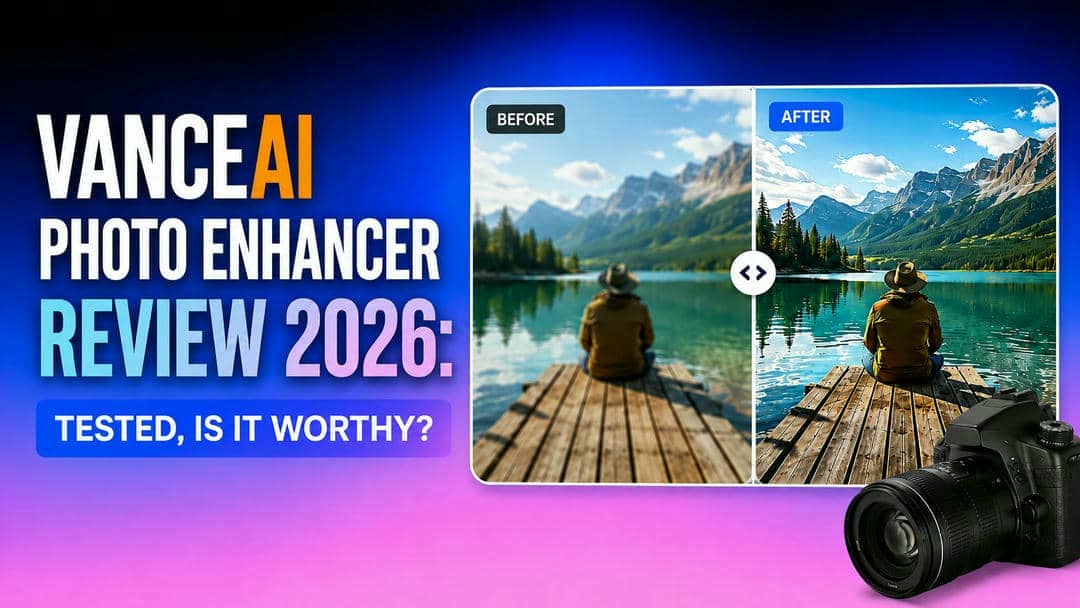
AI tools to improve images have become more popular for fixing blurry photos and improving image quality without complex editing. In this review, we put VanceAI Photo Enhancer to the test to see how it performs in terms of features, pricing, usability, and overall performance in 2026.
What is VanceAI Photo Enhancer?
VanceAI Photo Enhancer is an online AI tool to enhance image quality automatically. It can also sharpen blurry photos and enlarge low-resolution images, reduce digital noise, and enhance details through AI models, allowing users to edit images quickly without manual adjustments. VanceAI is not only a basic enhancement tool, but also a multi-AI editing tool, which can help solve many different problems of image enhancement conveniently in one platform.
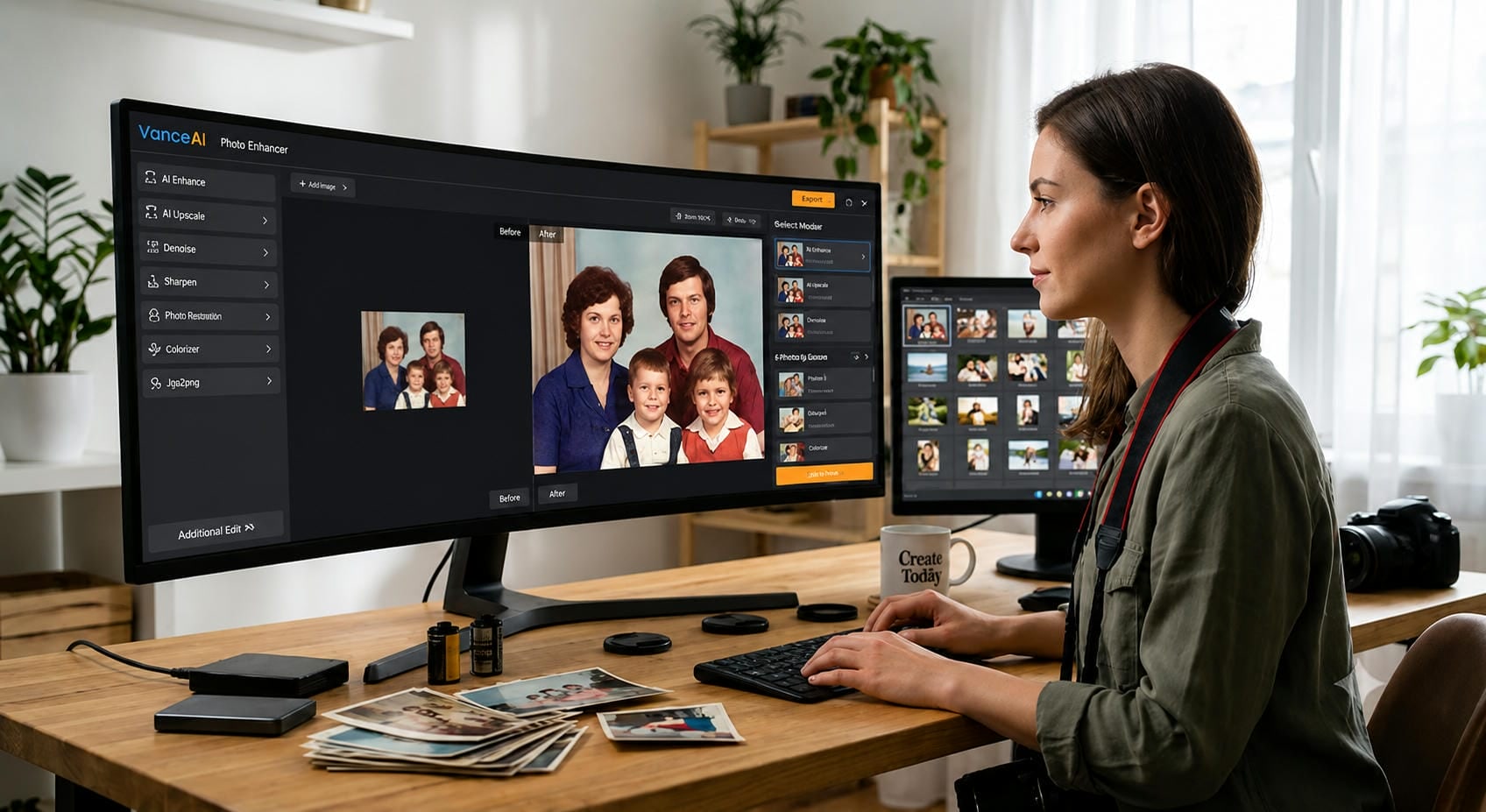
How to use VanceAI photo enhancer
VanceAI can enhance an image in just a few minutes. The interface is easy to learn for beginners and allows you to improve the quality of the photo without mastering professional editing software.
Step 1: Upload your image
Upload the image you want to improve from your computer. The tool supports common image formats and automatically prepares the file for AI processing.
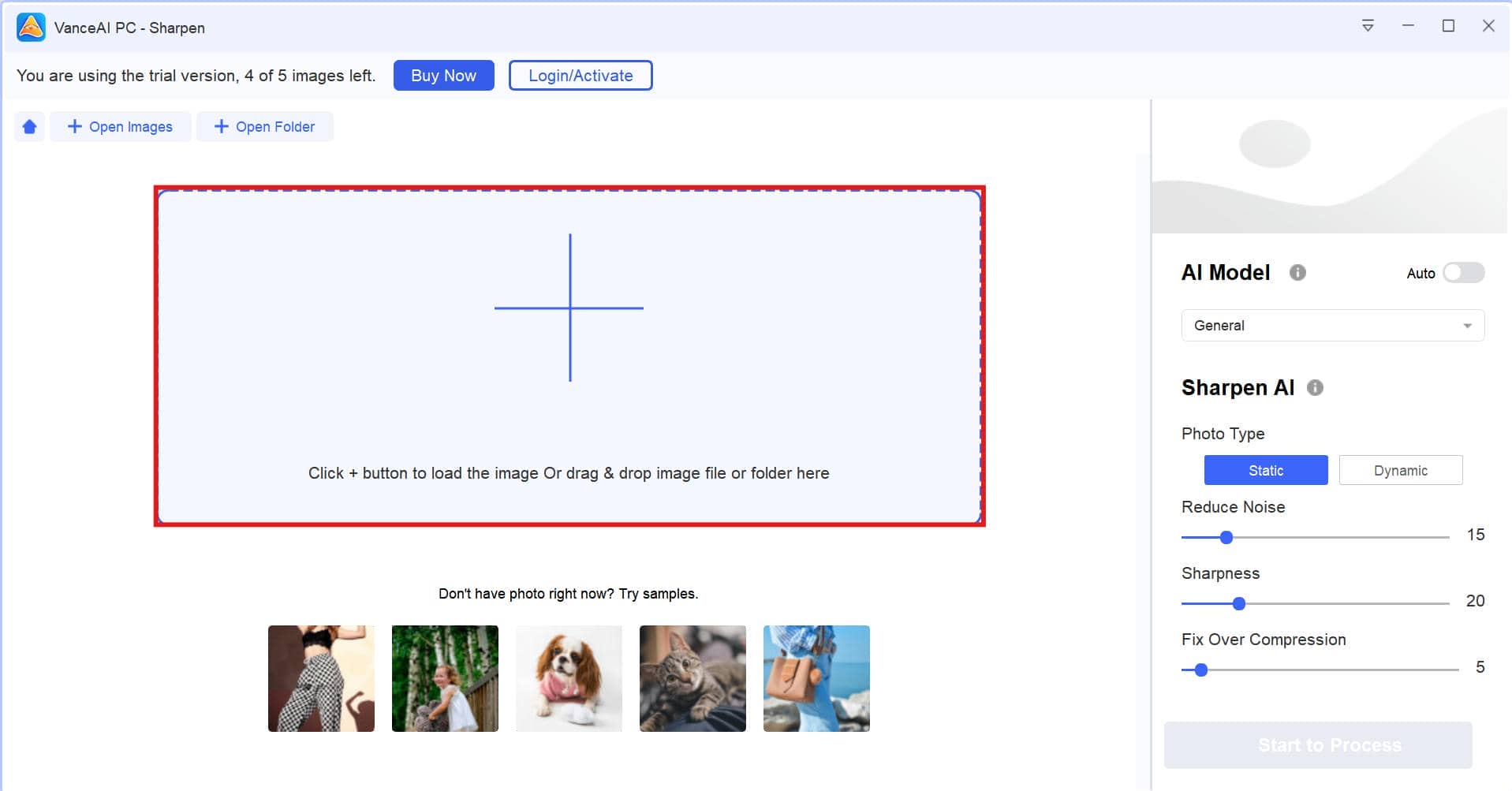
Step 2: Select an AI enhancement option
Choose the upgrade mode suitable for your image. Depending on your needs, you can sharpen details, upscale the resolution, reduce noise, or improve overall clarity. There’s also a built-in image sharpener for users wanting to create higher quality visuals before exporting.
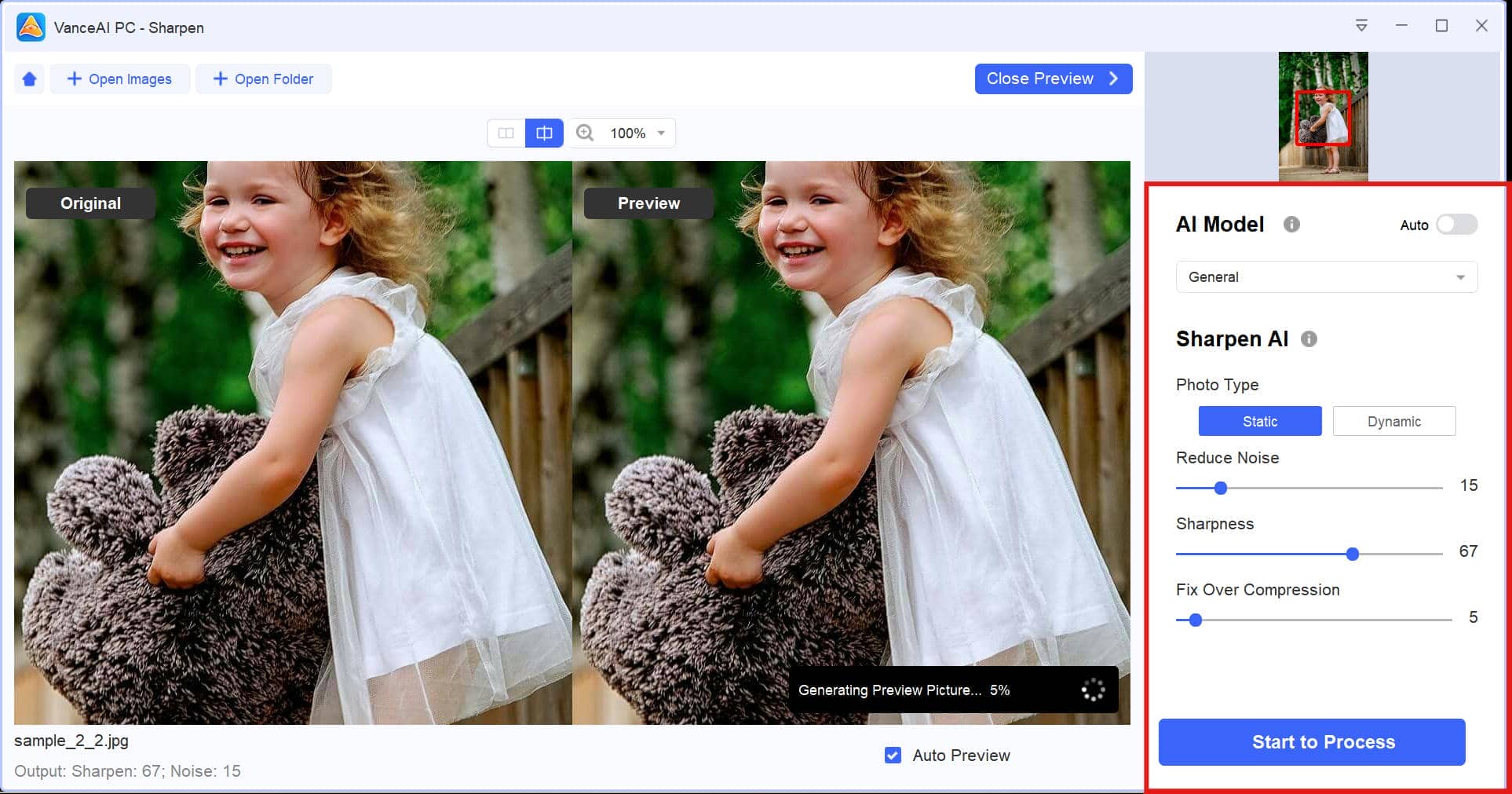
Step 3: Preview and download the result
When finished, look at the original and the enhanced image side by side. If you like the result, download the enhanced image to your device and use it for personal or professional purposes.
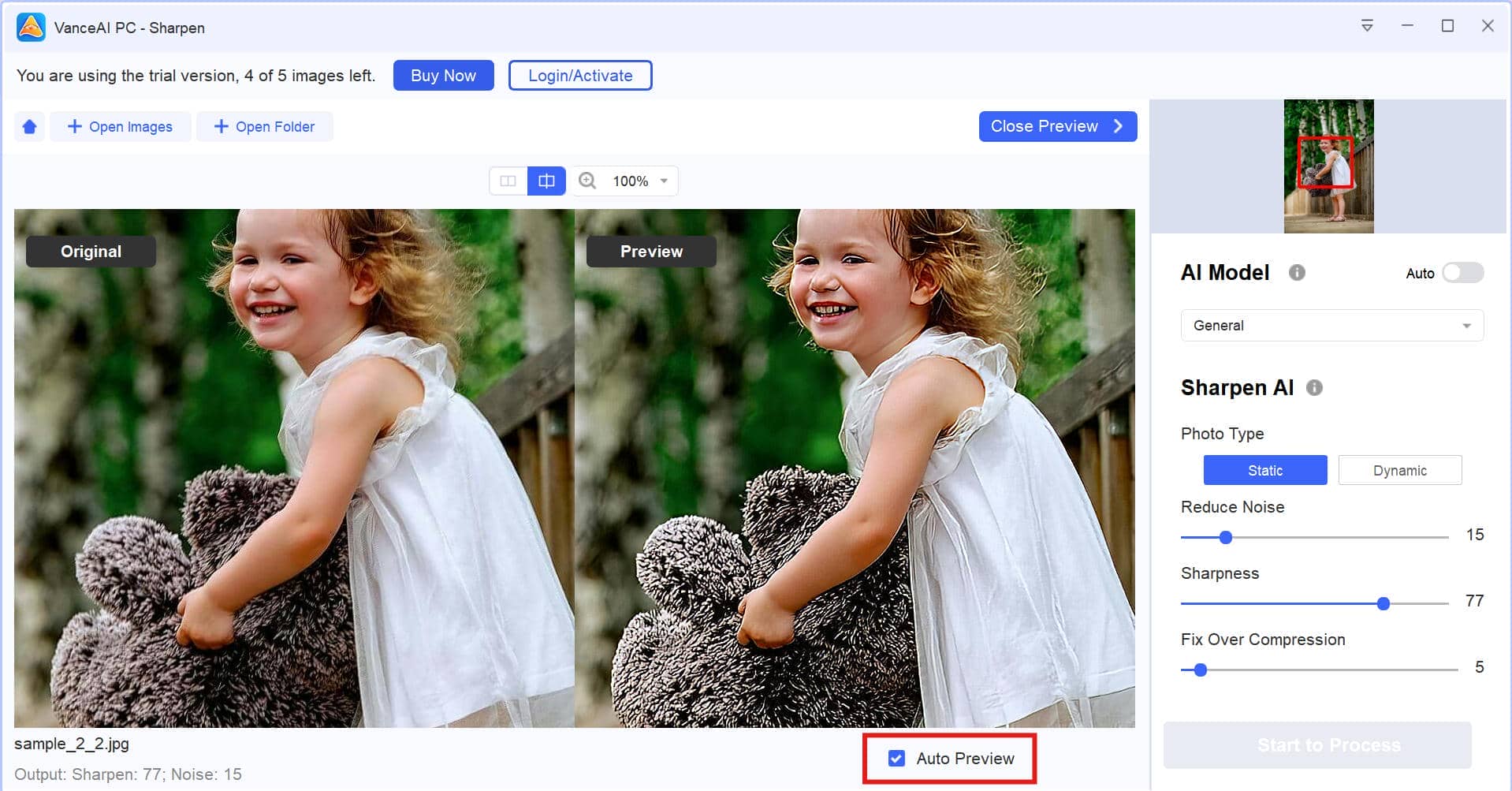
How we tested VanceAI Photo Enhancer
To evaluate VanceAI Photo Enhancer, we tested it using different image types and compared the results across several enhancement scenarios. Our goal was to assess not only the quality of AI-generated improvements but also the overall user experience for both free and paid users.
Our evaluation focused on:
-
Image types tested: Portraits, product photos, landscapes, and old low-resolution images.
-
Evaluation criteria: Image upscaling quality, sharpening, noise reduction, processing speed, and the naturalness of enhanced results.
-
Before-and-after comparison: Compared the original and enhanced images to evaluate improvements in clarity, detail, colours, and potential AI artifacts.
-
Free vs. paid experience: Explored the free version and paid plans to compare feature availability, usage limits, and overall value.
VanceAI photo enhancer pros, cons, & pricing
VanceAI Photo Enhancer is an all-in-one platform that integrates multiple AI editing tools, allowing you to effortlessly enhance image quality. It does well for many common enhancement tasks, but it is worth understanding its strengths and limitations before opting for a subscription.
Pros and Cons
|
Pros |
Cons |
|---|---|
|
|
|
|
|
|
|
|
|
|
|
|
Pricing
|
Plan |
Pricing |
What You get |
|---|---|---|
|
Free |
Test AI enhancement with limited credits and basic features before upgrading. |
|
$18/month |
Best for individuals who need regular AI photo enhancement. |
|
$34/month |
Suitable for creators and photographers with frequent editing needs. |
|
$52/month |
Ideal for professionals handling larger image editing workloads. |
|
$84/month |
Designed for teams and businesses processing images at scale. |
The free version is a good starting point if you want to test VanceAI's AI enhancement capabilities before committing to a subscription. If you edit images regularly, upgrading to a paid plan offers higher usage limits and a smoother workflow, making it a worthwhile investment for frequent users.
True voices from the community
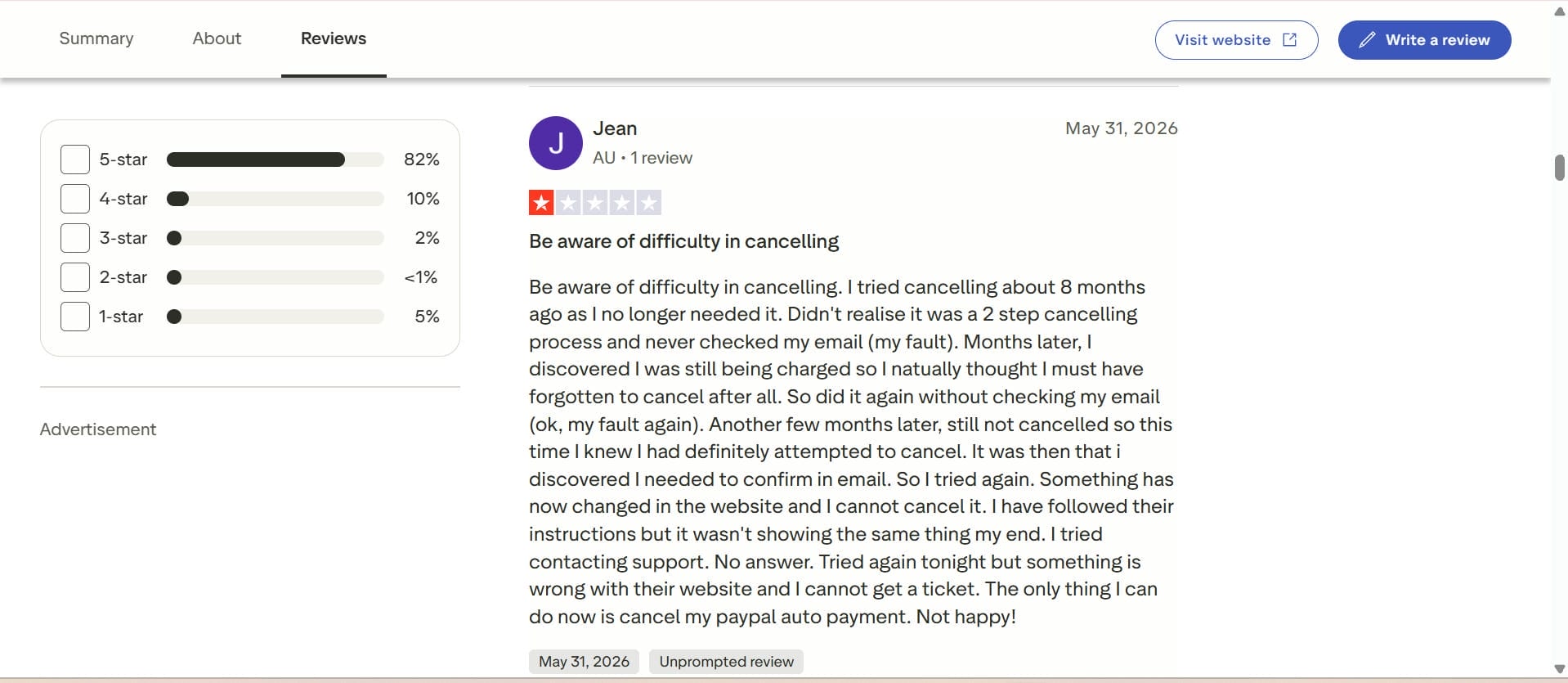
Trustpilot review
Based on feedback from Trustpilot and photography communities, many users like VanceAI for its simple interface and the clear improvements it makes to images. Several reviewers also mention that the processing speed and final output can depend on the quality of the image.
Quora Review
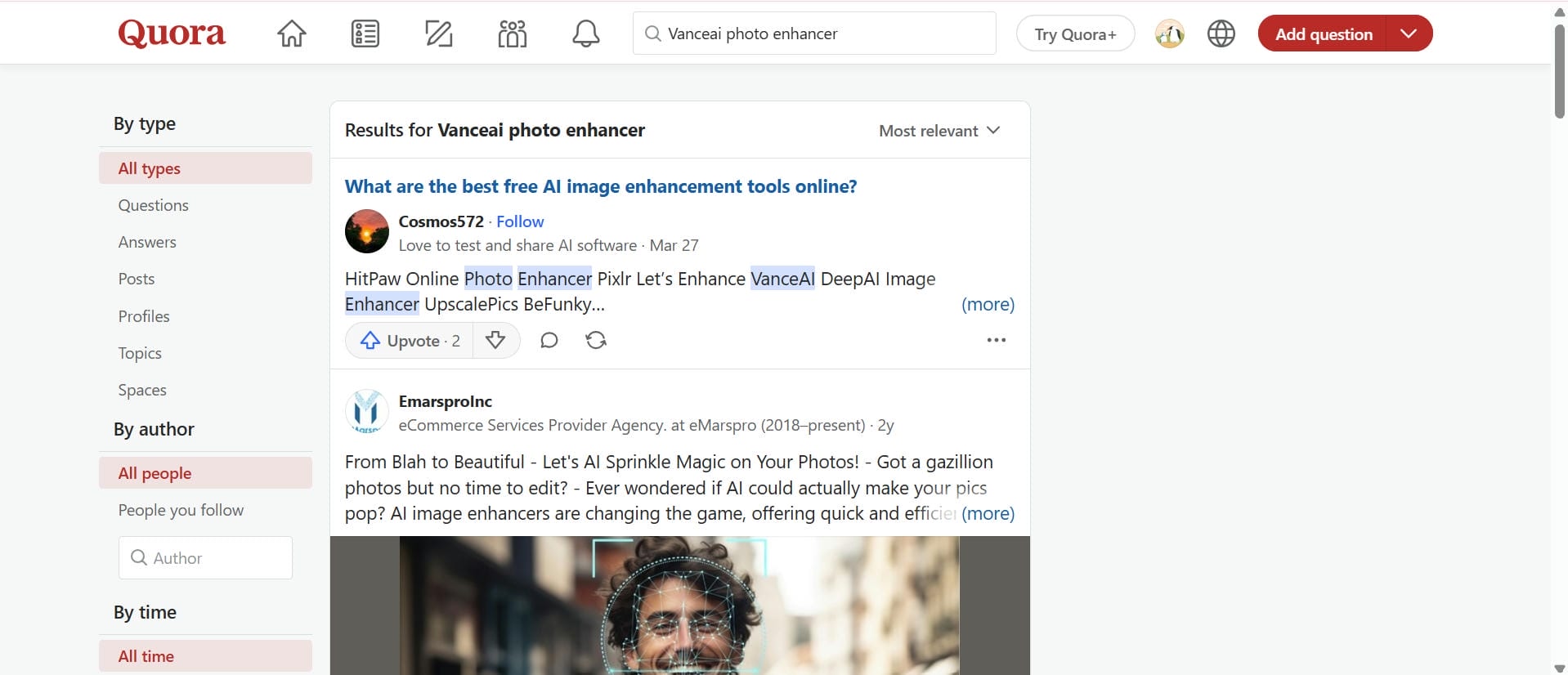
VanceAI is frequently referenced in Quora threads as a good option for casual users looking for quick results, not pixel-perfect pro retouching. Those working with marketing materials also find it useful to enhance visuals before combining them with anAI image generatorfor creative projects.
Afterthought
If your primary goal is to upscale photos while keeping fine details intact, VanceAI is a solid, user-friendly choice. Community feedback on Trustpilot and Quora highlights it as a great time-saver for marketers and casual creators who need quick, noticeable upgrades.
However, it can hit a wall with processing speeds on heavy, high-res files, and its tiered monthly pricing requires a clear commitment. If you want to bypass those restrictions and prioritize lightning-fast batch processing with flexible resolution options right in your browser, Vmake Labs is a compelling alternative worth checking out before you subscribe.
A popular alternative: Enhance your photos with Vmake Labs
Vmake Labs is an AI image enhancer for portraits, product photos, marketing visuals, and everyday images that works right in your browser. A few clicks and you're done! It delivers fast and high-quality results in different enhancement modes and with flexible output resolutions, making it perfect for both beginners and professionals. It also offers integration with an HD photo converter for those who need crisper images of higher quality for different applications, helping users prepare visuals for social media, web, and print.
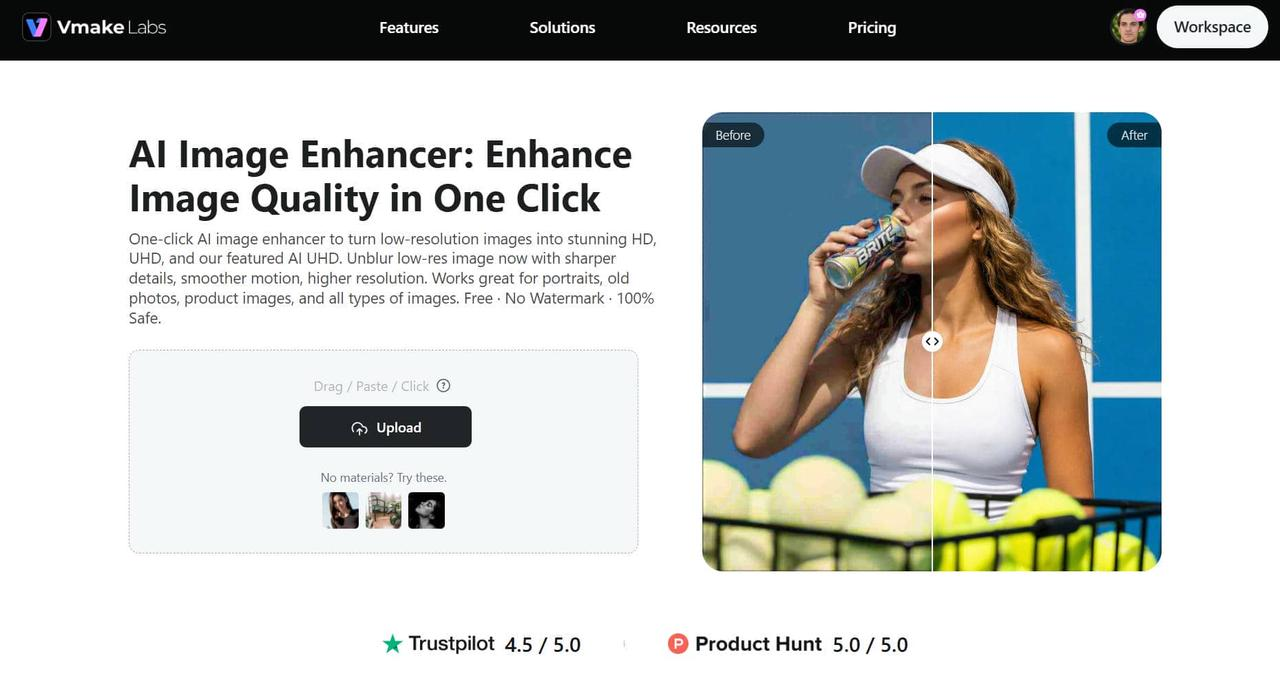
Key features of Vmake AI image enhancer
-
Multiple resolution options: Choose from HD, UHD, AI UHD, 8K, and 16K output resolutions based on your image quality requirements. This gives users the flexibility to create images optimized for social media, ecommerce listings, presentations, or high-resolution printing without using multiple editing tools.
-
Dedicated enhancement modes: Select from Portrait, Portrait Pro, Old Photo, and Product modes to apply AI enhancements tailored to different image types. These dedicated modes help users achieve more accurate results while reducing the time spent adjusting enhancement settings manually.
-
Simple image upload: Upload one or multiple images directly through your browser and start enhancing them without installing additional software. The browser-based upload process makes it easy for users to begin editing quickly from any device, streamlining their workflow.
-
Batch image processing: Enhance up to 30 images in a single batch to process multiple files simultaneously. Batch processing helps photographers, ecommerce sellers, marketers, and content creators save hours of repetitive editing while maintaining consistent image quality across every file.
-
Browser-based workflow: Access Vmake AI Image Enhancer online, enhance your images in just a few clicks, and export high-quality results without downloading desktop software. This browser-based workflow offers greater convenience and flexibility, allowing users to edit images from virtually anywhere while simplifying the overall enhancement process.
How to enhance images with Vmake Labs
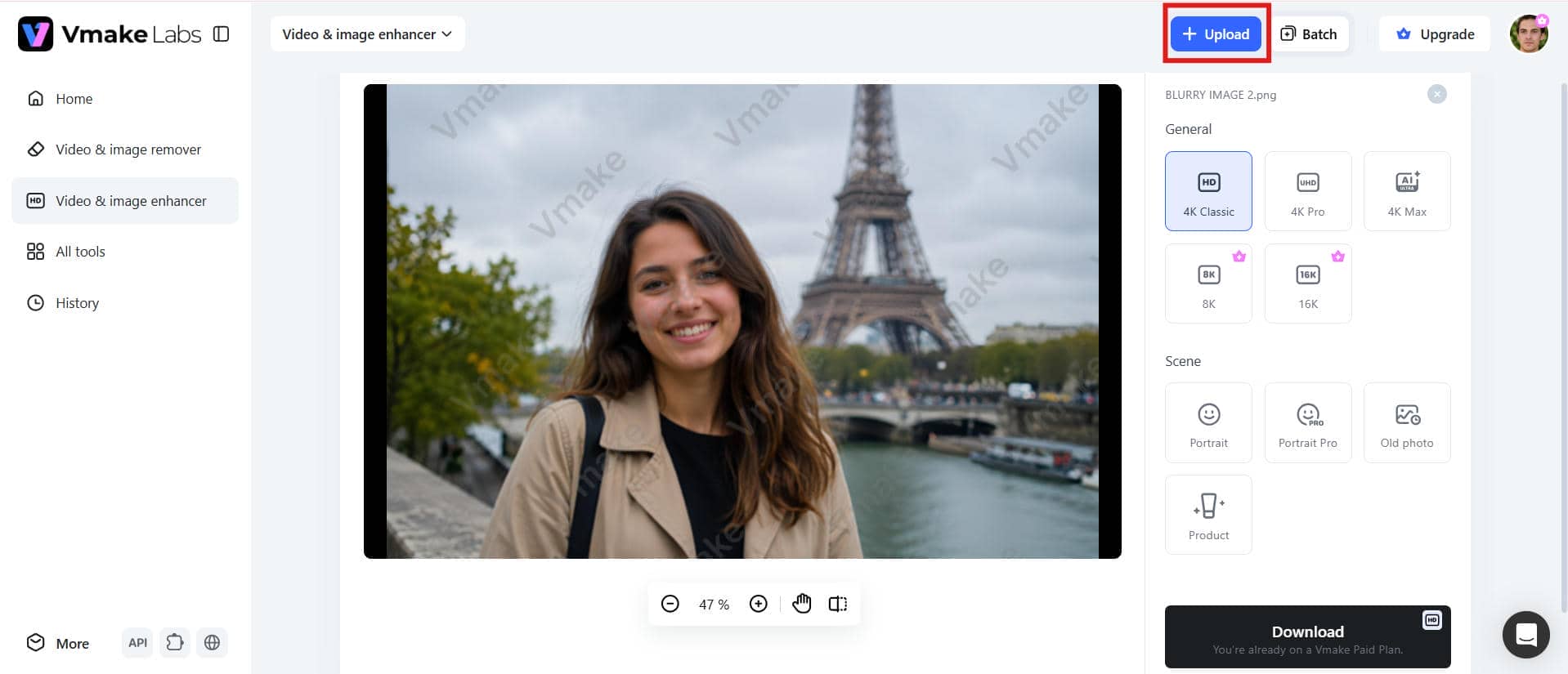
Step 1: Upload your photo
Open the Vmake Labs Image Enhancer and upload one or more images from your computer. The browser-based uploader accepts common image formats and prepares them automatically for AI enhancement.
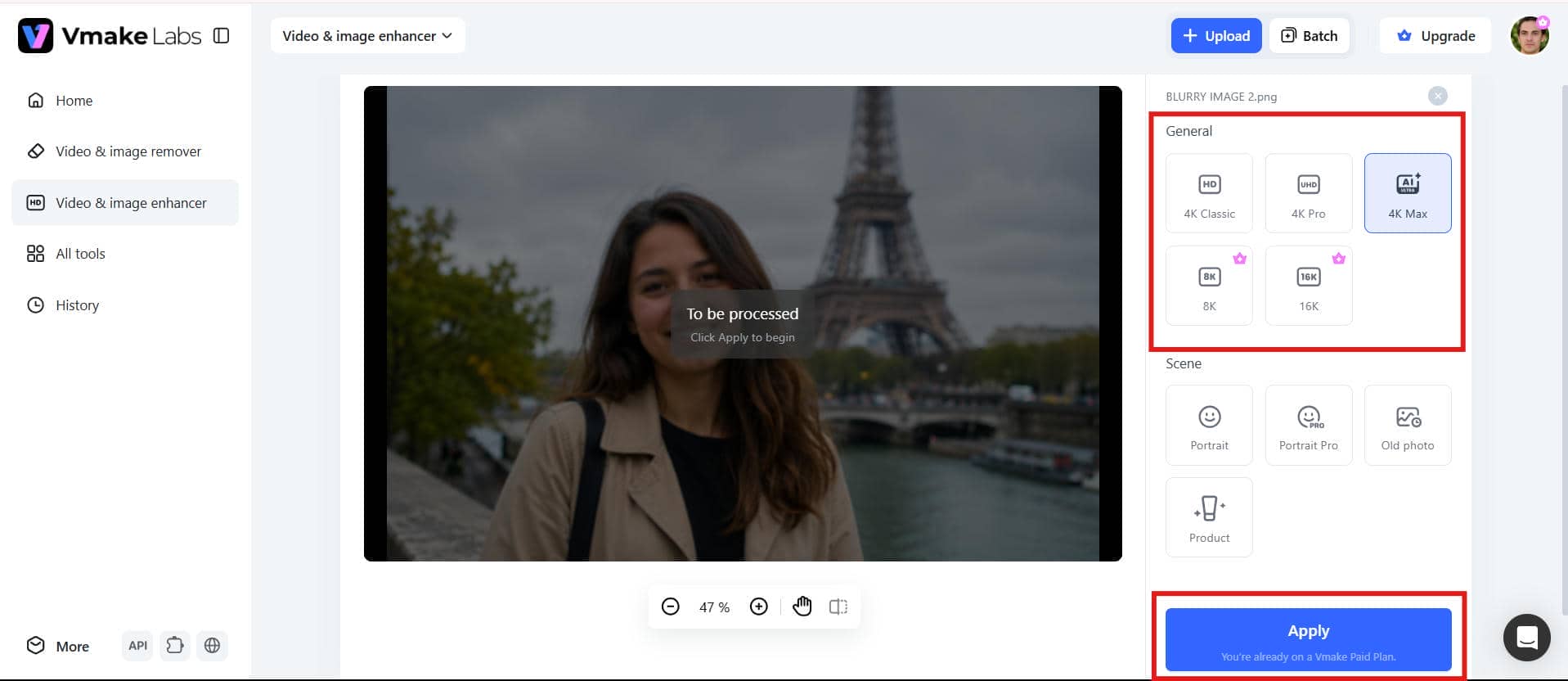
Step 2: Let AI enhance the photo
Choose the enhancement mode and output resolution that best fit your image. The AI automatically improves clarity, sharpens details, reduces noise, and enhances overall image quality within seconds.
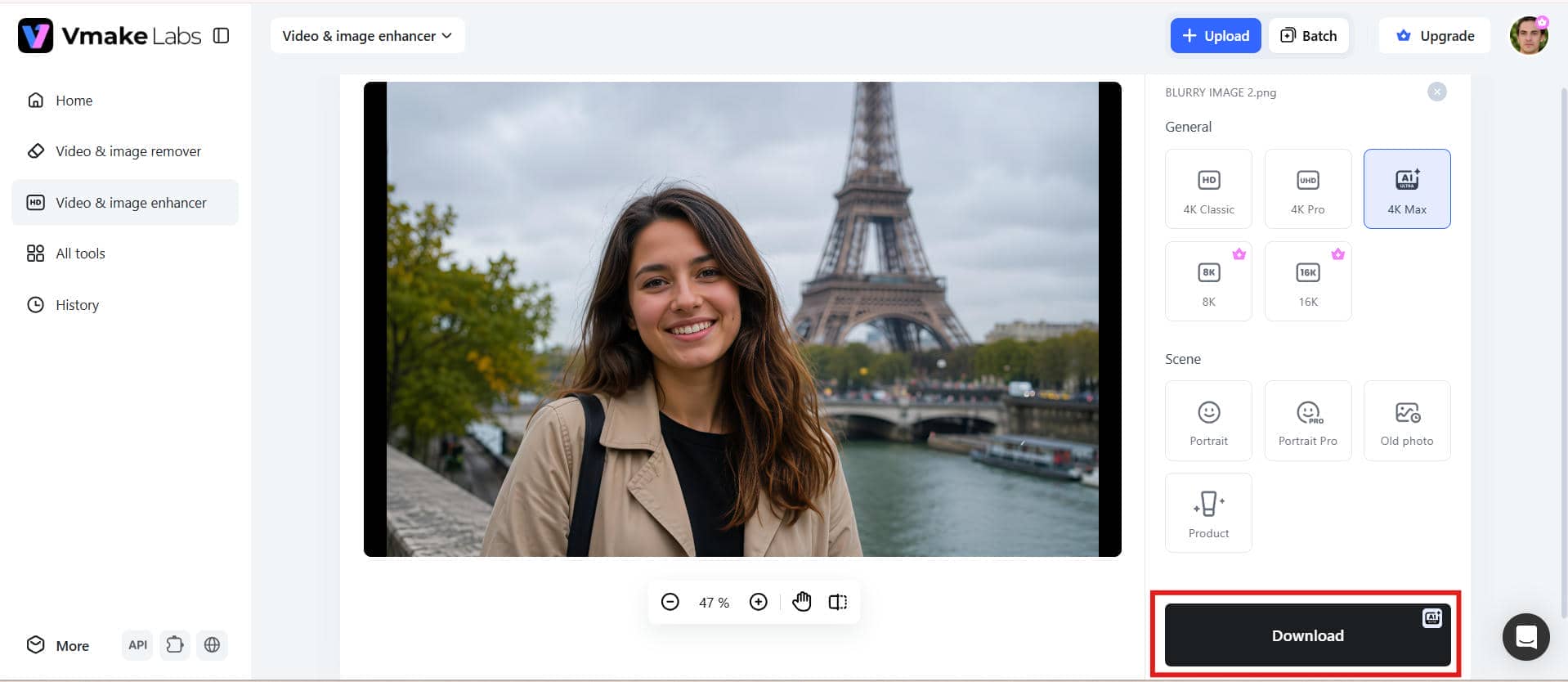
Step 3: Preview and download
Preview the enhanced image alongside the original to check the improvements. Once you're satisfied with the result, download the high-quality image in your preferred resolution.
Vmake vs VanceAI photo enhancer
Both Vmake Labs and VanceAI use AI to enhance image quality, but they focus on slightly different user needs. While both platforms support image enhancement, upscaling, and sharpening, they differ in workflow, processing speed, and overall user experience. The comparison below highlights their key differences to help you choose the right tool.
|
Comparision |
Vmake Labs |
VanceAI Photo Enhancer |
|---|---|---|
|
Best For |
Fast AI image enhancement for everyday use |
AI-powered image upscaling and photo restoration |
|
AI Enhancement |
Improves image clarity, colors, and details |
Enhances image quality with AI models |
|
Image Upscaling |
Supports high-quality image upscaling |
Supports AI image upscaling |
|
Image Sharpening |
Sharpens blurry images automatically |
AI-powered image sharpening |
|
Noise Reduction |
Reduces noise while preserving details |
Removes noise from low-quality images |
|
Ease of Use |
Simple workflow with minimal steps |
Easy-to-use interface |
|
Processing Speed |
Fast online processing |
Depending on image size and AI model |
|
Batch Processing |
Available |
Available |
|
Free Version |
Yes |
Yes (limited credits) |
|
Suitable For |
Creators, marketers, e-commerce sellers, and everyday users |
Photographers, designers, and users restoring old or low-quality images |
|
Overall verdict |
Best for quick, high-quality AI image enhancement |
Best for AI upscaling and detailed photo enhancement |
If you're looking for a quick and easy way to improve your everyday images, then Vmake Labs is a great choice with a simple workflow and batch processing capabilities. VanceAI is more appropriate for users who mainly concentrate on AI upscaling and restoring old or low-quality photos. It all comes down to your editing needs and workflow.
Conclusion
After testing VanceAI Photo Enhancer in 2026, it's clear that the platform delivers solid AI-powered image enhancement, especially for upscaling, sharpening, and restoring low-quality photos. The interface is beginner-friendly, and the results are often impressive for everyday editing tasks. However, the limited free credits and occasional processing delays make it less ideal for high-volume workflows. For users who want a faster browser-based experience with flexible resolution options and efficient batch processing, Vmake Labs is a compelling alternative. If your goal is quick, high-quality image enhancement without extra complexity, Vmake Labs is likely the better long-term choice.
FAQs
Is Vmake a better alternative to VanceAI photo enhancer?
Vmake Labs is a strong alternative for users who prioritize speed, simplicity, and batch processing. It offers multiple enhancement modes, browser-based editing, and flexible output resolutions, making it especially useful for creators, marketers, and e-commerce sellers who need consistent results with minimal effort.
Can VanceAI photo enhancer improve blurry images?
Yes. VanceAI includes AI sharpening and enhancement models that can improve mildly blurry or soft images. It works best on photos that still contain some original detail, while extremely blurred or heavily compressed images may show more limited improvement.
Does VanceAI image upscaler increase image resolution without losing quality?
VanceAI's AI image upscaler is designed to enlarge images while preserving as much detail as possible. If you're comparing alternatives, Vmake Labs also supports high-quality image upscaling with multiple output resolution options, giving users flexibility based on their project requirements.
Is VanceAI image sharpener suitable for old photos?
Yes. The AI sharpening feature can help restore clarity in scanned or aged photos by reducing softness and enhancing visible details. For severely damaged images, combining sharpening with restoration tools generally produces better results.
Does VanceAI photo enhancer offer a free version?
Yes. VanceAI offers a free version that lets users try its AI photo enhancement features with limited credits. It's a good way to test the tool and evaluate the output quality before upgrading. Paid plans provide higher usage limits, additional AI features, and a more flexible editing experience.
Which is better for AI image enhancement, Vmake or VanceAI?
Both platforms deliver reliable AI image enhancement, but they serve slightly different needs. VanceAI is well suited for detailed upscaling and restoration, while Vmake Labs offers a faster, more streamlined workflow with batch processing and multiple enhancement modes, making it a practical choice for everyday image editing.

You May Be Interested
2026 Topaz Labs Video Enhancer: Hands-On Review

Best AI Image Enhancer in 2026: Top Tools to Upscale and Fix Blurry Images
Best AI Photo Enhancer Tools in 2026 (Free & Online): Improve Image Quality Instantly
2026 Fotor Video Enhancer Review: Features and Top Alternatives
Top Paid AI Video Enhancers: Detailed Comparison for 2025
2026 SnapEdit Video Enhancer Review: Features & Alternatives