
Realistic AI Image Generator: Create Photorealistic Images with AI
Explore how realistic AI creates lifelike portraits, products, and scenes. Discover the techniques behind realistic AI image generation, then bring your ideas to life with Vmake Labs.

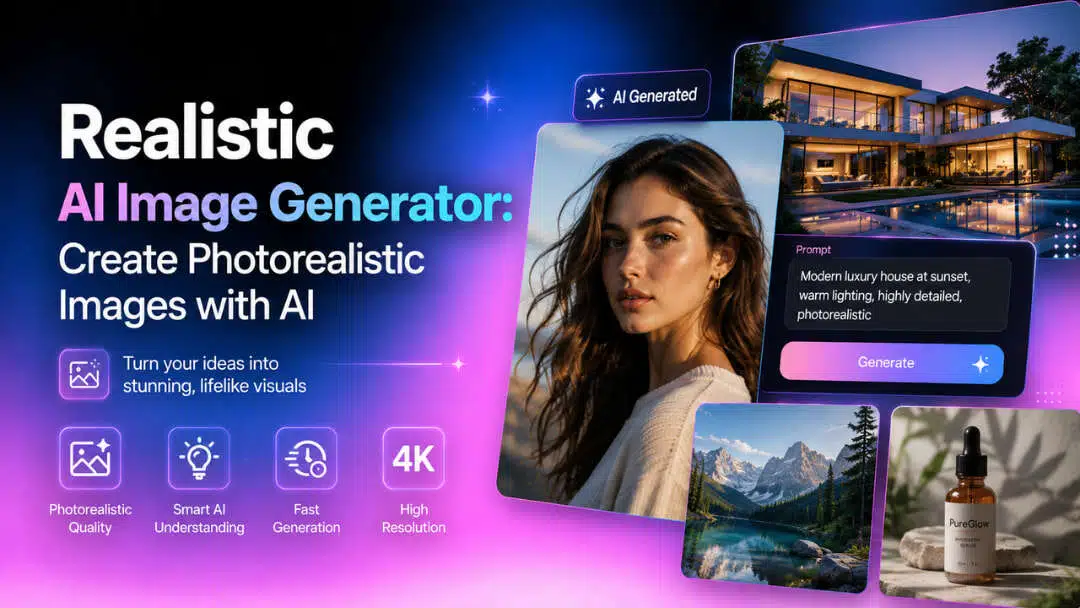
Creating photorealistic visuals no longer requires professional photography or advanced editing skills. A realistic AI image generator can produce realistic portraits, products, and scenes from simple text prompts in minutes. This book shows you how to create great images easily and how realistic AI really works.
What is a realistic AI image generator?
Realistic AI captures things such as skin texture, reflections, shadows, and depth of field, and the images look like they have been taken with a professional camera. Unlike the artistic AI generators that create illustrations or paintings, a realistic AI image generator is all about natural lighting, accurate textures, and realistic details. It allows users to create anything from professional headshots to product photography from a simple text prompt or reference image.
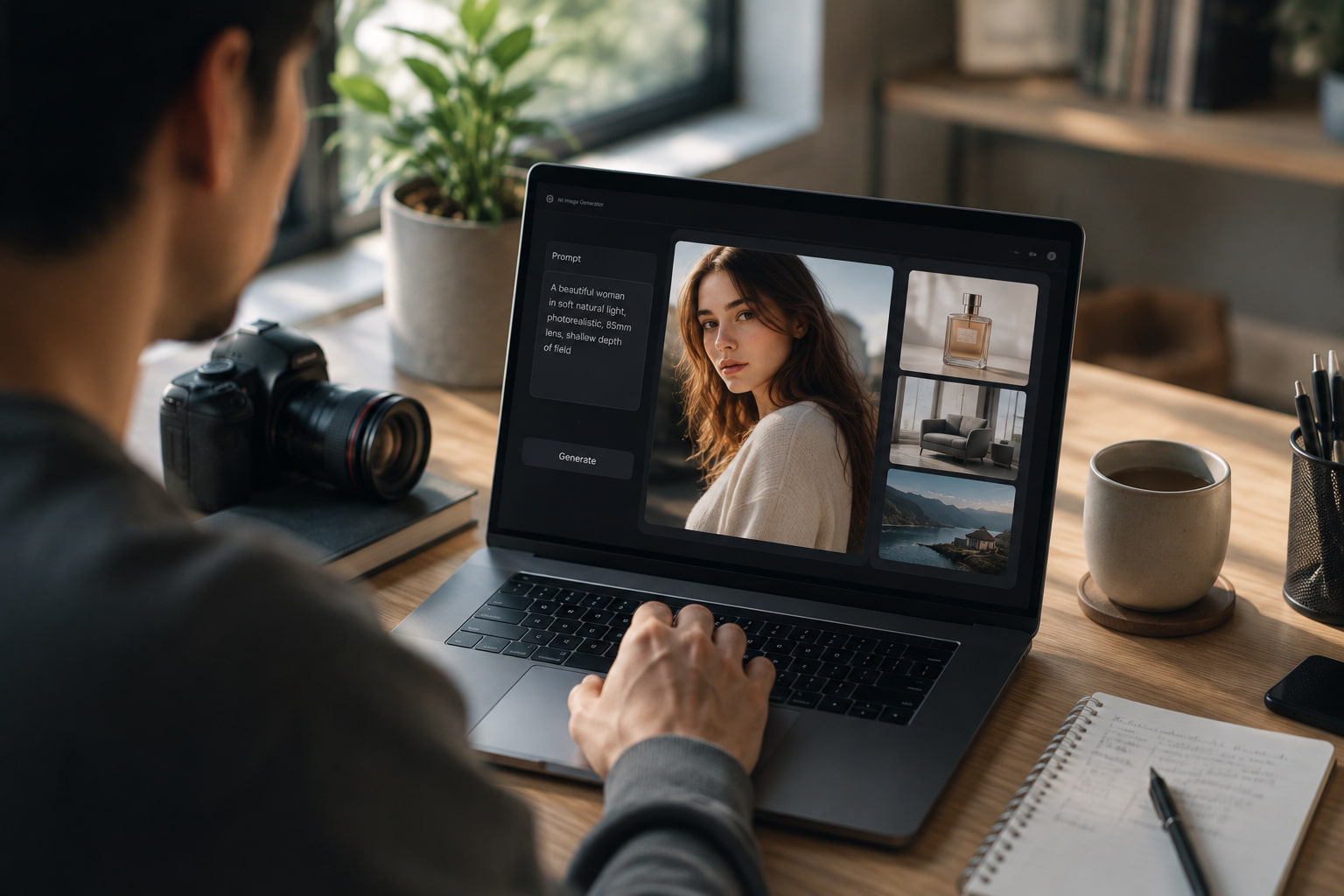
What makes an AI image look realistic?
Several factors contribute to creating a realistic AI image.
-
Natural lighting and shadows: Proper lighting creates depth and helps subjects blend naturally into the scene.
-
Detailed skin textures: Fine details such as pores, freckles, and wrinkles make portraits appear more authentic.
-
Realistic facial expressions: Balanced facial features and natural expressions improve overall realism.
-
Camera depth of field: Background blur and focus effects recreate the look of professional photography.
-
Fine material details: Accurate textures and reflections make surfaces like glass, metal, wood, and fabric look more convincing.
-
High-resolution output: Sharp images preserve fine details and are suitable for websites, marketing materials, and print.
How to create realistic AI images
Creating realistic AI images is straightforward once you understand the basics. While every realistic AI image generator offers different features, the overall workflow is similar. A detailed prompt, suitable generation settings, and a few refinements can significantly improve the quality of the final image.
-
Write a detailed prompt
Describe your subject as clearly as possible. Add information about the environment, camera angle, lighting, lens type, and the mood you would like to create. The more detailed your prompt, the easier it is for the AI to create a realistic image that reflects your vision.
-
Select an AI model and adjust settings
If your platform has a variety of options, select a model that is intended for photorealistic image generation. Adjust settings like aspect ratio, image quality, and style strength to match your project. If supported, you can upload a reference image to help the AI generate more accurate and consistent results.
-
Generate, refine, and download
When the image is produced, verify the result thoroughly. If needed, refine your prompt for more detail on lighting, facial features, or composition, and generate more variations. When you're happy with the finished product, you can download the image in high resolution for personal or commercial use.
Tips & fine examples: How to generate more realistic AI images
It takes more than just the right tool to generate photorealistic AI images. A good prompt, a few tweaks, and careful settings can make a big difference to the final output. These tips can help you create more natural-looking and visually pleasing images.
Prompt writing best practices
It will communicate to the AI what you're trying to build. Short descriptions are not useful. Provide information that is useful for image generation.
-
Use photography terminology: Include terms like close-up, wide shot, shallow depth of field, or bokeh to achieve a professional look.
-
Specify lighting conditions: Mention natural daylight, golden hour, studio lighting, or cinematic lighting to create the desired atmosphere.
-
Mention camera and lens: Adding details such as "85mm lens," "DSLR photo," or "high-resolution photography" can improve realism.
-
Describe textures and materials: Specify details like smooth glass, polished metal, soft fabric, or natural skin texture for a more lifelike result.
-
Include composition details: Mention the camera angle, framing, or background to help the AI create a balanced image.
-
Keep prompts focused: Avoid adding too many unrelated ideas, as simpler and more detailed prompts often produce better results.
Sample prompt ideas
The following prompts can help you explore different realistic AI image styles:
-
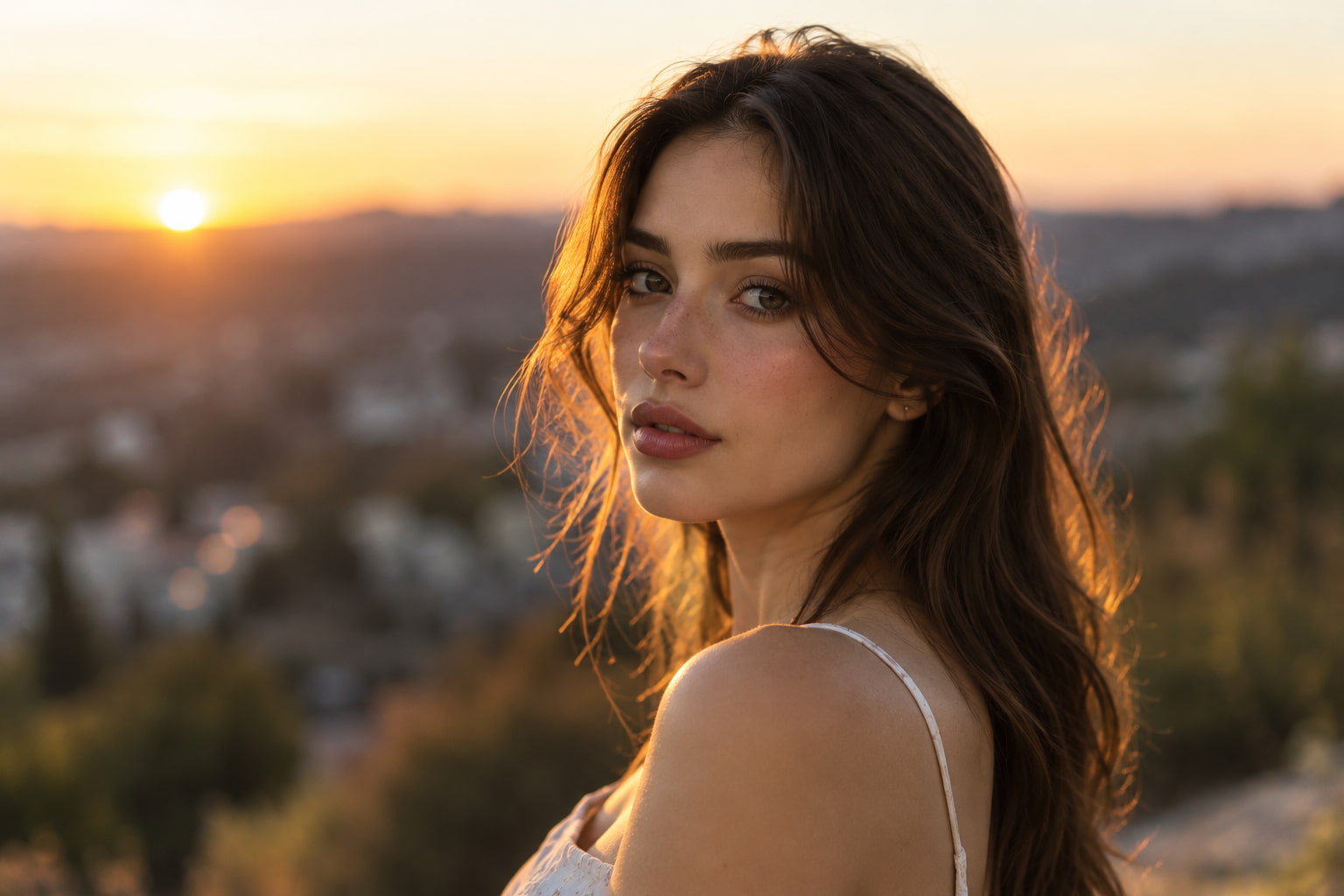
Hyper-realistic portrait: A young woman standing outdoors during golden hour, natural skin texture, 85mm lens, shallow depth of field, cinematic lighting.
-
Professional business headshot: A confident professional in a modern office, soft studio lighting, realistic facial details, DSLR photography.
-
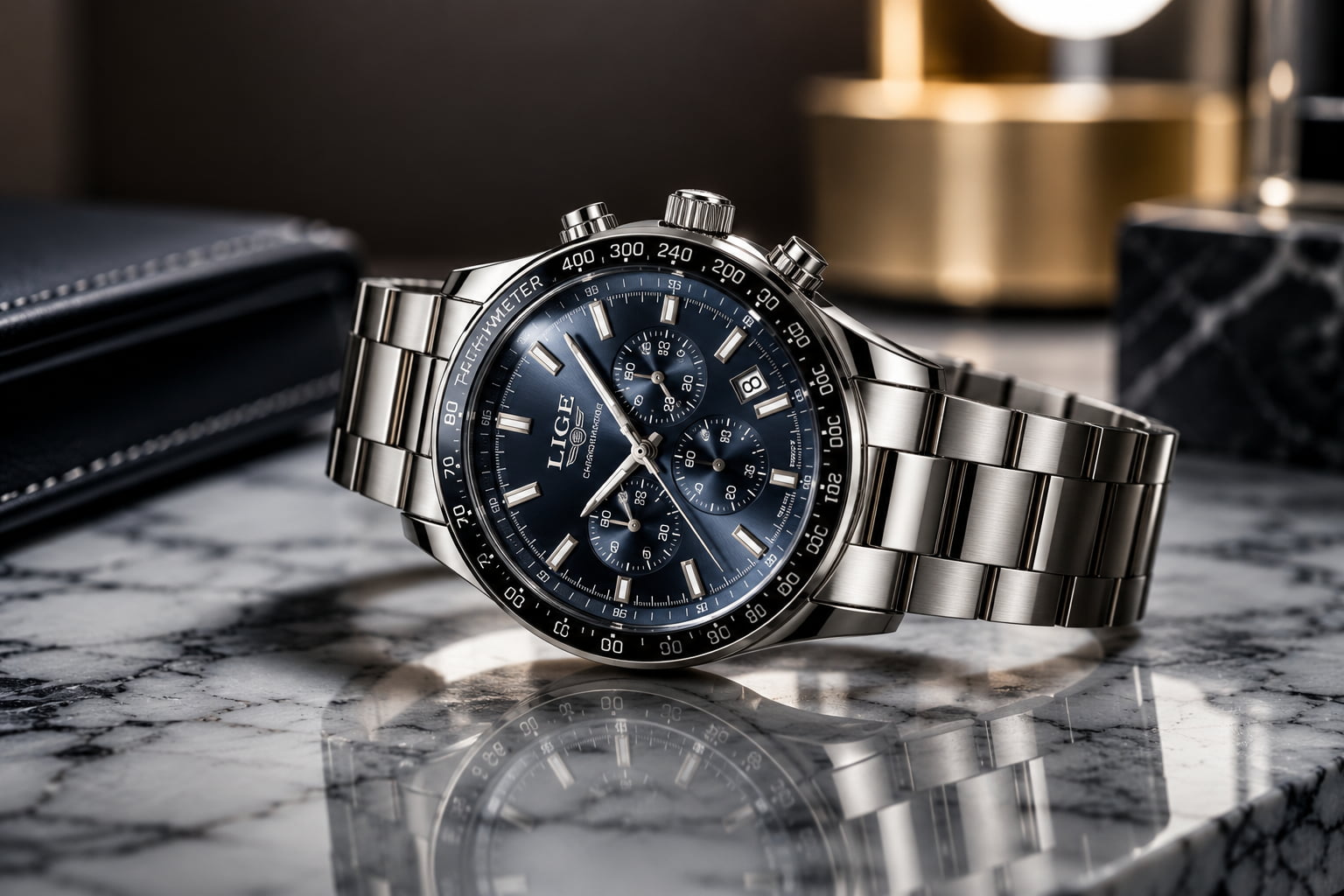
Luxury product photo: A premium wristwatch on a marble surface, soft reflections, commercial product photography, ultra-detailed.
-
Lifestyle photography: Friends enjoying coffee at a cozy café, natural daylight, candid expressions, realistic photography.
-
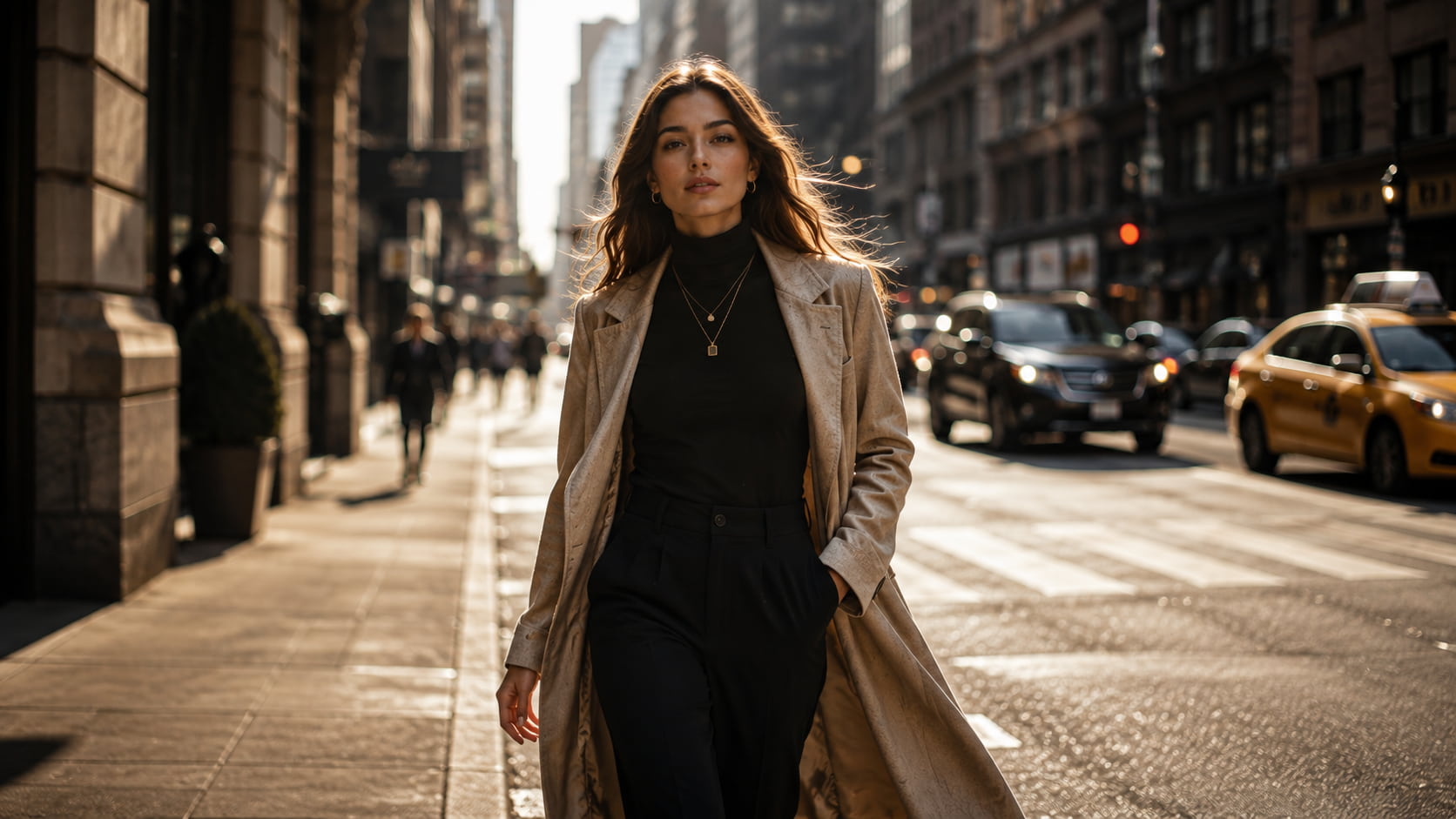
Fashion editorial: A model walking through a modern city street, dramatic lighting, editorial photography, great detail.
-
Cinematic outdoor scene: A mountain lake at sunrise with realistic reflections, mist, and warm morning light.
Mistakes to avoid
Even with advanced AI models, a few common mistakes can reduce image quality.
-
Overly vague prompts: Generic descriptions often produce inconsistent or unrealistic results.
-
Conflicting styles: Mixing multiple art styles with photorealism can confuse AI.
-
Excessive keywords: Adding too many descriptive words may lead to cluttered images.
-
Unrealistic proportions: Complex poses or crowded scenes can sometimes create visual inconsistencies.
-
Poor lighting descriptions: Lighting plays a major role in realism, so include it whenever possible.
As the quality of realistic AI improves, selecting the right platform becomes as important as crafting a good prompt. The right tool should have a simple workflow that combines advanced AI models so that you can create photorealistic images quickly and efficiently.
Why use Vmake Labs for realistic AI image generation?
Vmake Labs is an AI social video studio that helps businesses and creators generate, enhance, and optimize visual content for marketing and branding. Among its creative tools, Vmake Labs AI Image Generator makes it easy to create realistic AI images with multiple leading AI models and an intuitive browser-based workflow.
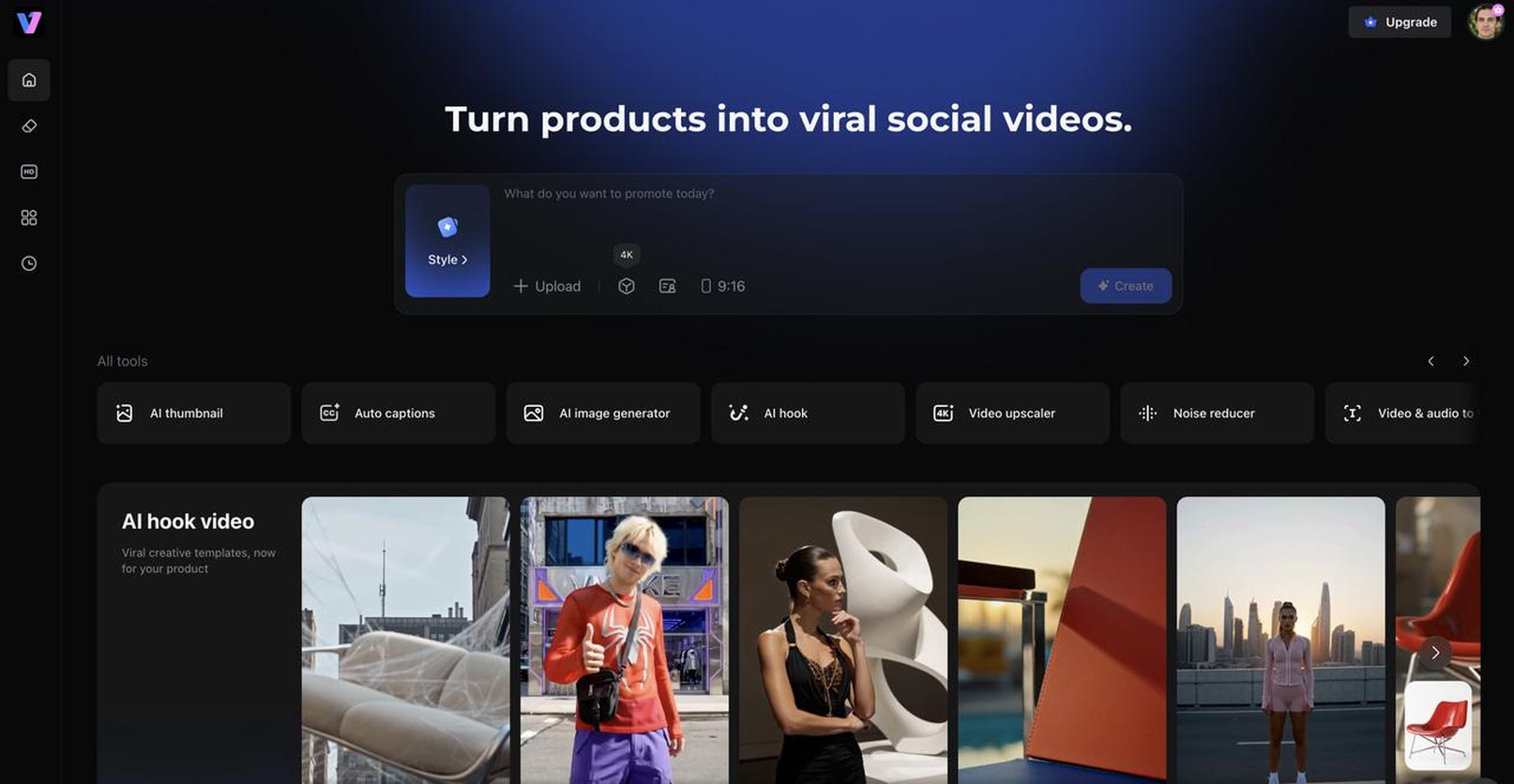
Key features
-
Vmake Labs AI Image Generator: Create realistic AI images from text prompts using multiple leading AI models, producing lifelike portraits, products, landscapes, and other photorealistic visuals.
-
Image-to-image generation: The Vmake Labs AI Image Generator lets you upload a reference image to guide the AI, helping generate more accurate and consistent realistic AI images.
-
High-resolution image outputs: Generate sharp, detailed visuals suitable for social media, ecommerce, marketing campaigns, presentations, and print.
-
Multiple aspect ratios: Create realistic AI images in different dimensions for websites, advertisements, social media platforms, and other digital channels.
-
AI video generation: Transform your AI-generated images or text prompts into engaging videos for marketing, storytelling, and social media content.
-
Multiple AI creative tools: Beyond image generation, Vmake Labs offers AI-powered tools for image enhancement, background removal, image editing, and other creative workflows, making it an all-in-one content creation platform.
How to create realistic AI images with Vmake Labs
Step 1: Enter a prompt or upload a reference image.
Describe the image you want to create or upload a reference image to guide the AI. Adding details about the subject, lighting, and background helps produce more realistic results.
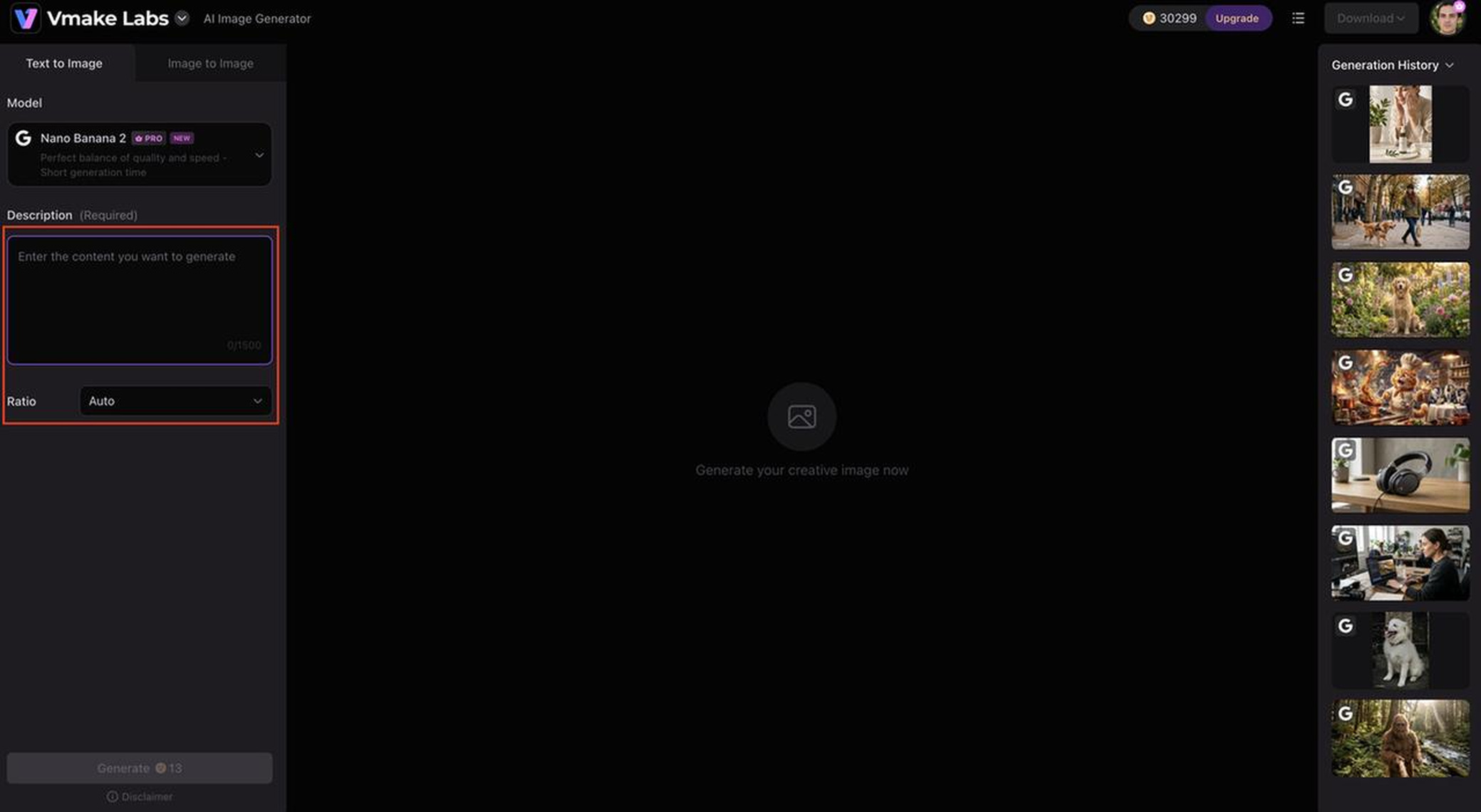
Step 2: Choose an AI model and customize your settings.
Select an AI model that suits your project, then adjust settings such as the aspect ratio and image quality before generating your image.
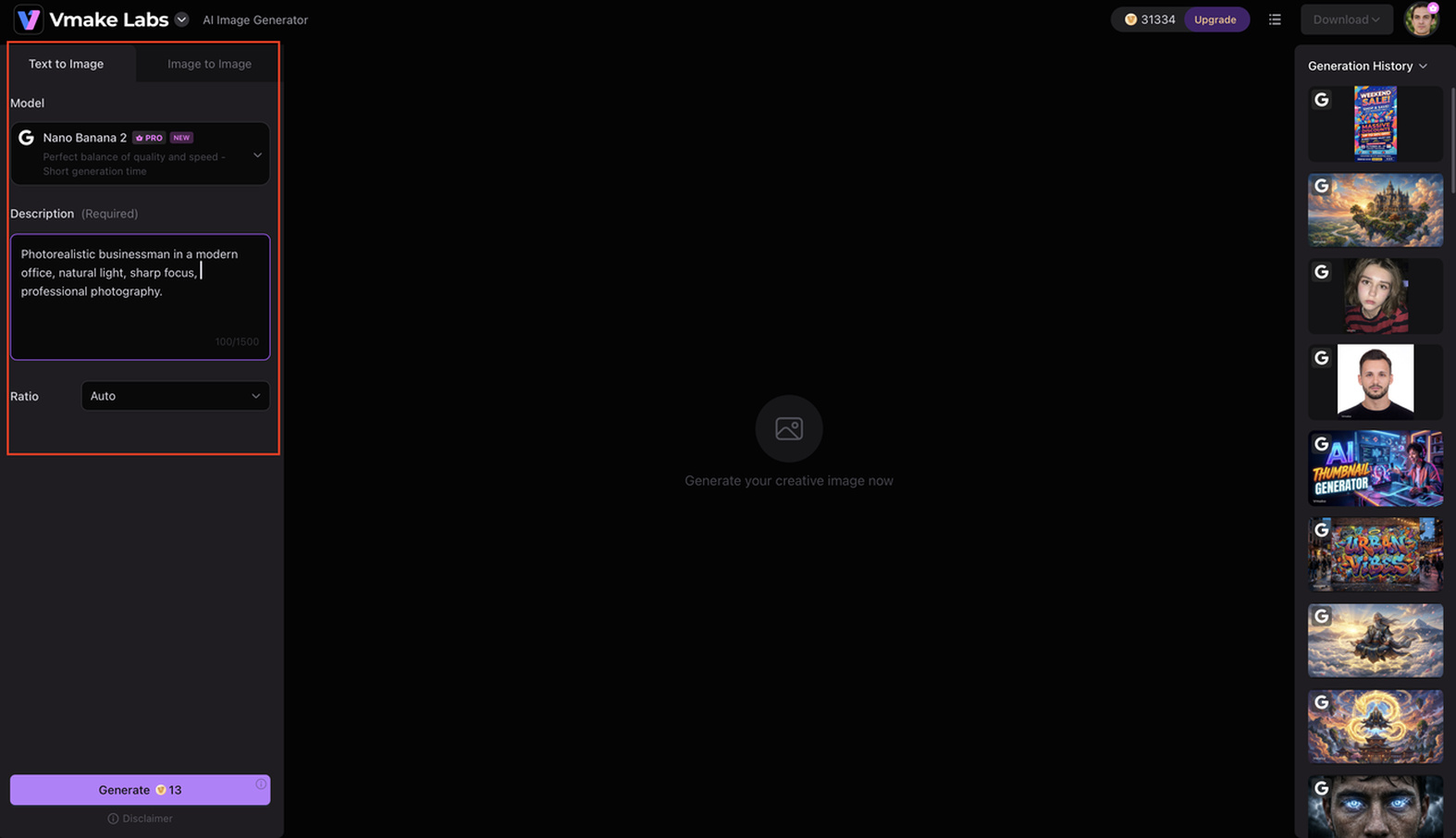
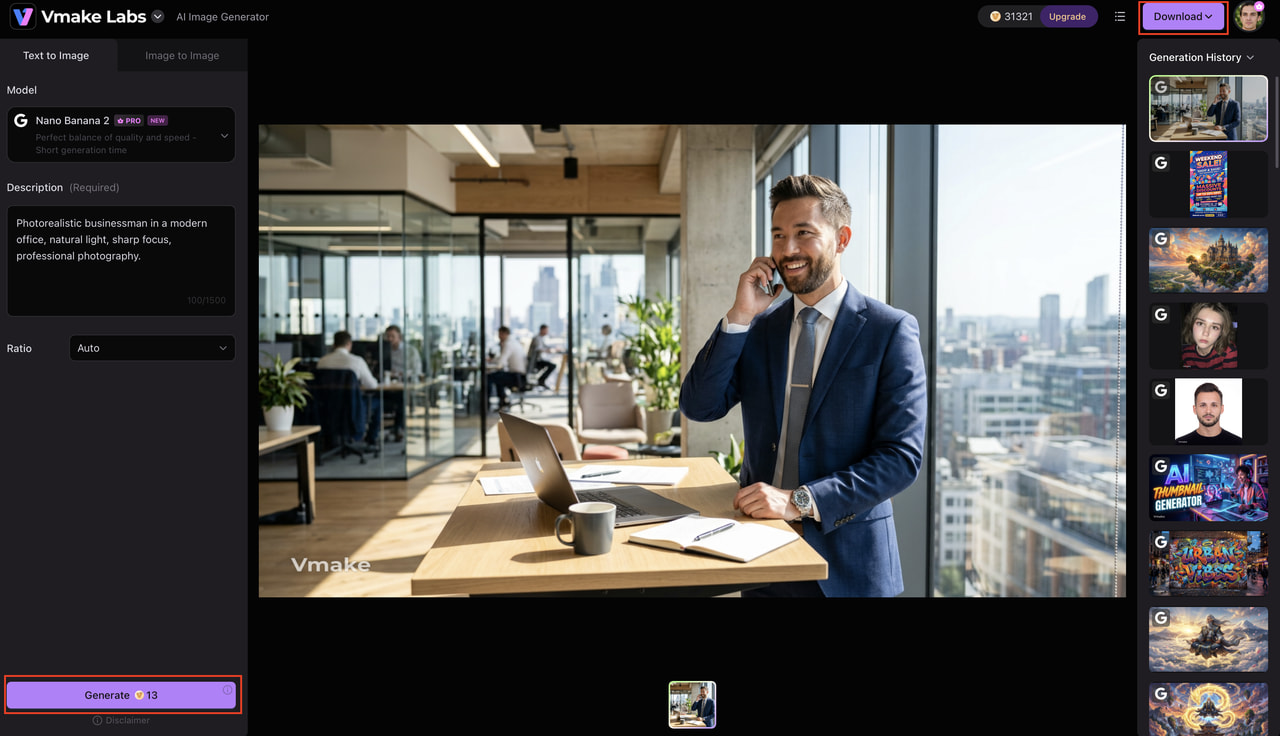
Step 3: Generate, review, and download your realistic AI image.
Generate your image, review the results, and make prompt adjustments if needed. Once you're satisfied, download the final image in high quality for personal or commercial use.
Vmake Labs vs traditional image creation
Each has its own strengths: realistic AI and traditional photography. Traditional photography provides true-to-life images of the real world, while AI image generation gives speed, flexibility, and creative freedom. The right choice will depend on your project requirements, budget, and time constraints.
|
Category |
Traditional Photography |
Vmake Labs |
|---|---|---|
|
Setup |
Camera, studio, lighting |
Browser-based AI generation |
|
Time |
Hours or days |
Minutes |
|
Cost |
Equipment and production expenses |
Low-cost AI generation |
|
Editing |
Separate software required |
Prompt-based refinement |
|
Variations |
New photoshoot needed |
Generate multiple versions instantly |
|
Best for |
Real-world photography |
Photorealistic AI content at scale |
Choose traditional photography if:
Traditional photography is the better choice when you need authentic images of real people, products, or locations. It is also ideal for documenting events, meeting legal or editorial requirements, and capturing moments that require real-world accuracy.
Choose Vmake Labs if:
Choose Vmake Labs when you need realistic AI images quickly without the time and cost of a traditional photoshoot. It's ideal for creating marketing visuals, AI portraits, product images, and multiple creative variations for business or personal projects.
Conclusion
Realistic AI has changed the way people create visual content, making photorealistic image generation faster, easier, and more accessible. If you want to make portraits, product photography, or marketing assets, the right prompts and AI tools will give you stunning results in minutes. Vmake Labs has multiple leading AI models, flexible generation options, and powerful creative tools to bring your ideas to life, if you're looking for a simple way to create high-quality realistic AI images.
FAQs
-
What is a realistic AI image generator?
A realistic AI image generator is an artificial intelligence that creates realistic images from text prompts or reference images. Unlike artistic AI tools, it is all about realistic lighting, textures, facial details, and composition to create photos that closely resemble real photographs.
-
How does realistic AI create photorealistic images?
Realistic AI checks your prompt to get a sense of what you want, such as the subject, background, lighting, camera angle, and style. Then it employs state-of-the-art AI models to generate an image with natural textures, shadows, reflections, and depth of field for a realistic feel.
-
What prompts produce the most realistic AI images?
The best prompts contain details about the subject, background, lighting, camera angle, lens type, and mood. Vmake Labs and similar platforms allow you to generate more realistic AI images by writing clear descriptions in a photographic style and choosing the right AI model.
-
Can I upload a reference image to improve realism?
Yes. Many realistic AI image generators support image-to-image generation, allowing you to upload a reference image to guide the AI. Vmake Labs includes this feature, helping you create more accurate and consistent results while preserving important visual details.
-
Can Vmake Labs create realistic AI images from text prompts?
Yes. Vmake Labs supports text-to-image generation, allowing you to create realistic AI images from detailed prompts. You can also upload a reference image, choose from multiple leading AI models, and customize settings to generate high-quality, photorealistic results.
-
Why choose Vmake Labs for realistic AI image generation?
Vmake Labs combines multiple AI image models, flexible generation methods, and an intuitive browser-based workflow in one platform. Along with creating realistic AI images, it also offers additional AI-powered creative tools, making it a convenient solution for designers, marketers, businesses, and content creators.

You May Be Interested
Best AI Image Generator: 10 Top Picks for 2026 Review
Best AI Image Generators for Anime Style 2026 Ranked
7 Best Free AI Image Generators 2026 Alternatives to Grok Imagine
Bing AI Image Generator Review: Honest Analysis & Complete Guide
