Bing AI Image Generator Review: Features, Pricing, & Alternative
Read our hands-on Bing AI image generator review covering image quality, ease of use, limitations, and whether it's worth your time. Learn how Vmake Labs can bring your ideas to life.

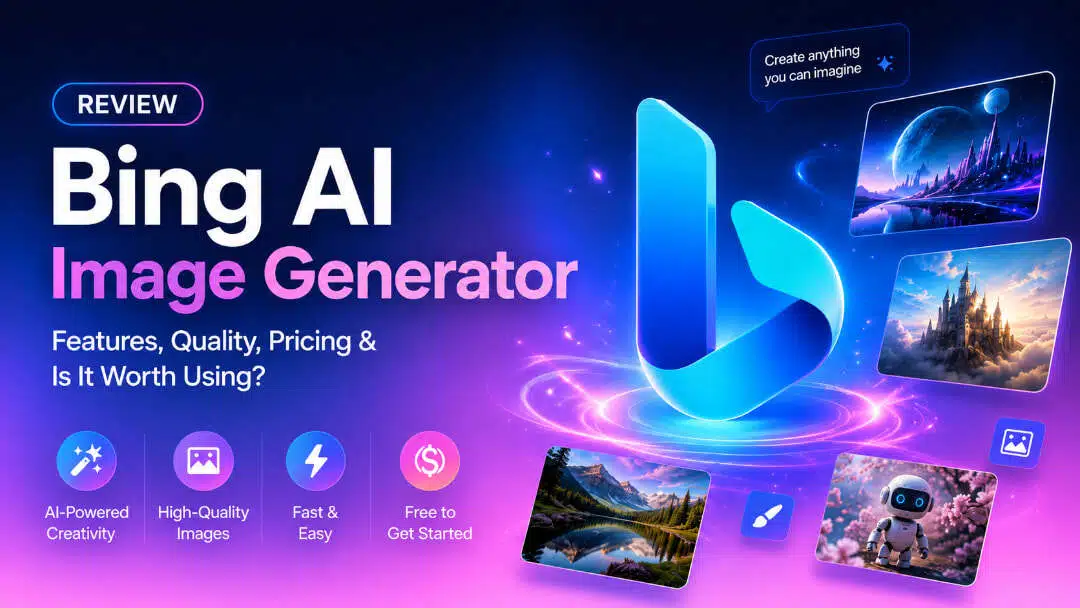
AI image generators are making it easier than ever to generate digital artwork, marketing visuals, social media graphics, and concept designs with simple text prompts. Microsoft Bing AI Image Generator is one of the most accessible options out there. It provides free AI-powered image generation with Bing Image Creator and Microsoft Copilot. This Bing AI image generator review looks at its features, pricing, pros and cons, and whether it is still worth using in 2026.
What is Microsoft Bing AI image generator?
Microsoft Bing AI Image Generator is Microsoft's AI-powered text-to-image generator that turns your text prompts into rich digital images using OpenAI. Users can create illustrations, concept art, realistic images, and creative designs directly from a web browser, without installing any software, available via Bing Image Creator and Microsoft Copilot.
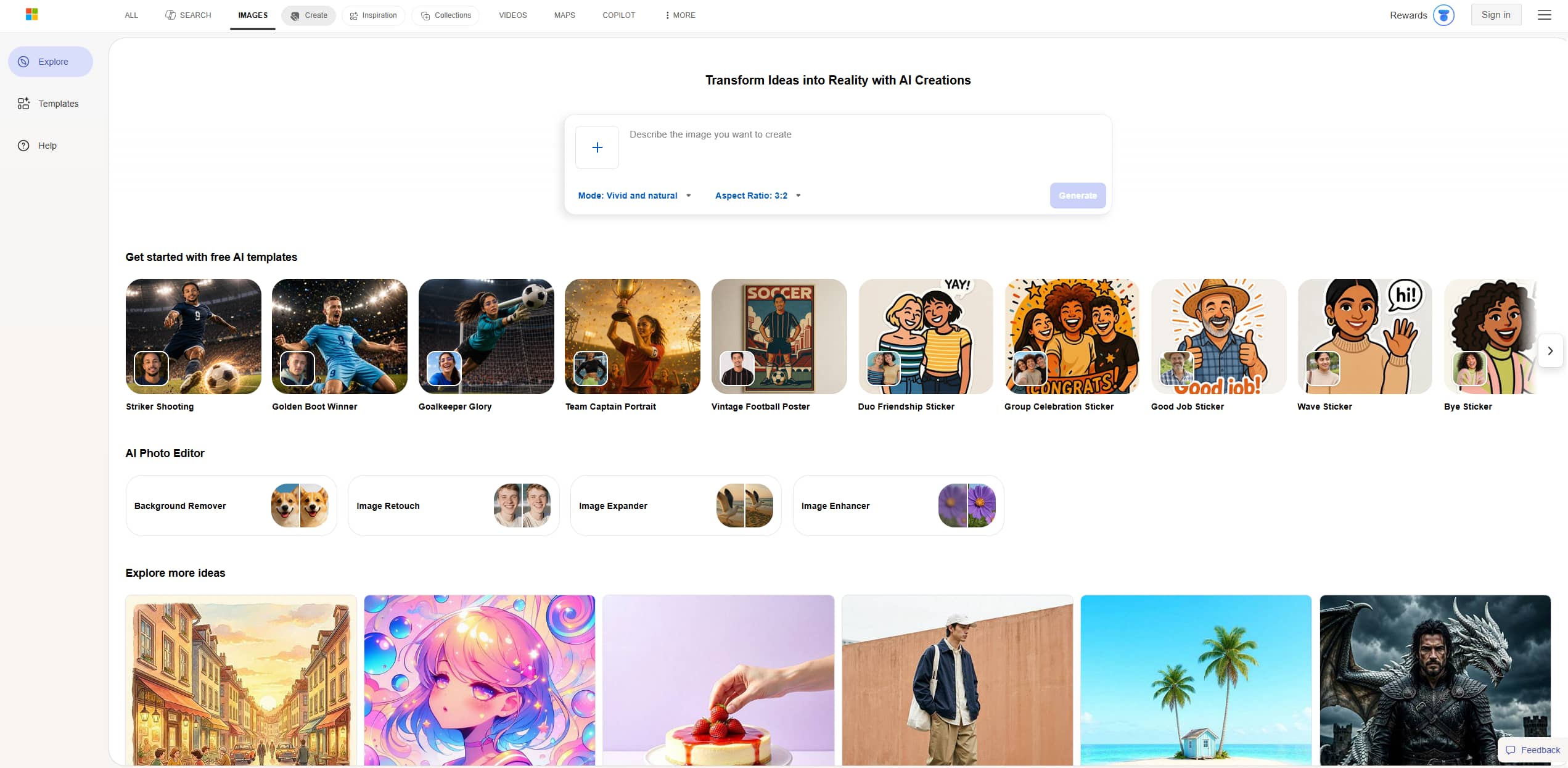
The platform is primarily built for beginners, students, marketers, and casual creators, with an intuitive interface that has little to no learning curve. The generator will then produce a number of variations of the image, so that users can quickly compare different creative takes and choose one that comes closest to their vision. All users have to do is give a prompt.
Key features of AI Bing image generator
AI Image Generator Bing is all about quick, easy, accessible image generation powered by AI for everyone. Below, we put its core capabilities to the test and see how they perform in real-world use.
-
AI text-to-image generation
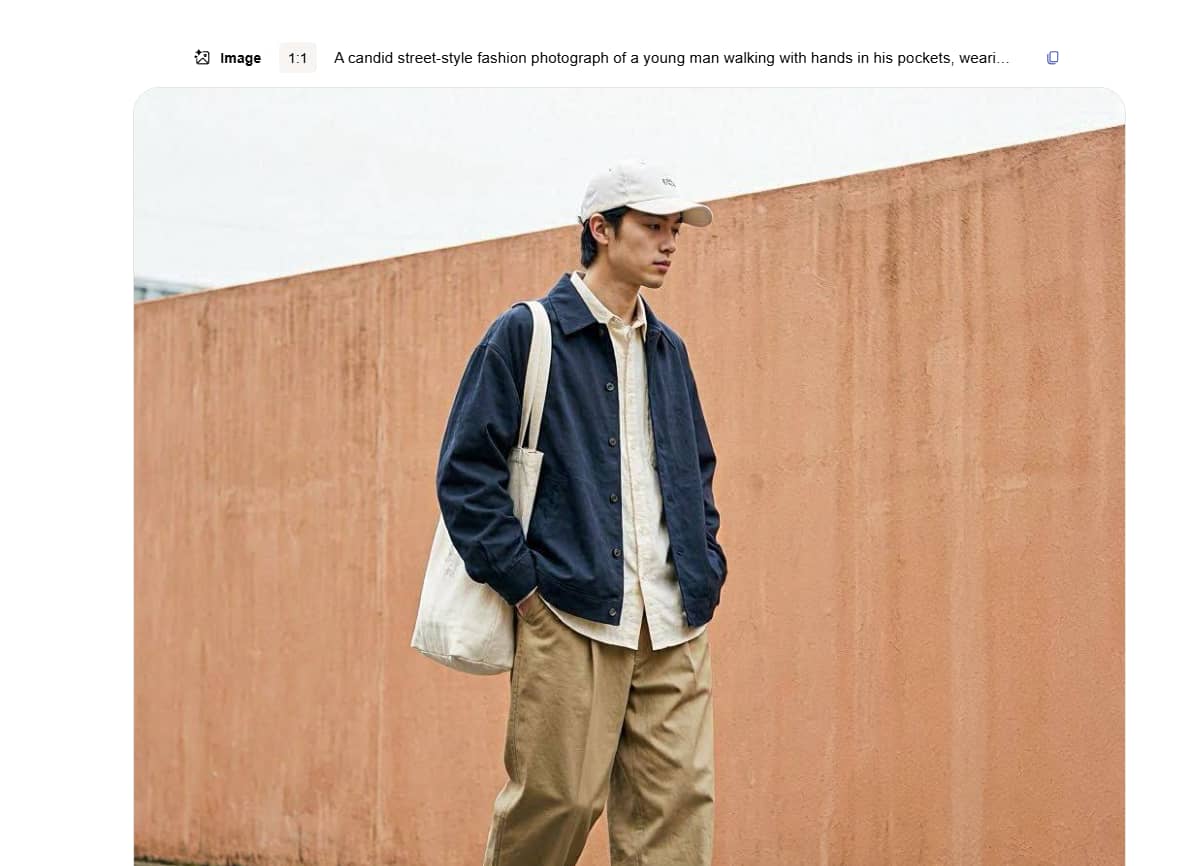
The Bing AI image generator is built to create high-quality images from simple natural language prompts in seconds. Whether you're describing a fantasy landscape, a product mockup, an anime character, a realistic portrait, or a digital painting, the AI comes up with four different image options.
-
Co-pilot integration
One of the best things about the Bing AI Image Generator is how seamlessly it integrates with Microsoft Copilot. Rather than going to another website, users can ask Copilot to generate images within a chat. This conversation flow will help you brainstorm faster, improve prompts, and generate visuals.
-
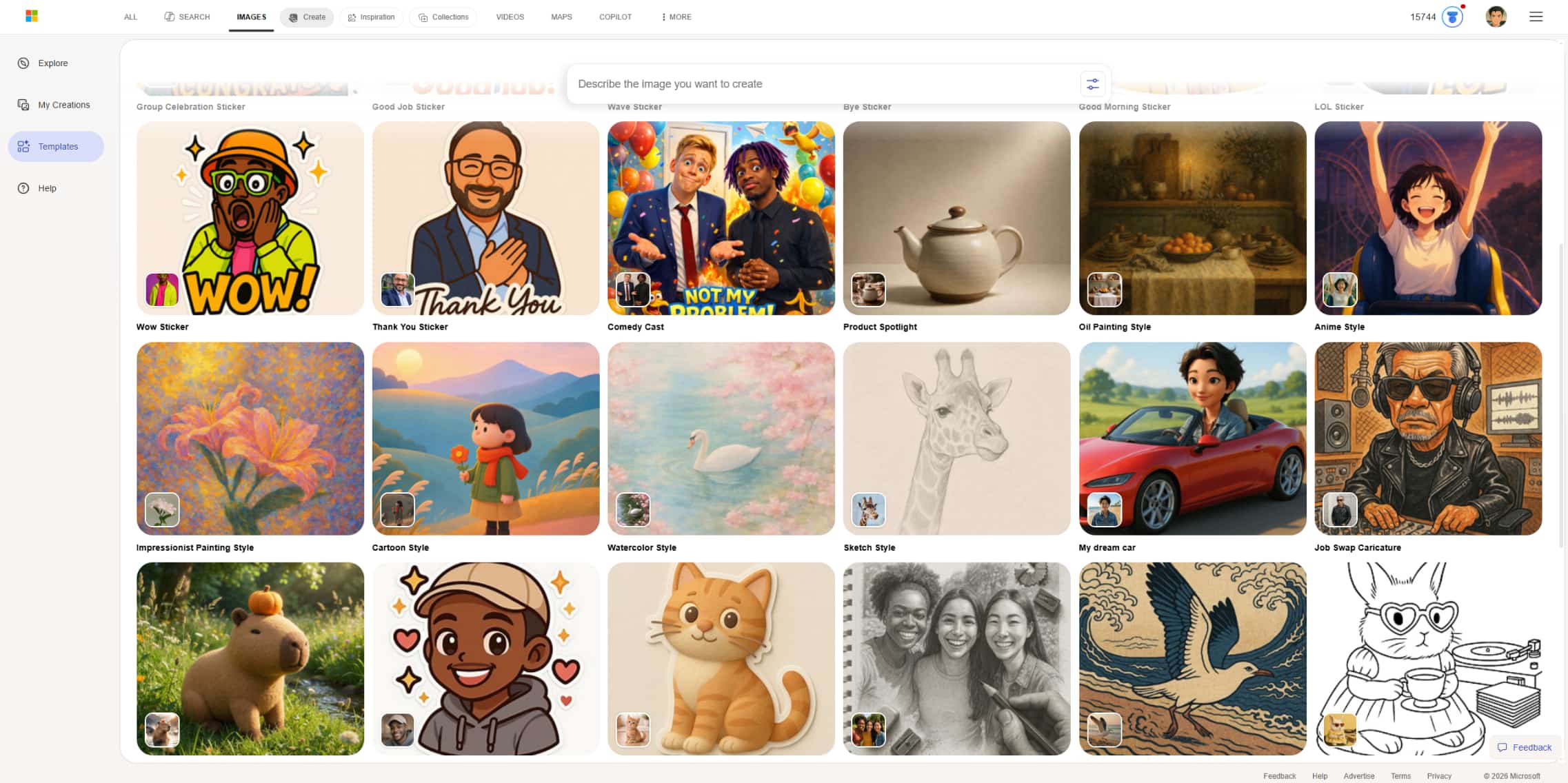
A gallery of templates
The platform features curated template styles and organized categories designed to jumpstart the creative process by eliminating the guesswork of prompt engineering. By providing pre-built structural foundations, users can easily select specific artistic themes or visual styles and customize them with their own concepts.
-
High-resolution download
Once the images are created, users can download them in high resolution for a variety of personal and professional purposes. Good quality output works best for presentations, blog graphics, social media posts, marketing materials, educational content, and concept artwork.
-
Browser-based experience
Bing AI Image Generator works for free and totally in the browser, so you don't need to install any software or have a high-performance computer. It runs on Windows, macOS, tablets, and mobile devices, so creators can create images from just about anywhere with an internet connection.
How to use Bing image generator AI: Guide
It takes just a few minutes to get started with Bing AI Image Generator. It's all in the browser, so no software to install or complex settings to configure. Here are the steps below to create your first AI image from a simple text prompt.
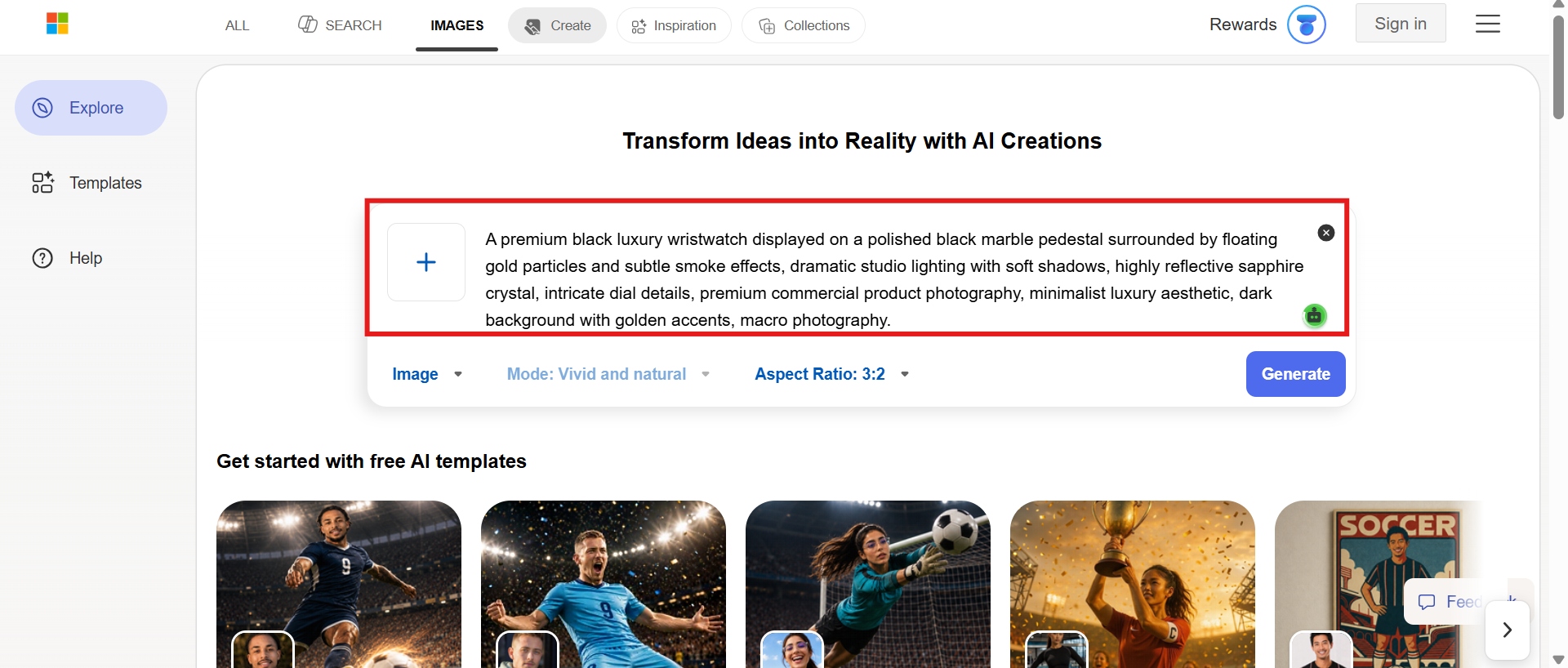
Step 1: Open Bing AI and enter your prompt
Visit the Bing Image Creator website or Microsoft Copilot. To use AI image generation features, sign in with your Microsoft account. Give a detailed description of the image to generate. Add details about the subject, environment, lighting, colors, camera angle, mood, and artistic style to get better results.
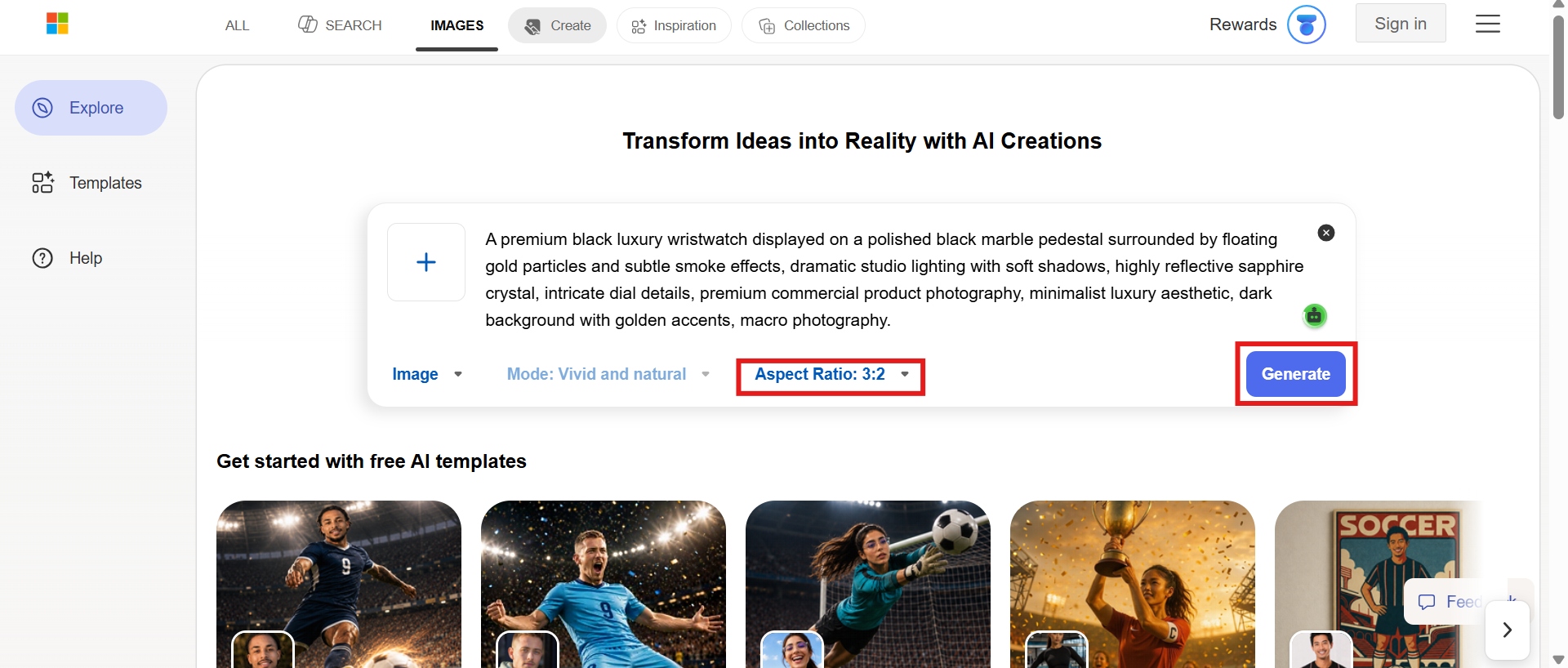
Step 2: Generate and review the variations
Click Create and wait a few seconds as the AI processes your request. Bing usually generates four different variations of images from your prompt. Compare all the generated images and select the one that best matches your vision. Change your prompt if needed and generate another batch for better results.
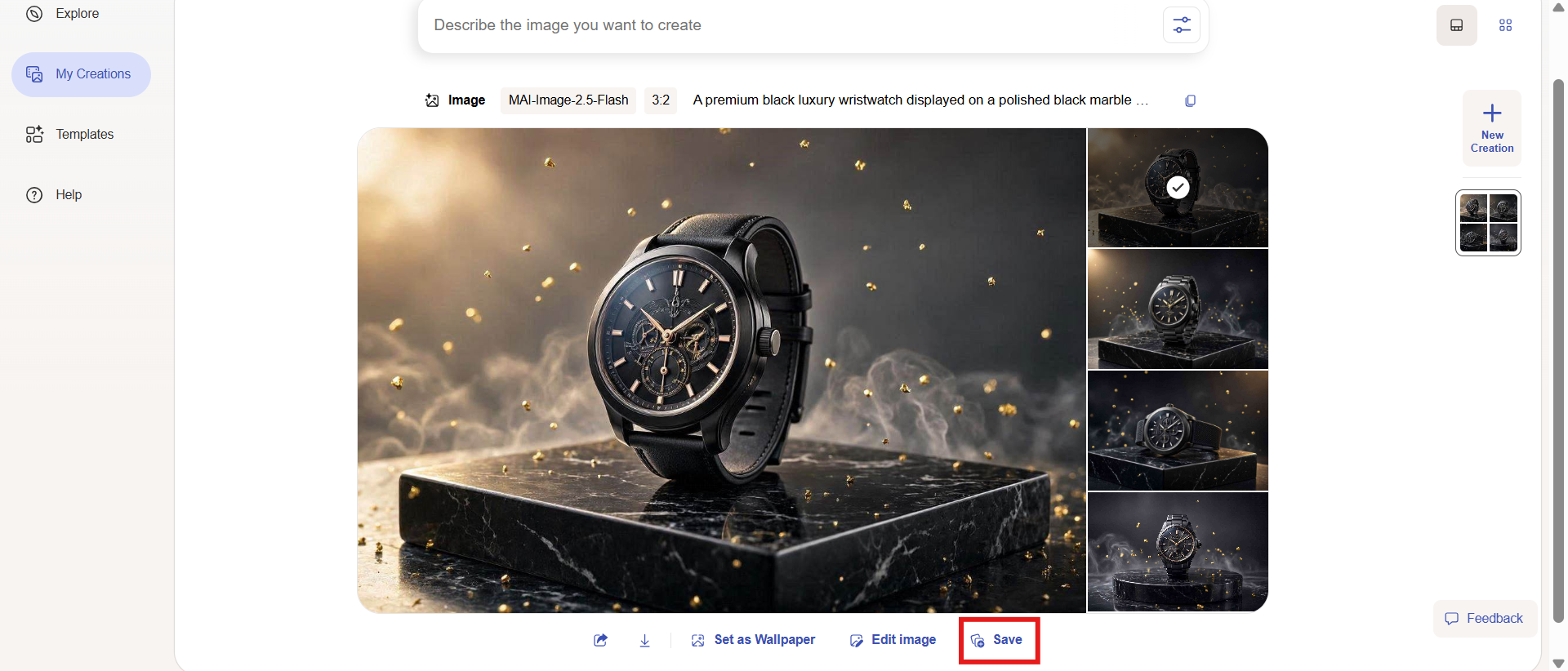
Step 3: Download the final image
Pick your favorite image and click "Save" to download it for use in presentations, websites, blogs, social media, creative projects, or personal use.
Bing image creator AI image generator: Pricing, pros & cons
One of the great advantages of Bing image generator AI image creator is that it's completely free to use. If you have a Microsoft account, you can generate AI images with Bing Image Creator or Microsoft Copilot at no subscription cost. The free plan has daily fast image generations (boosts) that allow users to quickly create images. You can still generate images in Standard mode after using up your daily fast creations, though generation may take longer.
No AI image generator is perfect, and Bing AI Image Generator isn't different. It is known for being easy to use, accessible, and free to generate images, but it also has a few limitations that may be frustrating for users with more advanced creative needs. Here's a closer look at its biggest strengths and where it could improve.
|
Pros |
Cons |
|---|---|
|
Limited image editing features: Bing AI lacks advanced tools like inpainting, outpainting, object removal, layer editing, and image enhancement, leading users to use separate software for post-processing. Strict content control: Microsoft has strong safety filters in place to prevent inappropriate or restricted content from being generated. This occasionally declines innocuous or inventive prompts, requiring users to rephrase them before images can be generated. Inconsistent character consistency: Bing can change the face, clothes, or pose of the same character in different pictures. This inconsistency makes it less ideal for projects that require visual consistency. Limited creative freedom: Although Bing does a great job with text prompts, it has fewer options for customization compared to more advanced AI image generators. |
AI Bing image generator: What real people say
According to the Bing Image Generator review on Capterra, users often recommend Bing AI Image Generator as one of the most user-friendly free AI art generators. It creates surprisingly detailed art with minimal effort, which many like, and it fits in seamlessly with Microsoft Copilot, making it convenient for everyday use.
Positive reviews generally appreciate its speed, ease of use, and how it helps to make creative illustrations for blogs, presentations, social media, and educational projects. What beginners like in particular is that they can start creating images right away without learning complicated settings or buying expensive software.
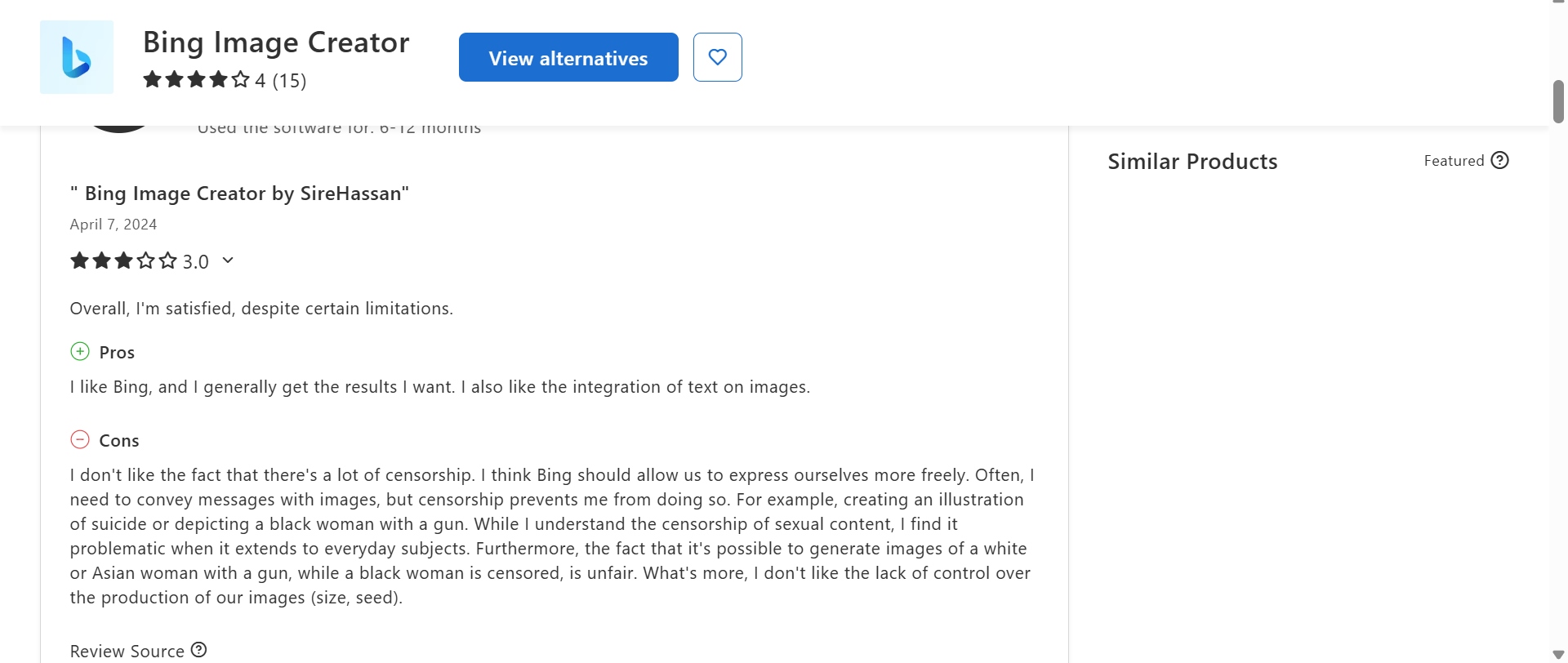
But experienced AI artists often talk about several limitations. Community conversations mention safety filters that can reject prompts accepted by other generators, and some users find it hard to keep images consistent when generating characters or keeping the same artistic style over several images. Others would also like more advanced editing tools such as inpainting, outpainting, layer-based editing, or image enhancement features.
Before you choose to go with Bing AI Image Generator, consider how much creative control you want. Bing is a great free option for quick AI artwork and everyday content creation, but users who want more flexibility, more artistic styles, higher-quality outputs, and more editing options may want a more feature-rich platform such as Vmake Labs AI Image Generator.
Best alternative: Vmake Labs AI image generator
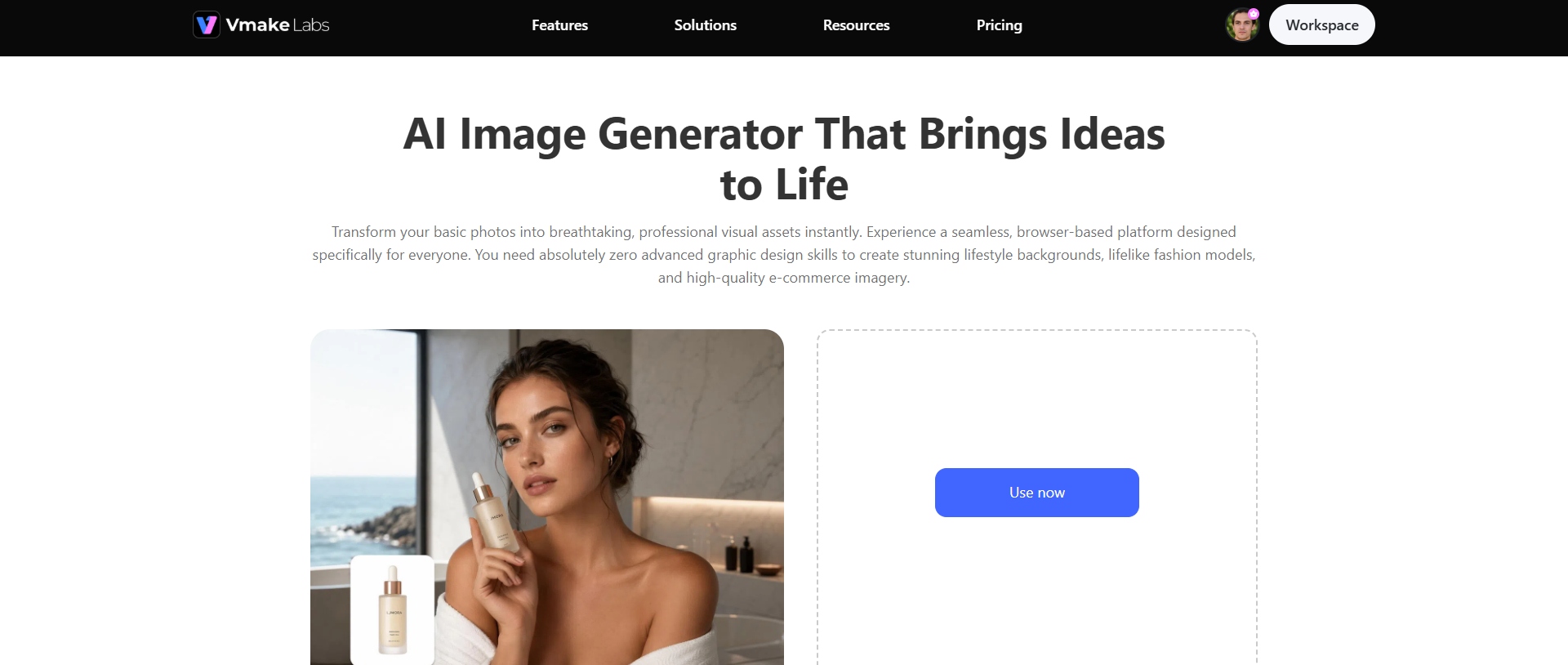
Vmake Labs AI image generator is an AI-powered creative platform for users who want more control over image generation. It integrates various AI models with diverse artistic styles to assist creators in producing marketing visuals, digital art, product photography, social media graphics, illustrations, and concept designs. Vmake Labs is focused on giving users more creative freedom without giving up on the simple browser-based workflow.
Step-by-step guide
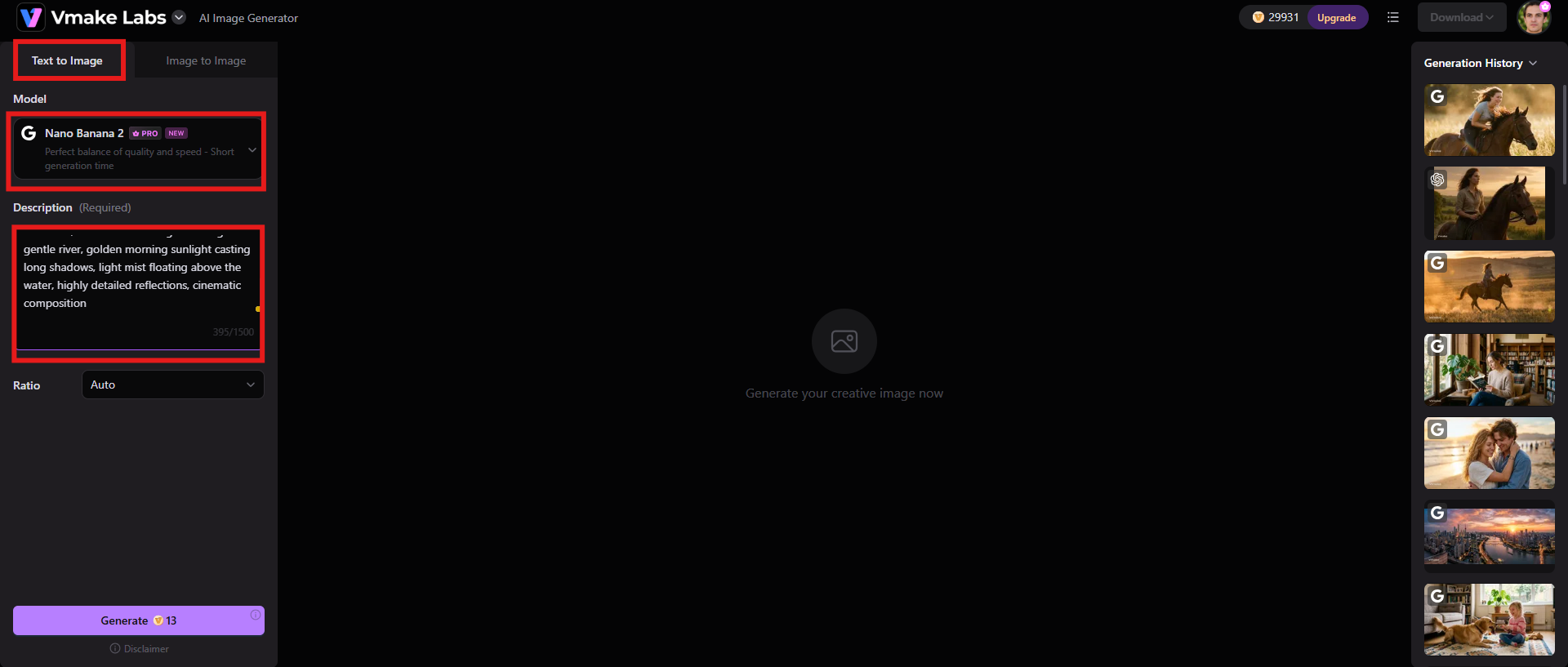
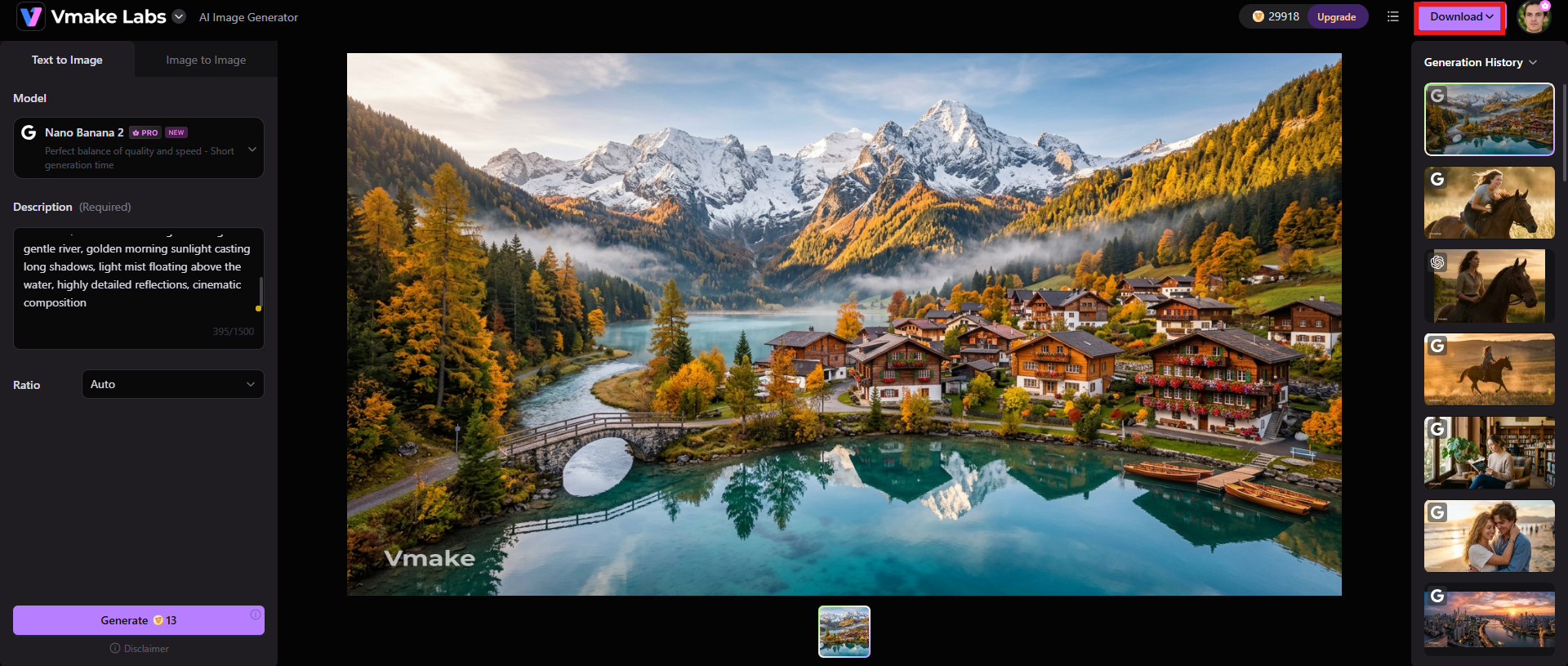
Step 1: Select your AI model and enter the detailed prompt
Select the AI model that best suits your creative purpose. Describe your image with clear and detailed instructions. Subject, background, lighting, colors, camera perspective, artistic style, general mood. The more detail you provide in your prompt, the better the AI can convert your ideas into visually interesting images.
Step 2: Adjust settings and generate
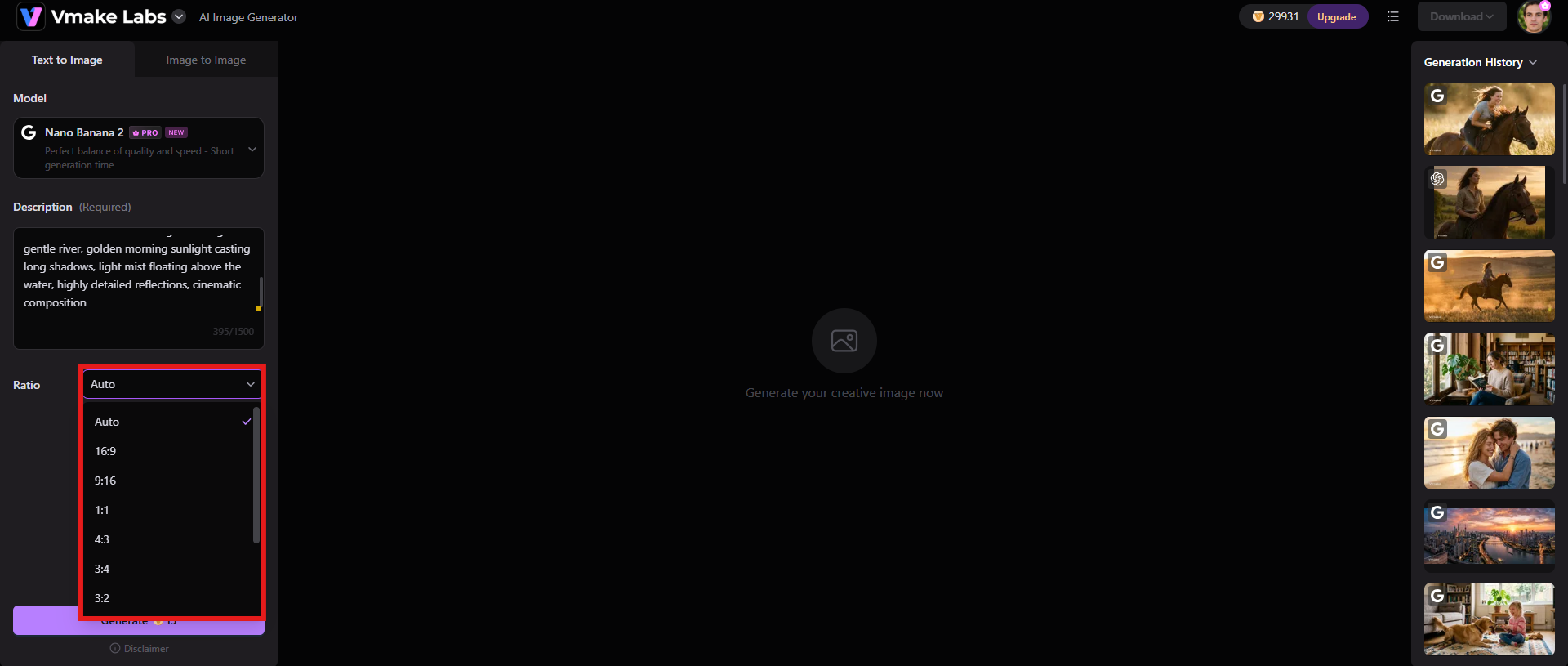
After you input your prompt, you can change some other settings like the aspect ratio for the final image. Adjust the ratio to suit your platform’s needs. If everything looks good, hit the "Generate" button at the bottom to generate an image.
Step 3: Download your image
Review the results, choose the one you like most. Click "Download" to save it in high quality for presentations, social media, advertising, creative projects, or commercial design work.
Key features
-
Array of artistic styles
Vmake Labs supports many visual styles, like realistic photography, anime, digital painting, fantasy art, illustrations, cinematic renders, fashion photography, product mockups, minimalist designs, and more. This one is ideal for casual creators and professional designers alike.
-
Generate multiple image variations
Rather than creating a single output, the platform creates multiple variations from a single prompt, letting users compare different compositions, colors, and artistic interpretations before selecting the final image.
-
High-quality output
Vmake Labs strives to create high-resolution images with finer details, improved textures, sharper details, and more consistent lighting. The improved quality of output makes the generated images suitable for marketing materials, branding assets, websites, social media campaigns, and professional creative projects. You can also opt for an image enhancer or image sharpener feature to polish the output.
Bing AI image generator vs Vmake Labs: A quick comparison
Bing AI Image Generator and Vmake Labs both allow users to generate AI images from text prompts, but they are used for different creative purposes. Here’s a breakdown of their major differences to help you pick the platform that suits your workflow best.
|
Features |
Bing AI image generator |
Vmake Labs |
|---|---|---|
|
Best for |
Beginners, students, educators, and casual creators looking for a free AI image generator. |
Content creators, marketers, designers, businesses, and professionals who need more creative flexibility. |
|
Pricing |
Free with a Microsoft account, with daily fast image generations and standard generation after boosts are used. |
Free trial available, but monthly subscriptions start at $9.99/mo |
|
Text-to-image quality |
Produces detailed images for general creative projects and everyday use. |
Generates sharper, more refined images with improved detail and visual consistency. |
|
Artistic styles |
Supports popular styles such as realistic, anime, watercolor, fantasy, digital art, and cartoons. |
Provides a broader range of artistic styles for illustrations, product visuals, concept art, fashion, and marketing creatives. |
|
Image editing |
Limited post-generation editing capabilities. |
Offers additional AI-powered creative features that enhance and refine generated images. |
|
Platform accessibility |
Available through Bing Image Creator and Microsoft Copilot in any modern web browser. |
Fully browser-based platform with no software installation required. |
Conclusion
As per the Bing AI Image Generator review, the tool remains a good pick for anyone seeking an easy, accessible, and free method to generate AI images in 2026. It's easy to use, works with Microsoft Copilot, creates images in no time, and has a plethora of artistic styles, making it ideal for the casual creator, student, blogger, and social media user. However, its limited editing options, stricter content filters, and reduced creative control may not satisfy users who need professional-level image customization.
That's where Vmake Labs AI Image Generator steps in. Choose Vmake Labs if you are a designer, marketer, content creator, or business user seeking more creative flexibility, advanced AI models, higher quality outputs, multiple artistic styles, and more control over your final images. Overall, Bing is a great place to start for AI image generation, but Vmake Labs is a better choice for users who want a more advanced and professional creative workflow.
FAQs
-
Is Bing AI Image Generator completely free?
Yes. Use Bing AI Image Generator for free with a Microsoft account. Users receive daily boosts to speed up image generation, and additional benefits from a Microsoft Copilot subscription include faster access and productivity features.
-
Do I need a Microsoft account to use Bing AI Image Generator?
Yes, you require a Microsoft account to access and use Bing AI Image Generator. By signing in, you grant Microsoft access to Bing Image Creator, enabling you to save your generated images, manage your creation history, and integrate the tool with other Microsoft services like Microsoft Copilot. Sign up is free and all you need is a valid email address.
-
Can I use Bing AI-generated images for commercial projects?
Microsoft permits commercial use of AI-generated images under its relevant terms of use. However, users must verify the latest licensing agreements and ensure that their generated content does not infringe on intellectual property rights or violate platform policies before using it for commercial purposes.
-
Why does Bing AI Image Generator reject some prompts?
Bing has safety filters in place to prevent the system from generating harmful, explicit, copyrighted, or otherwise restricted content. These filters may block or require rewording of prompts that violate Microsoft's content policies.
-
Does Bing AI Image Generator support image editing after generation?
Just a little. Bing is more for text-to-image generation rather than a full-on image editor. If you want inpainting, outpainting, object removal, or other advanced enhancements, you’re probably going to have to use dedicated AI editing software.
-
What is the best alternative to Bing AI Image Generator for advanced editing and image enhancement?
If you want access to multiple AI models, more artistic styles, higher quality image generation, and more creative control, Vmake Labs AI Image Generator is a good alternative. Its browser-based workflow, support for multiple variations of images, and high-quality outputs make it well-suited for designers, marketers, content creators, and businesses looking for more advanced AI-powered image creation.

You May Be Interested

Perchance AI Video Generator Review 2026: Is It Worth It?

Best AI Avatar Generators in 2026 (Compared & Reviewed)

Canva AI Image Generator Review: Is It Worth It in 2026?

Best Instagram Hook Generator Tools in 2025

11 Best Image to Video AI Generators Compared in 2026