
Pixelcut AI Image Generator Review: Features, Pricing, Pros, Cons & Best Alternative
Pixelcut AI Image Generator Review: Explore its features, pricing, image quality, test results, pros, cons, user feedback, and Vmake Labs alternative for creative image generation and marketing needs.

Pixelcut AI Image Generator is an AI application used to create photographs for products, marketing, social media, and other types of creativity through prompts and input images. In this article, we will be looking at its features, pricing, image quality, pros & cons, and also Vmake Labs as a replacement.
What Is Pixelcut AI Image Generator?
Pixelcut AI Image Generator is an AI-powered image maker that can generate images from text prompts and use reference images to guide the generation process. Its official documentation lists product photos, lifestyle scenes, marketing visuals, and design concepts as its primary use cases.
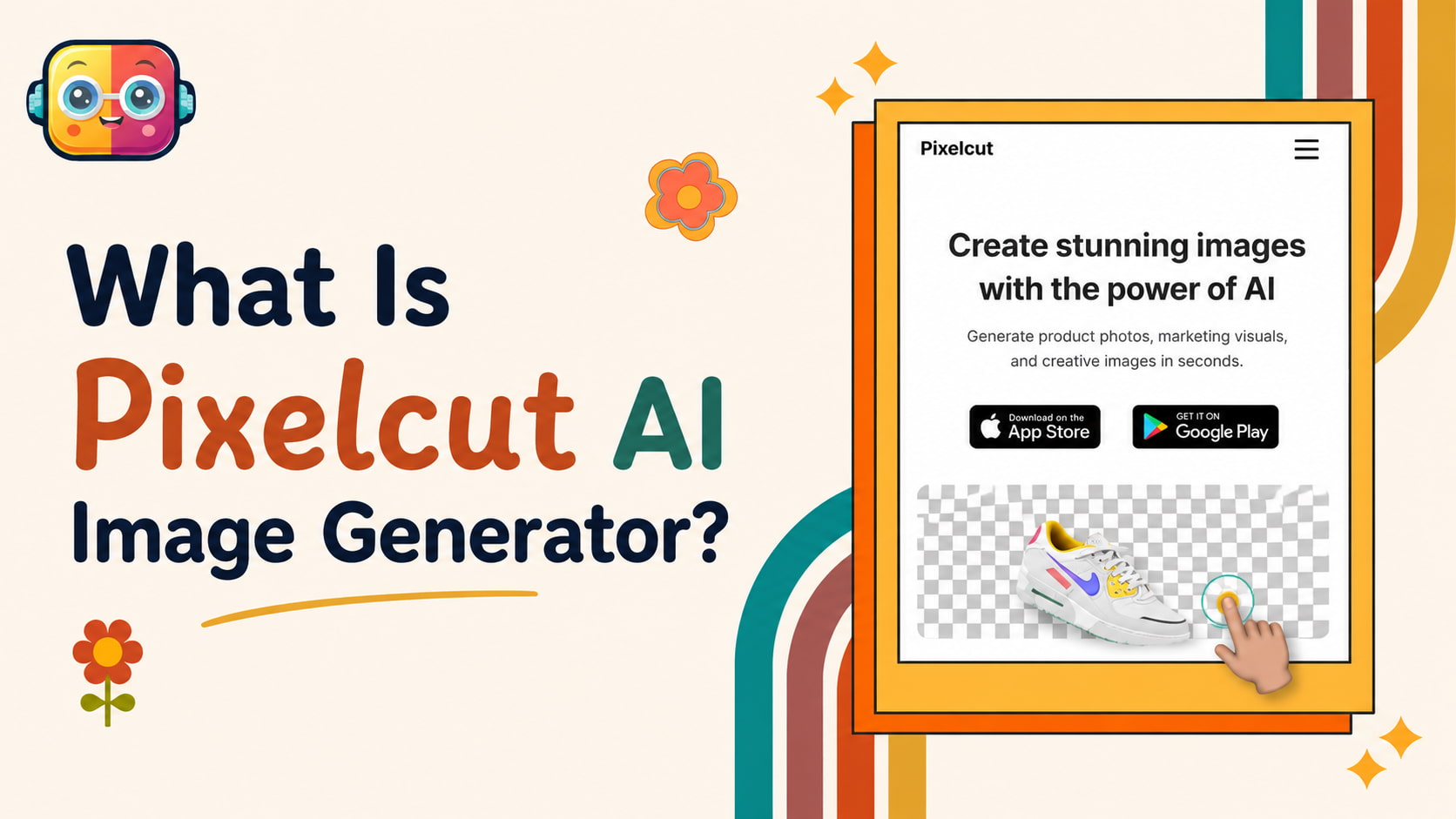
The platform combines image generation with AI editing tools, making it useful for creators, marketers, e-commerce sellers, and businesses. Pixelcut is available through its web platform and mobile apps so that users can create and edit visual content across devices.
Pixelcut AI Image Generator Features and How to Use It
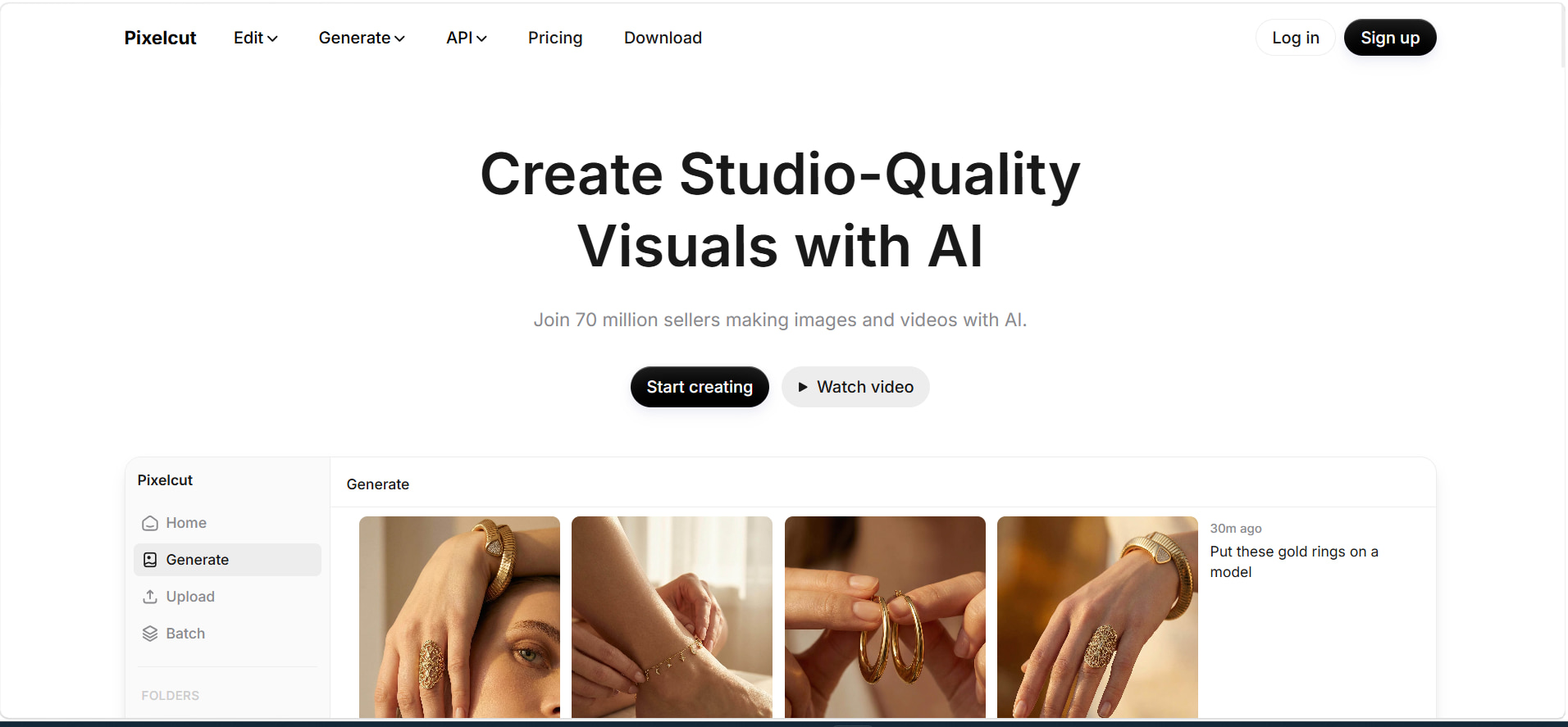
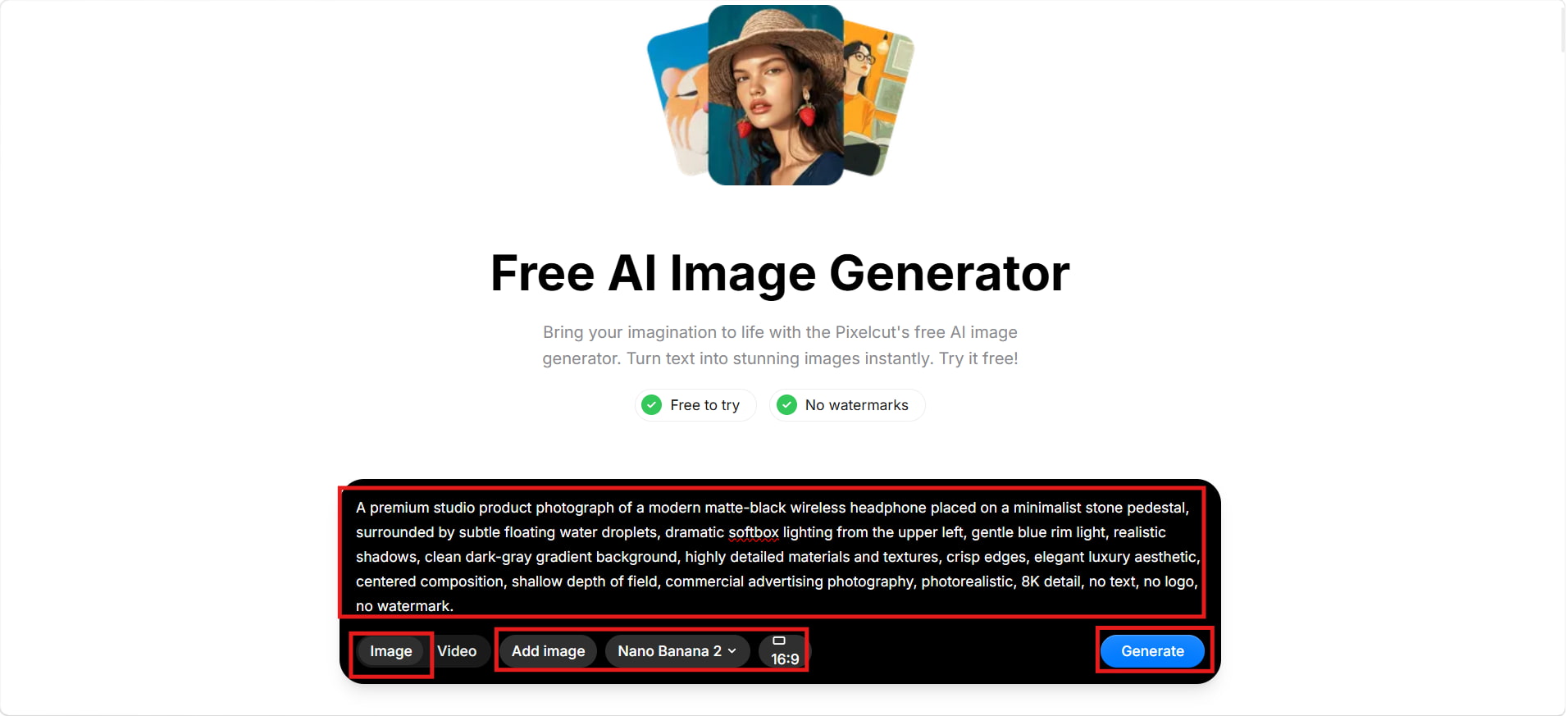
Pixelcut keeps the generation process relatively simple: describe the image you want, choose an available model and aspect ratio, generate the result, and download the preferred version. Reference images can also be attached when you need more control over the visual direction.
Key Features
-
Text-to-Image Generation: Enter a prompt and let Pixelcut create an image out of it. It's best used for creating images for product photography, marketing purposes, creative work, and social media.
-
Multiple AI Models: Pixelcut provides access to multiple AI models. Available options can change, so users should check the model selector for the latest choices before generating.
-
Multiple Image Variations: The generator can create several variations, making it easier to compare different compositions and choose the result that best fits your project.
-
Reference Image Support: Pixelcut supports reference-based generation. You can attach an existing image and use it as visual guidance while the AI creates a new scene or composition.
-
AI Image Editing: Pixelcut extends beyond generation with tools such as Generative Fill, Uncrop, background removal, and other AI editing capabilities.
How to Use Pixelcut AI Image Generator
Step 1: Open Pixelcut and Select Generate
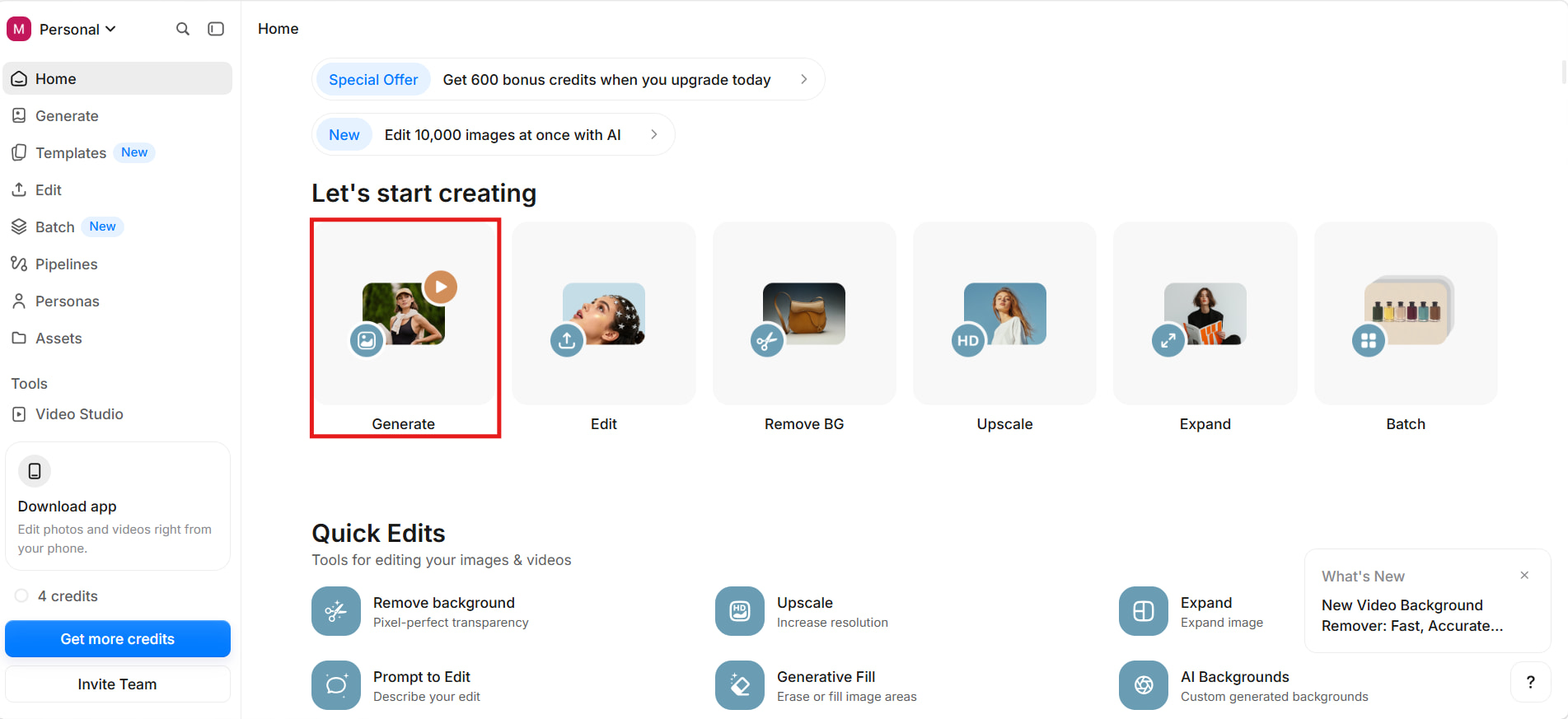
Open Pixelcut and click Generate from the home screen. This takes you to the AI image-generation workspace, where you can start creating a visual from a prompt or image.
Step 2: Enter Your Prompt and Choose the Settings
Enter a detailed description of the image you want to create. You can also add an image for reference, select an available AI model, and choose the aspect ratio that fits your intended output.
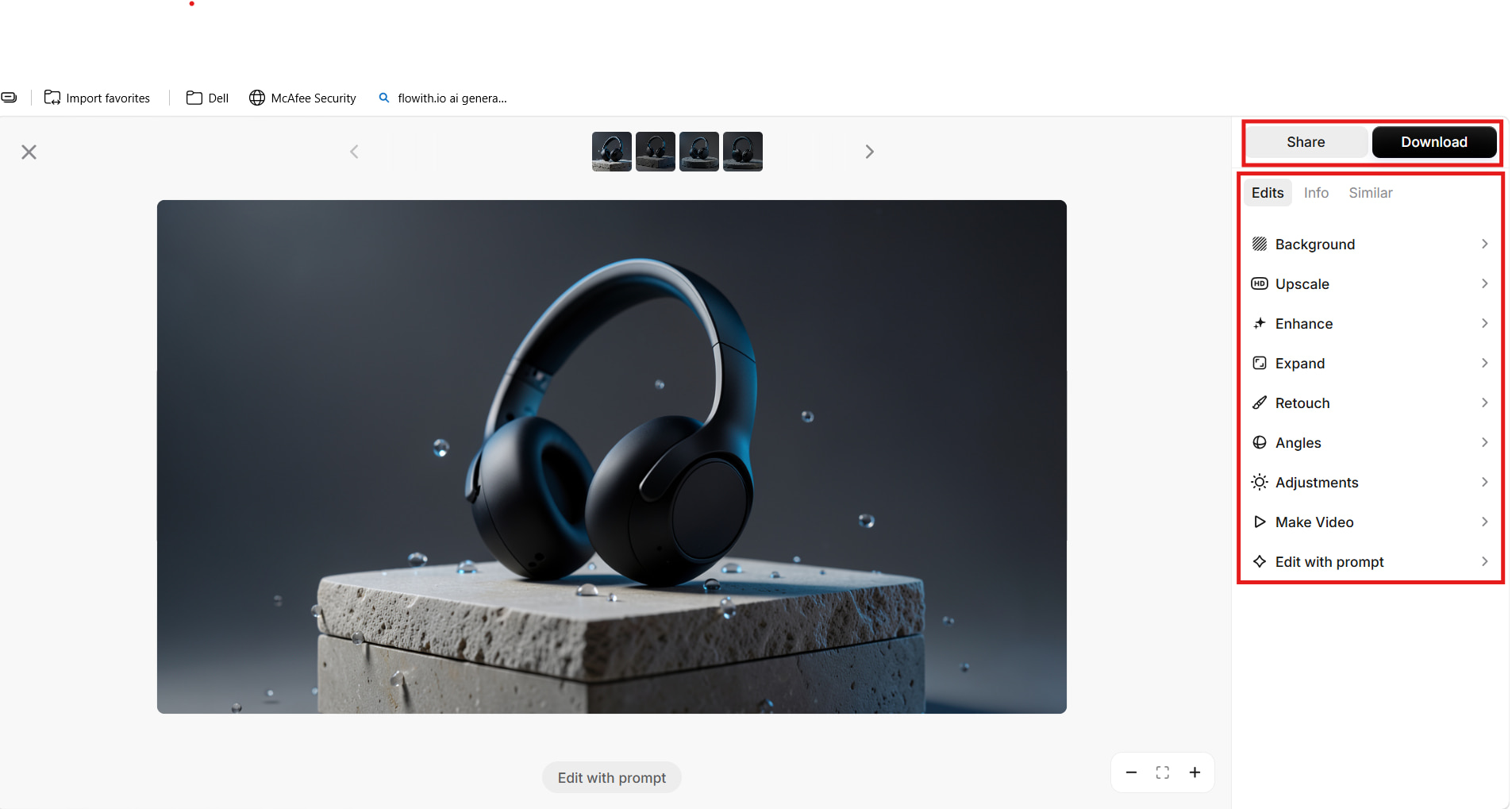
Step 3: Generate, Review, and Download Your Image
Click Generate to create the image and review the resulting variations. Choose the version you prefer, make any necessary edits, and click Download to save the final image.
Pixelcut AI Image Generator Pricing: Plans and Best Value
Pixelcut has three types of plans: Free, Pro, and Business. The Free plan is great for testing the platform, while Pro and Business offer more AI credits and additional features for regular creators, teams, and businesses. Pixelcut also offers a yearly billing option that saves you 20%.
Pixelcut Pricing
|
Plan |
Price |
Best For |
Key Highlights |
|---|---|---|---|
|
Free |
$0/month |
Occasional users |
Free access with limitations |
|
Pro |
$10/month |
Regular creators |
600 AI credits/month |
|
Business |
$30/month |
Businesses and teams |
3,600 AI credits/month |
Which Pixelcut Plan Offers the Best Value?
|
Plan |
Value Assessment |
Recommendation |
|---|---|---|
|
Free |
Suitable for occasional use |
Best for trying Pixelcut |
|
Pro |
Strong balance of price and features |
Best overall value |
|
Business |
Better for higher-volume usage |
Best for teams and businesses |
Pixelcut AI Image Generator Test Results, Pros & Cons, and User Feedback
Here, we evaluate Pixelcut across three real-world applications: portrait creation, e-commerce product images, and marketing visuals. The tests assess the quality of the generated results, Pixelcut's main advantages and disadvantages, and user feedback.
Hands-On Test Results
Test 1: Portrait Generation
"Realistic portrait of a young man wearing a navy jacket and white shirt in a modern city during golden hour. The portrait has natural skin tone, clear eyes, good lighting, and a blurry background of a city skyline." This realistic portrait, created by Pixelcut's portrait, was close to perfection considering the description.

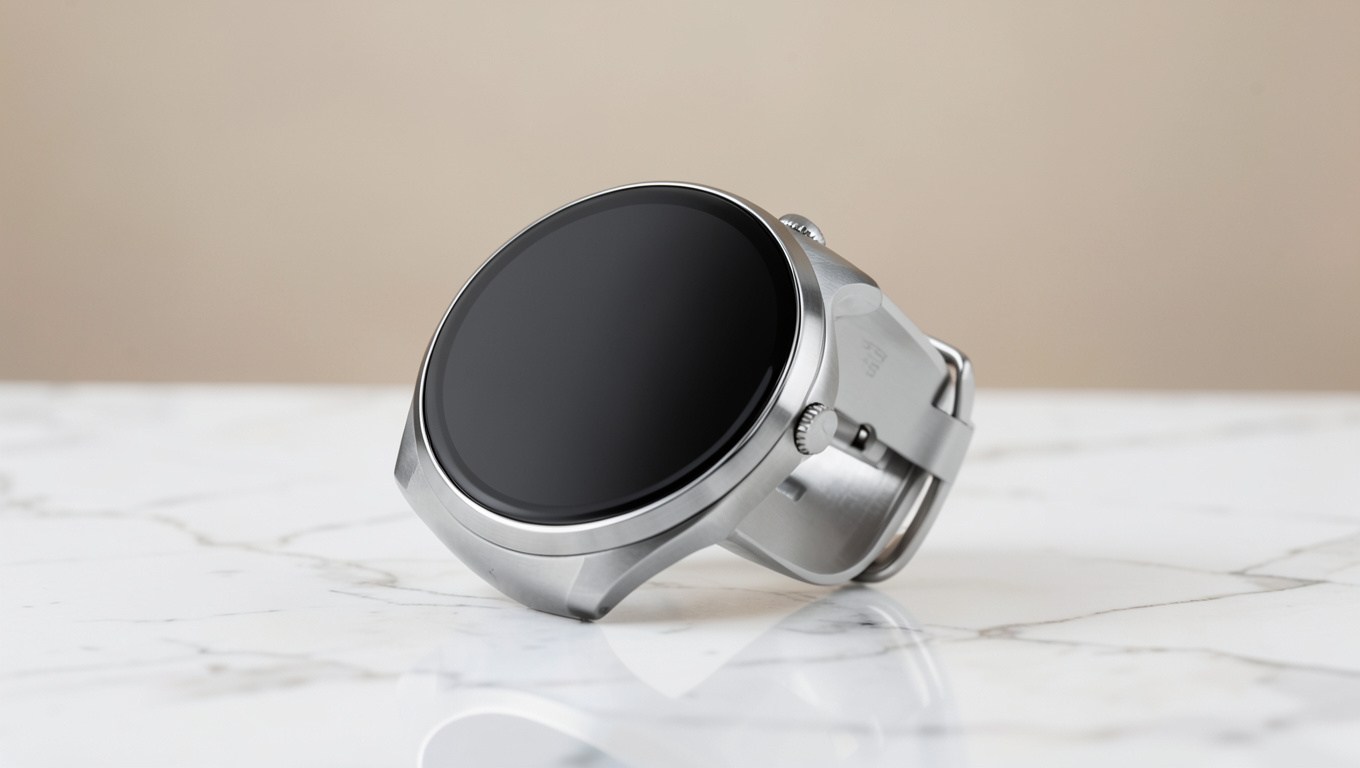
Test 2: E-commerce Product Image
"Photorealistic e-commerce photo of a stainless-steel smartwatch on white marble, with soft lighting, subtle reflections, a beige background, and premium minimalist styling." Pixelcut created a clean product image with the smartwatch clearly visible, while the lighting, marble surface, and simple background gave it a professional e-commerce appearance.
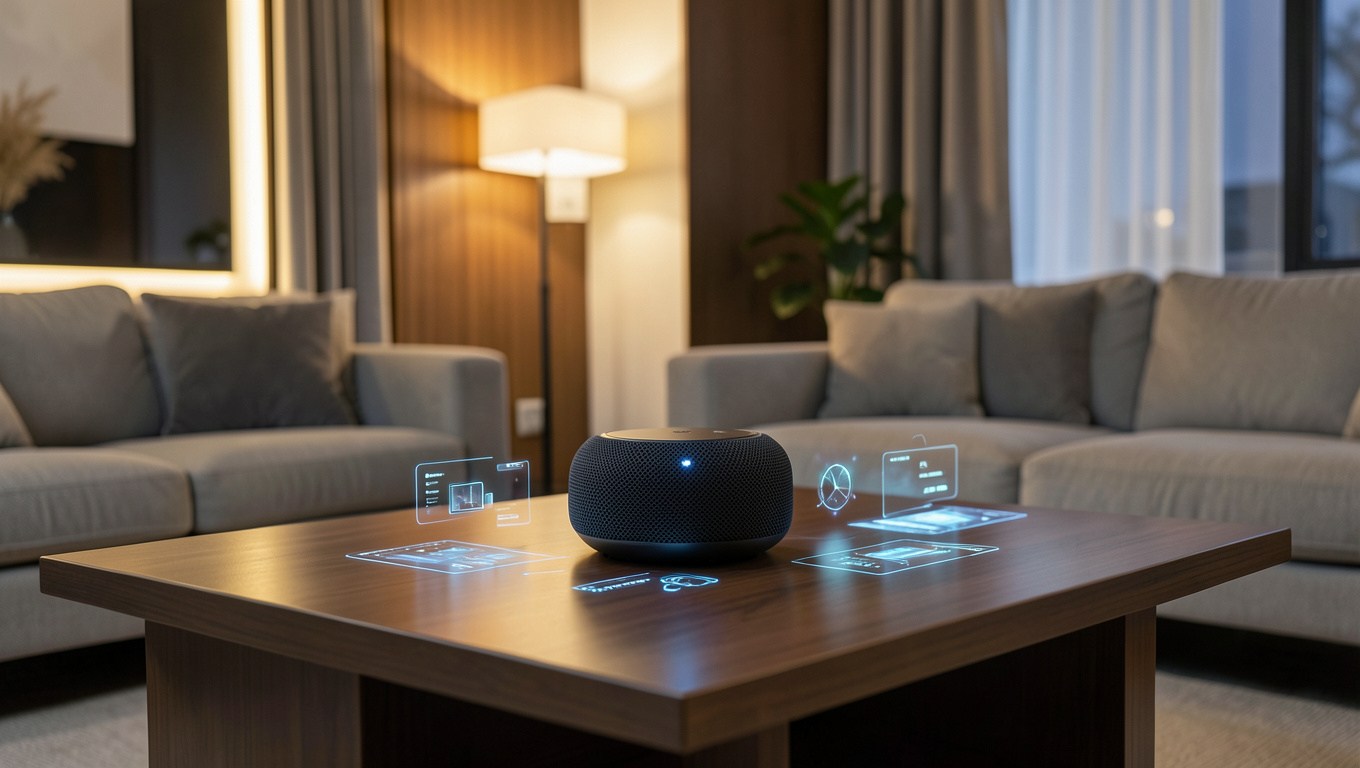
Test 3: Marketing Visual
"Marketing visual of a sleek smart speaker on a modern living-room table, with glowing interface elements, warm lighting, and a premium interior." Pixelcut produced a polished marketing image with the smart speaker as the main focus, while the warm lighting and modern setting made it suitable for AI creative ads, promotional campaigns, and social media content.
Pros and Cons
|
Pros |
Cons |
|---|---|
|
Simple image-generation workflow |
AI generation uses credits |
|
Multiple AI models |
Advanced controls may be limited |
|
Supports multiple image variations |
Free access has limitations |
|
Useful for product and e-commerce visuals |
Results can vary depending on the prompt and model |
|
Includes image-generation and editing tools |
Higher-volume use may require a paid plan |
User Feedback
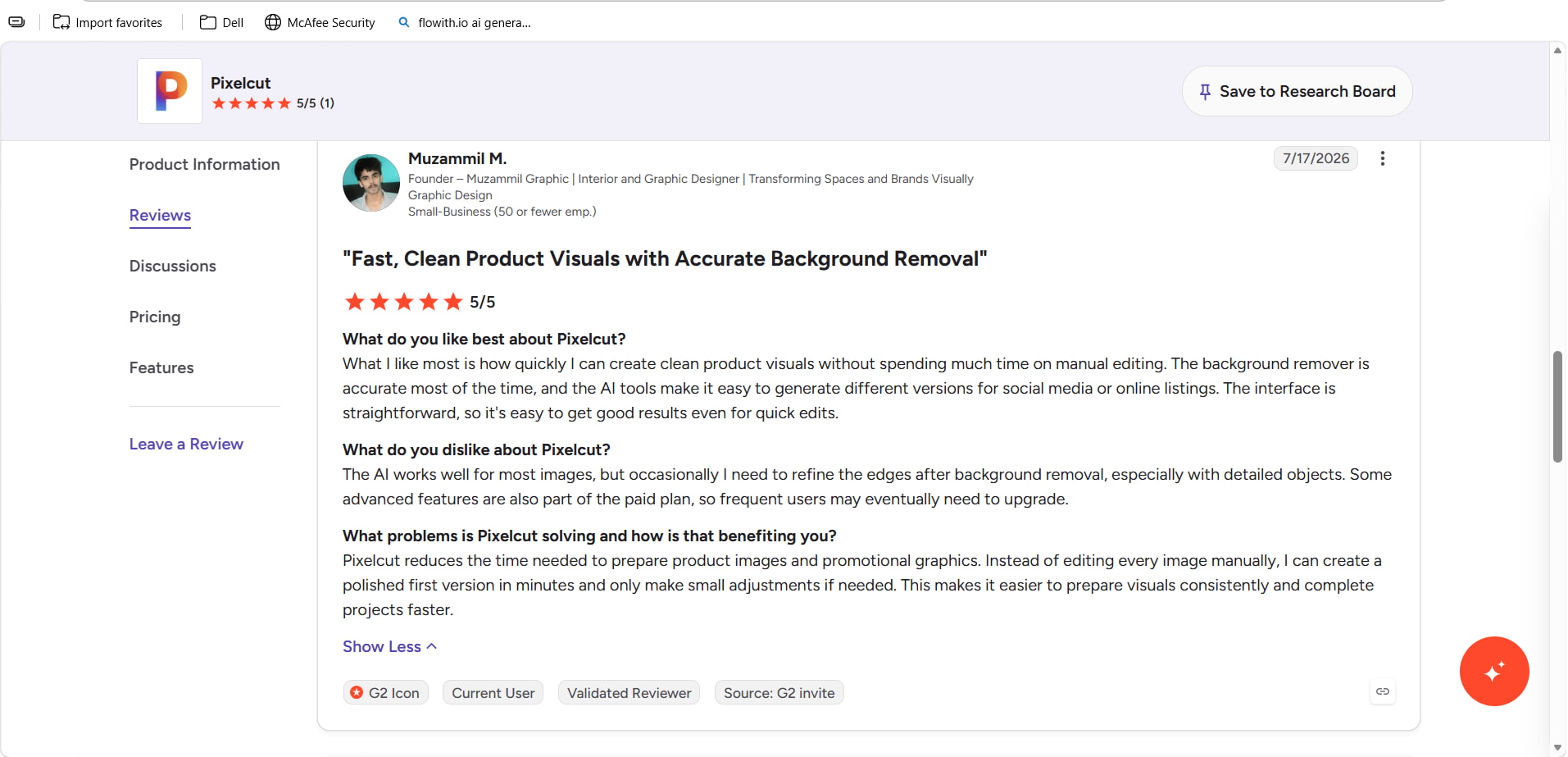
G2: Pixelcut has a 5/5 rating from one G2 review shown in the provided screenshot. The reviewer praised its straightforward interface, fast creation of product visuals, accurate background removal, and ability to generate variations for social media and online listings. They noted that detailed objects may sometimes require edge refinement and that some advanced features are part of paid plans.
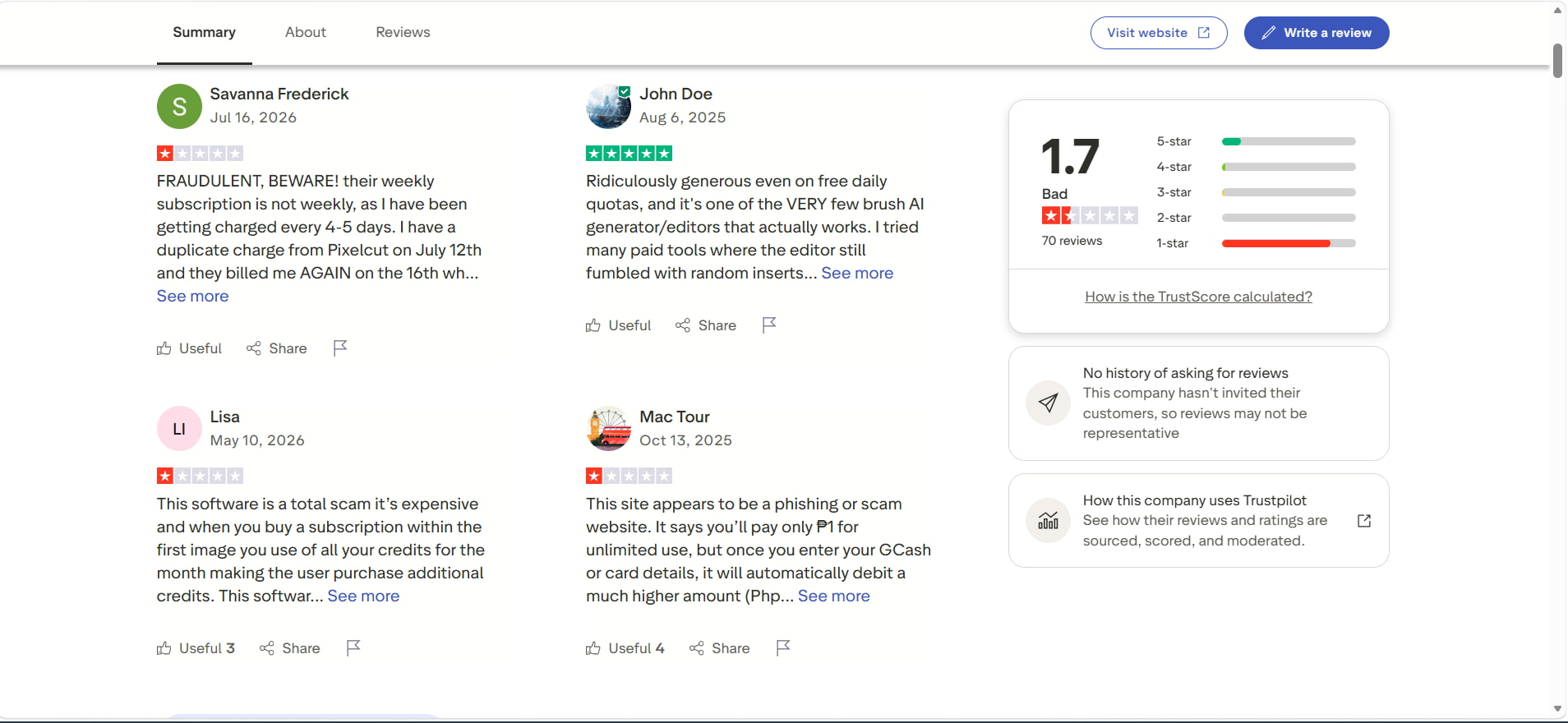
Trustpilot: Trustpilot shows Pixelcut with a 1.7/5 score from 70 reviews, with 82% of reviews rated one star and 14% rated five stars. Recent negative reviews mainly mention concerns about subscription or billing charges, credit usage, refunds, and customer support. These are individual customer reports and should be treated as user experience rather than verified findings about the service.
Pixelcut is an easy way to create and edit images, especially for product, marketing, and social media content. However, its pricing, credit system, and user experience may lead some users to look for other tools. Another option worth considering is Vmake Labs, which can be especially useful for people who need flexible AI image-generation workflows.
A Robust Pixelcut Alternative: Vmake Labs AI Image Generator
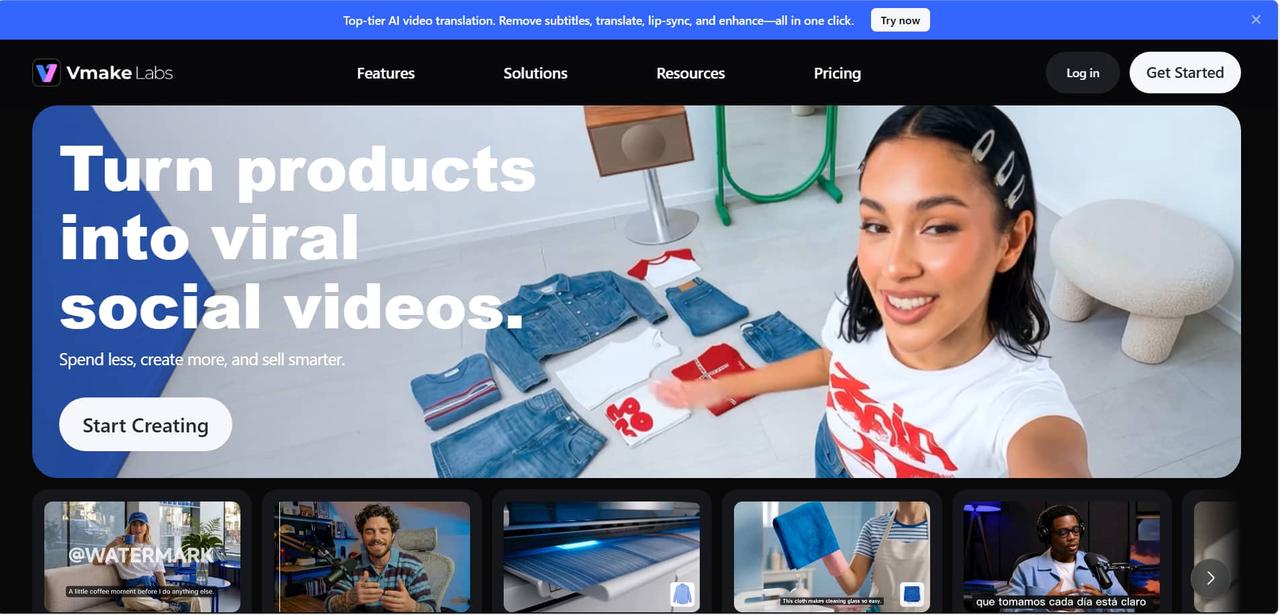
Besides Pixelcut, if it doesn't fully satisfy your image-generation needs, you can also consider Vmake Labs. Its AI Image Generator can turn text into images and transform existing images into new visuals. This is useful for creating product images, marketing visuals, social media content, and other creative projects.
Why Choose Vmake Labs AI Image Generator?
-
Text-to-Image Generation: Create visuals from detailed prompts for marketing, product, and creative projects.
-
Image-to-Image Generation: Transform existing images into new visual directions while maintaining the intended subject or style.
-
Multiple AI Models: Experiment with available AI models to compare different styles and generation results.
-
Reference Image Support: Use existing images to guide the subject, style, or composition of generated visuals.
-
Marketing and E-commerce Visuals: Create product imagery, promotional visuals, and lifestyle content for online stores and marketing campaigns.
-
Social Media Content: Generate visuals for social posts, advertisements, and other digital marketing content.
How to Generate AI Images With Vmake Labs
Step 1: Choose AI Image Generation Mode
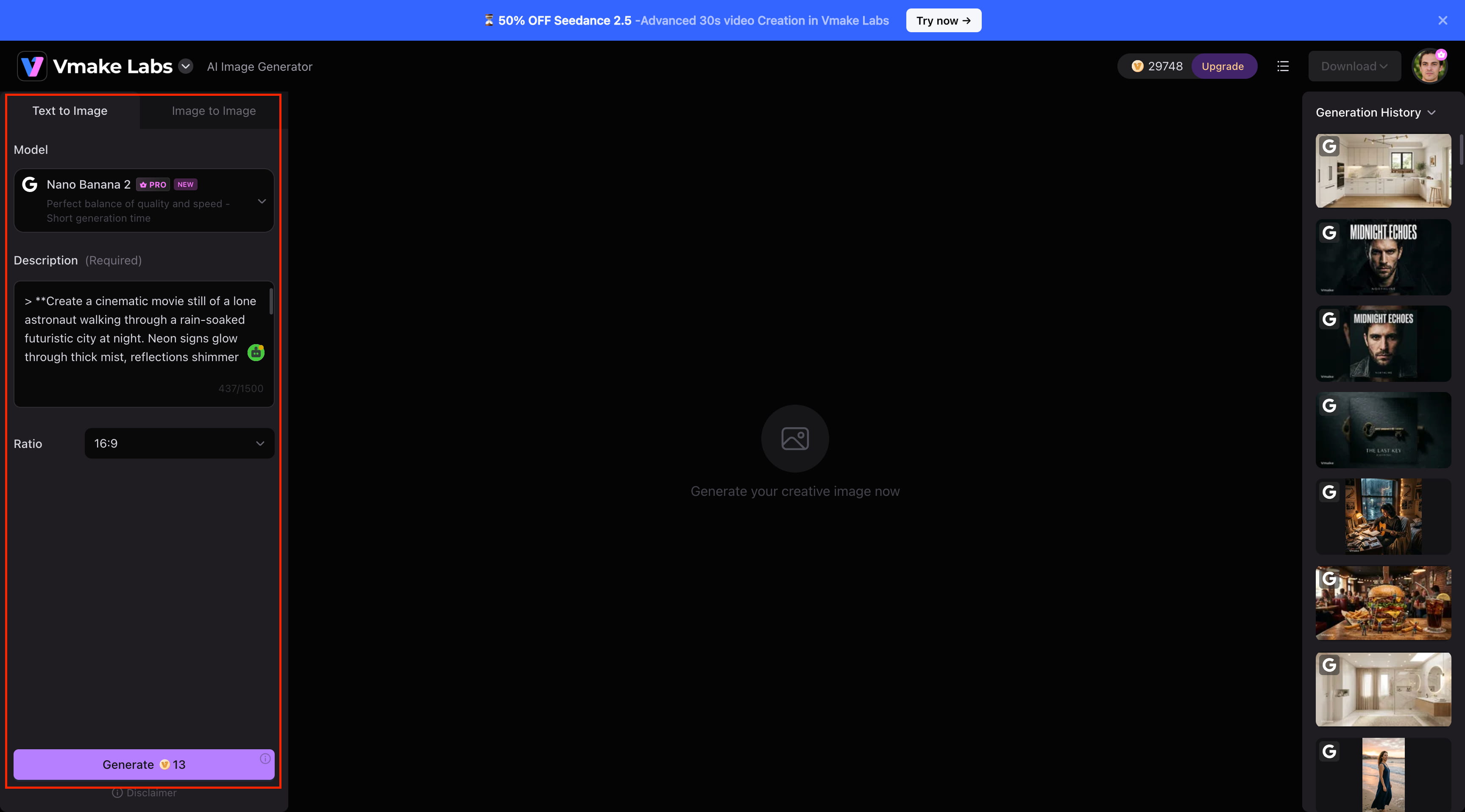
Open the Vmake Labs AI Image Generator and select Text to Image to create an image from a prompt or Image to Image to work with an existing image or reference.
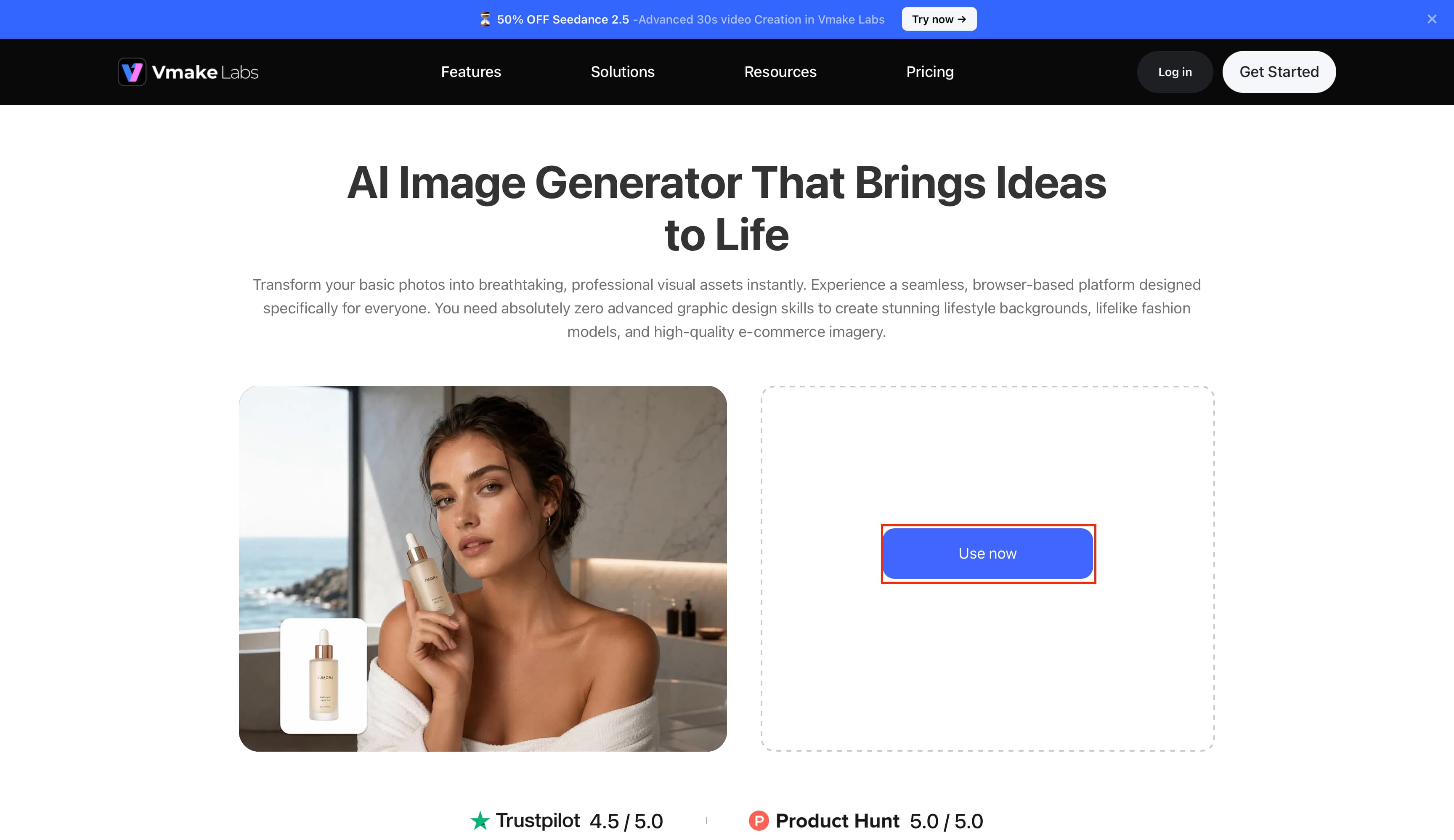
Step 2: Select an AI Model and Add Your Prompt
Choose an available AI model, enter a detailed description of the image you want to create, and select the appropriate aspect ratio. You can also add a reference image when needed.
Step 3: Generate, Review, and Download
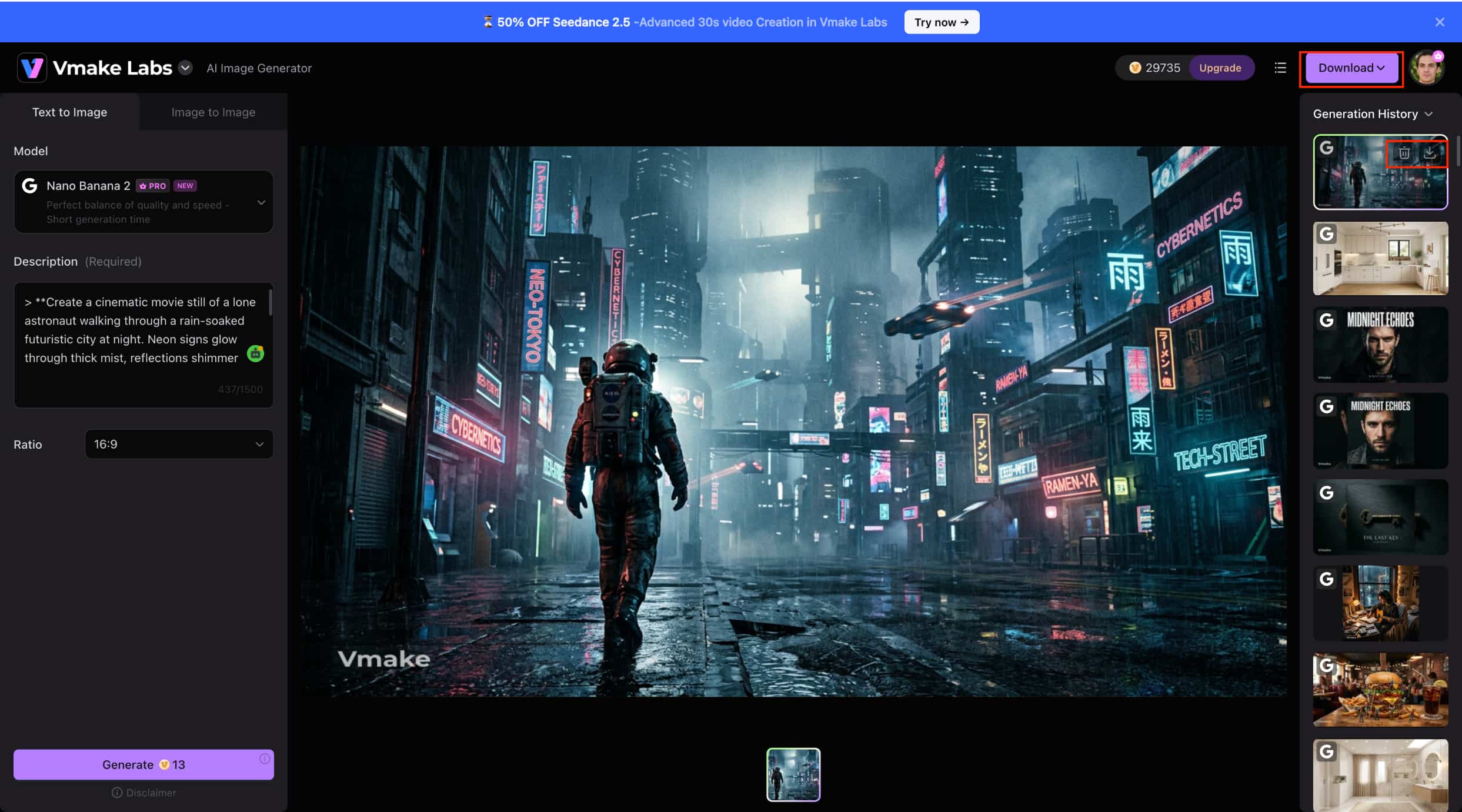
Click Generate to create the image. Review the result and make adjustments if needed. Once you're satisfied with the output, click Download to save the image.
Pixelcut vs Vmake Labs
|
Category |
Pixelcut AI Image Generator |
Vmake Labs AI Image Generator |
|---|---|---|
|
Image Generation |
Text-to-image generation with multiple variations |
Text-to-Image and Image-to-Image generation |
|
AI Models |
Multiple AI models available |
Multiple AI models available |
|
Reference Images |
Supports reference images for generation |
Supports reference images for visual guidance |
|
Product Imagery |
Strong focus on product and e-commerce visuals |
Suitable for product, e-commerce, and promotional visuals |
|
Creative Content |
Product, marketing, social, and creative content |
Marketing, social, e-commerce, and creative content |
|
Editing Workflow |
Image generation combined with AI editing tools |
Image generation with text-to-image and image-to-image workflows |
|
Access |
Web and mobile |
Web-based |
Which Tool Should You Choose?
Choose Pixelcut if: You want a straightforward AI image-generation workflow focused on product and e-commerce imagery. It is also a good choice if you want image generation combined with AI editing tools, web and mobile access, and multiple variations across different models.
Choose Vmake Labs if: You want both Text-to-Image and Image-to-Image generation or frequently work with existing and reference images. It is also suitable for product, marketing, e-commerce, and social media visuals if you prefer experimenting with different AI models through a browser-based workflow.
Conclusion
Pixelcut AI Image Generator is a great tool for creating portraits, product photos, marketing visuals, and social media content. It's handy for creators and businesses with its simple workflow, support for multiple AI models, reference-image support, and editing tools. But for frequent users, credit usage, pricing, and varying results are things to consider. If you are looking for an alternative with text-to-image and image-to-image workflows for product, marketing, and creative image creation, then Vmake Labs is one to check out.
FAQs
Can Pixelcut Create Transparent Images?
Yes. Pixelcut provides background-removal tools that can isolate a subject from its original background, which can be useful when creating transparent product images. The exact export options may depend on the feature and plan you use. If you need an alternative workflow, Vmake Labs also offers AI image-generation and editing capabilities.
Does Pixelcut Support Different Image Styles?
Yes. Pixelcut can create different visual styles based on the prompt and AI model you choose. You can choose the style you want, whether it is realistic, artistic, minimalist, or cinematic. Vmake Labs also offers several AI models and image-generation options for further creative workflows.
Does Pixelcut Have an AI Logo Generator?
Yes. Pixelcut provides an AI Logo Generator for creating logo concepts based on your business and design requirements. You can use generated concepts as starting points for branding projects. If your needs extend beyond logos to broader marketing visuals, Vmake Labs can also be considered.
Can Pixelcut Remove Backgrounds From Images?
Yes. Pixelcut includes an AI background-removal tool that can separate subjects from their backgrounds. This is particularly useful for product photos, e-commerce listings, and promotional content. Vmake Labs can also be considered when you need to create or transform product and marketing visuals.
What Types of Images Can You Create With Pixelcut?
You can create portraits, product photos, marketing visuals, lifestyle scenes, social media content, and other creative images with Pixelcut. The final result depends on your prompt, selected model, and generation settings. For users looking for text-to-image and image-to-image workflows, Vmake Labs is another option to explore.

You May Be Interested
Best AI Image Generator: 10 Top Picks for 2026 Review

FLUX AI Image Generator Review 2026: Is It Worth Using?
Grok Image Generator Review: Is It Worth Using in 2026?
Pixelcut Image Upscaler Review: Tested & Worth It?
Fotor AI Image Generator: Honest Review Plus Best Alternative
