
Perchance AI Image Generator Review: Is It Worth Using?
Explore our Perchance AI Image Generator review to evaluate image quality, features, customization, and limitations, then compare it with Vmake Labs AI Image Generator for smart AI creation.

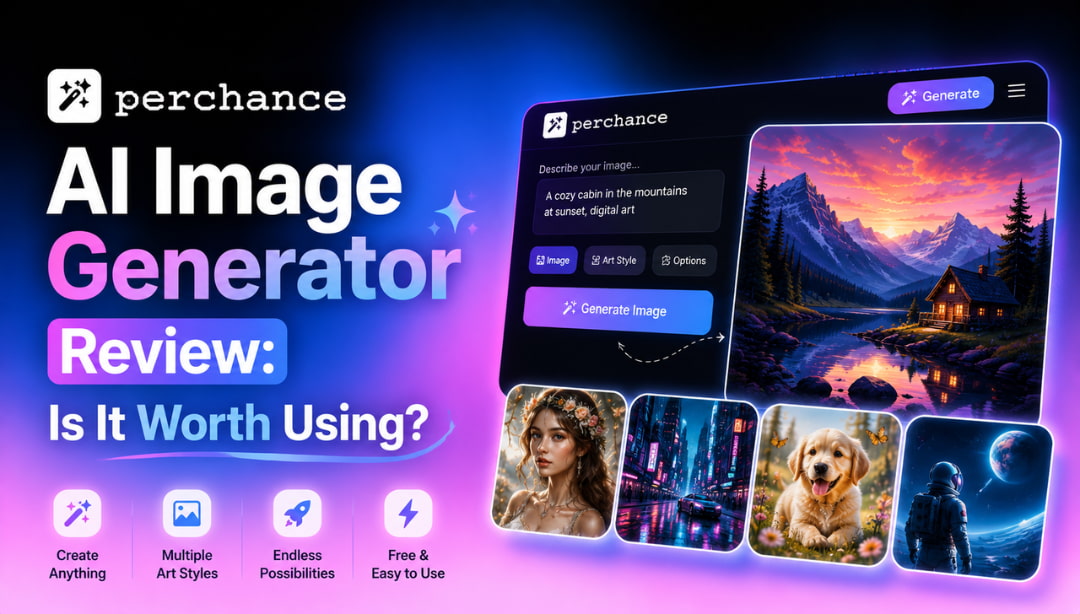
Perchance AI Image Generator has become a popular free tool to generate AI artwork from text prompts. The review examines its features, image quality, usability, and shortcomings and compares it to the Vmake Labs AI Image Generator for those looking for more advanced creative features.
What is Perchance AI Image Generator and its capabilities
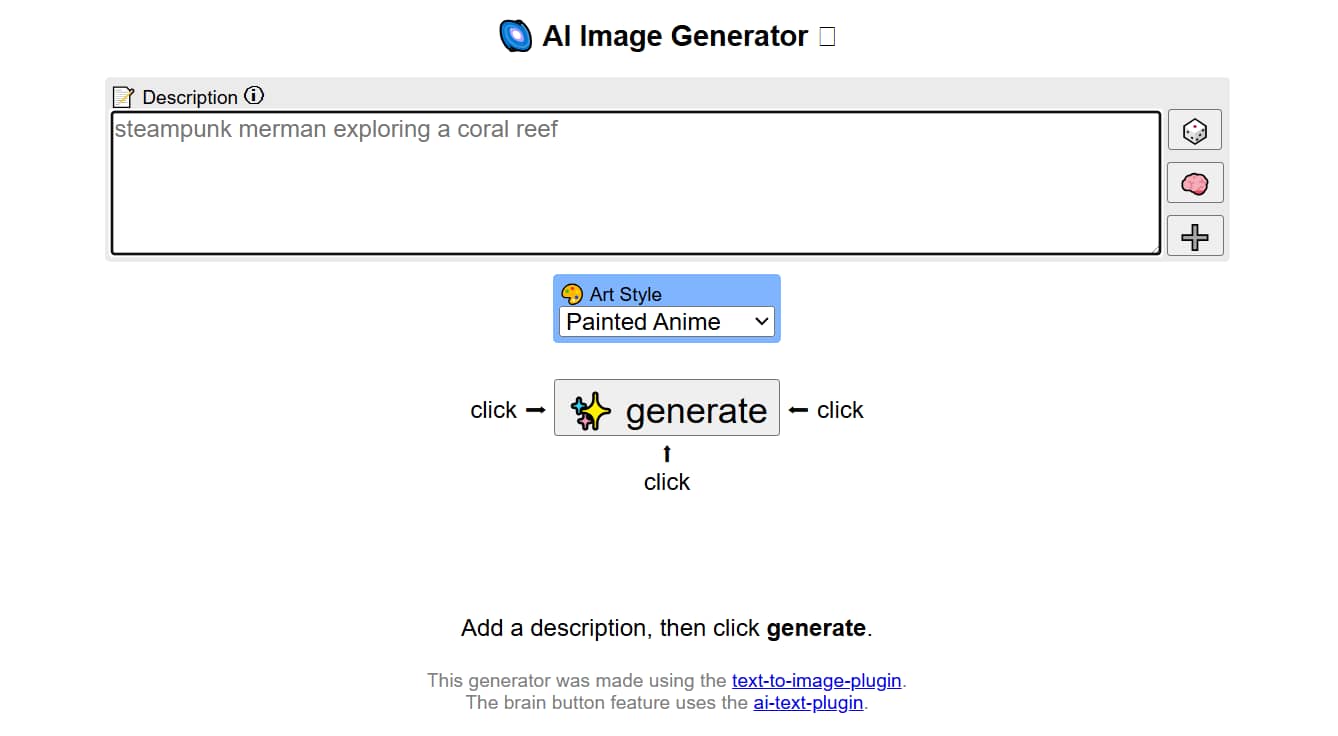
Perchance AI Image Generator is a free online tool that generates AI images from text prompts in seconds. Unlike many AI art platforms, it lets you start creating directly in your browser without requiring an account or subscription. If you're looking for a quick and free way to generate AI images online, Perchance is one option worth considering. The site offers a quick and easy way to mess around with AI-generated art.
Core features
The Perchance AI Image Generator focuses on simplicity and speed rather than advanced editing controls. It allows users to generate AI artwork quickly through a browser-based interface, making it accessible for beginners while still offering enough customization for casual creative projects.
-
Text-to-image generation: Perchance generates images from descriptive text prompts within seconds. It performs well with straightforward prompts and creative concepts, although more detailed or complex requests can produce inconsistent compositions or missing elements.
-
Multiple artistic styles: The platform supports a variety of styles, including realistic, anime, digital painting, fantasy, and concept art. Style switching is quick and easy, but the quality and consistency of results can vary depending on the selected style and prompt complexity.
-
Prompt customization: Perchance responds well to prompts that clearly specify the subject, composition, lighting, colors, and artistic style. However, highly detailed or multi-part prompts may not always produce precise results, occasionally overlooking smaller instructions.
-
Browser-based and free: Everything runs directly in your browser without requiring software installation or account registration, making it extremely easy to access. While this lowers the barrier to entry, the platform offers fewer advanced controls and editing features than many paid AI image generators.
Who is it best for?
If you want a simple, fast, and free AI Image Generator and don't care about advanced editing features, then Perchance might be the perfect choice for you.
-
Students and hobbyists who want to experiment with AI-generated artwork without paying for subscriptions.
-
Content creators and bloggers are looking for quick illustrations, thumbnails, or social media visuals.
-
Digital artists and writers need concept art, character ideas, or scene references before moving to professional editing software.
How to use Perchance AI Image Generator
One reason behind the popularity of the Perchance AI image generator is its incredibly simple workflow. Even first-time users can generate images within a few minutes without reading tutorials. The entire process happens in the browser, making it convenient for quick experiments and creative brainstorming.
Step 1: Visit Perchance AI Image Generator
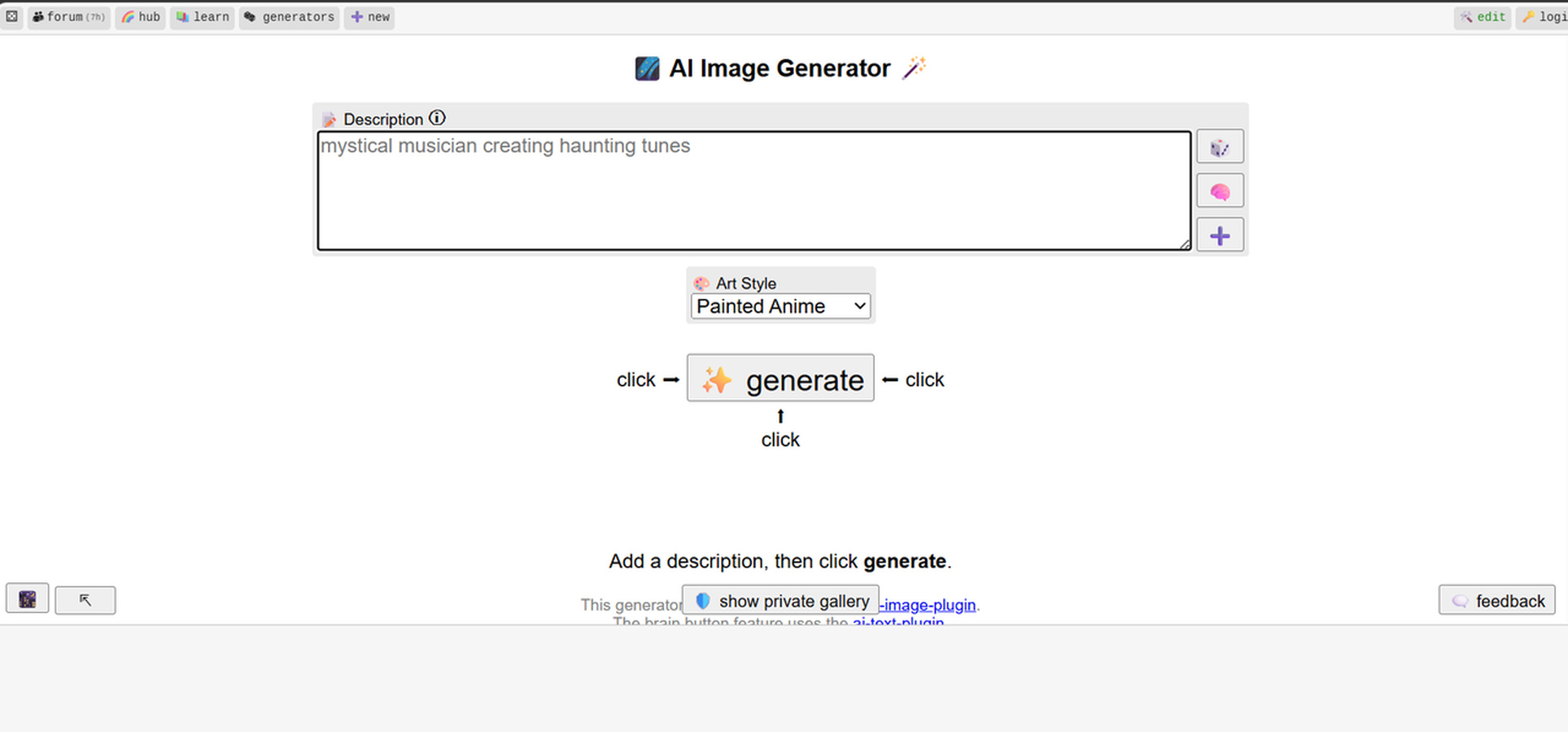
Open the official Perchance AI Image Generator webpage in your browser. Since no account is required, you can immediately access the image generation interface and begin creating artwork.
Step 2: Enter a text prompt and choose style options
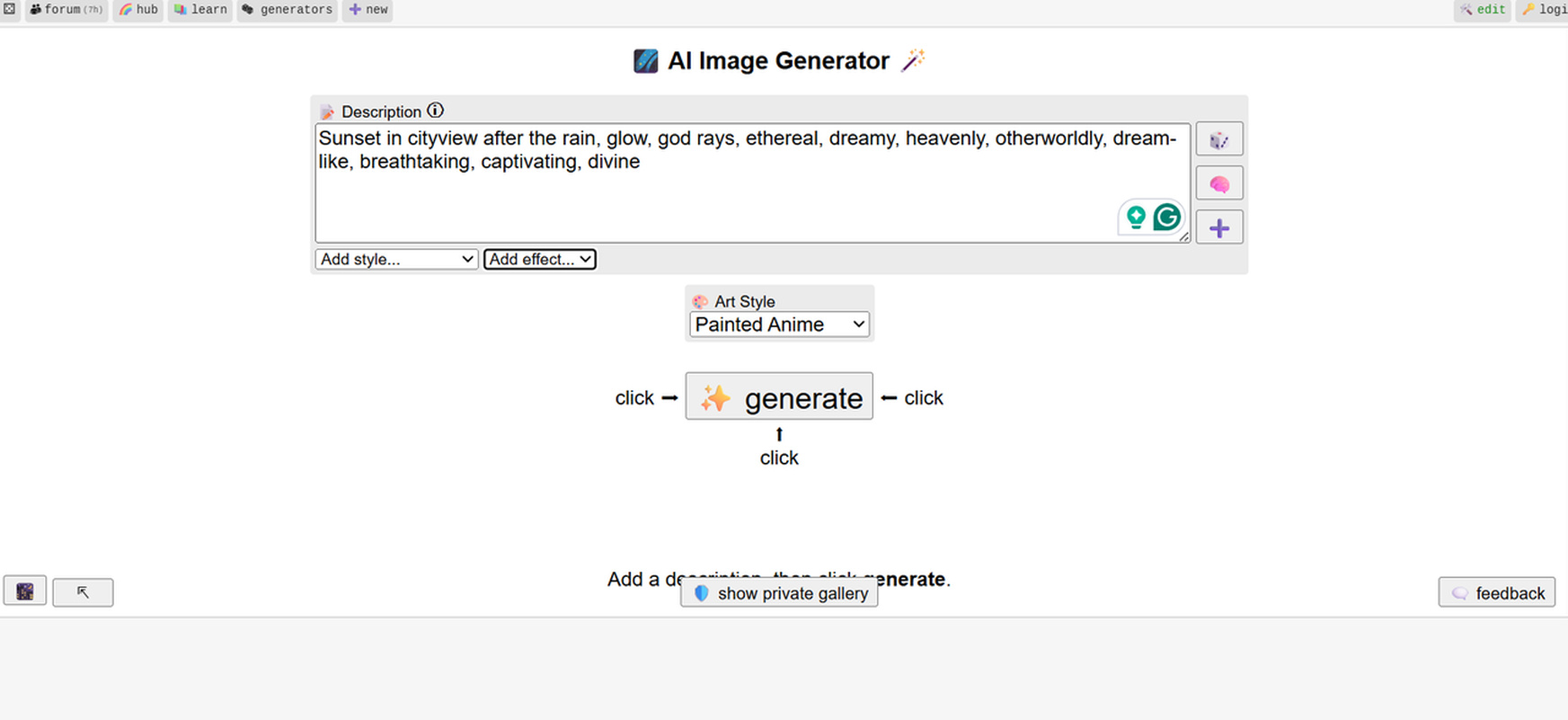
Describe the image you want using natural language. Add details about the subject, lighting, colors, artistic style, or composition. Select available style options to better match your creative vision.
Step 3: Generate, refine, and download your image
Click the generate button and wait for the AI to produce your artwork. If the result doesn't meet your expectations, modify the prompt and generate another version before downloading the final image.
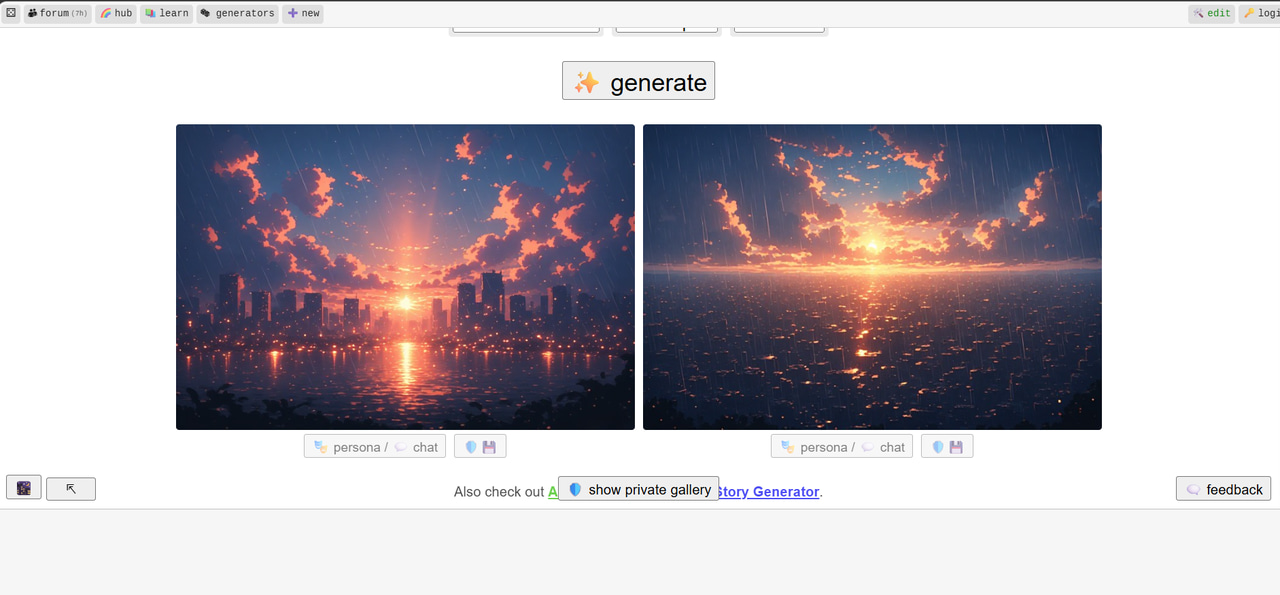
Perchance AI Image Generator review: Image quality and overall experience
Once you've seen the features and workflow, the next question is whether Perchance AI Image Generator will produce quality results every time. We tested the platform on a variety of prompt types, looking at image accuracy, generation speed, ease of use, and overall user experience. It's great for casual image generation, but the quality of its output is a function of the complexity of the prompt.
Pros and cons
|
Advantages |
Limitations |
|---|---|
|
|
Pricing
As of 2026, Perchance AI Image Generator is completely free to use and does not require an account or subscription. Users can generate images directly in their browser with no upfront cost. Those planning commercial use should review the platform's latest licensing terms, as usage rights may vary depending on the underlying AI models.
Performance across different prompts
Perchance AI Image Generator is capable of producing beautiful images for simple prompts. It is less predictable when you go for complex scenes or extremely detailed demands. Here’s how it stacks up for the usual usage cases.
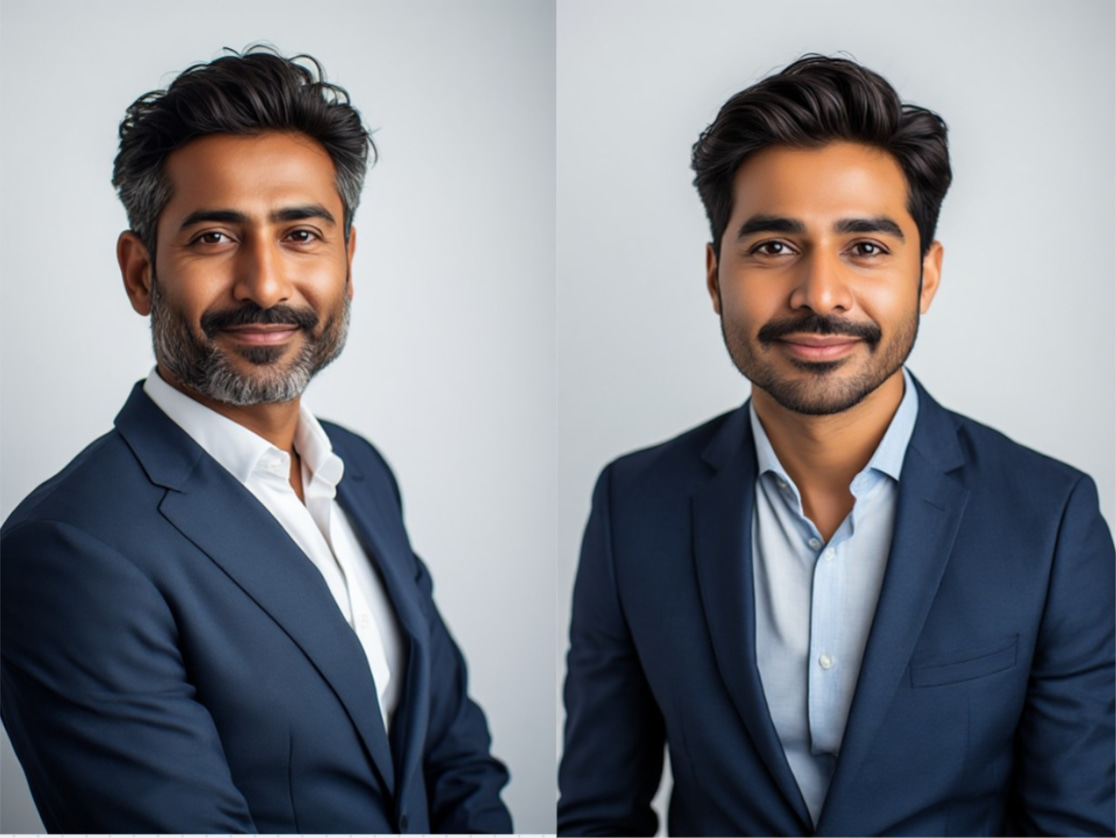
Photorealistic portraits
The tool creates good portraits with natural lighting and facial expressions if you give detailed prompts. However, facial details, hands, and accessories may sometimes be distorted or inconsistent compared to premium AI image generators.
Fantasy artwork
One of Perchance's strengths is its fantasy prompts. It creates imaginative landscapes, magical settings, mythical creatures, and cinematic scenes in vibrant colors, so it is a good choice for writers, gamers, and concept artists.
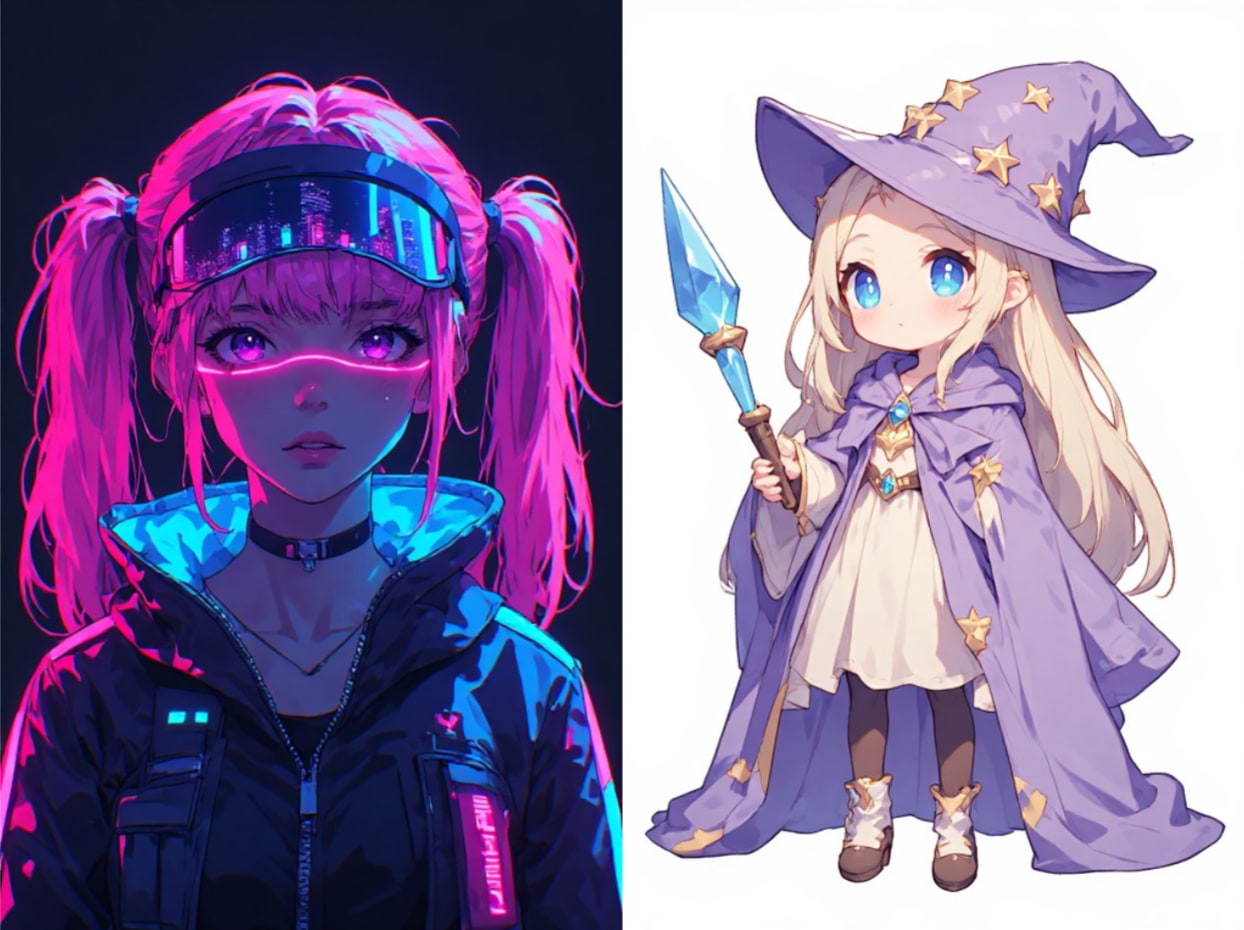
Anime illustrations
Many of the users come to Perchance AI image generator v3 specifically to get anime-style artwork. Within this category, the platform excels, generating expressive characters and colorful illustrations. However, character consistency may be inconsistent over multiple generations.
Product concepts
For basic product mockups or concept ideas, the tool delivers usable results. However, text rendering, branding elements, and intricate product details are often inaccurate, making the images unsuitable for professional ecommerce listings.
Landscape scenes
Landscape generation is generally trustworthy. The AI can generate images of mountains, woods, beaches, or futuristic cities. The results are very nice, whatever the subject, with good lighting and depth.
Social media graphics
Perchance works well, maybe for creating eye-catching visuals for blogs or social media. But if you want readable text, logos, or consistent branding, you're probably going to want other editing software.
Community feedback
-
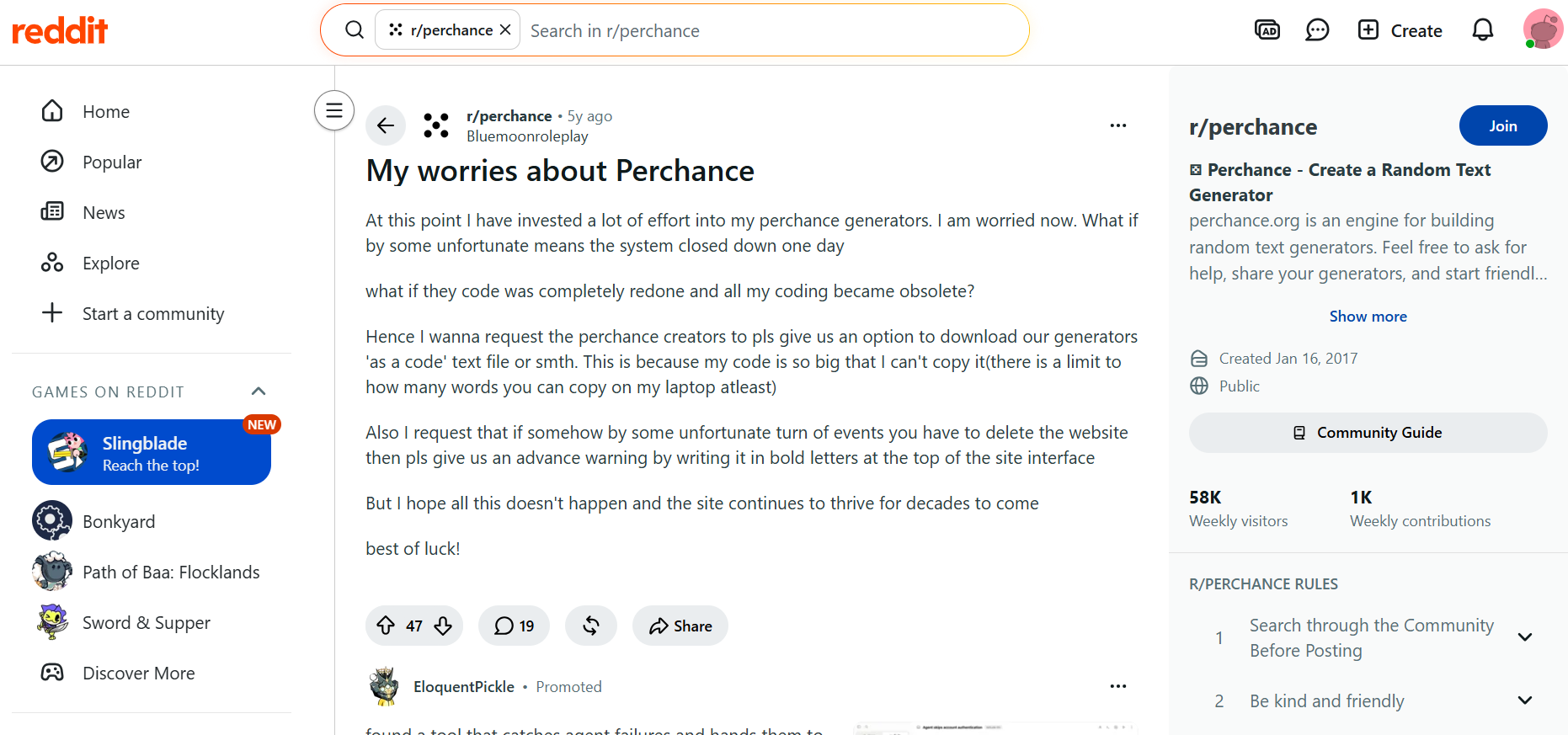
Reddit: Community discussions are generally positive about Perchance's flexibility and free access, but users also raise concerns about its long-term reliability. Some creators worry about investing significant time into building custom generators without export options or guarantees about future platform availability. There are also requests for backup features and better safeguards for user-created projects.
-
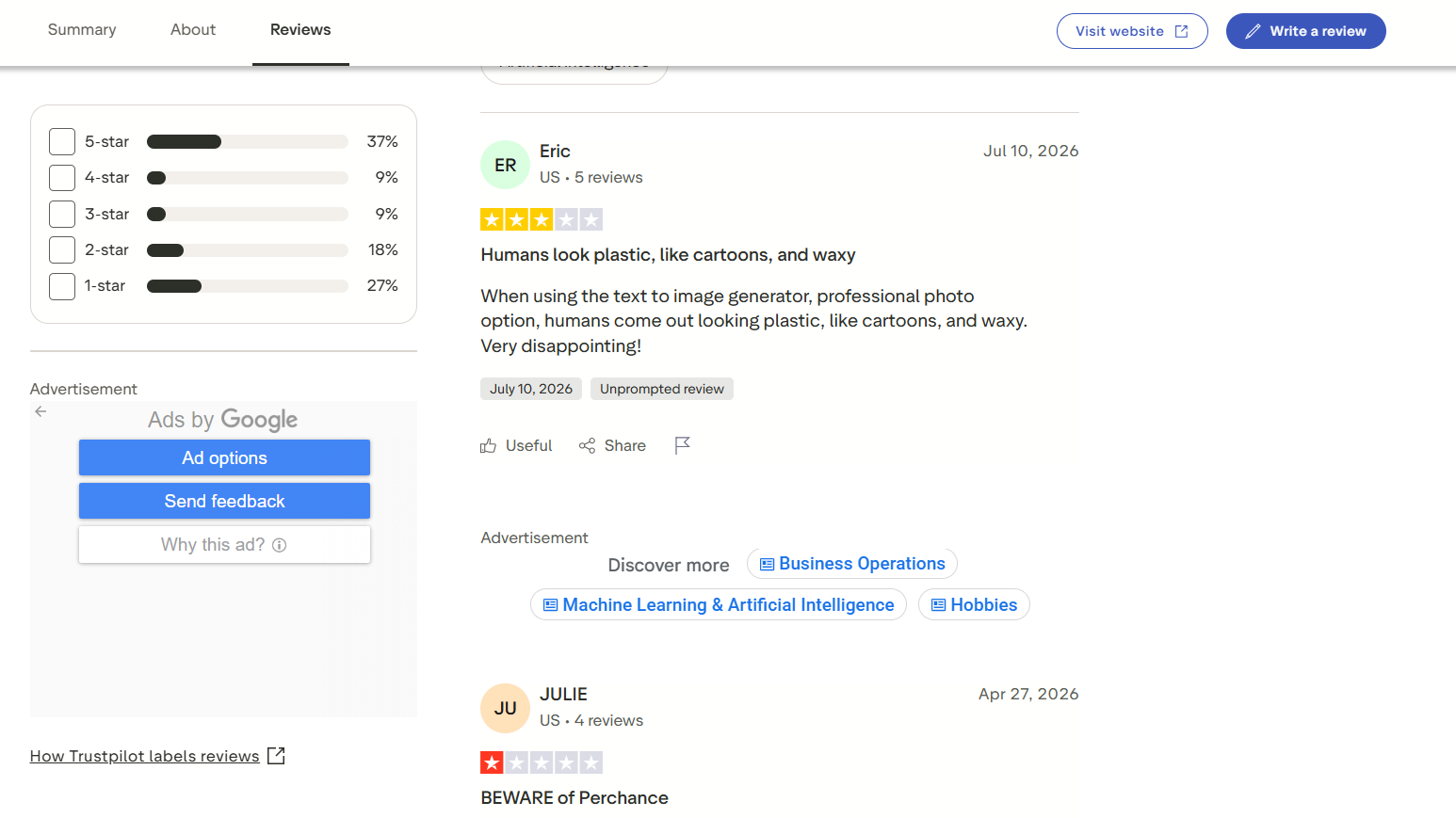
Trustpilot: Trustpilot reviews are mixed. Positive reviews appreciate the free AI tools and ease of use, while negative reviews frequently mention inconsistent image quality, with some users describing generated people as overly plastic or cartoon-like. Other complaints include reliability and overall output quality, not meeting expectations.
As creative needs become more demanding, factors such as consistent image quality, multiple AI models, and flexible generation settings become increasingly important. That's where platforms like Vmake Labs AI Image Generator offer a more comprehensive solution for creators who need production-ready visuals.
Create AI images with Vmake Labs AI Image Generator
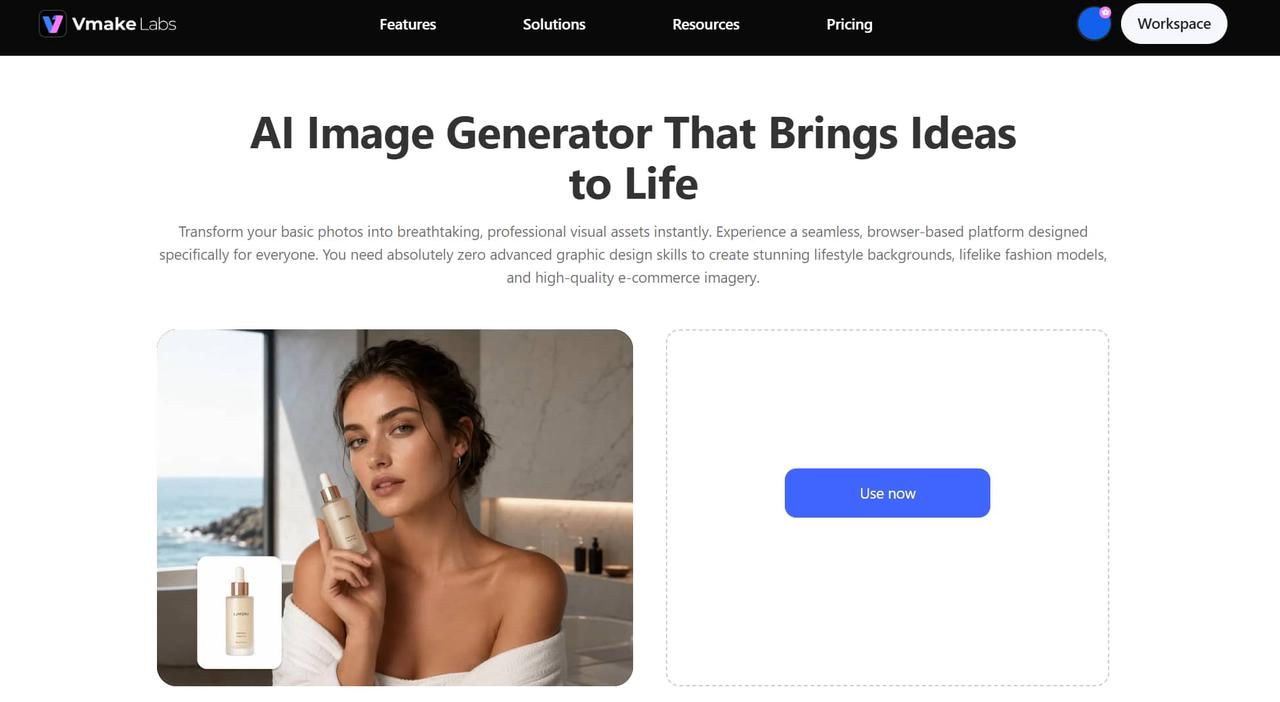
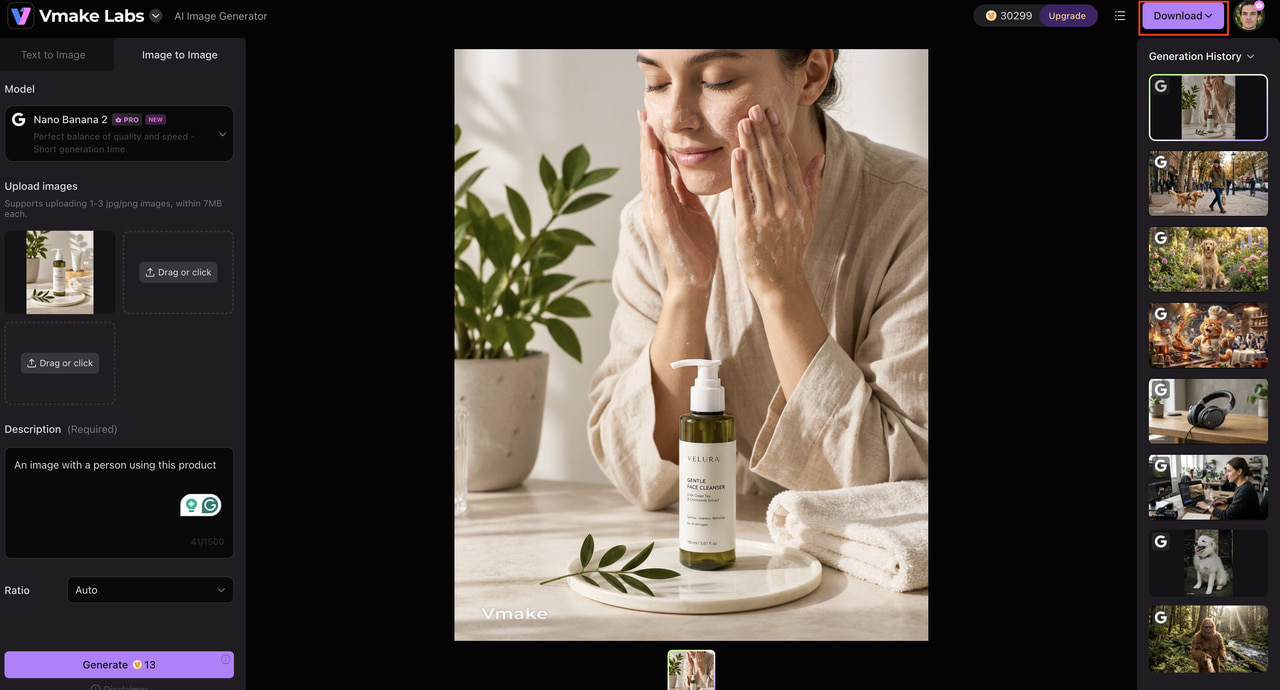
While Perchance AI Image Generator is a great tool for casual users, creators working on marketing campaigns, ecommerce projects, or professional designs often need more control over image quality and generation options. Vmake Labs AI Image Generator addresses these needs by integrating several leading AI models with an intuitive workflow that supports both text-to-image and image-to-image creation.
How to use Vmake Labs
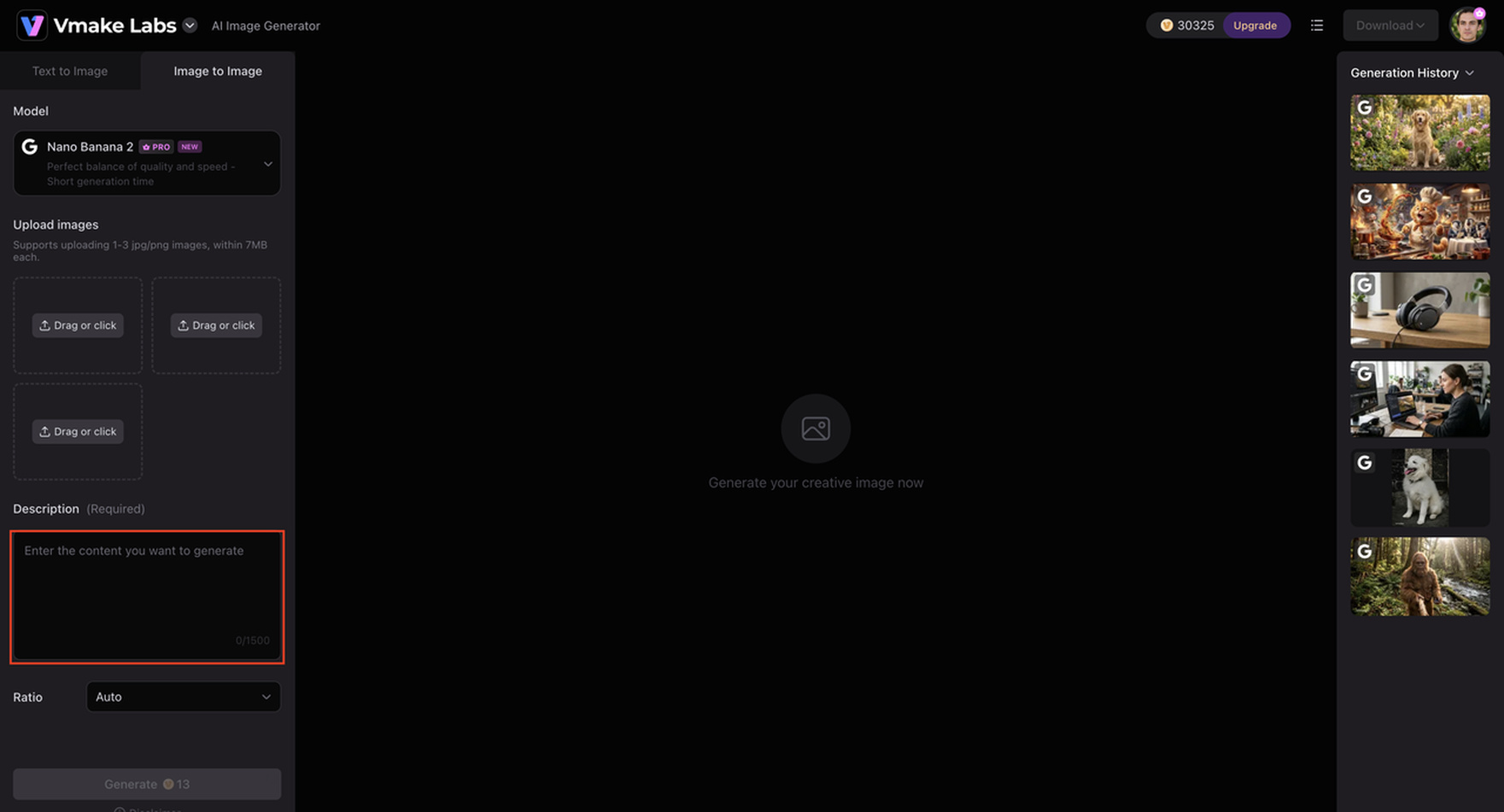
Step 1: Enter a detailed text prompt or upload a reference image
Describe the image you want to create or upload a reference image to guide the AI. Detailed prompts help generate more accurate compositions, while reference images maintain visual consistency across projects.
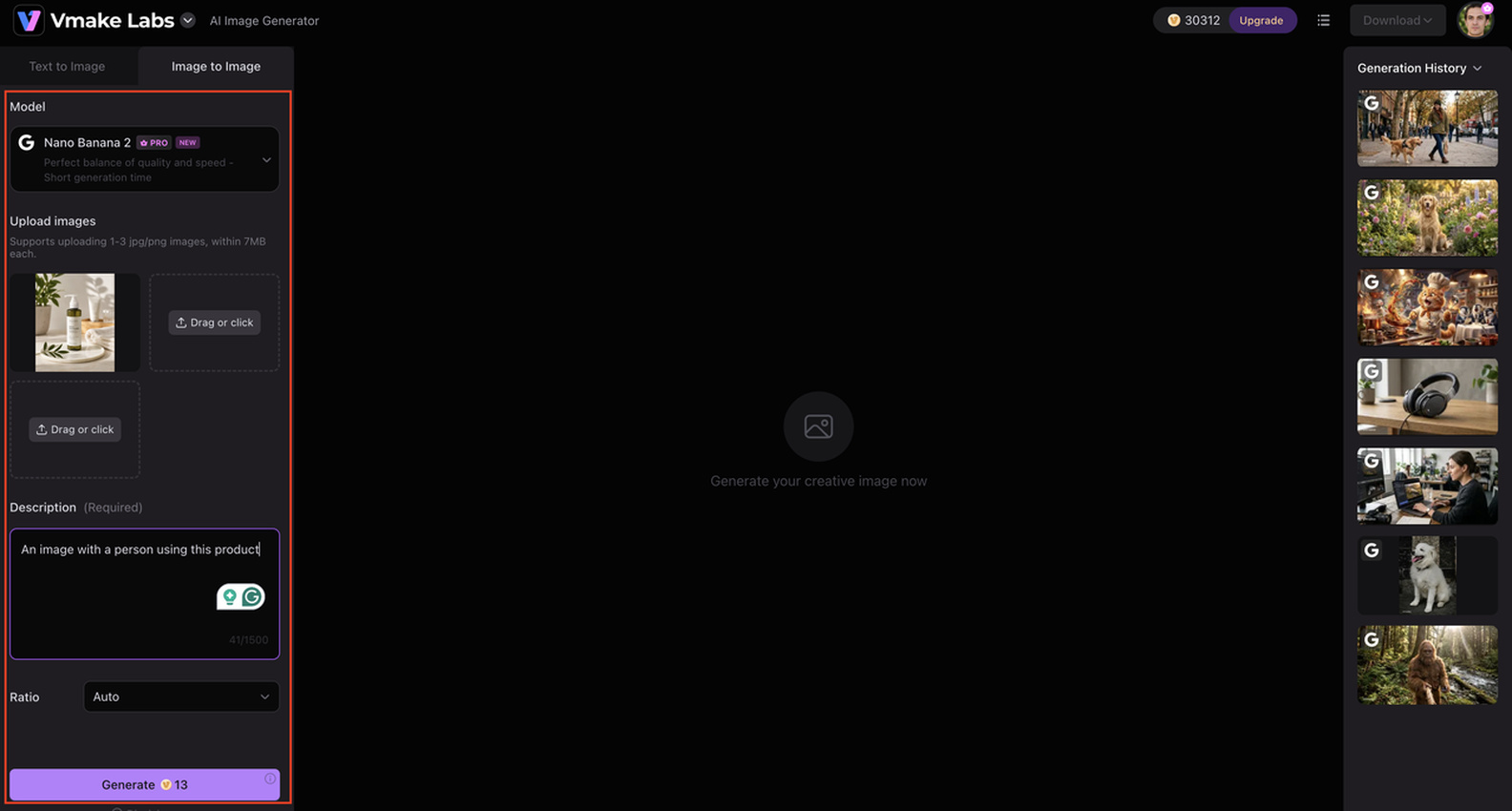
Step 2: Select your preferred AI model, aspect ratio, and generation settings
Choose from multiple AI models and adjust settings such as aspect ratio to match your intended use, whether it's for social media, presentations, advertising, or ecommerce content.
Step 3: Generate, preview, and download your AI image
Generate your image, review the output, and make adjustments if needed. Once you're satisfied with the result, download the final image for immediate use in your creative projects.
Why choose Vmake Labs AI Image Generator
Vmake Labs goes beyond basic AI image generation by offering a wider selection of models and professional features for different creative needs.
-
Access multiple leading AI models: Generate images using advanced models including GPT Image, FLUX Kontext Pro, Gemini 2.5 Flash Image, Imagen 4, Nano Banana, Seedream 4.0, SeedEdit 3.0, and Kling AI Image. Each model is optimized for different artistic styles and creative workflows.
-
Generate from text or reference images: Produce images from elaborate text prompts or utilize existing images as references for consistent output. This flexibility is especially useful for branding, product design and character creation.
-
Produce high-quality images for various projects: Vmake Labs creates sharp, detailed images that are perfect for professional use, be it marketing, ecommerce products, portraits, concept art, or social media content.
-
Customize images for different platforms: Create content that is perfectly sized for websites, ads, presentations, or social media in different aspect ratios and generation settings with no extra cropping or editing.
Perchance AI Image Generator vs Vmake Labs AI Image Generator
Perchance AI Image Generator and Vmake Labs AI Image Generator both are AI Image Generators that can convert text into images. But they differ in a few respects. Perchance is a free no-signup image generator that runs in your browser and is focused on accessibility. On the other hand, Vmake Labs offers numerous advanced AI models and more creative control and features for professional content creation. The right tool depends on your workflow, quality expectations, and intended usage.
|
Feature |
Perchance AI Image Generator |
Vmake Labs AI Image Generator |
|---|---|---|
|
Primary purpose |
Free AI image generation |
Professional AI image generation |
|
AI models |
Built-in generation models |
Multiple advanced AI models |
|
Text-to-image |
Yes |
Yes |
|
Image-to-image |
Limited |
Yes |
|
Prompt customization |
Basic |
Advanced |
|
Image quality |
Good for casual use |
High-quality professional outputs |
|
Style variety |
Multiple presets |
Multiple AI models and creative styles |
|
Registration |
Not required |
Account recommended |
|
Best for |
Beginners, hobbyists, casual creators |
Designers, marketers, ecommerce, content creators |
Choose Perchance AI Image Generator if you want a free, browser-based tool for experimenting with AI art, generating quick concepts, or learning prompt writing.
If your projects require consistent image quality, multiple advanced AI models, image-to-image generation, and greater creative control for marketing or commercial use, Vmake Labs AI Image Generator is the better choice.
Conclusion
Perchance AI Image Generator is a good free choice for beginners, students, and hobbyists who want to make AI art without signing up or paying for a subscription. The browser-based workflow and speed of image generation make it easy to play around with AI art, although image quality and customization can vary when complex prompts are used. Vmake Labs AI Image Generator is the most powerful option for higher quality outputs, multiple AI models, image-to-image generation, and professional creative features for marketing or commercial projects.
FAQs
1. Is Perchance AI Image Generator completely free to use?
Yes. Perchance AI Image Generator is free to use and doesn't require you to create an account before generating images. This makes it a good choice for casual users. However, those looking for more advanced AI models and more creative controls may eventually turn to platforms like Vmake Labs AI Image Generator.
2. Can Perchance AI Image Generator create realistic images?
Yes, Perchance can create realistic images from detailed prompts, especially for portraits, landscapes, and concept art. But results may vary for complex scenes or fine detail. Vmake Labs AI Image Generator provides you with a choice of several advanced AI models, purpose-built for professional image generation, for more consistent, production-quality results.
3. What is Perchance AI Image Generator V3?
Perchance AI Image Generator V3 generally refers to newer versions of the platform that include improved image generation capabilities, prompt handling, and style options. Users who want even more flexibility, such as image-to-image generation and a wider selection of AI models, can also consider Vmake Labs AI Image Generator.
4. Is Perchance AI Image Generator suitable for commercial projects?
It can be used to create concept visuals and marketing ideas, but always be sure to check the licensing terms of the platform before using generated images for commercial purposes. For more reliable image quality and a wider array of creative tools, platforms such as Vmake Labs AI Image Generator might be more suitable.
5. How does Perchance AI Image Generator compare with Vmake Labs AI Image Generator?
Perchance AI Image Generator Perchance Great for playing with AI art in your browser. Vmake Labs AI Image Generator is a solution designed for users who want access to multiple AI models, text-to-image and image-to-image generation, customizable settings, and high-quality outputs for marketing, ecommerce, and professional creative work.

You May Be Interested
Best AI Image Upscaler Tools in 2026: Upscale Images to 4K, 8K & Beyond
Artguru Image Upscaler Review: Features & Best Alternative
ImgGen AI Image Upscaler Review: Features & Pricing in 2026
Pixelcut Image Upscaler Review: Tested & Worth It?
Upscale Media AI Image Upscaler Review: Is It Worth Using?

Perchance AI Video Generator Review 2026: Is It Worth It?
