Ideogram AI Image Generator Review: Is It Worth Using in 2026?
Explore our Ideogram AI Image Generator review to compare its image quality, text rendering, features, and pricing, then see how Vmake Labs AI Image Generator fits your creative workflow.

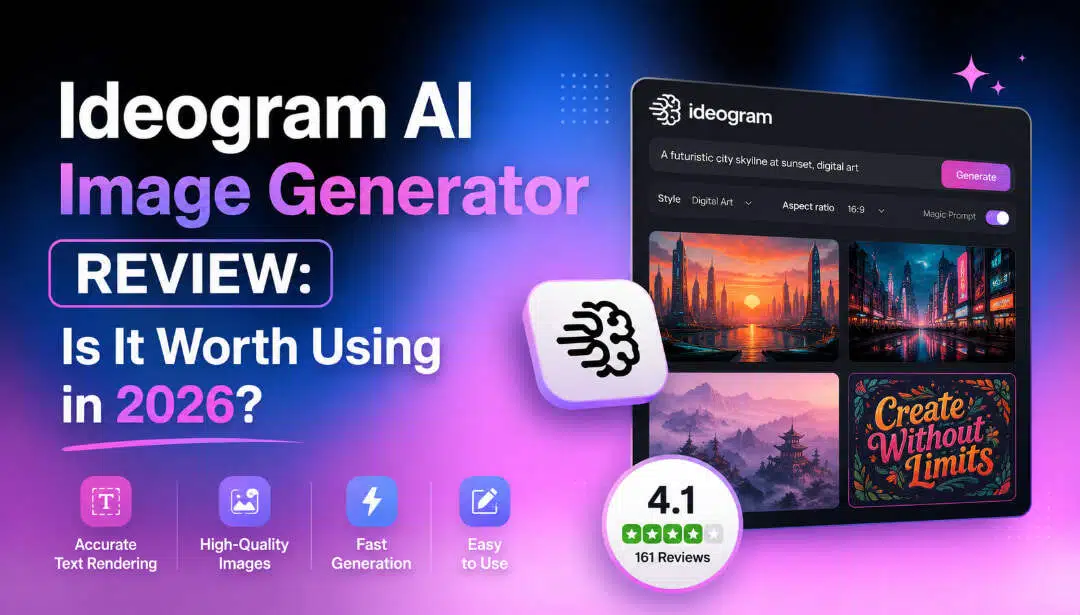
Ideogram has become one of the most talked-about AI image generators thanks to its impressive text rendering and image quality. This Ideogram AI Image Generator review explores its features, pricing, performance, and usability, then compares it with Vmake Labs AI Image Generator to help you choose the right tool.
What is Ideogram AI Image Generator and how does it work?
Ideogram AI Image Generator is a text-to-image platform that creates high-quality visuals from written prompts. It has gained popularity for its ability to generate realistic artwork with exceptionally accurate text rendering, making it a favorite for branding and marketing projects. Recent updates, including Ideogram V2 AI Image Generator, have improved prompt understanding, image quality, generation speed, and creative controls.
Core AI image generation features
Ideogram combines ease of use with several practical features for creating AI-generated artwork.
-
Text-to-image generation: Turn simple or detailed text prompts into original images across a wide range of artistic styles.
-
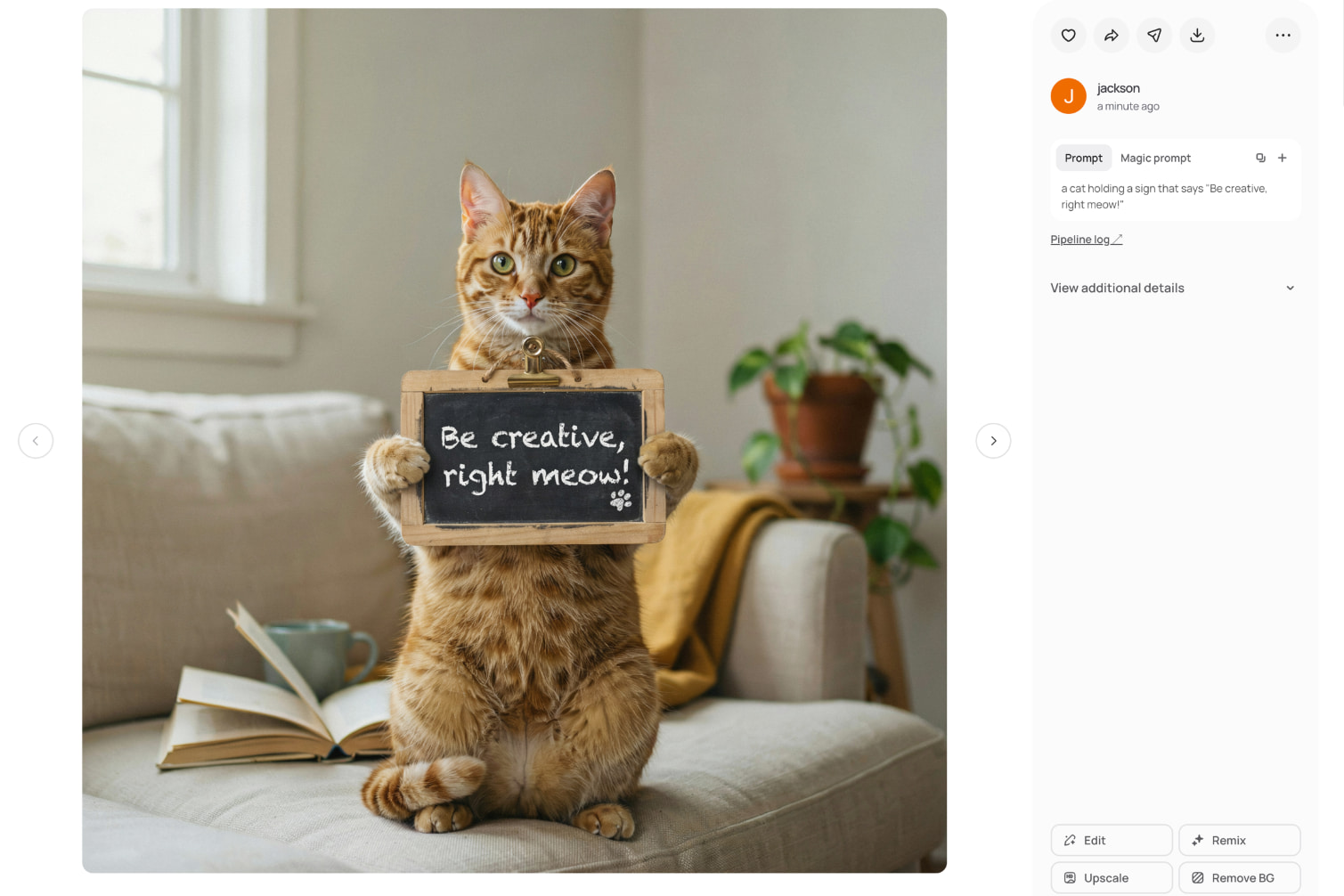
High-quality text rendering: Generate posters, logos, advertisements, and social media graphics with readable text that remains one of Ideogram's biggest strengths.
-
Magic Prompt assistance: Automatically expands short prompts into richer descriptions to produce more detailed and visually appealing images.
-
Style presets and artistic controls: Choose from realistic photography, illustrations, anime, graphic design, cinematic art, and other visual styles.
-
Image Remix and variations: Modify existing images while keeping the original concept, making it easier to explore different creative directions.
-
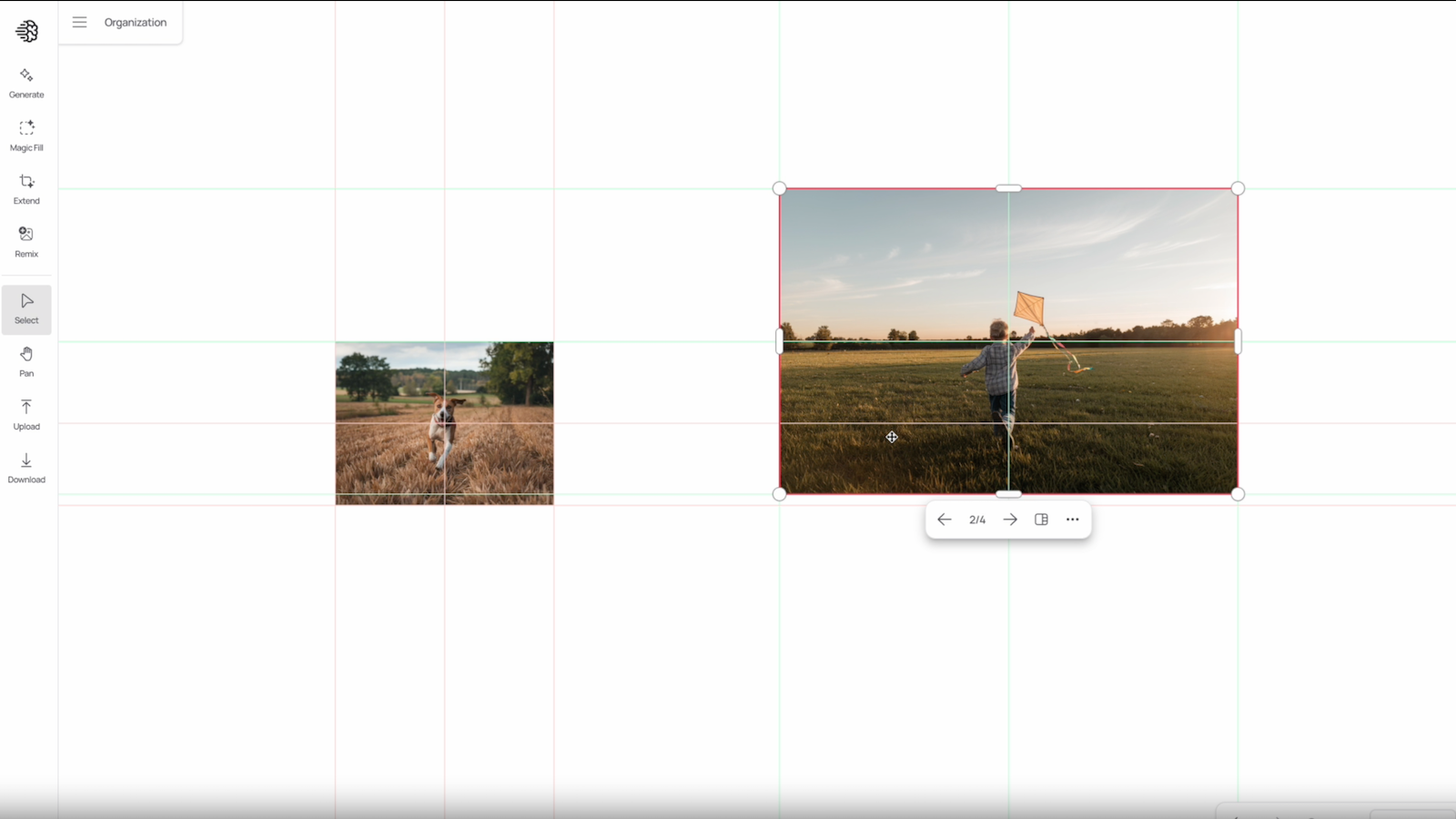
Canvas editor: Refine generated images, adjust layouts, and make simple edits without switching to another editing tool.
-
Batch generation: Produce multiple image variations from a single prompt, helping users compare different outputs quickly.
-
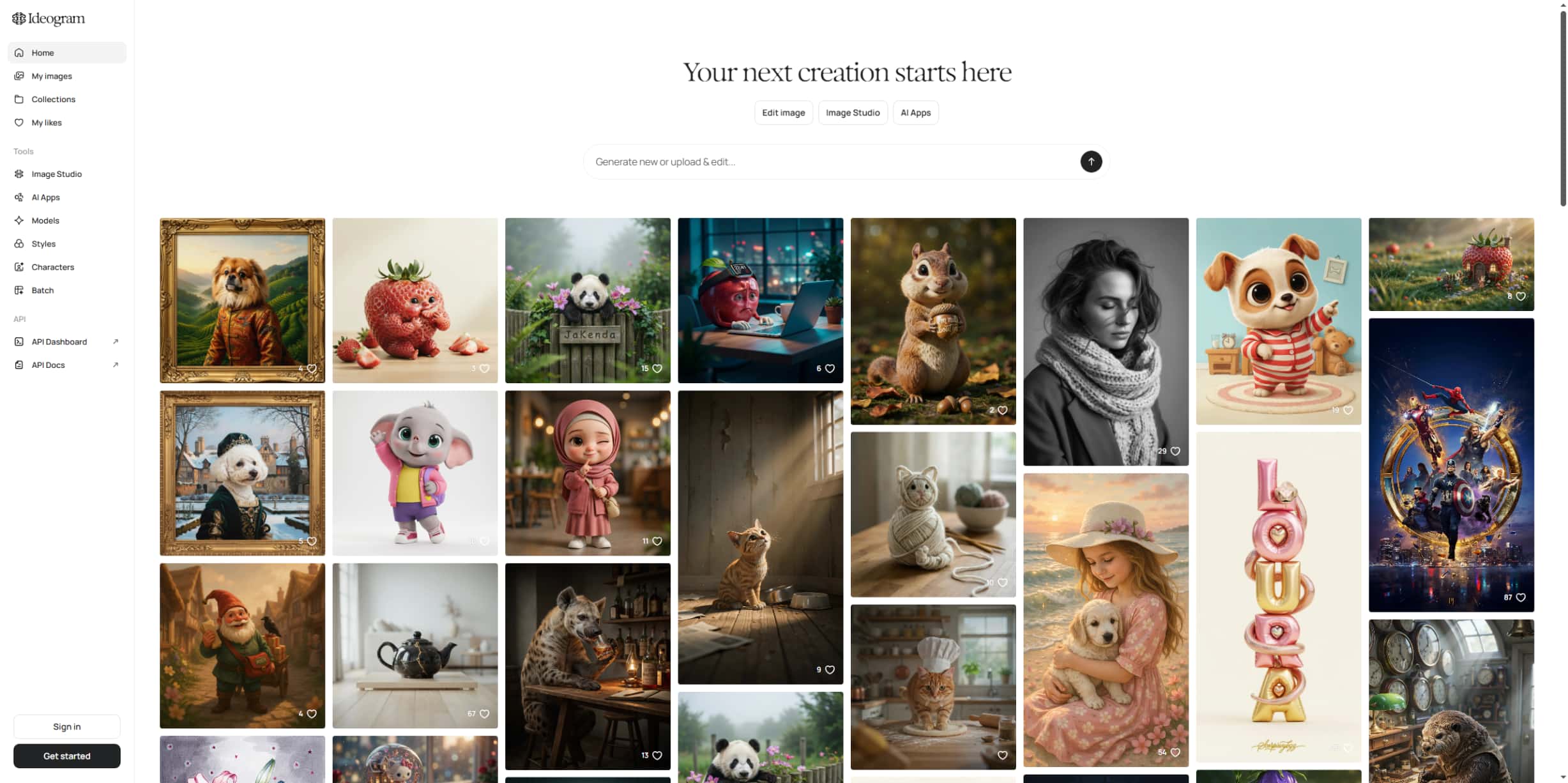
Community gallery and prompt inspiration: Browse creations from other users to discover prompt ideas, creative styles, and new design approaches.
Using Ideogram AI Image Generator: Features, pricing, and usability
Getting started with Ideogram requires only a few steps. The platform keeps the image generation process simple while offering enough customization to suit different creative needs. Here's how the typical workflow looks.
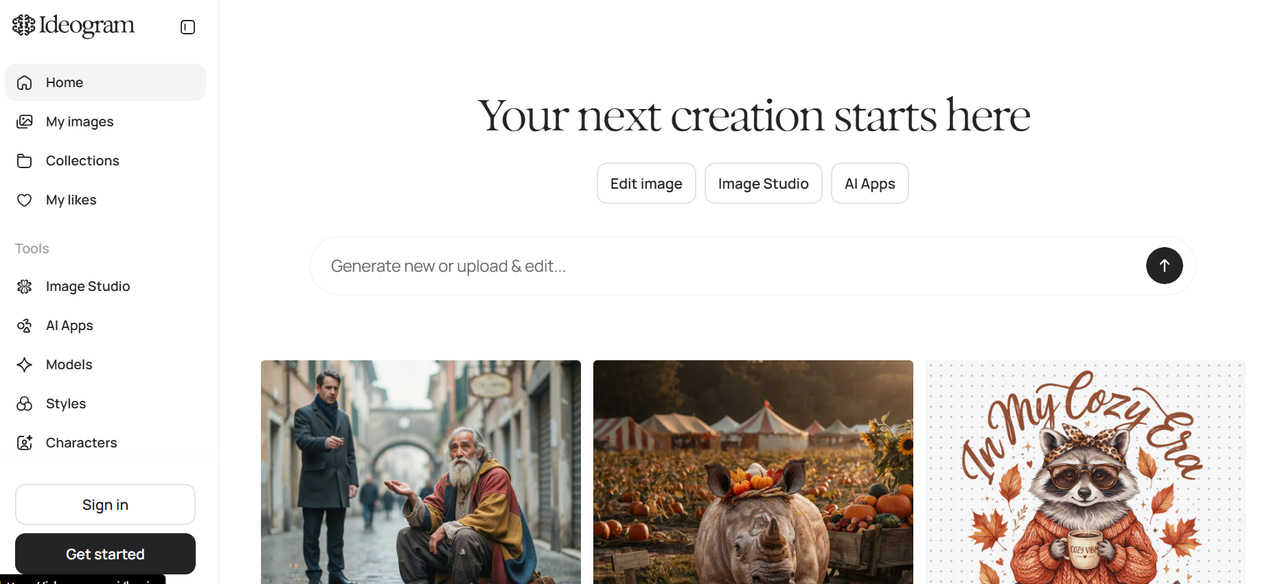
Step 1: Enter a text prompt or upload a reference image
Describe the image you want to create or upload a reference image for additional guidance. More specific prompts generally produce more accurate and visually appealing results.
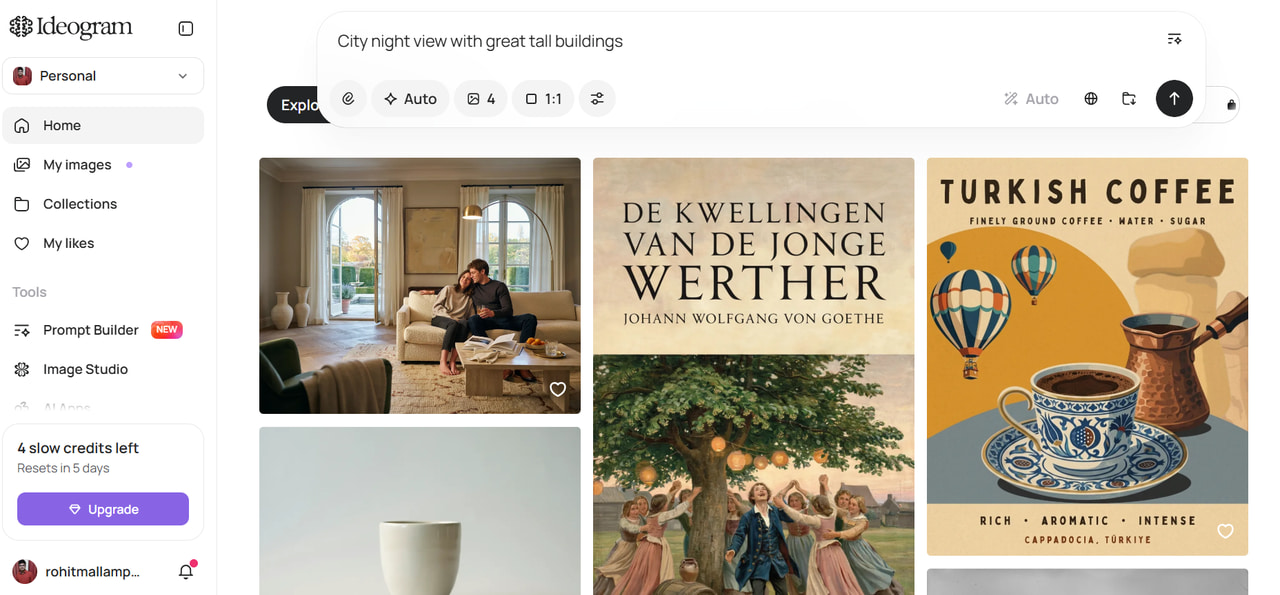
Step 2: Select model, style, aspect ratio, and generation settings
Choose your preferred AI model, visual style, aspect ratio, and quality settings before starting the generation process. These options help tailor the output to different creative projects.
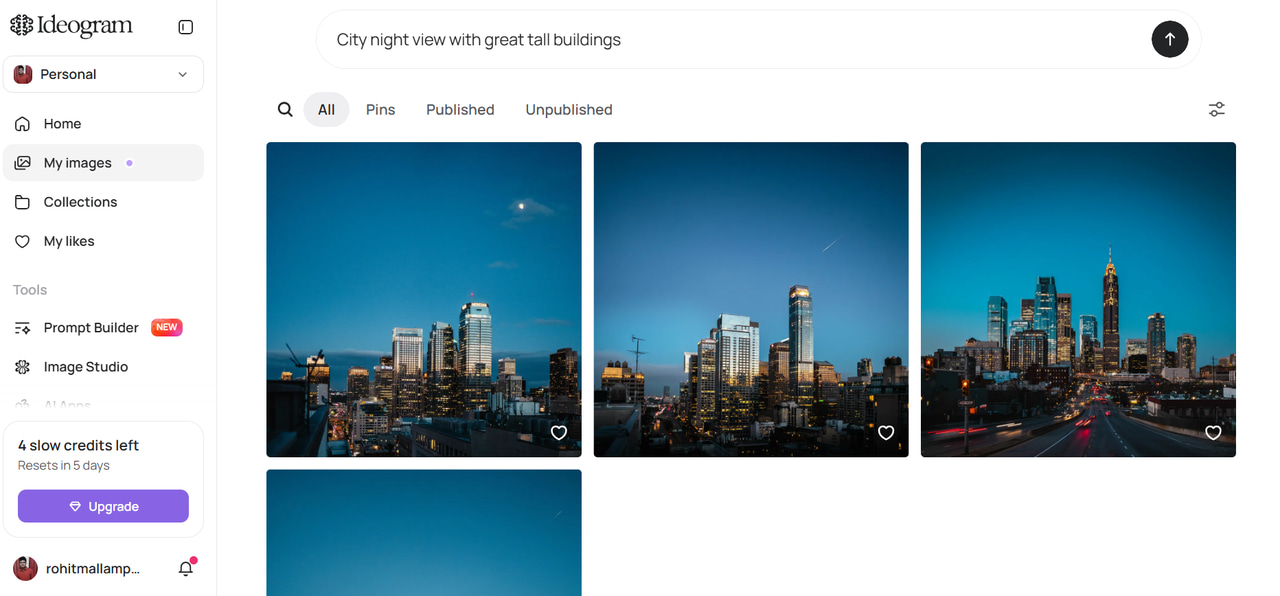
Step 3: Generate, refine, and download your images
Ideogram generates several image variations within seconds. You can remix outputs, make edits using the Canvas tool, and download your preferred version once you're satisfied.
What we liked and what could be better
Ideogram delivers a smooth image generation experience with excellent typography and a beginner-friendly workflow. However, like most AI image generators, it has a few limitations that users should consider before subscribing.
|
What we liked |
What could be better |
|---|---|
|
Excellent text rendering: Produces clear, readable typography that outperforms many other AI image generators. |
Limited free credits: Free users may quickly reach their monthly generation limits. |
|
Beginner-friendly interface: The clean layout makes it easy to navigate, even for first-time users. |
Basic editing tools: The built-in editor handles simple changes but lacks the depth of dedicated AI editing platforms. |
|
Multiple artistic styles: Supports realistic photography, illustrations, anime, digital art, and graphic design styles. |
Occasional prompt inconsistency: Complex prompts sometimes require multiple generations before producing the desired output. |
|
Fast image generation: Most prompts are processed within seconds, allowing users to experiment efficiently. |
Premium features require a subscription: Higher generation limits and advanced capabilities are mainly available on paid plans. |
|
Helpful prompt enhancement: Magic Prompt expands simple descriptions into more detailed prompts for improved results. |
Pricing overview
|
Plan |
Price (Annual Billing) |
Features & Credits |
Best For |
|---|---|---|---|
|
Free |
$0/mo |
Limited public generations, free weekly credits, community gallery access |
Hobbyists wanting casual/light testing |
|
Plus |
$15/mo |
1,000 priority credits/month, unlimited slow credits, private generations, character consistency |
Creators & freelancers needing standard private workflows |
|
Pro |
$42/mo |
3,500 priority credits/month, unlimited slow credits, batch generation, best cost per credit |
High-volume users & professional designers |
|
Team |
$20/user/mo |
1,500 priority credits per user/month, central billing and administration, collaboration features |
Small teams requiring centralized management |
|
Enterprise |
Custom pricing |
Custom priority credits, private custom models trained on visual data, volume API discounts |
Large organizations & custom integrations |
Ideogram AI Image Generator review: Image quality and real-world performance
The real value of an AI image generator is the quality of the output. Outside of the feature list, Ideogram does quite well on a variety of creative tasks, returning images that are visually appealing and that follow prompts well. It is especially known for creating clean typography, so it’s a great choice for design-centric projects.
Performance across different creative tasks
Ideogram handles a variety of creative use cases with impressive consistency. While results still depend on prompt quality, the platform generally delivers polished images suitable for both personal and professional projects.
|
Use case |
Performance |
|---|---|
|
Marketing graphics |
Produces eye-catching banners, advertisements, and promotional visuals with balanced layouts and vibrant colors. |
|
Logos and typography |
One of Ideogram's strongest areas, generating readable text and creative logo concepts with minimal errors. |
|
Product mockups |
Creates concept visuals for ecommerce and presentations, though some outputs may require editing before commercial use. |
|
Social media visuals |
Generates platform-ready posts, cover images, and thumbnails in different aspect ratios. |
|
Illustrations and concept art |
Produces imaginative artwork with consistent artistic styles, making it suitable for storytelling and creative exploration. |
|
Photorealistic images |
Delivers detailed portraits and realistic scenes, although complex anatomy and fine details may occasionally need regeneration. |
User experience and output quality
Beyond image quality, the overall experience is smooth and beginner-friendly. Navigation is simple, image generation is quick, and the platform makes it easy to refine outputs without a steep learning curve.
|
Aspect |
Review |
|---|---|
|
Prompt accuracy |
Understands detailed prompts well and generally follows instructions closely. |
|
Image consistency |
Multiple variations stay faithful to the original prompt while offering useful creative differences. |
|
Text rendering quality |
Consistently one of the best AI image generators for readable typography. |
|
Generation speed |
Most images are generated within a few seconds, enabling rapid experimentation. |
|
Editing workflow |
Remix and Canvas tools simplify refinements without requiring external editing software. |
|
Export quality |
Images are suitable for digital marketing, presentations, social media, and many commercial projects. |
What users are saying
Summarize feedback from:
-
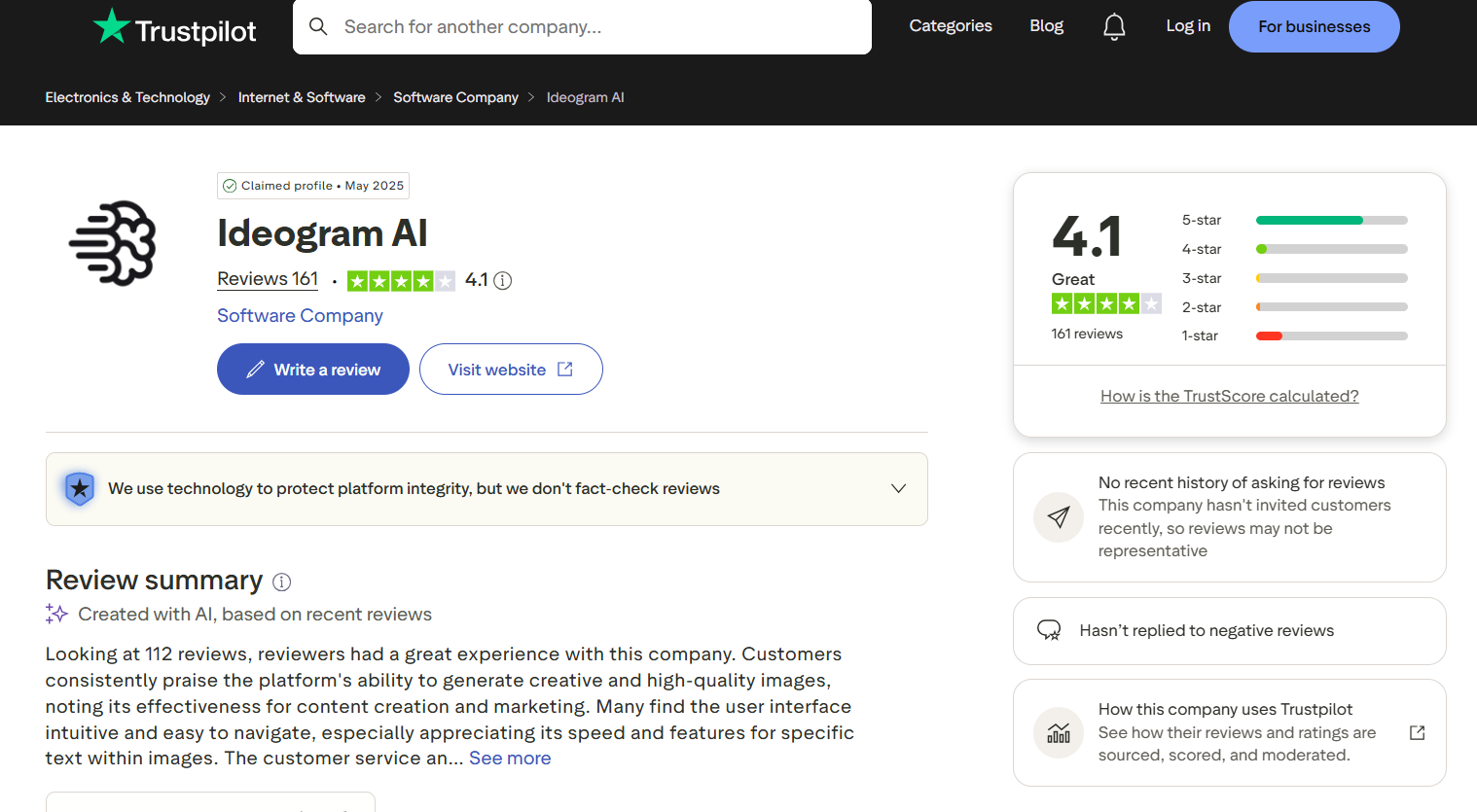
Trustpilot: Most users praise Ideogram for generating high-quality images, excellent text rendering, and an intuitive interface. Many also appreciate its speed and usefulness for content creation, marketing, and graphic design. Some reviewers, however, mention limited free usage, subscription concerns, and occasional inconsistencies in image generation.
-
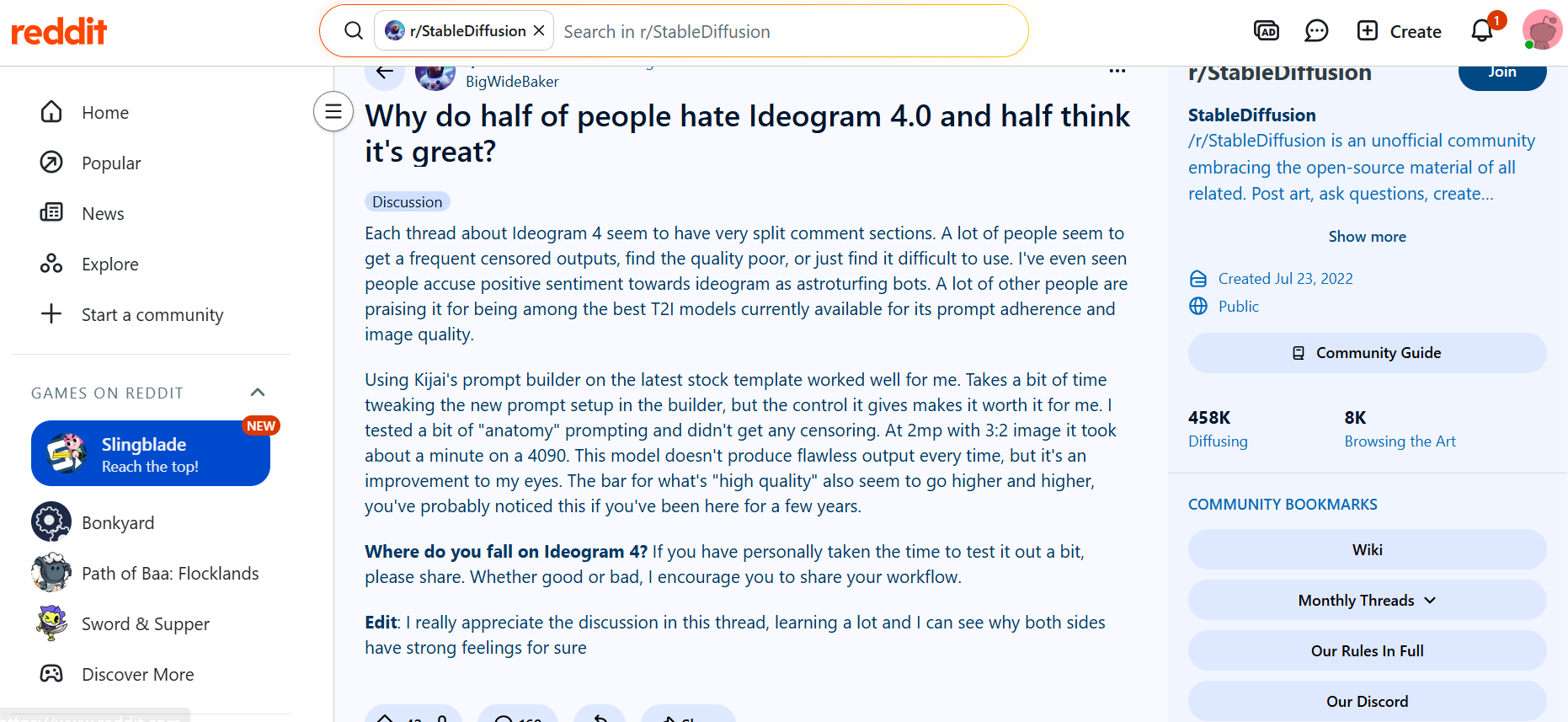
Reddit: Community opinions are more mixed. Many users regard Ideogram as one of the best text-to-image models because of its prompt adherence, typography, and overall image quality. Others cite issues such as content moderation restrictions, inconsistent outputs, and a learning curve to write prompts. Generally, experienced users get better results once they have tuned their prompts and settings.
While user reviews show that Ideogram performs well for typography and creative design, it may not meet every creator's needs. If you're looking for an AI image generator like Ideogram that offers a different creative workflow, Vmake Labs AI Image Generator is another option worth exploring.
Create AI images with Vmake Labs AI Image Generator
Vmake Labs AI Image Generator supports both text-to-image and image-to-image generation through a simple browser-based workflow. With access to multiple leading AI models, it helps users create professional visuals for marketing, ecommerce, branding, content creation, and other creative projects.
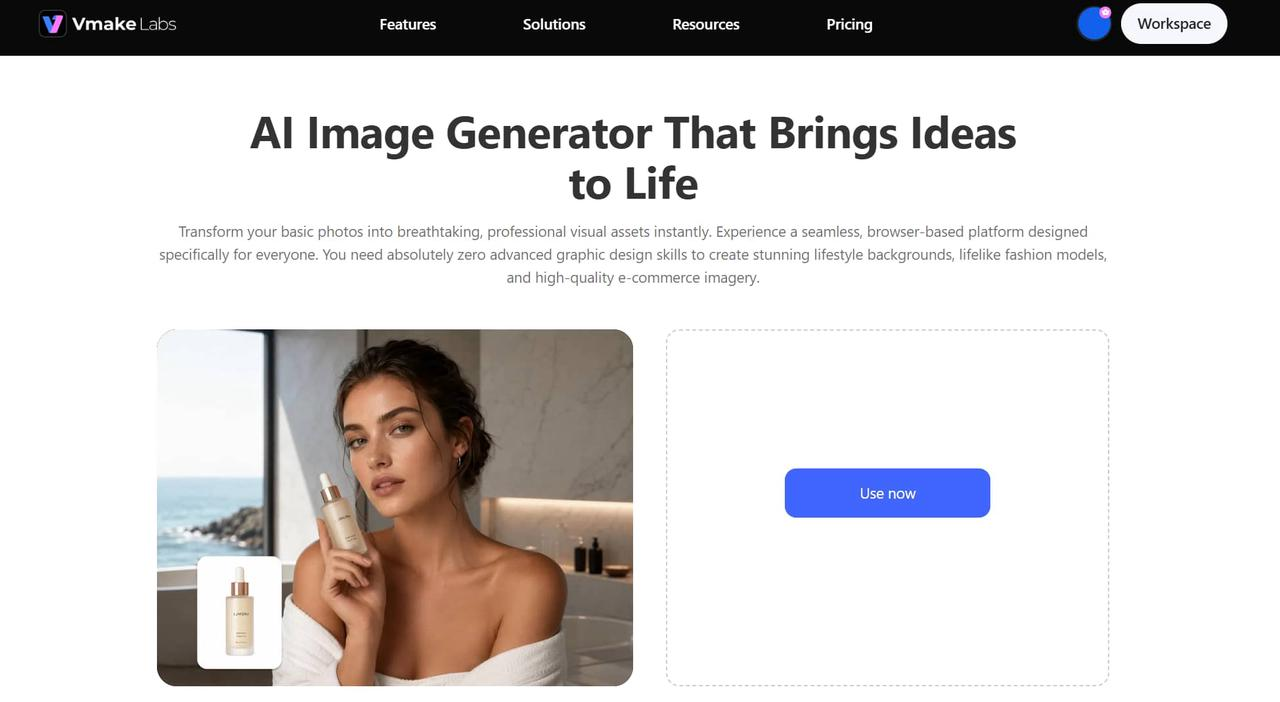
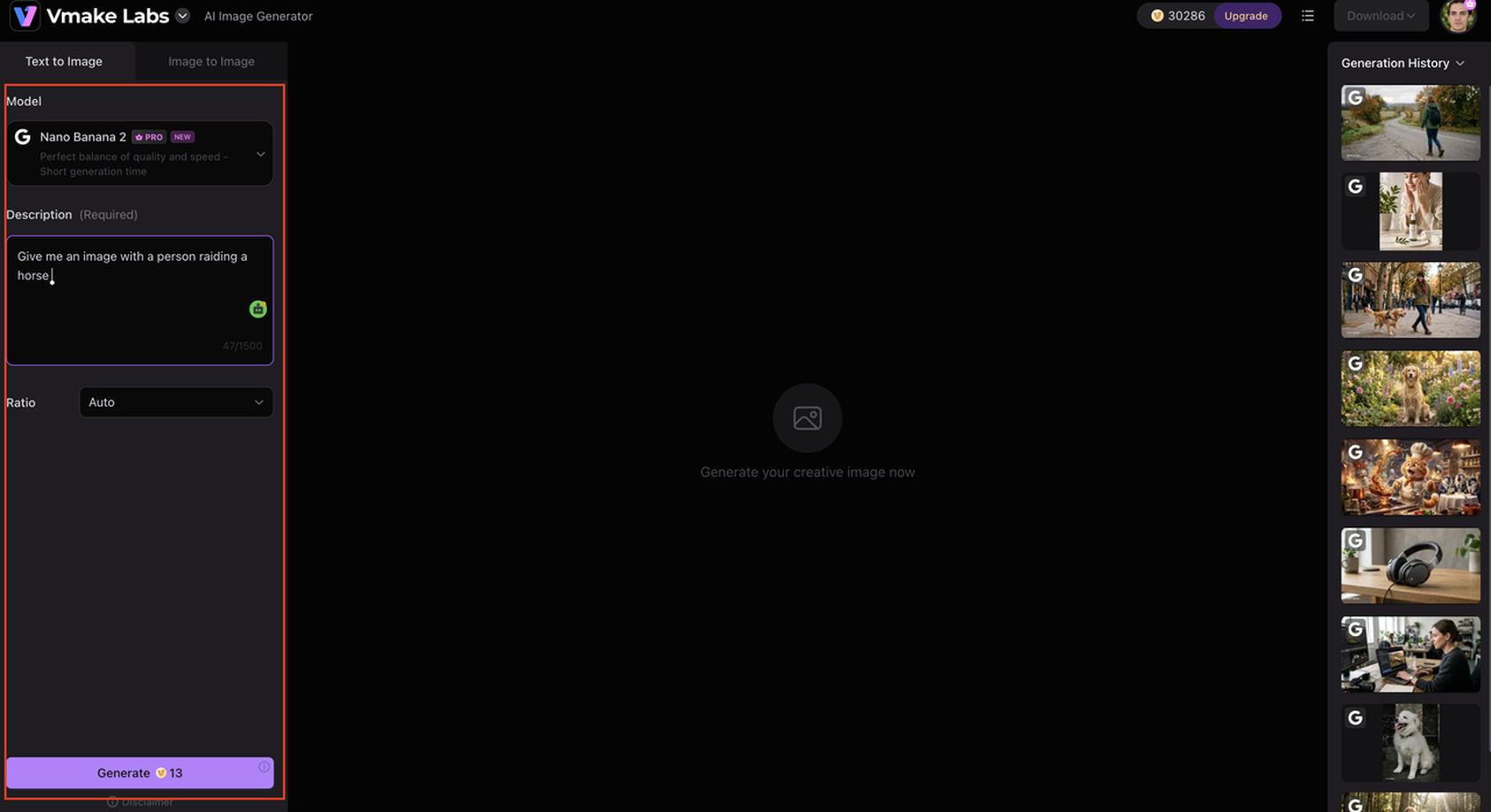
Step 1: Enter your prompt or upload a reference image
Describe your idea or upload a reference image to guide AI. Detailed prompts help produce results that better match your creative vision.
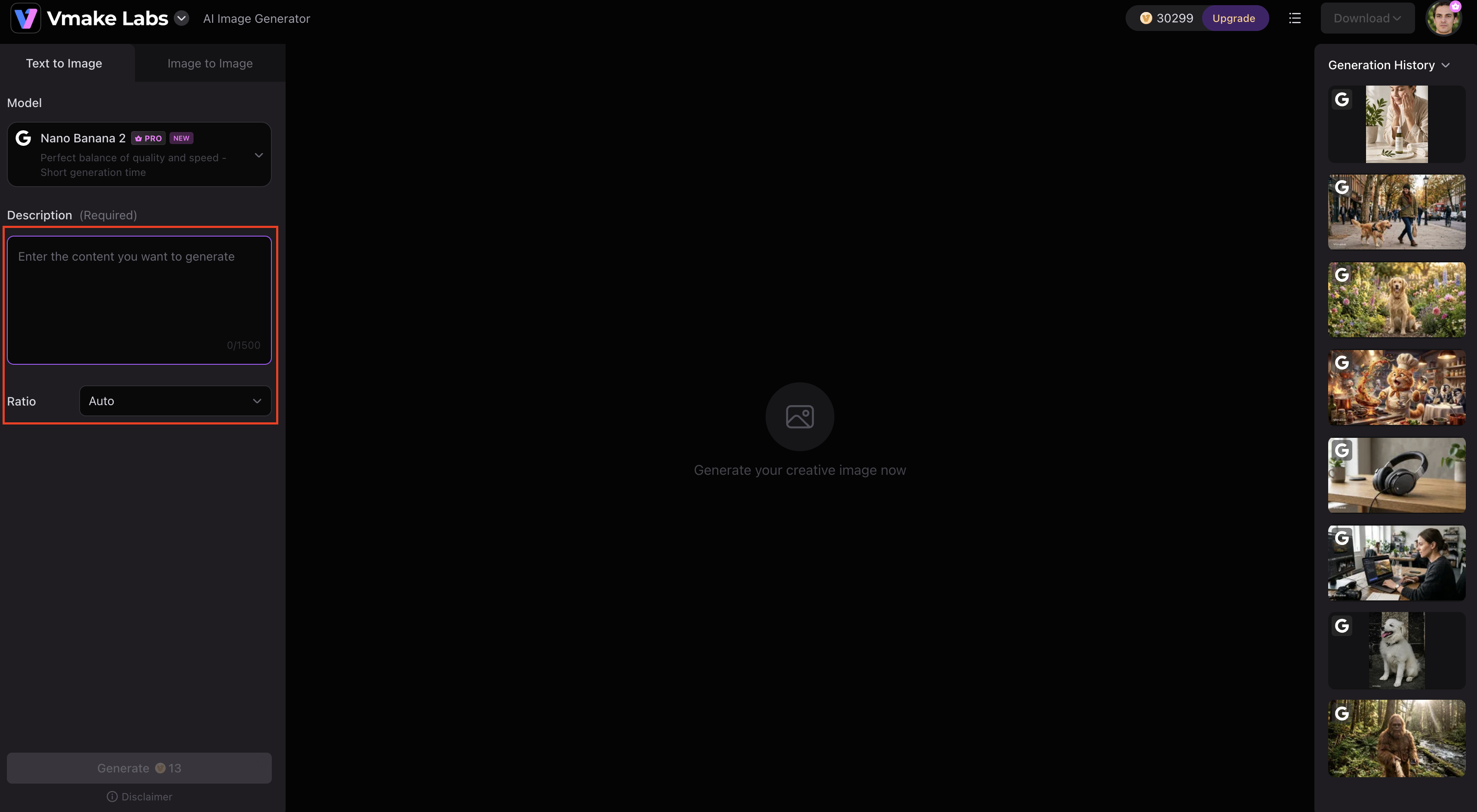
Step 2: Choose your preferred AI model, aspect ratio, and generation settings
Select from multiple AI models, adjust the aspect ratio, and customize generation settings based on your project requirements before generating your images.
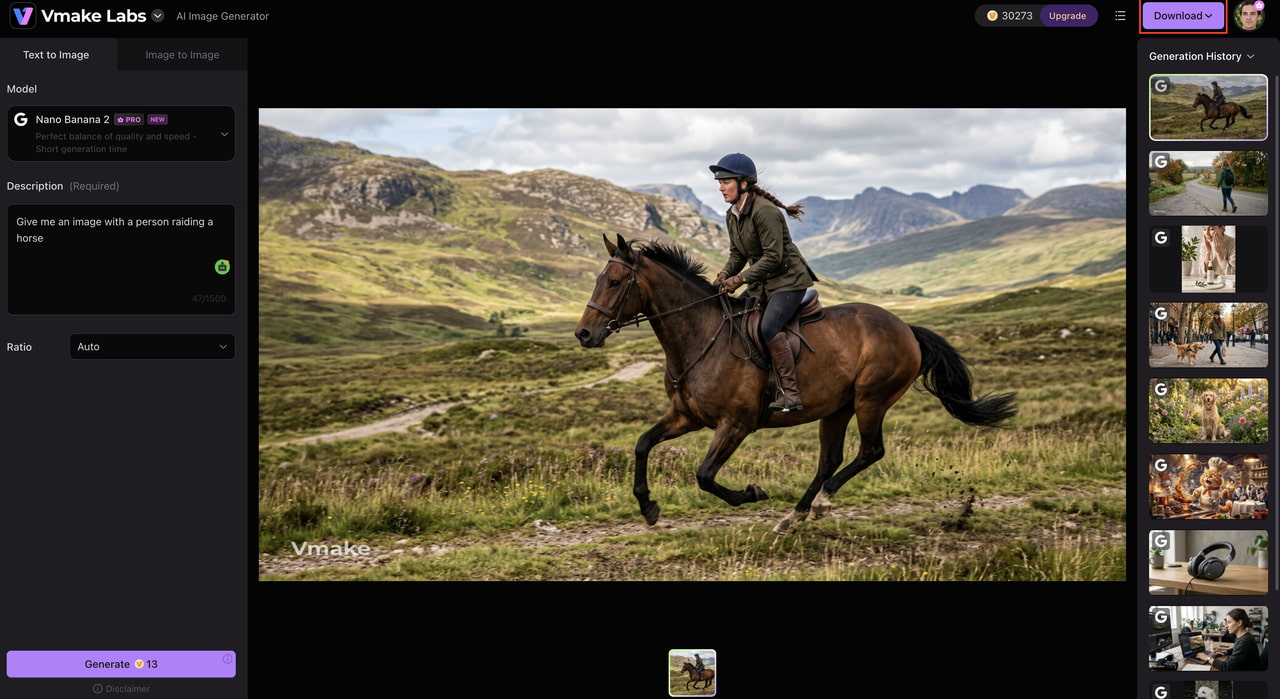
Step 3: Generate, preview, edit, and download your images
Review the generated images, make adjustments if needed, and download your preferred result for personal or commercial use.
Why choose Vmake Labs AI Image Generator
Vmake Labs combines multiple leading AI models with an intuitive workflow, making it suitable for creators with different design needs.
-
Multiple leading AI models: Choose from several AI models to generate different visual styles from a single platform.
-
Text-to-image and image-to-image generation: Create original artwork or transform existing images with AI.
-
Commercial-ready visuals: Generate high-quality images for advertisements, product listings, websites, and social media.
-
Wide range of artistic styles: Produce realistic images, illustrations, anime artwork, concept art, and graphic designs.
-
Fast cloud-based generation: Create AI images quickly without installing software.
-
Beginner-friendly interface: A clean workflow makes image generation simple for users of all experience levels.
-
Suitable for multiple industries: Ideal for ecommerce, digital marketing, branding, content creation, and creative design projects.
Ideogram AI Image Generator vs Vmake Labs AI Image Generator
Both Ideogram and Vmake Labs simplify AI image creation, but they cater to different creative needs. Ideogram excels at typography and poster design, while Vmake Labs offers greater flexibility with text-to-image, image-to-image, and access to multiple AI models for a wider range of creative projects.
|
Feature |
Ideogram AI Image Generator |
Vmake Labs AI Image Generator |
|---|---|---|
|
Primary purpose |
AI text-to-image generation |
AI image generation for creative and commercial content |
|
Text rendering |
Industry-leading typography generation |
Strong image generation across multiple AI models |
|
AI models |
Proprietary Ideogram models |
Multiple leading AI models |
|
Text-to-image |
Yes |
Yes |
|
Image-to-image |
Yes |
Yes |
|
Creative flexibility |
Built-in styles and prompt controls |
Multiple AI models with diverse creative styles |
|
Artistic styles |
Multiple built-in styles |
Realistic, artistic, anime, illustration, and more |
|
Commercial content |
Suitable for design assets |
Optimized for marketing, ecommerce, and branding visuals |
|
Ease of use |
Beginner-friendly |
Beginner-friendly |
|
Best for |
Typography-heavy designs and posters |
Versatile AI image creation for marketing, ecommerce, branding, and creative projects |
Summary
-
Choose Ideogram AI Image Generator if your primary focus is typography-heavy graphics, posters, branding materials, and logo concepts with accurate text rendering.
-
Choose Vmake Labs AI Image Generator if you want a more flexible workflow with text-to-image, image-to-image, and multiple AI models for creating diverse visuals across marketing, ecommerce, branding, and content creation.
Is Ideogram AI Image Generator worth trying in 2026?
Ideogram continues to be one of the best AI image generators available in 2026, especially for users creating posters, branding, and marketing graphics that need accurate text generation. Its user-friendly interface, fast generation speed, and stable image quality make it suitable for both amateurs and professionals. The free plan has limits on usage, and the advanced editing tools are fairly basic, but the platform is great value for creative projects. If you need more flexibility with multiple AI models and wider commercial applications, Vmake Labs AI Image Generator is a powerful alternative. Ultimately, go with Ideogram for typography-focused designs, and Vmake Labs for a more versatile AI image generation workflow.
FAQs
-
Is Ideogram AI Image Generator free to use?
Yes. Ideogram has a free plan with limited image generations. You can upgrade to a paid plan if you want more credits, faster generation, and more features. If you want an alternative, Vmake Labs AI Image Generator also provides an easy way to generate AI images online.
-
Is Ideogram V2 AI Image Generator better than previous versions?
Yes. Ideogram V2 AI Image Generator improves prompt understanding, image realism, generation speed, and typography. It also delivers more consistent results for creative and commercial projects than earlier versions.
-
Can Ideogram generate images with accurate text?
Yes. Accurate text rendering is one of Ideogram's biggest strengths. It performs particularly well for posters, logos, advertisements, book covers, and other branding materials that include typography.
-
Is Ideogram good for commercial use?
Yes, it can create marketing graphics, product concepts, social media content, and branding assets. Make sure to check Ideogram's latest licensing terms before using images commercially. Vmake Labs AI Image Generator is another great choice for businesses needing several AI models for commercial visuals.
-
What is the best AI image generator like Ideogram?
If you're looking for an AI image generator like Ideogram, Vmake Labs AI Image Generator is a strong choice. It supports multiple leading AI models, text-to-image and image-to-image generation, making it suitable for marketing, ecommerce, and creative design projects.
-
Is there a free AI image generator like Ideogram?
Yes. Many sites offer free AI image creation with few limitations. Another is Vmake Labs AI Image Generator, which allows users to create high-quality AI images via a simple browser-based workflow before upgrading to paid features if desired.

You May Be Interested

Canva AI Image Generator Review: Is It Worth It in 2026?

11 Best Image to Video AI Generators Compared in 2026
Adobe Firefly AI Image Generator Review: Features & Pricing
Bing AI Image Generator Review: Honest Analysis & Complete Guide

FLUX AI Image Generator Review 2026: Is It Worth Using?
AI Image Generator: Nano Banana Pro Free