7 Best HeyGen Alternatives for AI Video Creation in 2026
From quick social clips to polished marketing videos, explore 7 Heygen alternatives that can help you create engaging content faster. Use Vmake Labs AI video generator to bring your ideas to life.

AI video generators have made it easier to bring scripts, product ideas, and marketing concepts to life in polished videos. HeyGen is one of the most widely used options, but there are many other options with different avatar styles, editing tools, pricing models, and content generation features. Check out these 7 HeyGen alternatives in 2026.
What is the HeyGen AI video generator
HeyGen is an AI video platform to help users generate videos with avatars from text scripts. Instead of filming a presenter, you can pick an AI avatar, add your script, select a voice and language, and generate a finished video. It's widely used for training, marketing, product presentations, social content, and business communications.
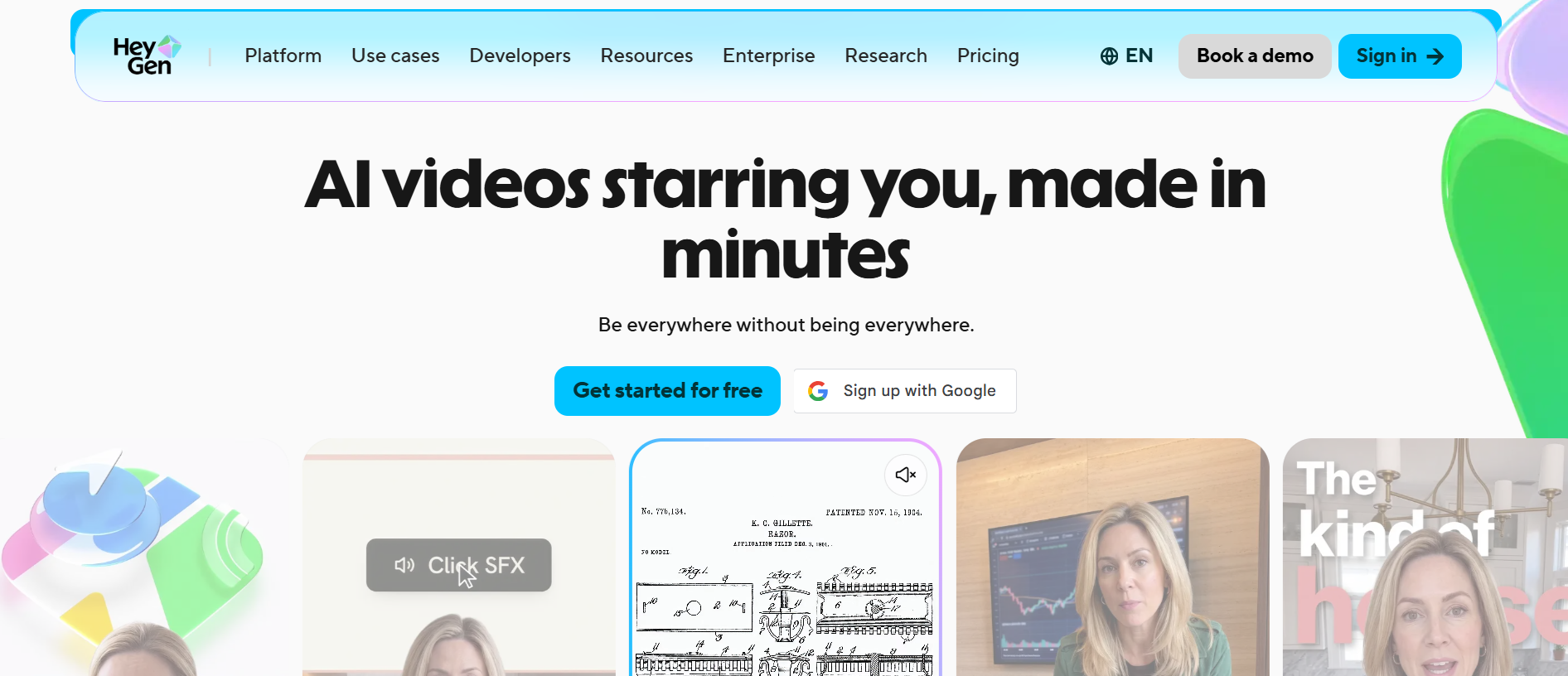
If users want a different balance of features, pricing, or creative control, they can still look for HeyGen alternatives. While some platforms are more geared toward AI video generation, others are designed around professional avatars, editing, advertising, or localized content.
What to look for in a HeyGen alternative
The best HeyGen alternative for you will depend on how you want to create and use videos. When choosing a platform, check the quality of AI presenters, voice technology, editing workflow, language support, and pricing limits.
-
AI avatar quality and realism
Seek out avatars that look natural, with realistic facial expressions, gestures, and movements. Realistic presenters can add more polish and engagement to your training, sales, and marketing videos.
-
Lip-sync accuracy
Good lip synchronization is necessary if AI presenters are to be convincing. Watch the mouth movement of the avatar perfectly synchronize with the produced voice, especially when speaking fast or in other languages.
-
AI voice quality
Natural voices can make a big difference in the final video. Think about voice clarity, emotional expression, accents, speaking styles, and whether the platform lets you customize or clone voices.
-
Languages and translation
Look for broad language and translation support if you're creating content for international audiences. You can customize one video for multiple markets with features such as automatic dubbing and multilingual avatars.
-
Video editing capabilities
Avatar generation is only part of the process. With built-in editing tools for captions, music, visuals, transitions, backgrounds, and timing, you can avoid moving the generated video into another editor.
-
Templates and content generation
Templates and AI-enabled content creation can accelerate production. Look for tools that can turn scripts, product descriptions, images, or prompts into full video ideas.
Best HeyGen alternatives 2026 at a glance
|
Platform |
Best for |
Key strength |
Pricing approach |
AI Avatars |
AI video generation |
|---|---|---|---|---|---|
|
Vmake Labs |
AI video creation, marketing, and creative content |
Multiple AI video models, flexible generation workflows, image/video transformation |
Credit and plan-based |
AI avatars and AI-generated visual content |
Text-to-video, image-to-video, video-to-video |
|
Synthesia |
Corporate training and presentations |
AI presenters, training workflows, brand customization, multilingual videos |
Subscription-based |
Professional AI Avatars |
Script-to-video |
|
Creatify |
Advertising and ecommerce |
Product-to-video workflows, ad variations, marketing-focused generation |
Credit and plan-based |
AI Avatars and marketing presenters |
AI-generated product and ad videos |
|
Colossyan |
Training, L&D, and business education |
Interactive videos, quizzes, branching scenarios, SCORM/LMS integration, custom avatars, brand kits |
Free and paid plans |
300+ AI avatars, custom avatars |
Script-to-video, document-to-video, PPT/PDF-to-video |
|
VEED |
Video editing and social content |
All-in-one editing, subtitles, screen recording, social content tools |
Free and paid plans |
AI Avatar features |
AI-assisted video generation |
|
DeepBrain AI |
Professional AI avatar videos |
Realistic presenters, business communication, training, news-style videos |
Subscription/ usage based |
Realistic AI presenters and digital humans |
Text-to-video |
|
Elai |
Training & personalized videos |
Personalized videos, training content, avatar customization, presentation tools |
Subscription based |
AI avatars and personalized presenters |
Script-to-video |
7 best HeyGen alternatives 2026 to try out
-
Vmake Labs
Vmake Labs AI avatar video generator helps businesses, ecommerce sellers, and creators create engaging product videos without having to hire models or set up a traditional video shoot. You can begin with a product image or URL, choose an AI avatar, language, and scene, and generate a presenter-led video that highlights the product in a more natural, UGC-style format. This makes the platform useful for product promotions, ecommerce videos, social media ads, affiliate marketing, and localized campaigns.
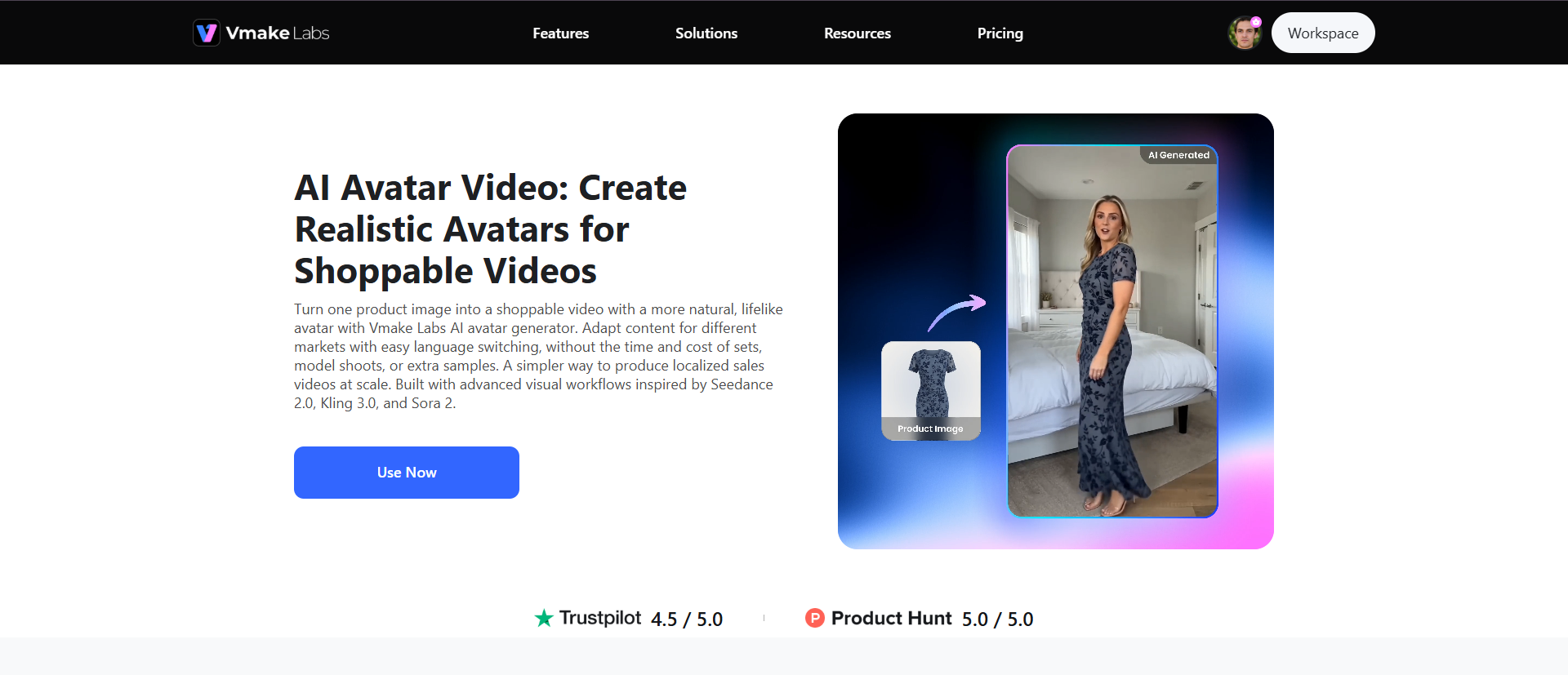
Steps to make avatar videos with Vmake Labs
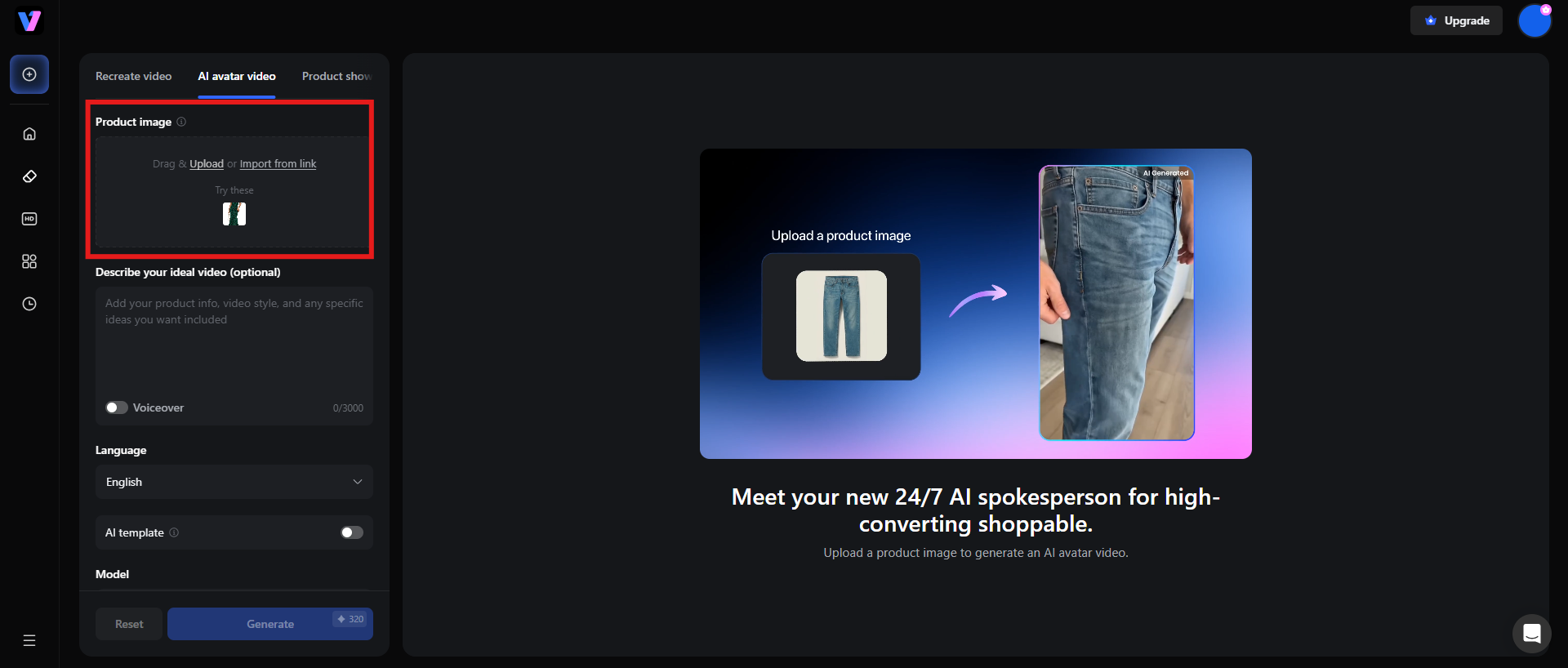
Step 1: Upload a product image
Upload a product image or enter a product URL and start. Vmake Labs uses this as the starting point for creating the avatar video without any need to film a new video or organize a full product shoot.
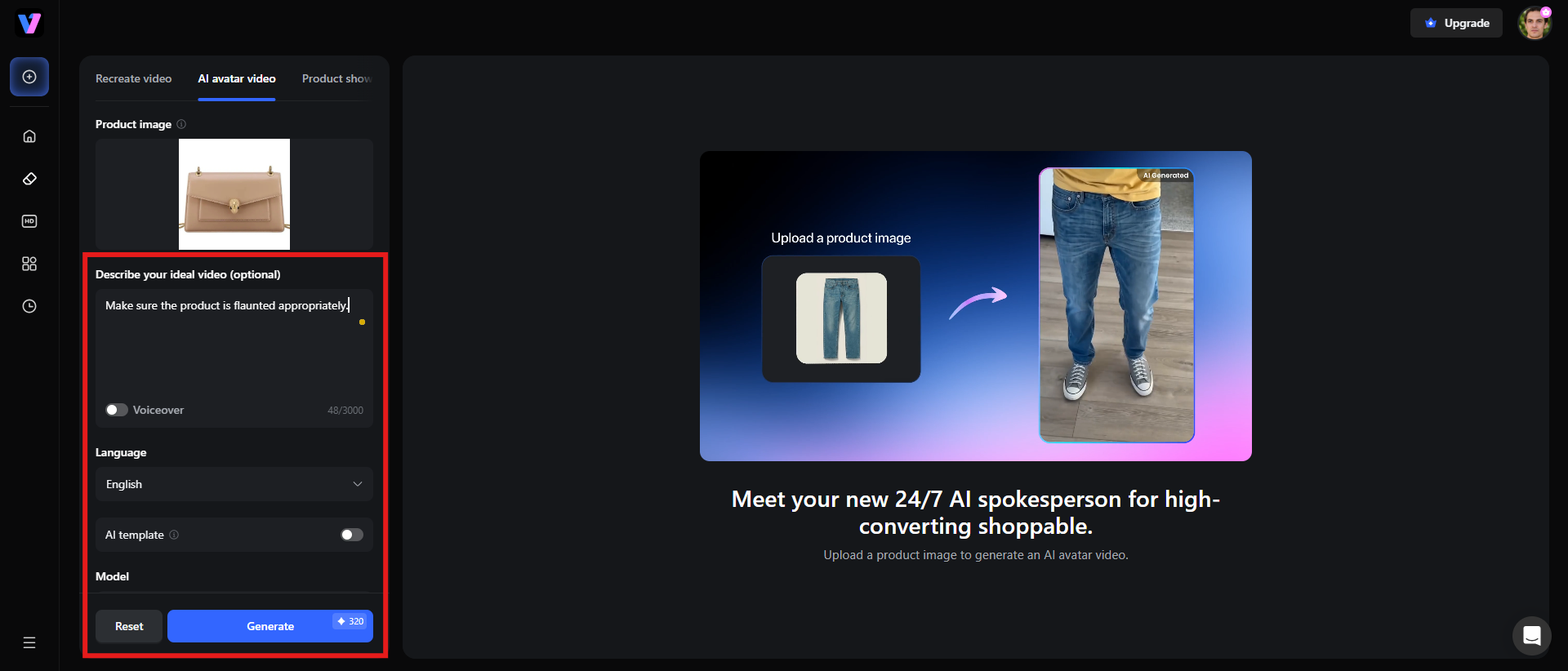
Step 2: Select language, avatar, and scene, then generate
Choose speaking language, avatar style, and background scene, with simple setup options. This makes it easy to make different versions of the same product video for different audiences and markets. Click "Generate" to create the finished shoppable video featuring a realistic AI presenter.
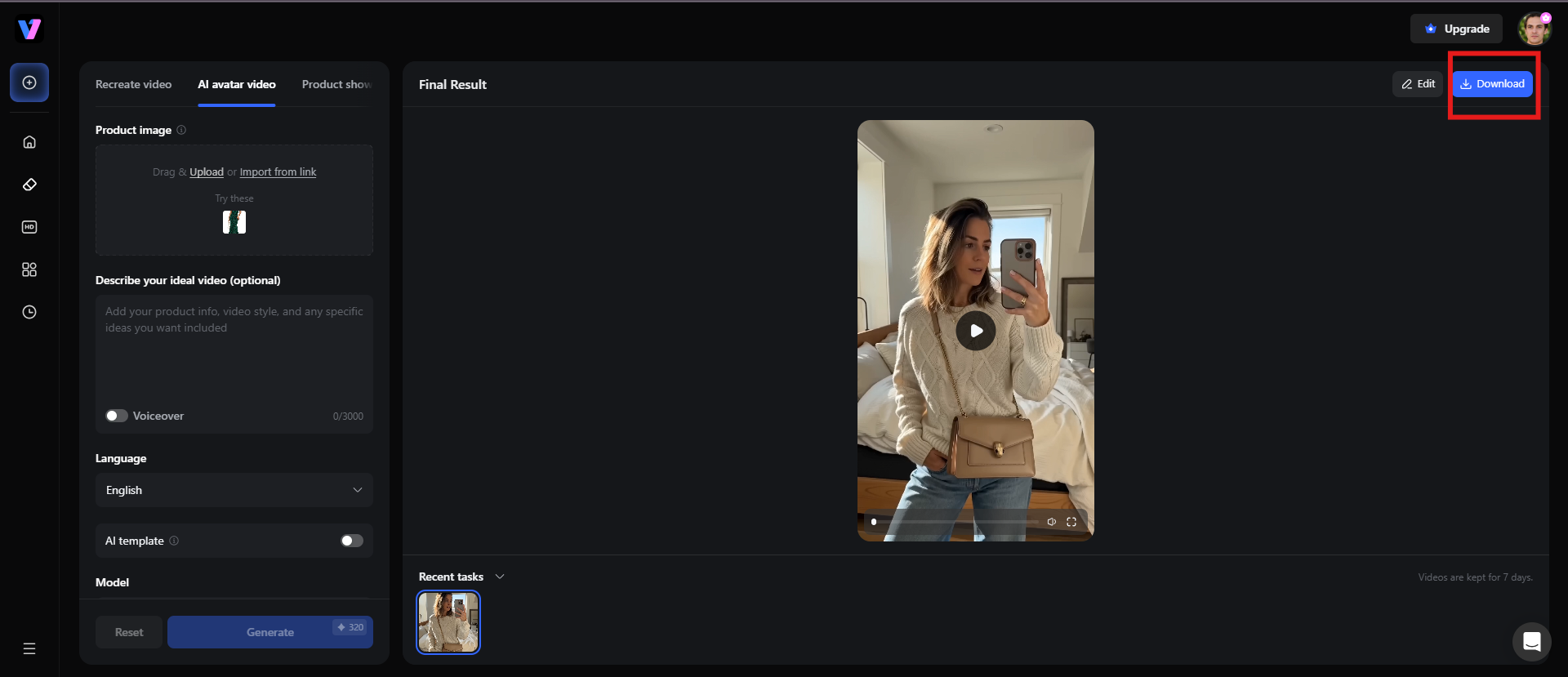
Step 3: Preview and download the video
Preview the video generated by Vmake Labs and see if everything fits in place. Click the "Download" button to save and share the generated AI avatar video.
Key features of Vmake Labs
-
Photorealistic AI avatars
Vmake Labs' AI presenters are designed to deliver product scripts with natural facial expressions, movements, and lip-sync, making the videos feel more like something made by humans.
-
Multilingual localization
Vmake supports various languages, and therefore enables the creation of localized versions of product videos for audiences in different markets.
-
Product-focussed workflows
The platform is designed to retain key product information, to ensure the product looks similar throughout the final content. Vmake Labs can produce presenter-led videos that mimic the casual, authentic style used often in social media advertising and ecommerce marketing.
Best for: AI video creation, marketing, and creative content
Pricing: Free trial available, paid plans start from $9.99/mo (billed monthly)
-
Synthesia
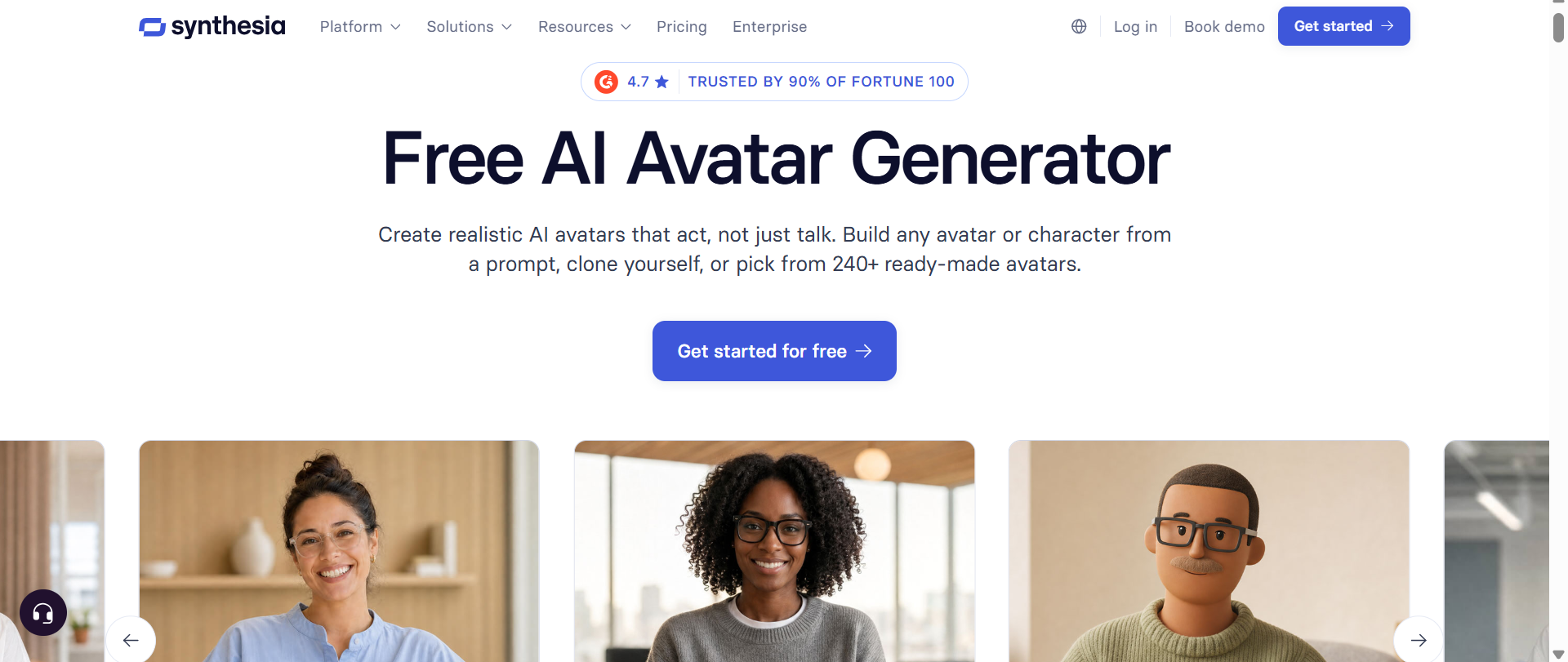
Synthesia is an AI video platform designed for businesses to produce professional videos without the need for cameras, actors, microphones, or studios. It combines AI avatars, voiceovers, script-to-video generation, and multilingual capabilities into one workflow. One of the HeyGen free alternatives, Synthesia, supports 160+ languages and has a huge library of AI presenters and voices.
Key features
-
AI avatars: Synthesia offers a wide range of professional AI presenters who can read scripts without a real person on camera.
-
AI video assistant: You can start with a prompt, script, or document and turn the source into a structured video with Synthesia.
-
Create videos in many languages: Synthesia offers AI voices and avatars in over 160 languages, allowing you to localize training, marketing, and internal videos for a global audience.
-
Video editing and screen recording: The platform provides tools for editing scenes, adding media, screen recording, and updating existing videos.
|
Pros |
Cons |
|---|---|
|
|
Best for: Corporate training, employee onboarding, internal communications, presentations, sales enablement, and multilingual business videos.
Pricing: A free plan is available, and paid plans start from $19/mo (billed monthly)
-
Creatify
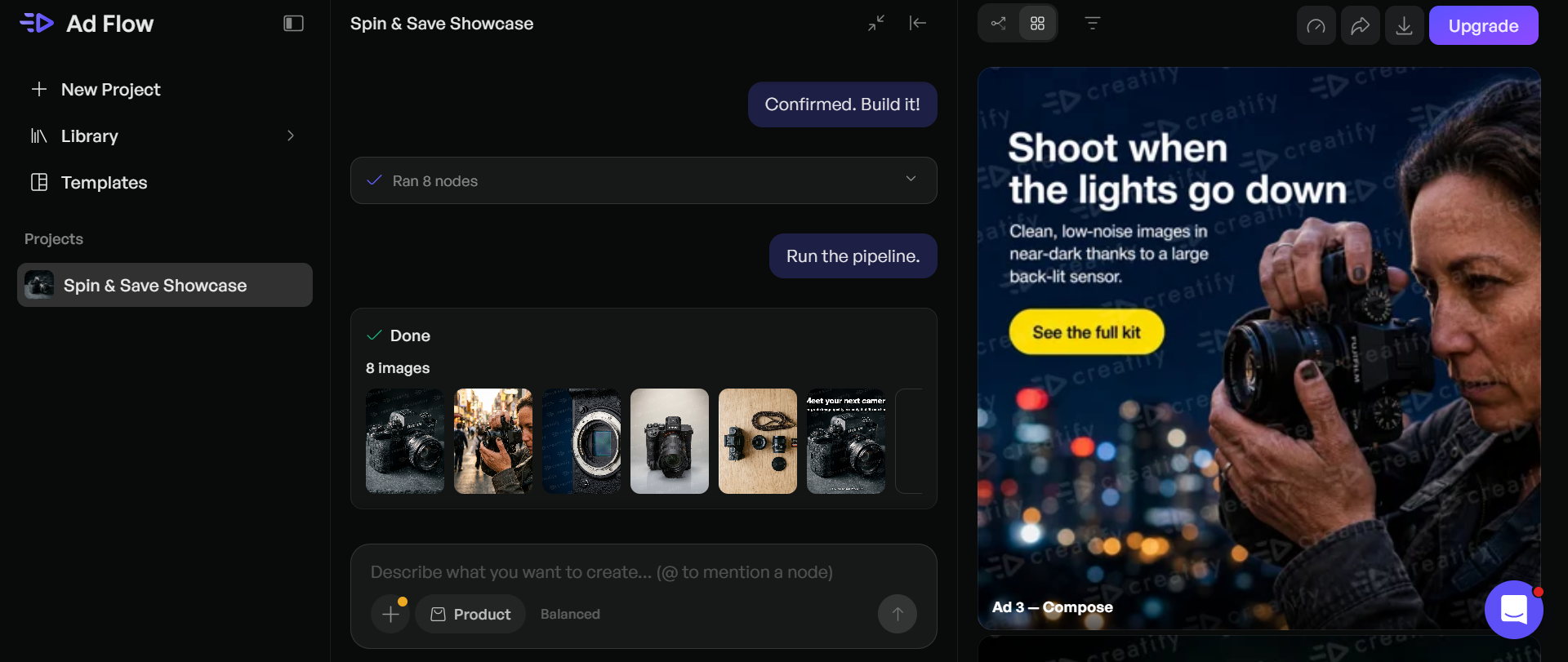
Creatify is an AI video platform designed for advertising, ecommerce, and performance marketing. It can convert product information, URLs, and creative assets into short-form ads and avatar videos. The platform offers AI actors, ad templates, AI models, and tools to generate multiple variations of marketing content.
Key features
-
AI avatar & actor videos: Creatify offers a wide range of realistic AI actors to feature products or read advertising scripts.
-
URL-to-Video creation: You can provide a product URL and use it to generate promotional video content. This is good for ecommerce businesses that already have product pages and need more video creatives.
-
AI Ad Templates: Creatify has hundreds of ad templates to provide marketers with ready-made templates for product ads, social ads, and other campaign formats.
-
AI creative and performance tools: Creatify isn't just about video generation. Higher plans also include creative testing, ad insights, competitor research, and performance-oriented workflows.
|
Pros |
Cons |
|---|---|
|
|
Best for: Ecommerce brands, advertisers, affiliate marketers, agencies, and businesses creating UGC-style product ads at scale.
Pricing: Paid plans start at $39/mo (billed monthly)
-
Colossyan
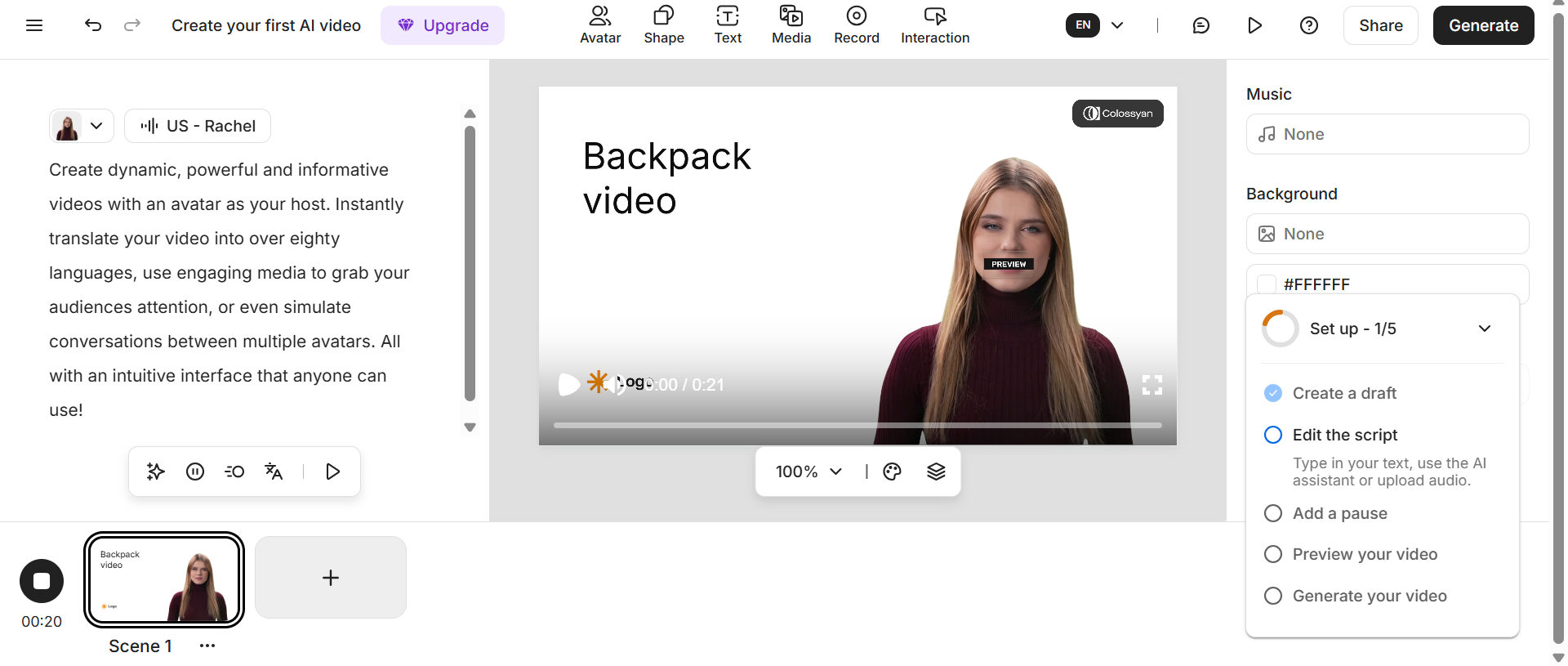
Colossyan is an AI video platform for training, learning & development, employee induction, and business education. As one of the best free HeyGen alternatives in 2026, it offers AI presenters, document-to-video, multilingual translation, interactive videos, and LMS-friendly features. Users can convert scripts, documents, PowerPoint presentations, and PDFs into structured AI videos, without needing to record a presenter.
Key features
-
AI Avatars & Voice Cloning: Colossyan offers 300+ stock avatars, 700+ stock voices, plus custom avatars and cloned voices on paid plans.
-
Document and presentation-to-video: Users can upload documents, PowerPoint files, and PDFs and transform their content into AI-generated videos.
-
Interactive training videos: Colossyan supports quizzes and branching scenarios, giving viewers the ability to interact with training content rather than just watching a linear video.
-
Multilingual and LMS support: Videos can be translated into 120+ languages, and SCORM exports allow organizations to integrate video-based training into compatible learning management systems.
|
Pros |
Cons |
|---|---|
|
|
Best for: Employee training, onboarding, compliance videos, educational content, L&D teams, customer education, and organizations using LM9S platforms.
Pricing: A free plan is available, and the paid plan starts at $89/mo (billed monthly)
-
VEED
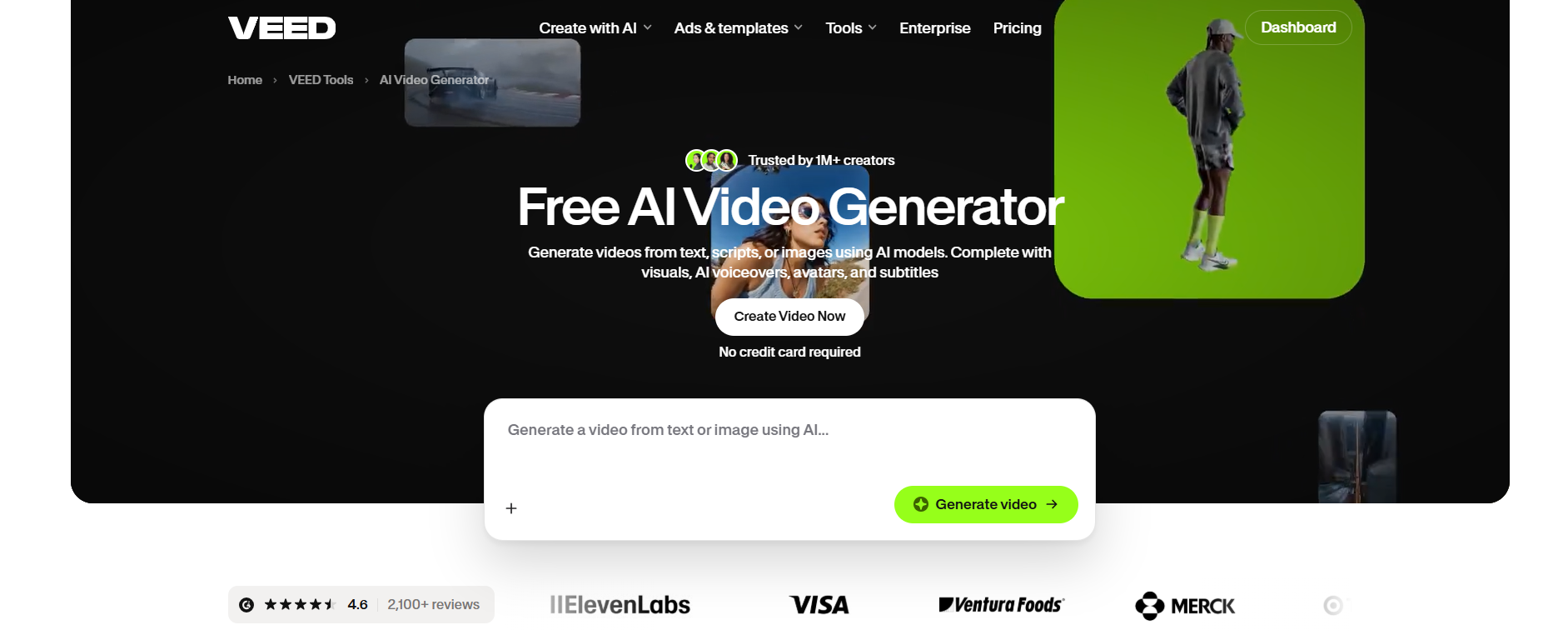
VEED is an all-in-one AI video creation and editing platform that blends AI generation with conventional browser-based editing tools. Instead of just AI avatars, it enables users to create videos, edit footage, add captions, clean audio, record screens, and produce social content all in one place.
Key features
-
AI video generation: VEED can create videos from scripts or prompts, so you can make videos without having to start with recorded footage.
-
AI Avatars and Talking-Head Videos: The platform has AI avatar tools to create presenter-style videos and talking-head content.
-
Full online video editor: After a video has been created or uploaded, users can trim, crop, add text, transitions, effects, music, and more.
-
Captions and AI enhancement: VEED has automatic subtitles, audio cleanup, translation, and other AI-powered editing tools that can be useful for social and marketing videos.
|
Pros |
Cons |
|---|---|
|
|
Best for: Social media creators, marketers, educators, YouTubers, and businesses that want AI generation plus full video editing on one platform.
Pricing: The paid plan starts at $12/mo (billed monthly)
-
DeepBrain AI
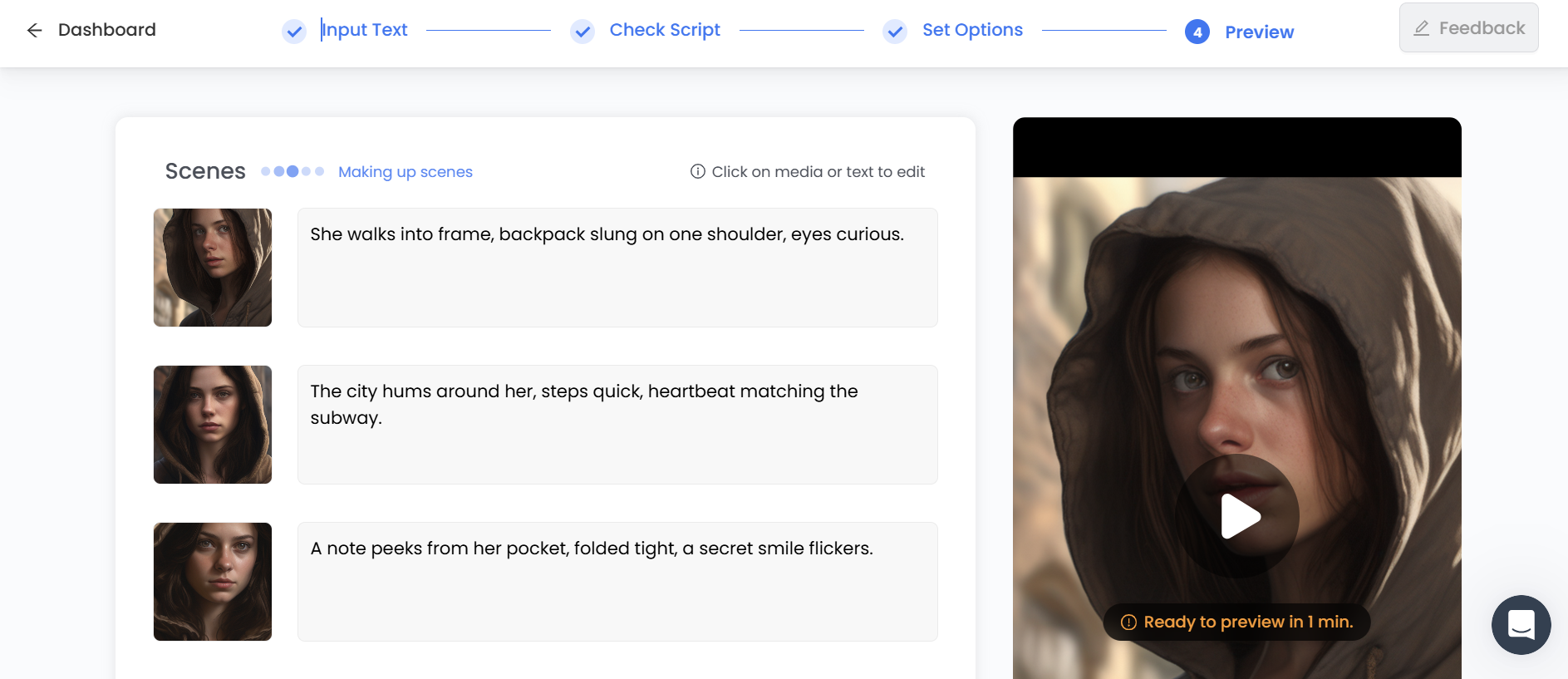
DeepBrain AI is an AI video generation company using its AI Studios platform with realistic digital presenters. This HeyGen AI alternative is ideal for businesses and creators who want to convert text or scripts into presenter-led videos without needing cameras, actors, or traditional production equipment.
Key features
-
Realistic AI avatars: DeepBrain AI provides digital human presenters for scripted content with realistic facial movements and speech.
-
Text-to-video generation: Users can begin with text or scripts and convert them into full presenter-led videos, decreasing the volume of manual production work.
-
AI voice generation: AI voices narrate avatar videos without users needing to record their own audio.
-
Video templates and editing: The platform provides templates and an online editing environment, combined with avatar generation, to make professional videos.
|
Pros |
Cons |
|---|---|
|
|
Best for: Business presentations, training videos, educational content, digital presenters, news-style videos, and professional communications.
Pricing: The paid plan begins at $29/mo (billed annually)
-
Elai
Elai is an AI video creation platform that converts scripts and other content into presenter-led videos utilizing digital avatars and AI voices. It is especially useful for training, education, custom communications, and business presentations. The platform also offers interactive features, multilingual support, templates, and options for custom avatars and cloned voices.
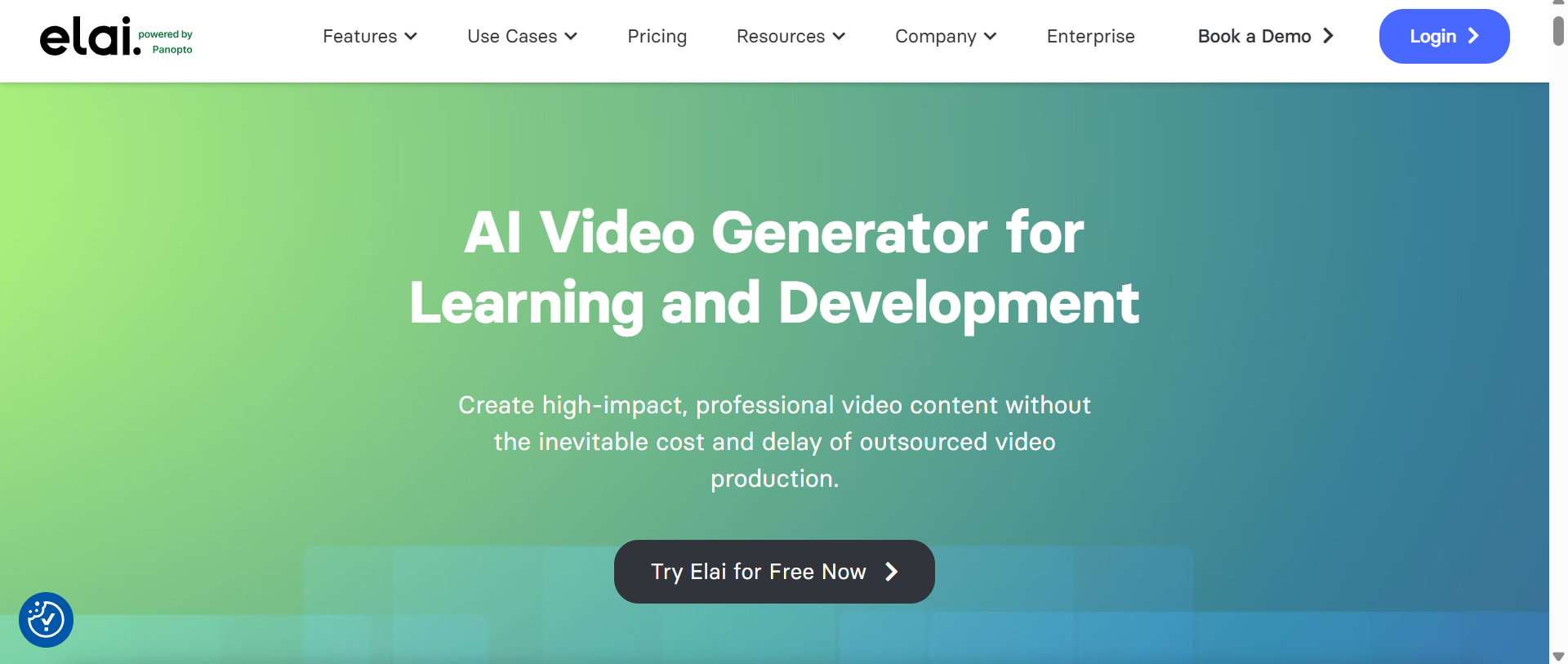
Key features
-
AI Avatars: Elai has 80+ avatars in its current plans, giving users the ability to choose presenters that fit different video styles and audiences.
-
Multilingual voice generation: The platform supports 75+ languages and has a huge library of standard and premium voices to help you produce localized videos.
-
Interactive videos: Elai offers features like branching, clickable buttons, hotspots, and quizzes, which can be beneficial for educational and training content.
-
Custom avatars and voice cloning: For more personalized video production, higher-tier plans and add-ons enable users to create selfie or studio avatars and voice clones.
|
Pros |
Cons |
|---|---|
|
|
Best for: Training, online education, personalized business videos, interactive learning content, and presentation-style AI videos.
Pricing: A free plan is available, and the paid plan begins at $29/mo (billed monthly)
How to choose the best alternatives to HeyGen
The first step in choosing a HeyGen alternative is figuring out what you actually need the platform to do. Some tools are focused on digital presenters who look like real people, while others are better at editing, advertising, or generating brand-new video scenes.
-
Identify your main use case
First, decide what kind of videos you'll be making most often. Training and presentations can benefit from realistic avatars; Ecommerce advertising may require product-centric generation and UGC-style creativity. If you make social content or fitness and health videos, avatar realism may not be as important as good editing and fast generation.
-
Compare voice and language support
The quality of your voice and the languages you cover can directly affect the professionalism of your videos. If your videos cater to audiences in different locations, check the languages, accents, AI voices, translation functions, and dubbing features in particular.
-
Check video editing features
Consider how much editing you want to do inside the platform. Built-in tools for captions, music, transitions, backgrounds, stock media, and scene timing can make production faster by reducing the need to use a separate video editor.
-
Consider pricing and usage limits
Don't just compare subscription prices. Check out how each platform handles credits, video minutes, exports, resolution, avatars, AI generation, and other usage limits. If you consistently exceed your allowances, then it's worth paying more for a pricier plan.
-
Check customization features
See how much control you have over avatars, voices, scripts, backgrounds, scenes, branding, and visual style. More customization is especially useful if you'd like videos that always match your company's branding or a certain creative direction.
Conclusion
HeyGen is a good option for avatar-based AI videos, but it's not the only platform to consider. Synthesia and DeepBrain AI are great for professional avatar presentations; Creatify is good for advertising, VEED is great for editing, Colossyan is ideal for training and education videos, and Elai is flexible for avatar content. Vmake Labs is an attractive option for creators and marketers seeking more expansive AI video generation across multiple models and workflows.
There is no one-size-fits-all approach when looking for HeyGen alternatives. The best choice depends on your content preference and budget. If you are looking for a flexible AI video creation platform that is not restricted to a typical avatar workflow, Vmake Labs is worth giving a try.
FAQs
What is the best HeyGen alternative for ad creation?
Creatify is one of the best alternatives to HeyGen for ad creation, as it has a workflow designed around fast creation of marketing and product videos. Vmake Labs is another option worth considering if you want broader AI video-generation capabilities for marketing content.
Is there a free alternative to HeyGen?
Many HeyGen alternatives provide free tiers or limited free access, but the available credits, exports, resolution, and AI features differ. Vmake Labs has a free tier, but other platforms may have trials or limited use rather than totally unrestricted free video creation.
Which HeyGen alternative is best for AI avatar videos?
Vmake Labs, Synthesia, DeepBrain AI, and Elai are good options for AI avatar videos. Whether you want avatar realism, business presentations, training, multilingual productions, or customization, the best choice depends on your needs.
Are HeyGen alternatives suitable for creating UGC-style videos?
Yes. AI video platforms can be helpful in creating UGC style marketing videos, especially if you need to create multiple creative variations quickly. For marketing workflows, tools such as Creatify and Vmake Labs can be useful, but the level of realism and control differs between platforms.
Which HeyGen alternative offers the best value for money?
There’s no clear winner, because it depends on how much content you produce and what features you use. Don’t just compare monthly prices. Compare the amount of video in minutes or credits, the types of avatars and voices, the editing tools, the export options, and the limits on AI-generation.

You May Be Interested
7 Best Free AI Image Generators 2026 Alternatives to Grok Imagine

AI Video Enhancement And Upscaling: Pros, Cons, Alternatives, and Future Trends
HeyGen AI Video Generator: Create AI Videos Effortlessly
HeyGen Video Translator Review 2026: Features, Pricing, Pros, Cons & Alternatives