
HeyGen Video Translator Review: Features, Pricing & Best Alternatives in 2026
Considering HeyGen Video Translator? Explore its features, pricing, pros and cons, and discover the best alternatives for AI video translation, dubbing, and multilingual content creation in 2026.

As global content demand grows, more creators and businesses are turning to AI translators that can break language barriers without editing skills. Among the different available solutions, HeyGen Video Translator has gained immense attention among users. But how well does it actually perform in real-world use?
In this review, you’ll explore the key features, pricing, how HeyGen video translate, and the best alternatives in 2026.
What Is HeyGen Video Translator?
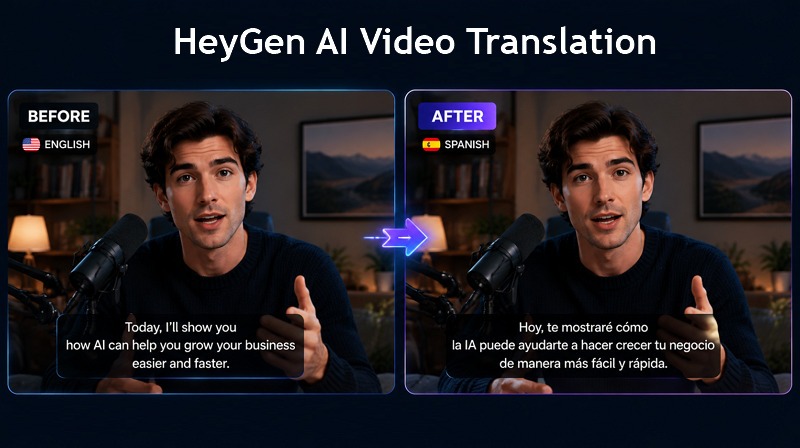
HeyGen AI Video Translate is an AI-based localization tool that translates videos into over 175 languages and dialects. In addition to subtitles, it can clone the original speaker’s voice to maintain their tone and automatically sync lip movements for a seamless, dubbed experience.
Overview of HeyGen’s AI Translation Technology
HeyGen Video Translation is an AI-powered video localization tool designed to help users translate videos into multiple languages. It automatically transcribes the original speech, translates the content, generates AI-dubbed audio, applies lip sync to match the new voice, and creates translated subtitles, streamlining the entire localization process in one platform.
Who Is HeyGen Best For?
HeyGen is best suited to creators and businesses that want to publish high-quality presenter-led video content in multiple languages without a camera or a studio. It suits YouTube creators, corporate trainers, educators, marketers, and companies that need fast localization of training or promotional videos.
Key Use Cases
It is used for marketing, learning and development, sales, and localization. Common use cases include:
- Global localization: Translate videos into multiple languages and adapt marketing, advertising, and social media content for different regions.
- Training and education: Create multilingual online courses and localize customer support, onboarding, and employee training videos.
- Sales and outreach: Produce highly personalized sales and customer outreach videos at scale for global audiences.
HeyGen Video Translator Features, Pros & Cons
HeyGen video translation comes with several tools that make the process easier. Here are their details:
AI Video Translation
HeyGen AI Video Translation can translate the spoken content of a video into various languages and accents. It first converts speech to text, then translates it, and finally generates a new spoken version of the video in the selected language.
AI Voice Dubbing & Voice Cloning
It replaces the original voice in the video with an AI-generated voice in the preferred language. Voice cloning aims to preserve the original speaker’s tone and match your lip movements, resulting in perfectly natural sound.
Subtitle Translation
This feature generates translated captions for the video. It converts spoken words into subtitles in the selected language, which can be used with or without dubbed audio.
Multi-Language Support
HeyGen supports over 175 languages, helping users produce different regional versions of the same video. It helps creators publish the same content for multiple global audiences.
Ease of Use and Workflow
HeyGen provides a simple browser-based workflow that requires no advanced editing skills. Even beginners can create a translated or dubbed version of a video.
Now, let’s have a quick overview of the pros and cons of each feature:
| Features | Pros | Cons |
| AI Video Translation | Fast localization | Quality depends on the video |
| Create several versions from one source | Require review for complex languages | |
| Support both files and links | Lip-synced translation is costly | |
| AI Voice Dubbing & Voice Cloning | Natural, presenter-led videos with brand templates | Quality depends on the original video |
| High-quality voice cloning without hiring a voice actor | Emotion and pronunciation vary | |
| Subtitle Translation | Better accessibility | Timing and terminology may vary |
| Support both dubbing and text localization | Not suitable for longer dialogues | |
| Multi-Language Support | Broad language | Regional dialect accuracy |
| Scalable, global publishing | Costs rise with each language | |
| Ease of Use and Workflow | Accessible to non-editors | Confusing credit system |
| Team collaboration, brand kits, and API access | Require a desktop for large, complex projects |
How to Translate a Video with HeyGen
Here is a step-by-step guide on how to use HeyGen AI Video Translator:
Step 1:Upload Your Video
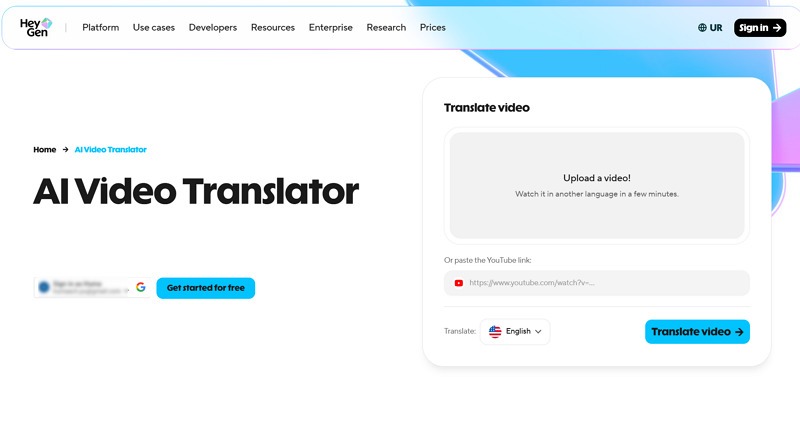
First, open the HeyGen video translate app, sign up or sign in, then click “Upload a video” to import a video. Otherwise, paste the YouTube video link.
Step 2:Select Source and Target Languages
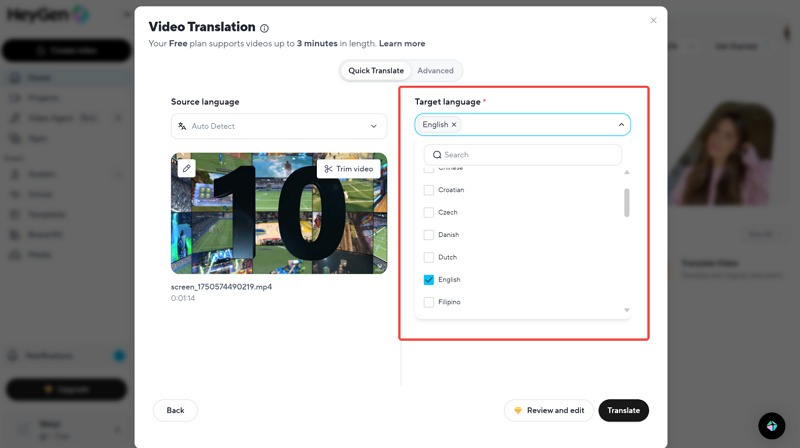
Next, pick the language of the source video and the target. You can also pick your voice from the voice library or clone your own voice.
Step 3:Generate Translated Audio and Subtitles
It’s time to enable the lip-sync option and the auto-subtitles to make the content accessible for those watching without sound.
Once the video is translated, you can check the live preview. Then, hit the export tab, and your video will be ready to share on any social media platform. All done.
HeyGen Pricing Explained
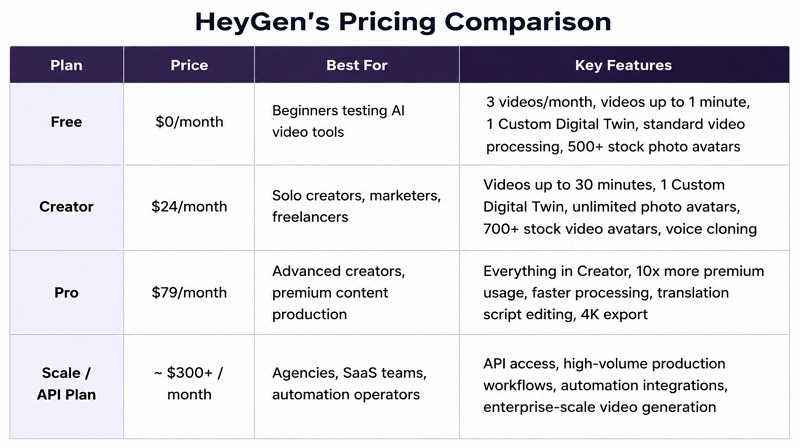
HeyGen uses a combination of plan limits and credits. Let’s have a look at different pricing plans based on the usage:
Free Plan
The HeyGen Free plan costs $0 and is intended for testing the platform. It includes up to three videos per month, each up to 1 minute long. It offers limited access to selected premium capabilities, including 30+ languages and a trial of lip-sync translation.
Creator Plan
The Creator plan is listed at $29 per month. It includes 600 monthly credits, videos up to 30 minutes, 1080p export, faster processing, watermark removal, voice cloning, and access to the wider language catalogue.
For solo creators, this is the most relevant paid option. It offers a significant improvement over the Free plan without requiring team-management features.
Business Plan
The Business plan starts at $149 per month, with additional team members listed at $20 per user per month. It currently includes 1,500 credits, videos up to 60 minutes, 4K export, faster processing, increased concurrency, centralised billing, workspace collaboration, and business integrations.
It offers greater operational control, but the price increases with the number of users and translation volume.
Enterprise Options
HeyGen Enterprise uses custom pricing. It is designed for organisations with large production volumes, strict security requirements, several workspaces, or specialised onboarding needs. This is most suitable when video translation is part of a formal localisation operation rather than an occasional task.
It offers all the business plan features with proofreader sets for video translation, dedicated custom support, enterprise-level security, and much more.
Is HeyGen Accurate for Video Translation?
HeyGen delivers good results for the most common video translation tasks. However, as with all AI tools, accuracy depends on language, recording quality, and content complexity.
Subtitle Translation Quality
It generally provides accurate subtitles for simple speech. In most cases, the meaning remains correct, but small errors may appear in names, slang, or technical terms. It is good for general use, but some editing is needed for important content.
AI Voice Translation Quality
The AI voice translation is one of HeyGen’s strongest features. It often sounds natural for standard videos, keeping the speaker’s identity consistent across languages. However, tone and emotion may not always transfer perfectly, especially in highly emotional speech or fast conversations.
Best Languages and Use Cases
HeyGen offers the most natural realism for Western European languages, i.e., English, Spanish, German, French, and Portuguese. It works effectively for major economic markets, including Hindi, Japanese, Chinese, and Arabic. To ensure regional corporate training or ads feel native, try British English, Australian English, Mexican Spanish, and Brazilian Portuguese. It is commonly used for YouTube videos, online learning courses, marketing and social media content, corporate training, and sales personalization at scale.
Common Translation Challenges
Even though the system is highly advanced, some challenges can still occur, especially when dealing with complex accents, unclear speech, technical terminology, brand names, multiple speakers talking simultaneously, background noise, or highly emotional and dramatic speech that may cause subtle tone shifts during translation.
Overall, HeyGen is reliable for everyday use, but human review is still important for professional content.
Best HeyGen Alternatives for Video Translation
HeyGen is a powerful video translator, but it isn’t the best choice for every workflow. Here are three notable alternatives to consider:
Vmake
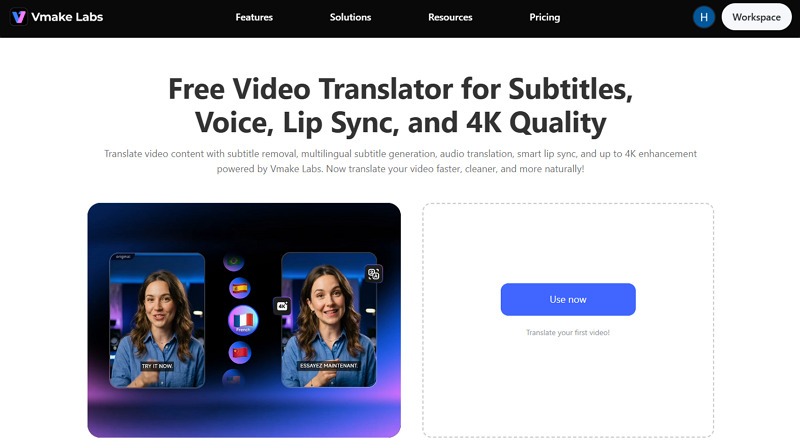
Vmake is a browser-based AI content platform that offers remarkable video translation with several video-processing tools. Its video translator offers subtitle generation, audio translation, and lip synchronization in a single place.
Its support for various languages helps translate videos for a wide range of markets with complete privacy. What makes it unique is the video cleanup and 4K enhancement feature. You can also preview the output before exporting.
Features:
-
Video Translation: It helps convert speech and captions into supported target languages, making global distribution easier.
-
Subtitle Generation: You can remove existing subtitles and add translated on-screen captions for different language markets.
-
AI-Powered Workflow: It combines AI video translation, voice output, subtitle generation, lip sync, and enhancement in one workflow.
-
Ease of Use: Working in a browser, its simple interface lets users complete any task without any learning curve.
-
4K Export: After translation and enhancement, you can export videos in up to 4K resolution, preserving sharp details and professional-quality visuals for publishing on YouTube, social media, or other platforms.
Steps to Use Vmake AI Video Translator:
Step 1. Upload Video
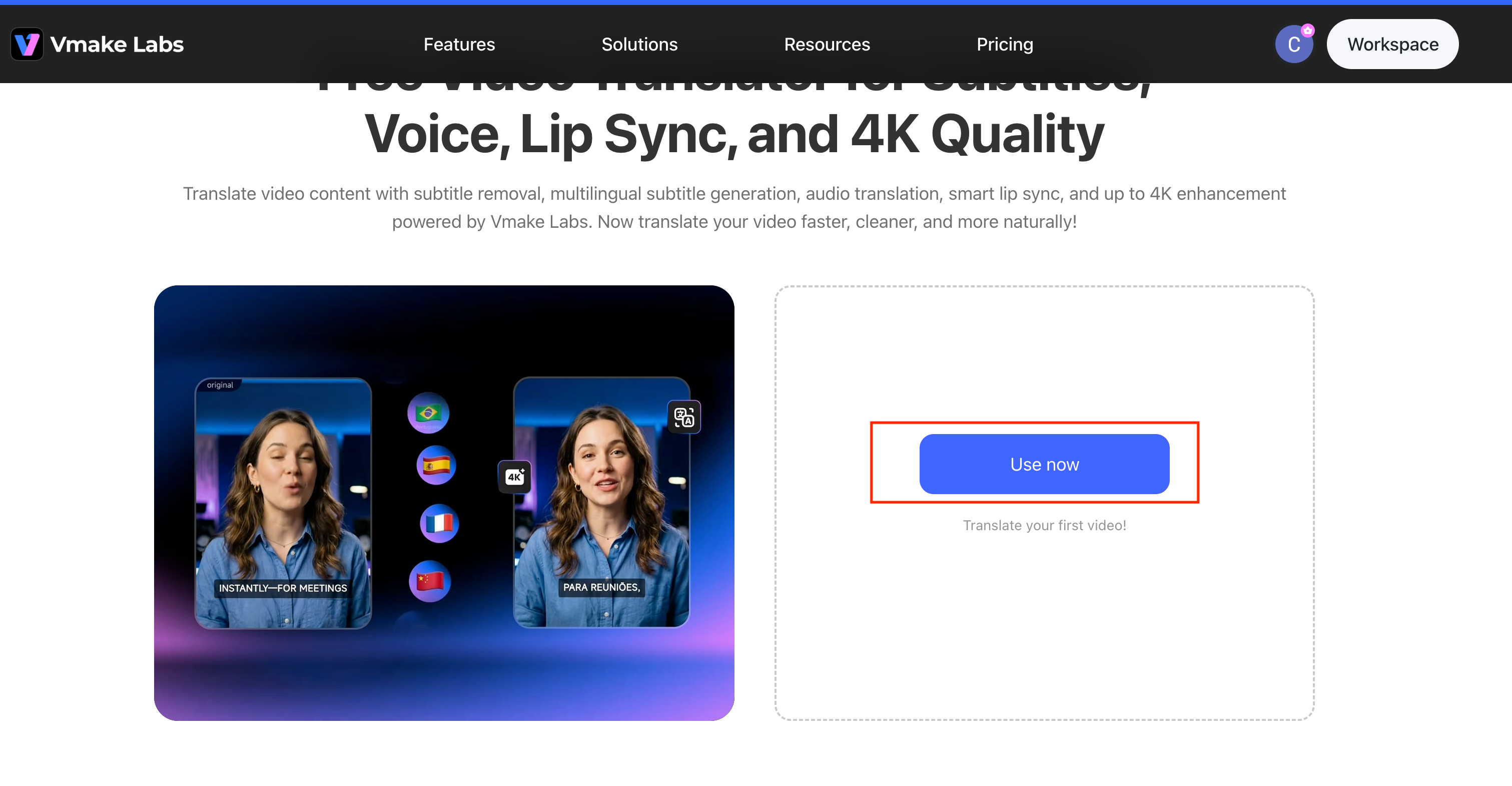
Firstly, open the Vmake tool and tap the “Use now” button. Now, click or drag & drop the video file to translate.
Step 2. Select the Preferred Language
Next, Select your Target Language from the dropdown menu (e.g., Spanish). Under the Caption section, choose whether to "Remove caption" or "Add translate captions". In the Voice translation section, select either "Original voice" or "Lip Sync" for audio translation.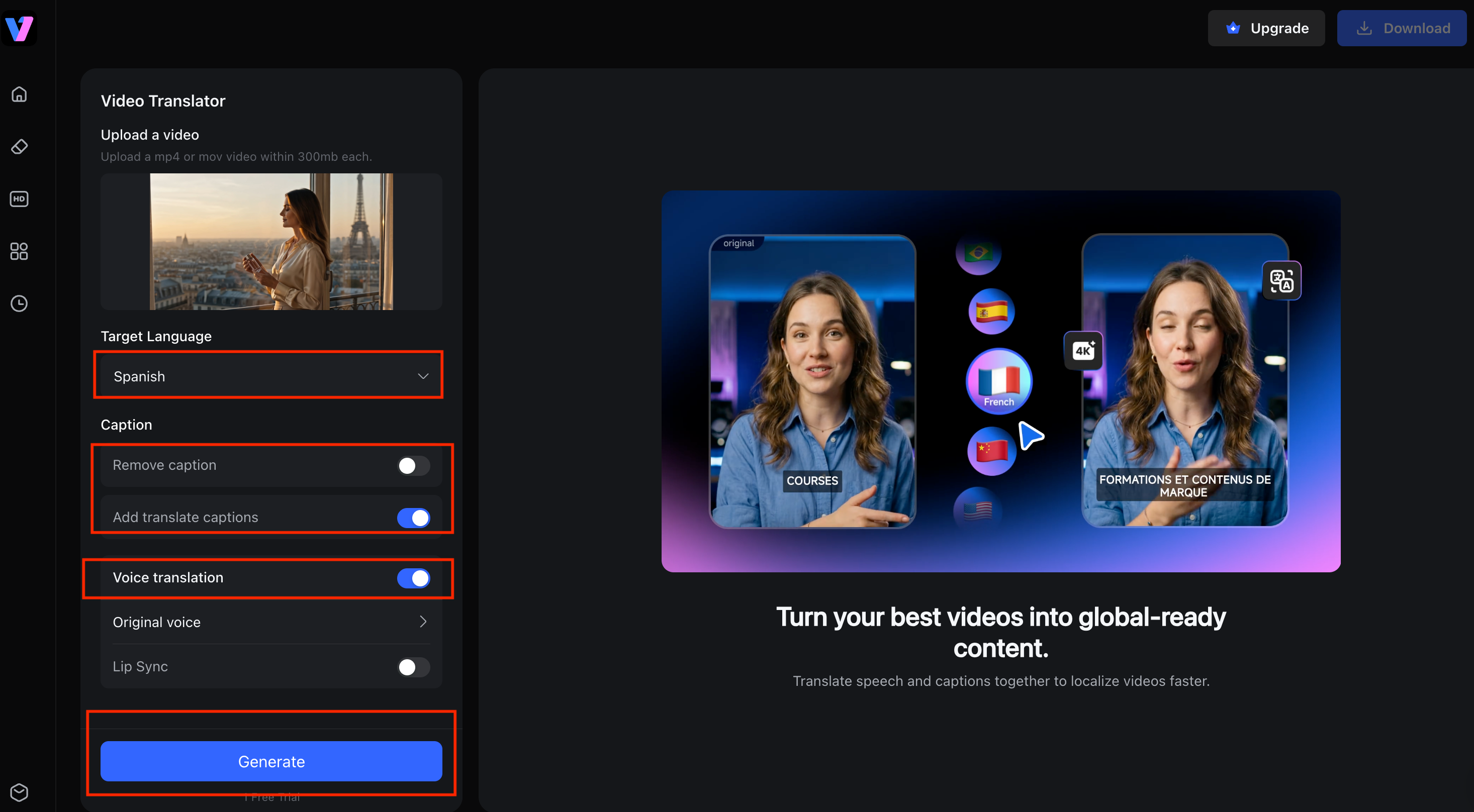
Step 3. Download Output
Lastly, Click the “Generate” button to start processing. Before generating, you can also choose to enhance the video quality to up to 4K, depending on your needs. Once the video translation is complete, the system will display a preview with the translated subtitles. After confirming the result, click “Download”.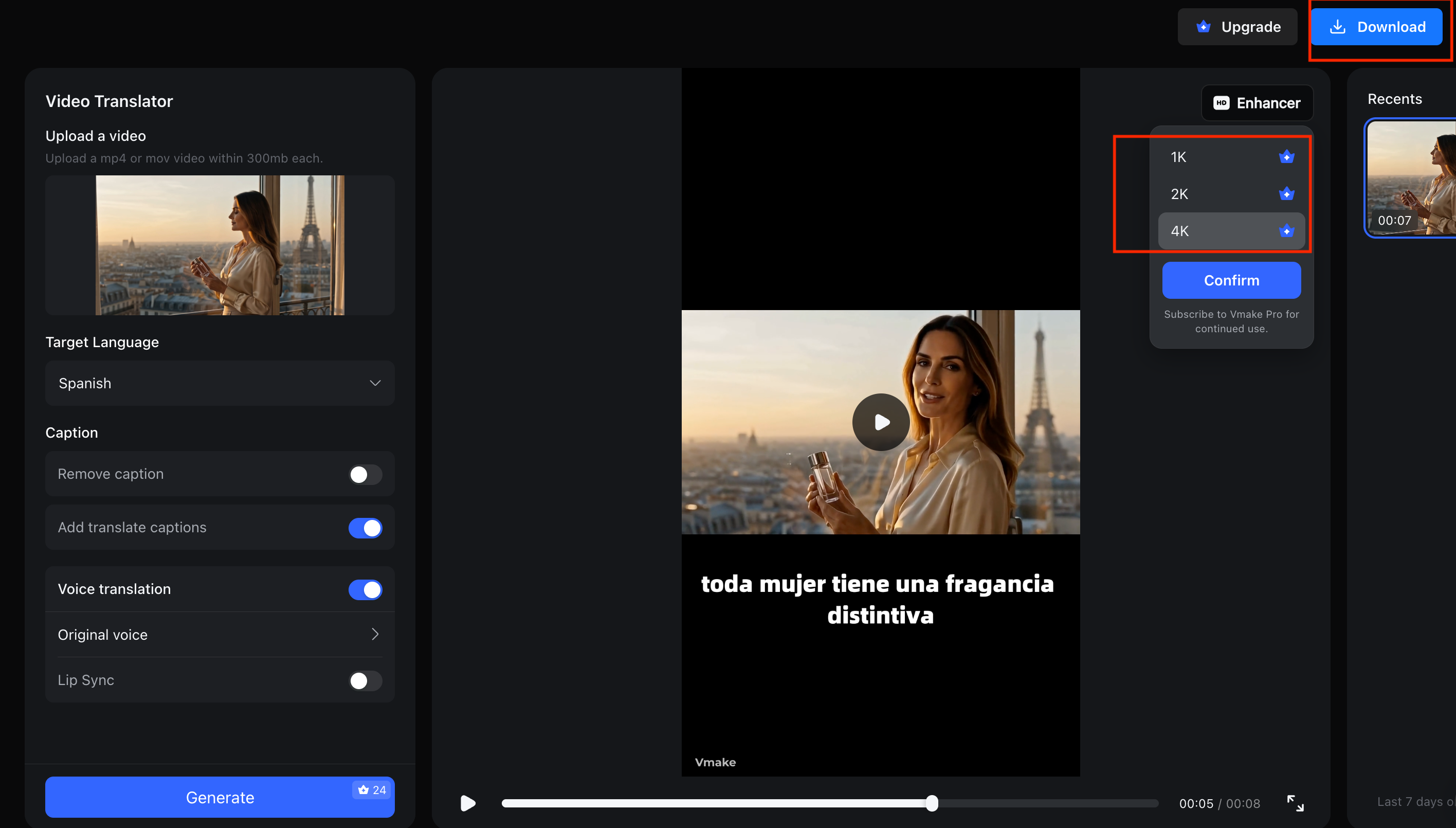
VEED
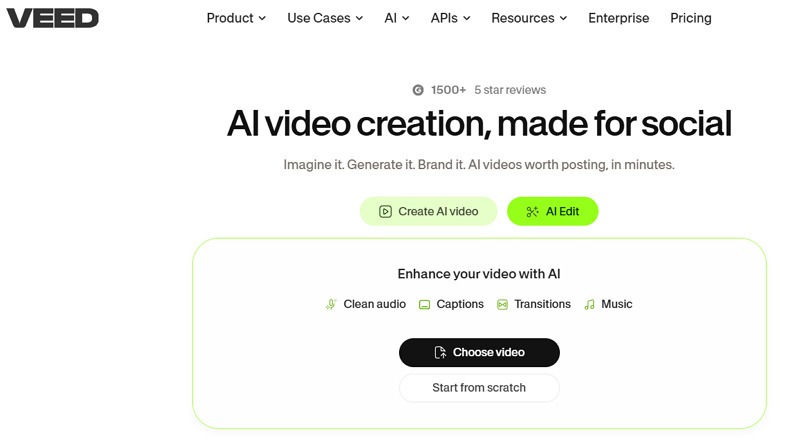
VEED is a complete online video creation and editing platform with built-in caption generation, AI dubbing, and lip syncing. With fast video rendering, it also supports cleaning the audio before translation. It is useful for users who want to translate a video and then add branding, music, text, graphics, transitions, or social-media formatting.
Features:
-
Subtitle Translation: Generate and translate subtitles from the video’s audio, allowing you to edit text, timing, and style
-
AI Voice & Dubbing: Create AI voiceovers in over 120 languages to replace original speech for global audiences
-
Text to Video Technology: Turn written scripts into video content with the option to add animations and transitions
-
Easy Collaboration: Allow multiple team members to edit the same video project at once
HappyScribe
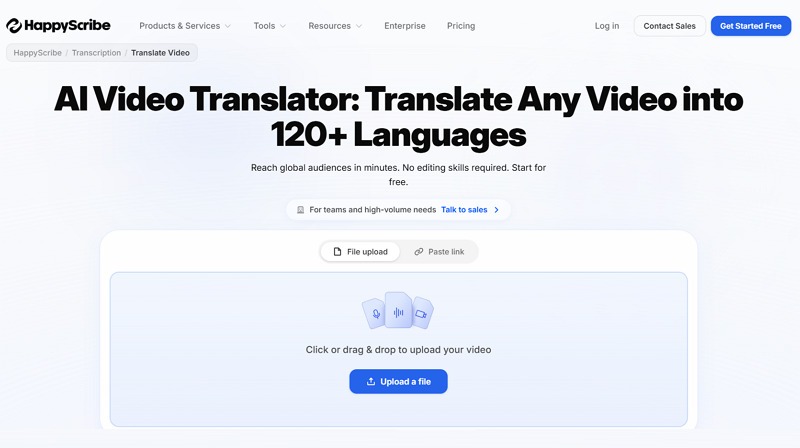
HappyScribe is another HeyGen alternative that helps translate videos to 150+ languages to reach global audiences in minutes. With support for both video files and links, it offers automatic transcription, translated transcripts, subtitle editing, and optional human proofreading. However, it is less focused on highly visual lip-sync effects than HeyGen.
Features:
-
Subtitle Generation: Create accurate subtitles from audio or video and translate into multiple languages
-
Speaker Detection: Identifies and separates different speakers in a conversation, ensuring high accuracy
-
Human Transcription: Offers professional transcription services with the claim of 99% accuracy, suitable for complex content
-
Easy Integration: Work with platforms like YouTube, Zoom, Google Drive, Dropbox, and more
Here is a comparison table of all the above tools to help you make the right decision:
|
Tool |
Vmake |
VEED |
HappyScribe |
|
Language Support |
175+ |
120+ |
150+ |
|
AI Dubbing |
Yes |
No |
No |
|
Lip Syncing |
Yes |
Yes |
No |
|
Free Plan |
Yes |
No |
Trial |
|
Best For |
Ecommerce and social videos |
Video editing and subtitles |
Accuracy-focused projects |
HeyGen vs Vmake: Which AI Video Translator Is Better?
Both HeyGen and Vmake are popular tools for AI video translation, but they are built with different strengths. Before picking one, it’s useful to compare them across key areas:
Translation Accuracy
Both HeyGen and Vmake deliver reliable translation results when the source video is clear and well-recorded.
HeyGen is known for consistent results in professional, presenter-led videos. Vmake is designed for quick, efficient localization; it delivers high-quality translation.
AI Dubbing Features
HeyGen is famous for its advanced AI dubbing system, including voice cloning and lip-sync technology that maintains the original speaker’s identity in multiple languages.
Vmake also supports AI voice translation with lip-syncing. However, it combines dubbing with editing tools such as subtitle removal and 4K enhancement.
Ease of Use
HeyGen offers a structured workflow with more advanced controls. However, it takes some time to explore all the features.
In comparison, the Vmake interface focuses on simplicity and speed, especially designed for quick actions.
Pricing and Value
HeyGen has an expensive subscription model. The costs also increase depending on how many videos you process and which features you use.
However, Vmake is more affordable and value-oriented, offering various features at a lower entry cost.
Best Choice for Different Users
Overall, HeyGen is suitable for structured, presenter-led videos, training content, corporate communication, professional presentations, and high-end multilingual video production.
In contrast, Vmake is ideal for social media teams, marketing teams, small businesses, and users who want fast translation with powerful tools on a low budget.
FAQ
Is HeyGen Video Translator free?
HeyGen Video Translator offers a free plan for testing before upgrading to a premium plan. It lets users try basic features with limited video length and usage.
How many languages does HeyGen support?
HeyGen supports over 175 languages with multiple regional accents for text-to-speech, AI voice cloning, and video translation.
Does HeyGen support voice cloning?
Yes, HeyGen supports voice cloning in its paid plans. It can replicate a speaker’s voice and use it in different languages to make translated videos sound more natural and consistent.
What is the best HeyGen alternative?
Some popular HeyGen alternatives include Vmake, VEED, and HappyScribe. However, Vmake is the best for affordable all-in-one video translation with AI voice and lip-syncing, especially for beginners.
Is HeyGen better than Vmake?
It depends. HeyGen is better for AI dubbing, lip-sync accuracy, and professional multilingual content. Vmake is better for affordability, ease of use, and an all-in-one workflow for creators and small teams.
Can HeyGen translate YouTube videos?
Yes, HeyGen YouTube Video Translator supports translating videos using links, as long as the content is accessible. It can generate dubbed audio, subtitles, and even lip-synced versions in different languages.

You May Be Interested

Seedance 2.0 vs Sora 2: Which AI Video Generator Wins in 2026?
HeyGen AI Video Generator: Create AI Videos Effortlessly

Google Gemini|Copy Paste This Simple Prompts to Create “Hug my younger self ” Photos
