Ghost Face AI Picture: How to Generate The Ultimate Scream AI Trend!
Ready to join the global viral trend? Create a dramatic ghost face AI picture with cinematic horror styling, expert prompts, and personalized visuals! Explore infinite possibilities with Vmake Labs.

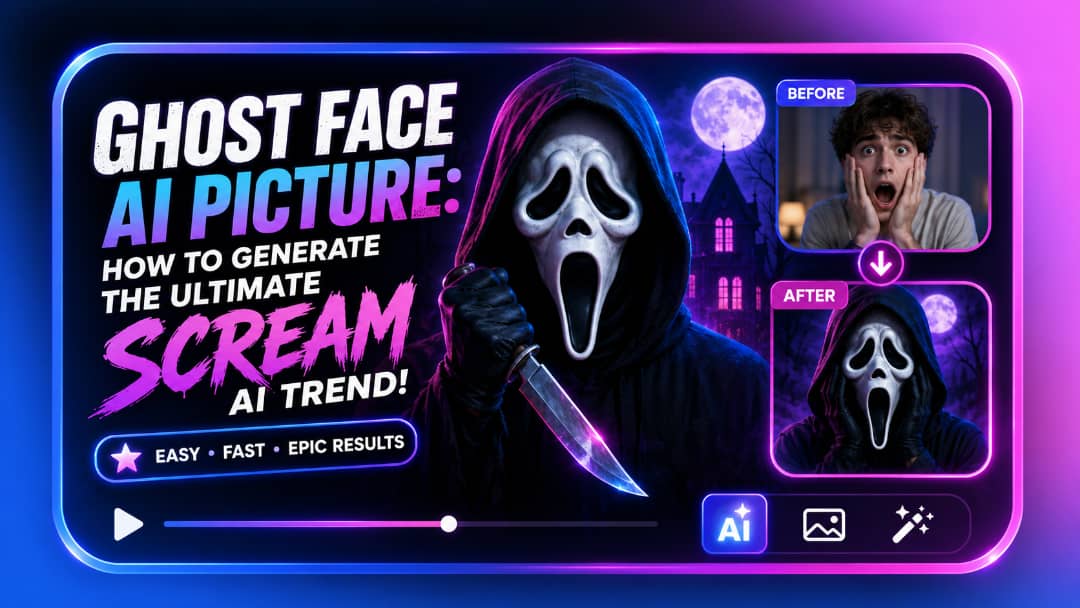
A ghost face AI picture instantly transforms an ordinary portrait into a cinematic, horror-inspired masterpiece. Taking TikTok and Instagram by storm in 2026, this digital trend merges personal photography with the iconic, suspenseful aesthetic of classic slasher films.
What is a ghost face AI picture?
A ghost face AI picture is a normal portrait that can be transformed into a horror-inspired masterpiece with a masked or ghostly entity. The global phenomenon is exploding on TikTok and Instagram all throughout 2026, from the US to the UK, allowing anyone to merge their own photos with the iconic "Scream-inspired" aesthetic. AI combines real reference photos with cinematic horror seamlessly and produces unbelievably varied results from hyper-realistic horror to fun, stylized Halloween edits.
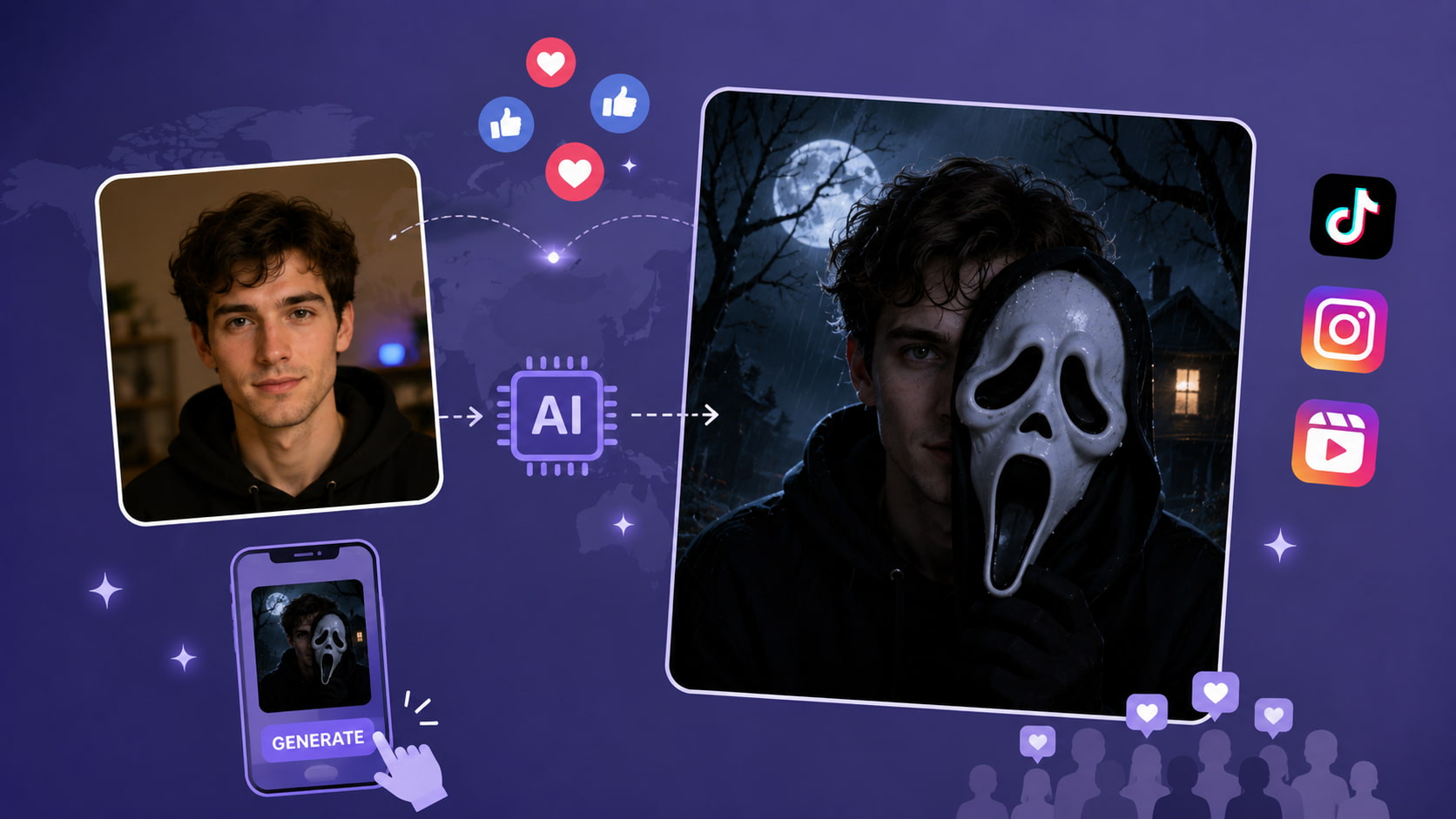
Why are ghost face AI pictures trending globally?
-
Unmatched Shareability: Highly visual, personalized content dominates international social media algorithms.
-
Nostalgic Horror Appeal: Taps into globally recognized pop-culture horror aesthetics.
-
Accessibility: A top-tier ghost face AI generator means users no longer need advanced Photoshop skills to achieve professional-grade edits.
What makes an AI ghost image look convincing?
Evaluating the output of top-tier rendering engines reveals specific components that separate a generic edit from a viral sensation. Generating these hyper-realistic textures often requires robust processing, a standard introduced when advanced models like Nano Banana Pro became widely accessible for creative rendering.
|
Element |
What it adds to the image |
|---|---|
|
Mask or ghostly face |
Creates the instantly recognizable horror identity |
|
Dark lighting |
Builds suspense, depth, and atmospheric tension |
|
Cinematic background |
Makes the image feel like a high-budget movie scene |
|
Facial positioning |
Helps blend the subject naturally into the composition |
|
Color and contrast |
Strengthens the eerie visual mood (e.g., deep blues or stark black-and-white) |
Popular styles for a ghost face AI picture
Diverse visual directions inspire highly unique outcomes. Testing various environments yields incredible results across these popular styles:
-
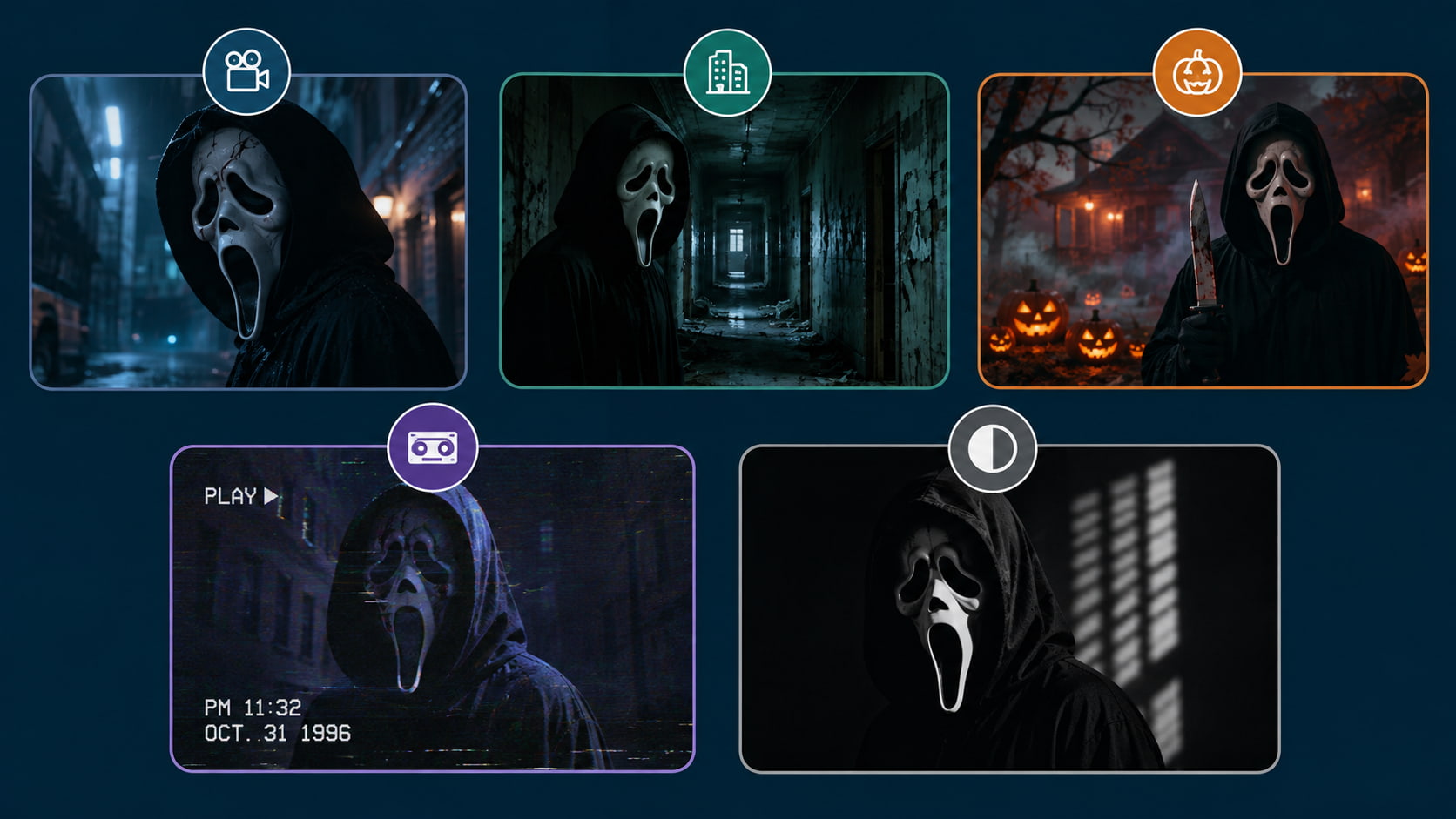
Cinematic horror portrait (4K, Unreal Engine style): This hyper-realistic 4K aesthetic emulates a modern blockbuster thriller. An Unreal Engine rendering style ensures mask details pop with terrifying clarity.
-
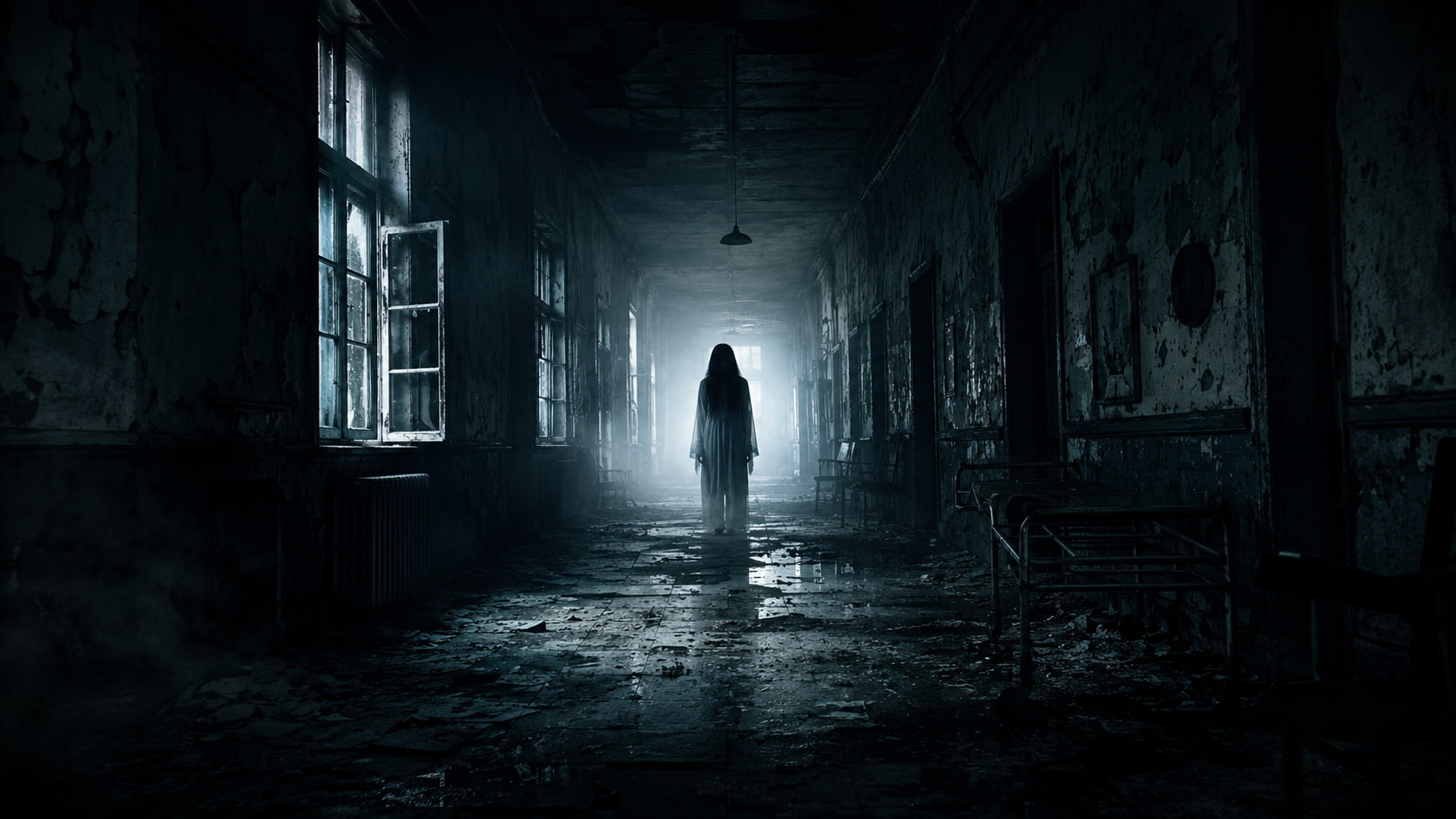
Dark hallway or abandoned location (Urban exploration vibe): Placing the subject in an abandoned location gives a chilling urban exploration vibe. The dimly lit hallways naturally draw attention to the figure lurking.
-
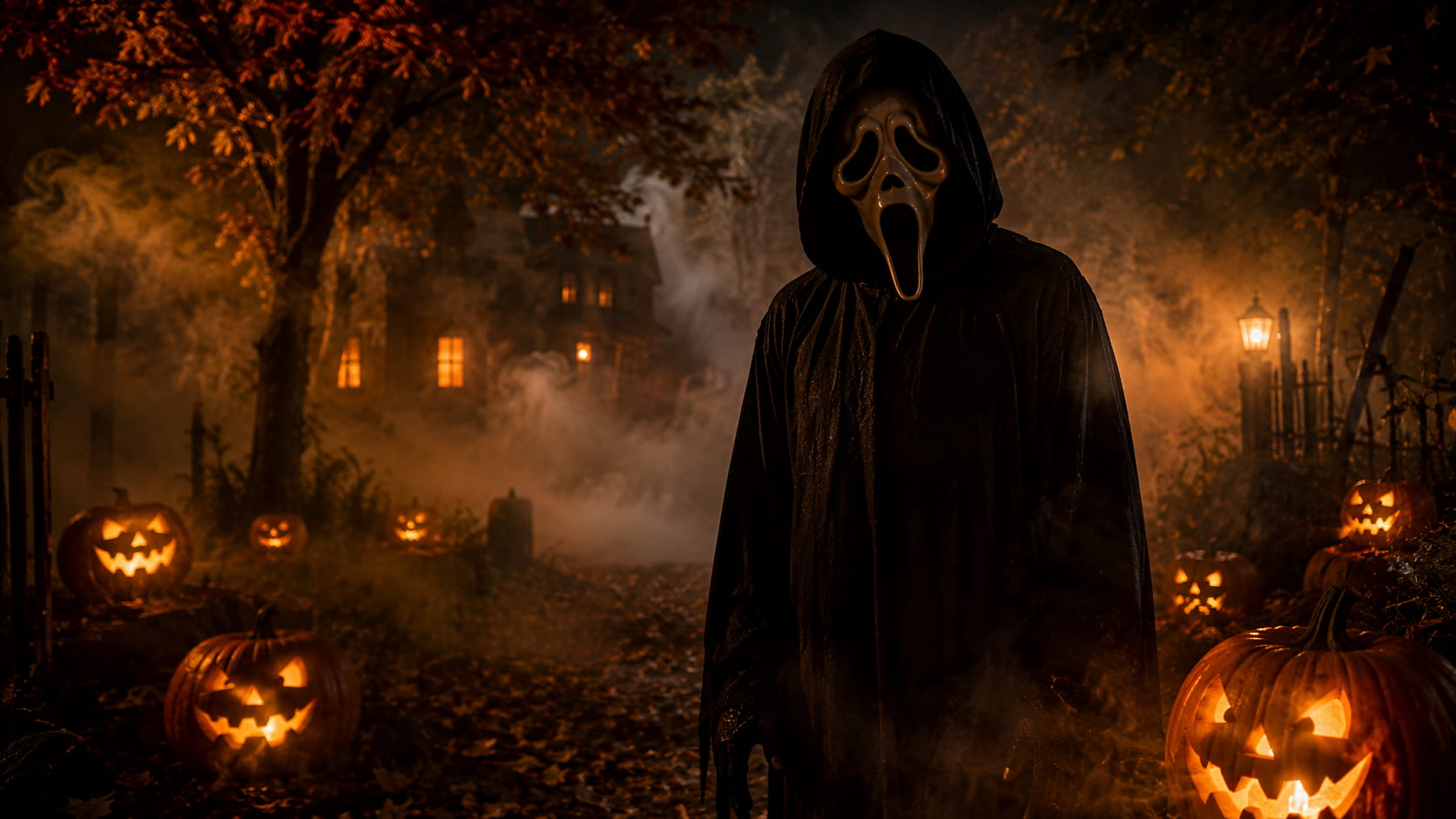
Halloween-themed portrait (Fog, autumn aesthetics): Carved pumpkins and dense fog establish a classic spooky atmosphere. It has the right mix of nostalgic fall aesthetic and haunting supernatural vibes.
-
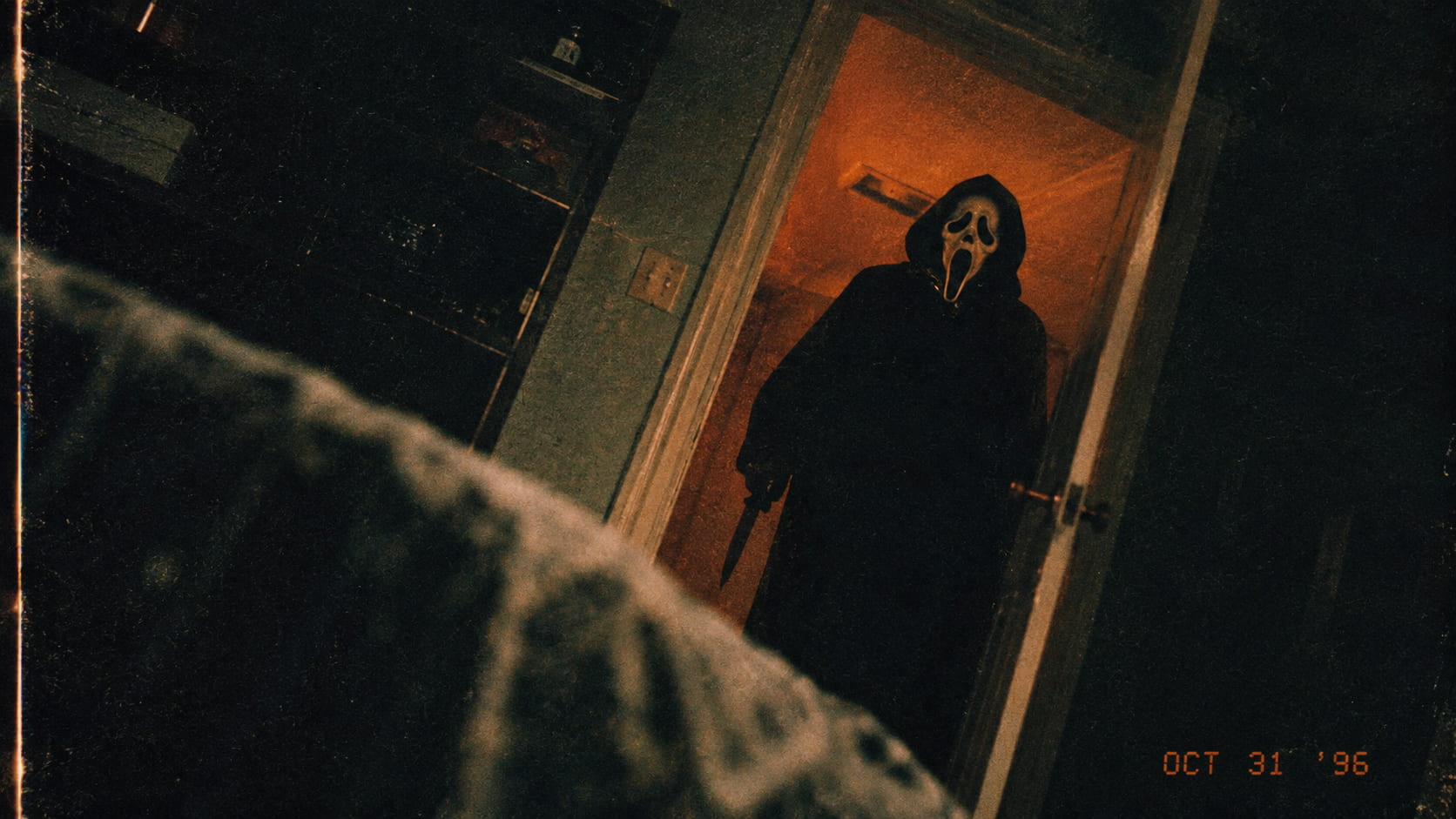
Retro horror movie aesthetic (90s VHS grain, vintage lighting): Vintage lighting and heavy VHS grain that emulates the look of a classic 90s slasher film. This analog texture gives a real nostalgic distortion to the image.
-
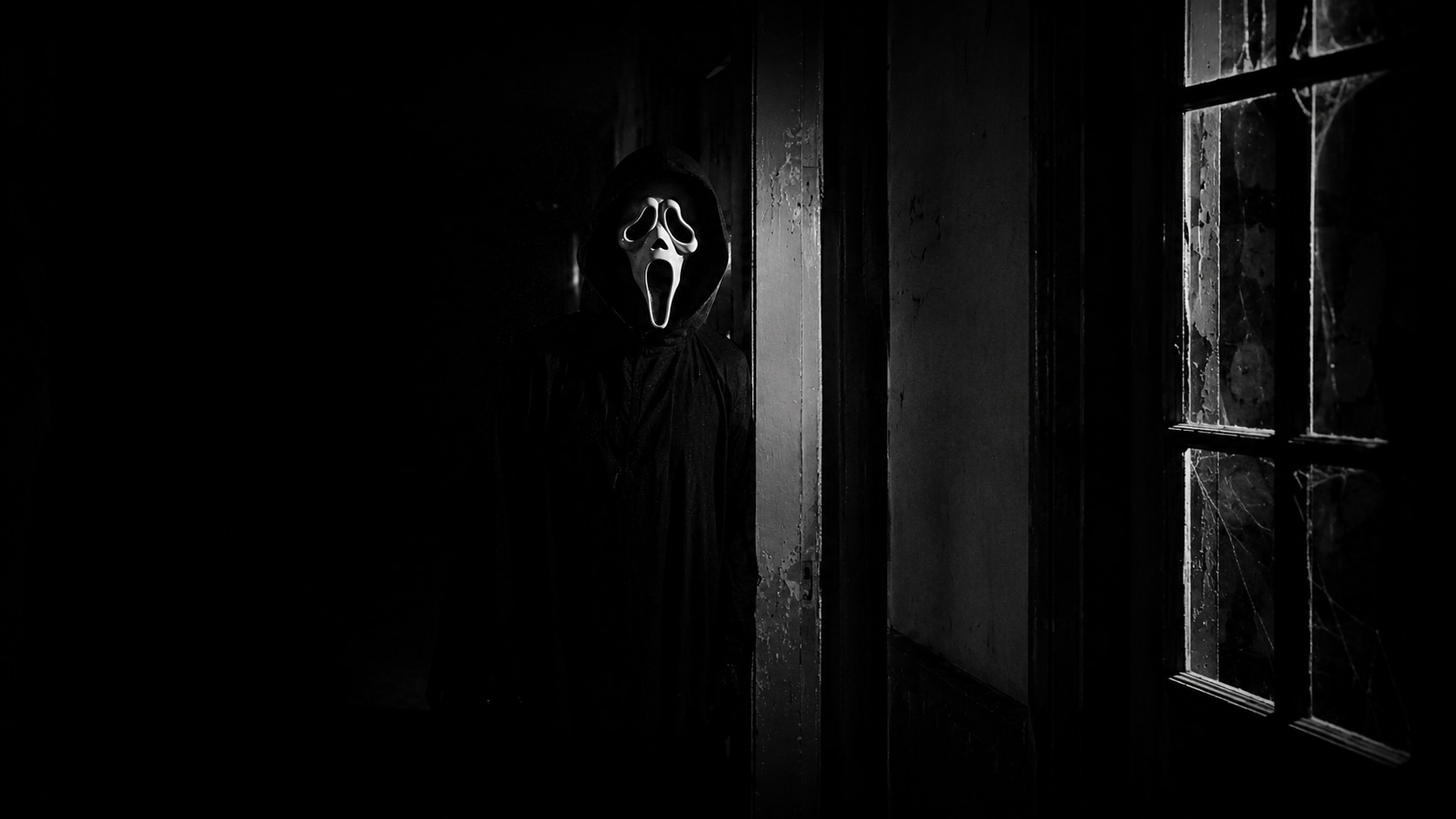
Minimal black-and-white horror style (High contrast, noir): High contrast noir lighting removes color to highlight deep, dark shadows. This minimalist approach only heightens the stark terror of the white mask.
How to create a ghost face AI picture with prompts
Engineering the perfect text input dictates the quality of the final artwork. A well-structured prompt strategically combines the subject, specific masked character details, setting, lighting, and camera style. Exploring diverse prompt structures helps refine the final output, similar to experimenting with dynamic text inputs to turn any image into a viral 3D asset for social media campaigns.
To make a really powerful prompt, you need to nest 5 important descriptive elements:
-
Subject/Reference person: Establish the placement, attire and nuanced facial expressions of the main character to ground the composition.
-
Ghost face or masked character specs: Detail the exact texture, wear-and-tear and positional placement of the ghostly presence to maintain the horror element as the primary focus.
-
Setting and background elements: Root the visual narrative in a particular setting, like an abandoned corridor or a foggy forest, providing the image with the needed depth.
-
Lighting and atmosphere: Use words like dramatic shadows, low-key lighting or thick atmospheric fog to develop the spooky mood and control the tension in the scene.
-
Camera style, lens and composition: Make the render a photographic masterpiece, not just a simple graphic, by including specific focal lengths (for example 85mm lens) and cinematic framing techniques.
Combine these technical elements, and you have a powerful instruction set for the AI rendering engine.
-
Example prompt:
-
"Create a cinematic horror portrait of a person standing in a dimly lit hallway beside a mysterious ghostly masked figure, dramatic shadows, atmospheric fog, realistic facial details, dark cinematic lighting, suspenseful mood, 85mm lens, high-detail photography."
-
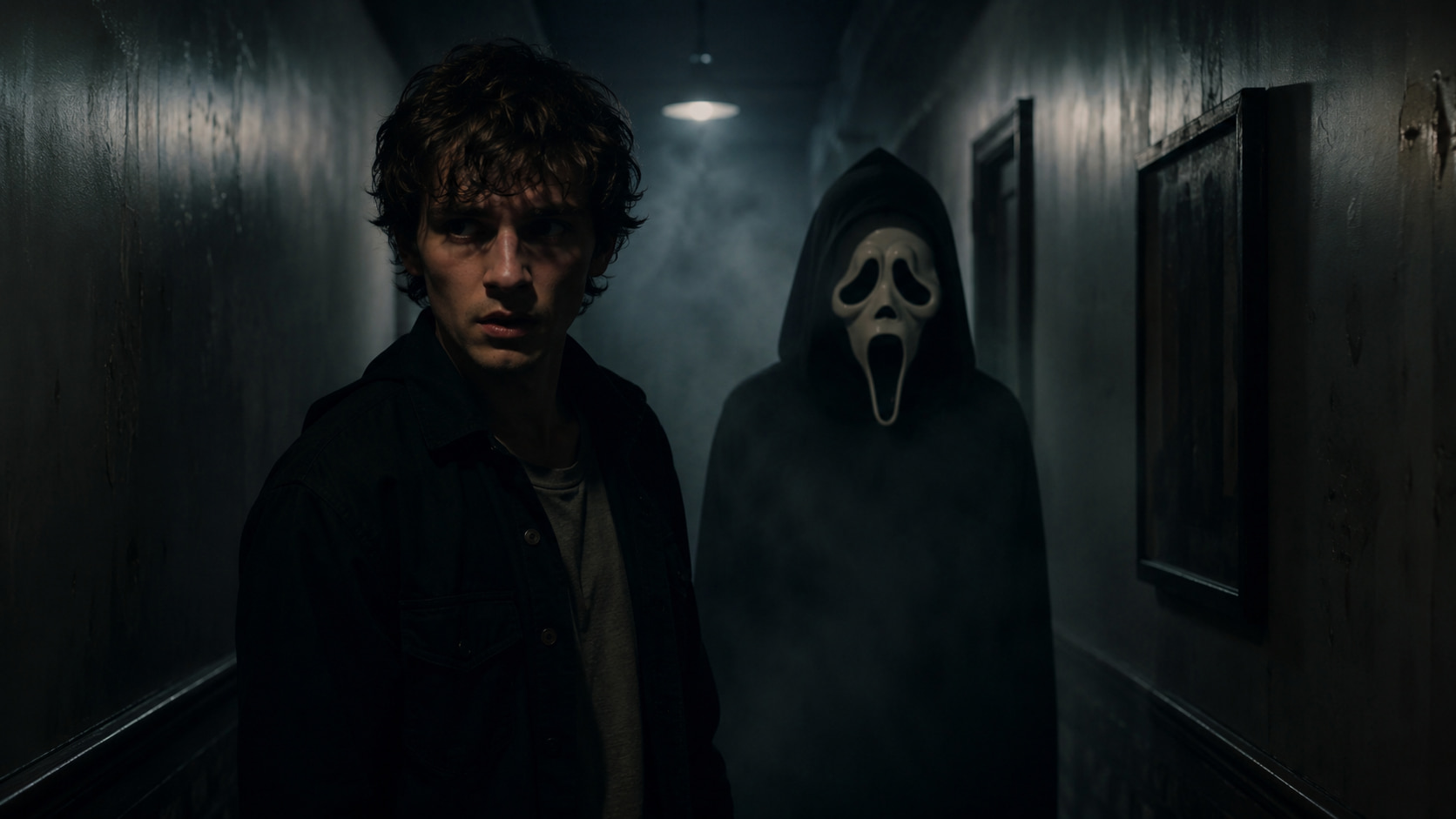
Create horror-inspired visuals with Vmake Labs AI Image Generator
Operating as a comprehensive creative studio, Vmake Labs provides an AI image generator that helps modern creators construct, refine, and optimize striking visual content. Driving the platform is a versatile environment powered by multi-model technology that can easily be adapted to explore the viral Scream aesthetic. Suitable for digital campaigns, social media assets, and stylized graphics, the suite equips designers with accessible utilities to craft engaging visuals while maintaining image fidelity.
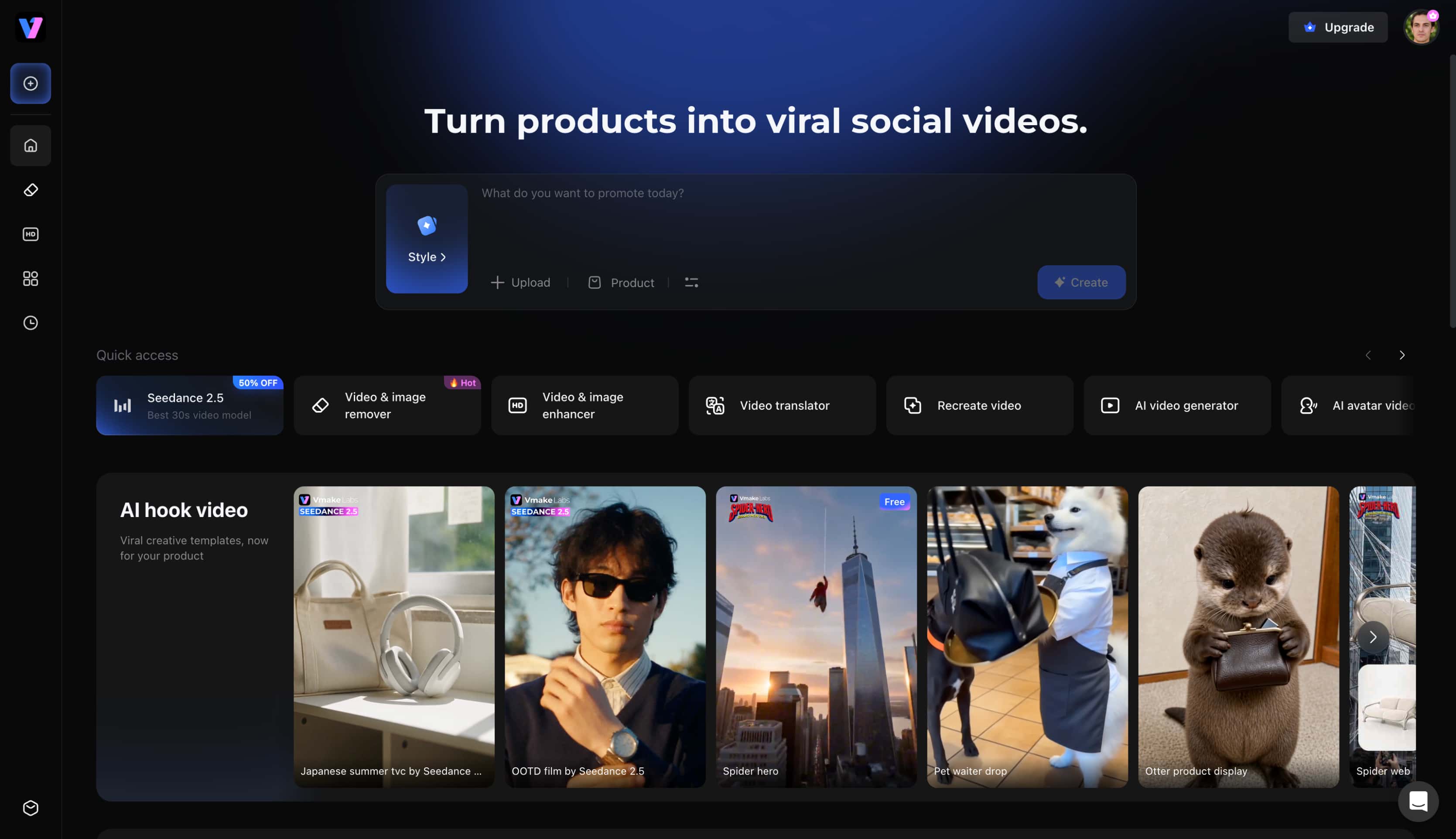
Key features for ghost face AI picture creation
-
Multiple image generation models: The platform integrates cutting-edge engines like Seedream 4.0 and Nano Banana 2 to ensure ultra-realistic rendering. These systems process complex cinematic lighting and shadow details effortlessly.
-
Text-to-image generation: Entering a descriptive prompt allows the system to construct a completely original scene from scratch. This method provides absolute creative control over environmental details, camera angles, and atmospheric tension.
-
Image-to-image generation: Upload up to three reference selfies for the AI to accurately apply the ghostly effect while preserving facial structures. The artwork that comes out of it blends the subject's identity smoothly into horror aesthetics.
-
Browser-Based Workflow: Operate entirely within a web browser without the burden of heavy software downloads. This streamlined approach accommodates both mobile and desktop users globally.
Step-by-Step: How to create your image
Step 1: Choose a generation mode and input references
Open the generator interface and select either the Text to Image or Image to Image function based on the desired workflow. Enter a detailed prompt describing the cinematic horror scene, or upload up to three reference photos to guide the artificial intelligence.
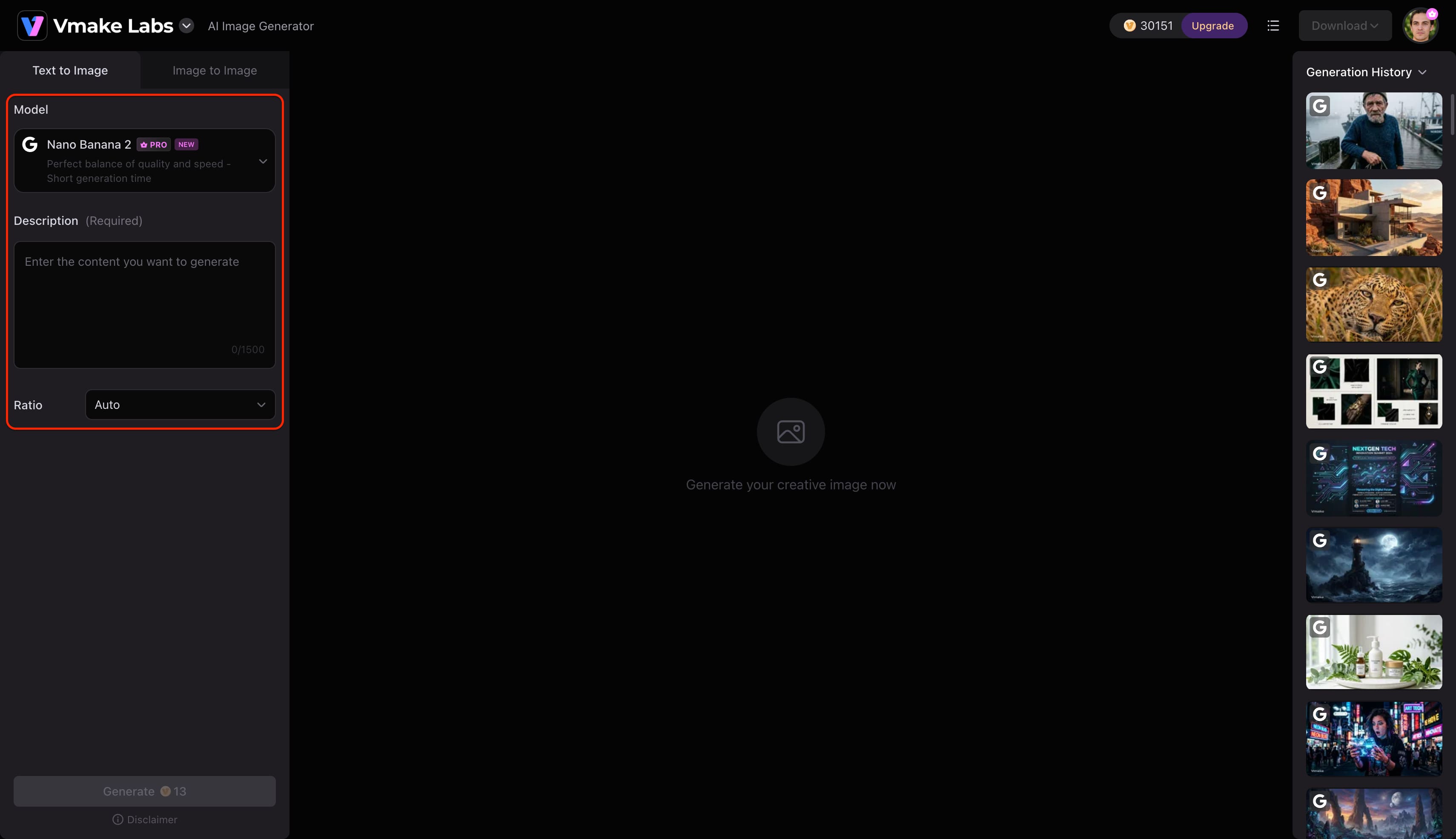
Step 2: Select a rendering model and configure settings
Pick the engine that best aligns with the project's visual goals, utilizing options like Nano Banana Pro or Seedream 4.0 for optimal realism. Configure the aspect ratio to match the intended social media platform before initiating the process.
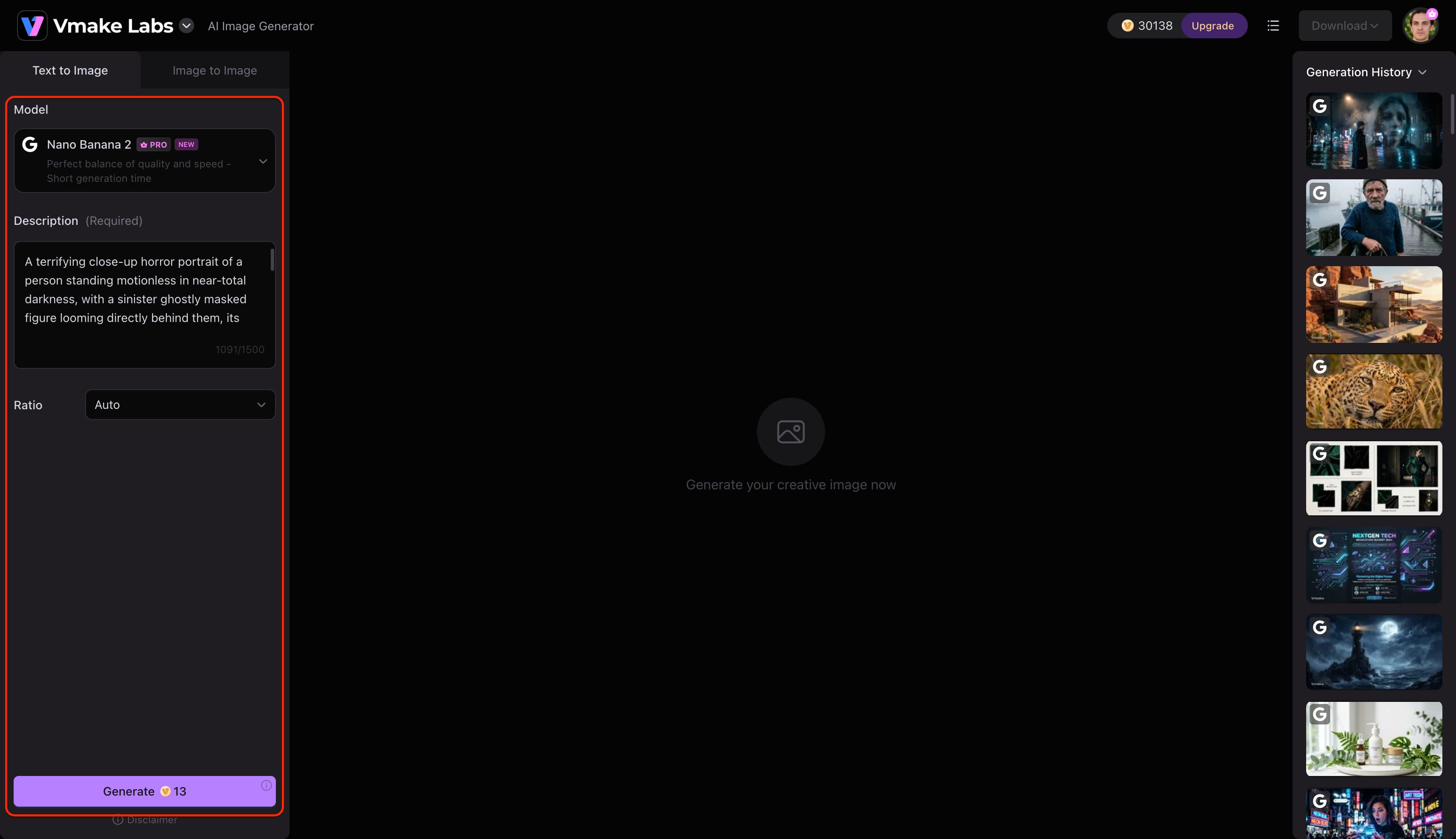
Step 3: Generate, evaluate, and download the artwork
Execute the generation command to produce the custom visuals. Review the outputs, create additional variations if necessary, and download the finalized image directly to the local device.
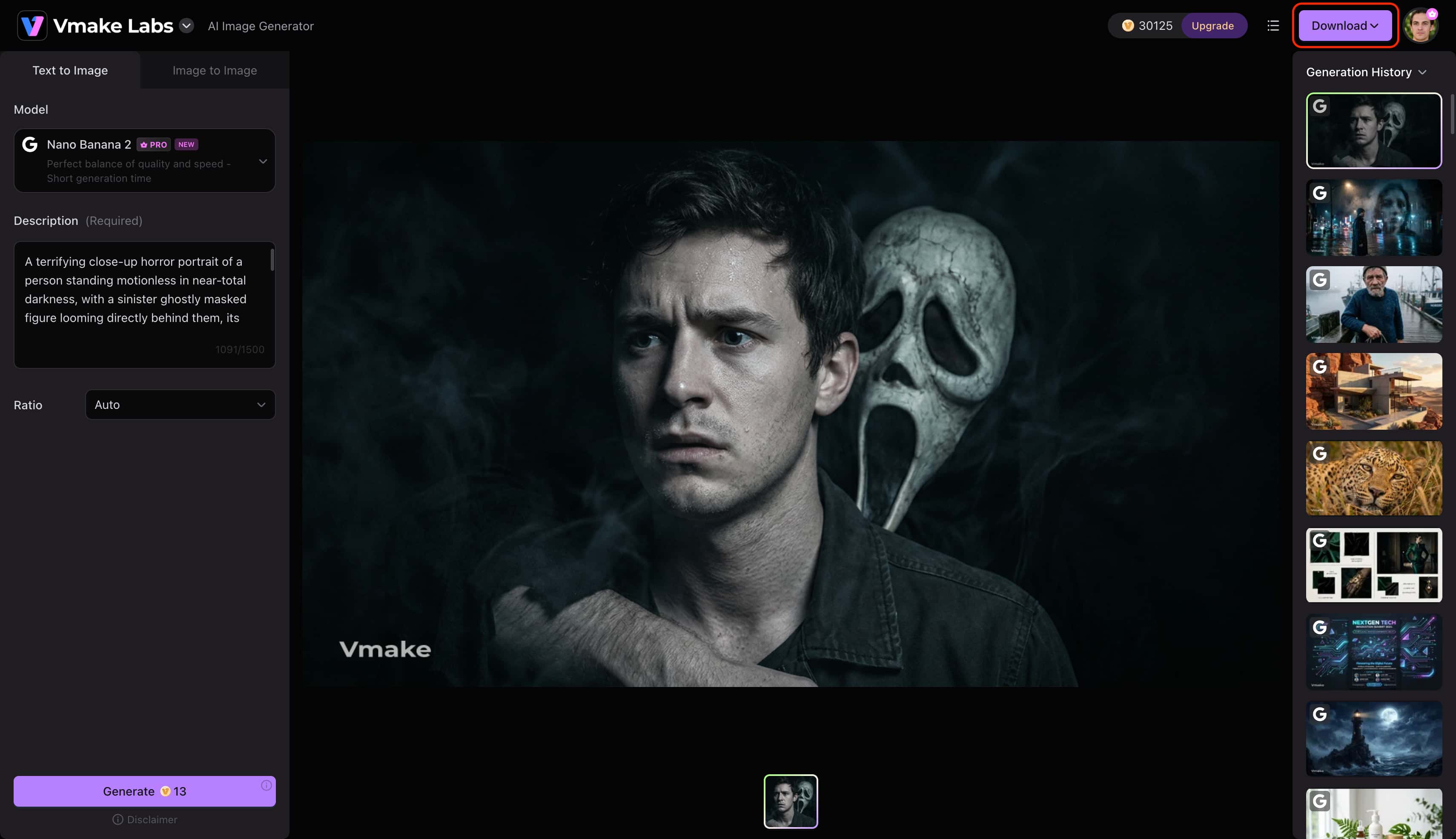
Pro Tip: For low-resolution reference photos, passing them through a dedicated image enhancer beforehand ensures the final generation retains crisp details.
Try the prompt from our tutorial:
"A terrifying close-up horror portrait of a person standing motionless in near-total darkness, with a sinister ghostly masked figure looming directly behind them, its elongated pale face emerging from the shadows just inches away. The mask has unnaturally deep eye sockets, a stretched expression of silent agony, subtle cracks across its surface, and faint traces of decay around the edges. The person's expression is tense and fearful, with realistic skin texture, slightly damp hair, and subtle goosebumps visible under cold directional light. Thick darkness surrounds both figures while a thin veil of smoke curls through the frame, creating an oppressive claustrophobic atmosphere. Extreme facial detail, harsh low-key lighting, deep shadows, unsettling eye-level composition, 85mm portrait photography, shallow depth of field, desaturated charcoal and cold blue tones, photorealistic horror cinema aesthetic, disturbing but non-graphic, highly detailed textures, intense psychological terror, dramatic contrast, premium cinematic portrait, no blood, no gore, no text, no watermark, 16:9 composition."
Ghost face AI picture ideas and prompts to try
Showcasing exact descriptive phrases takes guesswork out of the creative process. Applying these precise visual cues guarantees engaging, trend-worthy assets. While these prompts focus on spooky aesthetics, the same descriptive principles apply when crafting a digital AI avatar for everyday profile pictures.
-
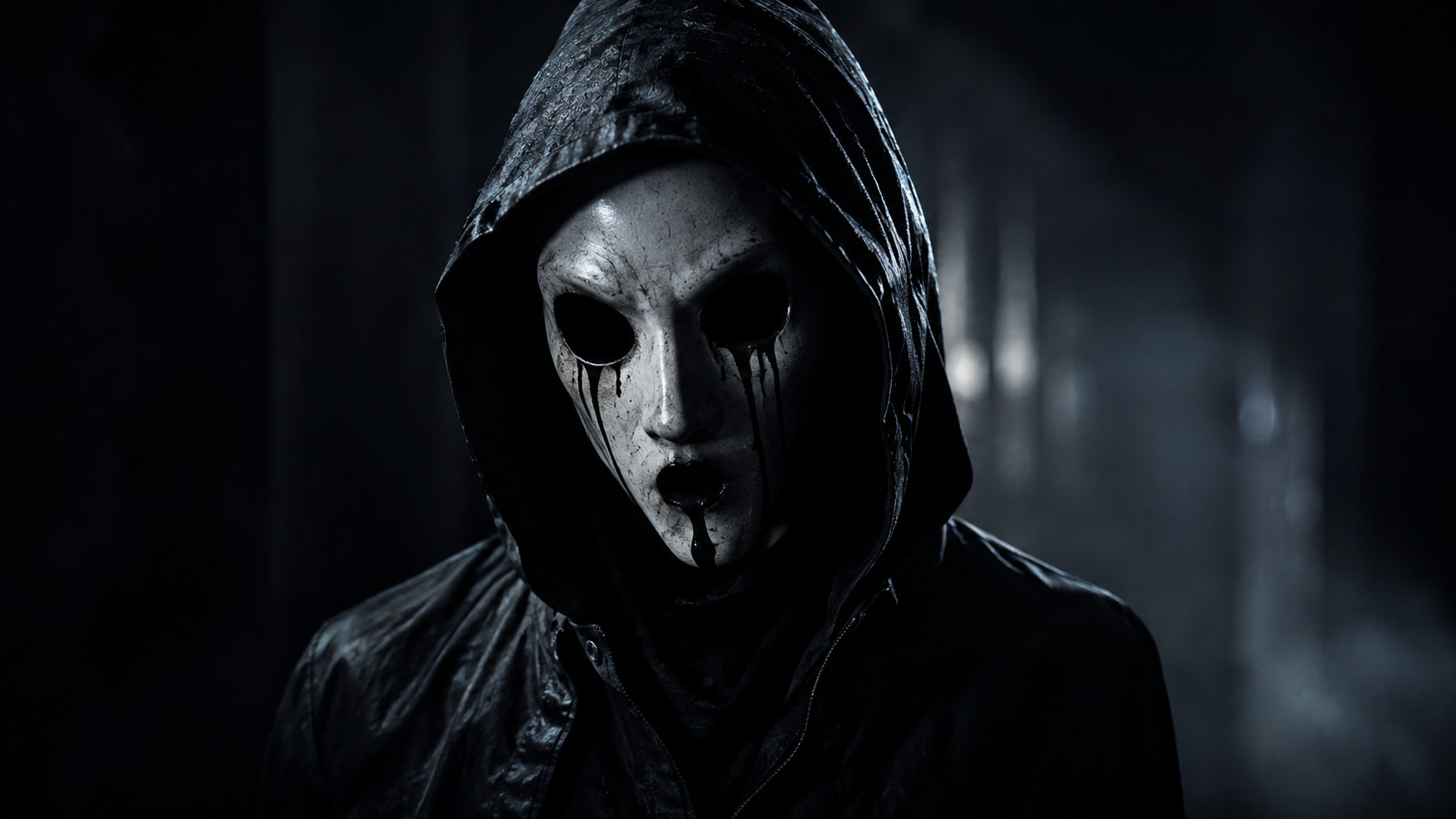
Classic Horror Portrait
"A cinematic portrait of a mysterious masked figure in a dark setting, dramatic shadows, 8k resolution, highly detailed."
-
Halloween Portrait
"A person wearing a ghost mask on an autumn night, surrounded by carved pumpkins, thick fog, eerie glowing orange lighting."
-
Cinematic Movie Scene
"Wide-angle composition of an abandoned location, film-style lighting, suspenseful atmosphere, a ghostly figure approaching."
-
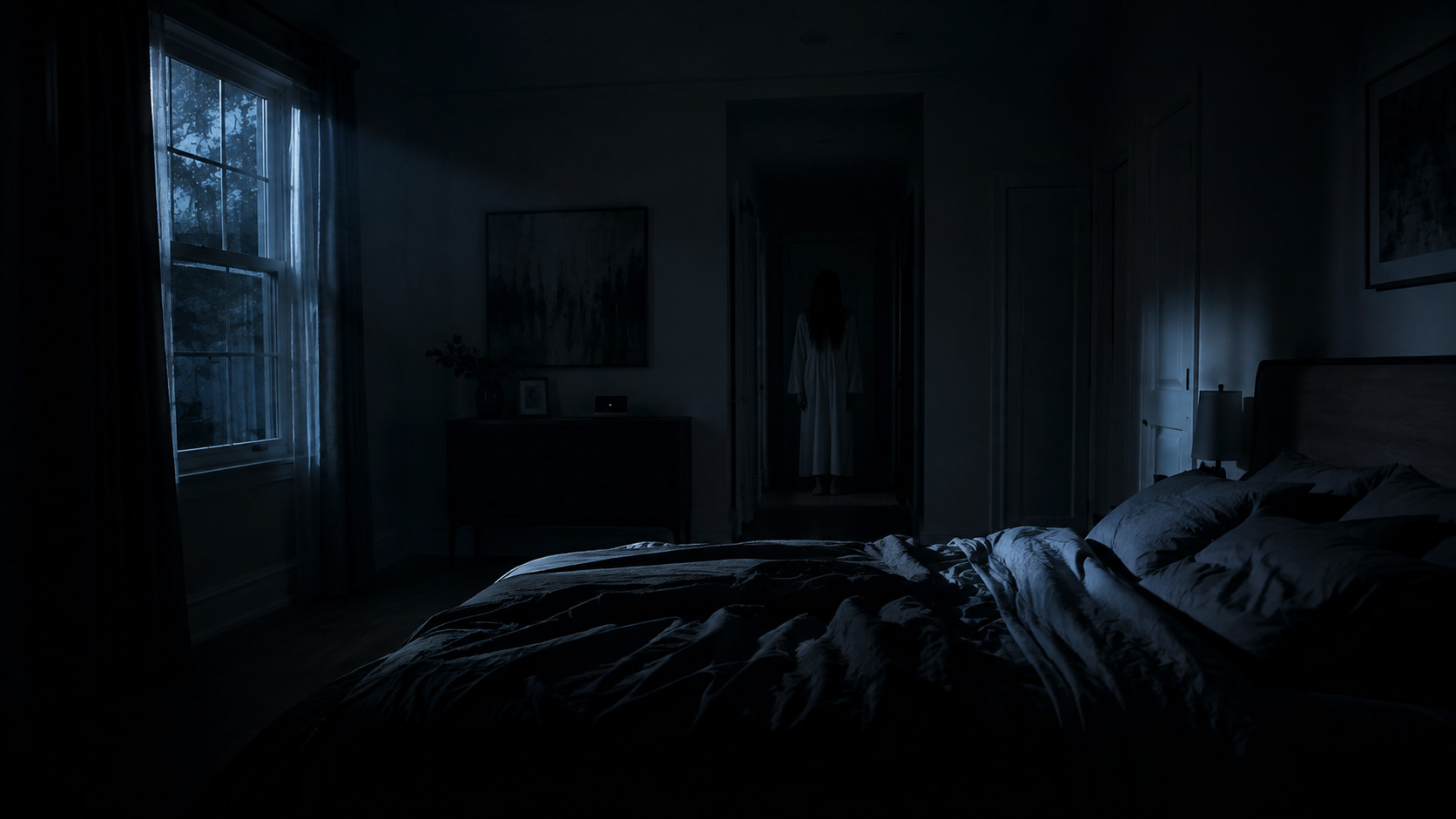
Dark Bedroom Scene
"Low ambient light inside a modern bedroom, a ghostly figure lurking in the background, realistic atmosphere, subtle moonlight."
-
Retro Horror Poster
"Vintage 90s photography, heavy film grain, dramatic and tilted composition featuring a masked entity."
-
Black-and-White Ghost
"High contrast monochrome photography, deep shadows, classic horror styling, stark white mask glowing in the dark."
Conclusion
The ghost face AI picture trend is still going strong on digital platforms, mixing nostalgic pop-culture horror with personalized visual identity. With a dedicated ghost face AI generator and carefully crafted text prompts, you can ensure striking, cinematic results that grab attention on social feeds. Testing various atmospheric conditions, lighting setups, and rendering engines unlocks limitless creative possibilities for content creators. Leveraging a professional studio suite ensures every generated image meets the high standards required for modern digital engagement.
FAQs
What is a ghost face AI picture generator?
It is a specialized artificial intelligence tool designed to transform text prompts or reference photos into horror-themed imagery. These platforms analyze lighting, facial structure, and stylistic inputs to render highly realistic cinematic assets.
Can I create a ghost face AI image from my own photo?
Yes, utilizing the image-to-image generation function allows personal selfies to serve as structural references. The AI seamlessly maps the ghostly aesthetic over the original portrait while maintaining recognizable facial proportions.
What prompt should I use for an AI ghost image?
A successful prompt combines a clear subject with environmental descriptors like atmospheric fog, dramatic shadows, and cinematic lighting. Specifying camera lenses and artistic styles further enhances the realism of the final output.
Can I change the style of a ghost face AI picture?
Adjusting the text prompt instantly alters the overall aesthetic of the generated artwork. Creators can easily transition from vintage 90s VHS looks to hyper-realistic 4K Unreal Engine styles by modifying their descriptive keywords.
What is the best ghost face AI generator?
Vmake Labs stands out as a premier studio option due to its integration of advanced rendering models like Nano Banana Pro and Seedream 4.0. The platform reliably produces ultra-realistic textures and accurate lighting necessary for convincing cinematic horror imagery.

You May Be Interested
Google Gemini Ghostface Prompt: Create Spooky AI Images
International Women’s Day Images & Pictures for 2026

How to Remove an Emoji From a Picture: Step-by-Step Guide

How to Make a Video Out of Pictures: Easy AI Guide for Beginners