Freepik AI Image Generator Review: Is It Worth Using in 2026?
Discover our Freepik AI Image Generator review after testing its AI models, image quality, features, and pricing. Compare it with Vmake Labs Image Generator to find the right AI image creation tool.

Freepik AI Image Generator combines multiple AI models with an easy-to-use creative platform for generating original images from text prompts or reference images. In this Freepik AI Image Generator review, we test its features, image quality, pricing, and overall performance to see whether it's worth using in 2026.
What is Freepik AI Image Generator
Freepik AI Image Generator, now rebranded as Magnific, is a browser-based AI image creation tool that lets users generate images from text prompts, reference images, or a combination of both. The platform offers free access with limited usage and supports multiple AI models such as Nano Banana, Seedream, and Flux. Users can now access the AI image generator through magnific.com while enjoying the same core image generation features.
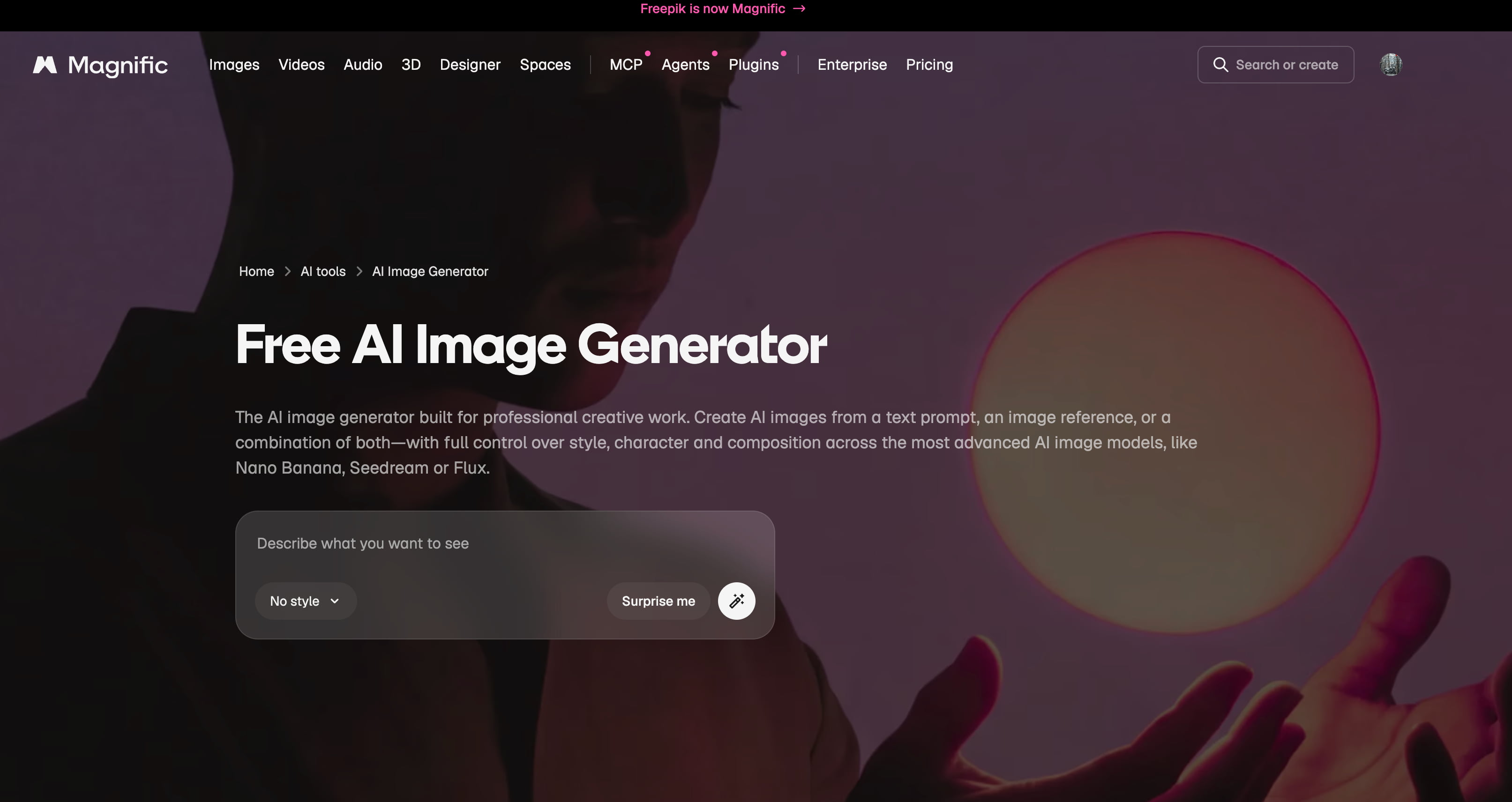
One of the platform's biggest strengths is its access to multiple AI image models, enabling users to choose the model that best matches their project. Depending on availability, these include options such as Flux, Google Imagen, Ideogram, and other supported models, each offering different strengths in realism, illustration, typography, or artistic creativity. The platform also supports a wide range of styles, including photorealistic images, anime, digital paintings, cinematic scenes, 3D artwork, and illustrations, along with multiple aspect ratios for social media, presentations, websites, and print materials.
Key features
-
Multiple AI models for different creative styles: Freepik offers several AI image generation models in one place, allowing users to choose the best option based on speed, realism, prompt adherence, typography, or creative style. This streamlines different creative workflows without needing multiple AI tools.
-
AI-powered image editing: Generated images can be refined using built-in AI editing tools, making it easier to improve specific areas without starting the generation process again. This helps save both time and generation credits during creative projects.
-
Prompt enhancement: The platform can automatically improve simple prompts by adding more descriptive details before generation. This feature is especially useful for beginners who may not be familiar with writing detailed AI prompts.
-
Commercial licensing: Paid Freepik plans include a commercial AI license, making generated images suitable for marketing, advertising, ecommerce, presentations, and client projects. If you're using the free plan, review the applicable attribution and usage restrictions before using AI-generated content commercially.
-
Browser-based workflow: Everything runs directly in your browser, eliminating the need for software downloads while allowing users to create and manage AI-generated images from almost any device.
-
Fast image generation: Images are typically generated within seconds, making the platform suitable for rapid brainstorming, content creation, and producing multiple design variations in a short amount of time.
Hands-on review of Freepik AI Image Generator
To see how Magnific (formerly Freepik AI Image Generator) handles real-world creative work, we tested its different AI models across a mix of portraits, product shots, and marketing graphics. We focused on prompt accuracy, speed, and how much tweaking the images actually needed before they were ready for commercial use.
How to generate images with Freepik AI Image Generator
Creating images with the Freepik AI Image Generator is easy, as the entire process takes place directly in your browser. With intuitive controls, the platform walks you through the process, making it suitable for both beginner and experienced designers.
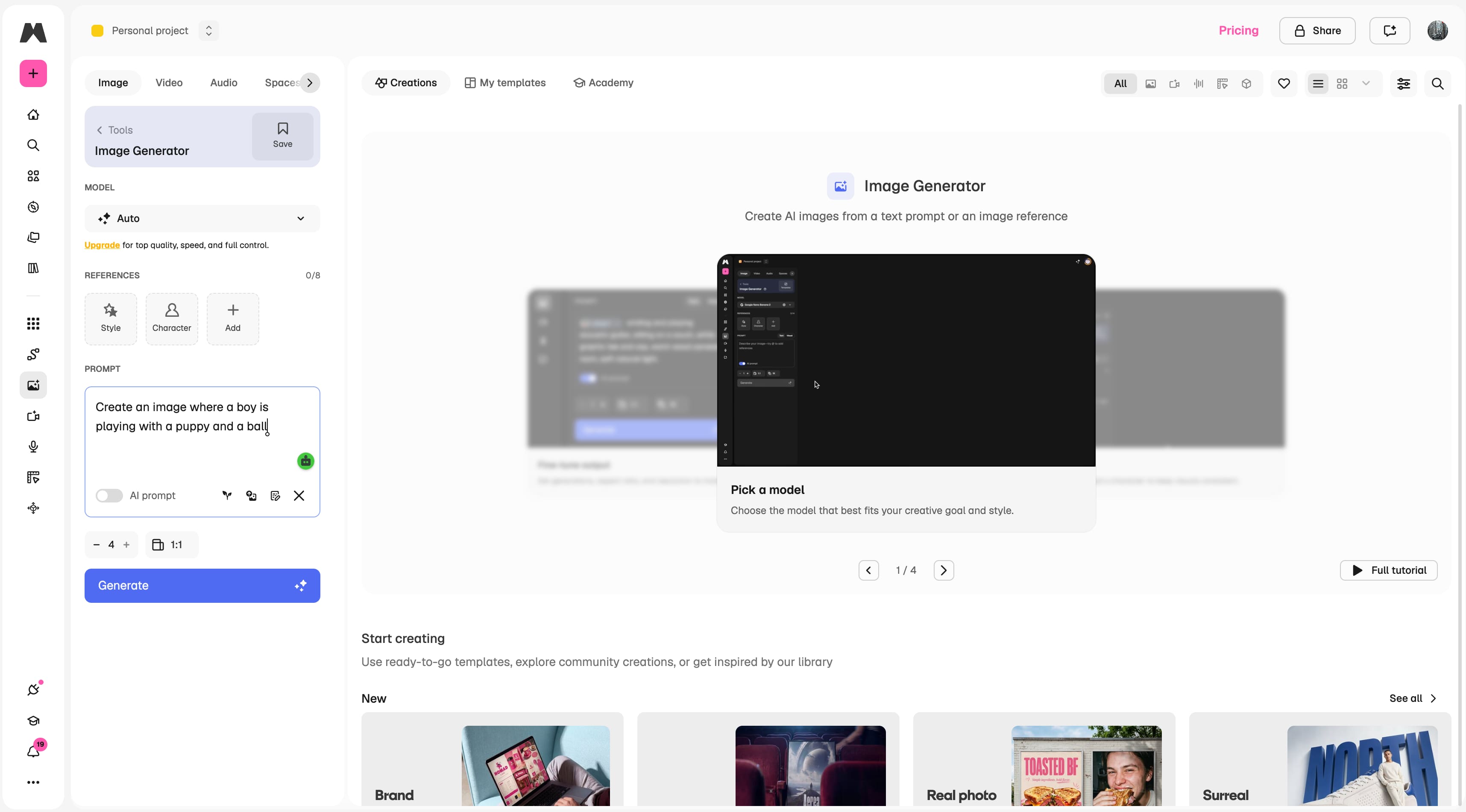
Step 1: Enter a prompt or upload a reference image
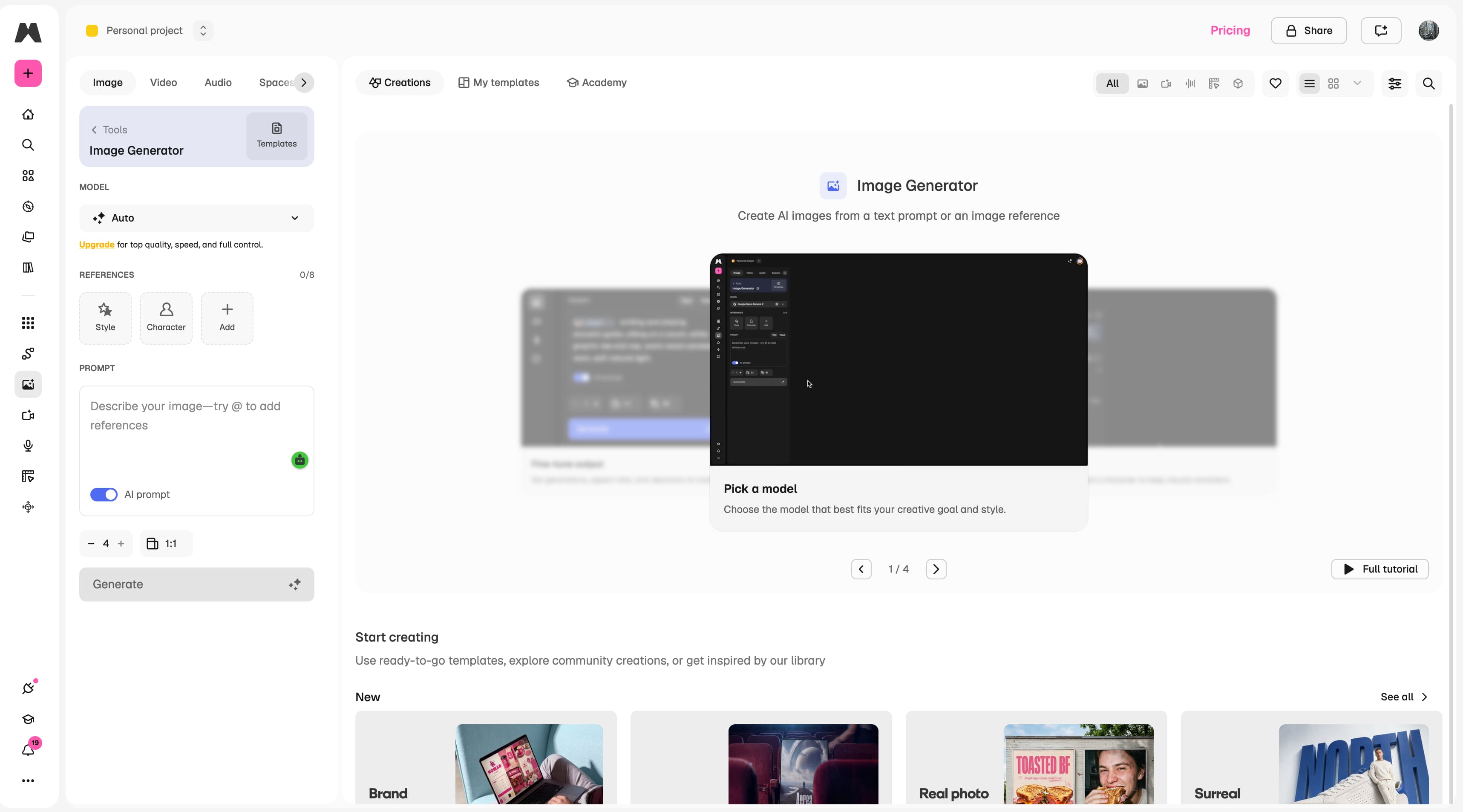
Open the Magnific (formerly Freepik AI Image Generator) interface and enter a detailed text prompt describing the image you want to create, or upload a reference image to guide the AI. You can also add style or character references before generating your image. Providing more context generally leads to more accurate and visually appealing results.
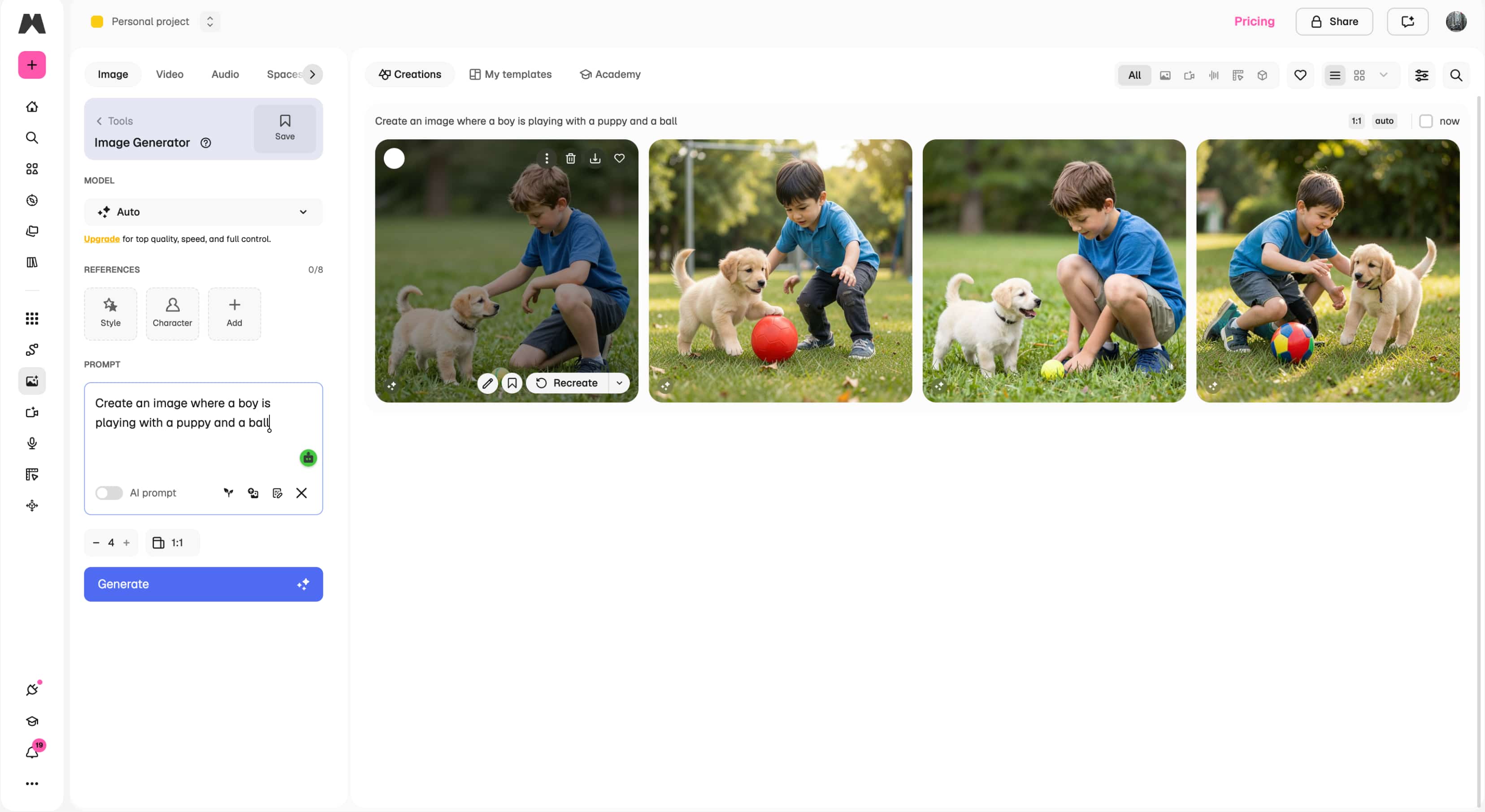
Step 2: Generate and review your images
Click Generate to create multiple AI-generated image variations. Review the results, compare different outputs, and regenerate the images if you want additional variations or different compositions.
Step 3: Download your preferred image
Once you're satisfied with the results, select your preferred image and download it for use in your creative, marketing, or commercial projects.
Our testing results
We tested Magnific (formerly Freepik AI Image Generator) in five common creative scenarios to assess its performance across different types of image generation. Rather than testing it for a single use case, we wanted to test its ability to deliver consistent, high-quality visuals across both creative and commercial applications.
|
Test scenario |
Evaluation criteria |
What we assessed |
|---|---|---|
|
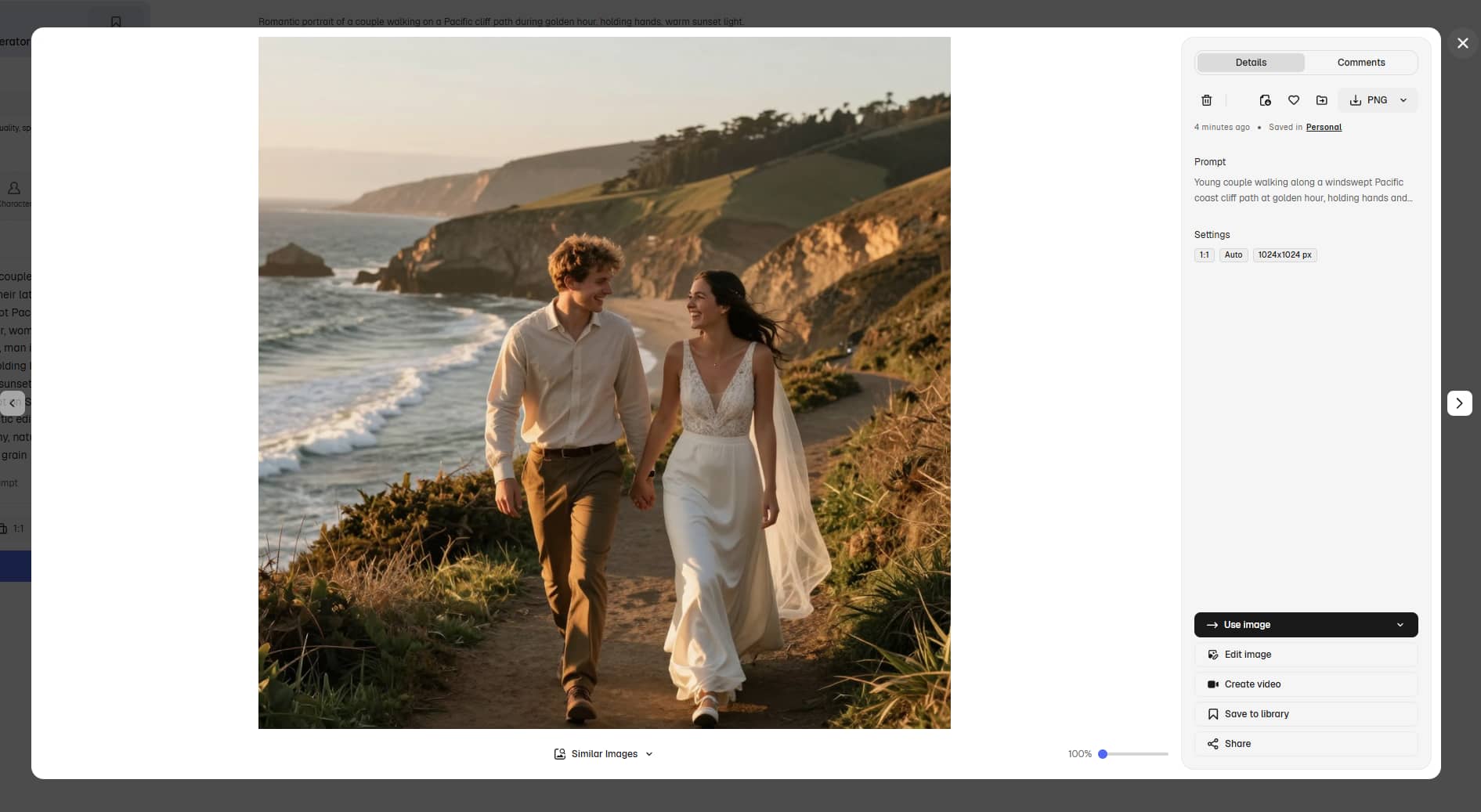
Portraits |
Facial details, skin texture, and prompt accuracy |
We checked whether facial features looked natural, expressions matched the prompt, and common AI issues such as distorted eyes, hands, or inconsistent skin textures were avoided. |
|
Product images |
Lighting, textures, reflections, and object accuracy |
We evaluated how realistic products were rendered, paying close attention to materials, shadows, reflections, and overall suitability for ecommerce or marketing use. |
|
Marketing graphics |
Composition, typography, and visual appeal |
We assessed whether the AI could generate polished promotional visuals with balanced layouts, attractive compositions, and readable text where supported. |
|
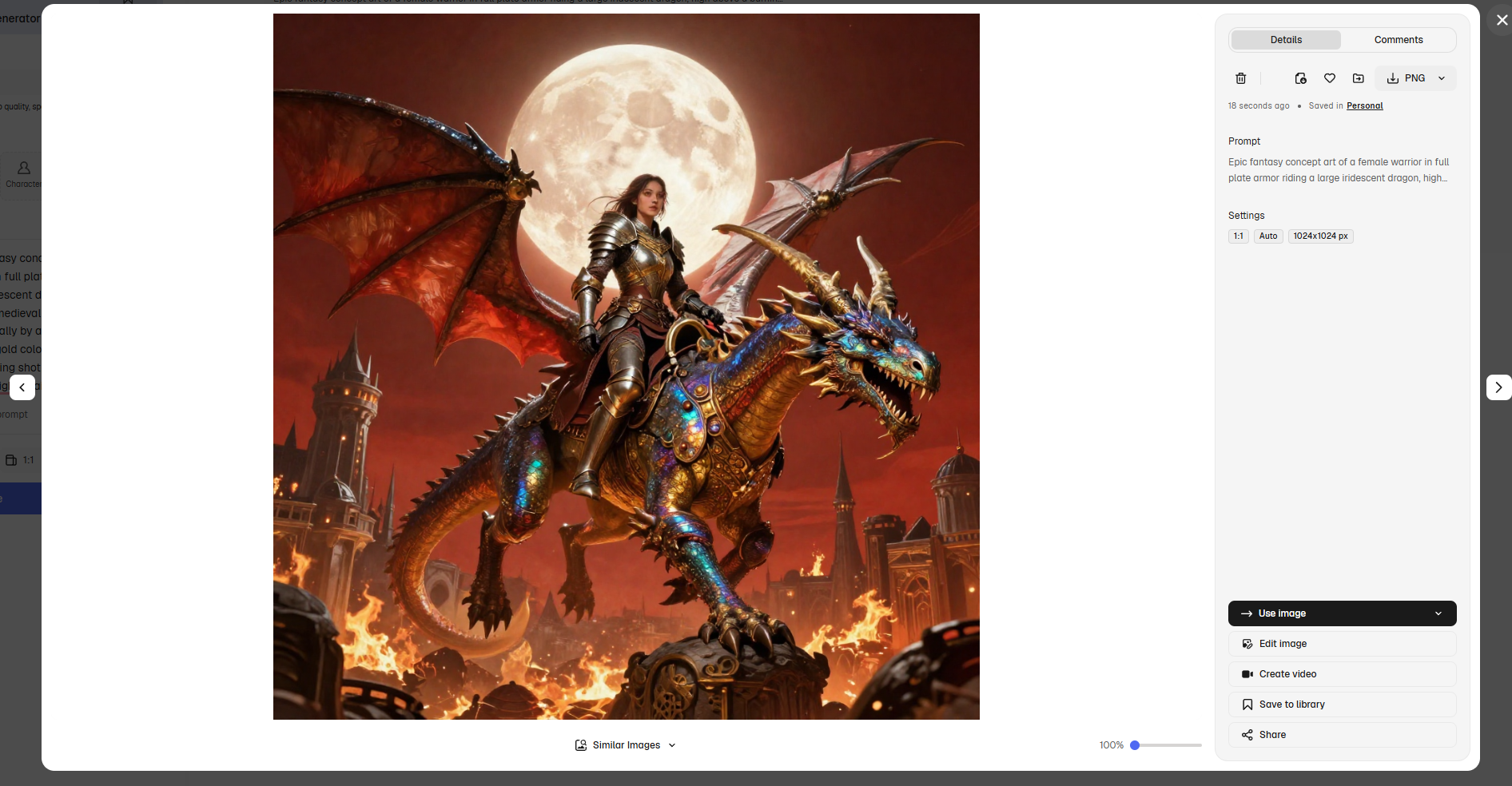
Concept art |
Creativity, style consistency, and prompt adherence |
We tested imaginative prompts to see how effectively the AI interpreted artistic styles while maintaining consistency throughout the generated scene. |
|
Photorealistic scenes |
Realism, fine details, and lighting consistency |
We examined the quality of landscapes and realistic environments, focusing on textures, depth, lighting, and whether the final images appeared convincingly lifelike. |
Examples of testing
Portraits
Fantasy
Is Freepik AI Image Generator worth it?
Having tested Freepik AI Image Generator on a range of creative projects, we can say it is a user-friendly platform with a decent selection of AI image models and useful editing tools:
Pricing
Magnific (formerly Freepik AI Image Generator) offers both free and paid plans to suit different creative needs. While the free plan is ideal for exploring the platform, paid plans provide more AI credits, commercial licensing, and access to premium AI features. Premium+ and higher plans also include unlimited AI image generation on most supported models, although some premium models and advanced AI tools still consume AI credits.
|
Plan |
Best suited for |
AI credits & generation |
Commercial licence |
|---|---|---|---|
|
Free |
Exploring the platform and light personal use |
Limited daily AI access, including up to 20 AI image generations per day with the in-house model |
No (attribution required) |
|
Premium |
Designers, marketers, and content creators |
20,000 AI credits/month; unlimited image generation not included |
Yes |
|
Premium+ |
High-volume AI image creators |
45,000 AI credits/month; unlimited AI image generation on most models; extra credits available for purchase |
Yes |
|
Pro |
Professional creators and agencies |
300,000 AI credits/month; unlimited AI image generation on most models; early access to new AI models and features |
Yes (includes Merchandise Licence) |
|
Business |
Creative teams and agencies |
45,000 AI credits per seat/month, shared across the team; unlimited AI image generation on most models |
Yes |
Pros & Cons
|
Pros |
Cons |
|---|---|
|
|
Community feedback
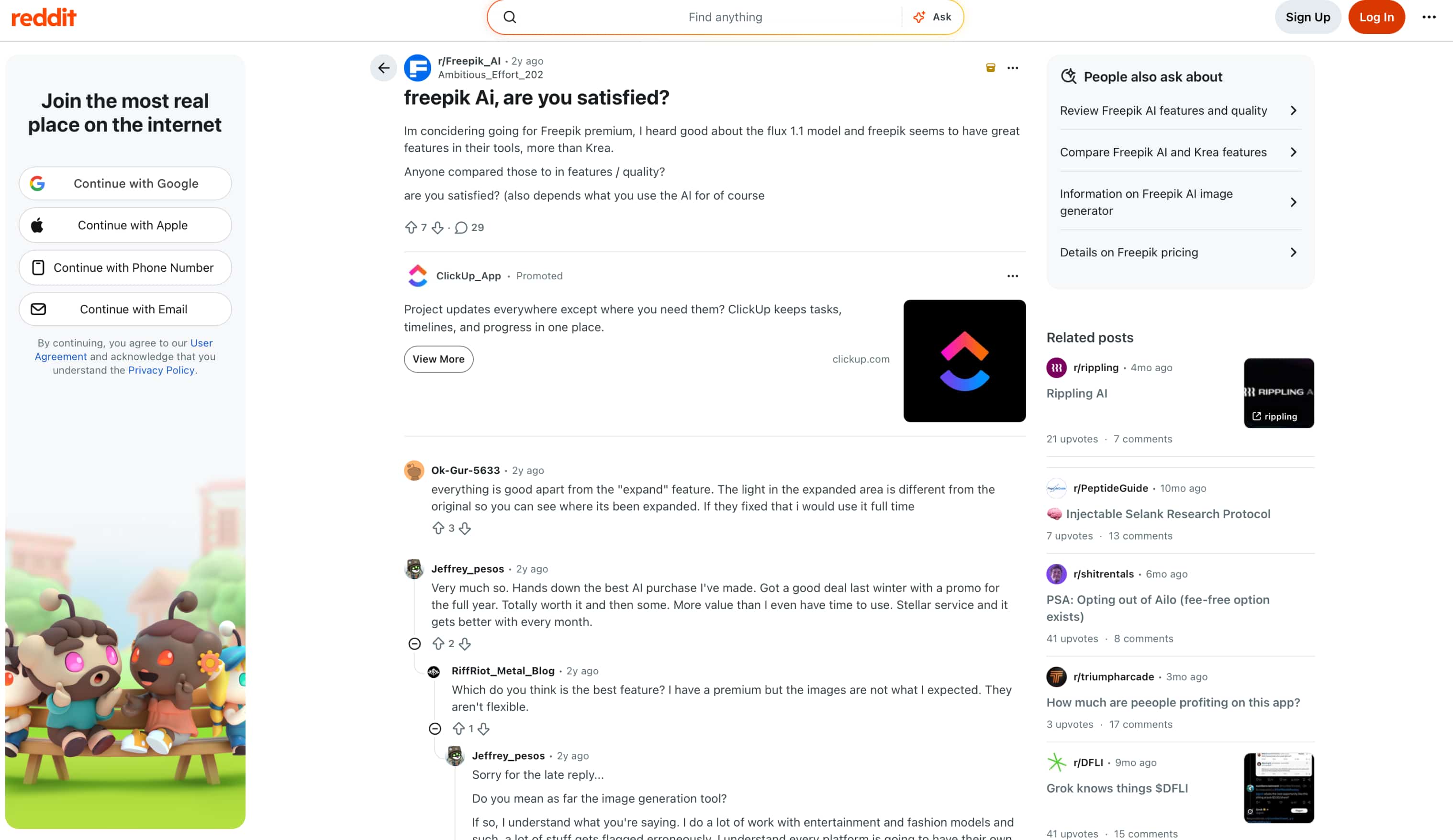
The majority of Reddit users have a positive opinion of Freepik AI, with many applauding the multiple AI models, frequent updates, and overall value for money. The biggest complaint is that image quality varies between models, so often users have to experiment to get the best results.
G2
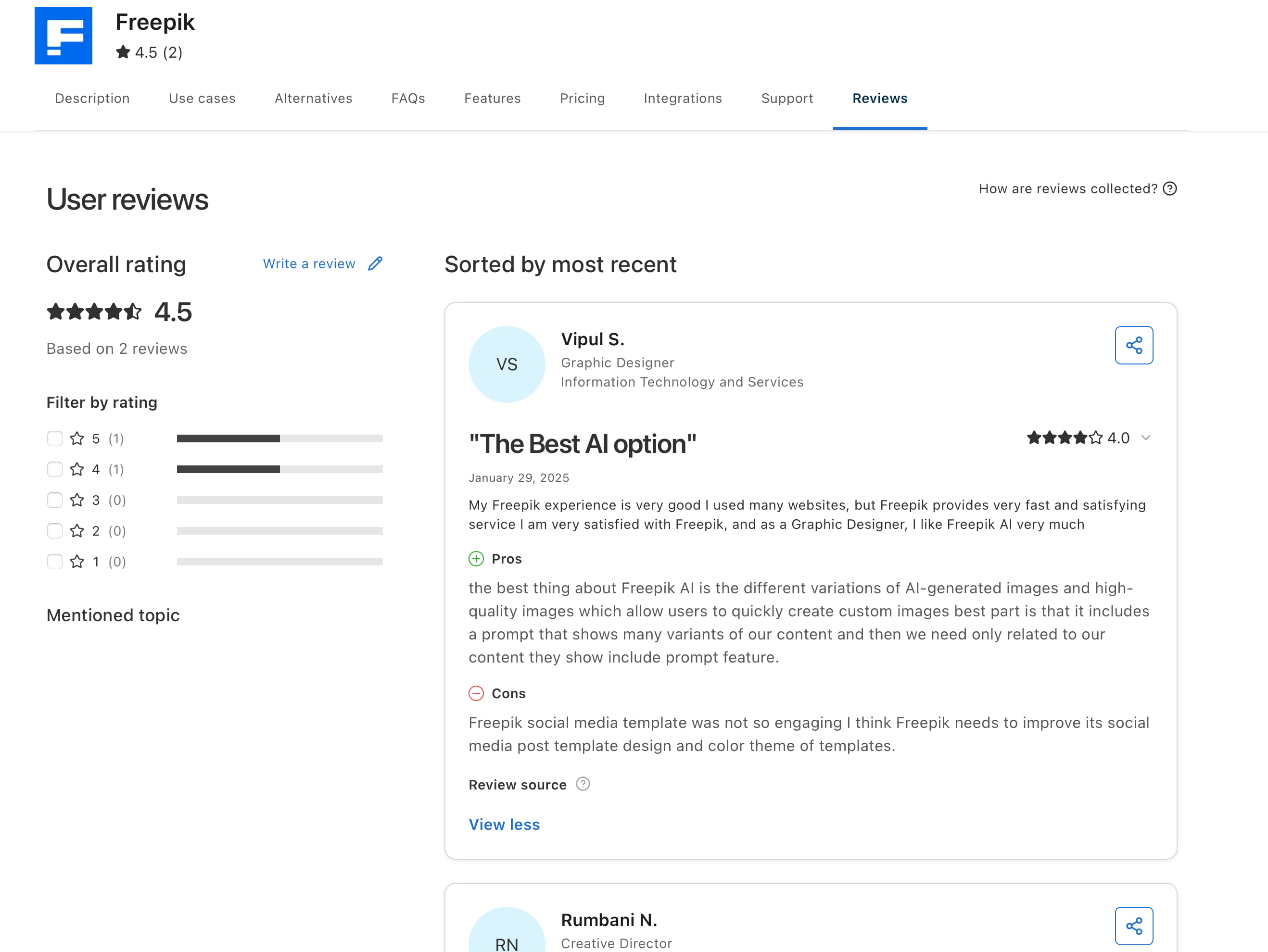
Freepik has a 4.5/5 rating on G2 at the time of writing. Reviewers appreciate its high-quality image generation, multiple image variations, and easy-to-use interface. Most feedback is positive, with only minor suggestions for improving templates and customisation features.
Our verdict
Freepik AI Image Generator is a good option for designers and creators who want multiple AI models on a single creative platform. The image quality is great, the generation is fast, and the editing features are useful, but the credit-based system and the performance of the different models may need some experimentation. If you're looking for a more streamlined workflow aimed at commercial image creation, Vmake Labs AI Image Generator is a solid alternative worth considering.
To help you decide whether it's the right fit for your needs, it's worth comparing Freepik AI Image Generator with another AI image generation platform that focuses on fast, commercial-ready content creation. Here's how Vmake Labs AI Image Generator compares.
Meet a strong alternative: Vmake Labs AI Image Generator
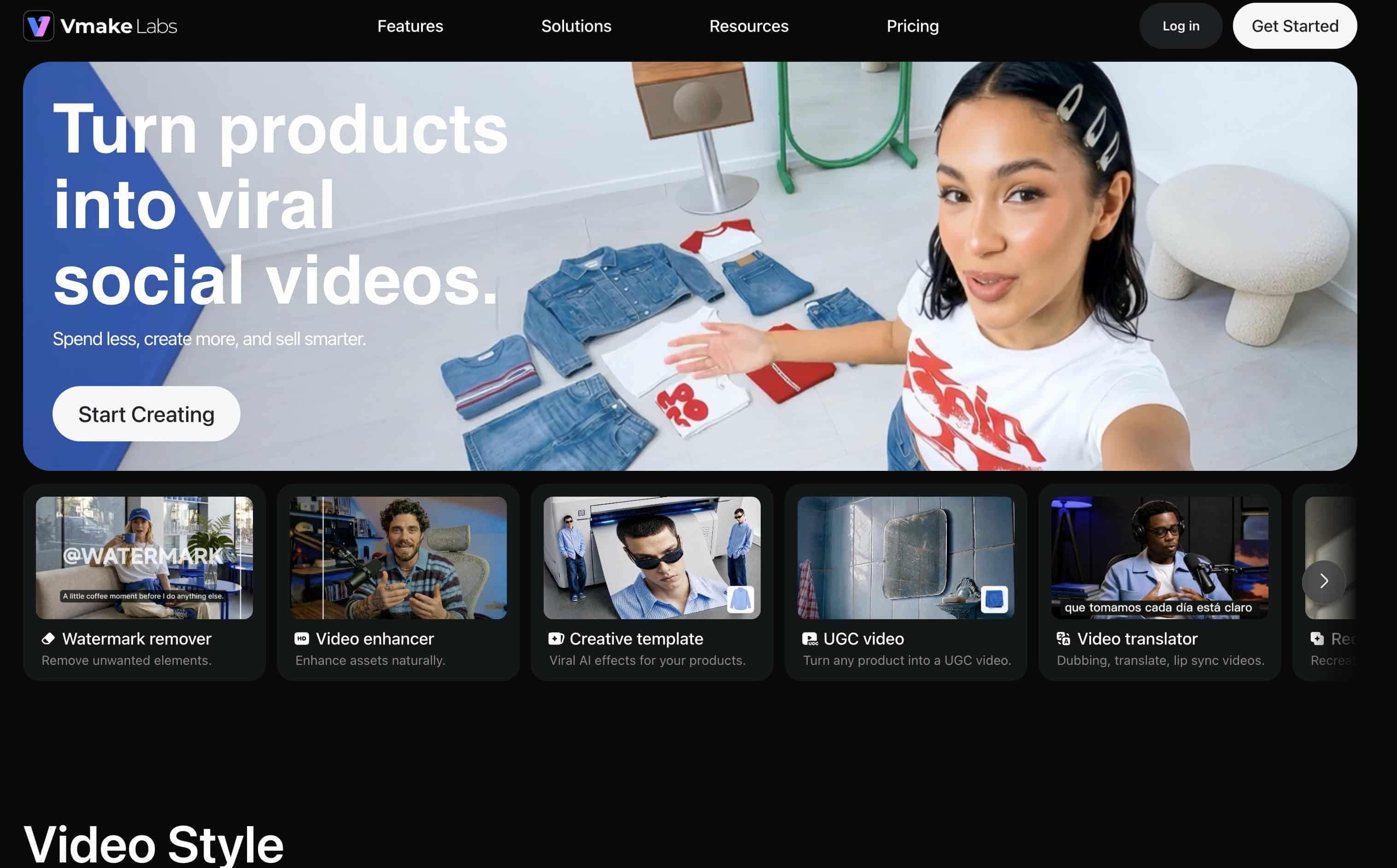
While Freepik AI Image Generator is a great choice for designers working within the Freepik ecosystem, it isn't the only option available. Vmake Labs AI Image Generator is designed for users who need to create marketing, ecommerce, social media, and product visuals quickly. With support for leading AI models, text-to-image and image-to-image generation, and an intuitive browser-based workflow, it makes producing commercial-ready images simple and efficient.
How to generate AI images with Vmake Labs AI Image Generator
Creating images with Vmake Labs AI Image Generator takes just a few steps.
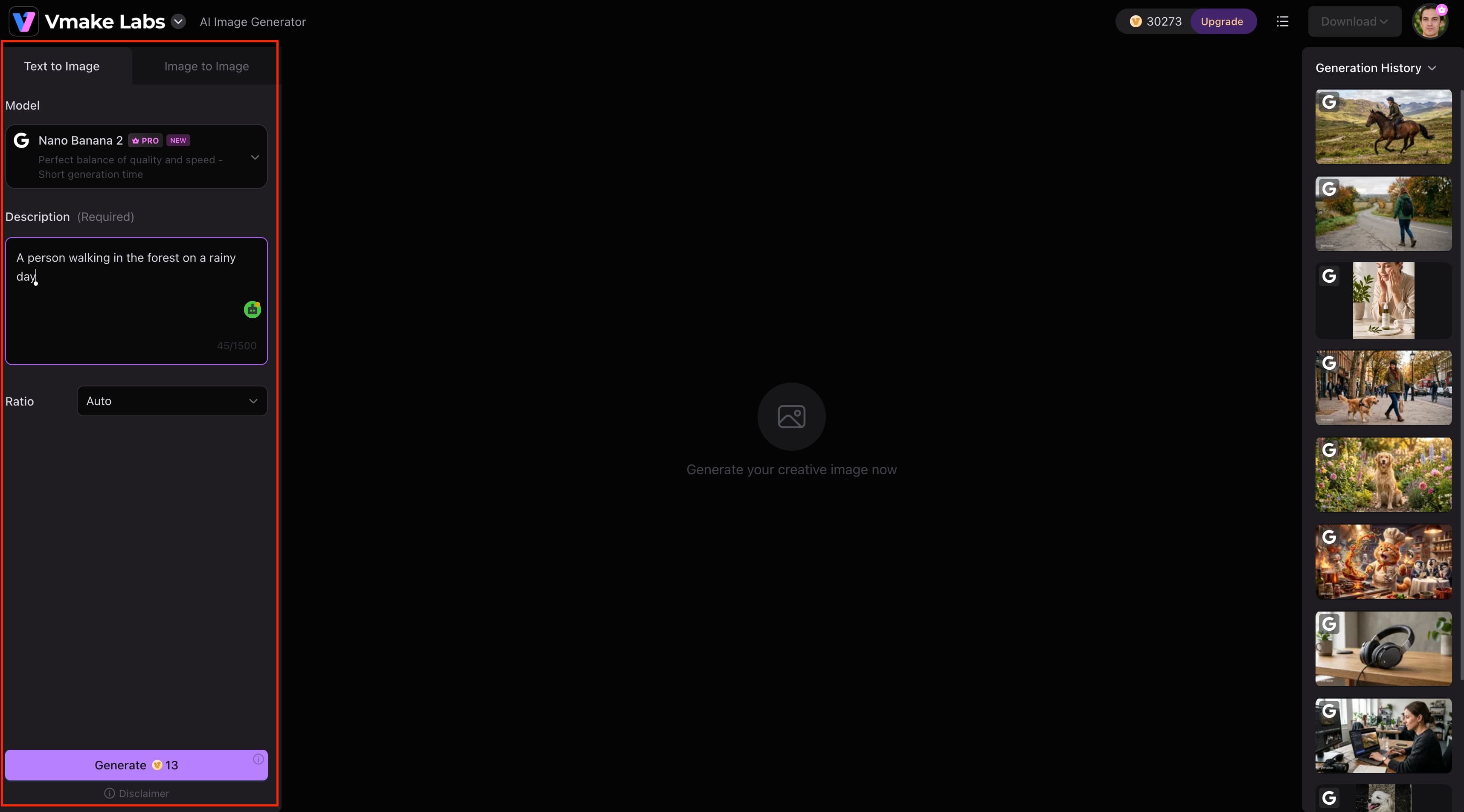
Step 1: Enter a text prompt or upload a reference image
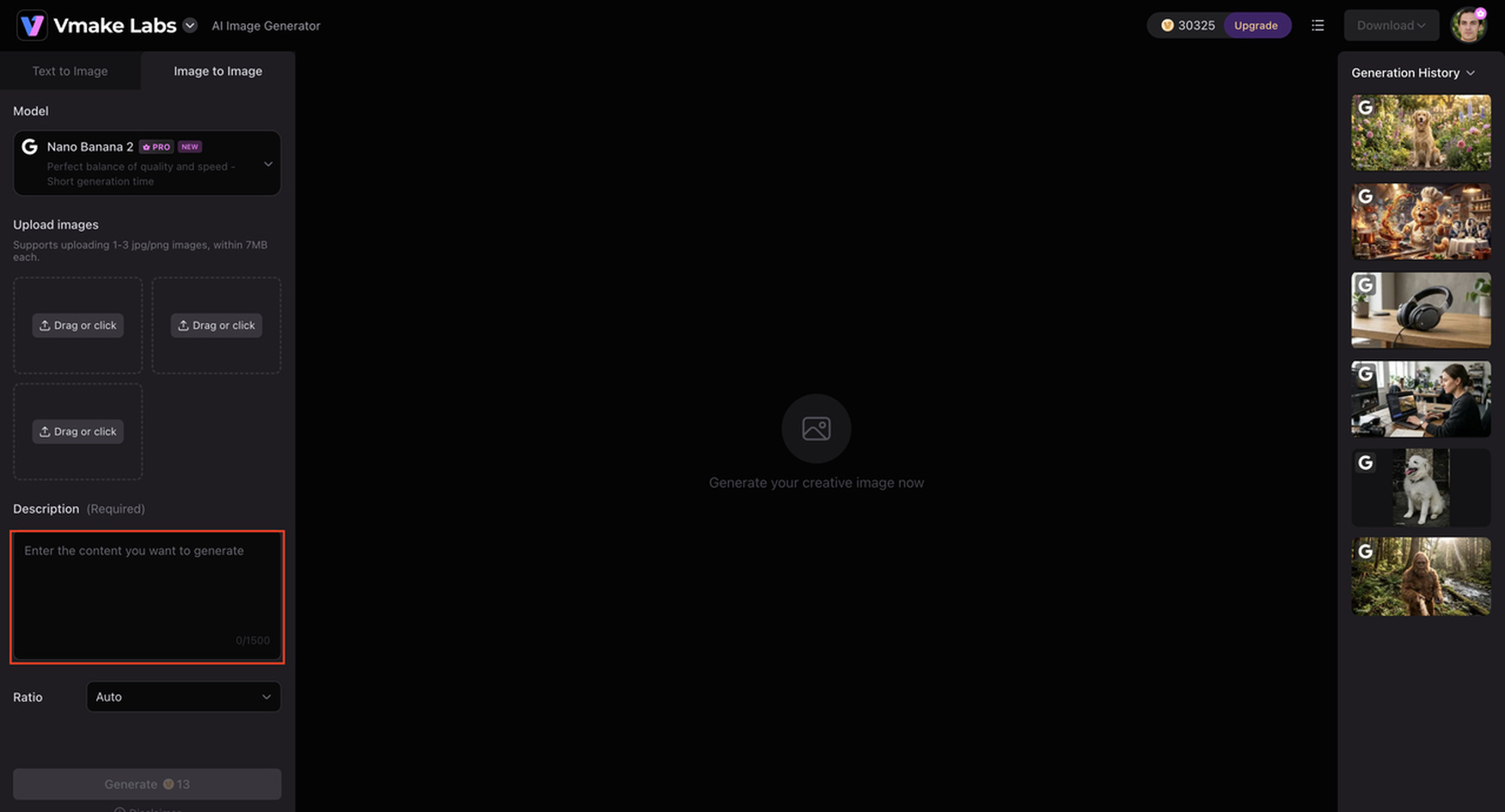
Choose Text to Image or Image to Image, then describe your idea or upload up to three reference images to guide the generation process.
Step 2: Select an AI model and generation settings
Choose from multiple AI models, including Nano Banana 2, Nano Banana Pro, Nano Banana, Seedream 4.0, and GPT Image 1. Then select your preferred aspect ratio and other generation settings before clicking Generate.
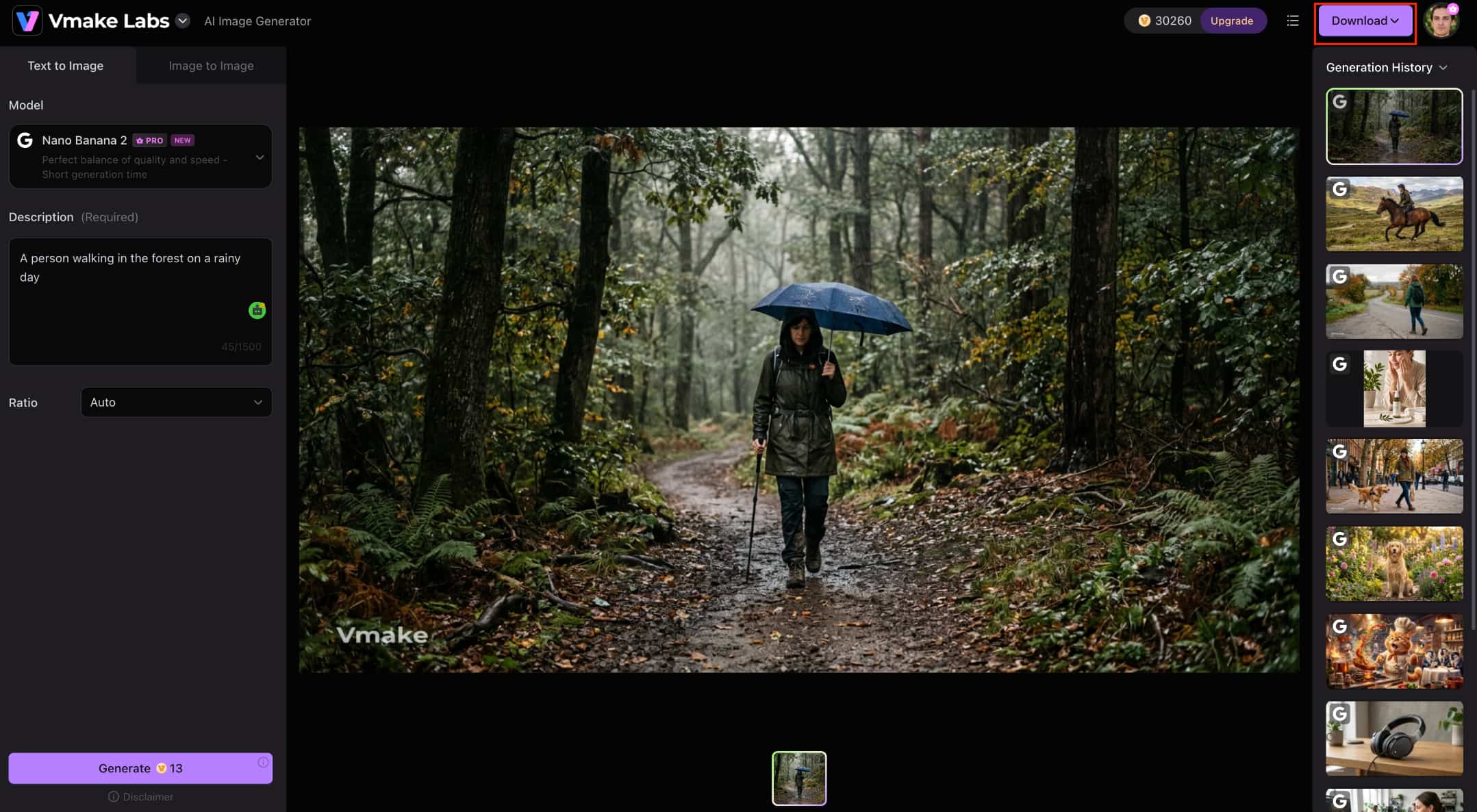
Step 3: Generate, preview, and download your AI-generated images
Review the generated images, create additional variations if needed, and download the results for use in marketing, ecommerce, or creative projects. If your generated image needs additional sharpening or higher resolution, you can further improve it using Vmake Labs image enhancer.
Why choose Vmake Labs AI Image Generator?
-
Multiple leading AI image models: Choose from Nano Banana 2, Nano Banana Pro, Seedream 4.0, and GPT Image 1 to match different creative styles and projects.
-
Text-to-image and image-to-image creation: Generate images from prompts or upload up to three reference images to maintain a consistent visual style across projects.
-
Browser-based workflow: Create, review, and download AI images from any device without installing software.
-
Multiple aspect ratios: Generate images in the right format for social media, ecommerce, presentations, and websites, reducing extra editing.
-
Commercial-focused image creation: Create product photos, marketing assets, and promotional visuals ready for commercial use, helping businesses produce content more efficiently.
-
Fast AI image generation: Generate and refine images in just a few clicks, then optimise them further with Vmake Labs AI Thumbnail Maker for YouTube and social media.
Freepik AI Image Generator vs Vmake AI Image Generator
Both Freepik AI Image Generator and Vmake Labs AI Image Generator support text-to-image and image-to-image generation using multiple AI models. However, they are designed for different creative workflows, making each platform better suited to different types of users.
|
Category |
Freepik AI Image Generator |
Vmake Labs AI Image Generator |
|---|---|---|
|
Best suited for |
Designers, illustrators, and users already using the Freepik ecosystem |
Marketers, ecommerce sellers, content creators, and businesses |
|
AI models |
Multiple AI image generation models |
Multiple leading AI models, including Nano Banana 2, Nano Banana Pro, Seedream 4.0, and GPT Image 1 |
|
Generation modes |
Text-to-image and image-to-image |
Text-to-image and image-to-image |
|
Workflow |
Integrated into the Freepik creative platform |
Streamlined browser-based AI image generation workflow |
|
Ease of use |
Best for existing Freepik users |
Simple workflow designed for quick image generation |
|
Commercial use |
Suitable for creative design projects |
Built for marketing, ecommerce, and commercial content creation |
|
Pricing |
Free and paid plans |
Free trial with paid plans |
Which tool should you choose?
If you are already in the Freepik ecosystem and want AI image generation, along with stock photos, templates and design resources, then go with Freepik AI Image Generator. It's a great tool for creating illustrations, concept art and branding assets all in one creative platform.
If you need quick visuals for marketing, ecommerce or social media, then Vmake Labs AI Image Generator is your best option. Its seamless workflow, multiple leading AI models, and focus on commercial content creation make it a strong choice for businesses, marketers, and content creators.
Conclusion
Freepik AI Image Generator, now operating under the Magnific brand, is a capable AI image creation tool that combines multiple AI models with Freepik's broader creative ecosystem. It performs well for illustrations, marketing graphics, concept art, and everyday design tasks, while its browser-based workflow makes it easy to use for beginners and professionals alike. However, users who generate images frequently may find the credit-based system limiting. If you need a more streamlined platform built for marketing, ecommerce, and commercial content creation, Vmake Labs AI Image Generator is a strong alternative, offering multiple leading AI models and a fast workflow for producing high-quality visuals.
FAQs
-
Is Freepik AI Image Generator free?
Yes. Magnific (formerly Freepik AI Image Generator) offers a free plan with a limited number of AI credits. This gives you the chance to test the platform before you upgrade. If you need to access multiple leading AI models and business-oriented workflow, Vmake Labs AI Image Generator also has a free trial.
-
Is Freepik AI Image Generator worth paying for?
Yes, especially if you already use Freepik's stock assets and creative tools. However, if you are looking to create marketing, ecommerce or social media visuals, then Vmake Labs AI Image Generator provides a more streamlined alternative with multiple AI models.
-
Which AI models does Freepik AI Image Generator support?
Magnific (formerly Freepik AI Image Generator) supports several AI image generation models, with availability depending on your subscription plan. For users looking to explore additional AI models, Vmake Labs AI Image Generator offers Nano Banana 2, Nano Banana Pro, Seedream 4.0, and GPT Image 1 for a variety of creative styles.
-
Can I use Freepik AI-generated images commercially?
Yes, AI-generated images can be used commercially, depending on the Freepik licensing terms and your subscription plan. Vmake Labs AI Image Generator is also designed for commercial image generation if you're creating marketing material or ecommerce content.
-
What is the best alternative to Freepik AI Image Generator?
What works best depends on your content and workflow needs. If you want to build several leading AI models for a simple browser experience, be sure to check out Vmake Labs AI Image Generator for commercial-ready visuals.
-
Which AI image generator is better for marketing and ecommerce projects?
The Freepik AI Image Generator is a good choice for designers already in the Freepik ecosystem. For marketers, ecommerce sellers and businesses that need fast, commercial-ready image creation, Vmake Labs AI Image Generator is the best fit.

You May Be Interested
ImgGen AI Image Upscaler Review: Features & Pricing in 2026
Picsart Image Enhancer Review 2026: Tested, Worth It?
PicWish Unblur Image Review: Worth It in 2026?

Grok AI Video Generator Review: Features, Pricing, and Pros & Cons

Raphael AI Image Generator Review 2026: Worth Trying?