Dezgo AI Image Generator Review: Hands-On Testing & Final Verdict
Read our full Dezgo AI image generator review. We tested image quality, Stable Diffusion models, pricing, and features. Need commercial-ready visuals? Try Vmake Labs for advanced AI creation.

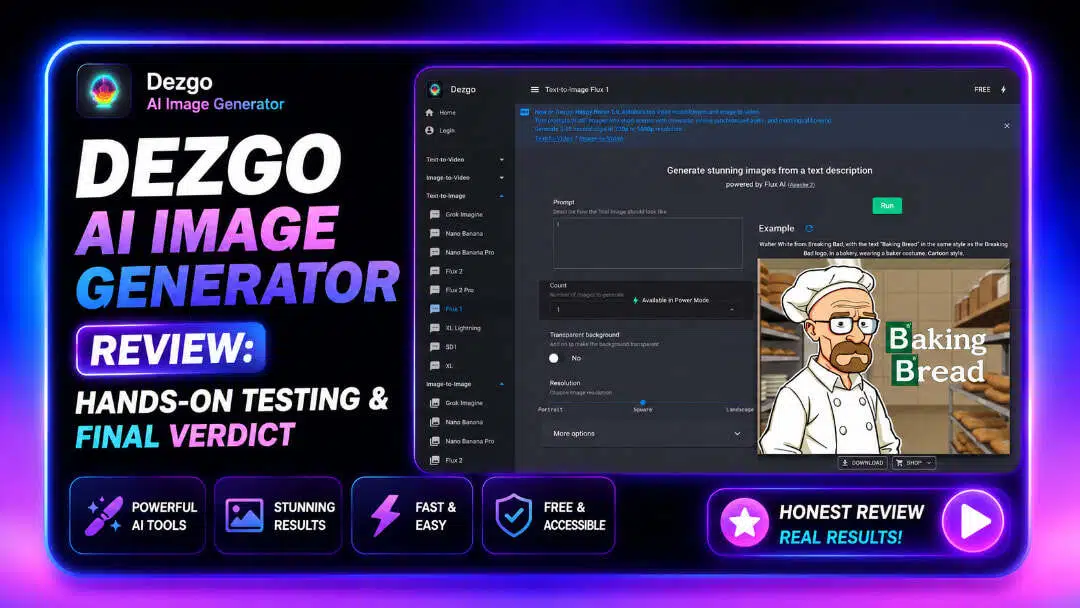
Dezgo AI Image Generator is widely recognised for providing browser-based Stable Diffusion image generation. Our editorial team spent 10+ hours testing its features, generation speed, and commercial viability to bring you this definitive Dezgo AI image generator review.
Dezgo AI image generator review: What we tested and first impressions
Browser-based AI tools have democratised digital art by eliminating the need for expensive local GPUs. Operating primarily on Stable Diffusion architecture, this platform delivers rapid text-to-image rendering directly through standard web browsers without software installations.
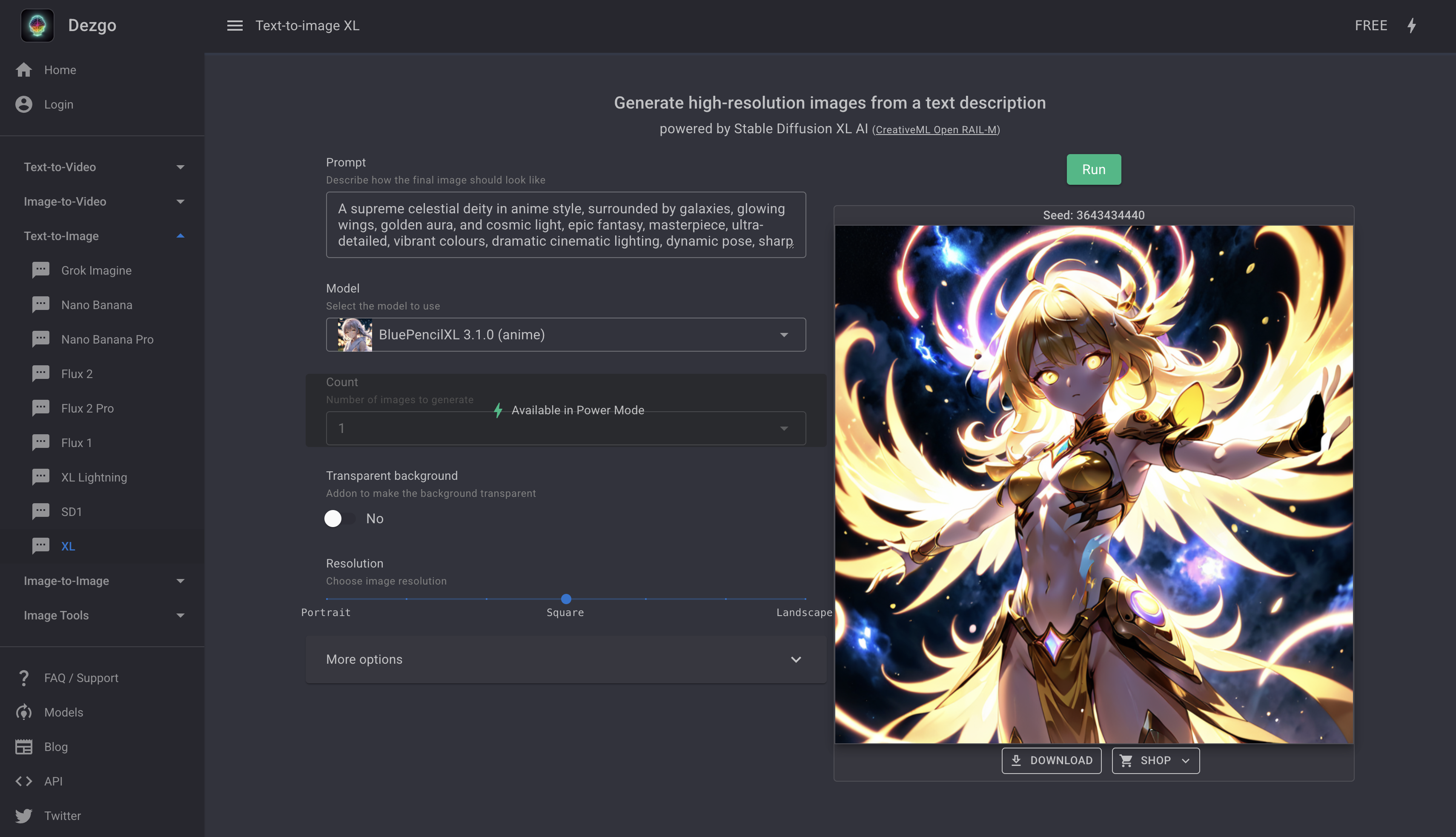
To evaluate real-world performance, our editorial testing methodology examined both free and paid Power Mode queues across desktop and mobile devices. Testing involved executing over 50 distinct prompts spanning photorealistic portraits, intricate anime illustrations, and commercial product photography while inspecting raw, unedited outputs for artifacting and anatomical consistency.
Review scorecard:
Below is our editorial scorecard summarizing Dezgo's performance across key evaluation criteria based on extensive hands-on testing:
|
Category |
Rating |
Editorial Notes |
|---|---|---|
|
Image Quality |
Excellent |
Sharp textures and strong lighting balance across newer Stable Diffusion builds. |
|
Prompt Accuracy |
Very Good |
Follows complex phrasing well, though occasional prompt bleeding occurs with secondary subjects. |
|
Ease of Use |
Excellent |
Minimalist interface with no navigation curve for first-time users. |
|
Generation Speed |
Very Good |
Fast rendering on paid tiers; free tiers experience intermittent queuing. |
|
Feature Set |
Very Good |
Comprehensive toolset including ControlNet, inpainting, and upscaling. |
|
Commercial Workflow |
Good |
Useful for rapid prototyping, but lacks integrated branding and batch-export pipelines. |
|
Overall Verdict |
Recommended |
Reliable, accessible option for casual creators and Stable Diffusion experimentation. |
Global Testing Prompts Used:
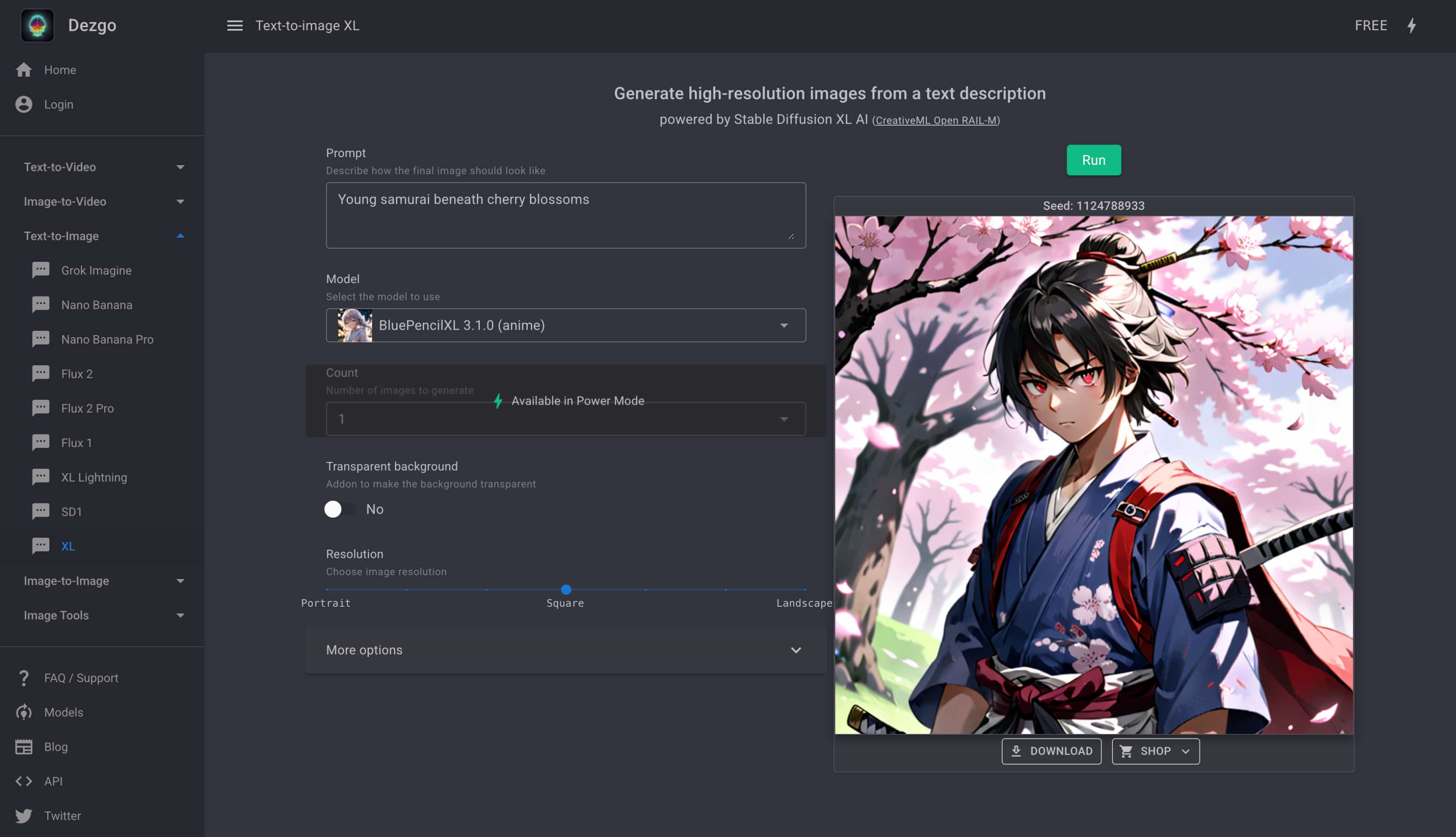
Testing consistency required benchmarking the engine against standardised visual challenges. The following prompts were executed across multiple sampling methods to gauge rendering accuracy:
|
Test Scenario |
Prompt Used |
|---|---|
|
Photorealistic Portrait |
A cinematic portrait of a woman walking through rainy Tokyo at night |
|
Product Photography |
Luxury leather sneakers on a white studio background |
|
Fantasy Art |
Ancient floating castle above glowing clouds |
|
Anime Illustration |
Young samurai beneath cherry blossoms |
|
Watercolour Illustration |
A fox sitting beside a peaceful forest stream |
Hands-on testing results: Image quality, speed, and usability
We put Dezgo image generator core generation modules and editing toolkit through extensive hands-on tests to see how well the platform handles different workflows, model choices, and structural controls.
Text-to-Image Model Performance
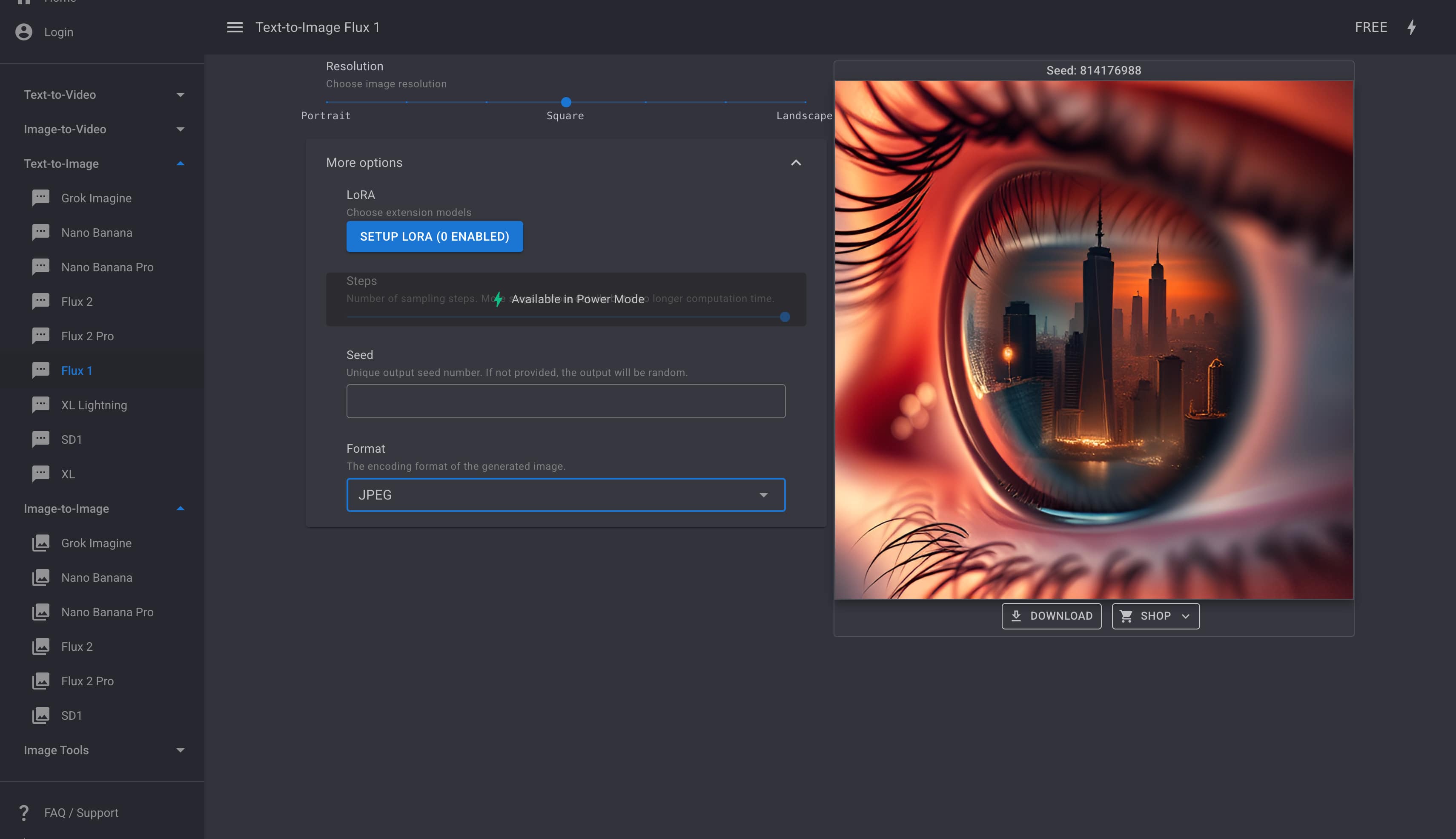
We benchmarked generations across different model engines available on the platform, including Flux 2, Flux 2 Pro, Flux 1, Grok Imagine, Nano Banana, Nano Banana Pro, XL Lightning, SD1, and XL.
-
Observations: Flux 1 delivers sharp compositional detail like intricate reflections with free-tier access to custom LoRAs and resolution sliders. Flux 2 and Flux 2 Pro offer superior prompt adherence and realistic lighting for complex cinematic scenes, while XL Lightning excels at rapid drafting and Nano Banana Pro stands out for vibrant illustrations.
Image-to-Image Transformation
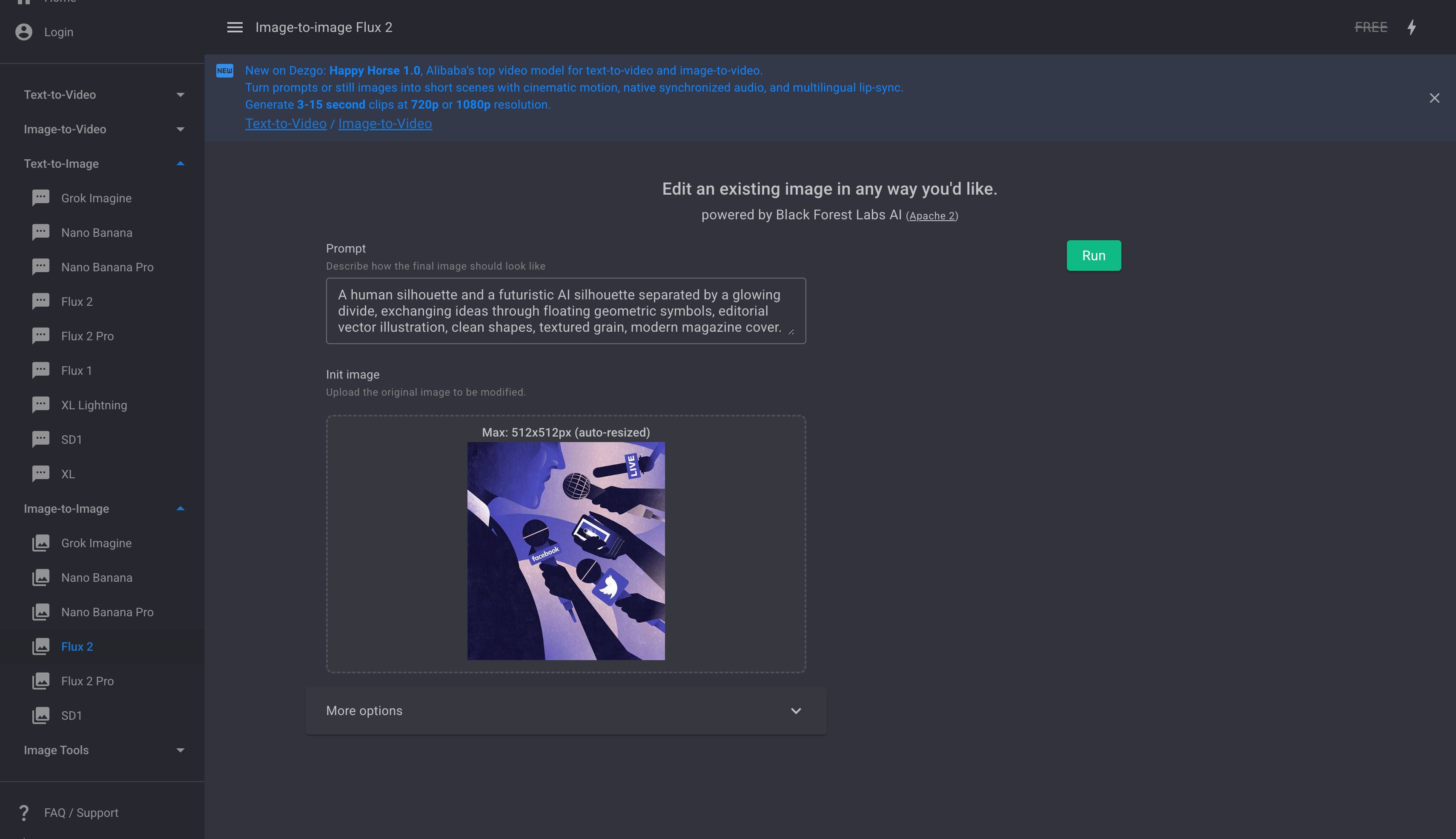
We tested image-to-image workflows using Flux 2, Flux 2 Pro, Grok Imagine, Nano Banana / Pro, and SD1.
-
Observations: Flux 2 Pro excelled at retaining original subject proportions while changing artistic themes, whereas SD1 required tighter prompt parameters to prevent aggressive structural shifting.

Controlled Text-to-Image (ControlNet AI Testing)
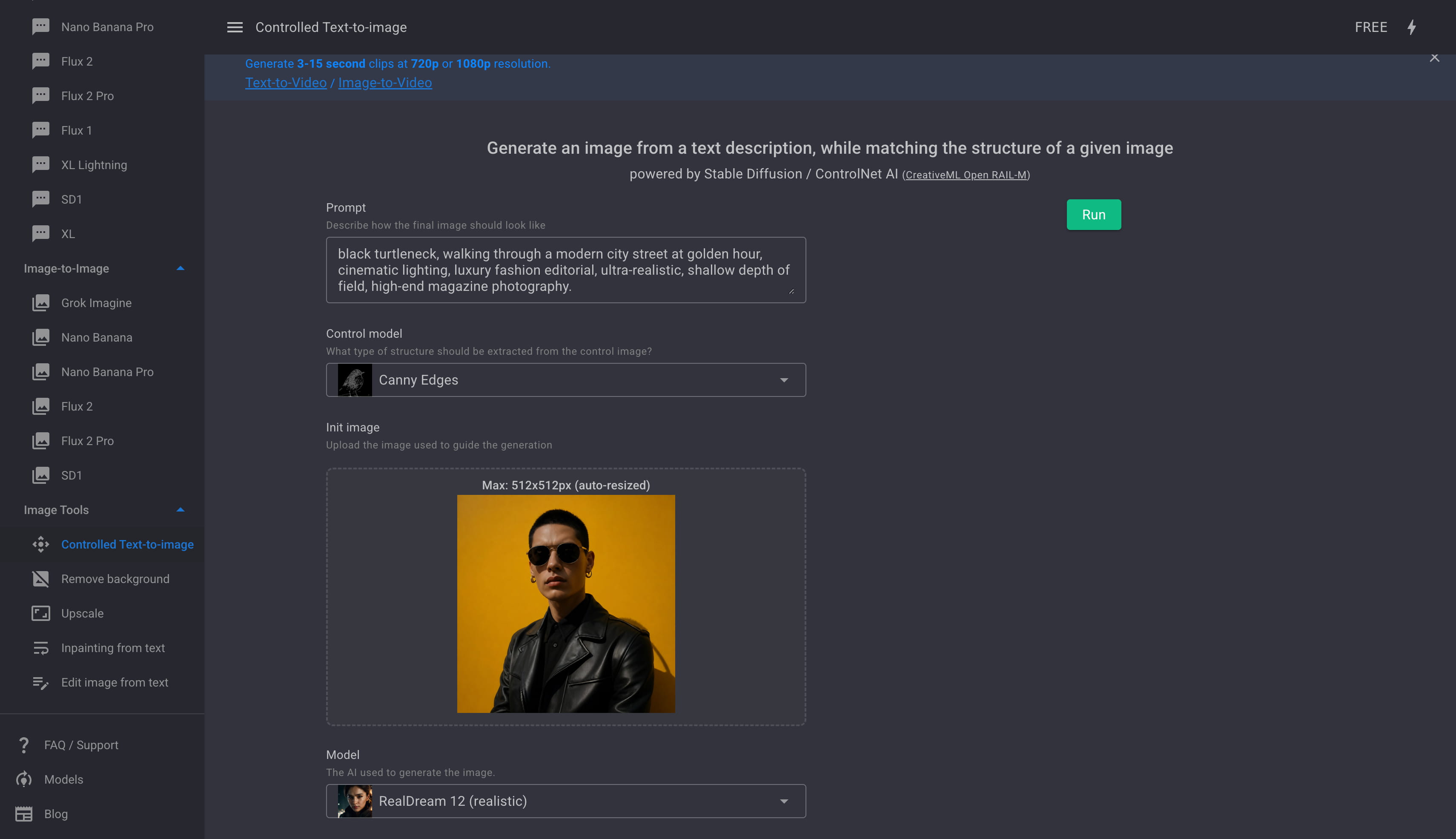
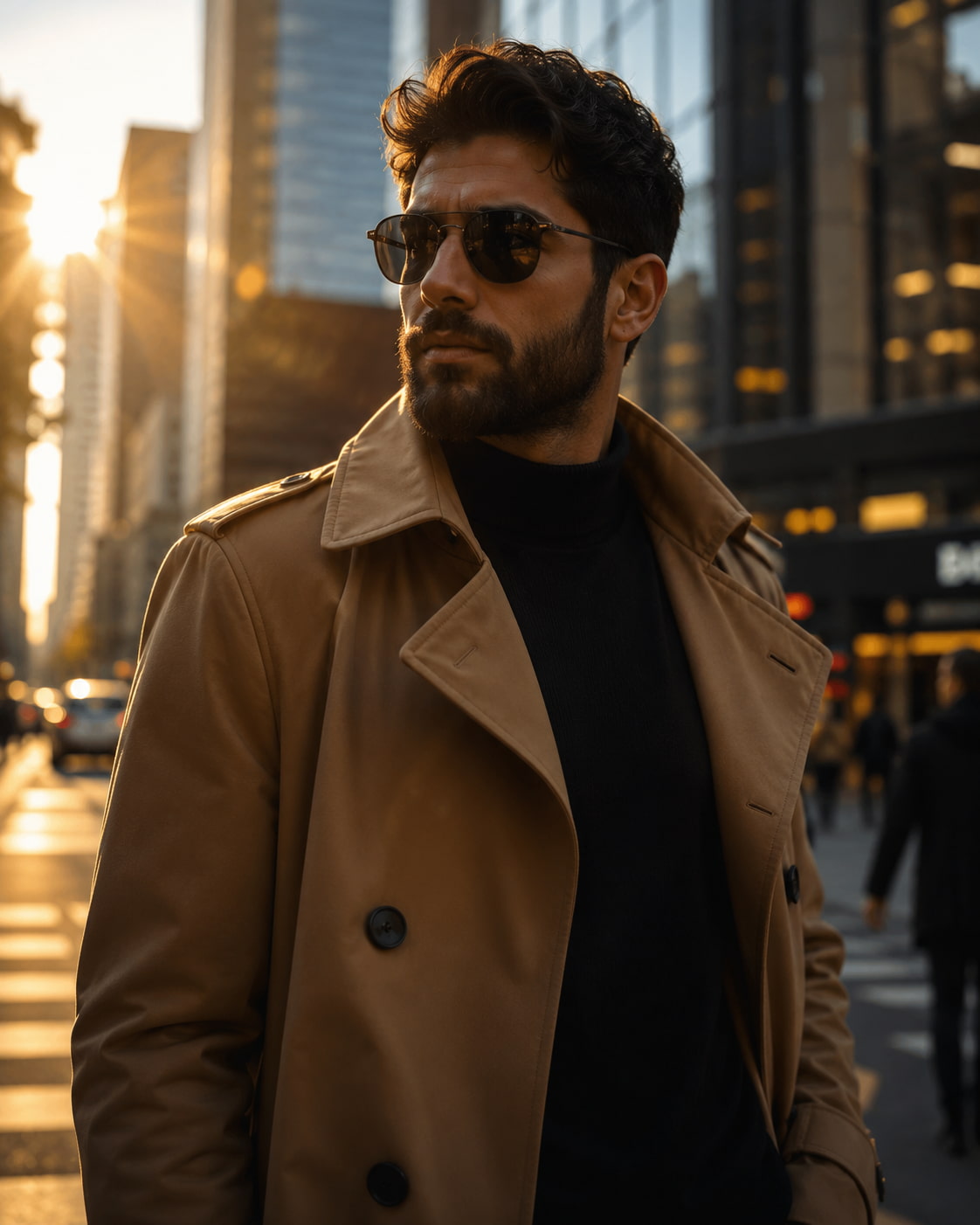
We evaluated the Controlled Text-to-image feature using ControlNet AI to test structural precision. By selecting control models like Canny Edges alongside realistic rendering models (such as RealDream 12), we uploaded initial reference photos to test how accurately the AI matched line structures while generating new textures and details.
-
Observations: This tool significantly reduces prompt randomness by offering deep parameter adjustments directly in the interface including a Control scale slider to dictate reference influence, automatic Control preprocess toggles, and custom LoRA extensions.This level of compositional control makes it one of Dezgo's strongest assets for targeted design work.
Hands-On Evaluation of Built-In Image Tools
-
Remove background: We tested edge separation on complex subjects like portrait hair and intricate products. Separation was fast and clean without needing manual mask adjustments.
-
Upscale: We ran lower-resolution outputs through the upscaler to check for artifacting. Fine textures remained sharp, though upscaling factors felt somewhat limited on free tiers.
-
Inpainting from text: We tested localized edits by replacing specific elements within generated scenes via text prompts. Accuracy depended heavily on mask precision and model selection.
-
Edit image from text: We executed global stylistic adjustments purely through text descriptions, observing good responsiveness without needing complex seed adjustments.
Speed, Queue Times & Overall Usability
-
Free tier generations occasionally experienced server queuing during peak hours.
-
Switching between models and tools inside the left menu is seamless, making the overall interface intuitive even for beginners.
Pricing, user feedback, and overall experience
Understanding the cost structure is essential when evaluating whether a generative tool fits a sustainable production workflow.
|
Plan |
Best For |
Limitations |
|---|---|---|
|
Free Tier |
Beginners and casual users |
Capped image resolution (512x512) and sampling steps, ad-supported interface, and slower generation queues during peak usage. |
|
Power Mode (Paid) |
Frequent creators and advanced users |
Requires a minimum $10 prepaid deposit; operates strictly on a pay-as-you-go credit system rather than a predictable monthly subscription. |
Honest User Reviews: Praises and Criticisms
To get a complete picture of how the platform performs outside controlled test environments, we analyzed discussions and ratings across community forums, review aggregators, and independent video breakdowns. The table below highlights the most consistent praise and criticism shared by real creators:
|
Praises |
Criticisms |
|---|---|
|
Flexible pay-as-you-go pricing: Users consistently applaud Power Mode's credit system for eliminating recurring monthly subscription traps. |
Rapid credit consumption: Pay-as-you-go balances can drain faster than expected during prolonged trial-and-error prompt sessions. |
|
Zero hardware friction: Accessible browser-based rendering allows anyone to run Stable Diffusion models without investing in expensive local GPUs. |
Free-tier queue delays: Unpaid users report noticeable server wait times and generation throttling during peak traffic hours. |
|
Robust ControlNet integration: Advanced structural tools receive high marks for giving creators precise control over composition and linework. |
Limited custom LoRA support: Power users miss the ability to upload custom local LoRAs or advanced third-party extensions available in standalone offline software. |
|
Generous experimentation sandbox: The accessible free tier is praised for allowing hobbyists and students to test prompt engineering without an immediate paywall. |
Resolution and upscaling caps: Base output resolutions require secondary upscaling before images are suitable for large-format print or commercial display. |
Community Consensus
Aggregating real user sentiment from Reddit discussions, and verified Trustpilot reviews reveals a strong consensus: Dezgo is widely viewed as one of the most reliable, no-nonsense browser tools for casual Stable Diffusion experimentation.
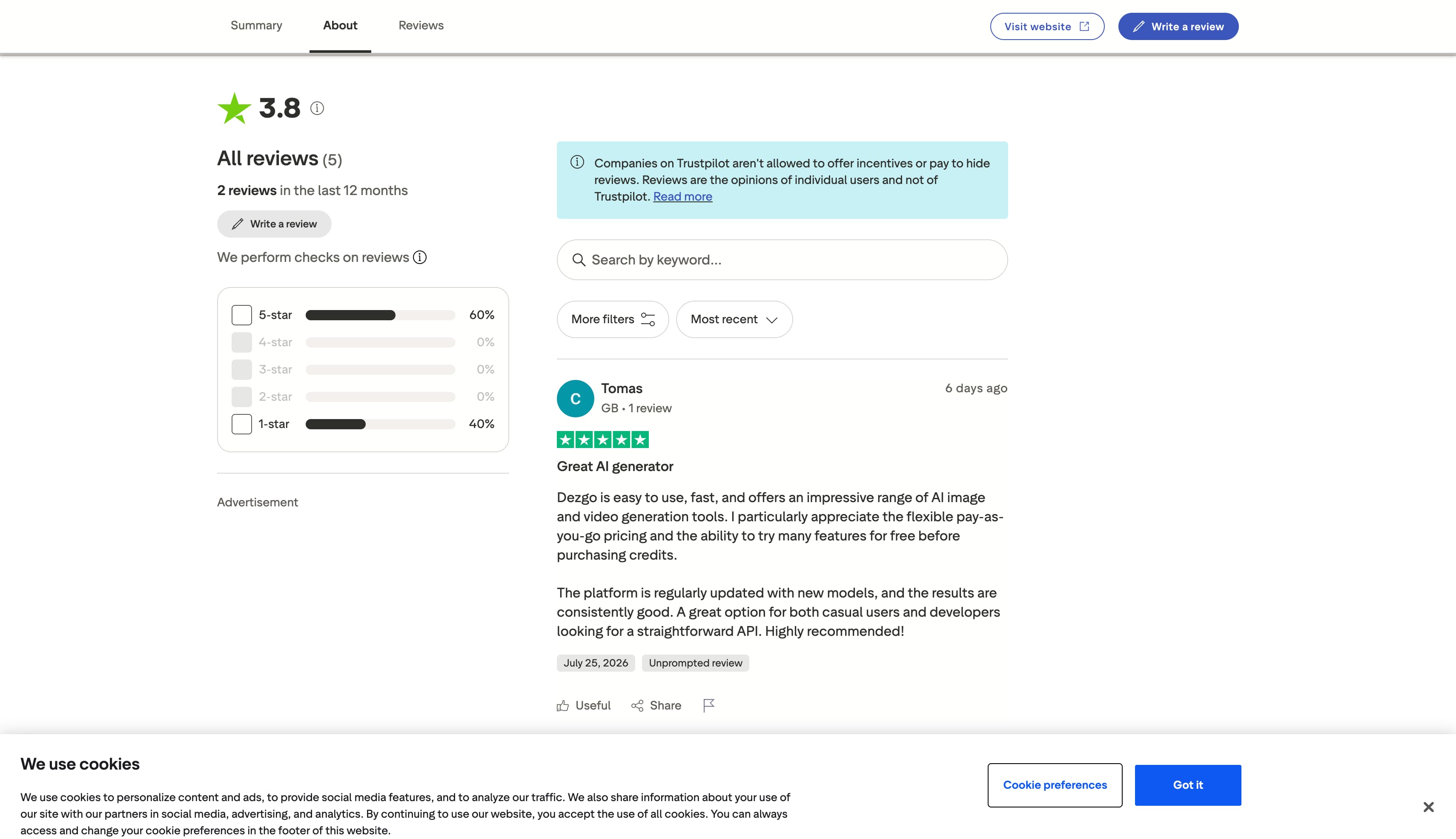
The community particularly values the transparency of the Power Mode pricing structure, as it caters well to creators who generate images intermittently rather than daily. At the same time, consensus among advanced digital artists suggests that while the platform excels as a lightweight conceptual sandbox, it falls slightly short for large-scale production teams that require deep workflow customization, local model training, and built-in brand asset management.
Who is the AI image generator Dezgo built for?
|
User Type |
Suitability |
Reason |
|---|---|---|
|
AI hobbyists |
Highly suitable |
Easy way to create AI artwork with text prompts. |
|
Students |
Suitable |
Free plan makes it accessible for learning and experimentation. |
|
Concept artists |
Highly suitable |
Multiple Stable Diffusion models support creative exploration. |
|
Graphic designers |
Moderately suitable |
Suitable for concept generation, but editing capabilities are limited. |
|
Ecommerce sellers |
Moderately suitable |
Can generate product concepts but lacks a complete commercial workflow. |
|
Marketing teams |
Less suitable |
Businesses may benefit more from platforms designed for branded content creation. |
Looking beyond Dezgo? Try Vmake Labs AI Image Generator
While browser-based Stable Diffusion tools excel at rapid concept sketching, modern commercial workflows require a more versatile production suite. Vmake Labs offers a dedicated AI Image Generator designed to help businesses generate, enhance, and scale digital assets. Featuring multi-model support for both Text to Image and Image to Image workflows, the platform enables creators to produce high-resolution marketing visuals from descriptive text prompts or structural reference images without navigating complex credit queues.
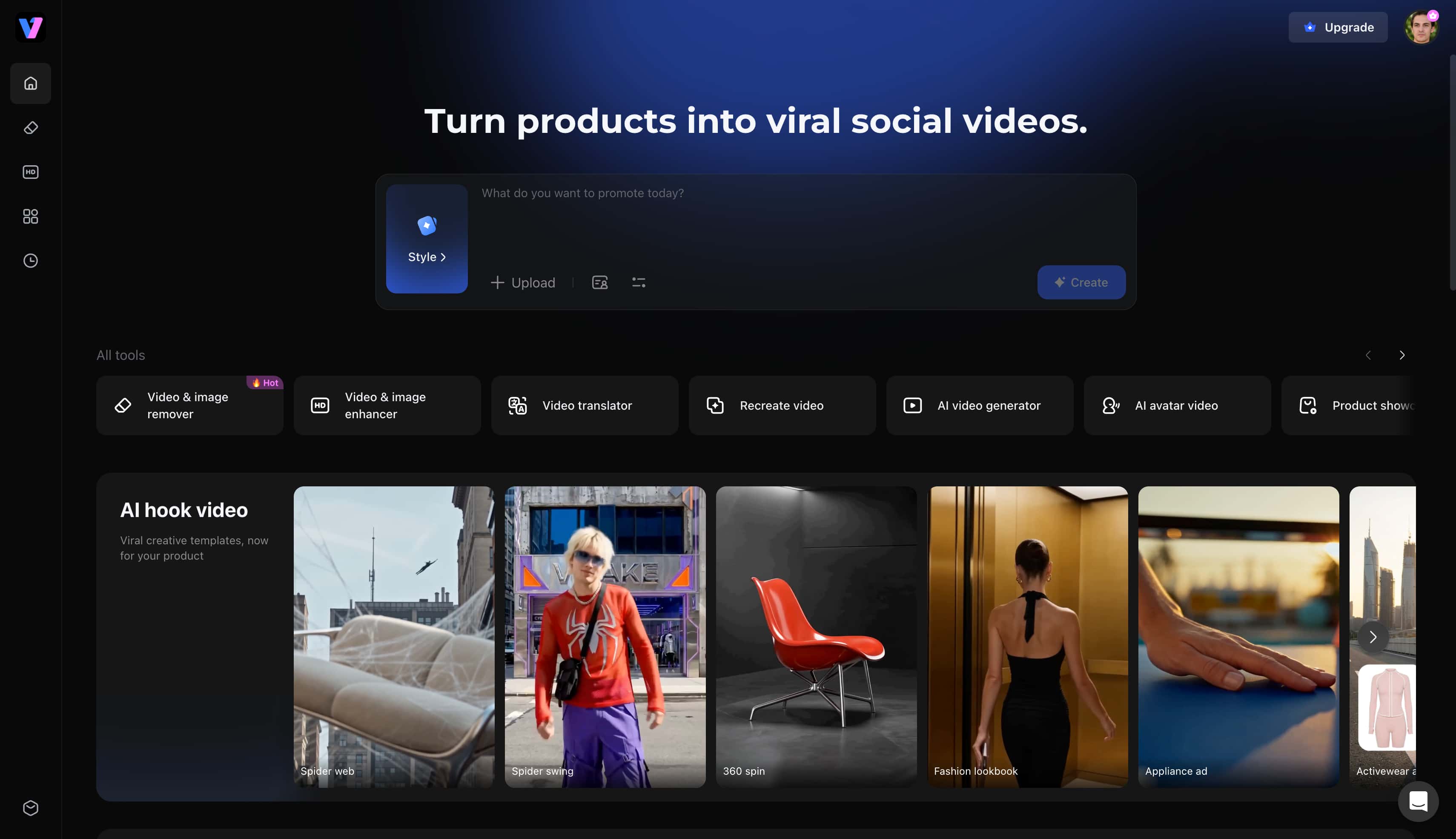
Practical Benefits for Professional Image Generation
-
Multiple leading AI image models: Create visuals across varied artistic and photorealistic styles by accessing versatile engines, including the newly updated Nano Banana Pro model. This model diversity allows seamless transitions between photorealism and illustration within a single interface.
-
Text-to-image generation: Generate original, commercial-grade images from descriptive text prompts with strong semantic accuracy. The system interprets nuanced lighting and compositional instructions effectively for professional layouts.
-
Image-to-image generation: Transform or refine existing visuals using reference inputs to maintain consistent structural geometry. Creators can iterate on early sketches while applying advanced texturing and color grading.
-
Browser-based workflow: Create, review, and export high-resolution assets directly inside standard web browsers without local software installation. This cloud-based approach ensures consistent rendering speeds across different operating systems.
-
Multiple aspect ratios: Produce content tailored for social media feeds, ecommerce galleries, advertising banners, and presentations. Preset ratios eliminate the need for manual cropping across different publishing channels.
-
Fast AI image generation: Generate concepts and finished assets quickly to support demanding production schedules. Rapid generation cycles streamline the creative feedback loop during client reviews.
-
Commercial-ready image creation: Produce clean visuals suitable for branding, marketing campaigns, and online storefronts. Integrations with tools like the image enhancer allow immediate upscaling and detail refinement for high-dpi display.
|
Feature |
Benefit |
|---|---|
|
Multiple leading AI image models |
Create visuals in different artistic and photorealistic styles. |
|
Text-to-image generation |
Generate original images from descriptive prompts. |
|
Image-to-image generation |
Transform or refine existing visuals with AI. |
|
Browser-based workflow |
Create images without downloading software. |
|
Multiple aspect ratios |
Produce content for social media, ecommerce, advertising, and presentations. |
|
Fast AI image generation |
Generate images quickly for creative projects. |
|
Commercial-ready image creation |
Produce visuals suitable for branding and marketing. |
Create AI Images with Vmake Labs in Three Simple Steps
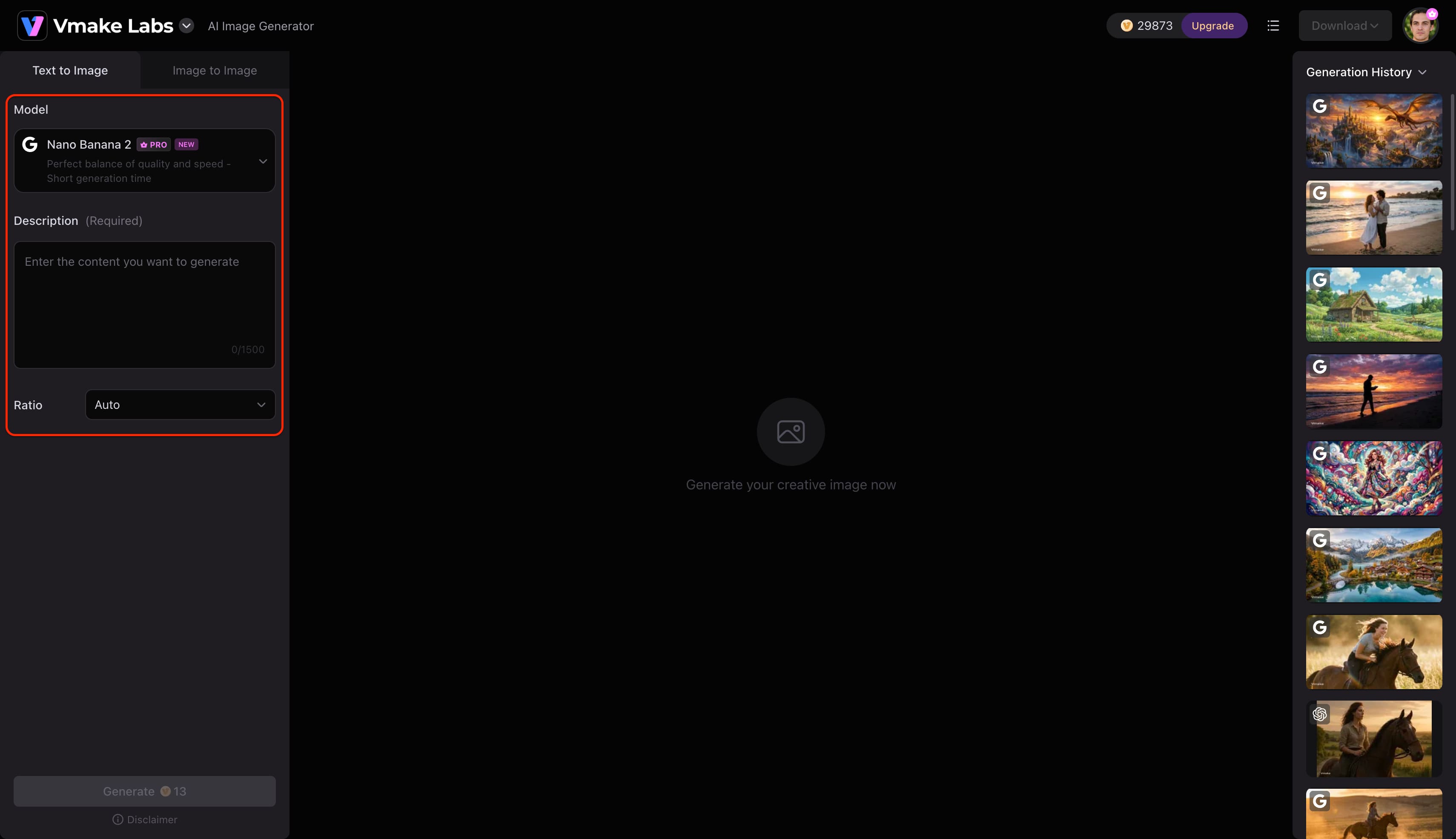
Step 1: Enter a text prompt or upload a reference image
Open Vmake Labs AI Image Generator and choose either Text to Image or Image to Image. Enter a text prompt describing the image you want to create, or upload up to three reference images to guide the AI before generation.
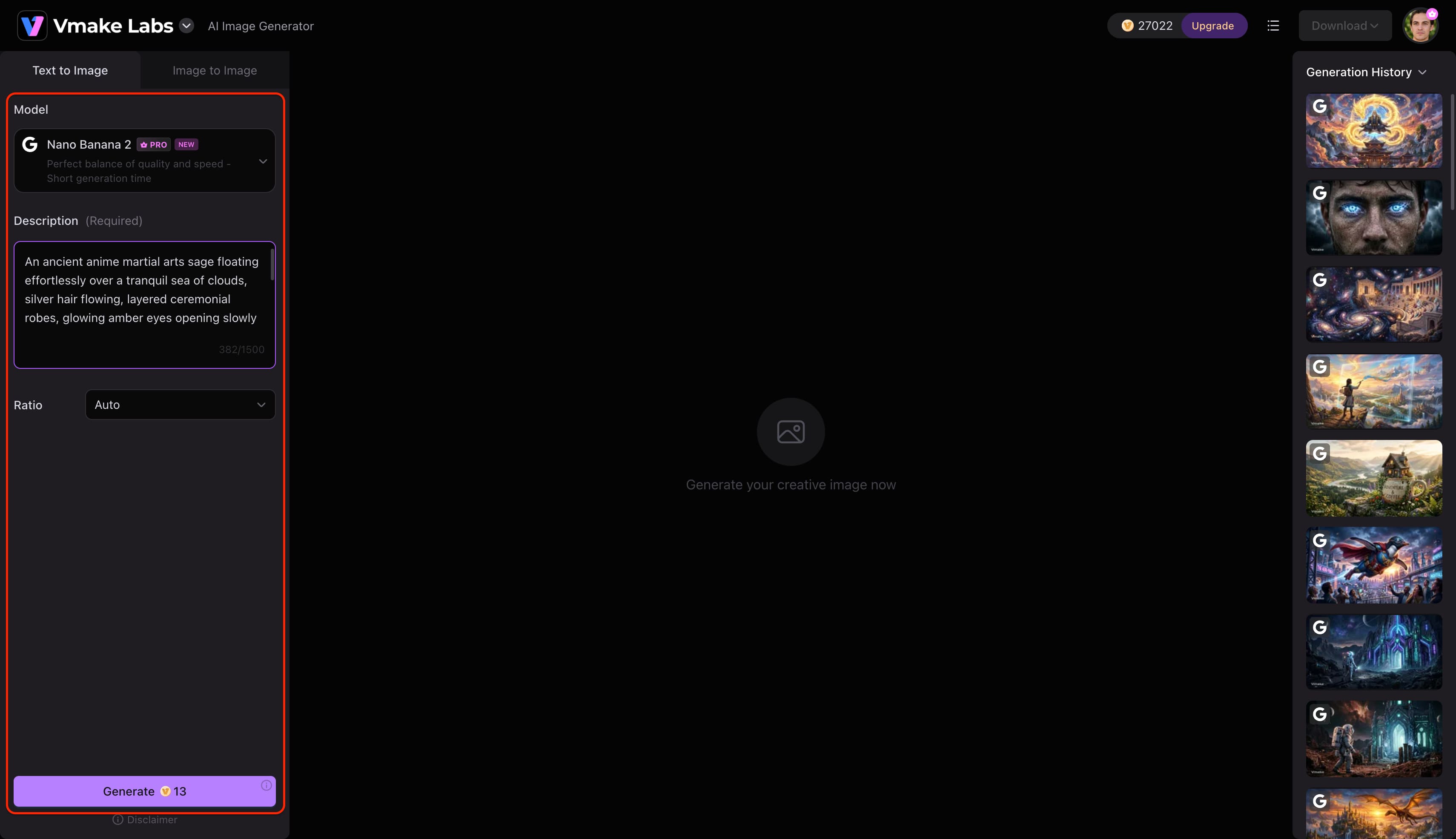
Step 2: Choose an AI model and customise the generation settings
Select the AI model that best suits your project. Vmake Labs AI Image Generator supports Nano Banana 2, Nano Banana Pro, Nano Banana, Seedream 4.0, and GPT Image 1. Then choose your preferred aspect ratio before clicking Generate.
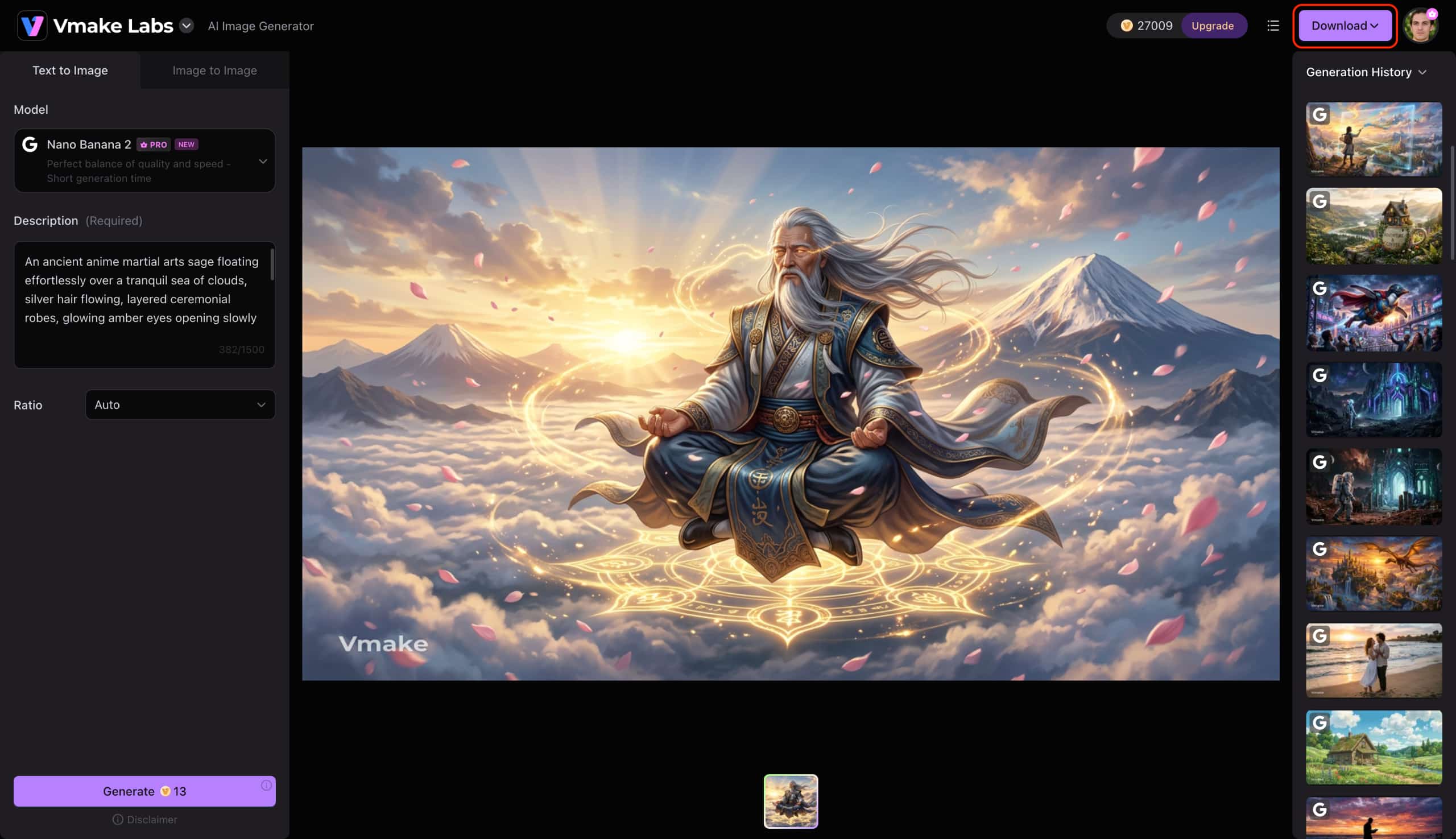
Step 3: Generate and download your image
Click Generate to create your images. Review the generated results, generate additional variations if needed, and download the image that best matches your project.
Final verdict: Is Dezgo AI Image Generator worth using?
Testing confirms that Dezgo remains an effective, reliable choice for casual experimentation and rapid Stable Diffusion prototyping. Its lightweight browser interface and ControlNet precision serve beginners and concept artists well, though resolution caps and credit-based billing can constrain large-scale commercial campaigns.
For ecommerce brands, social marketing teams, and creators requiring multi-ratio layouts, advanced model options like GPT Image architecture, and integrated visual refinement, a comprehensive creation studio offers a more practical long-term workflow. Teams producing high-click-through visual campaigns can also leverage specialized tools like the AI thumbnail maker to maintain brand consistency across publishing channels.
|
If You Need |
Recommended Tool |
|---|---|
|
Free Stable Diffusion image generation |
Dezgo AI Image Generator |
|
Quick concept art |
Dezgo AI Image Generator |
|
Multiple AI image models |
Vmake Labs AI Image Generator |
|
Commercial marketing visuals |
Vmake Labs AI Image Generator |
|
Business-ready image workflow |
Vmake Labs AI Image Generator |
|
AI images for branding and ecommerce |
Vmake Labs AI Image Generator |
Conclusion
Testing confirms that Dezgo remains a dependable, accessible entry point for casual creators exploring Stable Diffusion models in a browser. While free queue times and limited resolution caps restrict its utility for commercial advertising, its prompt responsiveness and ControlNet precision stand out for hobbyist workflows. For professionals requiring scalable branding assets, multi-ratio layouts, and advanced visual editing, transitioning to an enterprise-ready studio ensures consistent, high-resolution output across digital campaigns.
FAQs
Is Dezgo AI Image Generator free to use?
Yes, the platform offers a free tier that allows users to generate standard-resolution images with basic sampling parameters. However, free accounts experience queue delays during peak traffic and include capped output dimensions.
Does Dezgo use Stable Diffusion models?
The platform operates primarily on Stable Diffusion technology, providing access to multiple fine-tuned model checkpoints. Users can switch between standard SD1 releases, SDXL builds, and specialized third-party models directly from the interface.
Can I use images generated by Dezgo commercially?
Images generated on the platform can generally be used for commercial projects, provided the underlying prompts and reference images do not infringe on existing copyrights. Creators should review the terms of service regarding specific third-party model licensing before launching commercial campaigns.
Is Dezgo AI Image Generator suitable for beginners?
The interface is structured to accommodate beginners by eliminating the complex local installation steps typically required for Stable Diffusion. Clean navigation menus and straightforward prompt boxes make it easy for first-time users to start generating artwork immediately.
Does Dezgo support image-to-image generation?
The platform includes an image-to-image module that allows users to upload source pictures and modify them using descriptive text prompts. This feature supports adjustable denoising strengths to control how closely the output adheres to the original image's structure.

You May Be Interested

ChatGPT Video Generator Review: Features, Pricing & Best Alternative
Can ChatGPT Transcribe Audio? Complete 2026 Guide

Canva AI Image Generator Review: Is It Worth It in 2026?

Best Viral Hook Generators in 2025: Tools You Should Try

11 Best Image to Video AI Generators Compared in 2026