Craiyon AI Image Generator Review: Features, Pricing, Pros, Cons & Best Alternative
Explore our Craiyon AI image generator review to learn about its features, pricing, image quality, hands-on testing, pros, cons, and why Vmake Labs AI Image Generator is a strong alternative for creators

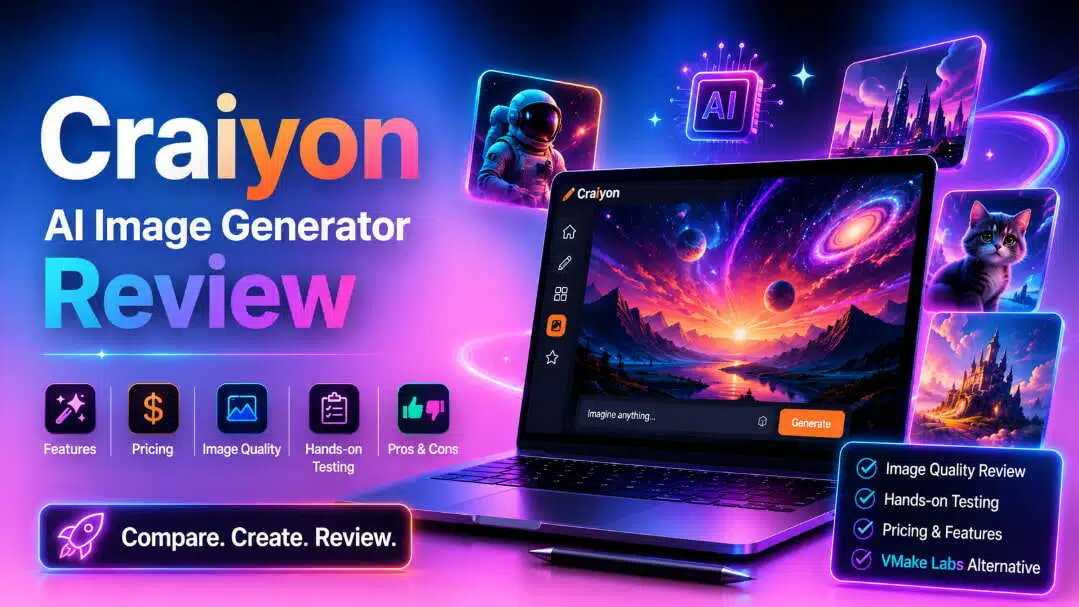
Craiyon AI Image Generator is a browser-based AI tool that transforms text prompts into creative visuals. In this Craiyon AI image generator review, we'll explore its features, pricing, hands-on testing, pros, cons, user feedback, and compare it with Vmake Labs AI Image Generator.
What Is Craiyon AI Image Generator?
Craiyon AI Image Generator is a text-to-image platform that runs in your browser and transforms written prompts into AI-generated visuals. Formerly DALL·E Mini, it is a simple way for beginners and creators to generate artwork, illustrations, and other creative images without any design experience.
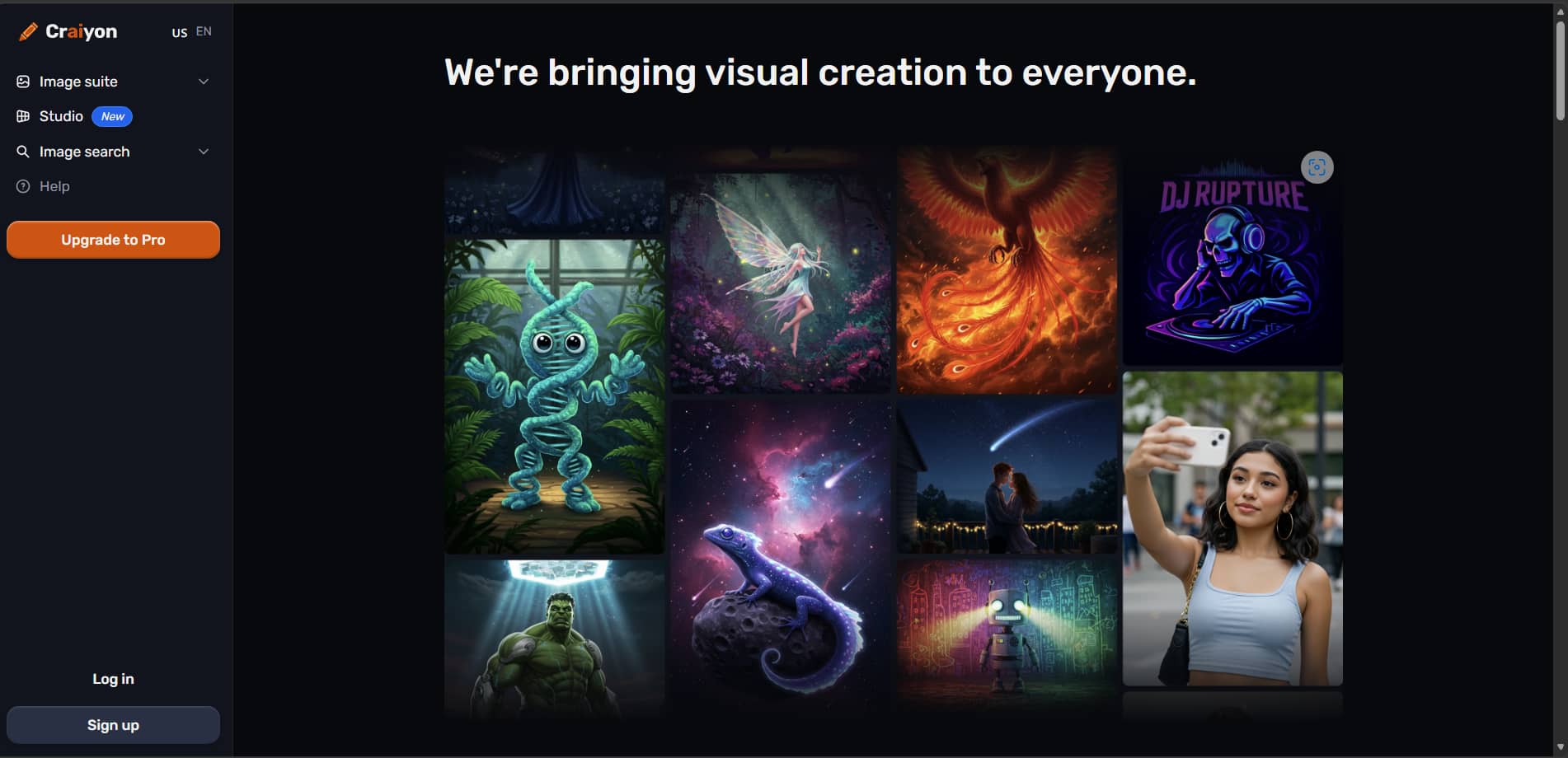
Overview
-
AI-Powered Text-to-Image Platform: Craiyon generates multiple image variations from a single text prompt, allowing users to compare different interpretations of the same idea the same idea.
-
Browser-Based AI Image Creation: Everything runs directly in your web browser, so there's no need to install software. You can start creating AI images from virtually any desktop or mobile device.
-
Generates Images from Text: From realistic photos to digital illustrations and fantasy artwork, Craiyon supports a wide range of creative styles. Prompt customization also helps improve image quality and relevance.
-
Designed for Beginners, Creators, and Businesses: Craiyon is easy to use, making it suitable for beginners, creators, marketers, and businesses that want to quickly generate visual concepts.
Craiyon AI Image Generator Features & How to Create AI Images
Craiyon combines AI-powered image generation with built-in editing tools, making it easy to create and enhance visuals in just a few steps. From generating images with text prompts to refining them with AI features, it offers a simple workflow for beginners and creators alike.
Key Features
-
Multiple Image Styles and Artistic Outputs: Create illustrations, digital art, concept art, and realistic images from simple text prompts.
-
Negative Prompt Support for Better Control: Choose things or styles you don't want to see to create images that better reflect your vision.
-
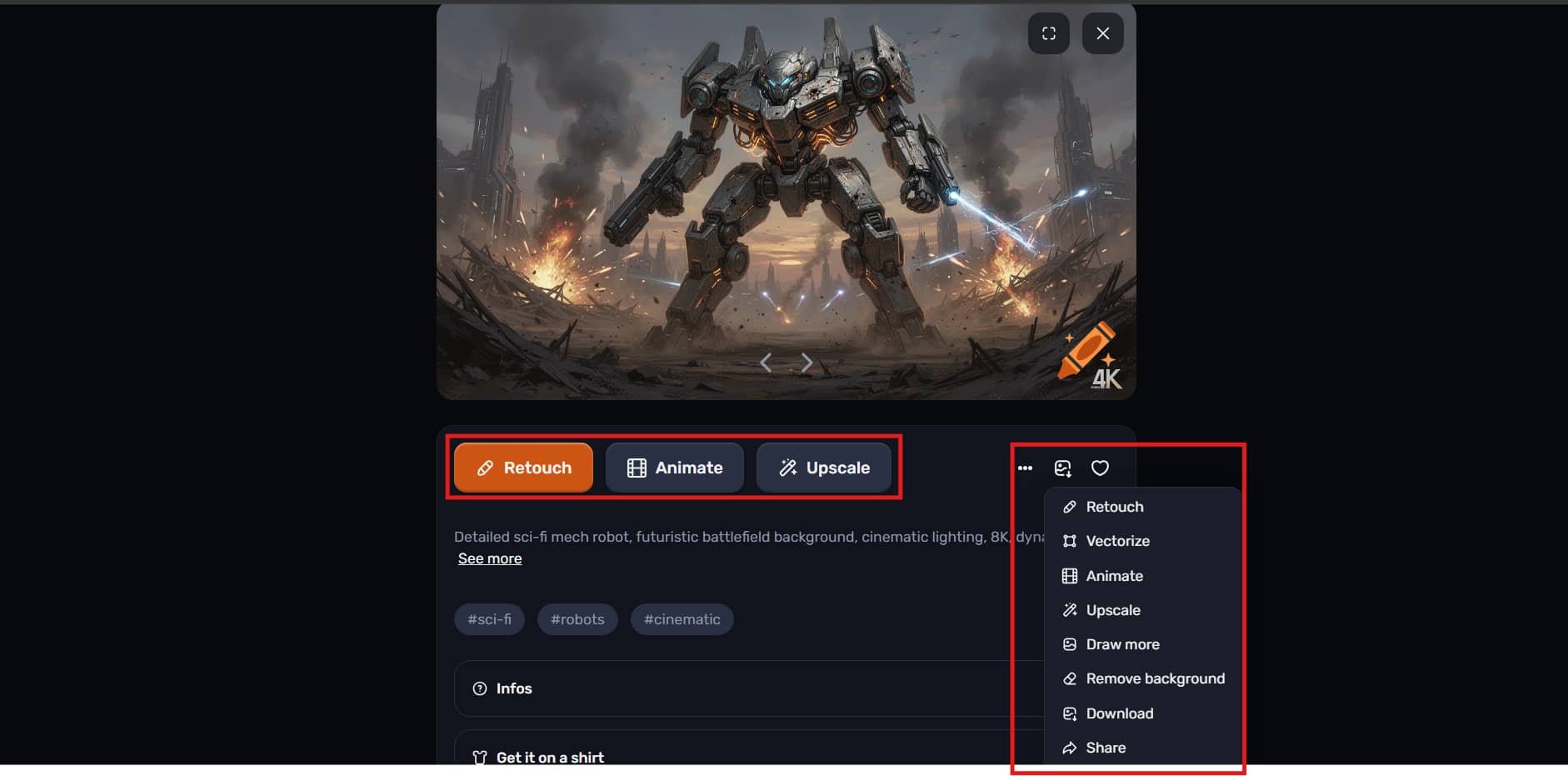
AI Image Editing Tools: Enhance generated images using built-in image enhancer AI tools such as Retouch, Animate, and Vectorize.
-
Image Upscaling and Background Removal: Improve image resolution and remove backgrounds without leaving the platform.
-
Generate Multiple Image Variations: Receive several AI-generated versions of the same prompt, making it easy to compare and choose the best result.
Steps to Create AI Images
Step 1: Open the AI Image Generator
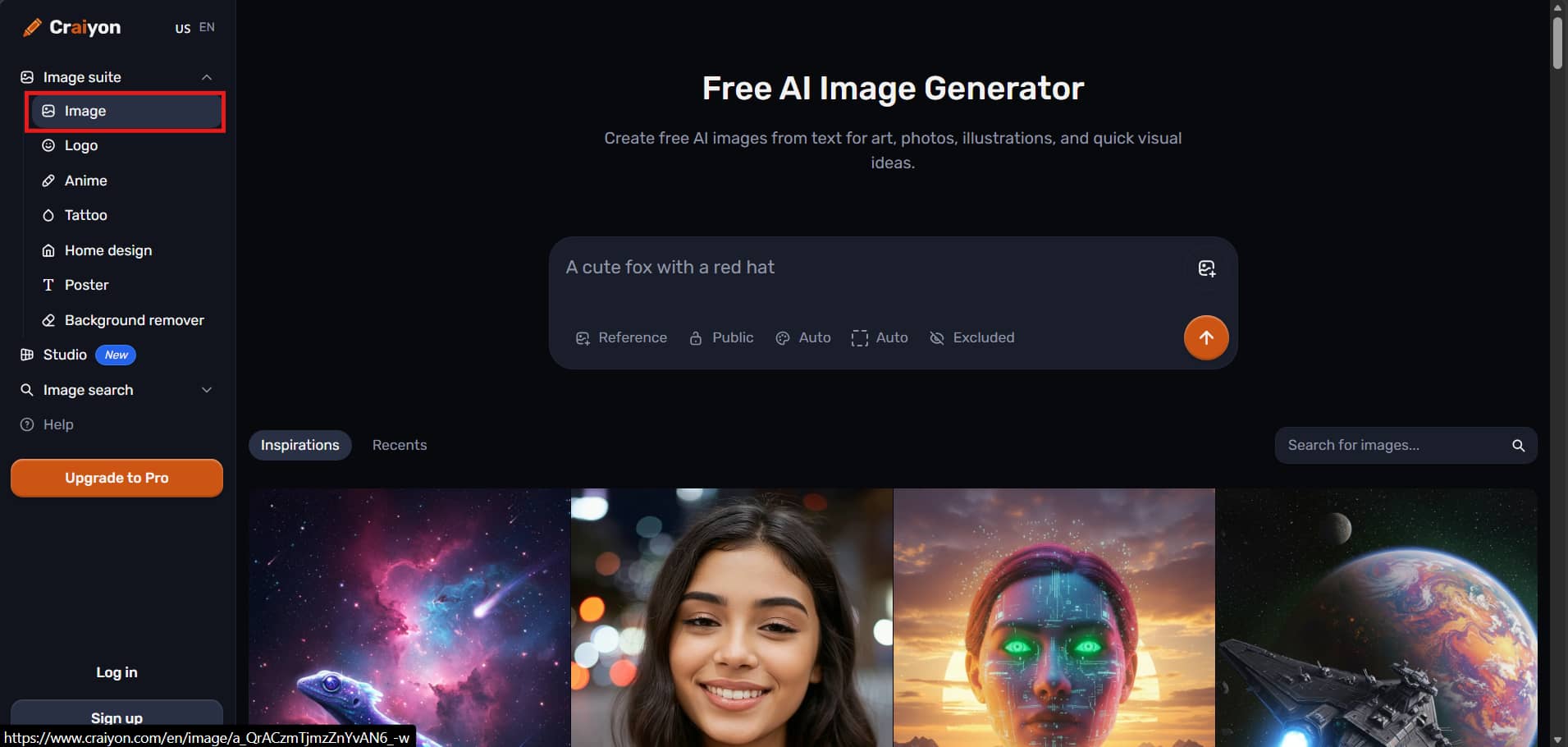
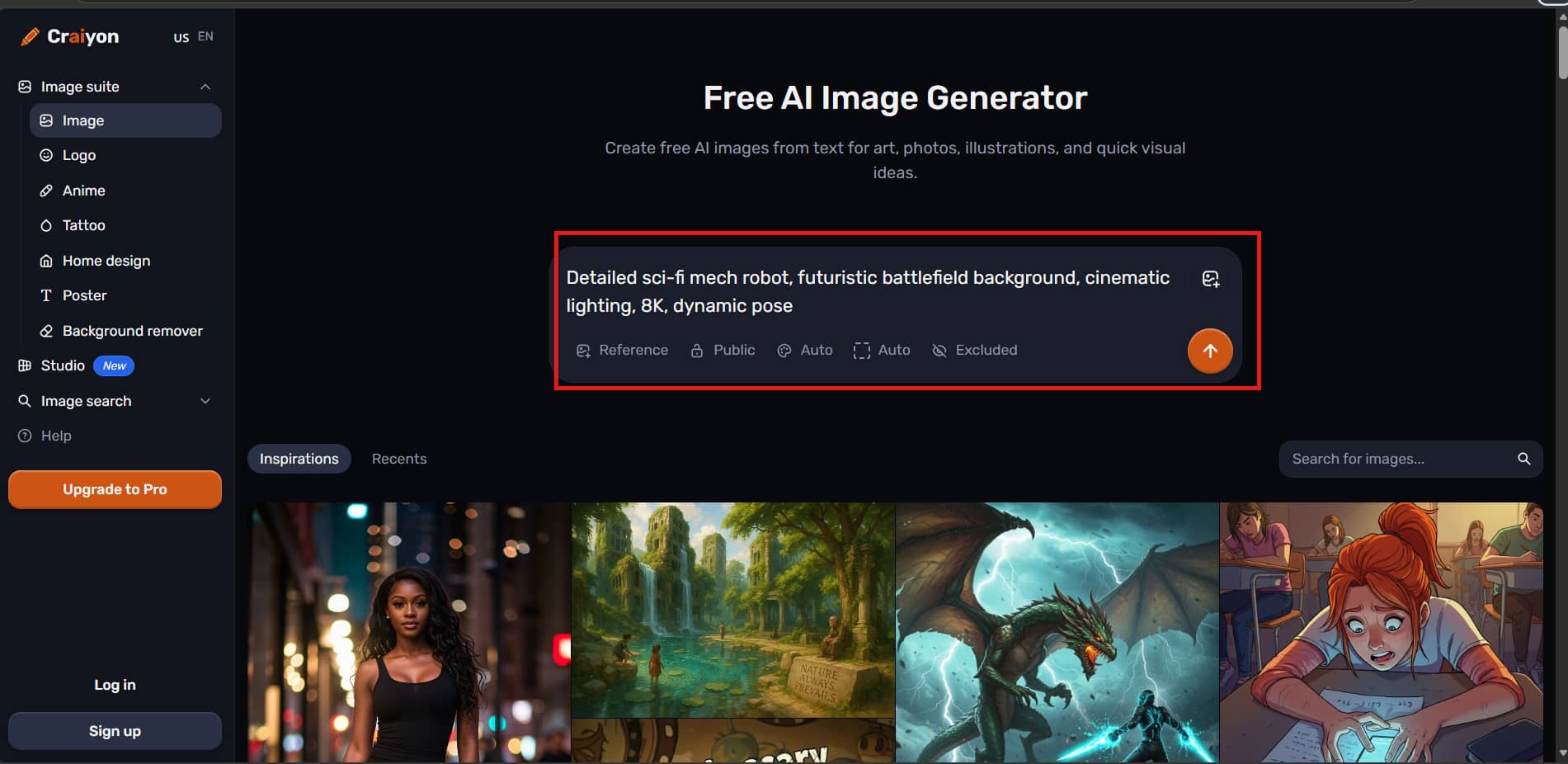
Visit the Craiyon website and expand Image Suite from the left sidebar. Select Image to open the AI image generator and access the prompt editor.
Step 2: Enter Your Prompt and Customize Settings
Type a text prompt describing the image you want to create. You can also upload a reference image, choose whether the image is public or private, adjust the aspect ratio, and add a negative prompt before generating the image.
Step 3: Generate, Edit, and Download Your Image
Click Generate to create your AI image. Once it's ready, use tools like Retouch, Animate, Upscale, Vectorize, or Background Removal, then download the final image.
Is Craiyon AI Image Generator Worth Using?
Craiyon is designed to make AI image generation simple and accessible for everyone. We tested its image quality, prompt accuracy, ease of use, and generation speed to evaluate how it performs in real-world creative workflows. Here's what we found during our hands-on testing.
Pricing
Craiyon has a free plan for beginners, and three paid plans for those with more advanced creative needs. Paid plans come with unlimited image generation, credits for AI editing, and even more tools, so it's easy to find the plan that fits your workflow and budget.
Craiyon AI Image Generator Pricing
|
Plan |
Monthly Price |
Best For |
Key Highlights |
|---|---|---|---|
|
Free |
Free |
Beginners |
Basic AI image generation, public images, limited features |
|
Supporter |
$12/month |
Hobbyists |
Unlimited images, 100 edit credits, Animate, Upscale, Vectorize |
|
Professional |
$24/month |
Content creators |
Unlimited images, 220 edit credits, Most Popular plan |
|
Ultra |
$84/month |
Teams & businesses |
Unlimited images, 900 edit credits, Maximum editing capacity |
Which Plan Offers the Best Value?
|
Plan |
Best For |
Recommendation |
|---|---|---|
|
Free |
First-time users |
Best for exploring Craiyon before upgrading |
|
Supporter |
Hobbyists |
Good value for regular AI image generation |
|
Professional |
Creators, marketers & designers |
Best overall value with balanced pricing and edit credits |
|
Ultra |
Businesses & teams |
Best for high-volume AI image creation |
Test Results
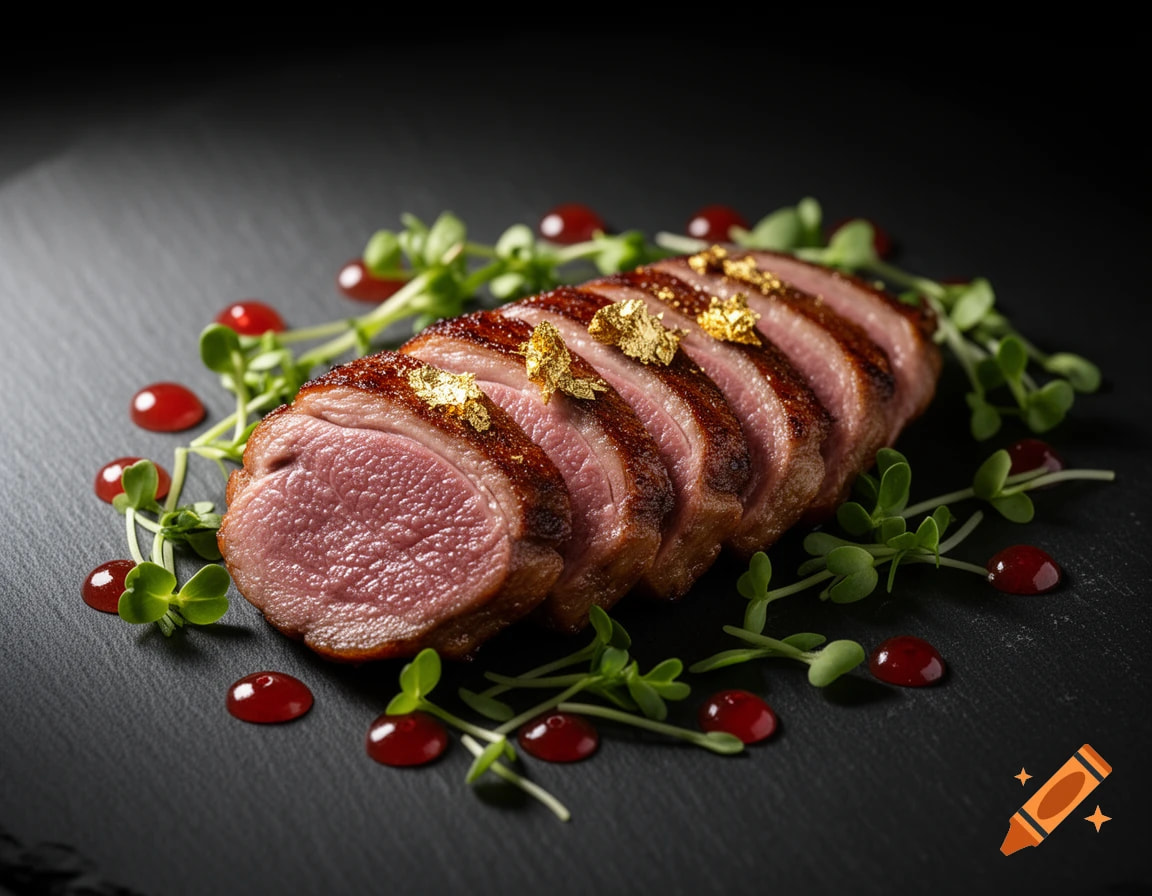
Realistic food
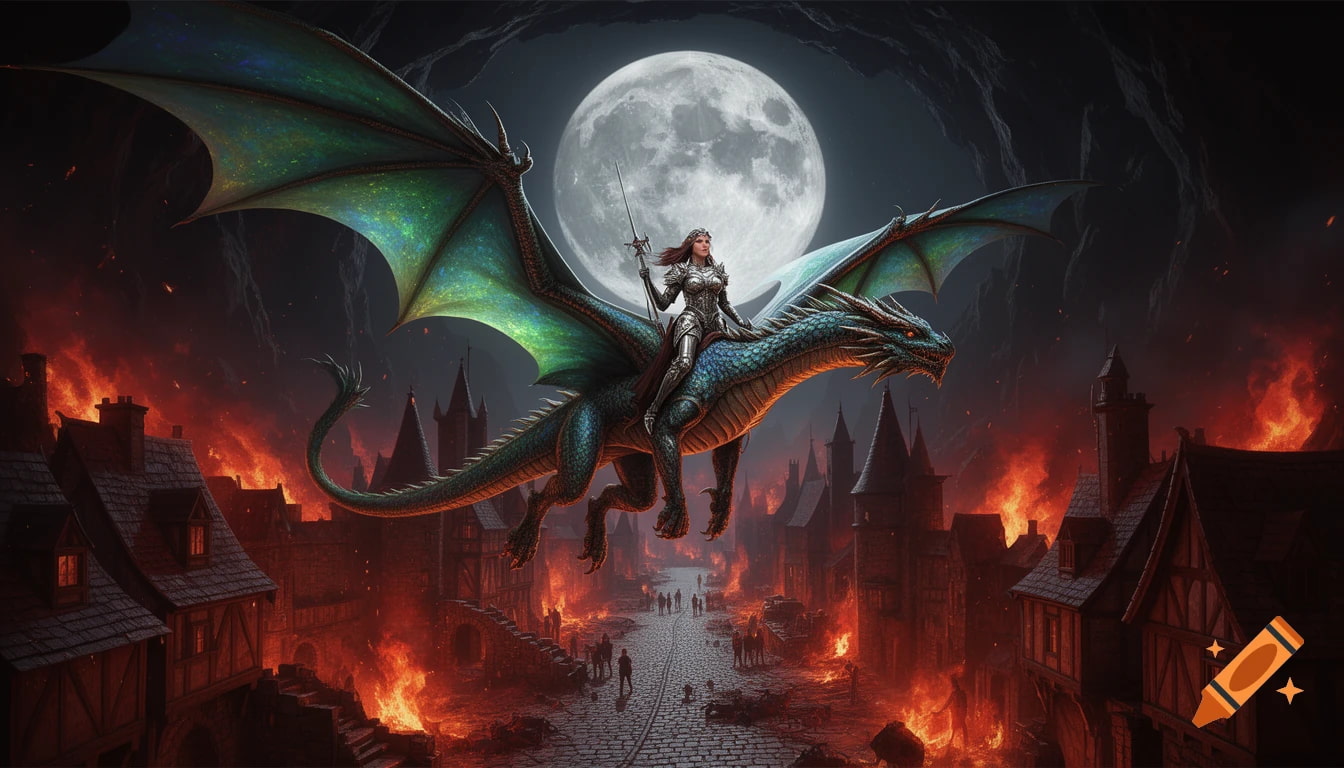
Fantasy
Hands-on Review
-
Image Quality: Craiyon performs well for illustrations and concept art, particularly when the prompt is relatively simple. More detailed or photorealistic prompts may require multiple attempts to achieve better results.
-
Prompt Accuracy: Craiyon follows simple prompts well, but more detailed requests may miss finer elements and often benefit from prompt refinement.
-
Ease of Use: The clean, browser-based interface is easy to navigate, and the built-in editing tools let you enhance images without switching to other software.
-
Generation Speed: Images are generated fairly quickly for most prompts, although free users may experience longer wait times during peak usage.
Pros & Cons
|
Pros |
Cons |
|---|---|
|
Beginner-friendly interface |
Inconsistent results for complex prompts |
|
Free plan available |
Free plan includes ads and public generations |
|
Multiple style modes |
Slower generation during peak hours |
|
Built-in AI editing and enhancement tools |
Limited advanced editing features |
|
Generates multiple image variations |
Less suitable for professional workflows that require highly consistent, photorealistic outputs. |
Community Feedback
Quora:
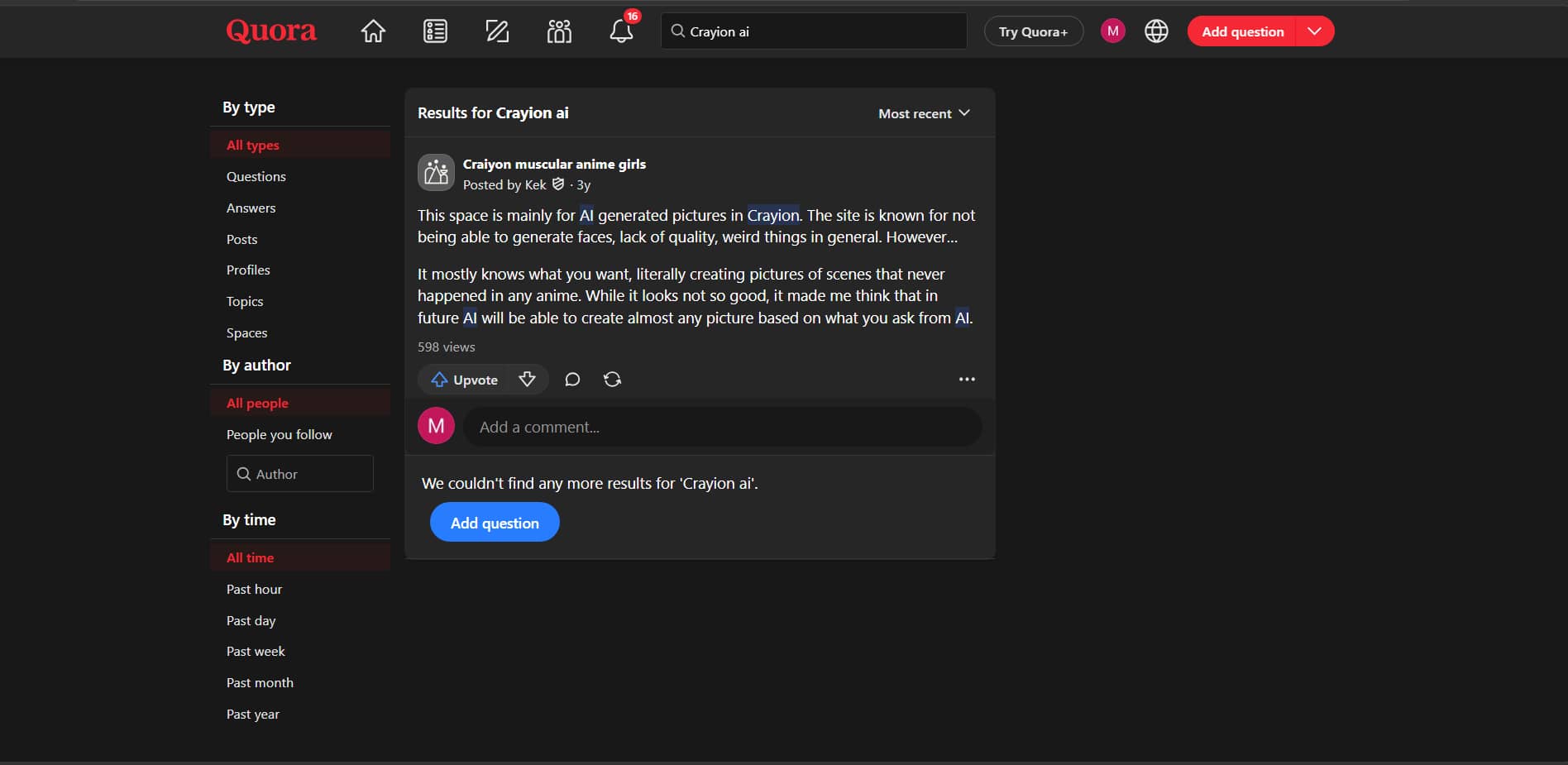
For Quora users, Craiyon is simple to use to generate AI art and explore creative ideas. But many say it lags behind more advanced AI image generators on image quality and facial details.
Reddit:
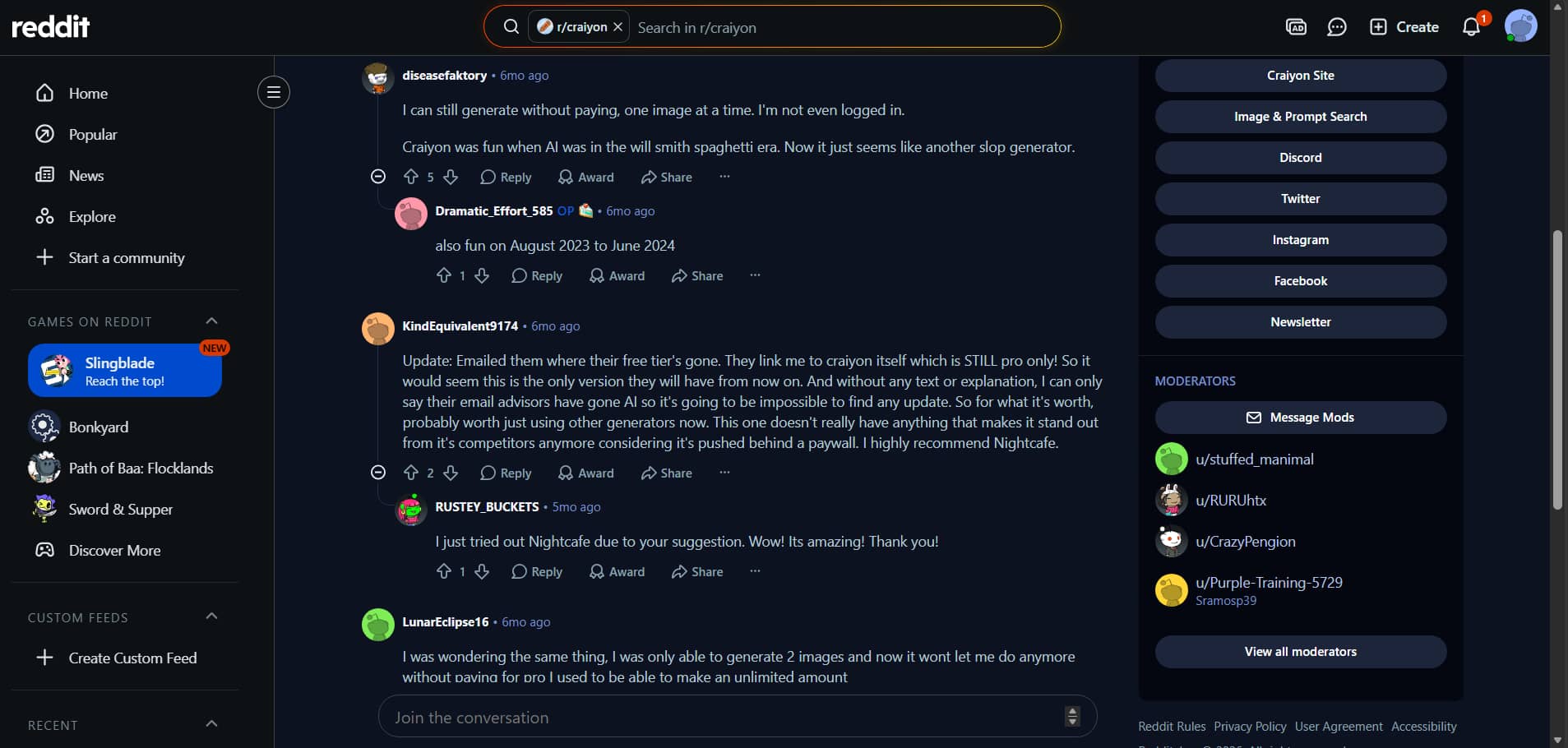
For beginners, Reddit users like when Craiyon AI is free to use and has a simple experience. Some have noted that the free plan has become more restricted and suggest trying other AI image generators for better quality and speed.
Editorial review
Overall, Craiyon is great if you just want to mess around with fun, zero-cost prompts, but it’s definitely built for casual doodling rather than a serious marketing workflow. If you need to turn raw media into polished, high-converting commercial assets without spending hours editing, you’ll want a tool designed specifically for fast content production. To see what a dedicated, automated media pipeline looks like, let's pivot to Vmake Labs and break down its suite of AI video agents, background removers, and rapid content tools.
Vmake Labs AI Image Generator as an Alternative
If you're looking for an alternative to Craiyon, Vmake Labs AI Image Generator is worth a try. It supports text-to-image and image-to-image generation, offers multiple AI models, and generates high-quality visuals. It's a great tool for marketers, creators, and businesses.
Why Choose Vmake Labs AI Image Generator?
-
AI-Powered Text-to-Image & Image-to-Image: Generate original images from text prompts or transform existing images with AI. Both modes make it easy to create visuals for different creative and professional needs.
-
Multiple Advanced AI Models: Choose from multiple AI models to generate images in a variety of artistic and realistic styles. This flexibility helps produce results tailored to different projects.
-
Commercial-Ready, High-Quality Image Outputs: Create high-resolution AI images suitable for marketing campaigns, product listings, branding, and social media. The generated visuals are designed for both personal and commercial use.
-
Fast and Beginner-Friendly Workflow: Everything works directly in your browser with a simple interface that requires no design experience. Creating AI images takes only a few steps.
-
Suitable for Marketing, E-commerce, Real Estate, and Creative Projects: Vmake Labs provides an efficient AI image generation workflow for creators, businesses, and agency teams, whether you're creating AI creative ads, product imagery, social media posts, visuals for ecommerce, real estate, or fitness and health brands.
How to Generate AI Images with Vmake Labs
Step 1: Open the AI Image Generator
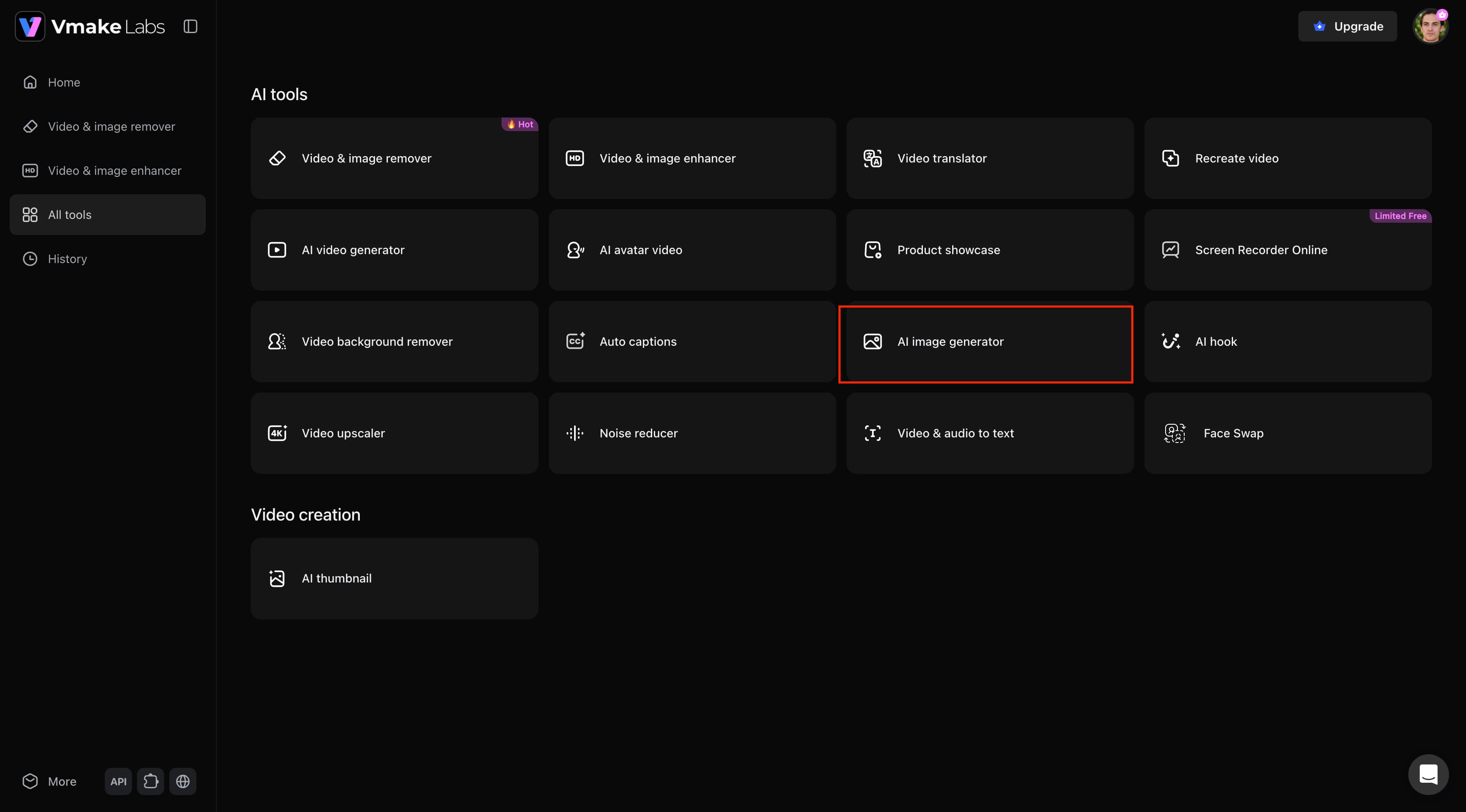
From the All Tools page, select AI Image Generator to launch the image creation workspace. This opens the Text-to-Image and Image-to-Image interface where you can start creating AI-generated visuals.
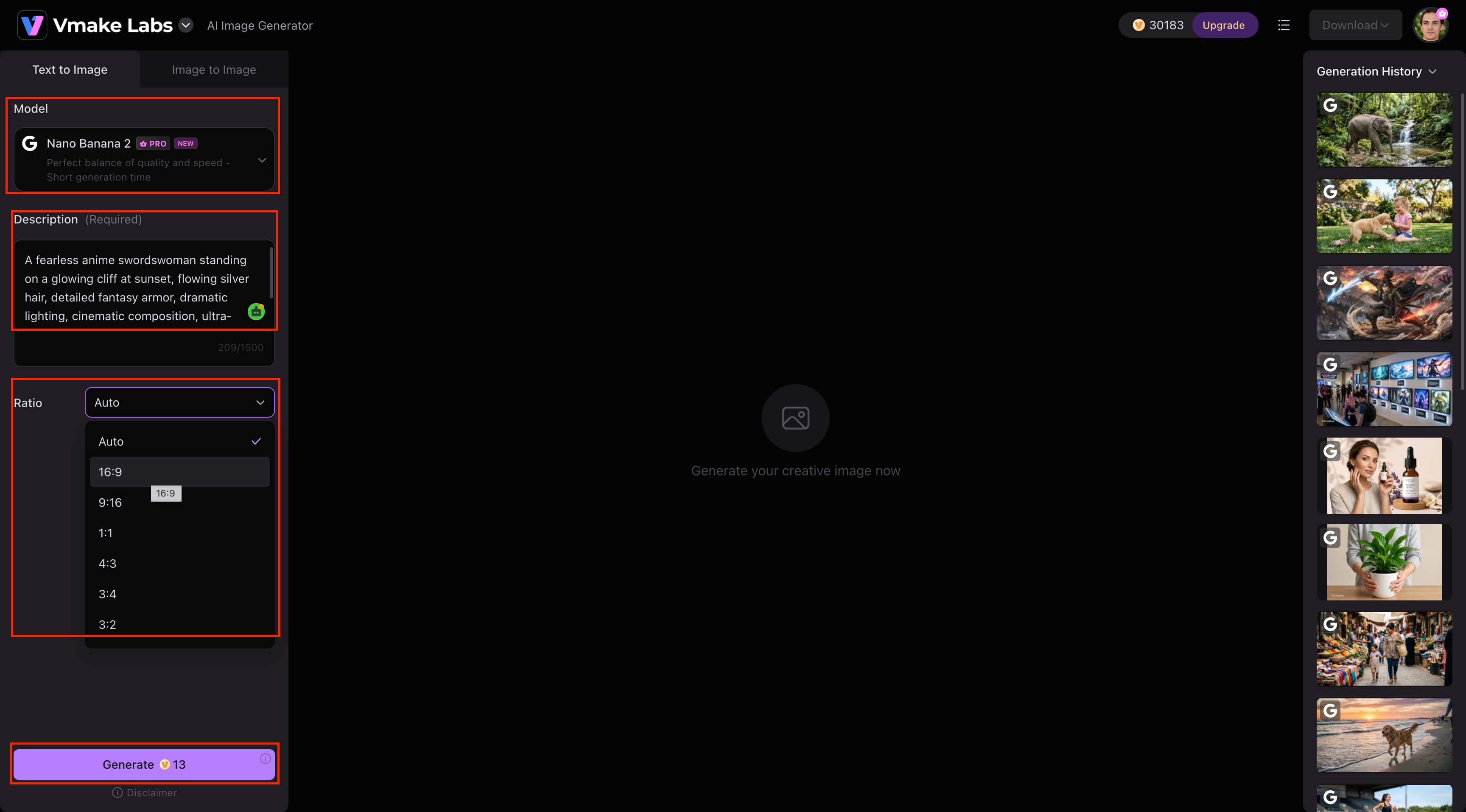
Step 2: Choose a Model, Enter Your Prompt, and Generate
Select your preferred AI model, enter a detailed text prompt, and choose the aspect ratio that best fits your project. Once your settings are ready, click Generate to create your AI image in seconds.
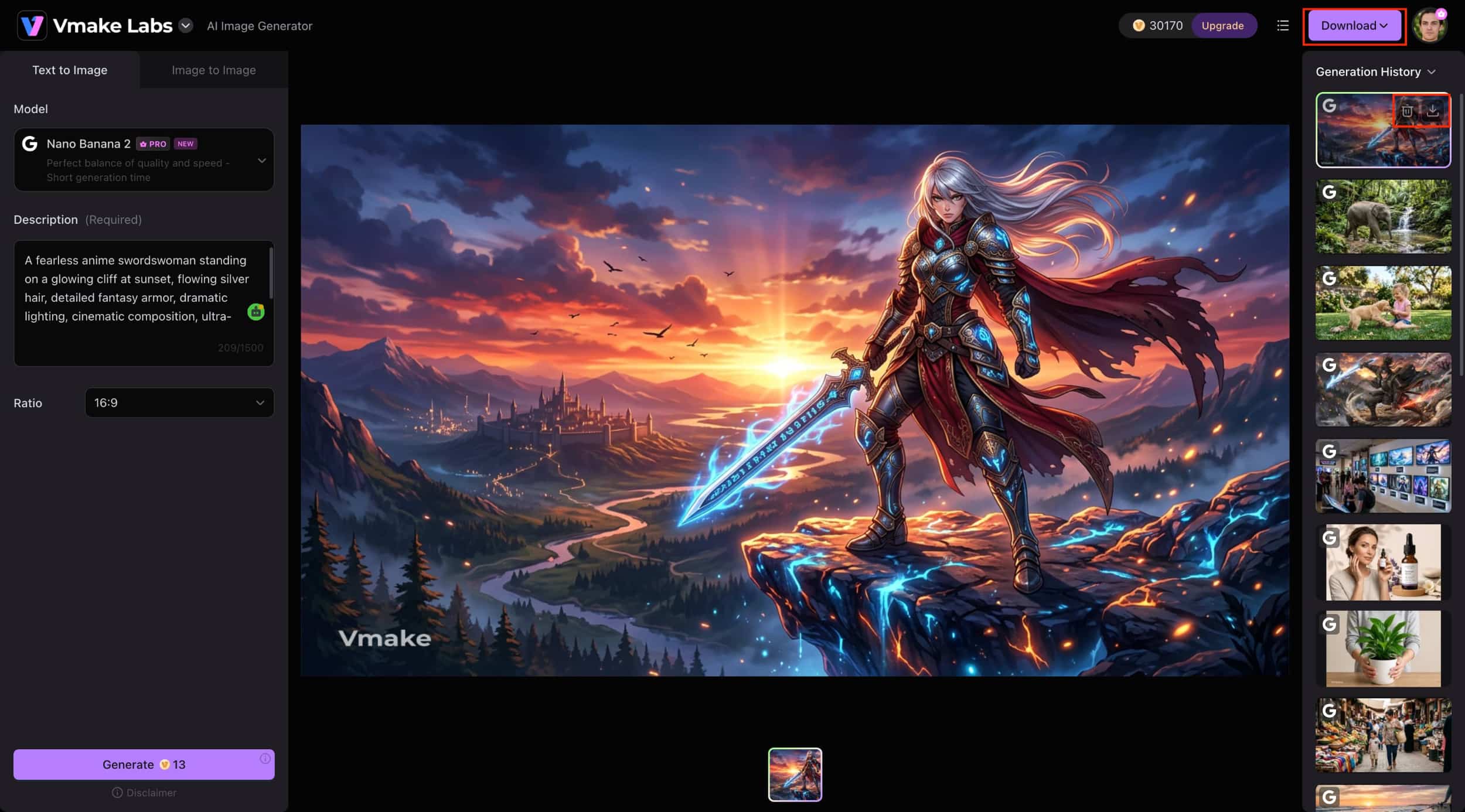
Step 3: Preview and Download Your Image
Review the generated image in the preview window and make sure it matches your requirements. When you're satisfied with the result, click Download to save the high-quality image to your device.
Final checklist: Craiyon AI Image Generator vs Vmake Labs AI Image Generator
Craiyon and Vmake Labs AI Image Generator both democratize AI image creation. However, they are built for different creative needs. Here's a comparison of their main features to help you decide which AI image generator is better for your workflow.
|
Category |
Craiyon AI Image Generator |
Vmake Labs AI Image Generator |
|---|---|---|
|
Best For |
Beginners & casual creators |
Content creators & marketers |
|
AI Models |
Craiyon AI models |
Multiple AI models |
|
Generation Modes |
Text-to-image |
Text-to-image & Image-to-image |
|
Creative Tools |
Retouch, Animate, Upscale |
Advanced AI image generation tools |
|
Image Quality |
Good for concepts & ideas |
High-quality marketing visuals |
|
Aspect Ratios |
Multiple options |
Flexible aspect ratios |
|
Workflow |
Browser-based |
Browser-based |
|
Commercial Use |
Supported |
Supported |
|
Free version |
Available |
Available |
Choose Craiyon AI if:
You are a beginner or hobbyist who wants a simple, friction-free way to brainstorm creative concepts, doodle with text prompts, and play with different art styles for fun.
Choose Vmake Labs if:
You are a content creator or marketer who needs high-quality, production-ready visuals, advanced text-to-image and image-to-image workflows, and specialized commercial media tools.
Conclusion
Craiyon is an AI Text-to-Image Generator that creates AI Generated Artwork from Text Prompts. It's a great way to play around with AI images thanks to its free plan, simple interface, and built-in creative tools. If you're looking for multiple AI models and text-to-image and image-to-image generation to generate higher quality, commercial-ready visuals, then Vmake Labs AI Image Generator is a good alternative.
FAQs
How accurate is Craiyon AI Image Generator for detailed prompts?
Craiyon is good at simple prompts and can quickly generate creative variations of images. For complex or detailed prompts, you may need to iterate on your prompt or generate multiple times to get better results.
How long does Craiyon AI Image Generator take to generate images?
Most images are generated in a matter of seconds, depending on the prompt and server load If you're on the free plan, you might experience slightly longer wait times during busy periods.
Can Craiyon AI Image Generator generate multiple image variations from one prompt?
Yes, Craiyon produces several images for each prompt, so you can compare the images and pick the one that best fits your idea. This makes it a good tool for brainstorming and creative explorations.
What types of projects is Craiyon AI Image Generator best suited for?
Craiyon is perfect for concept art, illustrations, creative experiments, social media graphics, and personal projects. If you are looking for commercial marketing visuals and professional-quality images, then Vmake Labs AI Image Generator is the better option.
How does Craiyon AI Image Generator compare with other AI image generators?
Craiyon is a good choice for casual creators thanks to its simplicity, free plan, and beginner-friendly workflow. If you want more advanced AI models, better output quality, and images ready for commercial use, then Vmake Labs AI Image Generator is a good choice.

You May Be Interested

ChatGPT Video Generator Review: Features, Pricing & Best Alternative
Can ChatGPT Transcribe Audio? Complete 2026 Guide

Canva AI Image Generator Review: Is It Worth It in 2026?

11 Best Image to Video AI Generators Compared in 2026