Can DeepSeek Generate Images? Review, Test Results & Alternatives in 2026
Discover whether DeepSeek can generate images for creative projects, explore its strengths and limitations, and then create high-quality AI visuals effortlessly with Vmake Labs today for every project

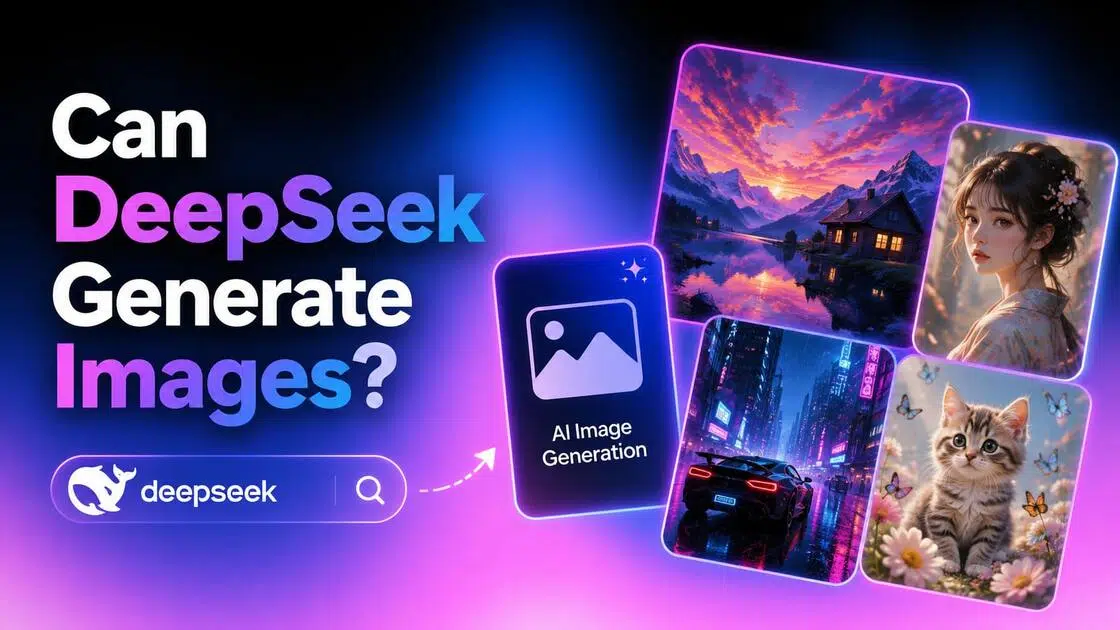
Artificial intelligence is evolving rapidly, and DeepSeek has become one of the most discussed AI platforms. But can DeepSeek generate images? This guide explores its image generation capabilities, explains how Janus-Pro works, reviews real testing results, examines community feedback, and compares available alternatives to help you make an informed decision.
Can DeepSeek generate images? Understanding its image capabilities
Yes, but there are limits. DeepSeek can produce images with supported multi-modal models like DeepSeek Janus-Pro, whereas the stock DeepSeek chatbot mostly supports reasoning, coding, and text generation. Image generation is dependent on the model used or deployment; thus, users may need to visit third-party services such as Hugging Face or GitHub.
What is DeepSeek?
DeepSeek is an advanced AI platform and Large Language Model (LLM) for thinking, coding, research, and natural language understanding. It's loved by developers and AI fans for its outstanding performance and open-source approach. DeepSeek Janus-Pro is a multimodal model, which means that it supports image-related processes. The normal DeepSeek chatbot concentrates on creating text and performing hard tasks. This is a good example of the distinction between AI chat models and dedicated image generation models.
Key capabilities of DeepSeek
DeepSeek offers much more than simple chatbot conversations. Its core strengths make it useful for developers, students, researchers, and professionals.
-
Advanced AI reasoning: Solves complex problems, assists with coding, mathematical reasoning, technical documentation, and research tasks.
-
Natural language understanding: Interprets detailed prompts and generates fluent, context-aware, human-like responses.
-
Prompt creation assistance: Helps users write detailed prompts that can improve results when using AI image generators.
-
Multimodal capabilities: Supported models such as DeepSeek Janus-Pro can understand and generate image-related content alongside text.
-
Developer-friendly APIs: Enables developers to integrate DeepSeek into applications, workflows, and AI-powered products.
-
Free chatbot access: Many users can explore DeepSeek's core AI capabilities without paying for an upfront subscription.
How to generate images with DeepSeek Janus-Pro
DeepSeek Janus-Pro is a multimodal AI model capable of generating visuals from text cues. The method is basic, although access may vary depending on the platform. Here's how you can build and refine AI photos with DeepSeek Janus-Pro utilizing simple methods.
What is DeepSeek Janus-Pro?
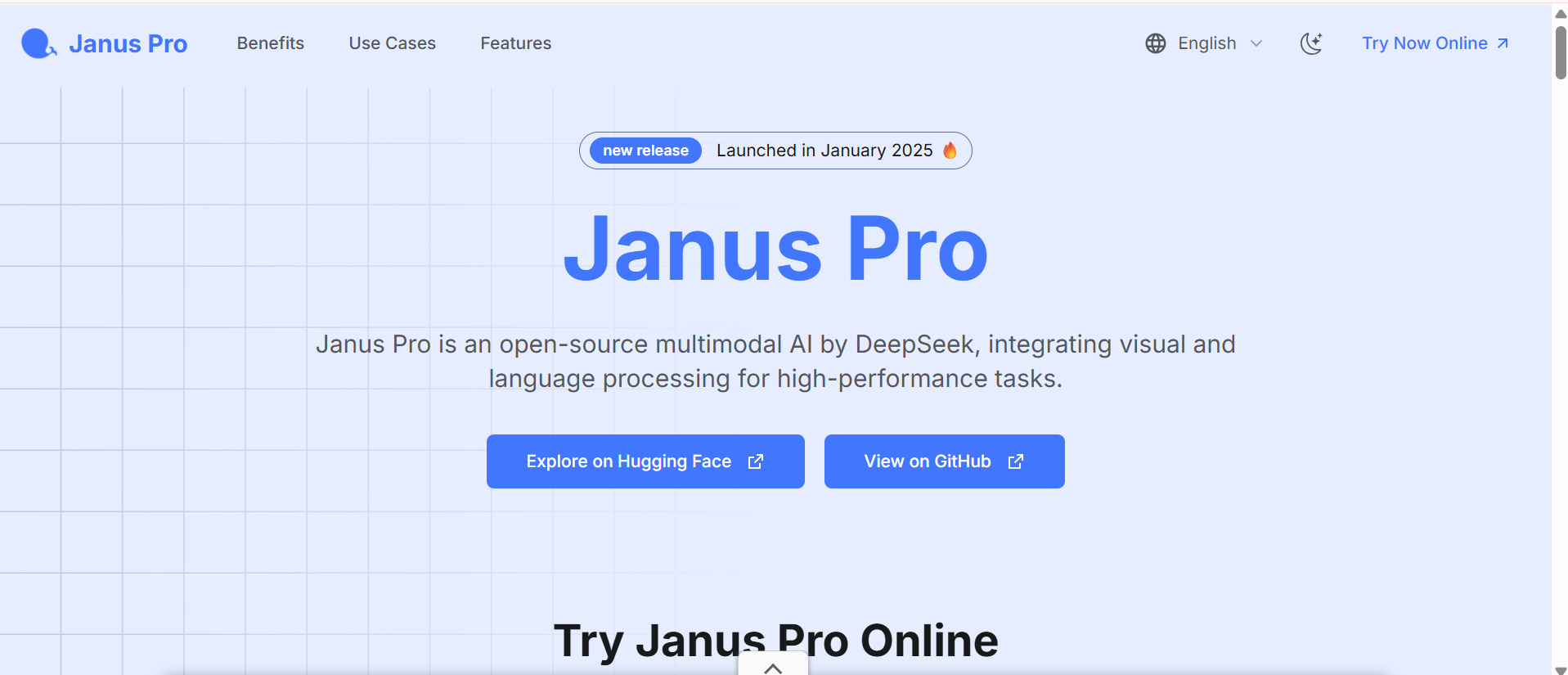
Before following the steps below, it's important to understand that DeepSeek Janus-Pro is a multimodal AI model developed by DeepSeek, not the standard DeepSeek chatbot. While the chatbot focuses on text generation, coding, and reasoning, Janus-Pro is designed to process both text and images, making it capable of generating visuals from text prompts. Depending on the version you use, Janus-Pro may be available through Hugging Face Spaces, GitHub projects, research demos, or other supported third-party platforms.
Step 1: Open the DeepSeek Janus-Pro image generation platform
Open a supported DeepSeek Janus-Pro deployment. There is no standard online interface; thus, you will most likely use the model via Hugging Face Spaces or some other service. Before you create your first image, wait for the interface to load.
Step 2: Enter your image prompt
Describe the image you want as much as you can. Include the subject, environment, lighting, art style, colors, camera angle, and other creative elements. The more explicit you are with your suggestion, the better Janus-Pro can interpret your request.
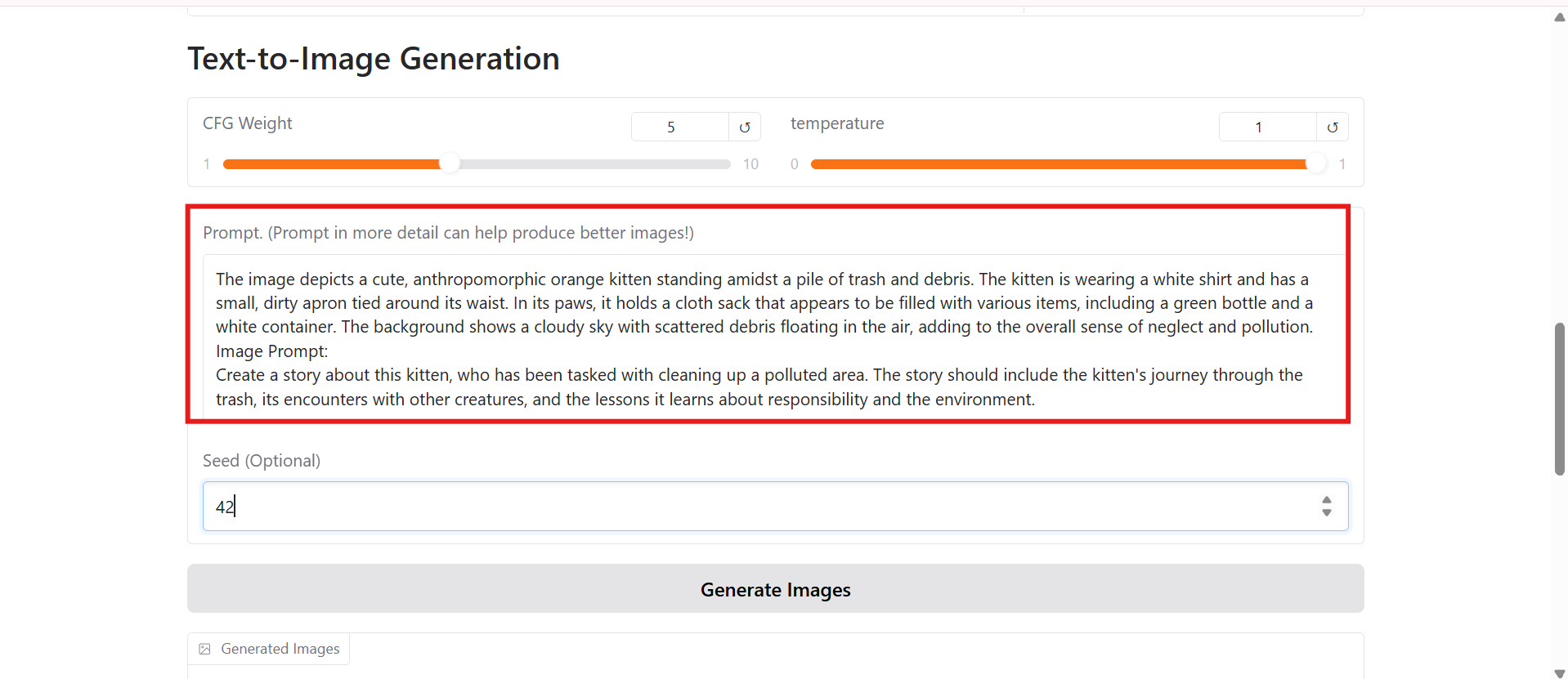
Step 3: Generate and refine your image
Click the generate button and allow the model to process your prompt. Once the image appears, review the results and refine your prompt if necessary. Small prompt adjustments such as changing lighting, composition, colours, or artistic style can significantly improve the final output.
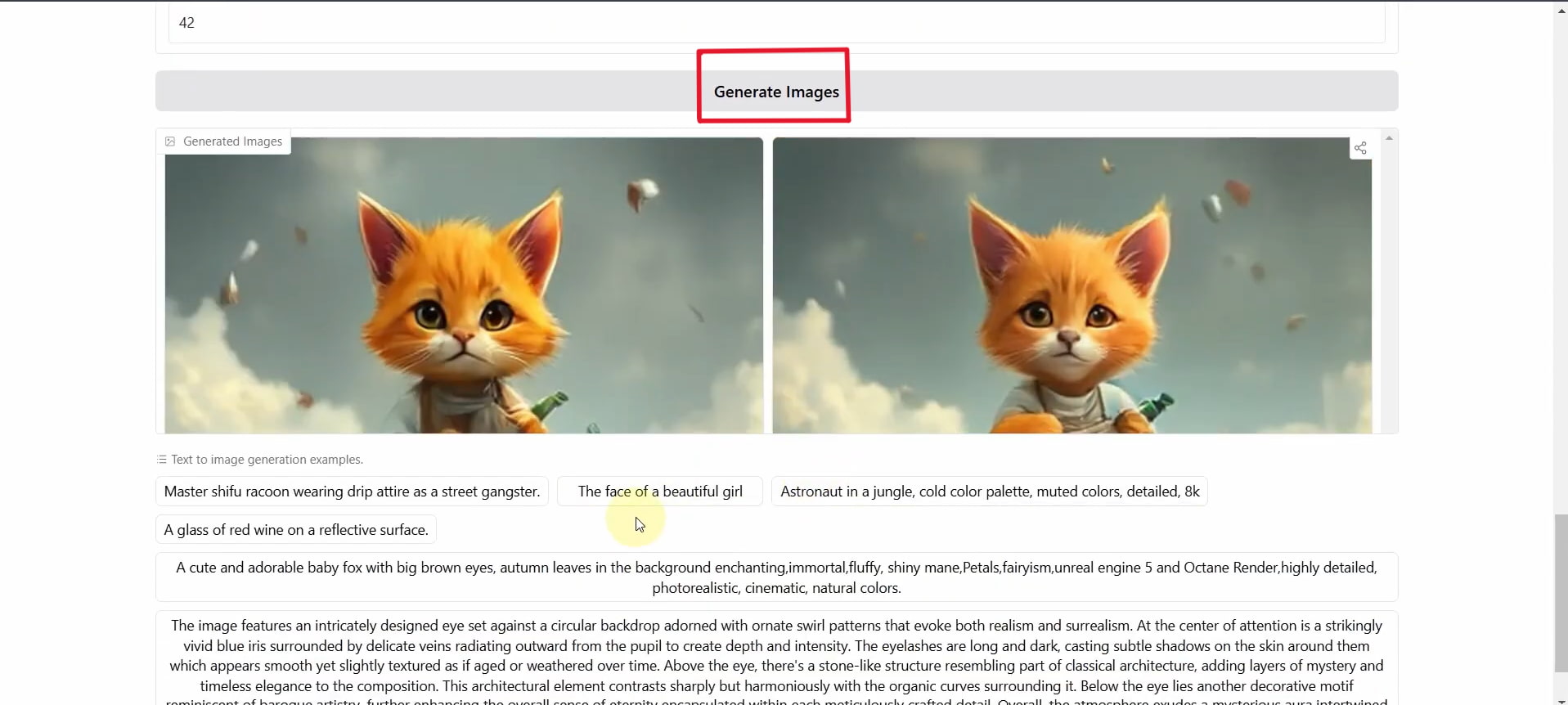
DeepSeek image generation review: Testing results and user feedback
To evaluate the performance of DeepSeek, we examined its picture-generating capabilities based on publicly available Janus-Pro deployments, official documentation, and conversations from the AI community. We are not looking at one demo, but instead at the total user experience on the various platforms that host the model.
Test results
Realistic image

Anime manga

Current Limitations of DeepSeek Image Generation
Although DeepSeek has expanded into multimodal AI, its image generation experience is still evolving. Users should understand a few practical limitations before getting started.
-
Official availability: Image generation is available only through supported DeepSeek models, such as Janus Pro, and may not be included in every DeepSeek service.
-
Regional access: Some platforms or deployments may have regional restrictions or different feature availability.
-
Deployment requirements: Some DeepSeek image models require self-hosting, Hugging Face Spaces, GitHub projects, or third-party platforms instead of a built-in web interface.
-
Feature maturity: DeepSeek's image generation capabilities are still evolving and may not offer the same polished experience as dedicated AI image generators.
-
Model availability: Not all DeepSeek models support image generation, so users should verify whether the version they are using includes multimodal or image-generation features.
Testing DeepSeek for different image creation needs
|
Test Area |
What We Evaluated |
Our Findings |
|---|---|---|
|
Prompt understanding |
How well AI understands creative instructions |
Strong understanding of descriptive prompts, though complex requests may require refinement. |
|
Image quality |
Detail, accuracy, and realism |
Produces impressive results for a research model, but quality varies depending on the deployment and prompt. |
|
Creativity |
Ability to produce unique concepts |
Creative outputs with good scene composition, though styles are less polished than dedicated image generators. |
|
Ease of use |
Setup process and user experience |
More technical than consumer AI tools because many versions require third-party platforms or self-hosting. |
|
Speed |
Time required to create images |
Generation speed depends on the hosting platform and available computing resources rather than the model alone. |
Community feedback
On Trustpilot
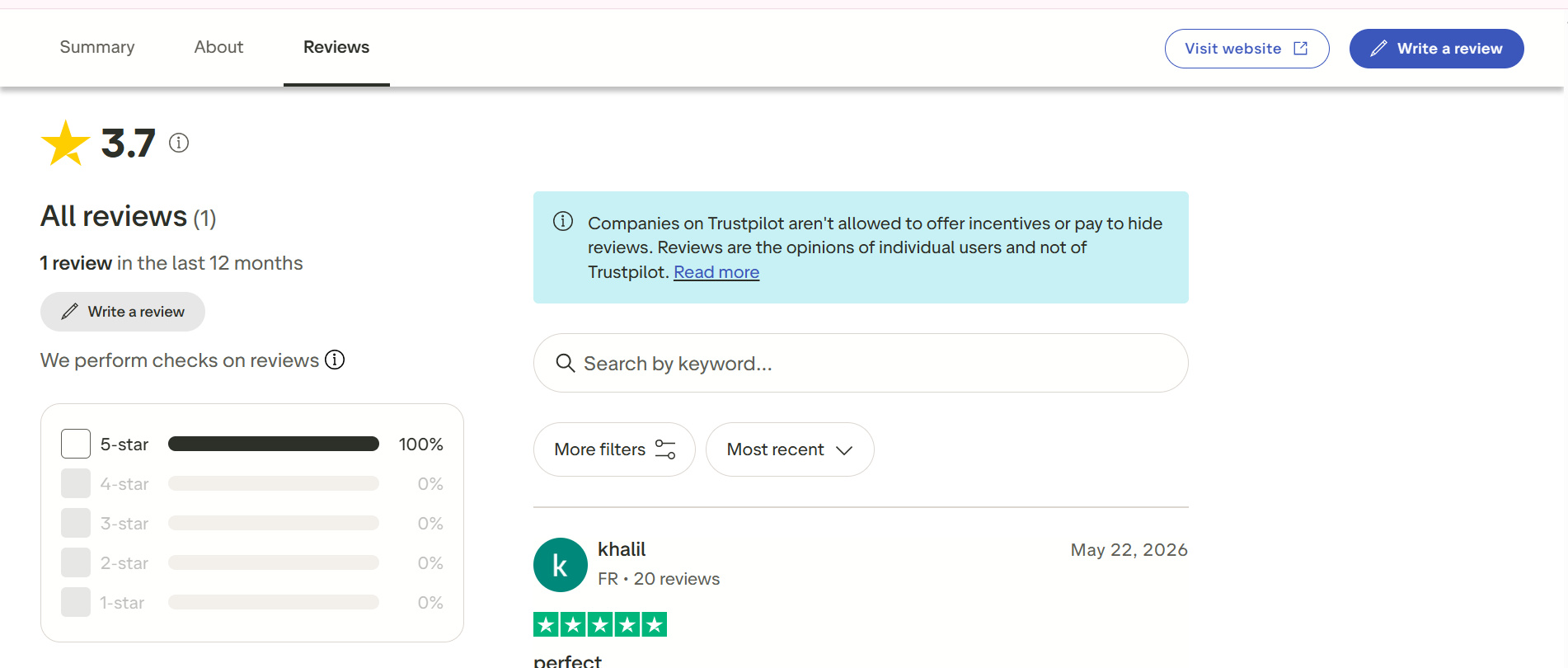
Trustpilot has few evaluations explicitly about DeepSeek's picture creation skills. A lot of the available feedback is about the AI performance of the platform, with users loving its reasoning ability but also pointing out that the image generation features are still in their early days compared to dedicated AI image producers.
On Quora
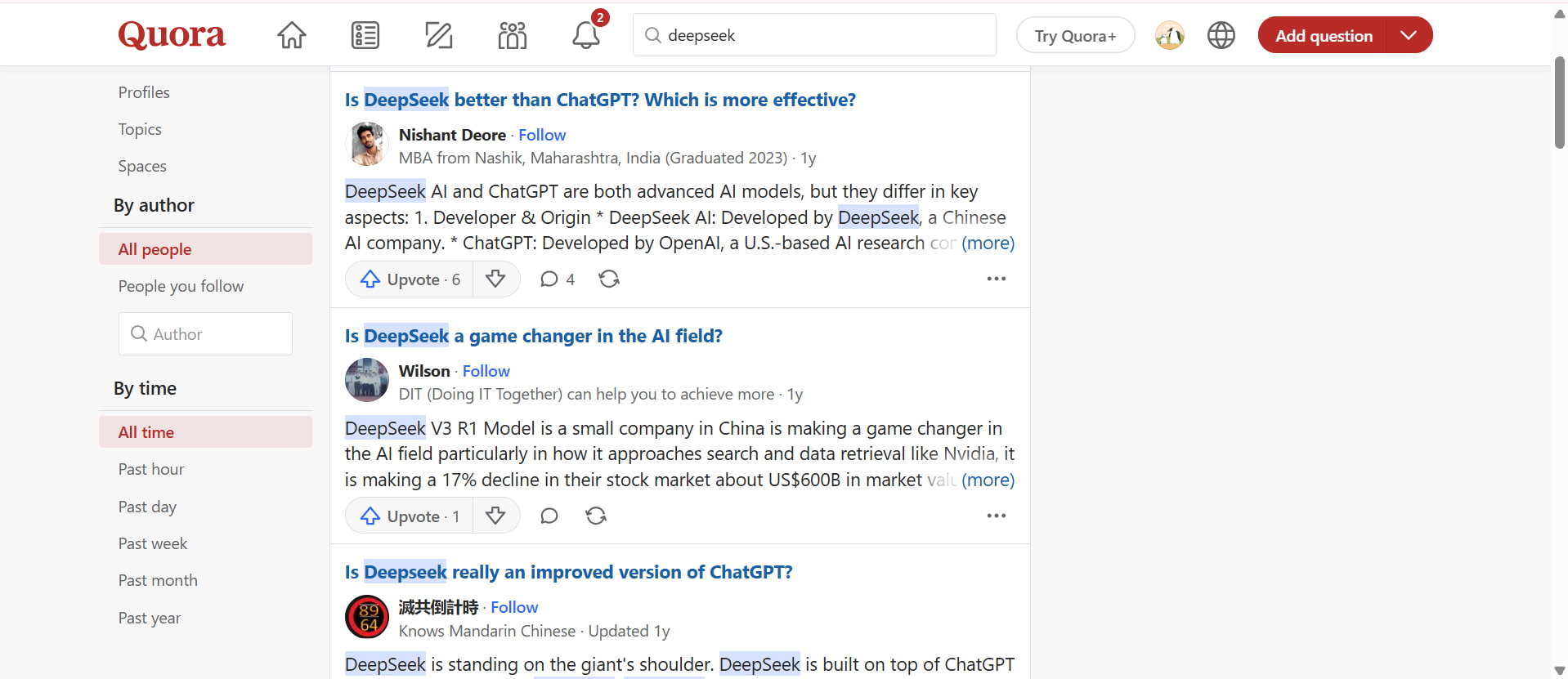
Quora discussions show that many users are curious about whether DeepSeek can generate images directly. Community answers often point out that picture generation is possible with supported models like Janus-Pro, but many advocate specialist image generators for a more straightforward and refined image creation experience.
DeepSeek Janus-Pro shows that DeepSeek is stepping beyond text-based AI to multimodal content production. But if you just want to generate high-quality photographs quickly and don't want to mess with the technical setup, a specialized browser-based platform can be a more streamlined experience. Vmake Labs image generator makes its mark here with a streamlined process geared for creators, marketers, ecommerce sellers, and enterprises.
Create AI images more easily with Vmake Labs image generator
If you want to create AI images quickly without technical setup, Vmake Labs image generator provides a simple, browser-based solution. Unlike DeepSeek, which focuses mainly on reasoning and image generation through specific models, Vmake Labs is built specifically for generating high-quality visuals from text prompts or reference images. Its intuitive workflow makes it easy to create professional images for marketing, social media, e-commerce, and creative projects.
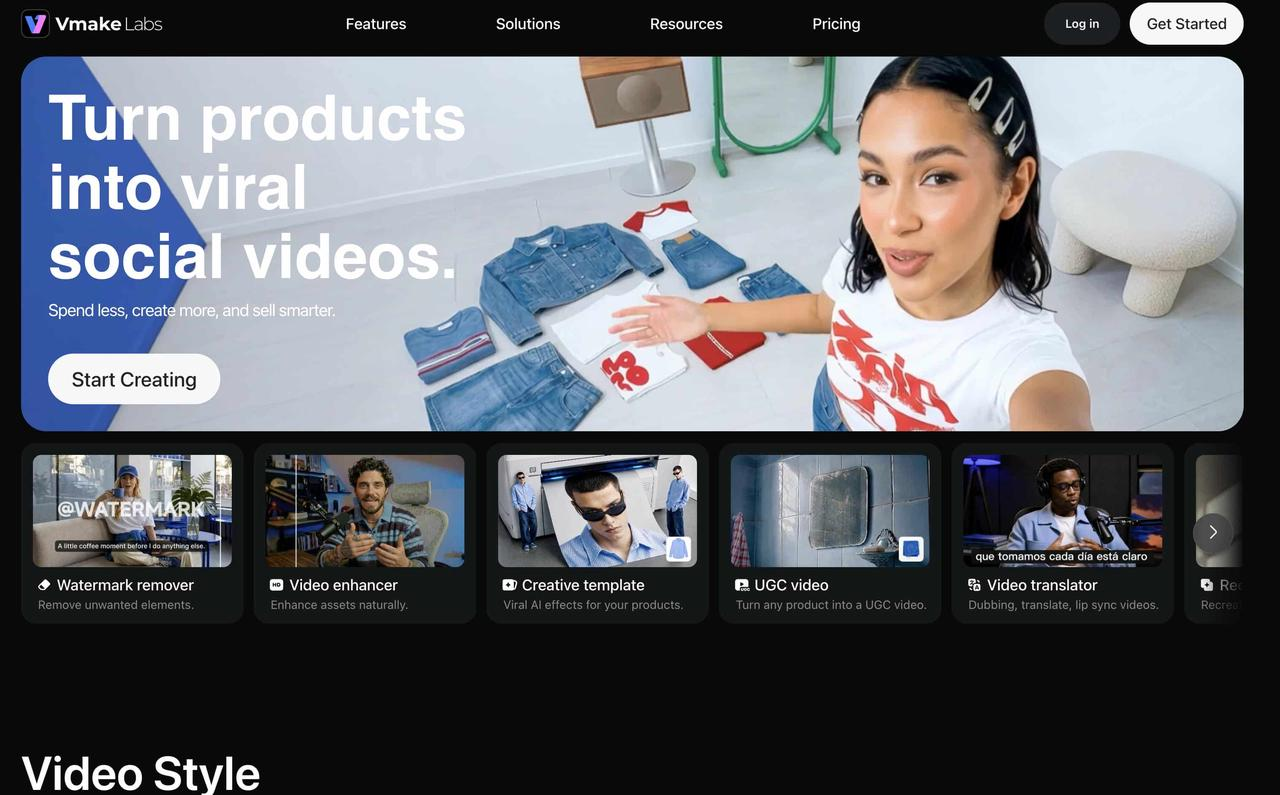
How to generate AI images with Vmake Labs image generator
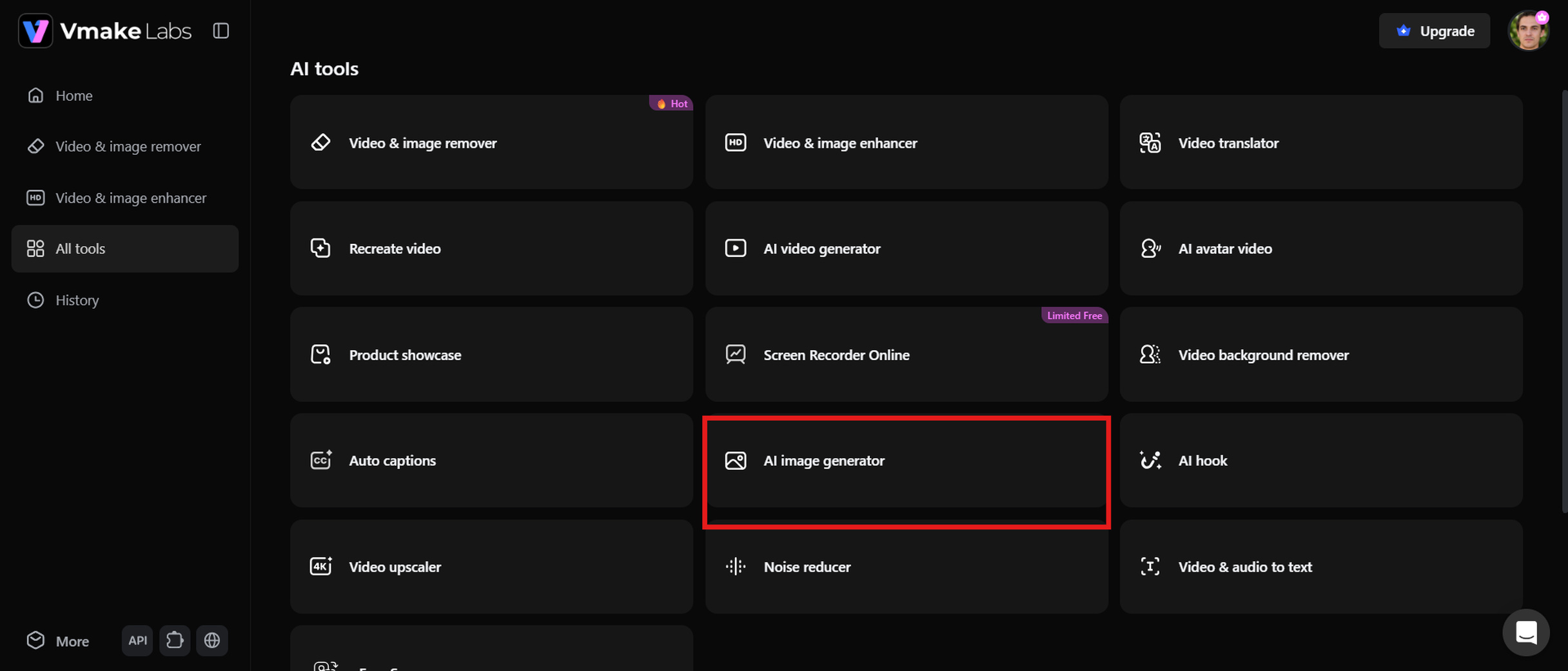
Step1: Select the AI image generator tool
Visit the Vmake Labs platform and open the AI image generator. The browser-based interface lets you start creating images immediately without downloading additional software.
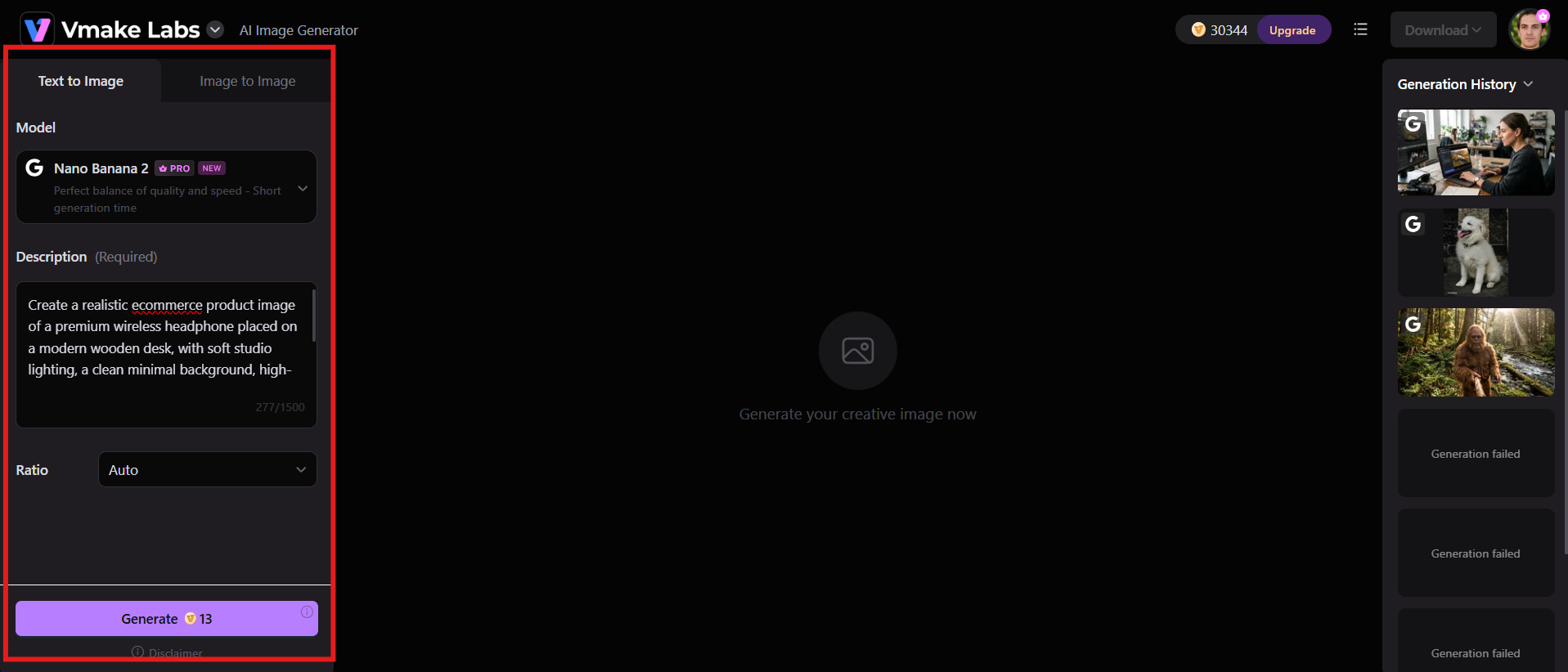
Step 2: Enter a text prompt or upload a reference image
Describe the image you want using a detailed text prompt. If you already have an image you'd like to build upon, upload it as a reference to guide the AI in generating a similar style or composition.
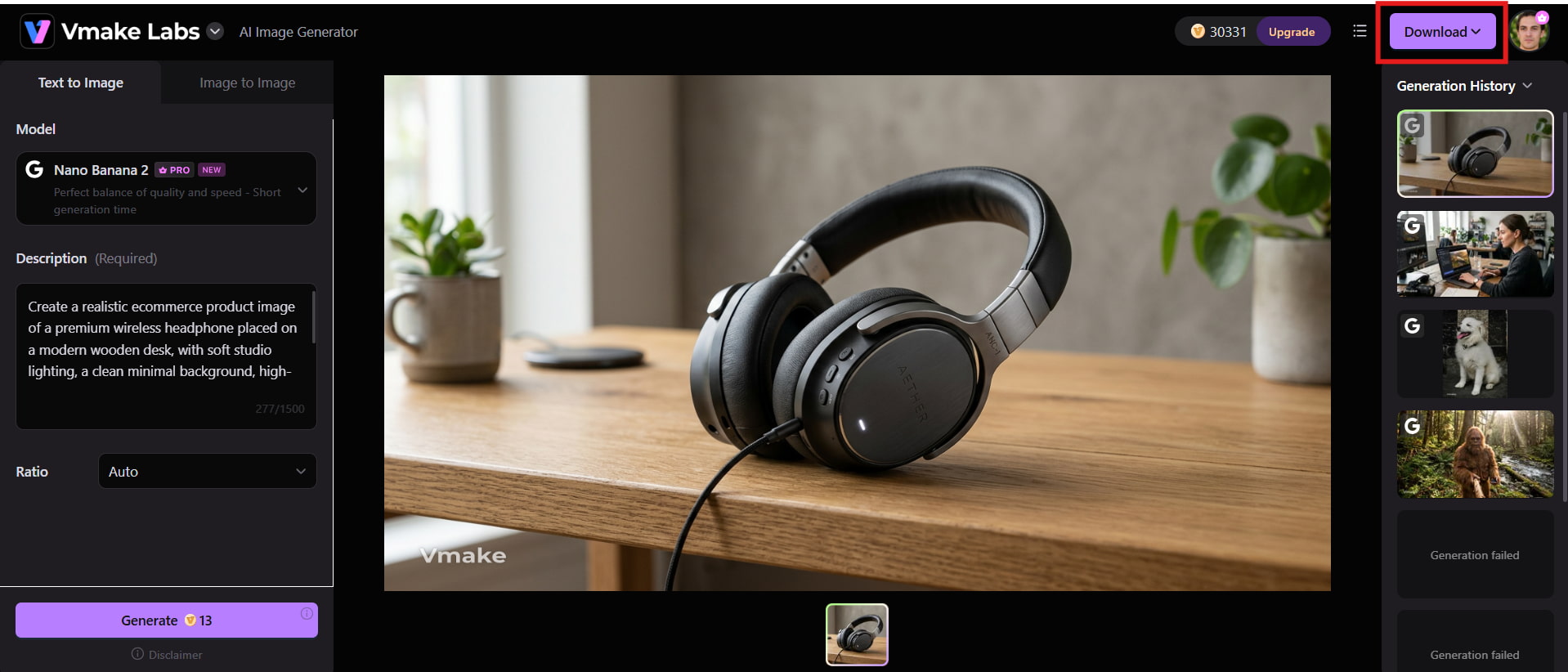
Step 3: Generate, preview, and download image
Click Generate and let the AI create your image. Preview the results, regenerate if needed, and download the version that best matches your creative vision. If you want to further improve clarity, Vmake Labs also provides an image enhancer for sharpening and upscaling generated visuals.
Key features
-
Multiple leading AI image models: Access advanced AI models to create images in different artistic styles and creative formats.
-
Text-to-image and image-to-image generation: Generate new visuals from text prompts or transform existing images with AI.
-
Browser-based workflow: Create AI images directly in your browser without downloading software or handling complex setup.
-
Multiple aspect ratios: Generate images in various dimensions for social media, websites, presentations, and ecommerce.
-
Fast AI image generation: Produce high-quality images within seconds for a faster creative workflow.
-
Commercial-ready image creation: Create professional visuals suitable for marketing, advertising, product listings, and business content.
DeepSeek AI image generator vs Vmake Labs image generator
Both DeepSeek and Vmake Labs support AI-powered image creation, but they are built for different purposes. The comparison below highlights their key differences in image generation capabilities, ease of use, features, and ideal use cases to help you choose the right tool for your needs.
|
Category |
DeepSeek AI Image Generator |
Vmake Labs Image Generator |
|---|---|---|
|
Primary purpose |
AI assistant focused on reasoning, coding, and text-based tasks with image capabilities through specific models |
Dedicated AI image generation platform for creating visuals |
|
Image generation capability |
Limited direct image generation; often requires supported models or third-party integrations |
Built for direct AI image creation with dedicated generation features |
|
Generation methods |
Mainly supports prompt creation and AI-assisted workflows |
Supports text-to-image and image-to-image generation |
|
Ease of use |
May require technical knowledge or additional tools |
Simple browser-based workflow suitable for beginners |
|
AI models |
Depends on the DeepSeek model or external image generation system used |
Provides access to multiple AI image generation models |
|
Use cases |
Best for research, coding, prompt creation, and AI experimentation |
Ideal for marketing visuals, ecommerce images, social media content, and creative projects |
|
Image quality |
Quality depends on the connected image generation model |
Designed to create high-quality, professional-looking images |
|
Commercial use |
Depends on the selected platform and usage permissions |
Suitable for creating business and commercial-ready visuals |
Who should use DeepSeek?
-
Developers build AI-powered applications or experiment with open-source models.
-
Researchers exploring multimodal AI and machine learning.
-
Students and professionals working on coding, research, and technical writing.
-
AI enthusiasts interested in testing models like Janus-Pro.
-
Users who are comfortable with GitHub, Hugging Face Spaces, or self-hosted deployments.
Who should use Vmake Labs?
-
Marketers create campaign graphics and advertisements.
-
Ecommerce businesses produce product images.
-
Content creators design visuals for blogs and social media.
-
Small businesses create professional marketing assets.
-
Designers and beginners are looking for an easy-to-use AI image generator.
Conclusion
DeepSeek has expanded beyond text-based AI with models like Janus-Pro, making image generation possible through supported multi-modal deployments. However, the experience still depends on the model, platform, and technical setup, which may not suit every user. If your focus is research, coding, or AI experimentation, DeepSeek is a strong choice. For users who want a simpler browser-based workflow for marketing, ecommerce, or creative projects, Vmake Labs offers a more accessible solution. Try Vmake Labs AI image generator and streamline your workflows with clicks.
FAQs
-
Can DeepSeek generate images directly?
Yes, but only through supported multimodal models such as DeepSeek Janus-Pro. The standard DeepSeek chatbot is designed primarily for reasoning, coding, and text generation, so image creation is not available across all DeepSeek versions.
-
Can DeepSeek AI generate images like ChatGPT?
DeepSeek can generate images through compatible multimodal models, but its workflow differs from ChatGPT. Users often need to access third-party platforms or research deployments rather than a single integrated interface.
-
Can you generate images with DeepSeek for free?
Yes, some DeepSeek Janus-Pro demos are available for free on community-hosted platforms such as Hugging Face Spaces. However, availability, performance, and usage limits depend on the platform hosting the model.
-
Can DeepSeek do image generation without external tools?
Generally, no. Image generation is not built into every DeepSeek service or chatbot. Most users access DeepSeek Janus-Pro through third-party platforms, Hugging Face Spaces, GitHub repositories, or self-hosted deployments, depending on the version they want to use.
-
What is the best alternative to DeepSeek for AI image generation?
If your primary goal is creating AI-generated images quickly and easily, Vmake Labs image generator is a strong alternative. It offers a browser-based workflow, multiple AI models, and both text-to-image and image-to-image generation.
-
Is Vmake Labs better than DeepSeek for creating marketing images?
For marketing, ecommerce, and social media content, Vmake Labs is generally the better choice because it is designed specifically for AI image creation. DeepSeek is more suitable for users who need advanced reasoning, coding assistance, and AI research alongside occasional image generation.

You May Be Interested

ChatGPT Video Generator Review: Features, Pricing & Best Alternative
Can ChatGPT Transcribe Audio? Complete 2026 Guide

Canva AI Image Generator Review: Is It Worth It in 2026?

11 Best Image to Video AI Generators Compared in 2026