
Playground AI Image Generator Review: Should You Choose It in 2026?
Finding the right AI image generator takes more than testing prompts. Read our Playground AI Image Generator review to evaluate its capabilities and discover why many creators also consider Vmake.

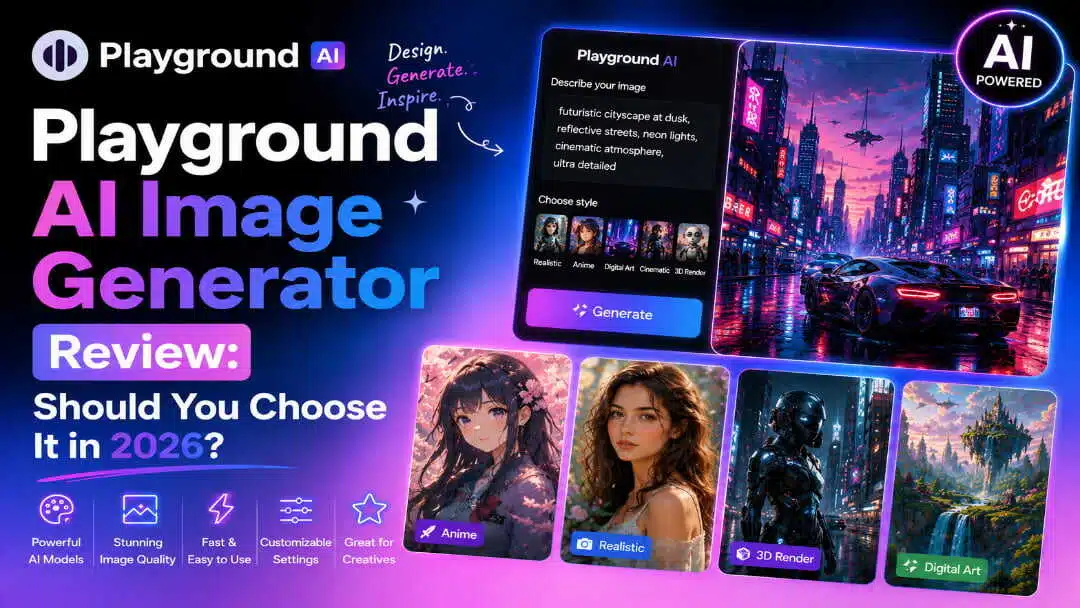
AI image generators are not just text-to-image generators – they're image editing tools, customisation tools and collaborative workflow tools for creators. In this Playground AI Image Generator review, we tested its image quality, usability, pricing and overall experience to help you decide if it is the right platform for your creative projects.
What is Playground AI Image Generator?
Playground AI Image Generator is an AI-powered image generator that can generate original images from text prompts, as well as perform image-to-image editing and offer a canvas-based workspace. It allows you to mix, edit and refine multiple AI-generated visuals all within the same project, rather than confining users to generating a single image. This makes it a pragmatic choice for designers, marketers, content creators and artists who want to explore ideas before creating polished creative assets.
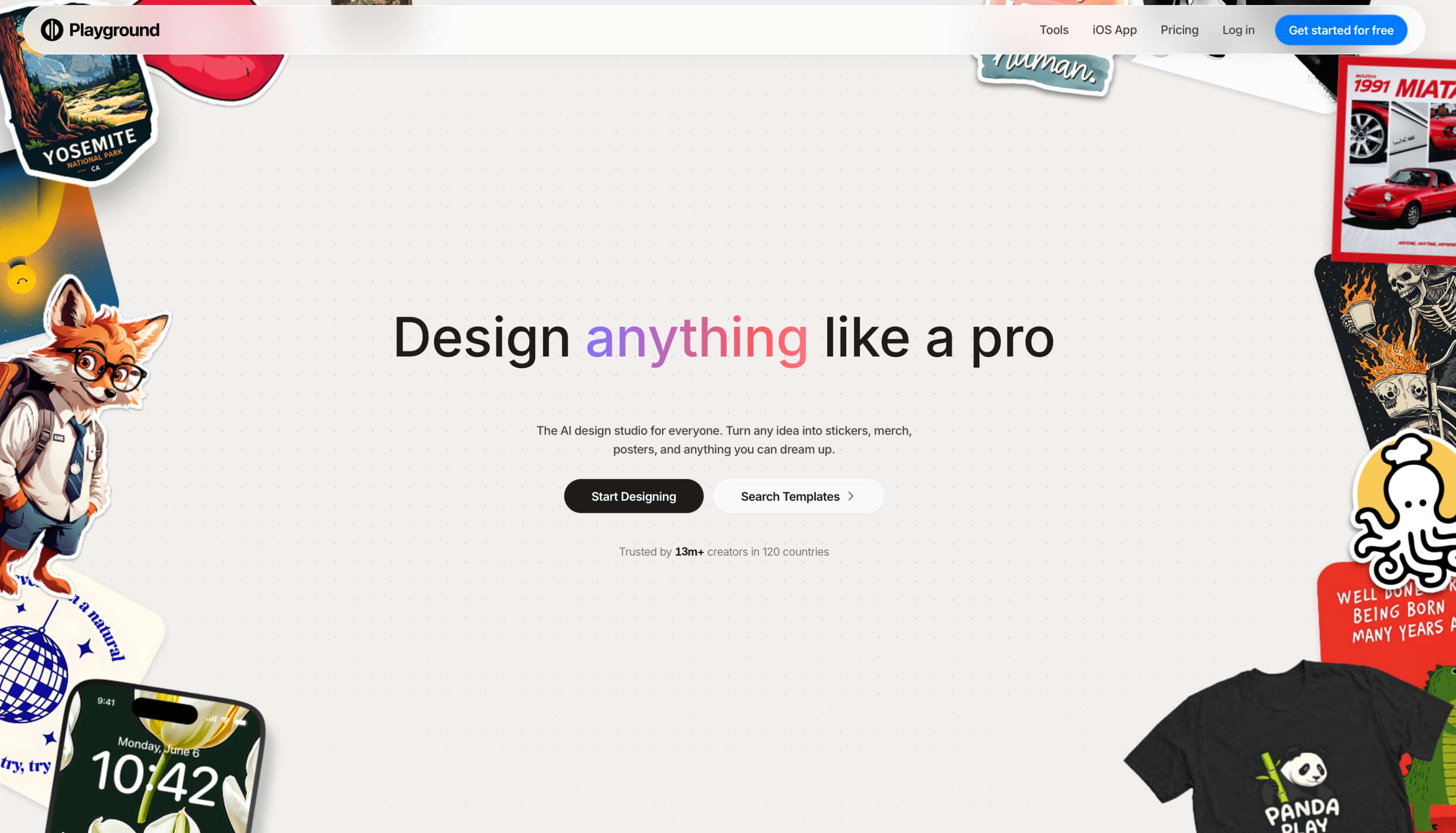
Playground AI is web-based with companion mobile apps, and offers free and paid plans to accommodate different levels of usage. When we tested it, we found the interface intuitive enough for beginners, but also advanced prompt controls and editing tools for more experienced users. It took some trial-and-error to get consistent results, but overall the workflow felt smooth and flexible, especially for users who prefer to iterate on their designs rather than generate a single image and move on.
What makes Playground AI Image Generator stand out?
Playground AI is unlike other AI image generators that solely generate images from prompts, as it combines generation and editing in a collaborative workspace:
-
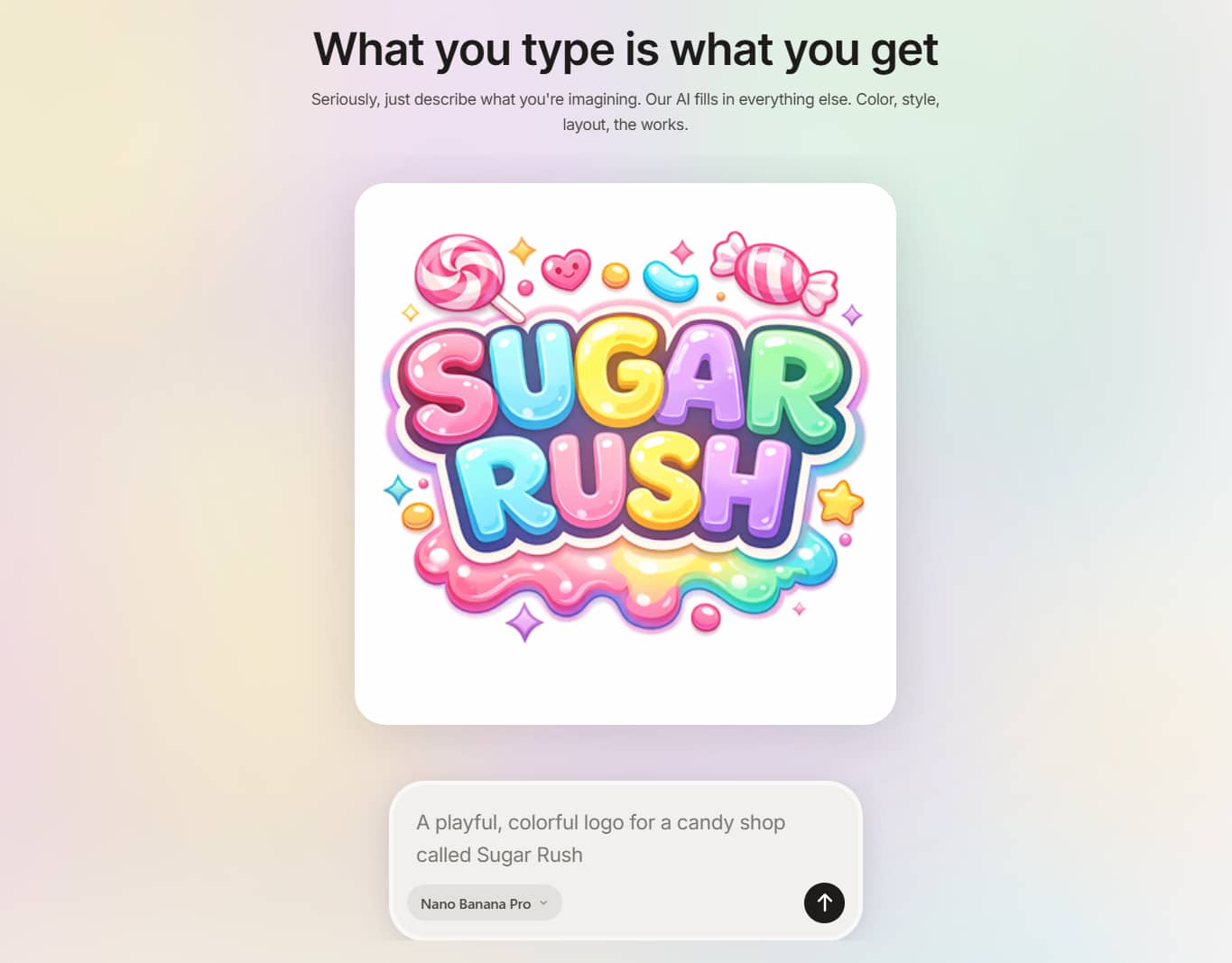
AI text-to-image generation: Turn text prompts into original artwork, illustrations, realistic images, and creative concepts. We found that detailed prompts generally produced more accurate and visually appealing results than short descriptions.
-
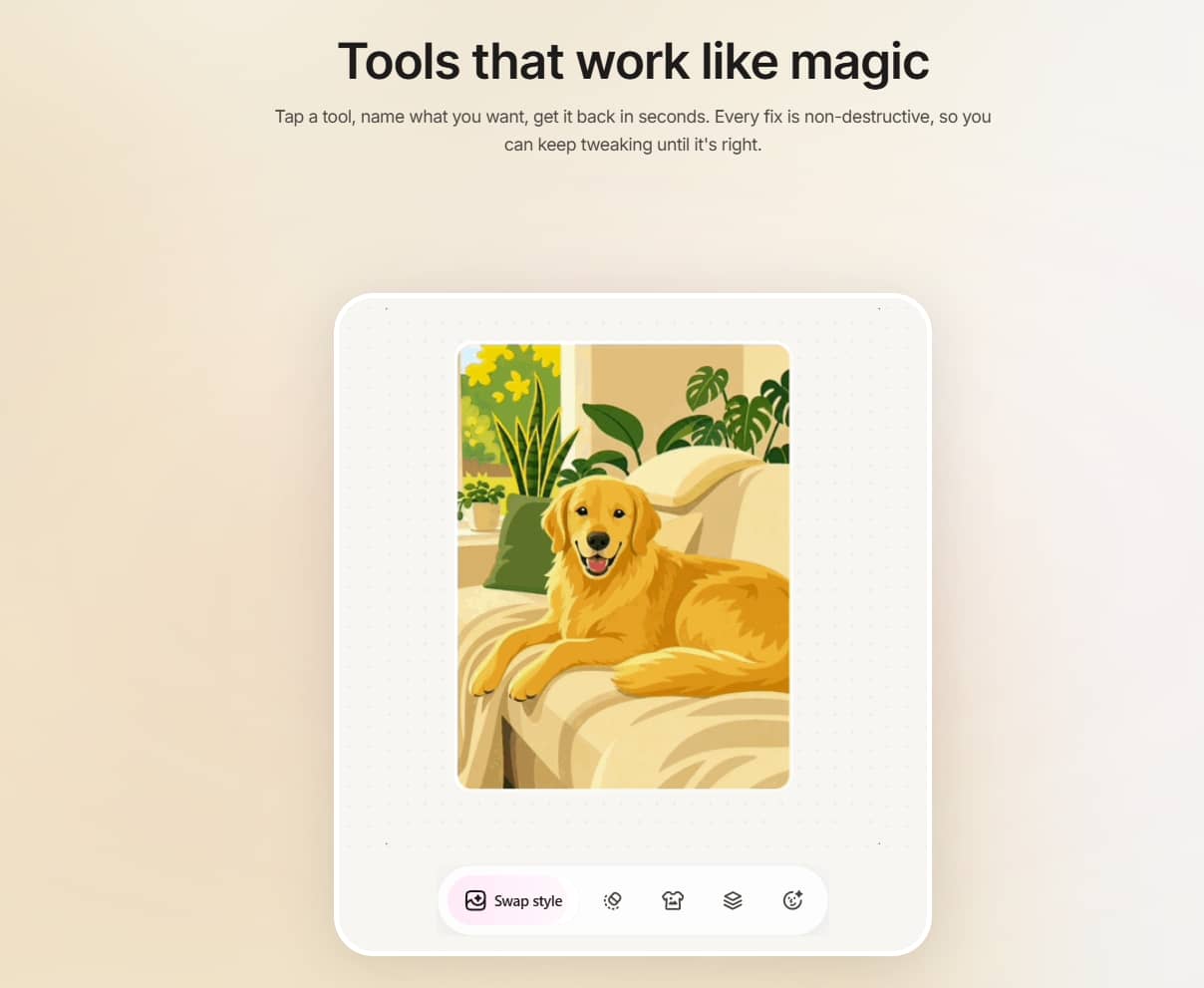
Image-to-image editing: Upload an existing image and use AI to modify its style, composition, or details instead of starting from scratch. This proved useful for making targeted adjustments while preserving the original concept.
-
Canvas for combining and editing multiple images: One of Playground AI's standout features is its infinite canvas, which lets you arrange, edit, and expand multiple AI-generated images within a single workspace. This workflow felt more flexible than many image generators that only support one image at a time.
-
Multiple AI models and styles: Choose from a range of AI models and artistic styles to generate everything from realistic photos to illustrations and stylised artwork. Having multiple options makes it easier to experiment and compare different creative approaches.
-
Prompt controls and customisation: Fine-tune your outputs using controls for prompt guidance, aspect ratios, image strength, and other settings. These options provide greater creative flexibility, although new users may need some experimentation to understand their impact.
-
High-resolution downloads: Download generated images of high quality for use in presentations, marketing materials, social media, or print projects. In our testing, output quality was consistently good, with only occasional prompt refinements needed for finer details.
How to create images with Playground AI
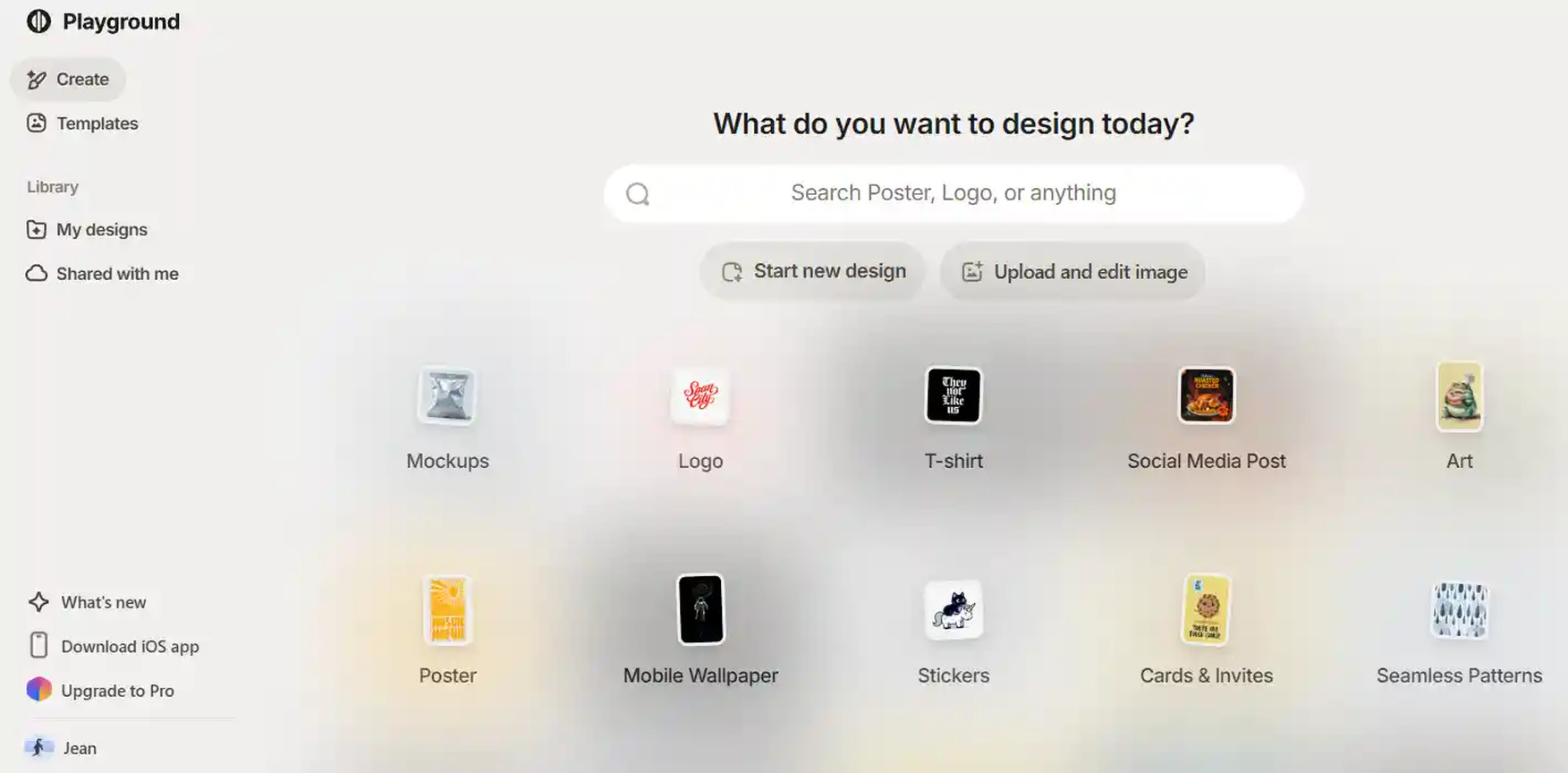
Playground AI is an easy-to-use AI image generator, even if you've never used an AI image generator before. The platform will guide you along the way, but allow you enough creative control to hone your results as your ideas develop.
Step 1: Enter your prompt
Describe the image you want to generate using a detailed text prompt. Including information about the subject, artistic style, lighting, colours, and composition generally produces more accurate and visually appealing results.
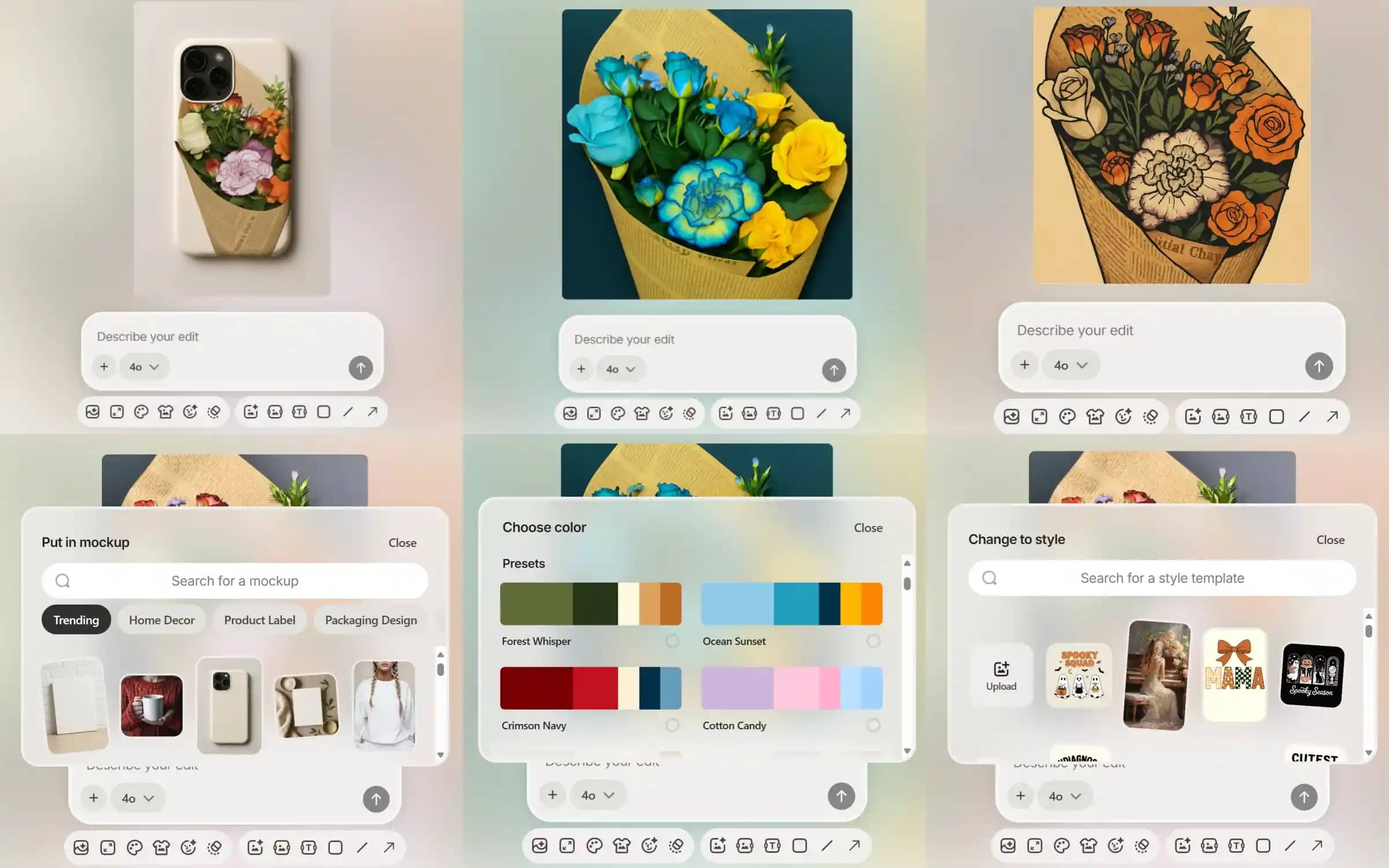
Step 2: Style and filter options
Select your favorite AI model, art style, aspect ratio and other prompt preferences before generating your image. You can refine specific areas with the native canvas or combine multiple generated images into a single composition, if you wish.
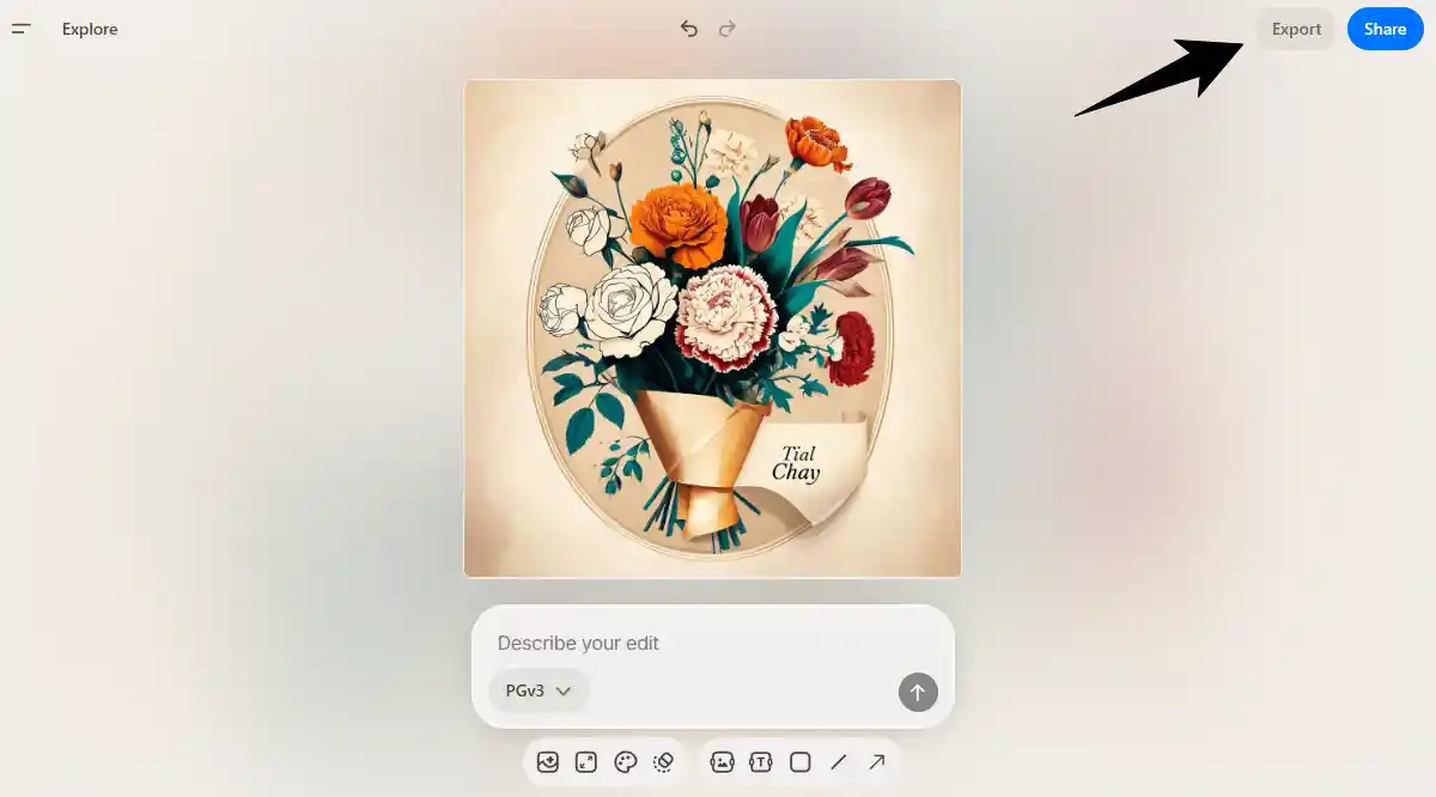
Step 3: Save and share
When you are happy with the generated image, you can download the high-resolution version or keep editing within Playground AI. The completed image can then be used for social media, marketing campaigns, presentations, creative projects or just as personal artwork.
Is Playground AI Image Generator worth using?
Playground AI Image Generator strikes a nice balance between creative flexibility and ease of use. To determine whether Playground AI is a worthwhile tool, we examined its pricing, put its image-generation workflow to the test, and read user reviews on Trustpilot, Reddit, Product Hunt, the App Store, and independent review sites.
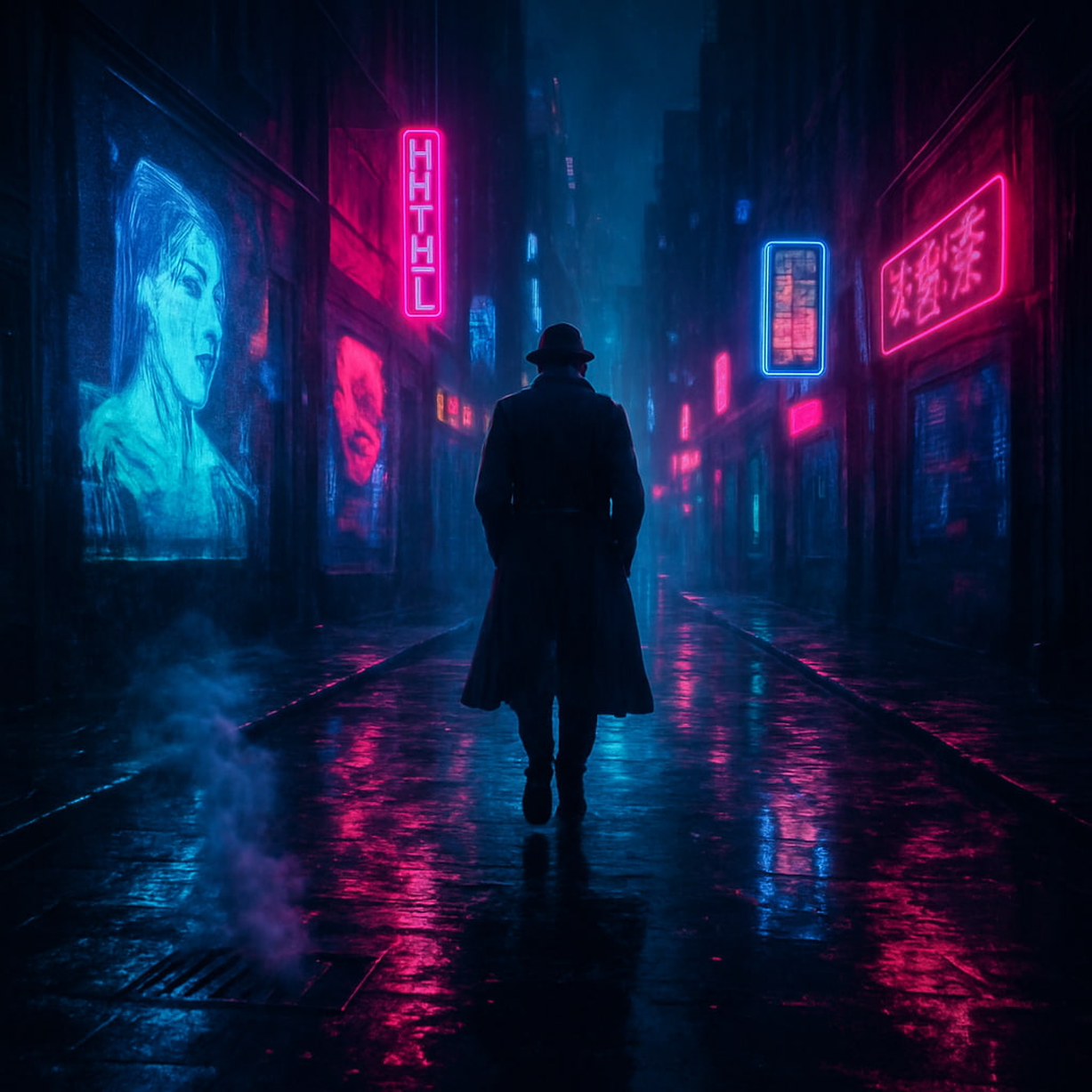
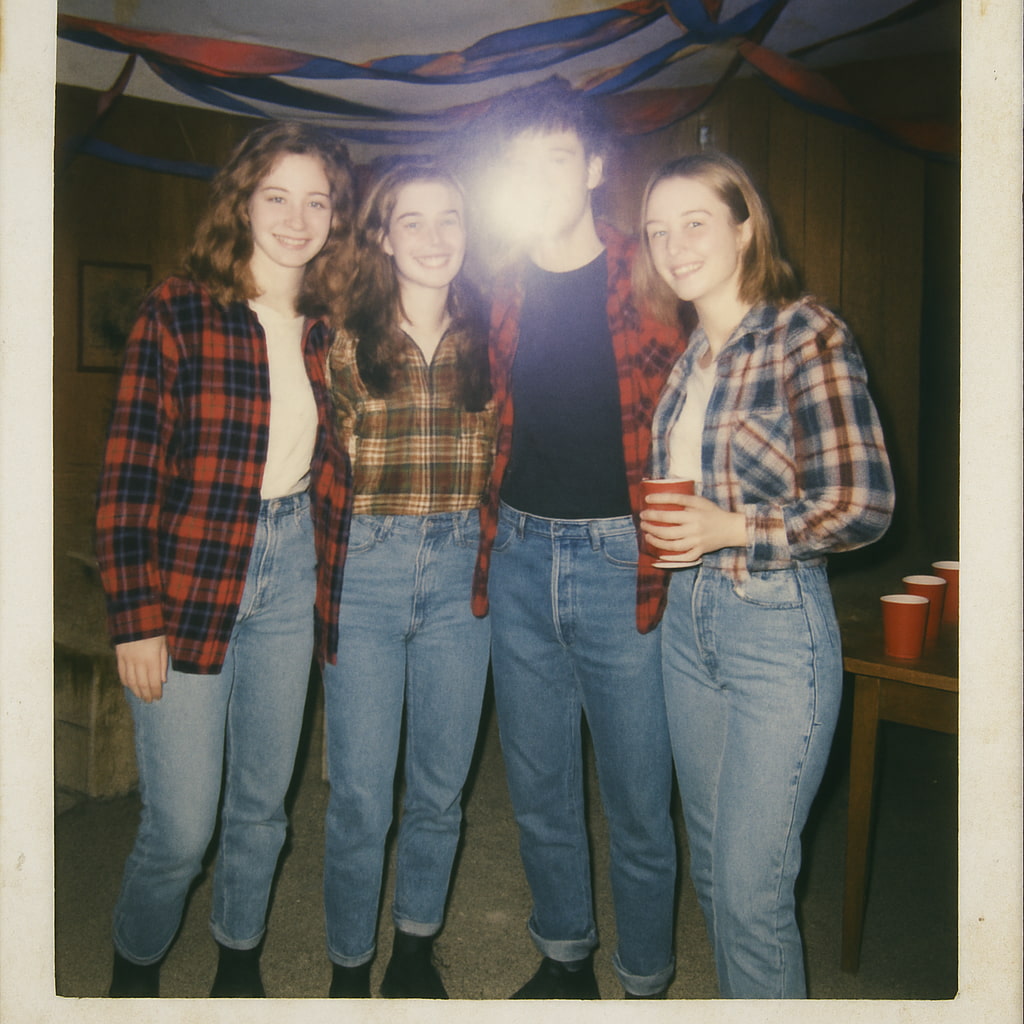
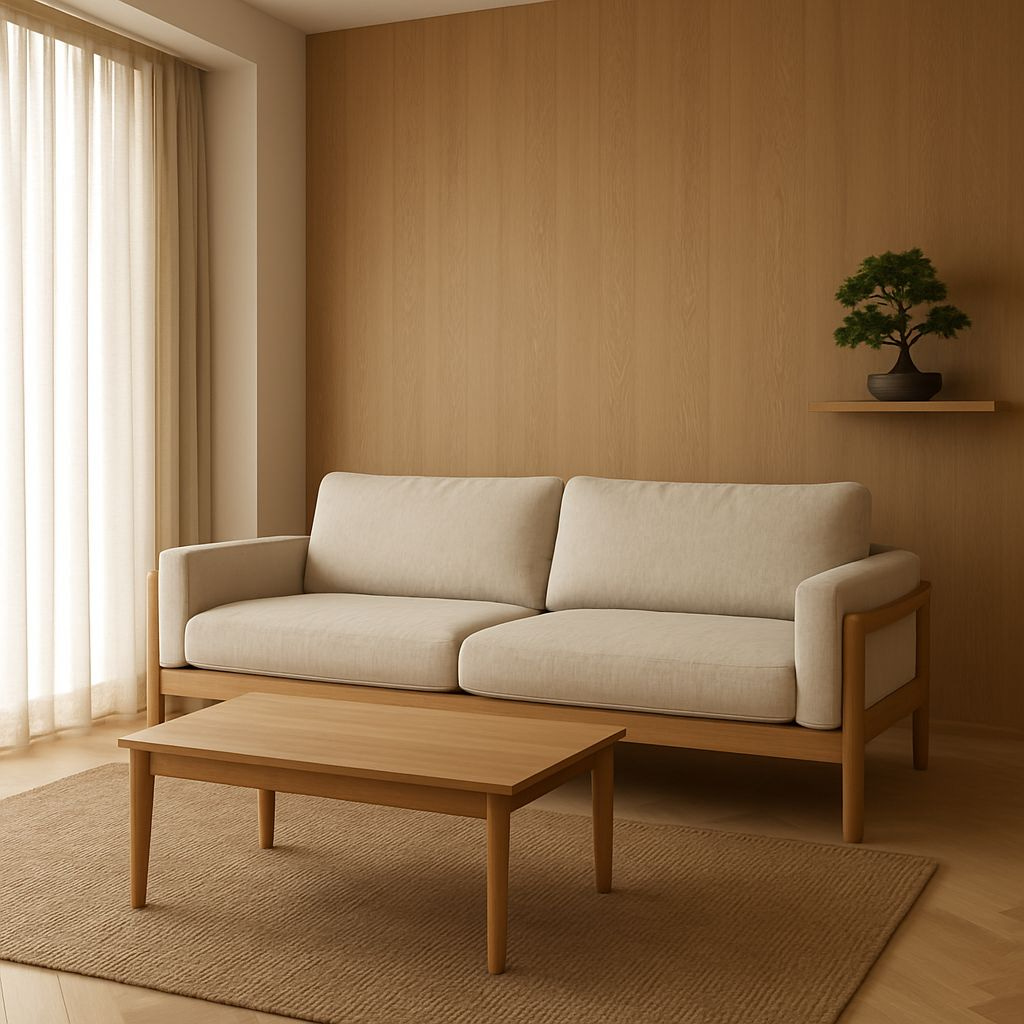
Test results
Futuristic image
90's photo
Interior design
Pricing
Playground AI offers a free plan alongside two paid subscriptions, making it easy for new users to explore the platform before upgrading.
|
Plan |
Generation limits |
Best for |
|---|---|---|
|
Free |
Limited daily image generations with access to basic AI features. Images may include usage restrictions, and some advanced models or editing tools are unavailable. |
Beginners and casual users exploring AI image generation. |
|
Pro (£15/month) |
Higher monthly generation limits, faster generation speeds, commercial usage rights, premium templates, and access to more advanced editing features. |
Freelancers, designers, marketers, and content creators create professional visuals. |
|
Pro Plus (£45/month) |
Unlimited or significantly higher image generation, access to premium AI models, 4K editing, priority processing, and commercial licensing for high-volume workflows. |
Creative professionals, agencies, and businesses produce large volumes of commercial content. |
The free plan is sufficient to get to grips with the platform and create the occasional AI image, but its limited image generation, restricted model access and non-commercial licence mean regular creators will likely outgrow it quickly.
For most users, the Pro plan offers the best value. It unlocks commercial usage, faster image generation, premium editing features, and enough monthly credits for consistent creative work without a significant increase in cost. The Pro Plus plan is better suited to agencies, creative teams, and power users who generate images daily and need unlimited generations, advanced AI models, higher-resolution editing, and API access.
Pros and cons
|
Pros |
Cons |
|---|---|
|
|
Community feedback
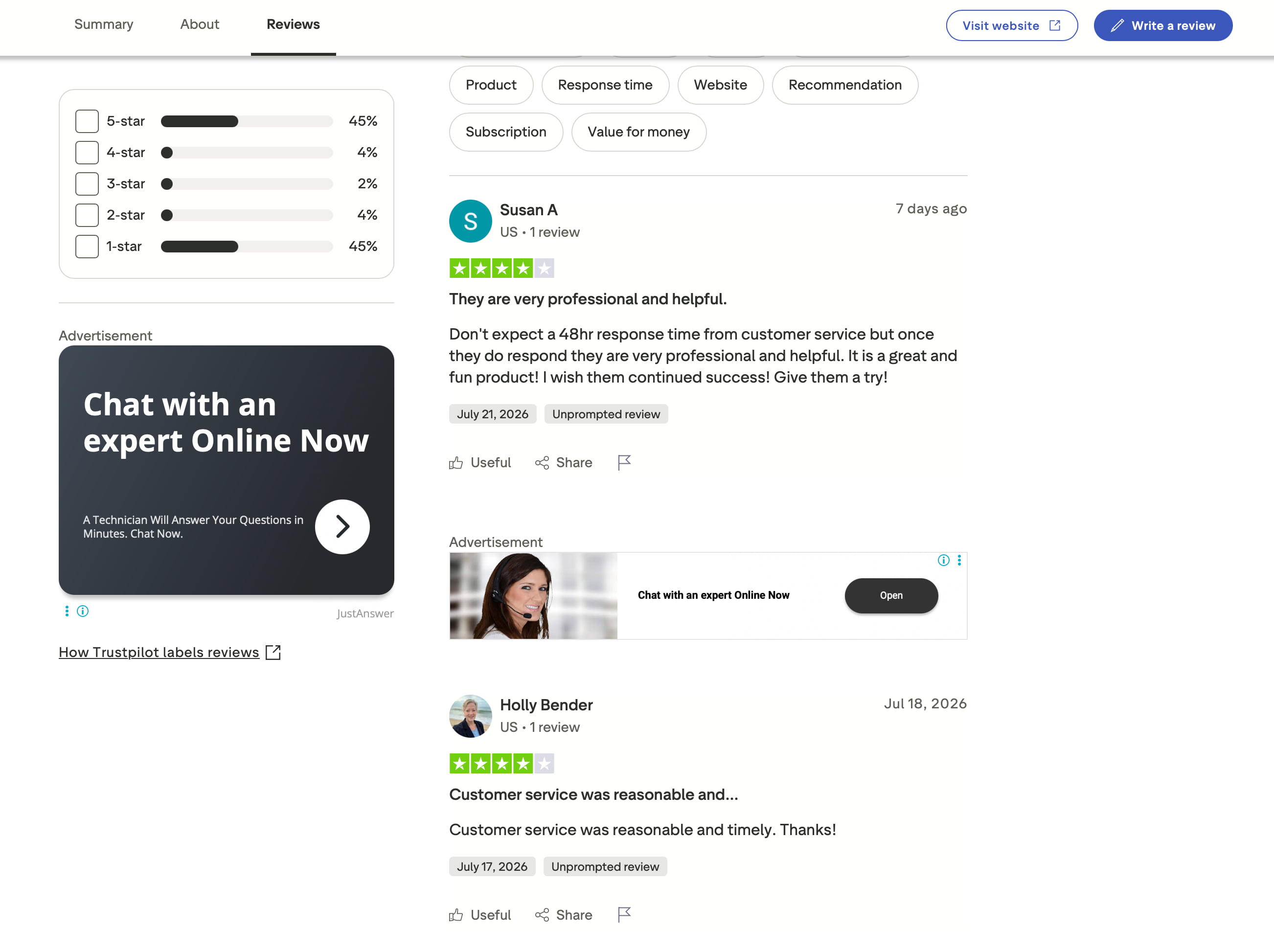
Trustpilot
Trustpilot reviews show mixed opinions. Many users praise Playground AI's helpful customer support and enjoyable experience once issues are resolved. However, negative reviews commonly mention subscription concerns, billing issues, and slower-than-expected response times, resulting in a fairly divided overall rating.
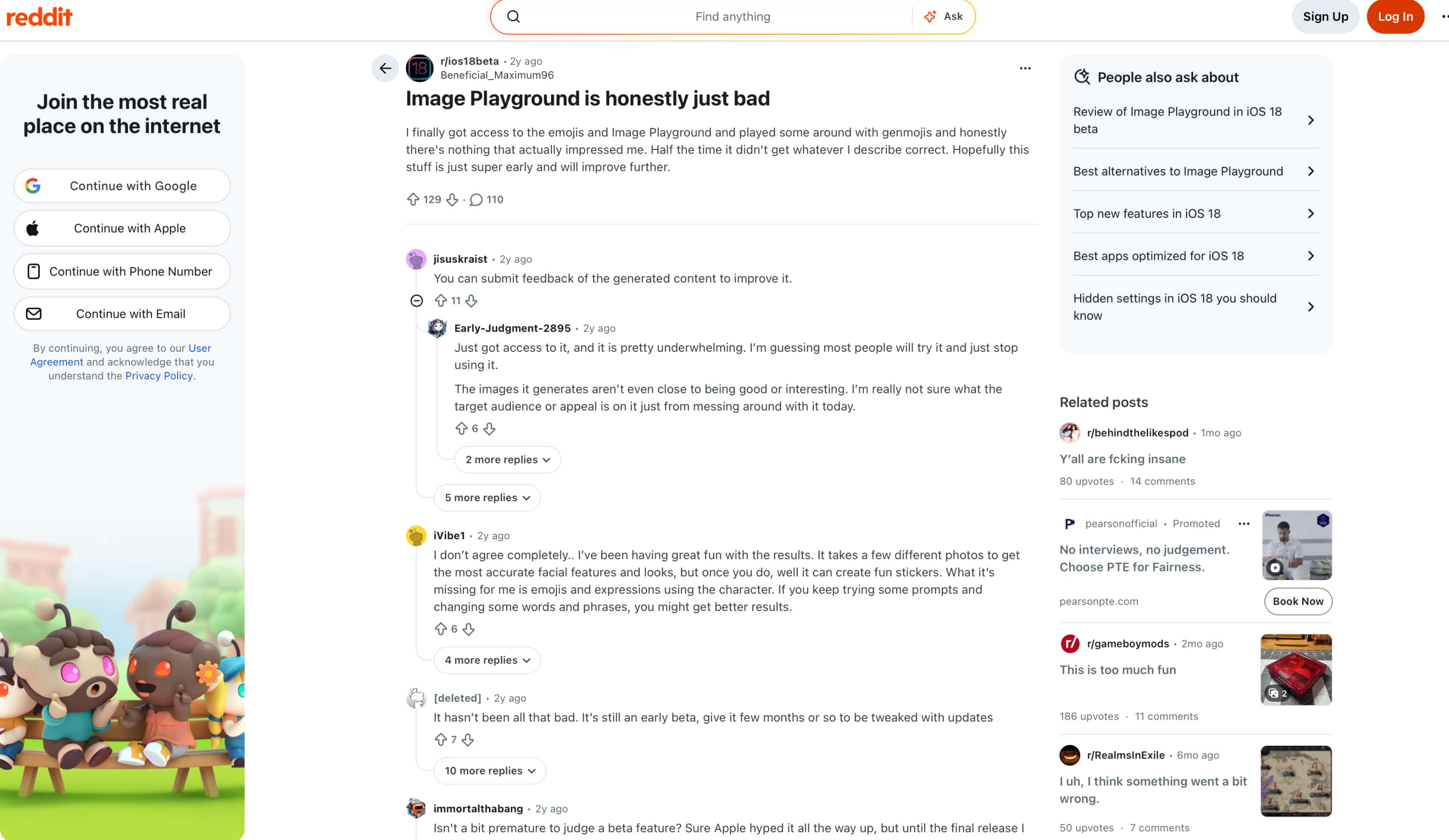
Reddit discussions are similarly mixed. Some users feel the generated images don't consistently match their prompts, while others report much better results after refining prompts and experimenting with different inputs. Overall, most discussions suggest the quality of the output depends heavily on prompt writing and expectations.
Bottom line
Playground AI is fantastic if you want a flexible, canvas-based workspace to manually tweak and compose images. But if you're running a fast-paced marketing campaign or managing a busy online storefront, playing around with complex canvas layers can honestly take up too much of your time. Sometimes you don't need an open-ended design board—you just need a tool that can instantly take a rough visual and turn it into a high-converting product shot or promo video. That's where Vmake Labs excels. Let's dive into how it stacks up.
Meet Vmake Labs AI Image Generator: A strong alternative
While Playground AI combines AI image generation with canvas-based editing, some creators may prefer a platform dedicated to generating AI images. Vmake Labs AI Image Generator focuses on helping users create high-quality visuals quickly with multiple leading AI models, flexible generation modes, and a streamlined browser-based workflow. It's well-suited for designers, marketers, content creators, and businesses creating professional visual assets.
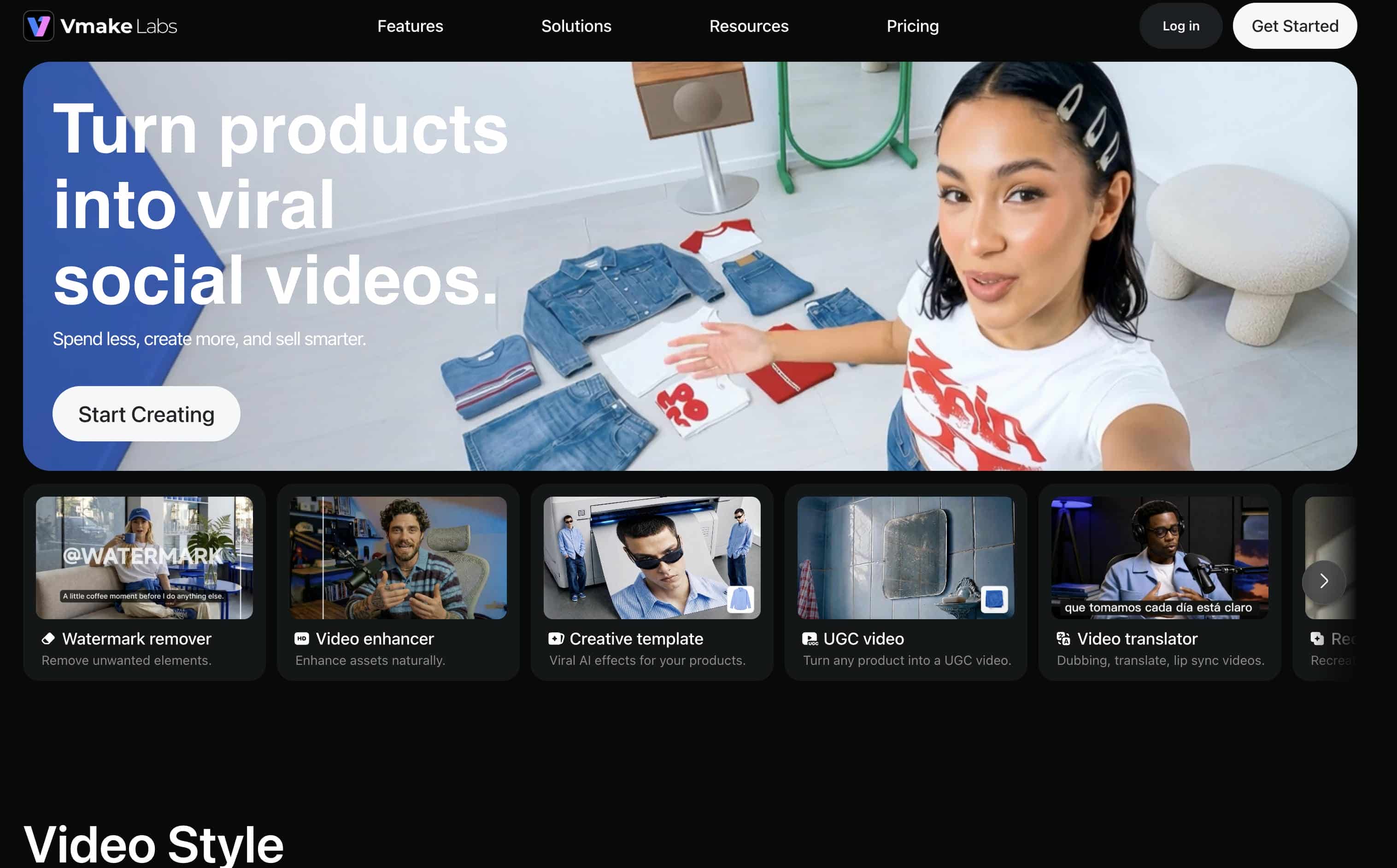
Why choose Vmake Labs AI Image Generator?
-
Create marketing visuals faster: Generate product ads, promotional graphics, social media posts, and branded creatives in minutes, reducing the time needed to produce campaign-ready assets.
-
Streamline e-commerce content production: Quickly create consistent product images and promotional visuals from text prompts or reference images, helping you keep online stores and marketplaces updated efficiently.
-
Reduce time spent editing on the canvas: Generate polished visuals from the start, minimizing manual adjustments and allowing you to focus on refining ideas instead of rebuilding designs.
-
Maintain consistent branding: Create images with a unified style across campaigns using reference images and multiple AI models, making it easier to produce cohesive marketing materials.
-
Adapt content for every platform: Generate visuals in multiple aspect ratios for social media, online stores, websites, presentations, and digital advertising without recreating designs.
-
Speed up commercial workflows: Compare results across leading AI models, refine prompts quickly, and produce high-quality branded content with a streamlined browser-based workflow designed for businesses and creative teams.
How to generate AI images with Vmake
Generating AI images with Vmake Labs takes just a few simple steps.
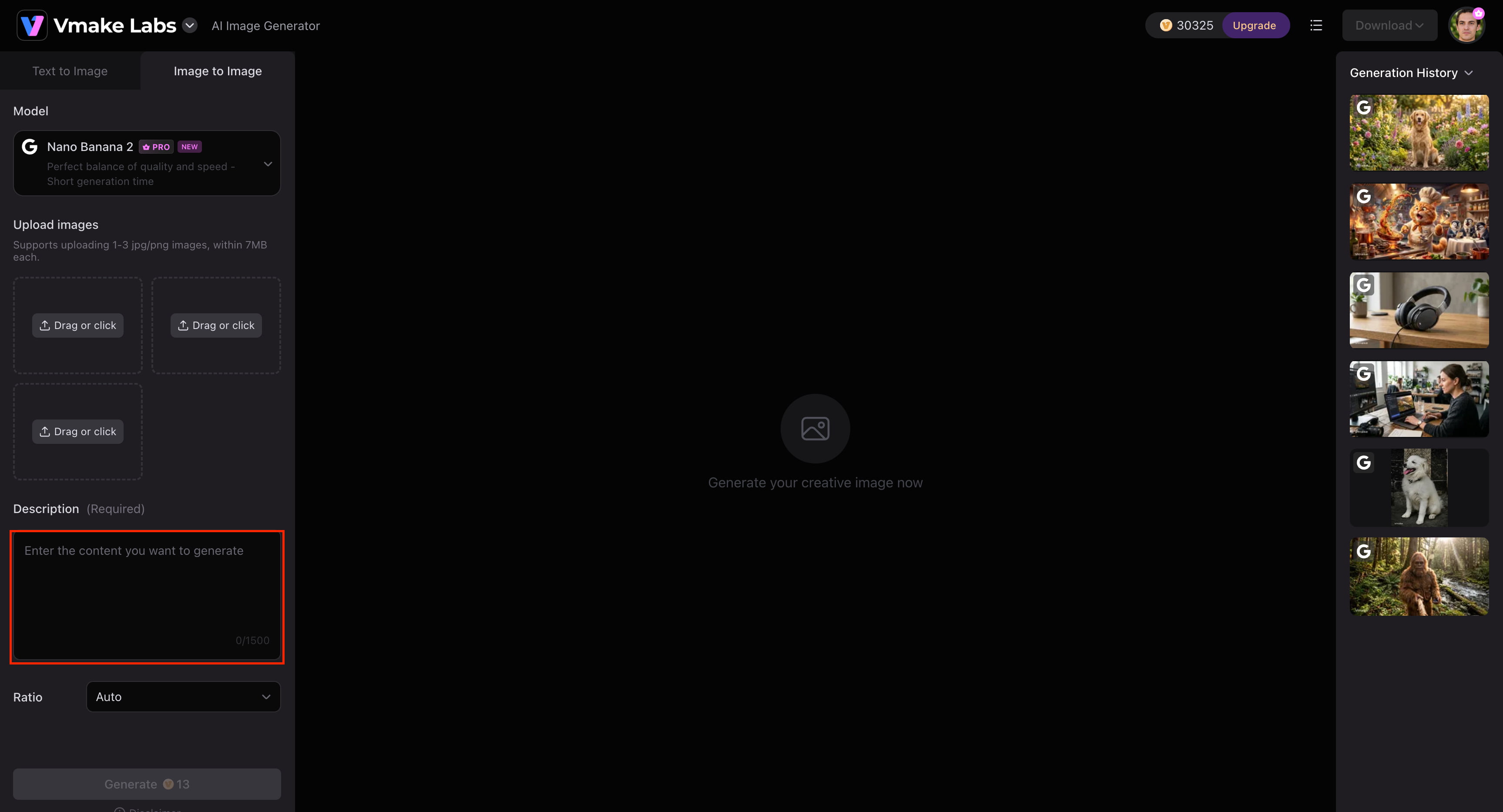
Step 1: Enter a prompt or upload reference images
Describe the image you want to create, or upload up to three reference images to guide the style, composition, or subject using Image-to-Image mode.
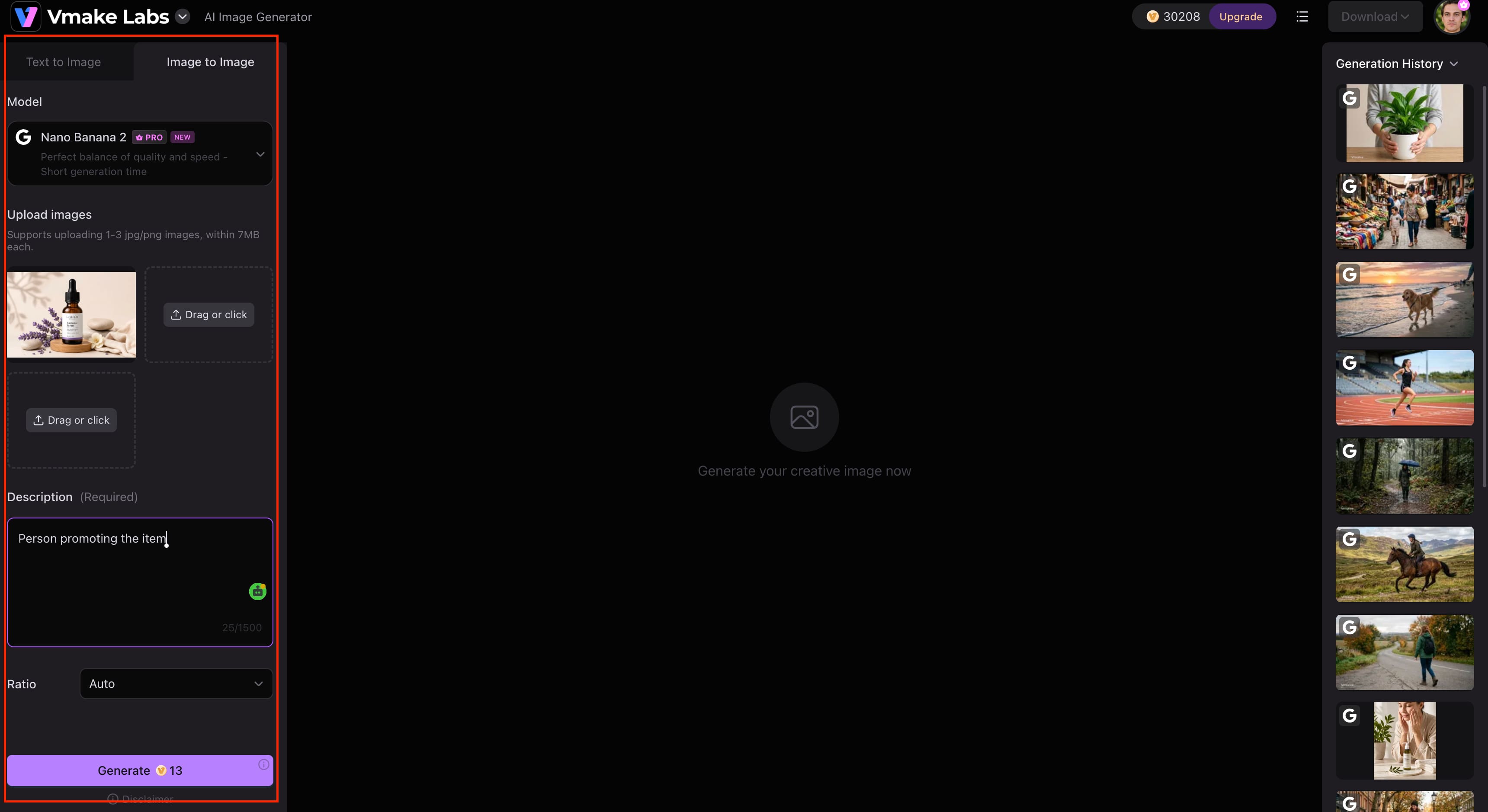
Step 2: Select an AI model
Choose the model that best fits your project, including Nano Banana 2, Nano Banana Pro, Seedream 4.0, or GPT Image 1, then select your preferred aspect ratio before generating the image.
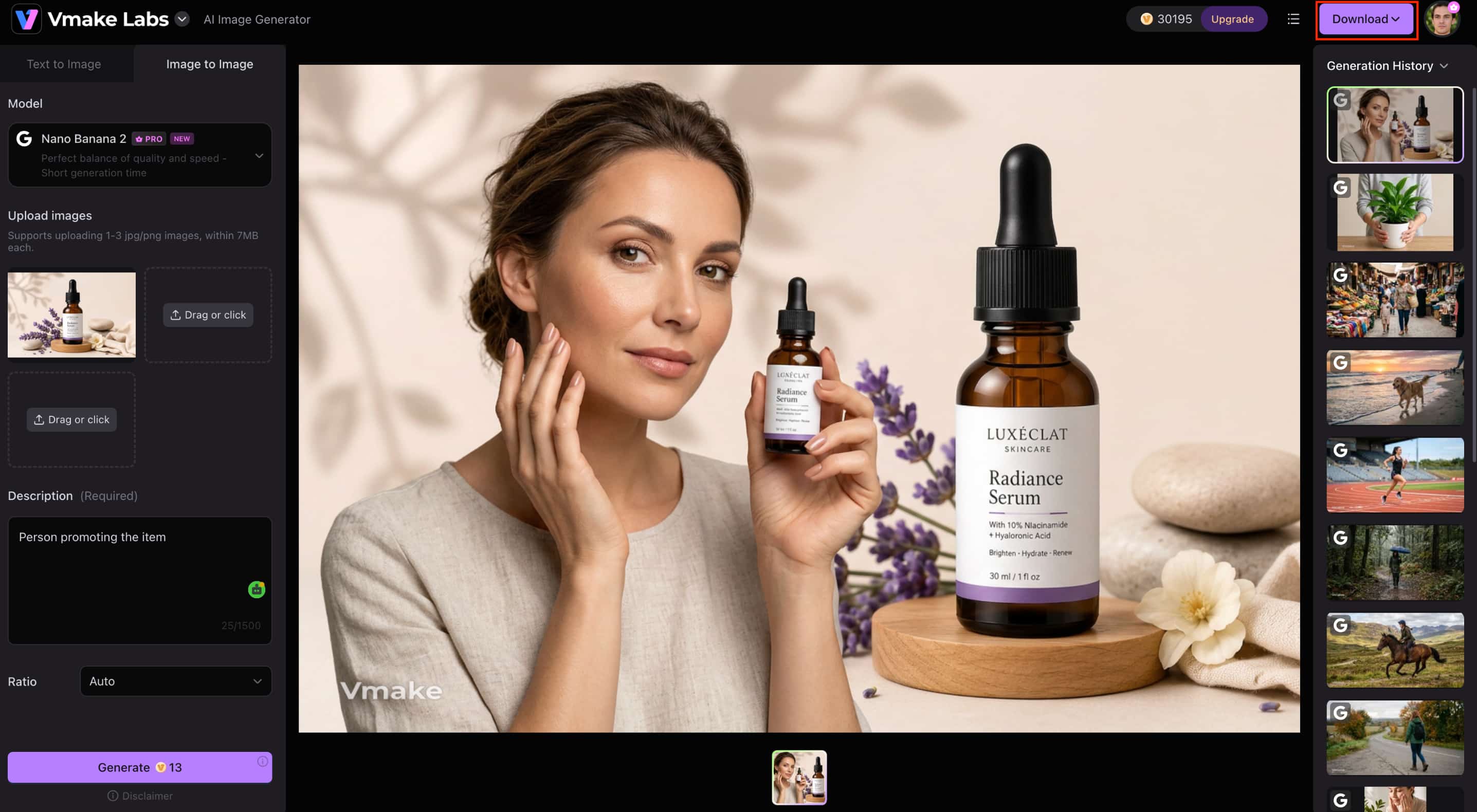
Step 3: Generate and download
Click Generate to create your image, review the results, and download your preferred version. If needed, refine your prompt or try another AI model to explore different creative styles.
Playground AI Image Generator vs Vmake Labs AI Image Generator
Both Playground AI Image Generator and Vmake Labs AI Image Generator help users create AI-generated images, but they are designed for different creative workflows. Playground AI focuses on combining image generation with canvas-based editing, while Vmake Labs is built around fast AI image generation using multiple leading AI models for both creative and commercial projects.
|
Category |
Playground AI |
Vmake Labs AI |
|---|---|---|
|
Best for |
Creative image generation and canvas editing |
AI image generation for creative and commercial use |
|
AI models |
Multiple image models |
Multiple leading AI models |
|
Image generation |
Text-to-image and image-to-image |
Text-to-image and image-to-image |
|
Editing tools |
Built-in canvas editing |
Multi-model AI image generation |
|
Platform |
Web, Android and iOS |
Web |
|
Free version |
Available |
Available |
Choose Playground AI if you want an all-in-one workspace where you can generate, edit, and combine AI images in the same project. Its canvas-based workflow makes it particularly useful for brainstorming, concept development, and collaborative creative work.
Vmake Labs is the best choice if you want to create high-quality AI images quickly and have access to several leading AI models. With its browser-based workflow, text-to-image and image-to-image capabilities, and commercial-ready outputs, it's a compelling choice for marketers, designers, businesses and professional creators.
Conclusion
Playground AI Image Generator is a great option for users who are looking for more than just a basic text-to-image tool. AI image generation, canvas-based editing, and multiple AI models combine to make it a great fit for creative experimentation, marketing assets, and concept development. Heavy users will see the limits of the free plan and the need for rapid refinement. If you're looking for dedicated AI image generation with access to multiple leading AI models, flexible text-to-image and image-to-image workflows, and commercial-ready outputs, Vmake Labs AI Image Generator is a compelling alternative to consider.
FAQs
-
What is Playground AI Image Generator?
Playground AI Image Generator is an AI-powered platform that creates images from text prompts while also offering image-to-image editing and a built-in canvas for refining designs. If your focus is primarily on generating AI images rather than editing them, Vmake Labs AI Image Generator offers a streamlined workflow with multiple leading AI models for creating original visuals.
-
Is Playground AI Image Generator free?
Yeah. Playground AI provides a free plan that allows you to create AI images and try out its main features, but with limits on generation and access to premium tools. For even more flexibility for personal or commercial projects, Vmake Labs AI Image Generator also offers free access along with advanced AI image generation capabilities.
-
How does Playground AI image generation work?
Playground AI generates images by converting text prompts into AI-created visuals, which you can further refine using its editing tools and canvas workspace. If you also want to create images from reference photos, Vmake Labs AI Image Generator supports both text-to-image and image-to-image generation with up to three reference images.
-
Can I edit AI-generated images in Playground AI?
Yes. Playground AI allows you to edit AI-generated images using its built-in canvas, making it easy to modify, expand, or combine visuals after generation. If you want to further improve image clarity or resolution, Vmake Labs Image Enhancer can sharpen and upscale your finished images.
-
Which AI models does Playground AI support?
Playground AI supports multiple AI image models, giving users the flexibility to generate images in different artistic styles and experiment with various creative outputs. If you prefer a platform with access to leading models such as Nano Banana 2, Nano Banana Pro, Seedream 4.0, and GPT Image 1, Vmake Labs AI Image Generator is worth considering.
-
Is Vmake Labs AI a good alternative to Playground AI?
Yes. Vmake Labs AI Image Generator is a strong alternative if your priority is dedicated AI image generation. It offers multiple leading AI models, text-to-image and image-to-image generation, support for up to three reference images, and a fast browser-based workflow designed for commercial-ready image creation.

You May Be Interested

FLUX AI Image Generator Review 2026: Is It Worth Using?

Raphael AI Image Generator Review 2026: Worth Trying?
Topaz Labs Image Enhancer Review: Is the hype worth it?
Artguru Image Upscaler Review: Features & Best Alternative
How to Create Professional YouTube Thumbnails with AI: A Creator’s 2026 Strategy
