
Adobe Firefly AI Video Generator Review: Is It Worth Using in 2026?
Adobe Firefly AI Video Generator brings Adobe's generative AI technology to video creation. This Adobe Firefly AI video generator review explores its features, pricing, video quality, free plan, and the best alternative.

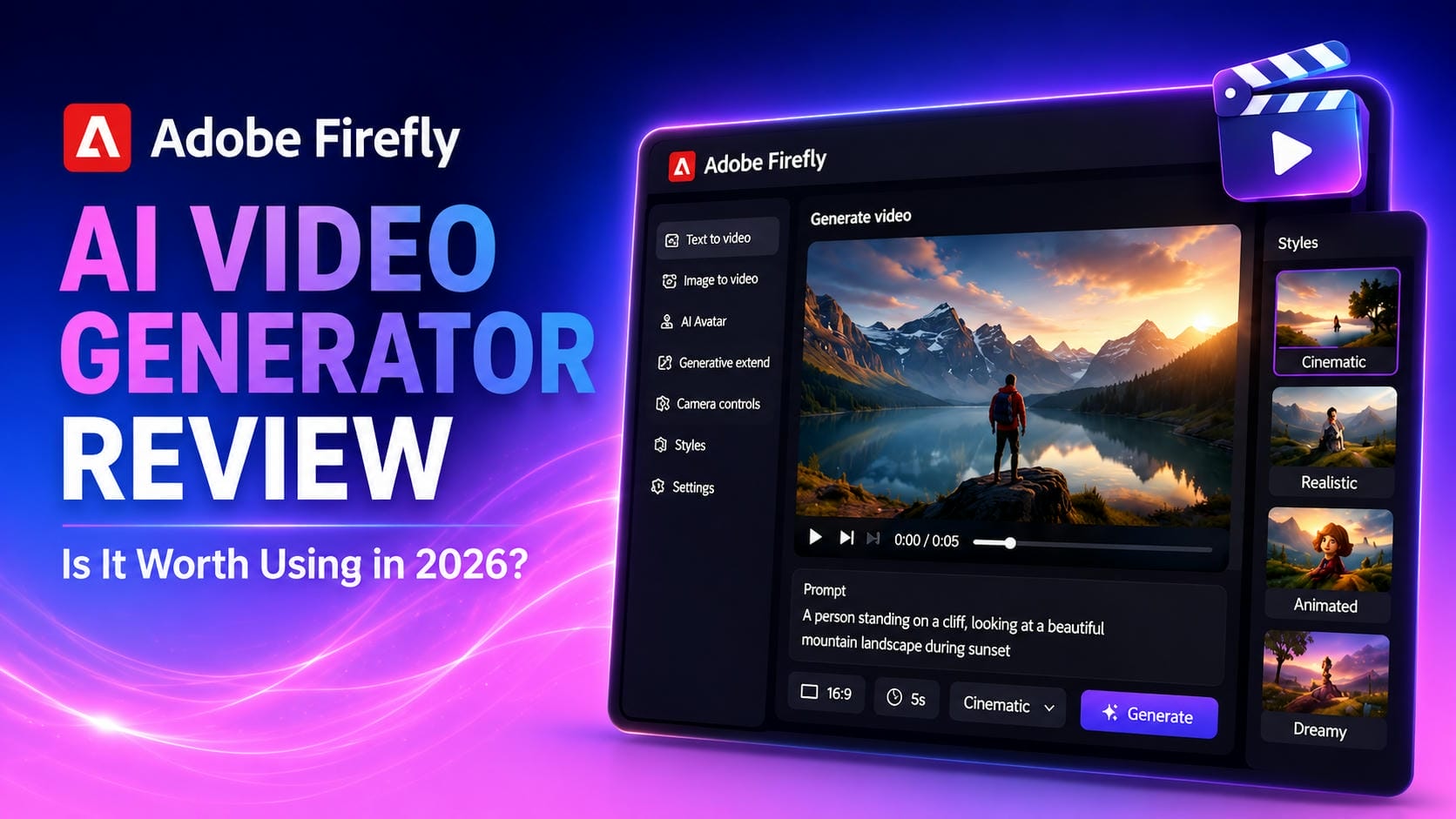
Adobe has expanded Firefly into AI video creation, giving you a way to turn text prompts and images into short video clips. In this Adobe Firefly AI video generator review, you'll learn about its features, pricing, video quality, user experience, and whether it's still worth using in 2026.
Overview of Adobe Firefly AI Video Generator
The Adobe Firefly AI Video Generator is Adobe's generative AI video platform that enables users to create videos from text prompts and images. Built around Adobe's commercially safe Firefly models, it focuses on creative video generation, camera controls, style customization, and seamless integration with Adobe Creative Cloud applications.
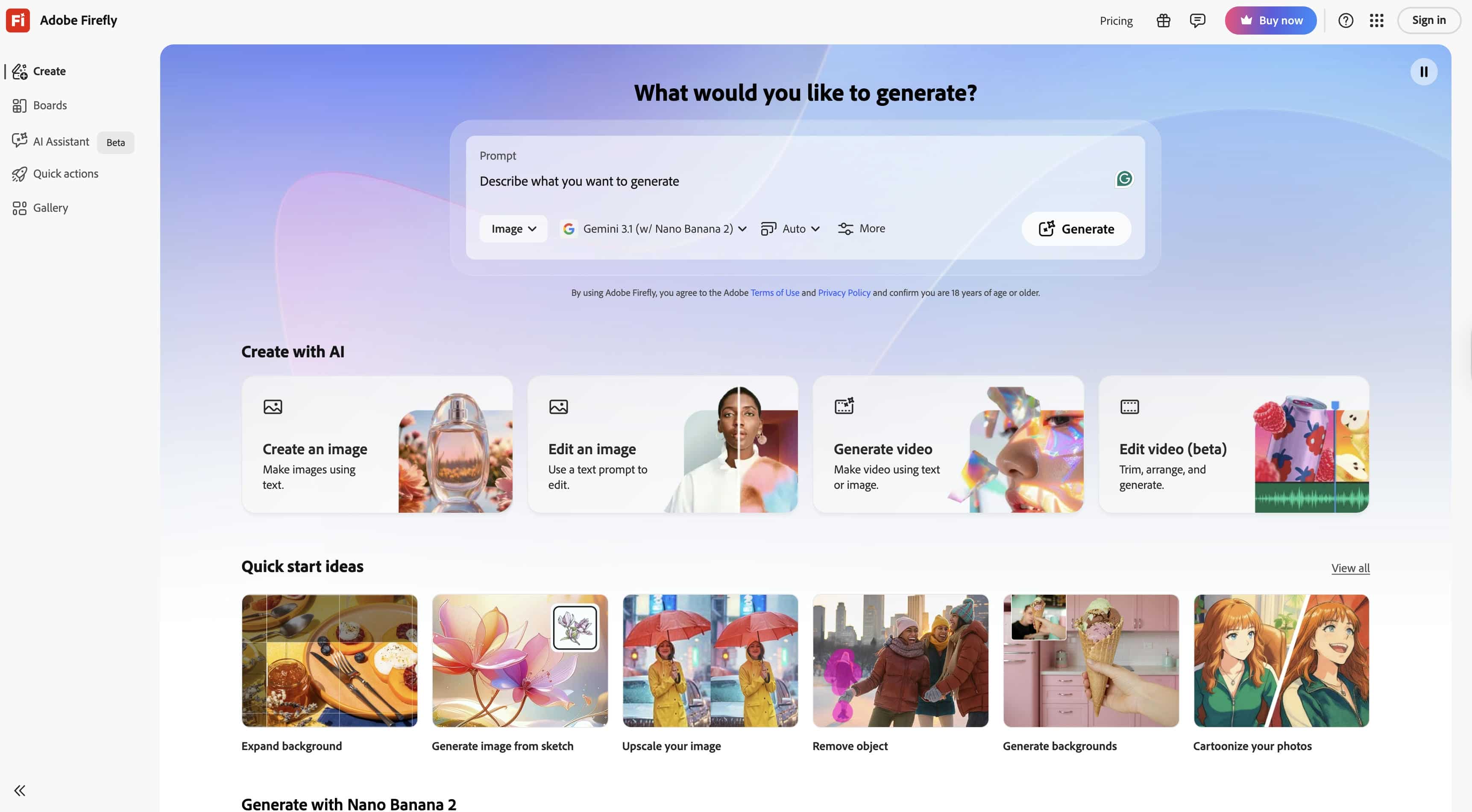
Adobe Firefly AI Video Generator Features
Text-to-Video Generation
Adobe Firefly allows users to generate videos by describing a situation with natural language cues. The technique reads text instructions and produces video clips containing settings, activities, lighting conditions and dramatic compositions without the need for cameras or production equipment.
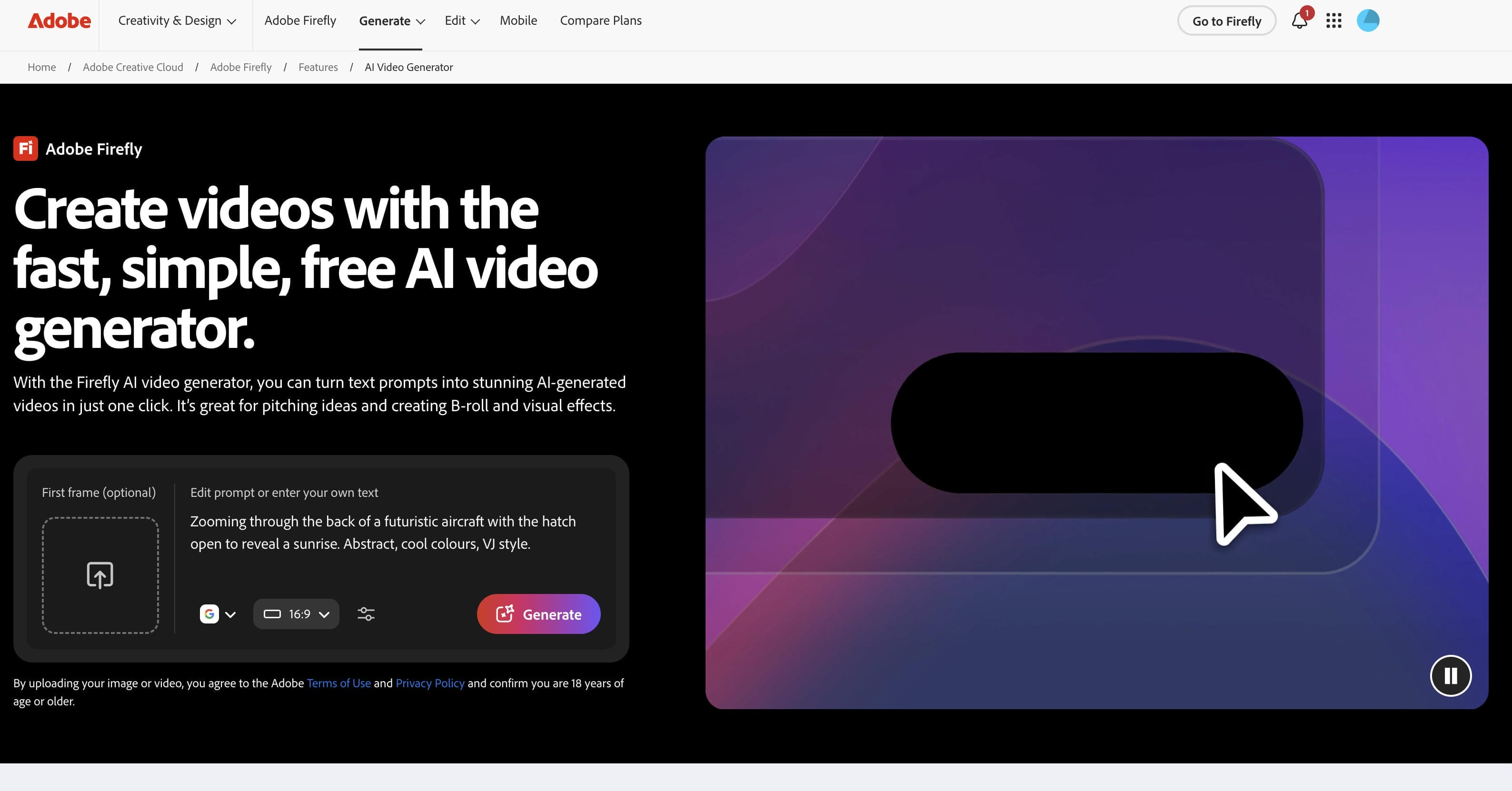
Image-to-Video Animation
Adobe Firefly also enables image-to-video production to animate still images and convert them into dynamic motion material. Creators may submit an image and add movement while retaining much of the original composition, style and visual identity.
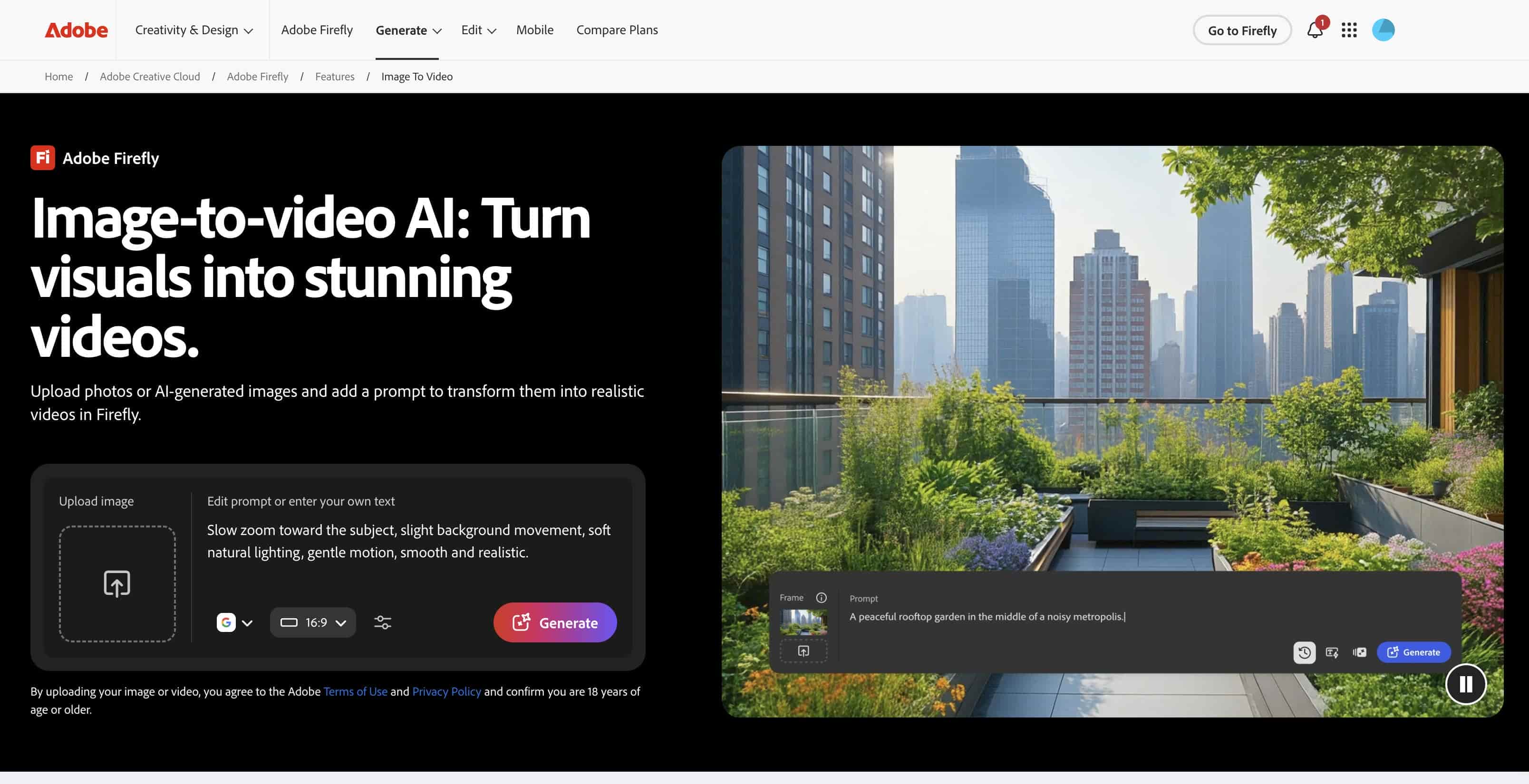
AI Talking Avatar Generation
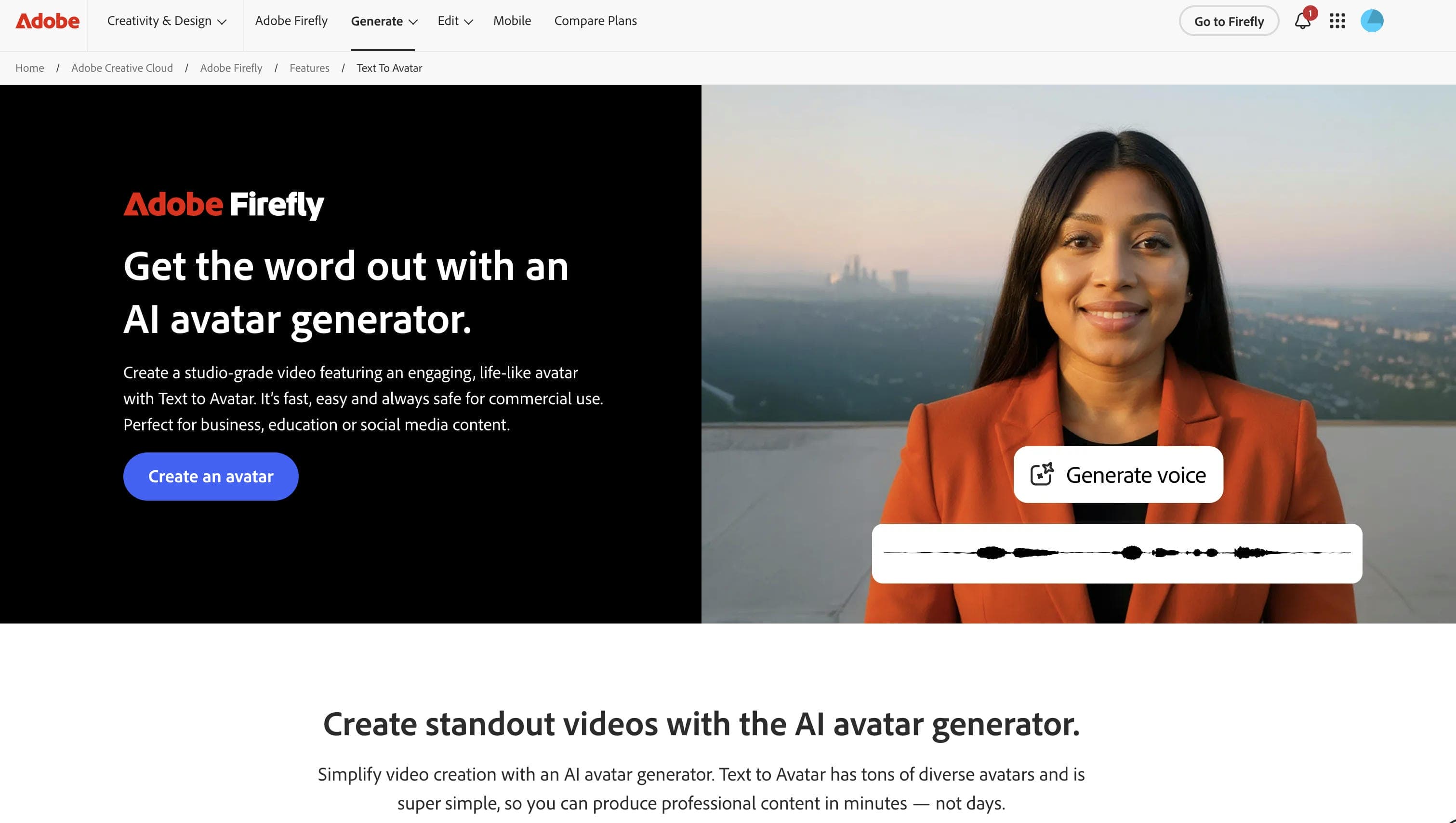
Adobe Firefly adds AI talking avatar capabilities, allowing users to produce presenter-style films without appearing on camera. Digital avatars can give scripts in a natural way, which means faster, more scalable content development.
Generative Extend
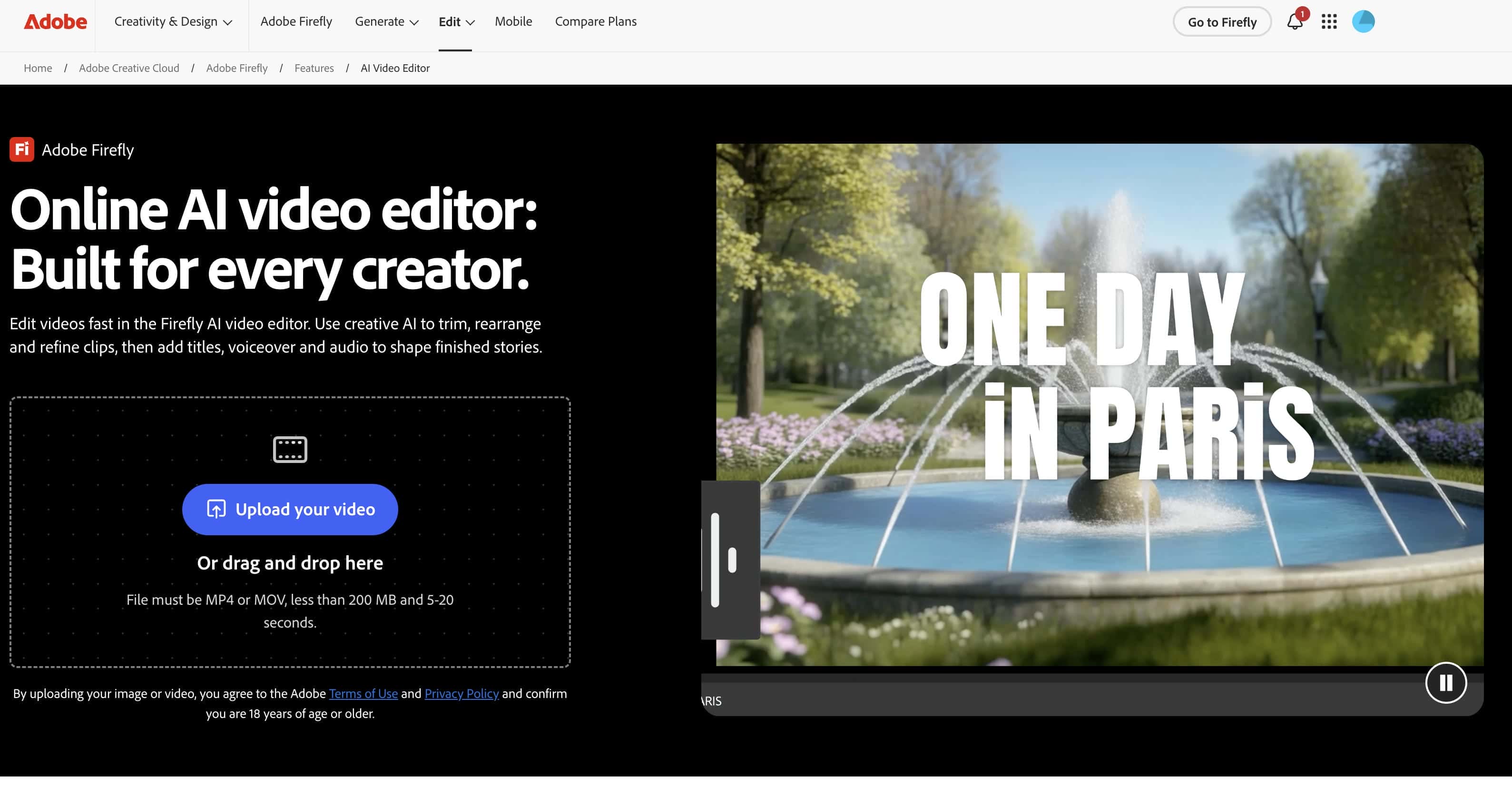
Generative Extend takes the current clips and generates new frames outside of the original sequence. This can smooth over transitions, keep scenes going, and mean less human editing when a generated clip cuts off too abruptly. For editors and content makers, this capacity can increase workflow efficiency while retaining visual continuity.
Style and Visual Controls
Adobe Firefly features visual customization options that let producers tweak the look, feel, and style of generated material. These controls help ensure visual consistency and that videos are in line with certain creative or branding goals.
Adobe Creative Cloud Integration
Another bonus for Firefly is that it works well with the rest of Adobe's ecosystem. Users can import AI-generated assets into their existing Premiere Pro workflows to introduce AI generation into professional editing tools. For existing Adobe users, this connection provides a more seamless production experience than standalone options.
Adobe Firefly AI Video Generator: How to Use (Step-by-Step Guide)
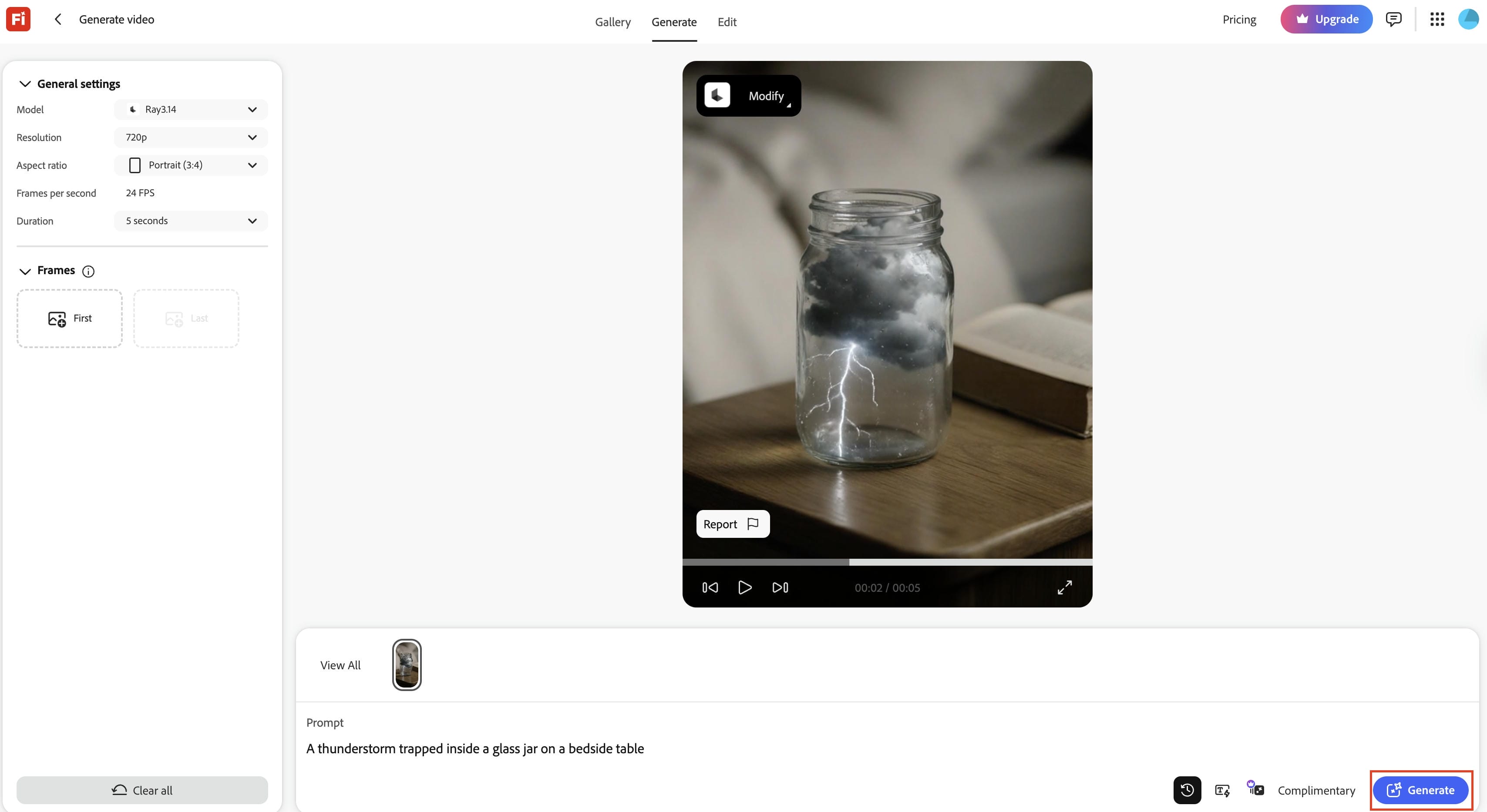
Step 1: Open Adobe Firefly Video Generator
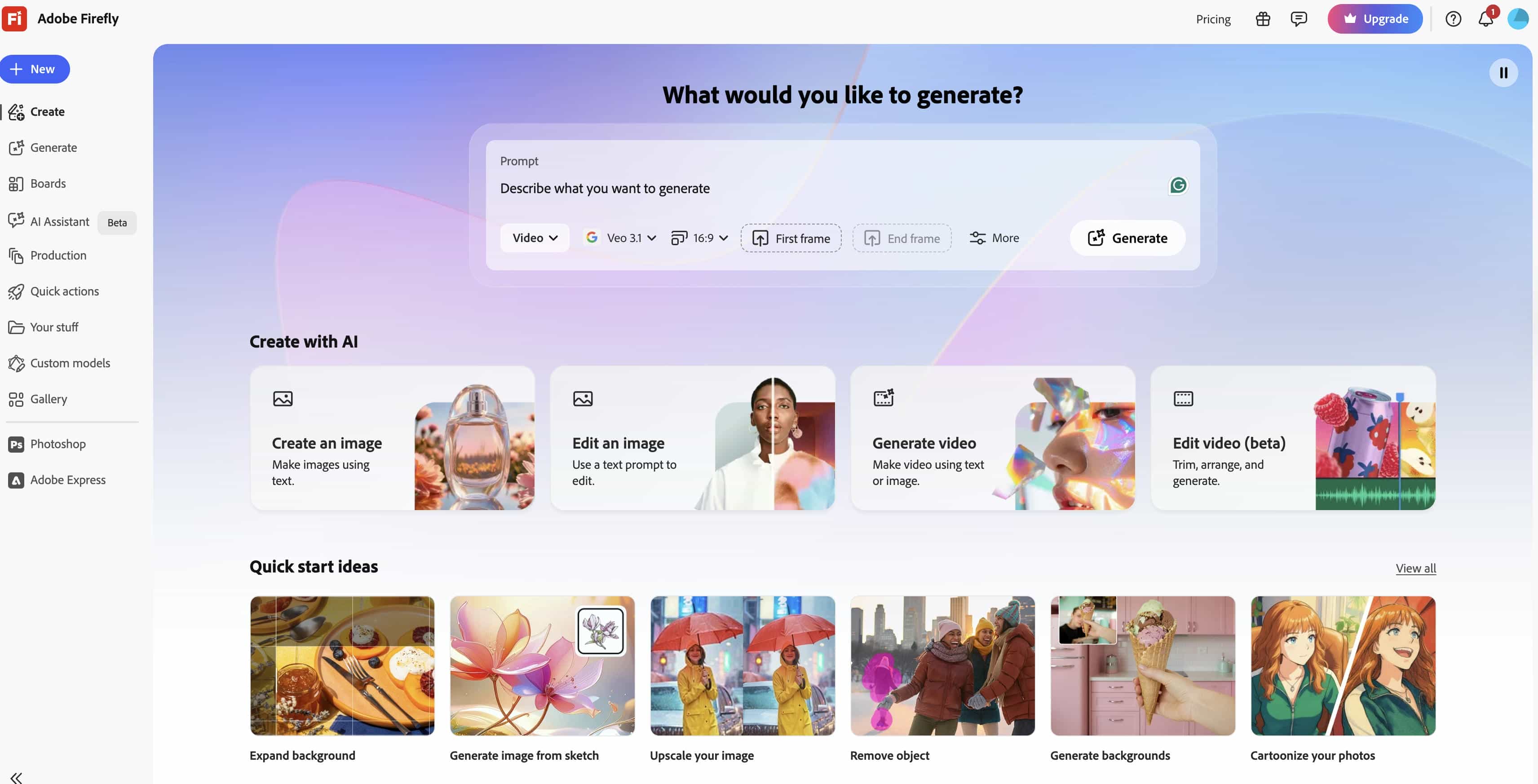
Visit Adobe Firefly through Adobe's web platform and open the Video Generator workspace. From there, you can access the available video creation tools and begin a new project.
Step 2: Enter Your Prompt and Customize Parameters
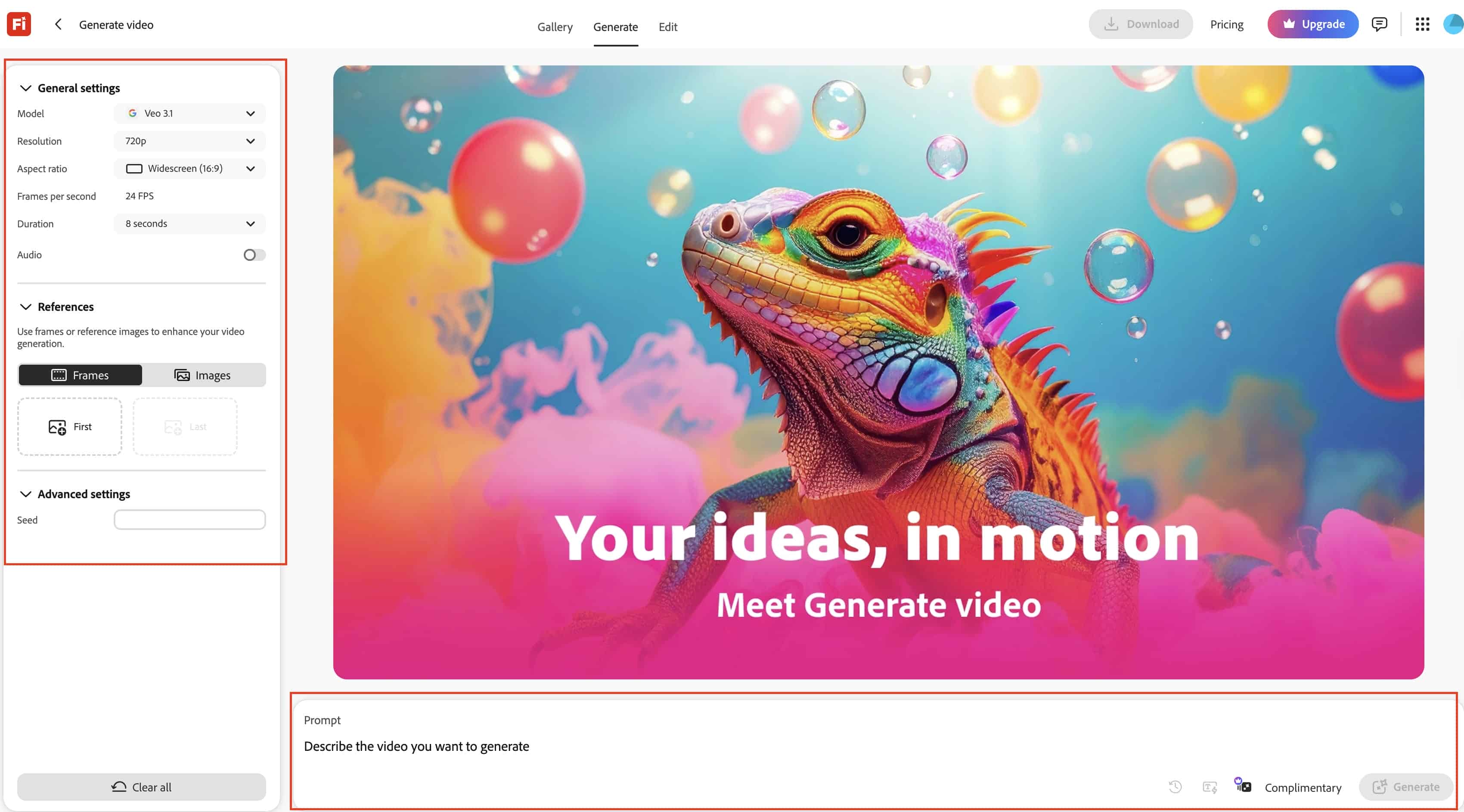
Describe the video you want to generate using a detailed text prompt. You can then adjust generation settings such as visual references, style preferences, camera controls, and other creative parameters to guide the output.
Step 3: Generate, Preview, and Download the Video
Hit Generate and let Firefly do its thing to make the video. Review the findings, make fast edits, recreate variants, and download the final version when you are satisfied with the output.
Pros, Cons, and Pricing of Adobe Firefly AI Video Generator
Pros and Cons
|
Pros |
Cons |
|---|---|
|
High-quality AI video generation with strong visual realism |
Video length remains relatively limited compared to traditional editing workflows |
|
Advanced camera and style controls |
Generation credits can be consumed quickly |
|
Commercially safe AI model for professional projects |
Premium features require paid Adobe plans |
|
Seamless integration with Adobe Creative Cloud |
Output quality may vary depending on prompt quality |
|
Strong image-to-video and text-to-video capabilities |
Fewer editing features than dedicated video editors |
Pricing and Plans
Adobe uses a credit allocation model across individual and team plans to regulate video rendering:
|
Firefly Standard |
Firefly Pro |
Firefly Pro Plus |
Firefly Premium |
|---|---|---|---|
|
$9.99/mo |
$19.99/mo |
$34.97/mo |
$139.91/mo |
|
|
|
|
Note: Adobe Firefly is a subscription service that employs credits. The higher plans offer access to more AI models, larger monthly credit allowances, and enhanced video-generating capabilities.
Video Quality and User Experience
Video Quality
-
Quality of Text-to-Video Outputs: Renders are crisp and exceptionally stable. The model handles background environmental details well without the sudden visual mutations common in unchecked open-source platforms.
-
Quality of Image-to-Video Animations: Exceptional performance. It preserves the exact visual identity of product models and logos while applying fluid, realistic physics to the added motion.
-
Motion Consistency and Scene Coherence: High. Objects stay structurally sound from frame 1 to frame 5, maintaining mathematically correct lighting, reflections, and shadows throughout the clip duration.
-
Effectiveness of Style Controls: The composition and style-matching filters allow designers to closely replicate existing photographic reference materials, keeping brand palettes perfectly intact.
-
Impact of Prompt Quality: Firefly responds heavily to specific camera terminology. Using vague phrasing results in standard, flat footage, meaning you must write detailed prompts to unlock premium, cinematic looks.
User Experience
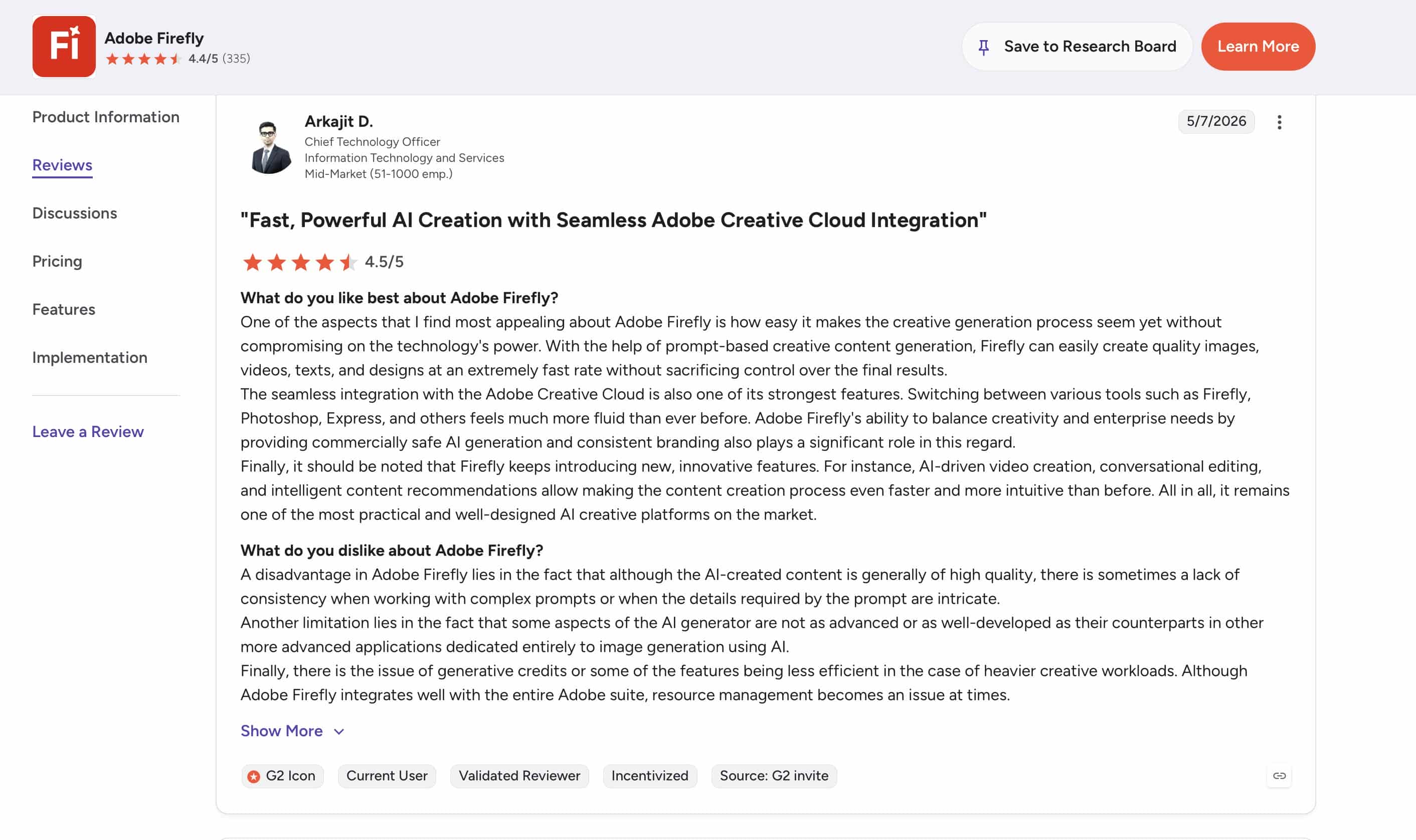
G2 Review Insight
Based on recent G2 comments, Adobe Firefly is getting positive reception from customers for its quick AI-powered content creation, great output quality, and easy connection with Adobe Creative Cloud products. Its capacity to quickly generate photos, movies, and creative assets, while delivering commercially safe outputs, is cited by reviewers. Some users report occasional anomalies with sophisticated prompts; however, credit usage can become an issue while working on larger creative projects.
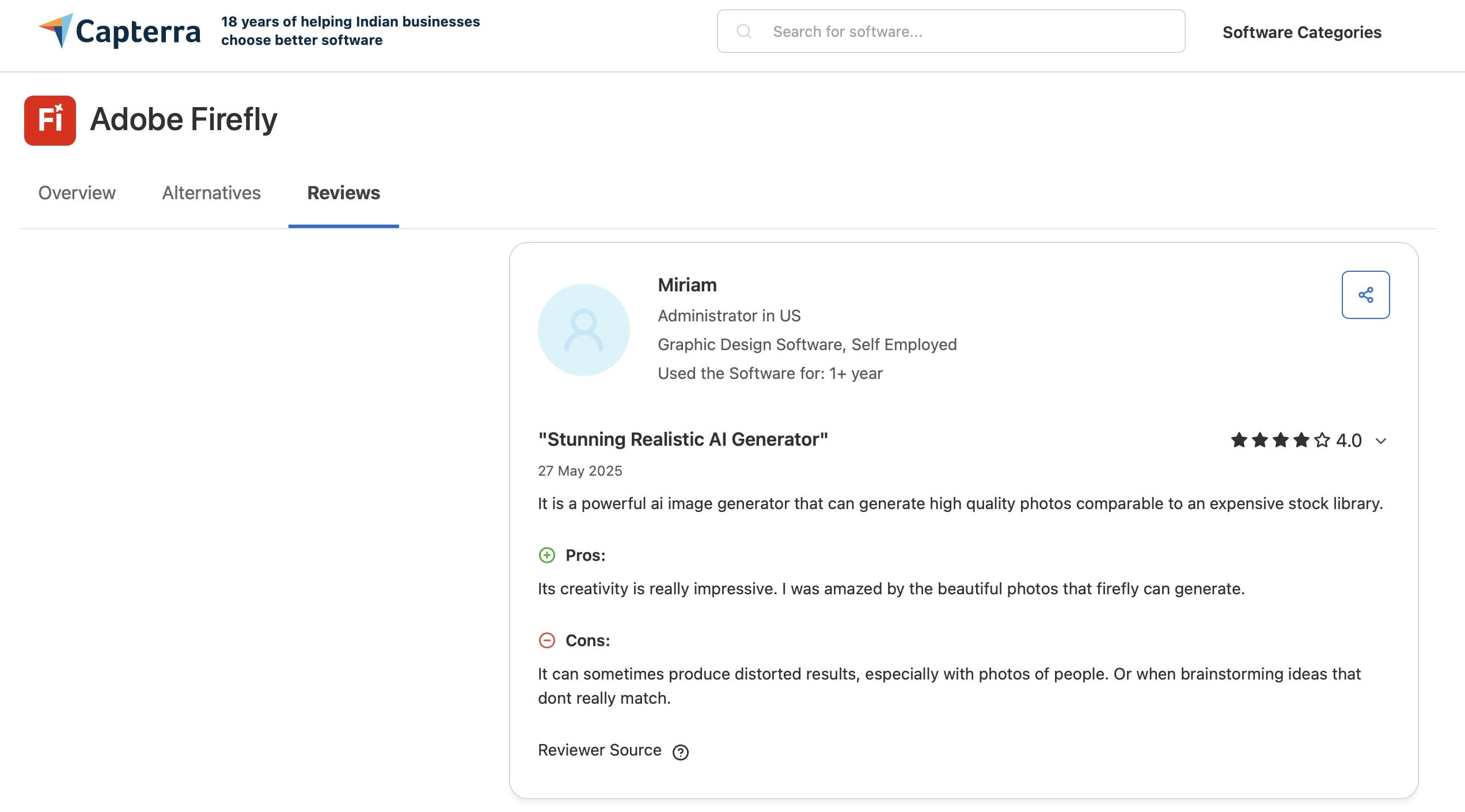
Capterra Review Insight
Capterra reviewers generally prefer Adobe Firefly for its realistic and high-quality AI-generated visuals and intuitive user experience. It is quite beneficial for creative brainstorming and design operations for many people. On the downside, many reviews say the generated results can sometimes look twisted or less realistic, especially when employing complex instructions or photographs featuring humans.
Editorial Verdict
Adobe Firefly is a good solution for producers looking for high-quality AI-generated content, comprehensive creative capabilities, and easy connectivity with Creative Cloud. Its AI models are financially safe, and its outputs are refined, making it particularly appealing to designers, editors, and creative teams. But credit-based usage and a more sophisticated workflow may not play well with users who value speed and simplicity when producing large amounts of content.
Meet Vmake AI: A Robust Alternative to Adobe Firefly AI Video Generator
Vmake AI is a standalone, performance-oriented AI video creation platform designed specifically for fast-growing digital brands, drop-shippers, and social content agencies. Rather than framing AI video as a piece of a larger post-production suite, Vmake AI prioritizes a fast workflow. It enables users to instantly turn simple product descriptions or raw mobile photos into high-converting social media ads, model showcases, and optimized marketplace media assets.
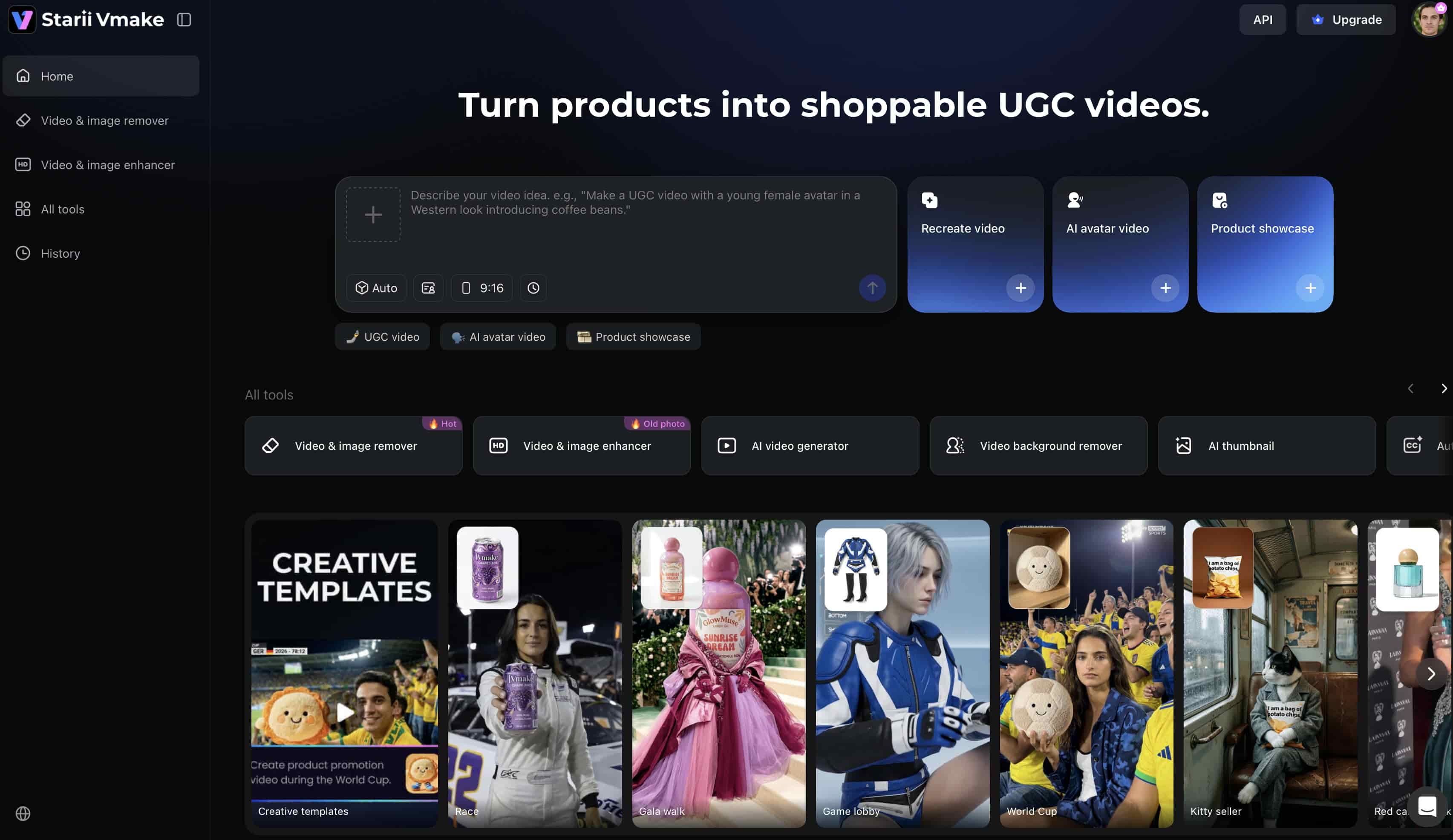
Key Features of Vmake AI Video Generator
-
Multi-model AI video generation: Vmake gives you access to multiple top AI video models in one place. You can easily switch between Kling 3.0, Seedance 2.0, and others to find the perfect style and quality for your project.
-
Text/Image-to-video generation: Convert text descriptions or upload still photos into moving video clips. The tool automatically adds motion, physics, and animations to static inputs.
-
AI avatar videos & talking heads: Create realistic AI avatars and talking-head videos with synced speech, facial movement, and gestures for explainers, tutorials, and marketing content.
-
Powerful video enhancer & upscaler: Enhance video clarity, reduce noise, improve sharpness, and upscale footage resolution up to 4K using AI-based processing tools.
-
High-resolution output & precise duration control: Export videos in resolutions up to 4K with adjustable video duration controls ranging from 2 to 15 seconds.
How to Generate Videos Using Vmake AI
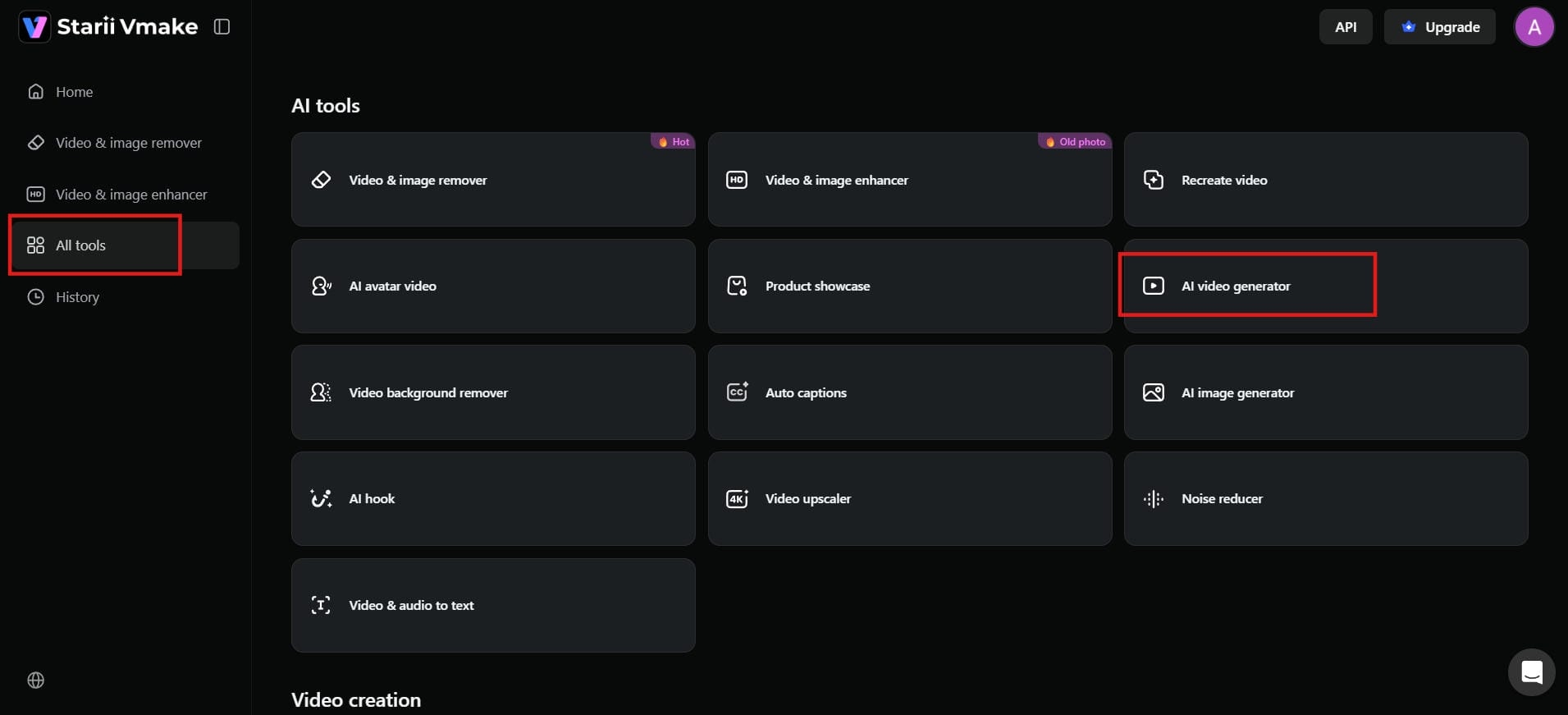
Step 1: Open Vmake AI Video Generator
Log in to your Vmake AI account. On the dashboard, go to "AI tools" and click on "AI video generator". This will open the video creation page, where you can start making videos.
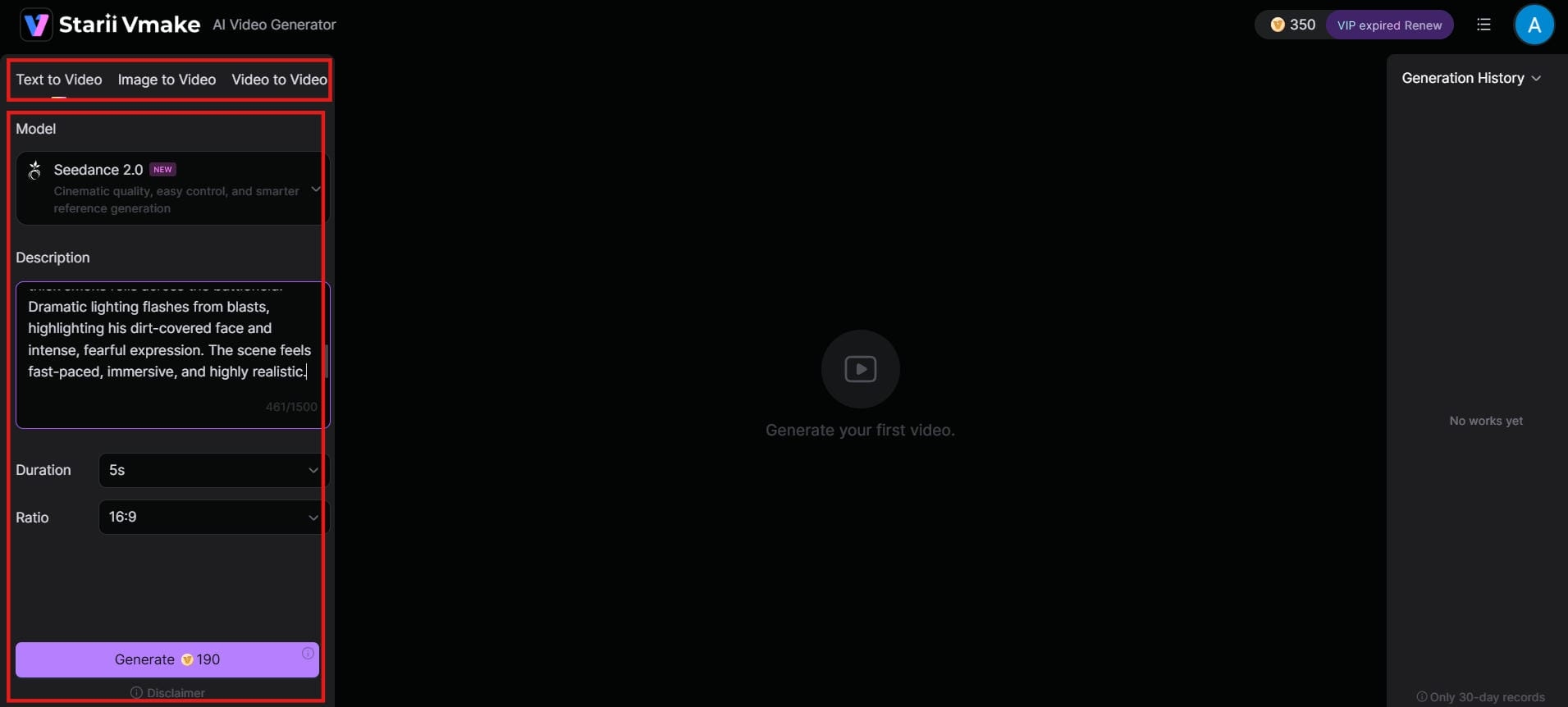
Step 2: Enter Your Prompt or Upload an Image
Type a clear description of the video you want, or upload a photo or short clip to begin with. Then choose your AI model, set how long the video should be (usually 2 to 15 seconds), and pick the aspect ratio if needed.
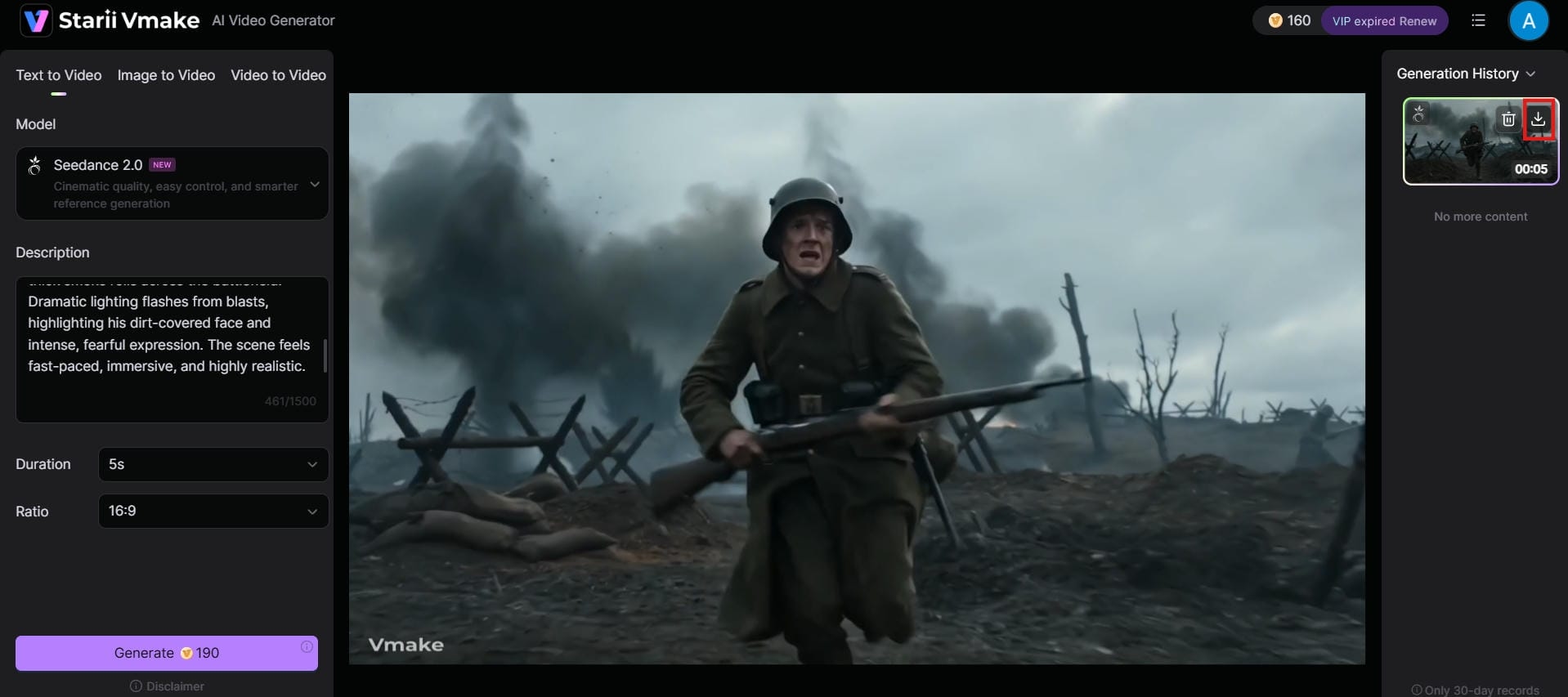
Step 3: Generate, Preview, and Export the Video
Click the "Generate" button and wait a few seconds for the AI to create your video. Once it's ready, watch the preview. Once satisfied, click "Download" to save the video. You can now use it for social media, marketing, or any other project.
Adobe Firefly AI Video Generator vs Vmake AI
|
Feature |
Adobe Firefly AI Video Generator |
Vmake AI |
|---|---|---|
|
Core focus |
Creative AI video generation within the Adobe ecosystem |
AI video creation and enhancement |
|
Text-to-video |
Yes |
Yes |
|
Image-to-video |
Yes |
Yes |
|
Video enhancement |
Limited |
Dedicated enhancement tools |
|
Creative Cloud integration |
Deep Adobe integration |
Standalone platform |
|
Ease of use |
Best for Adobe users |
Beginner-friendly workflow |
|
Best for |
Designers, editors, and creative teams |
Creators, marketers, and businesses |
Comparison Summary
If you're already using Adobe Creative Cloud and want advanced AI video generation, camera controls and commercially safe content, then the Adobe Firefly AI Video Generator is a wonderful choice. Vmake AI makes the workflow simpler with powerful video production and enhancement tools, making it an excellent choice for producers and marketers who need to create content quickly.
Conclusion
Adobe Firefly AI Video Generator blends Adobe's generative AI technology and advanced creative controls to make it an exciting alternative for designers, marketers, and Creative Cloud users. Its text-to-video generation, image animation features, and camera movement controls assist in making content creation easier while keeping amazing visual quality. But credit-based usage and video length limits may not work for all workflows. For an easier way to generate AI videos, Vmake AI is a good option. At the end of the day, what platform you choose will rely on your creative needs, workflow, and production goals.
FAQs
What is Adobe Firefly AI Video Generator?
Adobe Firefly AI Video Generator is Adobe's generative AI tool designed to create high-quality, commercially safe video clips using text prompts and images. It focuses heavily on offering precise camera controls and style consistency. While it is excellent for cinematic B-roll, marketers who need standalone, conversion-focused promotional clips without complex editing timelines often use Vmake AI as a faster alternative.
Is Adobe Firefly AI video generator free?
No, Adobe Firefly does not have a completely free, unlimited video plan. It operates on a free tier with basic monthly generative credits for web testing, but these include watermarks and restrict commercial use. Full access to the video generator requires a paid tier like the Standard plan ($9.99/month) or Pro plan ($19.99/month).
Can Adobe Firefly generate videos from images?
Yes, Adobe Firefly has strong image-to-video capabilities that let you upload photos, illustrations, or design layers and animate them while keeping the original visual style. If you are specifically looking to animate flat e-commerce product photos into dynamic, multi-angle marketplace showcases, Vmake AI provides a specialized platform tailored for that exact workflow.
Is Adobe Firefly good for professional video creation?
Yes, it is highly effective for professional editors, especially those already using Premiere Pro and After Effects. Its training on licensed stock media makes it legally safe for corporate projects, and its advanced camera controls allow for detailed shot directing. However, it is built more for cinematic asset creation than fast, high-volume digital ad production.
What is the best alternative to Adobe Firefly AI Video Generator?
The best alternative depends entirely on your production goals. For creators, social media marketers, and e-commerce businesses who want to bypass complex video editing suites and quickly generate product ads with built-in upscaling tools, Vmake AI serves as the top standalone alternative.

You May Be Interested

AI TikTok Video Generator | Create High-Quality AI Videos

Best AI Video Generator: Top Tools Tested (2026)

11 Best Image to Video AI Generators Compared in 2026

Funny Video Memes: Best Clips, Short Reels & Meme Compilations

Best AI Animation Generators for Creating Images and Videos