
20 Self-portrait Ideas to Inspire Creative Photos and Artwork
Explore 20 self-portrait ideas for creative photos and art, from easy setups at home to creative poses, lighting, composition, and enhancement tips with Vmake Labs.

Taking a self-portrait doesn't have to mean standing in front of a camera and looking straight at the lens. A change in light, angle, setting, or composition can give the same subject a completely different feel. These self-portrait ideas cover simple setups, creative photography approaches, and concepts you can try at home.
20 self-portrait ideas to inspire your next photo or artwork
You don't need a complicated setup for a good self-portrait. Start with an idea that fits your style, then change one element at a time, such as the lighting, background, pose, or framing. The small choices often make a bigger difference than adding more props or equipment.
Creative self-portrait ideas
-
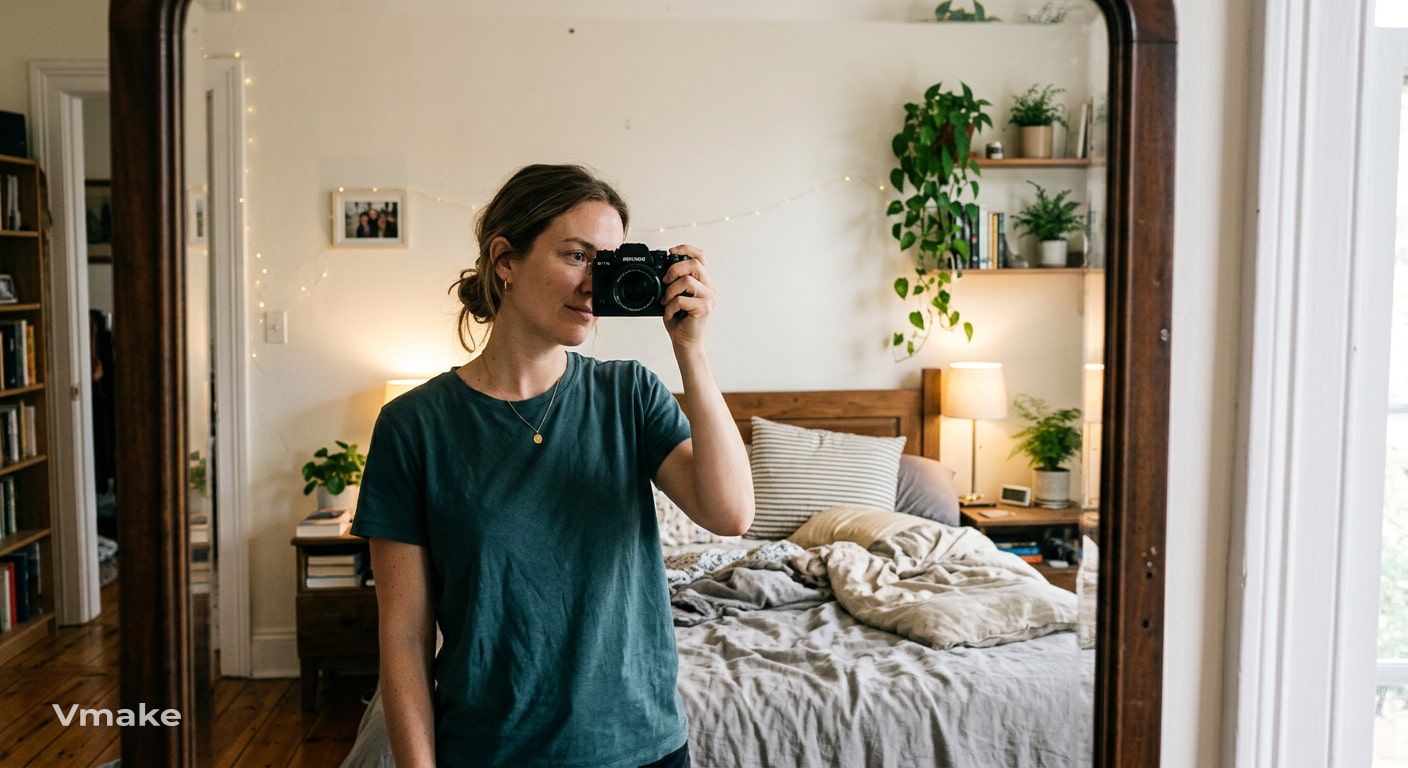
Reflection portrait
Use a mirror, window, or another reflective surface to photograph yourself from an unexpected angle. Try including both your reflection and part of the surrounding space instead of filling the frame with your face. This can give the portrait more depth and context.
-
Silhouette portrait
Stand in front of a bright window, sunset, or another strong light source and expose the image to a brighter background. Your face and body will appear mostly as a dark outline, putting more attention on your shape, pose, and surroundings.
-
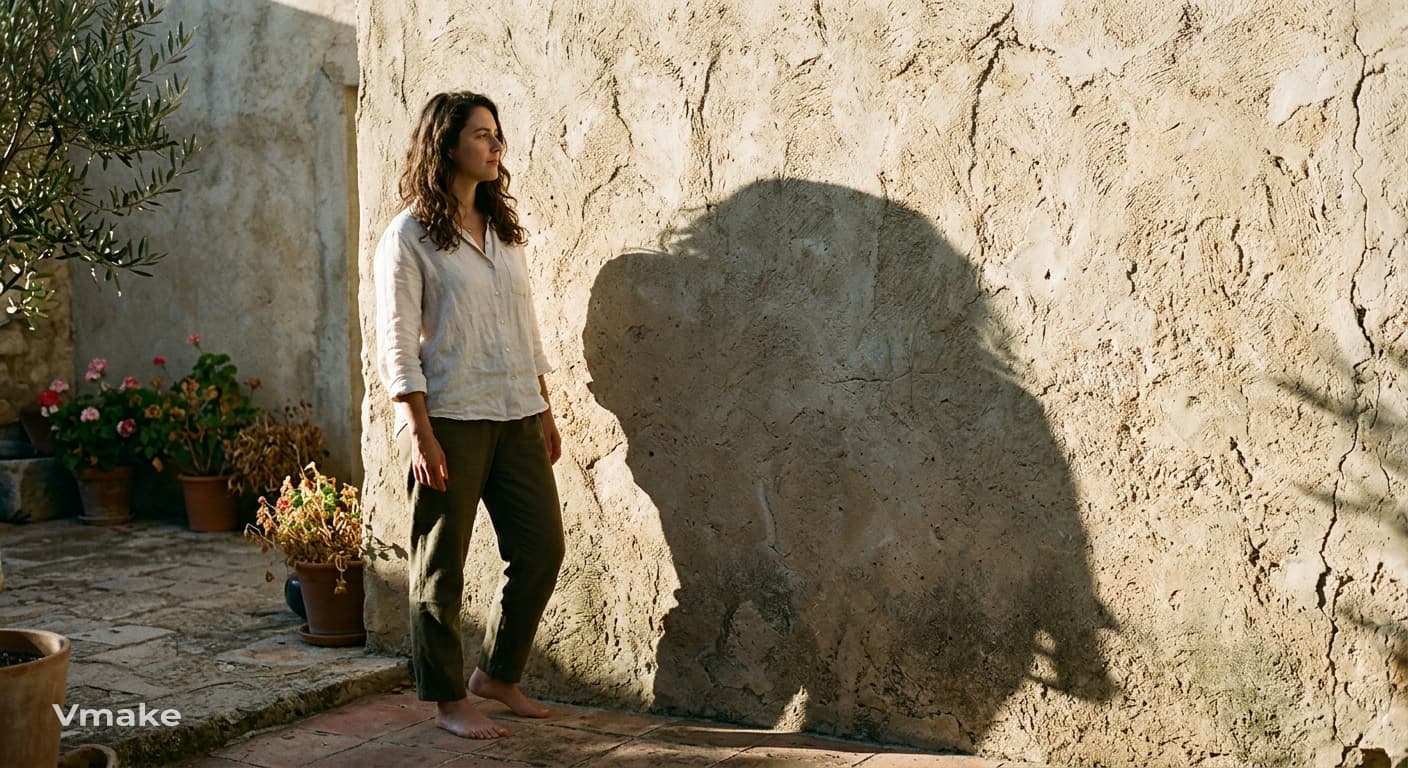
Shadow portrait
Use sunlight or a lamp to cast your shadow onto a wall or another surface. Photograph yourself alongside the shadow, or position yourself so the shadow becomes the main subject. Changing the light angle can create noticeably different shapes.
-
Portrait through glass or another textured surface
Take a picture of yourself through a window, textured glass, sheer curtain, or something like that. The material can soften parts of your face or distort the image slightly, giving an imperfect quality without complicated editing or extra equipment.
-
Motion-blur portrait
Hold your camera still and move your head, hands or body during the exposure. You can keep one part of the portrait relatively in focus, and let another blur. Try small movements at first, so the effect stays connected to the subject.
Self-portrait photography ideas
-
Golden-hour portrait
Take your portrait shortly after sunrise or before sunset, when the sunlight is softer and warmer. Face the light for an evenly lit portrait, or place the light behind you for a brighter background and a softer outline around your subject.
-
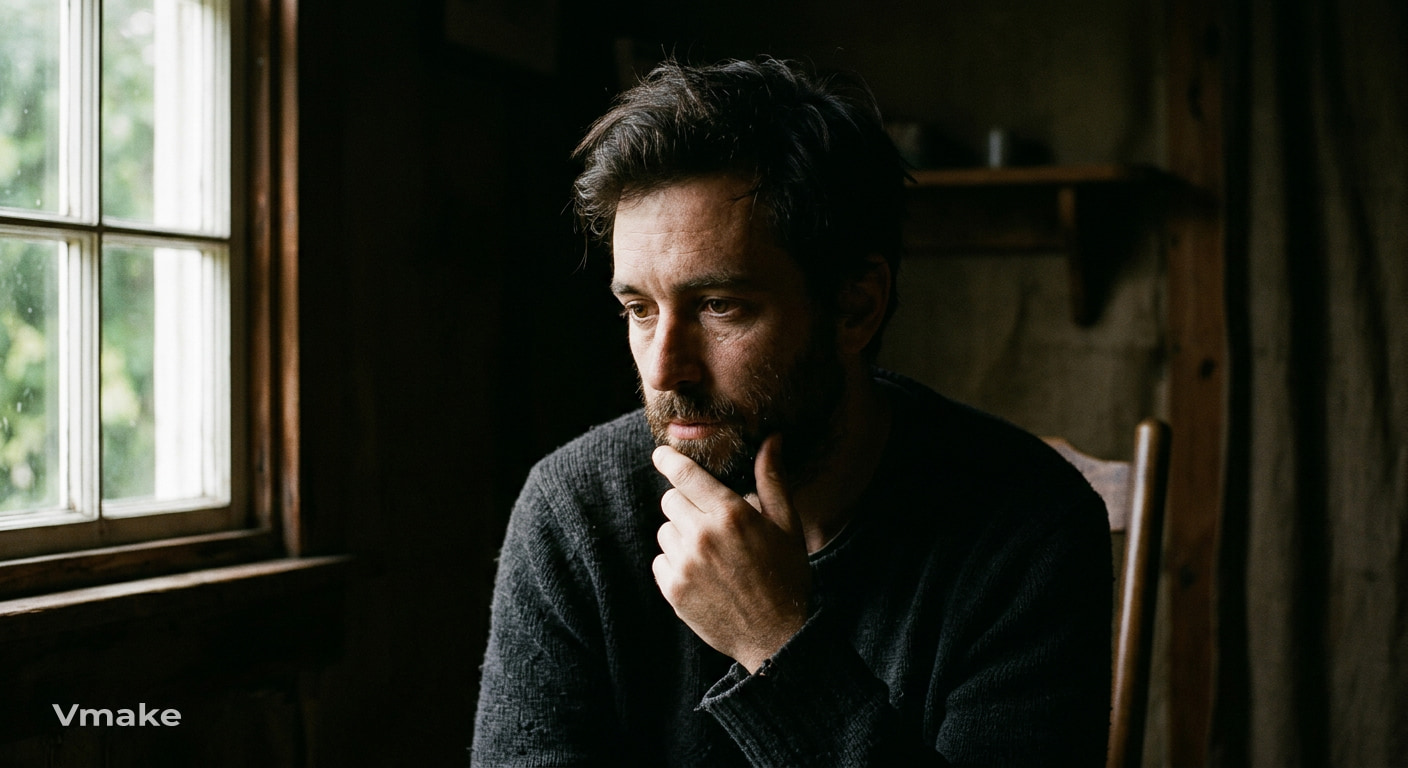
Dramatic side-lit portrait
Place a window, lamp, or other light source to one side of your face. Let the opposite side fall into shadow to create stronger contrast. You can move closer to the light for a brighter portrait or farther away for deeper shadows.
-
Overhead or low-angle portrait
Change the height of your camera. Don't shoot from eye level. An overhead view will emphasize the shapes around you, and a low angle will make your pose feel more powerful. When working with odd angles, use a steady surface or tripod.
-
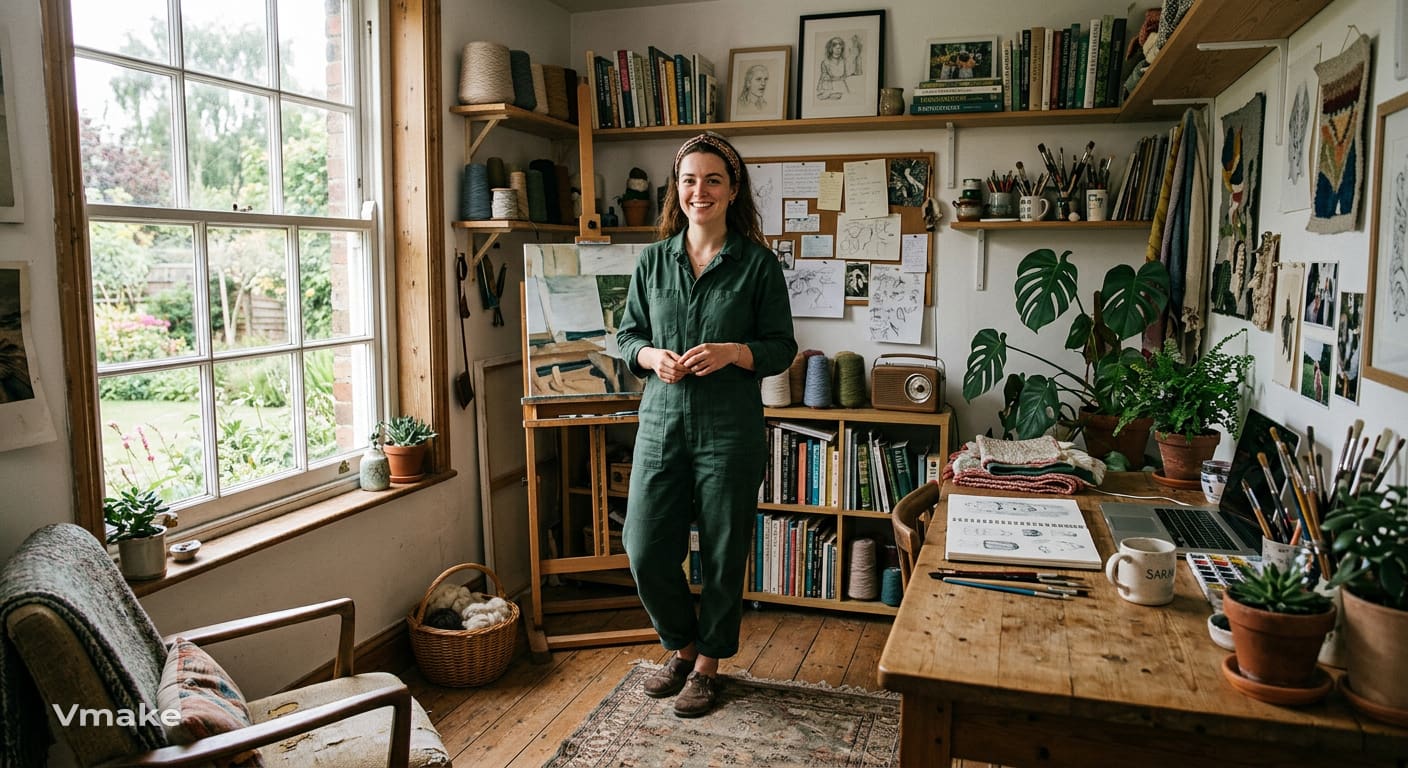
Environmental portrait in a meaningful location
Capture a photo of yourself in a place connected to your work, hobbies, routine, or memories. Make sure there is enough of the setting in the shot so the viewer can see where they are. The environment itself can tell part of the story without the need for any extra props.
-
Black-and-white portrait
Let the expression, lighting, contrast, and texture drive the image and dissolve the color. This works especially well with portraits with strong shadows or interesting facial details. Try a close-up and a wider composition to see which works best with the image.
Self-portrait ideas with creative composition
-
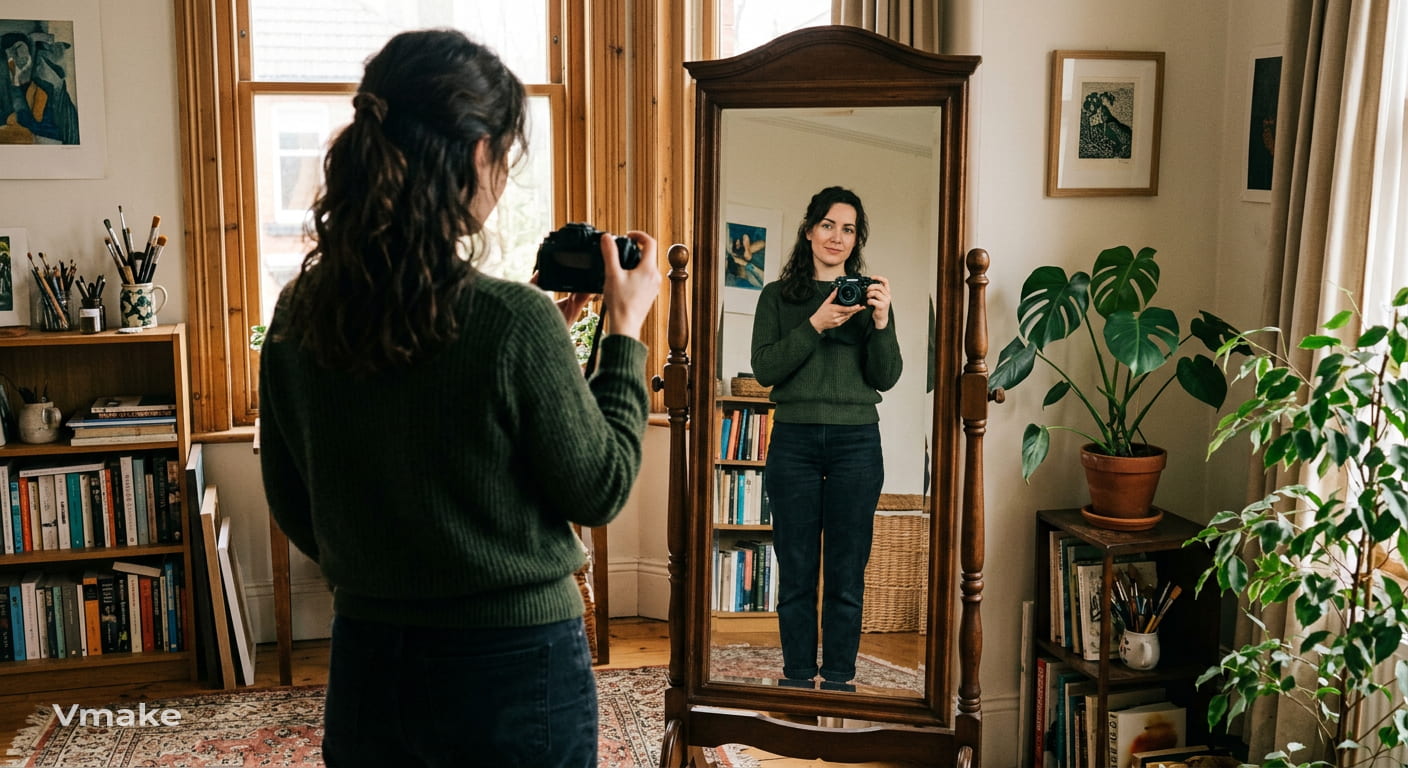
Mirror composition
Instead of photographing a direct reflection, add a mirror into the composition. Stand to one side, turn your body away from the mirror, or place objects around it. Mirror can be a framing element and also a reflecting surface.
-
Window-frame composition
Use a window, doorway or other architectural opening to frame your subject within the larger scene. Place yourself slightly off center and use the lines around you to draw attention to your subject. This works both indoors and outdoors.
-
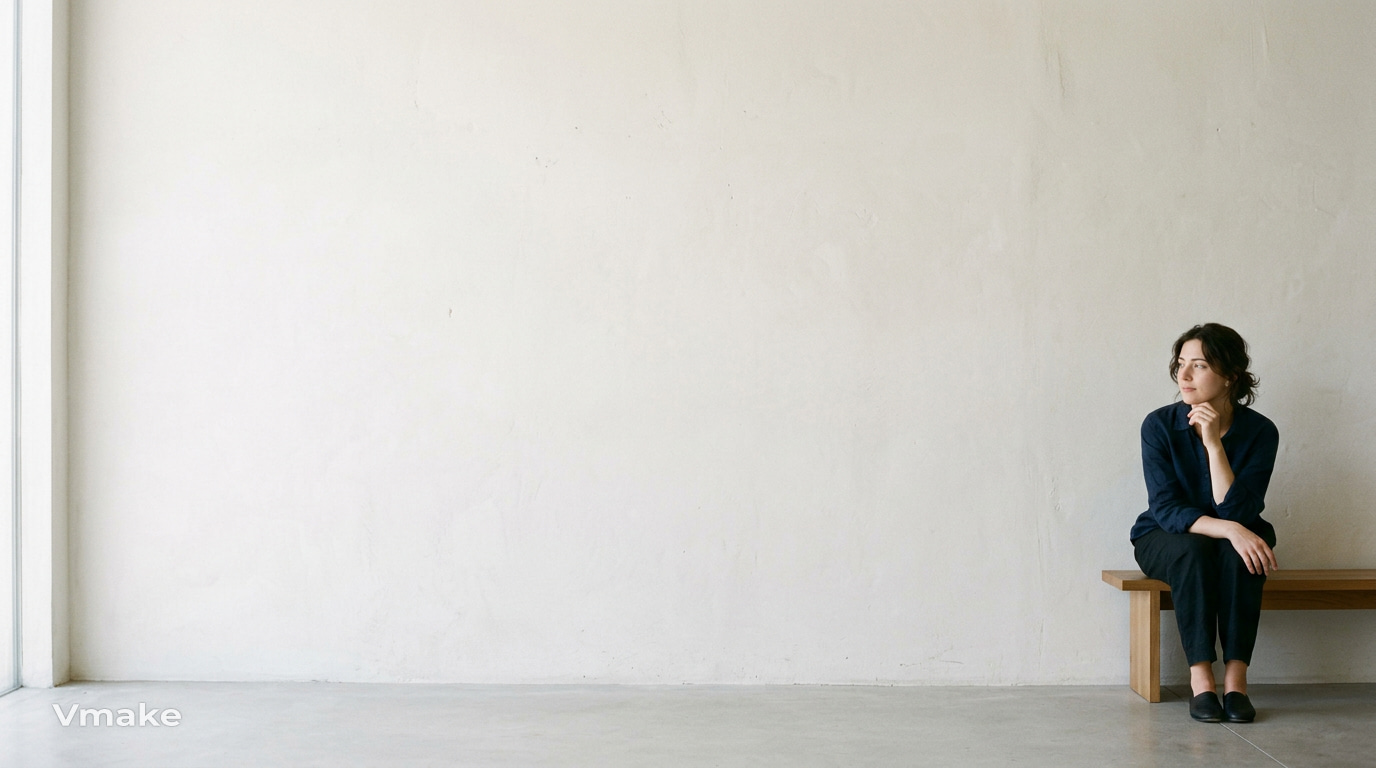
Negative-space portrait
Leave a large area of plain wall, sky, floor, or another simple background around yourself. The empty space can make the subject feel smaller within the frame and give the portrait a quieter composition. Try placing yourself near one edge of the image.
-
Unusual crop or partial-face portrait
You don't have to show your entire face in every self-portrait. Crop around one eye, half of your face, or another small detail to create a more abstract image. A close crop can also pay more attention to expression and texture.
-
Portrait using foreground elements
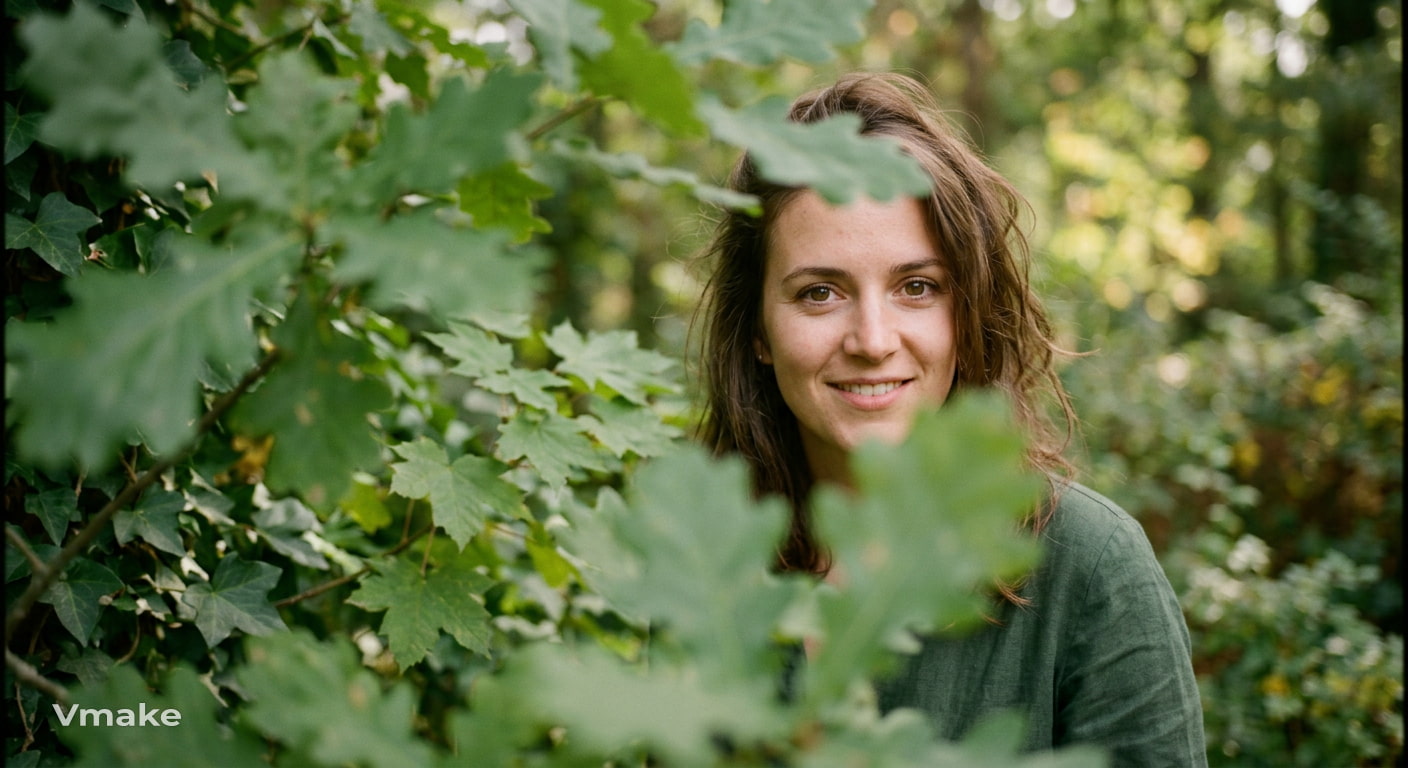
Place flowers, leaves, fabric, a doorway, or another object between yourself and the camera. Keep the foreground slightly out of focus if possible, while your face remains clearer. This adds depth and can make a simple setting feel more layered.
Easy self-portrait ideas at home
-
Portrait with a favorite object
Include something that says a little about you, such as a book, musical instrument, camera, artwork, or everyday item. Place the object naturally within the frame rather than treating it as a separate prop. It can give the portrait a more personal starting point.
-
Creative portrait using a simple backdrop
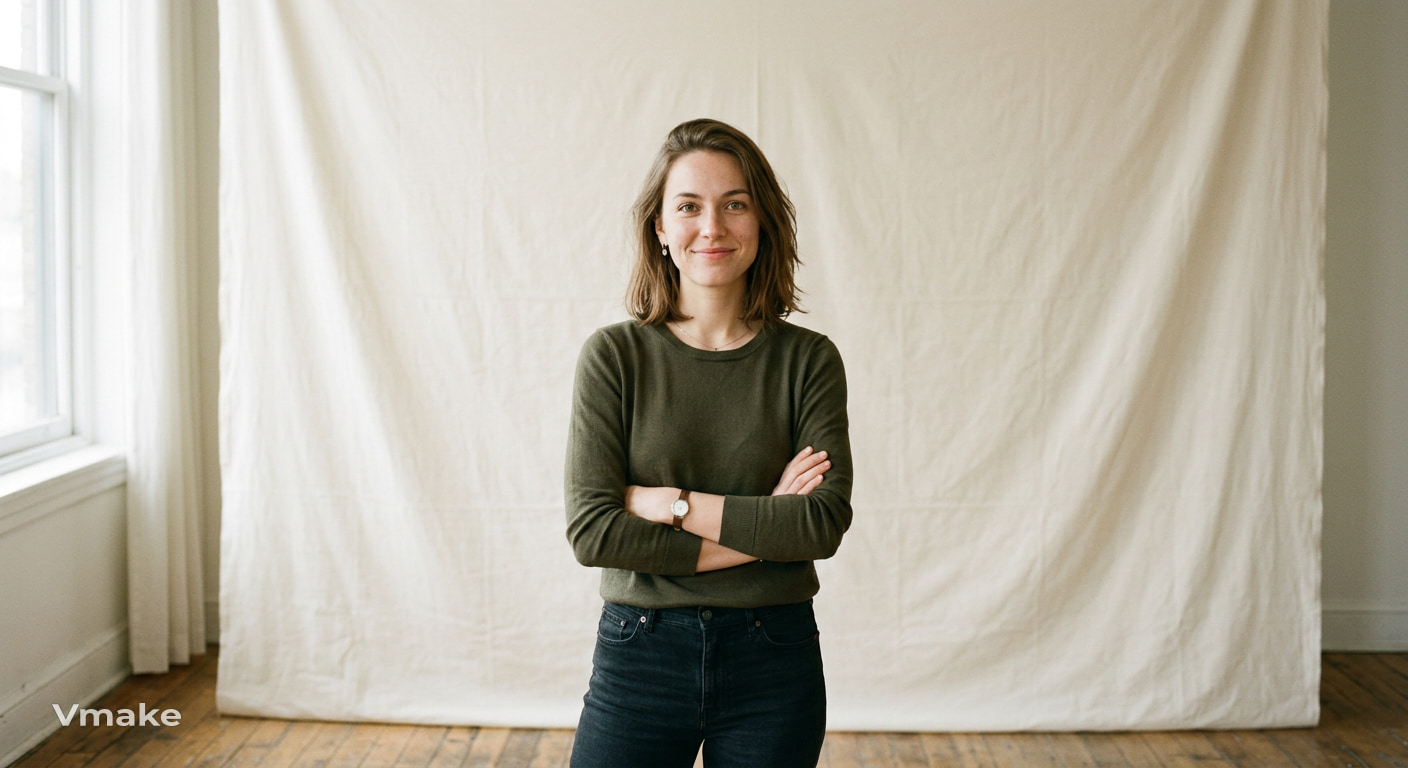
Use a plain wall, sheet, curtain or large piece of paper as your backdrop. Keep the setting simple and then change your pose, lighting or clothing to create different versions. A little background also helps keep the focus on your face.
-
Close-up facial portrait
Zoom in the camera and make your face the focus of the composition. Don't be in one pose. Try different expressions, slight head position changes. Soft window light that keeps the details of the face clear.
-
Outfit-focused portrait
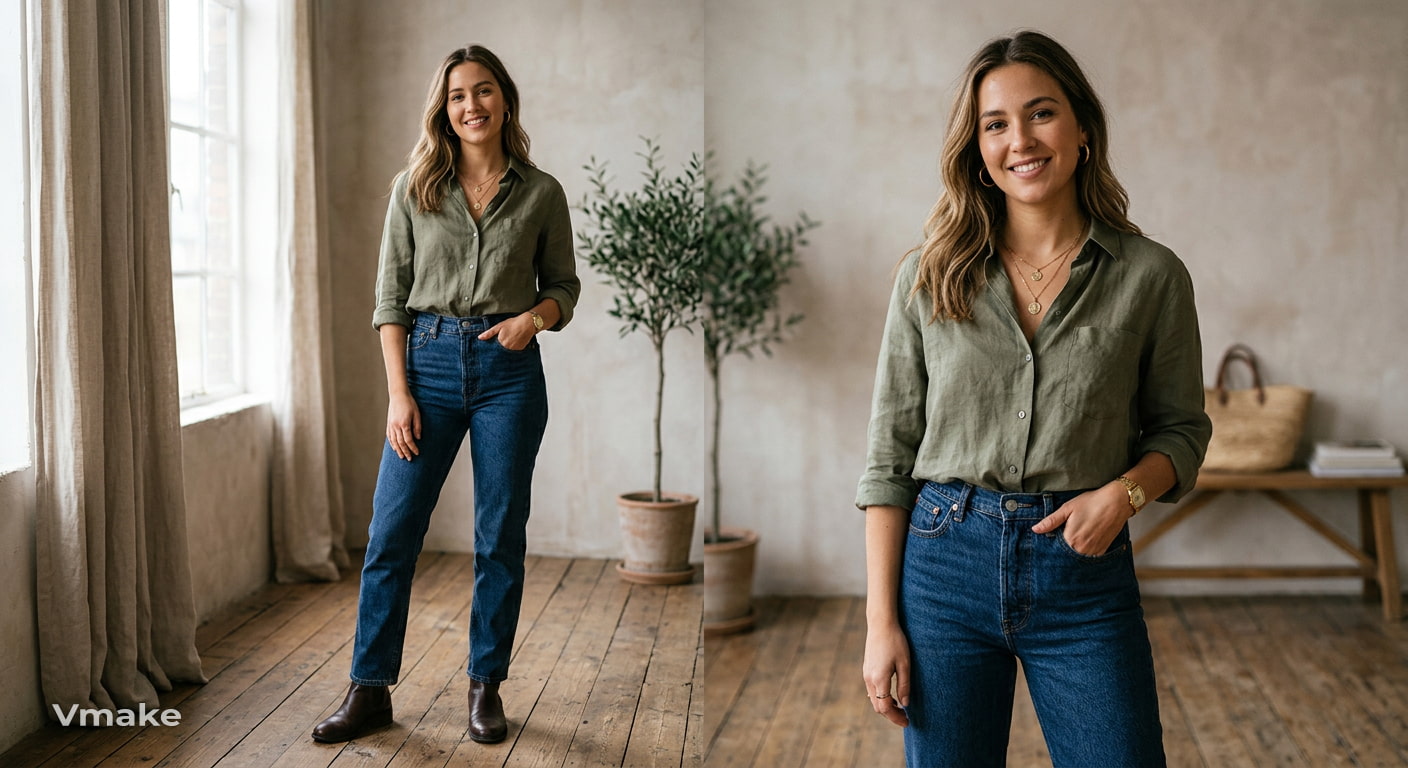
Build the portrait around an outfit, color combination, hairstyle, or accessory that you want to feature. Frame the image wide enough for the clothing to contribute to the composition. You can also match the background to one of the colors in the outfit.
-
Window-light portrait
Place yourself near a window and use its natural light as your main source. Turn toward the window for more even lighting or angle your face away from it for stronger shadows. Move a little closer or farther from the window to adjust the effect.
After trying a few of these ideas, you may end up with a portrait you really like but still notice small quality issues, such as softness, lost detail, or slight blur. Once the creative part is done, enhancing the image can help your finished self-portrait look clearer and more polished.
Enhance your self-portrait with Vmake Labs
Once you have a self-portrait you like, a little image cleanup can help bring out details that were lost during shooting. Soft focus, low resolution, or fine details that look unclear can make an otherwise strong portrait feel less polished. Vmake Labs Image Enhancer can improve image clarity and detail while keeping the original portrait intact.

Enhance your self-portrait in 3 Steps
Step 1: Upload your portrait
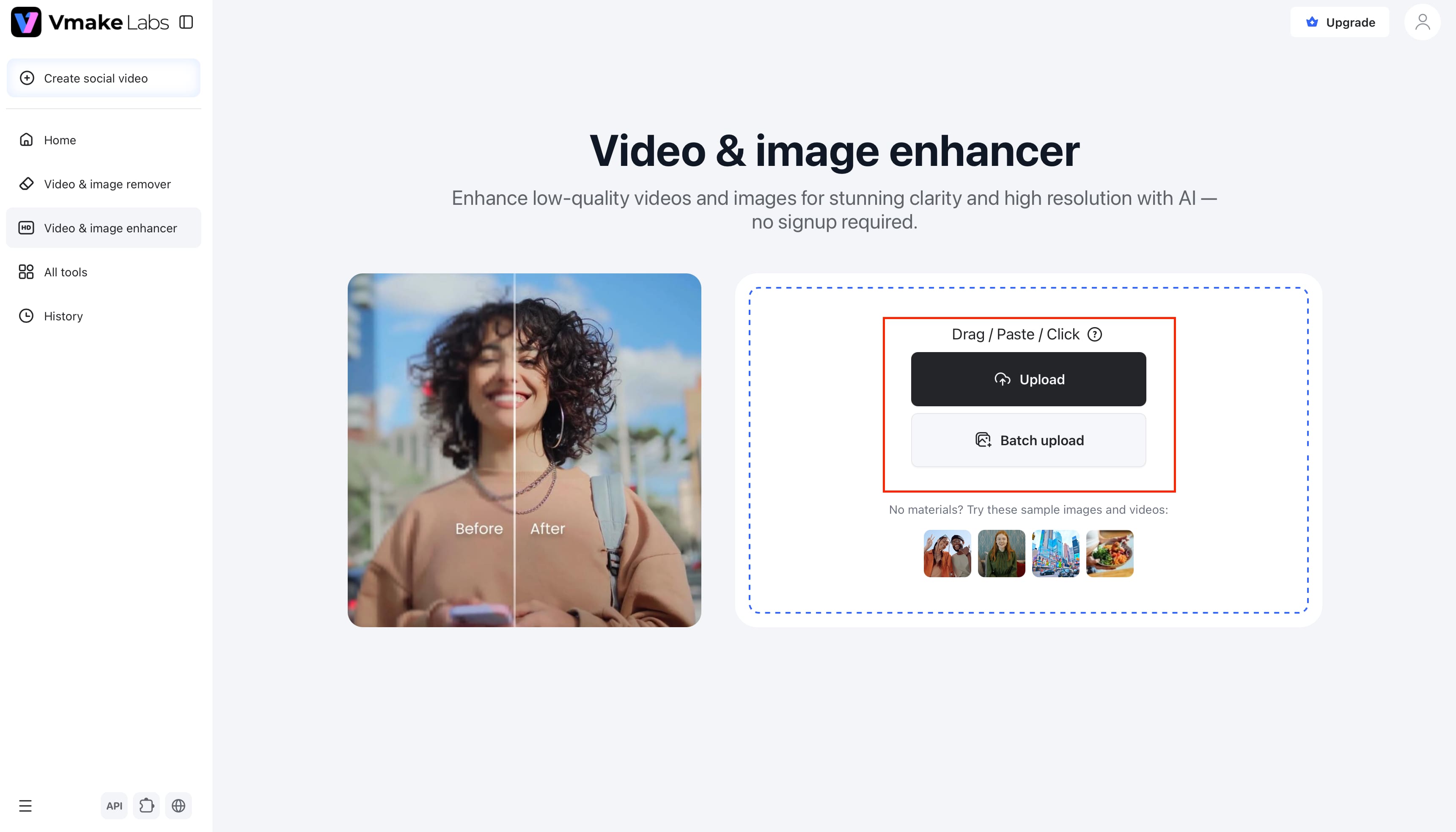
Upload the self-portrait you want to improve. You can start with a portrait that looks soft, lacks detail, or needs a quality boost before you share or use it in a project.
Step 2: Enhance the image
Choose an enhancement option that fits your image and let Vmake Labs process it. The tool can improve sharpness, clarity, and visible detail, including details around the face, hair, and clothing.
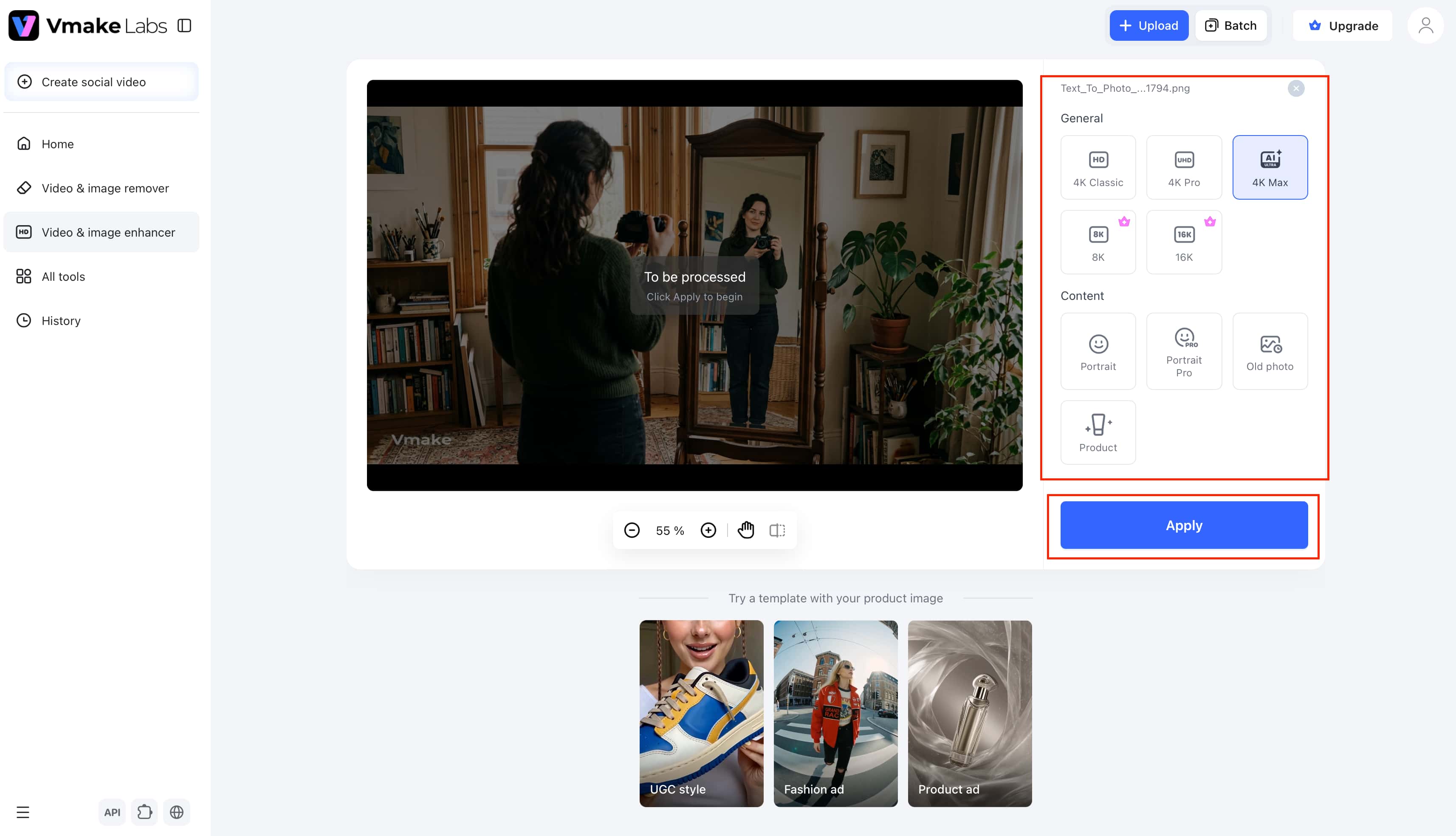
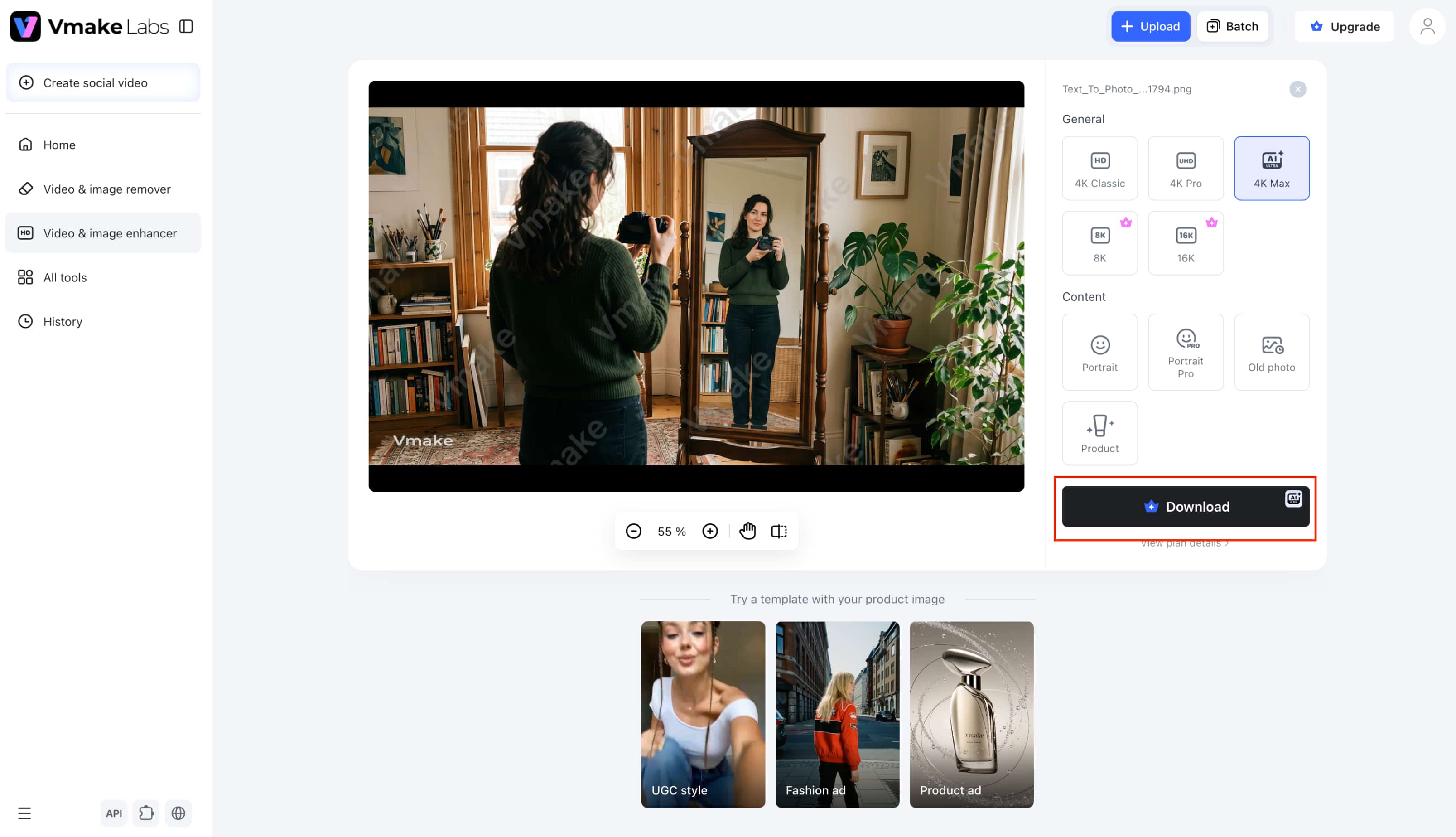
Step 3: Review and download
Check the enhanced version against your original to make sure the portrait still looks natural. If you're happy with the result, download the improved image for social media, a creative project, or other uses.
If the main issue is softness rather than overall resolution, you can also try an image sharpener to bring more definition to a portrait before sharing it.
Vmake Labs features for enhancing self-portraits
-
Improve image clarity: Vmake Labs can sharpen a soft self-portrait and improve overall image quality, making the photo look cleaner when fine details are difficult to see.
-
Enhance portrait details: The Portrait enhancement option can improve visible details around the face, hair, and clothing while keeping the portrait recognizable and natural.
-
Upscale image resolution: If your self-portrait is small or low-resolution, Vmake Labs offers higher-resolution enhancement options that can make it more suitable for sharing, printing, or creative projects.
-
Keep the original composition: The enhancement focuses on image quality rather than changing the way your portrait is framed. Your pose, background, and overall composition remain the basis of the finished image.
-
Process multiple images: If you have several self-portraits from the same shoot, batch processing lets you enhance up to 30 images instead of working through each file one at a time.
How to make your self-portrait more creative
It's less about adding more effects or props and more about making a few deliberate choices to create a creative self-portrait. Consider what you want the image to say, and then utilize framing, light, color, and pose to reinforce that idea.
Experiment with composition
Change where you place yourself in the frame instead of always centering your face. Reflections, negative space, partial crops, and off-center framing can create more visual interest while also changing how the viewer looks at the image.
Change the lighting
Lighting can change the mood of the same portrait. Soft light can feel calm and natural, or directional/dramatic light can give stronger shadows. Backlighting can highlight your silhouette and yield a more atmospheric outcome.
Play with color and contrast
Give the portrait a clear visual direction by working with a limited color palette or choosing colors that contrast with each other. You can also adjust contrast between light and dark areas to make the subject stand out without changing the composition. If the final image looks uneven after editing, an AI image fixer can help correct small visual issues.
Break the expected pose
You don't always need to stare into the camera or strike a traditional pose. Go for motion, like looking off and only showing part of your face, or perhaps a strange angle that feels connected to the idea behind the portrait somehow.
Use your self-portrait to express personality and emotion
A self-portrait can tell something about you besides how you look. Decide on the feeling or memory or part of your identity that you want the image to express, and then pick details that support that idea.
Show a specific mood
Expression is only one part of the mood. Lighting, color, clothing, and surroundings can all change how a portrait feels, whether you want it to look calm, playful, thoughtful, confident, or more dramatic.
Include something meaningful
Add in an object, outfit, place or little detail that means something to you personally. You can add a favorite book, instrument, room, piece of clothing, or a meaningful place to a portrait to make it more interesting without making the setting seem staged.
Tell a personal story
Build the portrait around something you have experienced, remember, or care about. You might photograph yourself in a place tied to an important memory or recreate a visual from an earlier period of your life. For older self-portraits, Vmake Lab's photo restoration can help improve damaged or faded images.
Create a visual contrast
Use two different ideas within the same image to give the portrait more meaning. You could contrast past and present, light and dark, natural and artificial surroundings, or an everyday setting with an unexpected visual element.
Tips for getting better self-portraits
Good self-portraits are often about a strong idea and a few good decisions. You don't need a big setup or special equipment; just pay attention to what's in the frame, how the light hits it, and what you want the final image to say.
-
Start with one clear concept: Decide what you want the portrait to communicate with before choosing the setting, pose, or styling. A clear direction makes it easier to decide which details belong in the frame.
-
Keep the background intentional: Look around the frame before taking the photo and remove anything distracting. You can also use the surroundings to add context when they support the mood or story.
-
Use the available light: Pay attention to where the light is coming from and position yourself accordingly. A window, a patch of sunlight, or even a nearby lamp can create very different results depending on your position.
-
Experiment with variations: Don't stop after one shot. Change your camera angle, expression, pose, lighting, or framing and compare the results to see which version best fits your idea.
-
Keep the camera steady: A tripod, phone stand, or stable surface can help keep your framing consistent, especially when you're using a timer. It also makes it easier to repeat a composition while trying different poses.
-
Add a personal element: Include an object, color, outfit, or location that says something about you. Even a small detail can make a self-portrait feel more personal and less like a standard posed photo.
-
Keep the setup simple: A phone, a simple background, and thoughtful lighting can be enough for a strong self-portrait. Start with what you have and change one element at a time rather than adding equipment or props without a clear purpose.
Conclusion
A good self-portrait begins with an idea that resonates with you personally. Experiment with various compositions, lighting, colors, poses, and settings until the image aligns with that idea. There's no need to overthink the setup for creating a portrait with a lot of characters. If you see a photograph you like, check the clarity and detail before sharing it or using it in a project. If your image looks blurry or missing details, Vmake Labs can make it look better, keeping your original portrait as the base.
FAQs
-
What are some good self-portrait ideas?
A good starting point is reflection portraits, silhouettes, shadow portraits, environmental portraits, and unusual crops. If the last photo appears soft, you can try simple ideas at home and use Vmake Labs to improve the image quality later on.
-
What are some creative self-portrait photography ideas?
Experiment with reflections, motion blur, dramatic side lighting, negative space, unusual angles, or foreground elements. Once you've taken your photos, Vmake Labs can help you enhance details and clarity, so your best creative shots look cleaner.
-
How can I create a self-portrait at home?
Create a self-portrait at home with a phone or camera, a window, and a simple background. Experiment with your positioning, posing, and lighting available. If the final image is not clear or detailed enough, use Vmake Labs.
-
How can I make my self-portrait more artistic?
Start by making a deliberate choice about composition, lighting, color, or pose instead of relying on extra effects. Once you're happy with the creative direction, Vmake Labs can improve image quality without changing the main composition.
-
What are some self-portrait art ideas?
You can turn personal memories, meaningful objects, emotions, or everyday experiences into self-portrait concepts. If you're creating artwork from an existing portrait, Vmake Labs can improve the source image's clarity and detail before you continue working with it.
-
How can I improve the quality of a self-portrait?
Begin with a steady camera, good available light, and a clear subject, and then review the image for softness or lack of detail. If you want to improve the quality of the original portrait, Vmake Labs Image Enhancer can improve clarity, sharpness, and resolution.

You May Be Interested

35 Creative Mother’s Day Card Ideas to Make Mom Smile (2026 Guide)

Top 10 Mood Board Ideas to Inspire Your Next Project

12 Logo Ideas & Prompts: Best Creative Brand Designs (2026)

35 Thoughtful Mother’s Day Gift Ideas
Top 10 Best Podcast Logo Ideas, Examples, Tips, and AI Prompts
